
14 Best NetSuite Alternatives for 2026

Best NetSuite Alternatives Shortlist
Here’s my shortlist of NetSuite alternatives:


A strong NetSuite alternative delivers reliable ERP features, flexible integrations, and scalability to match your business’s growth. If you’re searching for the best NetSuite competitors, you’re likely weighing options that can handle complex inventory, finance, and warehouse management needs, without the limitations or costs you’ve experienced with Oracle NetSuite.
This list will help you compare leading business management solutions, understand their unique strengths, and make a confident decision about which platform fits your retail or e-commerce business best.
What is NetSuite?
NetSuite is a cloud-based enterprise resource planning (ERP) software that centralizes business processes like accounting, inventory, order management, and customer relationship management. It’s designed to help organizations automate workflows, manage financials, and gain real-time visibility across departments.
NetSuite is widely used by retail and e-commerce businesses that need integrated tools for operations, finance, and reporting in a single platform.
Best NetSuite Alternatives Summary
This comparison chart summarizes pricing details for my top NetSuite alternative selections to help you find the best one for your budget and business needs.
| Tool | Best For | Trial Info | Price | ||
|---|---|---|---|---|---|
| 1 | Best for flexible cloud ERP with open APIs | Free demo available | Pricing upon request | Website | |
| 2 | Best for complex multinational enterprise operations | Free demo available | Pricing upon request | Website | |
| 3 | Best for industry-specific ERP in manufacturing and distribution | Free demo available | Pricing upon request | Website | |
| 4 | Best for enterprise asset, service, and manufacturing management | Free demo available | Pricing upon request | Website | |
| 5 | Best for global manufacturing and supply chain management | Free demo available | Pricing upon request | Website | |
| 6 | Best for small business accounting and financial management | 30-day free trial | From $30/month | Website | |
| 7 | Best for cloud ERP for industrial manufacturers | Free demo available | Pricing upon request | Website | |
| 8 | Best for scalable cloud ERP with advanced analytics | Free demo available | Pricing upon request | Website | |
| 9 | Best for modular ERP and CRM customization | 14-day free trial | Pricing upon request | Website | |
| 10 | Best for automated cloud financial management and reporting | Free demo available | Pricing upon request | Website |
Why Trust Our Software Reviews
Best NetSuite Alternatives Reviews
Below are my detailed summaries of the NetSuite alternatives that made it onto my shortlist. My reviews offer a detailed look at the features, integrations, and pricing of each platform to help you find the best one for you.

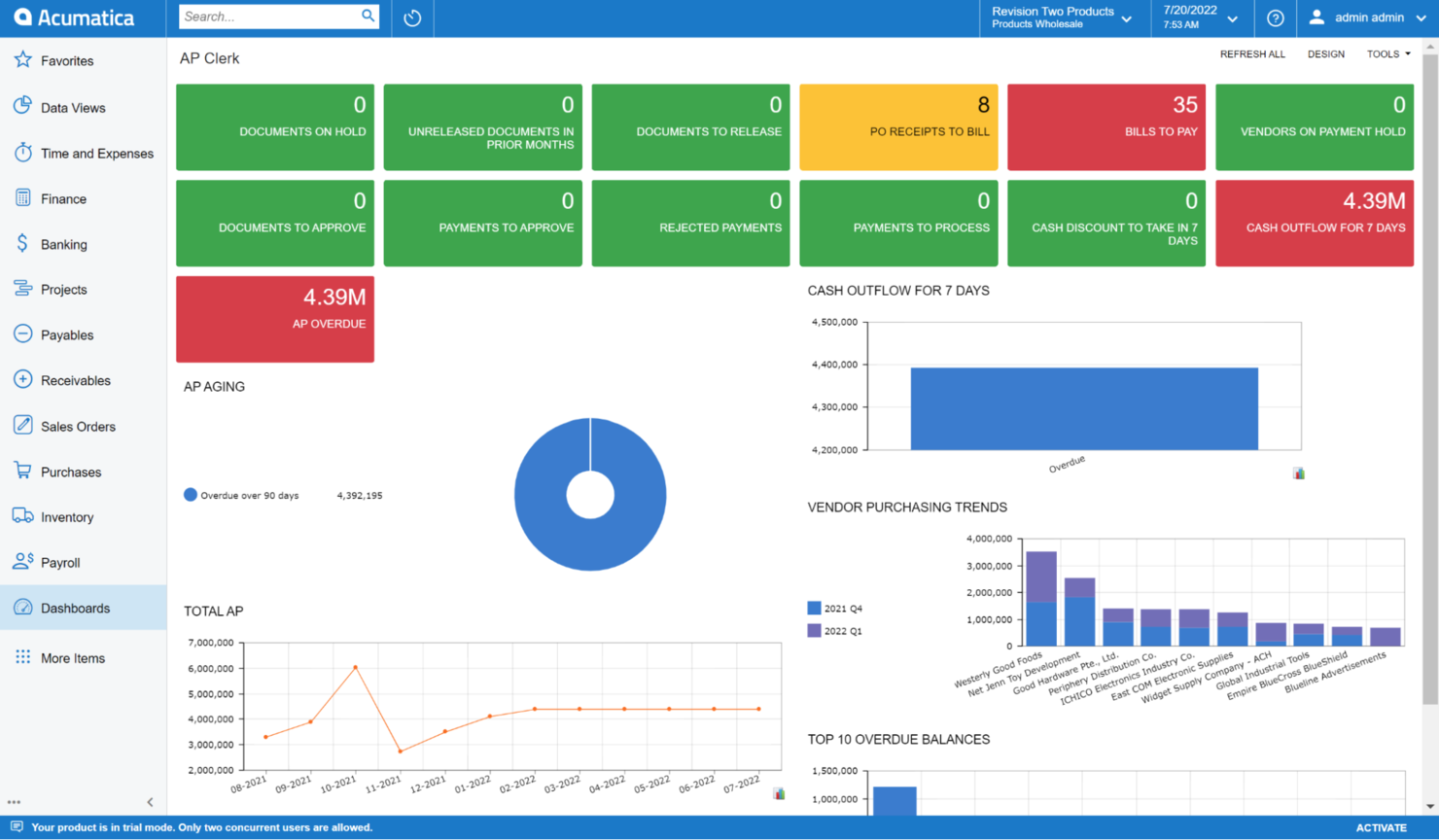
Acumatica offers a cloud-based ERP platform designed for growing businesses that need flexibility and scalability. It’s a strong fit for companies in industries like distribution, manufacturing, construction, and retail that want industry-specific workflows and unlimited user access. Acumatica stands apart from NetSuite by letting you add users without extra fees and by providing tailored editions for different verticals.
Who is Acumatica Best For?
Finance and IT leaders in mid-sized organizations globally implementing flexible cloud ERP with open API integration capabilities.
Why I Picked Acumatica
What sets Acumatica apart as a NetSuite alternative is its flexible, cloud-based ERP platform that offers unlimited user access and industry-specific editions. I picked Acumatica because it lets you tailor the system to your business, whether you’re in manufacturing, distribution, construction, or retail. The platform’s modular design means you can add or remove functionality as your needs change, without being locked into a one-size-fits-all approach. Acumatica’s focus on scalability and industry alignment makes it a strong choice for businesses that want ERP software to grow with them.
Acumatica Key Features
Some other Acumatica features that may be useful for your business include:
- Role-based dashboards: Customize dashboards for different users to display relevant KPIs and data.
- Mobile app access: Manage business operations and approvals from any device with the Acumatica mobile app.
- Built-in project accounting: Track project costs, budgets, and billing within the ERP.
- Automated workflow engine: Set up rules to automate approvals, notifications, and task assignments across departments.
Acumatica Integrations
Integrations include Shopify, Amazon Marketplace, BigCommerce, HubSpot, Salesforce, PayPal, Tipalti, and more.
Pros and Cons
Pros:
- Modular design lets you add or remove features as needed
- Industry-specific editions offer tailored workflows for key verticals
- Unlimited user pricing model supports growing teams without extra fees
Cons:
- Reporting tools may require customization for advanced analytics
- Implementation can be lengthy for businesses with complex needs

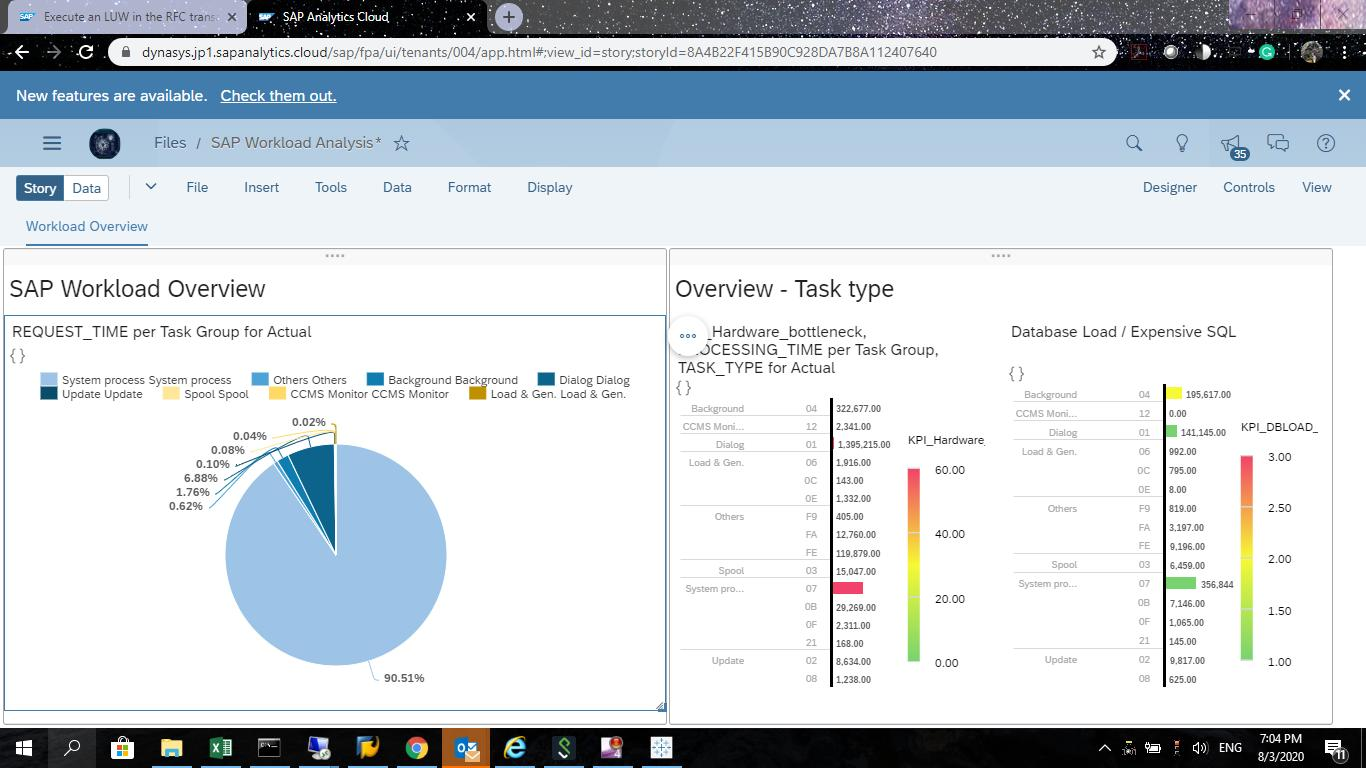
SAP stands out for businesses that need a highly flexible ERP platform with deep industry-specific capabilities. It’s especially useful for manufacturers, retailers, and enterprises that rely on real-time data to manage complex operations. If your team needs granular control over workflows and the ability to tailor processes for unique industry requirements, SAP offers options that go beyond what NetSuite typically provides.
Who is SAP Best For?
Enterprise IT and operations managers in multinational organizations globally managing complex, cross-border business processes and ERP operations.
Why I Picked SAP
SAP’s flexible ERP platform stands out for organizations that need deep industry solutions and real-time data processing. I picked SAP for medium-sized businesses and enterprise teams that want to tailor their ERP to specific needs in sectors such as manufacturing, retail, or distribution. Its modular design lets you add industry-specific functions, while in-memory data processing delivers up-to-the-minute insights for fast decision-making. This level of customization and real-time visibility is something you won’t always find with NetSuite, especially when comparing NetSuite vs other ERP platforms.
SAP Key Features
Some other SAP features that may be useful for your business include:
- Embedded analytics: Access real-time dashboards and visualizations directly within your ERP workflows.
- Integrated procurement: Manage supplier relationships, contracts, and purchasing from a single platform.
- Asset management: Track, maintain, and optimize physical assets throughout their lifecycle.
- Multi-currency and multi-language support: Operate across global markets with built-in localization tools.
SAP Integrations
Integrations include Salesforce, Workday, AWS, ServiceNow, Microsoft Azure, Google Cloud, and more.
Pros and Cons
Pros:
- Offers strong localization for multi-currency and multi-language environments
- Real-time data processing enables instant visibility into business operations
- Supports highly complex, industry-specific workflows for large enterprises
Cons:
- Implementation projects often require significant time and consulting resources
- Upgrades and customizations may disrupt existing business processes

Epicor
Best for industry-specific ERP in manufacturing and distribution
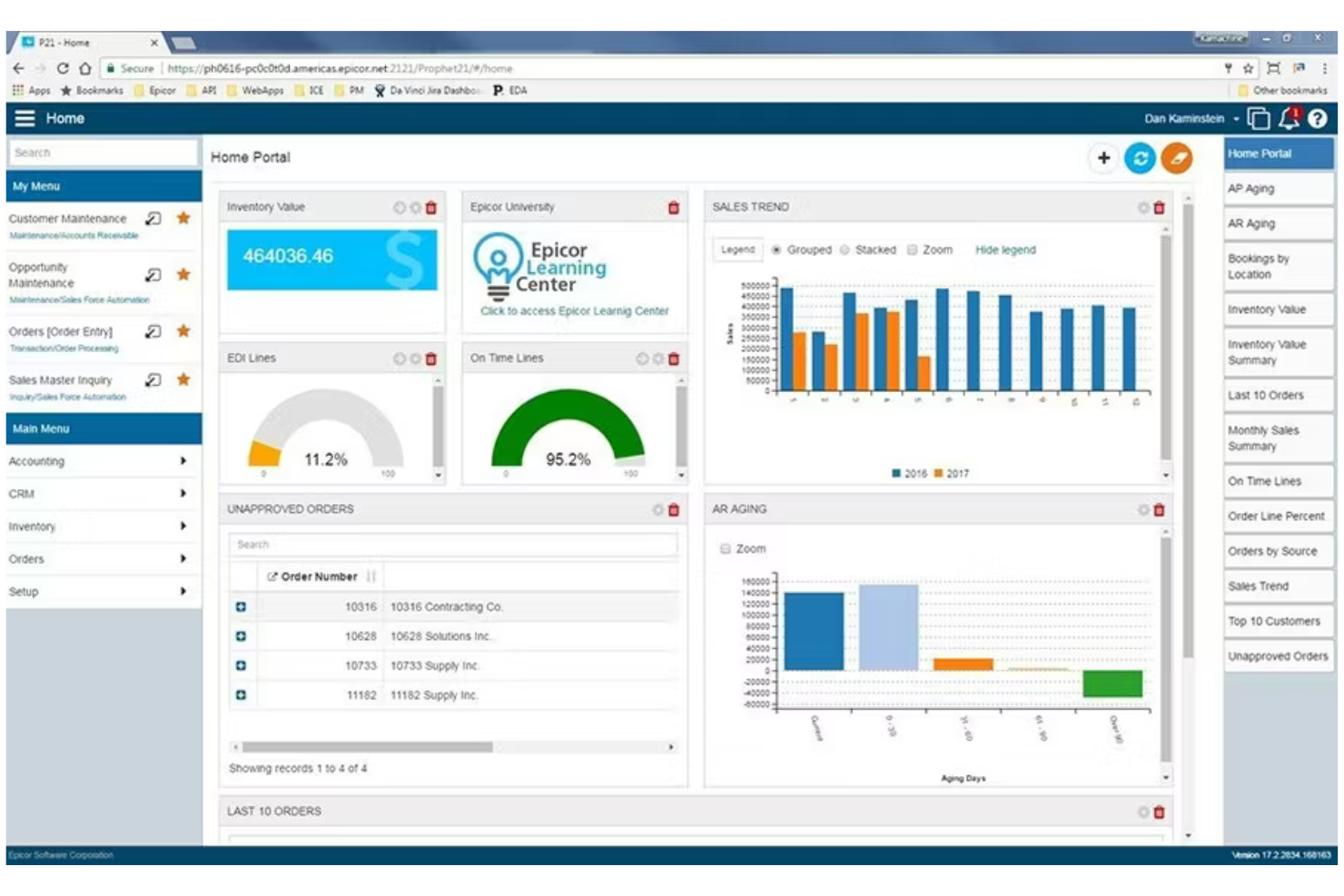
Epicor is designed for businesses that need ERP software tailored to specific industries like manufacturing, distribution, and retail. If your team manages complex supply chains or production processes, Epicor offers deep functionality for inventory, procurement, and shop floor control. Unlike NetSuite, Epicor stands out for its industry-specific modules and strong support for manufacturing and supply chain operations.
Who is Epicor Best For?
Operations and manufacturing managers in mid-sized industrial and distribution companies worldwide deploying industry-specific ERP solutions.
Why I Picked Epicor
For teams that need ERP software built around industry-specific requirements, Epicor offers deep supply chain and manufacturing capabilities that set it apart from NetSuite. I picked Epicor because its modules for production management, advanced inventory control, and procurement are designed to handle the complexities of manufacturing and distribution. The platform supports real-time shop floor data collection, detailed supply chain analytics, and human resources management, which are essential for businesses with intricate operations. If your business relies on specialized workflows, compliance needs, or all-in-one solutions, Epicor’s tailored approach can address gaps that more general ERP systems might miss.
Epicor Key Features
Some other Epicor features that may be useful for your business include:
- Customer relationship management (CRM): Manage sales pipelines, customer data, and service requests within the ERP.
- Financial management: Handle accounts payable, receivable, general ledger, and financial reporting in one system.
- Human capital management: Track employee records, payroll, and performance reviews through integrated HR tools.
- Document management: Store, organize, and retrieve business documents securely within the platform.
Epicor Integrations
Integrations include Salesforce, Amazon, eBay, Shopify, Walmart Marketplace, Microsoft Dynamics, ADP, and more.
Pros and Cons
Pros:
- Built-in compliance features address industry and regulatory requirements
- Advanced production scheduling tools help manage complex shop floors
- Industry-specific modules support manufacturing, distribution, and retail operations
Cons:
- System updates and upgrades can disrupt ongoing business processes
- Implementation projects often require significant time and consulting

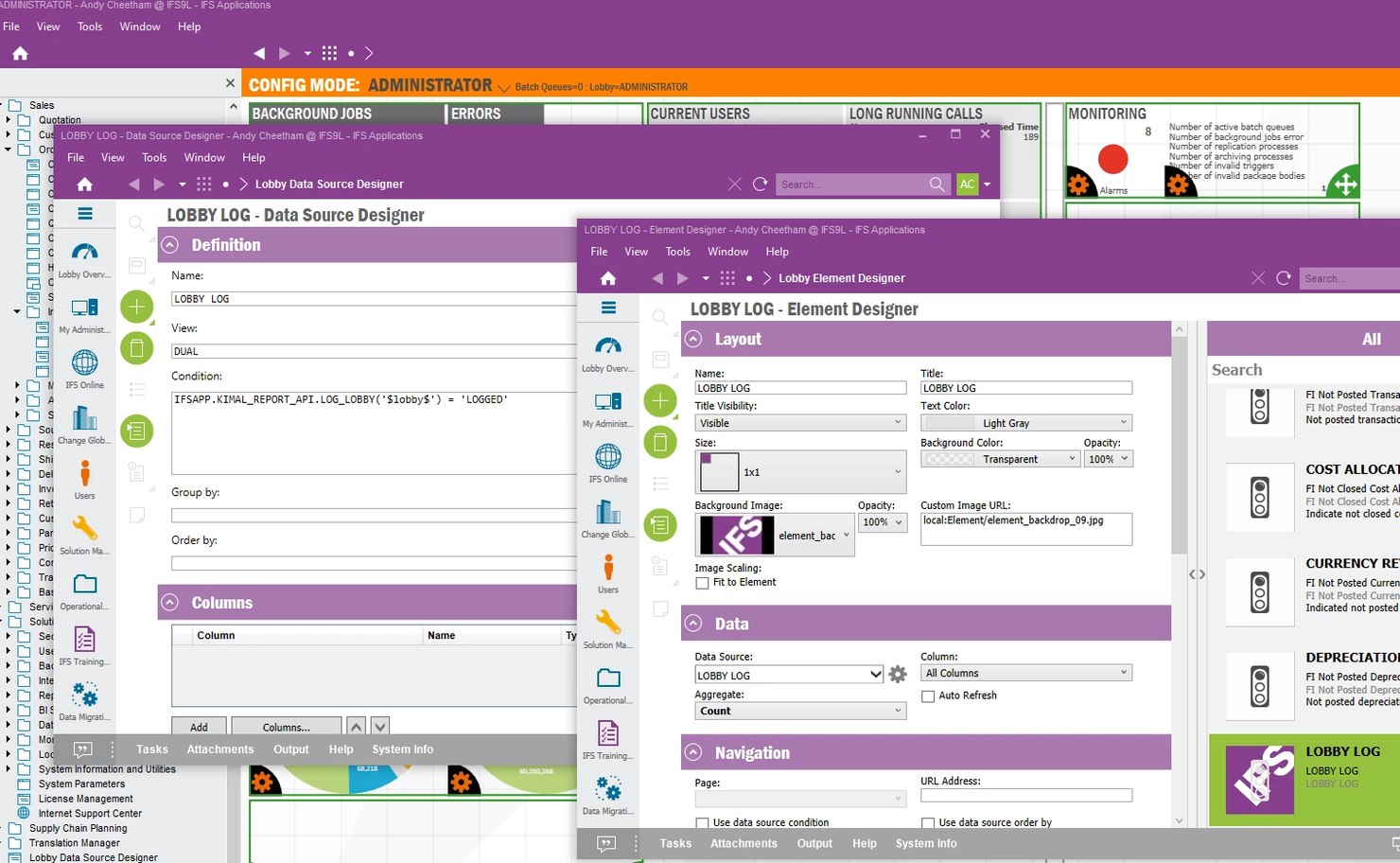
Companies managing assets across multiple sites or delivering complex field services may want to look at IFS. This ERP platform is designed for asset-intensive industries like energy, utilities, construction, and aerospace, where project management and service delivery are tightly linked. IFS stands out from NetSuite by offering advanced asset lifecycle management and field service capabilities built for organizations with demanding operational requirements.
Who is IFS Best For?
Asset, service, and manufacturing managers in large enterprises globally managing enterprise-wide operations and asset-intensive workflows.
Why I Picked IFS
For organizations that need ERP software built for asset-intensive industries and complex service management, IFS offers capabilities that go beyond what NetSuite provides. I picked IFS because it combines advanced asset lifecycle management with project management and field service tools in a single platform. The software supports predictive maintenance, resource scheduling, and real-time asset monitoring, which are essential for industries like energy, utilities, and construction. If your business relies on maximizing asset performance and delivering complex services, IFS is a strong alternative to consider.
IFS Key Features
Some other IFS features that may be valuable for your business include:
- Multi-site inventory management: Track and manage inventory across multiple locations in real time.
- Human capital management: Oversee workforce planning, payroll, and talent management within the ERP.
- Supplier relationship management: Monitor supplier performance and manage procurement processes directly in the platform.
- Financial management suite: Handle accounting, budgeting, and financial reporting with integrated tools.
IFS Integrations
Integrations include Microsoft Excel, Novacura Flow, and various industry-standard EDI and REST-based connections, and more.
Pros and Cons
Pros:
- Industry-specific modules address requirements for energy, utilities, and aerospace
- Field service management includes real-time scheduling and mobile access
- Project management tools handle multi-phase, resource-intensive operations well
Cons:
- Upgrade cycles can disrupt business processes and require retraining
- Reporting customization often needs technical support or consulting

Best for global manufacturing and supply chain management
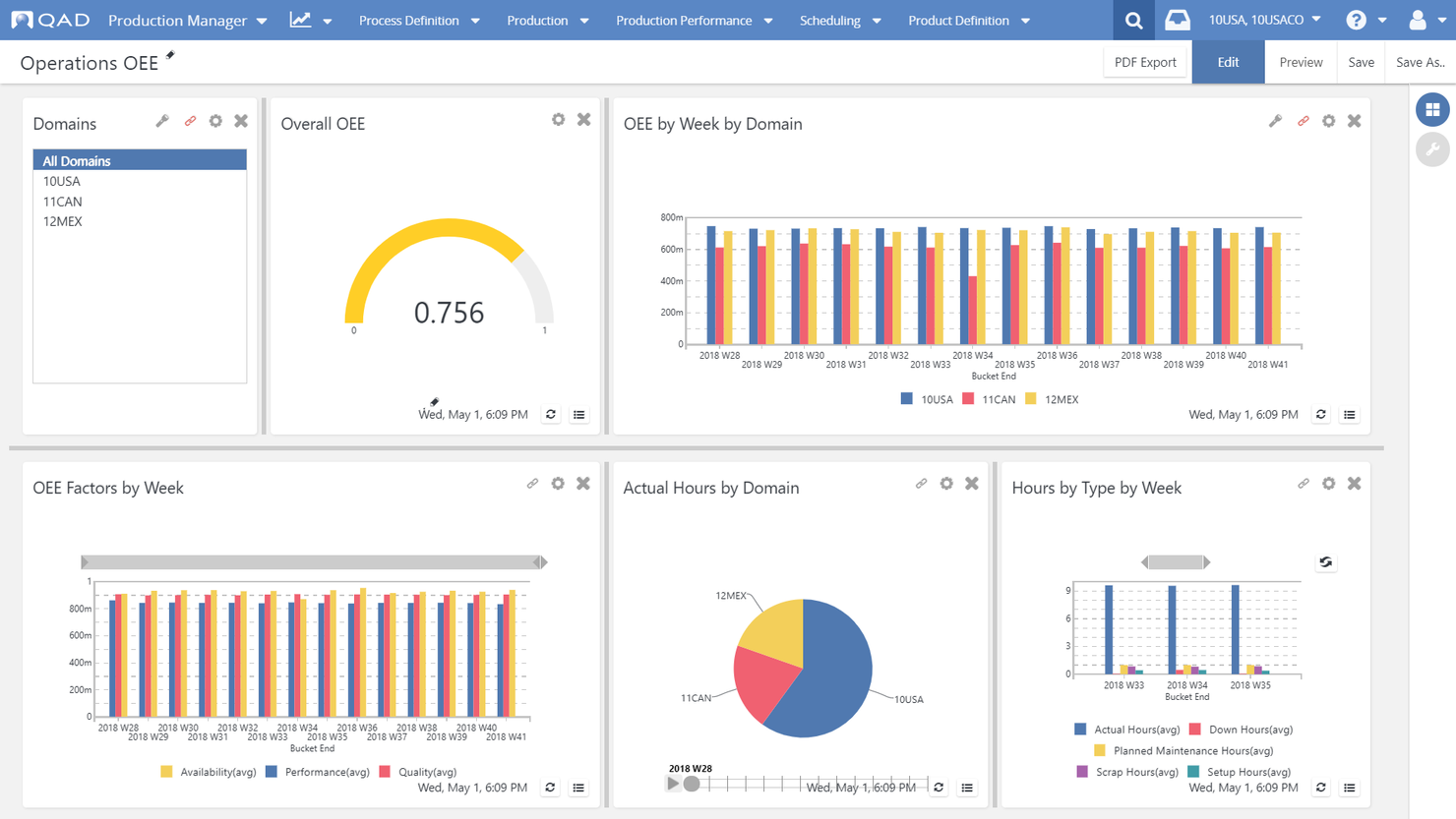
QAD Adaptive is purpose-built for manufacturers that operate across multiple countries and need ERP software tailored to complex, global supply chains. It’s especially relevant for automotive, life sciences, consumer products, and industrial companies that require industry-specific compliance and localization features. QAD Adaptive stands out from NetSuite by offering deep manufacturing functionality and tools designed to handle regulatory requirements and multi-site operations.
Who is QAD Adaptive Best For?
Supply chain and manufacturing operations teams in mid-sized to large global companies managing manufacturing and end-to-end supply chain processes.
Why I Picked QAD Adaptive
For manufacturers with global operations, QAD Adaptive offers industry-specific ERP capabilities that go beyond what you’ll find in NetSuite. I picked QAD Adaptive because it provides built-in support for multi-site manufacturing, regulatory compliance, and localization needs across different countries. The platform includes advanced supply chain management tools and sector-specific templates for industries like automotive and life sciences. If your business needs ERP software that’s designed for complex, regulated manufacturing environments, QAD Adaptive is a strong fit.
QAD Adaptive Key Features
Some other QAD Adaptive features that may be valuable for your team include:
- Embedded analytics: Access real-time dashboards and reporting tools directly within the ERP platform.
- Supplier management portal: Collaborate with suppliers and manage procurement processes in one place.
- Automated quality management: Track and enforce quality standards throughout production and distribution.
- Mobile access: Use mobile devices to manage workflows, approvals, and inventory on the go.
QAD Adaptive Integrations
Integrations include Salesforce, OANDA, FedEx, UPS, Omnify PLM, Concur, Coupa, and more.
Pros and Cons
Pros:
- Multi-language and multi-currency support fit international operations
- Built-in compliance tools support global regulatory standards and audits
- Industry-specific modules address manufacturing and supply chain requirements
Cons:
- Custom reporting often requires technical expertise or vendor support
- Upgrade processes may disrupt workflows for larger enterprise users
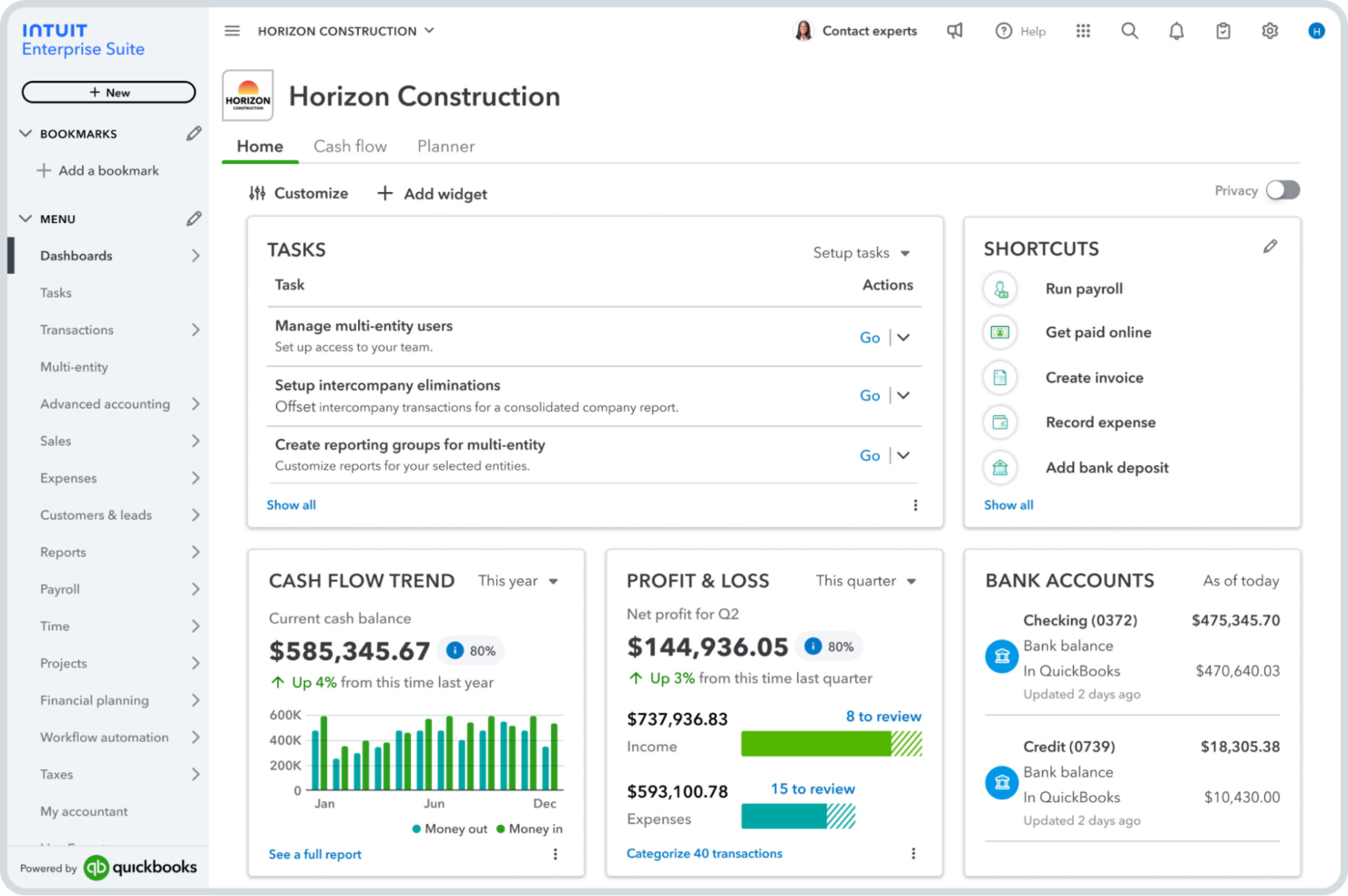
If you’re looking for an ERP solution that’s approachable for small businesses, Intuit QuickBooks is worth considering. It’s designed for business owners and finance teams who want automated accounting, invoicing, and expense tracking without the complexity of larger platforms. QuickBooks stands out from NetSuite by offering a user-friendly interface and automation features that simplify day-to-day financial management.
Who is Intuit Quickbooks Best For?
Small business owners and accounting teams in North America and Europe handling bookkeeping, invoicing, and financial management.
Why I Picked Intuit QuickBooks
For small businesses that want a straightforward accounting software platform, QuickBooks offers a user-friendly experience with strong automation. I picked QuickBooks because its automated bank feeds, recurring invoicing, and expense categorization help reduce manual work for finance teams. The platform’s dashboard gives you a clear view of cash flow and outstanding invoices, making it easier to stay on top of daily finances. These automation features set QuickBooks apart from NetSuite, especially for smaller businesses and those looking for a cost-effective solution without the complexity of a full-scale ERP.
Intuit QuickBooks Key Features
Some other QuickBooks features that may be helpful for your business include:
- Inventory tracking: Monitor stock levels, set reorder points, and track inventory costs in real time.
- Payroll processing: Calculate pay, manage tax withholdings, and handle direct deposits for employees.
- Customizable reporting: Build and export detailed financial, sales, and expense reports tailored to your needs.
- Mobile app access: Manage transactions, capture receipts, and send invoices from your phone or tablet.
Intuit QuickBooks Integrations
Integrations include Shopify, PayPal, Square, Gusto, Expensify, Bill.com, Amazon Business, and more.
Pros and Cons
Pros:
- Inventory tracking is included in higher-tier plans for product businesses
- Built-in payroll processing supports direct deposit and tax filings
- Automated bank feeds reduce manual data entry for transactions
Cons:
- Lacks advanced multi-entity and consolidation features for larger organizations
- Limited support for complex manufacturing or supply chain workflows

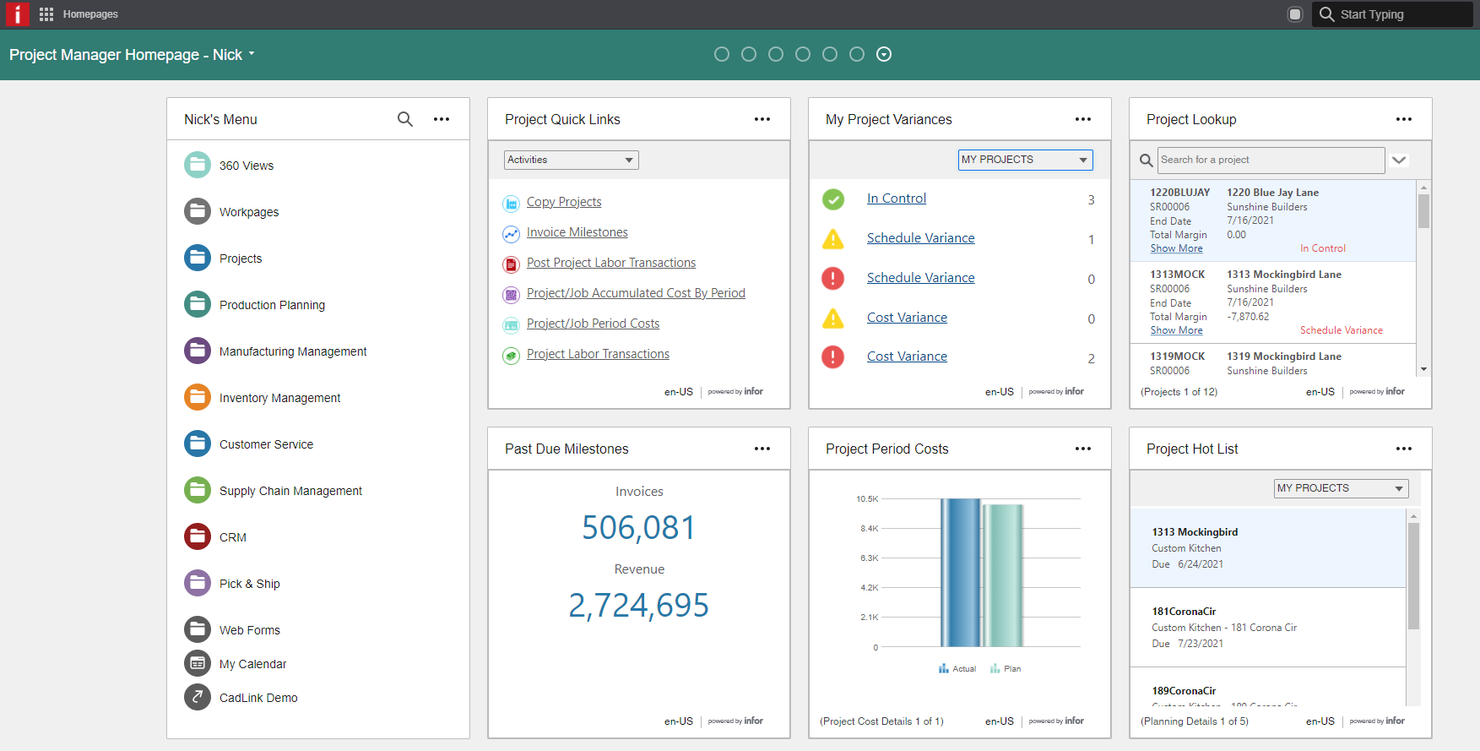
Manufacturers dealing with complex, discrete production environments may find Infor CloudSuite Industrial especially relevant. This ERP platform is built for industrial and high-tech manufacturers that need advanced planning, scheduling, and shop floor control. Unlike NetSuite, Infor CloudSuite Industrial offers deep support for engineer-to-order and make-to-order workflows, helping teams manage intricate supply chains and production processes.
Who is Infor CloudSuite Industrial Best For?
Industrial operations and IT teams in mid-sized manufacturing organizations worldwide deploying cloud ERP tailored for industrial processes.
Why I Picked Infor CloudSuite Industrial
When your business needs ERP software tailored for complex, discrete manufacturing, Infor CloudSuite Industrial offers capabilities that NetSuite doesn’t match. I picked this tool because it provides advanced production planning, shop floor control, and scheduling features designed for engineer-to-order and make-to-order manufacturers. The platform supports detailed bill of materials management and real-time production tracking, which are essential for managing intricate supply chains. If your operations require ERP software that can handle the unique demands of industrial manufacturing, Infor CloudSuite Industrial is worth considering.
Infor CloudSuite Industrial Key Features
Some other Infor CloudSuite Industrial features that may be useful for your team include:
- Customer relationship management (CRM): Manage sales, marketing, and customer service activities within the ERP platform.
- Document management: Store, organize, and retrieve business documents directly from the system.
- Integrated financials: Handle accounting, budgeting, and financial reporting in one place.
- Role-based dashboards: Give users personalized views and analytics based on their job functions.
Infor CloudSuite Industrial Integrations
Integrations include AWS, Microsoft Office 365, Salesforce, and more.
Pros and Cons
Pros:
- Role-based dashboards provide tailored analytics for different departments
- Built-in quality management tools help maintain compliance and traceability
- Advanced production scheduling supports complex manufacturing workflows and constraints
Cons:
- Implementation projects may require significant time and consulting resources
- Slow system performance with large data volumes
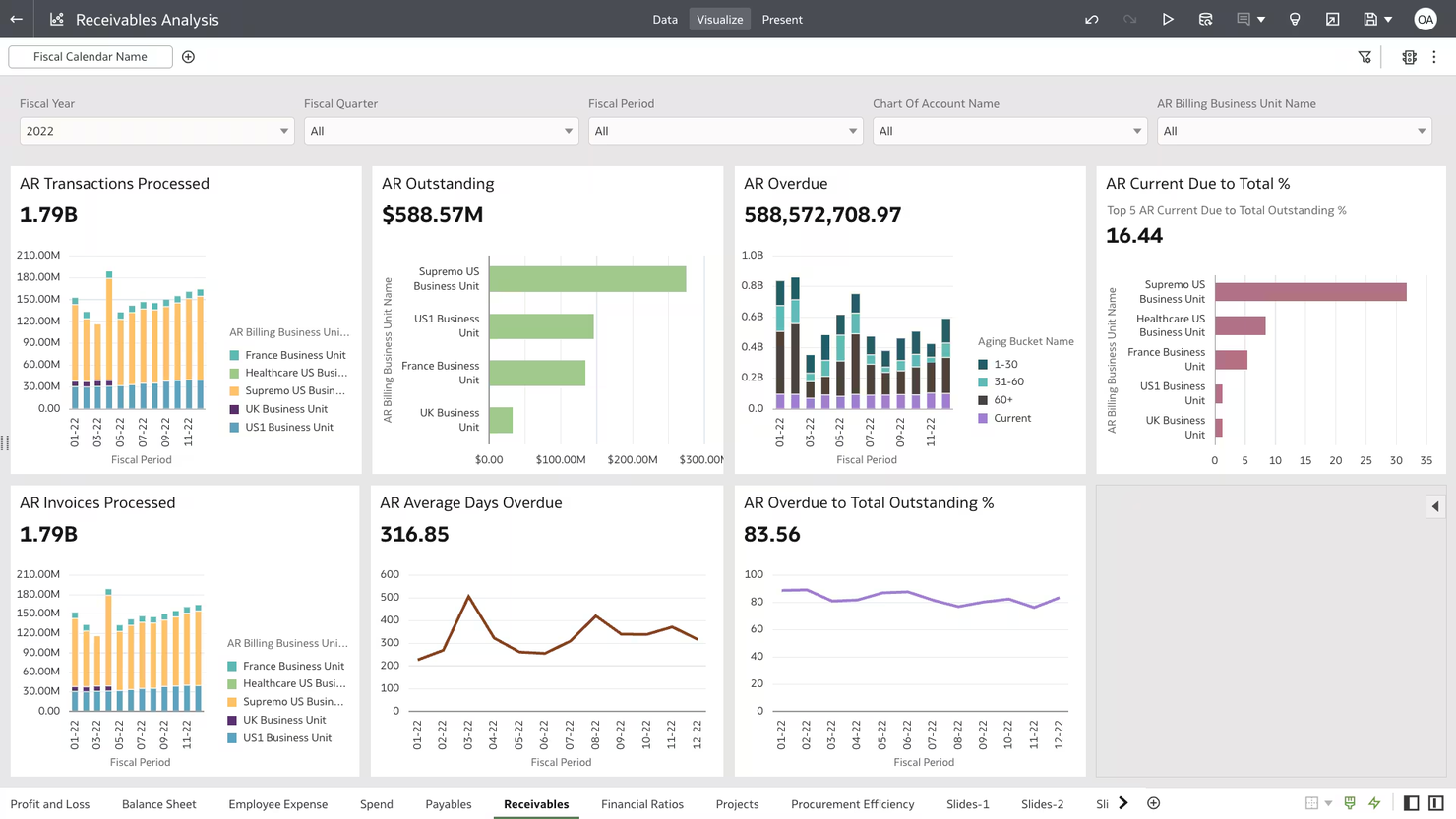
Oracle Cloud ERP is built for organizations that need advanced analytics, global compliance, and deep industry customization. It’s a strong fit for large enterprises or multinational businesses managing complex financials and operations across multiple regions. If you need a scalable platform with reporting and integration capabilities beyond what NetSuite offers, Oracle is worth considering.
Who is Oracle Best For?
Finance and operations leaders in large enterprises worldwide deploying scalable cloud ERP with advanced analytics and global compliance capabilities.
Why I Picked Oracle
What sets Oracle Cloud ERP apart is its focus on scalability, advanced analytics, and global compliance. I picked Oracle for teams that need to manage complex, multi-entity operations and require real-time financial insights across regions. Its built-in analytics tools let you create custom dashboards and reports for deep business management insights. You also get strong compliance management features, supporting international tax, regulatory, and audit requirements that go beyond what NetSuite ERP typically offers. This makes it a strong fit for enterprise-level organizations managing global operations.
Oracle Key Features
Some other Oracle Cloud ERP features that may interest you include:
- Procurement management: Automate purchasing workflows and supplier management to help control costs and maintain compliance.
- Project management: Track project budgets, timelines, and resources within the same platform as your financials.
- Inventory and supply chain planning: Monitor inventory levels, forecast demand, and optimize supply chain operations in real time.
- Human capital management: Manage HR processes like payroll, talent acquisition, and workforce planning alongside your core ERP data.
Oracle Integrations
Integrations include Microsoft Azure, Google Cloud, Salesforce, LinkedIn, Facebook, YouTube, Slack, and more.
Pros and Cons
Pros:
- Supports a wide range of industry-specific modules and workflows
- Offers advanced analytics and customizable reporting for deep business insights
- Handles complex, multi-entity financial consolidations across global subsidiaries
Cons:
- Customization and configuration may require specialized technical expertise
- Implementation timelines can be lengthy for large organizations

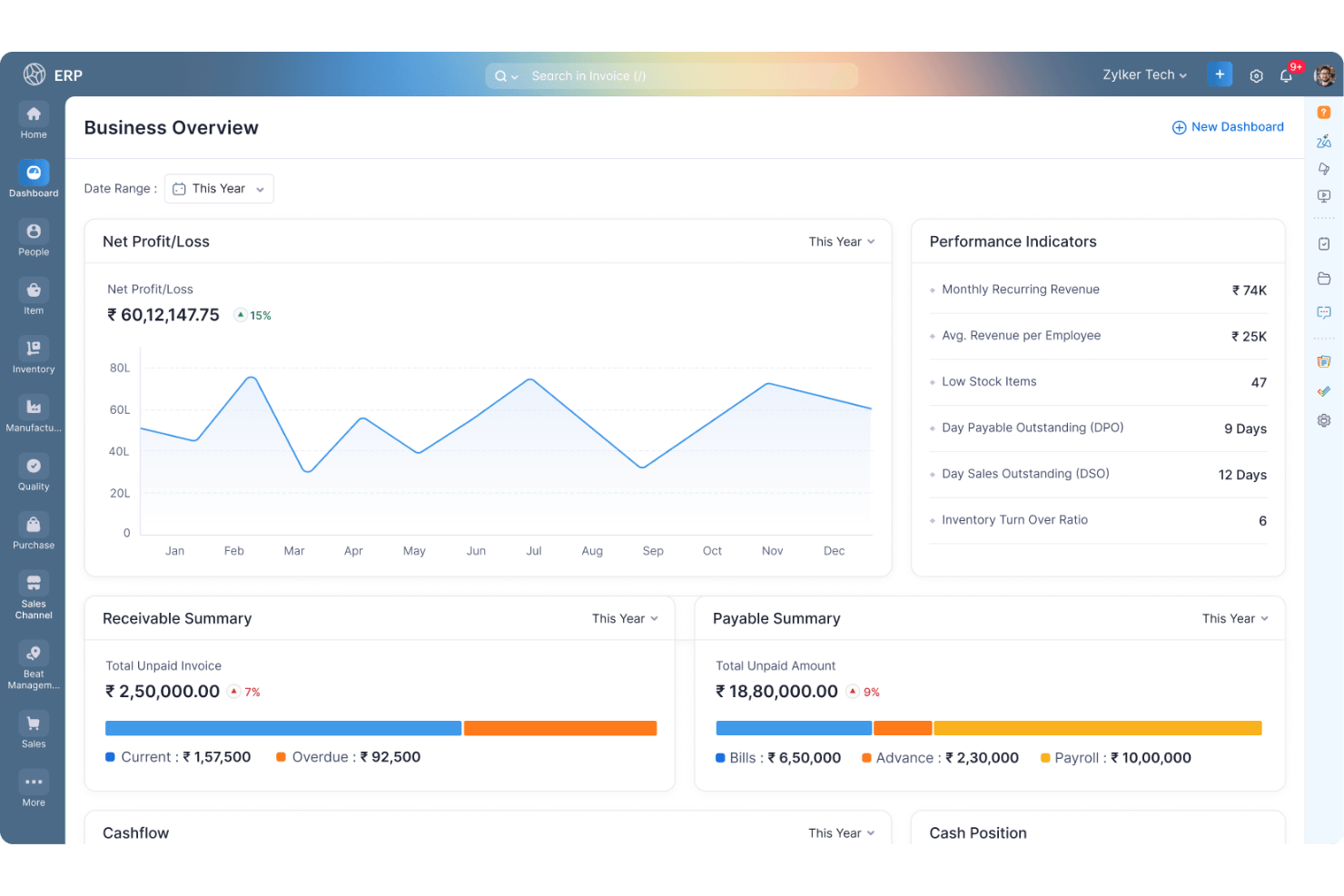
If you’re looking for a modular ERP platform that adapts to your business, Zoho offers a unified suite with customizable automation. Retail and ecommerce teams can tailor Zoho’s modules for inventory, finance, CRM, and operations to fit unique workflows. Unlike NetSuite, Zoho stands out for its flexibility to mix and match features as your business grows or changes.
Who is Zoho Best For?
Business operations and IT managers in small to mid-sized organizations globally implementing modular ERP and CRM solutions with customization options.
Why I Picked Zoho
What sets Zoho apart as a NetSuite alternative is its unified business suite with customizable ERP modules and built-in automation. I picked Zoho because you can configure modules for inventory, order management, finance, and CRM to match your business’s exact needs. The platform’s automation tools let you design custom workflows, automate repetitive tasks across departments, and support operations. This flexibility, along with its focus on user experience and professional services, makes Zoho a strong choice for retail and eCommerce teams that want to adapt their ERP system as their operations evolve.
Zoho Key Features
Some other Zoho features that may be valuable for your team include:
- Advanced analytics and reporting: Generate custom dashboards and reports to monitor business performance in real time.
- Vendor management: Track supplier details, purchase orders, and payments within a centralized module.
- Mobile app access: Manage core ERP functions and approvals from iOS and Android devices.
- Role-based access controls: Set granular permissions for users across different modules and workflows.
Zoho Integrations
Integrations include Google Workspace, Microsoft Teams, Slack, Zoom, Salesforce, Trello, Asana, and more.
Pros and Cons
Pros:
- Inventory, CRM, and finance modules are tightly integrated
- Built-in automation tools support custom workflow design
- Modular ERP lets you add or remove features as needed
Cons:
- Data migration from legacy systems may require external assistance
- Customer support response times can be inconsistent

Sage Intacct
Best for automated cloud financial management and reporting
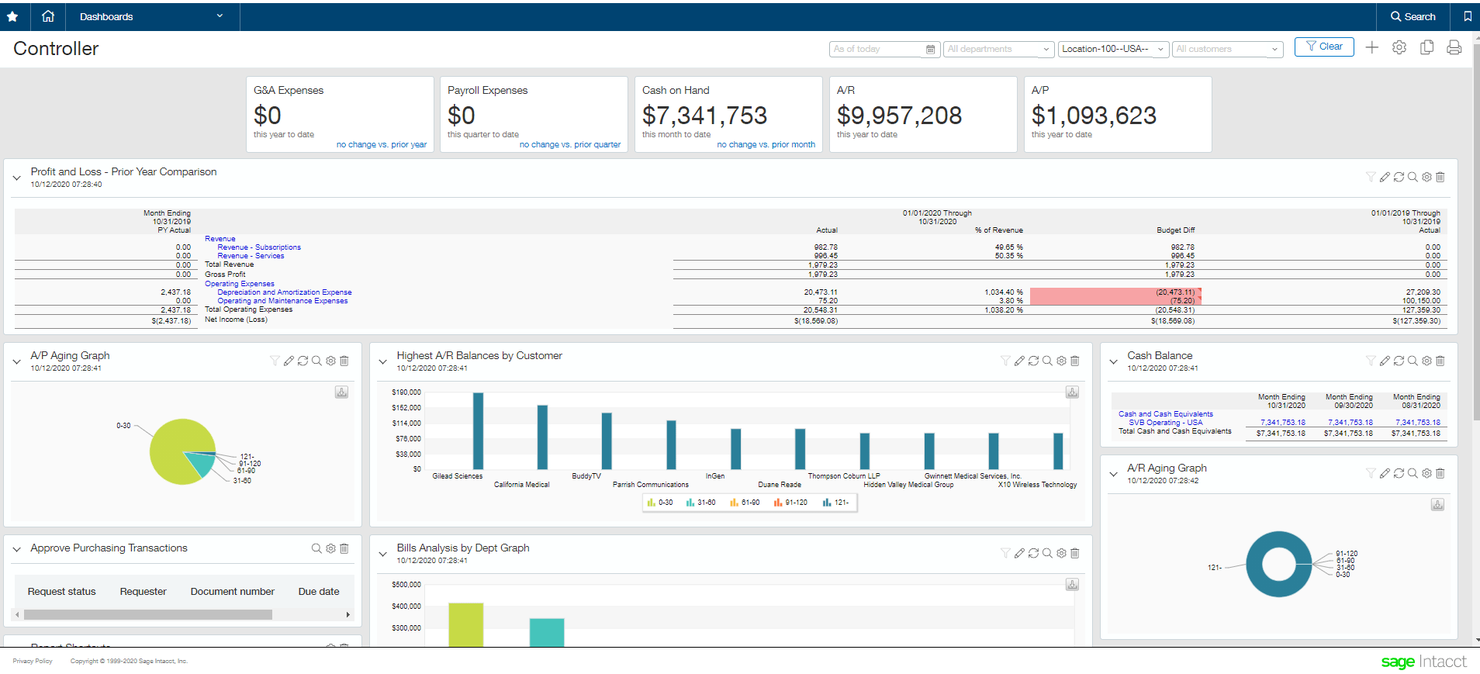
Finance teams at growing organizations often turn to Sage Intacct for cloud-native financial management and automation. This platform is built for companies that need advanced multi-entity accounting, real-time reporting, and automated workflows. Sage Intacct stands apart from NetSuite by offering deep financial controls and flexible automation tailored to complex, multi-location businesses.
Who is Sage Intacct Best For?
Finance and accounting teams in small to mid-sized organizations globally using automated cloud-based financial management and reporting.
Why I Picked Sage Intacct
If you’re looking for a cloud-native ERP with advanced automation, Sage Intacct is worth considering. I picked Sage Intacct because its multi-entity management system and automated consolidations are built for organizations with complex structures and multiple locations. The platform’s real-time dashboards, customizable workflows, and integration with other tools help finance teams automate approvals, allocations, and recurring processes. These features make Sage Intacct a strong NetSuite alternative for mid-market businesses that need deep financial controls and scalable automation.
Sage Intacct Key Features
Some other Sage Intacct features that may be valuable for your team include:
- Project accounting: Track project costs, budgets, and billing in one place.
- Time and expense management: Capture employee time and expenses with built-in approval workflows.
- Vendor management: Manage vendor records, payments, and 1099 reporting from a centralized dashboard.
- Revenue recognition: Automate compliance with ASC 606 and IFRS 15 revenue recognition standards.
Sage Intacct Integrations
Integrations include Salesforce, Bill.com, ADP, Quadient, Expensify, Stripe, American Express, and more.
Pros and Cons
Pros:
- Built-in revenue recognition tools comply with ASC 606 and IFRS 15
- Real-time financial dashboards support granular, role-based reporting needs
- Multi-entity consolidations are automated for complex organizational structures
Cons:
- No built-in payroll processing, requiring third-party solutions
- Customization of reports can require technical expertise or consulting
Other NetSuite Alternatives
Here are some additional NetSuite alternatives that didn’t make it onto my shortlist, but are still worth checking out:
- Cetec ERP
For affordable web-based manufacturing ERP
- Xero
For simple online accounting with collaboration features
- Microsoft Dynamics 365
For unified business apps for finance, operations, and sales
- SYSPRO ERP
For ERP tailored to manufacturing and distribution


NetSuite Alternatives Selection Criteria
When selecting the best NetSuite alternatives to include in this list, I considered common buyer needs and pain points related to Enterprise Resource Planning Software products, like managing complex inventory across multiple locations and integrating financial data with operations. I also used the following framework to keep my evaluation structured and fair:
Core Functionality (25% of total score)
To be considered for inclusion in this list, each solution had to fulfill these common use cases:
- Manage financials and accounting
- Track and control inventory
- Process sales and purchase orders
- Generate standard business reports
- Support multi-location operations
Additional Standout Features (25% of total score)
To help further narrow down the competition, I also looked for unique features, such as:
- Advanced field service management
- Industry-specific compliance tools
- Predictive analytics and forecasting
- Built-in project management modules
- Real-time mobile access for field teams
Usability (10% of total score)
To get a sense of the usability of each system, I considered the following:
- Simple and intuitive navigation
- Customizable dashboards and layouts
- Logical workflow design
- Responsive interface on desktop and mobile
- Minimal clicks to complete common tasks
Onboarding (10% of total score)
To evaluate the onboarding experience for each platform, I considered the following:
- Availability of step-by-step product tours
- Access to training videos and documentation
- Pre-built templates for rapid setup
- Live webinars or onboarding sessions
- In-app chatbots or guided help
Customer Support (10% of total score)
To assess each software provider’s customer support services, I considered the following:
- 24/7 support availability
- Multiple support channels like chat, phone, and email
- Access to a searchable knowledge base
- Fast response times to inquiries
- Availability of dedicated account managers
Value For Money (10% of total score)
To evaluate the value for money of each platform, I considered the following:
- Transparent and predictable pricing
- Flexible plans for different business sizes
- No hidden fees or surprise charges
- Features included at each pricing tier
- Discounts for annual or multi-year contracts
Customer Reviews (10% of total score)
To get a sense of overall customer satisfaction, I considered the following when reading customer reviews:
- Consistent positive feedback on reliability
- Reports of responsive customer support
- User satisfaction with feature updates
- Feedback on ease of implementation
- Value perception compared to similar tools
Why Look For a NetSuite Alternative?
While NetSuite is a good choice of Enterprise Resource Planning Software, there are a number of reasons why some users seek out alternative solutions. You might be looking for a NetSuite alternative because…
- You need deeper industry-specific functionality
- You want more flexible deployment options beyond cloud-only
- You require a lower total cost of ownership
- You need stronger field service or asset management features
- You want more control over data residency and compliance
- You require faster or more personalized customer support
If any of these sound like you, you’ve come to the right place. My list contains several Enterprise Resource Planning Software options that are better suited for teams facing these challenges with NetSuite and looking for alternative solutions.
NetSuite Key Features
Here are some of the key features of NetSuite, to help you contrast and compare what alternative solutions offer:
- Financial management and accounting
- Order and inventory management
- Procurement and supplier management
- Customer relationship management (CRM)
- Project management and resource planning
- Human capital management (HCM)
- Real-time analytics and reporting
- Multi-subsidiary and multi-currency support
- Workflow automation and approvals
- E-commerce platform integration