
14 Best monday.com Alternatives for 2026

monday.com Alternatives Shortlist
Here’s my shortlist of monday.com alternatives:


A strong monday.com alternative gives your team flexible project tracking, customizable workflows, and easy collaboration—without locking you into a single way of working. If you’re searching for monday.com alternatives, you’re likely weighing options that better fit your processes, budget, or integration needs.
With so many project management tools available, it’s tough to know which platforms actually deliver the features and usability your team expects. This list will help you quickly compare the top monday.com alternatives for 2026, so you can confidently choose the right solution for your business.
What Is monday.com?
monday.com is a cloud-based project management platform that helps teams organize tasks, track progress, and collaborate in real time. It offers customizable boards, workflow automation, and integration with popular business tools. Teams use monday.com to manage projects, assign responsibilities, and visualize work across departments. Its flexible structure supports a range of use cases, from marketing campaigns to IT projects, making it a popular choice for businesses of all sizes.
Best monday.com Alternatives Summary
This comparison chart summarizes pricing details for my top monday.com alternative selections to help you find the best one for your budget and business needs.
| Tool | Best For | Trial Info | Price | ||
|---|---|---|---|---|---|
| 1 | Best for client project visibility | 30-day free trial + free plan + free demo available | From $10.99/user/month (billed annually) | Website | |
| 2 | Best with integrated productivity apps | 30-day free trial available | From $9.99/user/month | Website | |
| 3 | Best for visual task management boards | 14-day free trial + free plan available | From $5/user/month (billed annually) | Website | |
| 4 | Best for customizable workflow templates | Free plan available | From $7/user/month (billed annually) | Website | |
| 5 | Best for combining notes and project tasks | Free plan + free demo available | From $10/member/month (billed annually) | Website | |
| 6 | Best for team collaboration tracking | 30-day free trial + free plan available | From $10.99/user/month (billed annually) | Website | |
| 7 | Best for all-in-one business management | 14-day free trial + free demo available | From €18.90/user/month (billed annually) | Website | |
| 8 | Best for agile project management | 14-day free trial + free plan available | From $7.91/user/month | Website | |
| 9 | Best for time tracking on projects | 15-day free trial + free plan + free demo available | From $5.90/user/month (billed annually) | Website | |
| 10 | Best for spreadsheet-style project planning | Free trial + free demo available | From $9/member/month (billed annually) | Website | |
| 11 | Best for advanced reporting features | Free plan + free demo + 14-day free trial available | From $10/user/month (billed annually) | Website |


Why Trust Our Software Reviews
monday.com Alternatives Reviews
Below are my detailed summaries of the monday.com alternatives that made it onto my shortlist. My reviews offer a detailed look at the features, best use cases, and integrations of each platform to help you find the best one for you.
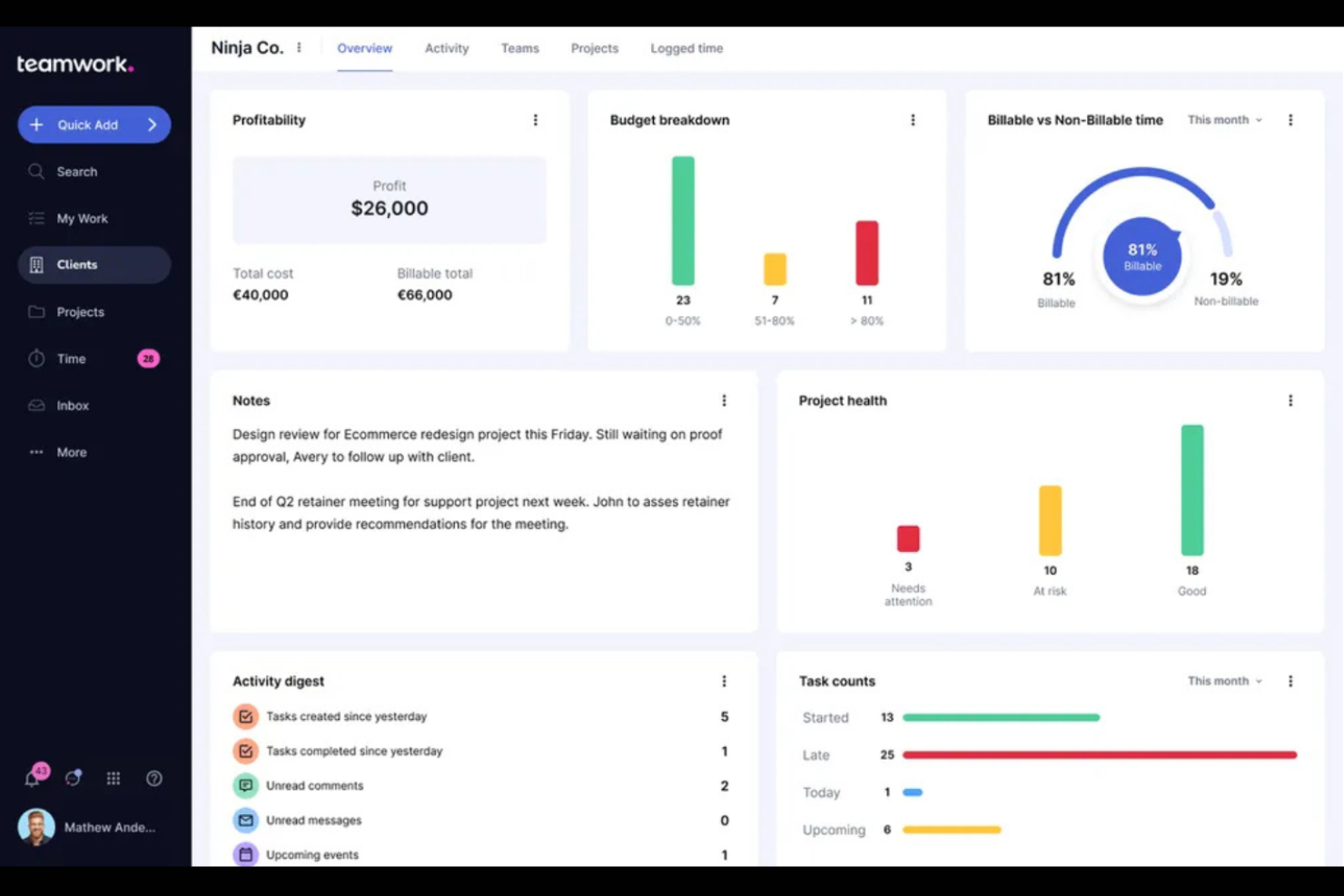
Agencies and client-focused teams looking for a monday.com alternative with advanced client collaboration features often turn to Teamwork.com. The platform is built to give both internal teams and clients clear visibility into project progress, tasks, and deadlines. Teamwork.com stands out by offering granular client permissions, billing tools, and project templates tailored for agency workflows.
Why Teamwork.com Is a Good monday.com Alternative
For agencies that need to keep clients in the loop on every project, Teamwork.com offers visibility features that go beyond what you’ll find in most project management tools. I picked Teamwork.com because it lets you set granular client permissions, so clients can view project timelines, tasks, and files without accessing sensitive internal information. The platform also includes client-facing dashboards and automated status updates, making it easy to share progress without extra manual work. These features help agencies build trust and transparency with clients while keeping internal workflows organized.
Teamwork.com Key Features
Some other features in Teamwork.com that may appeal to agencies and project teams include:
- Time Tracking: Track billable and non-billable hours directly within each project.
- Workload Management: Visualize team capacity and reassign tasks to balance workloads.
- Project Templates: Use pre-built templates to quickly launch new client projects.
- Document Management: Store, organize, and share files securely within each project workspace.
Teamwork.com Integrations
Integrations include Slack, Google Drive, Dropbox, Microsoft Teams, HubSpot, Xero, QuickBooks, Zapier, Harvest, and more.
Pros and Cons
Pros:
- Supports detailed task dependencies
- Offers workload management tools
- Project templates tailored for agencies
Cons:
- Limited free version
- Some tools require manual setup
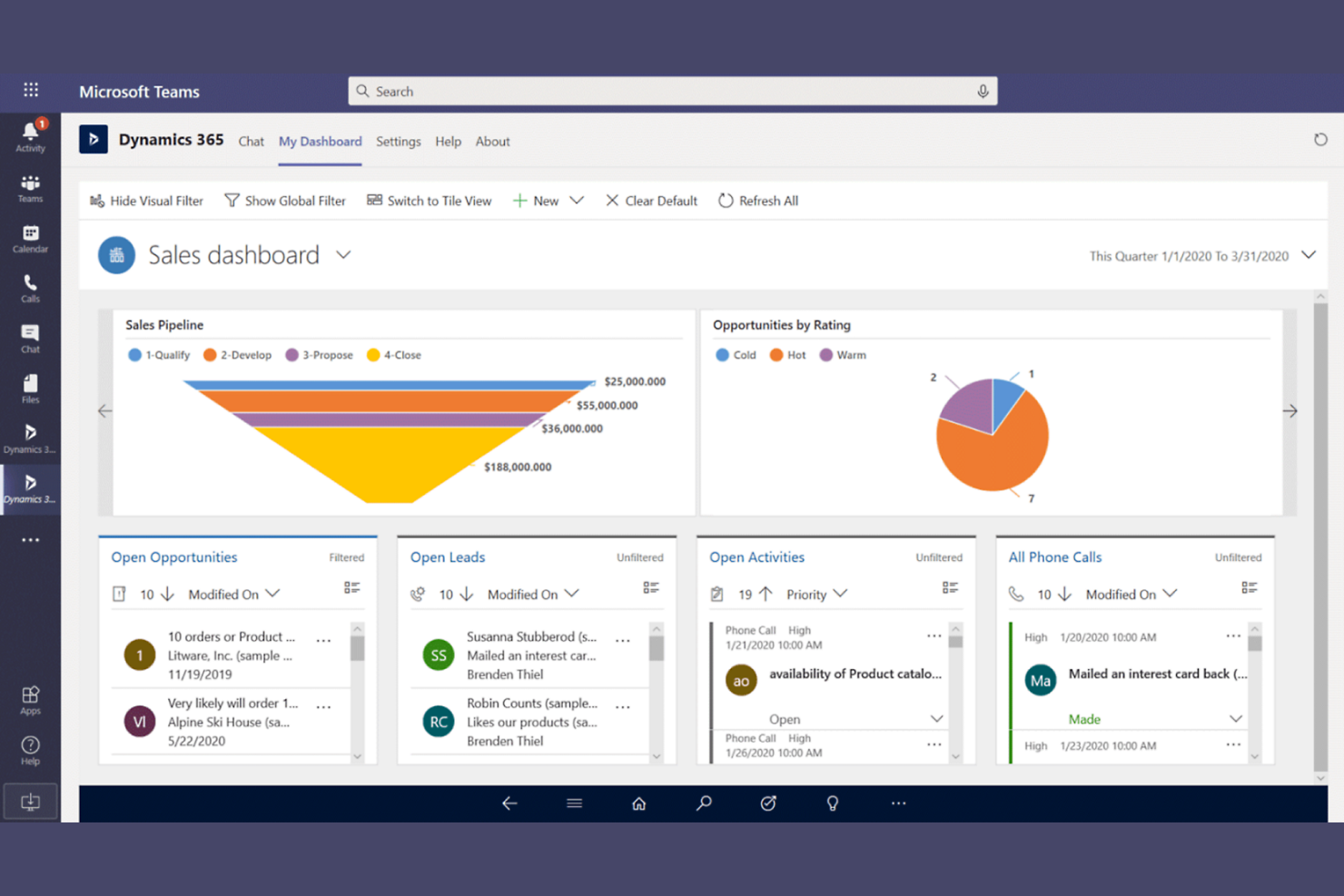
If your team relies on productivity tools like Word, Excel, and Teams, Microsoft 365 brings them all together with project management features under one subscription. It’s a strong fit for businesses that want to manage tasks, documents, and communication without switching between separate platforms. Unlike most monday.com alternatives, Microsoft 365 lets you connect project work directly with the productivity apps your team already uses every day.
Why Microsoft 365 Is a Good monday.com Alternative
For teams that want project management tightly connected to their everyday productivity tools, Microsoft 365 offers a unique advantage over monday.com. I picked Microsoft 365 because it lets you manage tasks, documents, and communication all within familiar apps like Teams, Outlook, and SharePoint. You can assign tasks in Planner, collaborate on files in real time, and keep project conversations organized without leaving the Microsoft ecosystem. This integration helps teams keep work, files, and updates in one place, making it easier to coordinate projects alongside daily workflows.
Microsoft 365 Key Features
Some other features in Microsoft 365 that may interest teams looking for monday.com alternatives include:
- Power Automate: Build custom workflows to automate repetitive tasks across Microsoft and third-party apps.
- Forms: Create surveys, quizzes, and polls to collect feedback or data from your team.
- To Do Integration: Sync personal and assigned tasks across Outlook, Teams, and Planner.
- Advanced Security Controls: Manage data loss prevention, encryption, and compliance settings from a centralized admin center.
Microsoft 365 Integrations
Integrations include Microsoft Teams, SharePoint, OneDrive, Outlook, Power BI, Planner, Dynamics 365, Power Automate, and more.
Pros and Cons
Pros:
- Advanced security and compliance features
- Built-in workflow automation
- Real-time document collaboration
Cons:
- Limited customization of dashboards and views
- Features are split across separate apps

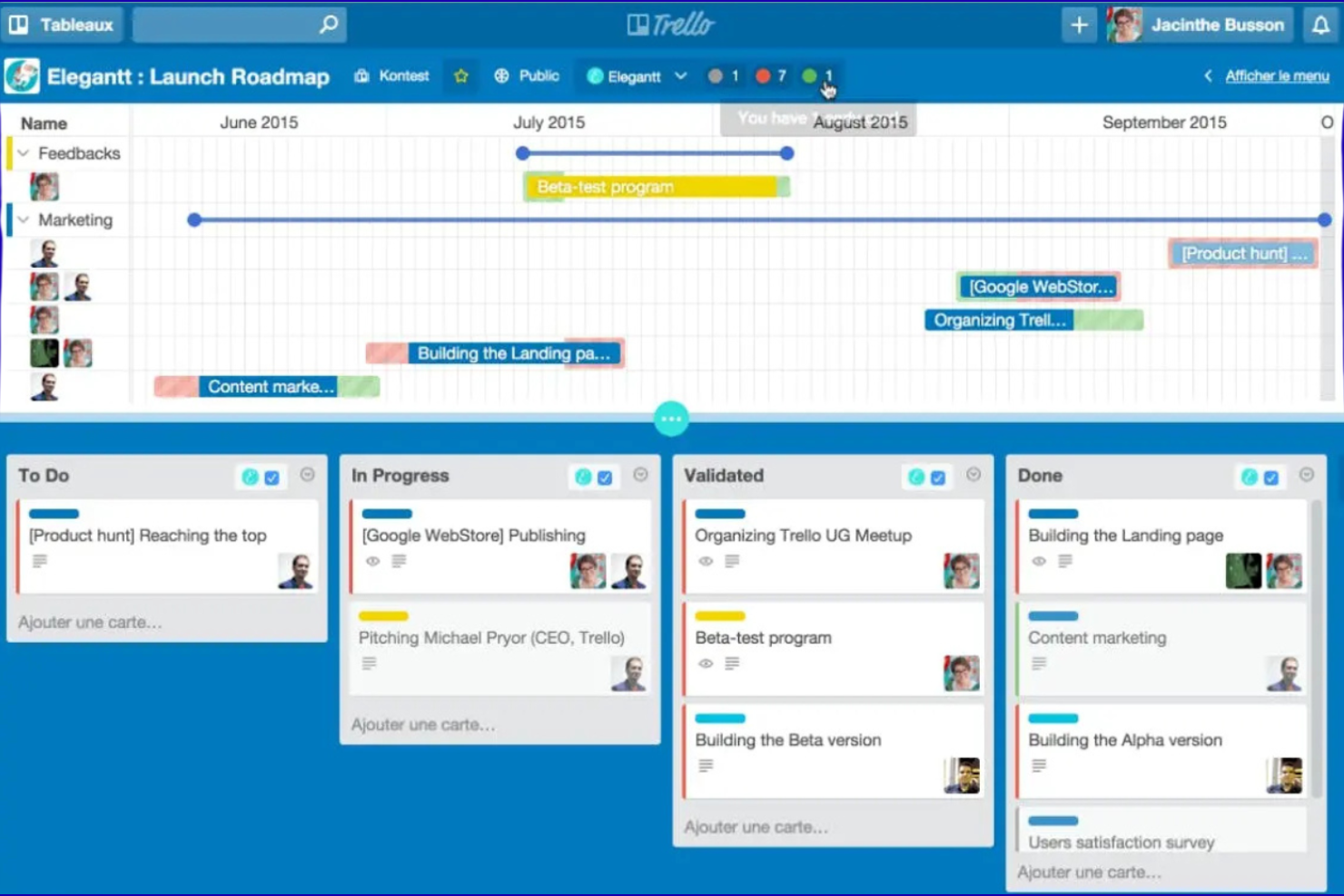
For teams that want a simple, visual way to organize work, Trello offers a card-based board system that’s easy to customize. It’s especially useful for marketing teams, project leads, and small businesses that need to track tasks and priorities at a glance. Trello’s drag-and-drop boards and flexible card layouts make it easier to manage projects without the complexity of traditional project management tools like monday.com.
Why Trello Is a Good monday.com Alternative
If you’re looking for a tool that puts visual task management front and center, Trello is a strong choice. I picked Trello because its board-and-card system makes it easy to map out projects, track progress, and move tasks through custom stages. You can add checklists, subtasks, labels, and attachments directly to cards, which helps teams see all the details at a glance. This visual approach is especially helpful for teams that want a clear, flexible way to organize work without extra layers of complexity.
Trello Key Features
Some other features in Trello that may appeal to teams considering monday.com alternatives include:
- Power-Ups Marketplace: Add extra functionality to boards with add-ons and integrations for calendars, reporting, and automation.
- Butler Automation: Automate repetitive actions on boards using rule-based triggers and custom buttons.
- Advanced Checklists: Break down tasks into smaller steps and assign checklist items to specific team members.
- Card Aging: Visually highlight cards that haven’t been updated recently to help teams spot stalled work.
Trello Integrations
Integrations include Slack, Google Drive, Dropbox, Evernote, GitHub, Jira, Salesforce, Microsoft Teams, Zendesk, and more.
Pros and Cons
Pros:
- Intuitive drag-and-drop user interface
- Supports card comments and attachments
- Visual boards to track project stages
Cons:
- Basic permissions and access controls
- No built-in time tracking features

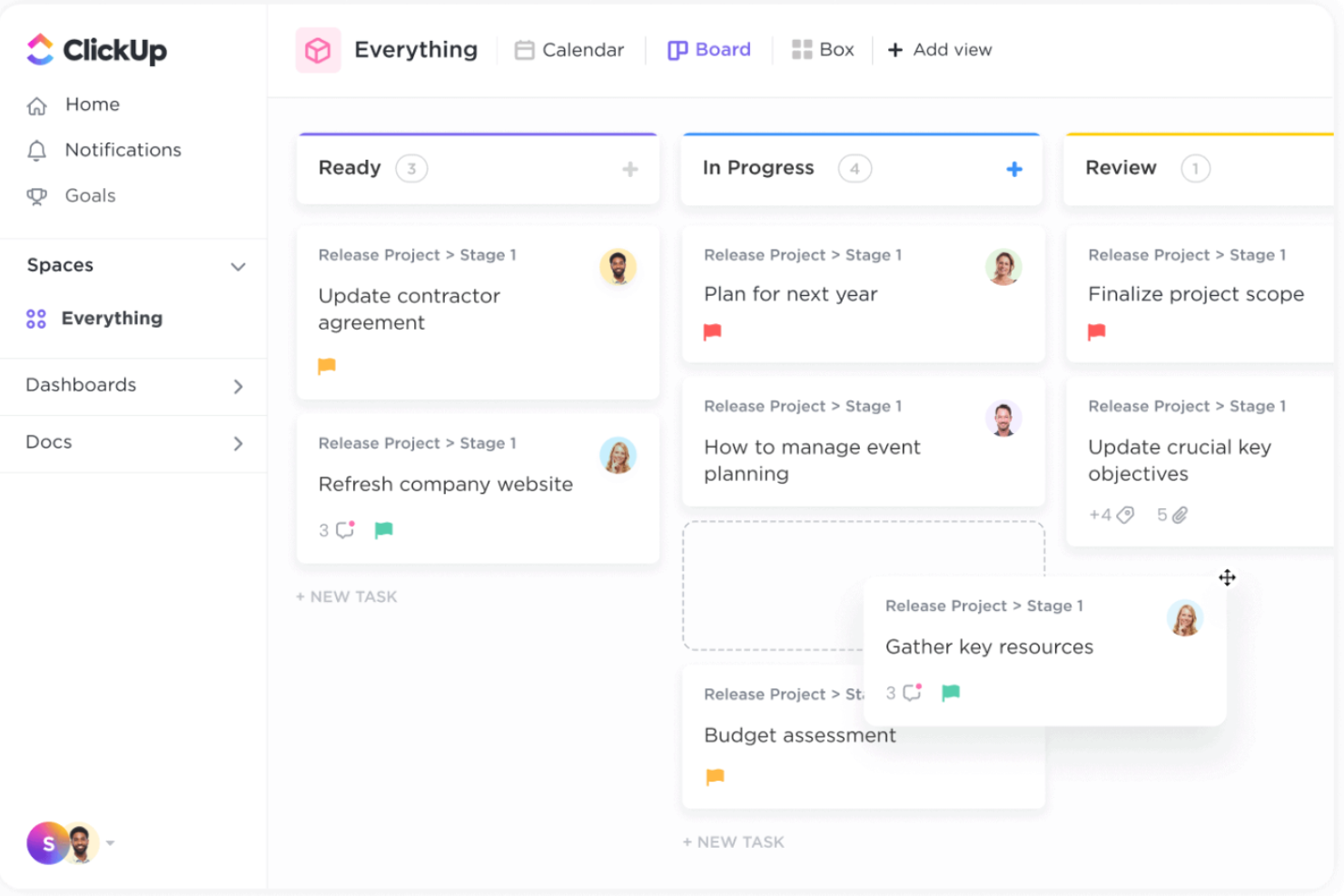
ClickUp gives teams a flexible way to design and manage their own workflows, making it a strong fit for businesses with unique processes or changing project needs. If you want more control over task views, automation, and custom fields than monday.com offers, ClickUp stands out. Its deep template library and granular permissions help project managers, operations leads, and cross-functional teams tailor the platform to fit how they actually work.
Why ClickUp Is a Good monday.com Alternative
ClickUp stands out for its highly customizable workflow templates, which let you build project structures that match your team’s exact needs. I picked ClickUp because you can create, save, and reuse templates for everything from task lists to entire project boards. The platform also lets you add custom fields and automate repetitive steps within each template, so you’re not limited to a single way of working. This flexibility is especially useful if your team manages different project types or frequently updates processes.
ClickUp Key Features
Some other features in ClickUp that may interest teams looking for monday.com alternatives include:
- Multiple Task Views: Switch between list, board, calendar, and Gantt chart views to visualize work in the way that fits your team.
- Goal Tracking: Set, track, and update progress on team or individual goals directly within the platform.
- Time Tracking: Use built-in timers and manual time entry to monitor how long tasks and projects take.
- Docs and Wikis: Create, share, and collaborate on documents and knowledge bases without leaving the platform.
ClickUp Integrations
Integrations include Slack, Google Drive, Zoom, Microsoft Teams, GitHub, Dropbox, Google Calendar, Zapier, and more.
Pros and Cons
Pros:
- Allows for detailed permission settings
- Supports multiple project views
- Offers granular control over workflows
Cons:
- Basic reporting and analytics tools
- Occasional performance slowdowns
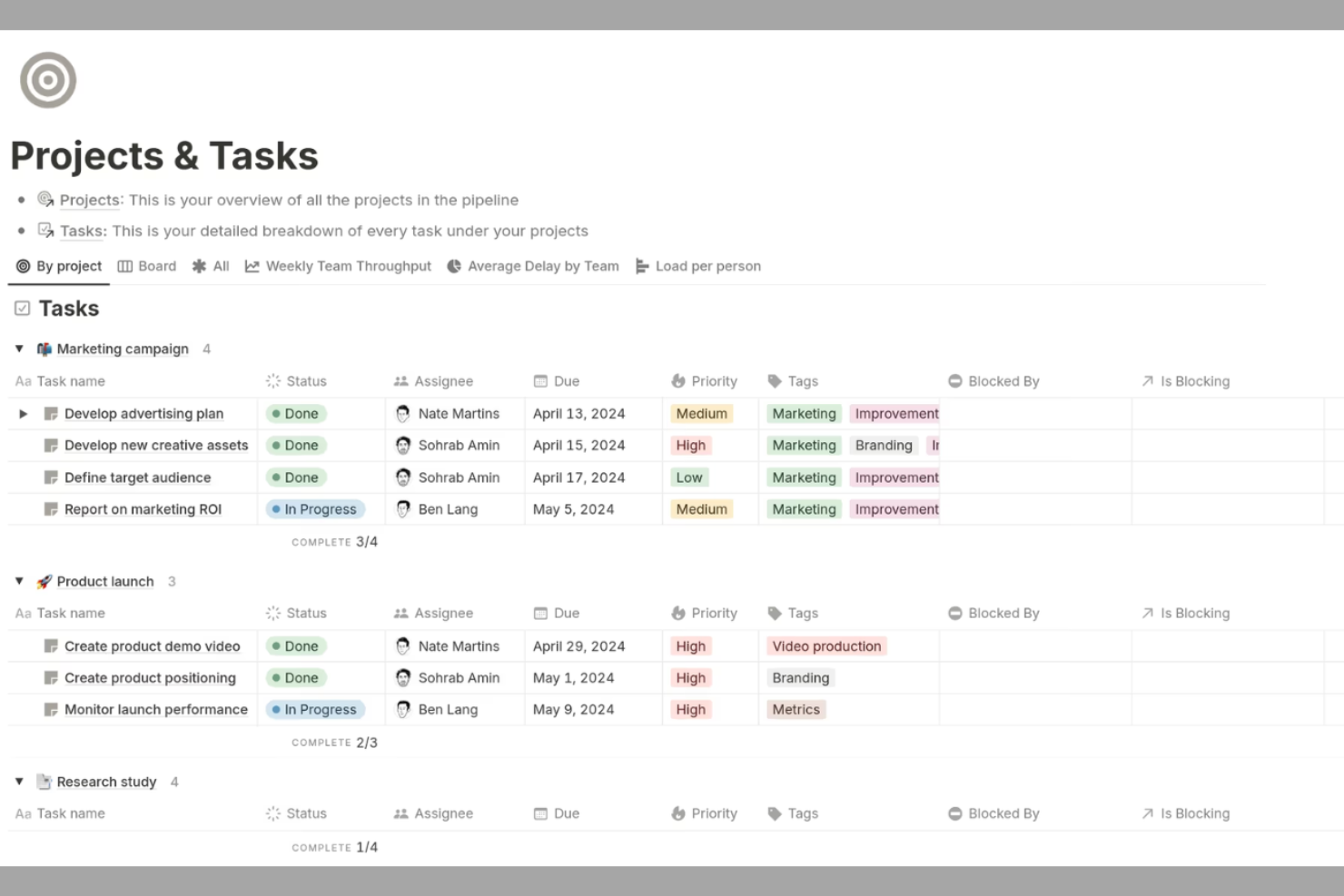
Notion stands out for teams that want to manage both project tasks and documentation in one place. It’s a strong fit for content teams, product managers, and anyone who needs flexible workspaces that blend notes, wikis, and task boards. Unlike most monday.com alternatives, Notion lets you build custom pages for simple projects that combine databases, checklists, and rich media for truly unified project tracking.
Why Notion Is a Good monday.com Alternative
For teams that want to keep project tasks and documentation side by side, Notion offers a unique approach compared to monday.com. I picked Notion because you can create pages that blend task lists, meeting notes, and project wikis all in one workspace. Its database feature lets you build custom tables and boards for tracking work, while also linking related notes and resources. This flexibility makes Notion especially useful for teams that need to organize both structured tasks and unstructured information together.
Notion Key Features
Some other features in Notion that may interest teams comparing monday.com alternatives include:
- Template Gallery: Access a wide range of pre-built templates for project management, meeting notes, and more.
- Permissions and Sharing: Set granular access controls for pages, databases, and workspaces.
- Version History: View and restore previous versions of any page or database.
- Web Clipper: Save web content directly into Notion for later reference or collaboration.
Notion Integrations
Integrations include Slack, Google Drive, Asana, GitHub, Zoom, Figma, Typeform, Intercom, and Salesforce.
Pros and Cons
Pros:
- Offers a template gallery for ready-made layouts
- Supports custom views for project tracking
- Combines wikis, notes, and project boards
Cons:
- Lacks workload management features
- Confusing permissions settings

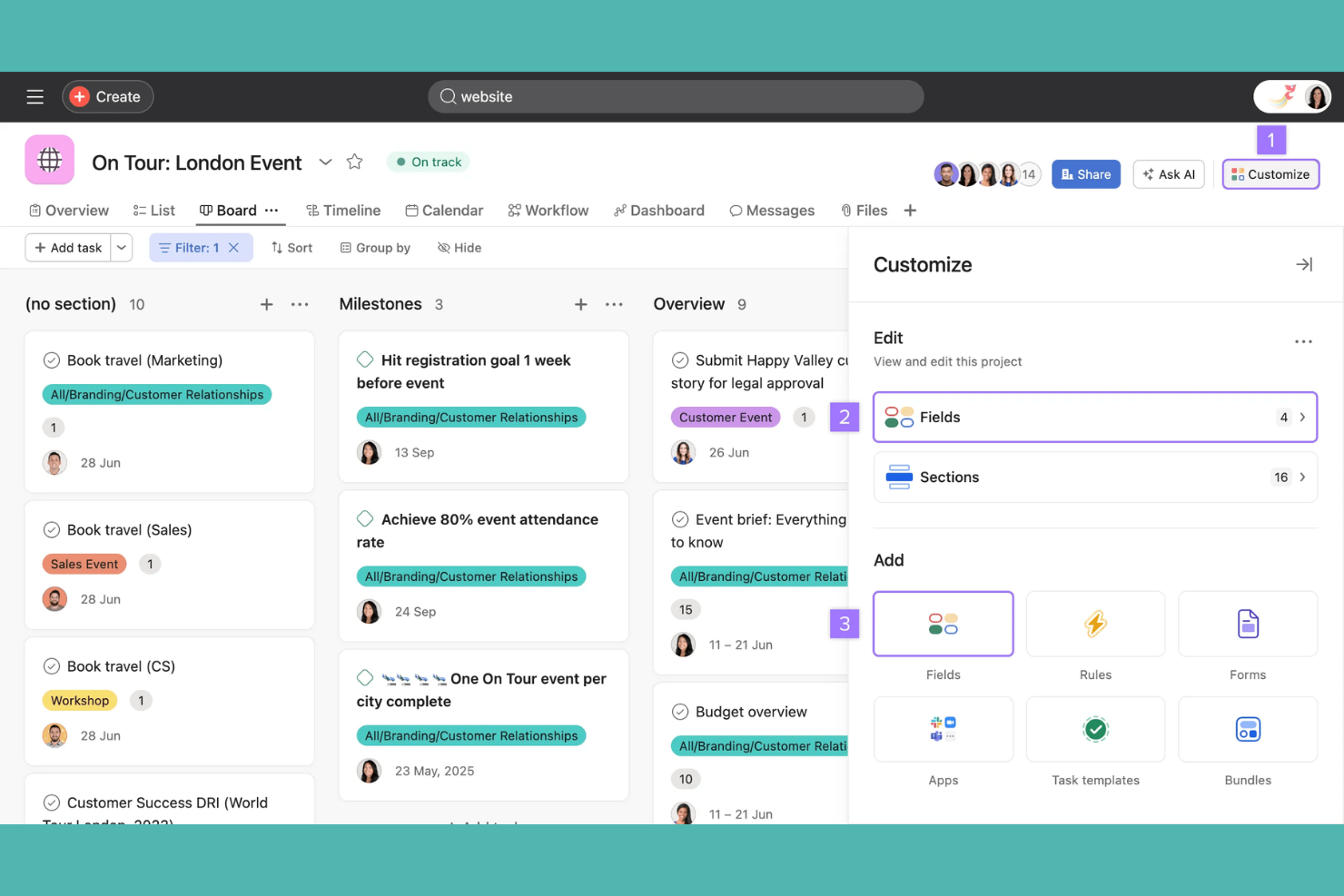
If your team needs a clear way to track collaboration and project progress, Asana offers structured task lists, timelines, and workload views. It’s a strong fit for marketing teams, operations leads, and cross-functional groups that need to coordinate work and keep everyone aligned. Asana stands out from monday.com alternatives by making it easy to assign tasks, set dependencies, and visualize how work moves across teams.
Why Asana Is a Good monday.com Alternative
For teams that need to keep collaboration and accountability front and center, Asana offers a strong alternative to monday.com. I picked Asana because its task assignment, comment threads, and project timelines make it easy to see who’s responsible for what and when. Features like workload management and dependency tracking help teams avoid bottlenecks and keep projects moving. This focus on transparent collaboration is especially valuable for groups managing complex, multi-step projects across departments.
Asana Key Features
Some other features in Asana that may interest teams comparing monday.com alternatives include:
- Custom Fields: Add specific data points to tasks for tracking project details unique to your workflow.
- Forms: Collect and organize work requests directly into projects using customizable intake forms.
- Milestones: Mark key points in your project timeline to track progress toward major goals.
- Portfolio View: Monitor multiple projects at once and get a high-level overview of status and priorities.
Asana Integrations
Integrations include Slack, Microsoft Teams, Google Drive, Dropbox, Zoom, Salesforce, Adobe Creative Cloud, GitHub, and more.
Pros and Cons
Pros:
- Built-in forms for intake and triage of work requests
- Custom fields for specific workflows
- Allows tracking of multiple projects
Cons:
- Limited offline functionality
- No built-in document editing or file version control

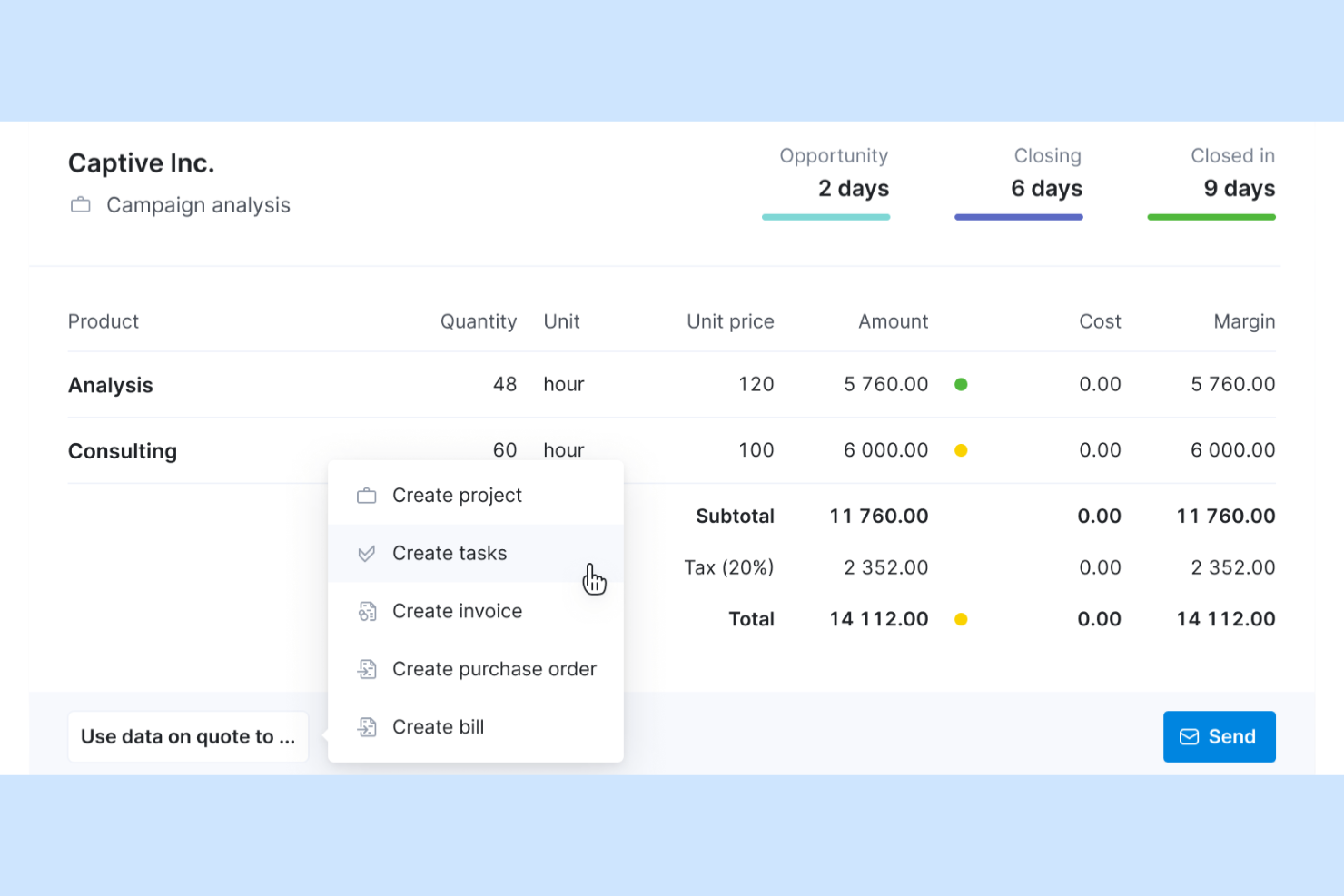
If you’re searching for a monday.com alternative that brings every business function into one platform, Scoro is worth a closer look. It’s designed for professional services firms and agencies that want to manage projects, finances, sales, and reporting without juggling multiple tools. Scoro stands out by combining project management with quoting, billing, and real-time business analytics in a single workspace.
Why Scoro Is a Good monday.com Alternative
Unlike most project management tools, Scoro brings project planning, quoting, billing, and reporting together in one unified platform. I picked Scoro because it lets you manage client work, track time, and handle invoicing without switching between separate systems. Its built-in dashboards give you a real-time overview of sales, finances, and project progress, so you can make decisions with all your business data in one place. This all-in-one approach is especially useful for agencies and consultancies that want to replace multiple disconnected tools with a single solution.
Scoro Key Features
Some other features in Scoro that may interest teams looking for monday.com alternatives include:
- Calendar and Task Scheduling: Plan, assign, and track tasks and meetings using a shared team calendar.
- CRM Functionality: Manage leads, contacts, and sales pipelines within the same platform.
- Customizable Dashboards: Build personalized dashboards to monitor KPIs and business metrics.
- Expense Tracking: Record and categorize expenses directly within projects and client accounts.
Scoro Integrations
Integrations include Google Calendar, QuickBooks, Xero, Mailchimp, Zapier, Stripe, Dropbox, and more.
Pros and Cons
Pros:
- Advanced customizable reports
- Integrates calendar scheduling and project timelines
- Combines project management, CRM, and billing
Cons:
- Pricing is higher than other alternatives
- Complex initial setup

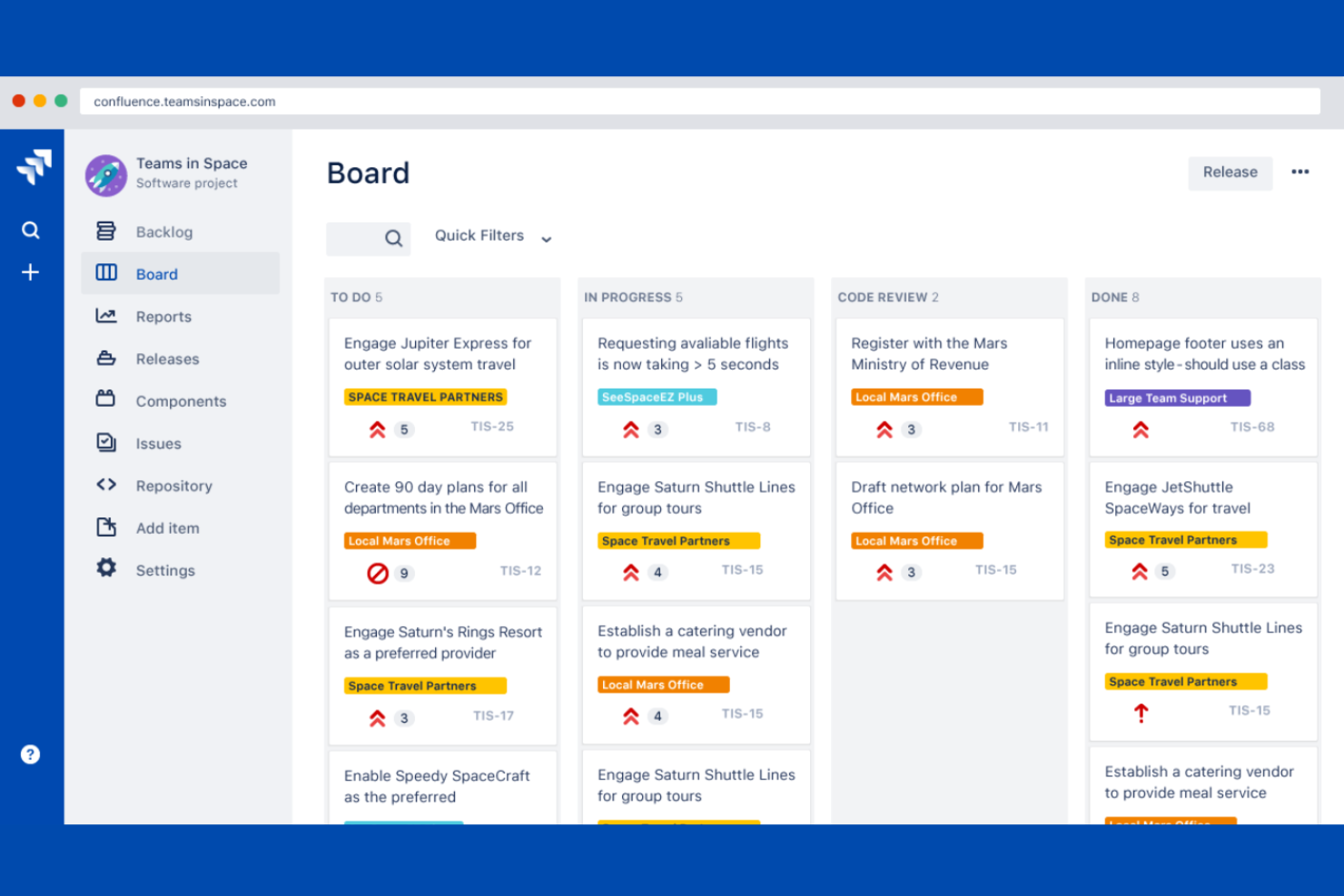
Jira is a go-to choice for teams that need agile project management software with deep customization. It’s especially popular among software development, IT, and product teams that want to manage sprints, backlogs, and releases in detail. Jira stands apart from monday.com alternatives by offering advanced agile boards, granular issue tracking, and built-in support for Scrum and Kanban workflows.
Why Jira Is a Good monday.com Alternative
For teams that need agile project management beyond basic task tracking, Jira delivers a specialized toolkit. I picked Jira because it offers customizable Scrum and Kanban boards, letting you manage sprints, backlogs, and epics with precision. Its issue tracking system supports detailed workflows, status updates, and prioritization for complex projects. These advanced features make Jira a strong fit for teams that want agile methodologies built into their project management platform.
Jira Key Features
Some other features in Jira that may appeal to project teams include:
- Advanced Reporting: Generate burndown charts, velocity reports, and custom dashboards for project insights.
- Automation Rules: Set up automated actions for repetitive tasks, notifications, and workflow transitions.
- Custom Issue Types: Create and configure unique issue types to match your team’s processes.
- Permissions and Security Controls: Manage user roles, project access, and data visibility at a granular level.
Jira Integrations
Integrations include Confluence, Bitbucket, Slack, GitHub, Microsoft Teams, Zendesk, Google Drive, Salesforce, and more.
Pros and Cons
Pros:
- Advanced reporting tools
- Includes detailed status, priority, and assignee fields
- Supports Scrum and Kanban methods
Cons:
- Some features require higher-tier paid plans
- Time-consuming workflow configuration

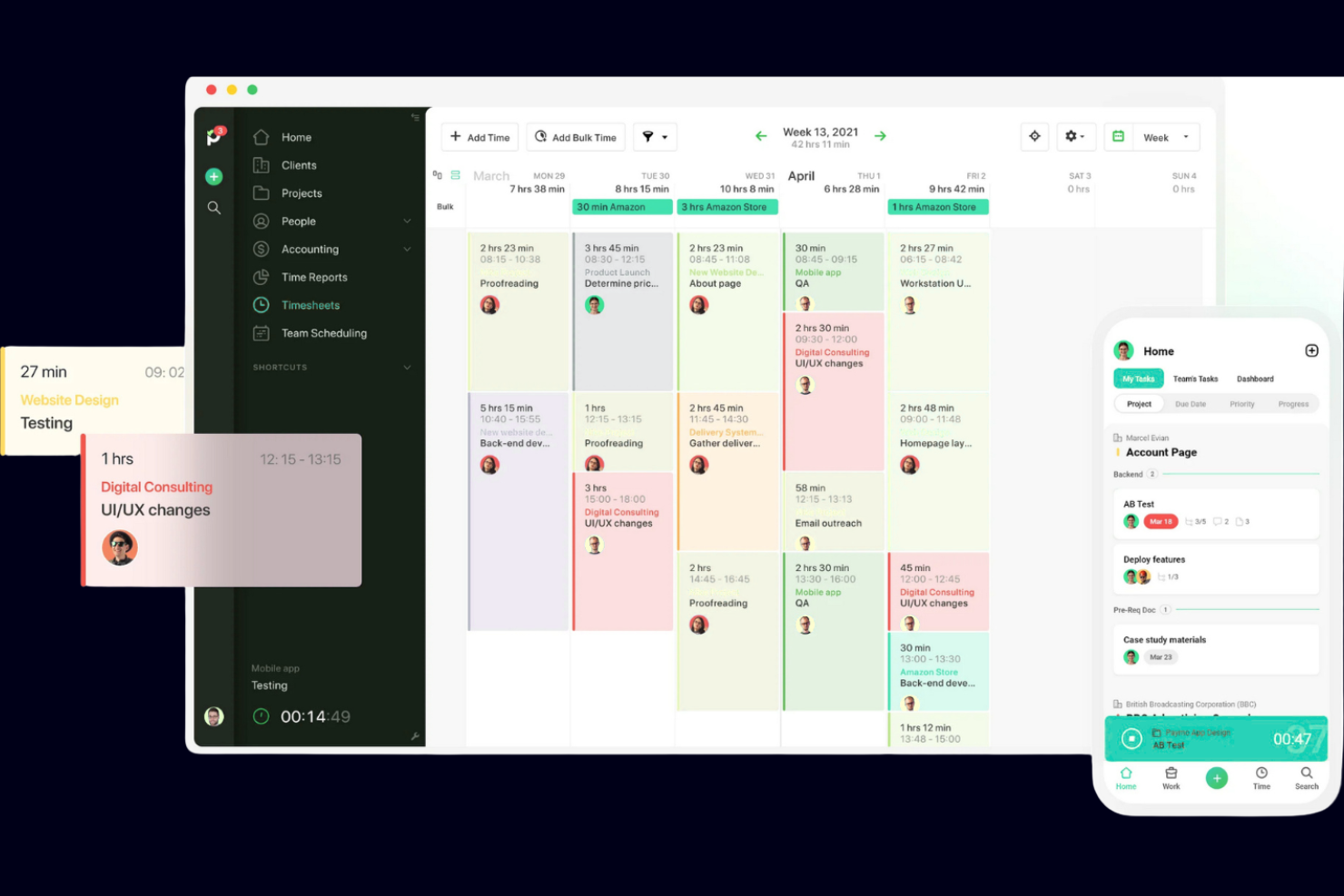
If tracking billable hours and project timelines is a top priority, Paymo gives you dedicated tools for time tracking and project management in one place. It’s a strong fit for agencies, consultancies, and service-based teams that need to monitor work hours, manage tasks, and invoice clients from a single platform. Unlike most monday.com alternatives, Paymo puts time tracking at the core of its workflow, making it easier to connect time spent with project progress and billing.
Why Paymo Is a Good monday.com Alternative
For teams that need to track time on projects with precision, Paymo offers a focused solution that goes beyond what most monday.com alternatives provide. I picked Paymo because its built-in time tracking lets you log hours directly from tasks, link time entries to specific projects, and generate timesheets for accurate client billing. The platform also includes features like automatic timers and manual time entry, so you can capture work as it happens or log it after the fact. This approach helps businesses connect project work with billable hours, making Paymo especially valuable for service-based teams.
Paymo Key Features
Some other features in Paymo that may interest teams comparing monday.com alternatives include:
- Task Management: Organize, assign, and prioritize tasks with lists, Kanban boards, and calendar views.
- Resource Scheduling: Allocate team members to projects and visualize workloads on a timeline.
- Invoicing: Generate invoices directly from tracked time and project expenses.
- File Sharing: Upload, store, and share project files within tasks and projects.
Paymo Integrations
Integrations include Google Calendar, Slack, Xero, Zapier, Microsoft Teams, and more. Paymo also offers an API for custom integrations.
Pros and Cons
Pros:
- Offers resource scheduling
- Built-in invoicing tools
- Links hours directly to project tasks
Cons:
- No built-in CRM tools
- Limited mobile app features
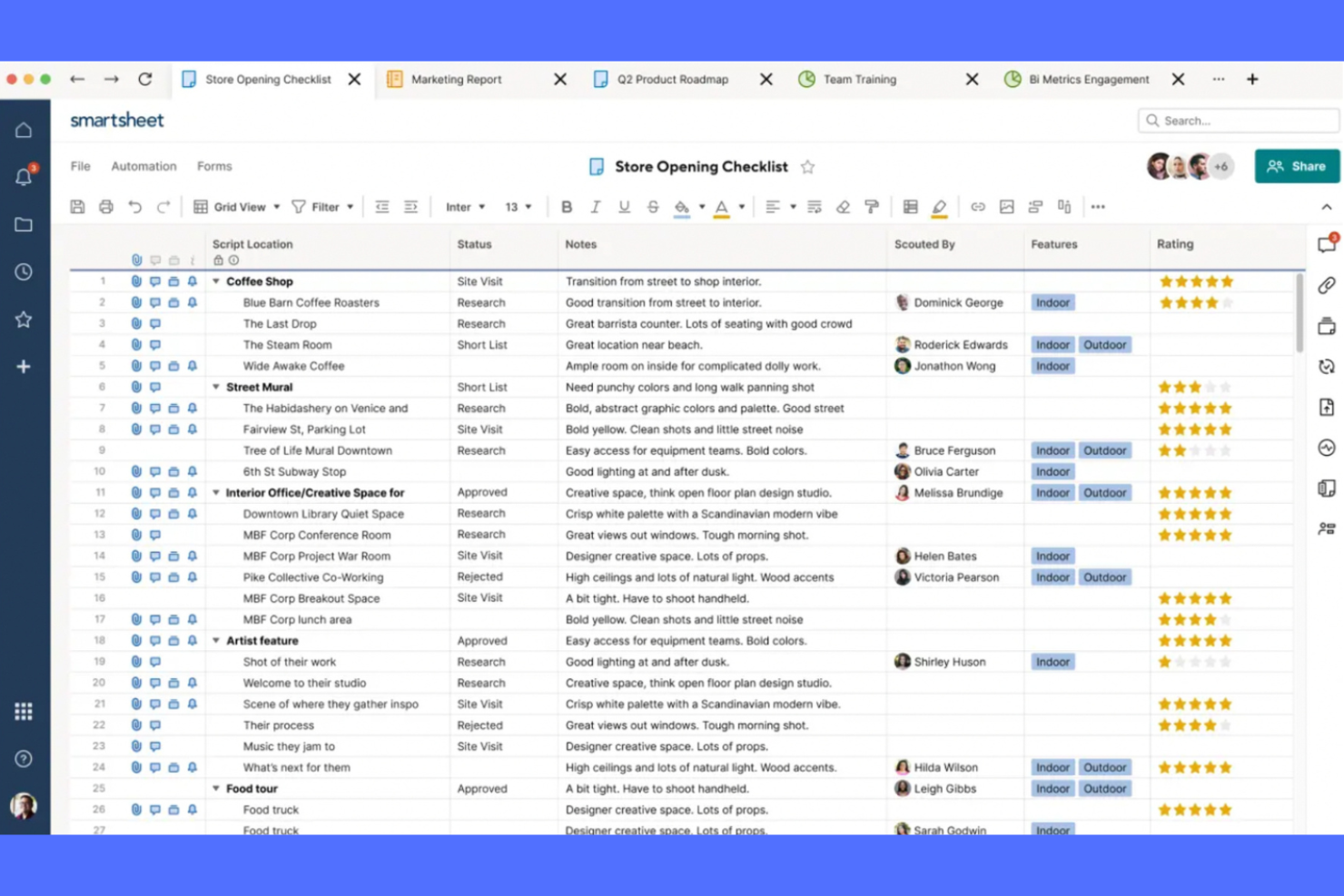
Teams that rely on spreadsheets for project planning often find Smartsheet to be a natural fit when looking for a monday.com alternative. The platform combines familiar spreadsheet-style layouts with project management features like automated workflows and resource management. Smartsheet stands out for users who want to manage complex projects in a grid format while gaining more structure and automation than traditional spreadsheets provide.
Why Smartsheet Is a Good monday.com Alternative
If your team prefers working in spreadsheets but needs more structure than basic task management tools, Smartsheet offers a familiar yet more powerful approach to project planning. I picked Smartsheet because it lets you build project plans in a grid format, complete with formulas, conditional formatting, and cell linking. You can also automate repetitive tasks and set up approval workflows directly within your sheets. These features make Smartsheet a strong choice for teams that want the flexibility of spreadsheets with the added control of project management tools.
Smartsheet Key Features
Some other features in Smartsheet that may interest project teams include:
- Gantt Chart View: Visualize project timelines and dependencies using interactive Gantt charts.
- Resource Management: Allocate resources and track team availability across multiple projects.
- Request Forms: Collect project requests or updates through customizable web forms.
- Dashboard Reporting: Build real-time dashboards to monitor project metrics and KPIs.
Smartsheet Integrations
Integrations include Microsoft 365, Gmail, Slack, Salesforce, Jira, Tableau, Microsoft Teams, Dropbox, Box, and Adobe Creative Cloud.
Pros and Cons
Pros:
- Structures project intake with custom forms
- Supports Gantt chart and calendar views
- Offers a spreadsheet-style interface
Cons:
- Pricing increases quickly with additional users
- Steep learning curve
New Product Updates from Smartsheet

Smartsheet Adds Direct Data Import to Existing Sheets
Smartsheet introduces direct data import to existing sheets in table view. This update lets you import CSV, XLS, and XLSX files directly into sheets, reducing manual work and speeding up data setup. For more information, visit Smartsheet's official site.

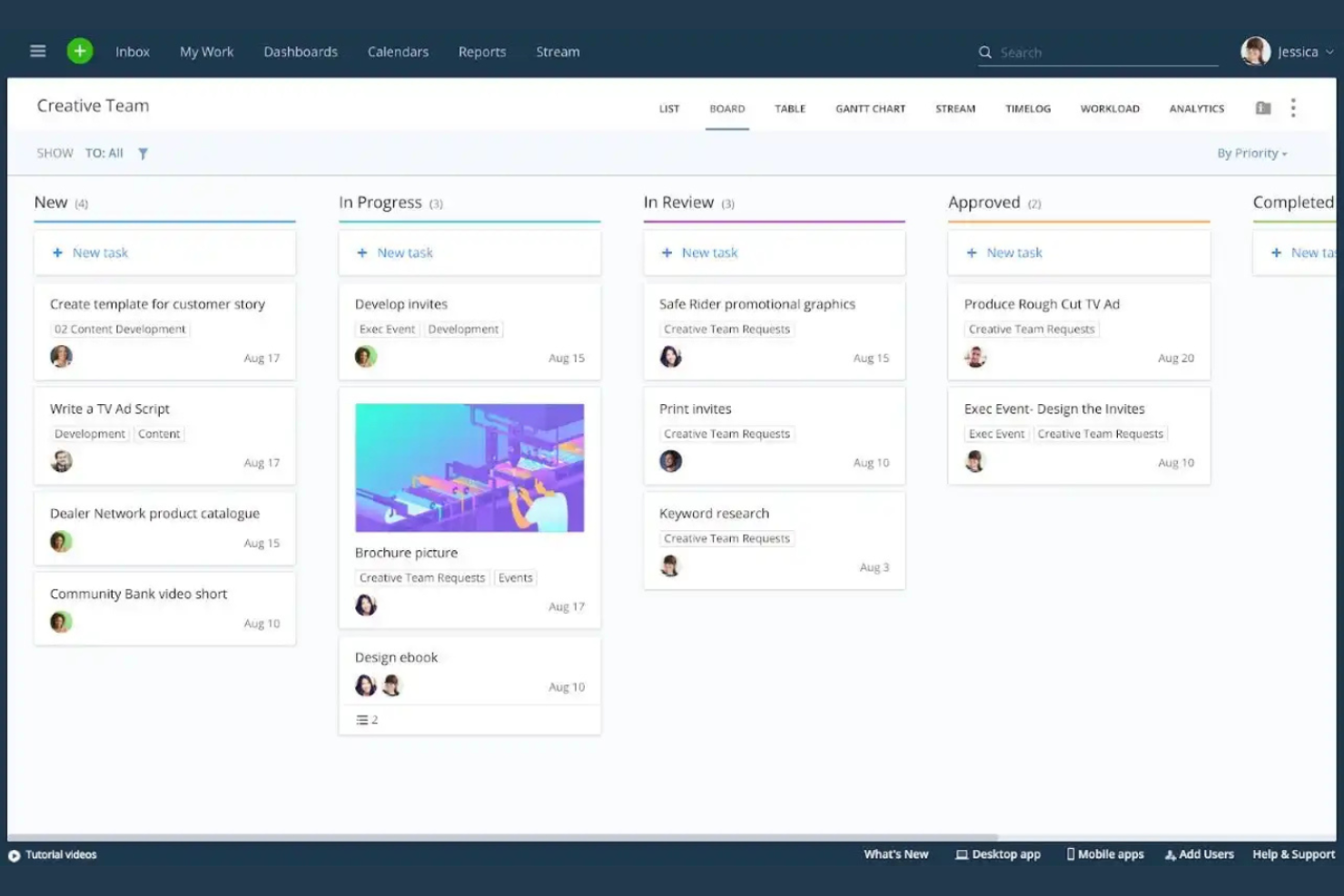
Teams that need deep visibility into project performance often turn to Wrike for its advanced reporting and analytics capabilities. It’s especially useful for operations managers, project leads, and organizations that need to track KPIs and generate custom reports across multiple projects. Wrike stands apart from monday.com alternatives by offering granular dashboards, real-time analytics, and flexible reporting tools that help you make data-driven decisions.
Why Wrike Is a Good monday.com Alternative
If your team needs more advanced reporting than what monday.com offers, Wrike is worth a close look. I picked Wrike because its custom report builder and real-time analytics dashboards let you dig into project data at a granular level. You can create visualizations, schedule recurring reports, and track KPIs across multiple projects in one place. These features make Wrike a strong fit for teams that need to monitor performance and share insights with stakeholders.
Wrike Key Features
Some other features in Wrike that may appeal to teams comparing monday.com alternatives include:
- Gantt Chart View: Visualize project timelines and dependencies with interactive Gantt charts.
- Request Forms: Standardize and automate work intake using customizable request forms.
- Time Tracking: Log hours directly on tasks to monitor effort and resource allocation.
- Document Proofing: Review, comment, and approve files within the platform to keep feedback organized.
Wrike Integrations
Integrations include Microsoft Teams, Salesforce, Google Drive, Slack, Dropbox, Jira, Adobe Creative Cloud, Tableau, GitHub, and more.
Pros and Cons
Pros:
- Offers document proofing for file review
- Request forms to standardize work intake
- Custom report builder for analytics
Cons:
- Limited guest access and external collaboration
- Cluttered user interface


monday.com Alternatives Selection Criteria
When selecting the best monday.com alternatives to include in this list, I considered common buyer needs and pain points related to monday.com alternatives products, like wanting more advanced workflow customization or needing better agile project management features. I also used the following framework to keep my evaluation structured and fair:
Core Functionality (25% of total score)
To be considered for inclusion in this list, each solution had to fulfill these common use cases:
- Manage projects and tasks in customizable boards
- Assign and track work across team members
- Set due dates and monitor progress
- Share files and collaborate in real time
- Generate reports on project status
Additional Standout Features (25% of total score)
To help further narrow down the competition, I also looked for unique features, such as:
- Built-in agile boards for Scrum or Kanban
- Advanced automation for workflows and notifications
- Resource management and capacity planning tools
- Customizable dashboards and analytics
- Native time tracking and workload management
Usability (10% of total score)
To get a sense of the usability of each system, I considered the following:
- Clean and user-friendly interface
- Logical navigation and menu structure
- Minimal clicks to complete common actions
- Responsive design for desktop and mobile
- Customization options that don’t add complexity
Onboarding (10% of total score)
To evaluate the onboarding experience for each platform, I considered the following:
- Availability of step-by-step product tours
- Access to training videos and documentation
- Pre-built templates for common workflows
- In-app chatbots or guided setup
- Live webinars or onboarding sessions
Customer Support (10% of total score)
To assess each software provider’s customer support services, I considered the following:
- Multiple support channels like chat, email, and phone
- Fast response times for support requests
- Access to a searchable help center
- Community forums or user groups
- Availability of dedicated account managers
Value For Money (10% of total score)
To evaluate the value for money of each platform, I considered the following:
- Transparent and flexible pricing plans
- Features included at each pricing tier
- Free plan or free trial availability
- No hidden fees or surprise charges
- Discounts for annual billing or larger teams
Customer Reviews (10% of total score)
To get a sense of overall customer satisfaction, I considered the following when reading customer reviews:
- Consistent positive feedback on core features
- Reports of reliable uptime and performance
- Praise for customer support responsiveness
- User comments on ease of adoption
- Constructive criticism and how vendors respond
Why Look For A monday.com Alternative?
While monday.com is a good choice of monday.com alternatives, there are a number of reasons why some users seek out alternative solutions. You might be looking for a monday.com alternative because…
- You need more advanced agile project management features
- Your team requires deeper workflow automation options
- You want built-in resource or capacity planning tools
- You need more granular permissions and access controls
- Your organization prefers on-premise or private cloud deployment
- You’re looking for a solution with more flexible pricing tiers
If any of these sound like you, you’ve come to the right place. My list contains several monday.com alternatives that are better suited for teams facing these challenges with monday.com and looking for alternative solutions.
monday.com Key Features
Here are some of the key features of monday.com, to help you contrast and compare what alternative solutions offer:
- Customizable boards for project and task management
- Visual workflow automation builder
- Multiple project views, including Kanban, Gantt, and calendar
- Built-in time tracking for tasks
- File sharing and document storage
- Real-time team collaboration and updates
- Customizable dashboards and reporting
- Forms for collecting and managing requests
- Native integrations with popular business tools
- Advanced permissions and user access controls
What’s Next:
If you're in the process of researching monday.com alternatives, connect with a SoftwareSelect advisor for free recommendations.
You fill out a form and have a quick chat where they get into the specifics of your needs. Then you'll get a shortlist of software to review. They'll even support you through the entire buying process, including price negotiations.