
14 Best Jobber Alternatives Reviewed in 2026

Best Jobber Alternatives Shortlist
Here’s my shortlist of the best Jobber alternatives:


Running a service business comes with its own set of challenges. From managing schedules to keeping track of invoices, it can get overwhelming. You might be using Jobber but feel it doesn't quite fit your needs. Maybe it's lacking features, or it's just not user-friendly for your team.
I understand these frustrations, and I've spent time reviewing various software solutions that promise to make your life easier. In this article, I'll share my top picks for Jobber alternatives that could be a better fit for you.
You'll find insights into each tool's unique features and how they can address your specific business challenges. My goal is to help you find the right software that aligns with your needs and makes daily operations smoother
What Is Jobber?
Jobber is a service business software designed to help manage field service operations. Landscapers, electricians, and cleaning professionals often use Jobber to schedule jobs, invoice clients, and track performance. Its scheduling, invoicing, and client management features support efficient operations and improve customer relations. Jobber offers a straightforward way to manage your business, making daily tasks easier for you and your team.
Best Jobber Alternatives Summary
This comparison chart summarizes pricing details for my top Jobber alternative selections to help you find the best one for your budget and business needs.
| Tool | Best For | Trial Info | Price | ||
|---|---|---|---|---|---|
| 1 | Best for customizable and quick onboarding | Free demo available | Pricing upon request | Website | |
| 2 | Best all-in-one platform with automation | Free plan + free demo available | From $187/month (billed annually) | Website | |
| 3 | Best for both residential and commercial trades | Free demo available | Pricing upon request | Website | |
| 4 | Best for commercial HVAC and fire contractors | Free demo available | Pricing upon request | Website | |
| 5 | Best for safety checklists and inspections | Free plan available | From $24/seat/month (billed annually) | Website | |
| 6 | Best for asset-centric service management | Free demo available | Pricing upon request | Website | |
| 7 | Best for job costing for builders and tradespeople | 14-day free trial + free demo available | From $31/month | Website | |
| 8 | Best for small trade businesses on mobile | 14-day free trial + free plan + free demo available | From $29/month | Website | |
| 9 | Best for supporting productivity | Free demo available | Pricing upon request | Website | |
| 10 | Best for large-scale AI-based dispatch | Free demo available | Pricing upon request | Website |
Why Trust Our Software Reviews
Best Jobber Alternatives Reviews
Below are my detailed summaries of the best Jobber alternatives that made it onto my shortlist. My reviews offer a detailed look at the key features, pros and cons, integrations, and ideal use cases of each tool to help you find the best one for you.


FieldPulse is a field service management software designed for small to medium-sized service businesses. It helps manage scheduling, dispatching, invoicing, and team communication.
Why it's a good Jobber alternative: FieldPulse offers quick, customizable onboarding, making it ideal if you need to get started fast. Its user-friendly interface and customizable dashboards allow you to tailor the software to your business management needs. The mobile app ensures your team stays connected and productive on the go. With these capabilities, FieldPulse helps you manage your operations effectively.
Standout features and integrations:
Features include time tracking to monitor labor costs and task management tools to keep your team organized. The software also provides customer communication features to improve the customer experience.
Integrations include QuickBooks, Acorn, Trinity, and more.
Pros and Cons
Pros:
- Technology supports team connectivity
- User-friendly interface
- Customizable onboarding process
Cons:
- Mobile app can be glitchy
- Limited scalability for large enterprises

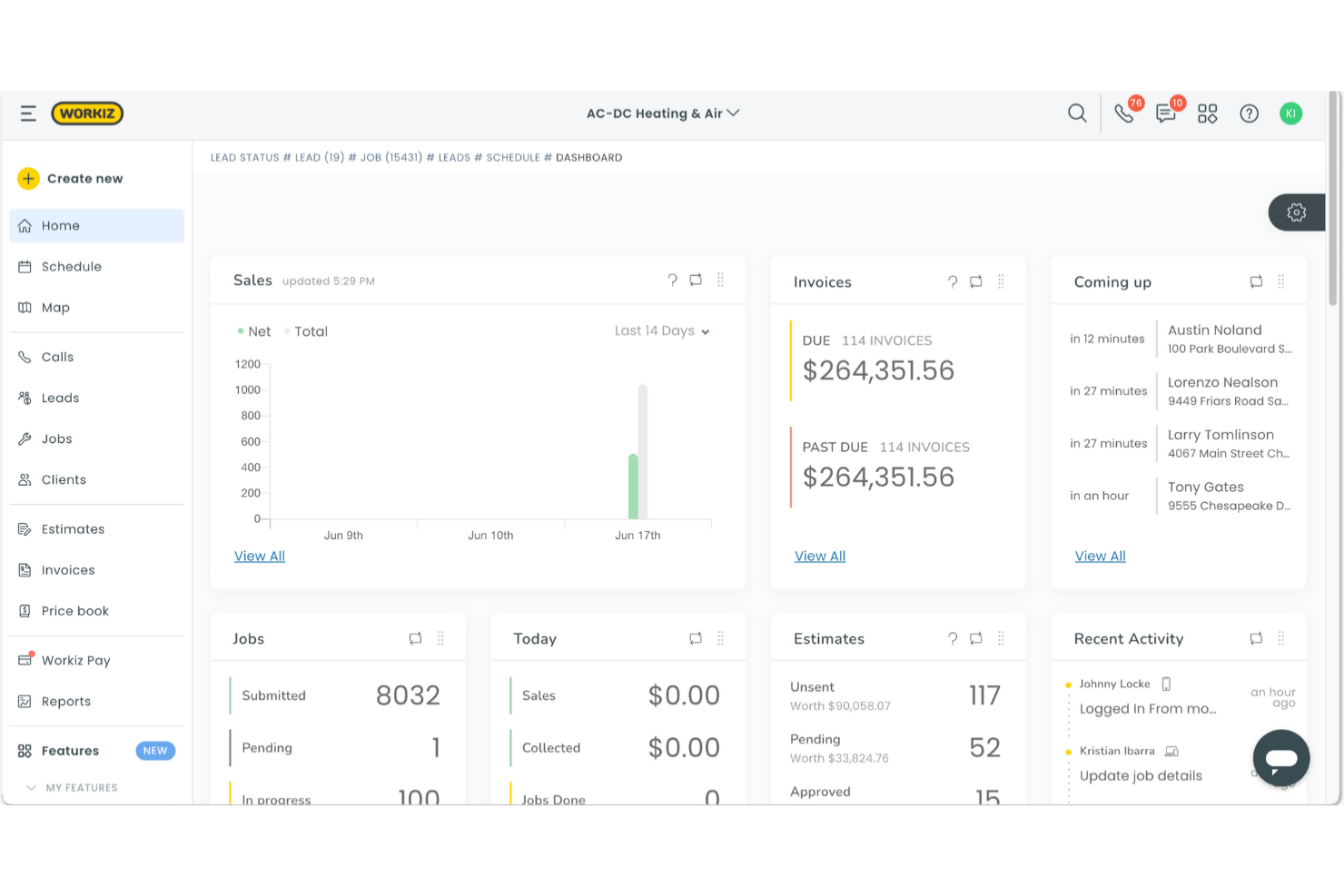
Workiz is a field service management software designed for small to medium-sized service businesses such as locksmiths, junk removal, and appliance repair. It helps manage scheduling, invoicing, communication, and team collaboration.
Why it's a good Jobber alternative: With its all-in-one platform and automation, Workiz offers features that help optimize your field service business operations. The software provides automated reminders and dispatching to ensure jobs are completed on time. Its job management tools let you track your team's progress and schedule. Additionally, the invoicing and payment processing features simplify your financial tasks, helping boost productivity.
Standout features and integrations:
Features include call tracking to monitor customer interactions and job scheduling to keep your team organized. The software also offers reporting tools that provide insights into your business performance.
Integrations include QuickBooks, Google Calendar, Mailchimp, Zapier, NiceJob, and more.
Pros and Cons
Pros:
- Simplifies financial tasks
- Supports team collaboration
- Good customer support
Cons:
- Not ideal for very large teams
- Hard to customize fields


ServiceTitan is a software platform tailored for home and commercial service businesses, especially in trades such as HVAC, plumbing, handyman, and electrical services. It primarily serves professionals by managing project workflows, customer relationships, dispatching, accounting, and inventory.
Why it's a good Jobber alternative: ServiceTitan supports both residential and commercial trades, which can be important if you're working across different sectors. Its project management, CRM, and dispatching features cater to diverse industry needs. The platform's service agreements and customer portals are designed to improve client interactions and operational efficiency. With its extensive offerings, ServiceTitan ensures you have tailored solutions for your specific trade.
Standout features and integrations:
Features include service agreements to manage recurring services, customer portals offering self-service options, and detailed reporting tools that provide insights into your business operations.
Integrations include QuickBooks, Sage Intacct, Google Calendar, and more.
Pros and Cons
Pros:
- Provides customer self-service portals
- Offers tailored solutions for various industries
- Supports both residential and commercial trades
Cons:
- Requires time to set up and customize
- Higher starting price than some competitors
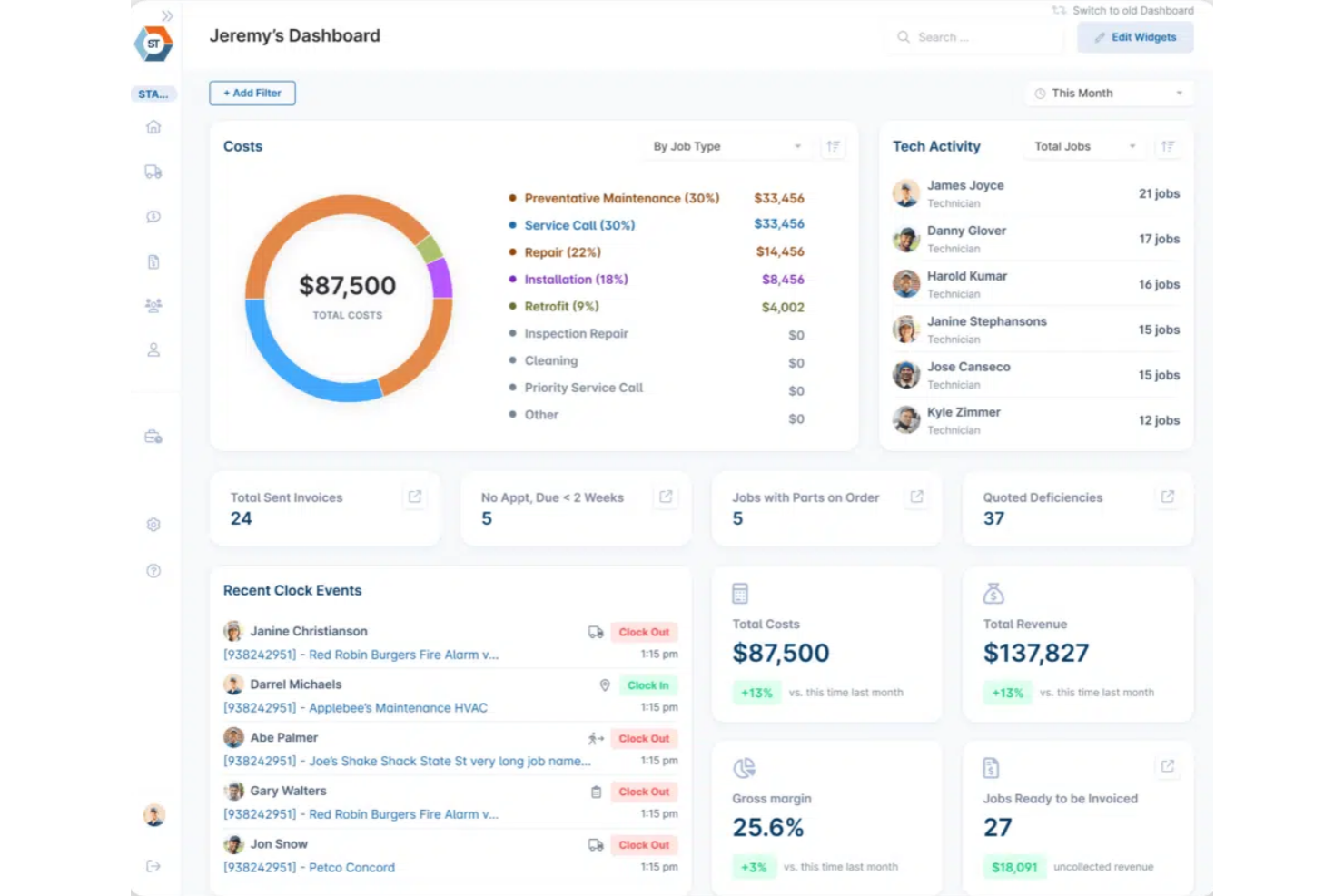
ServiceTrade is a field service management software tailored for commercial service contractors. It helps manage scheduling, invoicing, and customer communication to improve operational efficiency.
Why it's a good Jobber alternative: ServiceTrade increases productivity, making it suitable for businesses looking to boost efficiency. Its digital inspection and reporting features ensure accurate job tracking and customer transparency. The mobile app allows techs to access job details and capture service information on-site. ServiceTrade's customer portal and marketing tools improve client interactions, providing a more engaging service experience.
Standout features and integrations:
Features include online appointment booking, which simplifies scheduling, and asset management tools that help track equipment and service history. The software also offers automated reminders to keep your clients informed.
Integrations include QuickBooks, Sage, Oracle, and more.
Pros and Cons
Pros:
- Includes customer portal
- Provides a mobile app for techs
- Offers digital inspection features
Cons:
- Integration restrictions for some accounting tools
- No offline access for techs

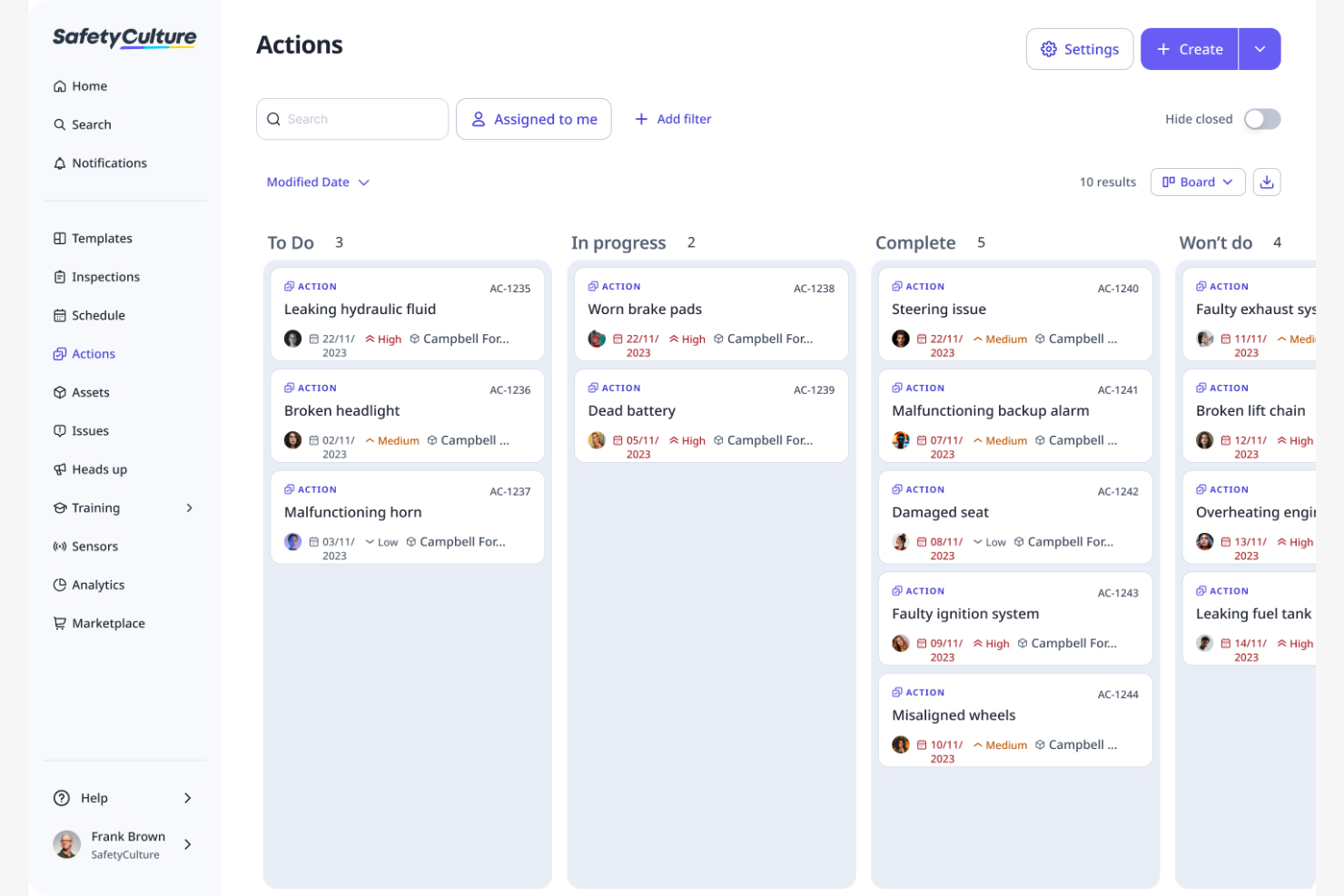
SafetyCulture is a platform designed for conducting inspections and managing safety and quality across different industries. It helps teams perform audits, track issues, and improve safety standards.
Why it's a good Jobber alternative: SafetyCulture helps increase productivity, making it a great choice for businesses focusing on safety and efficiency. The platform's inspection tools ensure compliance and safety checks are completed efficiently. Its issue tracking feature helps you manage and resolve safety concerns quickly. With SafetyCulture's analytics, you gain insights into safety trends that aid continuous improvement.
Standout features and integrations:
Features include customizable checklists that let you tailor inspections to your needs. The platform also provides real-time analytics to monitor safety performance. Additionally, SafetyCulture provides training modules to help teams stay informed and compliant.
Integrations include Google Sheets, Power BI, Zapier, Dropbox, SAP, and more.
Pros and Cons
Pros:
- Provides an intuitive interface
- Offers real-time tracking for corrective actions
- Supports compliance with inspections
Cons:
- Can be pricey for smaller teams
- Limited customization for workflows

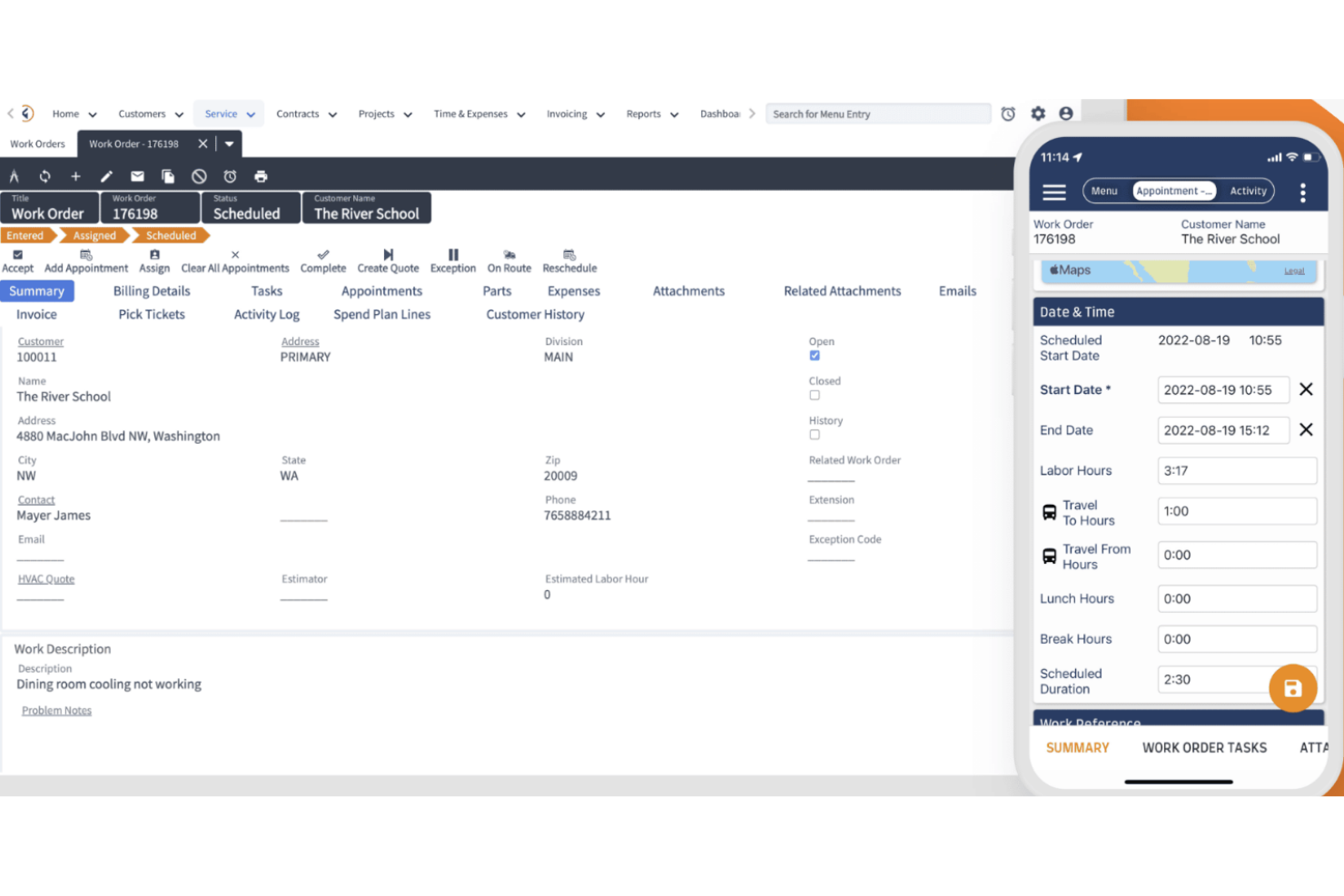
Fieldpoint is a field service management software designed for industries such as HVAC, IT, and industrial equipment. It helps manage quoting, scheduling, dispatching, and work order management.
Why it's a good Jobber alternative: Fieldpoint improves productivity, making it ideal for business owners aiming to improve efficiency. Its real-time data integration with ERP and accounting systems ensures better visibility across operations. The software's mobile app supports on-the-go data collection, facilitating team utilization. Fieldpoint's customizable features meet unique service needs, making it adaptable for various industries.
Standout features and integrations:
Features include QuickBooks integration and project costing to manage budgets, service contracts for recurring services, and inspection checklists to ensure quality control. The software also provides inventory management reporting tools for better decision-making.
Integrations include Microsoft Business Central, QuickBooks, NetSuite, Microsoft Dynamics 365, and more.
Pros and Cons
Pros:
- Offers mobile data collection
- Customizable for various industries
- Supports real-time data integration
Cons:
- Data entry fields are cumbersome
- Initial implementation is time-consuming

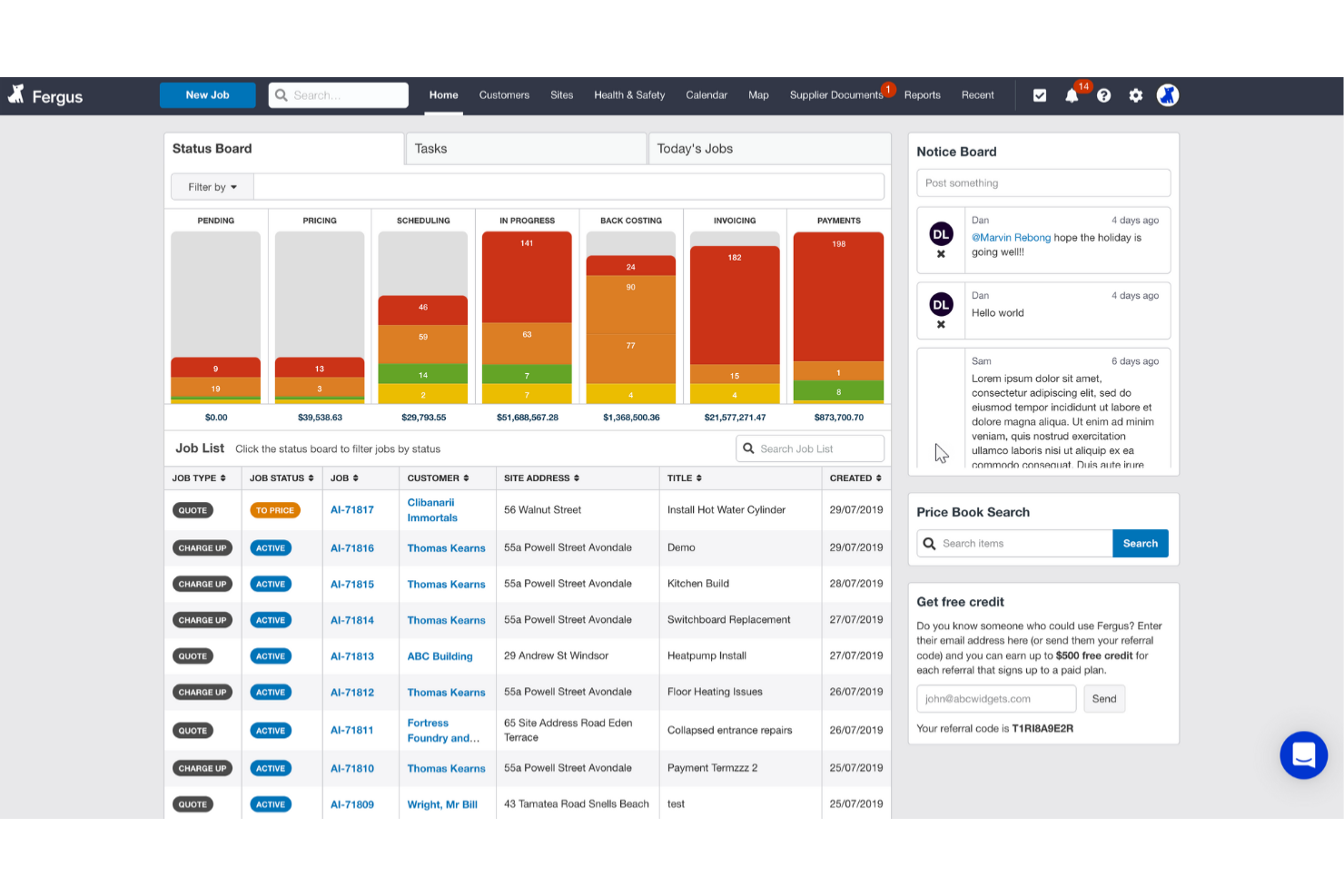
Fergus is a job management software designed for roofing businesses, plumbers, and other service providers. It provides tools for scheduling, quoting, invoicing, and job tracking to help manage daily operations efficiently.
Why it's a good Jobber alternative: Fergus offers quick, customizable onboarding, making it easy to get started. Its job tracking feature ensures you stay on top of every project, while the scheduling tools help you manage your team's workload. The software's quoting and invoicing capabilities simplify financial tasks, allowing you to focus on growing your business. These features ensure a smooth transition and efficient operations for your team.
Standout features and integrations:
Features include a calendar view that helps you visualize your team's schedule, and automated reminders that keep everyone on track. The software also offers task management tools to ensure all jobs are completed efficiently.
Integrations include Xero, QuickBooks, and more.
Pros and Cons
Pros:
- Offers task management tools
- Provides a calendar view
- Simplifies quoting and invoicing
Cons:
- No built-in inventory tracking
- Limited flexibility for tailoring workflows

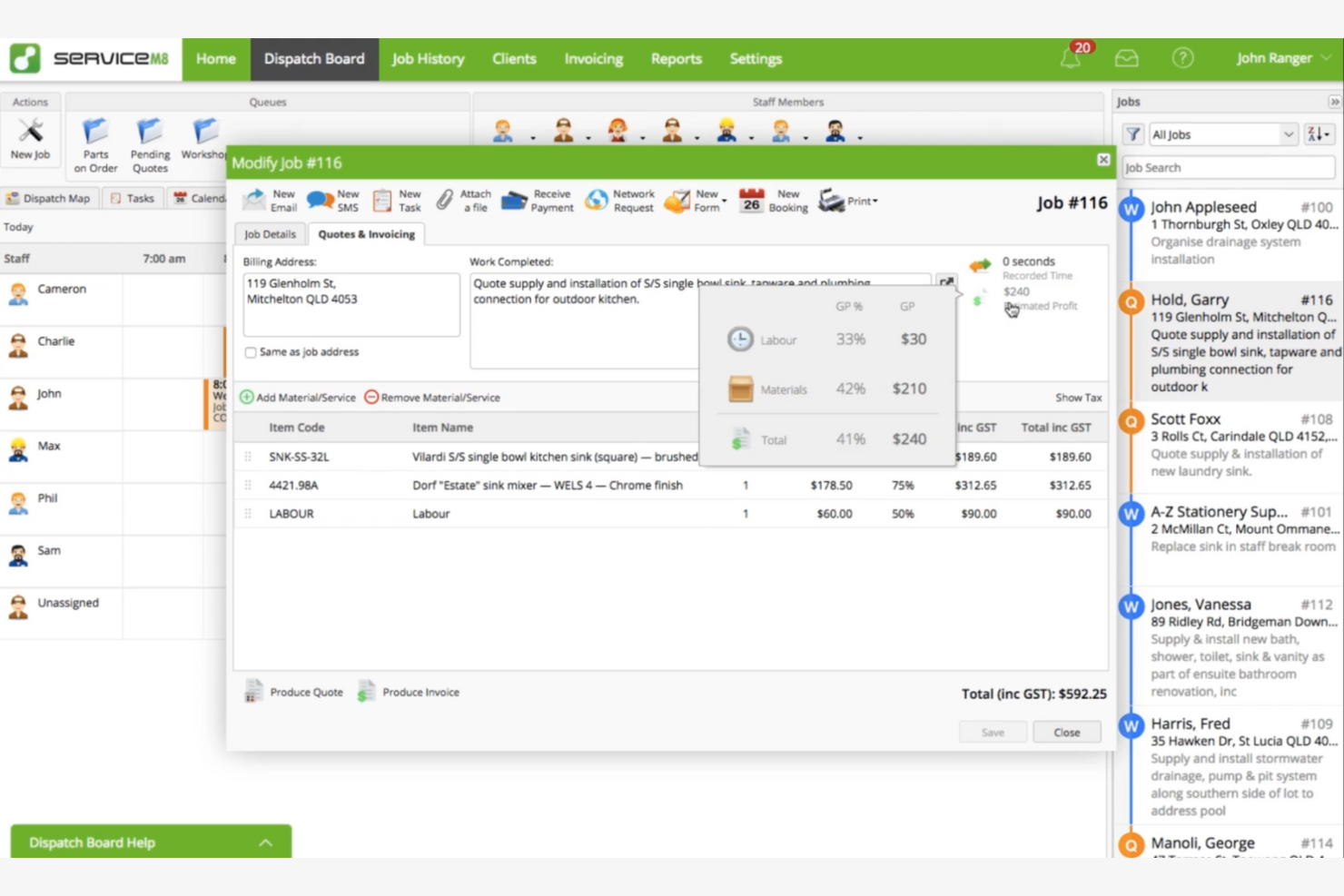
ServiceM8 is a cloud-based field service management solution designed for small businesses. It helps manage job scheduling, invoicing, and customer communication to improve operational efficiency.
Why it's a good Jobber alternative: ServiceM8 excels at productivity tools that help optimize your business processes. Its real-time scheduling and dispatching features ensure your team is always on track. The mobile app allows field workers to access job details and update progress on the go. With its easy invoicing and payment processing, ServiceM8 helps you manage financial tasks efficiently.
Standout features and integrations:
Features include job checklists that ensure all tasks are completed, and automated reminders that keep your clients informed. The software also provides reporting tools that offer insights into your business performance.
Integrations include QuickBooks Online, Xero, MYOB, Zapier, Mailchimp, and more.
Pros and Cons
Pros:
- Easy invoicing features
- Provides a mobile app
- Offers real-time scheduling
Cons:
- Advanced features cost add-ons
- Limited Android features

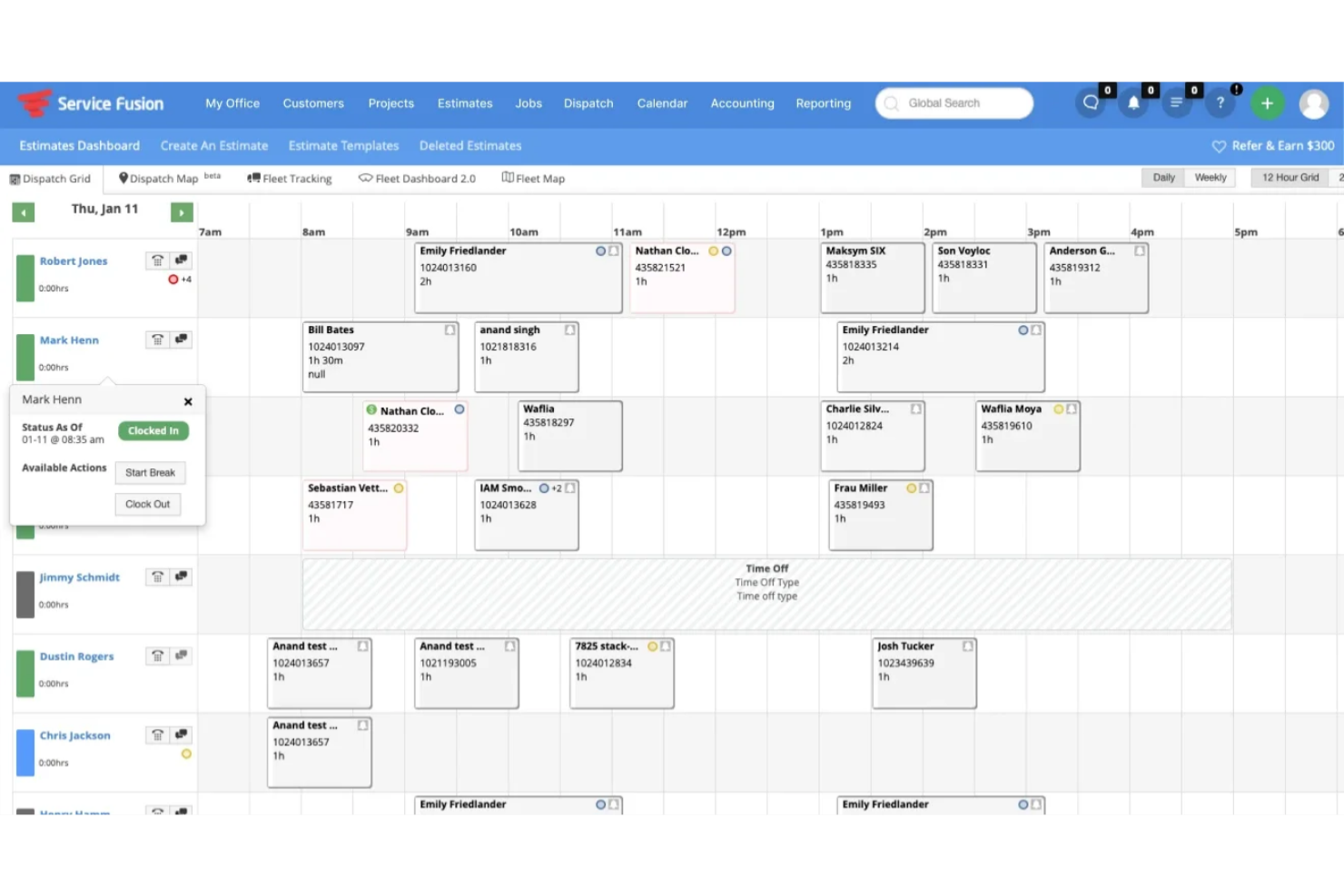
Service Fusion is a field service management software designed to increase productivity for service-based businesses, particularly in industries such as HVAC and plumbing. It provides key functions such as scheduling, dispatching, invoicing, and customer management.
Why it's a good Jobber alternative: Service Fusion offers a drag-and-drop scheduling feature and GPS fleet tracking to help manage your operations more effectively. The technician mobile app lets your team access job details on the go, while invoicing and payment processing facilitate financial tasks. These features collectively support a more productive and organized workflow.
Standout features and integrations:
Features include job status tracking to keep you updated on ongoing tasks and customer management tools to maintain client relationships. The platform's payment processing capabilities allow you to handle invoicing and credit card payments efficiently.
Integrations include QuickBooks, Sameday AI, and more.
Pros and Cons
Pros:
- Includes GPS fleet tracking
- Offers drag-and-drop scheduling
- Supports various service industries
Cons:
- Not ideal for very small teams
- Initial setup can be complex

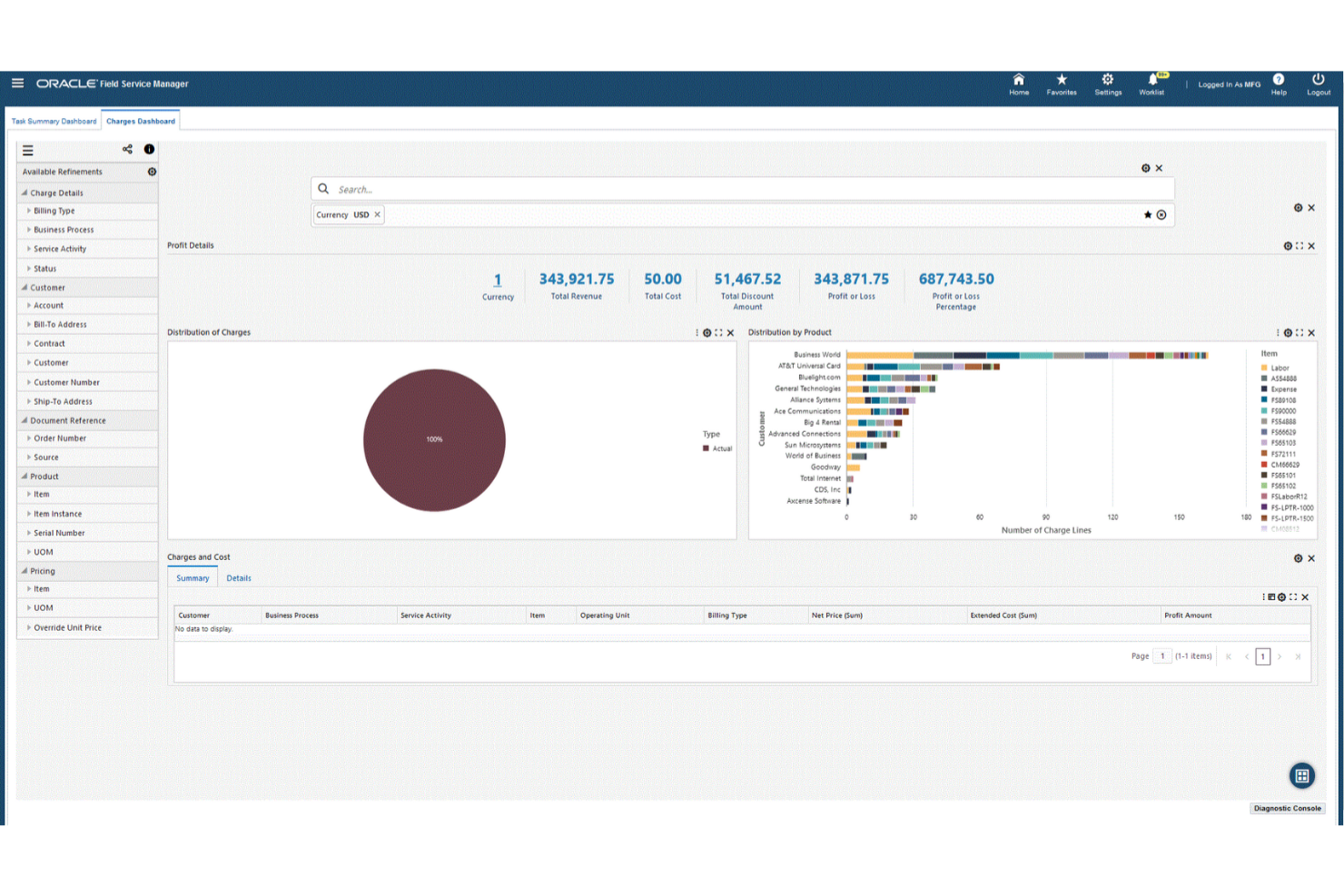
Oracle Field Service is a cloud-based field service management solution designed for enterprises needing to manage large field service teams with unlimited users. It provides tools for scheduling, dispatching, and tracking field operations.
Why it's a good Jobber alternative: Oracle Field Service offers an all-in-one platform with automation, making it a good choice for large businesses. The software's predictive technology optimizes scheduling and dispatching, improving efficiency. Its real-time visibility into field operations helps you monitor activities and progress. Oracle Field Service's automation capabilities reduce manual tasks, allowing your team to focus on delivering quality service.
Standout features and integrations:
Features include advanced analytics that provide insights into field operations, and mobile access that enables field workers to receive updates on the go. The software also offers customer communication tools to keep clients informed about service appointments.
Integrations include Oracle Integration Cloud.
Pros and Cons
Pros:
- Supports large field service teams
- Predictive scheduling
- All-in-one platform with automation
Cons:
- Limited prebuilt reporting templates
- Dependent on the Oracle ecosystem
Other Jobber Alternatives
Here are some additional Jobber alternatives that didn’t make it onto my shortlist, but are still worth checking out:
- Connecteam
For mobile workforce scheduling and chat
- Housecall Pro
For revenue growth and job management
- Arrivy
For real-time communication tools
- Team Engine
For HR and recruitment tasks


Jobber Alternatives Selection Criteria
When selecting the best Jobber alternatives for this list, I considered common buyer needs and pain points in service business software, such as scheduling efficiency and customer communication. I also used the following framework to keep my evaluation structured and fair:
Core Functionality (25% of total score)
To be considered for inclusion in this list, each solution had to fulfill these common use cases:
- Job scheduling
- Invoicing and payment processing
- Customer relationship management
- Dispatching and routing
- Reporting and analytics
Additional Standout Features (25% of total score)
To help further narrow down the competition, I also looked for unique features, such as:
- Real-time GPS tracking
- Automated follow-ups
- Customizable dashboards
- Mobile app accessibility
- Integration with smart devices
Usability (10% of total score)
To get a sense of the usability of each system, I considered the following:
- Intuitive user interface
- Ease of navigation
- Customization options
- Speed and performance
- Mobile responsiveness
Onboarding (10% of total score)
To evaluate the onboarding experience for each platform, I considered the following:
- Availability of training videos
- Interactive product tours
- Use of templates
- Access to webinars
- Support from chatbots
Customer Support (10% of total score)
To assess each software provider's customer support services, I considered the following:
- Availability of live chat
- 24/7 support services
- Response time for inquiries
- Access to a knowledge base
- Personalized support options
Value for Money (10% of total score)
To evaluate the value for money of each platform, I considered the following:
- Pricing transparency
- Range of pricing plans
- Features offered at each pricing tier
- Discounts for annual billing
- Free trial availability
Customer Reviews (10% of total score)
To get a sense of overall customer satisfaction, I considered the following when reading customer reviews:
- Overall satisfaction ratings
- Feedback on customer service
- Comments on ease of use
- Reports on reliability
- Mention of specific features such asd or dissuch asd
Why Look For a Jobber Alternative?
While Jobber is a good choice for service business software, there are several reasons some users seek alternative solutions. You might be looking for a Jobber alternative because…
- You need more advanced reporting tools
- Your team requires better mobile functionality
- You're looking for more customization options
- You need software that scales with your business
- Your business operates outside Jobber's geographic availability
If any of these sound like you, you've come to the right place. My list contains several Service business software options that are better suited for teams facing these challenges with Jobber and looking for alternative solutions.
Jobber Key Features
Here are some of the key features of Jobber, to help you contrast and compare what alternative solutions offer:
- Client management: You can store client details, service history, notes, and communications in one place so your team always knows who they're working with and what's been done before.
- Job scheduling: You can schedule jobs, assign them to team members, and view everything on a calendar so you can plan workdays and avoid double booking.
- Quotes and estimates: You can create and send flat-rate quotes to clients, track approvals, and convert approved quotes into jobs without re-entering details.
- Invoicing: You can generate invoices from completed jobs, send them to clients, and keep track of what's been paid and what's still outstanding.
- Online payments: You can let clients pay invoices online, making it easier for them to pay and faster for you to collect money.
- Mobile app: You and your team can manage jobs, send on-my-way notifications, and access client details from the field using a mobile device.
- Team time tracking: You can track time spent on jobs, so you understand labor costs and see how your team's time is being used.
- Client communication tools: You can send appointment reminders, updates, and follow-ups so clients know what's happening without extra back-and-forth.
What's Next:
If you're in the process of researching Service business software, connect with a SoftwareSelect advisor for free recommendations.
You fill out a form and have a quick chat where they get into the specifics of your needs. Then you'll get a shortlist of software to review. They'll even support you through the entire buying process, including price negotiations.