
13 Best All-In-One POS Systems Reviewed in 2026

Best All-In-One POS Systems Shortlist
Here’s my shortlist of the best all-in-one POS systems:


Running a retail operation isn't easy. You're juggling inventory, managing staff, and keeping customers happy. An all-in-one point-of-sale (POS) system can make your life simpler by handling transactions, tracking sales, and managing stock—all in one place using a modern cloud-based platform that acts as a complete cash register replacement.
In my experience, these systems are a game-changer for retailers like you. They reduce errors and save time so you can focus on growing your business. Many all-in-one systems comprise powerful hardware such as a fast CPU, ample SSD storage, and a reliable LCD touchscreen.
In this article, I'll share my unbiased, well-researched review of the top all-in-one POS systems on the market. You'll find insights into features, pricing, and what makes each one stand out. Let's find the right fit for your team and take your retail operation to the next level.
Why Trust Our Software Reviews
Best All-In-One POS System Summary
This comparison chart summarizes pricing details for my top all-in-one POS systems to help you find the best one for your budget and business needs.
| Tool | Best For | Trial Info | Price | ||
|---|---|---|---|---|---|
| 1 | Best for omnichannel retail | Free 14-day trial | From $59/month | Website | |
| 2 | Best for industry-specific POS | Free demo available | From $49/month | Website | |
| 3 | Best for free starter plan | Free demo available | From $10/month (billed annually) | Website | |
| 4 | Best for small retail stores | Not available | Pricing upon request | Website | |
| 5 | Best for modular design options | Not available | Pricing upon request | Website | |
| 6 | Best for purpose-built flexibility | Not available | Pricing upon request | Website | |
| 7 | Best for health care settings | Free demo available | Pricing upon request | Website | |
| 8 | Best for sleek design | Not available | Pricing upon request | Website | |
| 9 | Best interactive touchscreen hardware | Not available | Pricing upon request | Website | |
| 10 | Best for mobile payments | Free plan available | From $49/month + transaction fees | Website |
Best All-In-One POS System Review
Below are my detailed summaries of the best all-in-one POS systems that made it onto my shortlist. My reviews offer a detailed look at the key features, pros and cons, integrations, and ideal use cases of each tool to help you find the best one for you.

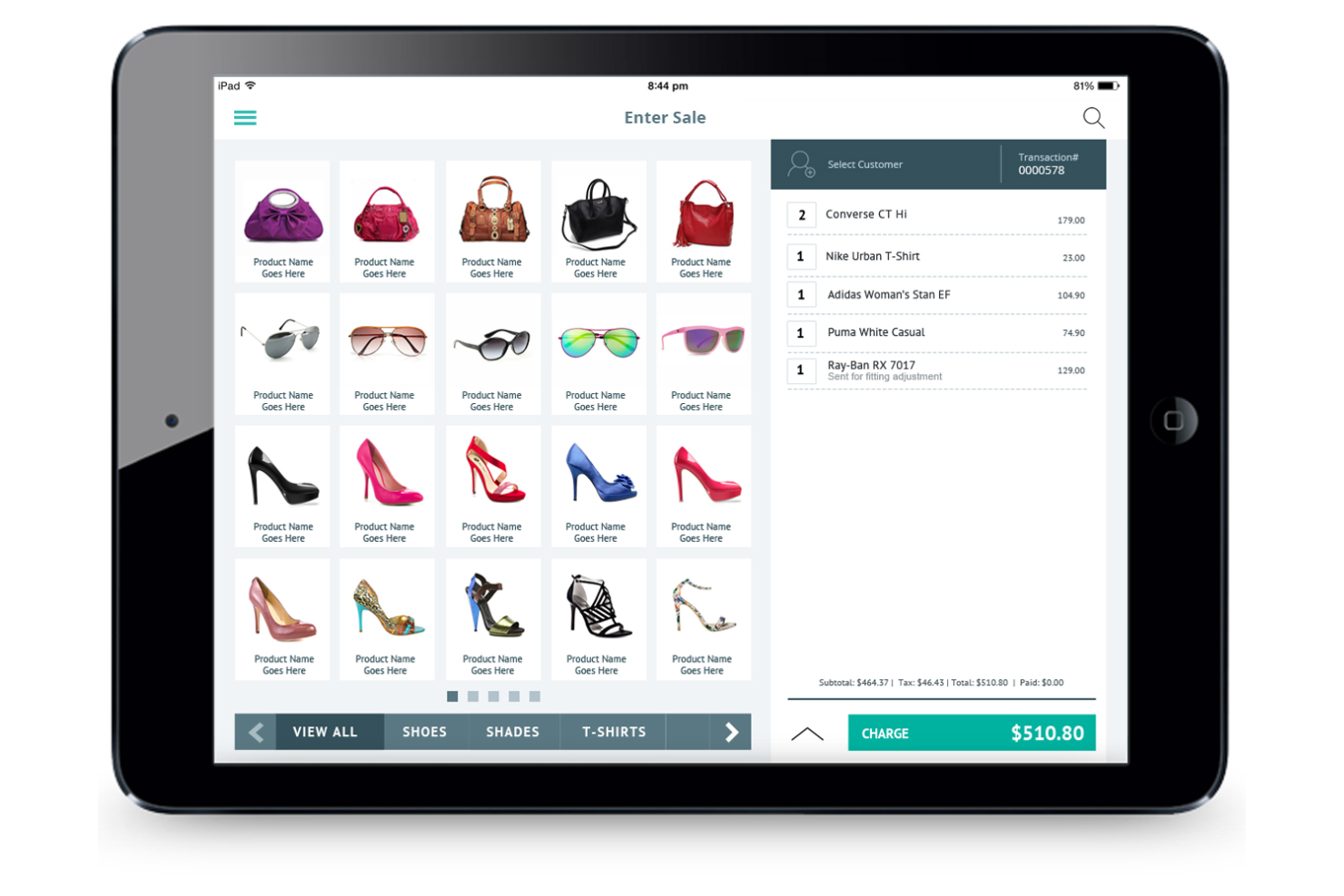
Hike is an all-in-one POS system designed for retail businesses aiming to integrate online and offline sales. It provides tools for inventory management, sales tracking, and customer engagement across multiple channels.
Why I picked Hike: The system excels in supporting omnichannel retail, allowing you to manage both in-store and online sales from a single platform. Its inventory synchronization feature updates stock levels across all channels in real time. The integrated customer loyalty program helps business owners engage and retain customers. These features make it an excellent choice for retailers looking to unify their sales channels.
Standout Features and Integrations:
Features include advanced inventory management that allows real-time synchronization across different sales channels. The system provides detailed sales analytics, offering insightful data to optimize your business operations. Hike also features a built-in customer loyalty program to aid customer retention.
Integrations include Shopify, WooCommerce, BigCommerce, Xero, QuickBooks, Mailchimp, and more.
Pros and Cons
Pros:
- Built-in customer loyalty program
- Real-time inventory synchronization
- Supports omnichannel retail
Cons:
- Unstable iPad app
- Click-heavy interface

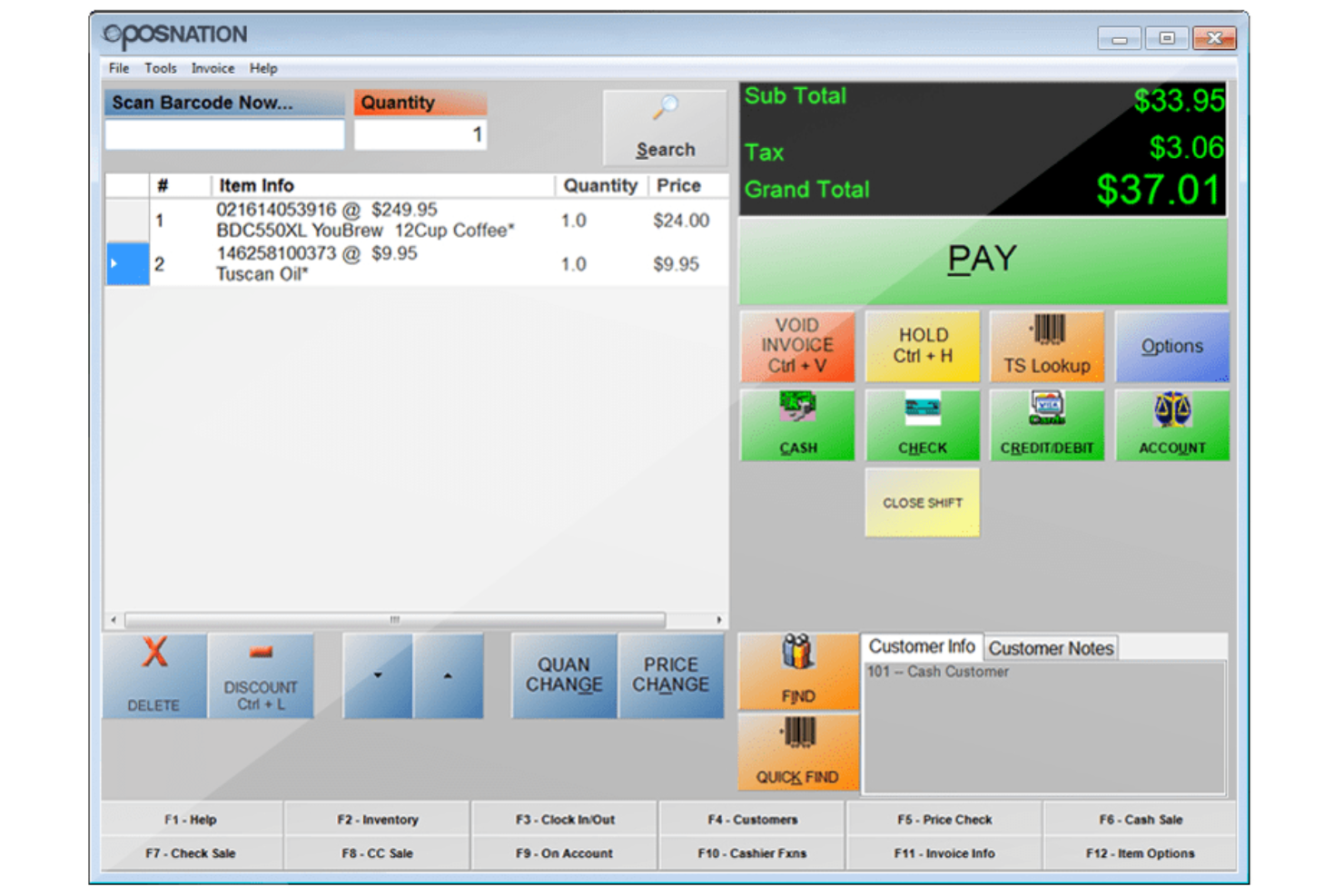
POS Nation provides a versatile POS system ideal for small to medium-sized businesses. It focuses on delivering customizable solutions that meet the needs of industries such as retail, restaurants, and liquor stores.
Why I picked POS Nation: The system offers extensive customization options, allowing you to tailor it to your specific business requirements. It includes features such as inventory management and employee tracking, which improve operational efficiency. The hardware is adaptable, supporting various peripherals for a personalized setup. These capabilities make it a preferred choice for businesses seeking a customizable POS solution.
Standout Features and Integrations:
Features include advanced inventory management that helps you track stock efficiently. The employee tracking feature allows you to monitor staff performance and manage schedules. Additionally, the system offers detailed sales reporting, providing valuable insights into business performance.
Integrations are not publicly listed.
Pros and Cons
Pros:
- Strong customer support
- Inventory management
- Customization options
Cons:
- Processor lock-in
- No mobile management app

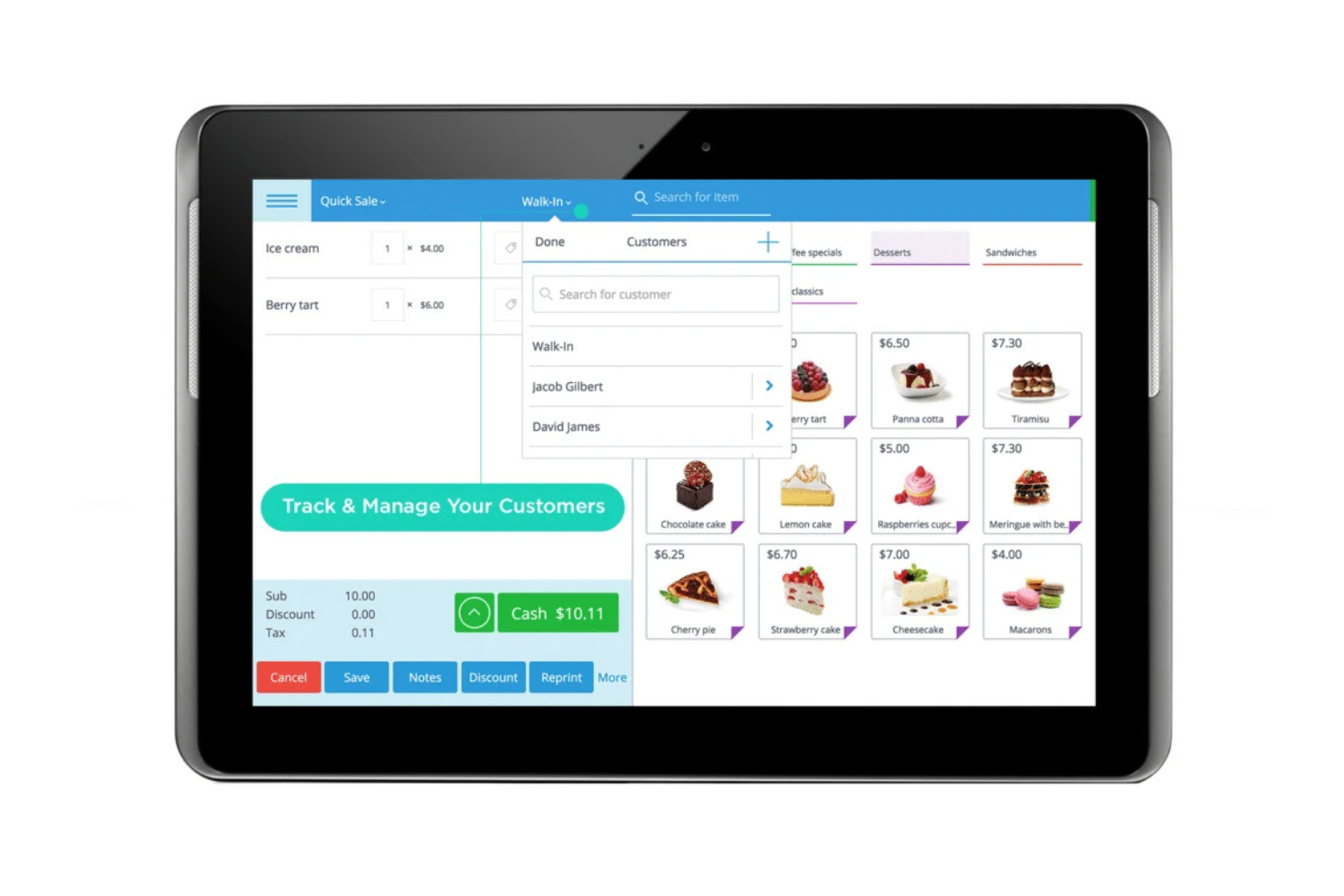
eHopper is an all-in-one POS system suited for small businesses and startups that handles essential functions such as sales processing, inventory management, and customer engagement. It's a cloud-based solution that supports credit card, debit, Apple Pay, and Samsung Pay transactions and works with standard cash register hardware setups.
Why I picked eHopper: It offers a free starter plan, making it accessible for businesses with tight budgets. The system provides a straightforward interface that simplifies transaction processing. Its inventory management tools help you keep track of stock. These features make it an attractive option if you're looking for cost-effective solutions with essential functionalities.
Standout Features and Integrations:
Features include real-time inventory tracking that helps you manage stock levels. The multistore management feature lets you oversee operations across various locations. A built-in payment processor simplifies transactions for your team.
Integrations include QuickBooks and more.
Pros and Cons
Pros:
- Real-time inventory updates
- Multistore management feature
- Free plan for startups
Cons:
- Manual sync required
- Not ideal for large enterprises

POS-X offers versatile all-in-one terminals for retail sales transactions, inventory management, and customer interactions.
Why I picked POS-X: These systems are tailored for small retail environments, offering a compact design that fits well in limited spaces. Their durability allows them to withstand the rigors of a busy retail setting. The company can connect you with various POS software to help your team manage sales and inventory.
Standout Features and Integrations:
Features include a fanless design for quiet operation, a dual hinge base for flexible positioning, and a high-definition touchscreen that makes user interaction more engaging.
Integrations are not publicly listed.
Pros and Cons
Pros:
- Flexible screen positioning
- Quiet operation
- Compact design for small spaces
Cons:
- May require additional hardware
- Less suitable for large stores

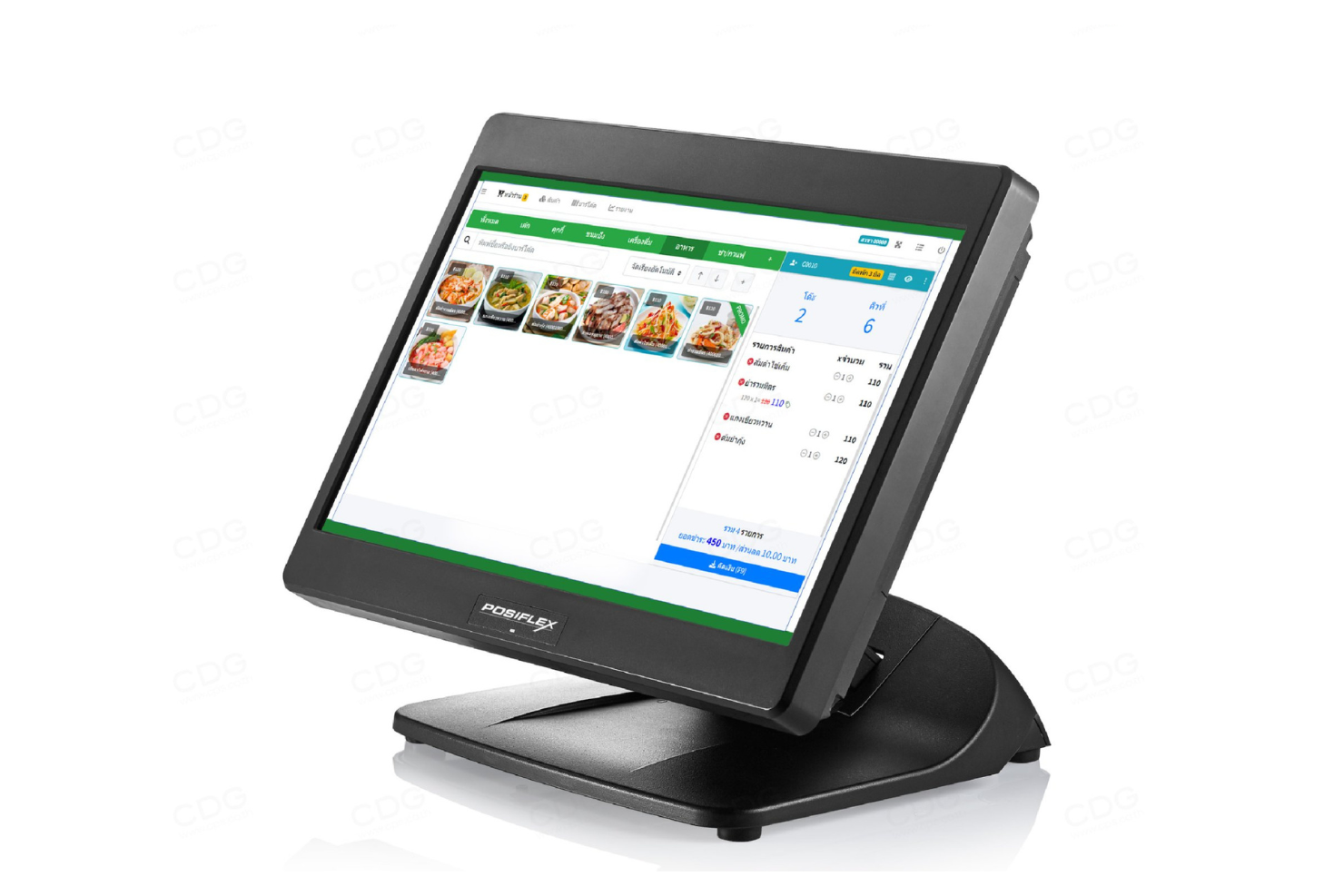
Posiflex provides versatile POS systems tailored for various sectors, including retail and food service. Its modular design allows for quick access to internal parts for repairs or upgrades, reducing downtime.
Why I picked Posiflex: It features separate or easily detachable components, allowing you to customize setups to fit different operational needs. The Haydn ZT Series features a unique clamshell design, which conceals and protects connections and speeds maintenance.
Standout Features and Integrations:
Features include innovative designs for easy maintenance, anti-glare touchscreens for better visibility, and energy-efficient systems to reduce operational costs.
Integrations are not publicly listed.
Pros and Cons
Pros:
- Anti-glare screens
- Easy maintenance access
- Modular design flexibility
Cons:
- Reseller-dependent
- Complex Windows/Linux maintenance

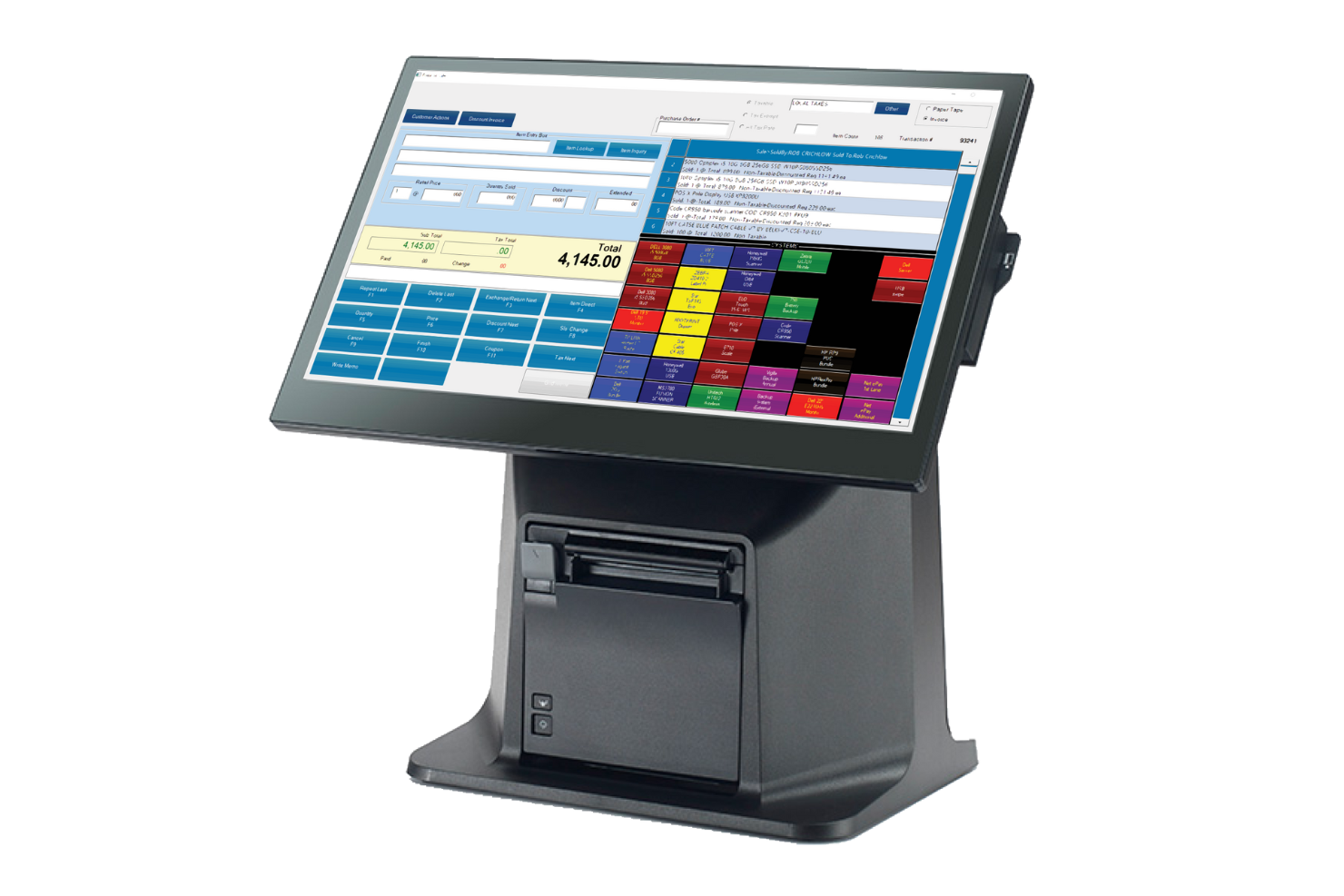
Touch Dynamic specializes in providing durable all-in-one POS systems suitable for different environments, from warehouses and outdoor retail spaces to casinos and grocery stores. It focuses on delivering reliable performance in challenging settings, and its products are commonly used in kiosk deployments and outdoor on-site installations.
Why I picked Touch Dynamic: Its systems are built to endure harsh conditions. The POS terminals come with reinforced touchscreens, improving longevity in tough environments.
Standout Features and Integrations:
Features include spill-resistant and dustproof designs that protect the hardware from environmental damage. The fanless cooling system keeps your device operational without overheating. Reinforced touchscreens provide durability and reliability in challenging environments.
Integrations are not publicly listed.
Pros and Cons
Pros:
- Suitable for outdoor retail
- Fanless cooling system
- Spill-resistant designs
Cons:
- Higher up-front cost
- Requires training for staff

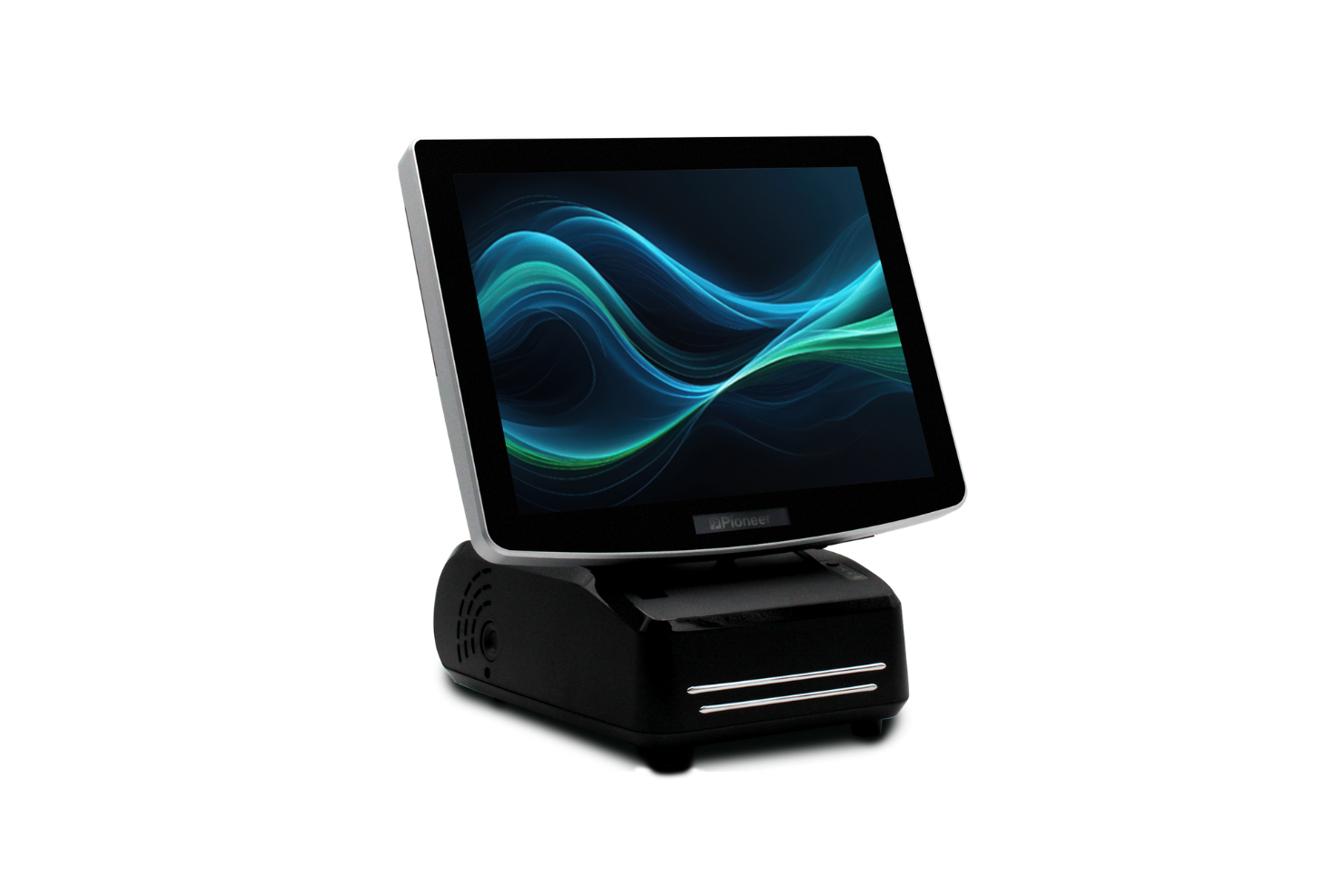
Pioneer Solutions offers specialized touchscreen POS systems tailored for health care settings. They're designed to perform key functions like managing patient interactions and processing transactions efficiently.
Why I picked Pioneer Solutions: Their POS systems feature scratch-proof and spill-resistant touchscreens, providing durability in busy healthcare settings, such as patient check-in and bedside monitoring. These features align well with Pioneer's focus on health care, providing reliable service for your team.
Standout Features and Integrations:
Features include customizable systems with integrated thermal printers, scratch-proof and spill-resistant touchscreens, and handheld devices with long battery life for tough environments.
Integrations are not publicly listed.
Pros and Cons
Pros:
- Reliable in harsh environments
- Customizable for specific needs
- Long product life cycles
Cons:
- Mechanical failure may force the entire terminal to be sent for repair
- Hardware-only focus

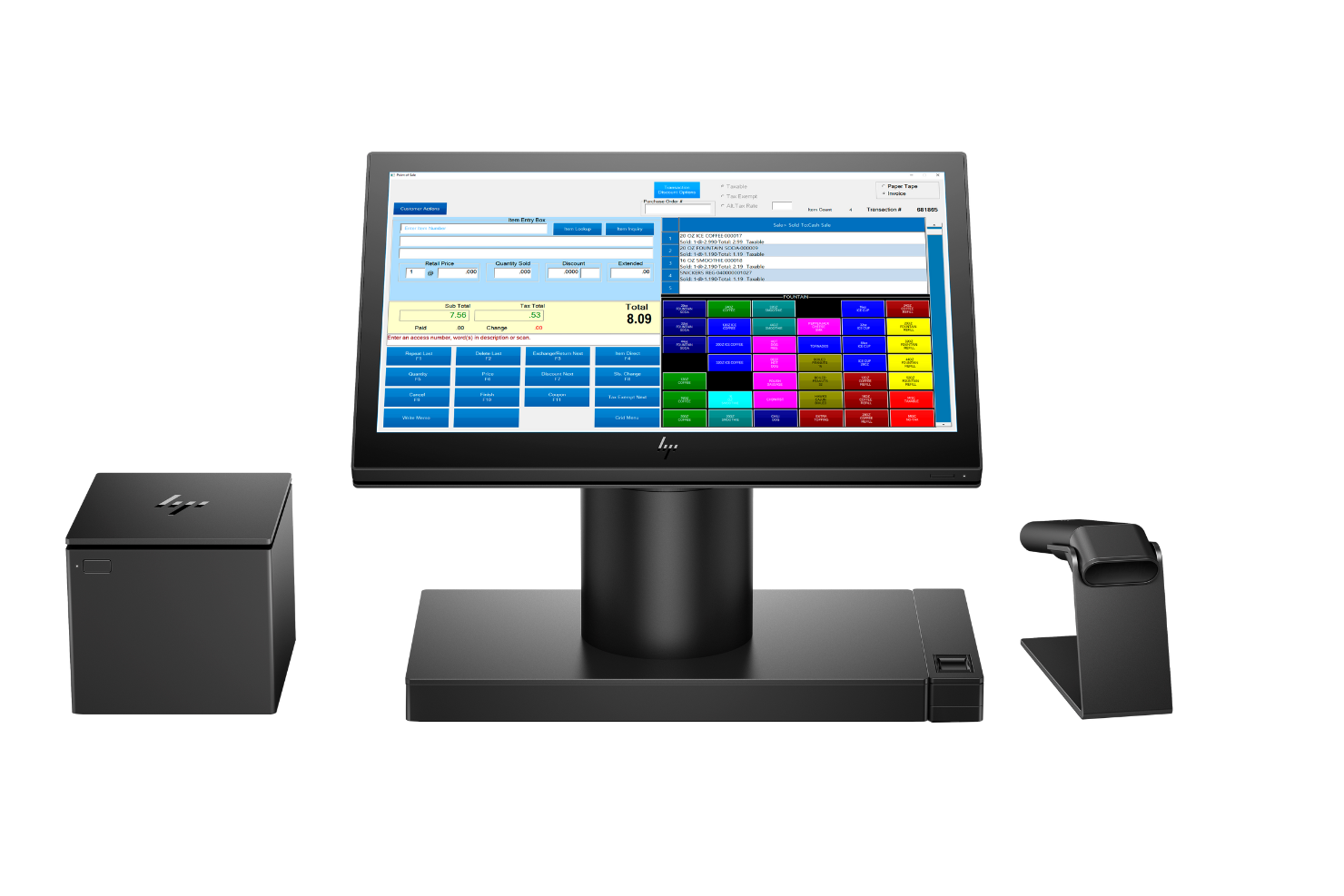
HP Engage One Pro's sophisticated all-in-one POS system is designed for retail and hospitality businesses. It combines aesthetic appeal with functionality, delivering efficient transaction management and customer service.
Why I picked HP Engage One Pro: The sleek design of the POS line complements modern retail environments. Its compact form factor helps save space, while its high-resolution touchscreen improves user interaction. These features make it suitable for businesses that value style and efficiency in their POS solutions.
Standout Features and Integrations:
Features include a high-resolution touch display that provides clear visuals for transactions. Additionally, the compact design and multiple mounting options allow you to customize the setup according to your space needs.
Integrations are not publicly listed.
Pros and Cons
Pros:
- Durable construction
- High-performance hardware
- Stylish and modern design
Cons:
- Limited ports for connectivity
- Occasional hardware issues for users


Elo's POS systems with interactive customer displays are tailored for the retail and hospitality sectors. These systems can improve customer engagement and simplify operations with intuitive touch technology.
Why I picked Elo: Elo's interactive displays are designed to provide a flawless customer experience. The highly responsive touchscreens allow quick and accurate interactions. They offer durability to withstand continuous use in busy environments.
Standout Features and Integrations:
Features include anti-glare touchscreens that improve visibility in various lighting conditions, multitouch capabilities for better interactivity, and modular designs that support customization.
Integrations are not publicly listed.
Pros and Cons
Pros:
- Durable, commercial-grade construction
- Anti-glare screens
- Responsive multitouch technology
Cons:
- Essential tools are paid add-ons
- All-in-one units are thick and heavy

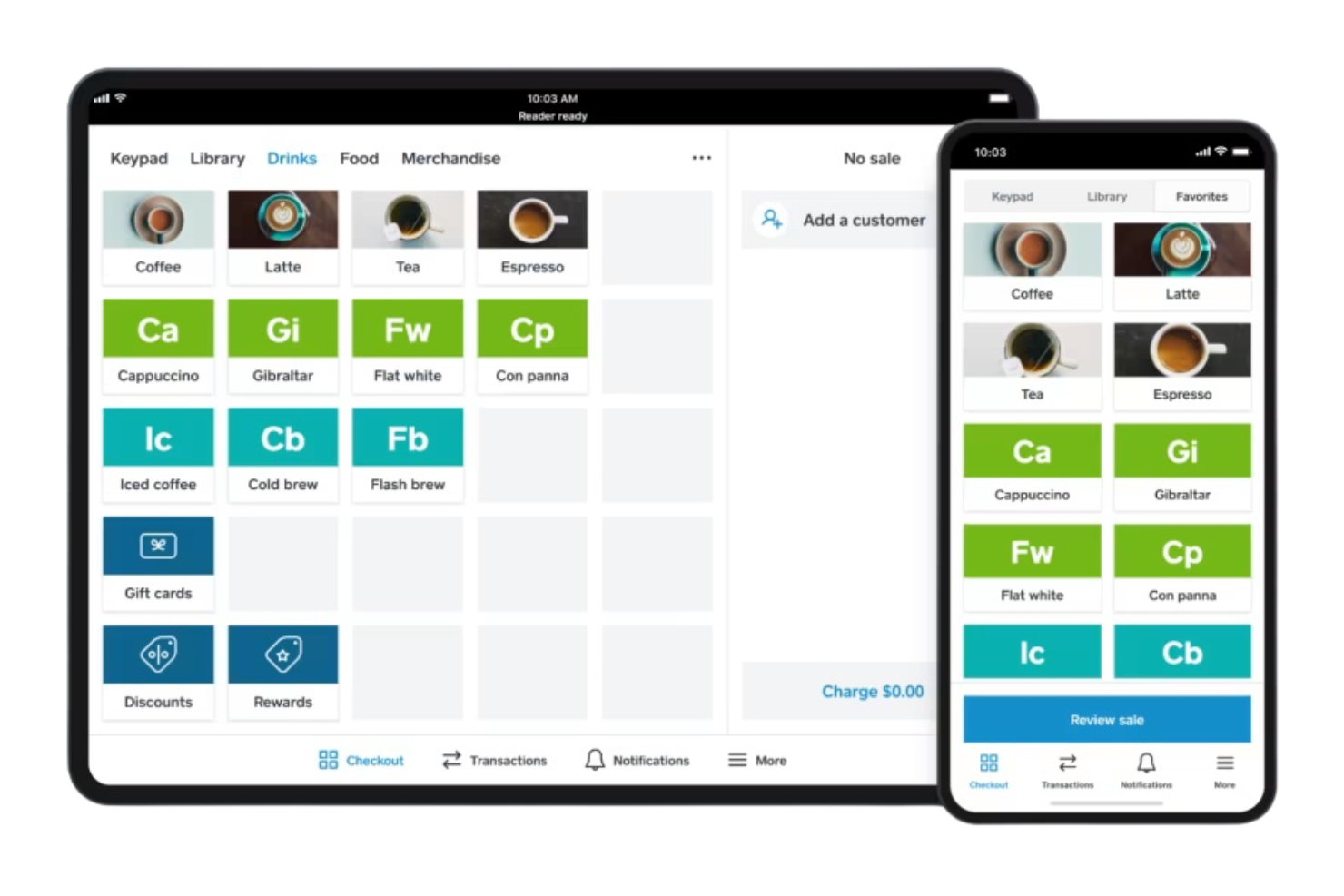
Square is a versatile POS system widely used by small to medium-sized businesses. It facilitates mobile payments and manages sales transactions.
Why I picked Square: Square offers an intuitive interface that makes processing mobile payments straightforward. Its portable card readers enable you to accept payments anywhere, improving flexibility for your business. The transaction management tools are thorough, allowing you to track sales and inventory. These features cater well to businesses that require a mobile POS and flexible payment solutions.
Standout Features and Integrations:
Features include a user-friendly dashboard that gives you insights into sales and inventory. The system supports contactless payments, making transactions faster for your team. Additionally, Square offers customizable digital receipts.
Integrations include QuickBooks, Xero, WooCommerce, BigCommerce, Mailchimp, Zapier, and more.
Pros and Cons
Pros:
- Suitable for mobile businesses
- Customizable digital receipts
- Supports contactless transactions
Cons:
- Not ideal for high-volume sales
- Transaction fees apply for free plan
New Product Updates from Square
Square Introduces Neighborhoods on Cash App
Square launches Neighborhoods on Cash App, offering businesses access to over 57 million active accounts, direct marketing, neighborhood rewards, and a 1% processing fee. For more information, visit Square's official site.
 .
.Other All-In-One POS Systems
Here are some additional all-in-one POS system options that didn’t make it onto my shortlist, but are still worth checking out:
- KORONA POS
For regulated and niche businesses
- Manhattan Associates
For supply chain management
- NRS POS+
For convenience stores


All-In-One POS System Selection Criteria
When selecting the best all-in-one POS system to include in this list, I considered common buyer needs and pain points like managing inventory accurately and processing transactions efficiently. I also used the following framework to keep my evaluation structured and fair:
Core Functionality (25% of total score)
To be considered for inclusion in this list, each solution had to fulfill these common use cases:
- Process transactions quickly
- Manage inventory effectively
- Generate sales reports
- Handle customer data
- Integrate with payment processors
Additional Standout Features (25% of total score)
To help further narrow down the competition, I also looked for unique features, such as:
- Mobile payment support
- Customizable user interface
- Advanced analytics tools
- Integrated loyalty programs
- Offline transaction capability
Usability (10% of total score)
To get a sense of the usability of each system, I considered the following:
- Intuitive interface design
- Ease of navigation
- Minimal training required
- Responsive customer feedback
- Clear and concise instructions
Onboarding (10% of total score)
To evaluate the onboarding experience for each platform, I considered the following:
- Availability of training videos
- Access to interactive product tours
- Use of chatbots for guidance
- Provision of ready-to-use templates
- Offering live webinars
Customer Support (10% of total score)
To assess each software provider’s customer support services, I considered the following:
- Availability of 24/7 support
- Access to a dedicated support team
- Quick response times
- Extensive knowledge base
- Multichannel support options
Value For Money (10% of total score)
To evaluate the value for money of each platform, I considered the following:
- Competitive pricing structures
- Range of features offered
- Flexible payment plans
- Free trial availability
- Discounts for long-term use
Customer Reviews (10% of total score)
To get a sense of overall customer satisfaction, I considered the following when reading customer reviews:
- Overall satisfaction ratings
- Feedback on system reliability
- Opinions on ease of use
- Comments on support quality
- Value for money perceptions
How To Choose an All-In-One POS System
It’s easy to get bogged down in long feature lists and complex pricing structures. To help you stay focused as you work through your unique software selection process, here’s a checklist of factors to keep in mind:
| Factor | What to Consider |
|---|---|
| Scalability | Will the system grow with your business? Consider future expansion, transaction volume, and whether the tool can handle increased demand without slowing down. |
| Integrations | Does it connect with your current software? Look for compatibility with payment processors, accounting software, and e-commerce platforms to avoid manual data transfers. |
| Customizability | Can you tailor the system to fit your needs? Check if it allows adjustments to workflows, user roles, and reports to suit your specific business processes. |
| Ease of Use | Is it intuitive for your team? Consider the learning curve, whether training is required, and if the interface is user-friendly for quick adoption by all staff members. |
| Implementation and Onboarding | How quickly can you get started? Evaluate the time and resources needed for setup, including data migration, training, and any required technical support during the transition. |
| Cost | Does it fit your budget? Compare pricing plans, hidden fees, and contract terms. Confirm that the cost aligns with the features and support provided. |
| Security Safeguards | Are your data and transactions safe? Look for encryption, data backup options, and compliance with industry standards to protect sensitive information. |
| Support Availability | Will help be there when you need it? Check if the vendor offers 24/7 support, dedicated account managers, or online resources to assist with any issues or questions. |
What Is an All-In-One POS System?
An all-in-one POS system is a single solution that manages sales, inventory, and customer interactions. Retailers, restaurant owners, and service providers use these tools to simplify operations and improve customer service.
Features such as inventory tracking, sales reporting, and payment processing help with managing daily tasks and improving efficiency. Overall, these tools offer a convenient way to handle multiple business functions in one place.
Features
When selecting an all-in-one POS system, keep an eye out for the following key features:
- Inventory management: Tracks stock levels in real-time, helping you avoid shortages and overstocking.
- Sales reporting: Provides insights into sales trends and performance, allowing for informed decision-making.
- Payment processing: Accepts multiple payment methods, making transactions quick and convenient for customers.
- Customer relationship management: Stores customer data for personalized marketing and improved service.
- Multichannel support: Manages sales across online and offline channels, providing a unified view of business operations.
- Employee management: Monitors staff performance and schedules, improving workforce efficiency.
- Loyalty program: Encourages repeat business by offering rewards and incentives to loyal customers.
- Data security: Protects sensitive information with encryption and compliance with industry standards.
- Customizable interface: Allows adjustments to workflows and layouts to fit specific business needs.
- Mobile compatibility: Enables transactions and management on the go, increasing flexibility and accessibility.
Benefits
Implementing an all-in-one POS system provides several benefits for your team and your business. Here are a few you can look forward to:
- Improved efficiency: By combining sales, inventory, and customer data into one system, it reduces manual work and speeds up processes.
- Better decision-making: Sales reporting and analytics provide insights that help you make informed business decisions quickly.
- Customer service: CRM features store customer preferences and history, allowing for personalized interactions and improved satisfaction.
- Increased sales opportunities: Multichannel support lets you sell across different platforms, reaching more customers and increasing sales potential.
- Cost savings: With everything in one system, you save on the costs of multiple software solutions and reduce errors.
- Flexibility: Mobile compatibility allows you to manage transactions and operations from anywhere, offering convenience and adaptability.
- Security: Data security features protect sensitive information, giving you peace of mind about your business and customer data.
Costs and Pricing
Selecting an all-in-one POS system requires an understanding of the various pricing models and plans available. Costs vary based on features, team size, add-ons, and more. The table below summarizes common plans, their average prices, and typical features included in all-in-one POS system solutions:
Plan Comparison Table for All-In-One POS Systems
| Plan Type | Average Price | Common Features |
|---|---|---|
| Free Plan | $0 | Basic transaction processing, limited inventory management, and basic reporting. |
| Personal Plan | $10-$500/month | More inventory tracking capabilities, basic CRM features, and email support. |
| Business Plan | $60-$1800/month | Multistore support, advanced reporting, and loyalty program integration. |
| Enterprise Plan | $1500+/month | Customizable dashboards, dedicated account management, and priority support. |
All-In-One POS System FAQs
Here are some answers to common questions about all-in-one POS systems:
What hardware do I need for an all-in-one POS system?
You’ll need a few basic pieces of hardware for your all-in-one POS system. Typically, this includes a touchscreen monitor, thermal receipt printer, cash drawer, and barcode scanner. Depending on your business needs, you might also consider a customer-facing display or a mobile card reader for on-the-go transactions. It’s important to make sure the hardware is compatible with your chosen software. Check with the vendor for recommended specifications to avoid compatibility issues.
Can I use an all-in-one POS system offline?
Yes, many all-in-one POS systems offer offline functionality. This means you can continue processing transactions even if your internet connection drops. Once the connection is restored, the system will sync data automatically. This feature is especially useful for businesses in areas with unreliable internet service. However, you should verify with the vendor whether offline capabilities are included in the plan you choose, as it may vary.
How secure is an all-in-one POS system?
All-in-one POS systems are generally secure, but it’s important to make sure they comply with industry standards like PCI DSS. Look for features such as data encryption, user authentication, and regular software updates to protect sensitive information. It’s also wise to train your staff on best practices for data security. In my experience, choosing a reputable vendor with a strong security track record can provide peace of mind.
Is technical support available for all-in-one POS systems?
Yes, most vendors offer technical support for their all-in-one POS systems. This may include 24/7 phone assistance, online chat, or email support. Some vendors also provide extensive online resources such as FAQs, user manuals, and video tutorials to help you troubleshoot common issues. Before purchasing, check the support options available and consider whether they meet your business needs, especially if you’re new to POS systems.
What’s Next:
If you're in the process of researching all-in-one POS systems, connect with a SoftwareSelect advisor for free recommendations.
You fill out a form and have a quick chat where they get into the specifics of your needs. Then you'll get a shortlist of software to review. They'll even support you through the entire buying process, including price negotiations.