

Die 10 besten kostenlosen Kassensoftware-Lösungen im Test 2026

Auswahl der besten kostenlosen POS-Software


Ein Einzelhandelsunternehmen zu führen, ist keine leichte Aufgabe. Sie kümmern sich um den Lagerbestand, verwalten Ihre Mitarbeiter und sorgen für eine hohe Kundenzufriedenheit – und behalten dabei stets das Geschäftsergebnis im Blick. Kostenlose POS-Software kann die Belastung verringern, indem sie wichtige Funktionen ohne finanzielle Verpflichtung bietet.
Die passende Kassensoftware zu finden, kann überwältigend sein. Deshalb habe ich mehrere kostenlose POS-Lösungen geprüft und getestet, um Ihnen die besten Optionen vorzustellen. Diese Tools können Ihrem Team dabei helfen, Transaktionen abzuwickeln, den Lagerbestand zu verwalten und Ihr Unternehmen reibungslos zu führen.
In diesem Artikel teile ich meine unvoreingenommenen Bewertungen der besten kostenlosen POS-Software und zeige Ihnen, wodurch sich die einzelnen Optionen auszeichnen, damit Sie die passende Lösung für die Anforderungen Ihres Unternehmens finden.
Warum Sie unseren Software-Empfehlungen vertrauen können
Unser Team testet und bewertet Software seit 2012. Als Führungskräfte im Einzelhandel selbst wissen wir, wie schwierig – und wichtig – es ist, die richtige Software auszuwählen.
Für diesen Leitfaden haben wir Tools mithilfe von praktischen Tests und unabhängiger Recherche bewertet und dabei die Tools anhand unserer Bewertungskriterien bewertet.
Unsere Bewertungen spiegeln unser unabhängiges Urteilsvermögen wider – keine Verkaufsstrategie.
Zusammenfassung der besten kostenlosen POS-Software
Alle POS-Softwarelösungen in meiner Liste bieten zwar kostenlose Angebote, verfügen aber auch über kostenpflichtige Tarife, falls Sie ein Upgrade durchführen möchten. Hier sind die Grundkosten für jedes Tool, das es in meine Auswahl geschafft hat:
| Tool | Best For | Trial Info | Price | ||
|---|---|---|---|---|---|
| 1 | Best for simple billing | Not available | Free to use | Website | |
| 2 | Best for online integration | Free plan available | Pricing upon request | Website | |
| 3 | Best for multiplatform support | Free plan + free demo available | From $10/month (billed annually) | Website | |
| 4 | Best for small businesses | Free plan available | From $35/month | Website | |
| 5 | Best for inventory tracking | 14-day free trial | From $5/month | Website | |
| 6 | Best for customization | Free demo available | Free to use | Website | |
| 7 | Best for ease of use | 30-day free trial | From $45/month | Website | |
| 8 | Best for mobile compatibility | 30-day free trial | From $4/user/month | Website | |
| 9 | Best for offline functionality | Not available | Free to use | Website | |
| 10 | Best for local store use | Free plan available | From $12/month | Website |
Bewertungen der besten kostenlosen POS-Software
Nachfolgend finden Sie meine ausführlichen Zusammenfassungen der besten kostenlosen POS-Softwarelösungen, die es in meine Auswahl geschafft haben. Meine Bewertungen bieten einen detaillierten Überblick über die wichtigsten Funktionen, Vor- und Nachteile, Integrationen und idealen Anwendungsfälle jedes Tools, damit Sie die beste Lösung für sich finden. Während einige dieser Tools eine vollständig kostenlose Version anbieten, verfügen andere über einen kostenlosen Testzeitraum. In jeder Bewertung habe ich einen Hinweis dazu ergänzt, welche Funktionen kostenlos sind.

Moon POS
Best for simple billing
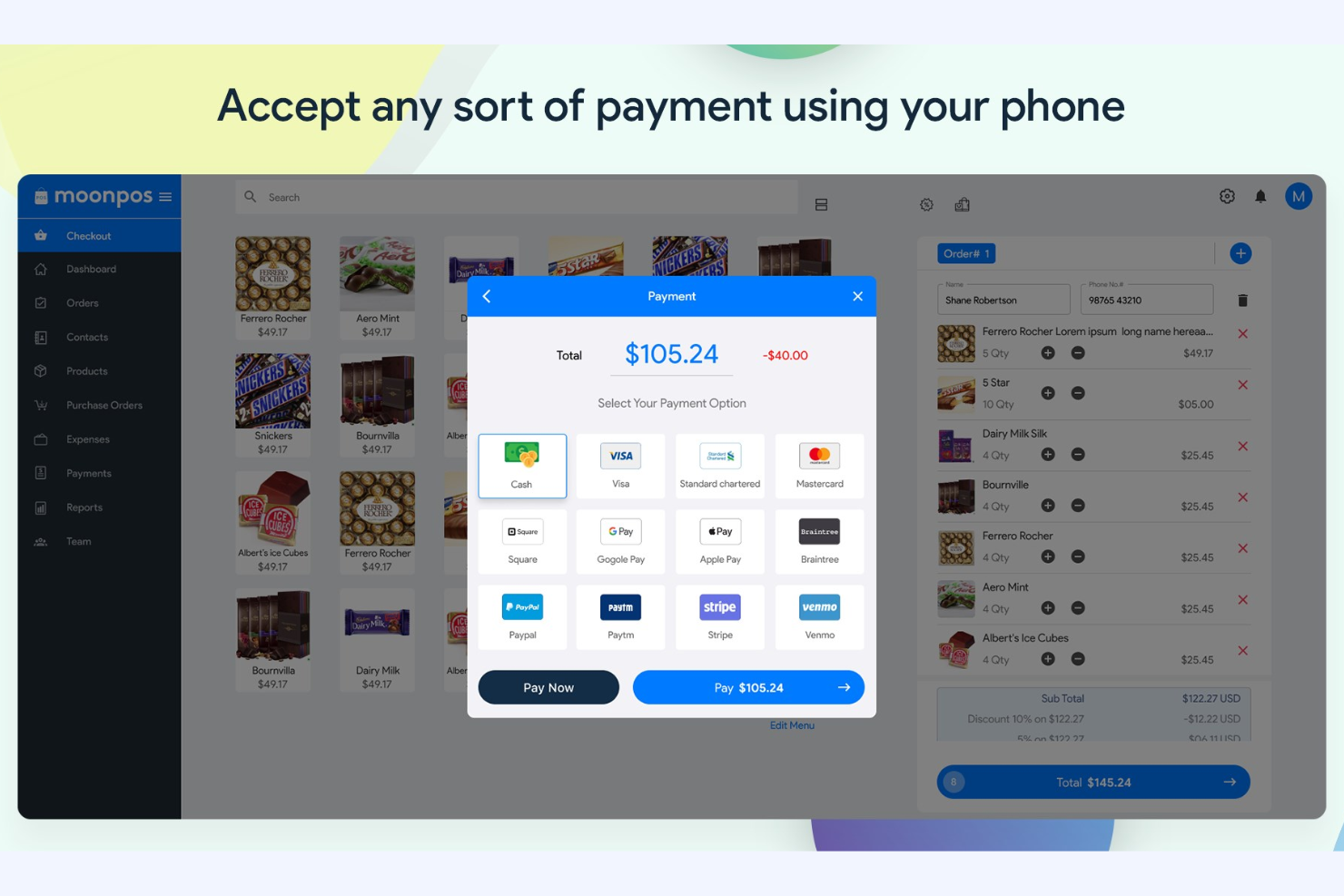
Moon POS is a no-frills POS solution aimed at small retail businesses. It focuses on basic billing, sales tracking, and inventory management to support daily operations.
Why I picked Moon POS: Moon POS's free version offers straightforward features for managing sales transactions, handling basic inventory management, and tracking sales at no cost. The simple interface allows your team to learn to use it quickly, which is ideal for businesses prioritizing ease of use.
Standout Features and Integrations:
Features include a built-in customer loyalty program to encourage repeat business, customizable receipts, and sales analytics to monitor your business's performance. You can also set up discounts and promotions to boost sales.
Integrations include PayPal, Stripe, Venmo, Apple Pay, CashApp, Zapier, Public API, WooCommerce, Gmail, Basecamp, and more.
What's free? Moon POS offers a free-forever plan with basic POS functionality, but it may restrict advanced features and support.
Pros and Cons
Pros:
- Easy discount setup
- Secure, cloud-based data
- Support for payments and integrations
Cons:
- Requires additional hardware for a full POS setup
- Basic loyalty features

Best for online integration
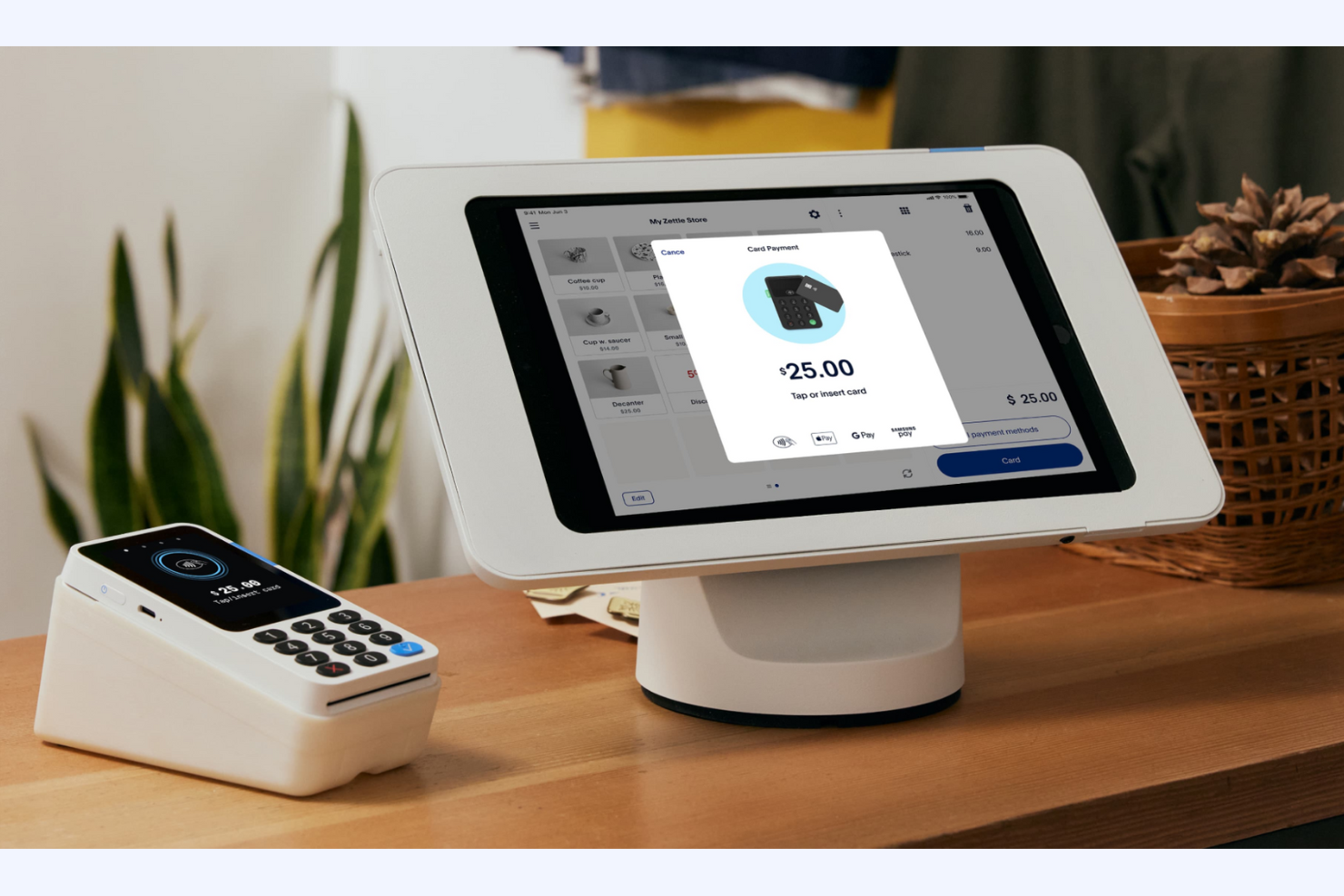
PayPal POS is a digital point-of-sale solution designed for businesses looking to integrate online and in-person sales. It caters to small and medium-sized businesses, providing tools for managing payments, sales, and customer interactions.
Why I picked PayPal POS: PayPal POS offers a free plan that integrates online payments, letting you manage both digital and in-person transactions from one platform. You can track sales, manage inventory, and access customer data with ease. The software is particularly useful for businesses that want to simplify their online and offline sales processes. PayPal POS's ability to handle multiple sales channels makes it appealing for businesses with an online presence.
Standout Features and Integrations:
Features include real-time transaction tracking, customizable sales reports, and inventory management tools. You can also set up recurring payments and subscriptions for your regular customers.
Integrations include QuickBooks, WooCommerce, Shopify, BigCommerce, Xero, NearSt, and more.
What's free? PayPal POS offers a free-forever plan with basic POS functionalities, though transaction fees apply, and there may be limitations on advanced features.
Pros and Cons
Pros:
- No monthly software fees
- Recurring payments
- Online and offline sales integration
Cons:
- Scaling limitations
- Transaction fees can add up quickly

eHopper
Best for multiplatform support
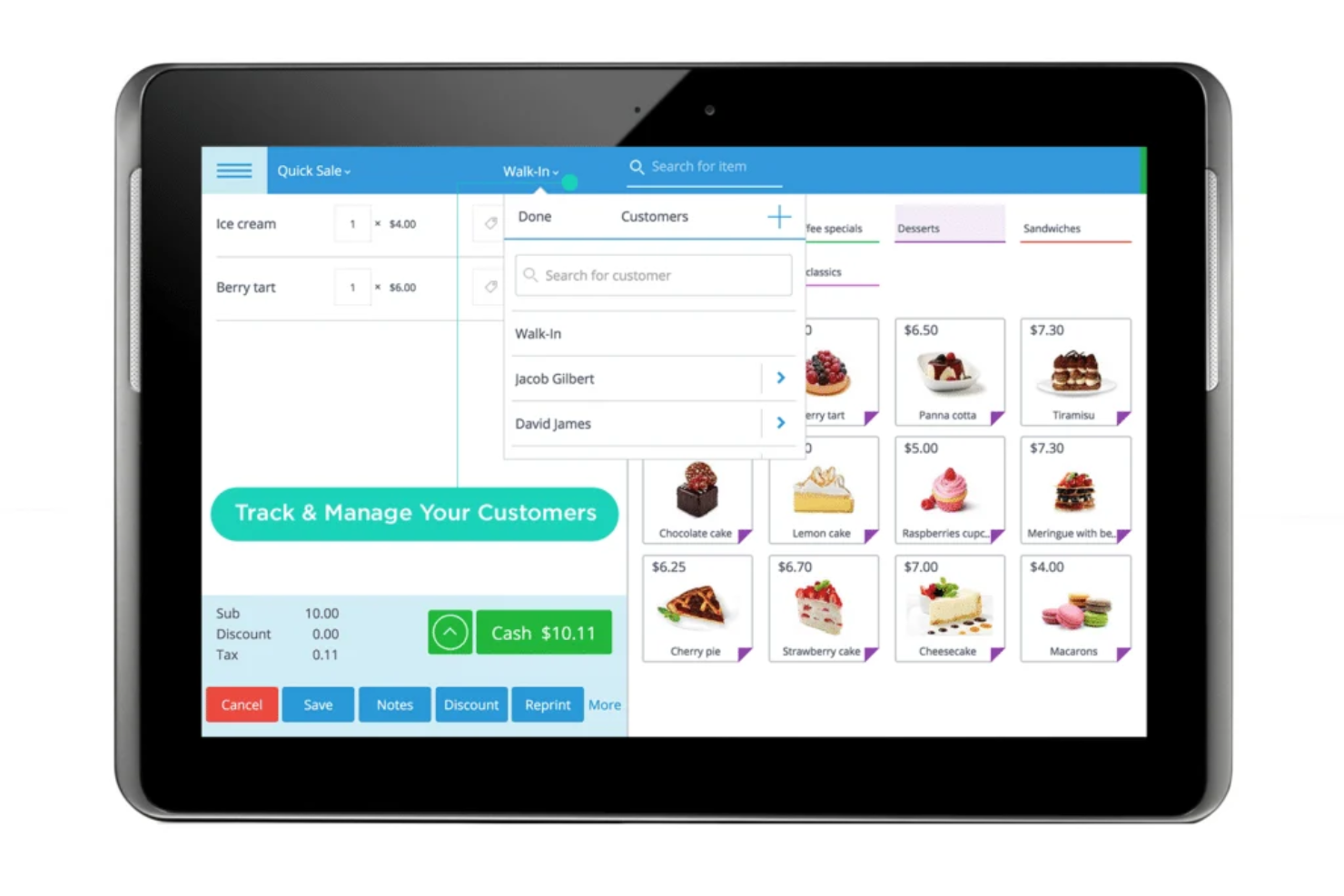
eHopper is a versatile POS software designed for retail and hospitality businesses. It offers sales processing, inventory management, and customer service functionalities and supports multiple platforms such as Windows, Android, and iOS.
Why I picked eHopper: eHopper's free plan lets you use the software across different devices, which is perfect if your team uses different platforms. The free plan includes basic inventory management, sales tracking, and CRM features. You can also process payments and manage orders at no extra cost. This flexibility makes it a great choice for businesses with unique hardware requirements.
Standout Features and Integrations:
Features include order management, employee performance tools, and a built-in time clock. The software also offers a customer loyalty program to encourage repeat business and supports multiple languages.
Integrations include QuickBooks, Xero, Mailchimp, WooCommerce, BigCommerce, PrestaShop, Shopify, and more.
What's free? eHopper offers a free forever plan with basic POS features, limited to one cash register and one user.
Pros and Cons
Pros:
- Multiple languages supported
- Time clock included
- Multiplatform compatibility
Cons:
- Transaction and product caps
- No iOS support for POS

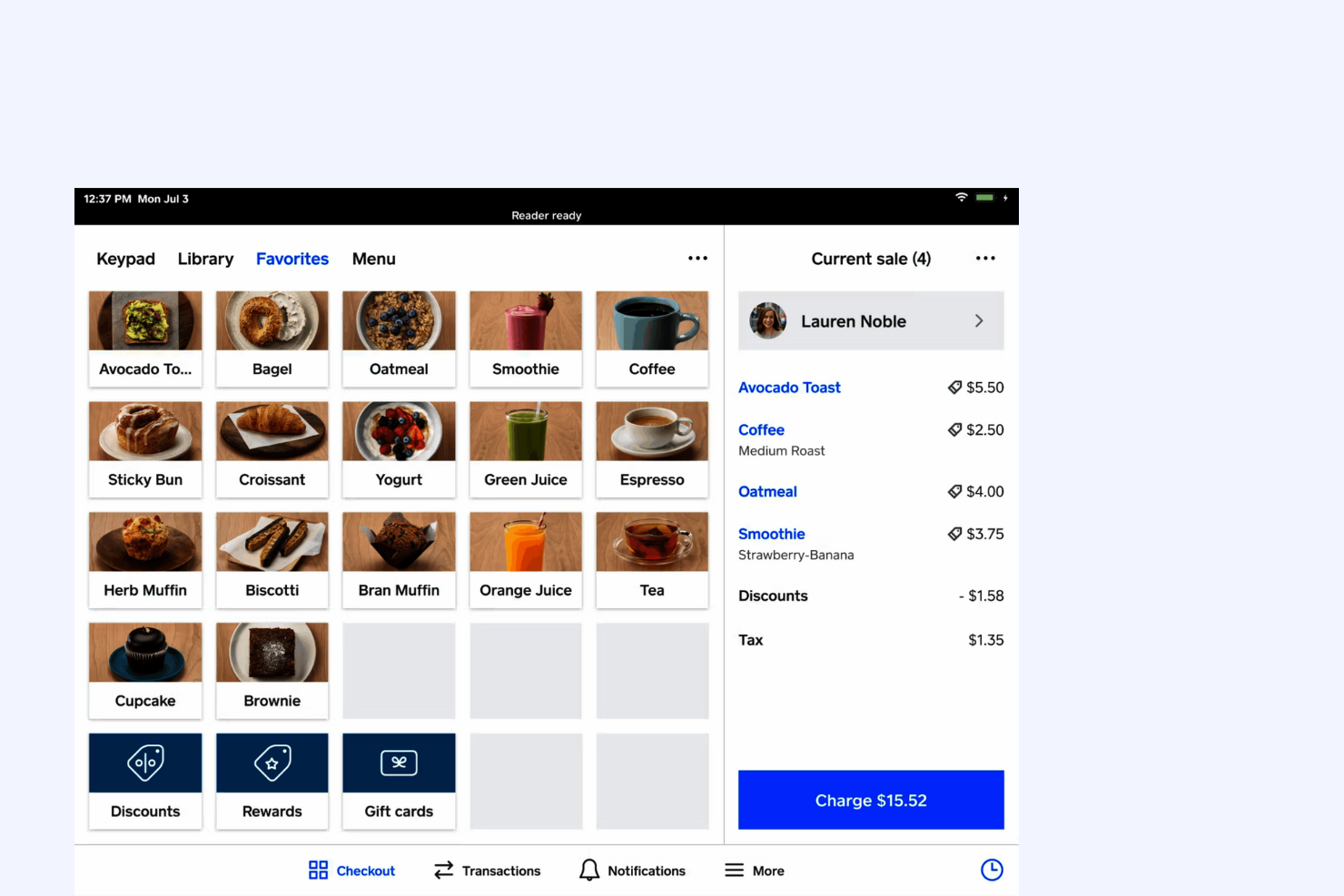
Square is a POS software tailored for small businesses, offering tools for payment processing, sales tracking, and basic inventory management. It serves retailers, cafes, and other local shops that need reliable, straightforward point-of-sale capabilities.
Why I picked Square: Square's free plan provides essential POS features that cater to small businesses. You can accept payments, track sales, and manage basic inventory at no extra cost, and its user-friendly interface lets you quickly set up and start selling. With no monthly fees for the basic plan, it's an ideal choice for startups and boutiques looking to minimize expenses.
Standout Features and Integrations:
Features include customizable digital receipts, a dashboard for real-time sales analytics, and business management tools to track hours and sales. You can also access customer feedback directly through the platform, which can help you improve service quality.
Integrations include QuickBooks, Xero, WooCommerce, BigCommerce, Wix, PrestaShop, and more.
What's free? Square offers a free-forever plan with basic POS features, but it charges a per-transaction fee and has limited advanced features.
Pros and Cons
Pros:
- Customizable receipts
- No upfront fees
- Online ordering system
Cons:
- Windows incompatibility
- Unexpected fund holds

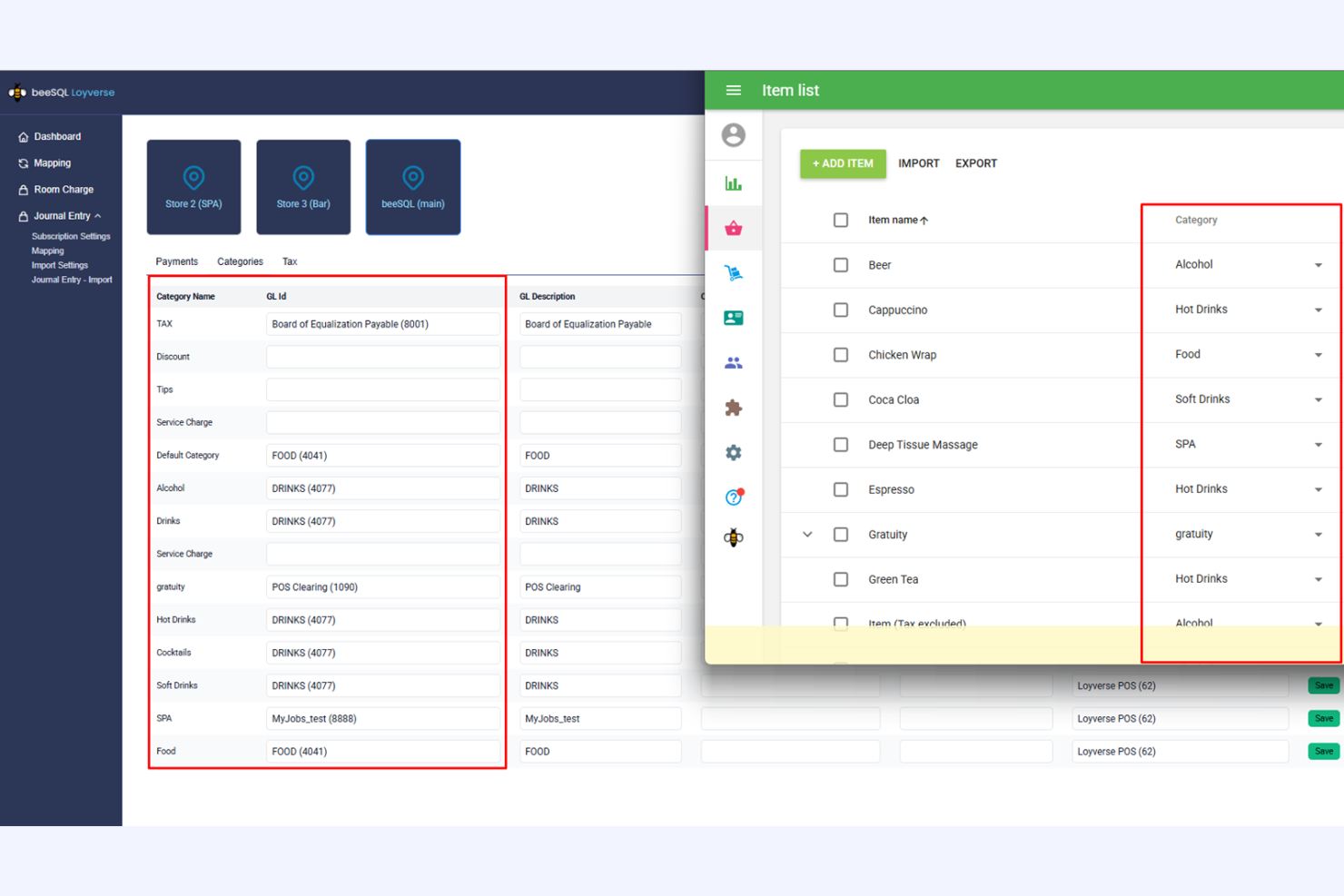
Loyverse is a free POS software designed for small retail businesses and cafes. It focuses on inventory management, sales tracking, and customer loyalty programs to support your daily operations.
Why I picked Loyverse: Loyverse's free plan includes essential inventory-tracking features, making it ideal for small businesses looking to boost efficiency. You can manage supplies, receive low-stock alerts, and conduct stock takes all through the POS system. The free version also lets you create and manage customer profiles to improve customer loyalty.
Standout Features and Integrations:
Features include a detailed sales analytics dashboard, employee performance-tracking tools, and a built-in loyalty program to encourage repeat business. You can customize receipts and access sales data in real time, providing valuable insights into your operations.
Integrations include QuickBooks, Xero, SumUp, PayPal, Worldpay, Tyro, Stripe, and more.
What's free? Loyverse offers a free-forever plan with no user limit, but some advanced features, such as integrations, may require a paid add-on.
Pros and Cons
Pros:
- Built-in customer loyalty program
- Real-time sales insights
- Intuitive inventory management
Cons:
- Syncing and connectivity glitches
- Add-ons required for integrations

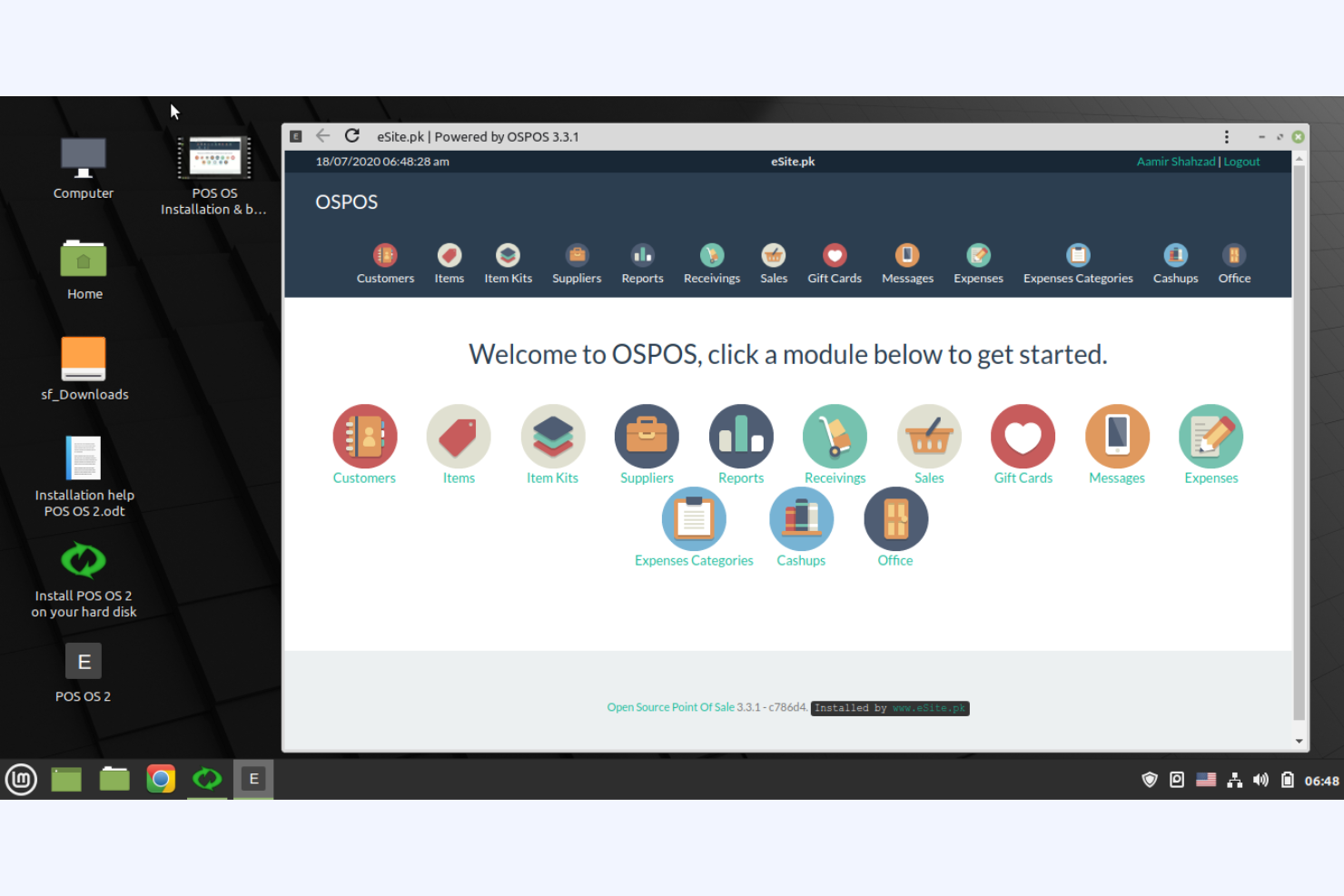
Open Source Point of Sale is a customizable POS system designed for small to medium-sized retailers that want flexibility in managing their sales and inventory. It provides essential tools for transaction processing, inventory management, and customer management.
Why I picked Open Source Point of Sale: It offers a free, open-source solution that lets you customize the software to fit your business needs. The free version includes basic sales and inventory management tools, but you can modify the code to add features or adjust functionality, making it perfect for businesses that want granular control over their POS system. This level of customization is ideal if you're tech-savvy and need a tailored solution.
Standout Features and Integrations:
Features include detailed sales and inventory reports to help you track business performance. You can even manage multiple stores from a single account, which is useful if you're expanding. The system also supports multiple languages, making it a versatile option for diverse teams.
Integrations include Mailchimp and more.
What's free? Open Source Point of Sale offers a free-forever plan with full access to its open-source code, allowing for unlimited customization.
Pros and Cons
Pros:
- Free access to source code
- Web-based and flexible deployment
- No license fees
Cons:
- No official support
- Requires technical knowledge

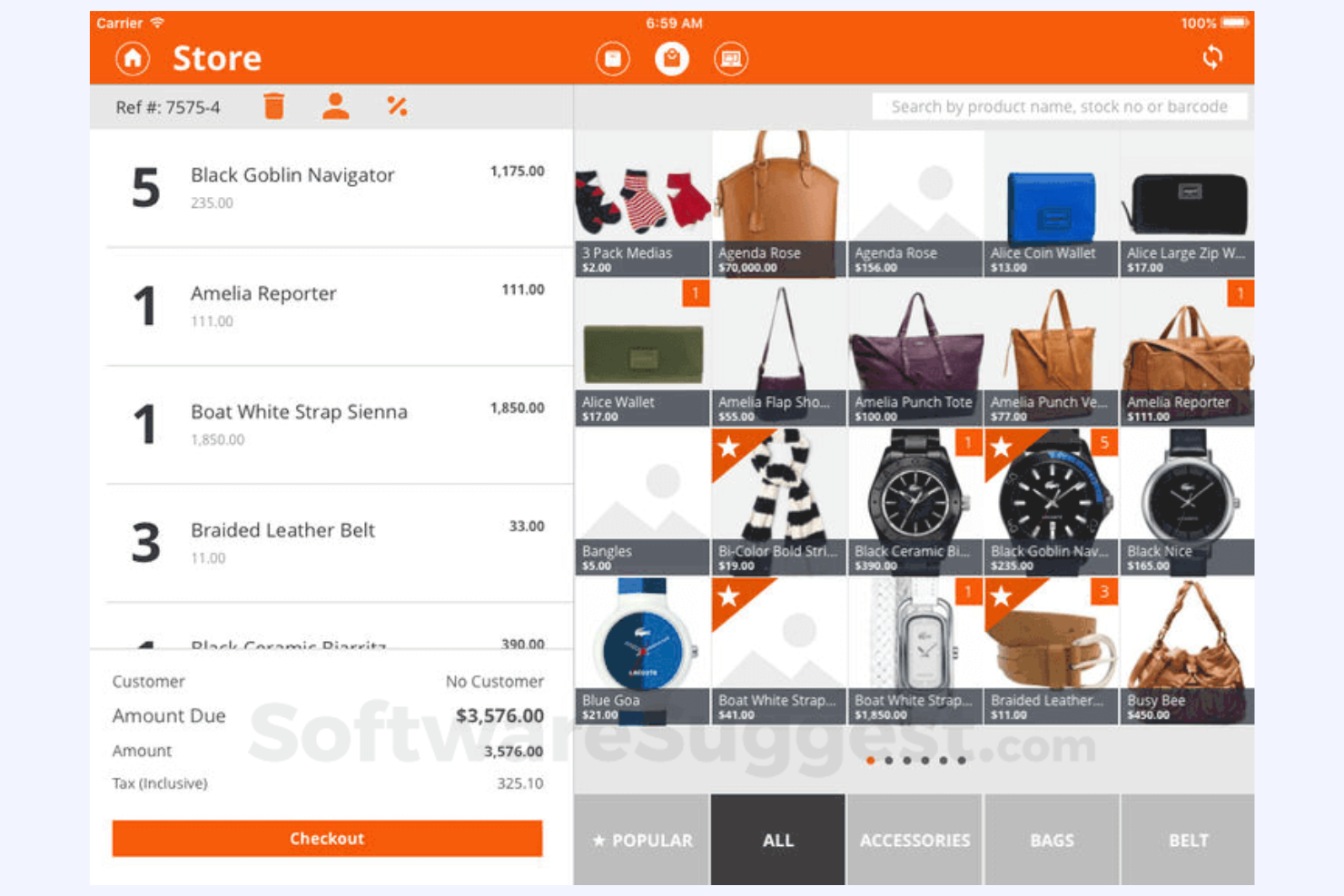
Imonggo is a user-friendly POS software designed for small to medium-sized retailers. It offers sales tracking, inventory management, and customer relationship features that cater to no-nonsense businesses.
Why I picked Imonggo: Imonggo's free offering provides a simple interface that makes it easy for you to manage sales and inventory. Its free plan allows for unlimited products and transactions, which is great if you have a large inventory. Thanks to the software's intuitive design, you won't need extensive training to get started. This focus on ease of use makes it a practical choice for business owners new to retail POS systems.
Standout Features and Integrations:
Features include real-time sales tracking, a built-in customer loyalty program, and detailed sales reports. You can also set up promotions and discounts to drive customer engagement.
Integrations include Shopify, QuickBooks, Cyclr, and more.
What's free? Imonggo offers a free-forever plan with a limited number of users and restrictions for advanced features.
Pros and Cons
Pros:
- Easy promotion setup
- Cost-effective
- Unlimited product catalog
Cons:
- Lack of e-commerce sync
- No offline mode for free users

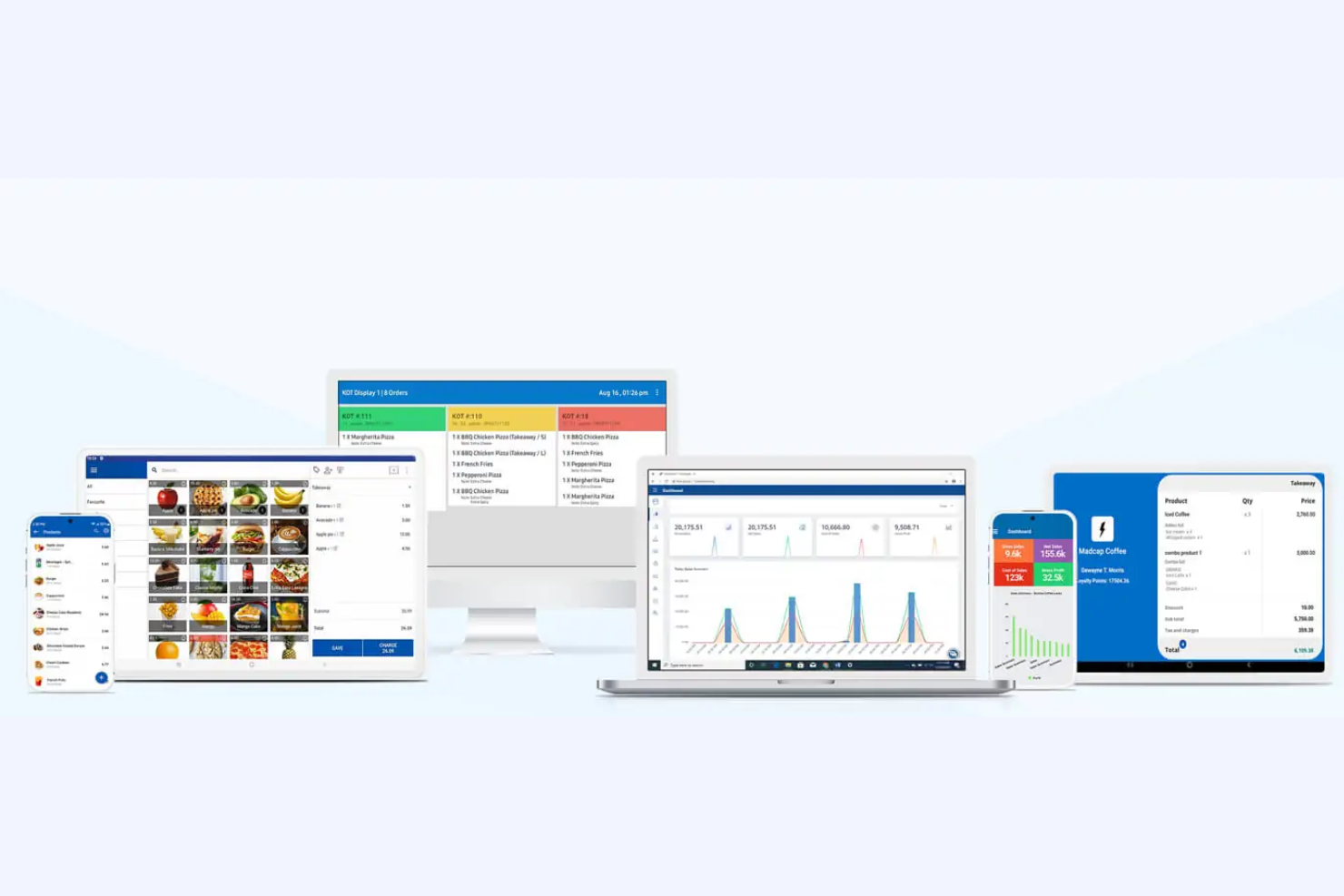
SalesPlay is a mobile-friendly POS solution ideal for small to medium-sized retail and hospitality businesses. It focuses on sales processing, inventory management, and CRM, all accessible via mobile devices.
Why I picked SalesPlay: SalesPlay's free version supports mobile devices, making it highly accessible for teams on the go. You can process sales, manage inventory, and track customer data directly from your phone or tablet. The mobile POS app is user-friendly and easy to learn, making it a flexible solution ideal for businesses that require mobility.
Standout Features and Integrations:
Features include a customer loyalty program, detailed sales and inventory reports, and the ability to manage multiple stores from one account. You can also set up promotions and discounts to help boost sales.
Integrations include QuickBooks, Xero, WooCommerce, Shopify, Mailchimp, Salesforce, and more.
What's free? SalesPlay offers a free-forever plan with basic POS features, but it may limit the number of users and restrict advanced features.
Pros and Cons
Pros:
- Loyalty programs offered
- Multiple stores supported
- Convenient mobile access
Cons:
- Basic inventory features
- Limited user accounts

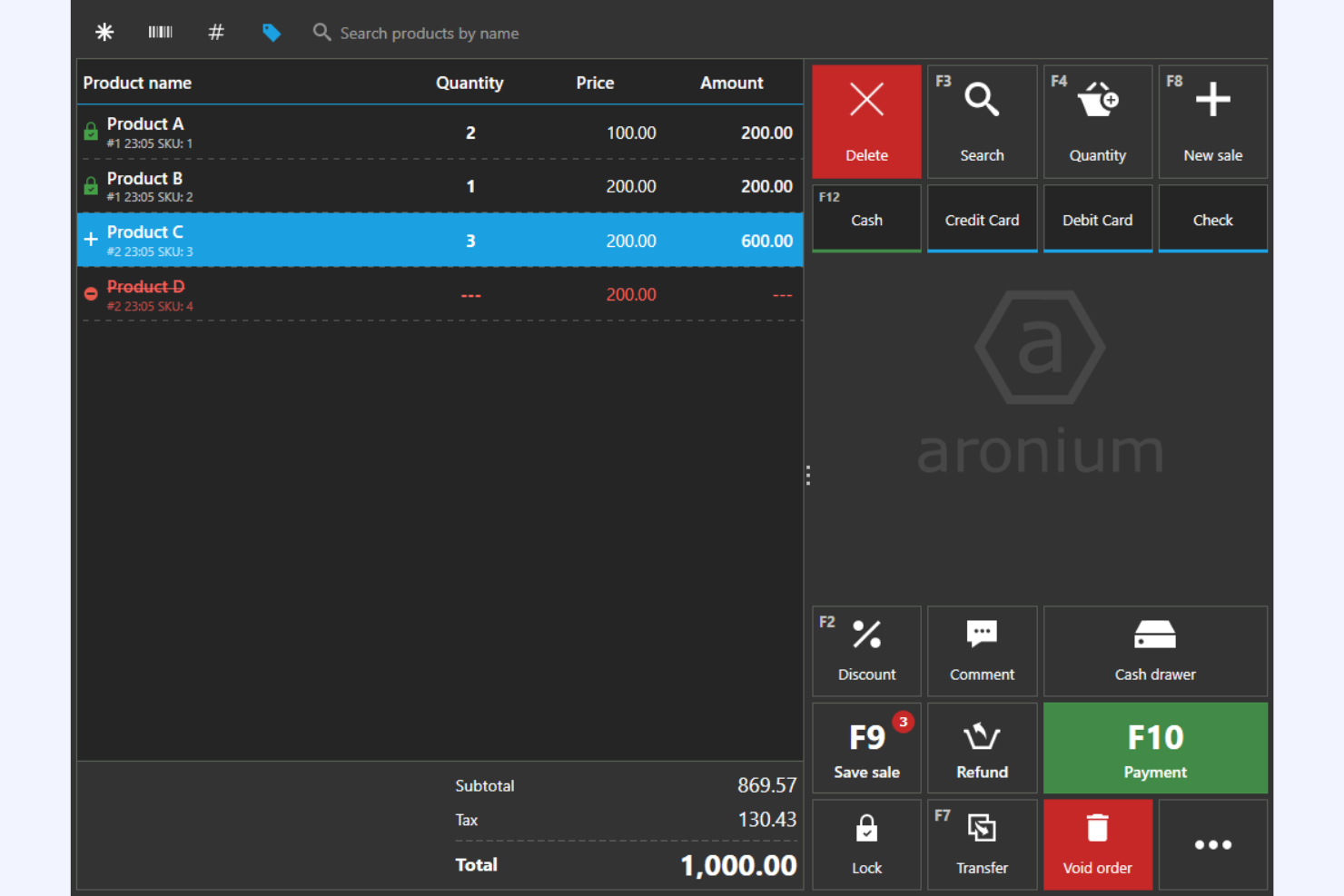
Aronium is a POS software geared toward small to medium-sized retail businesses. It lets you manage sales, inventory, and customer relationships all offline.
Why I picked Aronium: Aronium's free version offers offline functionality, which is a lifesaver if your internet connection is unreliable. The software also supports multiple languages and currencies, making it versatile for global markets. This allows your operations to run smoothly even when the internet goes out.
Standout Features and Integrations:
Features include advanced reporting tools that let you monitor sales and inventory. You can also create detailed customer profiles to upgrade your marketing efforts. The software's clean and intuitive user interface makes it easy for your team to learn and use.
Integrations include WooCommerce, Shopify, Xero, QuickBooks, Mailchimp, PrestaShop, BigCommerce, and more.
What's free? Aronium offers a free-forever plan with full offline functionality, but it may have limitations on advanced features and support.
Pros and Cons
Pros:
- Multiple currencies accepted
- Detailed sales reports
- Full offline capabilities
Cons:
- No mobile app
- Reporting features may not be as customizable as competitors
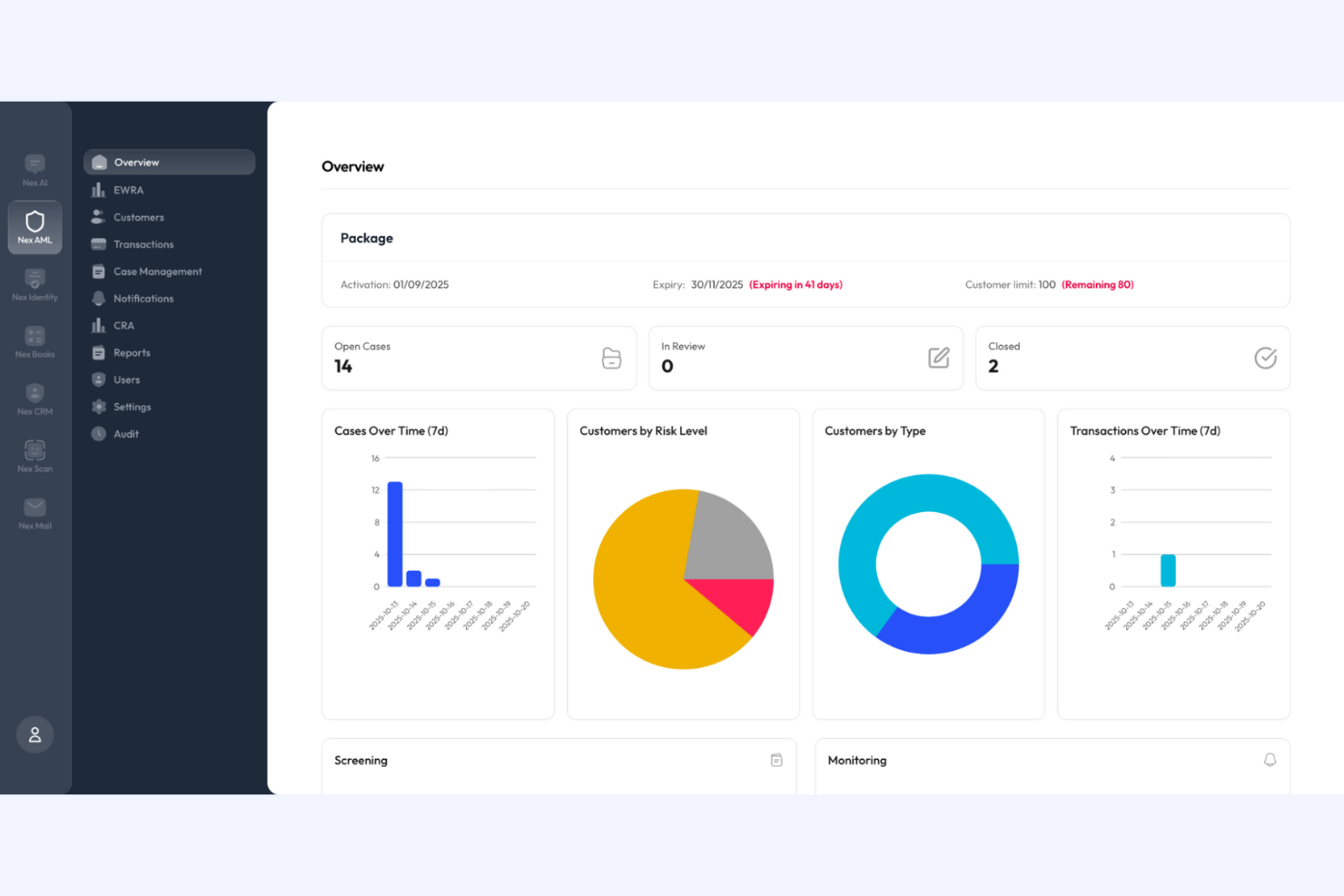
Nexchar is a POS software tailored for small local retail businesses, focusing on sales processing, inventory management, and customer management. It provides essential tools to help you run your store operations efficiently.
Why I picked Nexchar: Nexchar's free version is ideal for local stores with straightforward operational needs. You can manage inventory, track sales, and handle customer data for free. The software's user-friendly design lets you get started with minimal training. This makes it an excellent choice for small shops looking to improve their daily operations without a steep learning curve.
Standout Features and Integrations:
Features include inventory management tools, including stock-level monitors and low-stock alerts, and sales reports to gain insights into your business's performance. The software also includes a barcode scanner to speed up the checkout process.
Integrations include QuickBooks, Xero, WooCommerce, Shopify, PrestaShop, BigCommerce, Mailchimp, Salesforce, and more.
What's free? Nexchar offers a free-forever plan with basic POS features, but it may limit the number of users and restrict advanced functionalities.
Pros and Cons
Pros:
- Ideal for small stores
- Low-stock alerts
- Barcode scanning
Cons:
- Manual updates required
- Not ideal for large or complex setups


How I Evaluate Free POS Software
I look at free POS tools in two layers: the core functionality a shop floor or pop-up needs to process sales, and the differentiators that make one a better long-term fit.
Core Functionality (Table Stakes For This List)
When I'm selecting tools for my list, I rank each one on a scale from 0 (does not offer the functionality) to 5 (excels in this area) for each core functionality listed below. Then, I calculate the tool's total score into a percentage. Each tool needs to achieve a minimum total score of 65% to be considered for inclusion.
- Sales Transaction Processing: I evaluate how checkout works in practice—things like applying mix-and-match discounts, handling returns, and processing split payments across registers.
- Genuinely Free Plan: Each tool needs to offer a truly free tier beyond a trial, so I check for ongoing access to core POS features without a subscription.
- Inventory Tracking: Real-time stock updates matter when you're selling across a busy floor, so I look at SKU handling, variant support, and low-stock alerts.
- Payment Processing Integration: I consider which processors each platform supports and whether it accepts card, contactless, and mobile wallet payments at checkout.
- Sales Reporting & Analytics: Good reporting means more than a transaction log. I look for product-level breakdowns, date-range filtering, and exportable revenue reports.
- Receipt & Customer Management: I check whether the tool stores customer profiles alongside purchase history and supports both printed and digital receipts.
Once I have a list of tools that meet this criteria, I consider what sets each platform apart.
Differentiating Factors (What Sets Vendors Apart)
Here's how I compare and contrast different vendors:
Standout Features
Offline mode is a big deal—if your internet drops during a Saturday rush, you need to keep ringing up sales. I also look at whether a platform offers a mobile POS app, since pop-up shops and market vendors often rely on a tablet as their only register. Ecommerce sync matters for retailers who sell both in-store and online, because managing two separate inventories leads to overselling fast. Built-in loyalty features are another differentiator worth evaluating, especially for boutiques building a repeat customer base.
Beyond Features
Payment processor flexibility is something I always evaluate—some platforms lock you into a single processor, while others let you shop around for better transaction rates. I also consider how each tool scales from free to paid tiers, because a solo shop owner today might open a second location next year and shouldn't have to migrate their data. Hardware compatibility matters too; I check whether a platform works with standard receipt printers and scanners you can buy anywhere.
So wählen Sie kostenlose POS-Software aus
Komplexe Funktionslisten und Preisstrukturen können es schwierig machen, herauszufinden, was Sie tatsächlich von einer kostenlosen POS-Software erhalten. Damit Sie sich bei der Auswahl Ihrer Software auf das Wesentliche konzentrieren können, sollten Sie folgende Faktoren berücksichtigen:
| Faktor | Worauf Sie achten sollten |
|---|---|
| Umfang des kostenlosen Angebots | Prüfen Sie, welche Funktionen im kostenlosen Tarif enthalten sind und ob es Einschränkungen gibt, etwa bei der Anzahl der Benutzer oder Transaktionen. |
| Skalierbarkeit | Stellen Sie sicher, dass die Software mit Ihrem Unternehmen wachsen kann und Upgrades sowie zusätzliche Funktionen bietet, wenn sich Ihre Anforderungen weiterentwickeln. |
| Integrationen | Achten Sie auf die Kompatibilität mit Tools, die Sie bereits verwenden, etwa Buchhaltungssoftware oder E-Commerce-Plattformen, damit reibungslose Abläufe möglich sind. |
| Benutzerfreundlichkeit | Prüfen Sie, ob die Benutzeroberfläche intuitiv ist und Ihr Team nur eine minimale Einarbeitung benötigt, um schnell loszulegen. |
| Kundensupport | Berücksichtigen Sie die Verfügbarkeit von Supportkanälen wie Live-Chat oder telefonischem Support, insbesondere wenn Ihr Team bei der Einrichtung Unterstützung benötigen könnte. |
| Mobiler Zugriff | Ermitteln Sie, ob die Software mobile Geräte unterstützt. Das kann für Unternehmen entscheidend sein, die beim Verwalten von Verkäufen unterwegs flexibel bleiben müssen. |
| Sicherheit | Achten Sie auf Funktionen wie Datenverschlüsselung und Benutzerzugriffskontrollen, um vertrauliche Unternehmens- und Kundeninformationen zu schützen. |
| Anpassbarkeit | Prüfen Sie, ob Sie die Software an Ihre Geschäftsprozesse anpassen können, etwa durch die individuelle Gestaltung von Belegen oder die Einrichtung von Treueprogrammen. |
Was ist kostenlose POS-Software?
POS-Software ist ein Werkzeug, das Unternehmen bei der Verwaltung von Verkaufstransaktionen, Lagerbeständen und Kundendaten unterstützt. Kostenlose Angebote umfassen in der Regel grundlegende Funktionen mit Einschränkungen bei der Anzahl der Benutzer oder Transaktionen oder sind möglicherweise zeitlich begrenzte Testversionen. Einzelhändler, Kleinunternehmer und Fachleute aus dem Gastgewerbe nutzen diese Tools häufig, um reibungslose Abläufe zu ermöglichen und die Effizienz zu steigern. Funktionen zur Lagerverwaltung, Verkaufsverfolgung und Kundenbeziehung helfen Unternehmen dabei, tägliche Aufgaben zu verwalten, ihren Betrieb auszubauen und das Kundenerlebnis zu verbessern.
Funktionen
Sehen wir uns die Funktionen an, die in POS-Software häufig zu finden sind, und prüfen wir, welche davon üblicherweise in kostenlosen bzw. kostenpflichtigen Tarifen enthalten sind.
Üblicherweise kostenlose Funktionen von POS-Software
- Verkaufsabwicklung: Verwalten Sie Transaktionen effizient und wickeln Sie Zahlungen und Belege ab.
- Lagerverwaltung: Verfolgen Sie die Lagerbestände, um sicherzustellen, dass die richtigen Produkte zum Verkauf verfügbar sind.
- Speicherung von Kundendaten: Bewahren Sie grundlegende Kundeninformationen auf, um das Marketing zu verbessern und die Kundenbindung zu stärken.
- Grundlegende Berichte: Erstellen Sie einfache Berichte, um Einblicke in Verkaufsleistung und Trends zu gewinnen.
- Zugriff auf mehreren Geräten: Nutzen Sie die Software flexibel auf verschiedenen Geräten wie iPads und Computern.
Üblicherweise kostenpflichtige Funktionen von POS-Software
- Erweiterte Analysen: Liefern Sie tiefere Einblicke in die Geschäftsleistung, um strategische Entscheidungen zu unterstützen.
- Anpassbare Berichte: Passen Sie Berichte an spezifische Anforderungen an und erhalten Sie detaillierte Ansichten verschiedener Geschäftskennzahlen.
- Treueprogramme: Implementieren Sie kundenorientierte Treueprogramme, um wiederkehrende Käufe zu fördern und den Umsatz zu steigern.
- Integration mit Buchhaltungssoftware: Synchronisieren Sie die Software mit Buchhaltungstools wie QuickBooks, um das Finanzmanagement zu verbessern.
- Mitarbeiterverwaltung: Verfolgen Sie die Leistung der Mitarbeiter und verwalten Sie Arbeitspläne, um die Produktivität zu steigern.
Vorteile
Die Einführung kostenloser POS-Software bietet Ihrem Team und Ihrem Unternehmen mehrere Vorteile. Hier sind einige, auf die Sie sich freuen können:
- Kosteneinsparungen: Sparen Sie Geld, indem Sie auf wichtige POS-Funktionen ohne monatliche Gebühren zugreifen. Das ist ideal für kleine Unternehmen mit begrenztem Budget.
- Einfache Einrichtung: Beginnen Sie schnell mit intuitiven Benutzeroberflächen, die nur minimale Schulungen erfordern, sodass sich Ihr Team auf den Verkauf konzentrieren kann.
- Flexibilität: Nutzen Sie die Software auf verschiedenen Geräten und verwalten Sie Verkäufe flexibel von überall aus.
- Grundlegende Bestandskontrolle: Behalten Sie die Lagerbestände effizient im Blick, damit Sie immer wissen, was vorrätig ist und wann Sie nachbestellen müssen.
- Kundeneinblicke: Greifen Sie auf grundlegende Kundendaten zu, um den Service zu verbessern und personalisierte Erlebnisse zu schaffen, die zu wiederkehrenden Käufen anregen.
- Skalierbarkeit: Beginnen Sie mit einem kostenlosen Tarif und führen Sie bei wachsendem Unternehmen ein Upgrade durch, sodass sich die Software an Ihre Anforderungen anpassen kann.
- Testversion erweiterter Funktionen: Probieren Sie einige erweiterte Funktionen im Rahmen einer zeitlich begrenzten Testversion aus, um zu entscheiden, ob sich ein kostenpflichtiges Upgrade lohnt.
Kosten und Preise
Mir ist bewusst, dass Sie diesen Artikel auf der Suche nach den besten kostenlos verfügbaren POS-Softwareoptionen aufgerufen haben. Da kostenlose Tarife jedoch nur begrenzte Funktionen bieten, ist es gut möglich, dass Sie Ihren Tarif in Zukunft erweitern müssen.
Die folgende Tabelle fasst gängige Tarife, ihre durchschnittlichen Preise und typische in POS-Softwarelösungen enthaltene Funktionen zusammen:
Vergleichstabelle der POS-Softwaretarife
| Tarifart | Durchschnittlicher Preis | Übliche Funktionen |
|---|---|---|
| Kostenloser Tarif | $0 | Grundlegende Verkaufsabwicklung, Bestandsverfolgung, Speicherung von Kundendaten, grundlegende Berichte und Zugriff auf mehreren Geräten. |
| Persönlicher Tarif | $20-$60/Monat | Erweiterte Berichte, Kundenbindungsprogramme, grundlegende Integrationen, Mitarbeiterverwaltung und begrenzte Anpassungsmöglichkeiten. |
| Geschäftstarif | $60-$150/Monat | Anpassbare Berichte, erweiterte Lagerverwaltung, umfangreiche Integrationen und besserer Kundensupport. |
| Unternehmenstarif | $150-400+/Monat | Dedizierte Kontoverwaltung, vollständige Anpassungsmöglichkeiten, erweiterte Analysen, bevorzugter Support und Verwaltung mehrerer Standorte. |
Häufig gestellte Fragen zu kostenloser POS-Software
Hier finden Sie Antworten auf häufige Fragen zu kostenloser POS-Software:
Welche Einschränkungen haben kostenlose POS-Systeme?
Kostenlose POS-Systeme bieten häufig einen eingeschränkten Funktionsumfang, begrenzten Kundensupport und mögliche versteckte Kosten. Möglicherweise stellen Sie fest, dass erweiterte Funktionen wie detaillierte Berichte oder Integrationen nur in kostenpflichtigen Versionen verfügbar sind. Prüfen Sie immer, welche Leistungen enthalten sind, bevor Sie sich für einen kostenlosen Tarif entscheiden.
Ist ein kostenloses POS-System wirklich kostenlos?
Auch wenn die Software selbst kostenlos sein mag, können dennoch Kosten wie Transaktionsgebühren anfallen. Einige Anbieter verlangen möglicherweise auch, dass Sie langfristige Verträge abschließen, die bei einer vorzeitigen Kündigung Vertragsstrafen beinhalten können. Lesen Sie die Bedingungen sorgfältig durch, um die tatsächlichen Kosten zu verstehen.
Wie verdienen kostenlose POS-Systeme Geld?
Kostenlose POS-Systeme verdienen in der Regel Geld durch Transaktionsgebühren. Wenn der Anbieter auch als Ihr Zahlungsabwickler fungiert, behält er möglicherweise einen Anteil jeder Transaktion ein. Deshalb ist es wichtig, bei der Auswahl einer kostenlosen POS-Lösung die Gebührenstruktur zu berücksichtigen.
Was ist das häufigste Problem bei POS-Systemen?
Zu den häufigen Problemen bei POS-Systemen gehören Hardwarefehlfunktionen, etwa Ausfälle von Kartenlesegeräten, sowie Softwareprobleme wie langsame Leistung oder Schwierigkeiten bei der Integration. Zuverlässige Hardware und aktuelle Software können dazu beitragen, diese Probleme zu vermeiden.
Können kostenlose POS-Systeme mehrere Standorte verwalten?
Einige kostenlose POS-Systeme können mehrere Standorte verwalten, dies hängt jedoch häufig vom Anbieter ab. Möglicherweise müssen Sie auf einen kostenpflichtigen Tarif upgraden, um die Verwaltung mehrerer Standorte nutzen zu können. Wenn Sie an mehreren Standorten tätig sind, prüfen Sie immer, ob der kostenlose Tarif Ihre Anforderungen unterstützt.
Sind kostenlose POS-Systeme sicher?
Die Sicherheit kann je nach Anbieter unterschiedlich sein. Daher ist es wichtig zu prüfen, ob das kostenlose POS-System Funktionen wie Datenverschlüsselung und Zugriffskontrollen für Benutzer bietet. Der Schutz von Kundeninformationen sollte auch bei der Nutzung einer kostenlosen Lösung höchste Priorität haben.
Wie geht es weiter:
Wenn Sie gerade kostenlose POS-Software recherchieren, wenden Sie sich an einen SoftwareSelect-Berater, um kostenlos Empfehlungen zu erhalten.
Sie füllen ein Formular aus und führen ein kurzes Gespräch, in dem die konkreten Anforderungen Ihres Unternehmens besprochen werden. Anschließend erhalten Sie eine Auswahlliste von Softwarelösungen, die Sie prüfen können. Die Berater unterstützen Sie sogar während des gesamten Kaufprozesses, einschließlich der Preisverhandlungen.