


Shopify vs. Squarespace: Which Is Best in 2026?


Shopify is built for retailers chasing growth—massive catalogs, multiple sales channels, and automation everywhere. Squarespace is the designer's best friend—clean templates, easy edits, and just enough cart to sell books, prints, or services.
Decide upfront: do you need brute‑force commerce or pixel control?
Replatforming isn’t cheap. Themes, data migrations, and new workflows can derail launches and budgets.
I've audited dozens of builds and watched teams burn months undoing a wrong choice. The cure: match platform DNA to your catalog size, sales targets, and content demands before you sign a contract.
In this guide I compare these ecommerce platforms side by side—pricing quirks, hidden fees, integrations, security, and real limits—so you can pull the trigger with eyes wide open.
Shopify is built for retailers chasing growth—massive catalogs, multiple sales channels, and automation everywhere. Squarespace is the designer's best friend—clean templates, easy edits, and just enough cart to sell books, prints, or services.
Decide upfront: do you need brute‑force commerce or pixel control?
Replatforming isn’t cheap. Themes, data migrations, and new workflows can derail launches and budgets.
I've audited dozens of builds and watched teams burn months undoing a wrong choice. The cure: match platform DNA to your catalog size, sales targets, and content demands before you sign a contract.
In this guide I compare these ecommerce platforms side by side—pricing quirks, hidden fees, integrations, security, and real limits—so you can pull the trigger with eyes wide open.
Shopify vs. Squarespace: An Overview
Shopify

Squarespace




Why Trust Our Software Reviews
Shopify vs. Squarespace Pricing Comparison
| Shopify | Squarespace | |
|---|---|---|
| Free Trial | 3-day free trial available | Free trial available |
| Pricing | From $29/month (billed annually) | From $16/month (billed annually) |
Shopify vs Squarespace Pricing & Hidden Costs
Shopify and Squarespace both run on tiered subscriptions, but they package value differently.
Shopify offers plans that start lean and scale up—think more features, higher support levels, and lower payment-processing rates as you climb. Squarespace offers plans that bundle most essentials into its entry plans and reserves the top tier for larger catalogs and staff permissions rather than deep ecommerce extras.
Sticker price never tells the whole story.
On Shopify, third-party apps, premium themes, and optional POS hardware can nudge your monthly spend well beyond the base fee. Skip Shopify’s in-house payments and you’ll also see an extra transaction surcharge on every sale.
Squarespace avoids those surcharges, but you’ll pay à la carte for email campaigns, member areas, or booking tools, and its payment rates stay flat regardless of volume.
My rule of thumb: map the features you’ll need in year one, tack on realistic add-on costs, then compare that blended total across both platforms.
Annual billing knocks a chunk off either bill, but only commit once you’re certain the platform fits your growth plan.
Shopify vs. Squarespace Feature Comparison
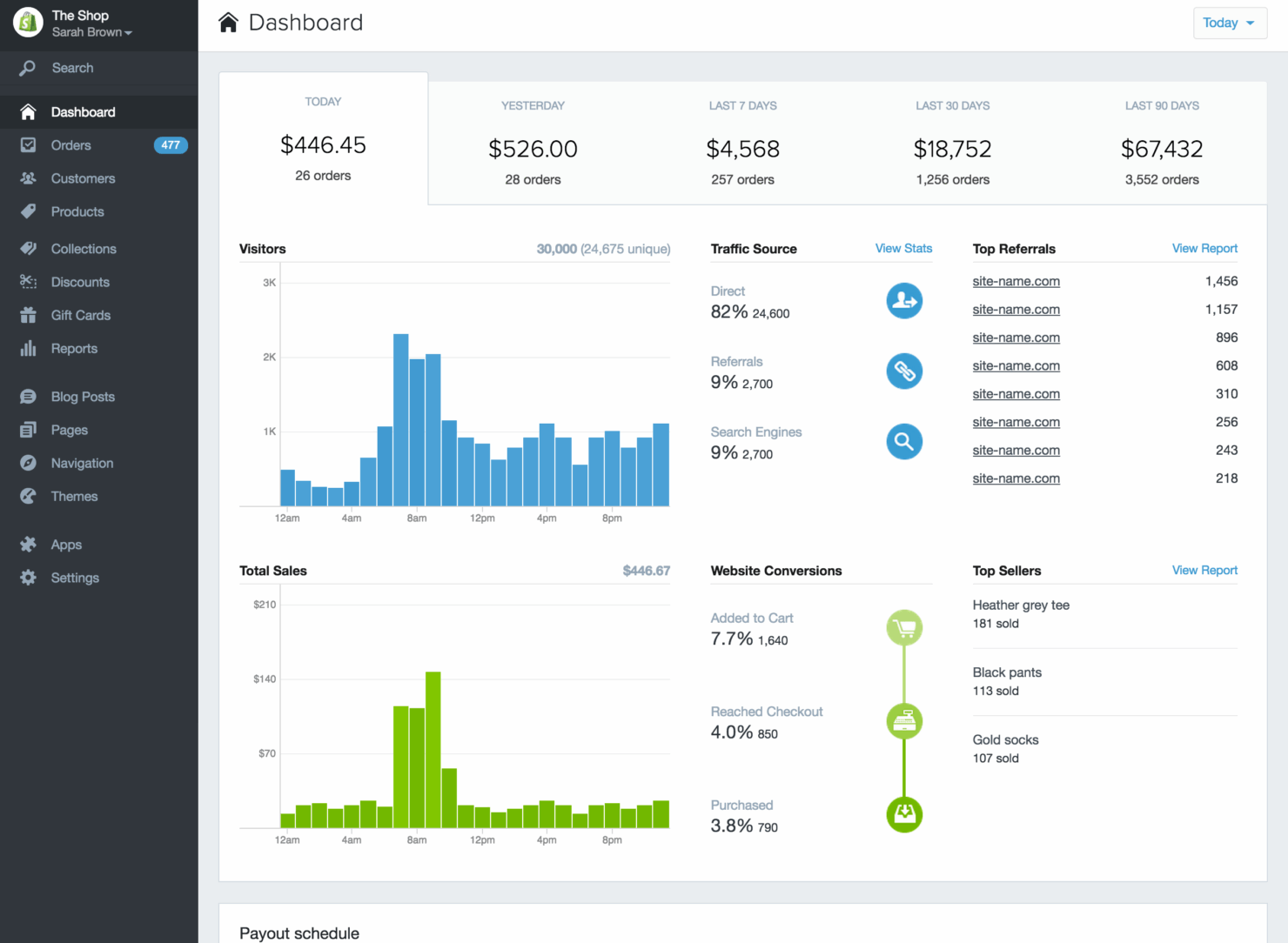
Shopify is an operations powerhouse. Its inventory engine tracks variants and stock across warehouses, syncs every marketplace you connect, and layers on discount, shipping, and tax logic that scales when orders spike.
If you plan to juggle hundreds of SKUs—or open a POS lane tomorrow—Shopify’s back-office depth keeps the wheels from wobbling.
Squarespace flips the script and makes brand polish the hero. You get designer-grade templates, a dead-simple page builder, and native email campaigns tucked into the same dashboard.
For a solo founder or creative studio selling a tight lineup of prints, presets, or services, that all-in-one flow means fewer logins and zero code.
Big picture: Shopify grows into a full commerce OS the moment you need serious catalog or channel muscle, while Squarespace delivers a cohesive, design-forward toolkit ideal for leaner catalogs and storytelling-driven sales.
| Shopify | Squarespace | |
|---|---|---|
| A/B Testing | ||
| API | ||
| Data Export | ||
| Data Import | ||
| External Integrations | ||
| Multi-User | ||
| Third-Party Plugins/Add-Ons |
Shopify vs Squarespace Integrations
| Integration | Shopify | Squarespace |
|---|---|---|
| PayPal | ✅ | ✅ |
| Stripe | ✅ | ✅ |
| QuickBooks | ✅ | ✅ |
| Mailchimp | ✅ | ✅ |
| Amazon | ✅ | ❌ |
| eBay | ✅ | ❌ |
| Etsy | ✅ | ❌ |
| Google Analytics | ✅ | ✅ |
| API | ✅ | ✅ |
| Zapier | ✅ | ✅ |
When it comes to plug-and-play connections, Shopify is the clear omnichannel workhorse.
I can sync listings to Amazon, eBay, and even Etsy straight from the admin—no third-party hacks—then feed orders back for unified fulfillment. Add the App Store’s thousands of connectors and you’ve got near-endless ways to bolt on accounting, shipping, or loyalty tools as the business scales.
Squarespace takes a more curated route.
The essentials—Stripe, PayPal, QuickBooks, Mailchimp, Google Analytics, Zapier—are baked in and easy to activate, but the platform deliberately skips marketplace pipes. That keeps the dashboard clean for creators focused on brand storytelling and email marketing rather than juggling inventory across five sales channels.
In short: Shopify widens your reach; Squarespace keeps your stack streamlined.
Shopify vs Squarespace Security, Compliance & Reliability
| Factor | Shopify | Squarespace |
|---|---|---|
| PCI compliance | Automatic PCI DSS on every plan | PCI DSS via integrated gateways |
| SSL encryption | Free SSL certificates for every store | Free SSL certificates for every site |
| Data backups | Daily automated backups with one-click restore | Automatic snapshots with point-in-time restore |
| Fraud protection | Built-in fraud analysis on all plans | Add-on integrations needed for advanced screening |
Both platforms lock down the essentials—PCI, SSL, daily backups, and 99.9 % uptime—right out of the box. Shopify layers in real-time fraud analytics and velocity checks, giving high-volume stores a safety net against chargebacks.
Squarespace keeps risk low by routing payments through Stripe or PayPal, which is fine for smaller catalogs, but you’ll need a plug-in if you want the same automated fraud scoring.
Bottom line: security is table stakes on both, yet Shopify’s extra safeguards pay off once your order count starts to climb.
Shopify vs Squarespace Ease of Use
| Factor | Shopify | Squarespace |
|---|---|---|
| Setup process | Guided wizard walks you through taxes, shipping, and your first Shopify store checkout | Intuitive start-up flow with industry-specific templates for a Squarespace website |
| Product management | Bulk CSV uploads, barcode scans, and multi-location inventory management | Simple drag-and-drop editor—best for smaller catalogs and digital products |
| Design customization | Theme editor plus code access; thousands of templates in the Shopify Theme Store | Pure drag-and-drop layouts with polished templates—no coding needed for beginners |
| Mobile app | Full admin app handles orders, products, and POS on the go | Mobile app covers content edits and basic ecommerce functionality |
Both platforms stay user-friendly, but they cater to different comfort zones.
Shopify’s wizard and mobile app feel like training wheels that come off as your ecommerce business scales; once you explore the dashboard, powerful inventory tools and third-party plugins are a click away.
Squarespace, by contrast, keeps the entire experience no-code—ideal if you’d rather tweak fonts and layouts than dig into settings.
For beginners who want a slick site fast, Squarespace sets the bar; for merchants who plan to grow SKU counts, add POS, or optimize multiple sales channels, Shopify’s deeper toolset wins the long game.
Shopify vs Squarespace: Pros & Cons
Shopify
- It provides reliable security to protect your customers' data.
- Shopify's app store offers tools to boost your store's functionality.
- You can easily customize your store with a wide range of themes.
- It can be challenging to manage multiple currencies.
- Shopify's blogging feature is less robust than others.
- You might find transaction fees if not using Shopify Payments.
Squarespace
- The drag-and-drop interface makes site customization simple.
- It's easy to use, even if you're not tech-savvy.
- You can create stunning websites with its beautiful design templates.
- You might find the onboarding process a bit challenging if you're new to ecommerce.
- The customer support can be slow and less responsive.
- Your site customization options are limited compared to some competitors.
Best Use Cases for Shopify and Squarespace
Shopify
- Boutique Retailers Shopify’s customizable themes help your store stand out in a crowded market.
- Artisan Shops You can easily showcase and sell unique products with Shopify’s flexible product listings.
- Startups Shopify’s user-friendly interface allows you to set up quickly and focus on growth.
- Small Businesses Its app store provides tools to expand your store’s capabilities as your business grows.
- Online Marketplaces Shopify’s secure checkout process builds trust with your customers.
- Subscription Services You can manage recurring payments and customer subscriptions efficiently with Shopify’s built-in tools.
Squarespace
- Creative professionals Show portfolios with visually appealing templates.
- Small business owners Set up an online store quickly with user-friendly tools.
- Photographers Present work beautifully using built-in gallery options.
- Artists Create a sleek online gallery to sell artwork.
- Designers Build a professional site with modern, clean aesthetics.
- Bloggers Easily craft and manage content with built-in blogging features.
Who should use Shopify, and who should use Squarespace?
If your roadmap includes dropshipping, multichannel selling, or a brick-and-mortar counter, use Shopify.
Its expansive app store, robust API, and advanced SEO tools let you optimize every part of a growing ecommerce platform—whether customers buy via social media, your Shopify store, or a physical point of sale.
Conversely, creative entrepreneurs and service-led small businesses that sell a handful of digital or physical products should use Squarespace.
The platform’s design-forward templates, built-in marketing tools, and flat transaction-fee structure let you launch a polished Squarespace website in hours without wrestling with plugins or code.
Differences Between Shopify and Squarespace
| Shopify | Squarespace | |
|---|---|---|
| App Ecosystem | Massive Shopify App Store for dropshipping, email marketing, and API plugins | Curated plugin shelf—fewer third-party apps but streamlined functionality |
| Core Focus | Ecommerce-first platform built for a scalable online store, POS, and multichannel checkout | Design-led website builder that layers in ecommerce features for a Squarespace site |
| Design Flexibility | Theme editor plus code access and SEO features; thousands of templates in the Shopify Theme Store | Pure drag-and-drop layouts with polished templates—no coding for beginners |
| Pricing | Tiered Shopify plans; extra transaction fees if you skip Shopify Payments or other gateways | Flat Squarespace pricing with most ecommerce tools baked in, no gateway surcharge |
| Scalability | Handles high-volume catalogs, Amazon/Etsy sales channels, and Shopify Plus upgrades | Best for small business catalogs and simpler ecommerce business needs |
| Read Shopify ReviewOpens new window | Read Squarespace ReviewOpens new window |
Similarities Between Shopify and Squarespace
| Ecommerce Functionality | Both ecommerce platforms let you sell products (physical or digital) from a single online store—complete with carts, secure checkout, and inventory management that even supports dropshipping. |
|---|---|
| Mobile Usability | Every template is mobile-optimized out of the box, so your ecommerce website delivers a friendly user experience and fast mobile checkout that search engines love. |
| Payment Gateways | Stripe, PayPal, Shopify Payments, and other payment processors plug in fast; SSL encryption keeps every credit-card swipe safe while minimizing extra transaction fees. |
| SEO Tools | Built-in SEO features—custom meta tags, clean URLs, and automatic sitemaps—help you optimize pages so your online business ranks higher and stays discoverable on Google. |
| Read Shopify ReviewOpens new window Read Squarespace ReviewOpens new window | |