


KORONA POS vs. Square: Comparison & Expert Reviews For 2026
I cut through the noise—here’s how KORONA POS and Square really stack up, so you can see which point of sale system fits your business best.

We review tools independently, and commissions help fund our testing. See our transparency policy, our methodology, or suggest a tool.
If you’re deciding between KORONA POS and Square, you’re really choosing between two very different approaches to running your business. Square is known for its simplicity and all-in-one setup, while KORONA POS gives you more flexibility and control—especially around inventory, reporting, and payments.
In this guide, I’ll break down how they compare across pricing, features, ease of use, and real-world use cases so you can figure out which POS system actually fits how you operate.
KORONA POS
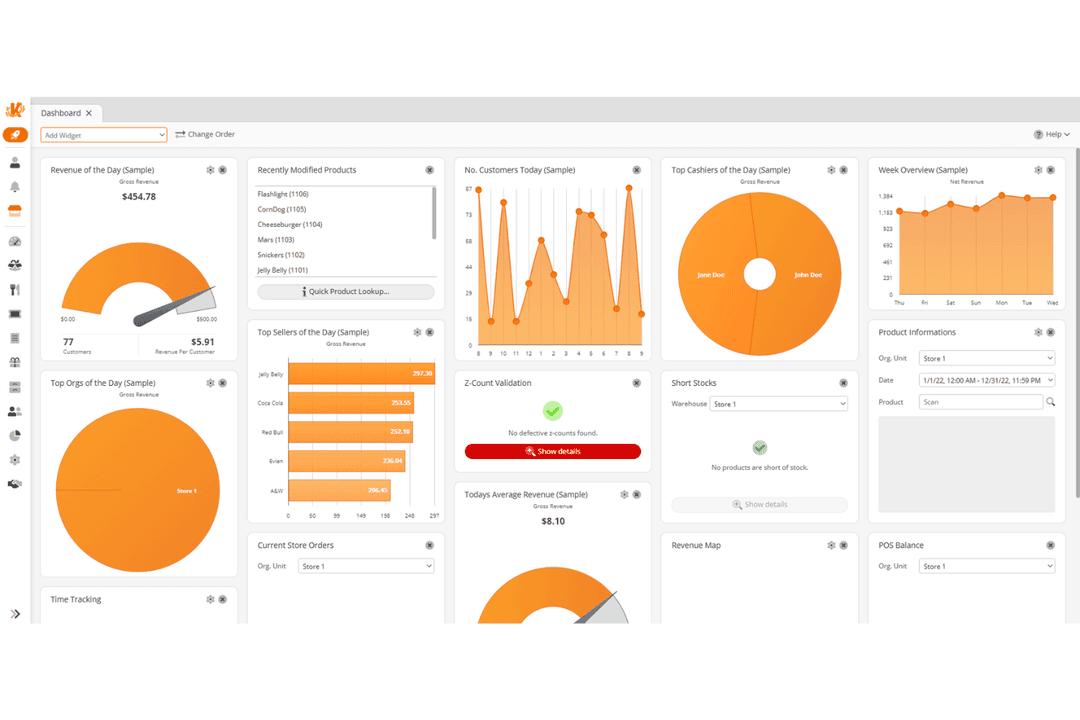
4.8/5
- Free trial + free demo available
- From $59/month
Square
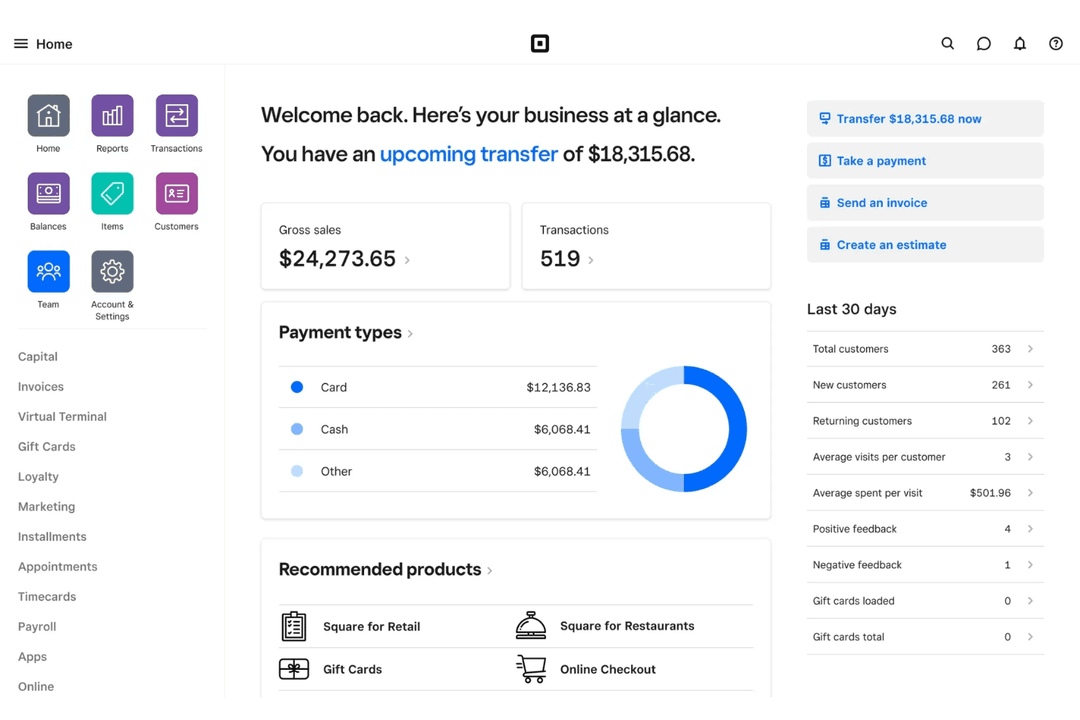
4.7/5
- Free plan available; 30-day free trial on paid tiers
- From $49/month
Why Trust Our Software Recommendations
6,700+
Reviews
20
Industry experts
16+
Evaluation factors
14
Years
Our team has been testing and reviewing software since 2012. As retail leaders ourselves, we know how difficult—and important—it is to choose the right software.
For this guide, we evaluated tools using hands-on testing and independent research, scoring tools using our selection criteria.
Our reviews reflect our independent judgment—not a sales pitch.
| KORONA POS | Square | |
|---|---|---|
| Free Trial | Free trial + free demo available | Free plan available; 30-day free trial on paid tiers |
| Pricing | From $59/month | From $49/month |
KORONA POS vs. Square Pricing & Hidden Costs
KORONA POS uses a subscription-based pricing model with a flat monthly fee for the software, while payment processing is handled separately through a provider you choose. This processor-agnostic approach can be a big advantage—you’re free to shop around for lower rates or negotiate better terms as you enter high-volume sales stages.
Square, on the other hand, offers a free entry-level plan with built-in payment processing, along with paid tiers (like Plus and Premium) that unlock more advanced features and slightly lower transaction rates. The tradeoff is that you’re locked into Square’s payment processing, so even as you scale, your ability to reduce processing fees is limited compared to systems where you can negotiate rates.
To choose the right vendor, map out your sales volume, business type, and must-have POS features before you compare costs. Think about whether your revenue is steady or seasonal, and factor in processing rates, plan upgrades, add-ons, and hardware expenses as you grow. The best fit will usually be the one that stays cost-effective at your scale—not just the cheapest option on day one.
KORONA POS and Square cover the key features all modern POS software should have, including payment processing, inventory tracking, reporting, and basic customer management. You can run day-to-day operations, manage sales across channels, and track performance from a central dashboard with either platform. From my view, both tools handle the fundamentals well—it’s when you look deeper that the differences start to matter.
KORONA POS stands out for its processor-agnostic setup, multi-location management, advanced inventory intelligence (like ABC analysis), and built-in ticketing for niche industries like museums or attractions. Overall, KORONA POS’s feature set and flexibility give you more control as your business grows. Square, on the other hand, differentiates itself with its all-in-one ecosystem—combining Square POS, payments, online store, appointments, and marketing tools into a single, easy-to-use platform. It also offers a large app marketplace, allowing for seamless integrations with third-party tools.
| KORONA POS | Square | |
|---|---|---|
| 2-Factor Authentication | Yes | Yes |
| API | Yes | Yes |
| Barcode Scanning | Yes | Yes |
| BitCoin | No | No |
| Budgeting | Yes | No |
| Contact Management | Yes | Yes |
| Custom Reports | Yes | Yes |
| Customer Management | Yes | Yes |
| Customer Rewards | Yes | Yes |
| Dashboard | Yes | Yes |
| Data Export | Yes | Yes |
| Data Import | Yes | Yes |
| Data Visualization | Yes | Yes |
| External Integrations | Yes | Yes |
| Forecasting | Yes | No |
| Fraud Detection | Yes | Yes |
| Inventory Tracking | Yes | Yes |
| Multi-Currency | Yes | No |
| Multi-User | Yes | Yes |
| Notifications | Yes | No |
| Offline Access | Yes | Yes |
| Order Management | Yes | Yes |
| Payment Processor | Yes | Yes |
| PayPal | Yes | No |
| Stripe | Yes | No |
| Supplier Management | Yes | No |
| Tax Management | No | Yes |
| Third-Party Plugins/Add-Ons | Yes | Yes |
| Workflow Management | No | Yes |
| Integration | KORONA POS | Square |
| QuickBooks | ✅ | ✅ |
| WooCommerce | ✅ | ✅ |
| Xero | ❌ | ✅ |
| Shopify | ❌ | ❌ |
| Thrive Inventory | ❌ | ✅ |
| bLoyal | ✅ | ❌ |
| CMS Max | ✅ | ❌ |
| Starboard Suite | ❌ | ✅ |
| API | ✅ | ✅ |
| Zapier | ❌ | ✅ |
KORONA POS and Square both integrate with key tools like QuickBooks and offer API access for custom connections. That said, Square has a broader integration ecosystem overall, including support for platforms like Xero and Zapier, along with a large app marketplace that makes it easier to connect additional tools as you grow. KORONA POS takes a more partner-driven approach, with integrations like bLoyal and CMS Max, and relies more heavily on its open API for custom setups. Both can meet most business needs, but if you’re looking for plug-and-play integrations and automation tools, Square has the edge.
| Factor | KORONA POS | Square |
| Compliance | Supports PCI-compliant payment processing through integrated providers. | PCI DSS Level 1 compliant, ISO 27001 certified, and manages all card data within its secure ecosystem. |
| Data Encryption | Uses secure payment processing and data protection practices through its system and partners. | Uses end-to-end encryption so sensitive payment data is never exposed. |
| Uptime & Backups | Offers reliable uptime with cloud-based infrastructure and regular data backups. | Provides high uptime with cloud infrastructure and redundant systems to minimize downtime. |
| User Permissions | Let's you set detailed user roles, permissions, and cashier-level controls. | Offers granular permissions, account protection tools, and login monitoring (e.g., 2FA). |
| Fraud & Loss Prevention | Includes built-in loss prevention tools like transaction auditing, cashier tracking, and inventory discrepancy monitoring. | Features machine learning–based fraud detection, real-time monitoring, Risk Manager, and dispute handling. |
| Dispute Management | Relies on payment processors for dispute handling. | Handles disputes on your behalf and provides guided support through the process. |
Both KORONA POS and Square offer strong security and compliance, but they differ in how those protections are delivered. KORONA POS focuses on PCI-compliant processing and in-store controls, with tools like cashier tracking, transaction auditing, and inventory monitoring to reduce internal loss. Square extends further into payment and account-level security, with PCI DSS Level 1 compliance, ISO 27001 certification, and built-in fraud detection, dispute management, and two-factor authentication.
| Factor | KORONA POS | Square |
| User Interface | Functional but dated interface designed for advanced retail setups; highly customizable. | Simple, user-friendly interface built for quick, intuitive use; easy to navigate. |
| Onboarding | Offers guided setup, live training, and hands-on onboarding support. | Streamlined onboarding with self-service tools and step-by-step prompts. |
| Hardware Setup | Flexible hardware options with guided setup and configuration support. | Plug-and-play hardware with straightforward app-based setup. |
| Learning Curve | Steeper learning curve due to the depth of features and back-office tools. | Minimal training required—most users can get started quickly. |
| Customer Support | In-house support team via phone, email, and chat, plus training and detailed resources. | Phone, chat, and online support resources with strong self-service documentation. |
Square is the easier system to learn and deploy, especially if you want to get up and running quickly with minimal training. I think KORONA POS takes more time to learn but offers greater depth once you’re set up. If you prioritize simplicity and speed, Square is the better fit, while KORONA POS makes more sense for businesses willing to trade a bit of a learning curve for more control and customization.
KORONA POS
- Highly customizable POS built for specific retail industry needs.
- Flexible payments, hardware options, and no long-term contracts required.
- Deep inventory management with automation and real-time tracking.
- Steeper learning curve due to the depth of features.
- User interface feels dated compared to modern POS competitors.
- Ecommerce capabilities are weaker for businesses primarily selling online.
Square
- All-in-one platform combining POS, payments, and business tools.
- Free core POS with fast, simple setup process.
- Flexible hardware options for mobile, countertop, and retail use.
- Must use Square Payments, limiting processor choice and negotiation flexibility.
- Flat-rate processing fees can become expensive at higher volumes.
- Not ideal for complex or enterprise-level business operations.
KORONA POS
- Inventory-Heavy Specialty RetailersShops like pet stores, gift shops, and thrift stores benefit from deep inventory and customizable reporting.
- Quick-Service Restaurants (QSRs)Best suited for cafes, bakeries, and counter-service setups (not full-service dining) with simple menu and order workflows.
- Liquor, Vape, and Smoke ShopsBuilt-in age verification, strong inventory controls, and compliance-friendly workflows make this a natural fit for liquor stores and other age-restricted shops.
- Convenience StoresHigh SKU counts, fast transactions, and real-time inventory tracking support busy, high-volume environments.
- Ticketing (Amusement Parks and Attractions)Integrated ticketing, admission control, and retail sales in one system make it ideal for hybrid operations.
- Franchises and Multi-Location RetailersCentralized reporting, product syncing, and royalty tools help manage multiple stores efficiently.
Square
- Food TrucksMobile POS, offline mode, and tap-to-pay make selling anywhere fast and reliable.
- Pop-Up ShopsQuick setup and no contracts make it ideal for short-term or seasonal retail.
- Service ProvidersBuilt-in scheduling, invoicing, and client management simplify operations for service-based businesses.
- Small to Mid-Sized Retail (Omnichannel Sellers)Syncs in-store and online sales with inventory, orders, and customer data in real time.
- Quick-Service Restaurants & CafésSupports fast-paced ordering, tipping, and menu management for quick-service food environments.
- New & First-Time Business OwnersFree POS (plus transaction rates) and simple setup make it easy to start selling quickly.
Who Should Use KORONA POS, and Who Should Use Square?
KORONA POS is a better fit for businesses that need more control and flexibility than a typical POS system offers. In my experience, it works best for inventory-heavy retailers, convenience stores, liquor stores or vape shops, and multi-location operations that rely on detailed reporting and tighter operational oversight.
It’s also a strong choice for attractions or event-based businesses that need built-in ticketing and admission management—something Square doesn’t offer natively. You’ll also benefit if you want the freedom to choose your own payment processor and avoid long-term contracts. That said, it’s not the easiest system to learn, so it makes the most sense if you’re willing to invest time upfront in exchange for deeper functionality.
Square, on the other hand, is ideal if you want something simple, fast, and all-in-one. It’s especially well-suited for small businesses, startups, service-based businesses, and quick-service restaurants/setups that need to get up and running quickly without much technical setup.
With built-in payments, intuitive design, and a wide range of tools for selling in person and online, Square makes it easy to manage everything in one place. The tradeoff is less flexibility—especially around payment processing and advanced customization—but for many businesses, the simplicity and speed are worth it.
| KORONA POS | Square | |
|---|---|---|
| Advanced Inventory | KORONA POS KORONA POS offers deep inventory controls with automation and multi-location tracking. | Square Solid inventory tools, but less advanced for complex retail needs. |
| Customization Level | KORONA POS Highly customizable for specific industries and workflows. | Square Streamlined setup with limited advanced customization. |
| Ecommerce Support | KORONA POS No strong native ecommerce; relies on integrations and custom setups. | Square Offers built-in online store and native ecommerce tools. |
| Integrations | KORONA POS Smaller, partner-driven ecosystem with open API for custom builds. | Square Large app marketplace with many plug-and-play integrations. |
| Payment Processing | KORONA POS Processor-agnostic—choose and negotiate your own provider. | Square Locked into Square Payments with flat transaction fees. |
| POS Pricing Model | KORONA POS Monthly subscription for software + separate payment processing of your choosing. | Square Free to start, with built-in payment processing and per-transaction fees. |
| Core POS Functionality | Both handle essential POS tasks like checkout, refunds, receipts, and sales tracking reliably. |
|---|---|
| Customer Management | Both include customer profiles, purchase tracking, and basic loyalty programs. |
| Inventory Management | Both POS solutions offer inventory tracking, stock management, and product catalog tools. |
| Multi-Location Support | Both support multi-location businesses, with centralized reporting and management tools across stores. |
| Payment Types | Both support common payment types like credit cards, debit cards, and contactless payments. |
| Reporting & Analytics | Each point of sale system provides real-time sales reporting and analytics dashboards to track performance and business trends. |