


KORONA POS vs. Hike POS: Comparison and Reviews in 2026
Dive into my head-to-head breakdown of KORONA POS and Hike POS—see which one delivers the right mix of features, value, and flexibility for your business.

We review tools independently, and commissions help fund our testing. See our transparency policy, our methodology, or suggest a tool.
Running a retail business gets complicated fast, especially when your POS system can’t keep up with inventory, reporting, or online sales. That’s where choosing the right system matters, and KORONA POS and Hike POS take very different approaches to solving those problems.
In this comparison, I’ll break down how these two platforms stack up across features, pricing, ease of use, and real-world use cases so you can decide which one actually fits the way your business operates.
KORONA POS
4.8/5
- Free trial + free demo available
- From $59/month
Hike POS
4.2/5
- 14-day free trial + free demo available
- From $59/month (billed annually)
Why Trust Our Software Recommendations
6,700+
Reviews
20
Industry experts
16+
Evaluation factors
14
Years
Our team has been testing and reviewing software since 2012. As retail leaders ourselves, we know how difficult—and important—it is to choose the right software.
For this guide, we evaluated tools using hands-on testing and independent research, scoring tools using our selection criteria.
Our reviews reflect our independent judgment—not a sales pitch.
| KORONA POS | Hike POS | |
|---|---|---|
| Free Trial | Free trial + free demo available | 14-day free trial + free demo available |
| Pricing | From $59/month | From $59/month (billed annually) |
KORONA POS vs. Hike POS Pricing & Hidden Costs
KORONA POS uses a tiered, subscription-based pricing model where features scale across plans, with additional modules (like ticketing or franchise tools) available as add-ons. One of the biggest cost advantages is its processor flexibility—you’re not locked into a specific payment provider, which means you can shop for lower transaction rates and potentially reduce long-term costs.
Hike POS also follows a tiered subscription structure, starting at a base monthly price and scaling based on the number of locations (outlets), registers, and region. While Hike advertises 0% transaction fees on its software solution, your total cost still depends on your chosen payment processor or HikePay setup, along with any higher-tier features or integrations.
For both systems, hardware, payment processing, and certain add-ons are separate costs, so your total POS software investment can vary significantly. I recommend mapping out your number of registers, locations, and required features upfront, then asking each vendor for a detailed quote—especially if you plan to scale—so you can compare the true total cost rather than just the base subscription price.
Both KORONA POS and Hike POS cover the core point of sale essentials, including inventory tracking, sales reporting, multi-store management, customer profiles, and staff permissions. You’ll also get barcode scanning, real-time data syncing, and built-in analytics with either system, making both capable of handling day-to-day retail operations.
They begin to differ in how those key features are delivered. KORONA POS stands out for its depth and flexibility—especially in inventory management, reporting, and its ability to work with virtually any payment processor or hardware setup. It also offers unique capabilities like built-in ticketing and franchise management tools, which are rare in most POS systems.
Hike POS, on the other hand, differentiates itself with a more unified, all-in-one approach. It combines POS, payments, and a native ecommerce platform in a single system, making it easier to manage both in-store and online sales without relying heavily on third-party integrations. This makes it particularly appealing for retailers focused on omnichannel selling.
| KORONA POS | Hike POS | |
|---|---|---|
| 2-Factor Authentication | Yes | Yes |
| API | Yes | Yes |
| Barcode Scanning | Yes | Yes |
| BitCoin | No | No |
| Budgeting | Yes | No |
| Contact Management | Yes | No |
| Custom Reports | Yes | Yes |
| Customer Management | Yes | Yes |
| Customer Rewards | Yes | Yes |
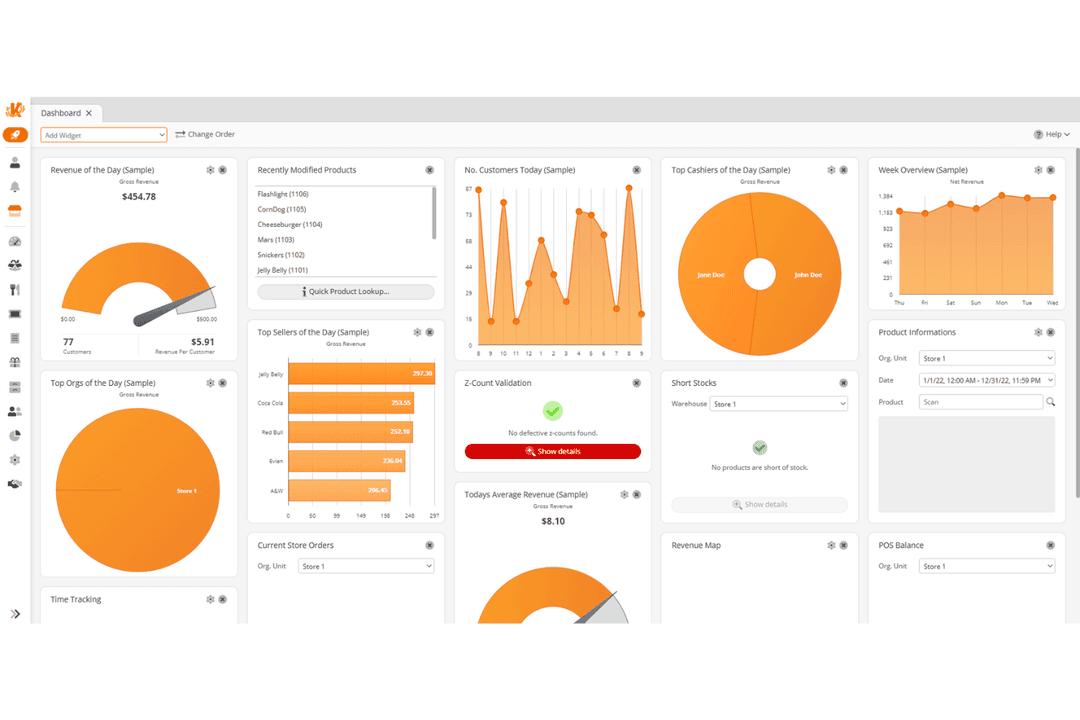
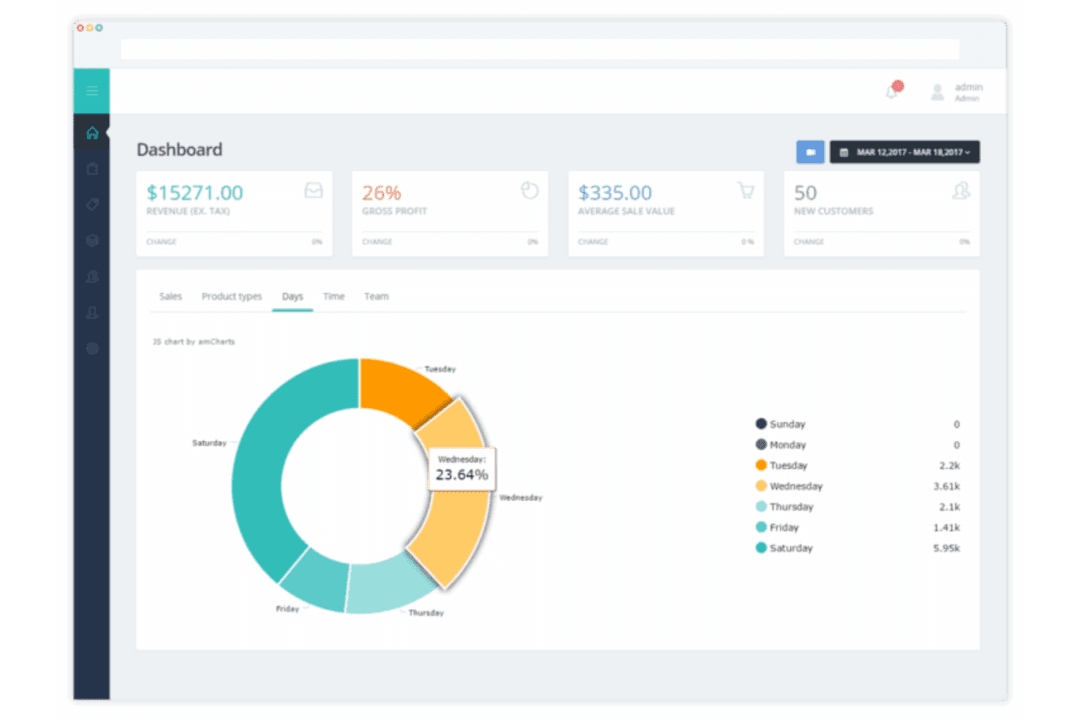
| Dashboard | Yes | Yes |
| Data Export | Yes | Yes |
| Data Import | Yes | Yes |
| Data Visualization | Yes | No |
| External Integrations | Yes | Yes |
| Forecasting | Yes | No |
| Fraud Detection | Yes | Yes |
| Inventory Tracking | Yes | Yes |
| Multi-Currency | Yes | Yes |
| Multi-User | Yes | No |
| Notifications | Yes | Yes |
| Offline Access | Yes | Yes |
| Order Management | Yes | Yes |
| Payment Processor | Yes | Yes |
| PayPal | Yes | No |
| Stripe | Yes | No |
| Supplier Management | Yes | No |
| Tax Management | No | No |
| Third-Party Plugins/Add-Ons | Yes | Yes |
| Workflow Management | No | No |
| Integration | KORONA POS | Hike POS |
| QuickBooks | ✅ | ✅ |
| Xero | ❌ | ✅ |
| WooCommerce | ✅ | ✅ |
| Shopify | ❌ | ✅ |
| Mailchimp | ❌ | ✅ |
| bLoyal | ✅ | ❌ |
| CMS Max | ✅ | ❌ |
| Octopus Bridge | ✅ | ✅ |
| API | ✅ | ✅ |
| Zapier | ❌ | ✅ |
Hike POS offers a broader range of plug-and-play integrations—especially for ecommerce, accounting, and marketing tools—making it easier to connect platforms like Shopify and Mailchimp right out of the box. KORONA POS, by comparison, takes a more partner-driven and API-first approach, with fewer native integrations but strong support for custom connections and industry-specific solutions. Both systems provide API access, but Hike POS also supports Zapier, giving it an edge for retailers who want simple, no-code automation across multiple tools.
| Factor | KORONA POS | Hike POS |
| Payment Security | Supports secure, PCI-compliant payment processing through integrated providers. | Uses secure, PCI-compliant payment processing via HikePay or third-party providers. |
| Data Privacy | Role-based permissions with detailed control over user access and actions. | Role-based access with optional two-factor authentication and outlet-level permissions. |
| Uptime | Cloud-based system with offline mode for continued sales during outages. | Cloud-based platform with offline selling and automatic sync when reconnected. |
| Data Backups | Automatic cloud backups and centralized data storage. | Regular cloud backups with recovery access across devices. |
| Audit Logs | Tracks transactions, voids, refunds, and user activity for accountability. | Tracks sales, user actions, and transaction history within reporting tools. |
KORONA POS and Hike POS cover the core security and reliability essentials you’d expect from a modern POS system, including secure payment processing, role-based access controls, cloud backups, and offline functionality. In practice, there aren’t major differences between the two in this area. It’s important to note, though, that neither heavily promotes advanced enterprise-grade compliance certifications in their public materials.
| Factor | KORONA POS | Hike POS |
| User Interface | Functional interface with deep settings, but feels dated compared to newer systems. | Clean, intuitive interface designed for quick checkout and simple navigation. |
| Onboarding | Guided onboarding with live training, demos, and ongoing support sessions. | 14-day free trial, self-serve setup, plus optional guided onboarding support. |
| Setup Process | More involved setup due to advanced features, with hands-on support available. | Quick, cloud-based setup that’s easy to get started with for most retailers. |
| Customer Support | 24/7 in-house support via phone, email, and chat, plus detailed documentation. | 24/7 support via chat and email, along with help center and training resources. |
| Device Flexibility | Works with a wide range of hardware and POS setups across devices. | Runs on iPad, PC, and Mac with flexible hardware compatibility. |
Hike POS is generally easier to pick up and use day-to-day, especially for new teams or businesses that want to get up and running quickly. Its interface is more modern and streamlined, which makes training staff faster—something I’d consider a big advantage for high-turnover environments. KORONA POS, on the other hand, takes more time to learn but offers significantly more depth once you’re familiar with it. If you’re managing more complex operations or need tighter control over inventory and reporting, that added complexity can be worth it.
KORONA POS
- Highly customizable POS built for specific retail industry needs.
- Flexible payments, hardware options, and no long-term contracts required.
- Deep inventory management with automation and real-time tracking.
- Steeper learning curve due to the depth of features.
- User interface feels dated compared to modern POS competitors.
- Ecommerce capabilities are weaker for businesses primarily selling online.
Hike POS
- Unified POS, ecommerce, and payments in one platform.
- Real-time inventory syncing across stores and online channels.
- Flexible payment options with integrated and external providers.
- Limited public security certifications compared to enterprise POS systems.
- Variants and composite products management can feel limited.
- Reporting tools may lack depth for advanced analytics needs.
KORONA POS
- Inventory-Heavy Specialty RetailersShops like pet stores, gift shops, and thrift stores benefit from deep inventory and customizable reporting.
- Quick-Service Restaurants (QSRs)Best suited for cafes, bakeries, and counter-service setups (not full-service dining) with simple menu and order workflows.
- Liquor, Vape, and Smoke ShopsBuilt-in age verification, strong inventory controls, and compliance-friendly workflows make this a natural fit for liquor stores and other age-restricted shops.
- Convenience StoresHigh SKU counts, fast transactions, and real-time inventory tracking support busy, high-volume environments.
- Ticketing (Amusement Parks and Attractions)Integrated ticketing, admission control, and retail sales in one system make it ideal for hybrid operations.
- Franchises and Multi-Location RetailersCentralized reporting, product syncing, and royalty tools help manage multiple stores efficiently.
Hike POS
- Small Retail ShopsHike POS offers simple setup, intuitive workflows, and all-in-one tools for managing sales, inventory, and customers from a single platform.
- Multi-Location ChainsYou get real-time inventory syncing and centralized reporting across all stores, helping manage scale without manual updates.
- Omnichannel RetailersHike connects in-store and online sales with one shared catalog, keeping inventory, orders, and customer data synced automatically across channels.
- Apparel and FootwearYou can easily set up size, color, and style variants, making it easier to manage wide product catalogs.
- Pop-Up and Event SellersThe customizable registers and offline mode ensure smooth transactions, even without reliable internet or in temporary locations.
- Franchise OperationsHike POS lets you assign granular permissions and monitor multiple locations, helping franchise owners maintain brand standards and oversight.
Who Should Use KORONA POS, and Who Should Use Hike POS?
KORONA POS is the better fit if you’re running a retail business that needs more control behind the scenes—especially when it comes to inventory, reporting, and multi-location operations. I’d recommend it for convenience stores, liquor shops, specialty retailers, franchises, and even attractions or event-based businesses that can benefit from built-in ticketing tools. You also get flexibility in payments and hardware, plus the ability to customize how your system works. It’s not the quickest system to learn, but if you’re dealing with complex workflows or planning to scale, KORONA gives you the depth to handle it without outgrowing your POS.
Hike POS, on the other hand, makes more sense if you want an all-in-one system that’s easier to get started with, especially if you’re selling both in-store and online. It’s a strong choice for small businesses and mid-sized retailers, growing brands, and operations that don’t want to piece together ecommerce, payments, and POS separately. I’d lean toward Hike if ease of use and omnichannel selling are your top priorities—but if you need more advanced operational control and scalability, KORONA is the stronger long-term option.
| KORONA POS | Hike POS | |
|---|---|---|
| Customization | KORONA POS Highly customizable workflows, permissions, and reporting. | Hike POS More standardized setup focused on simplicity and ease of use. |
| Ecommerce Integration | KORONA POS Limited native ecommerce; relies on integrations or third-party tools. | Hike POS Built-in ecommerce platform plus direct integrations with Shopify, WooCommerce, and others. |
| Inventory Depth | KORONA POS More advanced inventory tools with deep analytics (e.g., ABC analysis). | Hike POS Strong SMB inventory, but less advanced optimization and analytics. |
| Payment Flexibility | KORONA POS Fully processor-agnostic—choose almost any provider. | Hike POS Offers HikePay plus many integrations, but is more centered around its ecosystem. |
| Ticketing & Admission | KORONA POS Built-in ticketing with validation and event management. | Hike POS No native ticketing or admission management features. |
| Customer Management | Each includes customer profiles, purchase history tracking, and basic loyalty programs and engagement tools. |
|---|---|
| Employee Management | Both POS solutions offer tools for tracking staff activity, permissions, and performance reporting. |
| Hardware Compatability | Both work with common POS hardware like barcode scanners, receipt printers, and cash drawers. |
| Inventory Tracking | Both provide real-time inventory management, barcode support, and low stock alerts tailored for retail operations. |
| Multi-Location Sync | Each supports syncing sales, inventory, and staff between multiple sites or registers for growing retailers. |
| Payment Types | Each point of sale system supports multiple payment types and integrations with various processors, including credit cards, debit cards, gift cards, loyalty points, cash, and contactless payments. |