
12 Best Odoo Alternatives Picked for 2026 With Top Features and Benefits

Odoo Alternatives Shortlist
Here’s my shortlist of Odoo alternatives:


A strong Odoo alternative delivers flexible ERP features, reliable integrations, and scalability to match your business’s growth and complexity. If you’re searching for Odoo alternatives, you’re likely weighing options that better fit your workflows, industry requirements, or technology stack.
With so many ERP platforms available, it’s essential to compare solutions that offer the right mix of customization, usability, and support. This list will help you quickly identify the top Odoo alternatives for 2026, so you can make an informed decision for your retail or ecommerce operations.
What Is Odoo?
Odoo is an open-source ERP and cloud ERP platform that brings together accounting software, inventory, sales, purchasing, and other business apps in one system. Businesses use Odoo to centralize operations, improve ease of use across teams, and manage data across departments.
Its modular setup makes it easier for startups, SMBs, mid-sized businesses, and mid-market companies to add advanced features as needs change. Odoo is also available in self-hosted environments, which appeals to teams that want more control over setup, upgrades, and customization.
Best Odoo Alternatives Summary
This comparison chart summarizes pricing details for my top Odoo alternative selections to help you find the best one for your budget and business needs.
| Tool | Best For | Trial Info | Price | ||
|---|---|---|---|---|---|
| 1 | Best for flexible deployment options | Free demo available | Pricing upon request | Website | |
| 2 | Best for Microsoft 365 ecosystem integration | 30-day free trial | From $8/user/month (billed annually) | Website | |
| 3 | Best for global multi-entity management | Free demo available | Pricing upon request | Website | |
| 4 | Best for built-in team collaboration tools | 15-day free trial + free demo available | From $49/organization/month (billed annually) | Website | |
| 5 | Best for real-time inventory tracking | Free demo available | Pricing upon request | Website | |
| 6 | Best for project and billing automation | 14-day free trial + free demo available | From €18.90/user/month (billed annually) | Website | |
| 7 | Best for open-source customization needs | Free trial available | From $5/month (billed annually) | Website | |
| 8 | Best for complex supply chain operations | Free demo available | Pricing upon request | Website | |
| 9 | Best for advanced financial management | Free demo available | Pricing upon request | Website | |
| 10 | Best for integrated accounting workflows | 30-day free trial | From $30/user/month | Website |
Why Trust Our Software Reviews
Odoo Alternatives Reviews
Below are my detailed summaries of the Odoo alternatives that made it onto my shortlist. My reviews offer a detailed look at the features, best use cases, and integrations of each ERP platform to help you find the best one for your business.

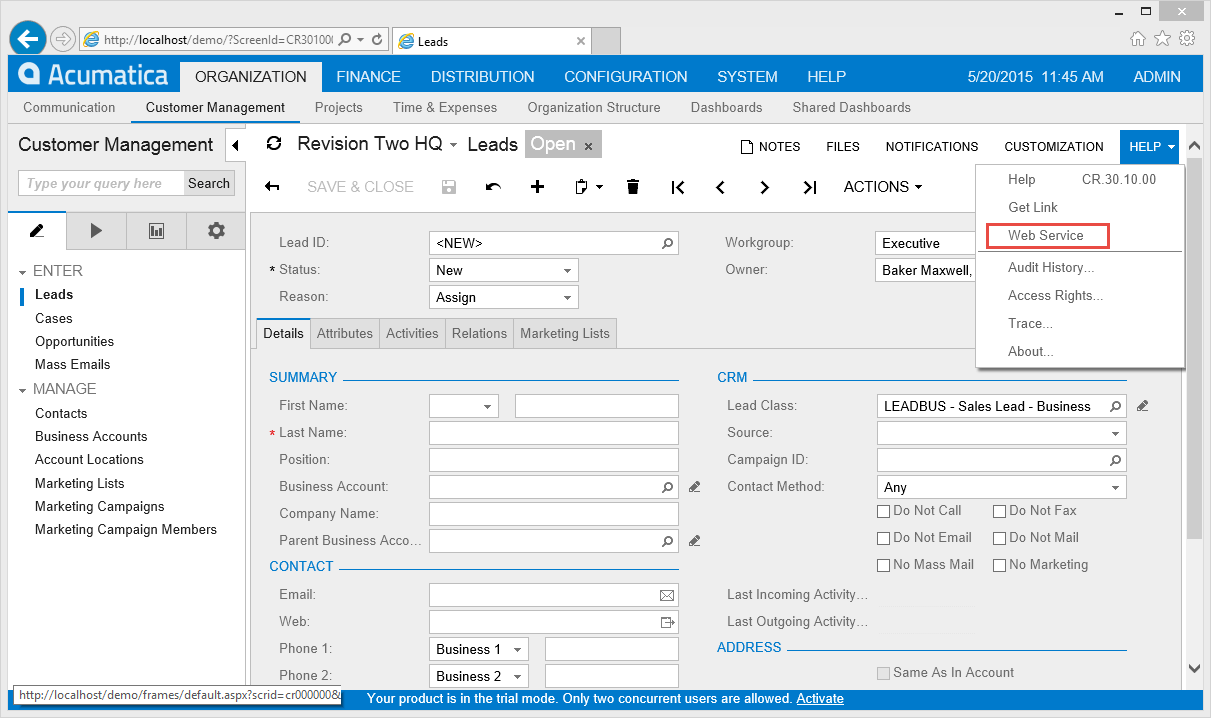
If your business needs ERP software that adapts to your infrastructure, Acumatica is worth a close look. This platform appeals to companies that want the choice between cloud, on-premises, or hybrid deployment—something Odoo and many other ERPs don’t offer. Acumatica is especially useful for organizations with strict IT requirements or those operating in industries where data residency and deployment flexibility matter.
Why Acumatica Is a Good Odoo Alternative
Unlike many ERP platforms, Acumatica gives you true flexibility in how you deploy your system. I picked Acumatica for this list because you can run it in the cloud, on-premises, or in a hybrid environment, which is rare among Odoo alternatives. This flexibility is especially valuable for businesses with strict data residency requirements or unique IT policies. If your organization needs to control where and how your ERP operates, Acumatica’s deployment options set it apart.
Acumatica Key Features
Some other Acumatica features that may be useful for your business include:
- Cloud ERP platform: Access financials, operations, and business data through a browser-based interface with real-time updates
- Financial management suite: Handle general ledger, accounts payable, accounts receivable, and cash management in one system
- Project accounting: Track project budgets, costs, revenue, and profitability with detailed visibility across project lifecycles
- Inventory and warehouse management: Monitor stock levels, manage multiple warehouses, and automate replenishment processes
- Customer relationship management (CRM): Manage leads, opportunities, and customer interactions within the same platform
Acumatica Integrations
Integrations include Microsoft Office 365, Salesforce, Shopify, HubSpot, QuickBooks, ADP, Avalara, PayPal, and Stripe.
Pros and Cons
Pros:
- Built-in CRM and ERP modules reduce tool sprawl
- Project accounting is strong for complex billing needs
- Flexible deployment options support different IT requirements
Cons:
- Advanced reporting may need extra setup or training
- Implementation often requires partner support

Best for Microsoft 365 ecosystem integration
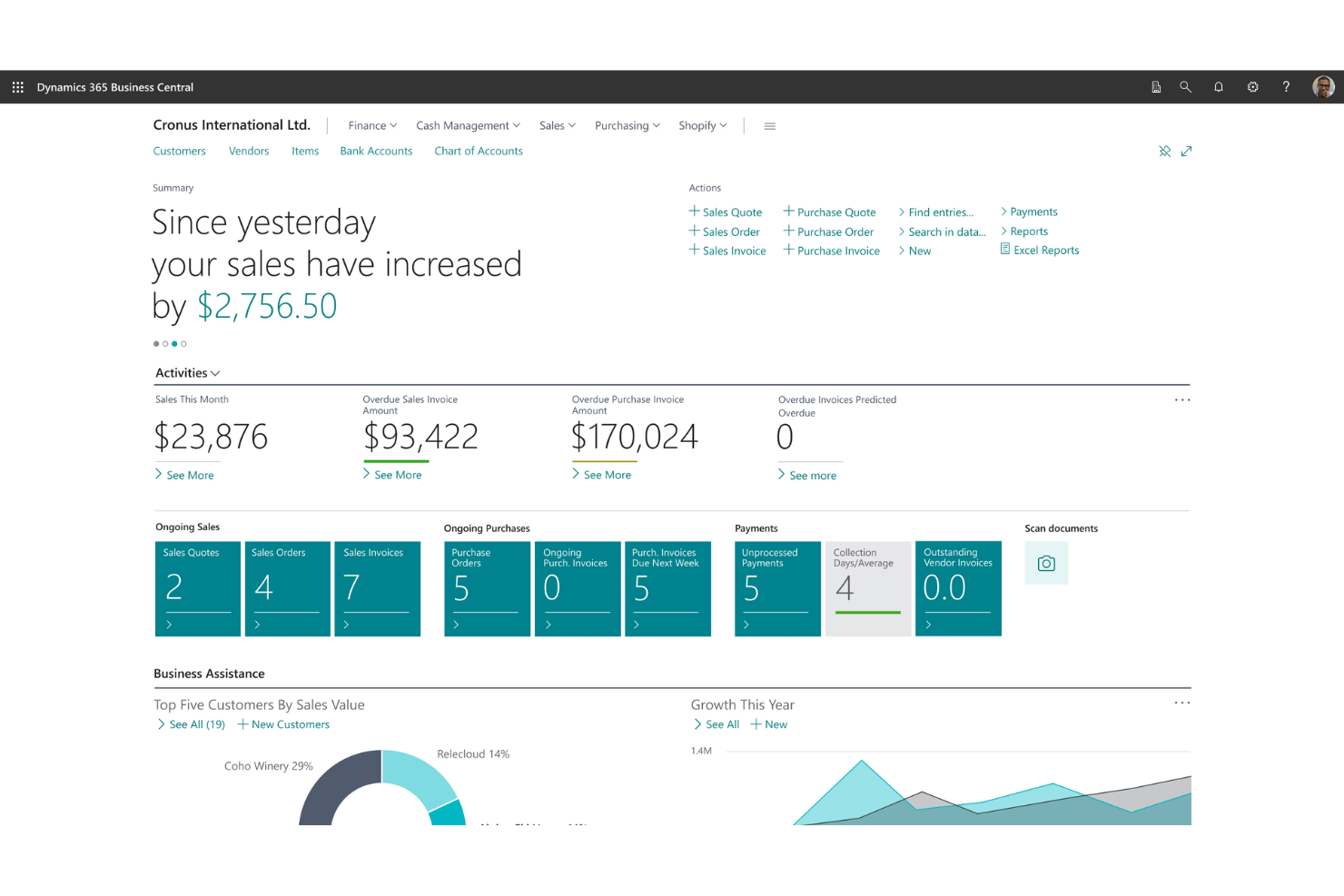
If your business already relies on Microsoft 365 tools, Microsoft Dynamics 365 Business Central offers a familiar and deeply integrated ERP experience. This platform is especially useful for retail and ecommerce teams that want to connect financials, sales, and operations with Outlook, Excel, and Teams. Unlike Odoo, Business Central stands out for its seamless data flow and automation across the entire Microsoft ecosystem.
Why Microsoft Dynamics 365 Business Central Is a Good Odoo Alternative
For businesses that want ERP software to work hand-in-hand with Microsoft 365, Business Central is a natural fit. I picked it because it lets you manage finances, inventory, and sales directly within familiar tools like Outlook and Excel.
Automated workflows connect data across Teams, SharePoint, and Power BI, so your team can collaborate and analyze information without switching platforms. If you’re already invested in the Microsoft ecosystem, Business Central offers a level of integration and automation that Odoo can’t match.
Microsoft Dynamics 365 Business Central Key Features
Some other features in Business Central that may interest your team include:
- Role-based dashboards: Customize dashboards for finance, sales, and operations roles to surface relevant data and tasks.
- Automated purchase order creation: Generate purchase orders automatically based on inventory levels and sales forecasts.
- Built-in project management tools: Track project budgets, resources, and timelines within the ERP platform.
- Multi-company management: Manage financials and operations for multiple business entities from a single account.
Microsoft Dynamics 365 Business Central Integrations
Integrations include Microsoft 365, Power BI, Power Automate, Microsoft Teams, Outlook, Excel, SharePoint, Azure Active Directory, LinkedIn Sales Navigator, and Dynamics 365 Sales.
Pros and Cons
Pros:
- Multi-company management helps support growing organizations
- Role-based dashboards support department-specific visibility
- Strong fit for teams already using Microsoft 365
Cons:
- Manufacturing depth is lighter than more specialized ERP options
- Customization often requires partner or technical support

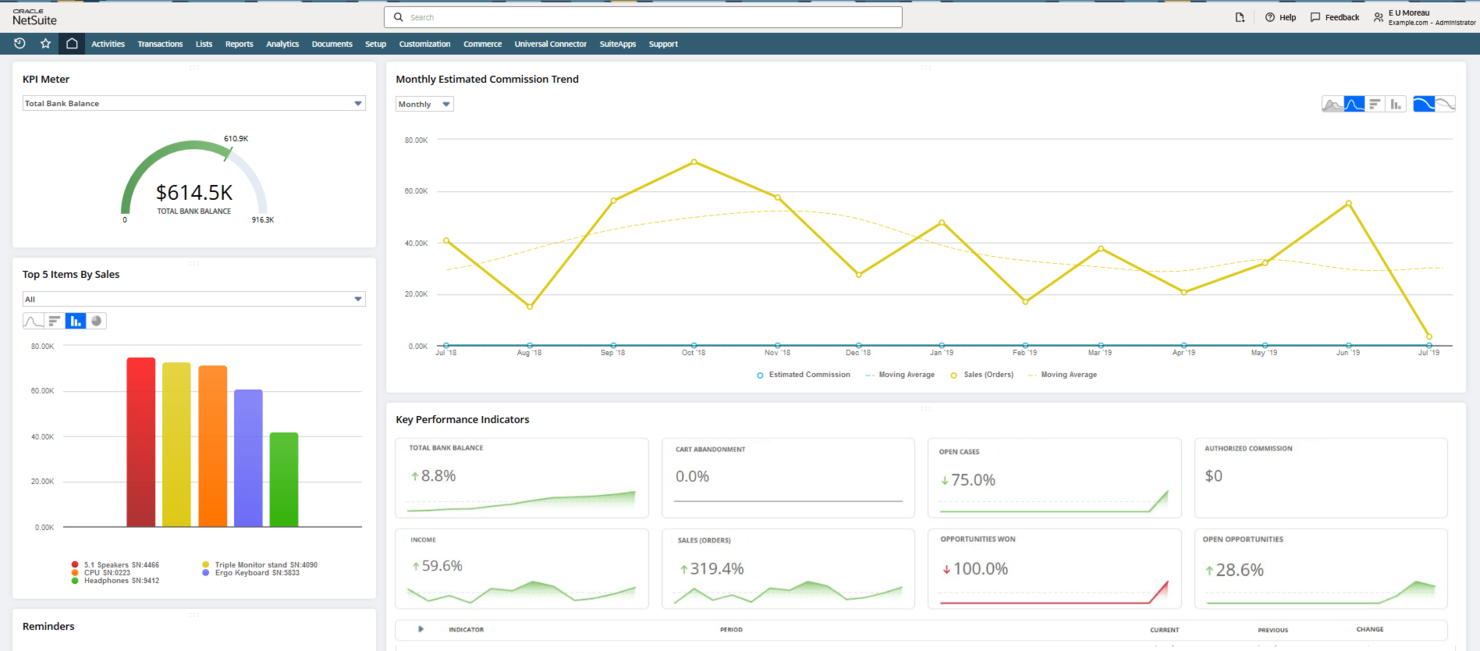
Oracle NetSuite is built for organizations managing multiple subsidiaries, currencies, and regulatory environments across the globe. It’s especially useful for finance, operations, and IT leaders who need unified visibility and control over complex, multi-entity structures. If you’re looking for an ERP that handles global consolidation, intercompany transactions, and compliance out of the box, NetSuite offers capabilities that go beyond what Odoo provides.
Why Oracle NetSuite Is a Good Odoo Alternative
For businesses with complex global operations, Oracle NetSuite offers multi-entity management that’s hard to match. You can manage subsidiaries, currencies, and tax rules in one unified system, which is something I find especially valuable for international organizations.
NetSuite’s built-in global consolidation and intercompany transaction features help you maintain compliance and accurate reporting across regions. If you need an ERP that’s purpose-built for multi-entity, cross-border business, NetSuite delivers capabilities that go beyond Odoo’s standard offering.
Oracle NetSuite Key Features
Some other Oracle NetSuite features that may be useful for your team include:
- Order management: Automate order-to-cash processes and track orders from placement through fulfillment.
- Procurement management: Manage vendor relationships, purchase orders, and approvals within a centralized system.
- Project accounting: Track project budgets, expenses, and billing with integrated financial tools.
- SuiteAnalytics reporting: Build custom dashboards and run real-time reports using built-in analytics tools.
Oracle NetSuite Integrations
Integrations include Salesforce, Shopify, Adobe Commerce, Amazon, PayPal, HubSpot, Zendesk, Microsoft Office 365, Google Workspace, and Avalara.
Pros and Cons
Pros:
- Real-time analytics dashboards support complex operations
- Strong financial consolidation for global reporting
- Native multi-entity and multi-currency management
Cons:
- Less flexible for smaller businesses than more modular options
- Implementation can be time-intensive and resource-heav

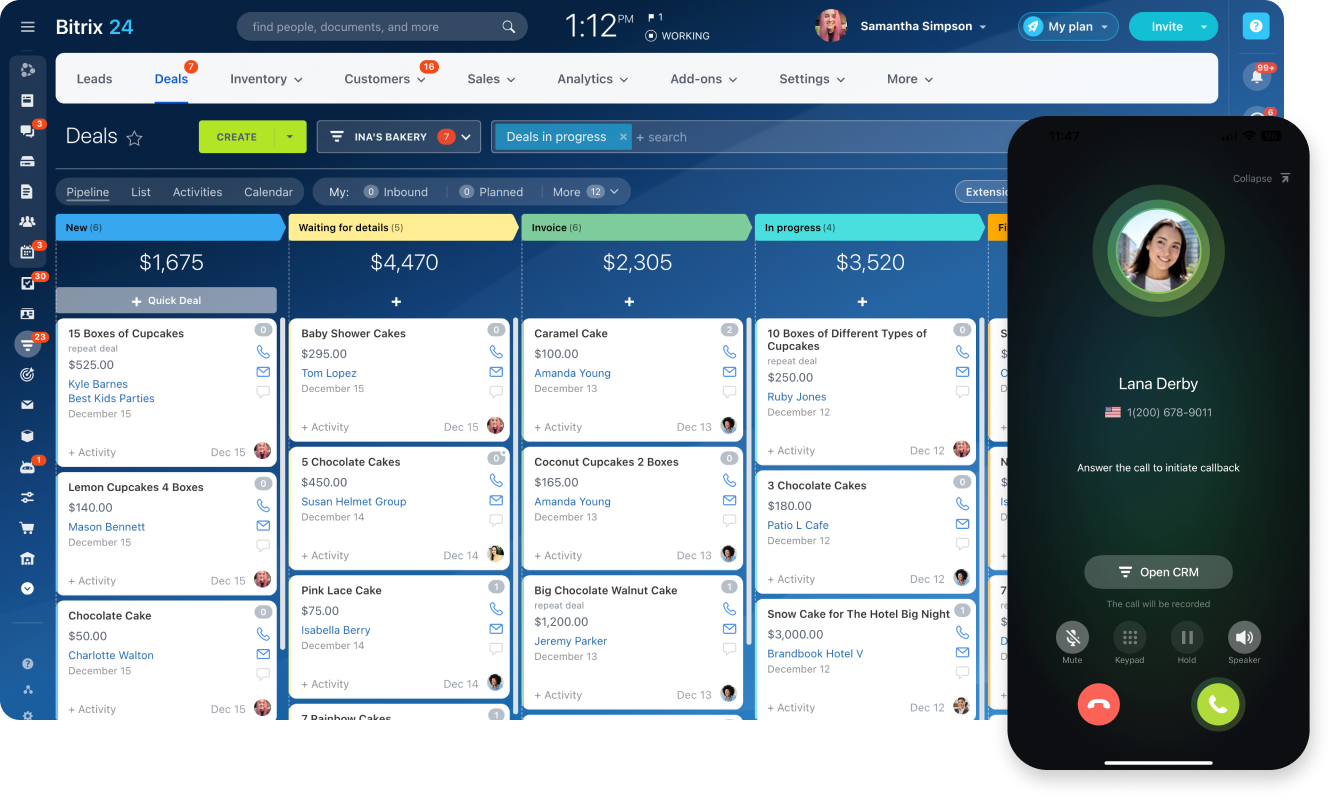
Teams looking for an ERP that puts collaboration at the center often turn to Bitrix24. This platform combines project management, CRM, and document sharing with built-in chat, video calls, and workgroups. Unlike Odoo, Bitrix24 stands out for its all-in-one approach to team communication and business process management in a single workspace.
Why Bitrix24 Is a Good Odoo Alternative
If your team needs ERP software with collaboration built in, Bitrix24 is worth a close look. I picked it because it combines real-time chat, video conferencing, and shared workspaces directly within the platform, so your team can communicate and manage projects without switching tools.
The activity stream and task management features keep everyone aligned and accountable in one place. For businesses that value teamwork and transparency, Bitrix24 offers a level of integrated collaboration that Odoo doesn’t match out of the box.
Bitrix24 Key Features
In addition to its collaboration tools, Bitrix24 offers several other features that support business operations:
- CRM with sales automation: Track leads, manage pipelines, and automate follow-ups within the same platform.
- Document management system: Store, organize, and share files securely with version control and access permissions.
- Employee time tracking: Monitor work hours, breaks, and attendance directly in the system.
- Inventory management: Manage product catalogs, stock levels, and order fulfillment from a centralized dashboard.
Bitrix24 Integrations
Integrations include Microsoft Office 365, Google Workspace, Mailchimp, Slack, Zoom, Dropbox, OneDrive, Facebook, Instagram, and WhatsApp.
Pros and Cons
Pros:
- Document management includes version control and permissions
- CRM and project management tools are included natively
- Built-in chat, video, and workgroups support collaboration
Cons:
- Workflow automation can feel restrictive for complex processes
- Accounting and finance capabilities are less advanced

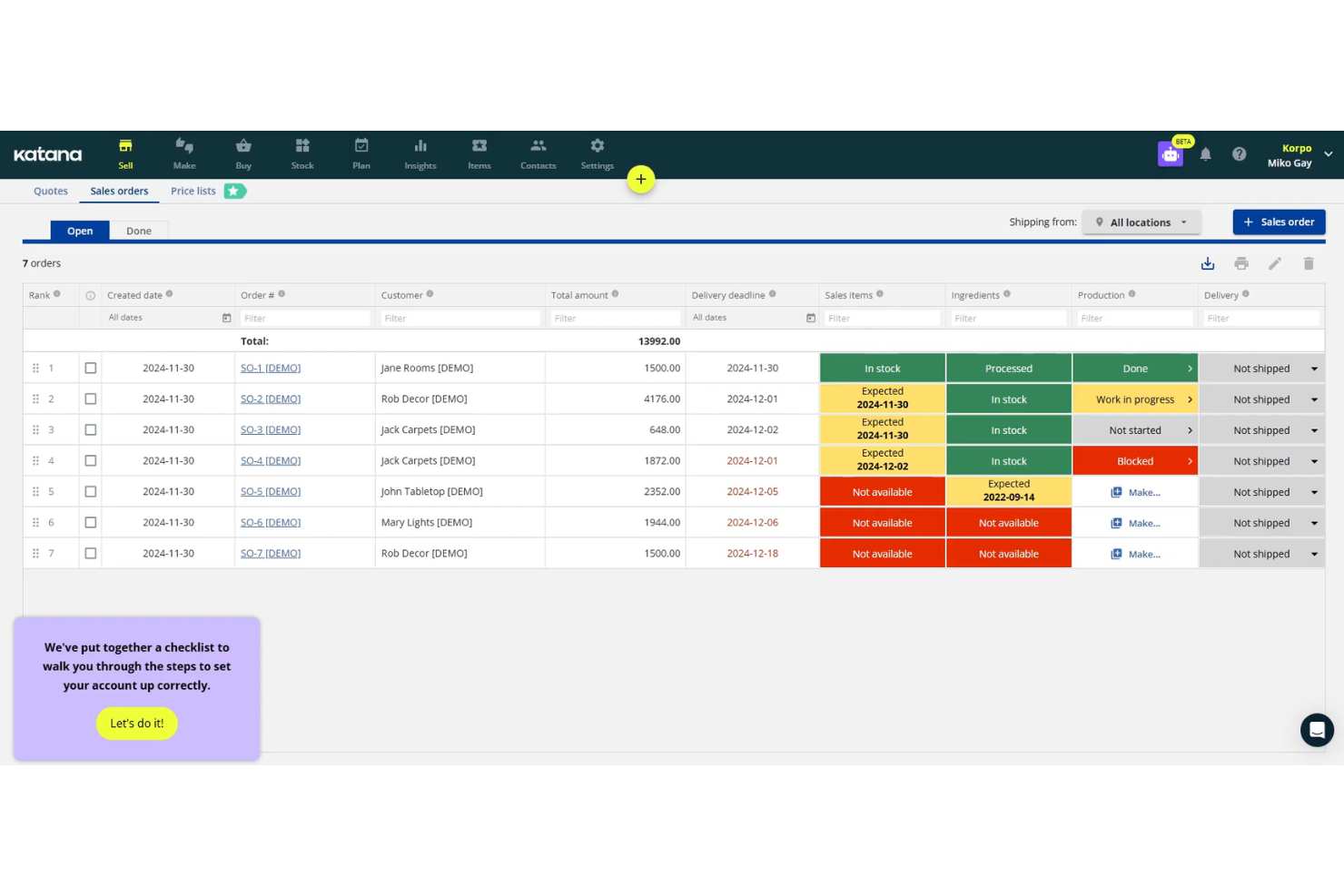
If you need precise, up-to-the-minute inventory data, Katana Cloud Inventory is built for you. This platform is especially useful for manufacturers, DTC brands, and ecommerce businesses that rely on real-time stock visibility across sales channels and warehouses. Unlike Odoo, Katana Cloud Inventory emphasizes live inventory tracking and production management for fast-moving operations.
Why Katana Cloud Inventory Is a Good Odoo Alternative
For businesses that can’t afford to lose track of inventory for even a moment, Katana Cloud Inventory offers real-time tracking that Odoo doesn’t match out of the box. I picked Katana because its live inventory updates let you see stock levels, order status, and production progress as they happen.
The platform’s automatic allocation of materials to orders and visual production planning board help you avoid stockouts and delays. If your operations depend on up-to-the-minute inventory accuracy, Katana Cloud Inventory is purpose-built for that need.
Katana Cloud Inventory Key Features
Some other features that make Katana Cloud Inventory stand out include:
- Batch and expiry date tracking: Monitor perishable goods and manage inventory by batch or expiration date.
- Shop floor app: Give production teams a dedicated interface for task management and order updates.
- Sales order management: Sync and manage orders from multiple ecommerce and retail channels in one place.
- Purchase order management: Create, send, and track purchase orders directly within the platform.
Katana Cloud Inventory Integrations
Integrations include QuickBooks Online, Xero, Shopify, WooCommerce, Amazon, Etsy, eBay, BigCommerce, and more. Katana also offers an open API for custom integrations.
Pros and Cons
Pros:
- Shop floor app gives teams live task visibility
- Visual production planning supports make-to-order workflows
- Real-time inventory visibility helps prevent stock issues
Cons:
- Reporting is less customizable than broader ERP platforms
- No built-in CRM or HR modules

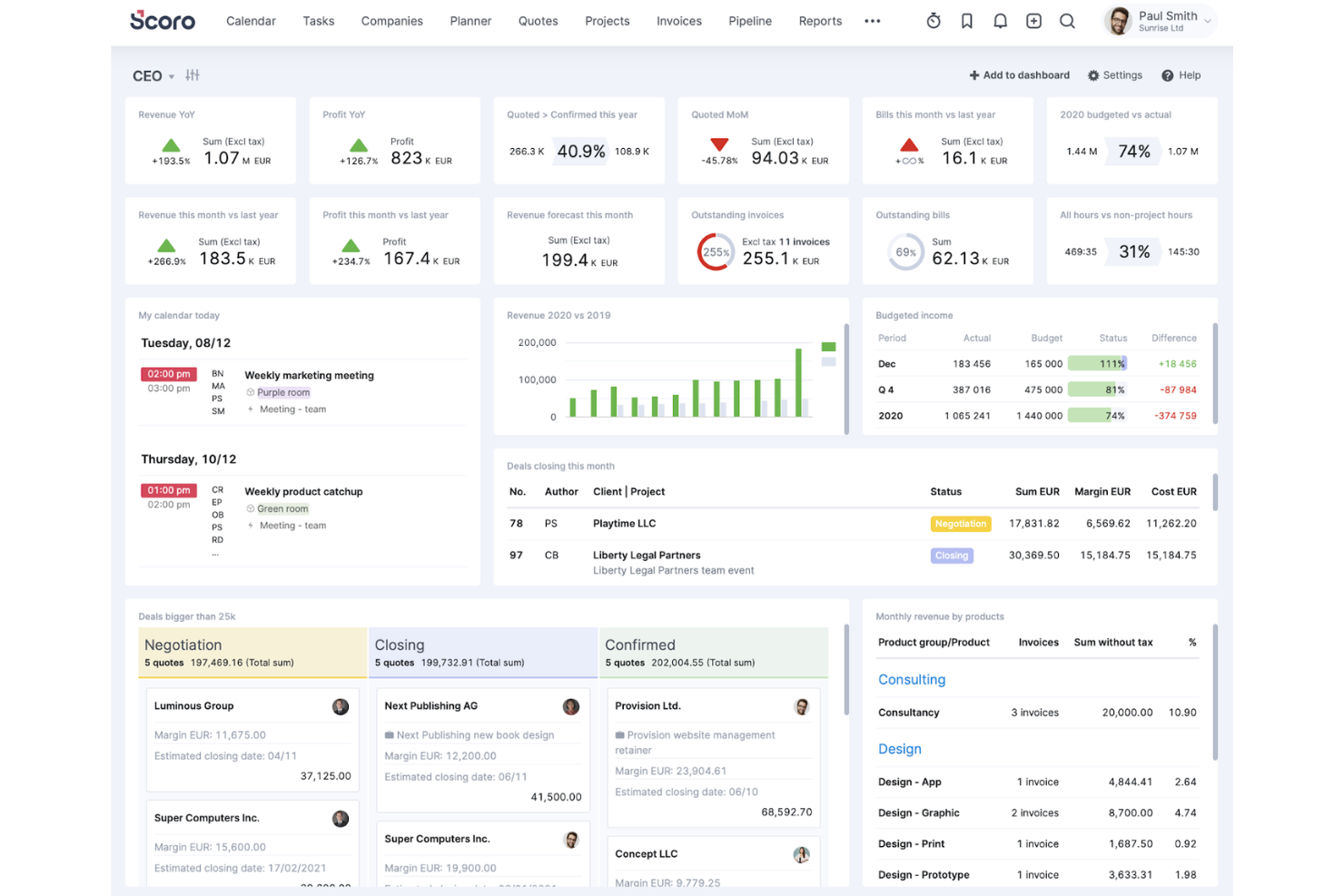
Scoro is designed for teams that need to connect project management with billing and financial oversight in one place. Agencies, consultancies, and service-based businesses can use Scoro to automate quoting, invoicing, and project tracking without juggling multiple tools. Unlike Odoo, Scoro brings project timelines, budgets, and billing together for a unified workflow.
Why Scoro Is a Good Odoo Alternative
If you’re looking for ERP software that tightly connects project management with billing automation, Scoro is worth considering. I picked Scoro because it lets you automate recurring invoices, link billable hours directly to projects, and track project profitability in real time.
The platform’s unified dashboard brings together project timelines, budgets, and financials so you can manage everything from one place. For teams that need to automate both project workflows and billing, Scoro offers a focused alternative to Odoo’s broader but less specialized approach.
Scoro Key Features
Some other features that set Scoro apart include:
- Resource scheduling: Assign and manage team workloads with a visual calendar.
- Quote management: Build, send, and track sales quotes directly from the platform.
- Customizable dashboards: Create tailored dashboards to monitor KPIs and business metrics.
- Time tracking: Log time spent on tasks and projects for accurate reporting.
Scoro Integrations
Integrations include Google Calendar, Outlook Calendar, QuickBooks, Xero, Mailchimp, Stripe, PayPal, Dropbox, Google Drive, and Microsoft Teams.
Pros and Cons
Pros:
- Resource scheduling and time tracking help manage delivery teams
- Quoting and invoicing support end-to-end service workflows
- Strong connection between project management and billin
Cons:
- No manufacturing or supply chain modules
- Inventory and warehouse functionality is limited

ERPNext is an open-source ERP platform designed for businesses that want deep customization and control over their operations. It’s a strong fit for manufacturers, distributors, and service providers who need to tailor workflows, modules, and reports to unique requirements. If you’re looking for a flexible alternative to Odoo with transparent code and community-driven development, ERPNext stands out.
Why ERPNext Is a Good Odoo Alternative
What sets ERPNext apart as an Odoo alternative is its open-source customization capabilities. You can modify source code, create custom modules, and adapt workflows to fit your business’s exact needs. I appreciate that ERPNext’s framework supports industry-specific extensions, so you’re not limited by out-of-the-box functionality. This makes it a strong choice for teams that want full control over their ERP system’s design and evolution.
ERPNext Key Features
Some other ERPNext features that may interest you include:
- Multi-company management: Manage multiple business entities, subsidiaries, or branches from a single ERPNext instance.
- Built-in HR and payroll: Handle employee records, attendance, payroll processing, and leave management within the platform.
- Customer relationship management (CRM): Track leads, opportunities, and customer interactions directly in the ERP system.
- Inventory and warehouse management: Monitor stock levels, automate reordering, and manage multiple warehouses with real-time visibility.
ERPNext Integrations
Integrations include Shopify, WooCommerce, Amazon MWS, Slack, Google Workspace, Dropbox, PayPal, Stripe, Razorpay, and Twilio.
Pros and Cons
Pros:
- Strong fit for manufacturing, distribution, and service businesses
- Modular apps let teams tailor the system to their workflows
- Open-source codebase supports deep customization
Cons:
- Documentation can be inconsistent in some areas
- Advanced customization may require Python or Frappe knowledge

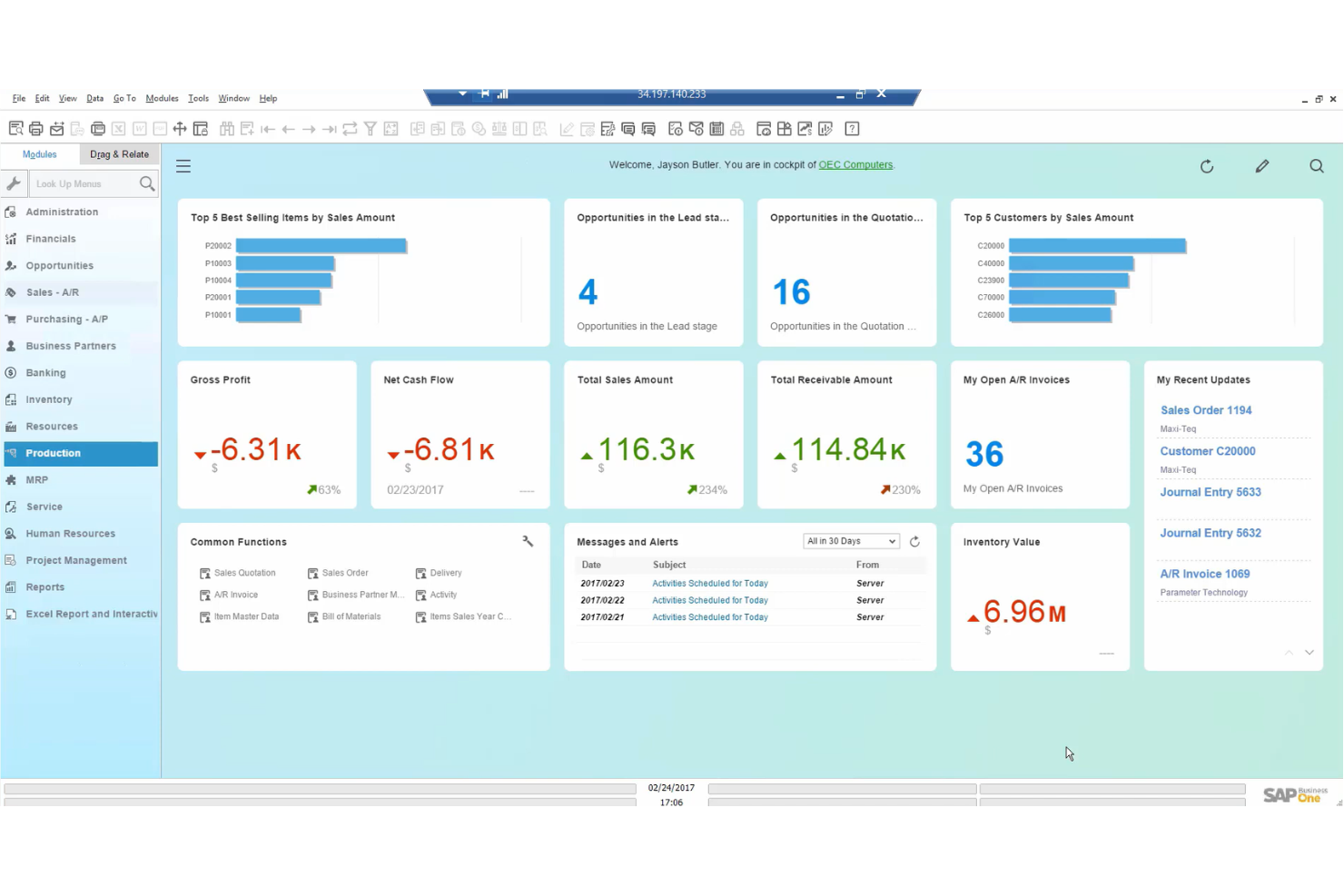
For businesses managing intricate supply chains, SAP Business One offers a specialized ERP solution. It’s designed for manufacturers, distributors, and retailers who need advanced inventory, procurement, and logistics controls. Unlike Odoo, SAP Business One stands out for its deep supply chain visibility and real-time data integration across multiple locations.
Why SAP Business One Is a Good Odoo Alternative
When your business needs to manage complex supply chain operations, SAP Business One offers capabilities that go beyond what Odoo provides out of the box. I picked it because its advanced inventory management, multi-warehouse tracking, and integrated procurement tools help you coordinate every stage of the supply chain.
The platform’s real-time analytics and demand forecasting features support better decision-making for manufacturers and distributors. If your operations depend on tight control over logistics and inventory across multiple sites, SAP Business One is built to handle those demands.
SAP Business One Key Features
Some other features that make SAP Business One a strong ERP option include:
- Integrated financial management: Handle accounting, banking, and financial reporting within the same platform.
- Customer relationship management (CRM): Track sales opportunities, manage customer data, and automate marketing activities.
- Production planning: Schedule manufacturing runs, manage bills of materials, and monitor shop floor activity.
- Mobile access: Use dedicated mobile apps to manage approvals, sales, and inventory on the go.
SAP Business One Integrations
Integrations include Microsoft Office 365, SAP Concur, SAP Ariba, SAP SuccessFactors, SAP Analytics Cloud, SAP Customer Checkout, SAP HANA, SAP Business ByDesign, SAP S/4HANA, and SAP Integrated Business Planning.
Pros and Cons
Pros:
- Real-time analytics improve supply chain visibility
- Production planning suits manufacturing and distribution teams
- Advanced inventory and warehouse controls support multi-site operations
Cons:
- Interface feels dated compared with newer platforms
- Implementation requires significant time and IT effort

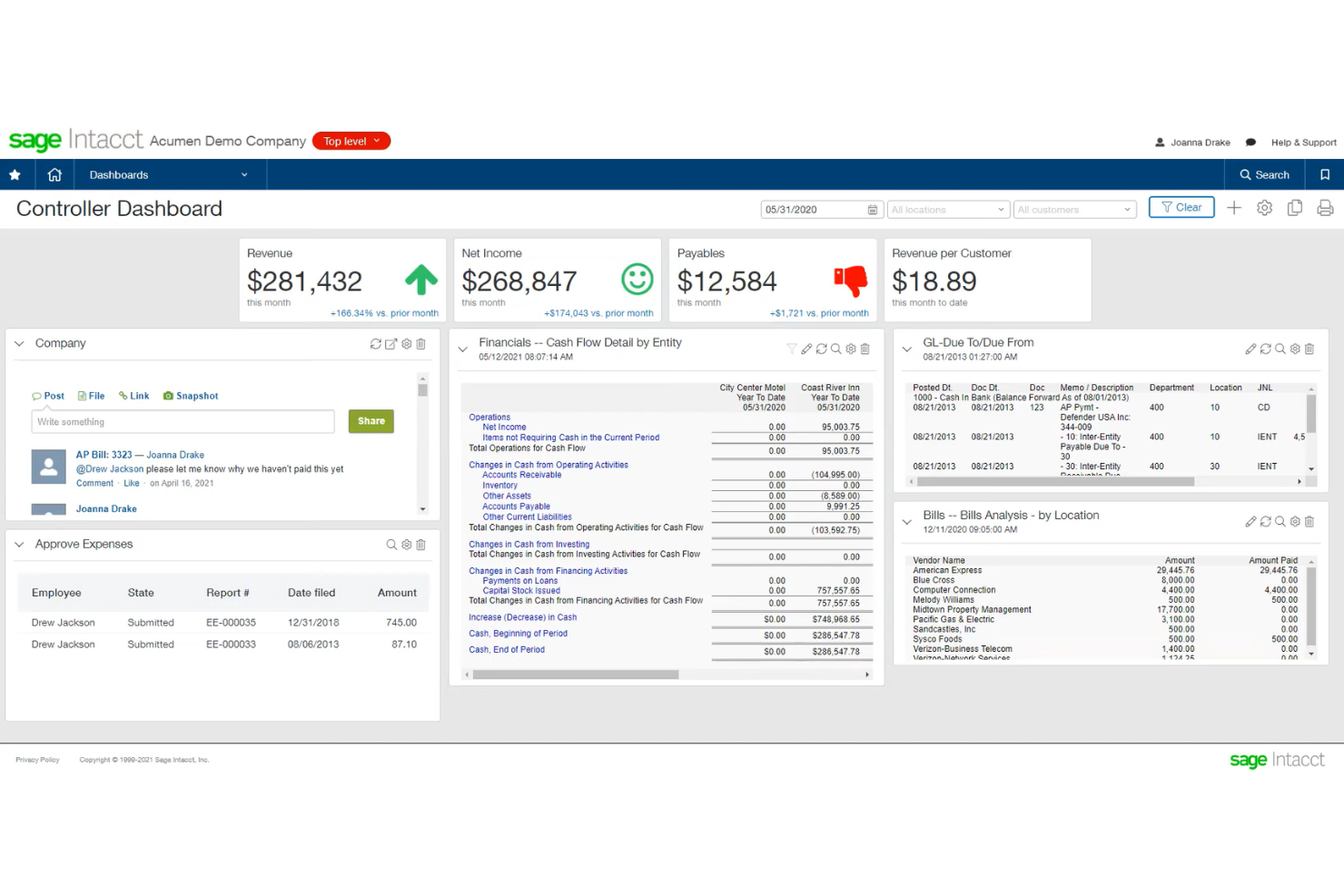
Finance teams looking for deep automation and real-time visibility into their numbers often turn to Sage Intacct. This ERP platform is designed for organizations that need advanced financial management, including multi-dimensional reporting and complex approval workflows. If your business requires granular control over financial processes and audit-ready records, Sage Intacct offers specialized tools that go beyond what Odoo provides.
Why Sage Intacct Is a Good Odoo Alternative
When you need ERP software that specializes in advanced financial management, Sage Intacct stands out for its depth in this area. I appreciate how it offers multi-dimensional general ledger capabilities, letting you slice and analyze financial data by department, location, or project.
The platform also supports automated revenue recognition and complex approval workflows, which are essential for organizations with strict compliance needs. If your business requires more sophisticated financial controls than Odoo provides, Sage Intacct is built to handle those demands.
Sage Intacct Key Features
Some other Sage Intacct features that may be valuable for your business include:
- Accounts payable automation: Streamline invoice processing and payment approvals with built-in automation tools.
- Cash management: Monitor bank accounts, manage cash positions, and reconcile transactions in real time.
- Inventory management: Track inventory levels, manage stock movements, and integrate with purchasing workflows.
- Time and expense management: Capture employee time and expenses with mobile entry and automated approval routing.
Sage Intacct Integrations
Integrations include Salesforce, ADP, Expensify, Bill.com, Avalara, Concur, HubSpot, Shopify, NetSuite, and Microsoft Dynamics 365.
Pros and Cons
Pros:
- Audit trails and approvals improve financial control
- Automated revenue recognition strengthens compliance workflows
- Multi-dimensional ledger supports detailed financial reporting
Cons:
- Inventory and manufacturing depth is lighter than some ERP competitors
- Implementation can be lengthy and consultant-dependent

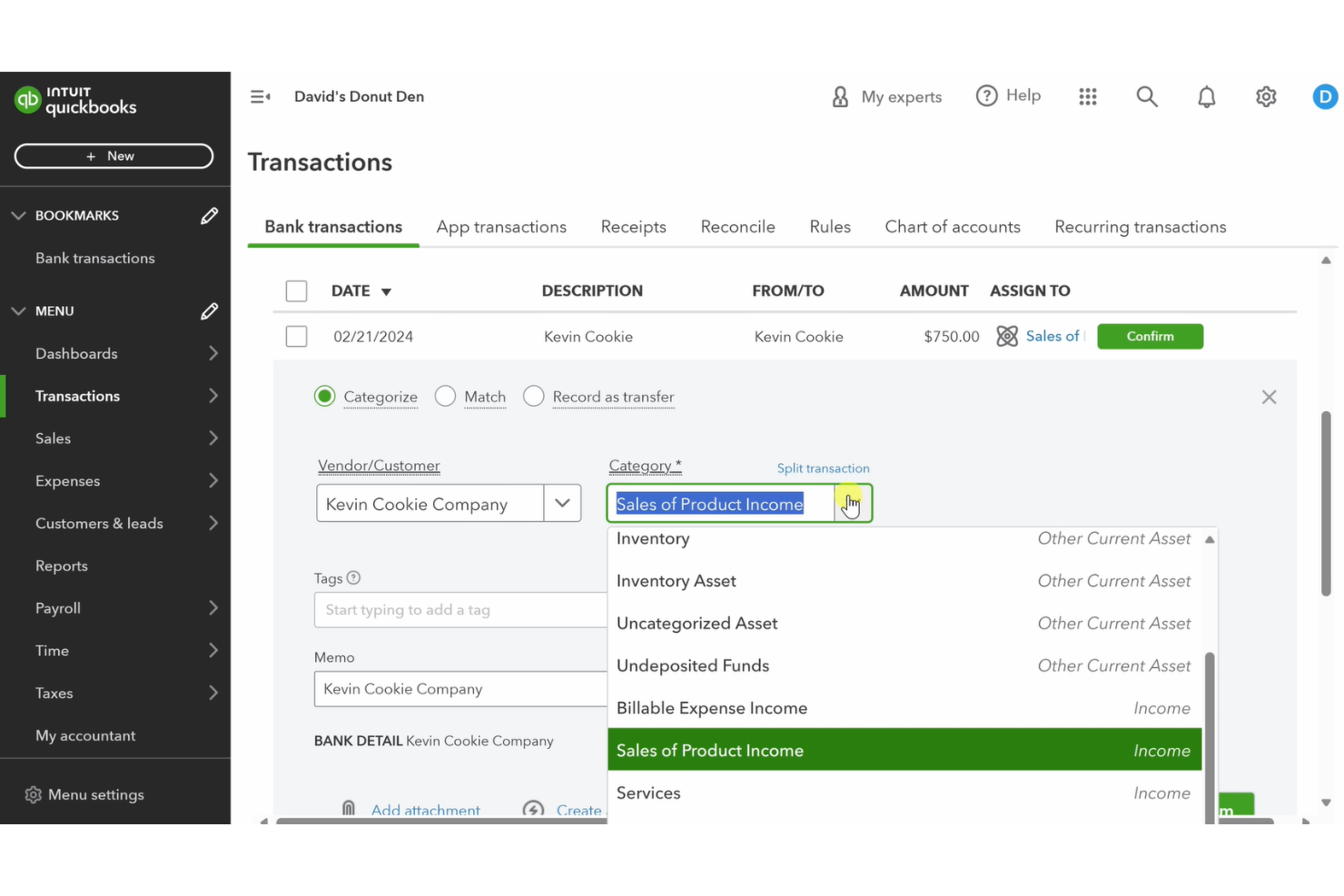
For businesses that want accounting at the core of their ERP workflows, QuickBooks Online is a strong contender. This platform is especially appealing to retailers and ecommerce teams that need real-time financial data tightly connected to sales, inventory, and purchasing. Unlike Odoo, QuickBooks Online puts accounting and bookkeeping front and center, making it easier to manage finances alongside daily operations.
Why QuickBooks Online Is a Good Odoo Alternative
If you’re looking for an ERP that puts accounting at the center of your business, QuickBooks Online is a strong choice. I picked it because its accounting workflows are deeply integrated with inventory, sales, and purchasing, which is something Odoo doesn’t offer out of the box.
Features like automated bank reconciliation and real-time financial reporting help you keep a close eye on cash flow and profitability. For teams that want accounting to drive their operational decisions, QuickBooks Online offers a focused and unified approach.
QuickBooks Online Key Features
Some other QuickBooks Online features that may be useful for your business include:
- Multi-currency support: Track and manage transactions in multiple currencies for global operations.
- Automated sales tax calculation: Calculate and apply sales tax rates automatically based on location and product type.
- Recurring invoicing: Set up and manage recurring invoices for subscription or repeat customers.
- User permissions management: Assign different access levels and permissions to team members based on their roles.
QuickBooks Online Integrations
Integrations include Shopify, PayPal, Square, TSheets, BILL, HubSpot, Salesforce, Expensify, Gusto, and Receipt Bank.
Pros and Cons
Pros:
- Mobile app supports invoicing and expense capture on the go
- Automated sales tax tools support day-to-day accounting workflows
- Real-time bank feeds keep records current
Cons:
- No built-in manufacturing or MRP functionality
- Inventory tools are limited for more operationally complex teams
New Product Updates from QuickBooks Online
QuickBooks Online Checking Account
QuickBooks Online now lets you open a QuickBooks Checking account and make instant deposits with zero fees, all from within your bookkeeping workflow. Visit QuickBooks Online's website for more details.
 for more details.
Other Odoo Alternatives
Here are some additional Odoo alternatives options that didn’t make it onto my shortlist, but are still worth checking out:
- Infor CloudSuite
For industry-specific cloud modules
- Zoho One
For unified business app ecosystem


Odoo Alternatives Selection Criteria
When selecting the best Odoo alternatives to include in this list, I considered common buyer needs and pain points related to ERP (Enterprise Resource Planning) software products, like integrating business processes and managing real-time data across departments. I also used the following framework to keep my evaluation structured and fair:
Core Functionality (25% of total score)
To be considered for inclusion in this list, each solution had to fulfill these common use cases:
- Manage financials and accounting
- Track inventory and supply chain
- Handle sales and customer orders
- Support human resources and payroll
- Generate business and compliance reports
Additional Standout Features (25% of total score)
To help further narrow down the competition, I also looked for unique features, such as:
- Built-in project management tools
- Advanced automation for billing and invoicing
- Industry-specific modules and templates
- Real-time analytics dashboards
- Integrated CRM capabilities
Usability (10% of total score)
To get a sense of the usability of each system, I considered the following:
- Intuitive navigation and menu structure
- Modern and visually clear interface
- Customizable dashboards and layouts
- Logical workflow design
- Minimal clicks to complete common tasks
Onboarding (10% of total score)
To evaluate the onboarding experience for each platform, I considered the following:
- Availability of step-by-step product tours
- Access to training videos and documentation
- Pre-built templates for rapid setup
- Live webinars or onboarding sessions
- In-app chatbots or guided help
Customer Support (10% of total score)
To assess each software provider’s customer support services, I considered the following:
- 24/7 support availability
- Multiple support channels like chat, email, and phone
- Access to a searchable knowledge base
- Fast response and resolution times
- Dedicated account managers or onboarding specialists
Value For Money (10% of total score)
To evaluate the value for money of each platform, I considered the following:
- Transparent and predictable pricing
- Flexible plans for different business sizes
- No hidden fees or surprise charges
- Features included at each pricing tier
- Free trial or demo availability
Customer Reviews (10% of total score)
To get a sense of overall customer satisfaction, I considered the following when reading customer reviews:
- Consistent positive feedback on reliability
- Reports of responsive customer support
- User comments on feature completeness
- Feedback on integration with other tools
- Insights on real-world business impact
Why Look For an Odoo Alternative?
Here are some of the key features of Odoo, to help you contrast and compare what alternative solutions offer:
- Integrated accounting software and financial management
- Inventory and warehouse management
- Sales and CRM modules
- Purchase and procurement management
- Manufacturing and production planning
- Human resources and payroll management
- Project management tools
- Ecommerce and website builder with drag-and-drop editing
- Marketing automation capabilities
- Customizable dashboards, reporting, and notifications
Odoo Key Features
Here are some of the key features of Odoo, to help you contrast and compare what alternative solutions offer:
- Integrated accounting and financial management
- Inventory and warehouse management
- Sales and CRM modules
- Purchase and procurement management
- Manufacturing and production planning
- Human resources and payroll management
- Project management tools
- E-commerce and website builder
- Marketing automation capabilities
- Customizable dashboards and reporting
What’s Next:
If you're in the process of researching Odoo alternatives, connect with a SoftwareSelect advisor for free recommendations.
You fill out a form and have a quick chat where they get into the specifics of your needs. Then you'll get a shortlist of software to review. They'll even support you through the entire buying process, including price negotiations.