
12 Best Free POS Software Reviewed in 2026

Best Free POS Software Shortlist
Here's my pick of the 10 best software from the 12 tools reviewed.


Running a retail business is no easy feat. You're juggling inventory, managing staff, and keeping customer satisfaction high, all while keeping an eye on the bottom line. Free POS software can help lighten the load by offering essential tools without the financial commitment.
Finding the right point-of-sale software can be overwhelming, so I've reviewed and tested multiple free POS solutions to bring you the best choices. These tools can help your team handle transactions, manage inventory, and keep your business running smoothly.
In this article, I'll share my unbiased reviews of the top free POS software and walk you through what makes each option stand out so you can find the right fit for your business needs.
Why Trust Our Software Reviews
Best Free POS Software Summary
While all of the POS software in my list includes free offerings, they also have paid plans should you wish to upgrade. Here are the base costs for each of the tools that made it onto my shortlist:
| Tool | Best For | Trial Info | Price | ||
|---|---|---|---|---|---|
| 1 | Best for simple billing | Not available | Free to use | Website | |
| 2 | Best for online integration | Free plan available | Pricing upon request | Website | |
| 3 | Best for small businesses | Free 30-day trial + free plan available | From $49/location/month | Website | |
| 4 | Best for inventory tracking | Free plan available | From $5/store/month | Website | |
| 5 | Best for multiplatform support | Free demo available | From $10/month (billed annually) | Website | |
| 6 | Best for customization | Free demo available | Free to use | Website | |
| 7 | Best for ease of use | Free plan available | From $30/month | Website | |
| 8 | Best for local store use | Free plan available | From $12/month | Website | |
| 9 | Best for offline functionality | Not available | Free to use | Website | |
| 10 | Best for mobile compatibility | Free plan available | From $4/employee/month | Website |
Best Free POS Software Reviews
Below are my detailed summaries of the best free POS software that made it onto my shortlist. My reviews offer a detailed look at the key features, pros and cons, integrations, and ideal use cases of each tool to help you find the best one for you. While some of these tools offer a completely free version, others offer a free trial period. I’ve added a note about what’s free in each of my reviews.

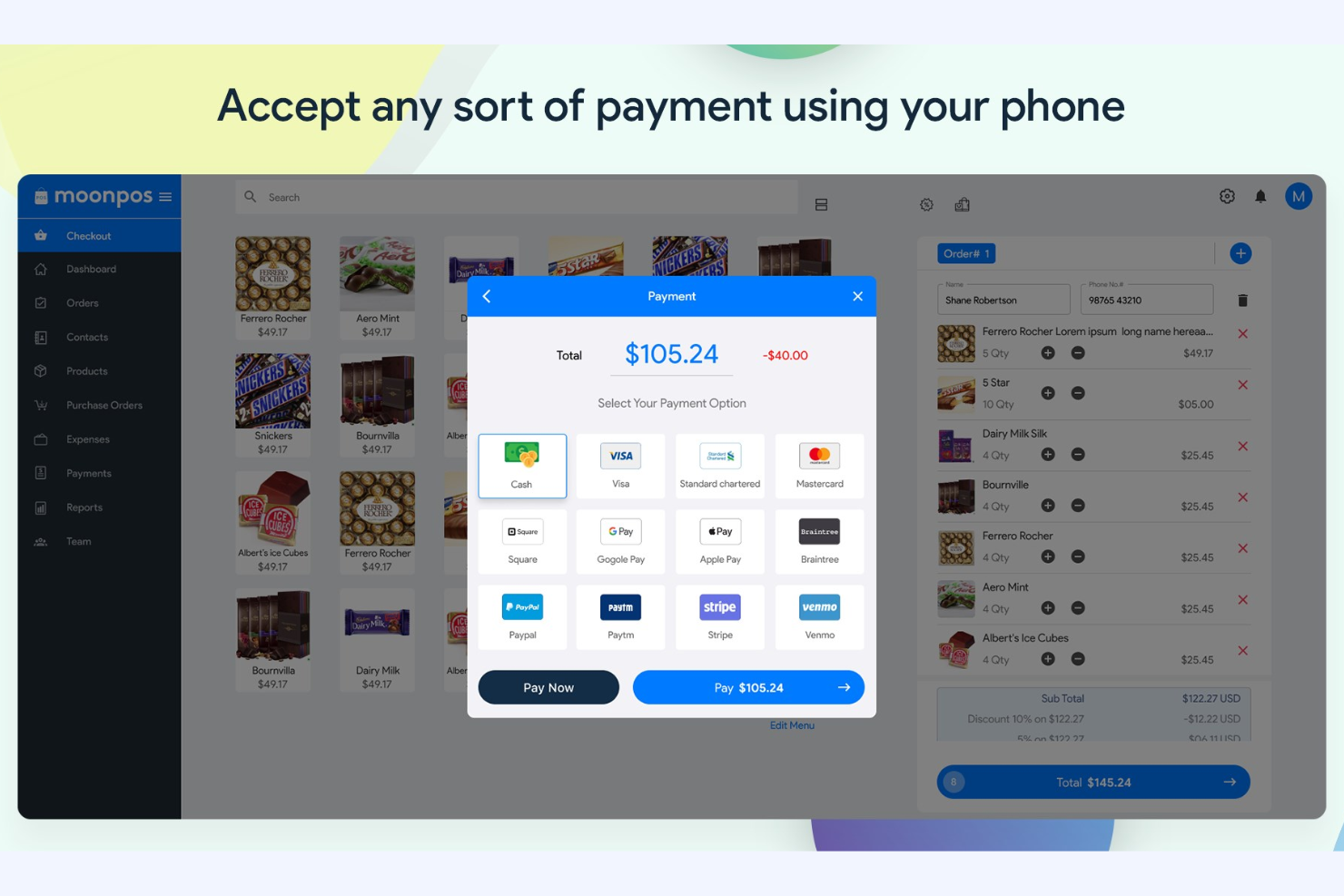
Moon POS is a no-frills POS solution aimed at small retail businesses. It focuses on basic billing, sales tracking, and inventory management to support daily operations.
Why I picked Moon POS: Moon POS's free version offers straightforward features for managing sales transactions, handling basic inventory management, and tracking sales at no cost. The simple interface allows your team to learn to use it quickly, which is ideal for businesses prioritizing ease of use.
Standout Features and Integrations:
Features include a built-in customer loyalty program to encourage repeat business, customizable receipts, and sales analytics to monitor your business's performance. You can also set up discounts and promotions to boost sales.
Integrations include PayPal, Stripe, Venmo, Apple Pay, CashApp, Zapier, Public API, WooCommerce, Gmail, Basecamp, and more.
What's free? Moon POS offers a free-forever plan with basic POS functionality, but it may restrict advanced features and support.
Pros and Cons
Pros:
- Easy discount setup
- Secure, cloud-based data
- Support for payments and integrations
Cons:
- Requires additional hardware for a full POS setup
- Basic loyalty features

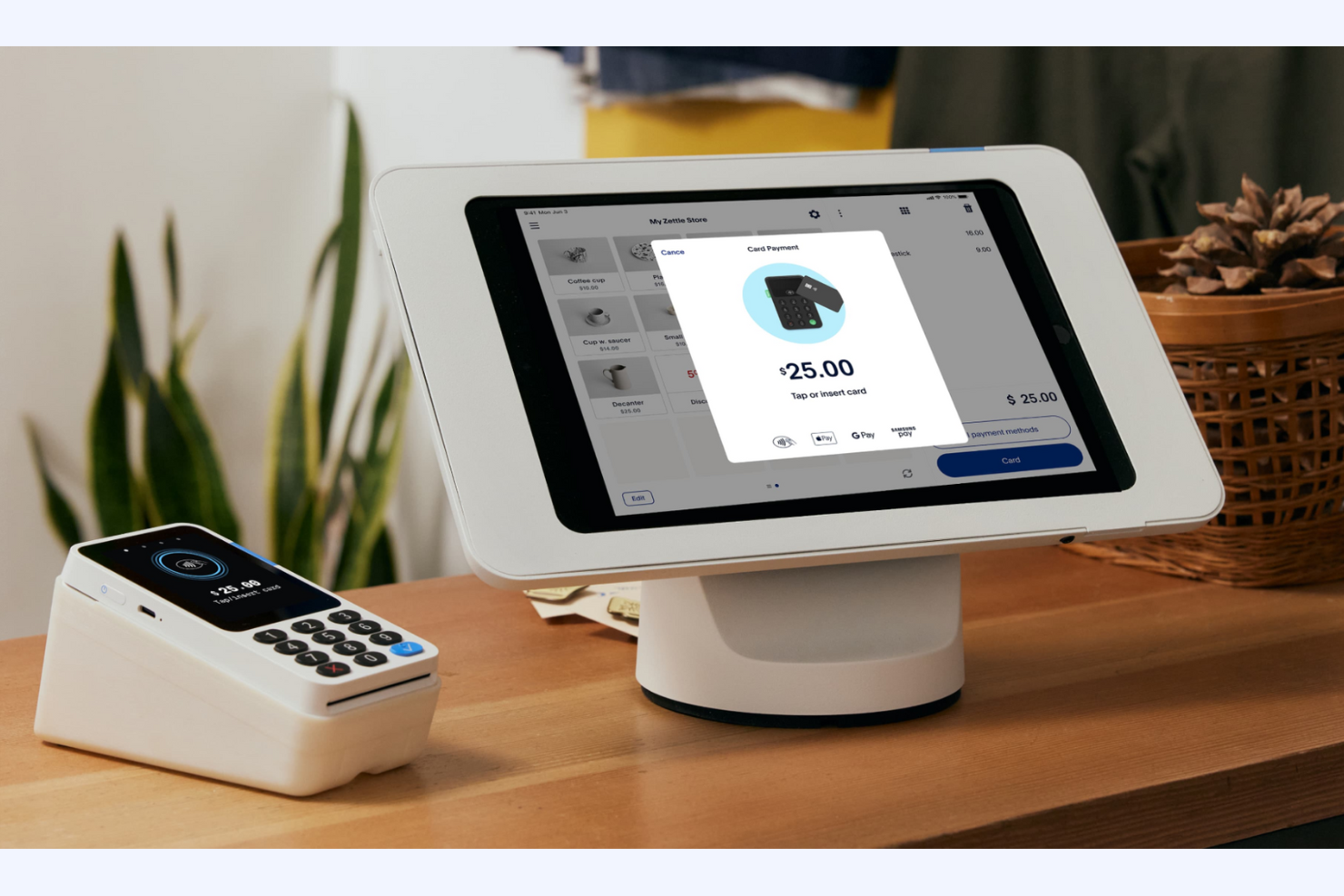
PayPal POS is a digital point-of-sale solution designed for businesses looking to integrate online and in-person sales. It caters to small and medium-sized businesses, providing tools for managing payments, sales, and customer interactions.
Why I picked PayPal POS: PayPal POS offers a free plan that integrates online payments, letting you manage both digital and in-person transactions from one platform. You can track sales, manage inventory, and access customer data with ease. The software is particularly useful for businesses that want to simplify their online and offline sales processes. PayPal POS's ability to handle multiple sales channels makes it appealing for businesses with an online presence.
Standout Features and Integrations:
Features include real-time transaction tracking, customizable sales reports, and inventory management tools. You can also set up recurring payments and subscriptions for your regular customers.
Integrations include QuickBooks, WooCommerce, Shopify, BigCommerce, Xero, NearSt, and more.
What's free? PayPal POS offers a free-forever plan with basic POS functionalities, though transaction fees apply, and there may be limitations on advanced features.
Pros and Cons
Pros:
- No monthly software fees
- Recurring payments
- Online and offline sales integration
Cons:
- Scaling limitations
- Transaction fees can add up quickly

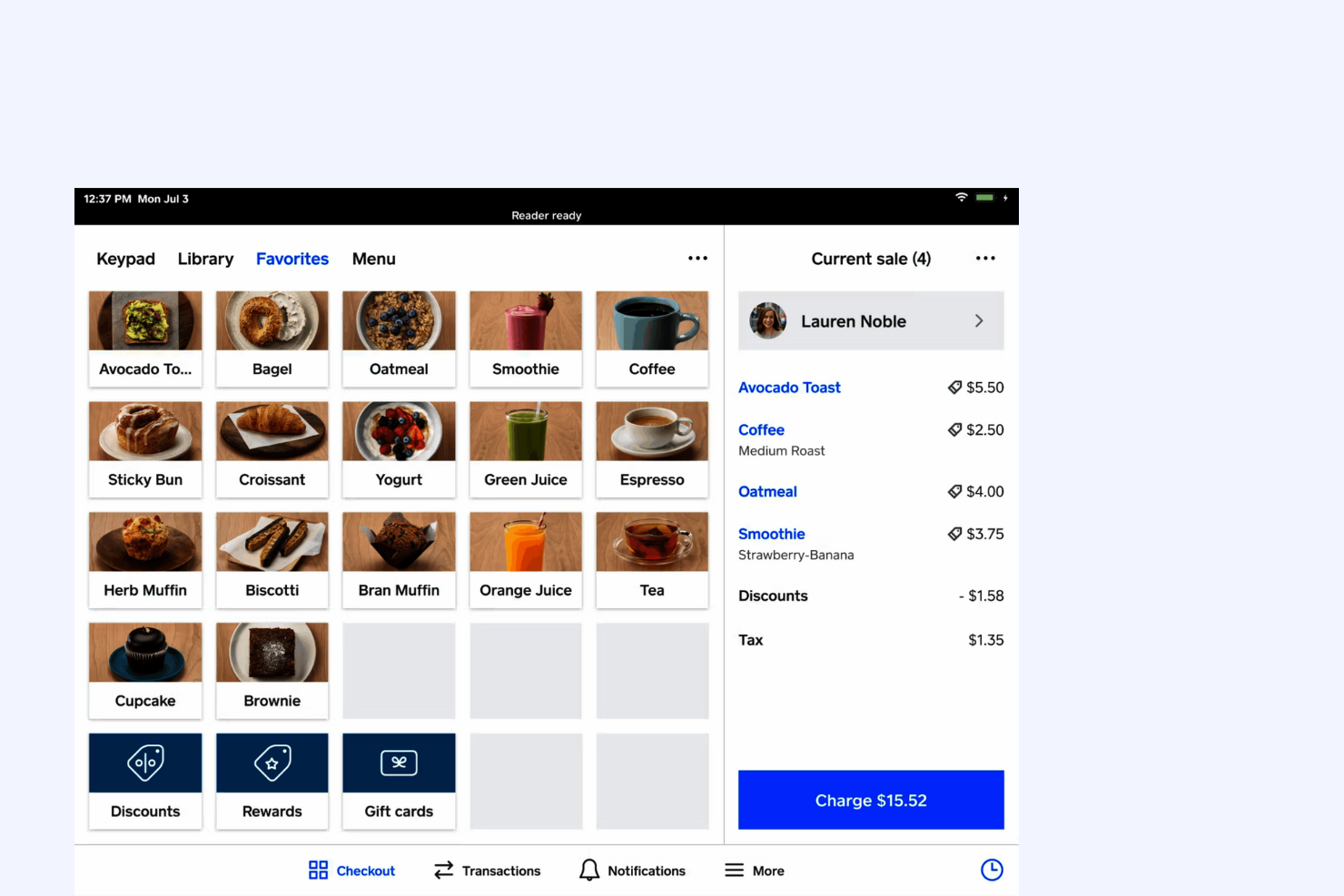
Square is a POS software tailored for small businesses, offering tools for payment processing, sales tracking, and basic inventory management. It serves retailers, cafes, and other local shops that need reliable, straightforward point-of-sale capabilities.
Why I picked Square: Square's free plan provides essential POS features that cater to small businesses. You can accept payments, track sales, and manage basic inventory at no extra cost, and its user-friendly interface lets you quickly set up and start selling. With no monthly fees for the basic plan, it's an ideal choice for startups and boutiques looking to minimize expenses.
Standout Features and Integrations:
Features include customizable digital receipts, a dashboard for real-time sales analytics, and business management tools to track hours and sales. You can also access customer feedback directly through the platform, which can help you improve service quality.
Integrations include QuickBooks, Xero, WooCommerce, BigCommerce, Wix, PrestaShop, and more.
What's free? Square offers a free-forever plan with basic POS features, but it charges a per-transaction fee and has limited advanced features.
Pros and Cons
Pros:
- Customizable receipts
- No upfront fees
- Online ordering system
Cons:
- Windows incompatibility
- Unexpected fund holds

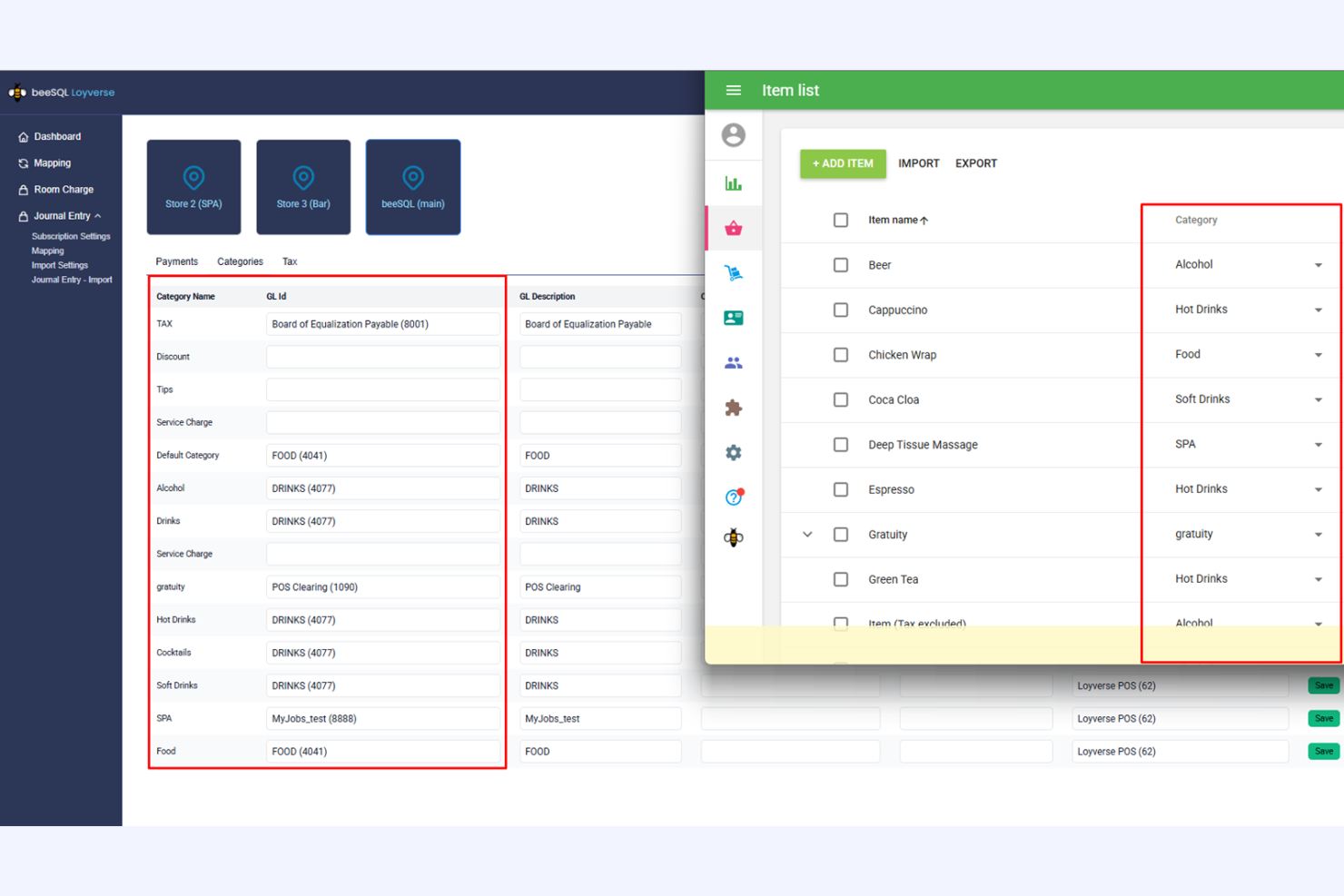
Loyverse is a free POS software designed for small retail businesses and cafes. It focuses on inventory management, sales tracking, and customer loyalty programs to support your daily operations.
Why I picked Loyverse: Loyverse's free plan includes essential inventory-tracking features, making it ideal for small businesses looking to boost efficiency. You can manage supplies, receive low-stock alerts, and conduct stock takes all through the POS system. The free version also lets you create and manage customer profiles to improve customer loyalty.
Standout Features and Integrations:
Features include a detailed sales analytics dashboard, employee performance-tracking tools, and a built-in loyalty program to encourage repeat business. You can customize receipts and access sales data in real time, providing valuable insights into your operations.
Integrations include QuickBooks, Xero, SumUp, PayPal, Worldpay, Tyro, Stripe, and more.
What's free? Loyverse offers a free-forever plan with no user limit, but some advanced features, such as integrations, may require a paid add-on.
Pros and Cons
Pros:
- Built-in customer loyalty program
- Real-time sales insights
- Intuitive inventory management
Cons:
- Syncing and connectivity glitches
- Add-ons required for integrations

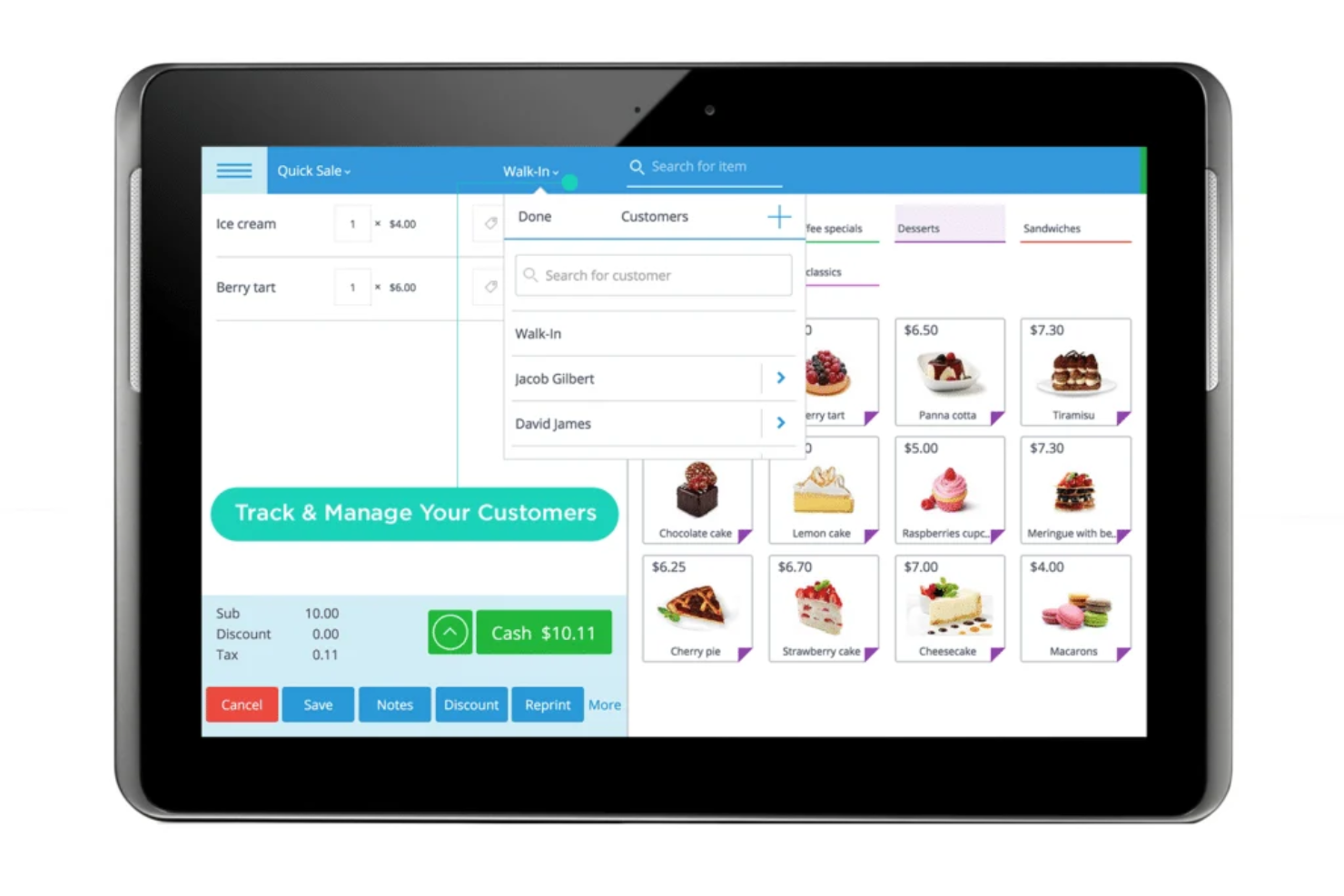
eHopper is a versatile POS software designed for retail and hospitality businesses. It offers sales processing, inventory management, and customer service functionalities and supports multiple platforms such as Windows, Android, and iOS.
Why I picked eHopper: eHopper's free plan lets you use the software across different devices, which is perfect if your team uses different platforms. The free plan includes basic inventory management, sales tracking, and CRM features. You can also process payments and manage orders at no extra cost. This flexibility makes it a great choice for businesses with unique hardware requirements.
Standout Features and Integrations:
Features include order management, employee performance tools, and a built-in time clock. The software also offers a customer loyalty program to encourage repeat business and supports multiple languages.
Integrations include QuickBooks, Xero, Mailchimp, WooCommerce, BigCommerce, PrestaShop, Shopify, and more.
What's free? eHopper offers a free forever plan with basic POS features, limited to one cash register and one user.
Pros and Cons
Pros:
- Multiple languages supported
- Time clock included
- Multiplatform compatibility
Cons:
- Transaction and product caps
- No iOS support for POS

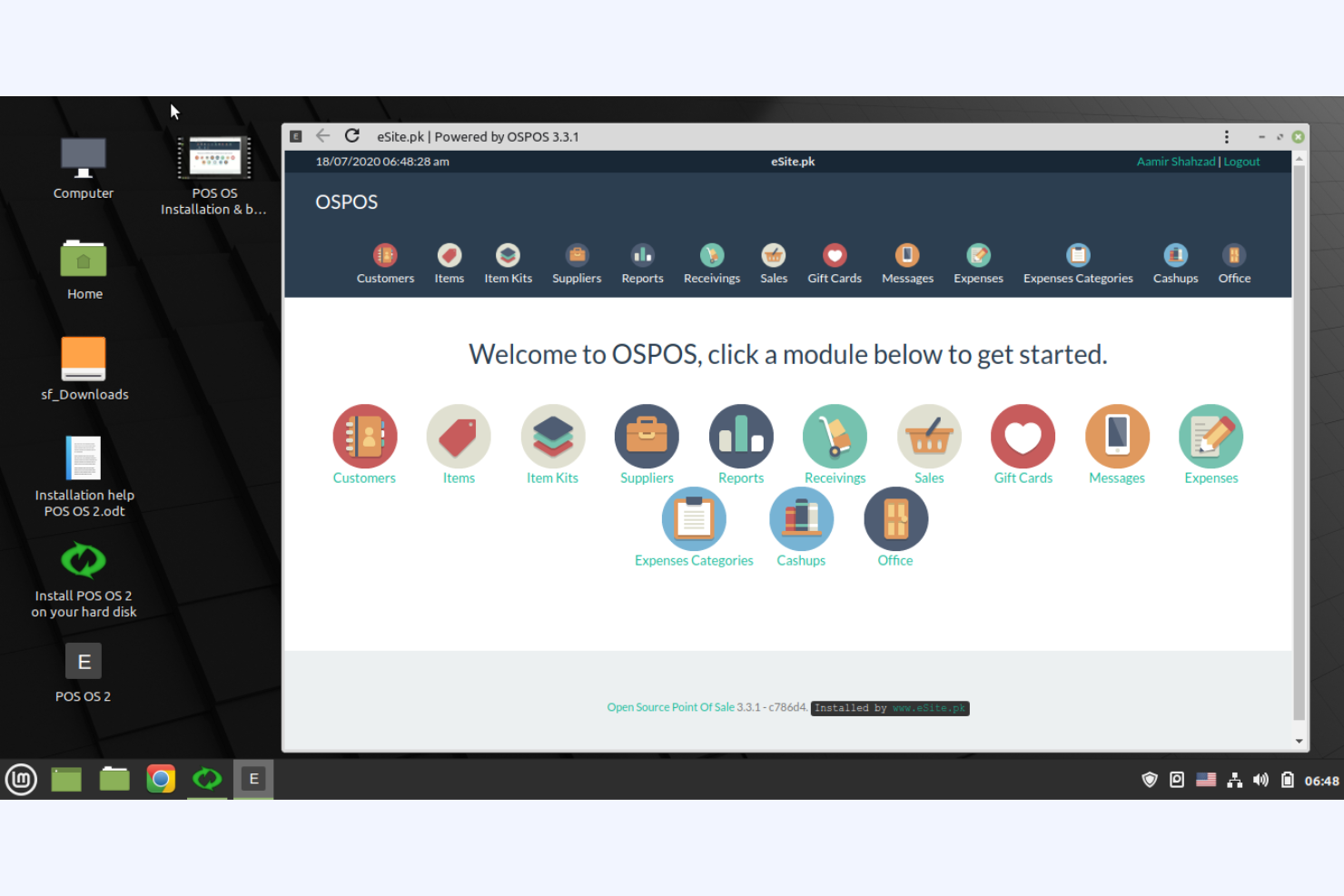
Open Source Point of Sale is a customizable POS system designed for small to medium-sized retailers that want flexibility in managing their sales and inventory. It provides essential tools for transaction processing, inventory management, and customer management.
Why I picked Open Source Point of Sale: It offers a free, open-source solution that lets you customize the software to fit your business needs. The free version includes basic sales and inventory management tools, but you can modify the code to add features or adjust functionality, making it perfect for businesses that want granular control over their POS system. This level of customization is ideal if you're tech-savvy and need a tailored solution.
Standout Features and Integrations:
Features include detailed sales and inventory reports to help you track business performance. You can even manage multiple stores from a single account, which is useful if you're expanding. The system also supports multiple languages, making it a versatile option for diverse teams.
Integrations include Mailchimp and more.
What's free? Open Source Point of Sale offers a free-forever plan with full access to its open-source code, allowing for unlimited customization.
Pros and Cons
Pros:
- Free access to source code
- Web-based and flexible deployment
- No license fees
Cons:
- No official support
- Requires technical knowledge

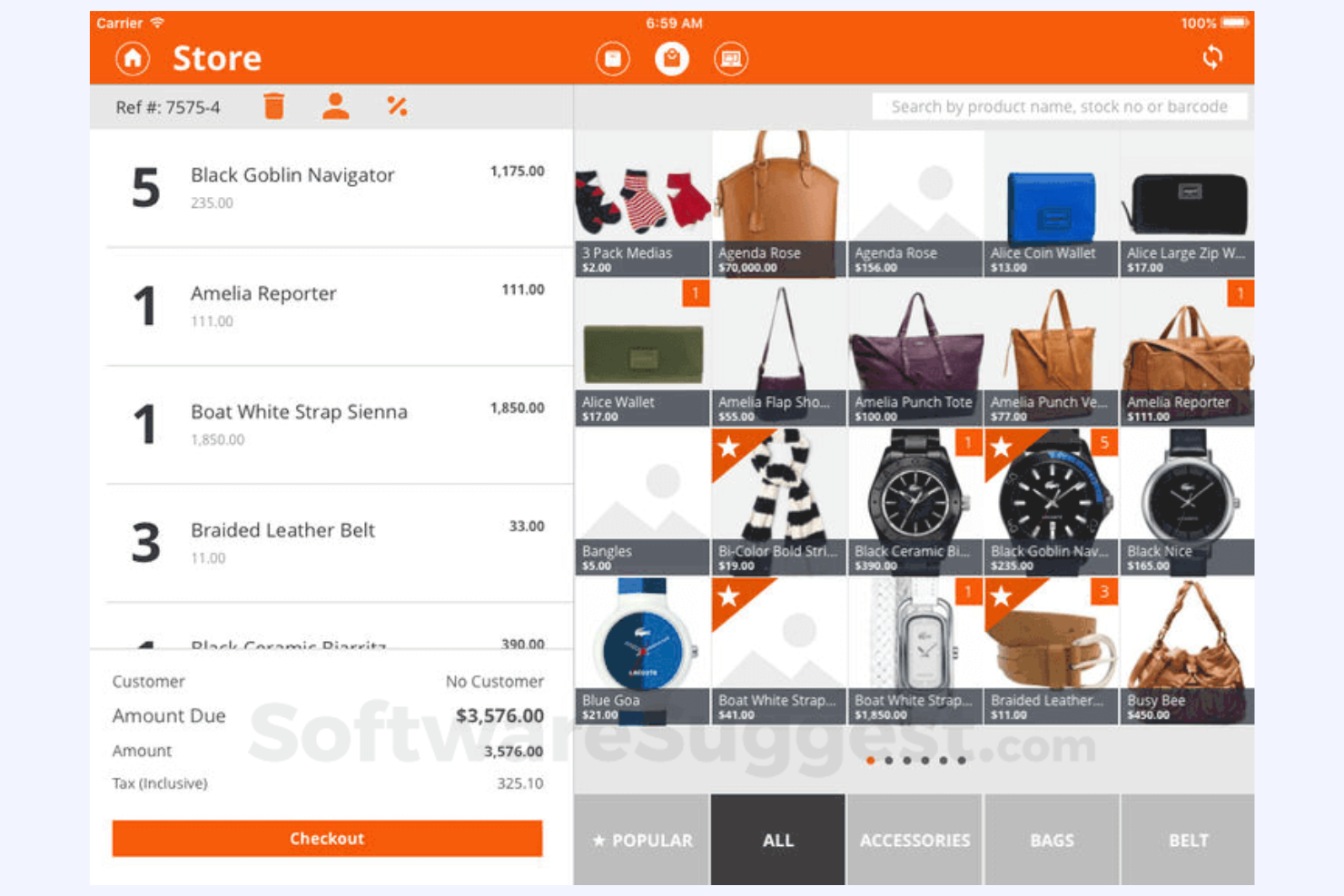
Imonggo is a user-friendly POS software designed for small to medium-sized retailers. It offers sales tracking, inventory management, and customer relationship features that cater to no-nonsense businesses.
Why I picked Imonggo: Imonggo's free offering provides a simple interface that makes it easy for you to manage sales and inventory. Its free plan allows for unlimited products and transactions, which is great if you have a large inventory. Thanks to the software's intuitive design, you won't need extensive training to get started. This focus on ease of use makes it a practical choice for business owners new to retail POS systems.
Standout Features and Integrations:
Features include real-time sales tracking, a built-in customer loyalty program, and detailed sales reports. You can also set up promotions and discounts to drive customer engagement.
Integrations include Shopify, QuickBooks, Cyclr, and more.
What's free? Imonggo offers a free-forever plan with a limited number of users and restrictions for advanced features.
Pros and Cons
Pros:
- Easy promotion setup
- Cost-effective
- Unlimited product catalog
Cons:
- Lack of e-commerce sync
- No offline mode for free users
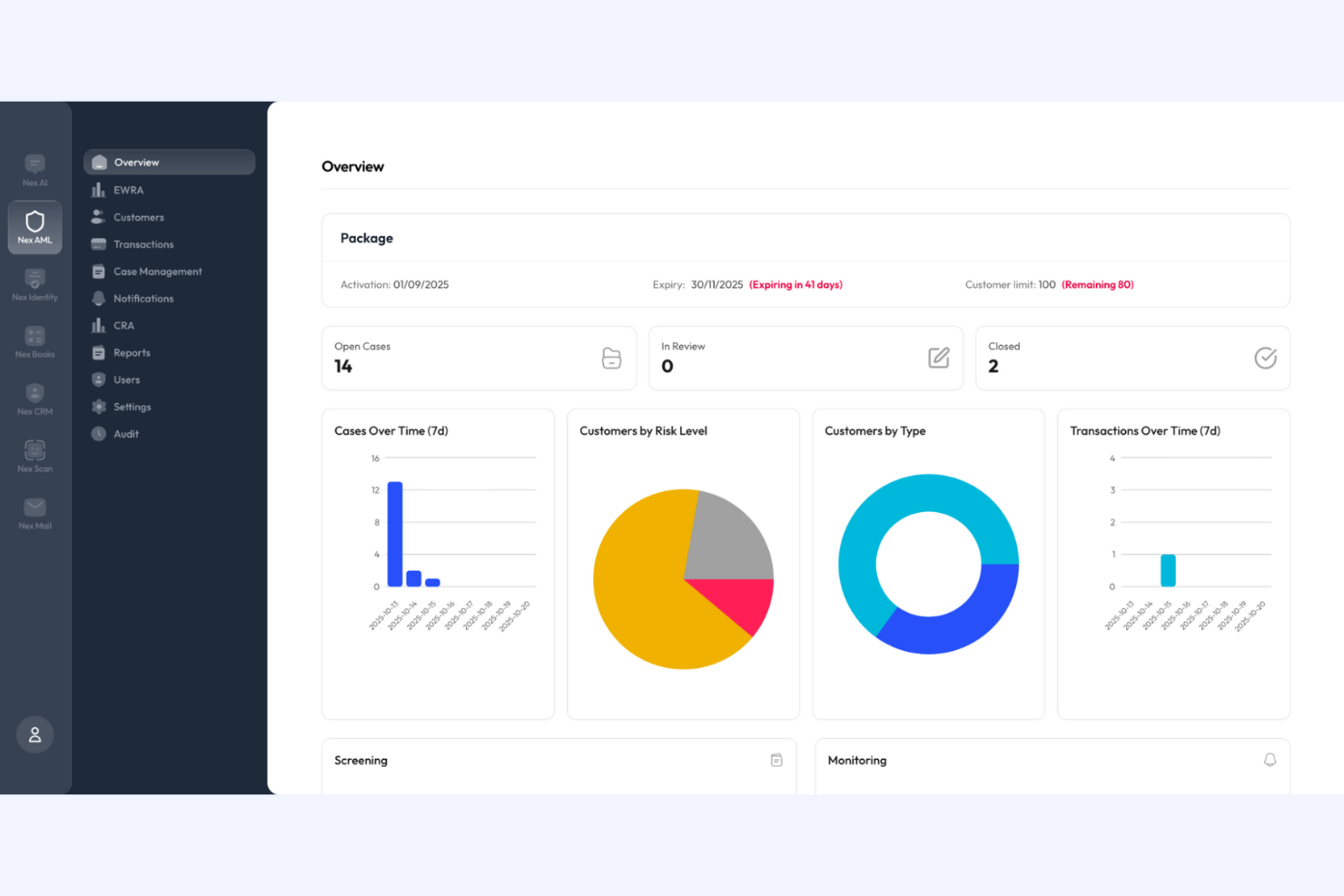
Nexchar is a POS software tailored for small local retail businesses, focusing on sales processing, inventory management, and customer management. It provides essential tools to help you run your store operations efficiently.
Why I picked Nexchar: Nexchar's free version is ideal for local stores with straightforward operational needs. You can manage inventory, track sales, and handle customer data for free. The software's user-friendly design lets you get started with minimal training. This makes it an excellent choice for small shops looking to improve their daily operations without a steep learning curve.
Standout Features and Integrations:
Features include inventory management tools, including stock-level monitors and low-stock alerts, and sales reports to gain insights into your business's performance. The software also includes a barcode scanner to speed up the checkout process.
Integrations include QuickBooks, Xero, WooCommerce, Shopify, PrestaShop, BigCommerce, Mailchimp, Salesforce, and more.
What's free? Nexchar offers a free-forever plan with basic POS features, but it may limit the number of users and restrict advanced functionalities.
Pros and Cons
Pros:
- Ideal for small stores
- Low-stock alerts
- Barcode scanning
Cons:
- Manual updates required
- Not ideal for large or complex setups

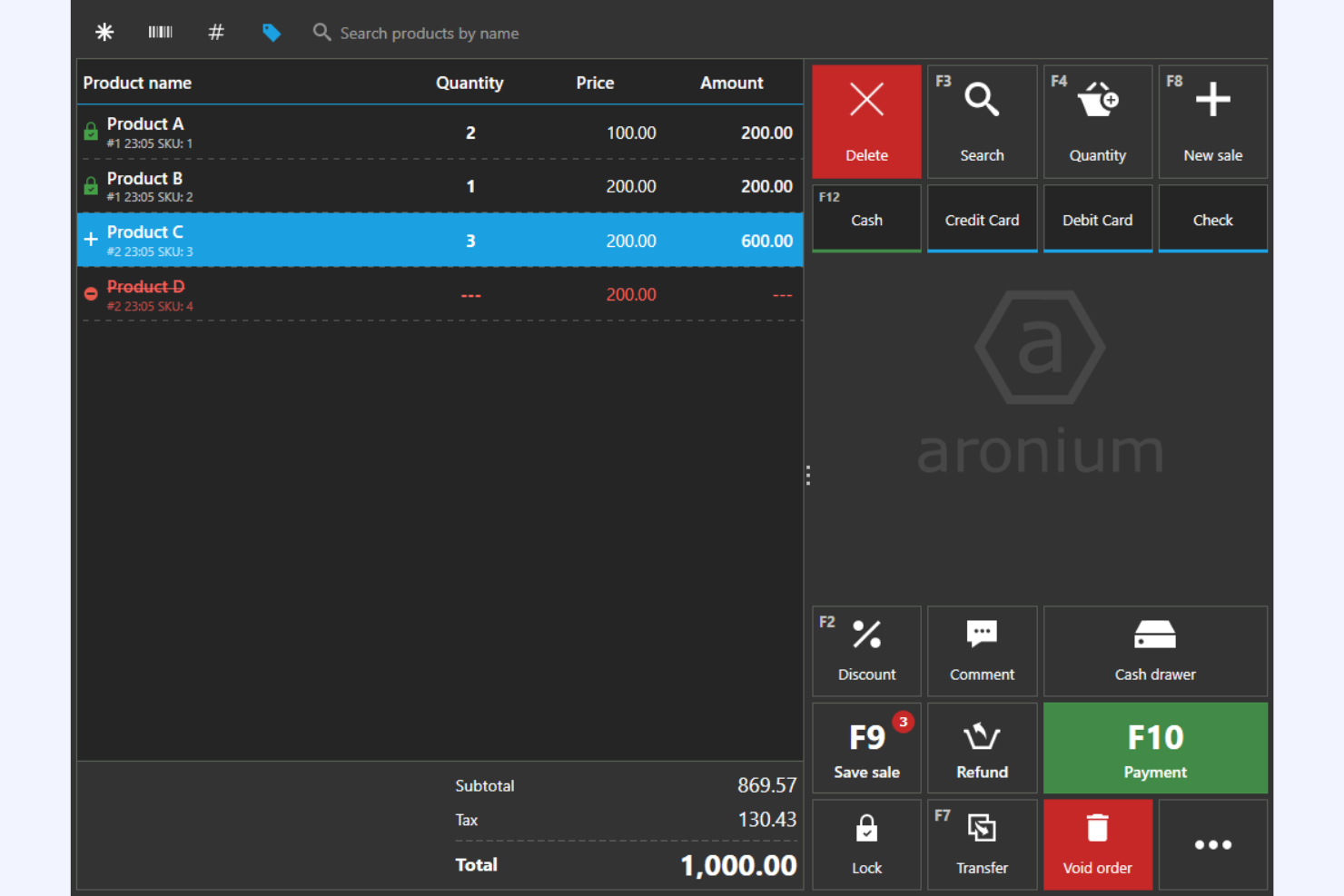
Aronium is a POS software geared toward small to medium-sized retail businesses. It lets you manage sales, inventory, and customer relationships all offline.
Why I picked Aronium: Aronium's free version offers offline functionality, which is a lifesaver if your internet connection is unreliable. The software also supports multiple languages and currencies, making it versatile for global markets. This allows your operations to run smoothly even when the internet goes out.
Standout Features and Integrations:
Features include advanced reporting tools that let you monitor sales and inventory. You can also create detailed customer profiles to upgrade your marketing efforts. The software's clean and intuitive user interface makes it easy for your team to learn and use.
Integrations include WooCommerce, Shopify, Xero, QuickBooks, Mailchimp, PrestaShop, BigCommerce, and more.
What's free? Aronium offers a free-forever plan with full offline functionality, but it may have limitations on advanced features and support.
Pros and Cons
Pros:
- Multiple currencies accepted
- Detailed sales reports
- Full offline capabilities
Cons:
- No mobile app
- Reporting features may not be as customizable as competitors

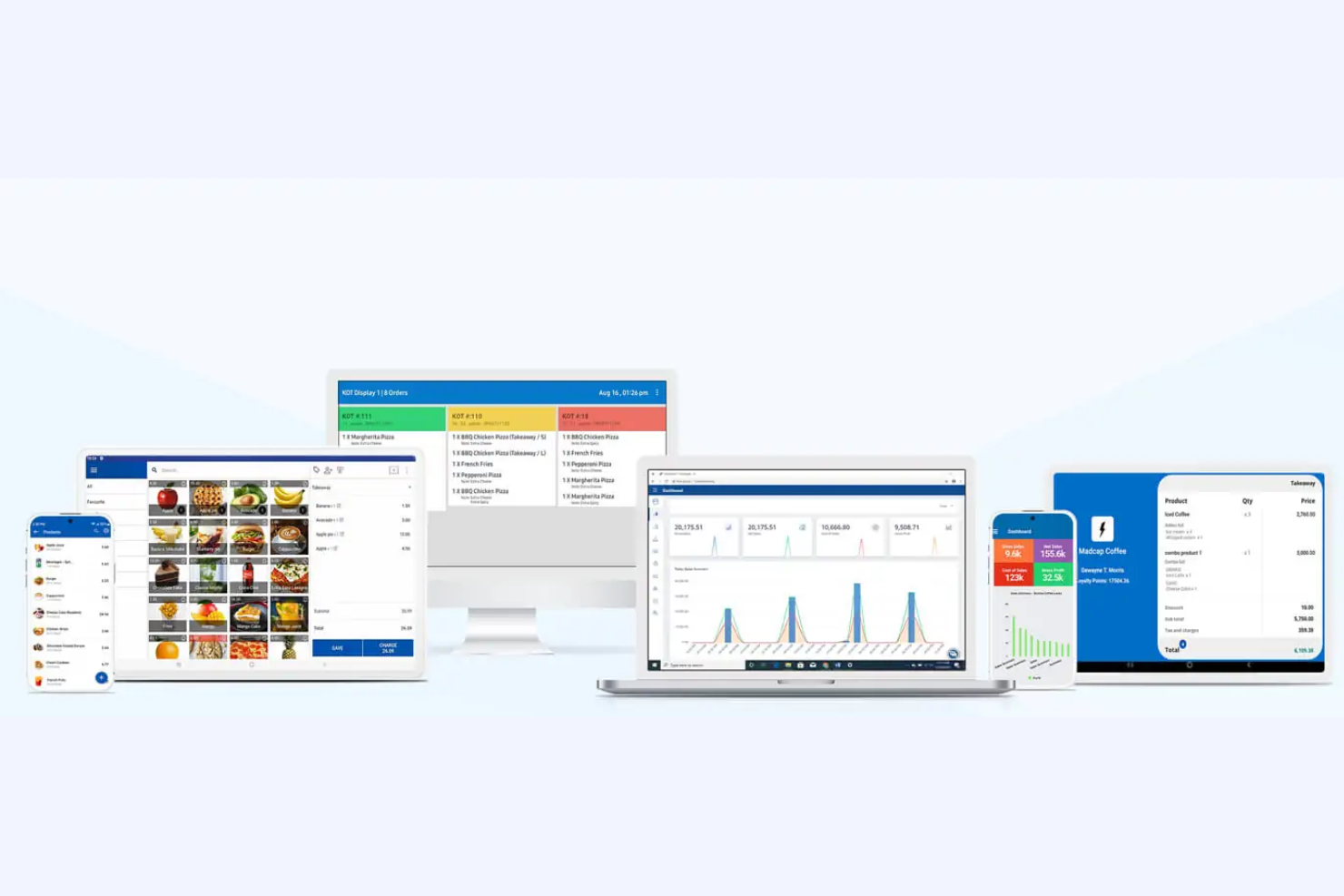
SalesPlay is a mobile-friendly POS solution ideal for small to medium-sized retail and hospitality businesses. It focuses on sales processing, inventory management, and CRM, all accessible via mobile devices.
Why I picked SalesPlay: SalesPlay's free version supports mobile devices, making it highly accessible for teams on the go. You can process sales, manage inventory, and track customer data directly from your phone or tablet. The mobile POS app is user-friendly and easy to learn, making it a flexible solution ideal for businesses that require mobility.
Standout Features and Integrations:
Features include a customer loyalty program, detailed sales and inventory reports, and the ability to manage multiple stores from one account. You can also set up promotions and discounts to help boost sales.
Integrations include QuickBooks, Xero, WooCommerce, Shopify, Mailchimp, Salesforce, and more.
What's free? SalesPlay offers a free-forever plan with basic POS features, but it may limit the number of users and restrict advanced features.
Pros and Cons
Pros:
- Loyalty programs offered
- Multiple stores supported
- Convenient mobile access
Cons:
- Basic inventory features
- Limited user accounts


Free POS Software Selection Criteria
When selecting the best free POS software to include in this list, I considered common buyer needs and pain points, such as limited budgets and the need for basic inventory management. I also used the following framework to keep my evaluation structured and fair:
Core Functionality (25% of total score)
To be considered for inclusion in this list, each solution had to fulfill these common use cases:
- Process sales transactions
- Manage inventory levels
- Track customer data
- Generate sales reports
- Support multiple payment methods
Additional Standout Features (25% of total score)
To help narrow down the competition, I also looked for unique features such as:
- Multilanguage support
- Offline functionality
- Customizable user interface
- Built-in loyalty programs
- Advanced analytics tools
Usability (10% of total score)
To get a sense of the usability of each system, I considered the following:
- Intuitive navigation
- Clear layout and design
- Minimal training required
- Responsive design for mobile devices
- Customizable settings
Onboarding (10% of total score)
To evaluate the onboarding experience for each platform, I considered the following:
- Availability of training videos
- Interactive product tours
- Access to templates and guides
- Webinars for live training
- Supportive chatbots for guidance
Customer Support (10% of total score)
To assess each software provider's customer support services, I considered the following:
- Availability of live chat
- Email support responsiveness
- Well-developed help center
- 24/7 support availability
- Community forums for peer support
Value for Money (10% of total score)
To evaluate the value for money of each platform, I considered the following:
- Cost compared to competitors
- Features included in the free plan
- Transparency of pricing
- Upgrade options available
- Discounts for annual subscriptions
Customer Reviews (10% of total score)
To get a sense of overall customer satisfaction, I considered the following when reading customer reviews:
- Frequency of positive feedback
- Commonly reported issues
- User satisfaction ratings
- Testimonials of customer success
- Feedback on customer support experiences
How To Choose Free POS Software
Complex feature lists and pricing structures can make it hard to figure out what you're really getting from a free POS software. To help you stay focused as you work through your software selection process, here are some factors to keep in mind:
| Factor | What To Consider |
|---|---|
| Free Offer Scope | Check what features are included in the free plan and if there are any limitations, such as the number of users or transactions. |
| Scalability | Confirm the software can grow with your business, offering upgrades and additional features as your needs evolve. |
| Integrations | Look for compatibility with tools you already use, such as accounting software or e-commerce platforms, to allow smooth operations. |
| Ease of Use | Evaluate if the interface is intuitive and requires minimal training for your team to get started quickly. |
| Customer Support | Consider the availability of support channels, such as live chat or phone support, especially if your team might need assistance during setup. |
| Mobile Access | Determine if the software supports mobile devices, which can be key for businesses needing flexibility in managing sales on the go. |
| Security | Check for features such as data encryption and user access controls to protect sensitive business and customer information. |
| Customization | Assess whether you can tailor the software to fit your business processes, such as customizing receipts or setting up loyalty programs. |
What Is Free POS Software?
POS software is a tool that helps businesses manage sales transactions, inventory, and customer data. Free offerings typically include basic features with limitations on users or transactions, or they might be time-limited trials. Retailers, small business owners, and hospitality professionals often use these tools to facilitate smooth operations and improve efficiency. Inventory management, sales tracking, and customer relationship features help businesses manage daily tasks, grow their operations, and improve customer experiences.
Features
Let's go over the features commonly found in POS software and see which ones are usually included in free vs. paid plans.
Typically Free POS Software Features
- Sales processing: Manage transactions efficiently, letting you handle payments and receipts.
- Inventory management: Track stock levels to make sure you have the right products available for sale.
- Customer data storage: Keep basic customer information to improve marketing and build loyalty.
- Basic reporting: Generate simple reports to gain insights into sales performance and trends.
- Multidevice access: Use the software across different devices, such as iPads and computers, for flexibility.
Typically Paid POS Software Features
- Advanced analytics: Provide deeper insights into business performance to assist with strategic decision-making.
- Customizable reports: Tailor reports to specific needs, offering detailed views of various business metrics.
- Loyalty programs: Implement customer-facing loyalty programs to encourage repeat business and increase sales.
- Integration with accounting software: Sync with accounting tools such as QuickBooks to improve financial management.
- Employee management: Track employee performance and manage work schedules to boost productivity.
Benefits
Implementing free POS software provides several benefits for your team and your business. Here are a few you can look forward to:
- Cost savings: Save money by accessing essential POS features without monthly fees, making it ideal for small businesses on a budget.
- Easy setup: Get started quickly with intuitive interfaces that require minimal training, letting your team focus on sales.
- Flexibility: Use the software across devices, providing the flexibility to manage sales anywhere.
- Basic inventory control: Keep track of stock levels efficiently, so you always know what's in store and when it's time to reorder.
- Customer insights: Access basic customer data to improve service and create personalized experiences that encourage repeat business.
- Scalability: Begin with a free plan and upgrade as your business grows so the software can evolve with your needs.
- Trial of advanced features: Try out some advanced features with a limited trial so you can decide if a paid upgrade is worth it.
Costs and Pricing
I realize you came to this article looking for the best POS software options that are available for free. However, since free plans only offer limited features, there's a good chance you'll need to scale your plan up in the future.
The table below summarizes common plans, their average prices, and typical features included in POS software solutions:
Plan Comparison Table for POS Software
| Plan Type | Average Price | Common Features |
|---|---|---|
| Free Plan | $0 | Basic sales processing, inventory tracking, customer data storage, basic reporting, and multidevice access. |
| Personal Plan | $20-$60/month | Advanced reporting, customer loyalty programs, basic integrations, employee management, and limited customization. |
| Business Plan | $60-$150/month | Customizable reports, advanced inventory management, extensive integrations, and better customer support. |
| Enterprise Plan | $150-400+/month | Dedicated account management, full customization, advanced analytics, priority support, and multilocation management. |
Free POS Software FAQs
Here are some answers to common questions about free POS software:
What are the limitations of free POS systems?
Free POS systems often come with restricted features, limited customer support, and potential hidden costs. You might find that advanced functionalities such as detailed reporting or integrations are only available in paid versions. Always check what’s included before committing to a free plan.
Is a free POS system really free?
While the software itself might be free, there may still be costs such as transaction fees. Some providers may also require you to sign long-term contracts, which could involve penalties for early termination. Read the terms carefully to understand the real costs.
How do free POS systems make money?
Free POS systems typically make money through transaction fees. If the provider also acts as your payment processor, they might take a cut from each transaction. This is why it’s important to consider the fee structure when choosing a free POS solution.
What is the common problem in the POS system?
Common issues in POS systems include hardware malfunctions, such as card reader failures, and software problems, such as slow performance or integration challenges. Having reliable hardware and up-to-date software can help mitigate these problems.
Can free POS systems handle multiple locations?
Some free POS systems can handle multiple locations, but this often depends on the provider. You might need to upgrade to a paid plan to access multilocation management. If you operate in multiple locations, always check if the free plan can support your needs.
Are free POS systems secure?
Security can vary between providers, so it’s important to check if the free POS system offers features such as data encryption and user access controls. Protecting customer information should be a top priority, even if you’re using a free solution.
What's Next:
If you're in the process of researching free POS software, connect with a SoftwareSelect advisor for free recommendations.
You fill out a form and have a quick chat where they get into the specifics of your needs. Then you'll get a shortlist of software to review. They'll even support you through the entire buying process, including price negotiations.