
12 Best Convenience Store POS Systems Reviewed in 2026

10 Best Convenience Store POS System Shortlist
Here's my pick of the 10 best software from the 12 tools reviewed.


Running a convenience store is no easy task. You juggle inventory, manage staff, and serve customers, all while keeping an eye on the bottom line. That's where a reliable POS system comes in. It can help you track sales, manage stock, and even handle payments efficiently.
I've spent years in retail management and know the challenges you face. I independently test and review software to give you an unbiased view. In this article, I'll share my top picks for convenience store POS systems.
You'll get insight into features, pricing, and what makes each system stand out. My goal is to help you find the right tool for your store's unique needs. Let's dive in and make your daily operations a bit easier.
Why Trust Our Software Reviews
Best Convenience Store POS Systems Summary
This comparison chart summarizes pricing details for my top convenience store POS software selections to help you find the best one for your budget and business needs.
| Tool | Best For | Trial Info | Price | ||
|---|---|---|---|---|---|
| 1 | Best for food service integration | Free plan + free demo available | From $69/month | Website | |
| 2 | Best for inventory tracking | 14-day free trial + free demo available | From $119/month | Website | |
| 3 | Best for large retailers | Free demo available | Pricing upon request | Website | |
| 4 | Best for gas stations | Free demo available | From $49/month | Website | |
| 5 | Best for cloud-based solutions | Free trial + free plan available | From $69/month | Website | |
| 6 | Best for fuel management | 30-day free trial available | From $59/month (billed annually) | Website | |
| 7 | Best for payment flexibility | Free plan available | From $14.95/month | Website | |
| 8 | Best for small stores | 30-day free trial + free demo available | From $19.95/month | Website | |
| 9 | Best for custom setups | Free demo available | From $49/month | Website | |
| 10 | Best for scalability | Free trial + free demo available | From $59/month | Website |
Best Convenience Store POS Systems Reviews
Below are my detailed summaries of the best convenience store POS systems that made it onto my shortlist. My reviews offer a detailed look at the key features, pros and cons, integrations, and ideal use cases of each tool to help you find the best one for you.

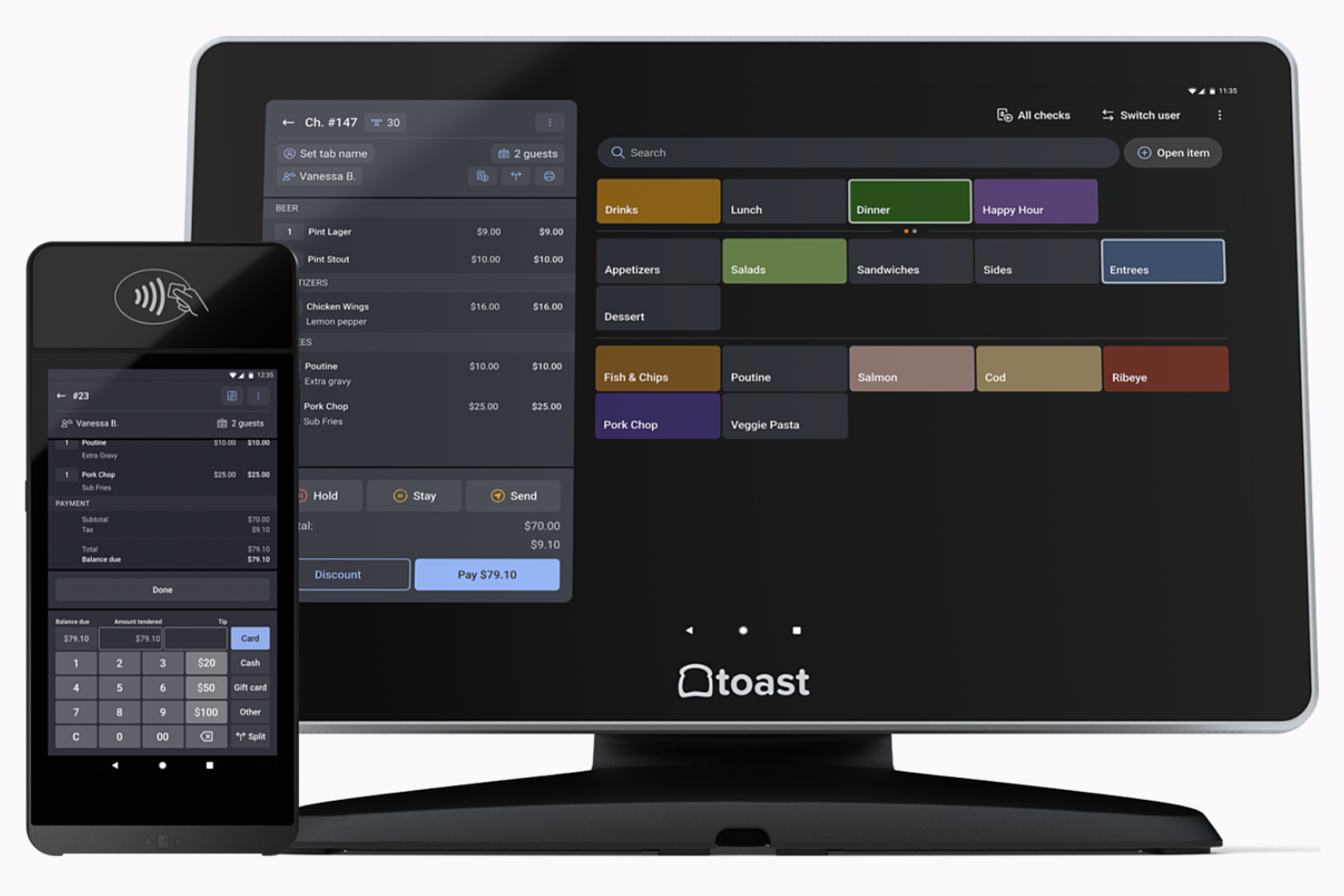
Toast is a point-of-sale system tailored for restaurants and food service businesses. It serves operators by providing order management, payment processing, and kitchen display solutions.
Why I picked Toast: Toast excels at food service integration, making it ideal for restaurants that want to sync front-of-house and back-of-house operations. It offers features such as menu management and tableside service to improve customer experience. Toast provides real-time reporting and analytics to help you make informed decisions. Its kitchen display system also ensures smooth communication between your team members.
Standout Features and Integrations:
Features include customizable menu options, online ordering capabilities, and a customer loyalty program. Your team can also use Toast's digital receipts and contactless payment options to improve customer convenience. The system supports multilocation management for businesses with more than one store.
Integrations include Craver, DoorDash, 7shifts, Boomerang, and more.
Pros and Cons
Pros:
- Kitchen display system
- Real-time reporting tools
- Strong food service focus
Cons:
- Requires proprietary hardware purchases
- Limited functionality for non-food retail

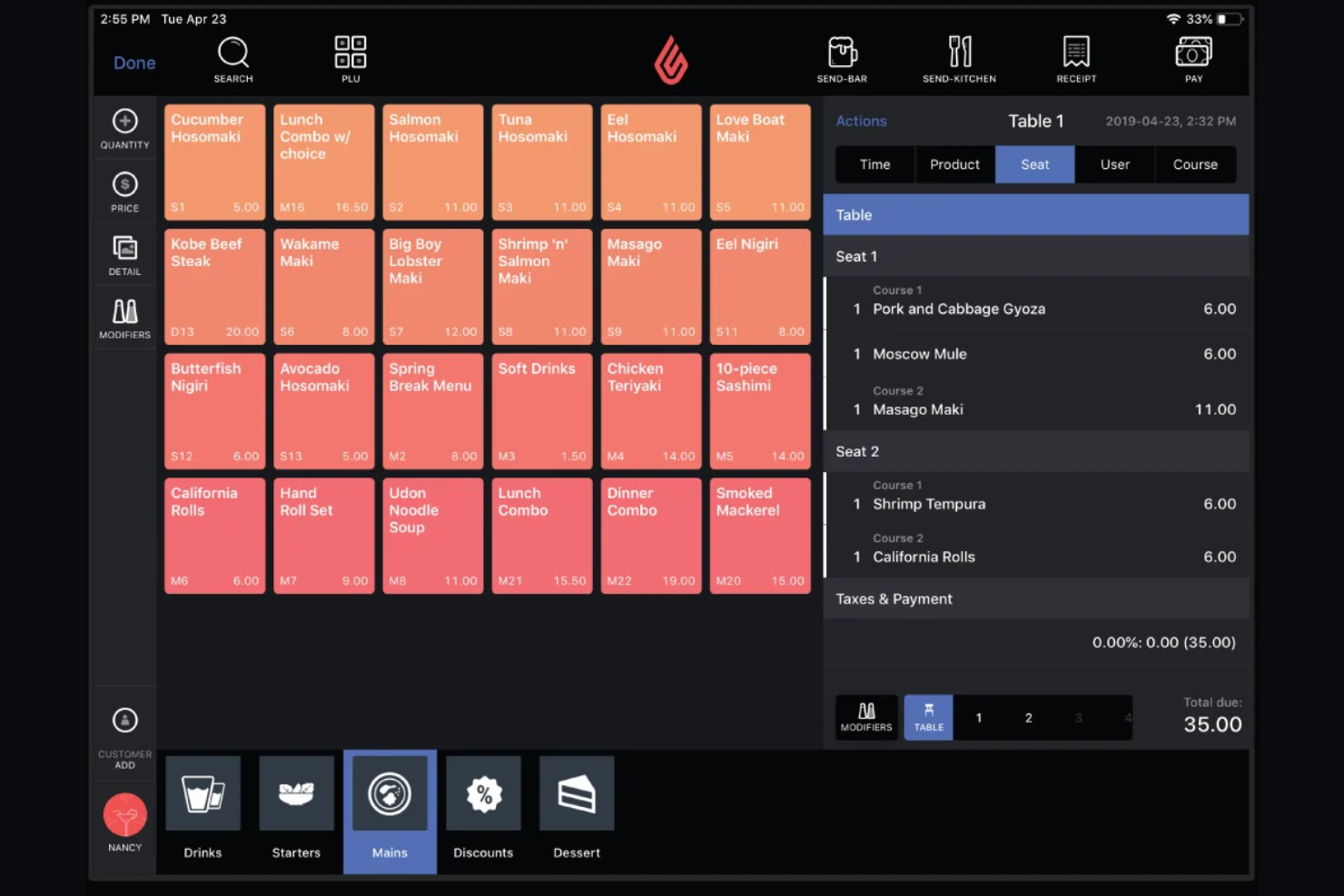
Lightspeed is a cloud-based point-of-sale system designed for retailers and restaurants. It serves businesses by offering inventory management, sales analytics, and customer relationship tools.
Why I picked Lightspeed: Lightspeed excels in inventory tracking, providing tools to manage stock across multiple locations. It includes features such as automated reorder points and detailed stock reports to help your team stay organized. The platform also offers insights into product performance. Its customer management tools can boost loyalty and engagement with your patrons.
Standout Features and Integrations:
Features include advanced reporting capabilities that provide a look at sales trends and customer behavior. You can also use its customizable POS interface to tailor the system to your business needs. The platform supports multilocation management, making it ideal for businesses with more than one store.
Integrations include Shopify, Mailchimp, Xero, WooCommerce, BigCommerce, and more.
Pros and Cons
Pros:
- Customer management features
- Customizable POS interface
- Inventory tracking tools
Cons:
- Mandatory cloud-sync dependency
- High-tier feature gating
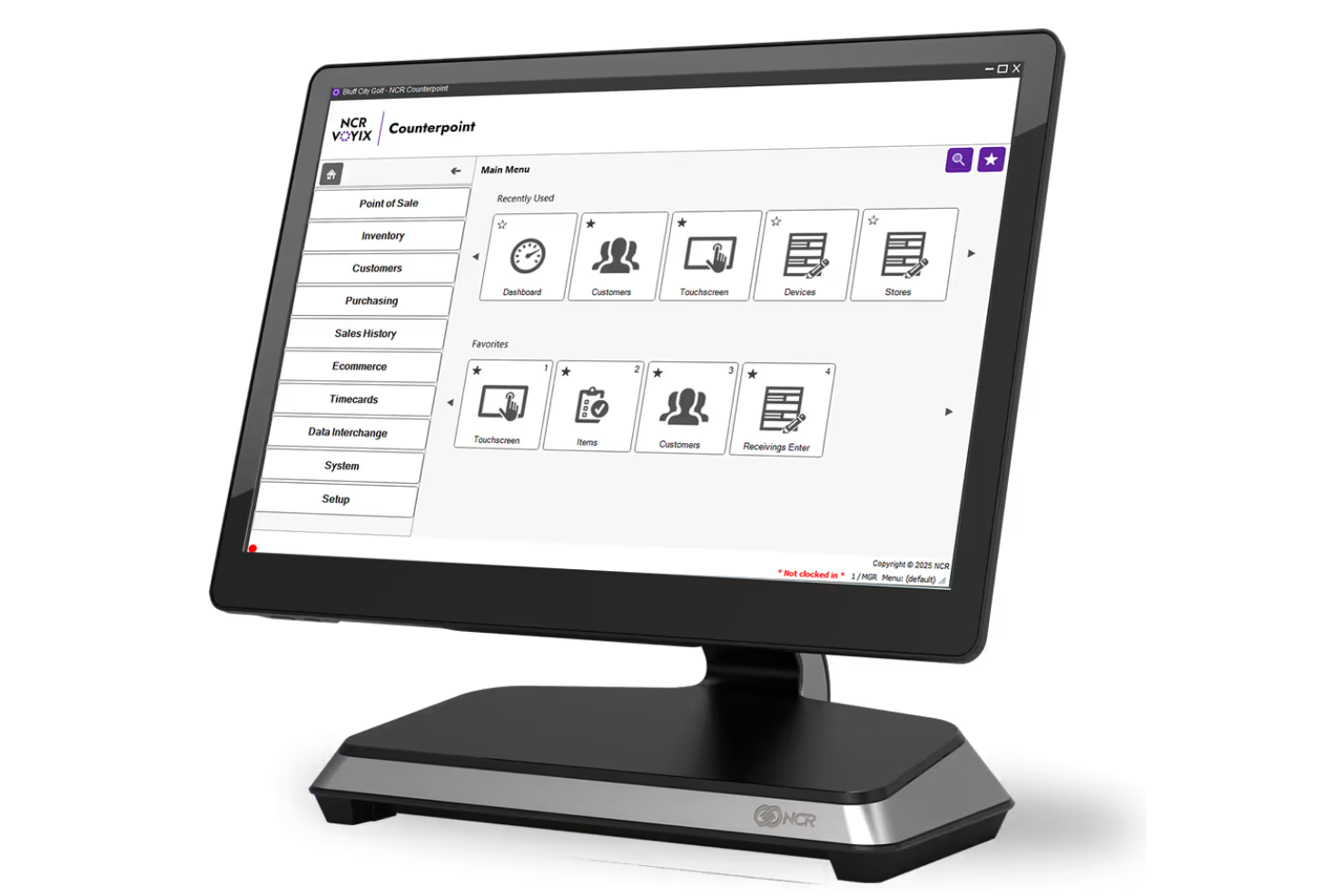
Retail Data Systems provides an all-in-one POS solution tailored for large retailers. It supports businesses with inventory management, sales tracking, and customer relationship tools.
Why I picked Retail Data Systems: Retail Data Systems caters to large retailers by offering scalable solutions that can handle multiple transactions. It features advanced inventory management to keep your stock organized and up to date. The system also provides detailed sales analytics to help you understand business performance. Additionally, its customer relationship tools bolster your ability to engage and retain customers.
Standout Features and Integrations:
Features include multistore management, which allows you to oversee multiple locations from a single dashboard. You can also benefit from its real-time reporting, which provides instant insights into your sales data. The system offers customizable user permissions to ensure secure access for your team members.
Integrations are not publicly available.
Pros and Cons
Pros:
- Sales analytics
- Inventory management capabilities
- Scalable for large operations
Cons:
- Hardware-dependent system architecture
- Legacy debt slows upgrades
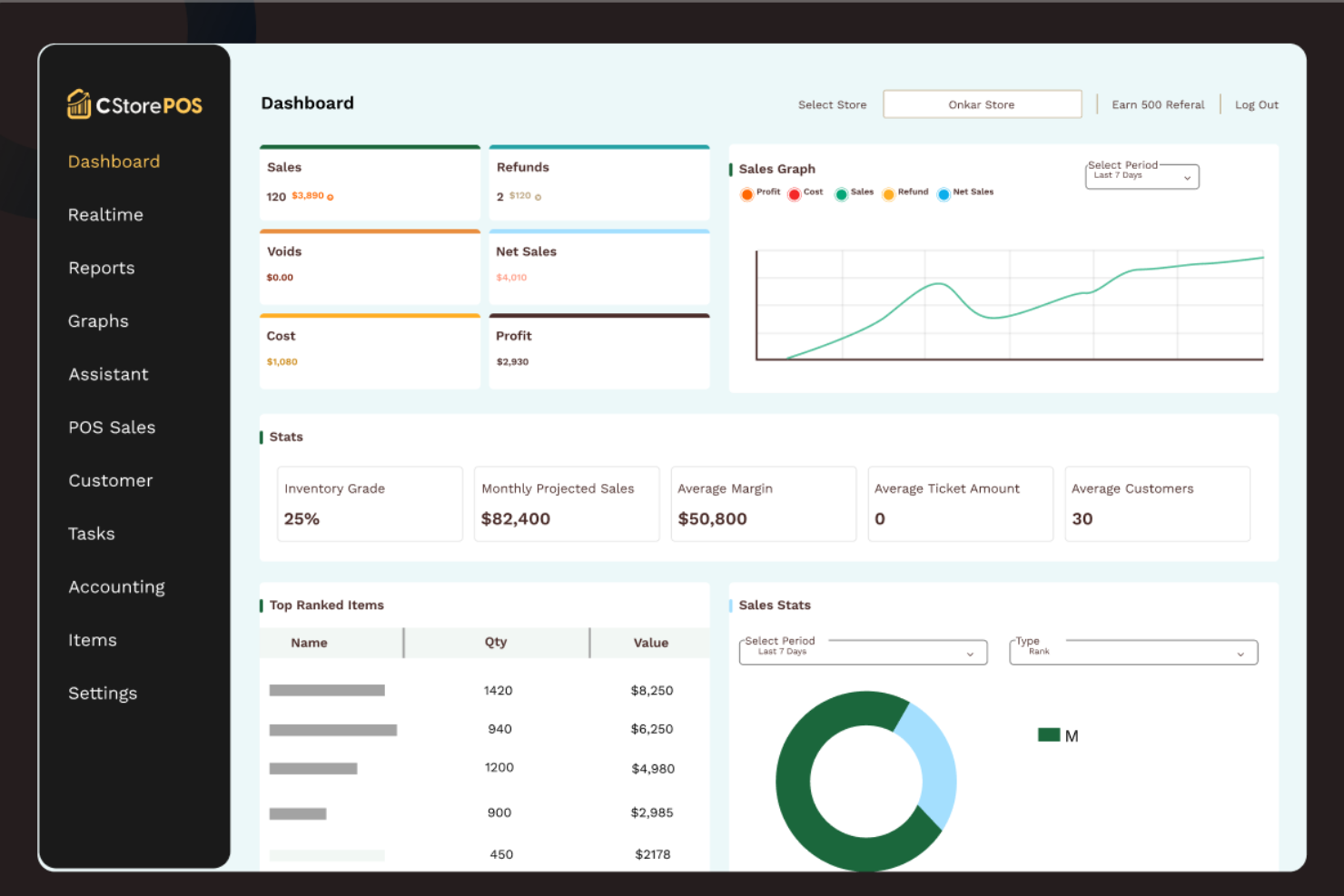
C-Store POS is a specialized point-of-sale system designed for gas stations and convenience stores. It serves operators by facilitating fuel sales, inventory management, and secure transactions.
Why I picked C-Store POS: C-Store POS excels in supporting gas stations with its fuel management features. It offers real-time fuel inventory tracking, allowing you to manage stock efficiently. The software includes age verification for restricted products, which is essential for compliance. C-Store POS has a user-friendly interface that makes it easy for teams to handle transactions quickly.
Standout Features and Integrations:
Features include customizable reporting tools, cash management systems, and a loyalty program to boost customer retention. Your team can also benefit from its employee management features and detailed sales analytics. The system allows for easy setup and configuration to suit your store's needs.
Integrations are not publicly listed.
Pros and Cons
Pros:
- Employee management features
- Age verification feature
- Real-time fuel tracking
Cons:
- Requires technical setup
- Limited scalability for large chains
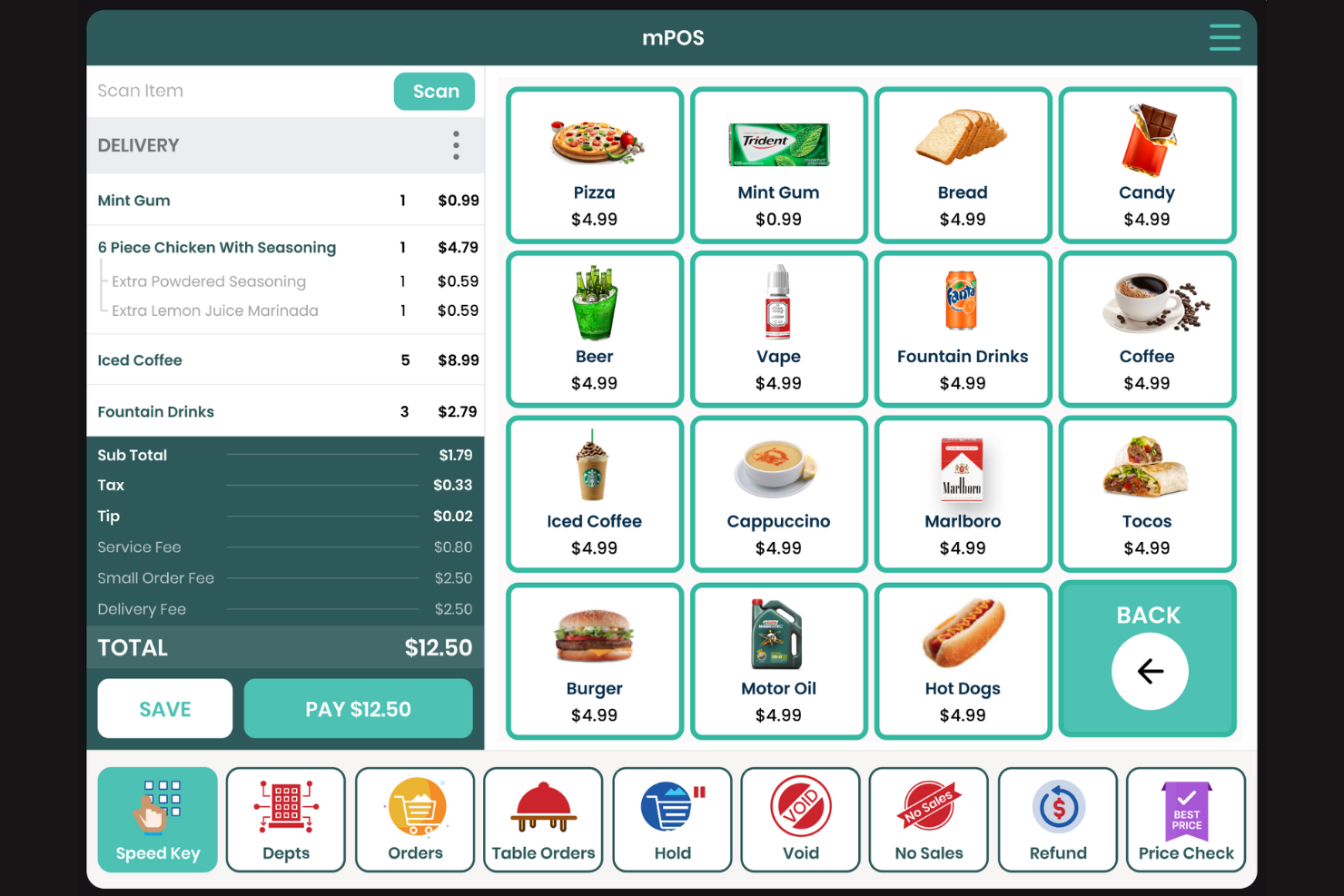
Modisoft is a cloud-based point-of-sale system designed for convenience store owners and small retailers. It aids businesses in managing inventory, tracking sales, and processing payments efficiently.
Why I picked Modisoft: Modisoft excels as a cloud-based solution, offering flexibility and accessibility for your store's operations. It provides real-time inventory updates, ensuring you always have accurate stock information. The system also supports remote access, allowing you to manage your business from anywhere, and its user-friendly interface simplifies tasks for your team, making daily operations smoother.
Standout Features and Integrations:
Features include sales reporting, which offers insights into your store's performance. You can also take advantage of its employee management tools to track staff hours and productivity. The platform supports customizable promotions to help boost customer engagement and sales.
Integrations include Instacart, DoorDash, Verifone, Gilbarco, Uber Eats, and more.
Pros and Cons
Pros:
- Customizable promotions
- Thorough sales reporting
- Extensive multi-vendor API support
Cons:
- Occasional backend latency issues
- Legacy-style user interface
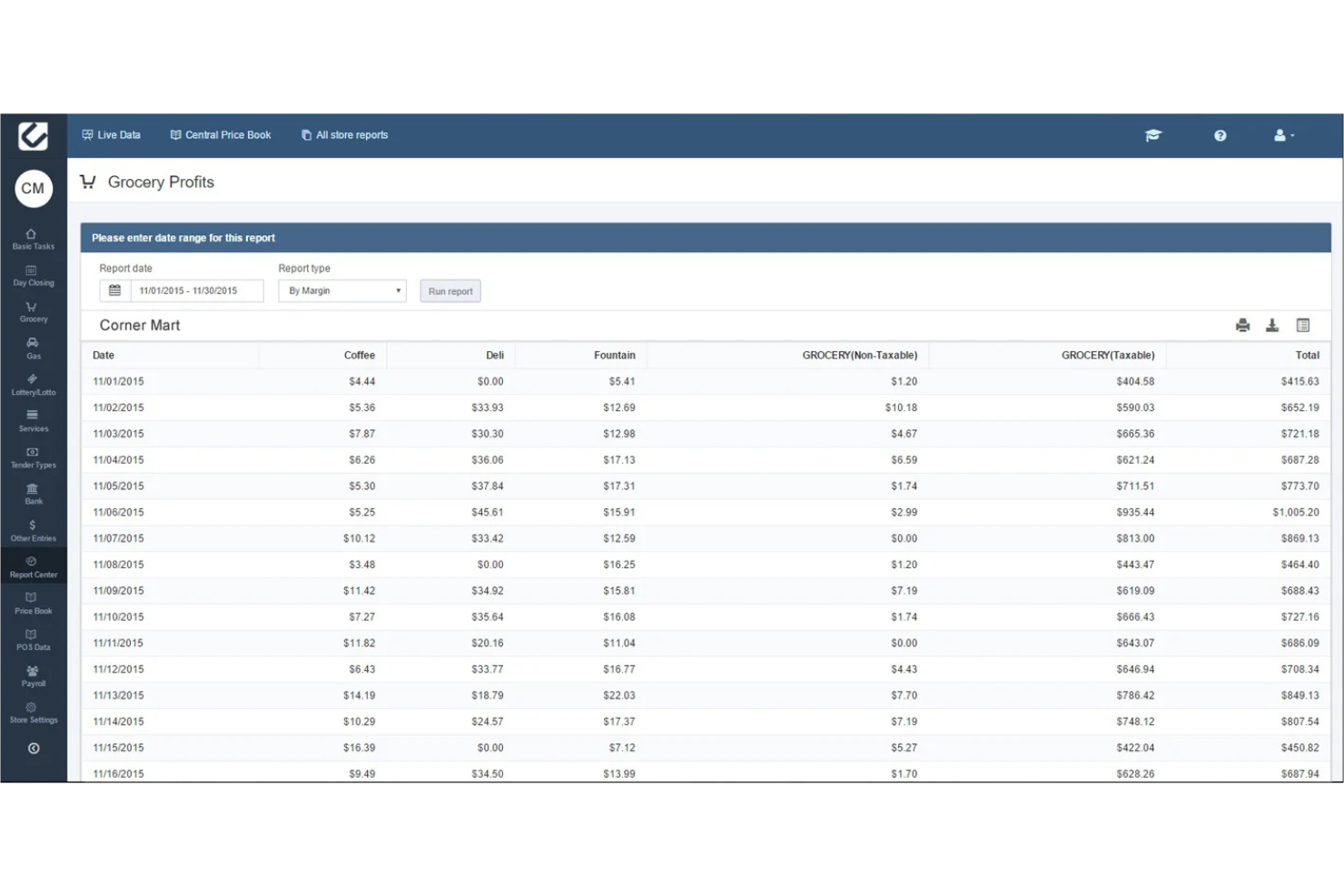
PDI CStore Essentials is a complete management solution for convenience stores with a focus on fuel management. It serves store operators by offering inventory control, sales tracking, and fuel management capabilities.
Why I picked PDI CStore Essentials: PDI CStore Essentials is ideal for fuel management, providing tools that cater specifically to stores with fuel operations. It offers real-time fuel inventory tracking, which helps you manage fuel levels efficiently. The system includes features such as automatic reorder alerts to ensure you never run out of stock. Sales analytics provide insights into fuel sales patterns, helping you optimize operations.
Standout Features and Integrations:
Features include customizable dashboards that allow you to monitor key metrics at a glance. You can use its automated reporting tools to generate detailed business reports. The platform also supports multistore management, making it suitable for businesses with multiple locations.
Integrations are not publicly listed.
Pros and Cons
Pros:
- Detailed sales analytics
- Automatic reorder alerts
- Real-time fuel tracking
Cons:
- Complex interface for new users
- Pricing does not include integrations

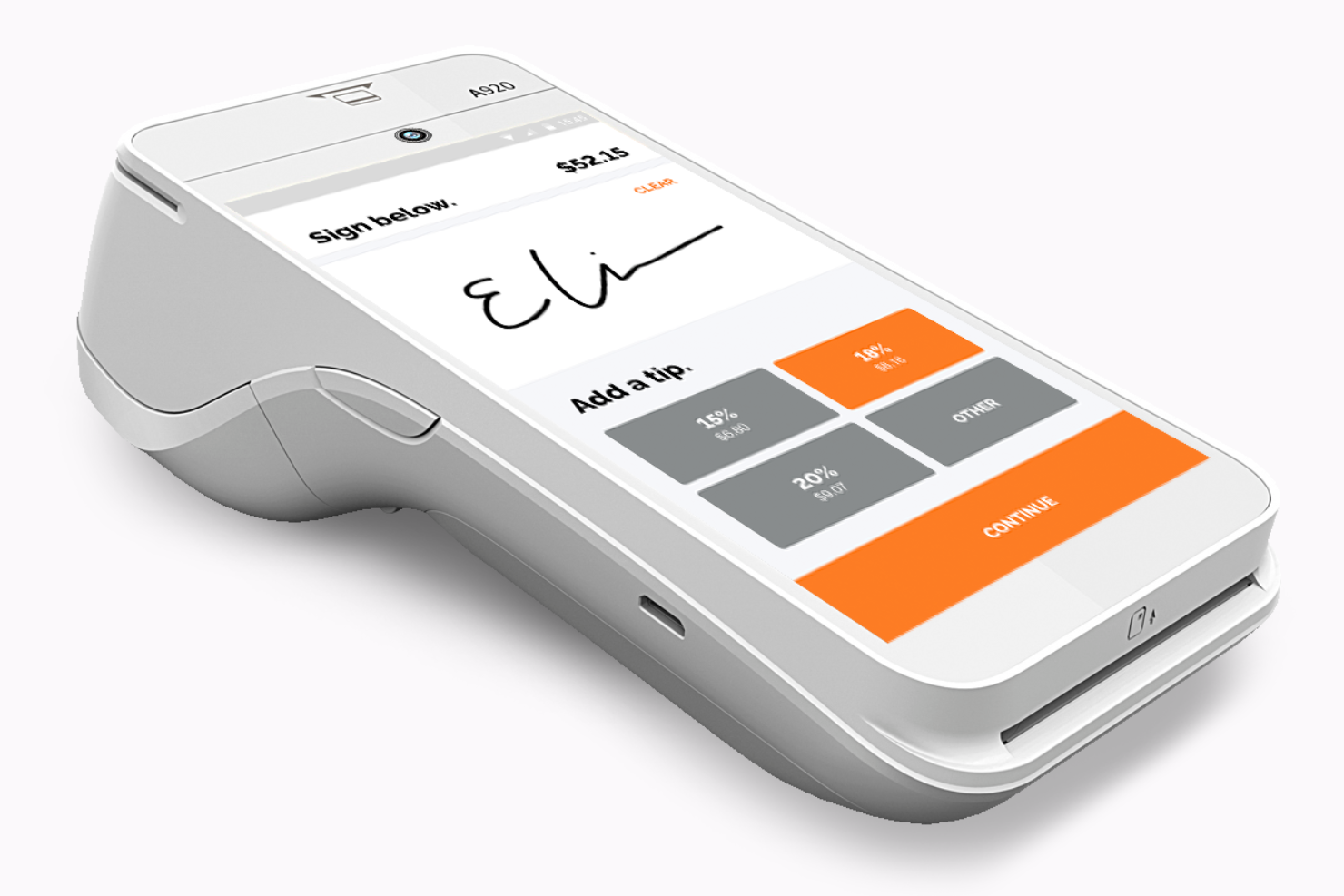
North provides a versatile payment processing solution for businesses of all sizes. It caters to retailers with secure transaction handling and various payment options.
Why I picked North: This solution is ideal for those seeking payment flexibility, as it supports credit card processing, debit cards, and mobile payments. It features an easy-to-use interface that simplifies transactions for your team. Additionally, the system offers detailed transaction reporting to help you monitor sales. With its extensive security measures, you can ensure safe and reliable payment handling.
Standout Features and Integrations:
Features include customizable receipt options, fraud detection tools, and real-time transaction monitoring. You can also benefit from its chargeback management system to handle disputes efficiently. The platform offers 24/7 customer support to assist with any issues.
Integrations are not publicly listed.
Pros and Cons
Pros:
- Customizable receipt options
- Fraud detection tools
- Wide payment method support
Cons:
- Limited features for non-payment tasks
- Hidden contract fees
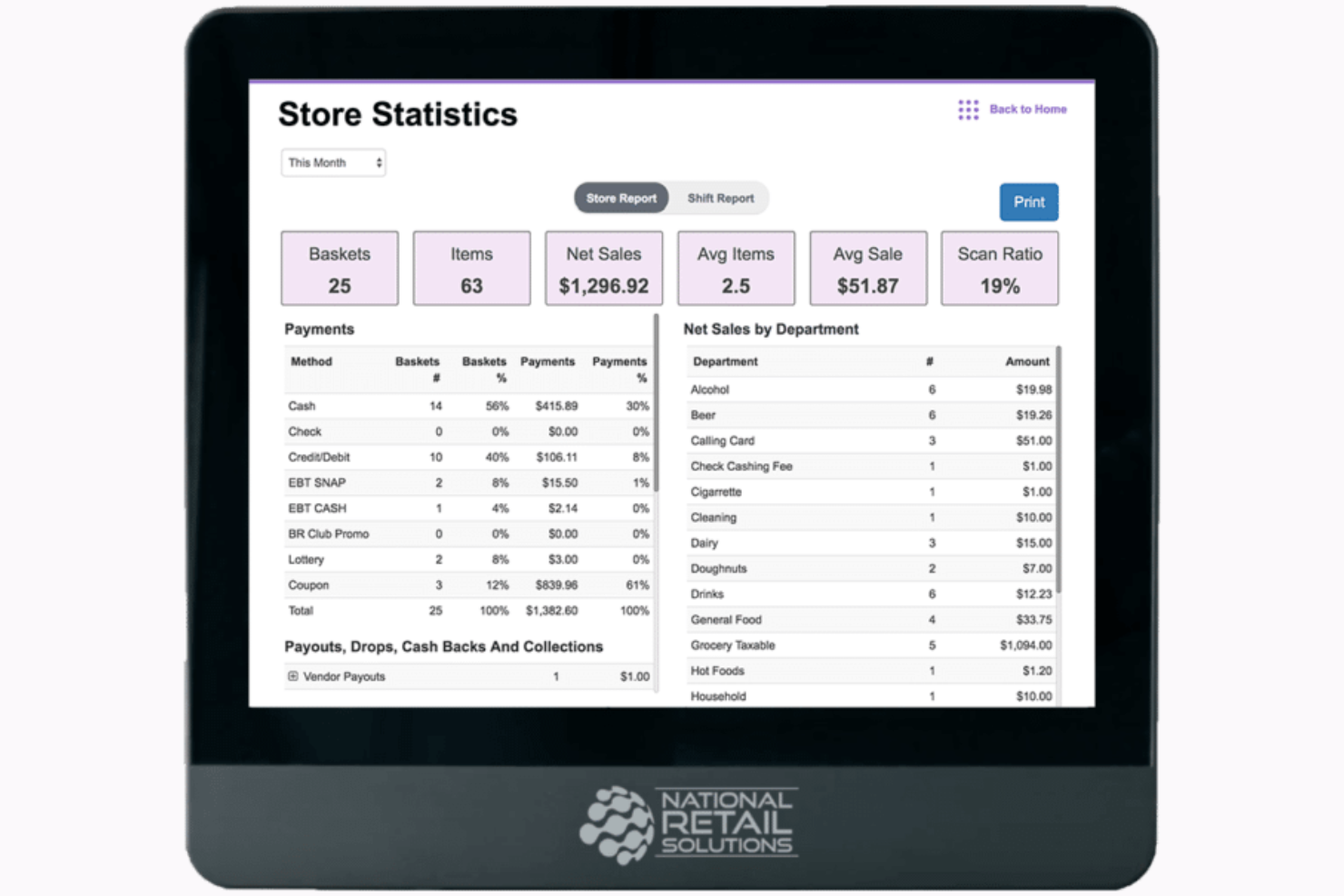
National Retail Solutions (NRS) is a POS system designed for small businesses. It primarily serves retail establishments by offering inventory management, sales tracking, and secure payment processing.
Why I picked National Retail Solutions: NRS stands out for small stores due to its tailored features. It includes a user-friendly touch-screen interface and inventory management tools designed for smaller operations.
The system also offers a customer-facing screen and a barcode scanner for quick, efficient transactions. Integration with delivery platforms such as DoorDash and Grubhub boosts its functionality for small retail environments.
Standout Features and Integrations:
Features include an employee time clock, loyalty programs, and advanced data reporting. Your team can also utilize the panic alarm button and integrate it with your security cameras for added safety. The system supports remote management through the My NRS Store mobile app.
Integrations include DoorDash, Grubhub, and more.
Pros and Cons
Pros:
- Numerous security features
- Remote management capabilities
- Integration with delivery platforms
Cons:
- Basic reporting features
- Limited scalability for larger stores

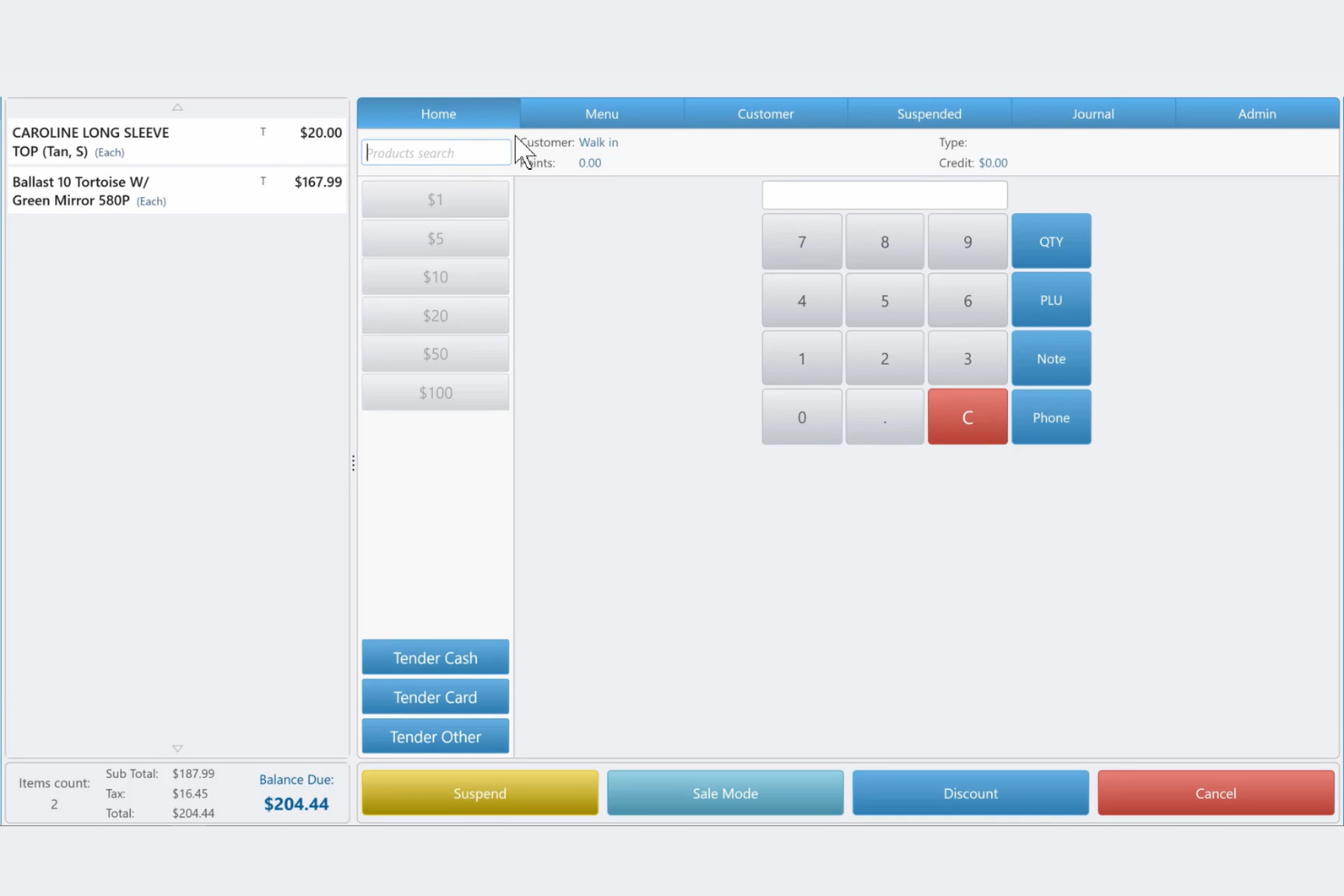
POS Nation offers a versatile point-of-sale system tailored for small to medium-sized businesses. It supports retailers by providing sales processing, inventory management, and customer relationship tools.
Why I picked POS Nation: POS Nation is known for its custom setups that allow you to tailor the system to fit your specific business needs. It includes features such as custom menu layouts and specialized hardware configurations. POS Nation provides extensive training and support to ensure your team can use it successfully. Its flexible software options can also cater to various retail environments.
Standout Features and Integrations:
Features include detailed sales reporting, which helps you analyze business performance. You can also use its employee management tools to track staff hours and productivity. The platform offers loyalty programs to boost customer engagement and retention.
Integrations include QuickBooks, WooCommerce, and more.
Pros and Cons
Pros:
- Loyalty program features
- Flexible software options
- Custom menu layouts
Cons:
- Fragmented menu navigation structure
- Unstable high-traffic performance
- Loyalty program features

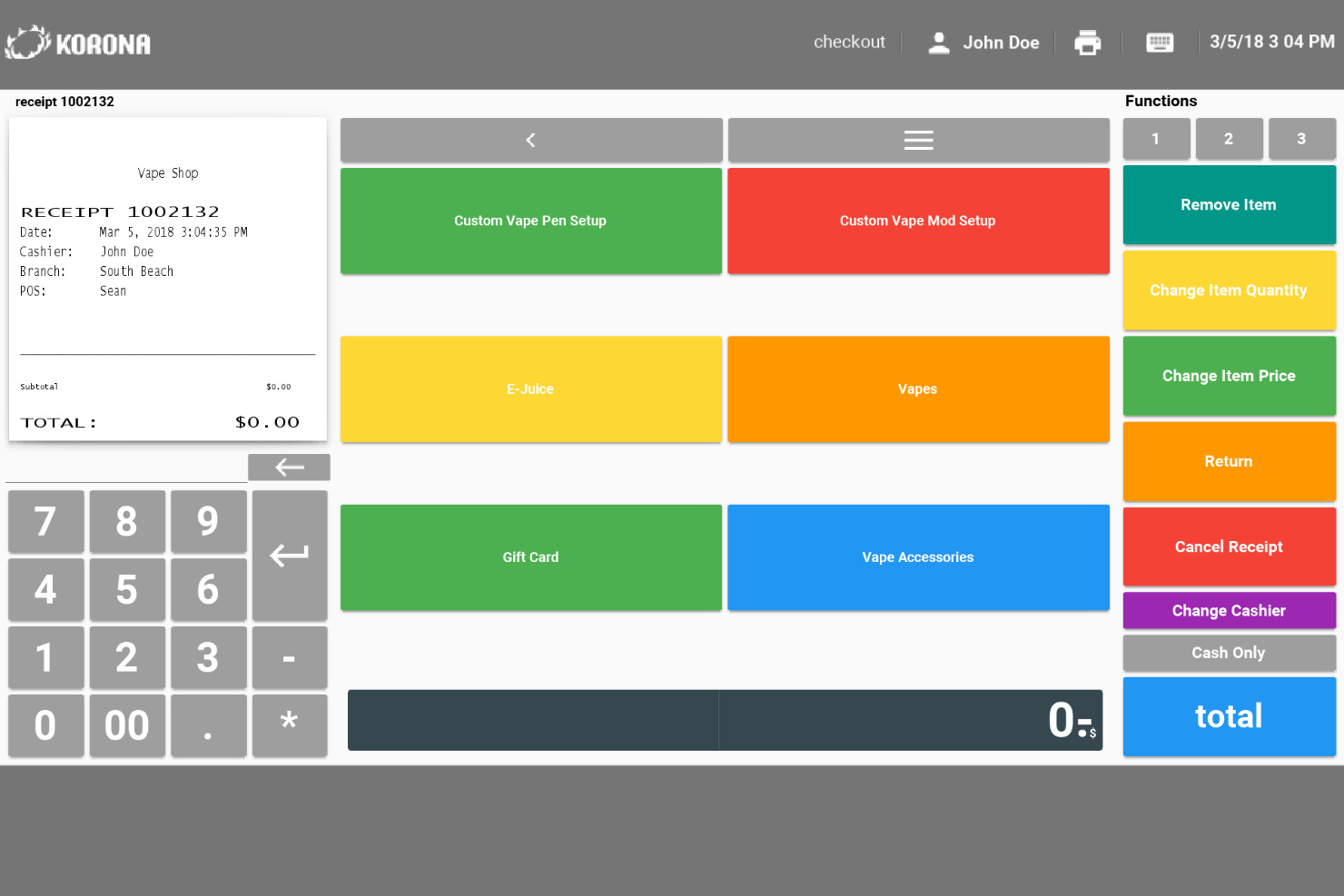
KORONA POS is a cloud-based point-of-sale system designed for retailers and convenience stores of all sizes. It supports businesses with sales tracking, inventory management, and customer relationship tools.
Why I picked KORONA POS: KORONA POS is perfect for businesses looking for scalability. It includes multilocation management, making it easy to oversee several convenience store operations from one platform. The software offers advanced sales analytics to help you understand your business trends. Its subscription-based model also ensures you always have the latest features without additional costs.
Standout Features and Integrations:
Features include detailed inventory management, which helps you track stock levels accurately. You can also utilize its custom reporting to tailor data insights to your needs. The system supports employee management tools to keep track of staff performance and schedules.
Integrations include Cradmarket, QuickBooks, WooCommerce, and more.
Pros and Cons
Pros:
- Subscription includes updates
- Real-time stock automation
- Supports multilocation management
Cons:
- Additional costs for some features
- Complex deep-level configuration
New Product Updates from KORONA POS

KORONA POS Enhances Reporting Tools for Better Tracking
KORONA POS has updated its reporting tools with new grouping, columns, and time-tracking features to improve data visibility across discounts, stock, and cancellations. For more information, visit KORONA POS's official site.
 .
.Other Convenience Store POS Systems
Here are some additional convenience store POS system options that didn’t make it onto my shortlist, but are still worth checking out:
- PDI
For enterprise-level analytics
- CStoreOffice
For back-office automation


Convenience Store POS System Selection Criteria
When selecting the best convenience store POS solutions to include in this list, I considered common buyer needs and pain points like inventory management and transaction speed. I also used the following framework to keep my evaluation structured and fair:
Core Functionality (25% of total score)
To be considered for inclusion in this list, each solution had to fulfill these common use cases:
- Process transactions quickly
- Manage inventory effectively
- Track sales data
- Generate reports
- Handle customer loyalty programs
Additional Standout Features (25% of total score)
To help further narrow down the competition, I also looked for unique features, such as:
- Real-time fuel management
- Cloud-based remote access
- Advanced security features
- Customizable dashboards
- Integration with delivery services
Usability (10% of total score)
To get a sense of the usability of each system, I considered the following:
- Intuitive user interface
- Easy navigation
- Minimal training required
- Clear and concise instructions
- Aesthetic design
Onboarding (10% of total score)
To evaluate the onboarding experience for each platform, I considered the following:
- Availability of training videos
- Step-by-step product tours
- Access to webinars
- Interactive templates
- Responsive chat support
Customer Support (10% of total score)
To assess each software provider’s customer support services, I considered the following:
- Availability of 24/7 support
- Multiple support channels
- Knowledgeable support staff
- Quick response times
- Extensive online resources
Value For Money (10% of total score)
To evaluate the value for money of each platform, I considered the following:
- Competitive pricing
- Features included in base package
- Cost of additional features
- Scalability with business growth
- Transparency in pricing
Customer Reviews (10% of total score)
To get a sense of overall customer satisfaction, I considered the following when reading customer reviews:
- Overall satisfaction rating
- Commonly mentioned strengths
- Frequently noted weaknesses
- User feedback on support
- Recommendations from other users
How To Choose a Convenience Store POS System
It’s easy to get bogged down in long feature lists and complex pricing structures. To help you stay focused as you work through your unique software selection process, here’s a checklist of factors to keep in mind:
| Factor | What To Consider |
| Scalability | Will the system grow with your business? Consider future expansion plans and whether the system can accommodate more locations or increased transaction volumes. |
| Integrations | Does it connect with your existing tools? Check for compatibility with accounting software, payment processors, cash registers, POS terminals, and other key systems you already use. |
| Customizability | Can you tailor it to fit your needs? Look for options to adjust the interface, reports, and workflows to match your store’s specific processes. |
| Ease of use | How simple is it for your team to learn and use? Evaluate the user interface and training requirements to ensure it won’t slow down in-person operations. |
| Implementation and onboarding | How quickly can you get started? Consider the time and resources needed for setup and training. Look for systems with straightforward onboarding processes. |
| Cost | Is it within your budget? Compare the base price, costs for additional features, and any hidden fees. Ensure it offers good value for the money spent. |
| Security safeguards | How does it protect your data? Verify if it meets industry standards for data encryption, user authentication, and secure transactions to keep your information safe. |
| Support availability | What help can you expect when needed? Look for 24/7 support options and consider the quality of customer service offered by the vendor. |
What Is a Convenience Store POS System?
A convenience store POS system is a software solution that helps manage sales, inventory, and customer transactions. Retail operators and store managers typically use these tools to improve efficiency and manage daily operations. Inventory tracking, sales reporting, and customer loyalty features support efficient operations and data-driven decision-making. Overall, these tools help stores operate more smoothly and profitably by organizing sales and inventory in one place.
Features
When selecting a convenience store POS system, keep an eye out for the following key features:
- Inventory management: Tracks stock levels in real time, ensuring you always know what’s in store and when to reorder.
- Sales reporting: Provides detailed insights into sales trends to help you make informed decisions about your business operations.
- Customer loyalty programs: Encourage repeat business by offering rewards and incentives to loyal customers.
- Mobile payment processing: Allows transactions to be completed anywhere in the store, improving customer convenience.
- Employee management: Monitors staff hours and productivity, aiding in effective workforce management.
- Multilocation support: Manages operations across multiple stores from a single platform, simplifying management tasks.
- Customizable interface: Adapts to your specific business needs to make the system more intuitive and easier to use.
- Automated reorder alerts: Notify you when stock levels are low, preventing stockouts and ensuring shelves are always stocked.
- Security safeguards: Protect sensitive data with encryption and secure authentication, keeping customer and business information safe.
- Real-time analytics: Offer up-to-date data on sales and inventory, enabling quick responses to business changes.
Benefits
Implementing a convenience store POS system provides several benefits for your team and your business. Here are a few you can look forward to:
- Improved inventory control: Real-time tracking and automated reorder alerts help maintain optimal stock levels and reduce waste.
- Improved sales insights: Detailed sales reports provide valuable data on trends and performance to aid strategic decision-making.
- Increased customer loyalty: Loyalty programs reward repeat customers, fostering long-term relationships and boosting sales.
- Efficient transaction processing: Mobile payment options speed up checkout, improving customer satisfaction and reducing wait times.
- Focused operations: Multilocation support and customizable interfaces simplify managing multiple stores and adapting to specific needs.
- Better employee oversight: Employee management features track staff productivity and hours, helping to optimize workforce efficiency.
- Data security: Strong security safeguards protect sensitive customer and business information to ensure trust and compliance.
Costs & Pricing
Selecting a convenience store POS system requires an understanding of the various pricing models and plans available. Costs vary based on features, team size, add-ons, and more. The table below summarizes common plans, their average prices, and the typical features included in convenience store POS system solutions:
Plan Comparison Table for Convenience Store POS Systems
| Plan Type | Average Price | Common Features |
| Free Plan | $0 | Basic transaction processing, limited inventory management, and basic reporting. |
| Personal Plan | $15-$80/user/month | Standard inventory management, customer support, and sales reporting. |
| Business Plan | $35-$150/user/month | Advanced sales analytics, customer loyalty programs, and multilocation support. |
| Enterprise Plan | $80-$300/user/month | Customizable interfaces, real-time analytics, and dedicated account management. |
Convenience Store POS System FAQs
Here are some answers to common questions about convenience store POS systems:
What hardware is needed for a POS system?
You typically need a tablet or computer, a cash drawer, a receipt printer, and a barcode scanner. Some setups may also include a customer-facing display. Make sure the hardware is compatible with the POS software you choose. Many systems are flexible and can work with a range of devices, so check the requirements before purchasing. Consider your store’s layout and transaction volume when selecting hardware to make sure it suits your needs.
Can a POS system work offline?
Yes, some POS systems offer offline functionality, but it varies by provider. Offline mode allows you to continue processing transactions even without an internet connection. Look for systems that automatically sync data once you’re back online to avoid data loss. If your store is in an area with unreliable internet, prioritize offline capabilities to ensure uninterrupted service.
How secure is a POS system?
POS systems are designed with security in mind, typically offering encryption and secure transaction processing. Ensure your chosen system complies with industry standards, such as PCI DSS, to protect customer data. Regularly update software and train your team on security best practices. Consider additional features, such as user permissions and audit trails, to boost security.
Is training required to use a POS system?
Yes, most POS systems require some training to use successfully. The complexity of training depends on the system’s features and your team’s familiarity with digital tools. Look for vendors that offer extensive training resources, such as tutorials, webinars, and customer support. Investing time in training ensures your team can fully utilize the system, improving efficiency and accuracy.
Can a POS system integrate with my store’s loyalty program or EBT payments?
Yes, many convenience store POS systems can integrate customer loyalty programs, accept EBT/SNAP payments, and process mobile wallets such as Apple Pay. Ask vendors which integrations are out-of-the-box and which may require extra setup. Integration saves time and makes checkout smoother for your customers.
How often should I update my POS software and hardware?
Update the POS software as soon as new versions are released, usually every few months, to receive security patches and new features. Hardware, such as receipt printers or barcode scanners, usually lasts three to five years; replace them when you notice slowdowns or frequent issues.
What is the average lifespan of POS hardware in high-traffic convenience stores?
You can expect POS hardware to last three to five years in busy stores. Touch screens and barcode scanners may need to be replaced more often if they’re used heavily or exposed to spills. Regular cleaning and maintenance can help extend equipment life.
What’s Next:
If you're in the process of researching a convenience store POS system, connect with a SoftwareSelect advisor for free recommendations.
You'll fill out a form and have a quick chat where they get into the specifics of your needs. Then you'll get a shortlist of software to review. They'll even support you through the buying process, including price negotiations.