
14 Best Cafe POS Systems Reviewed in 2026

Best Cafe POS Systems Shortlist
Here's my pick of the 10 best software from the 14 tools reviewed.


Running a cafe means juggling many tasks, from managing orders to tracking inventory. It's easy to feel overwhelmed. That's where a cafe POS system comes in. This all-in-one system can help you manage your operations more efficiently, letting you focus on what you love: serving great coffee and food.
I've spent years testing and reviewing software in the retail sector. I aim to give you an unbiased look at the best cafe POS systems out there. In this article, you'll find straightforward reviews that highlight what each system offers and how it can help you overcome your daily challenges.
By the end, you'll have a clearer idea of which POS system suits your needs best. Let's get started.
Why Trust Our Software Reviews
Best Cafe POS System Summary
This comparison chart summarizes pricing details for my top cafe POS system selections to help you find the best one for your budget and business needs.
| Tool | Best For | Trial Info | Price | ||
|---|---|---|---|---|---|
| 1 | Best for busy kitchens | Free plan + free demo available | From $69/month | Website | |
| 2 | Best for inventory management | 14-day free trial + free demo available | From $119/month | Website | |
| 3 | Best for free usage | 14-day free trial + free plan available | From $50/store/year | Website | |
| 4 | Best for small cafes | Free plan + 30-day free trial available | From $49/month | Website | |
| 5 | Best for multi-lingual support | Free plan + free demo available | From $10/month (billed annually) | Website | |
| 6 | Best for mobile ordering | Free demo available | From $0/month + 2.99% + $0.10 processing fees | Website | |
| 7 | Best for large chains | Free demo available | Pricing upon request | Website | |
| 8 | Best for cloud access | Free demo available | Pricing upon request | Website | |
| 9 | Best for offline mode | Free demo available | Pricing upon request | Website | |
| 10 | Best for iPad users | Free demo available | From $69/month | Website |
Best Cafe POS System Reviews
Below are my detailed summaries of the best cafe POS systems that made it onto my shortlist. My reviews offer a detailed look at the key features, pros and cons, integrations, and ideal use cases of each tool to help you find the best one for you.

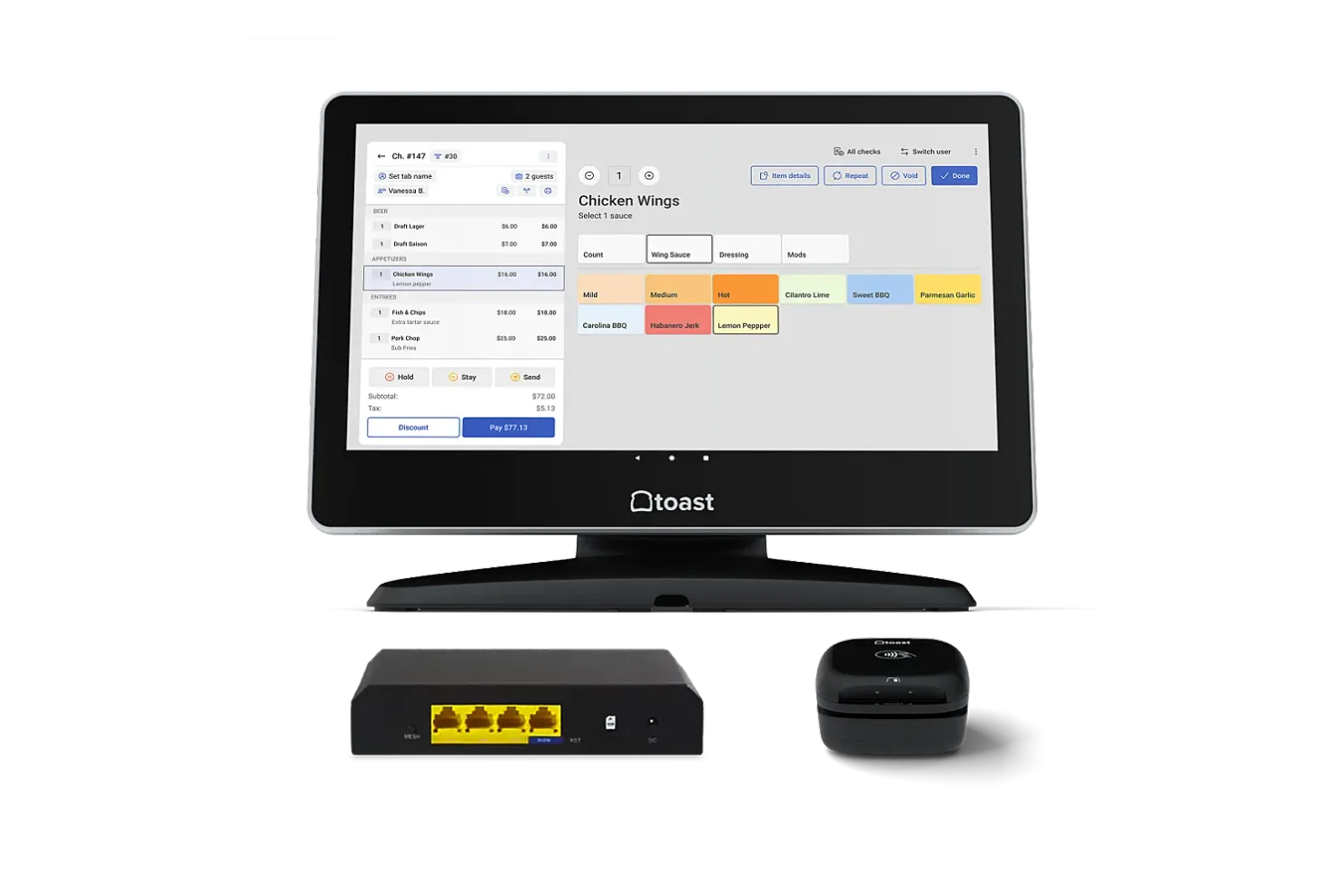
Toast is a restaurant-focused POS system that serves busy kitchens and dining establishments. It manages orders, payments, and kitchen operations.
Why I picked Toast: It's tailored for busy kitchens with features such as real-time order updates and kitchen display systems (KDS). Toast allows you to manage orders from multiple channels, ensuring that your team stays organized during peak hours. The system also provides detailed reporting to help you make educated choices. Its ability to handle high-volume environments sets it apart from other POS software solutions.
Standout Features and Integrations
Features include customizable menu options that let you adapt quickly to changes, order tracking to keep your kitchen running smoothly, and employee management tools for scheduling and time tracking.
Integrations include Grubhub, DoorDash, OpenTable, 7shifts, PeachWorks, BevSpot, xtraCHEF, Compeat, MarketMan, and more.
Pros and cons
Pros:
- Flexible payment options
- Includes Android-based handheld POS units
- Real-time order updates
Cons:
- No support for iOS devices
- Requires hardware investment

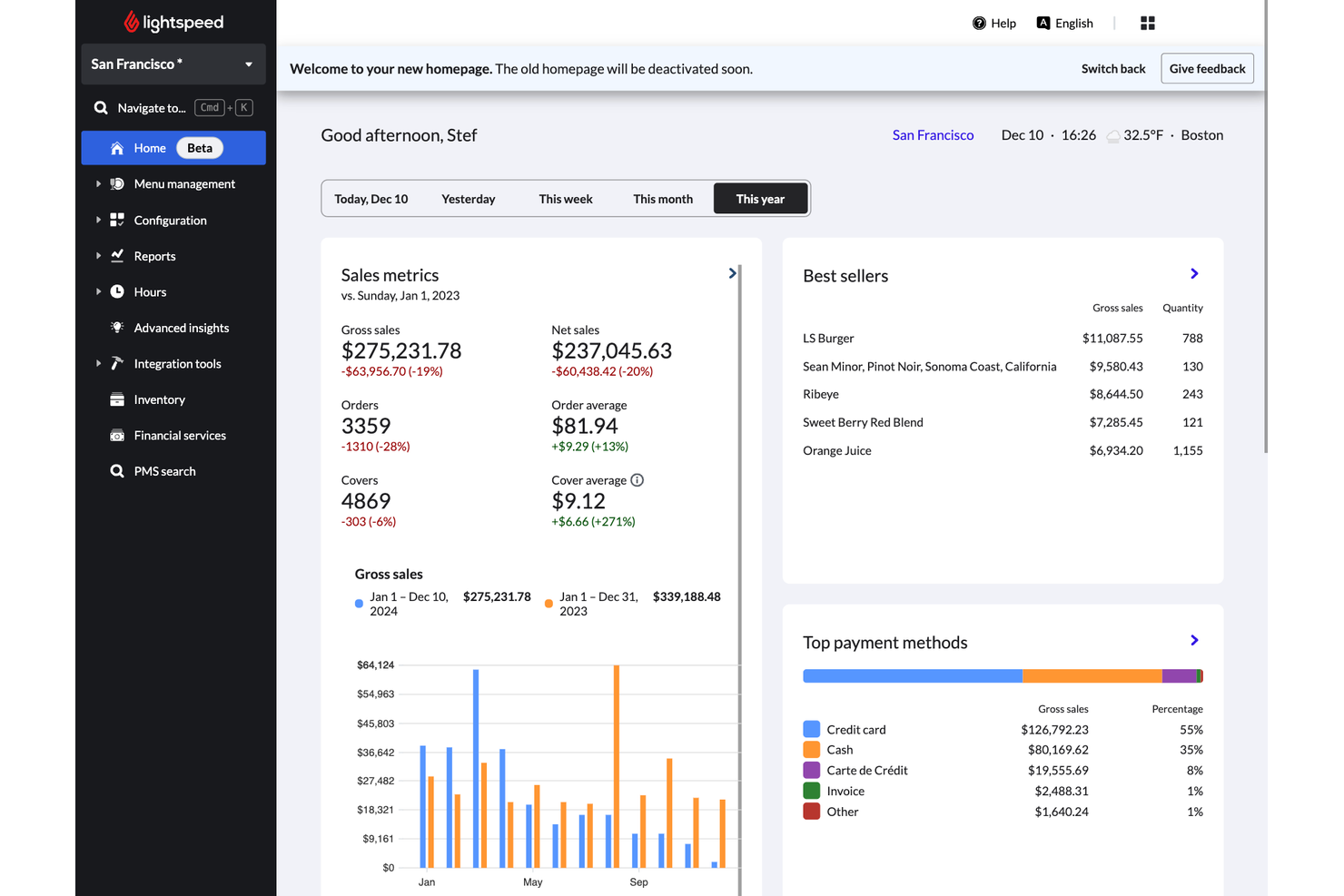
Lightspeed is a cloud-based POS system aimed at retailers and restaurants, focusing on inventory management and sales operations. It serves businesses looking to fine-tune inventory control and strengthen sales tracking.
Why I picked Lightspeed: It excels in inventory management, offering detailed stock tracking and automatic reorder points. With Lightspeed, you can manage complex inventory across multiple locations, ensuring that your stock levels are always optimized. The system's reporting tools define sales patterns and inventory performance. Its focus on inventory management makes it a preferred choice for businesses with extensive product lines.
Standout Features and Integrations
Features include advanced reporting that helps you analyze sales trends and performance. The employee management tools allow you to schedule and track staff hours. Lightspeed also offers customer relationship management features to enrich customer engagement and loyalty.
Integrations include Xero, Bite, GrubHub, KitchenSync, Peachworks, Wisk, and more.
Pros and cons
Pros:
- Inclusive sales reports
- Cloud-based, allowing for multi-location management
- Detailed inventory tracking
Cons:
- Offline mode is limited, requiring stable internet connection
- Requires a third-party payment processor

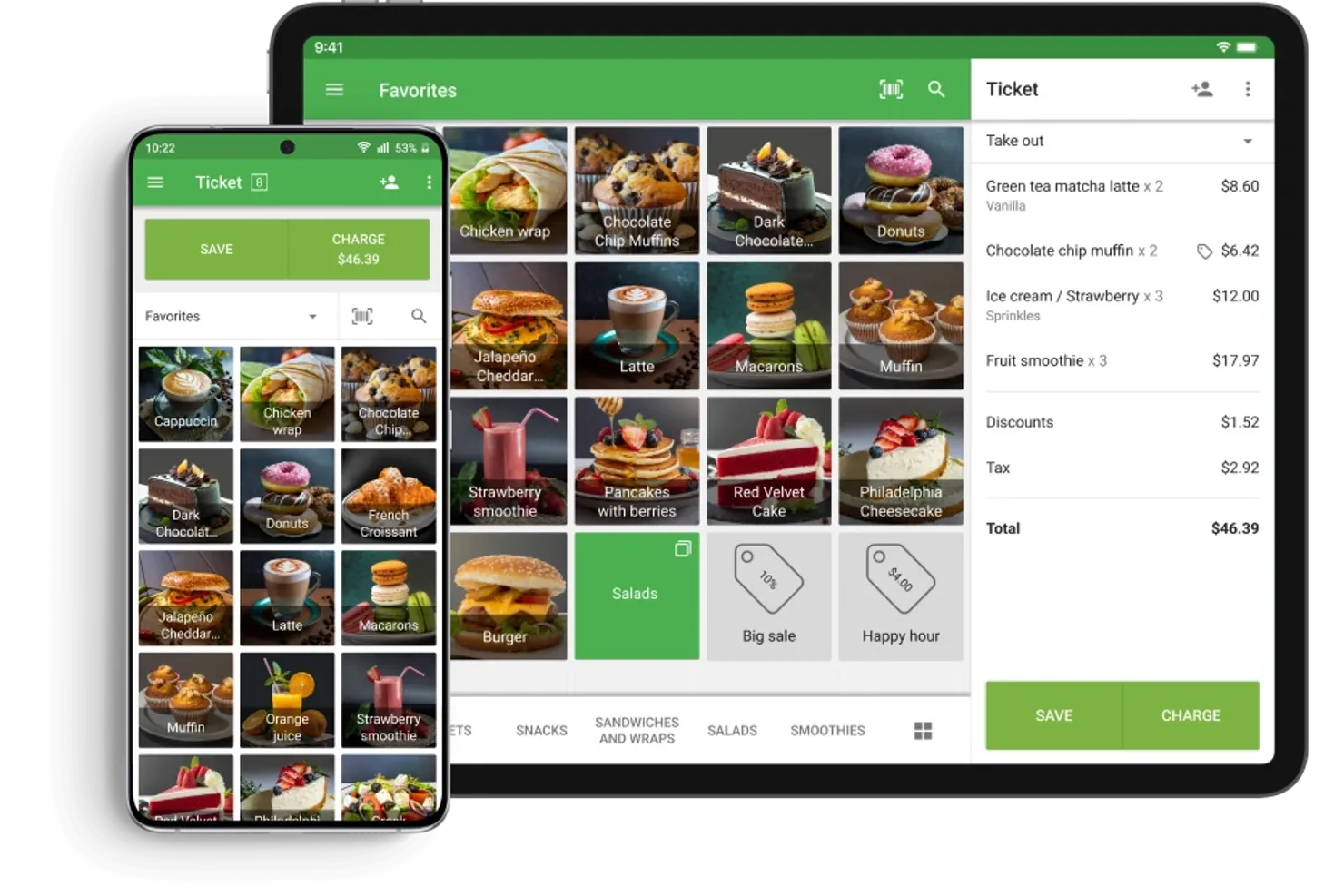
Loyverse POS System is a free point-of-sale system designed for small and medium-sized businesses, especially cafes and shops. It helps manage sales, inventory, and customer relationships efficiently.
Why I picked Loyverse POS System: It's ideal for businesses seeking a cost-effective solution with essential features. Loyverse POS System offers free usage, making it accessible for startups and small cafes. The system includes inventory management, sales analytics, and customer loyalty programs, providing valuable tools without a high price tag. Its ability to offer these features at no cost differentiates it from other solutions.
Standout Features and Integrations
Features include multi-store management that allows you to oversee several locations from one account. The sales analytics feature offers perspectives on your business performance. Loyverse POS also offers employee management tools to track staff hours and performance.
Integrations include QuickBooks, Xero, Zapier, and more.
Pros and cons
Pros:
- Strong sales analytics
- Easy multi-store management
- Free core software for budget-conscious cafes
Cons:
- Advanced management add-ons are costly
- Limited advanced inventory features

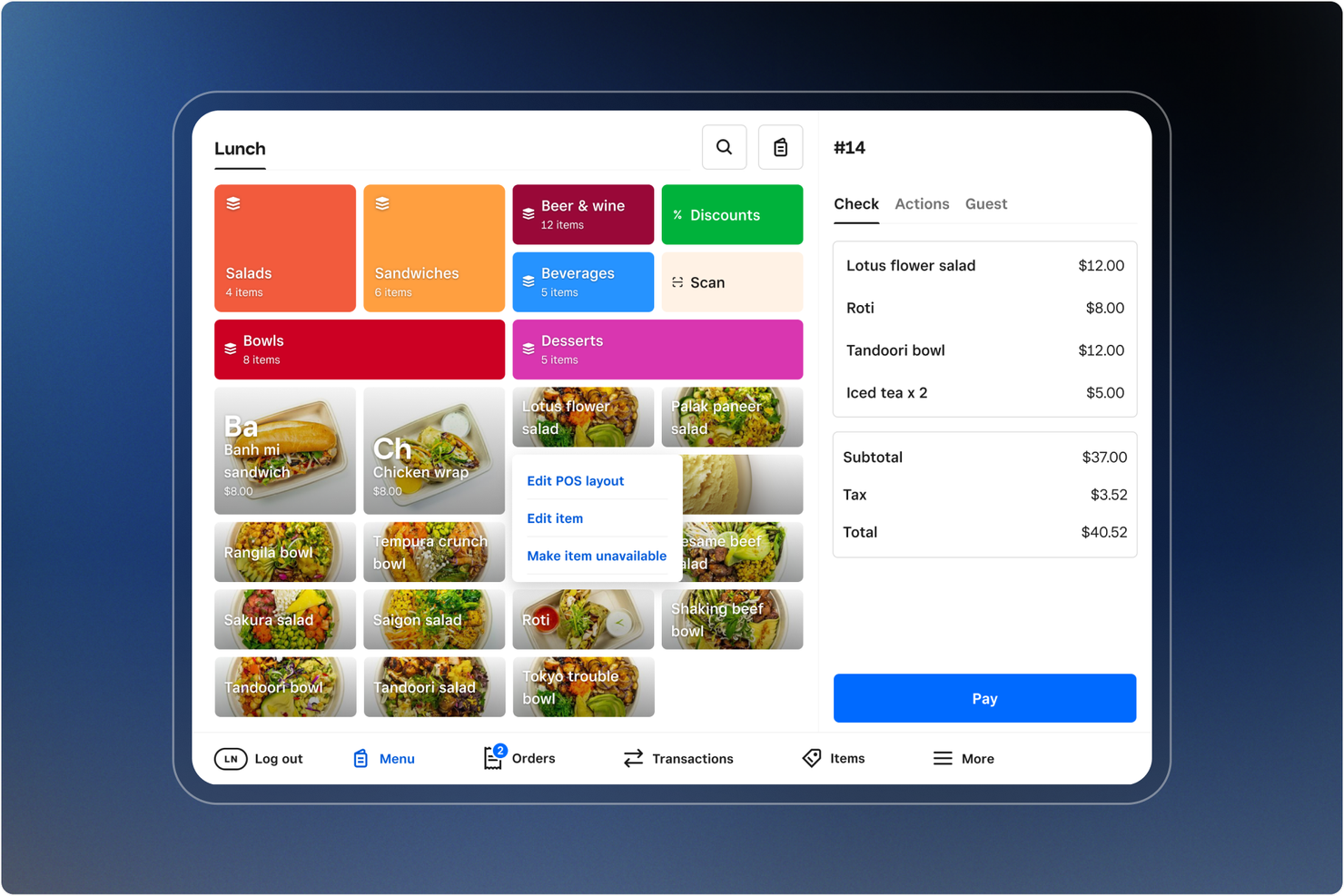
Square is a versatile point-of-sale system designed for small businesses, particularly cafes. It helps manage sales, track inventory, and process payments efficiently.
Why I picked Square: It's ideal for small cafes and kiosks due to its straightforward setup and user-friendly interface. Square offers features such as digital receipts, sales reports, and inventory tracking, making it easy to manage daily operations. Its mobile point-of-sale capabilities allow you to process transactions anywhere in your cafe. Additionally, its simple pricing structure is appealing to small businesses looking to keep costs predictable.
Standout Features and Integrations
Features include sales analytics that lend an understanding of your business's performance, employee management tools to track hours and shifts, and customer feedback collection to improve service quality.
Integrations include QuickBooks, Xero, WooCommerce, BigCommerce, Wix, Adobe Commerce, Weebly, Ecwid, and more.
Pros and cons
Pros:
- Free plan with no monthly subscription
- Simple setup process
- Easy mobile transactions
Cons:
- Occasional connectivity issues can hinder sales
- Flat-rate processing fees can become expensive
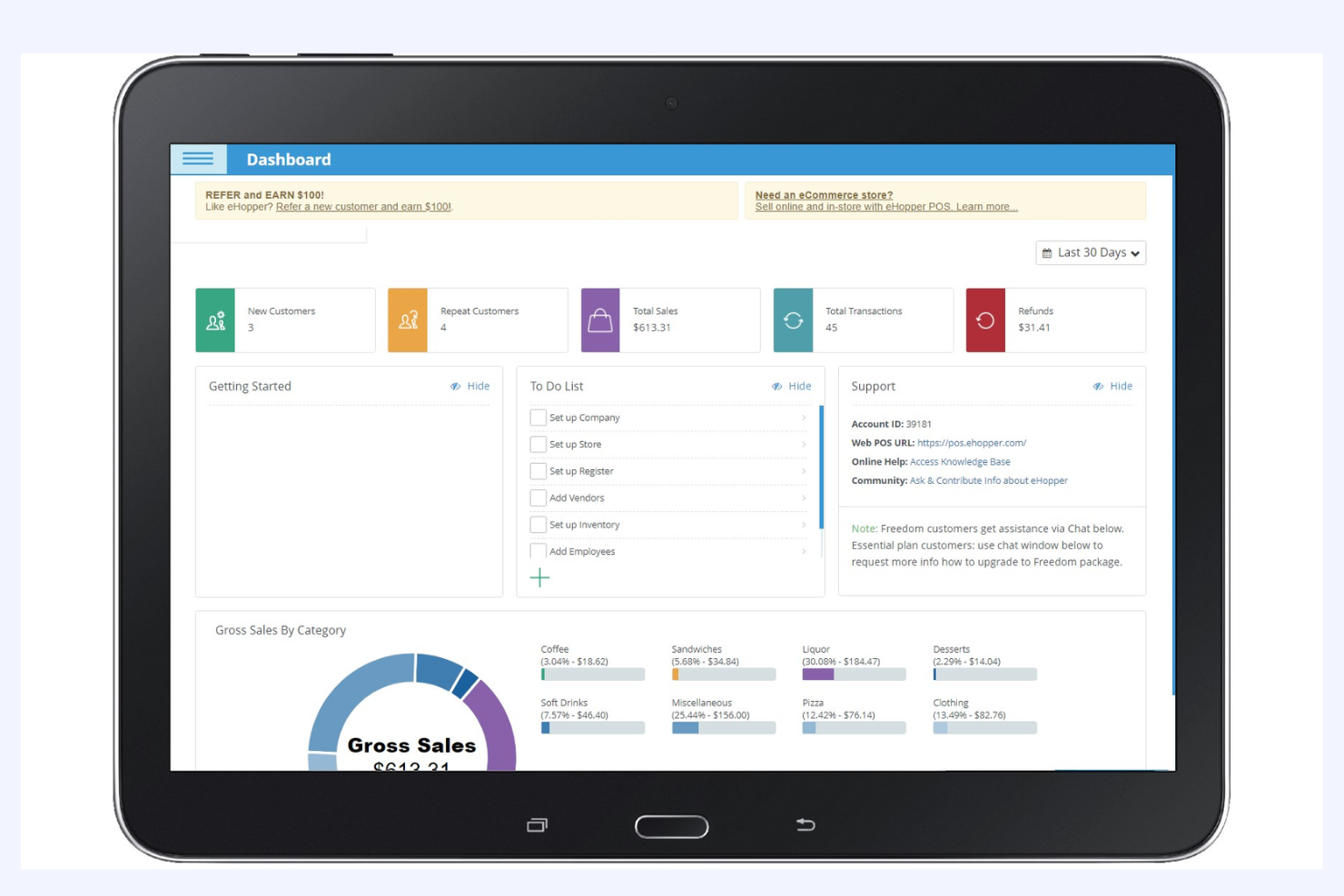
eHopper is a point-of-sale system built for cafes and small food businesses. It helps you manage sales, orders, and daily operations from one system.
Why I picked eHopper: eHopper supports multiple languages across the POS interface. You can switch languages to match your staff’s needs during daily operations. It helps teams work faster when English isn’t the primary language. This works well for cafes with diverse staff or international locations.
Standout Features and Integrations
Features include offline mode so your cafe can keep selling during outages. It supports employee management with role-based access. You can also track sales and product data from a single dashboard.
Integrations include Worldpay, EVO Payments, TSYS, PAX, Star Micronics, Dejavoo, Cash Drawer, and more.
Pros and cons
Pros:
- Free multi-platform capabilities
- Works offline during outages
- Supports multiple languages
Cons:
- Inconsistent customer support
- Limited customization options in the free version

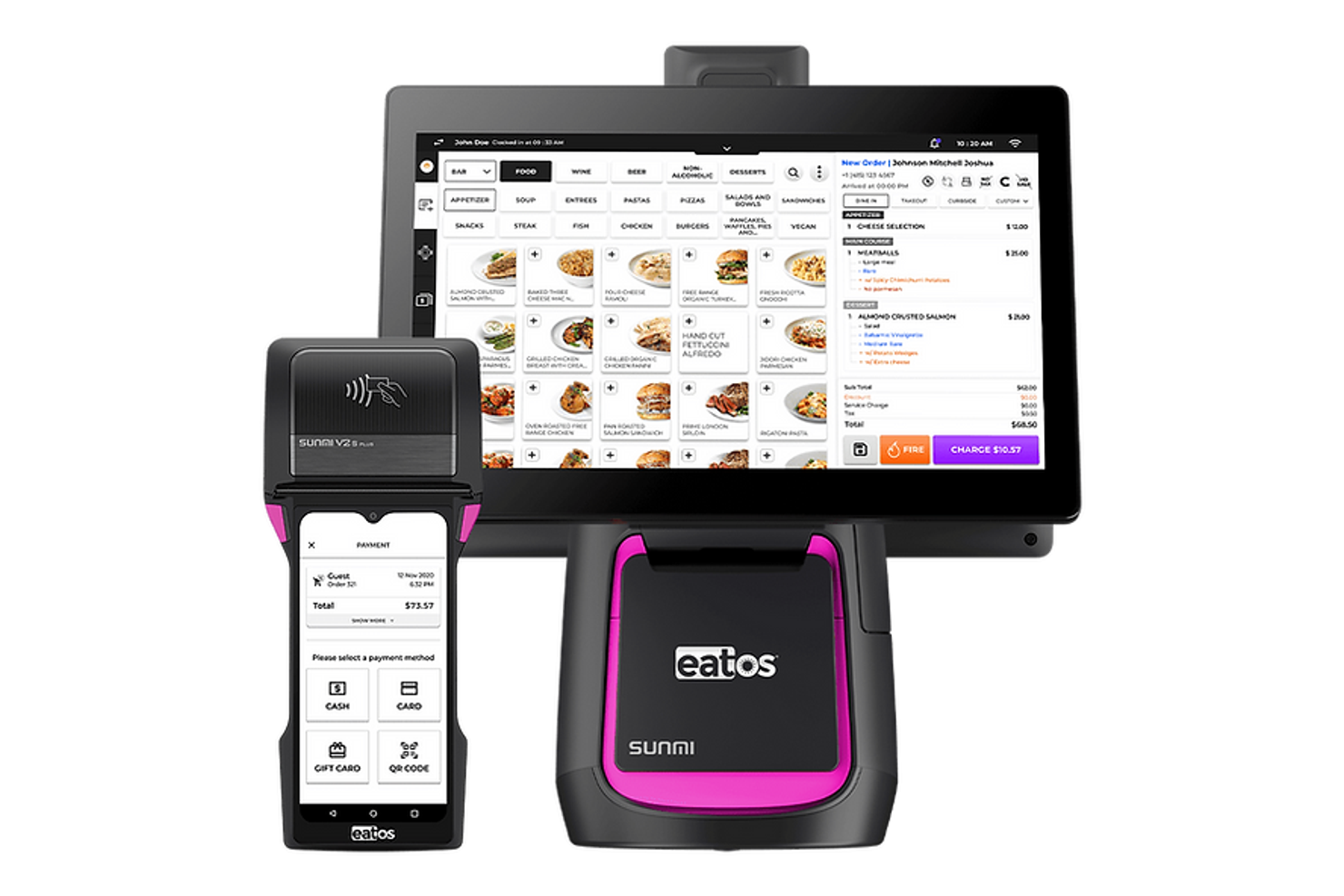
eatOS is a point-of-sale system built for cafes and food-service businesses. It helps you manage ordering, payments, and daily operations from one platform.
Why I picked eatOS: This system facilitates mobile ordering for customers and staff. Guests can order from their phones, and the system sends the orders directly to the kitchen. It supports dine-in, takeout, and pickup without slowing service. This suits cafes that want shorter lines and faster order turnaround.
Standout Features and Integrations
Features include self-service ordering tools that reduce counter traffic. It supports order routing to kitchen screens for faster prep. You can also review sales and order activity from a central dashboard.
Integrations include SUNMI, Stripe, Poynt, Restaurant365, MarketMan, 7shifts, DoorDash, and more.
Pros and cons
Pros:
- Ideal for fast-paced cafes
- Self-service reduces counter congestion
- Strong mobile ordering platform
Cons:
- Not suitable for large or complex operations
- No free trial or version
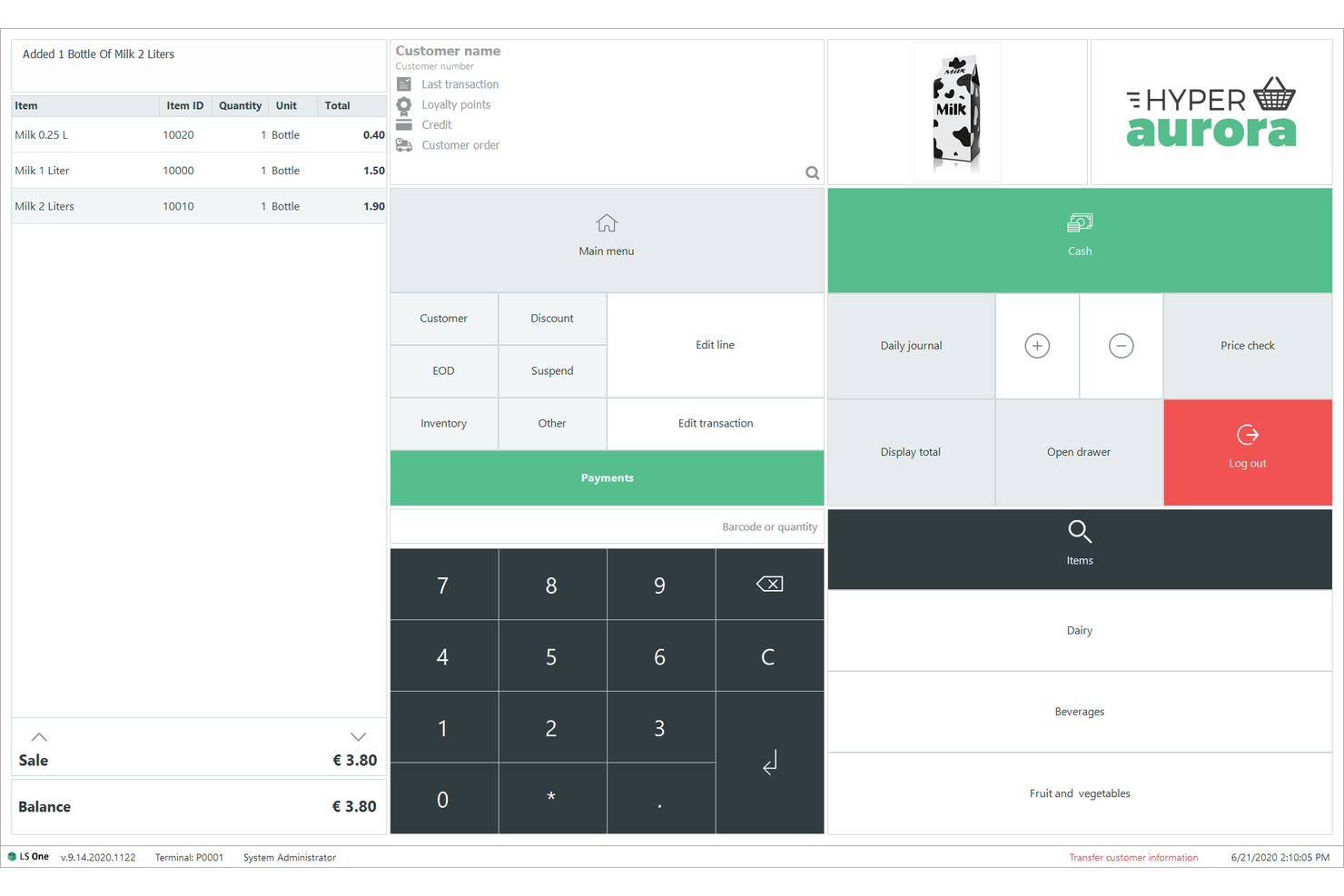
LS Retail Cafe POS System is a complete POS solution designed for large chains and multi-location businesses. It provides an integrated product catalog, a numeric keypad for quantity entry, customer lookup functionality, and transaction management buttons, including payment processing and daily journal access. It caters to enterprises looking for a unified system to consolidate operations across numerous sites.
Why I picked the LS Retail Cafe POS System: It's tailored for large chains, offering centralized management and real-time data access across all locations. It provides extensive inventory control and sales tracking, ensuring that you can monitor performance effectively. The system's reporting tools clarify business trends, helping you make logical choices. Its ability to manage complex operations across multiple sites makes it ideal for large businesses.
Standout Features and Integrations
Features include advanced analytics, allowing you to analyze sales and customer behavior. The loyalty management tools help you engage and retain customers. It also offers across-the-board inventory management to optimize stock levels and reduce waste.
Integrations include Microsoft Dynamics 365, SAP, Oracle, Adobe Commerce, Shopify, WooCommerce, QuickBooks, Xero, Sage, and more.
Pros and cons
Pros:
- Real-time data access
- Flexible to suit various cafe needs
- Centralized management for multi-site cafes
Cons:
- Requires extensive training
- Complex setup process
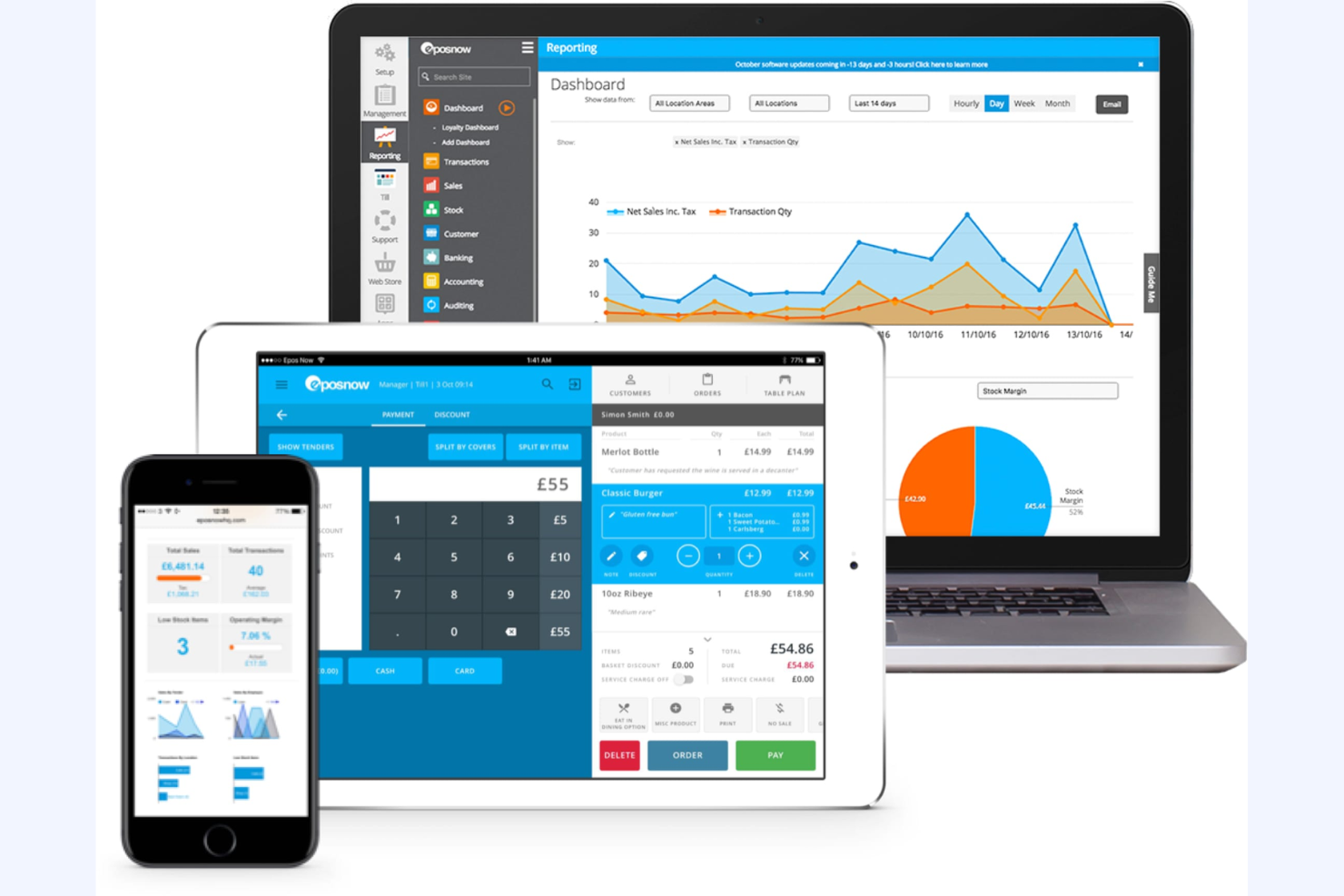
Epos Now Cafe POS is a cloud-based POS system designed for retail and hospitality businesses, offering flexibility and remote access to business operations. It caters to businesses looking to manage sales, inventory, and customer interactions efficiently.
Why I picked Epos Now Cafe POS: It's ideal for businesses needing cloud access, allowing you to manage your operations from anywhere with internet connectivity. Epos Now Cafe POS provides real-time sales data and inventory management, making it easier to track your business performance. The system offers customizable reporting tools to help you analyze trends and make data-driven decisions. Its ability to provide these features through the cloud sets it apart from other solutions.
Standout Features and Integrations
Features include advanced stock and menu management that helps you keep track of inventory levels. The customizable dashboard allows you to view the most important metrics at a glance. Epos Now Cafe POS also offers employee management tools to schedule and monitor staff performance.
Integrations include QuickBooks, Xero, Sage, Mailchimp, Shopify, WooCommerce, BigCommerce, Deputy, Zapier, and more.
Pros and cons
Pros:
- Simplifies menu management
- Real-time sales tracking
- Accessible from any location
Cons:
- May need additional hardware
- Learning curve for advanced features

Quantic Cafe and Coffee Shop POS is a versatile point-of-sale system designed for various types of retail and hospitality businesses. It enables efficient sales and inventory management, catering to businesses that need reliable operations even without internet connectivity.
Why I picked Quantic Cafe and Coffee Shop POS: It's particularly valuable for businesses that require offline functionality, ensuring that your operations continue smoothly without internet disruptions. This system includes features such as customizable menus and detailed transaction reports. It also provides inventory management tools that keep your stock organized. Its offline capabilities make it a standout choice for locations with unstable internet.
Standout Features and Integrations
Features include a user-friendly interface that simplifies training for your team. The system offers real-time analytics, which give you awareness of your business's performance. It also supports multiple payment options, enhancing customer convenience.
Integrations include QuickBooks, Chowly, DTiQ, and more.
Pros and cons
Pros:
- Detailed transaction reporting
- Customizable menu and modifiers
- Operates well offline
Cons:
- Pricing is not transparent
- Initial setup can be complex

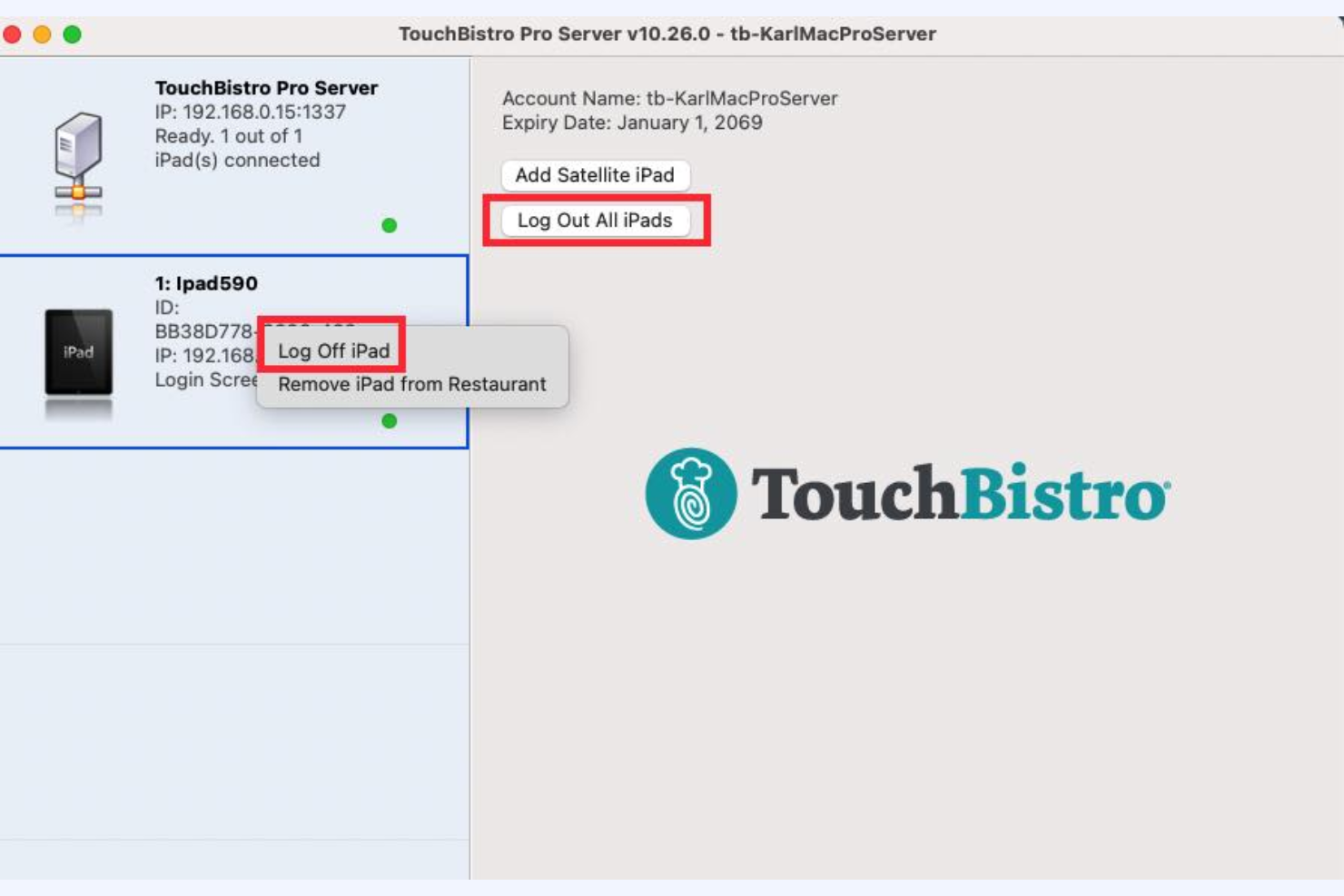
TouchBistro Fast Casual Restaurant POS is a system specifically designed for the small restaurant industry, with a focus on iPad users. It helps manage orders, payments, and customer interactions in a restaurant setting.
Why I picked TouchBistro Fast Casual Restaurant POS: It's ideal for iPad users, offering a user-friendly interface that simplifies order management. It allows you to take orders directly at the table, improving service speed and accuracy. The system also provides detailed sales reports to help you track performance. Its integration with iPads makes it a preferred choice for small businesses looking to leverage mobile technology.
Standout Features and Integrations
Features include tableside ordering, which speeds up service and reduces errors. The inventory management tools help you keep track of stock levels effectively. TouchBistro Fast Casual Restaurant POS also offers customer relationship management features to improve guest experiences and loyalty.
Integrations include Davo, Restaurant365, MarginEdge, Shogo, Avero, and more.
Pros and cons
Pros:
- Detailed, customizable sales reporting
- Ideal for tableside and quick order management
- Optimized for iPad use
Cons:
- Performance lags during busy hours
- Setup can be time-consuming
Other Cafe POS Systems
Here are some additional cafe POS system options that didn’t make it onto my shortlist but are still worth checking out:
- Dripos
For delivery tracking
- Clover Coffee Shop POS
For customization
- Coffee Shop Manager
For loyalty programs
- GoTab Coffee Shop POS
For contactless ordering


Cafe POS System Selection Criteria
When selecting the best cafe POS system to include in this list, I considered common buyer needs and pain points, such as managing peak rush hours and efficient inventory tracking. I also used the following framework to keep my evaluation structured and fair:
Core Functionality (25% of total score)
To be considered for inclusion in this list, each solution had to fulfill these common use cases:
- Process sales transactions
- Manage inventory levels
- Track customer orders
- Generate sales reports
- Handle multiple payment types
Additional Standout Features (25% of total score)
To help further narrow down the competition, I also looked for unique features, such as:
- Mobile ordering capabilities
- Integrated loyalty programs
- Advanced analytics and reporting
- Contactless payment options
- Customizable menu layouts
Usability (10% of total score)
To get a sense of the usability of each system, I considered the following:
- Intuitive interface design
- Easy navigation between features
- Minimal training required for staff
- Responsive touch screen functionality
- Customizable user interface
Onboarding (10% of total score)
To evaluate the onboarding experience for each platform, I considered the following:
- Availability of training videos
- Interactive product tours
- Access to templates for setup
- Supportive webinars and workshops
- On-demand chatbots for assistance
Customer Support (10% of total score)
To assess each software provider’s customer support services, I considered the following:
- 24/7 support availability
- Email and phone support options
- Live chat functionality
- Inclusive help center
- Dedicated account managers
Value for Money (10% of total score)
To evaluate the value for money of each platform, I considered the following:
- Competitive pricing against features
- Transparent pricing structure
- Discounts for long-term contracts
- No hidden fees or charges
- Flexible pricing plans for different needs
Customer Reviews (10% of total score)
To get a sense of overall customer satisfaction, I considered the following when reading customer reviews:
- Overall satisfaction ratings
- Feedback on feature reliability
- Comments on ease of use
- Understanding of customer service experiences
- User testimonials on system performance
How To Choose a Cafe POS System
It’s easy to get bogged down in long feature lists and complex pricing structures. To help you stay focused as you work through your unique software selection process, here’s a checklist of factors to keep in mind:
| Factor | What To Consider |
|---|---|
| Scalability | Will the system grow with your business? Consider if it can handle more transactions or users without a hitch as your cafe expands. |
| Integrations | Does it work with your existing tools? Ensure it connects with your accounting software, payment gateways, or any other systems you rely on. |
| Customizability | Can you tailor it to your needs? Look for systems that let you adjust layouts and settings to fit your cafe's workflow. |
| Ease of use | Is it straightforward for your team? A user-friendly interface can save training time and reduce errors during busy shifts. |
| Implementation and onboarding | How quickly can you get started? Check if the vendor offers training materials, support, and resources to get your team up and running smoothly. |
| Cost | Does it fit your budget? Compare pricing plans, and watch out for hidden fees or long-term contracts that might not suit your financial situation. |
| Security safeguards | How secure is your data? Ensure the system has encryption, regular updates, and compliance with data protection standards to keep your information safe. |
What Is a Cafe POS System?
A cafe POS system is a tool that helps cafes manage transactions, inventory, and customer orders. Cafe owners, managers, and staff generally use these tools to improve efficiency and service quality. Features, including sales tracking, inventory management, and customer loyalty programs, help with daily operations and elevate customer experiences. Overall, these systems make running a cafe smoother and more efficient.
Features
When selecting a cafe POS system, keep an eye out for the following key features:
- Sales tracking: Monitors daily transactions to define sales trends and performance.
- Inventory management: Keep track of stock levels to prevent shortages and manage reordering efficiently.
- Customer loyalty programs: Encourage repeat business by offering rewards and incentives to returning customers.
- Tableside ordering: Allows staff to take orders directly at the table, reducing errors and speeding up service.
- Customizable menu layouts: Let you tailor the menu to fit your specific offerings and make adjustments.
- Real-time analytics: Provides instant awareness of business operations, helping you make strategic decisions.
- Multi-location management: Manages operations across multiple sites from a centralized system.
- Contactless payment options: Offers touch-free transactions, enhancing customer convenience and safety.
- Employee management tools: Tracks staff hours and performance to optimize scheduling and productivity.
Benefits
Implementing a cafe POS system provides several benefits for your team and your business. Here are a few you can look forward to:
- Improved efficiency: Efficient order processing and payment handling, reducing wait times and improving customer satisfaction.
- Increased inventory control: Keeps track of real-time stock levels, helping prevent shortages and reduce waste.
- Better customer engagement: Loyalty programs and personalized service options encourage repeat visits and build customer relationships.
- Strategic decision-making: Real-time analytics and sales tracking provide clarification to make smarter business decisions.
- Simplified staff management: Employee management tools simplify scheduling and track performance, making it easier to manage your team.
- Increased flexibility: Multi-location management and mobile ordering capabilities allow you to adapt to business growth and changing customer needs.
Costs and Pricing
Selecting a cafe POS system requires an understanding of the various pricing models and plans available. Costs vary based on features, team size, add-ons, and more. These plans typically exclude transaction costs, which vary depending on the payment processor (this could be different than the POS system provider so be sure to ask about your options.) The table below summarizes common plans, their average prices, and typical features included in cafe POS software systems:
Plan Comparison Table for Cafe POS System
| Plan Type | Average Price | Common Features |
|---|---|---|
| Free Plan | $0 | Basic sales tracking, limited inventory management, and customer support through email only. |
| Personal Plan | $10-$35/store/month | Advanced sales tracking, refined inventory management, customer loyalty programs, and email support. |
| Business Plan | $20-$185/store/month | Multi-location management, real-time analytics, employee management tools, and phone support. |
| Enterprise Plan | $35-$250/store/month | Customizable solutions, dedicated account management, advanced reporting, and priority support. |
Cafe POS System FAQs
Here are some answers to common questions about cafe POS systems:
How do I know if a cafe POS system is right for my business?
A cafe POS system is suitable for your business if you need to manage transactions, inventory, and customer interactions. Evaluate your current pain points, such as slow checkout or inventory errors, to see if a POS system addresses them. A good system should integrate with your existing tools and support your business growth. Test a few options through demos or free trials to find the best fit for your needs.
Can I use a cafe POS system on my existing hardware?
Yes, many cafe POS systems are compatible with existing hardware, including tablets or computers. Check the system’s hardware requirements to ensure compatibility. Some systems might require specific devices or accessories, such as receipt printers or card readers. If you need new hardware, consider the cost and setup time as part of your decision-making process.
How secure is a cafe POS system?
Cafe POS systems are generally secure, with encryption and data protection features. Ensure the system complies with industry standards such as PCI DSS for payment security. Regular updates and backups are essential for maintaining security. Ask the vendor about their security measures and how they handle data breaches to ensure peace of mind.
What kind of support can I expect from a cafe POS vendor?
Support varies by vendor, but most offer email, phone, and chat options. Check if support is available 24/7, especially if you operate outside typical business hours. Some vendors provide dedicated account managers or priority support for higher-tier plans. Evaluate the quality of support during a trial period to ensure it meets your needs.
What’s Next:
If you're in the process of researching cafe POS systems, connect with a SoftwareSelect advisor for free recommendations.
You fill out a form and have a quick chat where they get into the specifics of your needs. Then you'll get a shortlist of software to review. They'll even support you through the entire buying process, including price negotiations.