
15 Best B2B Ecommerce Apps Picked for 2026

Best B2B Ecommerce App Shortlist
Here's my pick of the 10 best software from the 15 tools reviewed.


A B2B ecommerce app is a digital platform that lets your business manage wholesale transactions, orders, and customer relationships with other businesses online. If you’re searching for the best B2B ecommerce app, you’re likely looking to simplify complex buying processes, connect your sales channels, and keep up with rising buyer expectations. This guide will help you compare top solutions for 2026, so you can find the right fit for your team’s workflows, integration needs, and growth goals.
Why Trust Our Software Reviews
We’ve been testing and reviewing retail and ecommerce software and services since 2021.
As retail experts ourselves, we know how critical and difficult it is to make the right decision when selecting software. We invest in deep research to help our audience make better software purchasing decisions.
We’ve tested more than 2,000 tools for different finance and accounting use cases and written over 1,000 comprehensive software reviews. Learn how we stay transparent and our review methodology.
Best B2B Ecommerce App Summary
This comparison chart summarizes pricing details for my top B2B ecommerce app selections to help you find the best one for your budget and business needs.
| Tool | Best For | Trial Info | Price | ||
|---|---|---|---|---|---|
| 1 | Best with advanced customization options | Free demo available | Pricing upon request | Website | |
| 2 | Best for self-service ordering portals | Free demo available | From $600/month | Website | |
| 3 | Best for fashion and apparel wholesale buying | Free demo available | Pricing upon request | Website | |
| 4 | Best for high-volume wholesale transactions | Free demo available | Pricing upon request | Website | |
| 5 | Best for quick setup and onboarding | 14-day free trial | From $350/month | Website | |
| 6 | Best for managing supplier and buyer networks | Free demo available | Pricing upon request | Website | |
| 7 | Best for sales rep collaboration tools | Free demo available | Pricing upon request | Website | |
| 8 | Best for visual product catalog presentations | Free demo available | Pricing upon request | Website | |
| 9 | Best for integrating with existing storefronts | 14-day free trial | From $49/month | Website | |
| 10 | Best for Microsoft Dynamics 365 integration | 30-day free trial | From $253/month (billed annually) | Website |

Best B2B Ecommerce App Reviews
Below are my detailed summaries of the top B2B ecommerce platforms that made it onto my shortlist. My reviews offer a detailed look at the features, best use cases, and integrations of each platform to help you find the best one for your business.

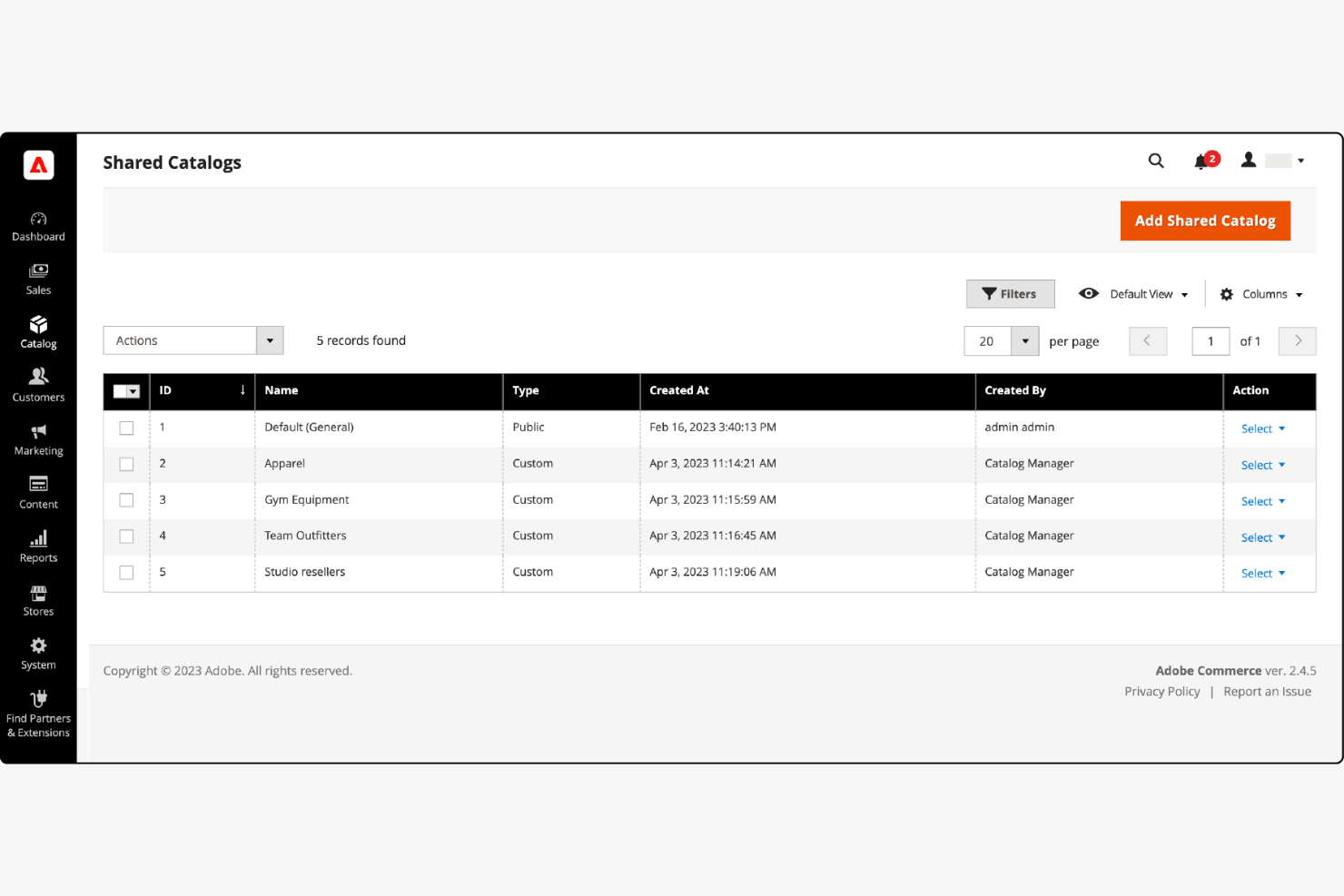
If your business needs deep control over every aspect of your B2B ecommerce experience, Adobe Commerce offers a flexible platform built for advanced customization. It’s well-suited for teams with complex workflows, unique catalog structures, or specialized integration requirements. Adobe Commerce stands out for organizations that want to tailor every detail of their online B2B operations.
Why I Picked Adobe Commerce
What sets Adobe Commerce apart from B2B ecommerce is its unmatched ability to support advanced customization options. I picked this platform because it lets your team build highly tailored workflows, product catalogs, and checkout experiences that match even the most complex business requirements. With its modular architecture and extensive API support, you can adapt the platform to fit unique pricing models, approval processes, or customer segmentation needs. This level of flexibility is especially valuable for organizations with specialized B2B operations that can’t be met with out-of-the-box solutions.
Adobe Commerce Key Features
Some other features that make Adobe Commerce appealing for B2B ecommerce teams include:
- Shared Catalogs: Set up custom catalogs and pricing for different customer groups or companies.
- Quick Order Forms: Allow buyers to enter SKUs or upload CSVs for fast bulk ordering.
- Company Account Management: Let businesses manage multiple buyers, roles, and permissions within a single account.
- Requisition Lists: Enable customers to save and reuse lists of frequently purchased items for faster reordering.
Adobe Commerce Integrations
Integrations include Adobe Analytics, Adobe Experience Manager, Marketo Engage, Microsoft Dynamics 365, SAP S/4HANA, Salesforce Sales Cloud, IBM Sterling Order Management, Vertex, Avalara, and Cybersource.
Pros and Cons
Pros:
- Advanced catalog structuring for large inventories
- Granular customer segmentation and permissions
- Highly customizable for complex B2B workflows
Cons:
- Performance can slow with very large catalogs
- Requires significant technical expertise to manage

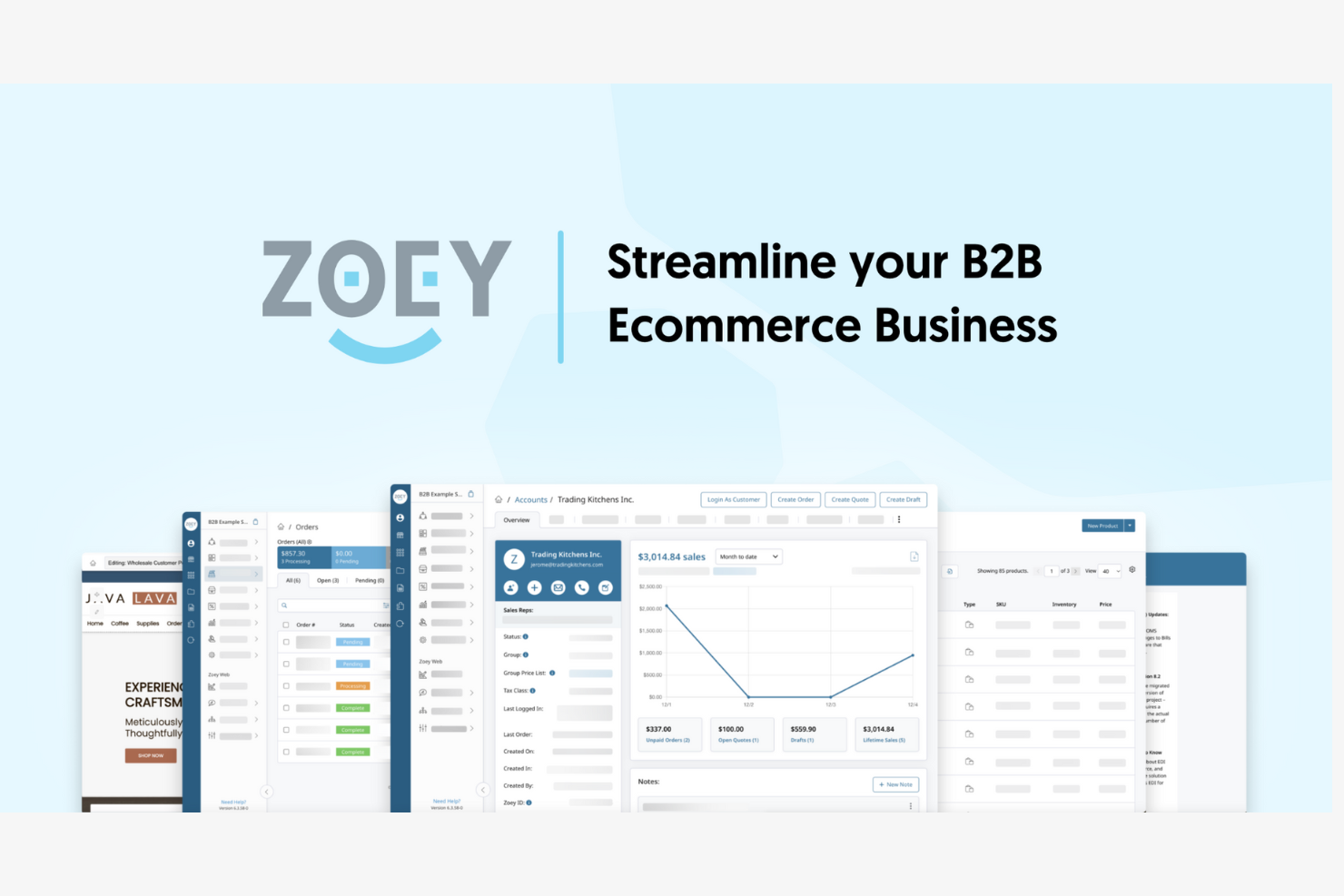
Zoey is designed for wholesalers and distributors who want to give their buyers a self-service ordering experience. The platform lets your customers place, track, and manage orders online without needing to contact your sales team. If your business handles repeat orders or has a large catalog, Zoey helps automate and simplify the B2B buying process.
Why I Picked Zoey
What stands out about Zoey is its focus on self-service ordering portals for B2B buyers. The platform gives your customers the ability to browse products, create orders, and manage their own accounts without needing to go through a sales rep. I appreciate that Zoey supports features like customer-specific pricing and quick order forms, which are especially useful for businesses with repeat buyers or complex catalogs. These capabilities make Zoey a strong choice if you want to empower your customers to handle their own purchasing and reduce manual order entry for your team.
Zoey Key Features
Some other features that make Zoey appealing for B2B ecommerce teams include:
- Mobile Ordering App: Buyers can place and manage orders directly from their smartphones.
- Quote Management: Sales teams can create, send, and track quotes within the platform.
- Multi-Store Support: Manage multiple storefronts and brands from a single Zoey account.
- Advanced Shipping Rules: Set up custom shipping options and rules based on customer groups or order criteria.
Zoey Integrations
Integrations include NetSuite, QuickBooks Online, Salesforce, ShipStation, Shopify, SOS Inventory, Fishbowl, Klaviyo, Stripe, and Avalara.
Pros and Cons
Pros:
- Quote management for sales workflows
- Customer-specific catalogs and pricing controls
- Self-service portals for repeat B2B orders
Cons:
- Reporting features are relatively basic
- Limited built-in marketing capabilities

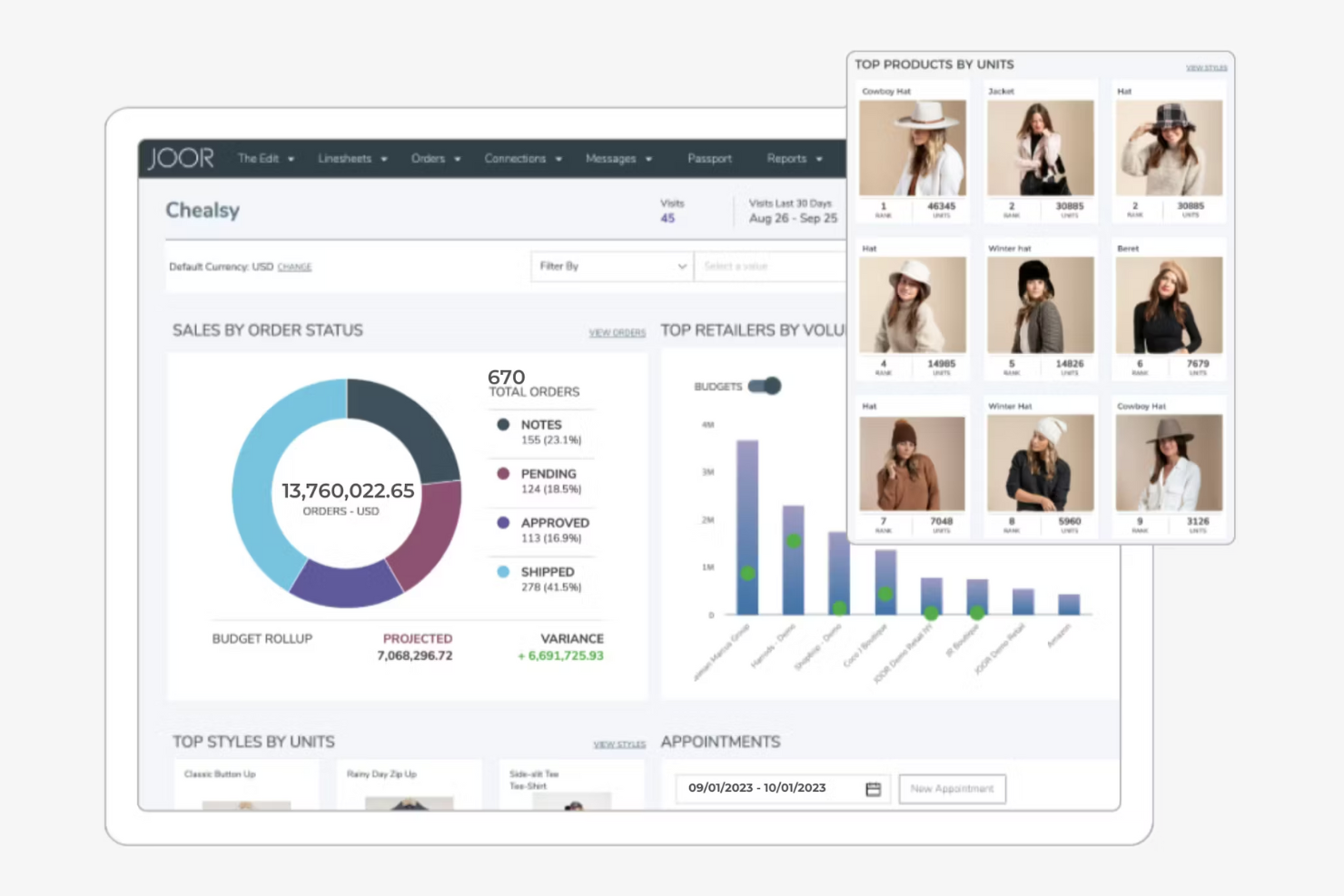
JOOR brings together fashion brands and retailers on a single digital wholesale platform built for the apparel industry. It’s especially useful for fashion labels, showrooms, and multi-brand retailers who need to manage seasonal assortments, virtual showrooms, and order workflows. JOOR helps simplify the buying process and supports collaboration between brands and buyers in a visually-driven, fashion-focused environment.
Why I Picked JOOR
For fashion and apparel wholesale, JOOR stands out by offering a digital platform tailored to the unique needs of this industry. I picked JOOR because it supports virtual showrooms, letting brands present seasonal collections with high-quality visuals and detailed product information. The platform also enables real-time collaboration between brands and buyers, making assortment planning and order management more efficient. These features make JOOR a strong fit for fashion businesses looking to modernize their wholesale buying process.
JOOR Key Features
Some other features that make JOOR valuable for wholesale buying teams include:
- Order Management Dashboard: Track, edit, and manage wholesale orders in one centralized interface.
- Custom Line Sheet Creation: Build and share digital line sheets tailored to specific buyers or markets.
- Analytics and Reporting Tools: Access sales performance data and buyer engagement metrics directly within the platform.
- Mobile App Access: Review collections, manage orders, and communicate with partners from iOS and Android devices.
JOOR Integrations
Integrations include Shopify, NetSuite, SAP, Zedonk, ApparelMagic, Microsoft Dynamics 365, QuickBooks, and Cegid.
Pros and Cons
Pros:
- Digital line sheets for seasonal collections
- Strong collaboration between brands and buyers
- Virtual showrooms for visual product presentation
Cons:
- Mobile app features lag behind desktop
- Limited support outside fashion industry
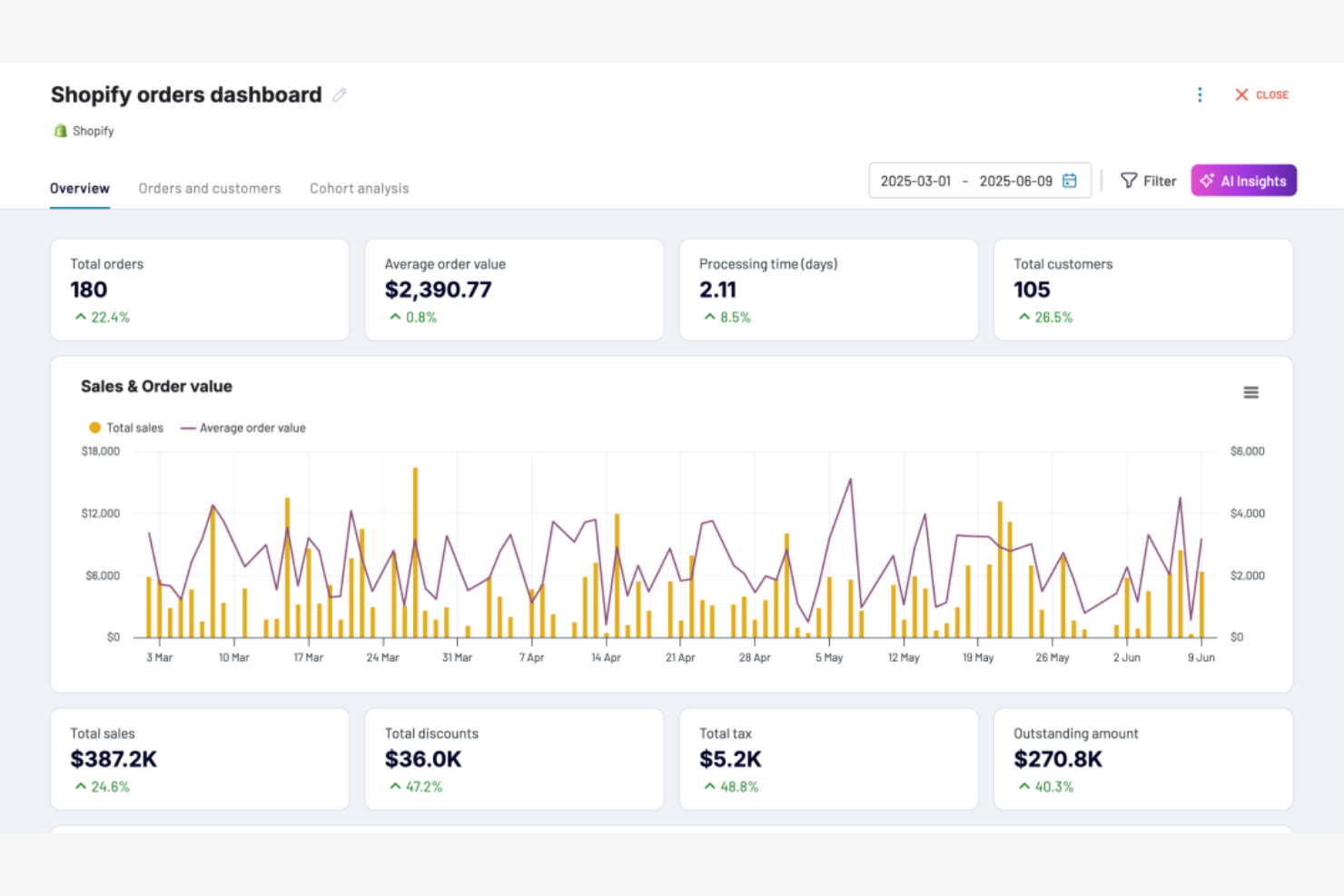
Shopify Plus is designed for businesses handling large-scale wholesale orders and complex B2B workflows. It’s a strong fit for brands that need to manage high-volume transactions, custom pricing, and multiple storefronts from a single platform. If your team needs advanced automation and flexible integration options for B2B sales, Shopify Plus addresses those needs directly.
Why I Picked Shopify Plus
I chose Shopify Plus because it’s purpose-built for businesses that need to handle high-volume wholesale transactions without sacrificing control or flexibility. The platform supports custom price lists and automated order workflows, which are essential for managing large B2B accounts and complex purchasing requirements. I also like that Shopify Plus allows you to run multiple B2B and DTC storefronts from a single dashboard, making it easier to segment and serve different customer groups. These capabilities make it a strong choice for teams focused on scaling their B2B ecommerce operations without compromising on the buying experience.
Shopify Plus Key Features
Some other features in Shopify Plus that support B2B ecommerce teams include:
- Draft Orders: Create and send custom invoices or quotes directly to B2B customers for approval and payment.
- Company Profiles: Store detailed information about each business account, including multiple buyers, locations, and payment terms.
- Self-Serve Portals: Let B2B buyers log in to view order history, reorder products, and manage their own account details.
- Automated Workflows: Set up triggers and actions for tasks like order approvals, inventory updates, and customer notifications.
Shopify Plus Integrations
Integrations include Acumatica, Microsoft Dynamics 365, Brightpearl, Boomi, Jitterbit, Celigo, PayPal, QuickBooks, NetSuite, and Avalara.
Pros and Cons
Pros:
- Built-in self-serve portals for buyers
- Supports multiple storefronts under one account
- Handles complex B2B pricing and catalogs
Cons:
- Limited native punchout catalog support
- Customization often requires developer support

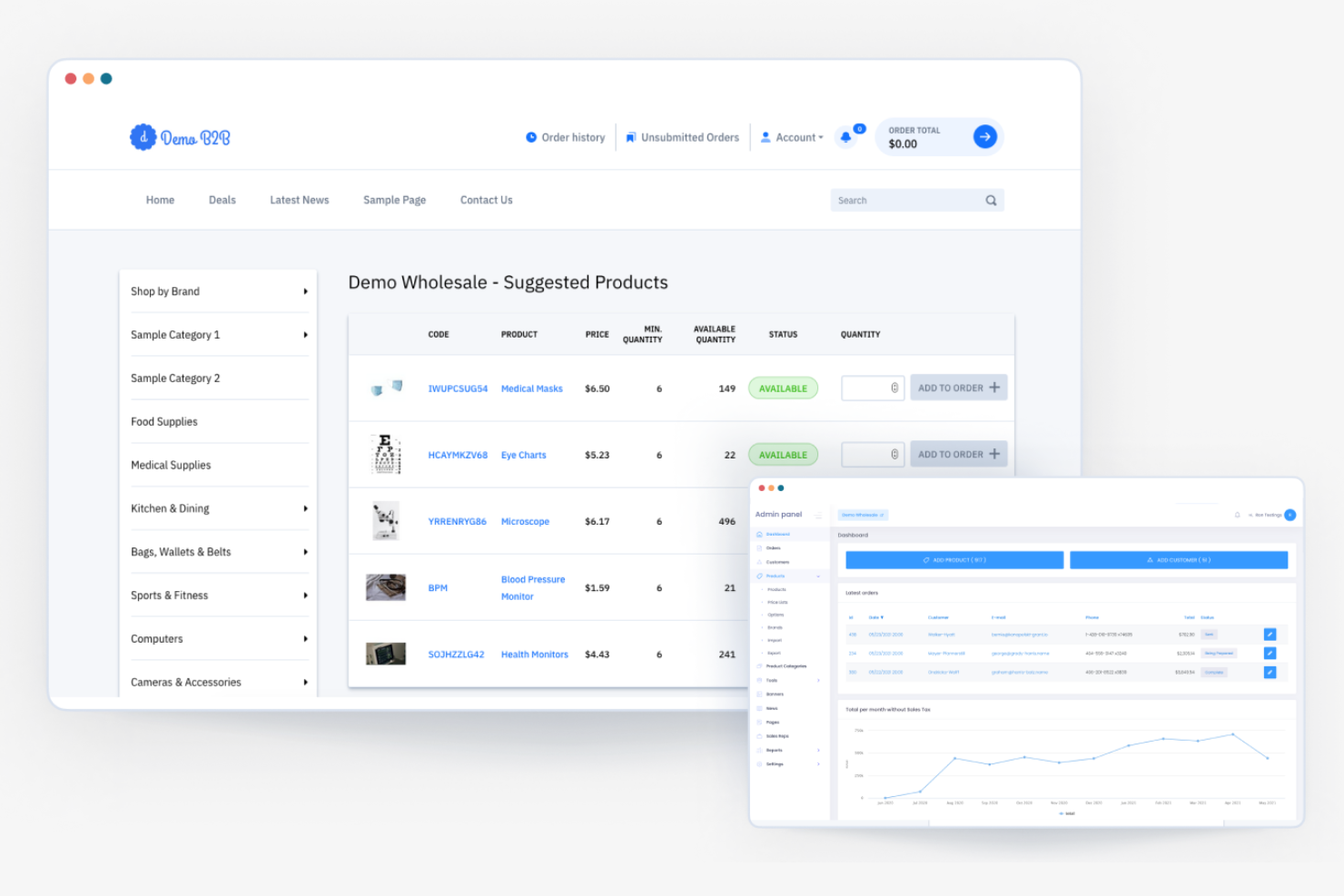
B2B Wave is built for wholesalers and distributors who want to launch an online ordering portal without a lengthy setup process. The platform appeals to teams looking for a straightforward, guided onboarding experience and minimal technical hurdles. If you need to get your B2B ecommerce site live quickly, B2B Wave helps you move from signup to selling in days, not weeks.
Why I Picked B2B Wave
For businesses that want to get up and running fast, B2B Wave stands out for its quick setup and onboarding process. The platform offers a step-by-step launch wizard and guided onboarding, so you can configure your storefront, add products, and invite buyers with minimal friction. I like that B2B Wave includes pre-built templates and automated email invitations, which help you move from signup to live site in just a few days. This makes it a strong fit for teams that need to launch a B2B ecommerce portal quickly without waiting on lengthy development cycles.
B2B Wave Key Features
Some other features that make B2B Wave useful for B2B ecommerce teams include:
- Customer-Specific Pricing: Assign unique pricing to individual buyers or groups.
- Order Approval Workflows: Set up multi-level order approvals for larger organizations.
- Product Catalog Management: Organize products with categories, images, and detailed specs.
- Sales Rep Accounts: Allow sales reps to log in, place orders, and manage their own customers.
B2B Wave Integrations
Integrations include QuickBooks Online, Xero, Stripe, Authorize.net, Avalara, ShipStation, Shopify, Brightpearl, Zoho, and Veeqo.
Pros and Cons
Pros:
- Order approval workflows for large teams
- Customer-specific pricing for complex deals
- Guided onboarding for fast implementation
Cons:
- Product management tools lack flexibility
- Limited advanced analytics functionality

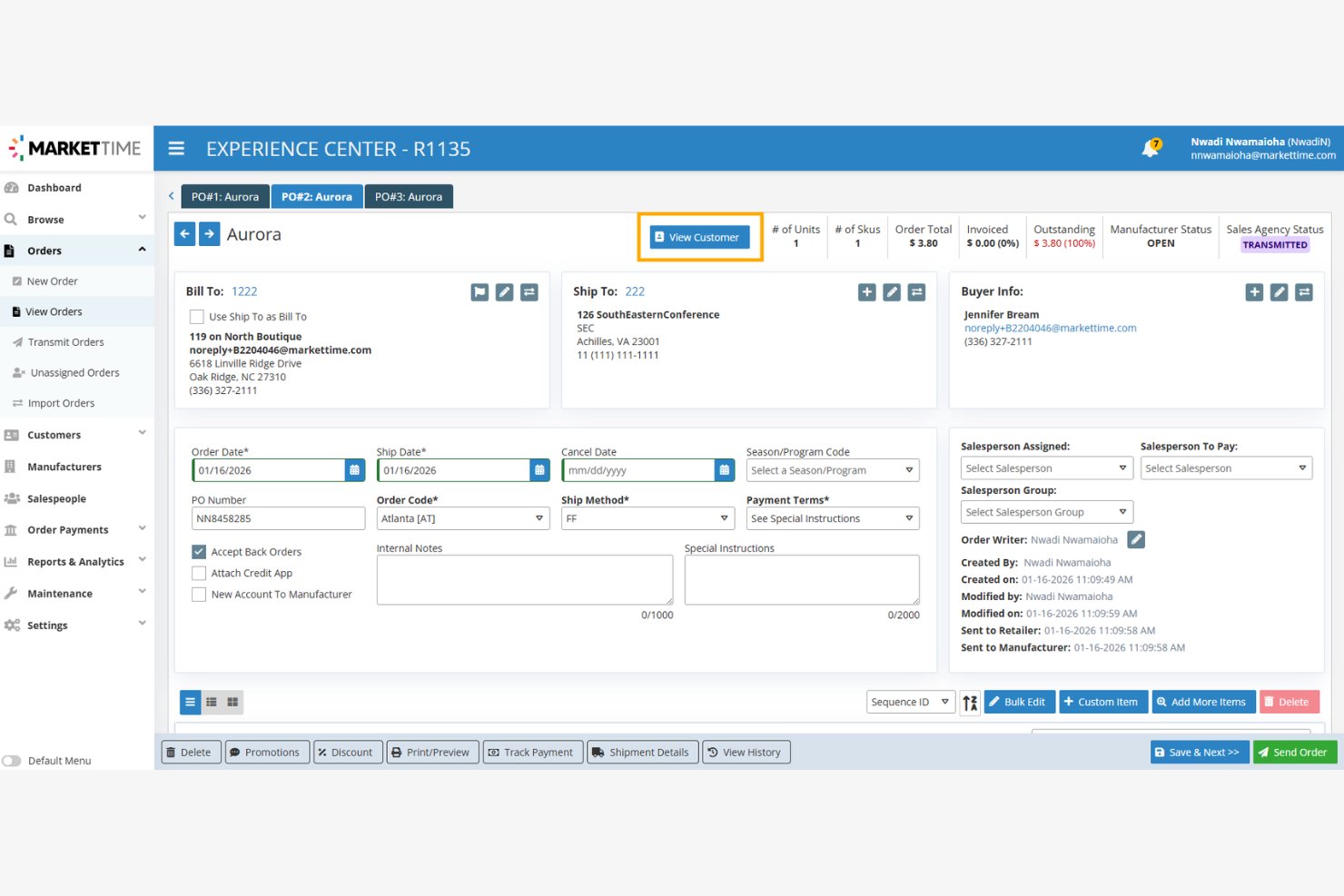
If you’re looking to centralize and automate the way your business manages supplier and buyer relationships, MarketTime is built for that purpose. It’s especially useful for wholesale distributors, manufacturers, and sales agencies that need to coordinate complex networks and streamline order management. MarketTime stands out by connecting all parties—suppliers, buyers, and reps—on a single platform for real-time collaboration and transactions.
Why I Picked MarketTime
Managing supplier and buyer networks can get complicated fast, especially for wholesale businesses with multiple partners and reps. I picked MarketTime because it’s designed to bring all those relationships into one organized system. The platform lets you manage supplier catalogs, buyer accounts, and rep assignments in a single dashboard, making it easier to coordinate orders and communication. For businesses that rely on a networked approach to B2B sales, MarketTime offers the structure and visibility needed to keep everyone aligned.
MarketTime Key Features
In addition to its network management capabilities, MarketTime offers several other features worth noting:
- Mobile Order Entry App: Capture orders on the go using a dedicated mobile app for sales reps.
- Trade Show Tools: Manage appointments, scan badges, and process orders during trade shows and events.
- Automated Commission Tracking: Track and calculate sales commissions for reps automatically.
- Product Image Management: Upload and organize product images for use in digital catalogs and presentations.
MarketTime Integrations
Integrations include QuickBooks, NetSuite, Sage, SAP, Xero, and an open API for custom integrations.
Pros and Cons
Pros:
- Automates commission tracking and reporting
- Mobile order entry for field sales teams
- Centralizes supplier, buyer, and rep management
Cons:
- Reporting customization is somewhat limited
- No built-in customer-facing storefront

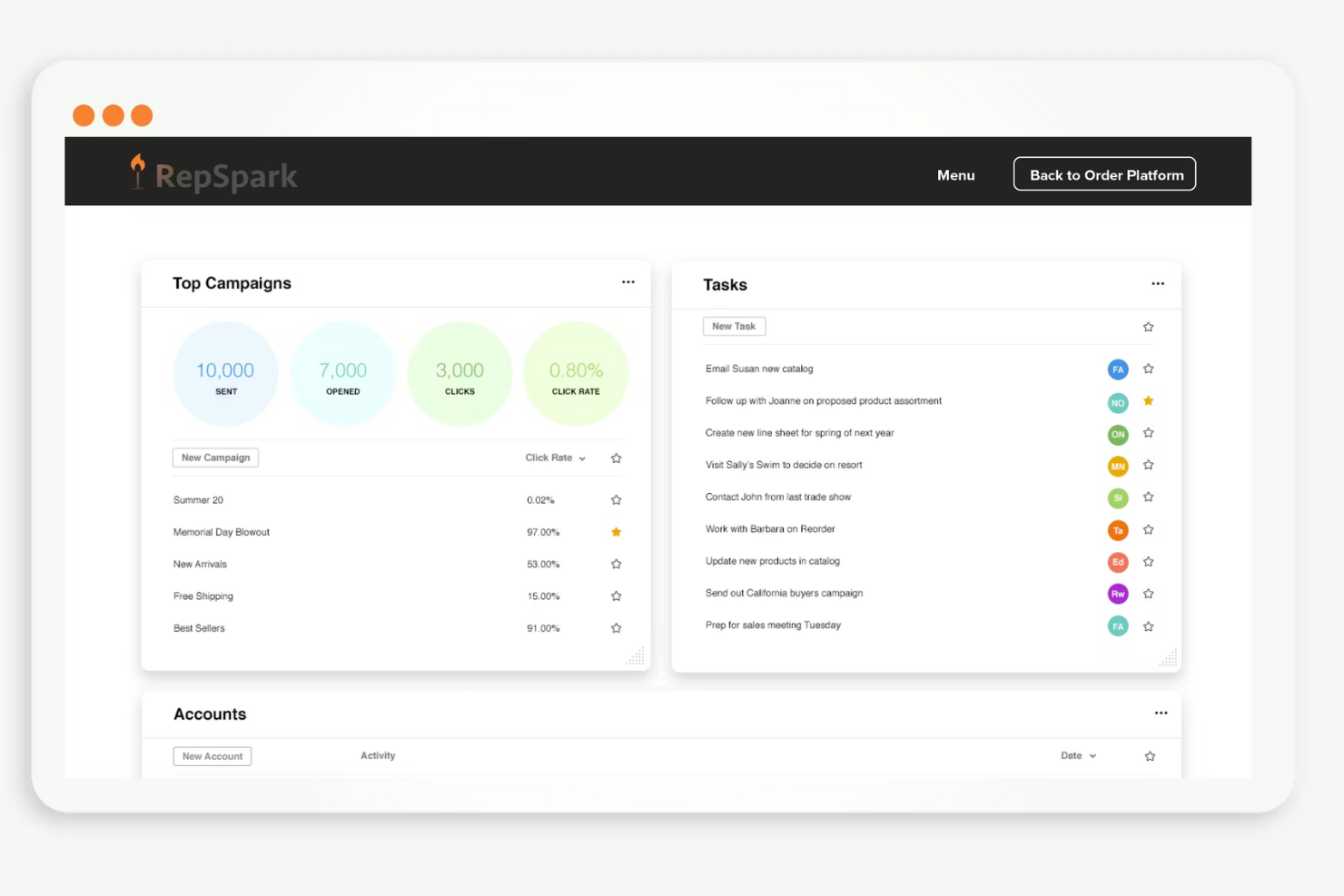
RepSpark is built for wholesale brands and distributors who need to keep sales reps, managers, and buyers connected throughout the sales cycle. The platform stands out for its collaboration tools that let teams share product information, manage orders, and communicate updates in real time. If your business depends on coordinated sales efforts and up-to-date product data, RepSpark addresses those needs with features tailored for B2B commerce.
Why I Picked RepSpark
RepSpark caught my attention because it’s designed to help sales teams work together more closely in B2B environments. The platform offers shared digital workspaces where reps can collaborate on product assortments, order proposals, and customer communications. I appreciate how RepSpark lets teams track order status and share updates instantly, which helps prevent miscommunication and delays. These collaboration tools make RepSpark a strong fit for businesses that need to keep sales reps, managers, and buyers aligned throughout the wholesale process.
RepSpark Key Features
In addition to its collaboration tools, I also found these features valuable:
- Custom Digital Catalogs: Build and share branded product catalogs tailored to specific buyers or seasons.
- Inventory Visibility: View real-time inventory levels to avoid overselling and manage stock efficiently.
- Integrated Order Entry: Enter, edit, and submit orders directly from the platform without switching systems.
- Reporting Suite: Access sales, order, and customer analytics through built-in reporting dashboards.
RepSpark Integrations
Integrations include AIMS360, BlueCherry, Aptean, Cin7, Shopify, Salesforce, QuickBooks, SAP, and Oracle NetSuite.
Pros and Cons
Pros:
- Order entry syncs with ERP and accounting tools
- Custom catalogs can be shared with buyers
- Sales rep chat supports real-time collaboration
Cons:
- Limited fit for non-apparel industries
- Manual effort required for catalog setup

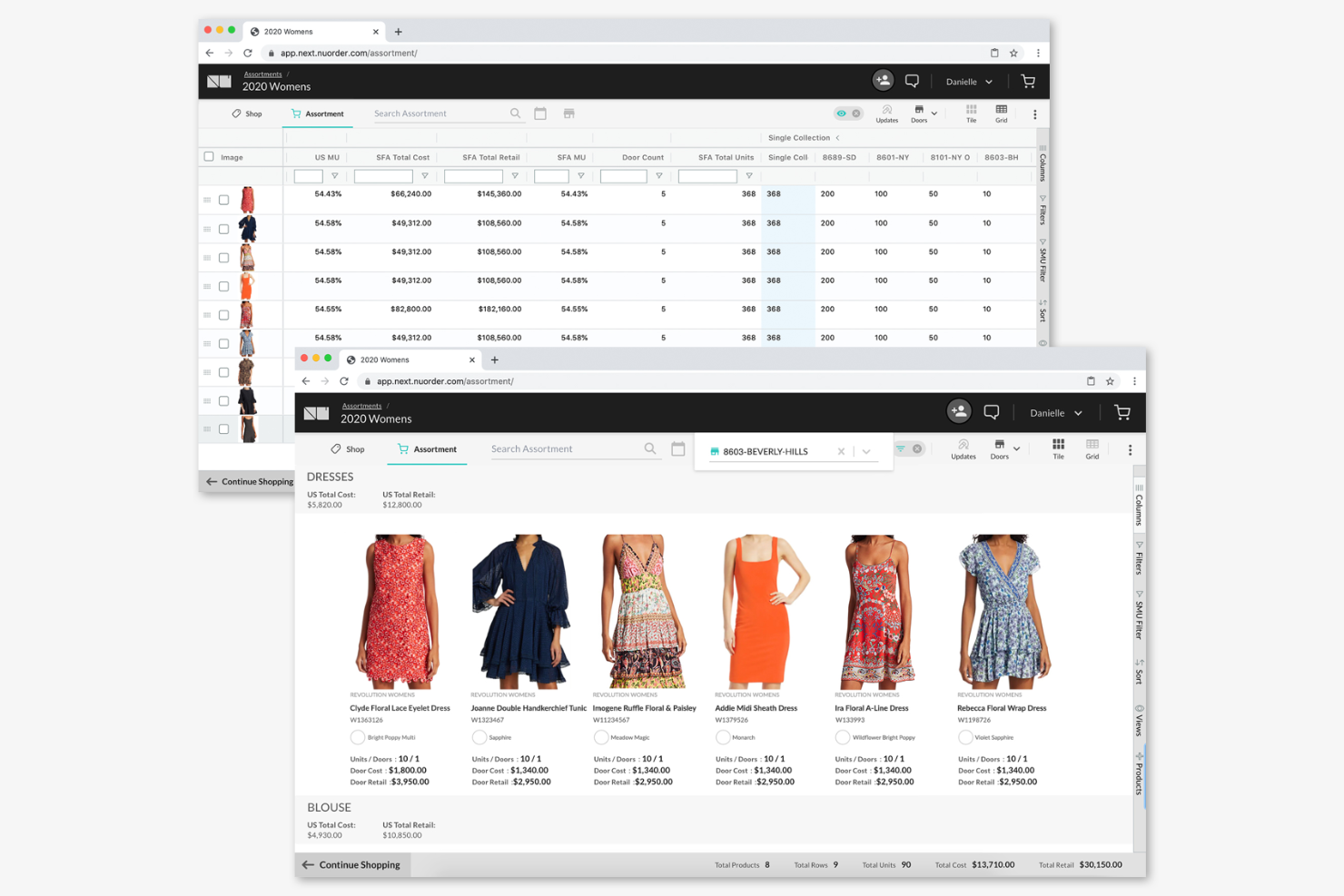
NuORDER by Lightspeed is designed for brands and distributors who need to showcase products visually and manage wholesale buying in one place. The platform stands out for its interactive digital catalogs, which help sales teams and buyers collaborate on assortments and orders. If your business relies on presenting products with rich imagery and real-time inventory, NuORDER addresses those needs directly.
Why I Picked NuORDER
What sets NuORDER apart is its focus on visual product catalog presentations, which is essential for brands that rely on strong imagery to drive wholesale sales. I picked NuORDER because it lets teams create interactive digital catalogs with high-resolution images, videos, and detailed product specs, making it easier for buyers to explore and select products. The platform also supports real-time inventory visibility, so buyers always see what’s available as they build their orders. These features make NuORDER a strong choice for businesses that want to elevate their B2B ecommerce experience through visual merchandising.
NuORDER Key Features
Some other features that make NuORDER useful for wholesale teams include:
- Order Management Tools: Create, edit, and track wholesale orders directly within the platform.
- Customizable Buyer Portals: Give each buyer a personalized portal with tailored product selections and pricing.
- Integrated Payment Processing: Accept and process payments securely through built-in payment gateways.
- Reporting and Analytics Dashboard: Access sales data, order trends, and buyer activity in real time.
NuORDER Integrations
Integrations include ApparelMagic, Oracle NetSuite, Cin7, Jasper, Venzee, Shotflow, Lightspeed, NAVexperts, Seams Systems, and Shea Business.
Pros and Cons
Pros:
- Real-time inventory sync with ERP systems
- Buyer portals allow custom pricing per account
- Digital catalogs support embedded video and 3D
Cons:
- Limited support beyond fashion-focused use cases
- Initial catalog setup can be time intensive

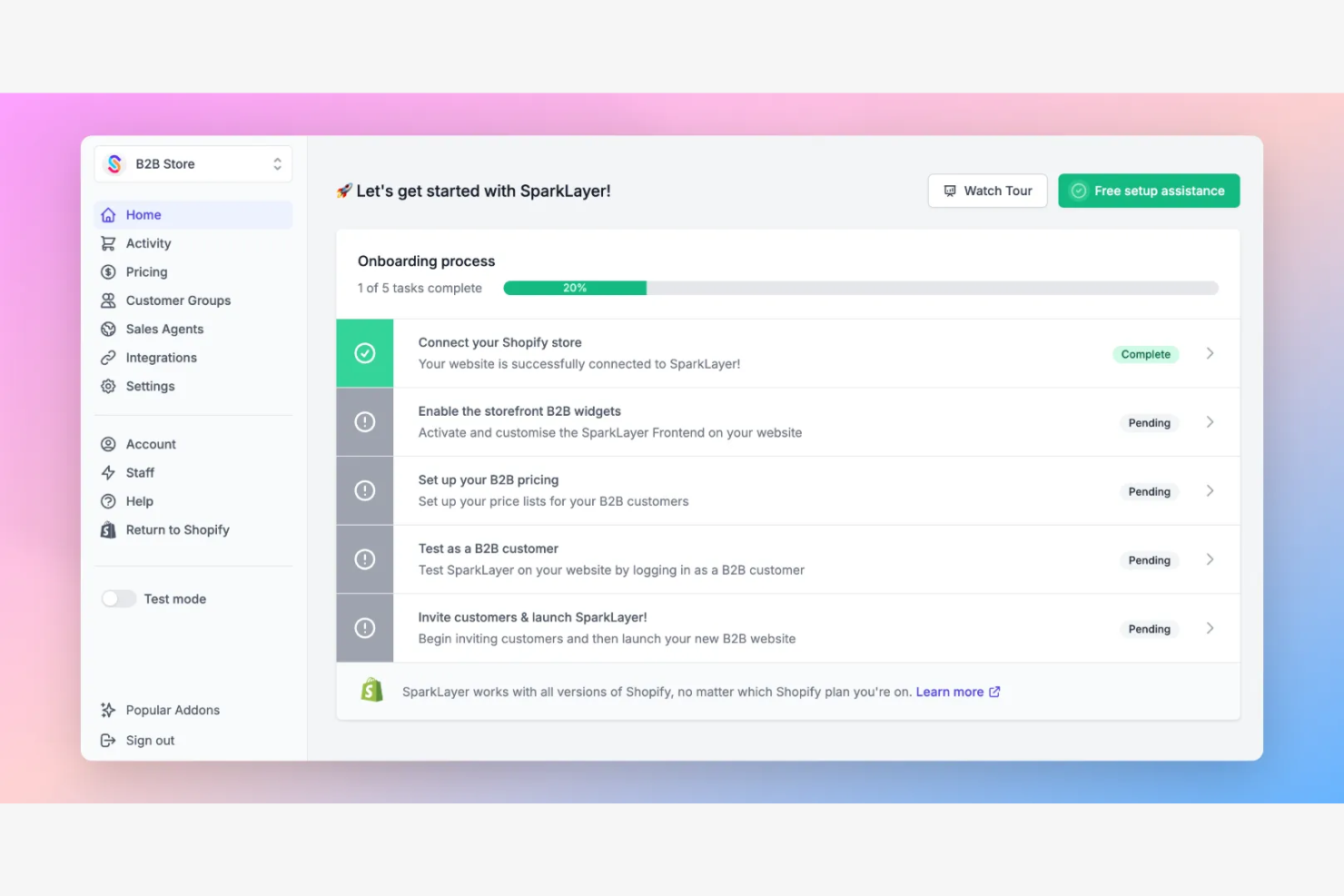
SparkLayer is designed for businesses that want to add B2B ecommerce features to their existing online storefronts without a full platform migration. It’s a strong fit for ecommerce teams using Shopify or other major platforms who need B2B pricing, ordering, and account management layered onto their current site. SparkLayer helps you keep your existing brand experience while expanding into B2B sales.
Why I Picked SparkLayer
For teams that want to add B2B ecommerce capabilities without rebuilding their entire site, SparkLayer offers a direct way to integrate with existing storefronts. I picked SparkLayer because it lets you overlay B2B-specific features—like custom pricing, tiered ordering, and account-based access—on top of platforms such as Shopify. This approach means you can keep your current customer experience and workflows while expanding into B2B sales. It’s especially useful for businesses that want to avoid the disruption and cost of a full platform migration.
SparkLayer Key Features
Some other features that make SparkLayer useful for B2B ecommerce teams include:
- Sales Team Ordering Portal: Give your sales reps a dedicated portal to place orders on behalf of customers.
- Multi-Currency Support: Allow customers to view and transact in multiple currencies.
- Order Import Tools: Upload and process bulk orders using CSV files.
- Customer-Specific Catalogs: Display tailored product selections for different customer accounts.
SparkLayer Integrations
Integrations include Shopify, BigCommerce, Wix, WooCommerce, Brightpearl, Linnworks, Unleashed, Cin7 Core, and Katana.
Pros and Cons
Pros:
- Sales rep portal for assisted ordering
- Supports customer-specific pricing and catalogs
- Adds B2B functionality to existing storefronts
Cons:
- API documentation can be difficult to use
- Limited support for custom storefront experiences


Abakion is purpose-built for businesses that rely on Microsoft Dynamics 365 and want to connect their ERP directly to ecommerce operations. It’s a strong fit for manufacturers, distributors, and wholesalers who need real-time data sync between their online storefront and back-office systems. By embedding ecommerce directly into Dynamics 365, Abakion helps teams eliminate manual data entry and keep inventory, pricing, and customer records always up to date.
Why I Picked Abakion
For businesses already invested in Microsoft Dynamics 365, Abakion stands out as a natural extension for B2B ecommerce. I picked Abakion because it embeds ecommerce workflows directly into the Dynamics 365 environment, so your team can manage orders, inventory, and customer data without switching platforms. The tool supports real-time data synchronization, which means product availability, pricing, and customer-specific terms are always accurate across both systems. This tight integration helps reduce manual work and ensures your ecommerce operations stay aligned with your core business processes.
Abakion Key Features
Some other features that make Abakion appealing for B2B ecommerce teams include:
- Customer-Specific Catalogs: Display unique product selections and pricing for each customer account.
- Order Approval Workflows: Set up multi-level order approval processes for business buyers.
- Automated Invoice Generation: Create and send invoices automatically based on completed orders.
- Multi-Language and Multi-Currency Support: Offer storefronts in different languages and currencies to serve global customers.
Abakion Integrations
Integrations include Microsoft Dynamics 365 Business Central and Microsoft AppSource.
Pros and Cons
Pros:
- Built-in order approval workflows
- Customer-specific catalogs and pricing control
- Real-time data sync between ecommerce and ERP
Cons:
- Advanced reporting features are not included
- Limited native integrations beyond Microsoft products
Other B2B Ecommerce App
Here are some additional B2B ecommerce app options that didn’t make it onto my shortlist, but are still worth checking out:
- Onsight
For mobile order entry on the go
- Elastic Suite
For outdoor and sporting goods brands
- Salesforce B2B Commerce
With CRM-driven customer insights
- Amazon Business
For vast product selection and fast procurement across categories
- BigCommerce Enterprise
For multi-storefront management


B2B Ecommerce App Selection Criteria
When selecting the best B2B platforms to include in this list, I considered common buyer needs and pain points like managing complex B2B pricing structures and supporting multi-level order approvals. I also used the following framework to keep my evaluation structured and fair:
Core Functionality (25% of total score)
To be considered for inclusion in this list, each solution had to fulfill these common use cases:
- Manage customer-specific pricing and catalogs
- Accept and process online orders
- Support multi-user company accounts
- Track order status and fulfillment
- Integrate with existing tech stacks like accounting or ERP systems
Additional Standout Features (25% of total score)
To help further narrow down the competition, I also looked for unique features, such as:
- Automated order approval workflows
- Built-in sales rep portals
- Advanced product configuration tools
- Native punchout catalog support
- Real-time inventory visibility
Usability (10% of total score)
To get a sense of the usability of each system, I considered the following:
- Clean and user-friendly user interface
- Logical navigation and menu structure
- Minimal clicks to complete key tasks
- Responsive design for mobile and tablet
- Customizable dashboards or views
Onboarding (10% of total score)
To evaluate the onboarding experience for each platform, I considered the following:
- Step-by-step setup wizards
- Availability of training videos and guides
- Access to onboarding webinars or workshops
- Interactive product tours or chatbots
- Pre-built templates for catalogs and workflows
Customer Support (10% of total score)
To assess each software provider’s customer support services, I considered the following:
- Live chat or phone support availability
- Access to a searchable help center
- Dedicated account manager options
- Fast response times to support tickets
- Community forums or user groups
Value For Money (10% of total score)
To evaluate the value for money of each platform, I considered the following:
- Transparent and predictable pricing
- Features included at each pricing tier
- No hidden fees or surprise charges
- Flexible contract or subscription terms
- Discounts for annual commitments
Customer Reviews (10% of total score)
To get a sense of overall customer satisfaction, I considered the following when reading customer reviews:
- Positive feedback on reliability and uptime
- Reports of responsive customer service
- Comments on ease of implementation
- User satisfaction with the feature set
- Willingness to recommend to others
How to Choose a B2B Ecommerce App
It’s easy to get bogged down in long feature lists and complex pricing structures. To help you stay focused as you work through your unique software selection process, here’s a checklist of factors to keep in mind:
| Factor | What to Consider |
| Scalability | Will the platform handle your projected order volume, product catalog growth, and new customer accounts over the next 3-5 years? |
| Integrations | Does the app connect natively to your ERP, accounting, CRM, and shipping systems, or will you need custom development? |
| Customizability | Can you tailor workflows, branding of your ecommerce store, and tailor user roles to match your business processes without heavy IT involvement? |
| Ease of use | How is the user experience? Will your team and customers be able to navigate the portal with minimal training, or will you face adoption hurdles? |
| Implementation and onboarding | How long will it take to migrate data, set up catalogs, and train users? Are onboarding resources and support included in the package? |
| Cost | Are all necessary features included in the quoted price, or are there extra fees for users, integrations, or support? |
| Security safeguards | Does the vendor offer role-based access, data encryption, and compliance with relevant standards (like GDPR or SOC 2)? |
| Support availability | What support channels are offered (chat, phone, email), and are they available during your business hours or only in certain time zones? |
What Is a B2B Ecommerce App?
A Business-to-business or B2B ecommerce app is a software platform that enables businesses to sell products or services directly to other businesses online. These apps support complex pricing, bulk ordering, multi-user company accounts, and integration with back-office systems. B2B ecommerce apps help support both front-end and behind-the-scenes operations from the purchasing process to managing customer relationships, and automating order workflows for wholesalers, distributors, and manufacturers selling to business buyers.
Features of B2B Ecommerce App
When selecting B2B ecommerce app, keep an eye out for the following key features:
- Customer-specific pricing: Set unique prices, discounts, or terms for individual buyers or groups, supporting complex B2B negotiations and contracts.
- Multi-user company accounts: Allow multiple users from the same business to access shared order history, manage permissions, and place orders under one account.
- Bulk ordering tools: Enable buyers to quickly add large quantities or multiple SKUs to their cart, often using CSV upload or quick order forms.
- Order approval workflows: Route orders through multi-level approval processes, ensuring compliance with internal purchasing policies before submission.
- Product catalog management: Organize products with categories, images, technical specs, and custom attributes tailored to B2B buyers’ needs.
- Integration with ERP/accounting systems: Sync orders, inventory, and customer data with back-office platforms to reduce manual entry and errors.
- Quote management: Let buyers request quotes, negotiate pricing, and convert approved quotes directly into orders.
- Sales rep portals: Provide dedicated logins for sales reps to manage customer accounts, place orders on behalf of clients, and track performance.
- Real-time inventory visibility: Display up-to-date stock levels to buyers, helping prevent overselling and backorders.
- Flexible payment options: Support invoicing, purchase orders, credit terms, and other B2B payment methods beyond standard credit card checkout.
Common B2B Ecommerce App AI Features
Beyond the standard B2B ecommerce app features listed above, many of these solutions are incorporating AI with features like:
- Personalized product recommendations: Use AI algorithms to analyze buyer behavior and suggest relevant products, increasing cross-sell and upsell opportunities.
- Automated demand forecasting: Leverage machine learning to predict future order volumes and inventory needs based on historical sales data and market trends.
- Dynamic pricing optimization: Adjust prices in real time using AI models that factor in demand, competition, and customer segments to maximize margins and win rates.
- Intelligent search and filtering: Enhance product discovery with AI-powered search that understands intent, synonyms, and context, delivering more accurate results for B2B buyers.
- Churn risk prediction: Identify accounts at risk of inactivity or defection by analyzing engagement patterns and transaction history, enabling proactive retention efforts.
Benefits of B2B Ecommerce Apps
Implementing a B2B ecommerce app provides several benefits for your team and your business. Here are a few you can look forward to:
- Faster order processing: Automated workflows and bulk ordering tools reduce manual entry and speed up the entire purchasing cycle.
- Improved pricing accuracy: Customer-specific pricing and quote management features help ensure every buyer receives the correct terms and discounts.
- Greater account control: Multi-user company accounts and order approval workflows give businesses tighter oversight of purchasing activity.
- Seamless system integration: Direct connections to ERP, accounting, and shipping platforms keep data synchronized and minimize errors.
- Enhanced customer experience: Real-time inventory visibility, flexible payment options, and personalized recommendations make buying easier for business customers.
- Scalable growth support: The ability to handle increasing order volumes, new product lines, and additional customer accounts helps your business expand without disruption.
- Data-driven decision making: Built-in analytics and AI-powered forecasting provide insights that inform inventory planning and sales strategies.
Costs and Pricing of B2B Ecommerce Apps
Selecting a B2B ecommerce app requires an understanding of the various pricing models and plans available. Costs vary based on features, team size, add-ons, and more. The table below summarizes common plans, their average prices, and typical features included in B2B ecommerce app solutions:
Plan Comparison Table for B2B Ecommerce Apps
| Plan Type | Average Price | Common Features |
| Free Plan | $0 | Basic product catalog, limited order processing, single-user access, and basic reporting. |
| Personal Plan | $30-$100/ month | Expanded product catalog, simple customer management, basic integrations, and email support. |
| Business Plan | $200-$800/ month | Multi-user accounts, customer-specific pricing, order approval workflows, ERP integrations, and analytics. |
| Enterprise Plan | $1,000-$5,000/month | Advanced customization, dedicated account manager, API access, custom workflows, and priority support. |
B2B Ecommerce App FAQs
Here are some answers to common questions about B2B ecommerce apps:
How is a B2B ecommerce app different from a B2C ecommerce platform?
A B2B ecommerce app is designed for business buyers, supporting features like bulk ordering, customer-specific pricing, and multi-user accounts. B2C platforms focus on individual consumers and typically offer simpler catalogs, pricing, and checkout processes.
Can B2B ecommerce apps integrate with my existing ERP or accounting system?
Yes, most B2B ecommerce websites and apps offer integrations with popular ERP and accounting systems. This helps sync orders, inventory management, and customer data, reducing manual entry and minimizing errors during order fulfillment and invoicing.
What security features should I look for in a B2B ecommerce app?
Look for role-based access controls, data encryption, audit logs, and compliance with standards like GDPR or SOC 2. These B2B features help protect sensitive business data and ensure only authorized users can access key information.
How long does it take to implement a B2B ecommerce app?
Implementation timelines vary, but most businesses can expect a process ranging from a few weeks to several months. Factors include catalog size, integration needs, data migration, and user training requirements.
Do B2B ecommerce apps support international sales and multiple currencies?
Yes, many ecommerce apps support international B2B business sales, offering multi-currency pricing, localized catalogs, and tax calculation tools. Always confirm these capabilities if you plan to serve global customers.
What’s Next:
If you're in the process of researching a B2B ecommerce solution, connect with a SoftwareSelect advisor for free recommendations.
You fill out a form and have a quick chat where they get into the specifics of your needs. Then you'll get a shortlist of software to review. They'll even support you through the entire buying process, including price negotiations.