
13 ActiveCampaign Alternatives in 2026

ActiveCampaign Alternatives Shortlist
Here's my pick of the 11 best software from the 13 tools reviewed.


A strong ActiveCampaign alternative offers reliable email marketing automation, flexible campaign management, and integrations that fit your business workflows. If you’re searching for ActiveCampaign alternatives, you’re likely looking for tools that match or exceed its automation, deliverability, and segmentation—without the complexity or cost that can come with ActiveCampaign.
With so many email marketing platforms available, it’s essential to compare features, usability, and pricing to find the right fit for your team’s goals. This list will help you quickly evaluate the top options and choose a solution that supports your marketing strategy and growth.
What Is ActiveCampaign?
ActiveCampaign is an email marketing tool that combines automation, campaign management, and customer relationship features. It helps businesses create, send, and track targeted email campaigns while automating follow-ups and segmenting audiences.
Teams use ActiveCampaign to manage contacts, personalize messaging, and integrate with ecommerce or CRM platforms. Its focus on automation and analytics makes it popular for businesses aiming to improve engagement and streamline marketing workflows.
Best ActiveCampaign Alternatives Summary
This comparison chart summarizes pricing details for my top ActiveCampaign alternative selections to help you find the best one for your budget and business needs.
| Tool | Best For | Trial Info | Price | ||
|---|---|---|---|---|---|
| 1 | Best for simple email marketing with a drag-and-drop editor | Free plan available | From $10/month | Website | |
| 2 | Best for omnichannel marketing automation for retailers | Free plan available | From $16/month | Website | |
| 3 | Best for advanced personalization | 30-day free trial available | From $9/month | Website | |
| 4 | Best for commerce-focused email and SMS automations | 14-day free trial + free demo available | From $39/month | Website | |
| 5 | Best integrated email marketing for Zoho users | 14-day free trial available | From $3/month (billed annually) | Website | |
| 6 | Best for full marketing features | Free plan available | From $15.60/month (billed annually) | Website | |
| 7 | Best for customizable email templates and analytics | 30-day free trial | From $11/month | Website | |
| 8 | Best user-friendly email marketing for small businesses | 30-day free trial + free demo available | From $12/month | Website | |
| 9 | Best for built-in CRM features | Free plan available and 14-day free trial | From $13/month | Website | |
| 10 | Best for transactional emails and SMS marketing | Free plan + free demo available | From $8.08/month (billed annually) | Website | |
| 11 | Best for email automation designed for creators | 14-day free trial | From $9/month (billed annually) | Website |
Why Trust Our Software Reviews
ActiveCampaign Alternatives Reviews
Below are my detailed summaries of the best ActiveCampaign alternatives that made it onto my shortlist. My reviews offer a detailed look at the features, pricing, and integrations of each platform to help you find the best one for you.
Best for simple email marketing with a drag-and-drop editor
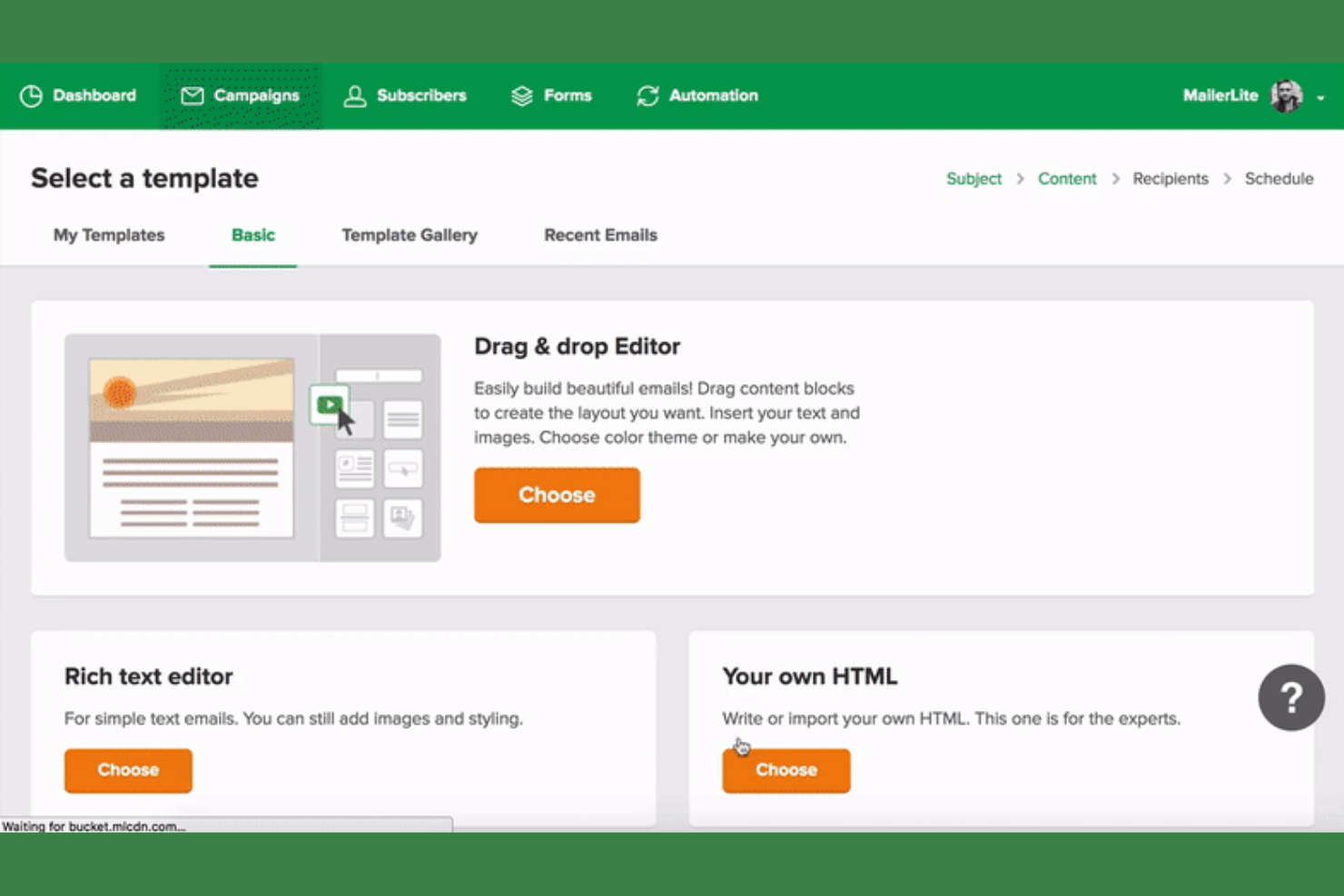
MailerLite offers a straightforward approach to email marketing for small businesses and ecommerce teams looking for simplicity without sacrificing essential features. Its clean interface and focus on ease of use make it appealing to marketers who want to launch campaigns quickly and manage lists without a steep learning curve.
If you need a tool that balances automation, deliverability, and user-friendly design, MailerLite addresses many of the pain points found in more complex platforms.
Who Is MailerLite Best For?
MailerLite suits small businesses and solo marketers who want a user-friendly email marketing platform without advanced automation complexity.
Why MailerLite Is a Good ActiveCampaign Alternative
For teams that want to focus on building and sending emails quickly, MailerLite’s drag-and-drop editor stands out. I picked it as an alternative because its visual editor makes designing campaigns straightforward, even for users without design experience.
The platform also includes built-in templates and a simple workflow for scheduling and managing campaigns. These features make MailerLite a strong choice if you want to prioritize fast, visually appealing email creation over complex automation.
MailerLite Key Features
Some other features in MailerLite that may interest you include:
- Landing Page Builder: Create custom landing pages with a drag-and-drop interface and pre-designed templates.
- Subscriber Management: Organize, segment, and tag subscribers for targeted campaigns and better list hygiene.
- A/B Testing: Test different subject lines, content, or send times to optimize email performance.
- Automation Workflows: Set up basic automated sequences for onboarding, follow-ups, or drip campaigns.
MailerLite Integrations
Integrations include Shopify, WooCommerce, WordPress, Stripe, Squarespace, Wix, HubSpot, Salesforce, Zapier, and Canva.
Pros and Cons
Pros:
- Simple automation for basic workflows
- Built-in landing page and form builder
- Drag-and-drop editor is fast and reliable
Cons:
- Limited native integrations with ecommerce tools
- Fewer reporting and analytics features

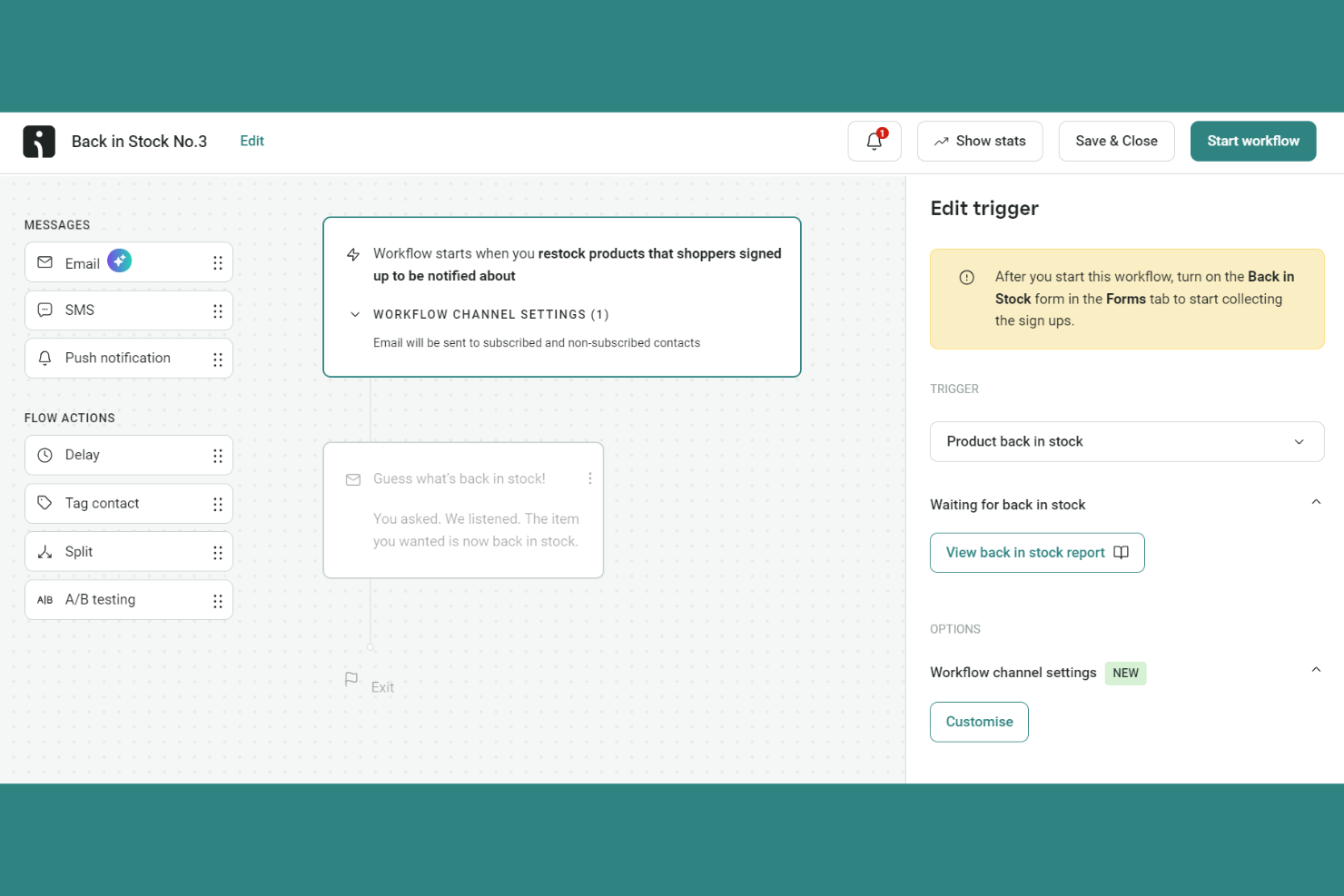
Omnisend is a marketing automation platform designed for ecommerce teams that want to unify email, SMS, and push messaging. It appeals to retailers looking for a single tool to coordinate campaigns across multiple channels without complex setup. If you need to manage omnichannel marketing and automate customer journeys, Omnisend addresses many of the gaps left by traditional email marketing tools.
Who Is Omnisend Best For?
Omnisend is a strong choice for ecommerce retailers and DTC brands that want to automate and coordinate marketing across email, SMS, and web push channels.
Why Omnisend Is a Good ActiveCampaign Alternative
What sets Omnisend apart is its true omnichannel marketing automation, which goes beyond just email to include SMS and web push notifications in a single workflow. I picked Omnisend because you can build automated campaigns that reach customers on their preferred channels without juggling multiple tools.
The platform’s visual automation builder lets you combine email, SMS, and push messages in one flow, making it easy to coordinate messaging and timing. For ecommerce teams that want to unify their marketing across channels, Omnisend offers a more integrated approach than most traditional email marketing tools.
Omnisend Key Features
Some other features in Omnisend that may interest you include:
Pre-built ecommerce automation workflows: Choose from a library of ready-made workflows for abandoned cart, order confirmation, and post-purchase follow-ups.
Product picker for emails: Easily add products from your store directly into email campaigns with images, pricing, and links.
Audience segmentation: Create dynamic segments based on shopping behavior, campaign activity, and custom properties.
A/B testing for campaigns: Test different subject lines, content, or send times to optimize campaign performance.
Omnisend Integrations
Integrations include Shopify, WooCommerce, BigCommerce, Wix, WordPress, Shoplazza, Ecwid, Adobe Commerce, Prestashop, and OpenCart.
Pros and Cons
Pros:
- Real-time audience segmentation based on behavior
- Pre-built workflows for ecommerce scenarios
- Visual automation builder for omnichannel campaigns
Cons:
- SMS features not available in all countries
- Fewer native integrations outside ecommerce
New Product Updates from Omnisend

Omnisend Enhances Cross-Store Segment Management
Omnisend introduces Copy Segments Across Stores that lets you duplicate and transfer audience segments between stores, helping teams manage multiple stores more efficiently and maintain consistent targeting. For more information, visit Omnisend's official site.
 .
.
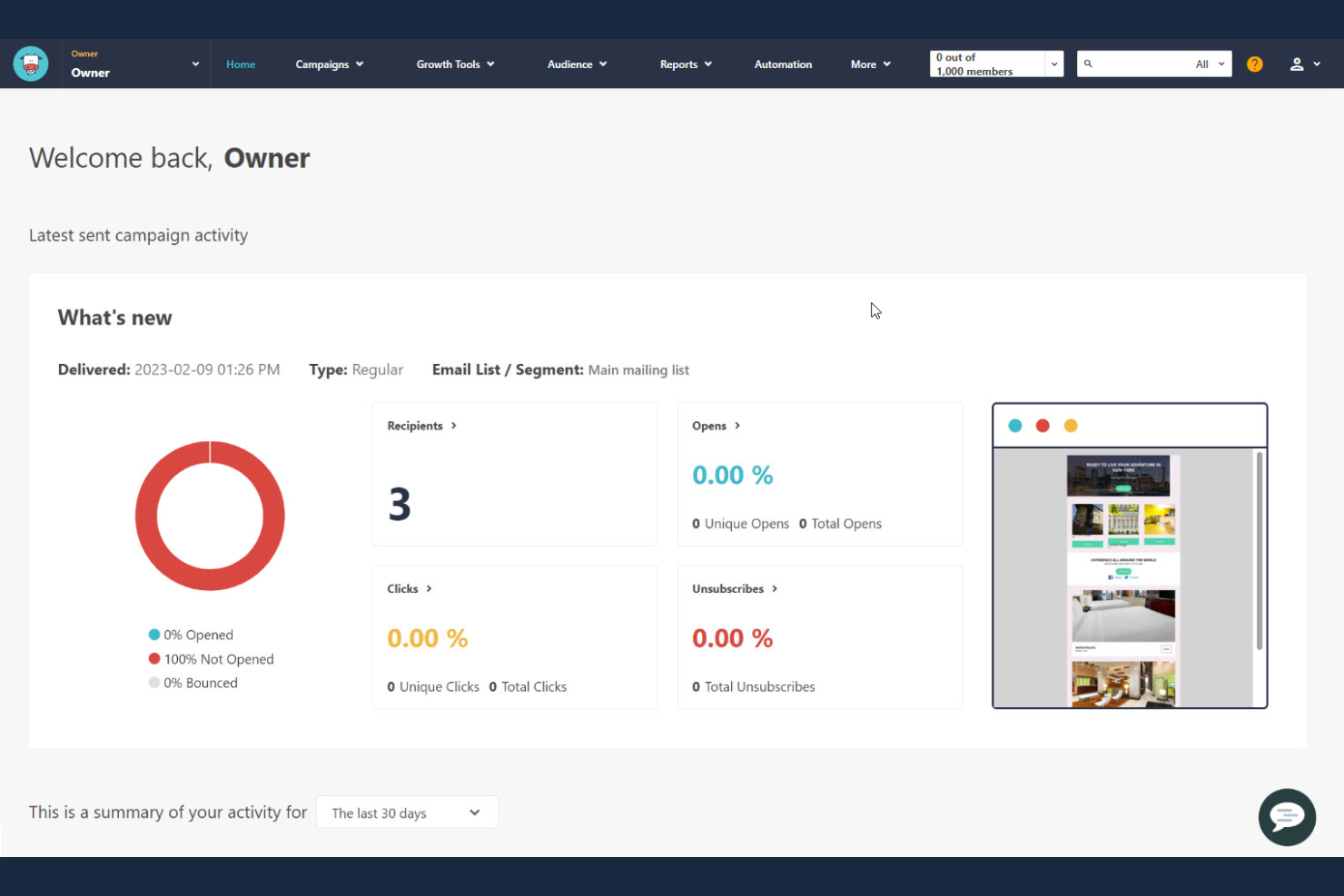
Moosend offers a flexible email marketing platform designed for small businesses and ecommerce teams that want to automate campaigns without complexity. It’s a fit for marketers who need advanced segmentation and personalization but don’t want to pay for features they won’t use. If you’re looking for a tool that balances automation with straightforward campaign management, Moosend is worth considering.
Who Is Moosend Best For?
Moosend is a strong fit for small businesses and ecommerce teams that want affordable, automated email marketing with advanced personalization.
Why Moosend Is a Good ActiveCampaign Alternative
I chose Moosend as an ActiveCampaign alternative because it delivers affordable automation and personalization without unnecessary complexity. Moosend’s visual workflow builder lets you set up automated campaigns with triggers, filters, and actions tailored to your audience. You can also use advanced segmentation and dynamic content to personalize emails based on subscriber behavior or attributes. For teams that want enterprise-grade automation features at a lower price point, Moosend stands out as a practical choice.
Moosend Key Features
Some other features in Moosend that may interest you include:
Landing page builder: Create and publish custom landing pages directly within the platform.
A/B testing: Test different subject lines, content, or send times to optimize campaign results.
Real-time analytics: Track opens, clicks, bounces, and unsubscribes as they happen.
Subscription forms: Design and embed customizable signup forms to grow your email list.
Moosend Integrations
Integrations include WooCommerce, Adobe Commerce, WordPress, Segment, BigMarker, Involve.me, Jet Form Builder, Poptin, ThriveCart, and OpenCart.
Pros and Cons
Pros:
- Real-time analytics with granular campaign metrics
- Built-in landing page and form designer
- Visual automation builder supports complex workflows
Cons:
- No native Facebook or Google Ads integration
- No built-in CRM or sales pipeline

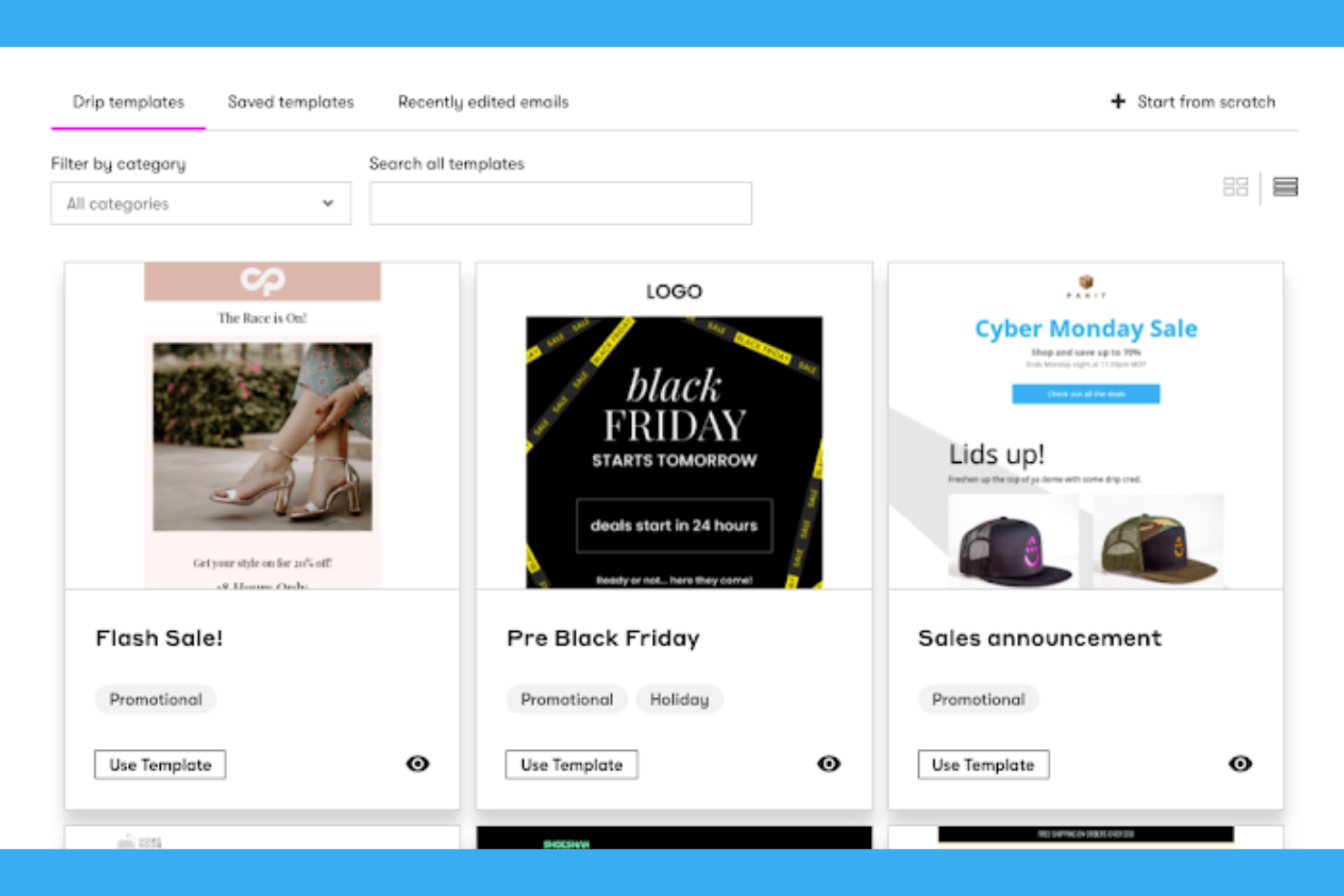
Drip is a marketing automation platform built for ecommerce brands that want to create personalized customer journeys. It’s a strong fit for online retailers and marketers who need advanced automation and behavior-based targeting. If you’re looking to move beyond basic email blasts and build deeper relationships with your shoppers, Drip offers tools designed for that purpose.
Who Is Drip Best For?
Drip is a good fit for ecommerce marketers and online retailers who want to automate personalized email and SMS campaigns based on customer behavior.
Why Drip Is a Good ActiveCampaign Alternative
What sets Drip apart as an ActiveCampaign alternative is its focus on advanced ecommerce automation and personalization. I picked Drip for teams that want to build highly targeted workflows based on real-time customer actions, like browsing behavior or purchase history.
Its visual workflow builder makes it easy to set up complex automations, while dynamic content tools let you personalize messages at scale. If your business relies on tailored customer journeys to drive repeat purchases, Drip offers the depth and flexibility you need.
Drip Key Features
Some other features in Drip that may interest you include:
- Email Template Library: Access a range of prebuilt, customizable templates for quick campaign creation.
- SMS Campaigns: Send targeted SMS messages alongside email for multichannel engagement.
- Segmentation Tools: Build dynamic audience segments based on real-time customer data and behaviors.
- Revenue Attribution Reporting: Track which campaigns and automations drive sales with built-in ecommerce analytics.
Drip Integrations
Integrations include Shopify, WooCommerce, BigCommerce, Facebook Custom Audiences, Stripe, Typeform, HubSpot, Pipedrive, PayPal, and Unbounce.
Pros and Cons
Pros:
- Revenue attribution for campaign performance tracking
- Dynamic segmentation based on real-time behavior
- Visual workflow builder for ecommerce automation
Cons:
- SMS requires separate setup and fees
- No built-in landing page builder

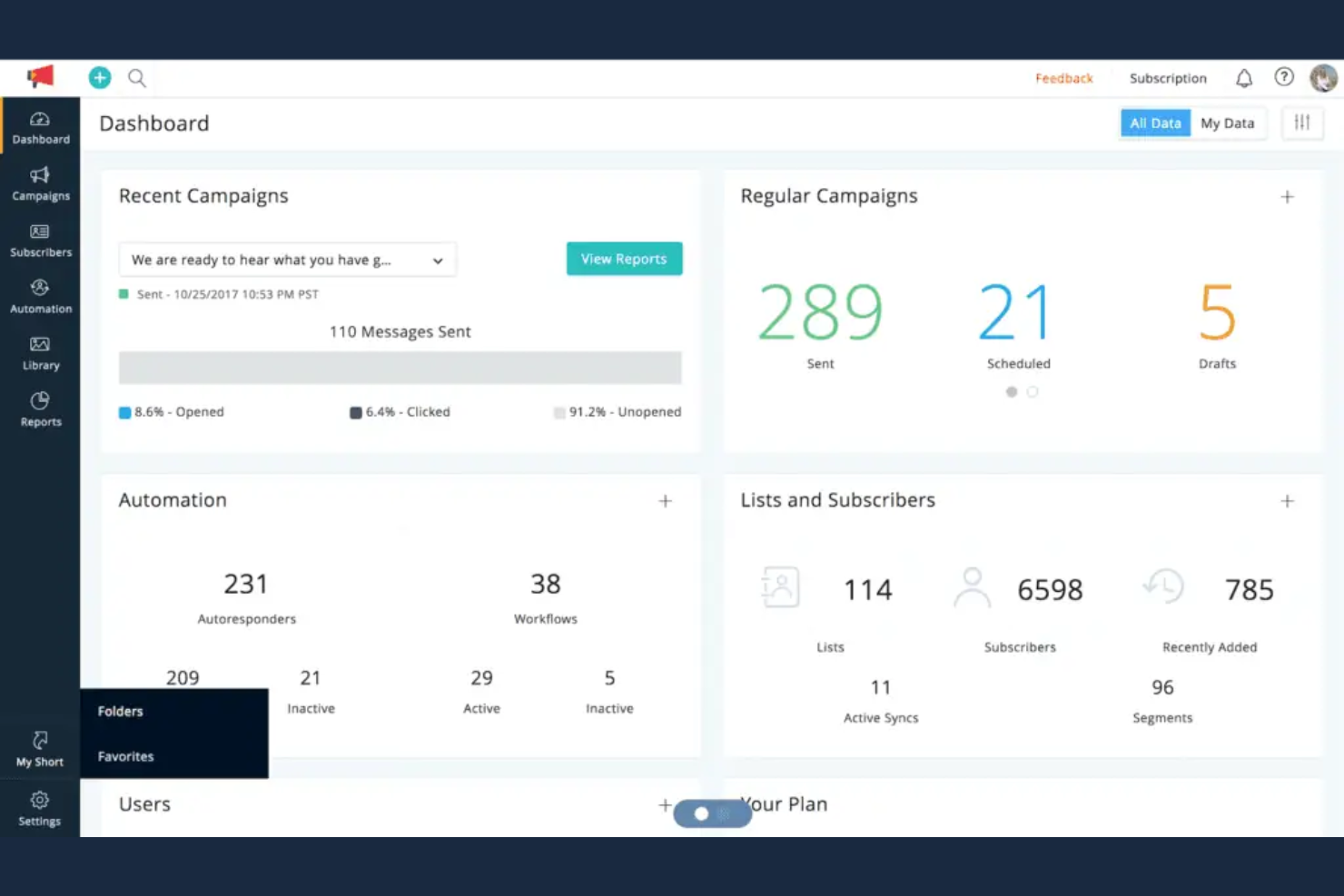
Zoho Campaigns is an email marketing platform designed for businesses that want to connect marketing with other business operations. It’s especially appealing to teams already using Zoho apps or those seeking tight integration across CRM, sales, and support. If you need coordinated campaigns and centralized data, Zoho Campaigns can help unify your marketing efforts.
Who Is Zoho Campaigns Best For?
Zoho Campaigns suits small to midsize businesses and teams that want to connect email marketing with other Zoho business apps.
Why Zoho Campaigns Is a Good ActiveCampaign Alternative
When you need marketing tools that work directly with your CRM, Zoho Campaigns stands out. I picked it because its deep integration with the Zoho ecosystem lets you sync contacts, create sales automations and workflows, and track campaign performance alongside sales and support data. You can trigger email sends based on CRM activity and segment lists using real-time customer information from other Zoho apps.
Zoho Campaigns Key Features
Some other features in Zoho Campaigns that may interest you include:
Drag-and-drop email editor: Build and customize email campaigns using a visual editor, pre-designed templates, and various customization options.
A/B testing: Test different subject lines or content to optimize email performance and email deliverability.
Autoresponders: Set up automated email sequences based on subscriber actions or time intervals.
Advanced reporting: Access detailed analytics on opens, clicks, bounces, and subscriber engagement.
Zoho Campaigns Integrations
Integrations include Zoho CRM, Salesforce, Shopify, WooCommerce, HubSpot, Google Analytics, SurveyMonkey, Eventbrite, Dropbox, and Twilio.
Pros and Cons
Pros:
- GDPR-compliant data handling and privacy tools
- List management with advanced segmentation options
- Direct sync with Zoho CRM and Zoho Books
Cons:
- Advanced triggers require Zoho ecosystem adoption
- No built-in SMS or WhatsApp messaging
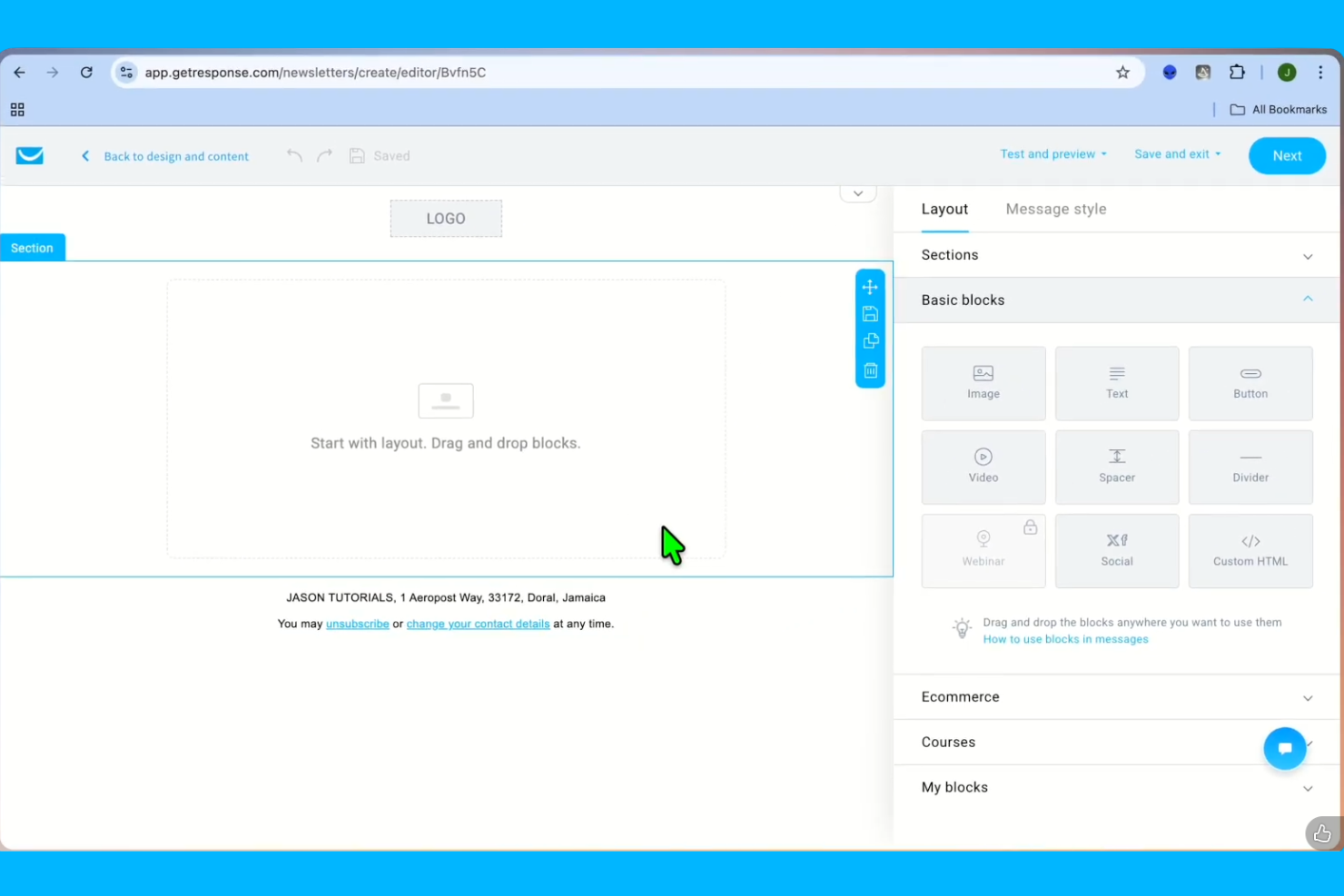
GetResponse offers a suite of email marketing and automation tools designed for ecommerce brands and online businesses. The platform appeals to teams that want to combine email, SMS, and web push campaigns with ecommerce integrations. If you need advanced automation and built-in tools for growing your online store, GetResponse is worth considering.
Who Is GetResponse Best For?
GetResponse suits ecommerce businesses and marketing teams that need integrated email, SMS, and automation tools to drive online sales.
Why GetResponse Is a Good ActiveCampaign Alternative
I picked GetResponse because it combines email marketing, automation, and ecommerce tools in one platform. Unlike many alternatives, it offers built-in features for creating product recommendation emails, abandoned cart workflows, and transactional messages tailored for online stores. The platform’s automation builder lets you design complex customer journeys that connect email, SMS, and web push notifications. If you want a solution that’s purpose-built for ecommerce marketing, GetResponse stands out for its all-in-one approach.
GetResponse Key Features
Some other features in GetResponse that may interest you include:
Drag-and-drop email editor: Design custom emails using a visual editor with pre-built blocks and templates.
Webinar hosting: Run live or on-demand webinars directly from the platform to engage your audience.
List management tools: Organize, segment, and clean your contact lists with advanced filtering and tagging.
A/B testing: Test different subject lines, content, or send times to optimize campaign performance.
GetResponse Integrations
Integrations include Shopify, Apresly, IdoSell, Responsly, Lnk.Bio, Albato, WebinarJam, Onvocado, FuseWP, and Shoper.
Pros and Cons
Pros:
- Landing page and form builder included
- Visual automation builder with ecommerce triggers
- Built-in webinar hosting for lead generation
Cons:
- Fewer native integrations with ecommerce platforms
- Reporting and analytics are less detailed

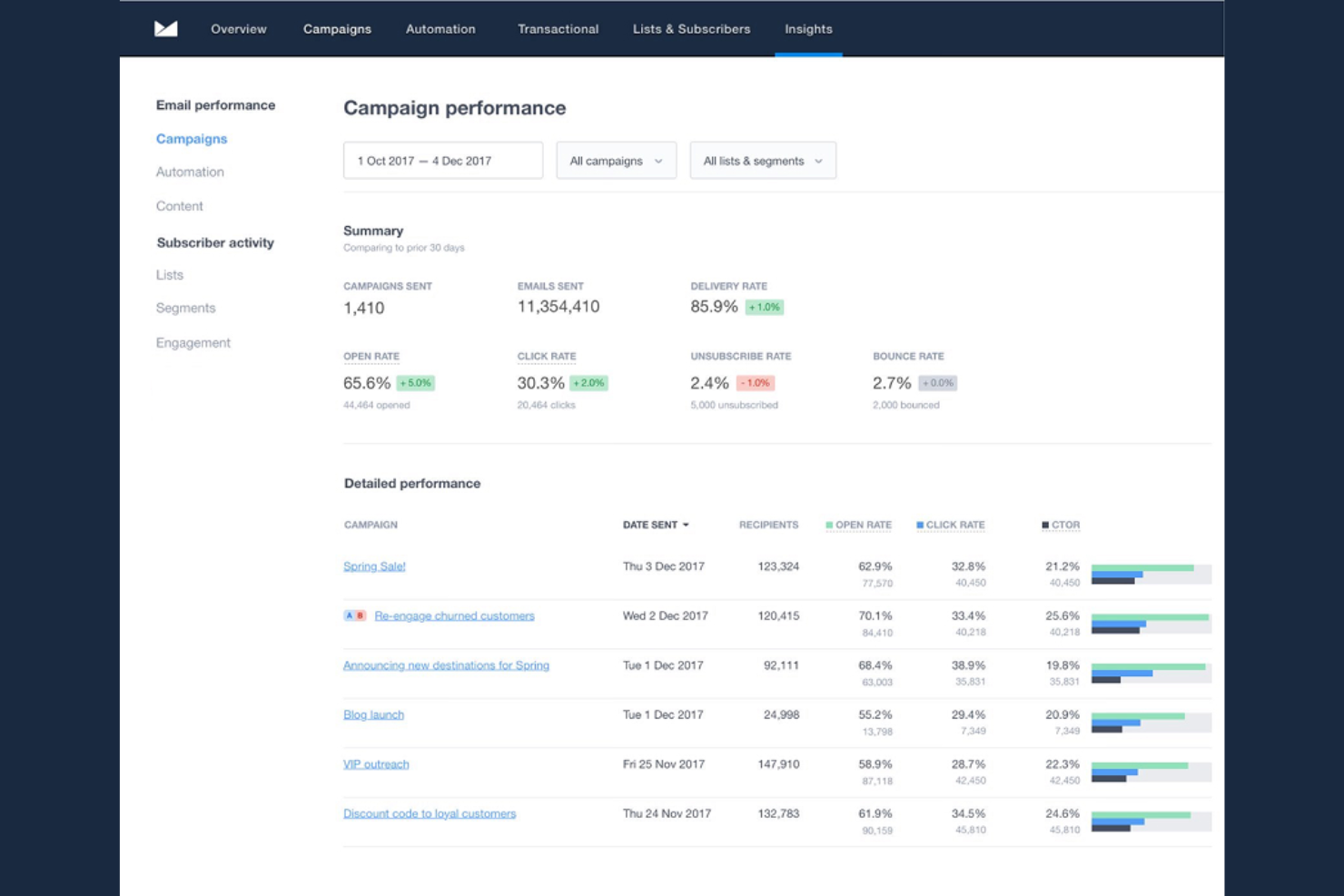
Campaign Monitor is designed for marketers and teams who want to create visually polished email campaigns without technical complexity. It’s especially appealing to brands that prioritize strong design and consistent branding in their communications. If you need a tool that makes it easy to build, send, and analyze professional emails, Campaign Monitor offers a focused solution.
Who Is Campaign Monitor Best For?
Campaign Monitor is a strong choice for marketing teams at small to midsize businesses that want to create branded, visually engaging email campaigns.
Why Campaign Monitor Is a Good ActiveCampaign Alternative
What makes Campaign Monitor a strong ActiveCampaign alternative is its focus on design-driven email creation. I picked it for teams that want a drag-and-drop builder that makes it easy to create branded, visually consistent campaigns without coding. The template library and brand management tools help ensure every message matches your visual identity. If your priority is sending polished, on-brand emails with minimal setup, Campaign Monitor delivers a straightforward solution.
Campaign Monitor Key Features
Some other features in Campaign Monitor that may interest you include:
Personalization tags: Insert dynamic content like names or locations into emails for tailored messaging.
A/B testing: Test different subject lines or content blocks to optimize campaign performance.
Automated customer journeys: Set up triggered email sequences based on subscriber actions or dates.
Analytics dashboard: Monitor campaign metrics like open rates, click rates, and engagement trends in real time.
Campaign Monitor Integrations
Integrations include Salesforce, WordPress, Shopify, Unbounce, Intercom, OptinMonster, Raiser’s Edge NXT, Lexer, Qgiv, and AdRoll.
Pros and Cons
Pros:
- Straightforward list management and segmentation tools
- Detailed analytics for campaign performance tracking
- Automated journeys for basic drip campaigns
Cons:
- Limited conditional logic in workflows
- No native SMS or multichannel messaging
Best user-friendly email marketing for small businesses
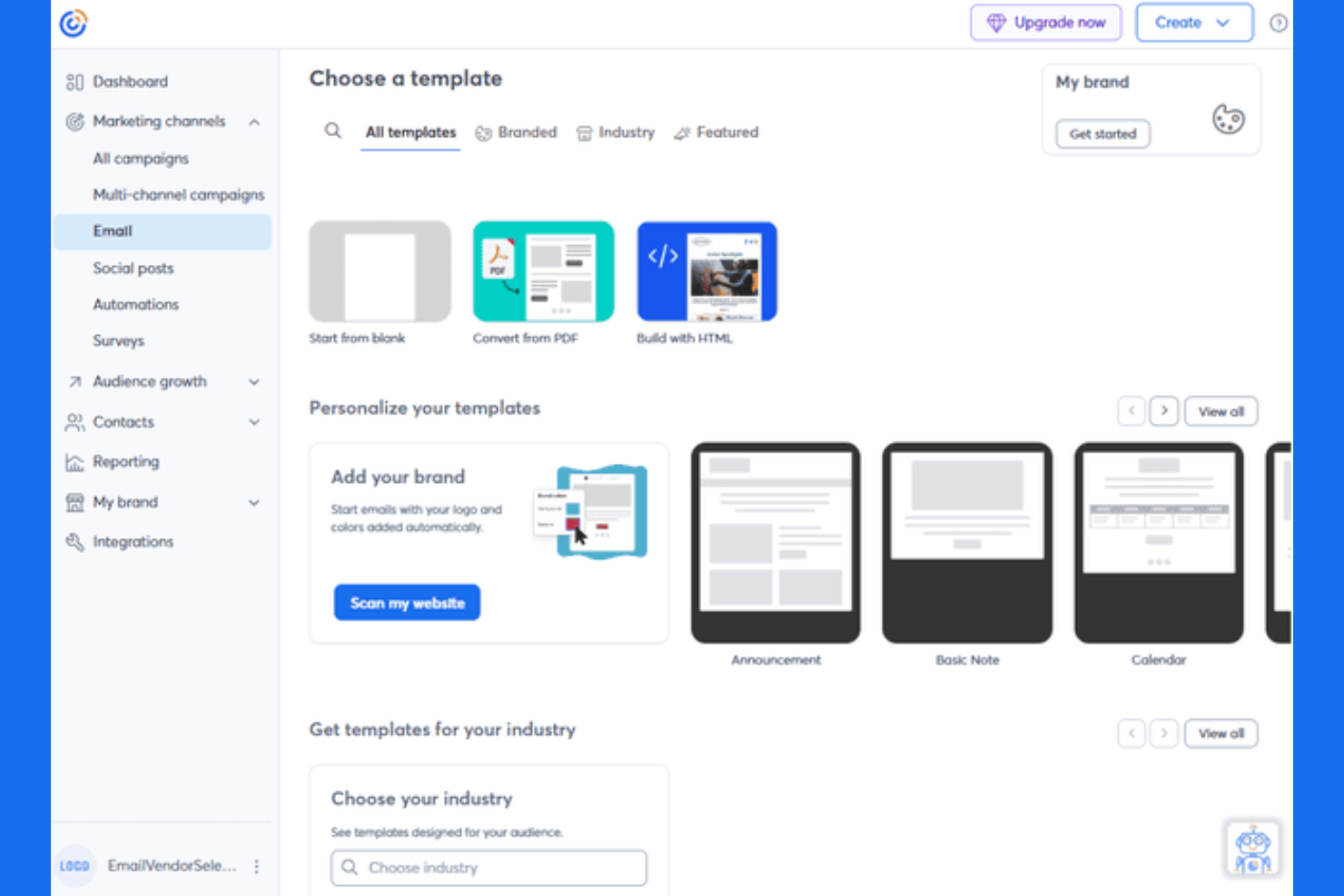
Constant Contact is an email marketing platform designed for small businesses and nonprofits that want to manage campaigns, events, and social media from one place. If you need a tool that combines email with event management and basic social posting, this platform covers those bases. It’s a fit for teams looking to simplify outreach and engagement beyond just email.
Who Is Constant Contact Best For?
Constant Contact suits small businesses and nonprofits that want to manage email marketing, events, and social media from a single platform.
Why Constant Contact Is a Good ActiveCampaign alternative
What sets Constant Contact apart as an ActiveCampaign alternative is its built-in event management and social media tools. I picked it for teams that want to run email campaigns and manage event registrations or RSVPs without switching platforms. The platform also lets you schedule and publish social posts directly, which is useful if you want to coordinate messaging across channels. For businesses that need more than just email marketing, Constant Contact brings event and social features together in one place.
Constant Contact Key Features
Some other features in Constant Contact that may interest you include:
Drag-and-drop email editor: Build and customize email campaigns visually without coding.
List segmentation: Group contacts based on behavior, demographics, or engagement for targeted messaging.
Automated email series: Set up welcome emails, drip campaigns, or follow-ups triggered by subscriber actions.
Reporting dashboard: Track open rates, click rates, and campaign performance in real time.
Constant Contact Integrations
Integrations include BigCommerce, Shopify, Canva, Eventbrite, Salesforce, Zoho CRM, DonorPerfect, QuickBooks, WooCommerce, and Stripe.
Pros and Cons
Pros:
- List growth tools like landing pages and pop-ups
- Email templates tailored for nonprofits and SMBs
- Social media posting and scheduling built in
Cons:
- No SMS marketing in standard plans
- No advanced automation branching logic

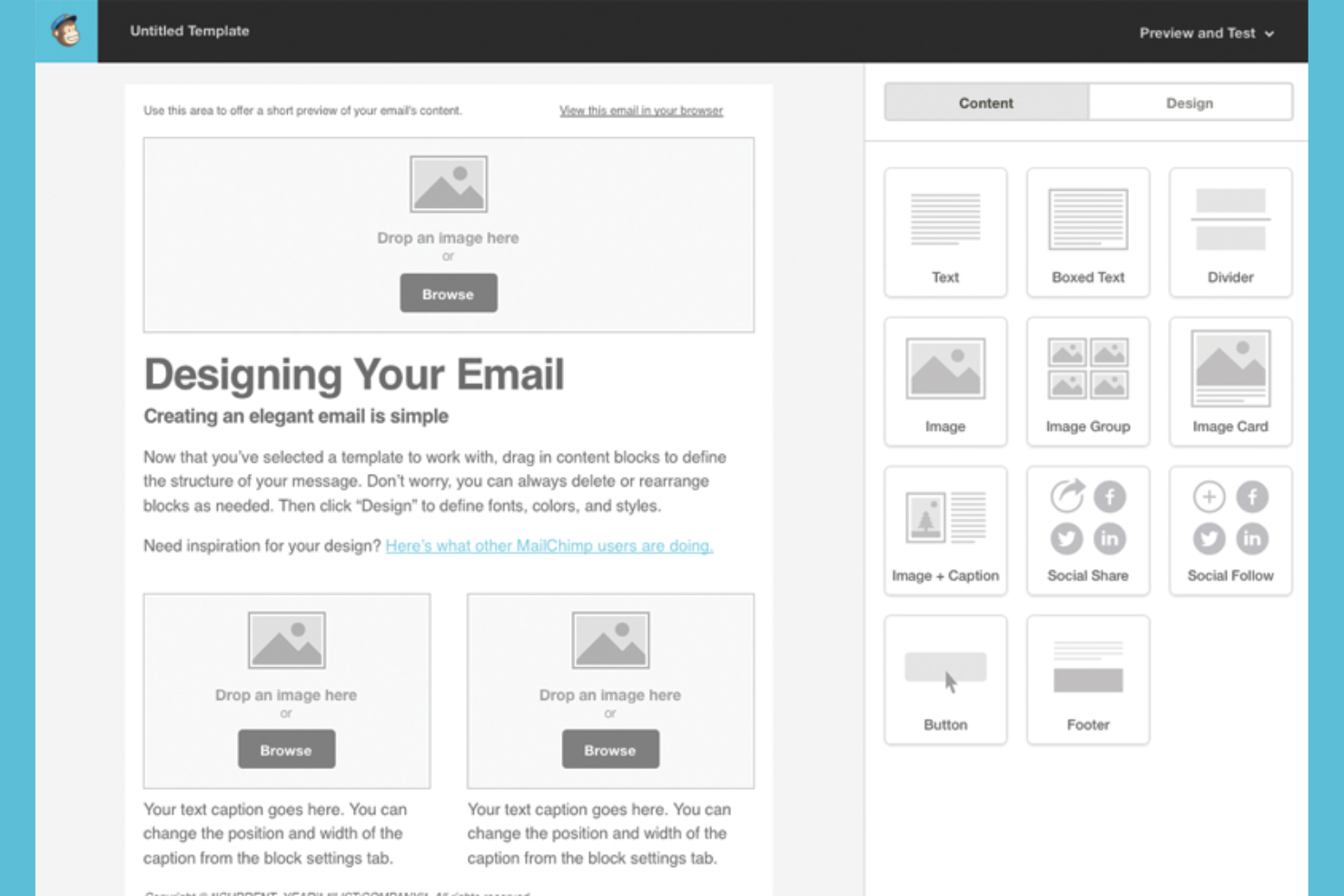
Mailchimp is a marketing platform that combines email, automation, and audience management in one place. It’s a strong fit for ecommerce brands and marketers who want to personalize campaigns and analyze customer data. If you need advanced segmentation and multichannel campaign tools beyond basic email, Mailchimp covers those needs.
Who Is Mailchimp Best For?
Mailchimp suits ecommerce businesses and marketing teams that want to manage multichannel campaigns and advanced audience segmentation from a single platform.
Why Mailchimp Is a Good ActiveCampaign Alternative
What makes Mailchimp a strong ActiveCampaign alternative is its all-in-one approach to marketing and audience management. I picked it for teams that want advanced audience segmentation and the ability to run multichannel campaigns from a single dashboard. Mailchimp’s segmentation tools let you target customers based on purchase behavior, engagement, and custom tags, while its campaign builder supports email, SMS, and social ads. This combination gives you more flexibility to personalize outreach and coordinate messaging across channels.
Mailchimp Key Features
Some other features in Mailchimp that may interest you include:
A/B Testing: Test different subject lines, content, or send times to optimize campaign performance.
Drag-and-Drop Email Builder: Design custom emails visually without needing to code.
Prebuilt Email Templates: Access a library of professionally designed templates for quick campaign creation.
Marketing Calendar: Plan, schedule, and track all your marketing activities in one place.
Mailchimp Integrations
Integrations include Shopify, WooCommerce, Canva, Square, Wix, Squarespace, Stripe, Salesforce, LinkedIn, and Facebook.
Pros and Cons
Pros:
- Extensive template library for quick setup
- Prebuilt automations for ecommerce workflows
- Advanced audience segmentation for targeted campaigns
Cons:
- Limited conditional content options in emails
- SMS marketing requires additional integration

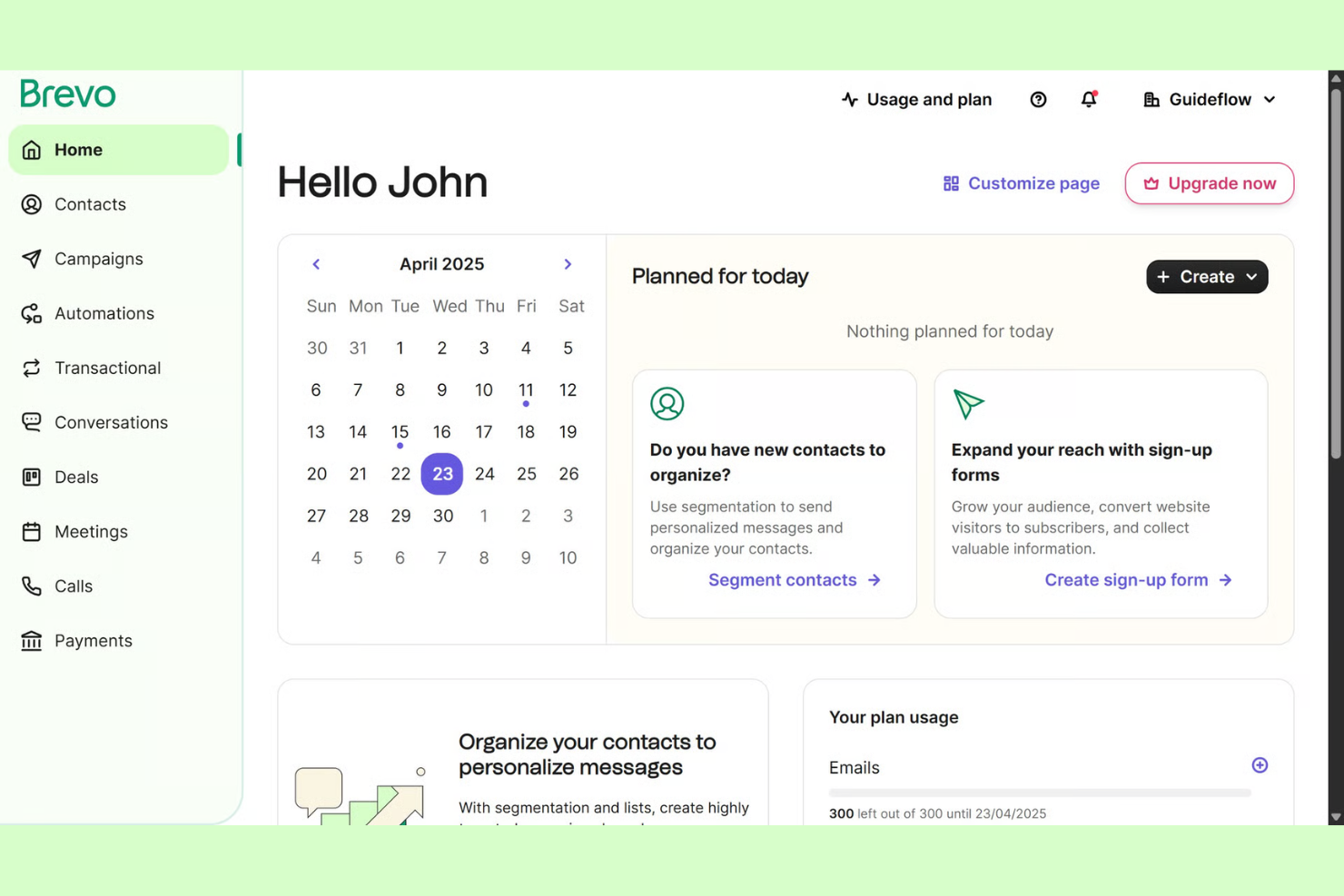
Brevo is a marketing platform designed for businesses that want flexible control over email and SMS campaigns. It’s a fit for teams that need scalable messaging tools without the complexity of traditional marketing automation suites. If you’re looking for a solution that balances simplicity with advanced features, Brevo addresses many of the gaps found in legacy email marketing tools.
Who Is Brevo Best For?
Brevo suits small to midsize businesses and ecommerce teams that want flexible, scalable email and SMS marketing without enterprise-level complexity.
Why Brevo Is a Good ActiveCampaign Alternative
What makes Brevo a strong alternative is its flexible approach to both email and SMS marketing, which is ideal for growing businesses that want to manage multiple channels from one platform. I picked Brevo because you can create and automate campaigns across email and SMS without needing separate tools or complex add-ons. The platform’s workflow builder lets you set up targeted automations, while its SMS features are built in and easy to activate alongside email. For teams that want to scale their messaging as they grow, Brevo offers a straightforward way to expand beyond just email marketing.
Brevo Key Features
Some other features in Brevo that may interest you include:
Drag-and-drop email editor: Build custom email templates without coding using a visual editor.
Transactional email support: Send order confirmations, password resets, and other transactional messages directly from the platform.
Contact segmentation: Organize and target contacts based on behavior, attributes, or engagement history.
Built-in CRM: Manage contacts, track deals, and monitor sales pipelines within the same platform.
Brevo Integrations
Integrations include WordPress, WooCommerce, Shopify, BigCommerce, Stripe, Adobe Commerce, PrestaShop, Salesforce, Pipedrive, and Facebook.
Pros and Cons
Pros:
- Built-in CRM for basic contact management
- Visual workflow builder for automations
- SMS and WhatsApp marketing built in
Cons:
- CRM lacks advanced sales pipeline features
- No built-in landing page A/B testing
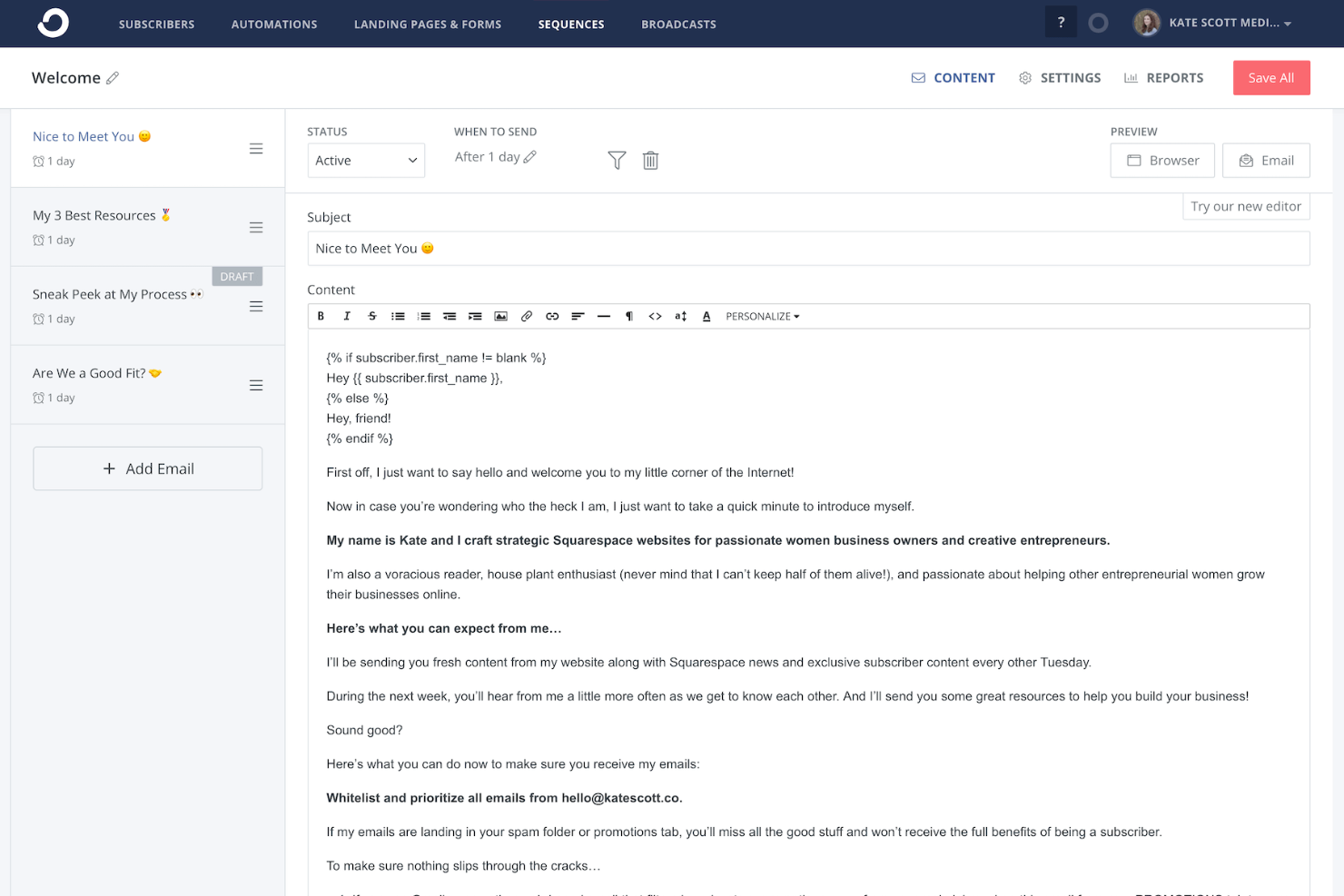
ConvertKit is built for creators, digital entrepreneurs, and small publishers who want to grow and engage their audience through email. The platform emphasizes simple automation and subscriber management tailored to content-driven businesses. If you need a tool that supports selling digital products and building community, ConvertKit offers features designed for those workflows.
Who Is ConvertKit Best For?
ConvertKit fits creators, bloggers, and digital entrepreneurs who want to manage email marketing and sell digital products.
Why ConvertKit Is a Good ActiveCampaign Alternative
Unlike many email marketing tools, ConvertKit is purpose-built for creators and digital product sellers. I picked it as an alternative because it offers integrated tools for selling digital products and paid newsletters directly from your email platform. The platform’s visual automation builder and subscriber tagging make it easy to nurture audiences and segment by interests or purchase behavior. If you want to monetize your audience and manage both email and digital sales in one place, ConvertKit is designed for that workflow.
ConvertKit Key Features
Some other features in ConvertKit that may interest you include:
Broadcast emails: Send one-time email blasts to your entire list or specific segments.
Customizable opt-in forms: Build and embed forms to capture subscribers on your website or landing pages.
Subscriber scoring: Automatically score subscribers based on engagement and activity.
RSS-to-email automation: Turn blog posts into automated email updates for your audience.
ConvertKit Integrations
Integrations include Shopify, Canva, Calendly, Typeform, GIPHY, Wix, Thinkific, Fourthwall, Linktree, and Pinterest.
Pros and Cons
Pros:
- Direct digital product and paid newsletter sales
- Tag-based subscriber management for segmentation
- Built-in landing page and form builder
Cons:
- Limited native integrations with ecommerce tools
- No built-in CRM or sales pipeline
Other ActiveCampaign Alternatives
Here are some additional ActiveCampaign alternatives that didn’t make it onto my shortlist, but are still worth checking out:
- Klaviyo
Advanced segmentation for ecommerce brands
- Salesforce Service Cloud
Omnichannel customer service platform with AI-powered automation


ActiveCampaign Alternatives Selection Criteria
When selecting the best ActiveCampaign alternatives to include in this list, I considered common buyer needs and pain points related to email marketing software, like advanced automation capabilities and integration with CRM systems. I also used the following framework to keep my evaluation structured and fair:
Core Functionality (25% of total score) To be considered for inclusion in this list, each solution had to fulfill these common use cases:
- Create and send email campaigns
- Manage and segment contact lists
- Automate email sequences
- Track email performance metrics
- Support compliance with email regulations
Additional Standout Features (25% of total score) To help further narrow down the competition, I also looked for unique features, such as:
- Visual campaign journey builders
- AI-powered subject line suggestions
- Multichannel messaging options
- Advanced personalization tools
- Built-in landing page editors
Usability (10% of total score) To get a sense of the usability of each system, I considered the following:
- Intuitive navigation and dashboard layout
- Clear labeling of features and settings
- Minimal steps to launch a campaign
- Responsive design for all device types
- Customizable user roles and permissions
Onboarding (10% of total score) To evaluate the onboarding experience for each platform, I considered the following:
- Availability of step-by-step setup guides
- Access to training videos and webinars
- Pre-built templates for quick starts
- Interactive product tours or walkthroughs
- In-app chat or onboarding support
Customer Support (10% of total score) To assess each software provider’s customer support services, I considered the following:
- Multiple support channels (chat, email, phone)
- Fast response times to inquiries
- Access to a searchable help center
- Availability of onboarding specialists
- Community forums or user groups
Value For Money (10% of total score) To evaluate the value for money of each platform, I considered the following:
- Affordability and flexible pricing plans
- Free trial or freemium options
- Features included at each pricing tier
- No hidden fees or long-term contracts
- Discounts for annual billing or nonprofits
Customer Reviews (10% of total score) To get a sense of overall customer satisfaction, I considered the following when reading customer reviews:
- Consistency of positive feedback
- Reports of reliable deliverability
- Experiences with customer support
- Feedback on feature updates and improvements
- Comments on integration and automation capabilities
Why Look For an ActiveCampaign Alternative?
While ActiveCampaign is a good choice of Email Marketing Tools, there are a number of reasons why some users seek out alternative solutions. You might be looking for an ActiveCampaign alternative because…
- Needing deeper integration with a specific CRM
- Wanting more advanced multichannel automation
- Requiring a simpler interface for new users
- Facing limitations with reporting or analytics
- Needing better support for international compliance
- Wanting more flexible pricing for small teams
If any of these sound like you, you’ve come to the right place. My list contains several Email Marketing Tools options that are better suited for teams facing these challenges with ActiveCampaign and looking for alternative solutions.
ActiveCampaign Key Features
Here are some of the key features of ActiveCampaign, to help you contrast and compare what alternative solutions offer:
- Email automation: Automate email sequences and trigger messages based on user actions, time delays, or custom conditions to nurture leads and engage customers at scale.
- Visual workflow builder: Design complex automation workflows using a drag-and-drop interface, making it easy to map out customer journeys and campaign logic.
- Segmentation: Group contacts using tags, custom fields, and behavioral data to send targeted, relevant messages to specific audience segments.
- Dynamic content: Personalize email content for each recipient by inserting conditional blocks, product recommendations, or user-specific information.
- Site and event tracking: Monitor website visits, page views, and custom events to trigger automations and gain insights into user behavior.
- CRM integration: Sync contact data, deals, and activities with the built-in CRM or connect to external CRMs for unified sales and marketing management.
- A/B testing: Test subject lines, content, and send times to optimize email performance and improve engagement rates.
- Lead scoring: Assign scores to contacts based on their actions and engagement, helping sales teams prioritize follow-up and identify high-value leads.
- Reporting and analytics: Access detailed reports on campaign performance, automation effectiveness, and contact engagement to inform future strategy.
- Multichannel messaging: Send SMS, site messages, and even Facebook custom audience ads alongside email campaigns for a coordinated outreach approach.