
How to Choose a B2B Ecommerce Platform: Step-by-Step Guide


You’re here to choose a B2B ecommerce platform that actually performs for you. The right B2B ecommerce platforms let buyers self-serve, protect margins, and plug into your ERP, CRM, and PIM—without hacks.
What goes sideways: surprise fees and long setup, deposit holds, vague uptime instead of real SLAs, brittle integrations, warehouse Wi-Fi issues, clunky mobile, and data export headaches that smell like lock-in.
Add PCI DSS, regional taxes, and privacy rules, and replatforming turns into rework.
This guide shows what to evaluate, how to verify with your data, and the questions that pressure-test pricing, APIs, SSO, permissions, reporting, and checkout.
Use it to shortlist, script focused demos, and check total cost of ownership—based on 10+ years in ecommerce ops and agency work.
10 Things To Look For When Choosing a B2B Ecommerce Platform
Score vendors against the factors below with hands-on tests. Anchor on must-haves tied to your workflows, then use demos and trials to prove claims with your data. If a platform fails a must-have, cut it and move on.
Let’s see the things that matter.
1. Fit with your tech stack
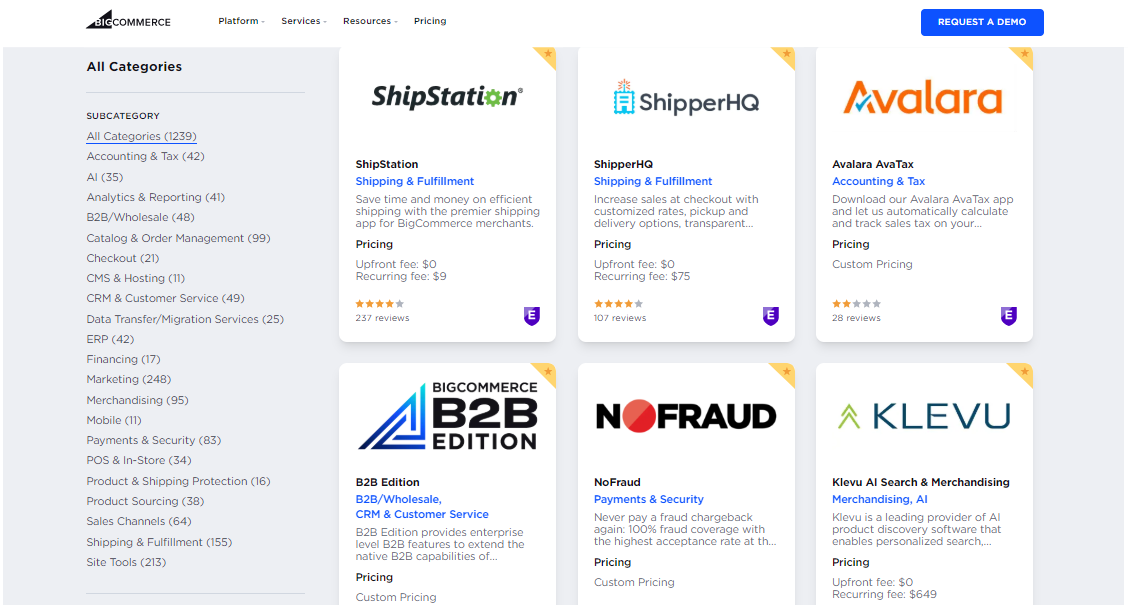
Your business-to-business ecomm platform has to sit cleanly between ERP, CRM, PIM, tax, payments, WMS/OMS, and shipping—no duct tape.
Look for native connectors that cover core objects (accounts, buyer roles, custom pricing, catalogs, orders, inventory) and a sane API setup—OAuth, webhooks, clear rate limits, retries, and versioning—so real-time events don’t stall workflows.
Then prove it. In a sandbox, place a contract-priced order, push it to the ERP, decrement multi-location inventory, calculate tax, capture payment, and sync status back for buyer updates.
Verify field mapping for customer-specific pricing and SKU attributes, check audit logs, and note any middleware or “connector” fees, so total cost of ownership doesn’t spike later.
2. Flexible plans and pricing
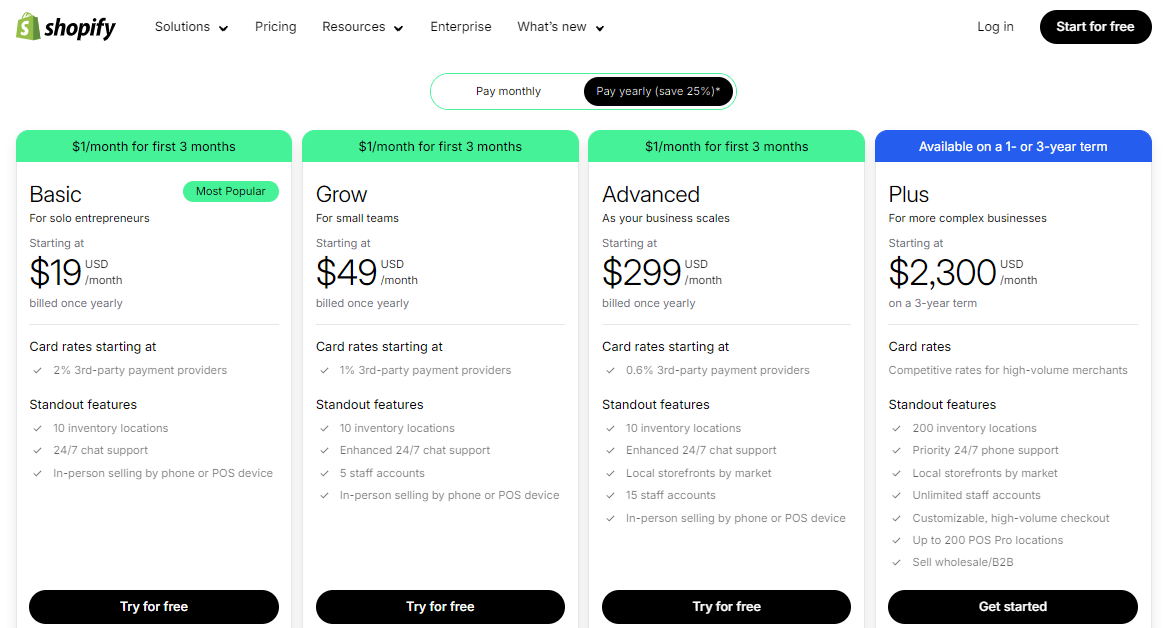
You need pricing that won’t booby-trap your budget.
Ask for a full pricing sheet with plan limits, overage rates, implementation fees, and any partner or connector costs—no guessing games. Check usage caps for orders, SKUs, API calls, storefronts, and admin seats, and model 12 months of expected volume to see where overages kick in.
Test how fast you can change tiers and what features hide behind upgrades.
Confirm payment processing rates, deposit timelines, refunds/chargeback fees, and tax/SSO add-ons so total cost of ownership stays honest. Make sure discounts, custom pricing, and wholesale terms don’t require a higher plan or custom code.
3. Data access and reporting
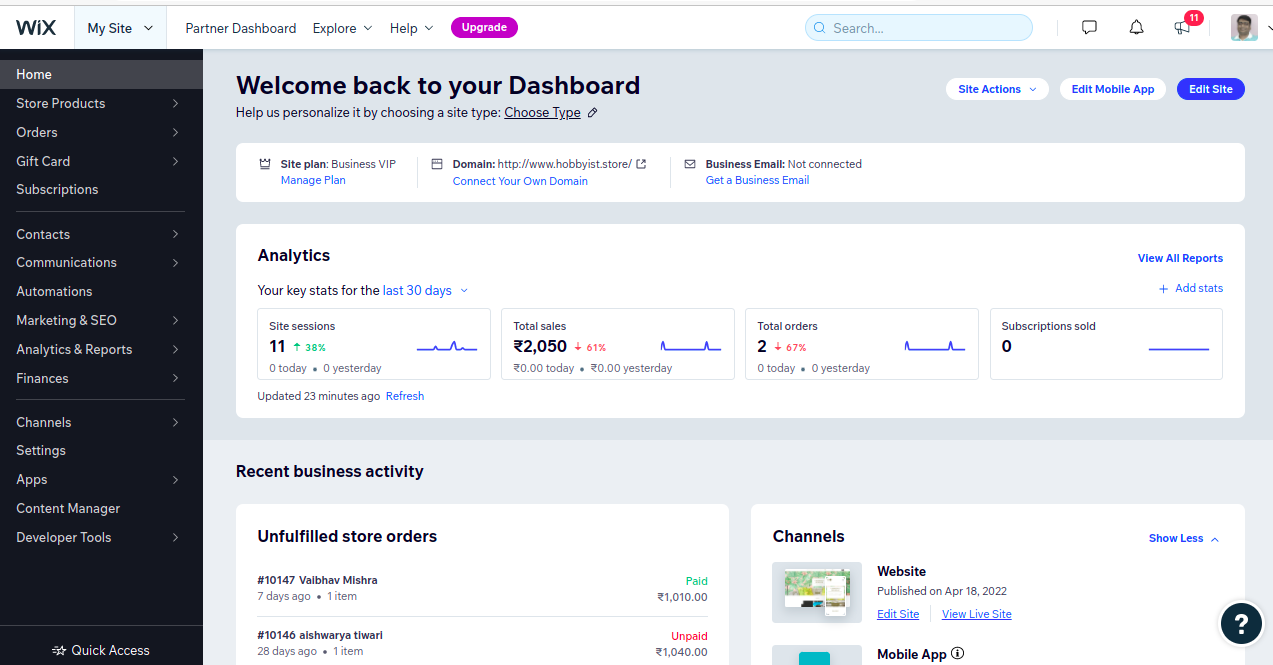
If you can’t get to your data, you can’t run the business.
Validate exports (CSV/JSON), scheduled reports, and API access to feed your BI tool. Build the leadership report you use monthly—orders, margins, buyer segments, and repeat rate—and confirm filters, date ranges, and attribution match reality.
Dashboards should load fast and drill into product, account, and location.
Ask about retention windows, event logs, and a clear data dictionary. Confirm row-level security, PII handling, and who can see what via roles and SSO. Check webhook reliability and retry logic so real-time updates to ERP, CRM, and inventory systems don’t go missing.
4. Onboarding and training quality
Good onboarding protects margins and shortens time to value.
Ask for a 30–60–90 plan with owners, milestones, and deliverables—data migration, SSO, ERP sync, catalog load, first order, go-live, hypercare.
Training should be role-based and practical. You want short videos, live sessions, and a searchable knowledge base with real API docs.
In a sandbox, assign tasks: place a contract-priced order, approve a quote, edit permissions, build a report. Track where people stall and fix the workflow, not just the deck.
I recommend insisting on office hours during go-live, recorded sessions for off-shifts, and an implementation checklist you can paste into your project tool. Confirm who trains partners and whether updates to features trigger refresher training.
5. Responsive, real support
When an ERP sync or webhook dies, you need a human—fast.
Verify support channels, hours, and SLAs (time-to-first-response and time-to-resolution), and make sure coverage matches your peak order windows.
Test it before you sign. Open tickets on an ERP retry failure and a role/SSO issue; look for clear diagnostics, logs, and step-by-step fixes from product-savvy specialists—not a script. Check the public status page for incident history and API uptime.
Clarify what’s included vs. “premium” support, who handles integrations, and how escalations work. Ask for a named contact through go-live, plus defined paths to engineering when P1 issues hit.
6. Roles, approvals, permissions
B2B buyers don’t all need the same keys. You need multi-user accounts with role-based permissions for pricing, catalogs, quotes, checkout, refunds, and customer data—plus approval chains by amount, cost center, or SKU category.
Tie this to SSO/MFA (and ideally SCIM) so IT can manage access once, not five times.
Make it auditable. Look for immutable logs of who changed what and when, customer-specific catalog visibility, and per-location controls.
The goal is clean workflows and a better user experience without risking margins or compliance.
7. Industry and data compliance
Compliance is table stakes. Confirm PCI DSS scope for payment options, encryption in transit/at rest, data retention, and breach notification terms.
Ask for SOC 2 or ISO 27001 reports, a current DPA, and a public subprocessor list. You also want GDPR/CCPA tooling—consent capture, export/delete, and role-based access to PII.
Mind the global bits. Check tax/VAT handling, multi-currency rules, data residency, and uptime/SLAs that match your peak windows.
If you sell into regulated verticals, verify how the platform segregates sensitive fields and logs access for audits. No lock-in, no surprises.
8. Customization and extensibility
You’ll outgrow defaults. Look for a user-friendly interface with theme controls, plus headless options for bespoke storefronts.
Under the hood, you want stable REST/GraphQL APIs, reliable webhooks, SDKs, and versioning so you can extend without breaking upgrades. Sandbox environments and clear API limits keep real-time workflows sane.
Plan the ecosystem. Validate plugin/app quality, upgrade safety, and how custom fields flow end-to-end (PIM → ERP → ecommerce website → dashboards).
Make sure automation can touch quotes, approvals, and bulk ordering, and that custom pricing rules don’t require a rewrite every release. Extensible beats expensive.
9. Mobile and multi-location support
Your B2B ecommerce platform has to work where your team works—on the warehouse floor, in the field, and at the desk.
Test the mobile experience for real tasks: bulk ordering, quote approvals, reorders, and inventory checks. Dashboards should load fast, fit small screens, and update in real time so reps aren’t guessing.
Multi-location control matters for operational efficiency.
Confirm per-location inventory, pricing, and tax rules; store/warehouse routing; and location-based permissions. Make sure pickup, ship-from, and lead-time logic carry through to checkout and customer experience.
If you sell globally, check multi-currency and regional settings live, not in a slide.
10. Workflow automation options
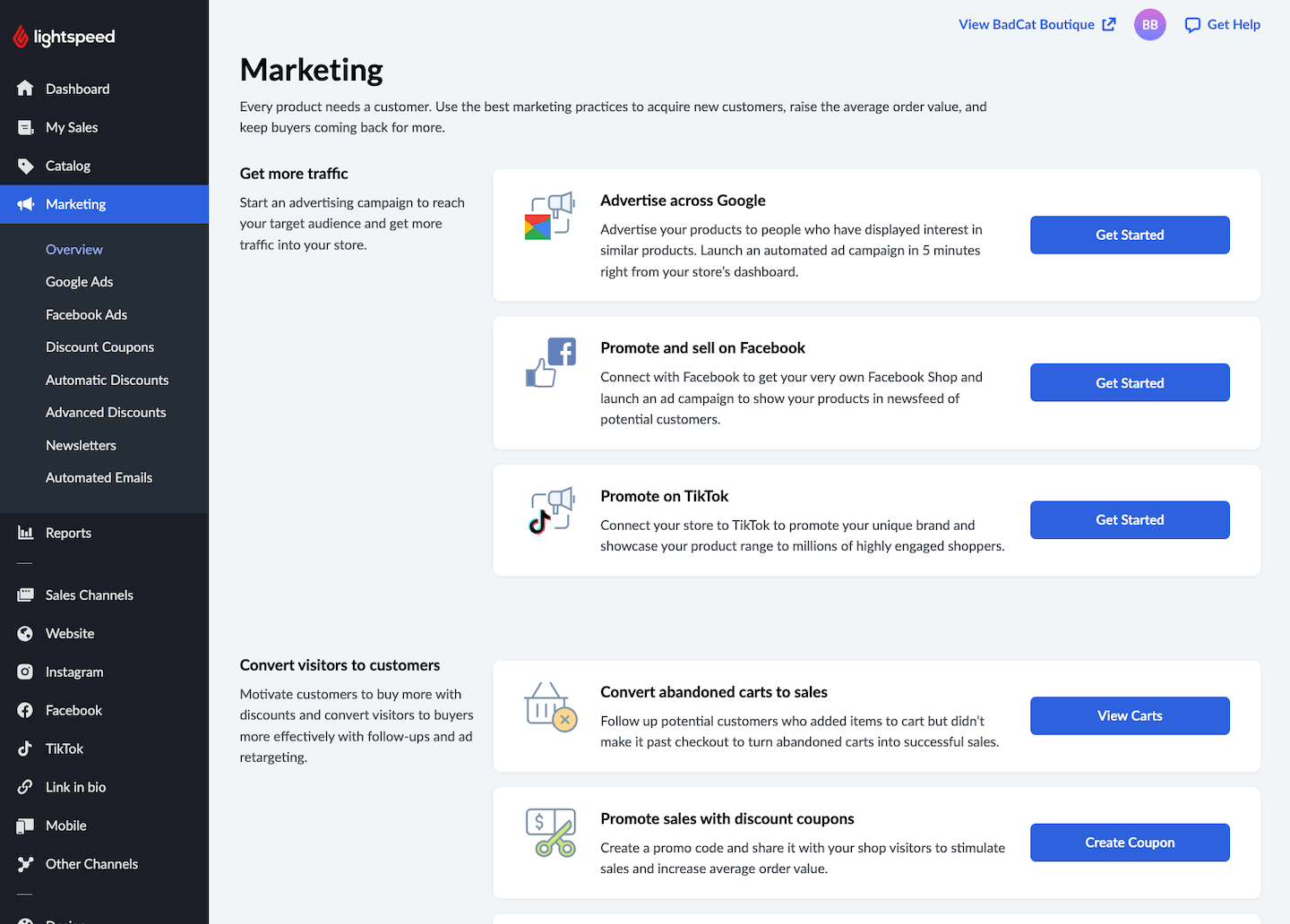
Let automation handle the busywork so humans handle buyers. You want no-code rules that trigger on events—new account, quote approved, payment captured, ERP sync failed—and perform actions across systems.
Chaining steps, delays, and retries should be simple, with logs you can actually read and rollbacks when something goes sideways.
Prove it with a few real workflows: route high-value quotes for approval, notify sales on low stock, auto-tag customer segments, and retry failed webhooks to ERP/CRM without manual rekeying.
Check that custom pricing, product catalogs, and order management can be automated end-to-end via rules or API. The goal: streamline operations, cut errors, and keep b2b businesses moving.
How to Choose a B2B Ecommerce Platform: A Step-By-Step Framework
Here’s the clean way through the chaos. Map real workflows, prove fit with your data, and keep total cost of ownership front and center. Five steps—no heroics, just clarity and receipts.
Step 1: identify your needs
Get specific about what buyers and teams actually do, not what a feature grid promises. Lock the must-haves that protect margin, speed orders, and reduce rework across workflows, integrations, and reporting.
Gather stakeholder input
Talk to sales, ops, finance, service, and IT about daily tasks, failure points, and the reports they need every week.
Capture real flows—quote → approval → custom pricing → order → pick/pack/ship → invoicing—and where ERP, CRM, PIM, payments, and tax tools hand off data.
Collect sample orders, price lists, and approval rules so demos use your reality, not lorem ipsum.
Prioritize pain points
Rank issues by impact on revenue, cost, and time.
Flag rekeying into ERP, brittle APIs, messy product catalogs, slow checkout, missing bulk ordering, and weak inventory management.
Separate “annoying” from “expensive” and focus on the problems that block B2B buyers from reordering without help.
Align with policies
Write down security and privacy requirements you actually enforce—SSO/MFA (and ideally SCIM), role-based access, audit logs, and data retention.
Confirm PCI scope for payment options, GDPR/CCPA processes, data residency needs, and uptime/SLAs that match peak order windows. Note any procurement constraints so nothing derails late.
Must-have versus nice-to-have
Use this split to keep scope tight. If a vendor can’t demo the must-haves with your data, move on.
Must-haves
- Role-based access and approvals. Control who sees pricing and catalogs, and enforce spend thresholds.
- Customer-specific pricing and catalogs. Support contract terms and account visibility without custom code.
- ERP/CRM/PIM integration. Sync key objects bi-directionally with webhooks, retries, and clear limits.
- Real-time inventory and reporting. Keep stock and order status accurate, with exportable reports and API access.
- B2B checkout and payments. Enable quotes-to-order, POs, net terms, and tax-exempt handling.
- Security and compliance. Require SSO/MFA, audit logs, PCI clarity, and GDPR/CCPA processes.
Nice-to-haves
- Headless storefront flexibility. Save bespoke UX for phase two.
- Theme and CMS polish. Visual builders and content scheduling after fundamentals work.
- Advanced merchandising and SEO extras. PDP tests and redirect tooling can trail core workflows.
- Complex promotion engines. Keep it simple until pricing rules prove otherwise.
- Additional channels and cross-border. Marketplaces, EDI, multi-language, and multi-currency when the roadmap calls for it.
Ask these questions
- Which workflows must work on day one. List quote-to-order, custom pricing, approvals, reorder, and returns with owners.
- Which systems need seamless integration. Name ERP, CRM, PIM, tax, payments, WMS/OMS, and the data direction and frequency.
- What access controls are non-negotiable. Define roles, approvals, and who can edit catalogs, pricing, and customer data.
- What reporting leaders expect weekly. Specify revenue, margins, customer segments, and inventory views by location.
- What policies shape technical choices. Document PCI, GDPR/CCPA, data residency, SSO/MFA, and audit requirements.
- What success looks like in 90 days. Set baseline metrics—order success rate, time to quote, buyer logins, and support tickets.
Step 2: Research vendors and the market
Build a long list fast, then shrink it with real criteria—business needs, workflows, and total cost of ownership—not hype.
You’re looking for B2B ecommerce solutions that fit your tech stack, your buyers, and your margin math.
High-level vendor scan
Skim reviews, analyst roundups, and case studies for patterns, not slogans.
Note who serves wholesale and distributors, typical implementation time, and whether pricing is public. Tag themes: custom pricing, bulk ordering, inventory management, real-time APIs, and customer support quality.
Flag SaaS vs open-source, headless vs traditional storefronts.
Match by fit
Filter by size, complexity, and integration capabilities.
Do they offer native ERP/CRM/PIM connectors, SSO, and stable APIs/webhooks? Can the platform handle your catalog structure, B2B checkout (quotes, POs, net terms), and automation without duct tape?
Drop anything that can’t play nicely with payments, tax, shipping, and your BI.
Spot differentiators
Separate nice UX from real capability. Push on scalability under load, reliability of API limits/retries, and how buyer experience feels for account-based catalogs and reorders.
Look for admin usability—user-friendly interface, clean permissions, and dashboards that don’t crawl.
Bonus if SEO controls, content tools, and multi-currency are first-class.
Document your findings
Keep a one-pager per vendor, so comparisons stay honest: target customer, core strengths, gaps, integrations, pricing structure, contract terms, implementation model, timeline, risks.
Score against your must-haves from Step 1—custom pricing, approvals, reporting, automation, and seamless integration—then rank the shortlist.
Ask these questions
- Who you serve best. Typical order volume, catalog size, and implementation timeline.
- How integrations work. ERP/CRM/PIM connectors, sync directions, API limits, webhooks, and retries.
- What B2B functionality is native. Quotes, approvals, account catalogs, bulk ordering, and real-time inventory.
- What it costs all-in. Licensing, payment options add-ons, SSO/tax/connectors, and partner fees.
- How it scales and stays up. Uptime/SLA windows, incident history, and performance at peak.
- Who supports you. Channels, SLAs, escalation paths, and coverage during your peak order hours.
Top B2B Ecommerce Platforms to Consider
Here’s my list of the top 10 B2B ecommerce platforms options available, to help you get started in your search:


Step 3: Make a shortlist and reach out
Keep it small, fast, and real. Cut your long list to a handful that match your business needs, tech stack, and budget—then get proof with your data, not their slides.
Build your shortlist
Pick 2–4 vendors that tick the must-haves from Step 1: customer-specific pricing, account catalogs, bulk ordering, solid order management, and seamless integration with ERP/CRM/PIM.
Note SaaS vs open-source, headless vs traditional storefront, scalability, security/PCI posture, and total cost of ownership.
Keep one “reach” option if it unlocks a near-term workflow.
Use RFI/RFP wisely
Use a short RFI or targeted RFP to fill in blanks.
Ask for pricing structures and limits, implementation roles and timeline, SLAs, security controls, data residency, and API details—rate limits, webhooks, retries, versioning.
Request sample SOWs, a sandbox, and a data model map so you can test product catalogs, custom pricing, and customer data end-to-end.
Book focused demos
Script the demo with your sample data. Have them place a contract-priced order, run quote-to-order approvals, show reorder flows, calculate tax, and sync to ERP in real time.
Include a failure: break an API call and watch retries, logs, and alerts. Add a quick pass on mobile UX, permissions, and dashboards so you see the buyer and admin experience.
Standardize evaluation criteria
Score every vendor with the same weighted rubric.
Anchor on must-haves, then add UX for buyers and admins, integration capabilities, API reliability, automation, scalability, security/compliance, and support quality.
Capture total cost of ownership—licenses, implementation, connectors, and required partners—and track risks with mitigations.
Ask these questions
- Proof of your use case. End-to-end demo with your data, including failure handling and recovery.
- What goes live in 60 days. A realistic phase one with clear owners, dates, and success metrics.
- Integration reality. Native connectors, data directions, API limits, webhook behavior, and monitoring.
- Pricing clarity. License tiers, overages, implementation fees, payment processing add-ons, and renewal terms.
- B2B functionality coverage. Quotes, approvals, account catalogs, bulk ordering, reorder flows, and checkout options.
- Support and SLAs. Channels, hours, escalation paths, and coverage during your peak order windows.
Step 4: Build the business case
Turn your research into a one-pager leadership can approve. Lead with the pain, show the fix, price it, then prove payback—grounded in your data, workflows, and total cost of ownership.
Pain and outcomes
Start with the top three pains buyers and teams feel—manual quotes, ERP rekeying, brittle APIs, slow checkout, messy product catalogs.
Map each to a concrete outcome: custom pricing and account catalogs, native ERP/CRM integration, faster quote-to-order, fewer support tickets, cleaner inventory management.
Name the metric you’ll move on day one and how you’ll measure it.
Costs and timeline
Roll up the all-in cost, not just licenses. Include implementation and partner fees, connectors (ERP/CRM/PIM, tax, payments, SSO), data migration, content rebuild, training, and any open-source hosting or commerce cloud add-ons.
Lay out a phased timeline—discovery, config, integrations, UAT, soft launch, go-live, hypercare—with owners on both sides. Add a buffer so surprises don’t eat margin.
ROI and risk
Keep the math simple and defensible.
Labor savings from automation (hours saved × loaded wage), error reduction on orders (delta error rate × AOV), and reorder/conversion lift from a cleaner customer experience. Note time-to-value and when you’ll show early wins—30, 60, 90 days.
List risks with mitigations: dirty data, ERP limits, API rate caps, change management, and a rollback plan if checkout or syncs wobble.
Ask these questions
- Business problem and outcome. Which pain gets solved first, and what metric proves it.
- All-in year-one cost. Licenses, implementation, connectors, payment/tax add-ons, training, and support.
- Phase one in 90 days. What goes live, who owns it, and what “done” means for each workflow.
- Where ROI comes from. Labor saved, fewer errors, faster quotes, higher reorder rate—and when you’ll measure.
- Operational risks and mitigations. Dependencies on ERP/CRM/PIM, API limits, data quality, and a rollback plan.
- Finance assumptions. Volumes, payment mix, tax nexus, admin seats, API call volume, and renewal terms.
Step 5: Implement and onboard your B2B ecommerce platform
You’ve picked the right B2B ecommerce platform—now ship it cleanly. Keep owners visible, workflows simple, and feedback tight so buyers can order on day one.
Communicate the plan
Publish a one-page rollout with dates, owners, and milestones—data load, sandbox, SSO, ERP/CRM/PIM sync, first order, go-live, hypercare.
Share it across email and Slack, and post a buyer-facing note about the new online store, logins, and support. Include what changes in checkout, payment options, and customer experience.
Assign clear owners
Name leads for project, IT/integrations, data migration, order management, training, and vendor coordination.
Write a lightweight RACI, so decisions don’t stall. Set one escalation path covering APIs, permissions, inventory management, and payment gateways—your providers should know who to call.
Drive training and adoption
Train by role with short, searchable guides.
In a sandbox, have teams place a contract-priced order, run an approval, execute a reorder, and fix a failed sync.
Aim for a user-friendly interface and scripts that mirror real workflows—bulk ordering, customer-specific catalogs, multi-currency rules, and tax handling. Track completion and certify access only after tasks pass.
Build feedback loops
Stand up a simple intake (form + tracker) for bugs and requests.
Watch dashboards daily—order success rate, time to quote, API error rate, conversion rates, and support tickets—so you can optimize fast.
Agree on SLAs and retry behavior with the vendor for real-time syncs, then run a retro after soft launch to tighten automation and streamline back-end steps.
Ask these questions
- What’s the go-live checklist. Define the exact steps for data, integrations, roles, and buyer comms.
- Who owns breaks and fixes. Assign names for API failures, checkout issues, and inventory mismatches.
- How we measure week one. Track order success, time to quote, refunds/chargebacks, and support volume.
- What’s the rollback plan. Document how to pause a release or switch traffic if the ecommerce site wobbles.
- How training unlocks access. Require task completion before granting permissions and customer data access.
- What improves in phase two. Queue headless/front-end polish, SEO extras, and new sales channels after stability.
Pick Your B2B Platform Without Regrets
You’ve got a clean path now: shortlist vendors that fit your workflows, prove ERP/API reality with your data, and price the all-in cost—then go live without torching margins.
For retailers and B2B companies, that’s how an ecommerce business protects the customer relationship while improving the omnichannel experience.
Use the framework above to pressure-test key features—customer-specific pricing, quotes-to-order, bulk ordering, inventory management—inside a sandbox that looks like your ecommerce store.
Keep the focus on operational fit, not slideware.
If you're in the process of researching B2B ecommerce platforms, connect with a SoftwareSelect advisor for free recommendations.
You fill out a form and have a quick chat where they get into the specifics of your needs. Then you'll get a shortlist of software to review. They'll even support you through the entire buying process, including price negotiations.
Retail never stands still—and neither should you. Subscribe to our newsletter for the latest insights, strategies, and career resources from top retail leaders shaping the industry.