
Revolut Review: Pros, Cons, Features, and Pricing Explained


Revolut is a free payment processing solution designed to help retailers and ecommerce operators manage transactions across multiple currencies and markets. For businesses navigating tight margins, unpredictable fees, and the need for fast, reliable payments, options like Revolut can offer a practical alternative to traditional banks. This review covers Revolut’s features, best and worst use cases, pros and cons, and pricing—helping you decide if it fits your operational and customer experience goals.
Revolut Evaluation Summary
- From $9.99/month
- Free plan available
Why Trust Our Software Reviews
We’ve been testing and reviewing retail and ecommerce software and services since 2021.
As retail experts ourselves, we know how critical and difficult it is to make the right decision when selecting software. We invest in deep research to help our audience make better software purchasing decisions.
We’ve tested more than 2,000 tools for different finance and accounting use cases and written over 1,000 comprehensive software reviews. Learn how we stay transparent and our review methodology.
Revolut Overview
Evaluating Wave as a church accounting software, it's worth noting that while the platform was built primarily for small business accounting, its free version, simple interface, and easy setup have made it a popular choice among churches and nonprofits looking to manage everyday bookkeeping without monthly software fees. Users can connect a bank account, record transactions in real-time, send invoices, accept payments, and access optional payroll services for managing employee payments and taxes. While it lacks the advanced automation and church-specific features of similar tools, Wave serves as a straightforward, low-cost solution for smaller congregations and volunteer-led teams that need reliable, no-frills bookkeeping.
pros
-
No monthly fee with the Standard account
-
Fast international transfers with real exchange rates
-
Strong mobile app with instant transaction notifications
cons
-
Customer support response times can be slow
-
Certain industries and merchants are restricted
-
Limited POS hardware compared to traditional payment providers
-

GoBolt
Visit WebsiteThis is an aggregated rating for this tool including ratings from Crozdesk users and ratings from other sites.4.2 -
4ALLPORTAL
Visit WebsiteThis is an aggregated rating for this tool including ratings from Crozdesk users and ratings from other sites.4.7 -
Mouseflow
Visit WebsiteThis is an aggregated rating for this tool including ratings from Crozdesk users and ratings from other sites.4.7



Our Review Methodology
How We Test & Score Tools
We’ve spent years building, refining, and improving our software testing and scoring system. The rubric is designed to capture the nuances of software selection and what makes a tool effective, focusing on critical aspects of the decision-making process.
Below, you can see exactly how our testing and scoring works across seven criteria. It allows us to provide an unbiased evaluation of the software based on core functionality, standout features, ease of use, onboarding, customer support, integrations, customer reviews, and value for money.
Core Functionality (25% of final scoring)
The starting point of our evaluation is always the core functionality of the tool. Does it have the basic features and functions that a user would expect to see? Are any of those core features locked to higher-tiered pricing plans? At its core, we expect a tool to stand up against the baseline capabilities of its competitors.
Standout Features (25% of final scoring)
Next, we evaluate uncommon standout features that go above and beyond the core functionality typically found in tools of its kind. A high score reflects specialized or unique features that make the product faster, more efficient, or offer additional value to the user.
We also evaluate how easy it is to integrate with other tools typically found in the tech stack to expand the functionality and utility of the software. Tools offering plentiful native integrations, 3rd party connections, and API access to build custom integrations score best.
Ease of Use (10% of final scoring)
We consider how quick and easy it is to execute the tasks defined in the core functionality using the tool. High scoring software is well designed, intuitive to use, offers mobile apps, provides templates, and makes relatively complex tasks seem simple.
Onboarding (10% of final scoring)
We know how important rapid team adoption is for a new platform, so we evaluate how easy it is to learn and use a tool with minimal training. We evaluate how quickly a team member can get set up and start using the tool with no experience. High scoring solutions indicate little or no support is required.
Customer Support (10% of final scoring)
We review how quick and easy it is to get unstuck and find help by phone, live chat, or knowledge base. Tools and companies that provide real-time support score best, while chatbots score worst.
Customer Reviews (10% of final scoring)
Beyond our own testing and evaluation, we consider the net promoter score from current and past customers. We review their likelihood, given the option, to choose the tool again for the core functionality. A high scoring software reflects a high net promoter score from current or past customers.
Value for Money (10% of final scoring)
Lastly, in consideration of all the other criteria, we review the average price of entry level plans against the core features and consider the value of the other evaluation criteria. Software that delivers more, for less, will score higher.
Core Features
Multi-Currency Acceptance
Accept payments in over 25 currencies, letting you serve global customers without forced conversions while enabling seamless money transfer between supported currencies.
Next-Day Settlement
Receive funds from sales directly into your merchant account within 24 hours, even on weekends.
Transparent, Low Fees
Pay only for successful transactions, with no monthly minimums or setup charges for payment processing.
Online and In-Person Payments
Accept payments via web, payment links, QR codes, POS app, credit and debit cards, and Tap to Pay on iPhone for flexible sales channels.
Instant Currency Exchange
Exchange currencies at real interbank rates within your plan’s allowance, helping you avoid hidden markups in foreign exchange transactions.
No-Cost Refunds and Chargeback Support
Issue refunds at no extra cost and get support for chargebacks, reducing risk and admin for your business.
Ease of Use
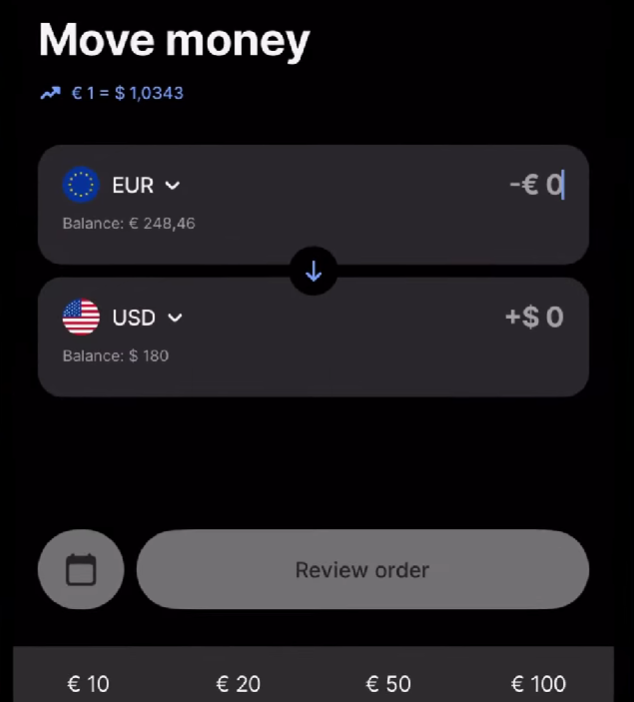
Revolut offers a clean interface designed for both mobile and web users. The platform simplifies everyday financial tasks like sending money, exchanging currencies, and tracking transaction. Businesses appreciate the intuitive design and streamlines workflows inside the Revolut app.
Most users can quickly learn the platform’s core functionality, although some report occasional friction during identify verification or compliance checks. Overall, Revolut’s digital-first experience works well for teams comfortable managing finances through modern fintech platforms.
Integrations
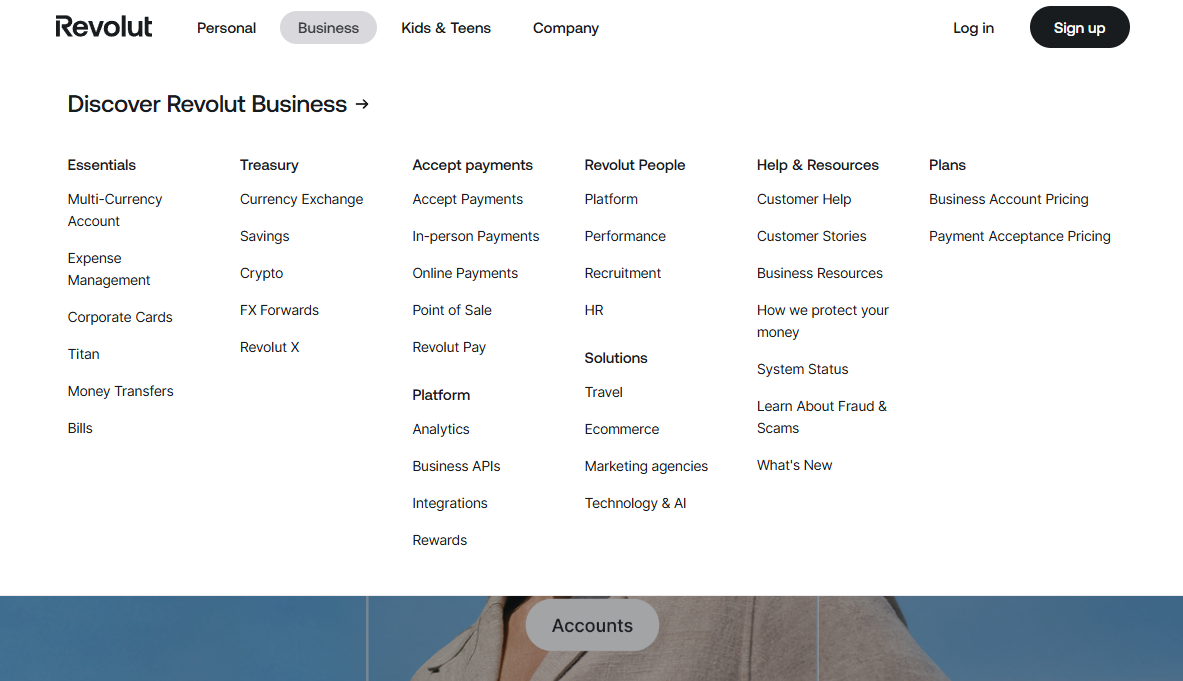
Revolut integrates with Xero, QuickBooks, Shopify, FreeAgent, OpenCart, WooCommerce, BigCommerce, Adobe Commerce, Sage HR, and Zoho, among others.
Revolut also offers a Business API and connects with third-party integration tools like Zapier and Make for custom workflows.
Revolut Specs
- 2-Factor Authentication
- 360 Degree Feedback
- API
- Application Tracking
- Attendance Tracking
- Batch Permissions & Access
- Compliance Tracking
- Dashboard
- Data Export
- Data Import
- Data Visualization
- Employee Database
- Employee Engagement
- Employee Incentive Management
- Employee Onboarding
- Employee Training
- Expense Tracking
- External Integrations
- Feedback Management
- Multi-User
- Notifications
- Payroll
- Performance Appraisal
- Scheduling
- Time Management
- Timesheets
- Travel Management
- Vacation & Absence Calendar