

QuickBooks Desktop Enterprise Review: Pros, Cons, Key Features & Pricing
QuickBooks Desktop Enterprise is built for operators who need serious financial management, not spreadsheets. If inventory, job costing, or real-time insights matter, this one delivers.

We review tools independently, and commissions help fund our testing. See our transparency policy, our methodology, or suggest a tool.
QuickBooks Desktop Enterprise is an order management system software built for mid-sized, product-based businesses that need advanced inventory tracking, purchase order management, and multi-location fulfillment inside a familiar accounting environment. I'd consider it over NetSuite if your team is already invested in the QuickBooks ecosystem and wants more advanced order and inventory capabilities without the overhead of a full cloud ERP implementation.
QuickBooks Desktop Enterprise Evaluation Summary
4.2/5
- From $140.84/month
- Free product tour
Why Trust Our Software Recommendations
6,700+
Reviews
20
Industry experts
16+
Evaluation factors
14
Years
Our team has been testing and reviewing software since 2012. As retail leaders ourselves, we know how difficult—and important—it is to choose the right software.
For this guide, we evaluated tools using hands-on testing and independent research, scoring tools using our selection criteria.
Our reviews reflect our independent judgment—not a sales pitch.
QuickBooks Desktop Enterprise Overview
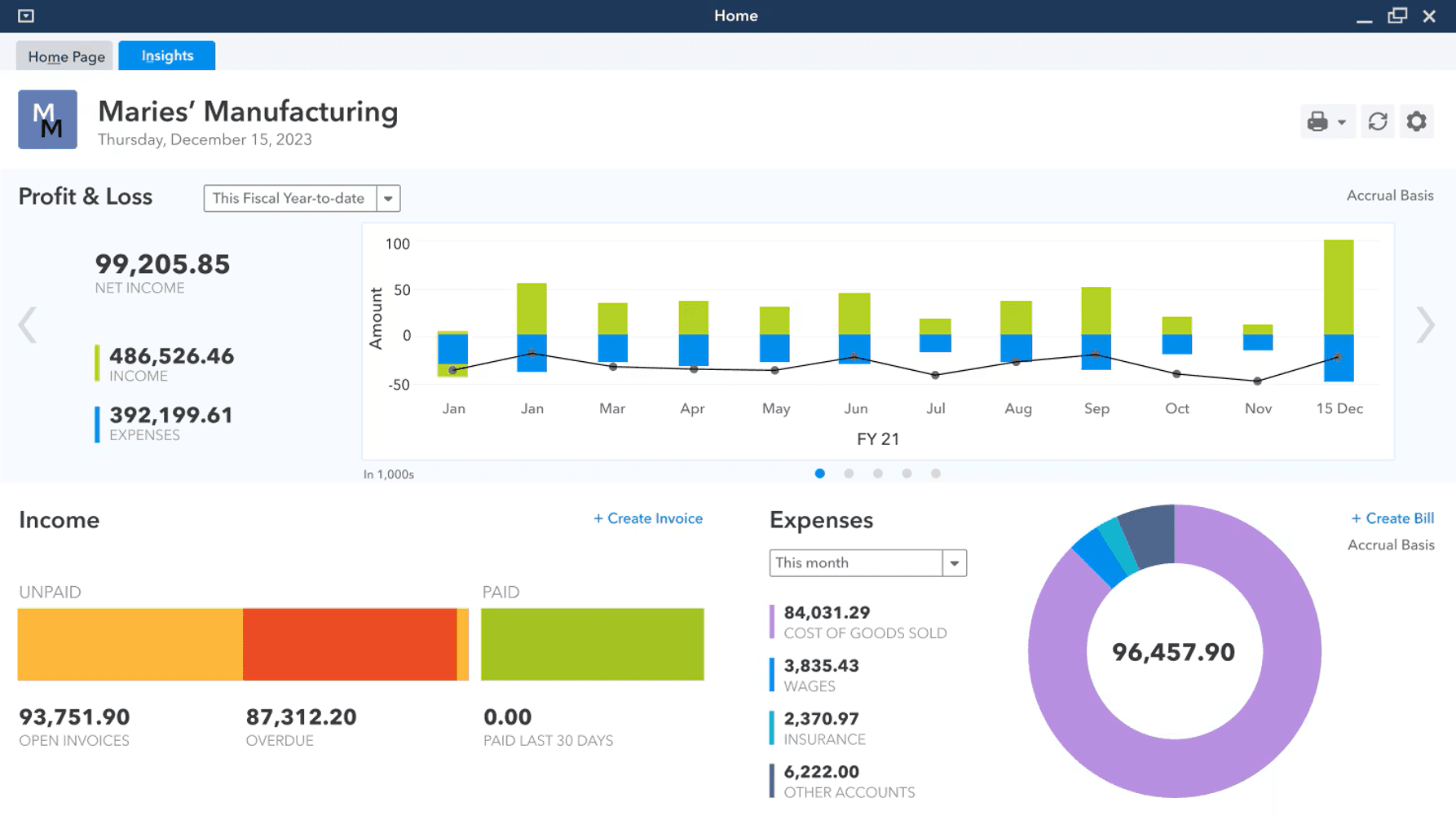
In my opinion, QuickBooks Desktop Enterprise is a heavy hitter for businesses with complex accounting needs.
You’re getting robust inventory management, advanced reporting, and real financial management tools—no frills, just depth where it matters. The price and learning curve are real, but if you need detailed workflows, automation, and reliable customer support, it earns its spot.
Pros
- Serious financial reporting: Get in-depth, customizable reports built for real oversight.
- Robust inventory management: Advanced inventory tools handle complex tracking, not just basics.
- Customizable workflows: Tailor the system to your specific operations and reporting needs.
Cons
- Outdated user interface: Feels clunky compared to modern small business accounting solutions.
- Steep learning curve: Initial setup and training take real time and effort.
- Limited mobile access: Desktop-first design holds back teams that need flexibility.


Is QuickBooks Desktop Enterprise Right For Your Needs?
Who Would be a Good Fit for QuickBooks Desktop Enterprise?
Medium to large retail businesses, manufacturers, and wholesale distributors that require advanced inventory management, complex job costing, and detailed financial oversight will get the most value here.
If your operation relies on granular reporting, customizable workflows, and you don’t mind investing time into setup, QuickBooks Desktop Enterprise fits.
It’s for operators who need to streamline accounting processes and gain real visibility into their business—not small shops looking for a quick fix.
- Retail chainsManage large inventories and multiple locations with advanced tracking tools.
- Manufacturing companiesUse detailed financial and job costing features to keep projects profitable.
- Accounting departmentsSimplify complex workflows with in-depth reporting and multi-user support.
- Wholesale distributorsTrack inventory levels and streamline order management efficiently.
- Finance teamsGet customizable reports and deep insight into cash flow, receivables, and forecasting.
- Large enterprisesHandle multi-company accounting and scale up without sacrificing control.
Who Would be a Bad Fit for QuickBooks Desktop Enterprise?
Small businesses, startups, freelancers, or anyone with straightforward accounting needs should look elsewhere.
If your team is looking for a simple, user-friendly solution with modern design and strong mobile access, the desktop version will feel clunky.
Operators who don’t need in-depth reporting, advanced inventory, or who want plug-and-play bookkeeping are better off with QuickBooks Online or other cloud-based solutions.
- FreelancersToo complex and expensive for basic bookkeeping and invoicing.
- Small retail shopsThe learning curve and feature set are overkill for simple inventory management.
- StartupsCost and complexity outweigh the benefits when you’re just starting out.
- Remote teamsLimited mobile and cloud access make collaboration tough
- Creative agenciesProject management features are limited compared to dedicated tools.
- Non-profit organizationsMost don’t need advanced financial features or inventory tracking.
Our Review Methodology
How We Test & Score Tools
We’ve spent years building, refining, and improving our software testing and scoring system. The rubric is designed to capture the nuances of software selection and what makes a tool effective, focusing on critical aspects of the decision-making process.
Below, you can see exactly how our testing and scoring works across seven criteria. It allows us to provide an unbiased evaluation of the software based on core functionality, standout features, ease of use, onboarding, customer support, integrations, customer reviews, and value for money.
Core Functionality (25% of final scoring)
The starting point of our evaluation is always the core functionality of the tool. Does it have the basic features and functions that a user would expect to see? Are any of those core features locked to higher-tiered pricing plans? At its core, we expect a tool to stand up against the baseline capabilities of its competitors.
Standout Features (25% of final scoring)
Next, we evaluate uncommon standout features that go above and beyond the core functionality typically found in tools of its kind. A high score reflects specialized or unique features that make the product faster, more efficient, or offer additional value to the user.
We also evaluate how easy it is to integrate with other tools typically found in the tech stack to expand the functionality and utility of the software. Tools offering plentiful native integrations, 3rd party connections, and API access to build custom integrations score best.
Ease of Use (10% of final scoring)
We consider how quick and easy it is to execute the tasks defined in the core functionality using the tool. High scoring software is well designed, intuitive to use, offers mobile apps, provides templates, and makes relatively complex tasks seem simple.
Onboarding (10% of final scoring)
We know how important rapid team adoption is for a new platform, so we evaluate how easy it is to learn and use a tool with minimal training. We evaluate how quickly a team member can get set up and start using the tool with no experience. High scoring solutions indicate little or no support is required.
Customer Support (10% of final scoring)
We review how quick and easy it is to get unstuck and find help by phone, live chat, or knowledge base. Tools and companies that provide real-time support score best, while chatbots score worst.
Customer Reviews (10% of final scoring)
Beyond our own testing and evaluation, we consider the net promoter score from current and past customers. We review their likelihood, given the option, to choose the tool again for the core functionality. A high scoring software reflects a high net promoter score from current or past customers.
Value for Money (10% of final scoring)
Lastly, in consideration of all the other criteria, we review the average price of entry level plans against the core features and consider the value of the other evaluation criteria. Software that delivers more, for less, will score higher.
Core Features
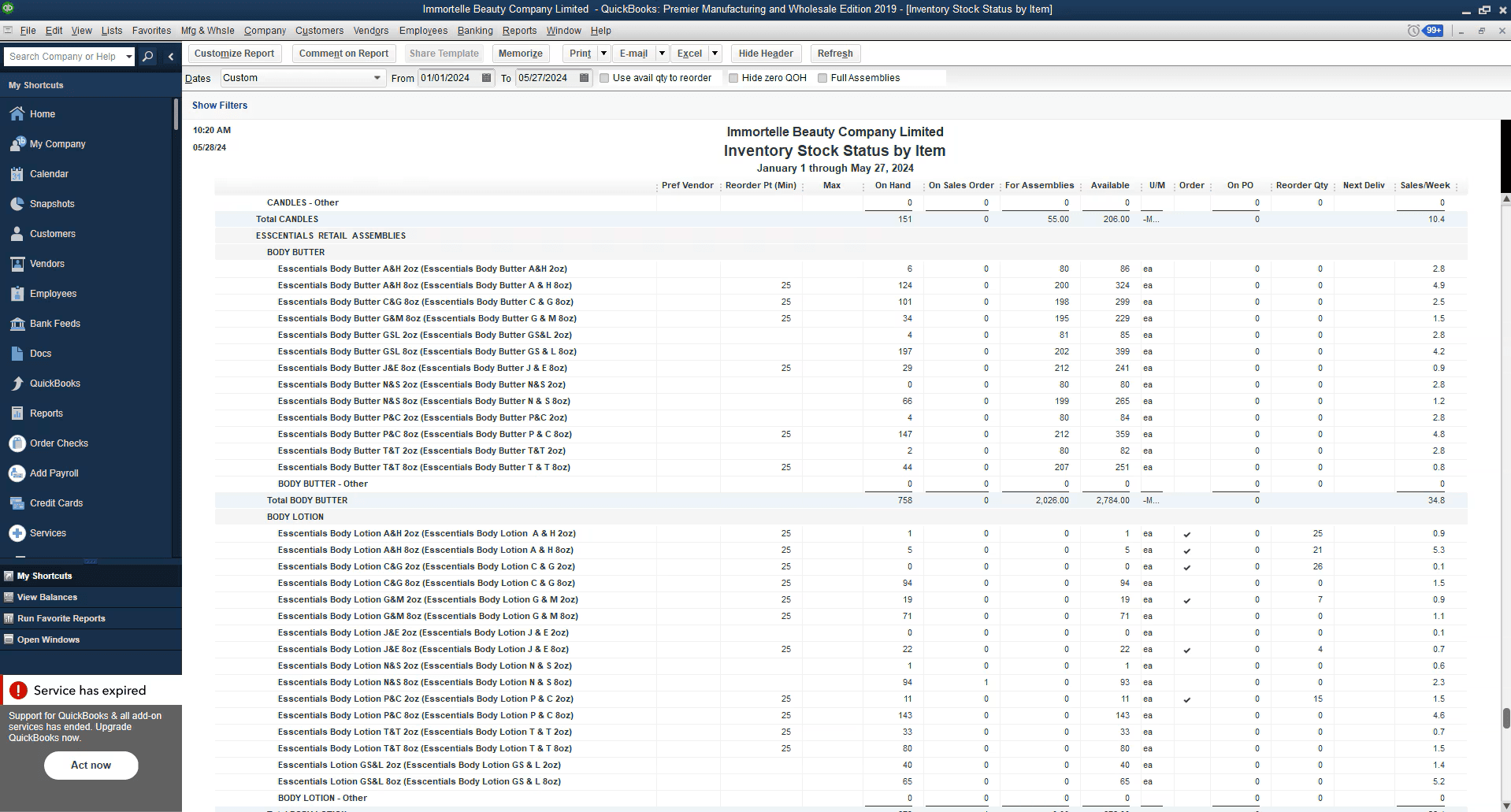
Inventory management: Track inventory levels, sales, and stock across locations in real time.
Financial reporting: Generate detailed, customizable reports for true financial management.
Sales order fulfillment: Manage and track sales orders to streamline order management workflows.
Purchase order management: Create, track, and organize purchase orders within the system.
Pricing management: Adjust and control pricing easily to keep up with changing market demands.
Job costing: Break down project costs and monitor profitability for better cash flow control.
Ease of Use
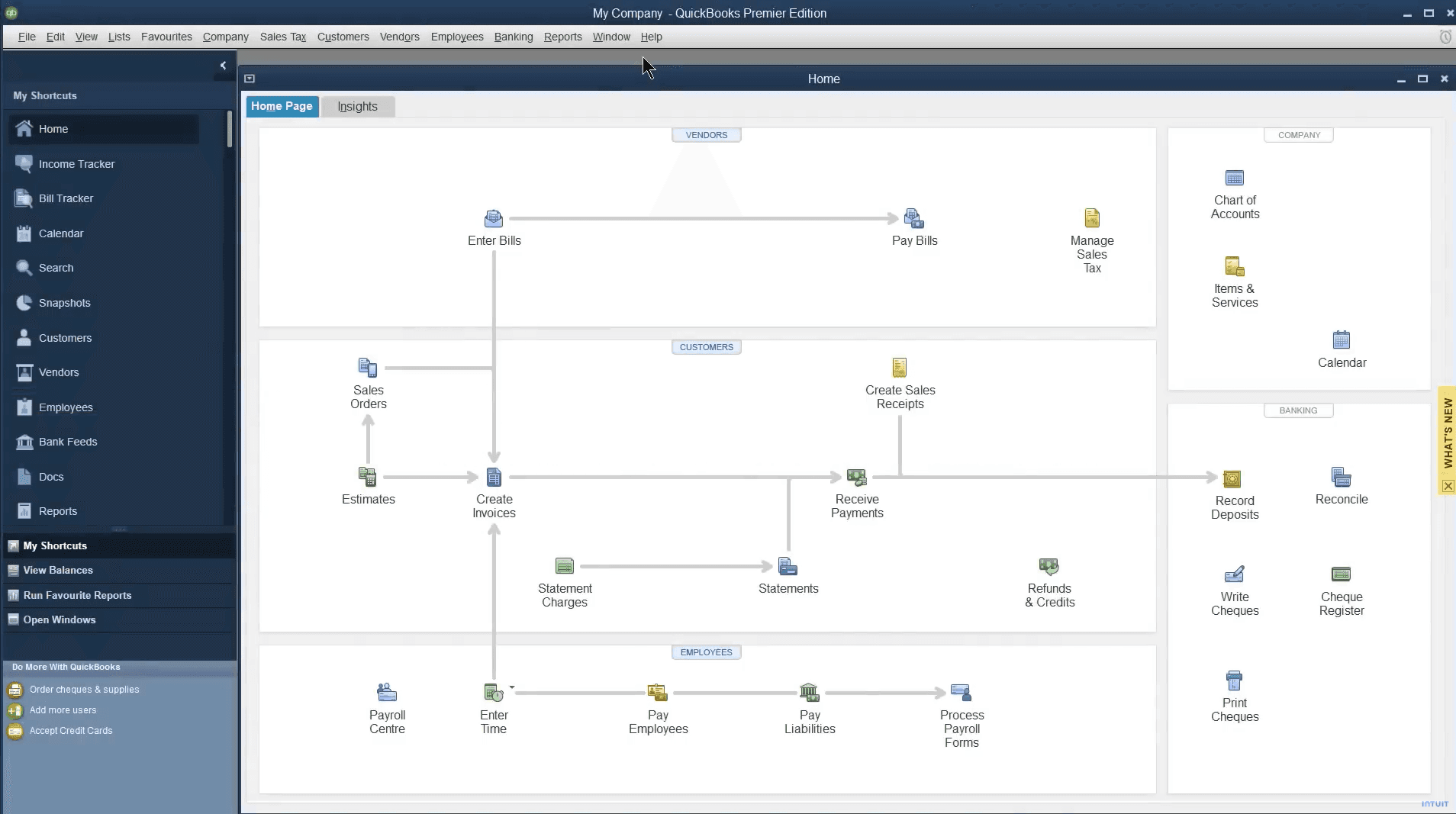
QuickBooks Desktop Enterprise isn’t winning awards for user experience or a modern interface, but what it lacks in looks, it makes up for in depth.
Operators coming from simpler accounting software or cloud-based options like QuickBooks Online should expect a real learning curve. Once you’re over that initial hump, the system’s advanced features and customizable dashboards give you control over even the most complex business needs.
It’s user-friendly only if your definition of user-friendly includes serious power under the hood.
QuickBooks Desktop Enterprise Specs
- 2-Factor Authentication: No
- Accounts Payable: Yes
- Accounts Receivable: Yes
- API: No
- Balance Sheet: Yes
- Billing/Invoicing: Yes
- BitCoin: No
- Budgeting: Yes
- Calendar Management: No
- Contact Management: No
- CRM Integration: Yes
- Customer Management: Yes
- Dashboard: Yes
- Data Export: Yes
- Data Import: Yes
- Data Visualization: Yes
- Expense Tracking: Yes
- External Integrations: Yes
- Forecasting: Yes
- General Account Ledger: Yes
- Inventory Tracking: Yes
- Multi-Currency: Yes
- Multi-User: Yes
- Notifications: Yes
- P&L: Yes
- PayPal: Yes
- Payroll: Yes
- SAP Integration: No
- Stripe: Yes
- Supplier Management: Yes
- Tax Management: Yes
Alternatives to QuickBooks Desktop Enterprise


QuickBooks Desktop Enterprise FAQs
What's Next?
Retail never stands still—and neither should you. Subscribe to our newsletter for the latest insights, strategies, and career resources from top retail leaders shaping the industry.