


PayPal vs. Square: Detailed Comparison and Expert Reviews for 2026

We review tools independently, and commissions help fund our testing. See our transparency policy, our methodology, or suggest a tool.
Juggling online and in-person payments, managing fees, and keeping checkout smooth can leave you searching for the right payment platform. Both PayPal and Square have earned their place as top choices, but each brings something different to the table. PayPal stands out for its global reach and seamless online integrations, while Square shines with its all-in-one hardware and software for in-person sales.
This guide will help you weigh the strengths, weaknesses, and real-world fit of each platform so you can confidently choose the best payment solution for your business.
PayPal

4.6/5
- Free plan + free demo available
- From $0.30/transaction
Square
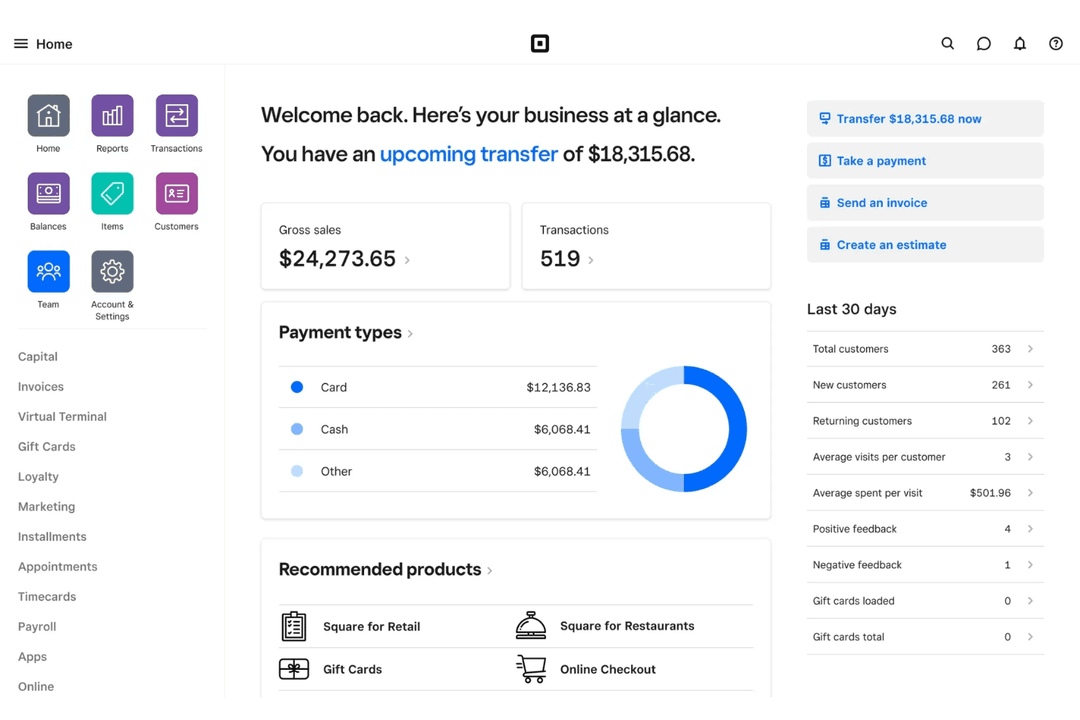
4.7/5
- Free plan available; 30-day free trial on paid tiers
- From $49/month
Why Trust Our Software Recommendations
6,700+
Reviews
20
Industry experts
16+
Evaluation factors
14
Years
Our team has been testing and reviewing software since 2012. As retail leaders ourselves, we know how difficult—and important—it is to choose the right software.
For this guide, we evaluated tools using hands-on testing and independent research, scoring tools using our selection criteria.
Our reviews reflect our independent judgment—not a sales pitch.
| PayPal | Square | |
|---|---|---|
| Free Trial | Free plan + free demo available | Free plan available; 30-day free trial on paid tiers |
| Pricing | From $0.30/transaction | From $49/month |
PayPal vs. Square Pricing & Hidden Costs
PayPal and Square both use pay-as-you-go pricing models, but they differ in how predictable those costs are. PayPal’s pricing can be more variable, with additional fees for things like international transactions, currency conversions, disputes, and certain advanced features. Square, on the other hand, uses a simpler flat-rate structure for most payments, making it easier for businesses to estimate processing costs upfront.
That said, both platforms can include extra costs depending on how you use them. PayPal’s fees tend to increase with cross-border activity and risk-related factors, while Square charges for optional add-ons like payroll, marketing tools, or industry-specific POS software. Both may also charge for faster access to funds, so it’s important to review the full pricing structure—not just the base transaction fees.
To choose the right vendor, look beyond headline rates and evaluate how you actually take payments. Consider your sales channels, average transaction size, and whether you handle international or recurring payments. The real cost difference often comes from how often you trigger additional fees, not just the base pricing model.
PayPal and Square share a strong overlap as all-in-one payment processing platforms designed for small businesses. Both let merchants accept payments online, in person, and via mobile devices, while also offering core tools like invoicing, subscriptions, POS systems, and integrations with ecommerce platforms. In short, they function as complete merchant service providers that combine payment processing with basic business management features.
Where they differ is in what they prioritize. Square stands out for its robust in-person ecosystem, offering advanced POS hardware, industry-specific systems (like retail and restaurant tools), and built-in features like payroll and scheduling for running physical businesses. PayPal, on the other hand, excels in online and international payments, with widely recognized checkout buttons, support for Venmo, pay-later options, and a strong international reach that makes it especially powerful for ecommerce sellers.
| PayPal | Square | |
|---|---|---|
| API | Yes | Yes |
| Dashboard | Yes | Yes |
| Data Export | Yes | Yes |
| Data Import | No | Yes |
| Data Visualization | No | Yes |
| External Integrations | Yes | Yes |
| Multi-User | Yes | Yes |
| Notifications | Yes | No |
| Third-Party Plugins/Add-Ons | Yes | Yes |
| Integration | PayPal | Square |
|---|---|---|
| IntegrationShopify | PayPal✅ | Square ✅ |
| IntegrationWooCommerce | PayPal✅ | Square ✅ |
| IntegrationQuickBooks | PayPal✅ | Square ✅ |
| IntegrationXero | PayPal✅ | Square ✅ |
| IntegrationBigCommerce | PayPal✅ | Square ✅ |
| IntegrationMagento | PayPal✅ | Square ❌ |
| IntegrationWix | PayPal✅ | Square ✅ |
| IntegrationMailchimp | PayPal✅ | Square ❌ |
| IntegrationSquare for Restaurants | PayPal❌ | Square ✅ |
| IntegrationVend | PayPal❌ | Square ✅ |
| IntegrationAPI | PayPal✅ | Square ✅ |
| IntegrationZapier | PayPal✅ | Square ✅ |
PayPal and Square both cover the most popular ecommerce and accounting integrations, but Square offers more options for in-person retail and restaurant tools, while PayPal connects with a wider range of online platforms. Both support API and Zapier, so you can connect them to almost any workflow, but your choice may come down to which specific integrations matter most for your business.
| Factor | PayPal | Square |
|---|---|---|
| FactorPCI Compliance | PayPalMeets PCI DSS standards and handles compliance for merchants. | Square PCI DSS compliant with built-in protections for all transactions. |
| FactorEncryption | PayPalUses end-to-end encryption for all payment data. | Square Encrypts payment data at every stage of the transaction. |
| FactorFraud Protection | PayPalAdvanced fraud detection tools and buyer/seller protection policies. | Square Real-time fraud monitoring and chargeback assistance. |
| FactorUptime | PayPalHigh uptime with global infrastructure and redundancy. | Square Reliable uptime with robust cloud-based infrastructure. |
| FactorData Privacy | PayPalAdheres to GDPR and other global privacy regulations. | Square Follows strict privacy policies and supports GDPR compliance. |
Both PayPal and Square deliver strong security and compliance, but PayPal’s global reach and buyer/seller protections stand out, while Square’s real-time fraud monitoring and reliable uptime are favorites for retail teams. You can trust either platform to keep your transactions safe, but your choice may depend on whether you prioritize international compliance or in-person reliability.
| Factor | PayPal | Square |
|---|---|---|
| FactorUser Interface | PayPalClean dashboard, but some features are hidden in menus. | Square Intuitive, touch-friendly interface designed for quick transactions. |
| FactorOnboarding | PayPalSimple online signup, but setup can be confusing for new users. | Square Guided onboarding with step-by-step setup for hardware and software. |
| FactorMobile Experience | PayPalReliable mobile app for payments and invoicing. | Square Robust mobile POS app with inventory and sales tracking. |
| FactorCustomer Support | PayPal24/7 support, but response times can vary. | Square Live chat, phone, and in-person support for business users. |
| FactorCustomization | PayPalLimited customization for checkout and reporting. | Square Flexible POS layouts and customizable receipts. |
Square is easier for new users to pick up, especially for in-person sales, while PayPal’s interface is familiar but can feel cluttered for advanced tasks. Square’s guided setup and flexible POS make it a favorite for retail teams, while PayPal’s mobile app is a solid choice for online-first businesses.
PayPal
- You can easily send and receive money worldwide.
- Paypal offers strong security features for your transactions.
- Your team will appreciate its user-friendly interface.
- Your team might find customer support response times slow.
- Some users experience account limitations without clear communication.
- You might face occasional transaction holds and delays.
Square
- All-in-one platform combining POS, payments, and business tools.
- Free core POS with fast, simple setup process.
- Flexible hardware options for mobile, countertop, and retail use.
- Must use Square Payments, limiting processor choice and negotiation flexibility.
- Flat-rate processing fees can become expensive at higher volumes.
- Not ideal for complex or enterprise-level business operations.
PayPal
- Small BusinessesYour team will appreciate Paypal's straightforward setup and global payment capabilities.
- FreelancersYou can easily invoice clients and receive payments from around the world.
- E-commerce StoresPaypal integrates smoothly with platforms like Shopify, helping your online sales run smoothly.
- NonprofitsYour organization can accept donations easily with Paypal's secure payment processing.
- Remote TeamsYour team can handle international payments efficiently without currency conversion issues.
- Digital ServicesYou can offer clients a trusted payment method, enhancing their trust in your services.
Square
- Food TrucksMobile POS, offline mode, and tap-to-pay make selling anywhere fast and reliable.
- Pop-Up ShopsQuick setup and no contracts make it ideal for short-term or seasonal retail.
- Service ProvidersBuilt-in scheduling, invoicing, and client management simplify operations for service-based businesses.
- Small to Mid-Sized Retail (Omnichannel Sellers)Syncs in-store and online sales with inventory, orders, and customer data in real time.
- Quick-Service Restaurants & CafésSupports fast-paced ordering, tipping, and menu management for quick-service food environments.
- New & First-Time Business OwnersFree POS (plus transaction rates) and simple setup make it easy to start selling quickly.
Who Should Use PayPal, and Who Should Use Square?
PayPal is a better fit for online-first businesses, freelancers, and international sellers who need a fast, recognizable checkout experience. Its strength lies in global reach, easy payment links, and built-in consumer trust, which can help boost conversions for ecommerce or digital services. It’s especially useful if you rely on remote payments, subscriptions, or cross-border transactions.
Square is ideal for brick-and-mortar businesses, restaurants, and retailers that need a powerful in-person payment system. The Square POS software, hardware ecosystem, and operational tools (like inventory, staff management, and reporting) make it more of a complete business management platform. If you run a physical location or sell in person frequently, Square offers a more tailored, all-in-one solution.
| PayPal | Square | |
|---|---|---|
| Business Tools | PayPal PayPal offers basic tools like invoicing, subscriptions, and payment links, primarily for online use. | Square Includes a full suite of built-in business tools like inventory management, employee scheduling, payroll, and analytics. |
| Buyer Protection | PayPal Strong buyer and seller protection policies for disputes. | Square Basic chargeback support, but less emphasis on buyer claims. |
| Customization | PayPal Checkout customization is limited and mostly focused on online transactions. | Square Highly customizable POS layouts and receipts. |
| Hardware Options | PayPal Limited hardware, mostly card readers for mobile use. | Square Wide range of POS hardware for retail and restaurants. |
| Online Payments | PayPal Excels at online payments and global ecommerce integrations. | Square Focuses on in-person transactions and omnichannel sales. |
| Invoicing | Each platform allows businesses to create and send invoices, as well as accept payments online. |
|---|---|
| Mobile Payments | Each offers a mobile app for accepting payments and managing sales on the go. |
| Payment Types | Both PayPal and Square support a wide range of payment methods, including credit and debit cards, digital wallets, and online payments. |
| Reporting Tools | Both provide real-time sales reporting and analytics to help businesses track performance and trends. |
| Security Standards | PayPal and Square are PCI DSS compliant, use encryption, and provide fraud detection tools. |
| Transaction Fees | Both use a pay-as-you-go pricing model with per-transaction fees, making costs predictable for businesses. |