

10 Best Content Marketing Platforms for Ecommerce in 2026

The 10 Best Ecommerce Content Marketing Software


How did you first learn about your favorite brands? It was likely a daisy chain of touchpoints—a Google search to a how-to blog, an Instagram Reel based on your interests, a product demo on YouTube, etc.
Ecommerce content marketing cemented them as your fave. From product descriptions that turn casual browsers into paying customers to blog posts that keep your SEO game on point, content is your most powerful tool.
But let’s be real—managing content across multiple platforms while trying to hit your sales targets is like trying to juggle while riding a unicycle. Enter: ecommerce content marketing platforms.
With our expertise in both marketing and ecommerce, we've identified the best content marketing platforms out there for ecommerce brands to become the new favorites for their customers.
Why Trust Our Software Recommendations
Our team has been testing and reviewing software since 2012. As retail leaders ourselves, we know how difficult—and important—it is to choose the right software.
For this guide, we evaluated tools using hands-on testing and independent research, scoring tools using our selection criteria.
Our reviews reflect our independent judgment—not a sales pitch.
Comparing the Best Content Marketing Software for Ecommerce, Feature by Feature
Not all these content marketing tools are equal, so pricing comparison should be taken with a grain of salt. Nonetheless, here’s a look at the pricing for each in a handy table.
To see more feature comparisons, click Compare Software below the table.
| Tool | Best For | Trial Info | Price | ||
|---|---|---|---|---|---|
| 1 | Best for SEO-backed reputation control | Free consult available | Pricing upon request | Website | |
| 2 | Best for in-depth search intent analysis | 14-day free trial | From $129/month | Website | |
| 3 | Best for customizable workflow automation | Free plan + free demo + 14-day trial available | From $20/user/month | Website | |
| 4 | Best for coordinating content projects | Free plan + free demo available | From $19/user/month (billed annually) | Website | |
| 5 | Best for enterprise-scale content delivery | Free demo available | Pricing upon request | Website | |
| 6 | Best for multicountry keyword data | 14-day free trial | From $139/month | Website | |
| 7 | Best for social media content publishing | Free plan available | From $5/month per channel (billed annually) | Website | |
| 8 | Best for competitive gap analysis | Free trial + free demo available | From $49/month (billed annually) | Website | |
| 9 | Best for real-time keyword trend insights | Free plan available | Free to use with a Google Ads account | Website | |
| 10 | Best for integrated project and content management | Free plan available | From $7/user/month (billed annually) | Website |
The 10 Best Content Marketing Platforms for Ecommerce Brands
Now for the good stuff—the reviews. For each of these top ecommerce content marketing software picks, we’ll detail what they do, why we picked them, top features and integrations, plus pros and cons.

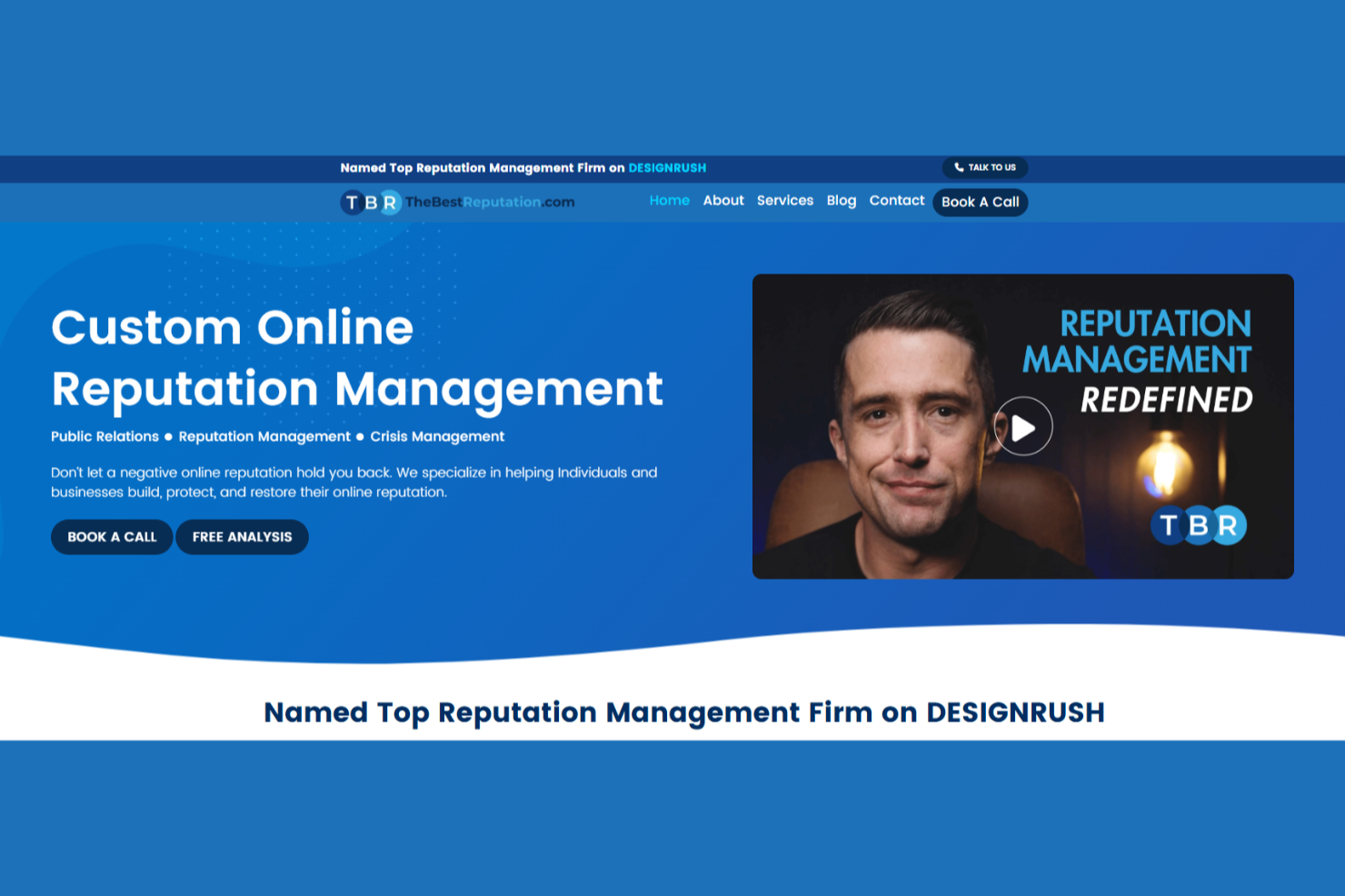
In today's digital landscape, managing your online presence is more crucial than ever, and TheBestReputation is designed to meet this need head-on. Tailored for businesses and professionals keen on safeguarding their online image, it provides a strategic blend of reputation management and content marketing tools. By addressing challenges such as negative content and enhancing brand visibility through integrated SEO and public relations, TheBestReputation offers a comprehensive solution for those looking to maintain a polished digital footprint.
Why I Picked TheBestReputation
I picked TheBestReputation as a standout option for a content marketing platform due to its unique integration of online reputation management with SEO and public relations. These features are crucial for businesses aiming to enhance their online visibility and credibility. The platform's focus on content and review removal is particularly beneficial for managing and shaping your brand's narrative. Additionally, TheBestReputation's expertise in crisis management ensures that you can swiftly address and mitigate any potential threats to your online reputation.
TheBestReputation Key Features
In addition to its core reputation management services, TheBestReputation offers several features that cater to your content marketing needs:
- Media Relations: This feature helps you build and maintain relationships with media outlets to enhance your brand's visibility.
- Branding Services: Tailored strategies to establish and promote your brand identity online.
- Proprietary Reputation Repair Methods: Unique techniques developed to restore and improve your online image.
- Customer Engagement Tools: Tools designed to interact with and respond to your audience, fostering positive relationships.
TheBestReputation Integrations
Native integrations are not currently listed by TheBestReputation.
Pros and Cons
Pros:
- Strong media placement capabilities
- SEO and PR tightly aligned
- Reputation-first content marketing approach
Cons:
- Limited native software integrations
- Pricing not publicly disclosed

Best for in-depth search intent analysis
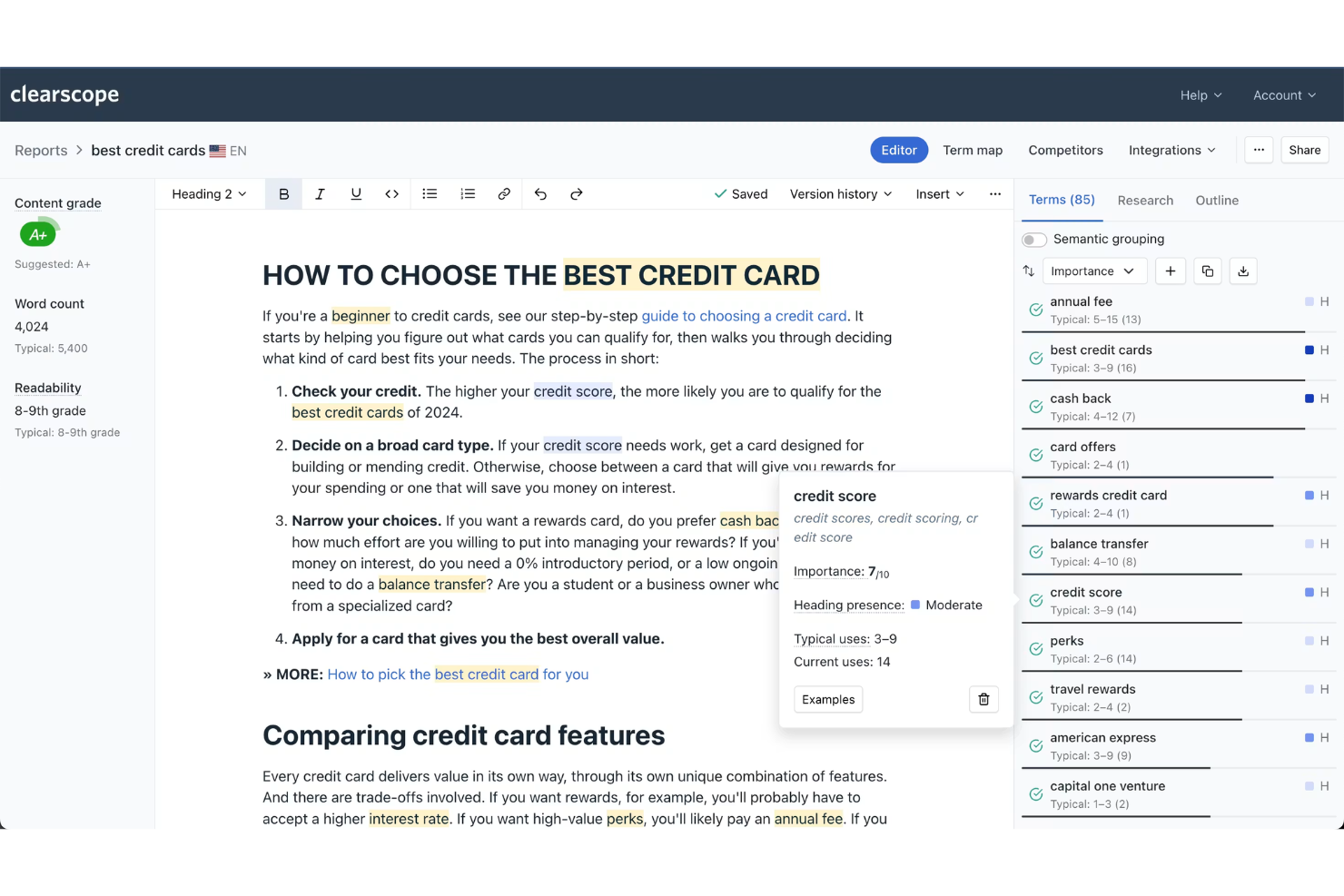
Clearscope is an SEO content optimization platform that uses AI-driven analysis to generate keyword recommendations, content grades, and content briefs based on top-ranking search results.
Who Is Clearscope Best For?
Clearscope is a strong fit for SEO and content teams at mid-size to enterprise companies focused on organic search performance.
Why I Picked Clearscope
I picked Clearscope as one of the best because its search intent analysis goes deeper than most tools I've used. When I run a report, it doesn't just surface keywords—it maps the questions, subtopics, and related terms that top-ranking pages actually cover, showing me the full shape of what searchers expect. I also use the content grading system during editing to see in real time where a draft is thin on coverage, which keeps rewrites targeted.
Clearscope Key Features
- Content brief builder: Generate structured briefs that include target keywords, recommended topics, and competitor references before writing begins.
- Google Docs add-on: Run Clearscope reports and view recommendations directly inside a Google Docs file without switching tabs.
- Content inventory tracking: Monitor and grade existing published pages to identify which ones need updates to stay competitive.
- Keyword discovery reports: Surface related keyword variations and monthly search volume data tied to a target term.
Clearscope Integrations
Clearscope offers a small set of native integrations with Google Docs, WordPress, and Google Search Console.
Pros and Cons
Pros:
- Real-time content grading updates while writing
- Shared reports work without user accounts
- Semantic analysis goes beyond keyword counting
Cons:
- Non-English language support is minimal
- Keyword research is limited versus dedicated tools

Airtable
Best for customizable workflow automation
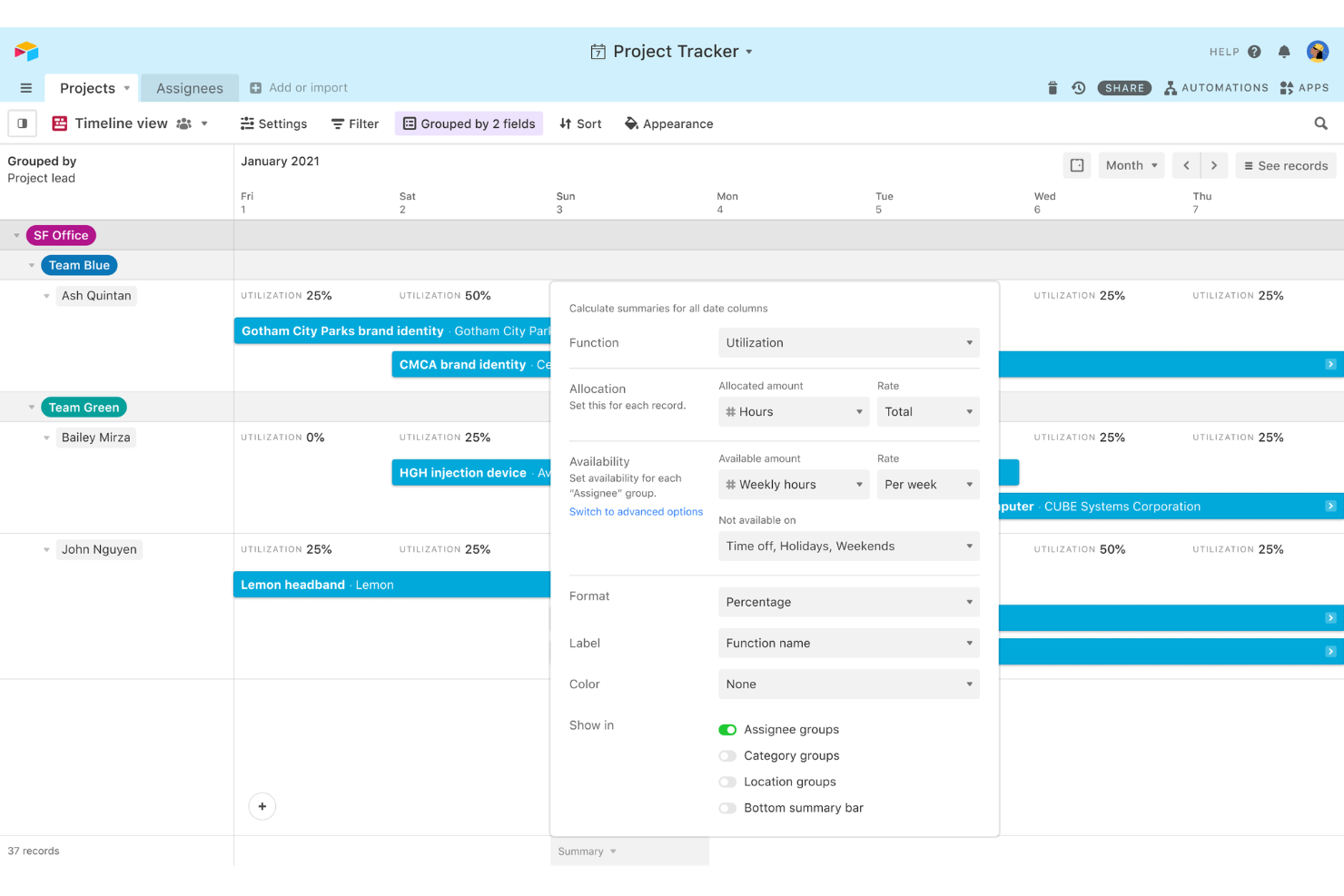
Airtable is a no-code database and project management platform that lets content teams build custom editorial calendars, asset trackers, campaign pipelines, and approval workflows on top of a flexible, spreadsheet-style data structure.
Who Is Airtable Best For?
Airtable is a great fit for content and marketing teams at mid-size companies that need to build custom workflows without relying on engineering resources.
Why I Picked Airtable
I picked Airtable as one of the best because its Automations builder lets you chain multi-step triggers and actions across tables without writing code. I use it to auto-assign content briefs when a record hits a specific status and push notifications when deadlines shift. The Interface Designer also lets my team build focused dashboards on top of the same data, so writers, editors, and managers each see only what's relevant to their stage.
Airtable Key Features
- Multiple views: Toggle between calendar, kanban, gallery, and Gantt views on the same base without duplicating records.
- Content intake forms: Build embeddable forms that pipe submissions directly into your base as new records.
- Rollup and summary fields: Aggregate data across linked records to track content volume by author, status, or category.
- Pre-built templates: Launch a content calendar or campaign tracker using ready-made templates without building a base from scratch.
Airtable Integrations
Airtable offers native integrations with Google Drive, Slack, Salesforce, Jira, GitHub, WordPress, Tableau, Stripe, Gmail, and Miro, among others. It also connects with Zapier and provides an API for custom integrations.
Pros and Cons
Pros:
- AI field types generate content within records
- Kanban, Gantt, and calendar views included
- Linked records reduce duplicate data across tables
Cons:
- No built-in chat or messaging for teams
- AI field types generate content within records

Best for coordinating content projects

CoSchedule provides tools that will help businesses coordinate their content projects effectively.
Why I picked CoSchedule: The software lets you coordinate all your content marketing projects and campaigns in one platform. CoSchedule specifically focuses on providing a centralized content calendar to help you plan what content to publish and when. CoSchedule includes an editorial calendar and features that will help you manage your social media, assign tasks, and have team discussions.
CoSchedule is suitable for any sized business that doesn’t need a full-blown marketing suite and is looking for a robust editorial calendar. The software helps you create a single publishing calendar that acts as your content blueprint for blogs, social media, emails, and other content types. CoSchedule also serves as an asset repository where you can store, index, and share your content assets.
CoSchedule standout features and integrations
Standout features are CoSchedule excels at content coordination with its centralized editorial calendar, making it easy to plan and schedule content across multiple channels. Its asset library serves as a centralized repository for storing, indexing, and sharing content, ensuring your team always has quick access to key materials. Additionally, its workflow management tools streamline collaboration, enabling teams to assign tasks, track progress, and maintain brand consistency.
Integrations include Wrike, HoneyBook, Basecamp, Desktop.com, Mailchimp, Google Analytics, Asana, Trello, Evernote, Constant Contact, Zapier, Google Drive, and ActiveCampaign.
CoSchedule costs from $39/user/month when paid monthly or $29/user/month when billed annually. CoSchedule offers a free forever subscription tier.
PROS
Effective content schedule recommendations
Drag-and-drop calendar tool
Perfect for managing multiple social channels
CONS
No alerts if a social account is unlinked
Has a slow load time

Best for enterprise-scale content delivery
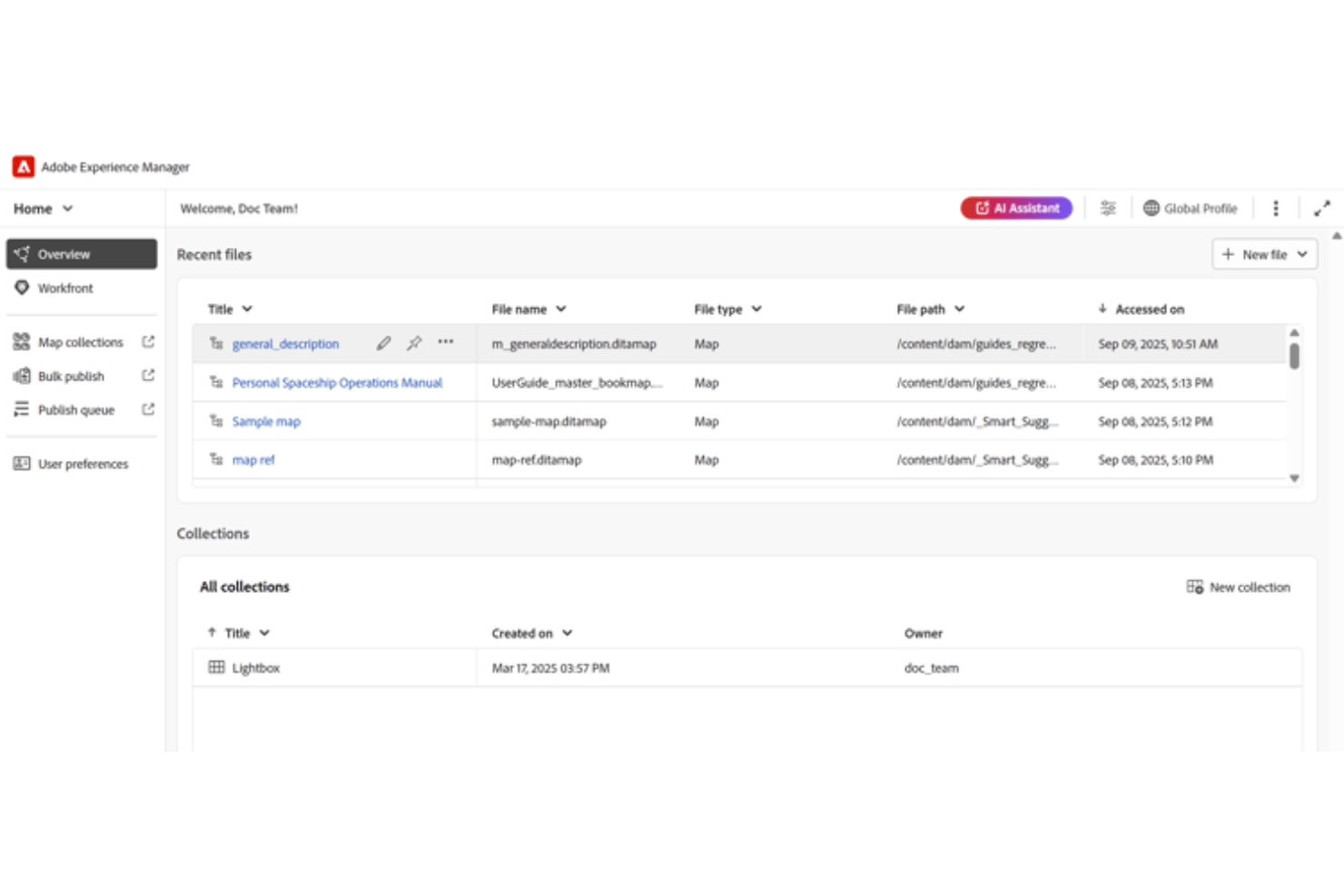
Adobe Experience Manager is an enterprise content management system that combines web content management, digital asset management, and multi-channel content delivery across web, mobile, and digital storefronts.
Who Is Adobe Experience Manager Best For?
Adobe Experience Manager is built for large enterprises with dedicated digital teams managing content across multiple brands, regions, or channels.
Why I Picked Adobe Experience Manager
I've included Adobe Experience Manager in my top picks because no other CMS I've used matches its scale for multi-brand, multi-region content delivery. The headless CMS architecture lets my team publish structured content to any front-end, channel, or AI agent from a single source. I also rely on the built-in translation workflows and shared content components to keep experiences consistent across dozens of regional sites without duplicating work.
Adobe Experience Manager Key Features
- Digital asset management: Store, tag, and reuse images, videos, and documents across all content projects from a centralized media library.
- Visual page editor: Build and edit web pages using a drag-and-drop interface without requiring developer involvement for every update.
- Audience targeting and personalization: Deliver different content variations to specific audience segments based on behavior, location, or profile data.
- Content approval workflows: Route drafts through configurable review and sign-off steps before content goes live.
Adobe Experience Manager Integrations
Adobe Experience Manager integrates natively across the Adobe Experience Cloud ecosystem, including Adobe Analytics, Adobe Target, Adobe Commerce, Adobe Workfront, Marketo Engage, and Adobe Journey Optimizer. It also supports third-party integrations with Salesforce, Microsoft Translator, and Amazon SNS out of the box. An API is available for custom integrations.
Pros and Cons
Pros:
- Cross-channel content personalization by audience segment
- Built-in generative AI for content variations
- Manages multiple websites from one platform
Cons:
- Most customizations require developer involvement
- High implementation effort for existing infrastructure

Semrush
Best for multicountry keyword data
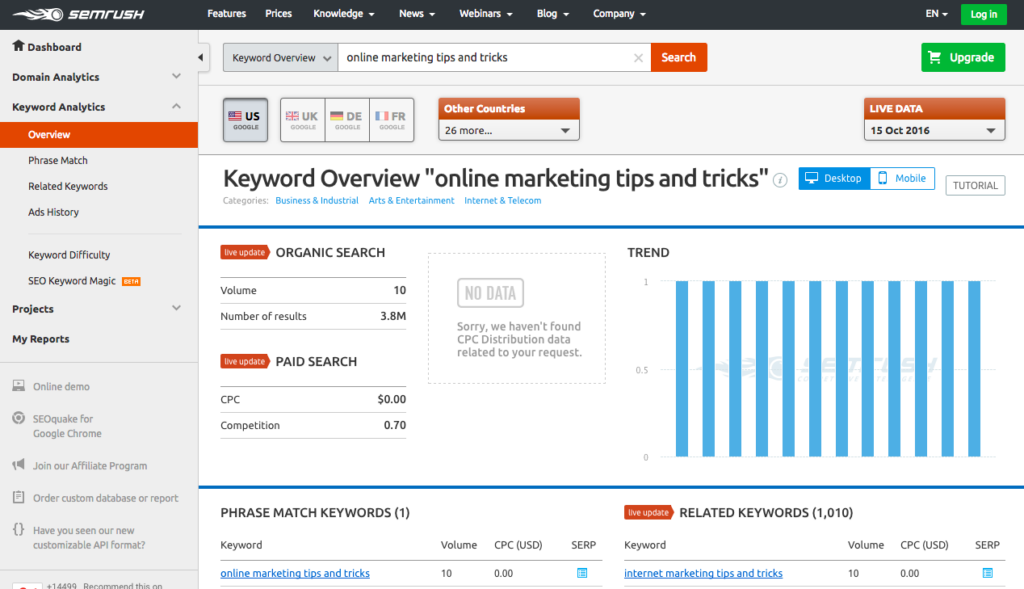
Semrush is an SEO and digital marketing platform that combines keyword research across 190+ countries, competitive intelligence, site auditing, content optimization, and paid search analysis in one suite.
Who Is Semrush Best For?
Semrush is a strong fit for SEO and content teams at mid-size to enterprise brands running multicountry or multilingual search campaigns.
Why I Picked Semrush
I've included Semrush in my top picks because its multicountry keyword data is genuinely unmatched at this scale. The Keyword Magic Tool pulls from a database of over 27 billion keywords, and you can filter results by country, language, and search intent across 190+ regional databases. I also use the Keyword Gap tool to benchmark keyword profiles across up to five competitors at once, which makes it easy to spot international opportunities your content strategy is missing.
Semrush Key Features
- Topic research: Generates content ideas based on trending subtopics, headlines, and questions tied to any seed keyword.
- SEO writing assistant: Scores draft content in real time against readability, tone, and keyword targeting benchmarks.
- Position tracking: Monitors your keyword rankings daily across specific countries, devices, and SERP features.
- On-page SEO checker: Audits individual pages and generates a prioritized list of optimization recommendations.
Semrush Integrations
Semrush offers native integrations with Google Analytics, Google Search Console, Google Ads, Google Docs, Google Sheets, Looker Studio, WordPress, Trello, and monday.com, along with social platform connections for Facebook, Instagram, LinkedIn, Pinterest, and YouTube. It also connects with Zapier and provides an API for custom integrations.
Pros and Cons
Pros:
- Competitor gap analysis pinpoints content opportunities
- AI visibility tracking across multiple engines
- Keyword data spans 190+ country databases
Cons:
- Traffic estimates can significantly undercount actual visits
- Content marketing toolkit gated behind Guru plan

Buffer
Best for social media content publishing

Buffer helps businesses publish content on their social media pages directly from the web interface.
Why I picked Buffer: The tool provides a range of social media content publishing tools that are simple to use. With Buffer, you can schedule your posts and publish content to several social media networks, such as Facebook, Instagram, Twitter, Facebook Groups, LinkedIn, and TikTok. You can use Buffer to drive meaningful engagement and brand growth by crafting different messages for each social network. The platform will publish your content for you to help you save time and showcase your work with automated reports.
Buffer is an excellent tool for any sized business needing a solution to help build their brand and connect with an online audience. The platform provides a suite of social media tools that are perfect for modern online brands that need to optimize their visual marketing, audience engagement, and analytics. Also, Buffer provides an artificial intelligence assistant that can help you generate ideas immediately and repurpose your existing content multiple times to help your business grow engagement across all your social media platforms.
Buffer standout features and integrations
Standout features are its intuitive scheduling and automated publishing tools, which let you tailor posts for each platform while saving time. The built-in AI assistant helps generate fresh content ideas and repurpose existing posts, making it easier to keep engagement high across multiple channels. Additionally, Buffer’s customizable reports and multi-channel analytics offer valuable insights into audience behavior, helping brands refine their content strategy for maximum impact.
Integrations include ProjectManager, Desktop.com, Mailchimp, WordPress, Slack, Trello, Evernote, Google Drive, Zapier, Rebrandly, Typeform, IFTTT, and Zoho Flow.Buffer costs from $6/channel/month when paid monthly or $5/channel/month when billed annually. Buffer offers a free tier that allows subscribers to manage up to three channels. The vendor also provides a free 14-day trial for paid subscribers.
Pros and Cons
Pros:
- Automated publishing tools
- Increases social media visibility
- Top-notch analytics
Cons:
- Doesn’t support some hashtags
- Slow when uploading multiple images


Surfer SEO is an AI-powered content and SEO platform that combines keyword research, competitive gap analysis, content scoring, and real-time optimization into a single workflow.
Who Is Surfer SEO Best For?
Surfer SEO is a strong fit for SEO managers, content strategists, and digital marketing teams who need data-driven content optimization at scale.
Why I Picked Surfer SEO
I picked Surfer SEO as one of the best because its competitive gap analysis goes deeper than most tools at this price point. The "Find Competitive Gaps" feature lets you reverse-engineer a competitor's content strategy and generates a ready-to-use content plan built around topical authority. I also like that the Content Editor pairs those gap insights with real-time optimization guidelines, so your team isn't just finding gaps but actively closing them. On top of that, the always-on content audit flags underperforming pages and surfaces high-impact opportunities before rankings slip.
Surfer SEO Key Features
- AI visibility analysis: Tracks where and how AI models like ChatGPT and Claude mention your brand, and surfaces a prioritized action plan to improve those citations.
- Keyword research: Generates keyword opportunities aligned with topical authority and AI search signals, so your content plan reflects how buyers actually search today.
- Content briefs and outlines: Automatically builds detailed outlines with structure, tone, and keyword guidance your writers can follow without needing an SEO background.
- Brand voice customization: Lets you embed your brand's positioning, tone, and differentiators directly into content generation workflows for consistent output at scale.
Surfer SEO Integrations
Surfer SEO offers native integrations with Google Docs, WordPress, Jasper, Contentful, and ChatGPT, and it connects with Zapier. An API is also available for custom integrations, though it requires an API add-on or an Enterprise plan.
Pros and Cons
Pros:
- Tracks brand visibility across AI search engines
- Groups keywords into actionable topic clusters
- Real-time content scoring as you write
Cons:
- Content Editor credits can feel restrictive
- Lacks backlink analysis and technical SEO audits
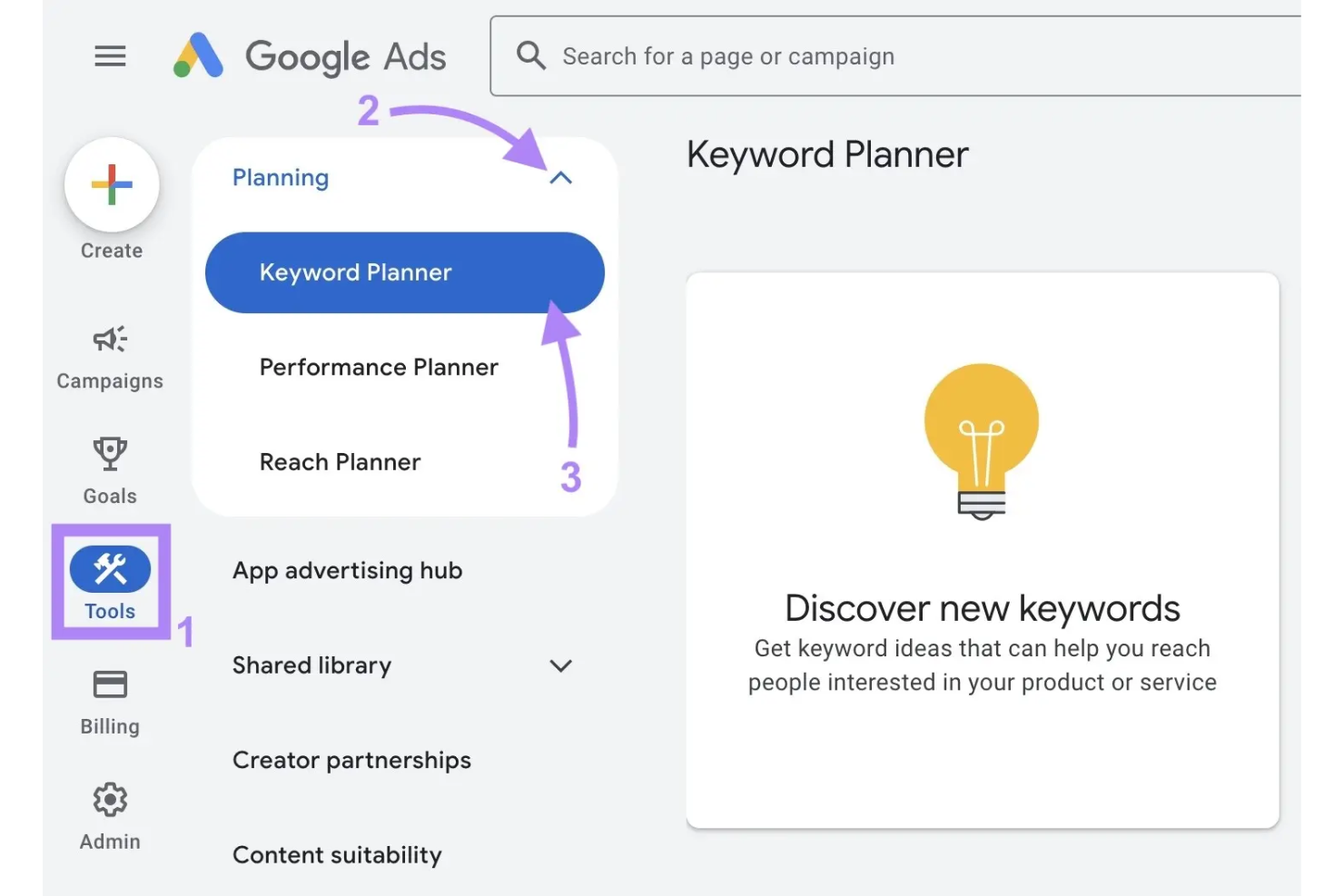
Google Keyword Planner is a keyword research tool built into Google Ads that surfaces monthly search volume data, keyword ideas, competition levels, and historical trend data across Google Search.
Who Is Google Keyword Planner Best For?
Google Keyword Planner is a natural fit for content marketers and SEO teams who build their keyword strategy around Google Search data.
Why I Picked Google Keyword Planner
Google Keyword Planner earns its spot on my shortlist because no other tool sources trend data directly from Google Search itself. I use the historical metrics view to track how monthly search volume shifts across seasons or news cycles, which helps me time content around actual demand. The geographic and language filters let me isolate trend data by market, so I can see whether a keyword is gaining traction in a specific region before committing to a content angle.
Google Keyword Planner Key Features
- Keyword ideas generator: Enter a seed keyword or URL to get a list of related keyword suggestions pulled from Google Search data.
- Search volume forecasts: See projected clicks and impressions for a saved keyword list over a set time period.
- Competition column: View how competitive each keyword is in paid search, which signals organic content opportunity.
- Keyword filters: Narrow results by average monthly searches, competition level, or keyword text to focus your research.
Google Keyword Planner Integrations
Google Keyword Planner data is accessible through the Google Ads API, which lets you pull keyword ideas, search volume, and forecast metrics into your own tools or workflows. Google Ads also connects with Zapier, allowing you to automate workflows between Google Ads and other web applications. Google Keyword Planner doesn't offer standalone native integrations since it lives inside the Google Ads platform rather than functioning as independent software.
Pros and Cons
Pros:
- URL-based keyword extraction from competitor pages
- Trend data shows keyword growth or decline
- Search data sourced directly from Google
Cons:
- Fewer long-tail keyword suggestions than competitors
- Shows volume ranges instead of exact numbers

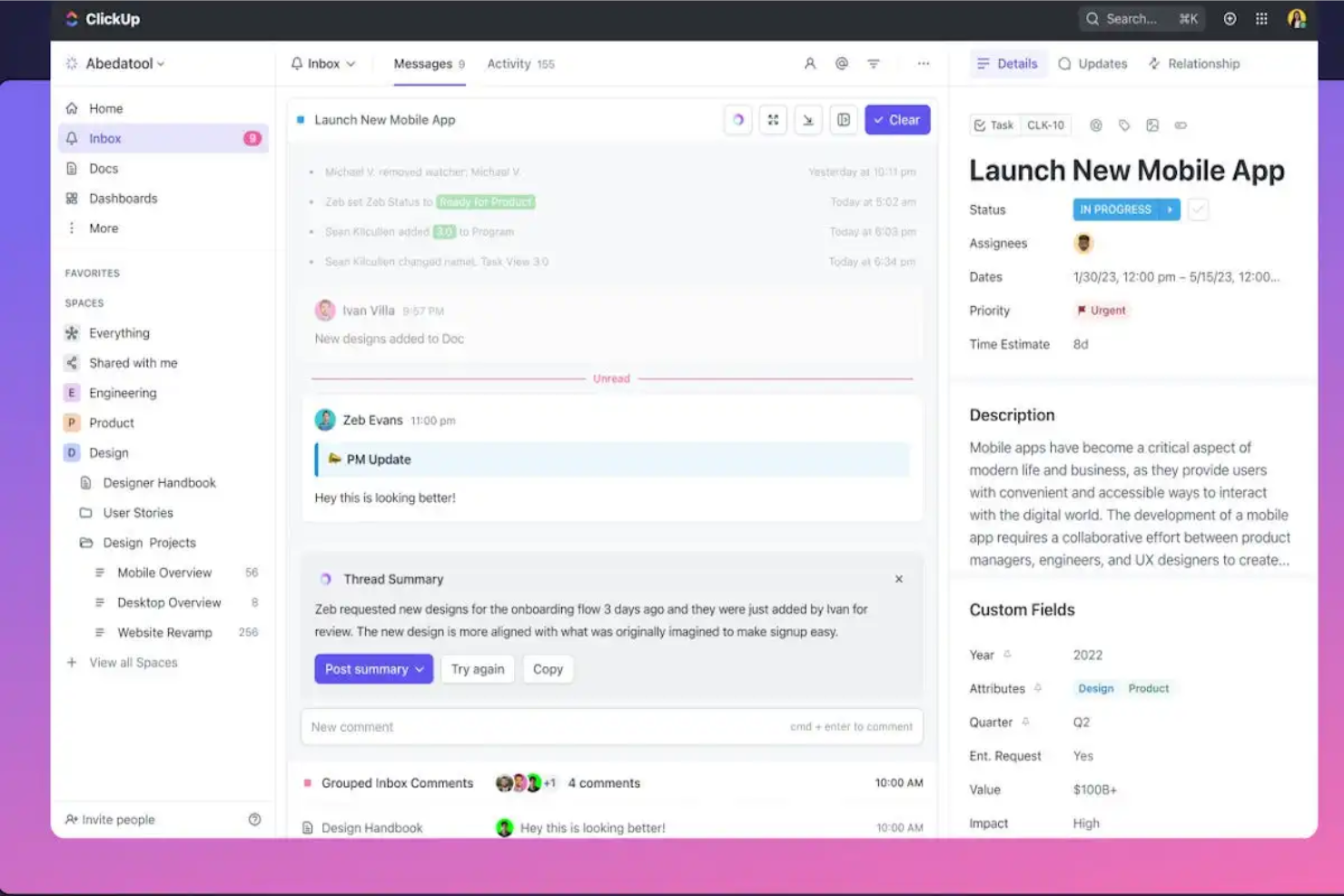
ClickUp is a project and work management platform that combines task tracking, collaborative docs, content calendars, and goal management in a single configurable workspace.
Who Is ClickUp Best For?
ClickUp is a strong fit for small to mid-sized marketing teams that manage content production and project work in the same tool.
Why I Picked ClickUp
I've included ClickUp in my top picks because it's the only tool on this list that handles both content production and project management without requiring a separate platform for each. My team uses ClickUp Docs to draft and collaborate on content directly inside the same workspace where tasks and deadlines live. I also rely on custom workflows and Calendar views to map out editorial schedules and track content status from brief to publish.
ClickUp Key Features
- ClickUp Brain: An AI assistant built into the platform that drafts content, summarizes tasks, and generates action items directly within your workspace.
- Automations: Trigger status changes, task assignments, or notifications based on conditions you set, so content moves through review stages without manual updates.
- Dashboards: Build visual reporting views that pull data from tasks and goals to track content output and team workload in real time.
- Whiteboards: A built-in visual collaboration tool for brainstorming content ideas, mapping campaigns, and connecting concepts to actionable tasks.
ClickUp Integrations
ClickUp offers 40+ native integrations, including Slack, HubSpot, Google Drive, Google Calendar, Figma, Microsoft Teams, Zoom, Dropbox, Outlook, and Miro. It also connects with Zapier and provides an API for custom integrations.
Pros and Cons
Pros:
- Custom statuses per list for different workflows
- Built-in AI assistant with workspace context
- Multiple content views like Calendar and Board
Cons:
- Docs editor less polished than dedicated tools
- Noticeable lag in large workspaces with many tasks
Other Content Marketing Platforms
Here are a few other content marketing tools that I think are really great. Worth checking out!
- Optimizely
For AI-powered website personalization
- Ahrefs
For content performance reports
- monday AI Workspace
No-code custom workflow builder
- Notion
For AI agents automating team tasks
- Hootsuite
For social media trend tracking
- Frase
For generative AI search optimization


How I Evaluate Content Marketing Platforms
I evaluate these platforms in two layers: the baseline capabilities retail teams need—editorial calendars, multi-channel publishing—and the differentiators that make one tool the right fit.
Core Functionality (Table Stakes For This List)
When I'm selecting tools for my list, I rank each one on a scale from 0 (does not offer the functionality) to 5 (excels in this area) for each core functionality listed below. Then, I calculate the tool's total score into a percentage. Each tool needs to achieve a minimum total score of 65% to be considered for inclusion.
- Content Planning & Calendar: I check whether the calendar supports campaign grouping and channel tagging, so a retail team can map out holiday promotions or product drops across web, social, and email in one view.
- Content Creation & Editing: The authoring tools matter here. I look for built-in templates, media embedding, and AI writing assistance that let teams draft product descriptions or landing pages without jumping to external design software.
- Digital Asset Management: Retail teams reuse product photography and brand assets constantly. I evaluate how each platform handles tagging, version control, and search so your team can find the right hero image across hundreds of SKUs.
- Multi-Channel Publishing: I look at how many channels a platform publishes to natively. A tool that pushes content to your ecommerce storefront, social accounts, and email campaigns from one hub saves real time during seasonal launches.
- Workflow & Collaboration: Approval bottlenecks slow down campaigns. I evaluate whether the platform offers configurable approval stages and role-based permissions that let merchandising, marketing, and creative stakeholders collaborate without stepping on each other's work.
- Performance Analytics: Engagement metrics alone aren't enough for retail. I look for content-level analytics that connect to conversion tracking and revenue attribution, so you can see which blog post or product guide actually moved sales.
Once I have a list of tools that meet the criteria, I consider what sets each platform apart.
Differentiating Factors (What Sets Vendors Apart)
Here's how I compare and contrast different vendors:
Standout Features
AI content generation is a big differentiator for retail teams managing large catalogs. I look for tools that can draft product descriptions and campaign copy at scale while staying on brand voice. Ecommerce platform sync also matters—a two-way connection with platforms like Shopify or Magento means product data flows into content without manual updates. Built-in SEO tools round things out, especially for teams optimizing category pages and product guides to capture high-intent shopper search traffic.
Beyond Features
Retail tech stack integrations are a major consideration. I check whether a platform connects natively to PIM and ERP systems, since product data accuracy drives content quality across every channel. Scalability also matters for growing retailers—I evaluate how well a platform handles multi-store and multi-brand content operations, especially when teams need location-based access controls for franchise models. Pricing transparency rounds out my evaluation. I look at whether licensing scales with seasonal demand so you're not locked into peak-season pricing year-round.
How to Choose a Content Marketing Platform for Your Ecommerce Brand
Choosing the right content marketing platform for your ecommerce business isn’t just about ticking boxes—it’s about finding the tool that’ll help you work smarter, not harder. Here’s how to make sure you’re picking the right one:
- Figure out where you need help the most. Do you need to improve your SEO game, get better at automating email campaigns, or create a more streamlined content workflow? Identifying your weak spots will make it easier to match your needs with the right platform.
- Make sure it can handle all your channels. You’re not just publishing to your website, right? Check that the platform works across social media, email, and even third-party marketplaces. You want something that spreads your content far and wide without breaking a sweat.
- Check for solid ecommerce integrations. If your platform doesn’t play nice with Shopify, WooCommerce, or BigCommerce, that’s a dealbreaker. The right platform will sync seamlessly with your ecommerce tools, saving you headaches when it’s time to link content with product listings or inventory updates.
- Look for strong collaboration tools. If you’ve got a team working on content, find a platform that helps everyone work together without stepping on each other’s toes. Think task assignments, version control, and approval workflows to keep things moving smoothly.
- Think about the future. Don’t just solve today’s problems—make sure the platform can grow with you. Whether you’re adding more products, expanding to new markets, or just scaling your content, you want a platform that won’t hit a ceiling as you grow.
- Demand killer analytics. If you can’t track how your content is performing, what’s the point? Look for a platform that gives you clear insights into how your content is driving traffic, conversions, and engagement—because data-driven decisions are the name of the game.
- Check pricing, but don’t get cheap. Sure, you want to stay within budget, but don’t skimp on essential features. Look for platforms with flexible pricing that let you scale up features as your business grows, without making your wallet cry.
Follow these steps, and you’ll find the content marketing platform that makes your life easier, helps your ecommerce biz thrive, and grows with you.
Trends in Content Marketing Tools for 2025
To stay ahead in 2025, ecommerce brands need to tap into the latest content marketing trends. Here’s what’s driving the future of content this year:
- AI-powered content creation. AI tools are becoming essential for streamlining tasks like content ideation, scheduling, and even writing. But while AI can handle the grunt work, human creativity remains critical to keep content engaging and relatable.
- Short-form video is dominating. Platforms like TikTok and Instagram Reels continue to lead in engagement. Brands are using quick, snappy videos to showcase products and interact with customers, driving high traffic and conversions.
- Livestream shopping is exploding. Combining live video with real-time ecommerce, livestream shopping platforms engage customers and drives instant purchases. Brands use it to demo products, offer Q&As, and create exclusive sales.
- Interactive content drives engagement. Quizzes, polls, and augmented reality experiences are the go-to for brands looking to involve their customers. These tools provide a personalized, immersive shopping experience that boosts interaction.
- User-generated content builds trust. UGC remains one of the most powerful ways to earn customer trust. Brands are leaning into customer reviews, testimonials, and social posts to add authenticity and showcase real-life product use.
What is a Content Marketing Platform?
A content marketing platform for ecommerce is like the conductor of an orchestra—helping coordinate all the different elements of your content strategy to ensure everything works together seamlessly.
But not every tool is an all-in-one solution.
Some platforms handle the full spectrum—from content creation and planning to distribution and performance tracking—while others specialize in specific functions, like optimizing product descriptions or managing social media campaigns.
For ecommerce brands, this could mean using one platform to automate email campaigns, another to optimize your blog content for SEO, and yet another to track how well your product pages are converting.
The right platform will depend on your business needs—whether you’re looking for an all-in-one powerhouse or a specialized tool to sharpen one area of your content marketing strategy.
Key Features of the Best Content Marketing Software
Picking the right content marketing platform isn’t just about checking off a feature list—it’s about finding a tool that makes your life easier and your business more successful.
Here’s what to look for:
- Content calendar and scheduling. Keep your content organized and flowing smoothly by planning, scheduling, and managing everything from product descriptions to social posts. No more last-minute scrambles.
- SEO optimization tools. Make sure your product pages and blogs are easy to find. Look for keyword suggestions, metadata tools, and optimization features that boost your visibility in search results.
- Product page management. Updating hundreds of product descriptions shouldn’t feel like a full-time job. A good platform makes creating and optimizing these pages quick and easy.
- Omnichannel content distribution. Ensure your content reaches every corner of the internet—your website, social media, email, and third-party marketplaces—without breaking a sweat.
- Analytics and reporting. Skip the guesswork. You need clear data on engagement, traffic, and conversions to refine your strategy and double down on what works.
- Collaboration tools. Streamline teamwork with task assignments, approvals, and real-time updates so your team can collaborate effectively.
- Personalization capabilities. Use data to create tailored product recommendations and email campaigns that make customers feel like VIPs.
- Integration with ecommerce platforms. Your platform needs to sync seamlessly with your store, whether it’s Shopify, WooCommerce, or BigCommerce.
- Automation features. Automate routine tasks like content publishing and social media posts, freeing up time for more strategic work.
By focusing on these key features, you’ll find a content marketing platform that keeps you organized, boosts your sales, and simplifies your workflow.
Benefits of Using a Content Marketing Platform
The right content marketing platform isn’t just a tool—it’s a powerhouse that can streamline your operations, enhance your strategy, and drive measurable results.
Here’s how using one can take your ecommerce business to the next level:
- Boosts productivity. By automating routine tasks like scheduling posts or publishing updates, a content marketing platform frees up time for your team to focus on more strategic initiatives—like refining your campaigns or experimenting with new content formats.
- Improves content quality. With built-in SEO tools and content optimization features, your platform helps ensure that every piece of content you create is optimized for search engines and tailored to your target audience, leading to higher-quality traffic and engagement.
- Enhances collaboration. A platform with collaboration tools keeps your team organized, enabling everyone to work together seamlessly—whether they’re writing, editing, or publishing. You can assign tasks, track progress, and manage approvals all in one place, eliminating bottlenecks.
- Drives higher conversions. Personalization features allow you to craft content that speaks directly to individual customer needs. By delivering tailored product recommendations or personalized email campaigns, you increase the likelihood of turning browsers into buyers.
- Provides data-driven insights. Detailed analytics and reporting allow you to track what’s working and what’s not. This data helps you optimize your content strategy, target high-performing areas, and quickly pivot when something isn’t resonating with your audience.
- Supports omnichannel strategies. Managing content across multiple channels—social media, email, your ecommerce site, and third-party platforms—becomes much simpler with a centralized hub, ensuring consistency in your messaging wherever your customers are.
In short, a content marketing platform helps you work smarter, not harder, and ensures that every piece of content you produce is aligned with your business goals and designed to drive sales.
Ecommerce Content Marketing Platforms FAQs
As ecommerce marketers, it would be weird if you didn’t have more questions. This isn’t a live Q&A, so I had to guess at your questions. Hope it works out!
How do content marketing platforms help improve SEO for my product pages?
A good content marketing platform takes the guesswork out of SEO by providing tools to optimize your product pages. It helps you find the right keywords, suggests meta descriptions, and ensures that your content is structured to rank well in search engines.
It might even offer SEO insights, like checking for missing alt text or suggesting internal links. In short, it helps you get more eyeballs on your product pages—which means more potential sales.
Can a content marketing platform integrate with my existing ecommerce tools like Shopify or WooCommerce?
Absolutely! Most content marketing platforms worth their salt will integrate seamlessly with major ecommerce platforms like Shopify, WooCommerce, and BigCommerce.
This integration means you can sync product listings, automate content updates, and keep everything running smoothly without manual data entry. Just make sure the platform you choose is compatible with your store’s setup before diving in.
What is the difference between an all-in-one platform and a specialized content marketing tool?
An all-in-one platform covers the whole content journey—from ideation to publishing to analytics—in one neat package. It’s perfect if you want a one-stop shop for everything.
On the other hand, specialized tools focus on doing one or two things really well, like SEO or social media scheduling. The choice depends on what your business needs: go for an all-in-one if you want convenience, or opt for specialized tools if you need more power in specific areas.
How can a content marketing platform help me personalize content for my customers?
Personalization is where ecommerce magic happens. Many content marketing platforms allow you to segment your audience based on behavior, demographics, or preferences, so you can create customized product recommendations, targeted email campaigns, or even personalized landing pages.
The result? Content that speaks directly to each customer’s needs, which leads to better engagement and higher conversions.
What kind of support and onboarding should I expect from a content marketing platform?
A solid content marketing platform should come with a strong onboarding process to help you get up and running quickly. Look for platforms that offer training resources like tutorials, webinars, or even live demos.
On the support side, it’s always good to have multiple options—live chat, email, and phone support are ideal. And don’t forget to check if they offer dedicated onboarding assistance, so you’re not left fumbling with setup on your own.
What are the typical costs associated with implementing a content marketing platform, and what additional fees should I expect?
Costs for content marketing platforms vary, but you’re typically looking at monthly fees ranging from $50 to over $500 depending on the features you need. Be on the lookout for extra costs like onboarding fees, premium integrations, or added support services.
Make sure to dig into the pricing structure before committing so you know exactly what you’re paying for—and that there aren’t any nasty surprises lurking in the fine print.
More Content Marketing Tools to Check Out
While we’ve already covered the top contenders, there are still plenty of other tools that might suit your needs.
Whether you’re looking for specific functions or more creative options, these tools can add firepower to your content strategy.
Stay in the loop on what’s trending
Want to stay ahead of the curve? These tools help you pinpoint trending topics, keywords, and influencers, so you can jump into the conversation and drive traffic.
- UContent - Helps distribute relevant third-party content.
- BuzzSumo - Marketing AI to identify relevant influencers.
- Percolate - Systemize the marketing supply chain to create faster.
- SEMrush - An expert in SEO tools for your content.
- Ahrefs - Learn how to emulate competitors who rank high.
Brainstorm your next big idea
Out of ideas? No worries. These tools give you the jumpstart you need for fresh content ideas.
- Portent’s Idea Generator - Enter a subject and get a snappy 4-part headline.
- Airtable - A spreadsheet-database for planning content.
- StoryChief - A collaboration tool for SEO blogs and social posts.
- Monday.com - A full project marketing suite for content creation.
Write your content like a pro
Need help fine-tuning your writing? These tools polish your content, fix your grammar, and ensure you’re putting your best foot forward.
- vWriter.com - Plugin RSS feeds from content sites all over the web.
- Hemingway - Tighten up your writing with removal suggestions.
- Content Snare - Content workshops, video series, templates, and more.
- GatherContent - Unify content creation, workflow, and collaboration.
- ContentSnare - Collect content and files without email.
- Grammarly - Correct grammar, spelling, and readability with AI suggestions.
- Curata - Discover, curate, and share relevant content.
- Scoop - Research and publish the best content.
- Rockcontent - Solutions, talent network, and creative services.
Promote your content far and wide
Creating content is only half the battle. Use these tools to ensure your hard work gets seen and shared.
- AgoraPulse - Schedule your content, get reports, and engage followers.
- CoSchedule - A family of Agile marketing products.
- HootSuite - Find, schedule, manage, and report on social media content.
- SocialBee - Automate your social media posting and find your best evergreen content.
- Later - Visually plan, schedule, and analyze posts for Instagram, Facebook, and Twitter.
- Sprout Social - Uncover trends and actionable insights from social data.
- Falcon - Create paid and organic posts for all your social networks.
- Loomly - Provides you with optimization tips when you create your posts.
- Zoho Social - Schedule unlimited posts and create custom reports.
- Autopilot - -Marketing automation software made visual.
- Freshmarketer - Nurture your customer relationships with email marketing.
- Outbrain - Manage and monetize content by personalizing the editorial experience.
Boost your outreach efforts
Get others to amplify your brand by building strong connections with influencers, journalists, and fellow marketers.
- ShareIt - Search and share the latest articles on any topic.
- Social Animal - Find and analyze top-performing content for any topic or competitor.
- NinjaOutreach - Filter through millions of influencers' insights for the right fit.
- Lemlist - Ready to use cold email templates with drag-and-drop.
- Pitchbox - Influencer outreach and content marketing platform.
- JustReachOut - Find the most relevant journalists and press opportunities.
- Muck Rack - Easily search for journalists and monitor news.
- One Pitch - Easy-to-use pitch templates for verified media contacts.
- Prowly - Find relevant journalists, tailored to your industry and location.
- Buzzstream - Research influencers, manage relationships, and conduct outreach.
Measure your success
You’ve published and promoted your content—now see if it’s driving the results you want with these analytics tools.
- YouScan - Analyze texts and visuals on social media.
- PathFactory - Create micro-personalized content journeys.
- Crazyegg - Improve what's working, fix what isn't, and test new ideas.
- Hotjar - Heatmaps, records, and conversion funnels.
- VWO - Discover insights, test ideas, and improve engagement.
- Serpworx - Over 31 SEO metrics with minimal menuing.
Other Ecommerce Marketing Software Reviews
Here are a few other lists of key ecommerce marketing software that you can consider for your overall marketing strategy.
- Ecommerce Marketing Tools
- Marketing Resource Management Software
- Ecommerce Email Marketing Software
- Marketing CRM Software
- Marketing Automation Software
- Marketing Attribution Software
What's Next?
If you're in the process of researching content marketing platforms, connect with a SoftwareSelect advisor for free recommendations.
You fill out a form and have a quick chat where they get into the specifics of your needs. Then you'll get a shortlist of software to review. They'll even support you through the entire buying process, including price negotiations.