
13 Best Spa POS Software Reviewed in 2026

10 Best Spa POS Software Shortlist
Here's my pick of the 10 best software from the 13 tools reviewed.


Running a spa means juggling appointments, managing staff, and keeping track of inventory. It can be overwhelming, and that's where spa POS software comes in. These tools help simplify your daily tasks, making it easier to focus on what matters most—your clients.
I've tested and reviewed various spa POS software solutions to find the best ones for you. In my experience, the right software can make a big difference in how smoothly your spa operates.
In this article, I'll share my top picks, highlighting their unique features and benefits. You'll find insights to help you choose the best option for your team members. Let's dive in and find the perfect fit for your spa.
Why Trust Our Software Reviews
Best Spa POS Software Summary
This comparison chart summarizes pricing details for my top spa POS software selections to help you find the best one for your budget and business needs.
| Tool | Best For | Trial Info | Price | ||
|---|---|---|---|---|---|
| 1 | Best for modern design | Free demo | From $50/user/month | Website | |
| 2 | Best for appointment booking | 30-day free trial available | From $44/month | Website | |
| 3 | Best for luxury spas | Free demo available | From $176/month | Website | |
| 4 | Best for commission-free bookings | Free plan available | From $19.95/month | Website | |
| 5 | Best for wellness centers | Free demo available | From $139/month | Website | |
| 6 | Best for individual stylists | Free demo available | From $28/month | Website | |
| 7 | Best for multi-location management | Free demo available | From $1,099 | Website | |
| 8 | Best for medical spas | Free demo available | From $85/month | Website | |
| 9 | Best for UK salons | 14-day free trial | From £39/month | Website | |
| 10 | Best for salon marketing | Free demo available | From $99/month | Website |
Best Spa POS Software Reviews
Below are my detailed summaries of the best spa POS software that made it onto my shortlist. My reviews offer a detailed look at the key features, pros and cons, integrations, and ideal use cases of each tool to help you find the best one for you.

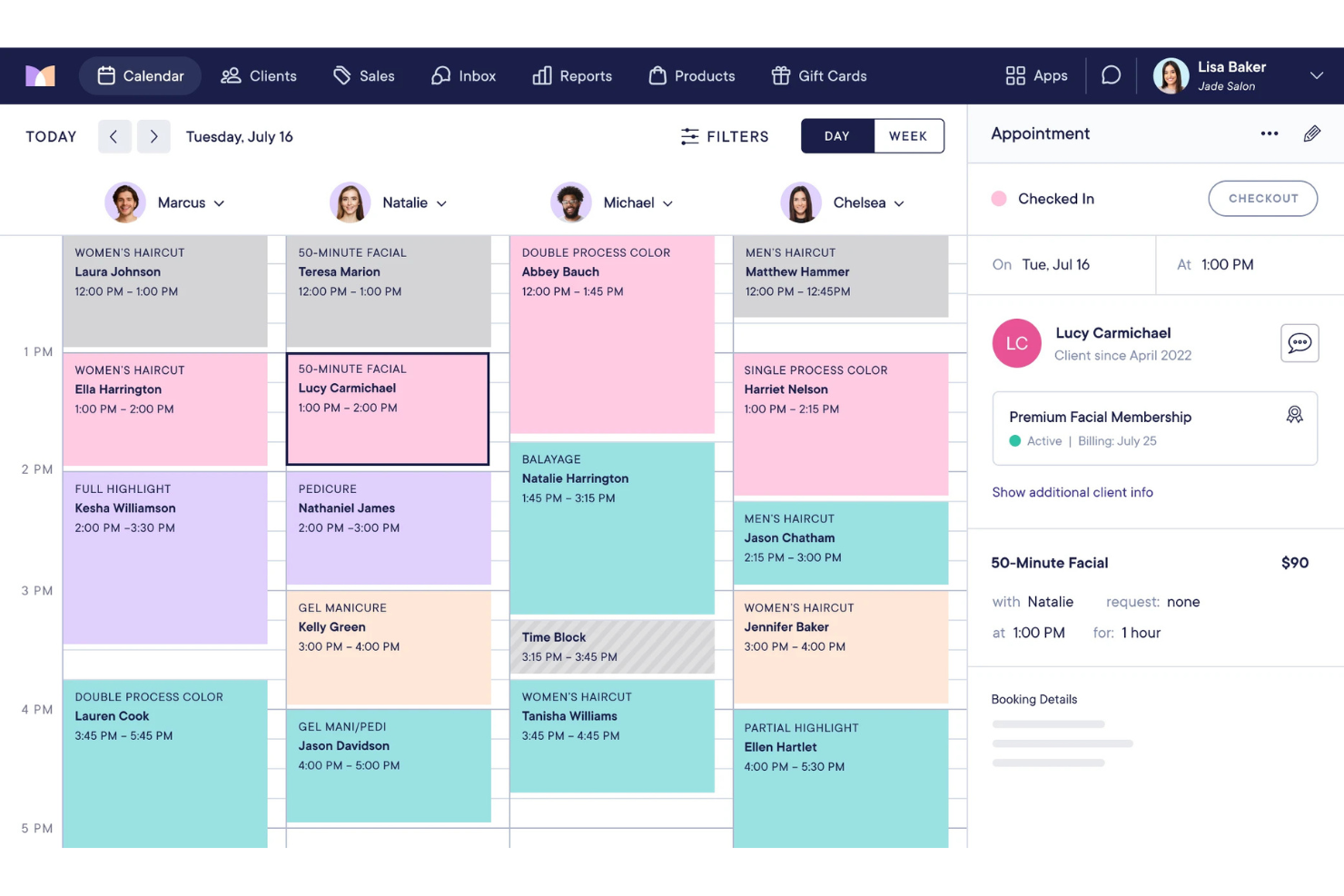
Mangomint is a spa POS software designed for modern hair and nail salons and wellness centers. It helps manage bookings, payments, and client relationships with ease.
Why I picked Mangomint: Its sleek and intuitive design makes Mangomint appealing to businesses that prioritize aesthetics. Automated reminders reduce no-shows, ensuring your appointments run smoothly. The ability to manage memberships and packages adds flexibility to your offerings.
Standout Features and Integrations:
Features include client self-booking, which allows your customers to schedule appointments online. The integrated credit card payment processing system ensures transactions are quick and easy. Additionally, the inventory management feature helps you track product levels and reorder when needed.
Integrations include QuickBooks, Mailchimp, Zapier, Google Calendar, Apple Calendar, Facebook, Instagram, and more.
Pros and cons
Pros:
- Automated client reminders
- Efficient appointment booking
- Membership management
Cons:
- Premium pricing puts pressure on smaller teams to fully use advanced features
- Booking logic is restrictive for spas with complex service combinations or custom intake flows
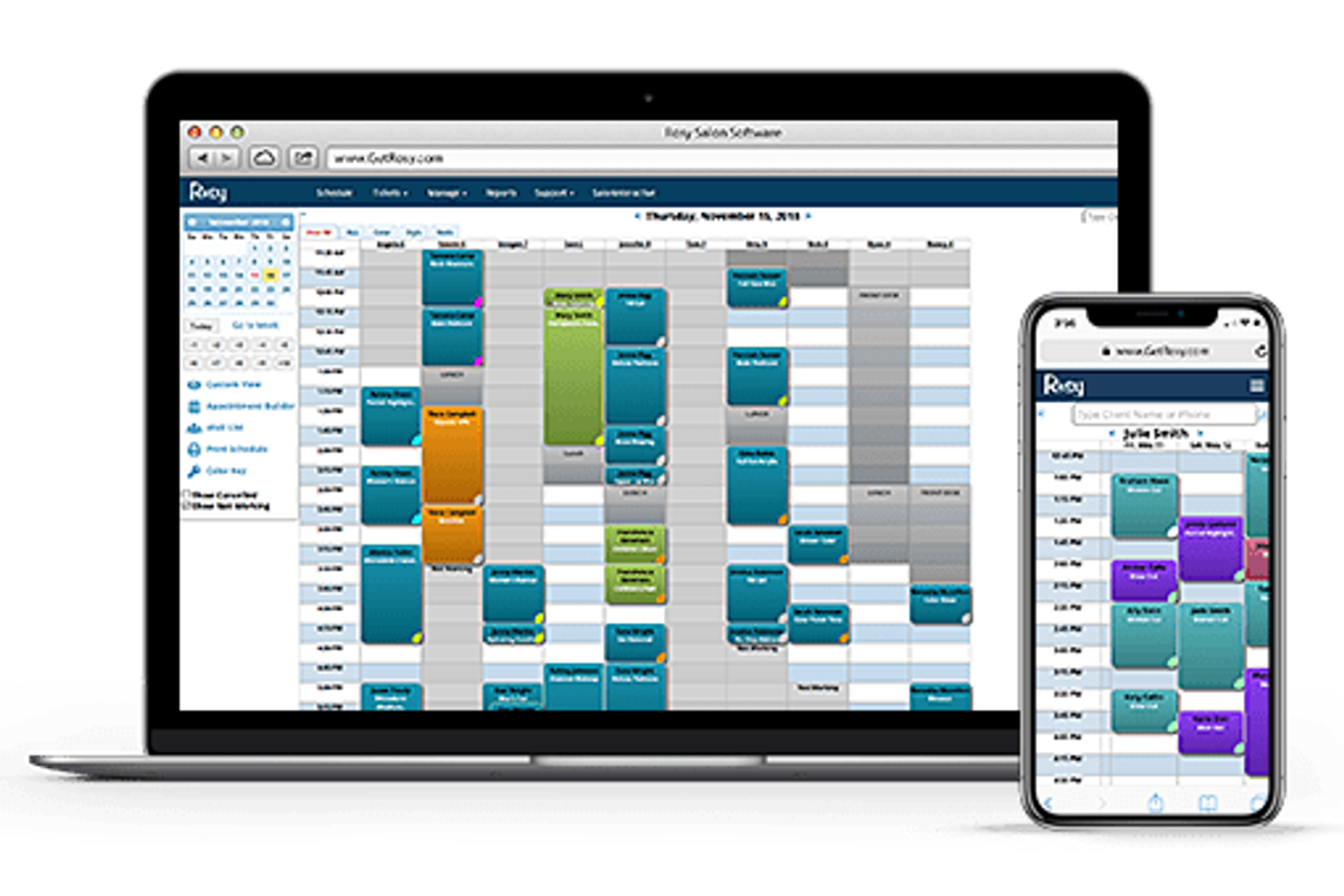
Rosy is a salon management software designed for beauty and wellness businesses. It simplifies appointment scheduling, client management, and sales tracking for small to medium-sized salons.
Why I picked Rosy: The intuitive appointment booking feature ensures your clients can schedule their services online. Automated reminders help reduce no-shows and keep your schedule organized. The ability to customize booking settings allows you to tailor the system to your business needs. Rosy's client management tools store essential information, making it easy to provide personalized service.
Standout Features and Integrations:
Features include POS capabilities that refine payment processing and sales tracking. The inventory management feature helps keep track of products and supplies. Additionally, the reporting tools provide insights into your business performance to help you make informed decisions.
Integrations include QuickBooks, Google Calendar, Facebook, Instagram, SalonInteractive, and more.
Pros and cons
Pros:
- Detailed reporting tools
- Effective client management
- Easy online booking
Cons:
- Advanced memberships and automations require external tools
- Interface and workflows feel dated compared to newer spa-first POS systems

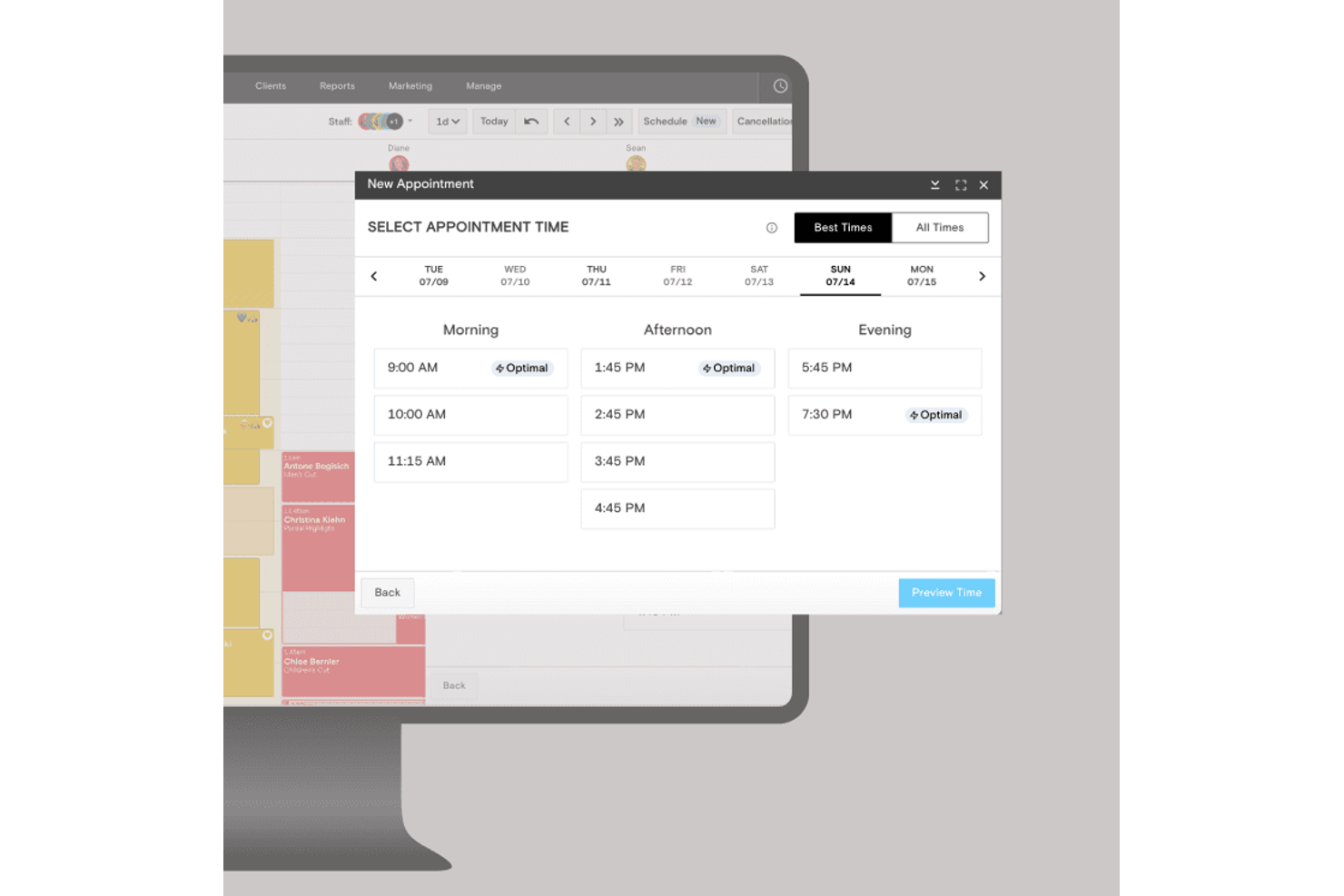
Boulevard is an all-in-one spa management POS software designed for high-end salons and spas. It focuses on delivering premium client experiences through scheduling, client management, and payment processing.
Why I picked Boulevard: Boulevard's emphasis on luxury service makes it a good fit for upscale spas. The client-centric design ensures a personalized experience for your customers. Boulevard's appointment scheduling is intuitive, reducing wait times and improving service quality. The software also offers advanced reporting tools to help you understand and grow your business.
Standout Features and Integrations:
Features include a sophisticated booking system that makes managing appointments simple. The client management tools keep track of preferences and history, ensuring personalized service. Additionally, Boulevard's payment processing is secure and efficient for smooth and hassle-free transactions.
Integrations include QuickBooks, Mailchimp, Google Calendar, Facebook, Instagram, Shopify, Square, Stripe, Twilio, and more.
Pros and cons
Pros:
- Efficient appointment scheduling
- Advanced client management
- Tailored for luxury services
Cons:
- Workflow structure limits deep customization for unique spa models
- Pricing and onboarding effort only make sense at higher service price points

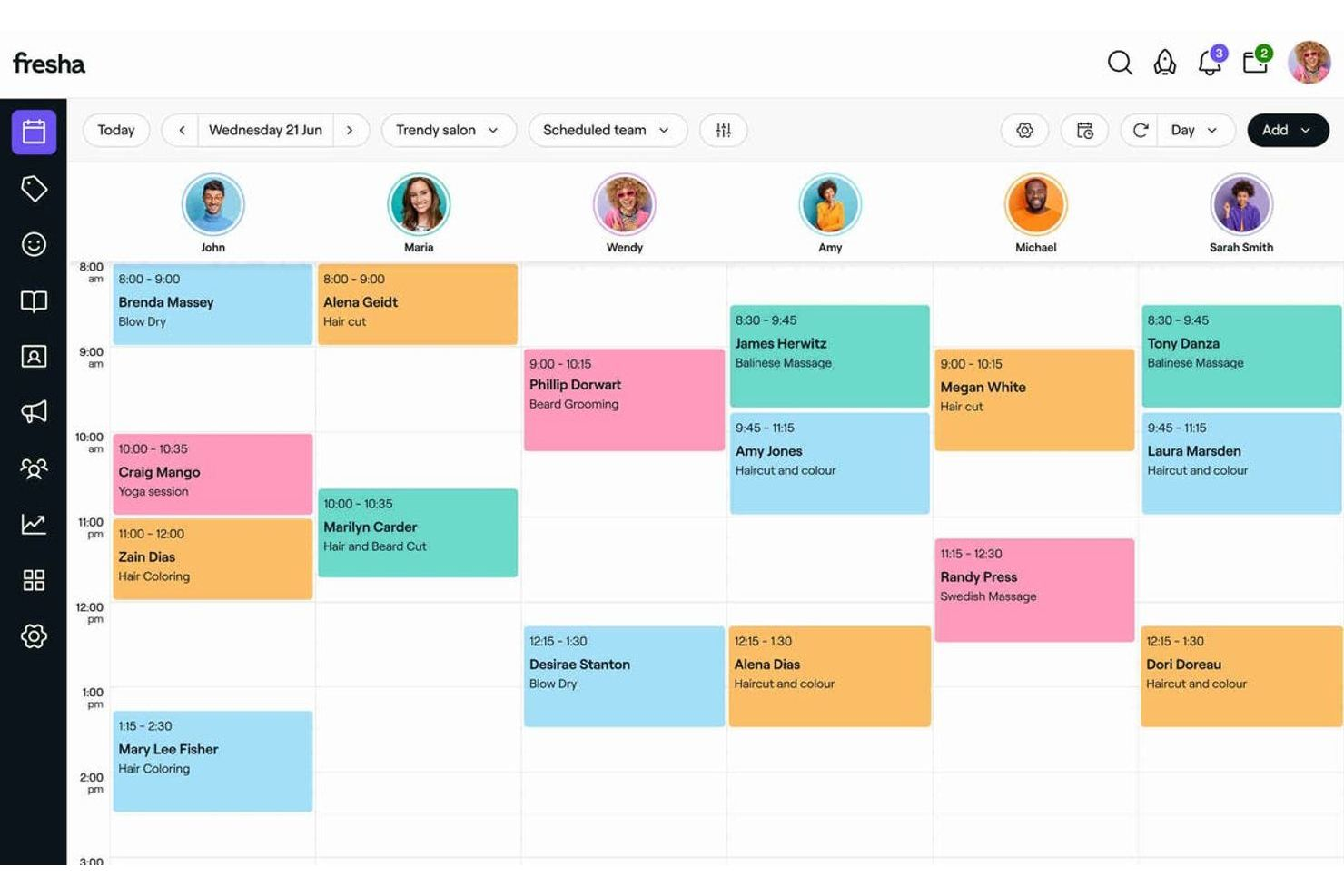
Fresha is a spa and salon management software designed for barbershops, hair, beauty, and wellness businesses. It focuses on appointment booking, client management, and payment processing.
Why I picked Fresha: It offers a commission-free booking system for current clients, which benefits businesses by maximizing profits. The straightforward system helps your team manage schedules efficiently. The POS software integration allows for quick transactions. Fresha's client management tools help you maintain strong relationships with your customers.
Standout Features and Integrations:
Features include inventory management, which keeps track of your products and stock levels. The marketing tools help you send promotions and reminders to clients, boosting engagement. Additionally, the reporting tools let you look into your business performance to help you make data-driven decisions.
Integrations include Google Calendar, Facebook, Instagram, Mailchimp, Stripe, Zapier, and more.
Pros and cons
Pros:
- Integrated online and in-person payments
- Efficient scheduling tools
- No booking commissions for current clients
Cons:
- Platform nudges visibility toward its marketplace ecosystem
- Reporting and multi-location controls are shallow for scaling spa groups

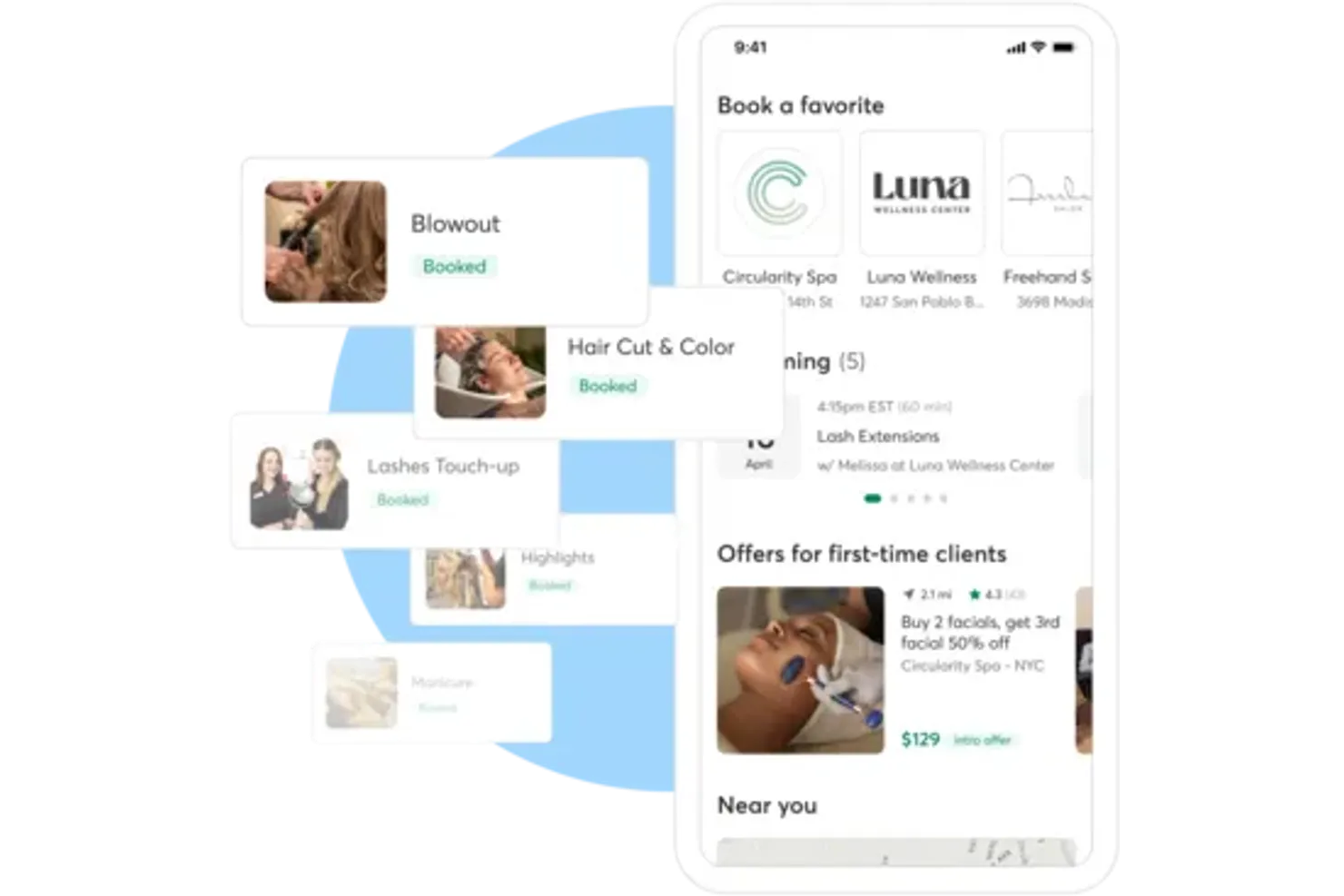
Booker is a cloud-based management software tailored for wellness centers and spa businesses. It handles bookings, client management, and payment processing to improve operational efficiency.
Why I picked Booker: Booker is widely used in wellness centers, which makes it ideal for businesses offering holistic services. The scheduling feature allows your team to manage appointments better. Membership management tools help you build and maintain loyal client relationships. Booker's marketing features enable you to engage with clients through targeted promotions and communications.
Standout Features and Integrations:
Features include a reporting system that offers insights into your business performance. The online booking feature allows clients to schedule services at their convenience. Additionally, the gift card management system helps boost sales and client engagement.
Integrations include QuickBooks, Mailchimp, Constant Contact, Google Calendar, Facebook, Instagram, Yelp, Zapier, Salesforce, and more.
Pros and cons
Pros:
- Gift card management
- Strong membership management
- Popular for wellness services
Cons:
- Inconsistent UX across booking, POS, and marketing modules
- System feels heavy and slower to navigate during busy front-desk hours

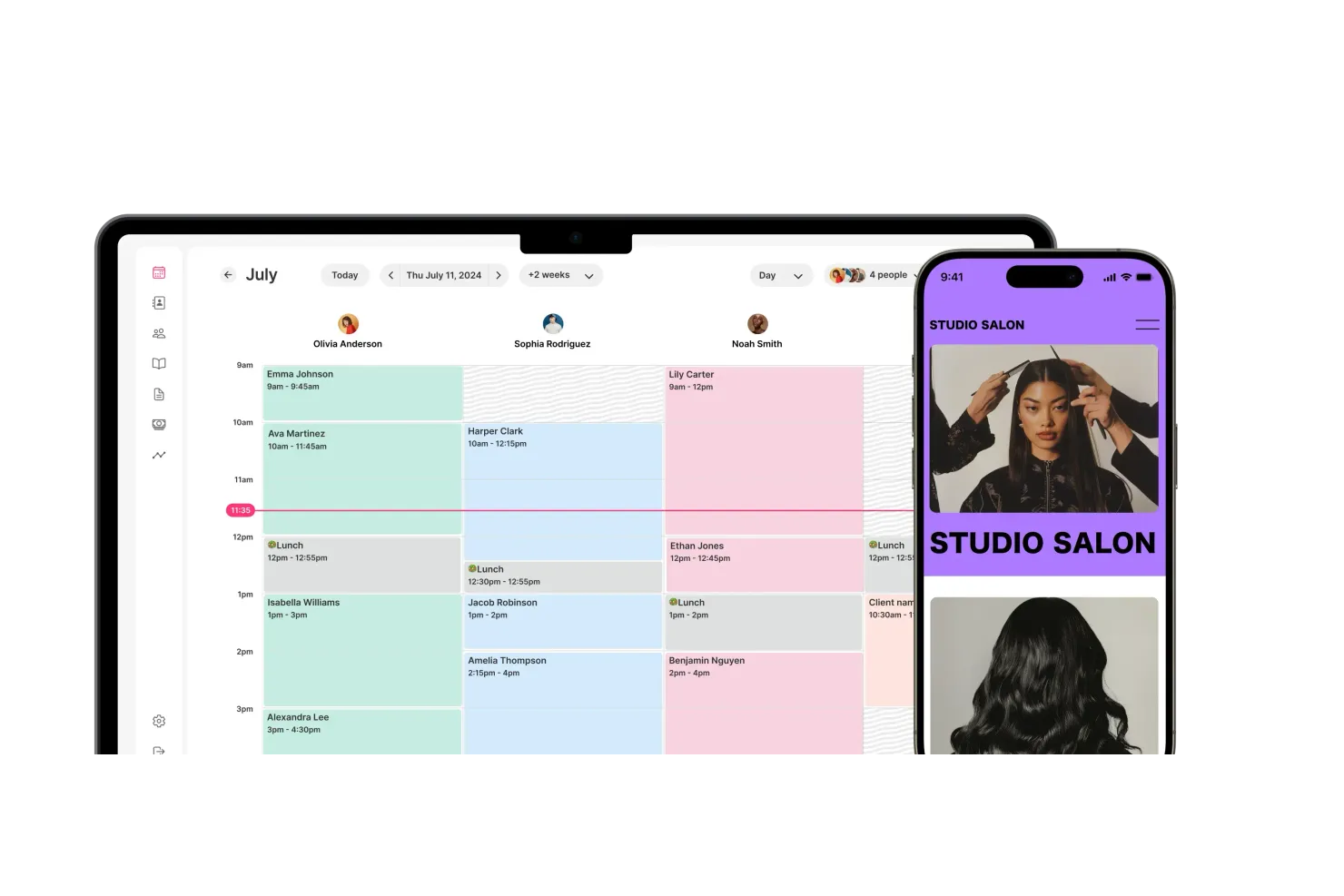
GlossGenius is a hair salon POS management software tailored for independent beauty professionals. It simplifies appointment scheduling, client management, and payment processing by card reader, making it ideal for solo stylists.
Why I picked GlossGenius: It offers features specifically designed for individual stylists, offering a user-friendly interface that makes managing bookings a breeze. The salon software lets you personalize your booking site to reflect your brand and style. GlossGenius also sends automated reminders to reduce no-shows and ensure smooth operations. Its payment processing is integrated for simple transaction management.
Standout Features and Integrations:
Features include a built-in marketing tool that helps you promote your services and engage with clients. The spa software also offers detailed analytics for business performance tracking, and the inventory management feature enables you to keep track of supplies and products.
Integrations include Instagram, Facebook, Google Calendar, Stripe, Yelp, Zapier, and more.
Pros and cons
Pros:
- Detailed business analytics
- Integrated payment processing
- Ideal for solo professionals
Cons:
- Inventory and retail tools are lightweight for product-driven spas
- Outgrows quickly for multi-provider or multi-room spa teams

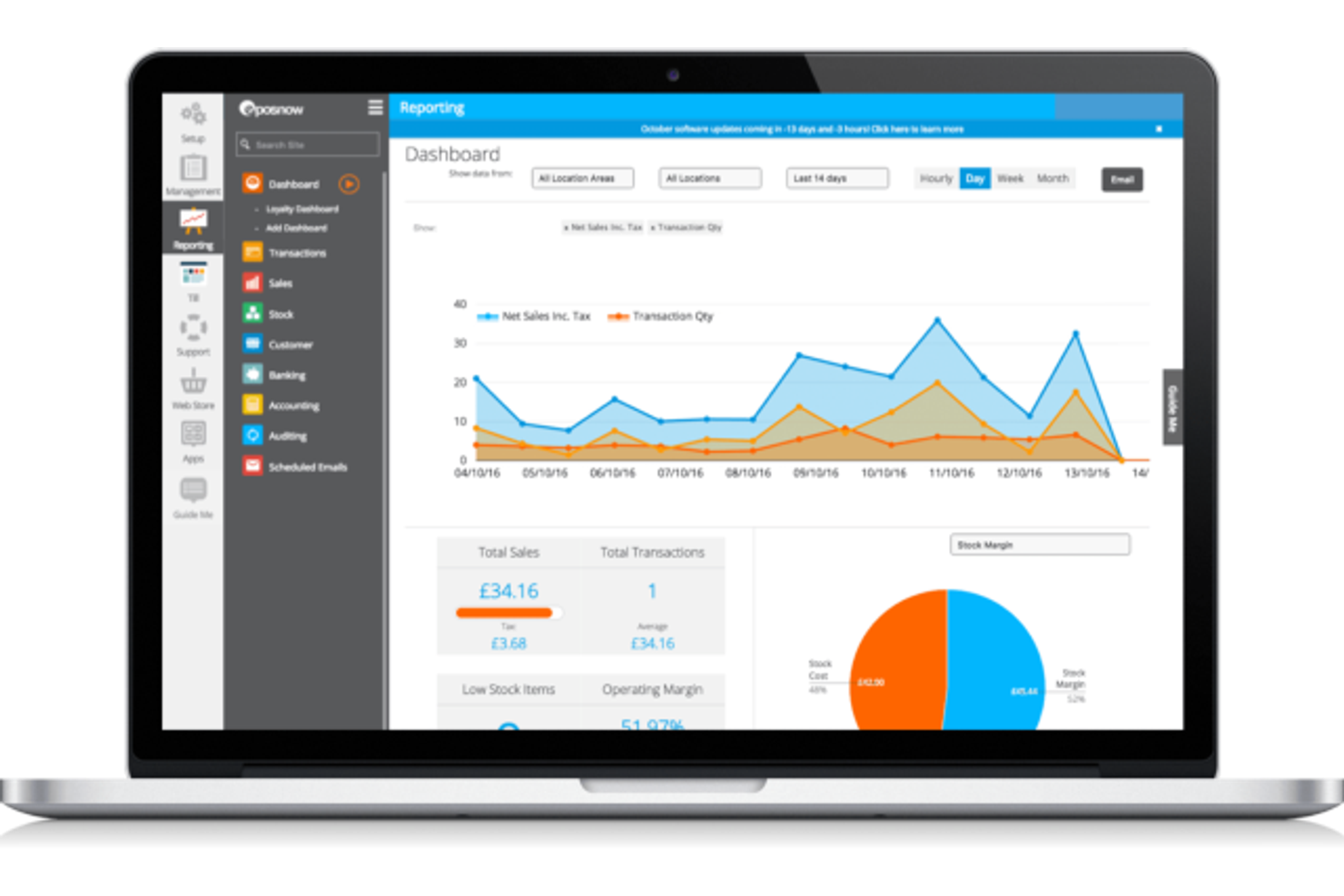
Epos Now is a cloud-based POS system primarily designed for retail and hospitality businesses. It supports multi-location management, allowing businesses to oversee operations across different sites.
Why I picked Epos Now: It manages multiple locations, making it a good choice for businesses with various branches. The centralized dashboard provides an overview of all sites, ensuring consistency and control. Inventory management is simple, with real-time updates across locations. Epos Now also offers advanced reporting tools to help you analyze performance across your entire business.
Standout Features and Integrations:
Features include real-time sales tracking, which helps you monitor transactions as they happen. The team member management feature allows you to schedule shifts and track time efficiently. Additionally, Epos Now integrates with loyalty schemes and customer-facing tools to help you engage and retain clients.
Integrations include QuickBooks, Xero, Sage, Mailchimp, Shopify, WooCommerce, BigCommerce, Adobe Commerce, PayPal, Zapier, and more.
Pros and cons
Pros:
- Diverse reporting tools
- Real-time inventory updates
- Centralized multi-location management
Cons:
- Setup feels retail-first rather than service-first
- Spa-specific workflows require add-ons or custom configuration

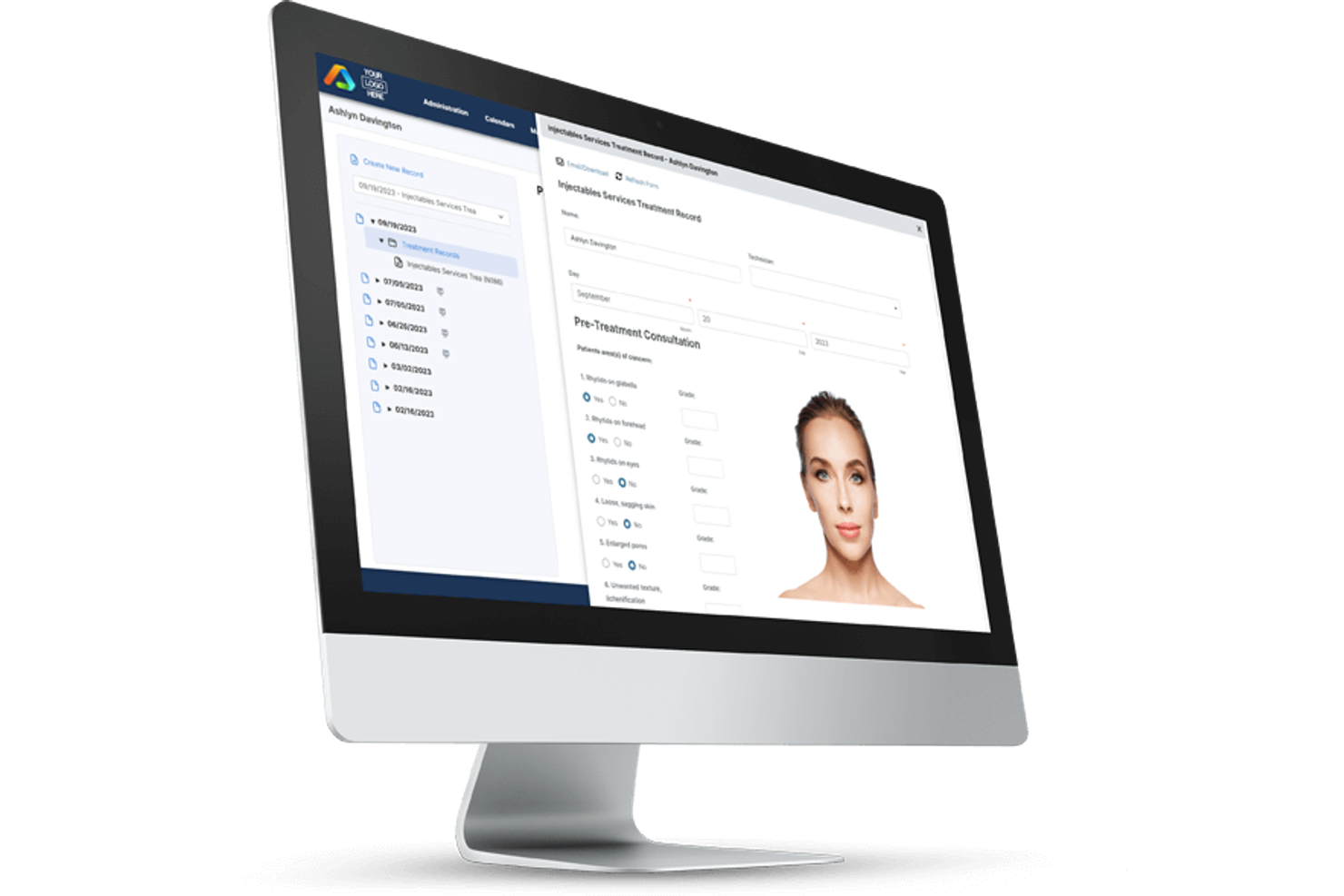
AestheticsPro is an all-in-one spa management software designed for medical spas and wellness centers. It provides tools for appointment scheduling, client management, and compliance with industry regulations.
Why I picked AestheticsPro: It’s specifically tailored for medical spas and provides features that help salon owners align with industry standards. The electronic charting system allows your team members to manage client records safely. The spa software’s marketing tools help you reach and retain clients through targeted campaigns. AestheticsPro also includes a POS system that helps streamline transactions and inventory management.
Standout Features and Integrations:
Features include a customizable reporting system that helps you track your business performance. The membership management feature enables you to build client loyalty and increase revenue. Additionally, automated appointment reminders reduce no-shows and cancellations to keep your schedule organized.
Integrations include Google Calendar, Facebook, Instagram, Stripe, Zapier, Twilio, and more.
Pros and cons
Pros:
- Effective electronic charting
- Strong compliance features
- Designed for medical spa needs
Cons:
- Reporting and workflow tuning require regular admin involvement.
- Interface density slows onboarding for front-desk and clinical staff


Salon Iris is a detailed salon management software designed for beauty and spa businesses in the UK. It handles appointment scheduling, client management, and sales tracking with ease.
Why I picked Salon Iris: It's specifically designed to meet the needs of UK salons and offers localized features such as VAT handling and UK-based support. The software's appointment booking system is intuitive, helping clients to schedule services online. Salon Iris also provides strong reporting tools that give you insight into your business's performance. Its payroll management feature simplifies staff payments, aligning well with the needs of salon owners.
Standout Features and Integrations:
Features include inventory management to help you track stock levels and reorder when necessary. The marketing tools enable you to send promotions and reminders to clients. Additionally, the mobile app lets you manage your salon on the go for flexibility in operations.
Integrations include QuickBooks, CardConnect, Mailchimp, Google Calendar, Facebook, Instagram, and more.
Pros and cons
Pros:
- Mobile app access
- Strong reporting capabilities
- Localized UK features
Cons:
- Feature depth creates a steeper learning curve for front-desk staff
- Service and package workflows feel more salon-focused than spa-native

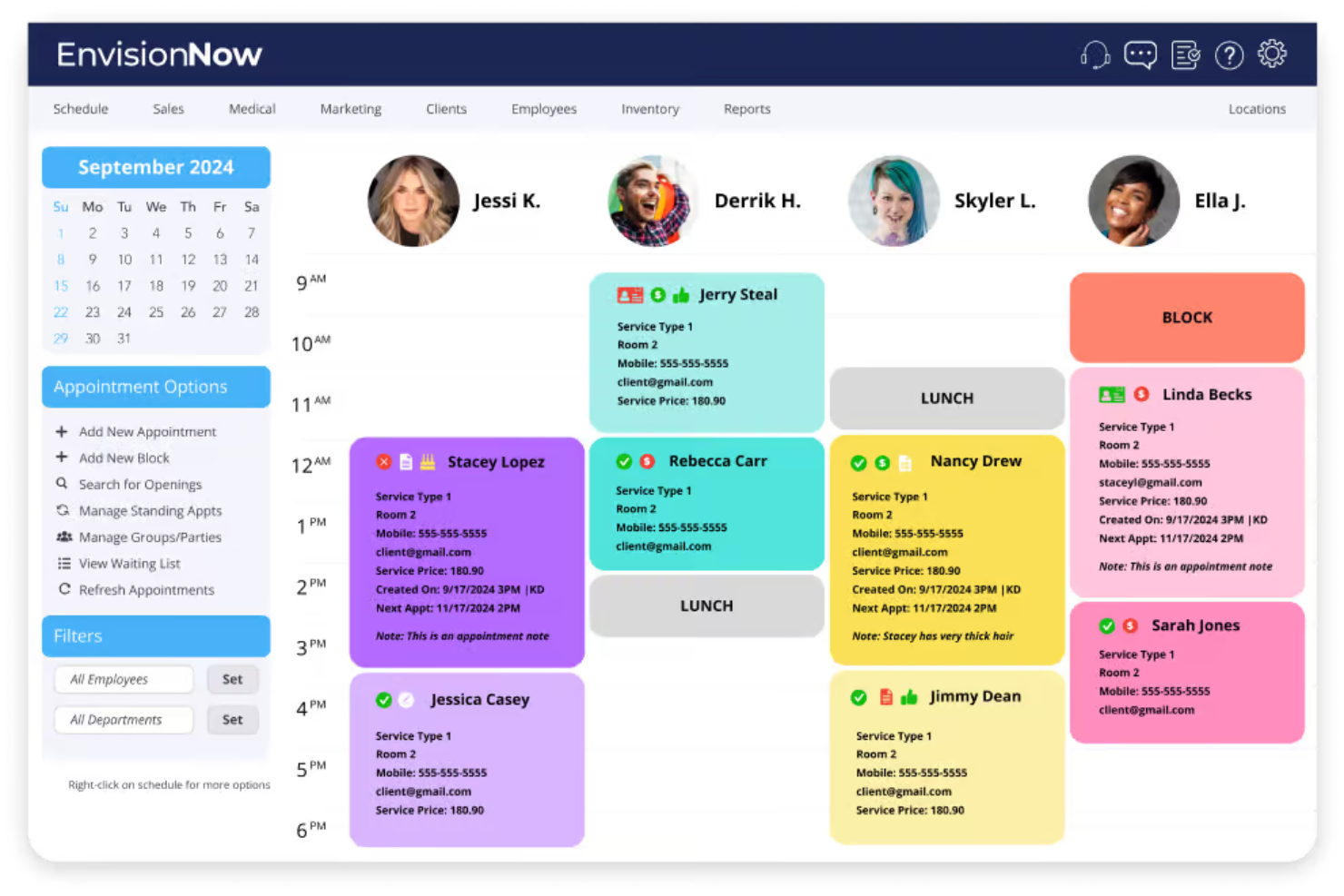
EnvisionNow is a spa and salon management software tailored for beauty and wellness businesses. It focuses on improving operations with tools for appointment scheduling, customer engagement, and sales tracking.
Why I picked EnvisionNow: It offers features that boost marketing efforts, such as personalized campaigns and social media integration. Automated SMS and email reminders help keep your clients engaged and improve appointment attendance. The software's mobile app makes it easy for clients to book services on the go. EnvisionNow's loyalty programs encourage repeat business and strengthen customer relationships.
Standout Features and Integrations:
Features include marketing automation tools that help you create targeted campaigns, and the reporting feature provides insights into your business performance. Additionally, the online booking and deposit tools offer revenue protection to ensure you minimize losses from cancellations and no-shows.
Integrations include QuickBooks, Zapier, Facebook, Instagram, Google Calendar, Apple Calendar, WooCommerce, Tippy, Vish, and more.
Pros and cons
Pros:
- Loyalty program support
- Effective client engagement
- Strong marketing tools
Cons:
- Marketing tools require ongoing setup and maintenance to stay effective
- Reporting lacks depth for service-level profitability and staff utilization tracking
Other Spa POS Software
Here are some additional spa pos software options that didn’t make it onto my shortlist, but are still worth checking out:
- Square
For small businesses
- AURA Salonware
For simple booking-to-payment flows
- SalonBiz
For salon chain management


Spa POS Software Selection Criteria
When selecting the best spa POS software to include in this list, I considered common buyer needs and pain points, such as appointment scheduling and inventory management. I also used the following framework to keep my evaluation structured and fair:
Core Functionality (25% of total score)
To be considered for inclusion in this list, each solution had to fulfill these common use cases:
- Appointment scheduling
- Client management
- Payment processing
- Inventory management
- Reporting and analytics
Additional Standout Features (25% of total score)
To help further narrow down the competition, I also looked for unique features, such as:
- Integrated marketing tools
- Customizable loyalty programs
- Mobile app access
- Online booking via social media
- Automated reminders and notifications
Usability (10% of total score)
To get a sense of the usability of each system, I considered the following:
- Intuitive interface design
- Easy navigation
- Minimal learning curve
- Customizable dashboards
- Responsive design for mobile devices
Onboarding (10% of total score)
To evaluate the onboarding experience for each platform, I considered the following:
- Availability of training videos
- Interactive product tours
- Access to webinars
- Use of templates for setup
- Support from chatbots
Customer Support (10% of total score)
To assess each software provider’s customer support services, I considered the following:
- Availability of live chat
- 24/7 support options
- Response time to queries
- Access to a knowledge base
- Multi-channel support availability
Value for Money (10% of total score)
To evaluate the value for money of each platform, I considered the following:
- Competitive pricing
- Transparency in pricing plans
- Features included in base plans
- Cost of add-ons or extras
- Discounts for annual subscriptions
Customer Reviews (10% of total score)
To get a sense of overall customer satisfaction, I considered the following when reading customer reviews:
- Consistency in positive feedback
- Commonly reported issues
- User recommendations
- Satisfaction with customer support
- Overall ease of use feedback
How To Choose Spa POS Software
It’s easy to get bogged down in long feature lists and complex pricing structures. To help you stay focused as you work through your unique software selection process, here’s a checklist of factors to keep in mind:
| Factor | What To Consider |
| Scalability | Will the software grow with your business? Look for tools that handle increased transactions and users without performance issues. Ensure it can support additional locations if needed. |
| Integrations | Does it connect with your current systems? Check for compatibility with accounting tools, marketing platforms, and other essential software. Avoid tools that require manual data entry. |
| Customizability | Can you tailor it to your needs? Consider if you can adjust workflows, dashboards, and reports. Customizability ensures the software fits your specific business processes. |
| Ease of use | Is the software intuitive for you and your team? Consider the learning curve and whether the interface is straightforward. Complex tools may lead to frustration and errors. |
| Implementation and onboarding | How quickly can you get started? Evaluate the availability of training materials and support during the setup phase. A smooth onboarding process saves time and reduces disruptions. |
| Cost | How does the pricing fit your budget? Compare the base price and any add-ons. Consider if the cost aligns with the value and whether there are hidden processing fees or long-term contracts. |
| Security safeguards | Are your data and transactions protected? Ensure the software complies with industry standards for data privacy and security. Look for features like encryption and regular security updates. |
| Support availability | When can you reach customer support? Check for 24/7 availability, response times, and the quality of support provided. Reliable support can resolve issues quickly and minimize downtime. |
What Is Spa POS Software?
Spa POS software is a tool designed to manage the operations of spa and wellness centers. These tools are generally used by spa owners, managers, and staff to increase efficiency and improve customer service. Appointment scheduling, payment processing, and client management features help with day-to-day operations and customer retention. Overall, these tools simplify business management and improve the client experience.
Features of Spa POS Software
When selecting spa POS software, keep an eye out for the following key features:
- Appointment scheduling: Allows clients to book services online, reducing administrative workload and minimizing scheduling conflicts.
- Payment processing: Facilitates quick and secure transactions, improving checkout efficiency and client satisfaction.
- Client management: Stores client information and history, enabling personalized service and targeted marketing efforts.
- Inventory management: Tracks product levels and automates reordering, ensuring you always have the necessary supplies on hand.
- Reporting and analytics: Provide insights into sales, client trends, and staff performance, aiding in informed decision-making.
- Marketing tools: Enable the creation and distribution of promotions and reminders to boost client engagement and retention.
- Loyalty programs: Encourage repeat business by rewarding clients for their continued patronage.
- Mobile app access: Allows staff to manage appointments and client information on the go, providing flexibility in operations.
- Compliance features: Ensure adherence to industry regulations, particularly important for medical spas and wellness centers.
- Customizable dashboards: Let you tailor the interface to your specific business needs, improving usability and efficiency.
Benefits of Spa POS Software
Implementing spa POS software provides several benefits for your team members and your business. Here are a few you can look forward to:
- Improved efficiency: Automated appointment booking and payment processes allow staff to focus on delivering quality service.
- Improved customer experience: Stored client preferences and history enable personalized interactions and tailored promotions.
- Increased revenue: Offered loyalty programs and marketing tools drive repeat business and attract new clients.
- Better inventory control: Monitored product levels and automated reordering prevent stockouts and overstock situations.
- Informed decision-making: Detailed reports and analytics help you understand business trends and make strategic choices.
- Regulatory compliance: Included features ensure adherence to industry standards, protecting your business from legal issues.
- Operational flexibility: Inbuilt mobile app access allows staff to manage appointments and client information anytime, anywhere.
Costs and Pricing of Spa POS Software
Selecting spa POS software requires an understanding of the various pricing models and plans available. Costs vary based on features, team size, add-ons, and more. This typically excludes payment processing rates (the cost of the transaction), which vary by payment provider. The table below summarizes common plans, average prices, and typical features included in spa POS software solutions:
Plan Comparison Table for Spa POS Software
| Plan Type | Average Price | Common Features |
| Free Plan | $0 | Basic appointment scheduling, client management, and limited reporting. |
| Personal Plan | $20-$150/user/month | Appointment scheduling, client management, payment processing, and basic inventory management. |
| Business Plan | $150-$300/user/month | Advanced scheduling, detailed reporting, marketing tools, and loyalty program management. |
| Enterprise Plan | $300-$600+/user/month | Customizable dashboards, multi-location management, advanced analytics, and dedicated support. |
Spa POS Software FAQs
Here are some answers to common questions about spa POS software:
What is the difference between cloud-based and on-premises spa POS software?
Cloud-based spa POS software is hosted online, allowing you to access it from any device with internet connectivity. This means you can manage your spa remotely. On-premises or in-store software, however, is installed directly on your local servers, which requires physical infrastructure and may limit remote access. Cloud-based solutions often offer easier updates and lower upfront costs, while on-premises software might provide more control over data storage.
Can spa POS software integrate with my existing systems?
Yes, many spa POS software solutions are designed to integrate with existing systems such as accounting, marketing, and CRM tools. Before purchasing, check the compatibility of the POS software with your current systems. Look for solutions that offer API access or have partnerships with major software providers to ensure a smooth integration process.
How secure is spa POS software?
Security varies by provider, but reputable spa POS software solutions include measures such as encryption, regular security updates, and compliance with industry standards such as PCI DSS for payment processing. Ensure the software offers data backup solutions and user access controls. Consider asking the vendor about their security protocols during your evaluation process.
Is training required to use spa POS software?
Yes, training is often needed, especially if your team members are transitioning from a manual system or another software. Most providers offer training resources such as videos, manuals, and webinars. Some even provide live support or in-person training sessions. Evaluate the training resources available and consider the learning curve when selecting a software solution.
What’s Next:
If you're in the process of researching spa POS software, connect with a SoftwareSelect advisor for free recommendations.
You fill out a form and have a quick chat where they get into the specifics of your needs. Then you'll get a shortlist of software to review. They'll even support you through the entire buying process, including price negotiations.