
13 Best Simple POS Systems Reviewed in 2026

10 Best Simple POS Systems Shortlist
Here's my pick of the 10 best software from the 13 tools reviewed.


Running a retail operation isn’t easy. You're juggling inventory, sales, and customer satisfaction, all while trying to keep costs in check. That's where a simple POS system comes in. It helps your team manage transactions efficiently so you can focus on what matters: growing your business.
I’ve spent years in the retail management industry and tested many POS solutions. My goal is to provide you with an unbiased, well-researched review of the best options available.
In this article, you'll find my top picks for simple POS systems, each chosen to address specific retail challenges. Whether you're looking for better inventory management or easy payment processing, there's something here for you.
Why Trust Our Software Reviews
Best Simple POS Systems Summary
This comparison chart summarizes pricing details for my top simple POS system selections to help you find the best one for your budget and business needs.
| Tool | Best For | Trial Info | Price | ||
|---|---|---|---|---|---|
| 1 | Best for e-commerce integration | 3-day free trial available | From $29/month (billed annually) | Website | |
| 2 | Best for restaurant service | 14-day free trial available | From $69/month | Website | |
| 3 | Best for table-side ordering | 30-day free trial + free demo available | From $29.99/month | Website | |
| 4 | Best for easy card payments | 7-day free trial + free demo available | Pricing upon request | Website | |
| 5 | Best free inventory management | Free plan available | From $5/store/month | Website | |
| 6 | Best for flexible payments | Free app download available | From 2.69%/swipe, dip, or tap; 3.49% + $0.19/keyed transaction | Website | |
| 7 | Best for online-offline sync | Free plan available | From $30/month | Website | |
| 8 | Best for consignment stores | 15-day free trial available | From $159/month | Website | |
| 9 | Best for small retail shops | Free consultation available | Pricing upon request | Website | |
| 10 | Best for multi-device use | Free plan available | From $4/employee/month | Website |
Best Simple POS System Reviews
Below are my detailed summaries of the best simple POS systems that made it onto my shortlist. My reviews offer a detailed look at the key features, pros and cons, integrations, and ideal use cases of each tool to help you find the best one for you.
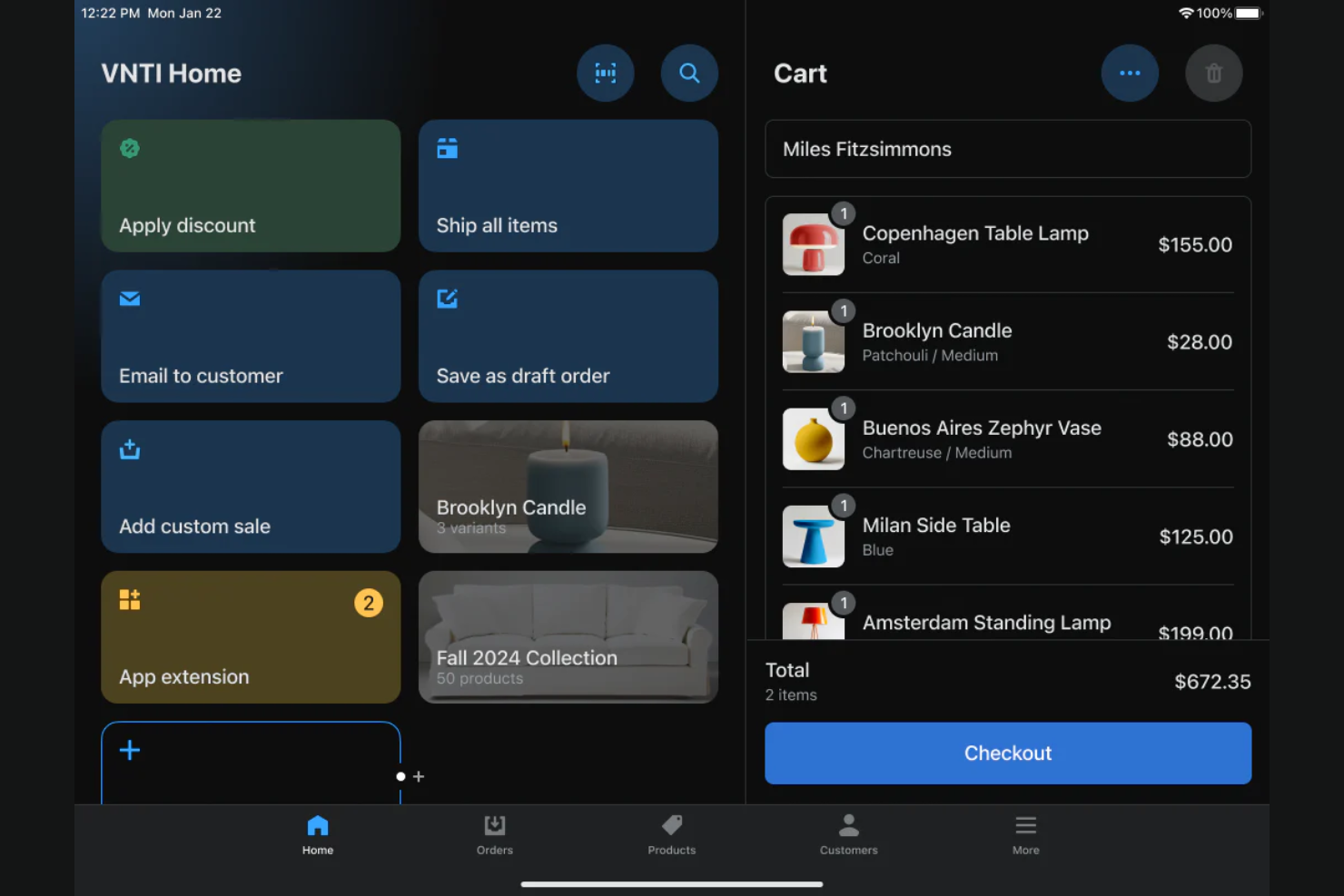
Shopify is a versatile POS system tailored for retail businesses that also have an online presence. It helps manage sales, inventory, and customer data across both physical and online stores, making it ideal for businesses looking to integrate e-commerce with in-store operations.
Why I picked Shopify: It offers e-commerce integration APIs, which are perfect if you're managing both online and offline sales. Its inventory management feature ensures that your stock levels are consistent across all channels. Shopify's ability to handle both in-store and online transactions makes it a flexible option for modern retailers.
Standout Features and Integrations:
Features include advanced analytics tools that provide insights into sales trends and customer behaviors. The system also supports mobile payments, allowing you to process transactions on the go. Additionally, Shopify offers customizable printed receipts, giving you the flexibility to tailor receipts to your brand.
Integrations include QuickBooks, Xero, Mailchimp, Facebook, Instagram, Google Analytics, Zapier, HubSpot, and more.
Pros and Cons
Pros:
- Access to a wide range of payment processors
- Consistent inventory management
- Strong e-commerce capabilities
Cons:
- Limited features in lower-priced plan
- Credit card processing fees on each sale

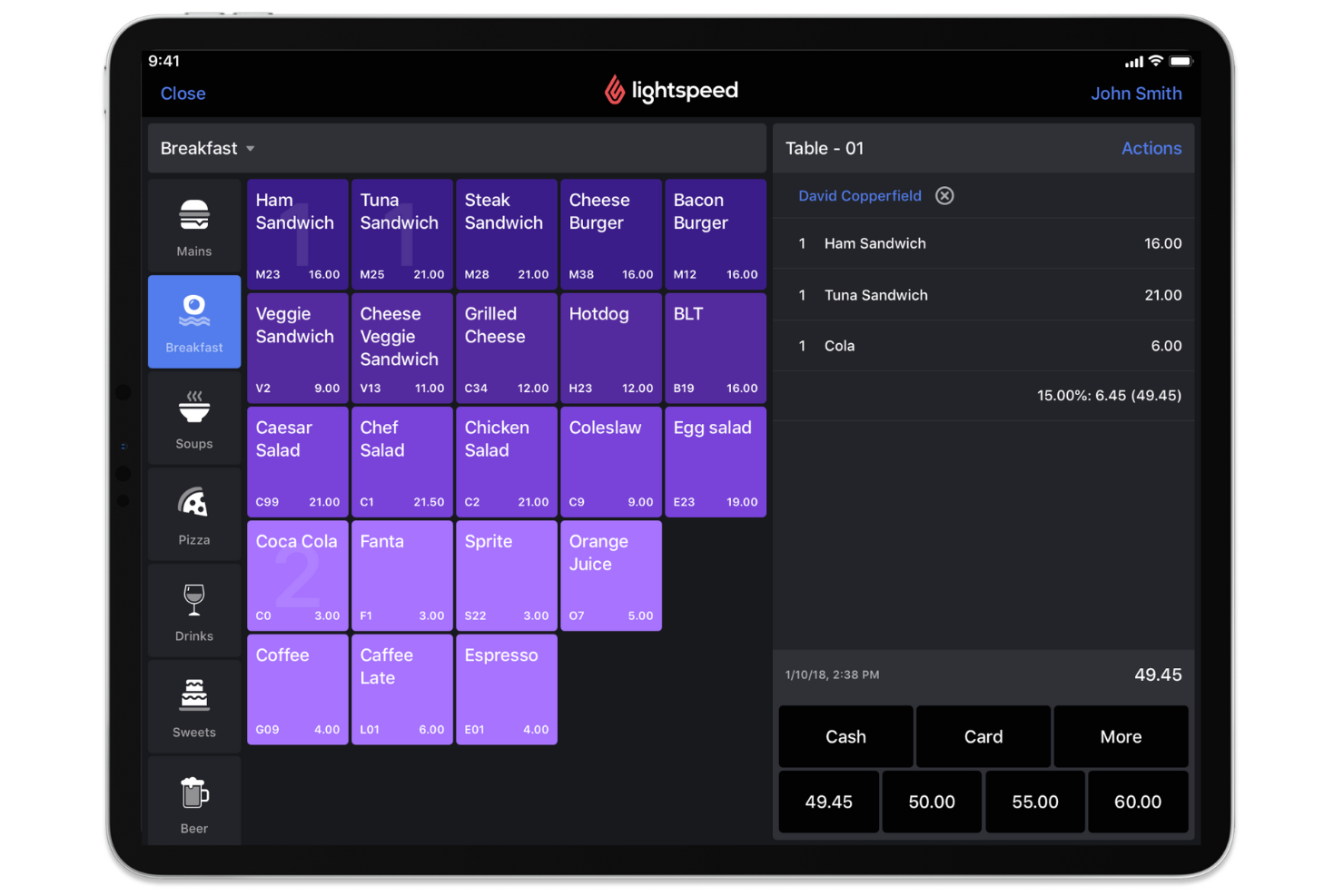
Lightspeed is an advanced POS system tailored for the restaurant industry, offering tools for order management and payment processing. It's designed for restaurants of all sizes to manage their operations smoothly.
Why I picked Lightspeed: It offers specialized restaurant POS services, featuring tools to help you optimize your seating arrangements and tailor your menu offerings. With its ability to handle complex restaurant operations, Lightspeed provides a reliable solution for busy dining environments.
Standout Features and Integrations:
Features include advanced table management, allowing you to efficiently manage reservations and seating. The mobile POS app works on smartphones and tablets, so you can process orders and modify your menu with a touchscreen interface on your iPad. Additionally, Lightspeed provides real-time reporting, helping you make informed decisions about your restaurant operations.
Integrations include QuickBooks, Xero, Mailchimp, Deliverect, Uber Eats, Grubhub, Loyale, Connecteam, Shopify, OpenTable, and more.
Pros and Cons
Pros:
- Easy order personalization with modifiers
- Advanced inventory management
- Built-in payment processing
Cons:
- Inconsistent customer support
- High base and add-on prices

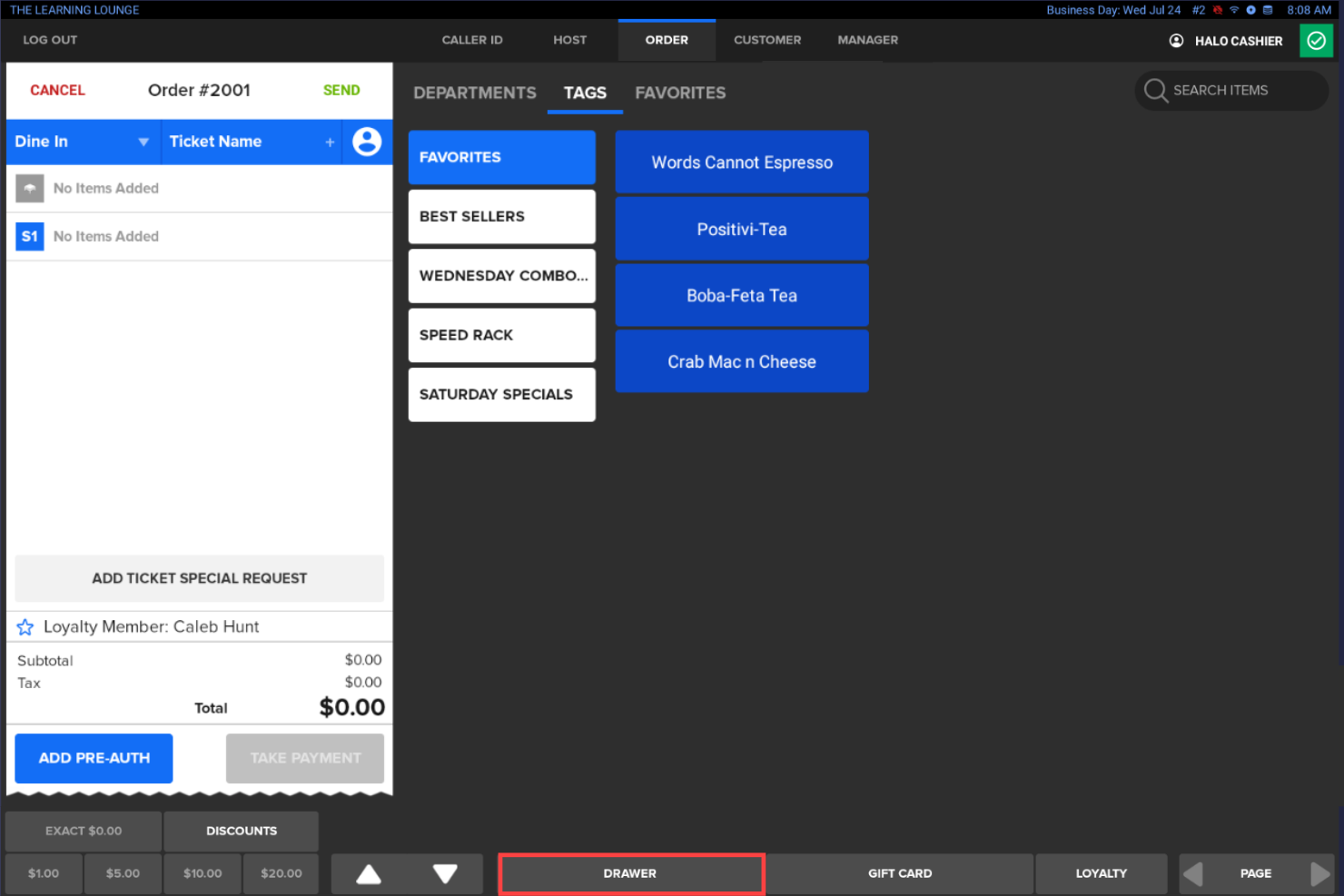
SkyTab is a mobile POS system tailored for the restaurant industry, focusing on upgrading the dining experience with table-side ordering and payment solutions. It caters to restaurants looking to improve service efficiency and customer satisfaction.
Why I picked SkyTab: It offers unique table-side ordering capabilities, allowing your staff to take orders and process payments directly at the table. This reduces wait times and helps improve the overall dining experience. The tool also supports detailed order management, ensuring accuracy in the kitchen. With its focus on improving customer interactions, SkyTab helps elevate your restaurant's service.
Standout features and integrations:
Features include real-time order tracking, which helps your team stay organized and efficient. The system offers customizable menu options, making it easy to update and modify your offerings. Additionally, SkyTab provides sales analytics, giving you insights into your restaurant's performance.
Integrations include Mailchimp, Uber Eats, DoorDash, Grubhub, Shogo, DAVO Sales Tax, OpenTable, Menufy, TakeOut7, Craftable, and more.
Pros and Cons
Pros:
- Real-time menu management
- Low upfront costs
- Built-in table-side ordering
Cons:
- Complex initial setup
- Limited options for menu modifiers
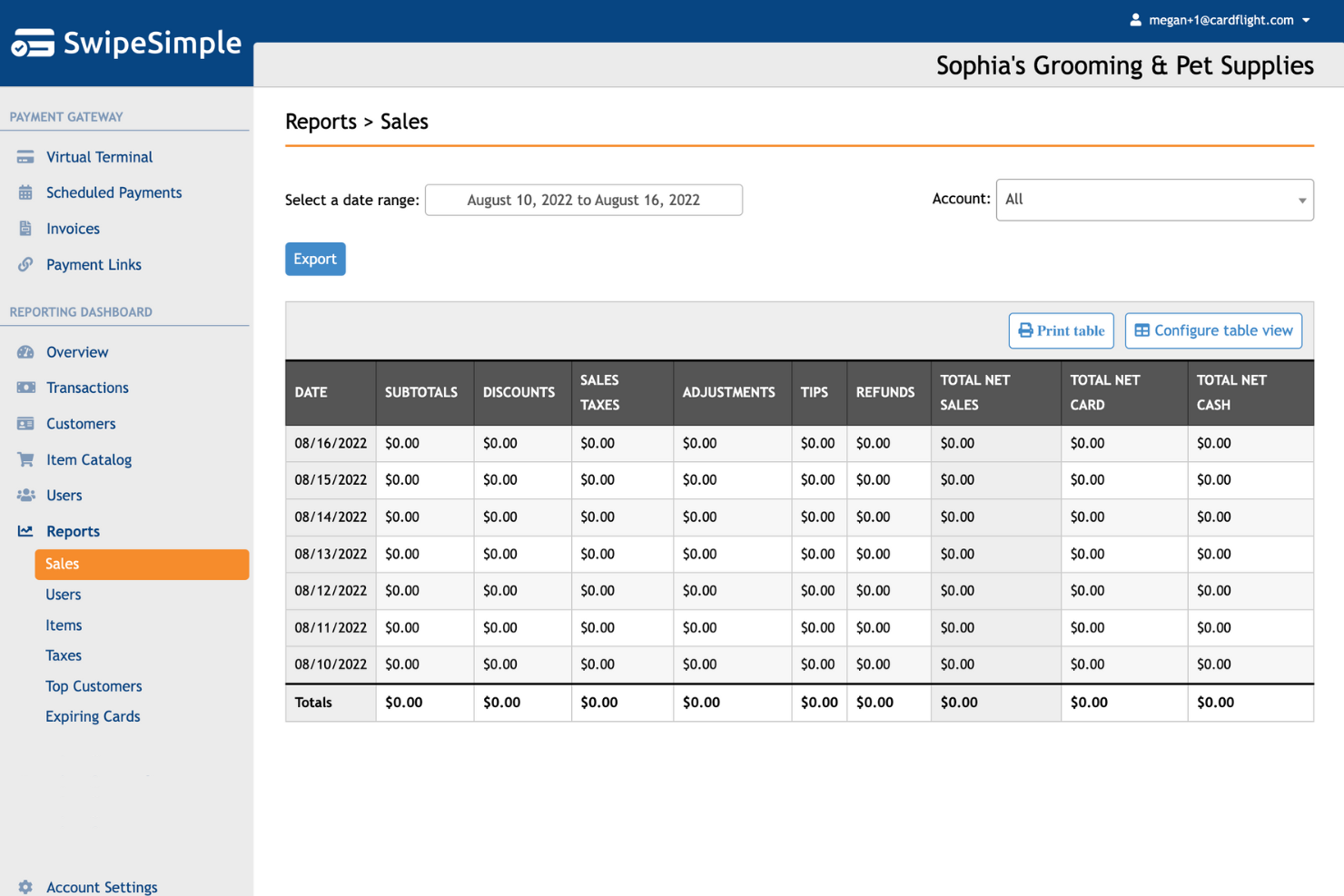
SwipeSimple is a mobile POS system designed for small businesses that need easy card payment solutions. It offers tools for payment processing and sales tracking, making it suitable for businesses that require mobility and simplicity in transactions.
Why I picked SwipeSimple: Its card reader provides a straightforward way to accept card payments using iOS or Android mobile devices, which is perfect for businesses and startups on the move. Features such as quick payment processing and digital receipts enrich the payment experience for both you and your customers. The system's user-friendly interface minimizes the learning curve, allowing you to get started quickly.
Standout Features and Integrations:
Features include digital receipt options, allowing you to send receipts directly to your customers' emails. SwipeSimple also tracks sales and offers detailed reports, providing insights into your daily transactions. Additionally, the system supports offline mode, ensuring you can still process payments without an internet connection.
Integrations are not publicly listed.
Pros and Cons
Pros:
- Detailed sales reports
- Quick payment processing
- Supports various payment methods
Cons:
- Limited customer support
- Certain features only available on desktop

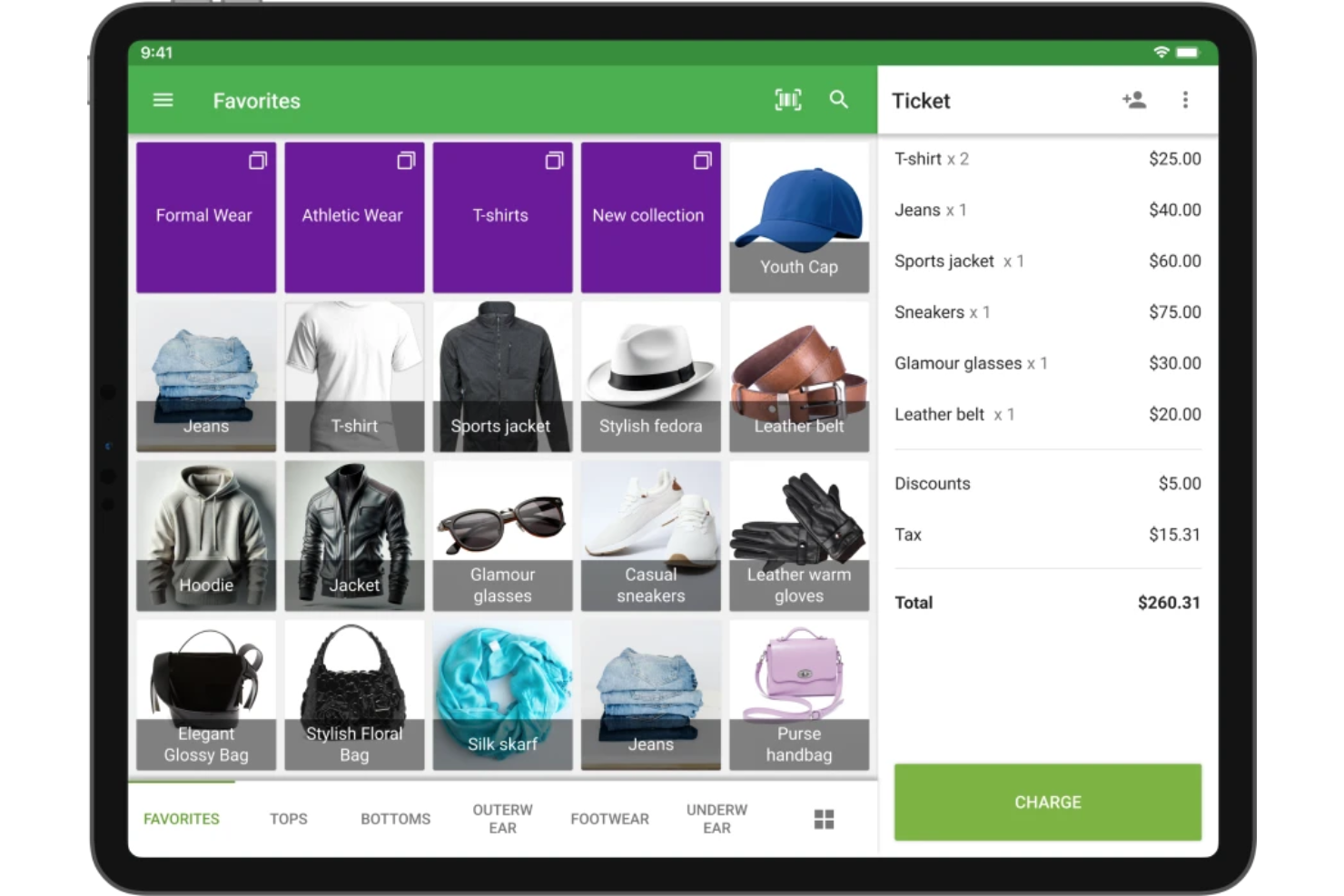
Loyverse is a free POS software designed for small to medium-sized businesses, focusing on retail, cafes, and restaurants. It offers inventory management, sales analytics, and customer relationship tools to help you efficiently run your operations.
Why I picked Loyverse: It provides a variety of inventory management features at no cost. It's ideal if you're looking for free POS systems to manage stock on a budget. Loyverse allows you to track inventory levels, receive alerts for low stock, and manage purchase orders. You can also access detailed sales reports to understand your business performance better. The built-in CRM tools help you maintain customer relationships and encourage repeat business.
Standout Features and Integrations:
Features include detailed analytics to track sales and trends. The employee management feature lets you monitor sales performance and work hours. Loyverse also offers a loyalty program to reward your repeat customers.
Integrations include QuickBooks, Xero, WooCommerce, BigCommerce, and more.
Pros and Cons
Pros:
- Multi-store management
- Strong inventory management and sales analytics
- Free POS system
Cons:
- No built-in e-commerce
- Requires third-party hardware

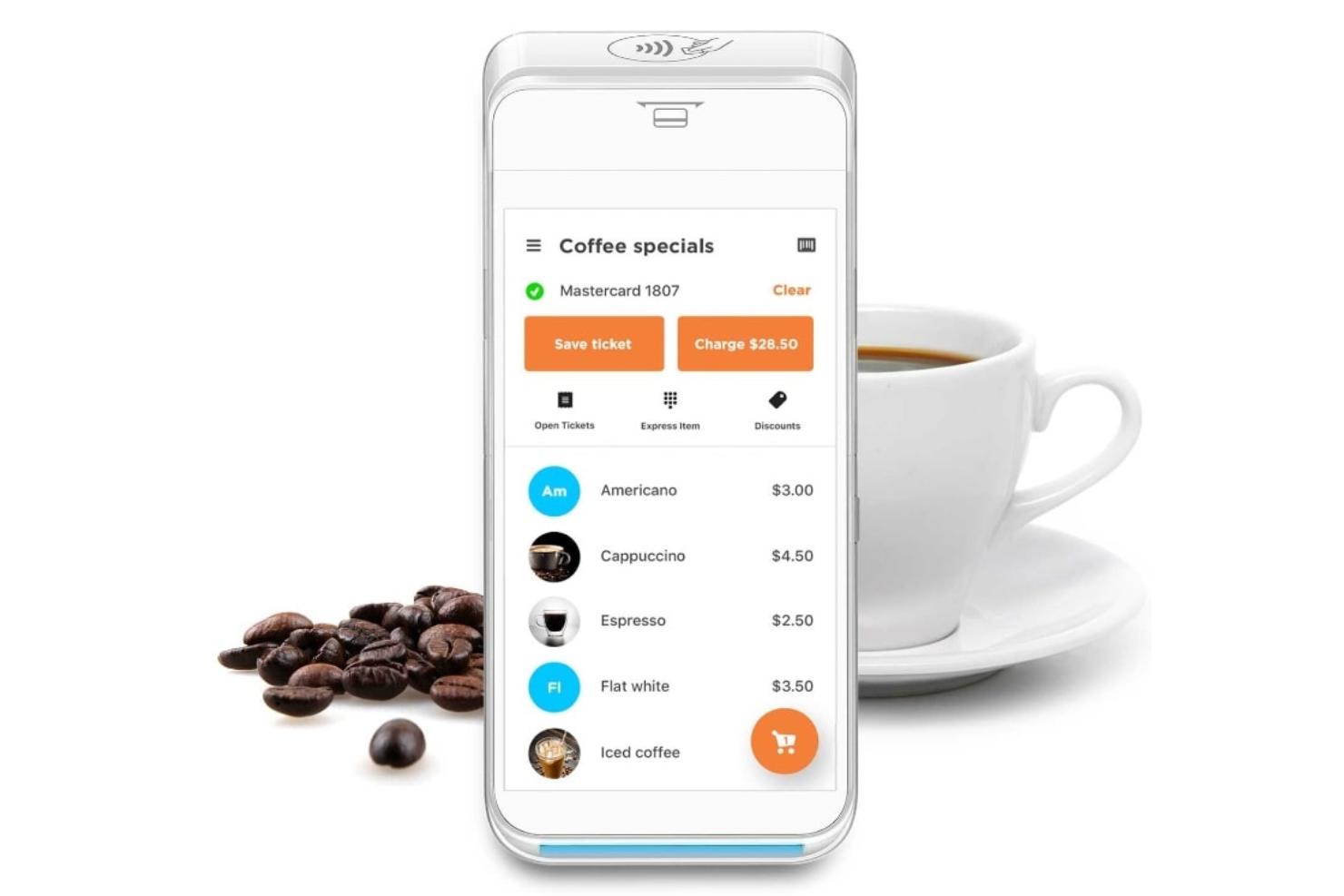
PayAnywhere is a mobile payment solution designed for small businesses, offering flexible payment processing options. It caters to vendors who need to accept payments on the go, providing tools for transaction management and sales tracking.
Why I picked PayAnywhere: It offers a variety of payment options, making it ideal for businesses that require flexibility in handling transactions. Its mobile capabilities also ensure you can process payments anytime, anywhere, helping improve your business's reach.
Standout Features and Integrations:
Features include contactless payment acceptance, allowing you to process transactions quickly and securely. This point of sale system offers invoicing capabilities, helping you manage billing efficiently. Additionally, Payanywhere provides detailed sales reports, giving you insights into your business operations.
Integrations include QuickBooks Online, Homebase, DAVO, Chargezoom, and more.
Pros and Cons
Pros:
- Mobile payment capabilities
- Real-time sales tracking
- Accepts various payment types
Cons:
- Limited third-party integrations
- Inactivity and termination fees

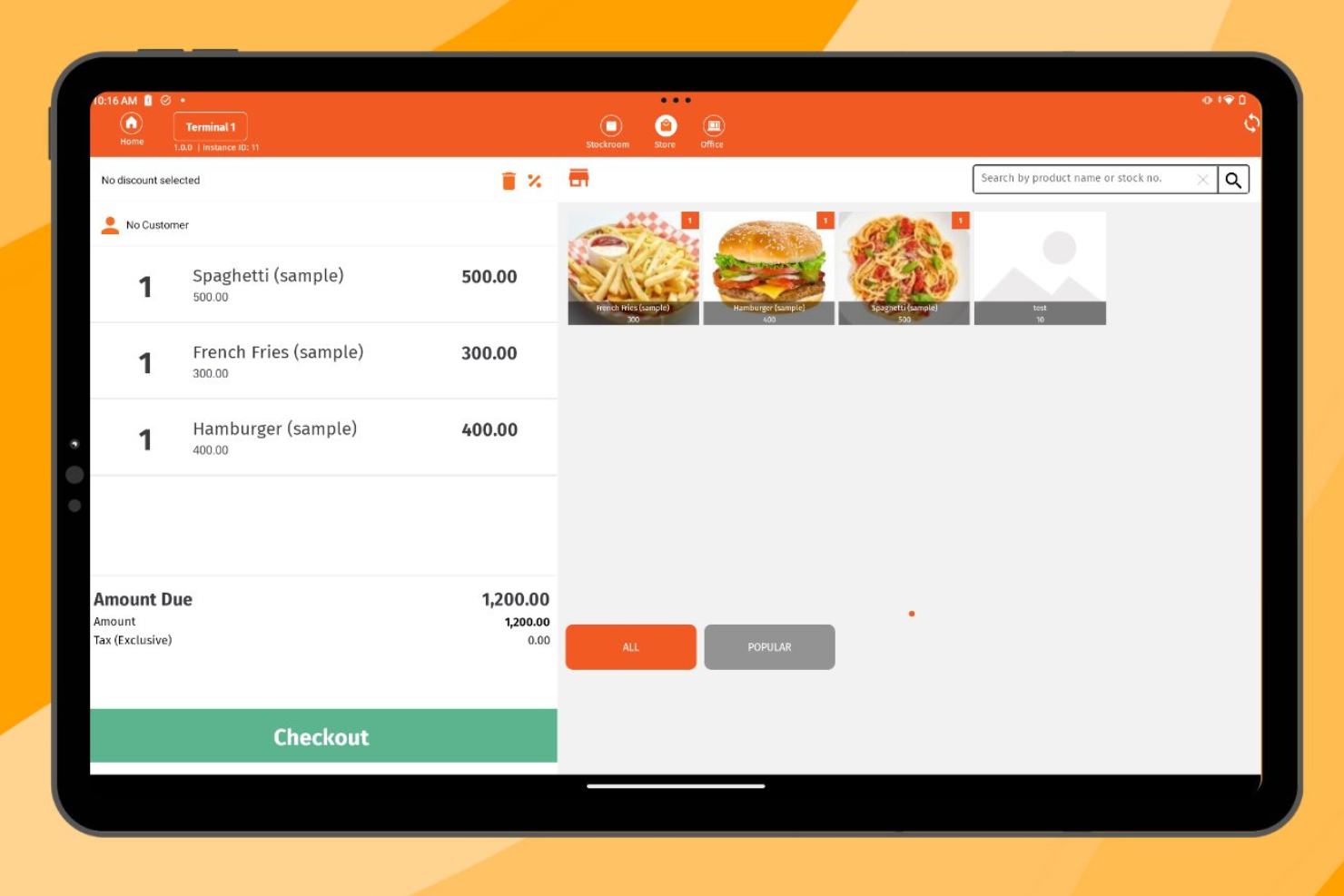
Imonggo is a cloud-based POS system designed for small to medium-sized businesses, offering solutions for both online and in-person sales. It helps manage inventory, sales, and customer data across multiple locations, making it ideal for businesses with both physical and online stores.
Why I picked Imonggo: It offers a smooth transition between online and offline sales, allowing you to manage your business in real-time. Its centralized inventory management and sales synchronization ensure that your stock levels are accurate across all platforms. The system's ability to operate offline ensures that you can continue processing sales even without an internet connection.
Standout Features and Integrations:
Features include multi-store management, allowing you to oversee all locations from one account. The system provides real-time sales data, giving you insights into your business performance. Additionally, Imonggo supports a customer loyalty program, helping you reward repeat customers.
Integrations include Xero, Shopify, Authorize.net, and more.
Pros and Cons
Pros:
- Detailed sales analytics
- Operates without internet
- Syncs online and offline sales
Cons:
- Limited features for free users
- Strict caps on the free tier
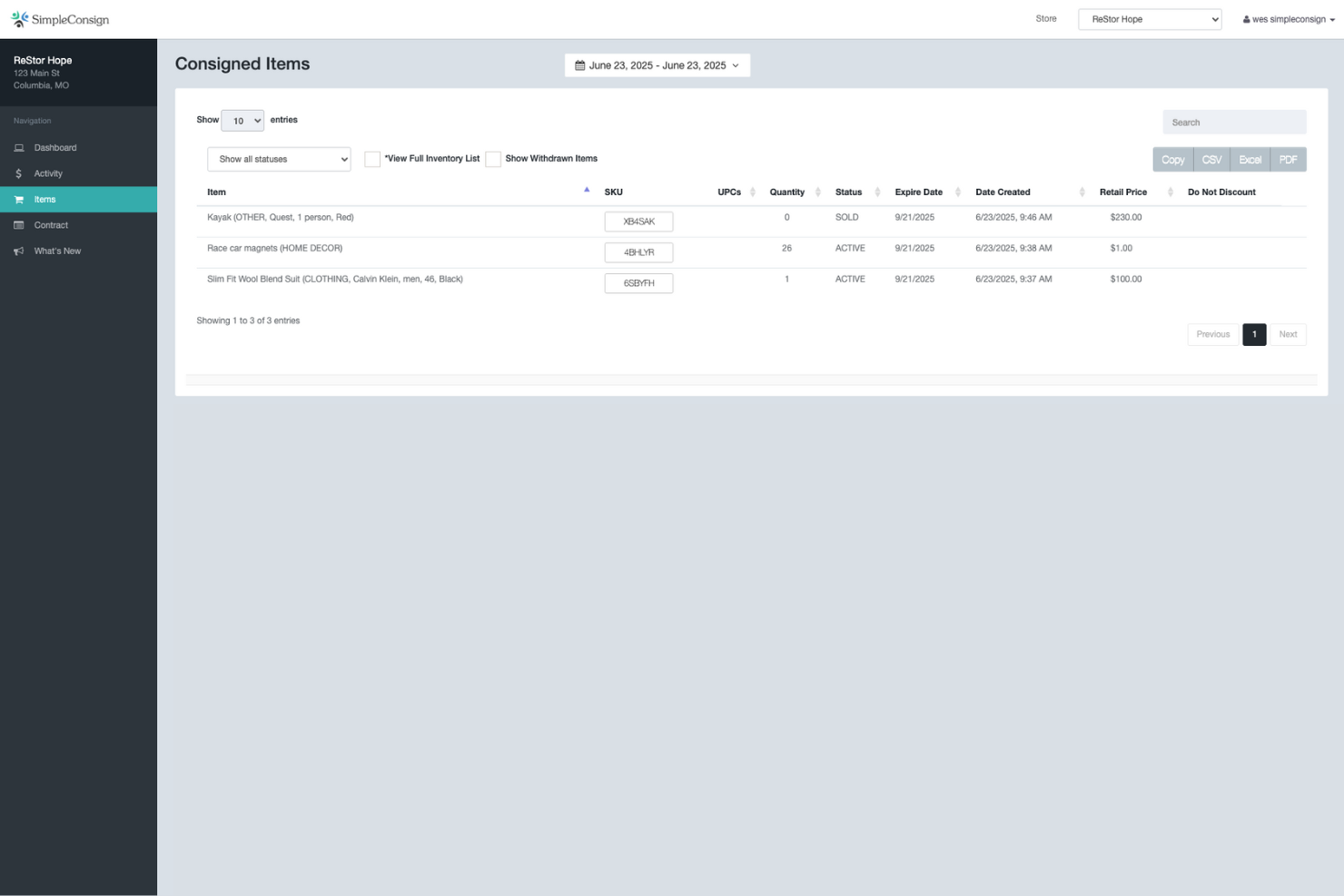
SimpleConsign is a cloud-based POS system tailored for consignment and resale shops. It helps manage inventory, sales, and customer data, making it a perfect fit for businesses looking to refine their consignment processes.
Why I picked SimpleConsign: With features such as item tracking and split payments, managing consigned inventory and handling payouts to consignors becomes simple. The system's flexibility accommodates various pricing structures and sales models common in consignment shops. Additionally, the reporting tools provide insights into both inventory and sales performance.
Standout Features and Integrations:
Features include detailed consignor management, allowing you to manage relationships and payouts. The software offers customizable pricing tiers to fit different business models. You also get access to real-time sales data, helping you track performance and make quick decisions. Most barcode scanners are compatible with SimpleConsign, making it easy to track and sell inventory.
Integrations include QuickBooks, Shopify, and more.
Pros and Cons
Pros:
- Cloud-based access
- Real-time sales tracking
- All-in-one solution combining several functions
Cons:
- Issues with online inventory syncing
- High cost with multiple locations

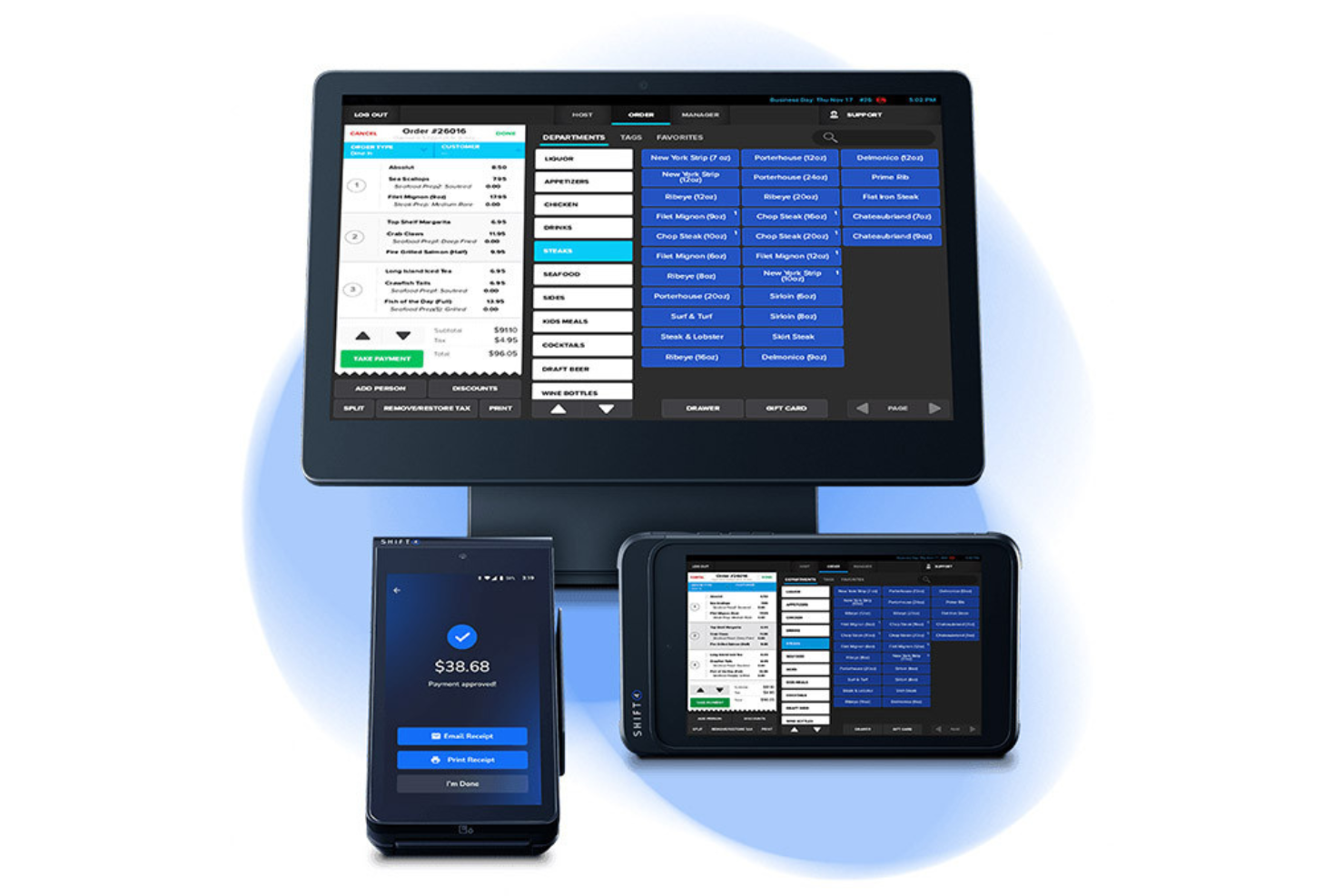
Simple POS Solutions provides a straightforward point-of-sale solution tailored for small retail businesses. It helps manage sales, inventory, and customer interactions efficiently, making it ideal for smaller operations looking to improve their service.
Why I picked Simple POS Solutions: The platform offers essential features that cater to small retail shops, such as user-friendly inventory management. Its intuitive interface ensures that you and your team can quickly adapt without extensive training. The system's flexibility allows for easy customization, ensuring it fits your specific business needs. Additionally, its affordability makes it accessible for small businesses.
Standout Features and Integrations:
Features include customizable receipt printing, real-time sales reporting, and inventory alerts to keep your stock levels in check.
Integrations are not publicly listed.
Pros and Cons
Pros:
- Real-time updates
- Quick customer support
- Intuitive interface
Cons:
- Limited hardware options
- Limited advanced features

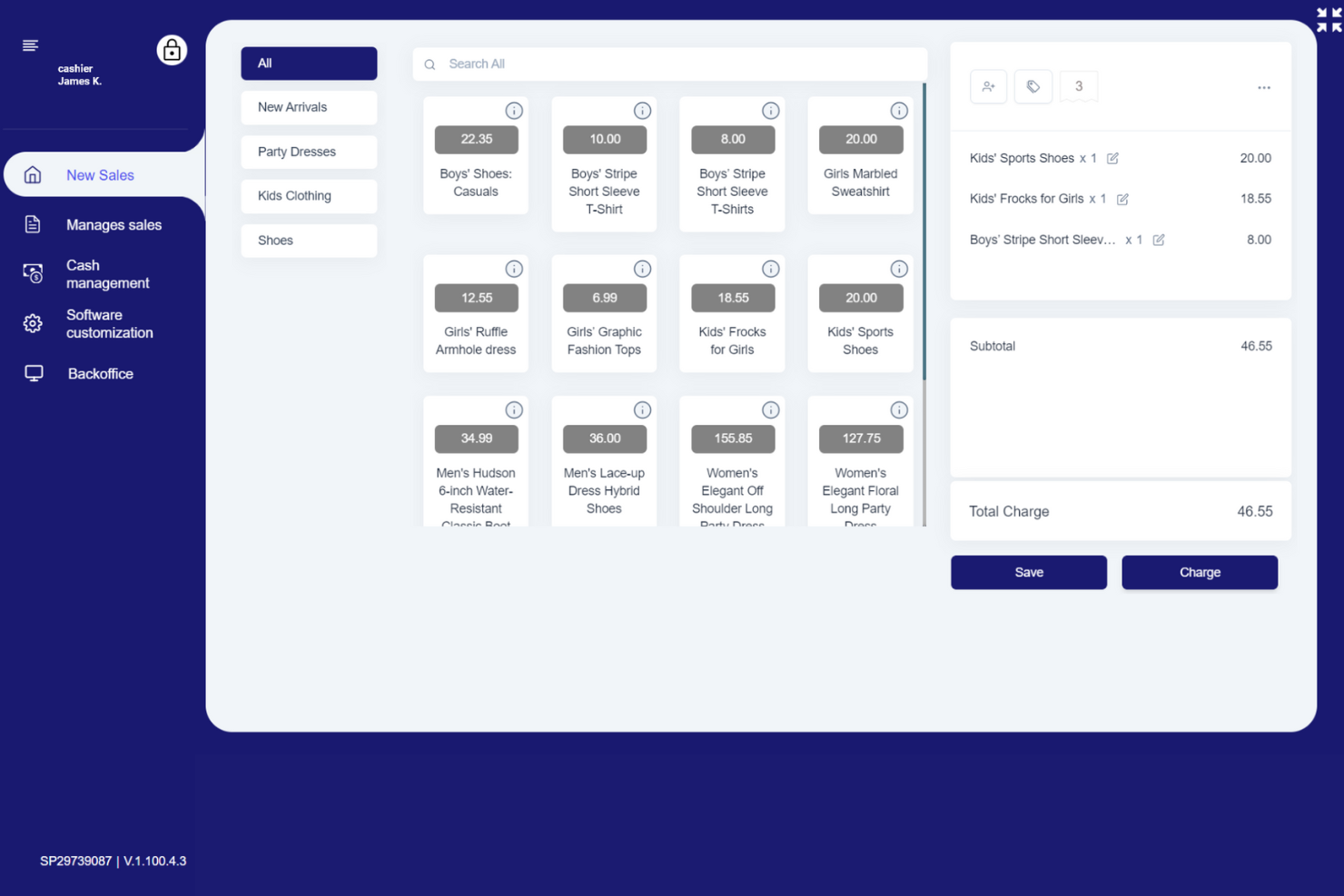
SalesPlay POS is a versatile POS system designed for small to medium-sized businesses, supporting operations across multiple devices. It helps manage sales, inventory, and customer interactions, making it ideal for businesses needing flexibility across various platforms.
Why I picked SalesPlay POS: SalesPlay POS excels in multi-device support, allowing you to use the POS app on tablets, smartphones, and desktops. You can sync across devices to ensure your data is always up-to-date, no matter where you are. Its ability to function across different devices makes it a flexible choice for dynamic business environments.
Standout Features and Integrations:
Features include inventory management, which helps you keep track of stock across all locations. The system offers real-time sales data, providing insights into your operations. Additionally, SalesPlay POS supports customer management, helping you maintain strong relationships with your clientele.
Integrations include QuickBooks Online, Shopify, WooCommerce, and more.
Pros and Cons
Pros:
- Strong customer management tools
- Real-time data synchronization
- Functional free plan
Cons:
- Initial setup requires manual configuration
- No option to create an online store
Other Simple POS Systems
Here are some additional simple POS system options that didn’t make it onto my shortlist but are still worth checking out:
- Square
For mobile businesses
- TouchBistro
For self-ordering kiosks
- Rezku
For detailed restaurant analytics


Simple POS System Selection Criteria
When selecting the best simple POS system to include in this list, I considered common buyer needs and pain points like ease of use and transaction speed. I also used the following framework to keep my evaluation structured and fair:
Core Functionality (25% of total score)
To be considered for inclusion in this list, each solution had to fulfill these common use cases:
- Process transactions efficiently
- Manage inventory levels
- Generate sales reports
- Support multiple payment methods
- Track customer data
Additional Standout Features (25% of total score)
To help further narrow down the competition, I also looked for unique features, such as:
- Mobile payment support
- Customizable receipt options
- Integrated loyalty programs
- Advanced analytics tools
- Offline mode functionality
Usability (10% of total score)
To get a sense of the usability of each system, I considered the following:
- Intuitive user interface
- Minimal learning curve
- Responsive design
- Clear navigation
- Customization options
Onboarding (10% of total score)
To evaluate the onboarding experience for each platform, I considered the following:
- Availability of training videos
- Interactive product tours
- Access to templates
- Supportive webinars
- Responsive chatbots
Customer Support (10% of total score)
To assess each software provider’s customer support services, I considered the following:
- 24/7 availability
- Multiple contact channels
- Knowledgeable support staff
- Response time
- Availability of FAQs
Value for Money (10% of total score)
To evaluate the value for money of each platform, I considered the following:
- Competitive pricing
- Features included in basic plans
- Scalability of pricing plans
- Hidden costs
- Discount offers
Customer Reviews (10% of total score)
To get a sense of overall customer satisfaction, I considered the following when reading customer reviews:
- Overall satisfaction rating
- Commonly noted strengths
- Frequently mentioned weaknesses
- Feedback on customer service
- Long-term user experiences
How To Choose a Simple POS System
It’s easy to get bogged down in long feature lists and complex pricing structures. To help you stay focused as you work through your unique software selection process, here’s a checklist of factors to keep in mind:
| Factor | What To Consider |
|---|---|
| Scalability | Can the system grow with your business? Consider whether it supports additional locations or users without high additional costs. |
| Integrations | Does it play well with your existing tools? Check for compatibility with accounting software, e-commerce platforms, and other essential systems. |
| Customizability | Can you tailor the system to fit your specific needs? Look for options to modify the interface and reports to match your workflows. |
| Ease of Use | Is the system intuitive for your team? Consider the training time needed and whether the interface is user-friendly for daily operations. |
| Implementation and Onboarding | How long will it take to get up and running? Assess the availability of training materials and support during the transition. |
| Cost | What’s the total cost of ownership? Evaluate monthly fees, transaction fees, and any hidden costs. Compare these with your budget to ensure affordability. |
| Security Safeguards | How does the system protect your data? Look for encryption, data backup options, and compliance with security standards. |
| Support Availability | What support options are available? Ensure there’s adequate support during your business hours, and check if they offer multiple contact methods like chat, email, or phone. |
What Is a Simple POS System?
A simple POS system is a tool that helps businesses process sales and manage transactions efficiently. Retail operators, small business owners, and hospitality professionals generally use these tools to improve their daily operations and customer service. Inventory management, sales tracking, and payment processing features support efficient transaction handling and business insights. Overall, these tools provide businesses with an easy way to manage sales and improve customer satisfaction.
Features
When selecting a simple POS system, keep an eye out for the following key features:
- Transaction processing: Allows businesses to efficiently handle sales and accept various payment types.
- Inventory management: Helps keep track of stock levels and alerts you when items are running low.
- Sales reporting: Provides insights into sales performance and helps with business decision-making.
- Customer management: Stores customer information to enrich service and build loyalty.
- Mobile payment support: Enables transactions to be processed on the go, increasing flexibility for businesses.
- Real-time data sync: Ensures data is updated across all devices and locations for consistency.
- Customizable receipts: Allows businesses to tailor receipt designs to fit their brand identity.
- Security features: Protects sensitive data with encryption and compliance with security standards.
- User-friendly interface: Ensures ease of use for staff, reducing training time and errors.
- Integration capabilities: Connects with other business tools such as accounting and e-commerce platforms to streamline operations.
Benefits
Implementing a simple POS system provides several benefits for your team and your business. Here are a few you can look forward to:
- Improved efficiency: Simplifies transaction processing and reduces checkout times, helping boost the customer experience.
- Improved inventory control: Offers accurate tracking and low-stock alerts, helping prevent stockouts and overstocking.
- Better sales insights: Provides detailed reports that allow you to analyze sales trends and make informed business decisions.
- Increased mobility: Supports mobile payments, enabling sales to be processed anywhere, which is ideal for businesses on the move.
- Stronger customer relationships: Stores customer data to personalize service and promote customer loyalty.
- Data consistency: Real-time sync ensures data remains consistent across all devices and locations, reducing errors.
- Cost savings: Integrates with existing tools to eliminate redundant systems and reduce operational costs.
Costs & Pricing
Selecting a simple POS system requires an understanding of the various pricing models and plans available. Costs vary based on features, team size, add-ons, and more. The table below summarizes common plans, their average prices, and typical features included in simple POS system solutions:
Plan Comparison Table for Simple POS System
| Plan Type | Average Price | Common Features |
|---|---|---|
| Free Plan | $0 | Basic transaction processing, limited inventory management, and basic reporting. |
| Personal Plan | $10-$30/month | Improved inventory management, customer data storage, and mobile payment support. |
| Business Plan | $40-$70/month | Advanced sales reporting, customizable receipts, and integration capabilities. |
| Enterprise Plan | $80-$150/month | Detailed analytics, multi-location support, and dedicated account management. |
Simple POS System FAQs
Here are some answers to common questions about a simple POS system:
What is the difference between a simple POS system and a complex one?
A simple POS system focuses on basic transaction processing and inventory management, making it ideal for small businesses. In contrast, a complex POS system offers advanced features such as detailed analytics, multi-location support, and extensive customization, which cater to larger businesses with more intricate needs. When choosing between the two, consider your business size and operational complexity.
Can a simple POS system work offline?
Yes, many simple POS systems offer offline functionality, allowing you to process transactions even without an internet connection. This is particularly useful for businesses in areas with unstable internet. However, ensure the system you choose supports data synchronization once you’re back online to keep records accurate.
How do I ensure data security with a simple POS system?
Look for systems that offer encryption, regular data backups, and compliance with industry security standards like PCI DSS. It’s essential to choose a system with strong security measures to protect sensitive customer and business data. Regularly update software and train your team on security best practices to further mitigate risks.
Is technical support available for simple POS systems?
Yes, most providers offer technical support, though the level of service can vary. Check if the support fits your business hours and needs, whether it’s through chat, email, or phone. Some systems also offer extensive online resources like FAQs and video tutorials to help you troubleshoot common issues.
What’s Next:
If you're in the process of researching a simple POS system, connect with a SoftwareSelect advisor for free recommendations.
You fill out a form and have a quick chat where they get into the specifics of your needs. Then you'll get a shortlist of software to review. They'll even support you through the entire buying process, including price negotiations.