
11 Best Retail Accounting Software Reviewed in 2026

9 Best Retail Accounting Software Shortlist
Here's my pick of the 9 best software from the 11 tools reviewed.


Running a retail business comes with its own set of challenges. From tracking sales and expenses to managing inventory and ensuring compliance, there's a lot on your plate. Retail accounting software can ease these burdens, helping you keep your finances in check.
In my experience, choosing the right software can make a big difference. I've independently tested and reviewed various solutions to bring you an unbiased list of top picks. You'll find insights on features, benefits, and what sets each apart.
This article aims to guide you in finding the best fit for your team. Whether you're a small shop or a large retailer, there's something here for everyone. Let's dive in and find the right tool for your needs.
Why Trust Our Software Reviews
Best Retail Accounting Software Summary
This comparison chart summarizes pricing details for my top retail accounting software selections to help you find the best one for your budget and business needs.
| Tool | Best For | Trial Info | Price | ||
|---|---|---|---|---|---|
| 1 | Best for multi-currency handling | Free trial + free plan + free demo available | From $20/organization/month (billed annually) | Website | |
| 2 | Best for cloud accounting | Free 30-day trial | From $25/month (billed annually) | Website | |
| 3 | Best for custom workflow managed payments | Free demo available | From $99/month | Website | |
| 4 | Best AI-infused solution for specialty retailers | Free demo available | Pricing upon request | Website | |
| 5 | Best for inventory management | 30-day free trial | From $9/month (billed annually) | Website | |
| 6 | Best for integrated invoicing features | 30-day free trial | From $30/month | Website | |
| 7 | Best for e-commerce sales | 14-day free trial available | From $49/month | Website | |
| 8 | Best for compliance support | Free demo available | From $86/single user/three months | Website | |
| 9 | Best for AI-powered business finance | Free demo available | Pricing upon request | Website |
Best Retail Accounting Software Review
Below are my detailed summaries of the best retail accounting software that made it onto my shortlist. My reviews offer a detailed look at the key features, pros and cons, integrations, and ideal use cases of each tool to help you find the best one for you.

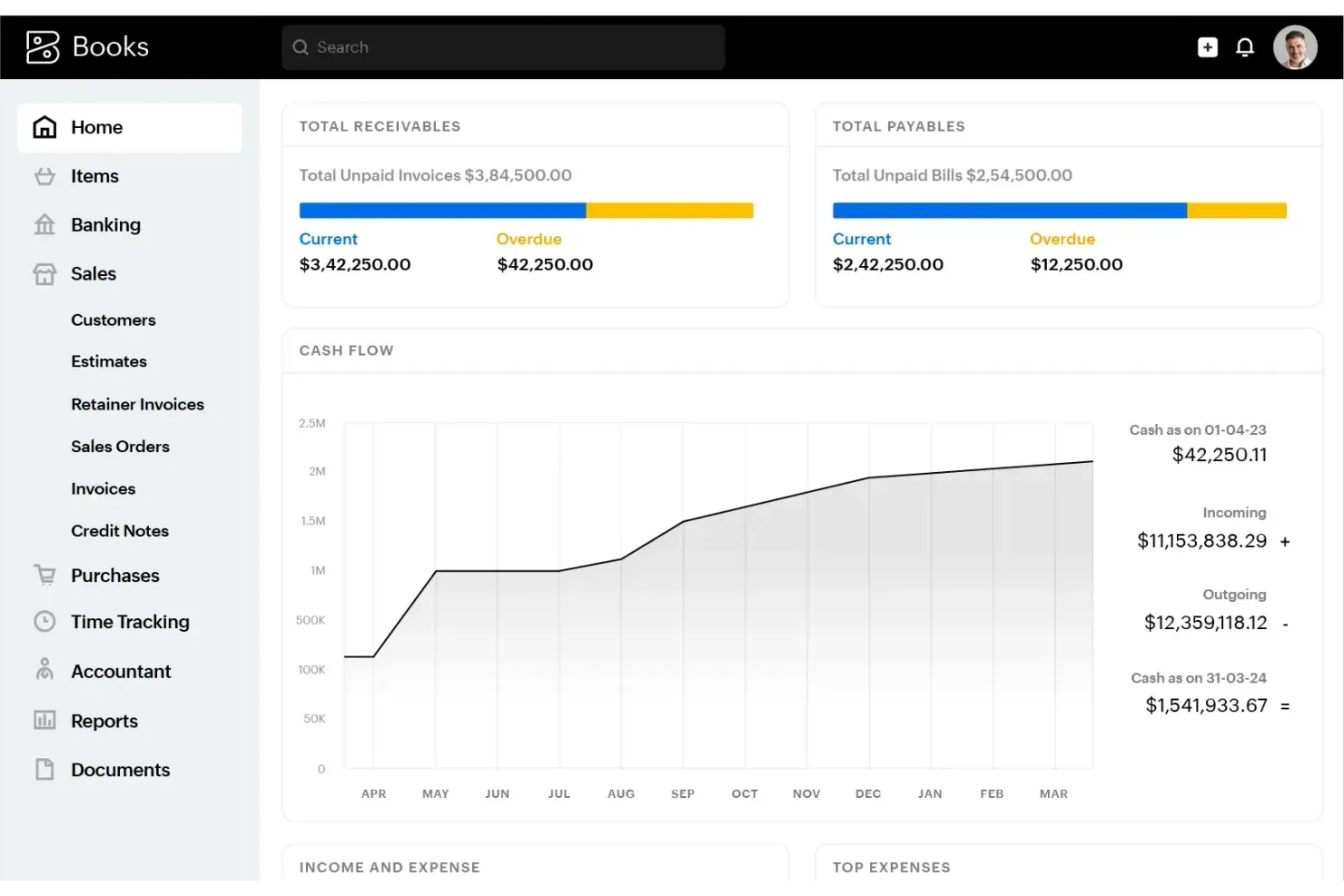
Zoho Books is an online accounting software tailored for small to medium-sized businesses. It offers tools for invoicing, expense tracking, and financial reporting, helping businesses manage their finances efficiently.
Why I picked Zoho Books: Zoho Books is excellent for managing multi-currency transactions, which is important for businesses dealing with global clients. It automatically updates exchange rates, helping to support accurate financial records. The software's ability to handle transactions in multiple currencies simplifies international dealings. Additionally, it offers detailed reports that give insights into your global financial performance.
Standout Features and Integrations:
Features include automated bank feeds, which keep your financial data up-to-date without manual entry. The software also offers project management capabilities, allowing you to track project expenses and bill clients accurately. Another feature is its client portal, which gives your clients access to their transactions and helps facilitate communication.
Integrations include Microsoft 365, Google Workspace, and more.
Pros and Cons
Pros:
- Provides a client portal
- Automatic exchange rate updates
- Handles multiple currencies
Cons:
- Payroll integration is unavailable in some locations
- Not ideal for multi-entity setups

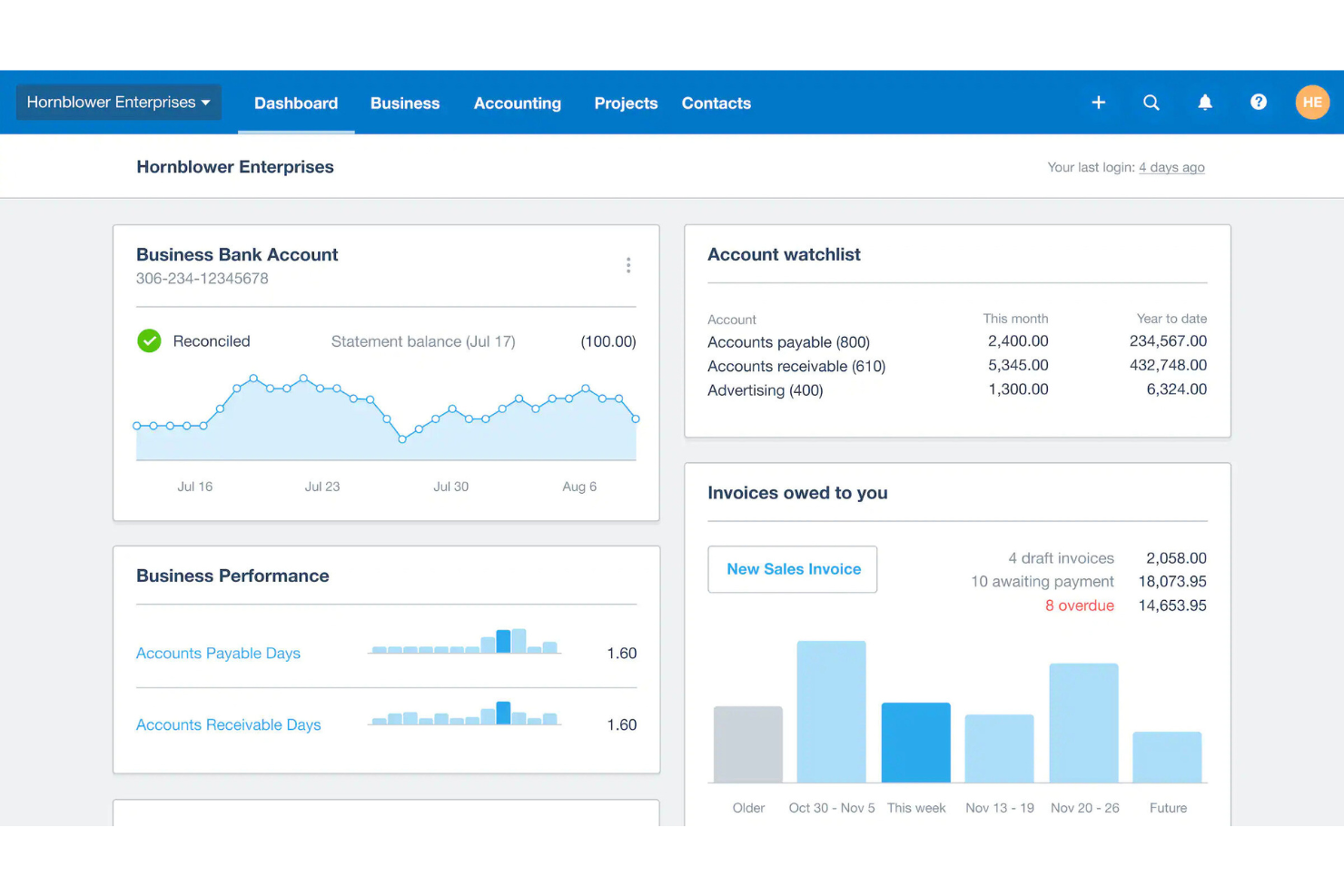
Xero is a cloud-based accounting software primarily used by small to medium-sized businesses. It helps manage financial tasks, such as cash flow tracking, payment processing, payroll, and inventory management.
Why I picked Xero: Xero excels as a cloud accounting integration, making it a great choice for businesses that need connectivity. It offers real-time updates and access from any device, which keeps your team informed and agile. Automated payroll and mobile app access further help in running your financial operations.
Standout Features and Integrations:
Features include cash flow tracking that allows you to monitor your finances at a glance. The software supports automated payroll across all states, reducing manual workload. It also offers a mobile app for on-the-go business performance monitoring.
Integrations include Square, Deputy, Shopify, PayPal, Stripe, HubSpot, Expensify, Gusto, Zapier, and more.
Pros and Cons
Pros:
- Automated multi-state payroll
- E-commerce platform connections
- Unlimited user access
Cons:
- No built-in payroll for some regions
- Limited inventory management
New Product Updates from Xero

Xero Unveils New Analytics Features
Xero introduces new analytics dashboards and reporting features. These updates help small businesses better understand performance, trends, and financial health at a glance. For more information, visit Xero's official site.
 .
.
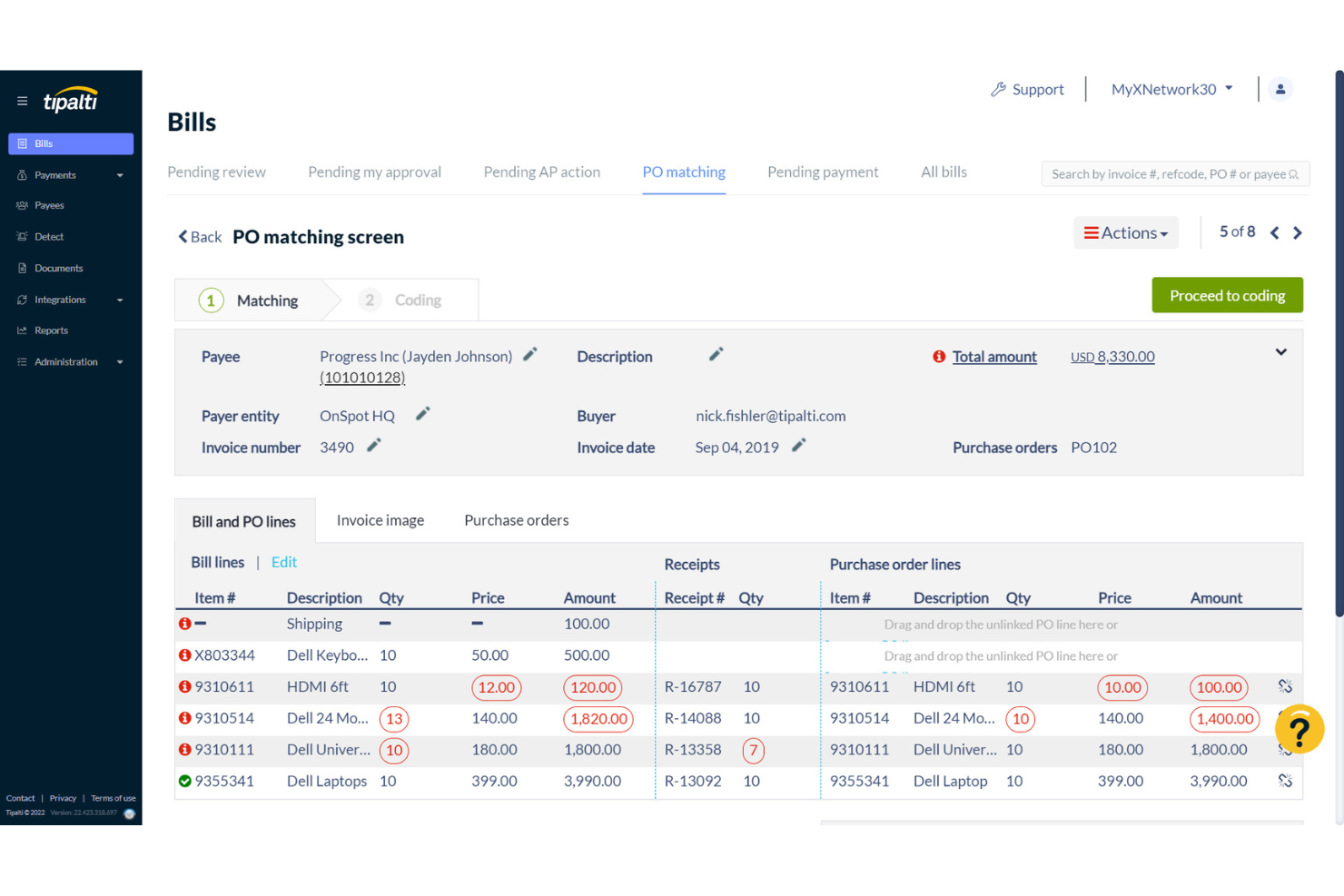
Tipalti is a cloud-based payment automation and accounts payable software aimed at mid-sized to large businesses. It simplifies global payments, tax compliance, and supplier management, making financial operations more efficient.
Why I picked Tipalti: Tipalti excels in automated payments, which is important for businesses handling large volumes of transactions. Its end-to-end payment processing automates everything from invoice receipt to payment reconciliation. With features such as global payments in multiple currencies and automated tax compliance, your team can focus on strategic tasks. The software's ability to handle complex payment workflows supports accuracy and reduces manual errors.
Standout Features and Integrations:
Features include invoice management, which supports the approval process and reduces delays. The software also provides real-time payment tracking, giving you visibility into transaction statuses. Additionally, Tipalti offers customizable workflows, allowing you to tailor processes to your business needs.
Integrations include Oracle NetSuite, Xero, Sage Intacct, Microsoft Dynamics 365, and more.
Pros and Cons
Pros:
- Built-in compliance tools
- Global payment capabilities
- Automates complex payment workflows
Cons:
- Limited detail in reports
- Initial setup complexity

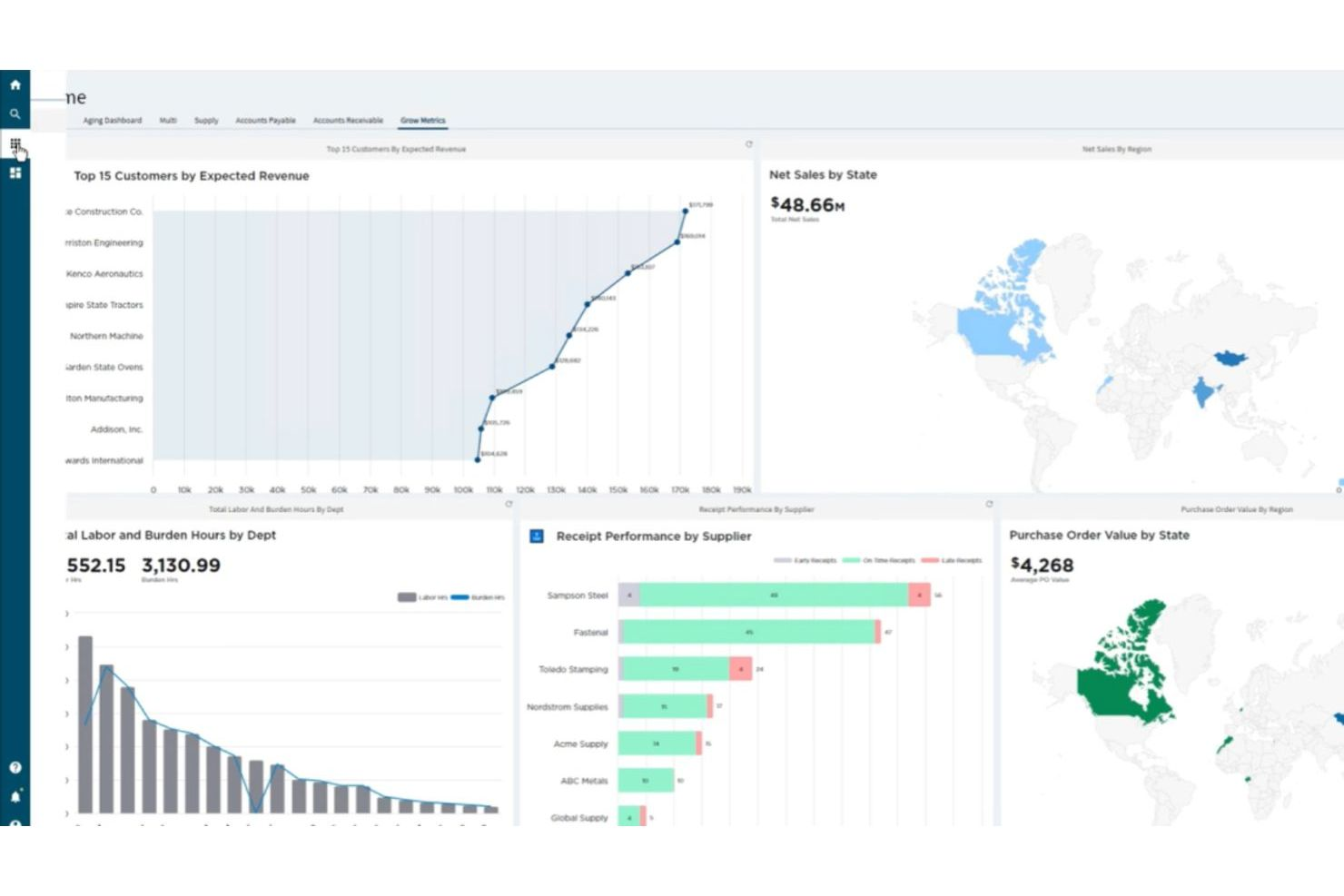
Epicor is a retail-focused ERP and accounting solution designed for specialty and independent retailers that need tighter control over inventory, margins, and financial planning. It combines accounting, inventory management, and operational data into a single system to support data-driven decision-making across retail operations.
Why I picked Epicor: Epicor stands out for its AI-infused approach to retail accounting and operations. Its predictive analytics and demand forecasting help retailers align purchasing, inventory levels, and financial planning, reducing overstock and margin erosion. By linking inventory movements directly to financial reporting, Epicor gives you clearer visibility into cost of goods sold, profitability, and cash flow. This makes it especially useful for specialty retailers with complex assortments or seasonal demand patterns.
Standout features and integrations:
Features include AI-driven demand forecasting that supports more accurate budgeting and purchasing decisions, real-time financial reporting tied to inventory performance, and advanced analytics that surface trends in sales, margins, and labor costs. Epicor also offers automated replenishment and planning tools that help connect operational activity directly to financial outcomes.
Integrations include ADP, Avalara, and more.
Pros and Cons
Pros:
- Shows sales, stock, and financial metrics
- Advanced forecasting tools
- Unifies accounting, inventory, and reporting
Cons:
- Requires technical expertise
- Complex setup process
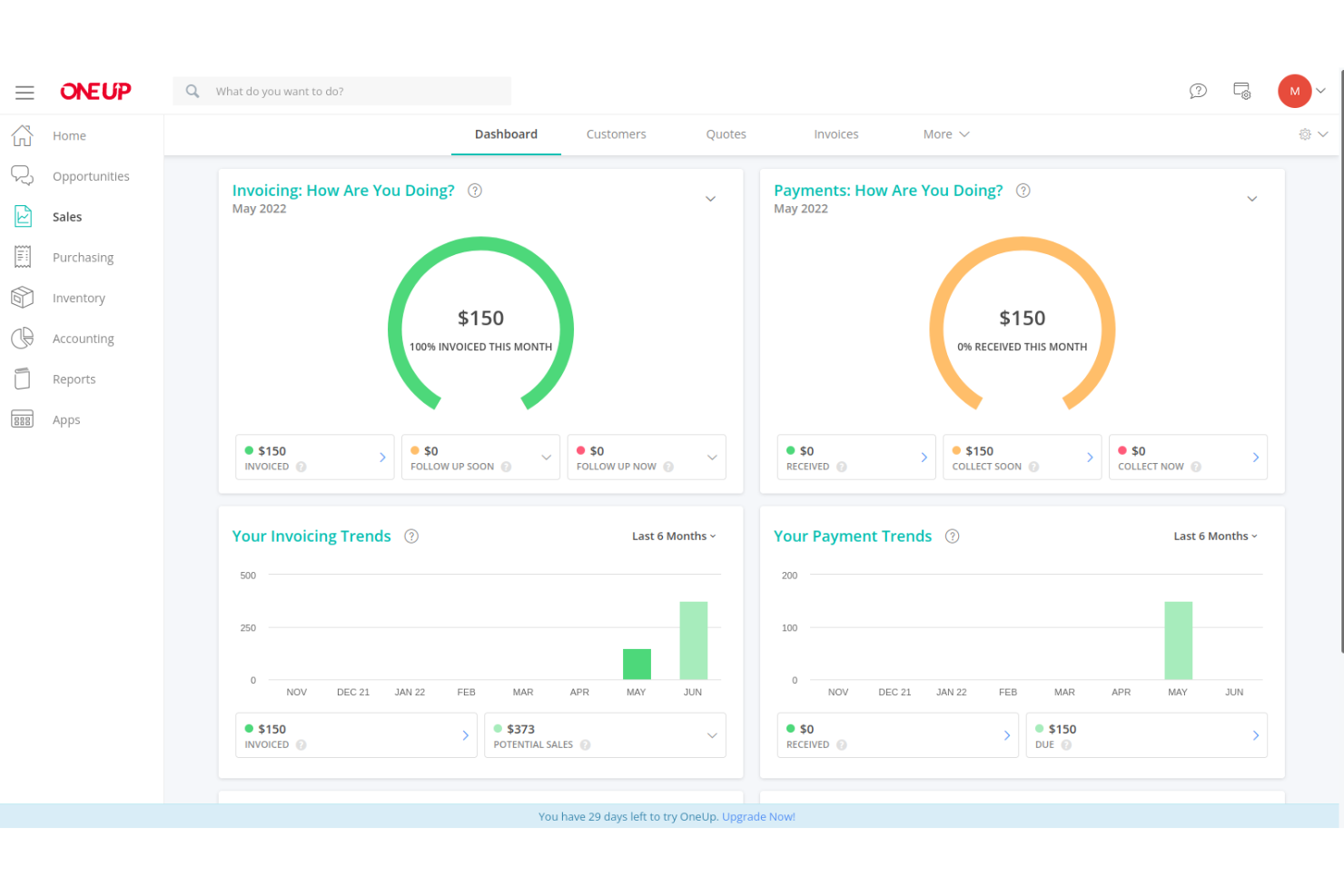
OneUp is an accounting and inventory management software aimed at small businesses and startups. It helps users manage finances, track inventory, and handle customer relationships through its integrated CRM features.
Why I picked OneUp: OneUp is particularly strong in inventory management, making it perfect for businesses with complex stock needs. It offers real-time inventory tracking and automated restocking alerts, helping you avoid running out of essential products. The software's ability to sync with sales and purchase orders supports your team's efficiency.
Standout Features and Integrations:
Features include automated bank reconciliation, which simplifies the process of matching transactions. The software also provides a built-in CRM to help manage customer relationships effectively. Additionally, it offers customizable invoicing templates, allowing you to maintain a consistent brand image.
Integrations are not publicly listed.
Pros and Cons
Pros:
- Automated restocking alerts
- Syncs with sales and purchase orders
- Real-time inventory tracking
Cons:
- Inventory and CRM features can be complex for new users
- Lacks built-in payroll functionality
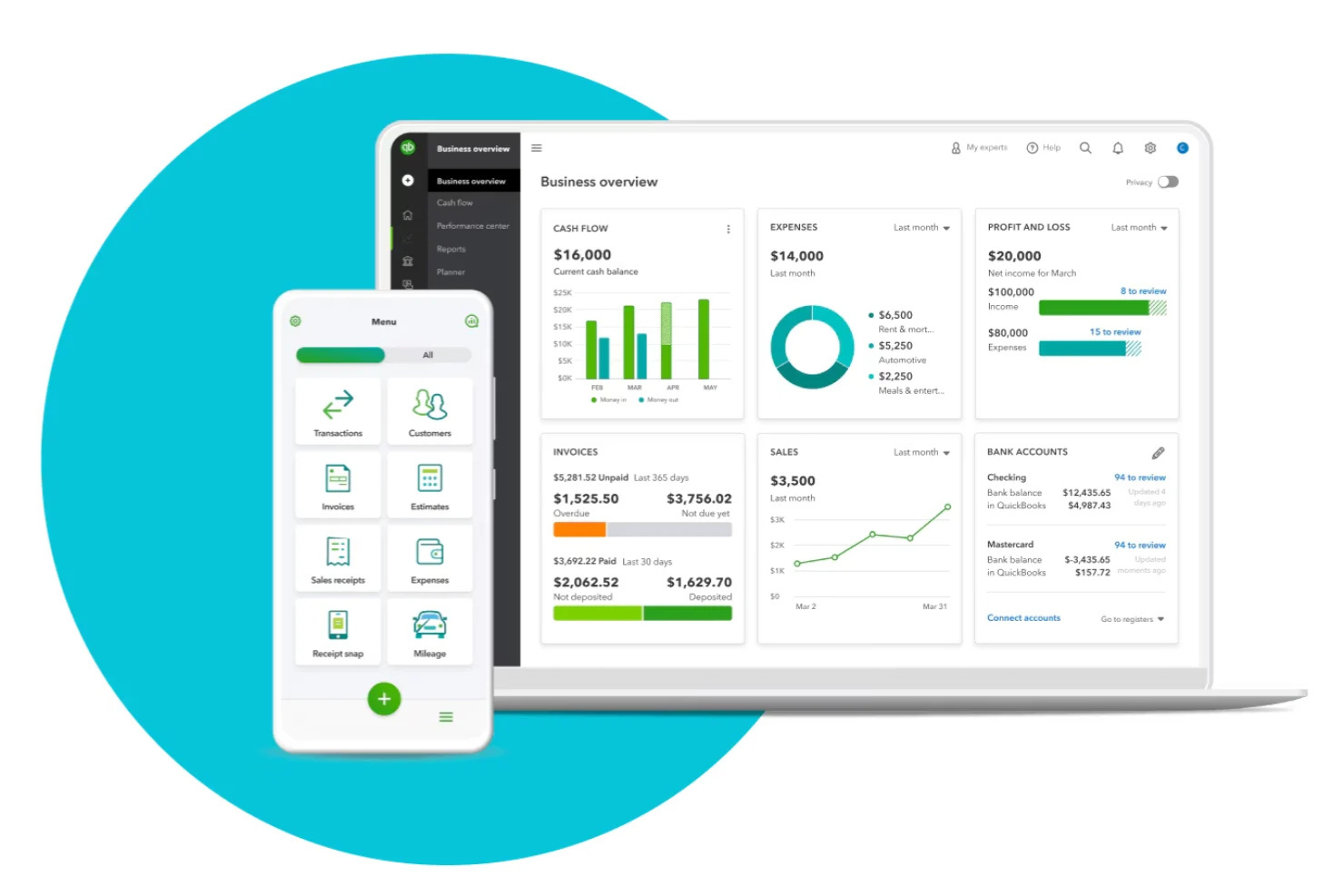
Intuit QuickBooks online accounting software is a financial management solution tailored for freelancers, small to mid-sized businesses, and various industries such as construction and restaurants. It handles key business functions, such as income tracking, invoicing, tax preparation, and payroll management.
Why I picked Intuit QuickBooks: Intuit QuickBooks provides AI-automated invoicing, making it ideal for businesses that need efficient billing processes. Its automated invoicing and payment reminders help you get paid faster, reducing manual follow-up. The software also offers customizable templates for invoices, allowing you to tailor them to your brand. With features such as direct deposit and instant deposit, managing cash flow becomes easier for your team.
Standout Features and Integrations:
Features include receipt capture and mileage tracking, accessible via the mobile app. The software also offers automated tax payments and filings for state and federal taxes. Another feature is Intuit QuickBooks Capital for business funding, which helps you manage financial growth efficiently.
Integrations include Shopify, HubSpot, Mailchimp, and more.
Pros and Cons
Pros:
- Direct deposit feature
- Customizable invoice templates
- Automated payment reminders
Cons:
- Limited mobile app functionality
- Costly for higher tiers or multiple users
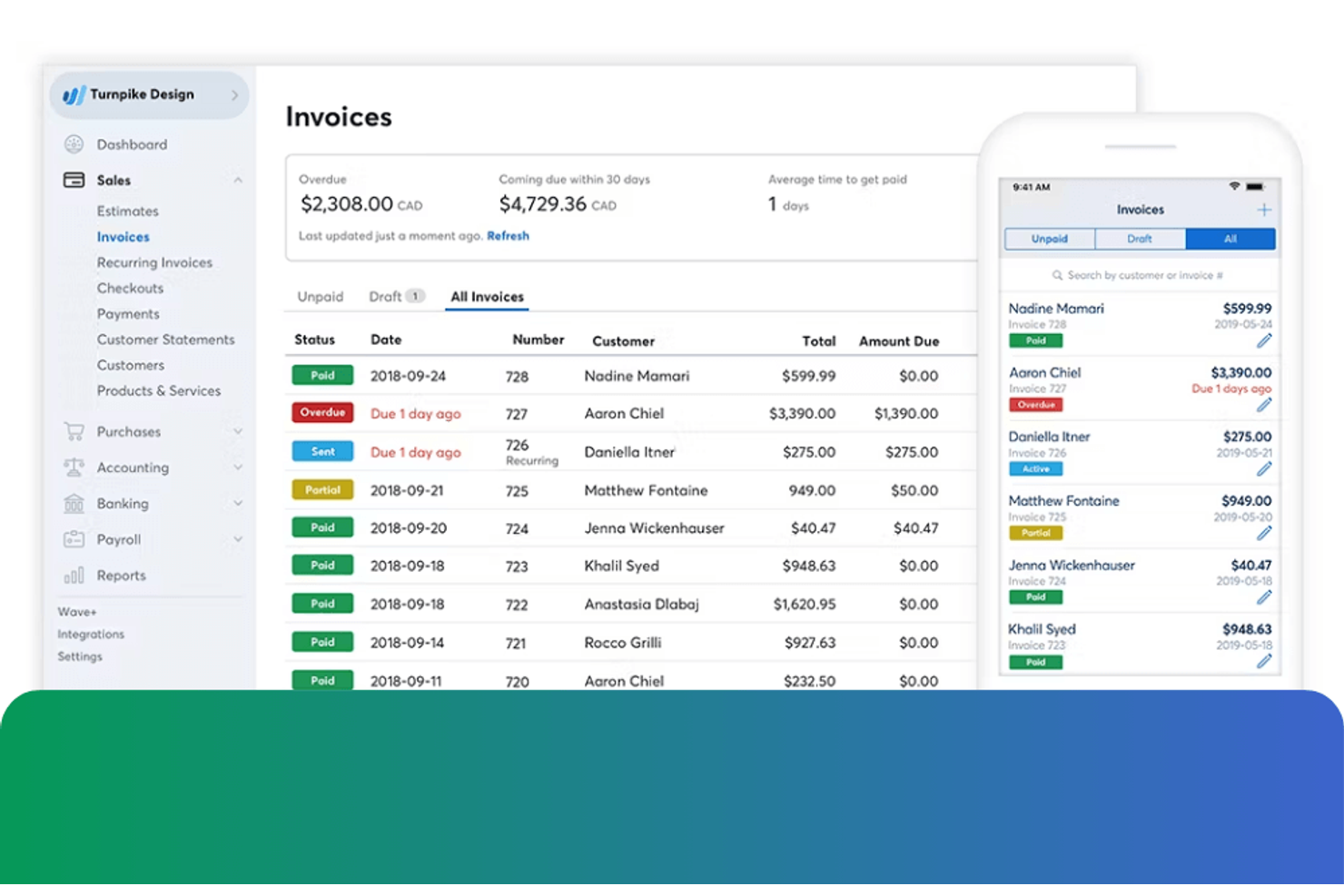
Bookkeep is an accounting automation platform tailored for e-commerce businesses, retail stores, and franchises. It manages key financial tasks, such as revenue recognition, sales tax compliance, and payout splitting, to simplify accounting processes.
Why I picked Bookkeep: Bookkeep excels in handling e-commerce sales, making it ideal for businesses operating across multiple online platforms. It automates daily sales reconciliations, ensuring your financial data is always current and accurate. The platform's ability to integrate with various sales channels reduces manual entry and errors.
Standout Features and Integrations:
Features include automated revenue recognition, which helps keep your financial statements accurate. The platform also offers customizable sales tax compliance to assist you in meeting regional requirements. Additionally, Bookkeep provides detailed reports to give you clear insights into your sales data.
Integrations include Shopify, Intuit QuickBooks, Xero, Amazon, Square, Stripe, PayPal, WooCommerce, Oracle NetSuite, and more.
Pros and Cons
Pros:
- Supports multiple sales channels
- Provides views of key financials
- Automates daily sales reconciliations
Cons:
- Limited advanced accounting capabilities
- Dependency on integrations
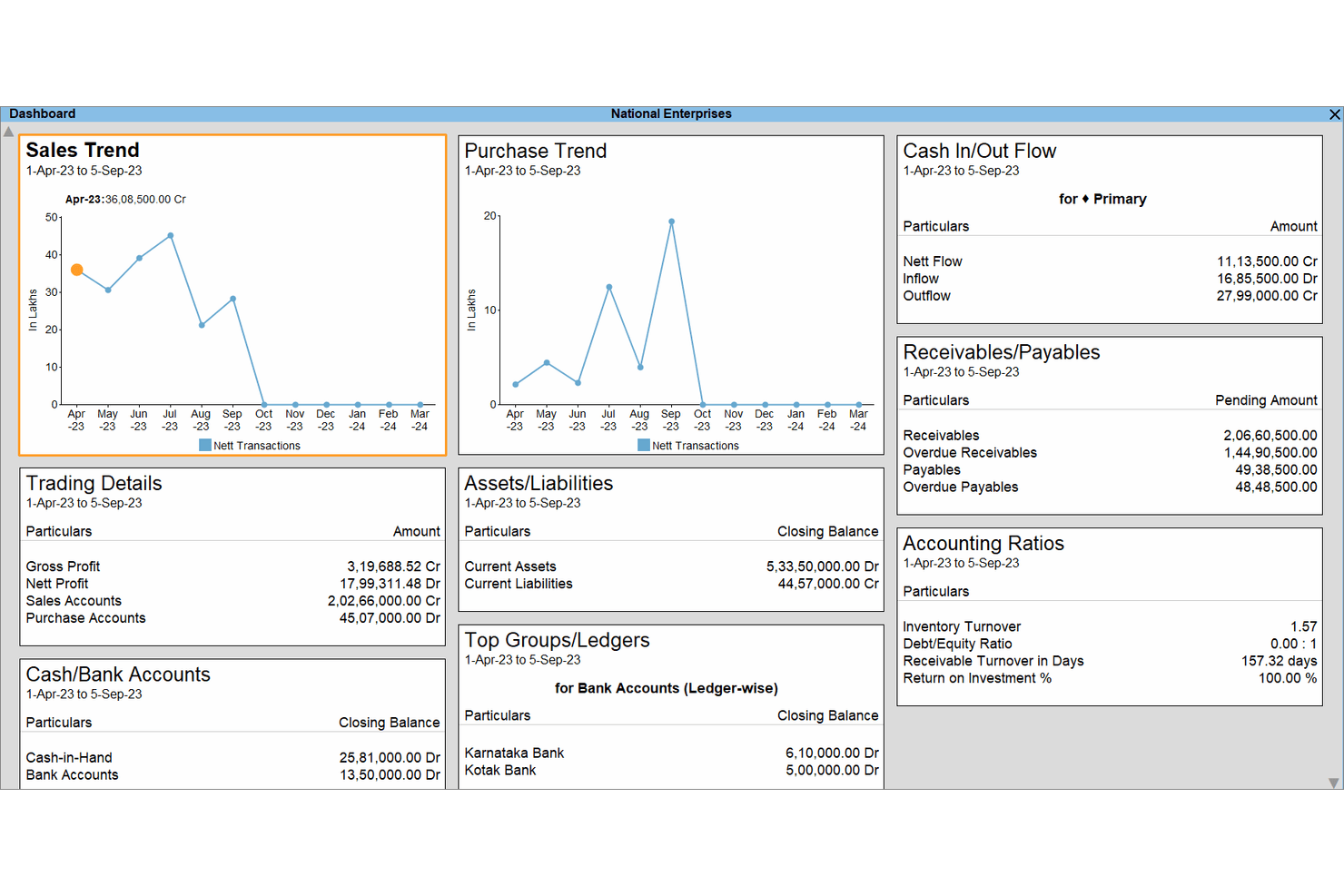
TallyPrime is an accounting software solution used primarily by small to medium-sized businesses. It assists in financial management, compliance, and inventory tracking, making it a valuable tool for maintaining business operations smoothly.
Why I picked TallyPrime: TallyPrime offers accounting tools that are helpful to businesses navigating complex regulatory environments. It offers built-in tax compliance features that simplify GST and other tax calculations. The software's ability to generate compliance-ready reports reduces the burden on your team. Its user-friendly interface makes managing statutory requirements straightforward and efficient.
Standout Features and Integrations:
Features include an inventory management system that helps you track stock levels accurately. The software also offers multi-currency support, which is beneficial for businesses dealing with global transactions. Additionally, it provides insightful business reports for better decision-making.
Integrations are not publicly listed.
Pros and Cons
Pros:
- Straightforward interface
- Multi-currency support
- Generates a variety of reports
Cons:
- Requires custom work for integrations
- Desktop-centric

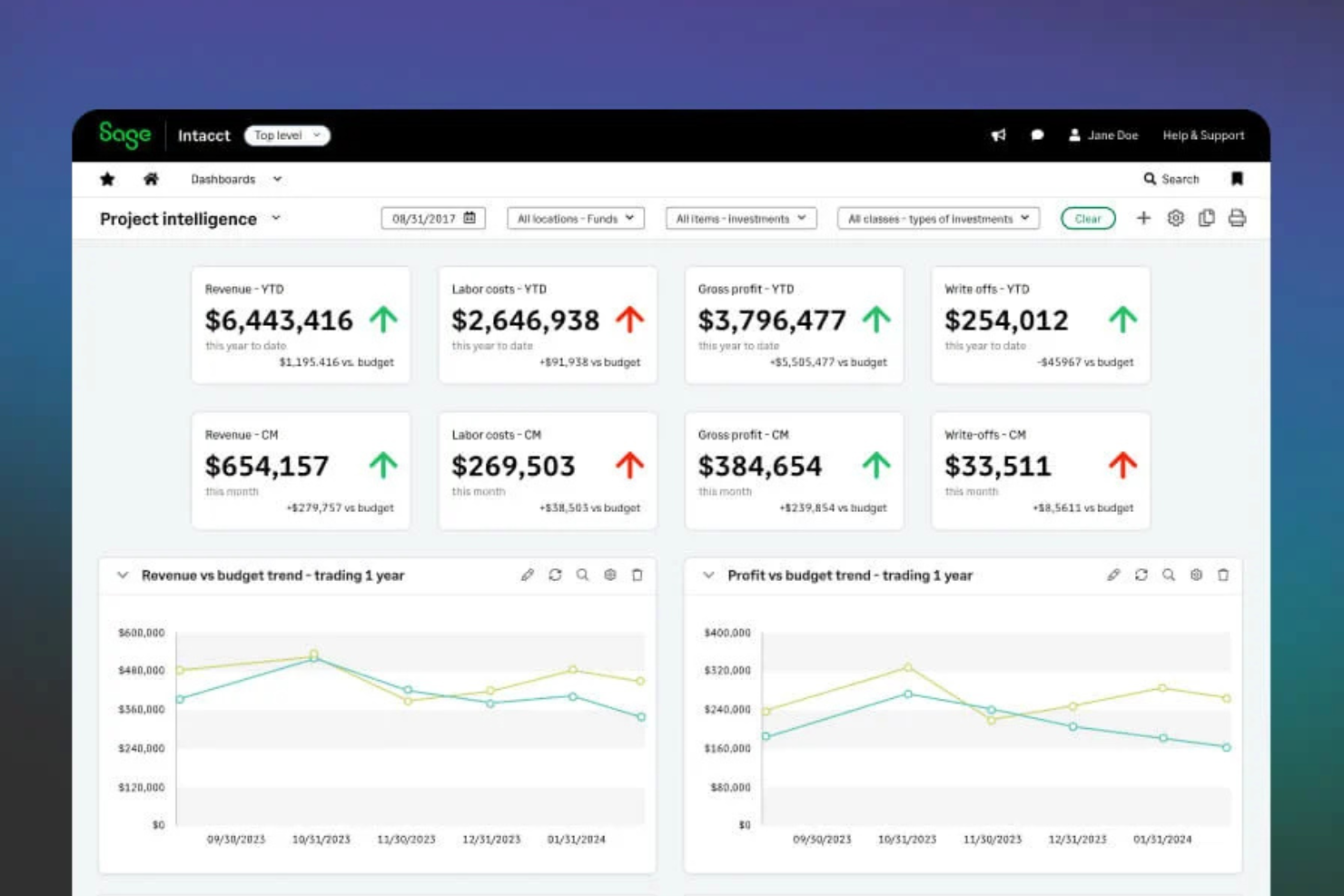
Sage Intacct is a cloud-based accounting platform built for growing retail businesses that need deeper financial visibility and automation. It helps retailers manage inventory-linked finances, automate accounting workflows, and monitor performance across locations in real time.
Why I picked Sage Intacct: Sage Intacct stands out for its AI-powered accounting capabilities that reduce manual work for retail finance teams. Its intelligent automation flags anomalies, streamlines reconciliations, and accelerates month-end close—especially useful for retailers managing high transaction volumes. Built-in AI insights help surface trends in revenue, margins, and cash flow, while automated tax and compliance features support accurate, scalable retail operations.
Standout features and integrations:
Features include AI-driven financial dashboards that highlight key retail KPIs, automated revenue recognition to handle complex sales models, and intelligent expense categorization that adapts as transaction volume grows. The platform also supports real-time cash flow forecasting and multi-entity reporting, making it easier to manage multiple stores or regions from one system.
Integrations include Stripe, Microsoft Dynamics CRM, Shopify, Salesforce, Expensify, Gusto, Zapier, and more.
Pros and Cons
Pros:
- Real-time bank feeds
- User-friendly interface and integrations
- Customizable reports
Cons:
- Implementation and admin overhead are not suited to retail SMBs
- Sage Intacct is powerful but complex and expensive


Retail Accounting Software Selection Criteria
When selecting the best retail accounting software to include in this list, I considered common buyer needs and pain points such as inventory tracking and compliance with tax regulations. I also used the following framework to keep my evaluation structured and fair:
Core Functionality (25% of total score)
To be considered for inclusion in this list, each solution had to fulfill these common use cases:
- Manage invoices and billing
- Track expenses and income
- Generate financial reports
- Reconcile bank transactions
- Support tax compliance
Additional Standout Features (25% of total score)
To help further narrow down the competition, I also looked for unique features, such as:
- Multi-currency support
- Automated payment reminders
- Inventory management tools
- Customizable dashboards
- Integration with e-commerce platforms
Usability (10% of total score)
To get a sense of the usability of each system, I considered the following:
- Intuitive user interface
- Easy navigation
- Clear and concise instructions
- Minimal learning curve
- Responsive design
Onboarding (10% of total score)
To evaluate the onboarding experience for each platform, I considered the following:
- Availability of training videos
- Interactive product tours
- Access to templates
- Live webinars
- Supportive chatbots
Customer Support (10% of total score)
To assess each software provider's customer support services, I considered the following:
- 24/7 availability
- Multiple contact channels
- Quick response times
- Knowledgeable support staff
- Well-rounded help center
Value for Money (10% of total score)
To evaluate the value for money of each platform, I considered the following:
- Competitive pricing
- Flexible subscription plans
- Inclusion of essential features
- Discounts for annual billing
- Transparent pricing structure
Customer Reviews (10% of total score)
To get a sense of overall customer satisfaction, I considered the following when reading customer reviews:
- Positive feedback on functionality
- Praise for customer support
- Comments on ease of use
- Feedback on pricing fairness
- Overall satisfaction ratings
How To Choose Retail Accounting Software
It's easy to get bogged down in long feature lists and complex pricing structures. To help you stay focused as you work through your unique software selection process, here's a checklist of factors to keep in mind:
| Factor | What To Consider |
| Scalability | Can the software grow with your business? Consider whether it can handle increased transactions or users without a hitch. Look for tiered pricing plans. |
| Integrations | Does it connect with your existing systems? Check for compatibility with your CRM, POS, and other tools your team uses daily. |
| Customizability | Can you tailor it to your needs? Look for options to adjust workflows or dashboards to fit your business processes. |
| Ease of Use | Is it intuitive for your team? Test the interface for simplicity and clarity for a smooth learning curve. |
| Implementation and Onboarding | How quickly can you start using it? Evaluate the time and resources needed for setup and training. Look for available support materials. |
| Cost | Does it fit your budget? Compare the total cost of ownership, including hidden fees, and align it with your financial plan. |
| Security safeguards | How does it protect your data? See that it meets industry standards for encryption and access control to safeguard sensitive information. |
What Is Retail Accounting Software?
Retail accounting software is a tool that helps businesses manage their financial transactions, inventory, and reporting. Retail managers, accountants, and small business owners typically use these tools to keep track of sales, expenses, and compliance. Inventory tracking, invoicing, and reporting features help with efficient management and accurate financial analysis. Overall, these tools simplify financial tasks, saving time and reducing errors for users.
Features
When selecting retail accounting software, keep an eye out for the following key features:
- Invoicing: Automates the creation and management of invoices to facilitate timely payments and accurate records.
- Inventory management: Tracks stock levels and automates reordering to prevent shortages and overstock.
- Expense tracking: Monitors business expenses to provide insights into spending patterns and budget adherence.
- Financial reporting: Generates detailed reports for financial analysis, helping you make informed business decisions.
- Multi-currency support: Handles accounts receivable in various currencies, making it ideal for businesses with international clients.
- Tax compliance: Automates tax management calculations and filings to keep your business in line with government regulations.
- Integrations: Connects with other tools, such as CRM and POS systems, to unify your business operations.
- Time tracking: Helps bill clients accurately by tracking hours worked on specific projects or tasks.
- Mobile access: Allows you to manage your finances on the go, providing flexibility and convenience.
- User permissions: Controls access levels for different users to support data security and proper workflow management.
Benefits
Implementing retail accounting software provides several benefits for your team and your business. Here are a few you can look forward to:
- Improved accuracy: Automated invoicing and expense tracking reduce human errors, ensuring precise financial records.
- Time savings: Features such as automated reporting and inventory management free up time for your team to focus on strategic tasks.
- Better financial insights: Detailed financial reports and analytics help you understand your business's financial health and make informed decisions.
- Compliance management: Automated tax compliance features help track metrics to meet regulatory requirements.
- Increased flexibility: Mobile access and multi-currency support allow you to manage finances from anywhere and handle international transactions smoothly.
- Integrated operations: Integrations with CRM and POS systems unify your business processes, improving overall efficiency.
- Secure data management: User permissions and security safeguards protect sensitive financial information, keeping your data safe.
Costs and Pricing
Selecting retail accounting software requires an understanding of the various pricing models and plans available. Costs vary based on features, team size, add-ons, and more. The table below summarizes common plans, their average prices, and typical features included in retail accounting software solutions:
Plan Comparison Table for Retail Accounting Software
| Plan Type | Average Price | Common Features |
| Free Plan | $0 | Basic invoicing, expense tracking, and limited reporting. |
| Personal Plan | $2.50-$25/user/month | Invoicing, expense tracking, basic reporting, and mobile access. |
| Business Plan | $30-$70/user/month | Advanced invoicing, inventory management, detailed reporting, multi-currency support, and integrations. |
| Enterprise Plan | $75-$342/user/month | Customizable workflows, advanced analytics, extensive reporting, priority support, and security features. |
Retail Accounting Software FAQs
Here are some answers to common questions about retail accounting software:
What is the difference between retail accounting software and general accounting software?
Retail accounting software is tailored specifically for managing retail operations, including inventory tracking and sales reporting. General accounting software may not have these specialized features, focusing more on overall financial management. If you’re in retail, choosing the best accounting software designed for your industry will save time and improve accuracy.
Can retail accounting software integrate with my existing systems?
Yes, most retail accounting software can integrate with other systems such as CRM, POS, and e-commerce platforms. Before purchasing, check the integration options available to confirm compatibility with your current tools. This will help unify your operations and provide a smooth experience for your team.
How do I know if I need retail accounting software?
If you’re struggling with manual financial tasks, frequent errors, or managing inventory, you likely need retail accounting software. It automates many processes, helps track sales, frees up time, and reduces mistakes. Consider your business size and complexity; even small businesses can benefit from these tools for better efficiency.
Is retail accounting software secure?
Yes, reputable retail accounting software includes security measures such as encryption and user permissions to protect your data. When evaluating options, look for software that complies with industry standards for data protection. This will help keep your financial information safe from unauthorized access.
What's Next:
If you're in the process of researching retail accounting software, connect with a SoftwareSelect advisor for free recommendations.
You fill out a form and have a quick chat where they get into the specifics of your needs. Then you'll get a shortlist of software to review. They'll even support you through the entire buying process, including price negotiations.