
13 Best Marketplace Software Reviewed in 2026

Best Marketplace Software Shortlist
Here’s my shortlist of the best marketplace software:


Running a marketplace operation comes with its own challenges. You've got inventory to manage, customer demands to meet, and the constant pressure to stay ahead of the competition. That's where marketplace software comes in. It helps you organize, manage, and grow your business more efficiently.
In my experience, having the right tools can make all the difference. I've tested and reviewed various marketplace software solutions to provide you with an unbiased look at the best options out there.
You'll discover how these tools can help your team tackle everyday challenges and improve operations. Whether you're a small startup or an established enterprise, there's something here for everyone. Let's dive into the top picks and find the right fit for your needs.
Why Trust Our Software Reviews
Best Marketplace Software Summary
This comparison chart summarizes pricing details for my top marketplace software selections to help you find the best one for your budget and business needs.
| Tool | Best For | Trial Info | Price | ||
|---|---|---|---|---|---|
| 1 | Best for retail solutions | Free demo available | Pricing upon request | Website | |
| 2 | Best for customizations | Free demo and 14-day trial available | From $61/month (billed annually) | Website | |
| 3 | Best for no-code, user-friendly design | 7-day free trial + free demo available | From €249/month | Website | |
| 4 | Best for enterprise needs | Free demo available | Pricing upon request | Website | |
| 5 | Best for multi-vendor setups | 14-day free trial available | From $59/month (billed annually) | Website | |
| 6 | Best for open-source options | Free demo available | Pricing upon request | Website | |
| 7 | Best for global reach | Free demo available | Pricing upon request | Website | |
| 8 | Best for API integrations | Free demo available | Pricing upon request | Website | |
| 9 | Best for B2B markets | Free demo available | Pricing information not available | Website | |
| 10 | Best for small startups | 14-day free trial available | From $39/month (billed annually) | Website |
Best Marketplace Software Reviews
Below are my detailed summaries of the best marketplace software that made it onto my shortlist. My reviews offer a detailed look at the key features, pros and cons, integrations, and ideal use cases of each tool to help you find the best one for you.

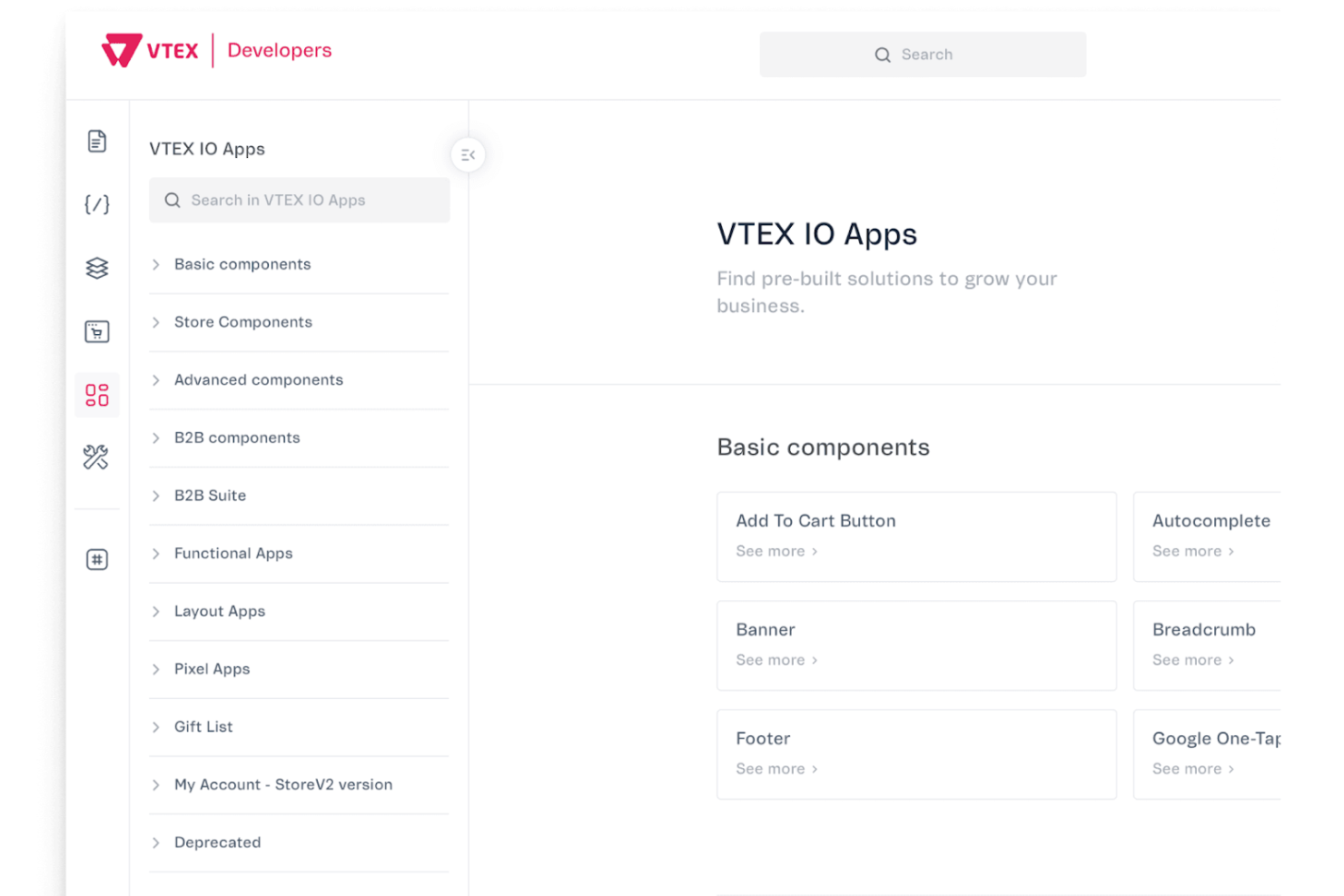
VTEX is a digital commerce platform designed for retailers seeking a unified solution to manage their online and offline sales channels. It's ideal for businesses that want to integrate their e-commerce marketplace operations smoothly with their physical stores.
Why I picked VTEX: VTEX offers a unified commerce approach, allowing you to manage both online and offline sales channels in one place. It provides an omnichannel strategy that helps you deliver a consistent shopping experience across different touchpoints. The platform includes features such as inventory synchronization and order management, helpful for retail operations. Its focus on retail solutions ensures that your business can efficiently cater to both digital and physical customers.
Standout Features and Integrations:
Features include inventory synchronization, which helps you keep track of stock across all sales channels. The platform offers order management tools that simplify the processing of customer orders. It also supports an omnichannel strategy, ensuring a consistent shopping experience for your customers.
Integrations include Google Analytics, API integrations, and more.
Pros and Cons
Pros:
- Inventory synchronization capabilities
- Integrates online and offline sales
- Supports omnichannel retail strategies
Cons:
- Complex initial configuration
- Limited for small retailers


CS-Cart is an e-commerce platform designed for businesses that require a customizable marketplace solution. It's ideal if you're looking to tailor your online storefront to fit specific needs and branding requirements.
Why I picked CS-Cart: The CS-Cart multi-vendor platform offers extensive customization options, allowing you to modify themes and layouts to match your brand. It provides a user-friendly admin panel, making it easy for your team to manage products, vendors, and customer interactions. The platform supports multiple payment gateways to give you flexibility in handling transactions. Its modular architecture enables you to add or remove features as your business evolves.
Standout Features and Integrations:
Features include a user-friendly admin panel, which simplifies managing your online store. The platform supports multiple payment gateways, providing flexibility in processing transactions. It also offers a modular architecture, which lets you add or remove features based on your business needs.
Integrations include PayPal, Stripe, Google Analytics, Zapier, and more.
Pros and Cons
Pros:
- Supports multiple payment options
- Easy-to-use admin panel
- Highly customizable themes
Cons:
- Limited scalability for large enterprises
- Requires technical knowledge

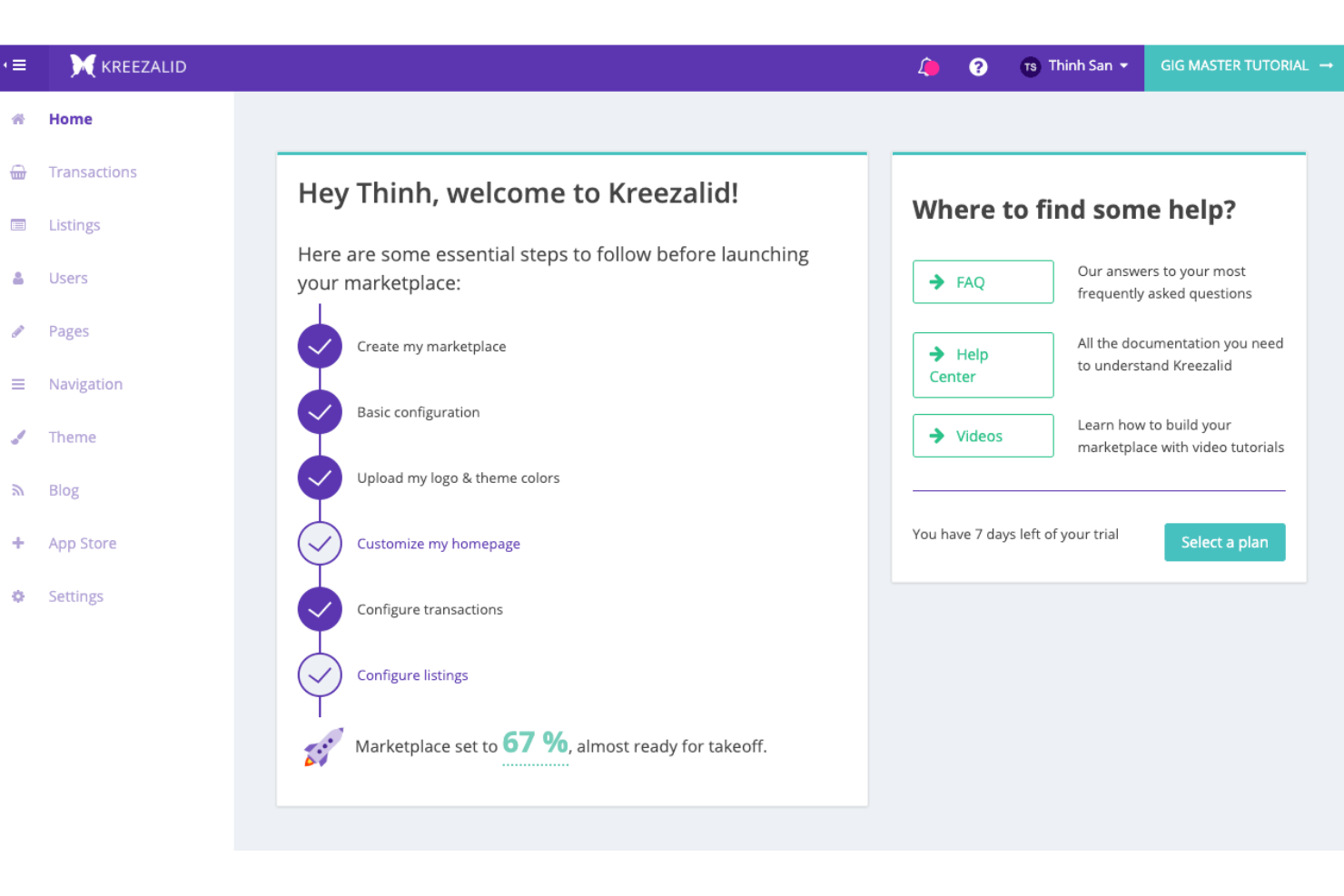
Kreezalid is a marketplace platform designed for entrepreneurs looking to launch online marketplaces without coding. It's ideal for small to medium-sized businesses that want a straightforward way to create and manage their digital marketplaces.
Why I picked Kreezalid: Kreezalid offers an interface that simplifies the marketplace creation process, making it accessible for users with sparse technical knowledge. It provides customizable templates that help you design a marketplace that aligns with your brand. The platform includes essential features such as payment processing and user management, necessary for operating an online marketplace. It focuses on user experience, so both you and your customers can have a smooth interaction with the platform.
Standout Features and Integrations:
Features include customizable templates that allow you to tailor the marketplace to your brand. The platform offers built-in payment processing, simplifying transactions for you and your vendors. It also includes user management tools that help you oversee customer interactions and vendor activities efficiently.
Integrations include Stripe, PayPal, Mailchimp, Google Analytics, Zapier, and more.
Pros and Cons
Pros:
- Customizable design templates
- No coding required
- Easy to set up
Cons:
- Basic design options
- May require third-party tools

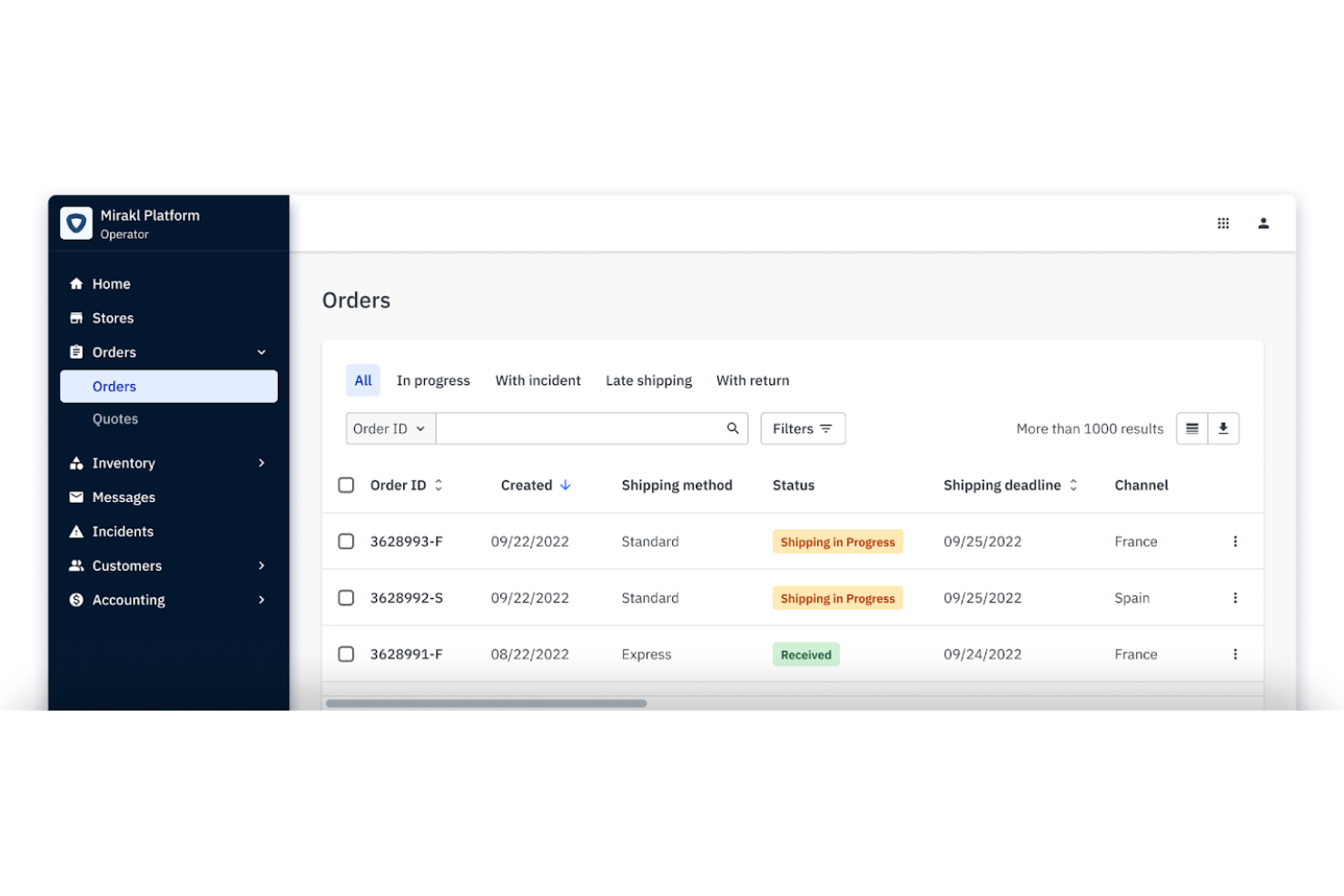
Mirakl is a marketplace platform tailored for large enterprises wanting to expand their digital commerce capabilities. It serves businesses that require a scalable solution to manage complex, multi-vendor ecosystems.
Why I picked Mirakl: Mirakl is ideal for enterprises because it offers advanced features such as automated vendor onboarding and a powerful catalog management system. It provides tools for managing large inventories, which is essential for enterprise-level businesses. The platform supports complex pricing structures, giving you flexibility in managing multiple vendors. Its scalability ensures that your marketplace grows with your business needs.
Standout Features and Integrations:
Features include automated vendor onboarding, a flexible pricing engine, and complete catalog management to help your team manage large inventories efficiently. The platform also offers tools for monitoring marketplace performance and compliance.
Integrations include Salesforce Commercial Cloud, SAP Commerce Marketplace Management, Adobe Commerce, Shopify, BigCommerce, Stripe, PayPal, Oracle, Microsoft Dynamics, and more.
Pros and Cons
Pros:
- Supports complex pricing structures
- Automated onboarding processes
- Scalable for large businesses
Cons:
- High setup complexity
- Not suitable for small businesses

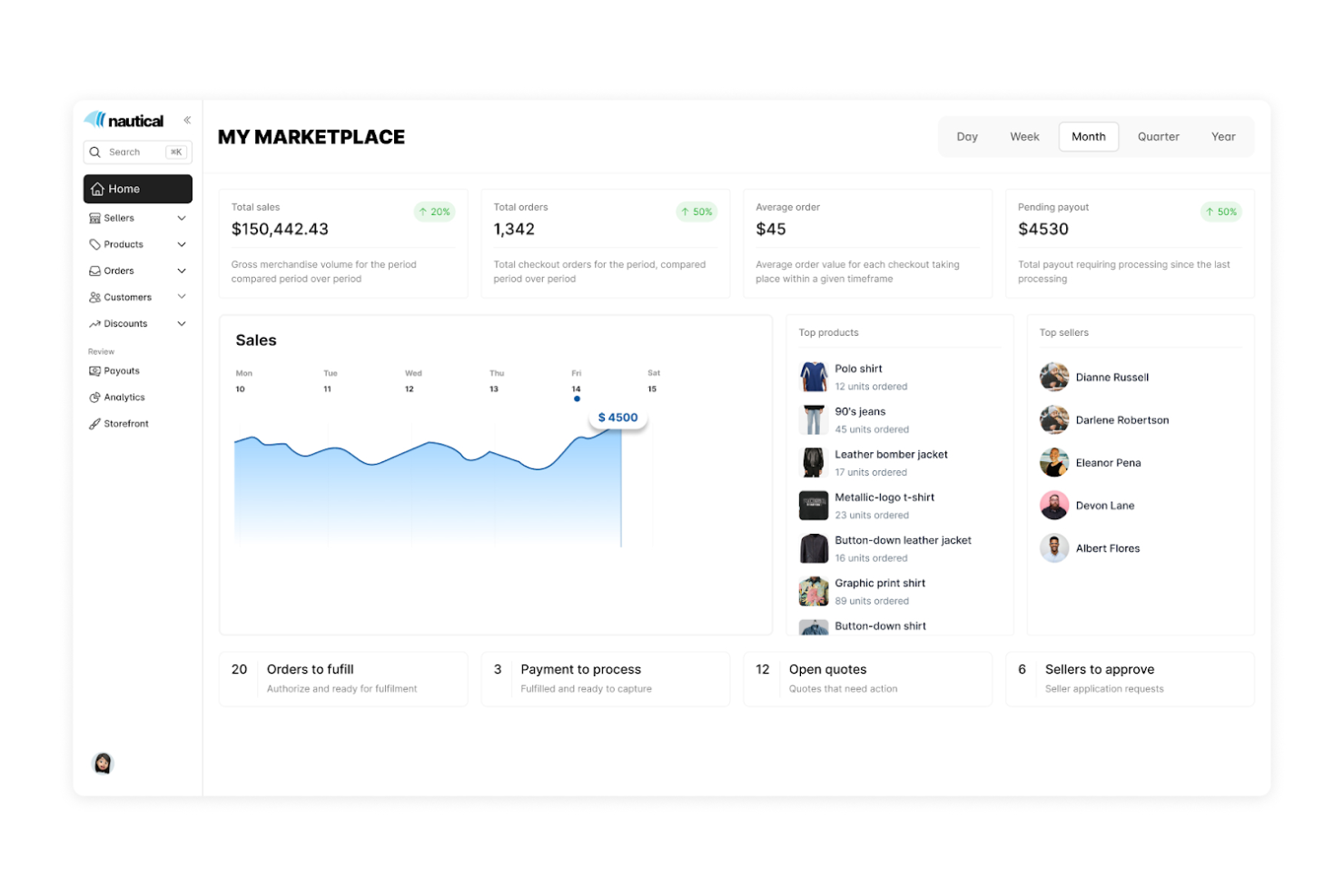
Nautical Commerce is a platform built to support businesses that want to create and manage multi-vendor marketplaces. It's ideal for companies looking to handle multiple vendors and simplify their operations efficiently.
Why I picked Nautical Commerce: Nautical Commerce simplifies multi-vendor management with automated vendor onboarding and centralized inventory control. It offers tools for handling complex transactions, essential for managing multiple vendors. The platform's focus on scalability ensures that it can grow with your business model and accommodate more vendors as needed. Its intuitive dashboard interface makes it more accessible than custom-built solutions for teams without extensive technical expertise.
Standout Features and Integrations:
Features include centralized inventory control, which helps you manage products from different vendors in one place. The platform also offers transaction management tools to simplify the process of handling multiple vendor transactions. Its scalability means you can add more vendors as your business expands.
Integrations include Shopify, WooCommerce, Adobe Commerce, Stripe, PayPal, HubSpot, Zapier, Salesforce CRM, and more.
Pros and Cons
Pros:
- Handles complex transactions
- Centralized inventory management
- Easy vendor onboarding
Cons:
- May not fit small businesses
- Requires some technical setup

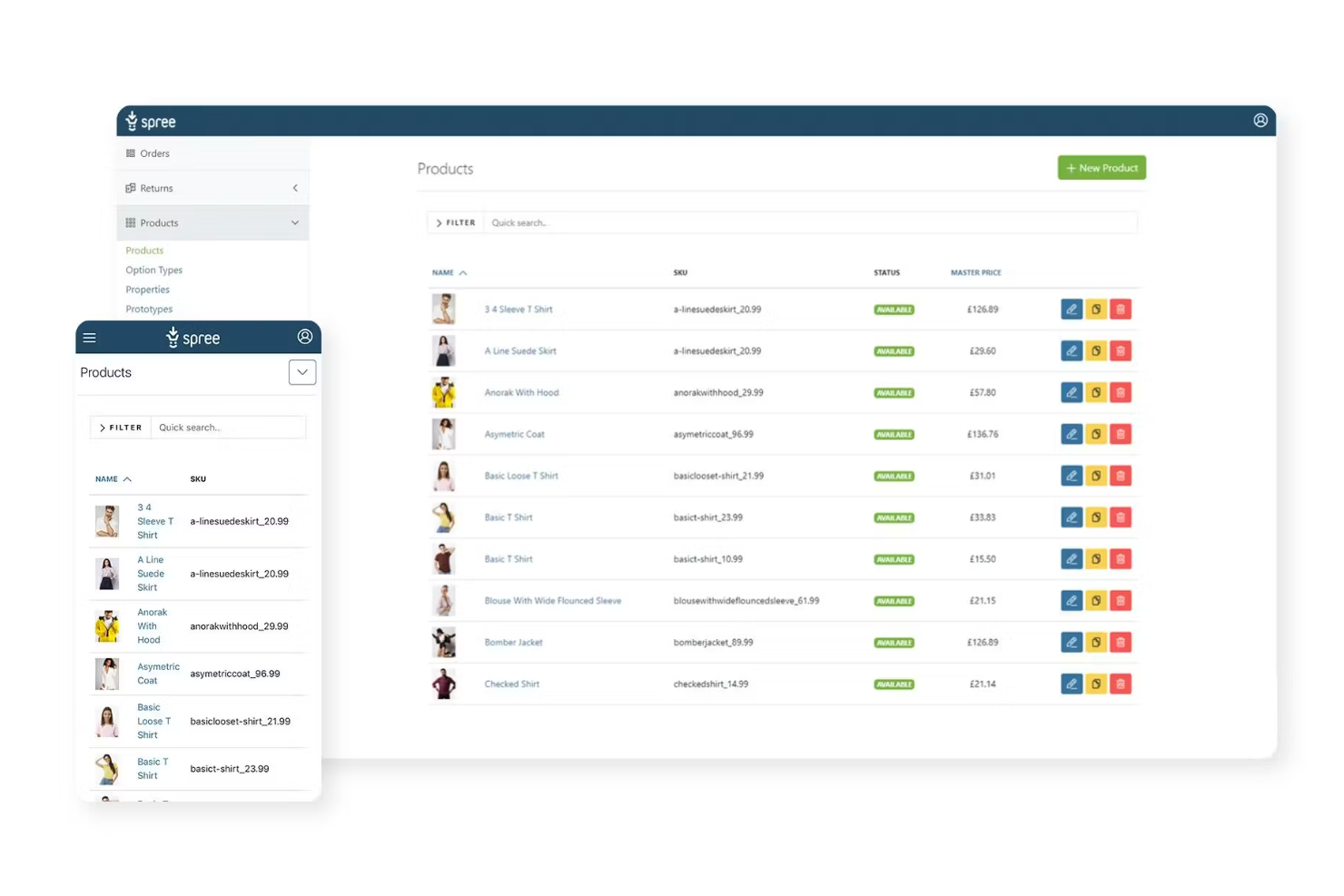
Spree is an open-source e-commerce platform built for developers and businesses looking for customizable marketplace solutions. It's ideal for those wanting to tailor their online store to specific needs and have full control over the codebase.
Why I picked Spree: Spree offers complete customization through its open-source nature, allowing developers to modify the codebase to fit the unique requirements of marketplace owners. It provides a flexible architecture that supports various extensions and plugins. The platform is scalable, making it suitable for businesses of all sizes. Its community-driven development ensures continuous improvements and support from a wide network of contributors.
Standout Features and Integrations:
Features include a flexible architecture that supports multiple extensions and plugins. The platform is scalable, accommodating businesses as they grow. It also benefits from community-driven development for continuous improvements and support.
Integrations include Stripe, PayPal, Google Analytics, Facebook, and more.
Pros and Cons
Pros:
- Scalable for growing businesses
- Supports various plugins
- Fully customizable codebase
Cons:
- Control of the codebase means an increased maintenance burden
- Doesn’t include vendor management, onboarding, or marketplace-specific workflows

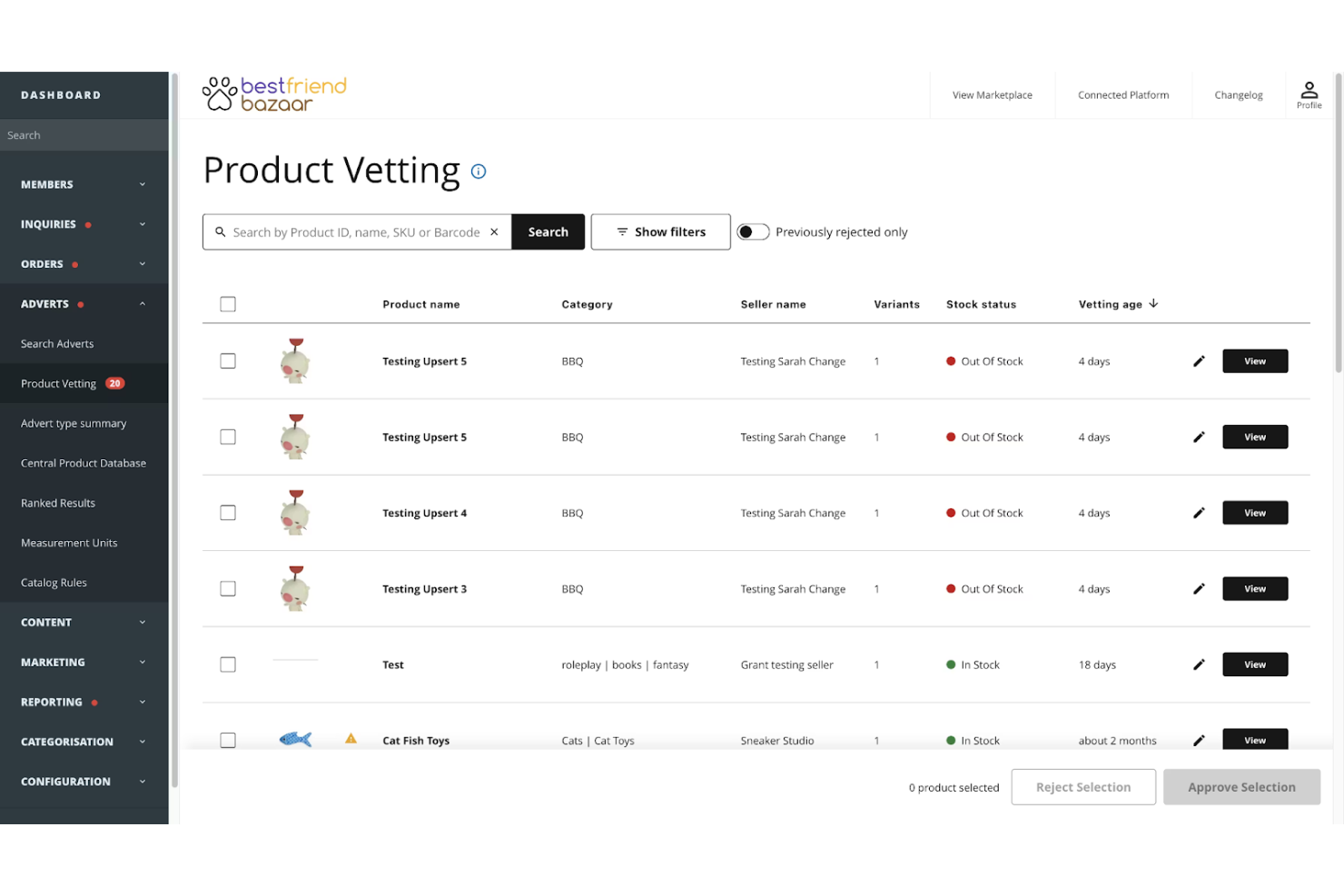
Marketplacer is a marketplace platform designed for businesses looking to expand their success stories and connect with a global audience. It's ideal for large enterprises and companies aiming to scale their operations and increase their market presence.
Why I picked Marketplacer: Marketplacer supports global expansion. It offers integrations such as multi-currency and international shipping options, which are essential for reaching customers worldwide. The platform includes sophisticated analytics to track and optimize your marketplace's performance across different regions. You can also benefit from its powerful vendor management system, making it easier to collaborate with sellers globally.
Standout Features and Integrations:
Features include strong vendor management, multi-currency support, and international shipping capabilities to help your team manage and expand your marketplace efficiently. The analytics tools provide insights into performance, helping you make informed decisions.
Integrations include Shopify, Salesforce Commerce Cloud, Xero, QuickBooks, Stripe, PayPal, Google Analytics, Zendesk, and more.
Pros and Cons
Pros:
- Strong vendor management
- Detailed analytics tools
- Supports global expansion
Cons:
- Not ideal for small startups
- May require technical expertise

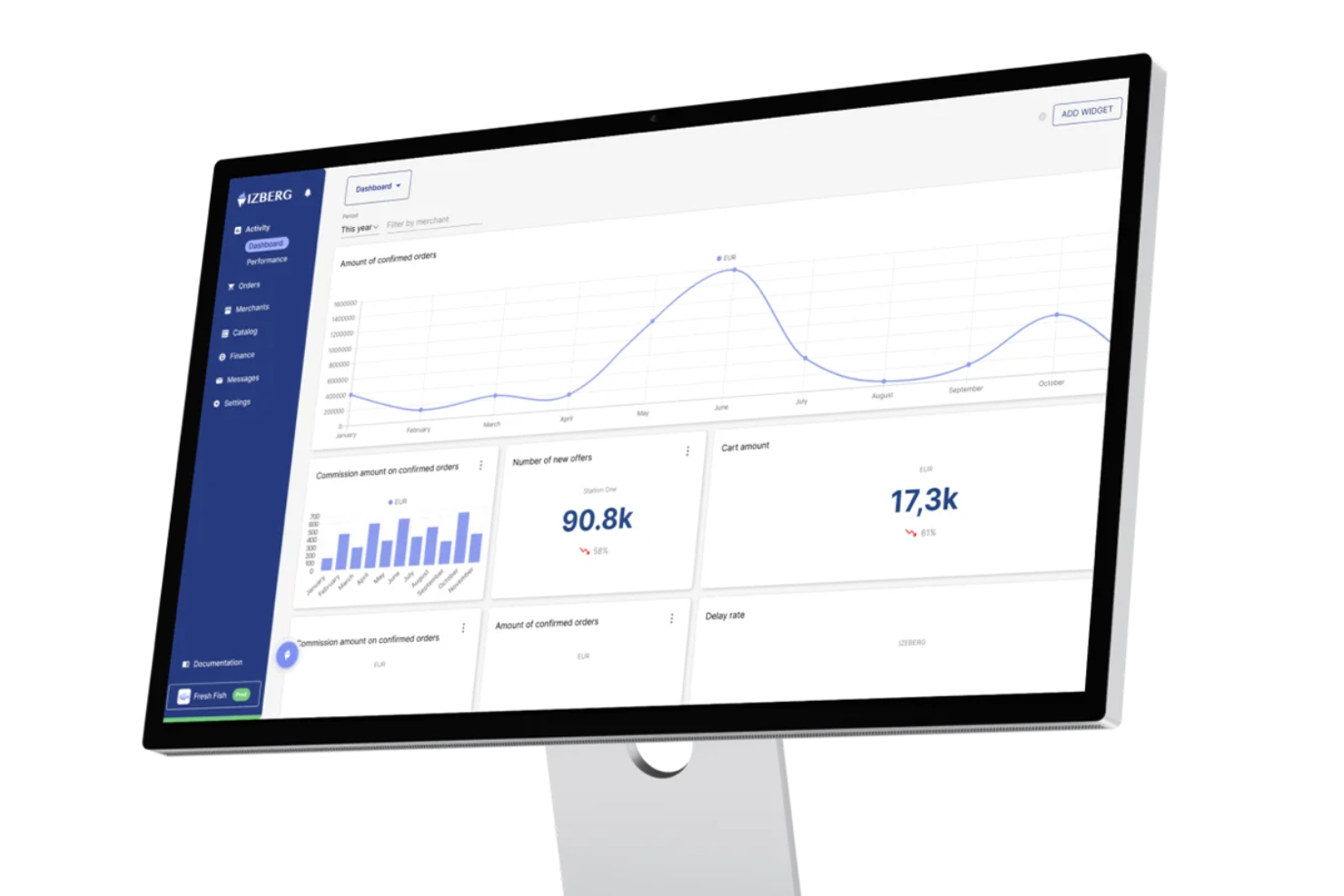
IZBERG is a marketplace platform designed for businesses that need to integrate with various systems through APIs. It's ideal for medium to large enterprises wanting to build and manage complex online marketplaces.
Why I picked IZBERG: IZBERG provides extensive API integrations, making it suitable for businesses that require straightforward system connectivity. It offers tools for managing a wide range of vendor and product data, essential for complex marketplace operations. The platform supports custom workflows that let you tailor processes to fit your specific needs. Its focus on integration ensures that your marketplace business can connect with existing systems efficiently.
Standout Features and Integrations:
Features include custom workflow support so you can personalize processes to your business needs. The platform provides powerful vendor and product data management tools to help you handle complex operations. It also offers extensive API integration capabilities, ensuring connectivity with existing systems.
Integrations include Salesforce, SAP, Adobe Commerce, Shopify, Stripe, PayPal, QuickBooks, Google Analytics, Mailchimp, and Zendesk.
Pros and Cons
Pros:
- Manages complex vendor data
- Supports custom workflows
- Extensive API connectivity
Cons:
- Custom integrations and development work can increase costs
- API-centric architecture requires technical resources to implement and configure
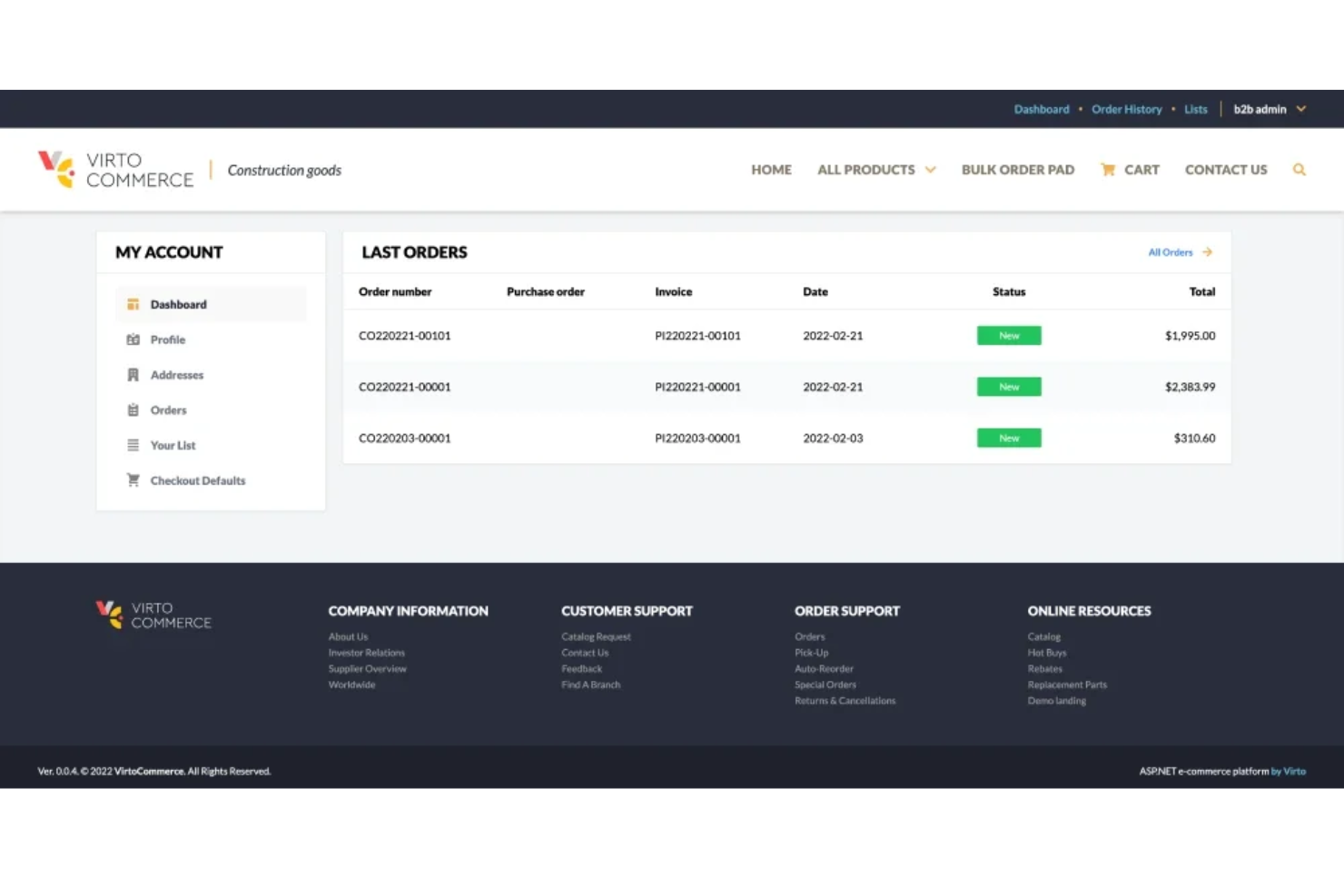
Virto Commerce is an enterprise-grade e-commerce platform tailored for B2B businesses needing automation in a flexible and scalable solution. It's designed to support complex pricing structures and large product catalogs for the needs of wholesalers and distributors.
Why I picked Virto Commerce: Virto Commerce excels in the B2B sector with its ability to handle complex pricing models and large-scale catalogs. It provides advanced order management and personalized customer experiences, key to B2B operations. The platform's scalability ensures that as your business grows, it can accommodate increasing demands. Its modular architecture allows you to add features as needed, increasing flexibility.
Standout Features and Integrations:
Features include advanced order management, which simplifies handling large orders. The platform supports personalized customer experiences, so you can tailor interactions to different client needs. Its modular architecture allows you to expand functionality as your business requirements evolve.
Integrations include Microsoft Dynamics, SAP ERP, Salesforce CRM, QuickBooks, Google Analytics, and more.
Pros and Cons
Pros:
- Handles large product catalogs
- Scalable for growing businesses
- Supports complex pricing models
Cons:
- High learning curve
- Limited out-of-the-box features
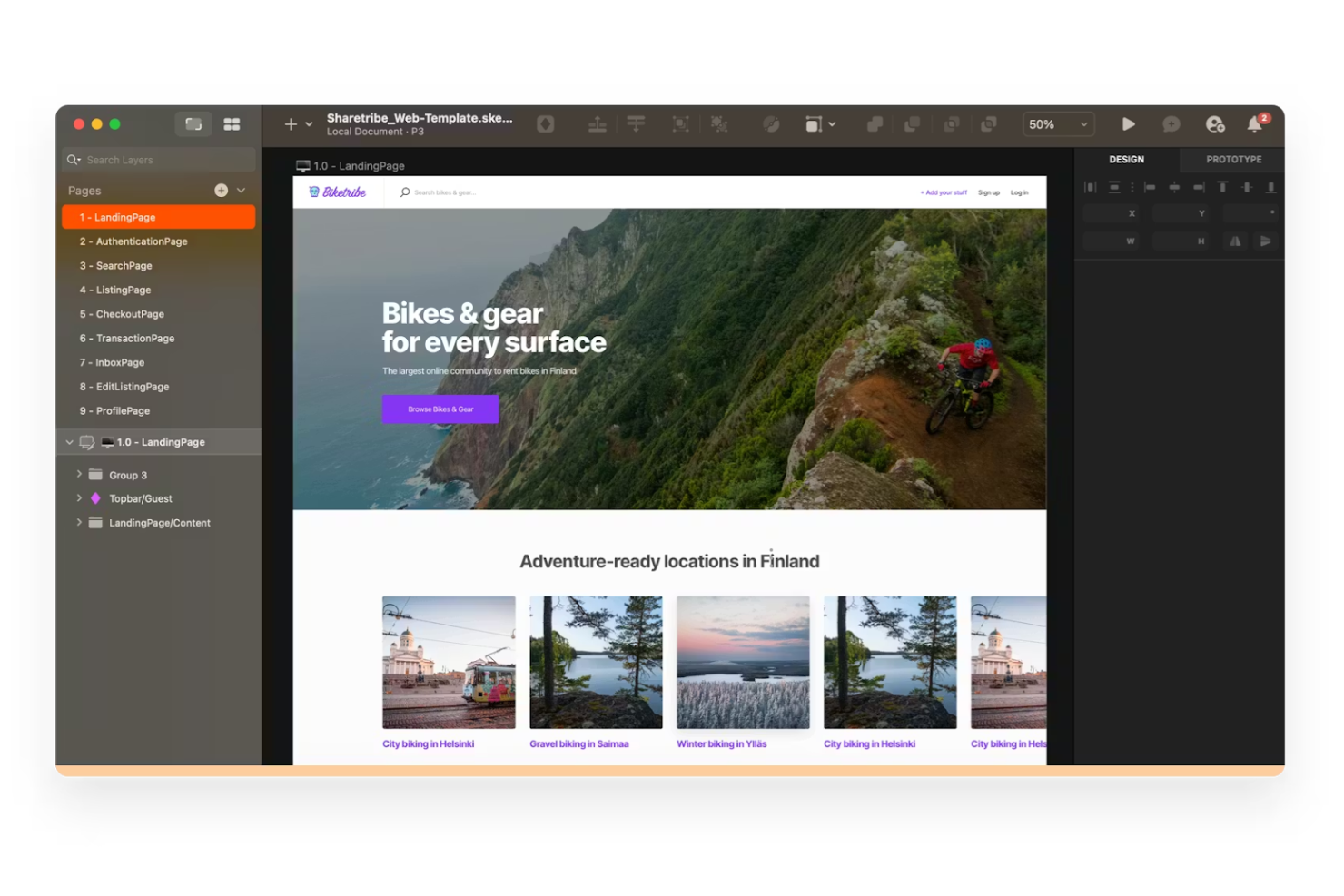
Sharetribe is a no-code marketplace software that helps entrepreneurs create and scale online marketplaces, such as rental, service, and product platforms. It's tailored for small startups and founders who want to launch quickly without coding.
Why I picked Sharetribe: Sharetribe is ideal for small startups due to its intuitive no-code builder that allows you to set up your marketplace quickly. It provides customizable design options, letting you tailor your platform to fit your brand. The platform supports diverse marketplace models, including rentals and services, making it versatile for various business needs. Its simplicity and flexibility make it a perfect starting point for entrepreneurs looking to test their ideas without heavy investment.
Standout Features and Integrations:
Features include intuitive design customization, a no-code builder for quick setup, and support for various marketplace models. These features make it simple for your team to create a marketplace that fits your specific needs. You can also manage content and style to maintain consistent branding.
Integrations include Stripe, Zapier, Mailchimp, Slack, Google Analytics, Facebook, and more.
Pros and Cons
Pros:
Cons:
Other Marketplace Software
Here are some additional marketplace software options that didn’t make it onto my shortlist, but are still worth checking out:
- Near Me
For community marketplaces
- JungleWorks Yelo
For quick marketplace launch
- Webkul
For diverse industry applications


Marketplace Software Selection Criteria
When selecting the best marketplace software to include in this list, I considered common buyer needs and pain points such as scalability and customization options. I also used the following framework to keep my evaluation structured and fair:
Core Functionality (25% of total score)
To be considered for inclusion in this list, each solution had to fulfill these common use cases:
- Manage vendor accounts
- Process transactions securely
- Support multiple payment gateways
- Provide analytics and reporting
- Facilitate product listing and management
Additional Standout Features (25% of total score)
To help further narrow down the competition, I also looked for unique features, such as:
- Advanced customization options
- Multi-language support
- AI-driven recommendations
- Dynamic pricing tools
- Integrated marketing solutions
Usability (10% of total score)
To get a sense of the usability of each system, I considered the following:
- Intuitive user interface
- Simple navigation
- Minimal learning curve
- Responsive design
- Clear documentation
Onboarding (10% of total score)
To evaluate the onboarding experience for each platform, I considered the following:
- Availability of training videos
- Access to templates and guides
- Interactive product tours
- Live chat support
- Webinars and workshops
Customer Support (10% of total score)
To assess each software provider’s customer support services, I considered the following:
- 24/7 availability
- Multiple support channels
- Response time
- Quality of assistance
- Availability of a knowledge base
Value For Money (10% of total score)
To evaluate the value for money of each platform, I considered the following:
- Pricing transparency
- Features included in basic plans
- Scalability of pricing plans
- Discounts for annual billing
- Competitive pricing compared to peers
Customer Reviews (10% of total score)
To get a sense of overall customer satisfaction, I considered the following when reading customer reviews:
- Overall satisfaction ratings
- Commonly mentioned pros and cons
- Feedback on customer service
- Ease of use comments
- Reports on feature effectiveness
How To Choose Marketplace Software
It’s easy to get bogged down in long feature lists and complex pricing structures. To help you stay focused as you work through your unique software selection process, here’s a checklist of factors to keep in mind:
| Factor | What To Consider |
|---|---|
| Scalability | Can the software grow with your business? Consider future expansion, user load, and transaction volume. Avoid tools that limit growth or need frequent upgrades. |
| Integrations | Does it integrate with your existing systems? Check compatibility with CRM, payment gateways, and marketing tools. Look for APIs or plugins that ease connectivity. |
| Customizability | How much can you tailor the software to fit your needs? Evaluate template flexibility and coding requirements. Beware of rigid systems that can't adapt to your processes. |
| Ease of use | Is the software intuitive for your team? Assess the learning curve and user interface. Complicated tools may slow down operations and require more training. |
| Implementation and onboarding | How long will it take to get started? Look for clear setup guides, training resources, and support. Avoid platforms with lengthy or unclear onboarding processes. |
| Cost | What’s the total cost of ownership? Consider subscription fees, setup costs, and any hidden charges. Compare these against your budget and expected ROI. |
| Security safeguards | How secure is your data? Verify encryption standards, data protection policies, and compliance with regulations such as GDPR. Don't compromise on security to save costs. |
| Support availability | How accessible is customer support? Check for 24/7 support, multiple contact channels, and response times. Adequate support can save time and reduce frustration. |
What Is Marketplace Software?
Marketplace software is a tool that helps businesses create and manage online marketplaces where multiple vendors can sell their products or services. These tools are commonly used by e-commerce managers, entrepreneurs, and retailers who want to expand their reach and simplify vendor management. Payment processing, vendor management, and analytics features support efficient operations and elevate the user experience. Overall, these tools help businesses grow by providing a platform to connect buyers and sellers in one place.
Features
When selecting marketplace software, keep an eye out for the following key features:
- Vendor management: Organizes the process of onboarding and managing multiple vendors, making it simple to oversee products and services offered on your platform.
- Payment processing: Facilitates secure and efficient transactions between buyers and sellers, supporting multiple payment gateways for flexibility.
- Analytics and reporting: Provide insights into sales performance and customer behavior, helping you make informed decisions to optimize your marketplace.
- Customizability: Allows you to design the marketplace to fit your brand and specific business needs, ensuring a unique user experience.
- Inventory management: Helps track product availability and stock levels, preventing overselling and ensuring timely order fulfillment.
- Multi-language support: Enables communication with a diverse customer base by offering marketplace features in multiple languages.
- Scalability: Ensures the platform can grow with your business, accommodating increased traffic and transactions without compromising performance.
- Security safeguards: Protect sensitive data with encryption and compliance with regulations, providing peace of mind for both you and your users.
- Integration capabilities: Connect with existing systems such as CRM and marketing tools to improve workflow efficiency and data consistency.
- User management: Offers tools to manage customer accounts and interactions, improving customer service and engagement.
Benefits
Implementing marketplace software provides several benefits for your team and your business. Here are a few you can look forward to:
- Increased reach: Expands your market by connecting with more vendors and customers through multi-language support and integration capabilities.
- Efficient operations: Refine processes with vendor management and inventory management tools, saving time and reducing manual tasks for your team.
- Improved decision-making: Provides valuable insights through analytics and reporting, helping you make informed business decisions and optimize your marketplace strategy.
- Elevated customer experience: Offers a personalized shopping experience with customizability and user management features, increasing customer satisfaction and retention.
- Scalability: Supports business growth by accommodating increased traffic and transactions to help your marketplace handle expansion without issues.
- Secure transactions: Ensure data protection and compliance with security safeguards, building trust with both vendors and customers.
- Cost-effective management: Reduces the need for multiple standalone tools by integrating various functions into one platform, saving on costs and improving efficiency.
Costs & Pricing
Selecting marketplace software requires an understanding of the various pricing models and plans available. Costs vary based on features, team size, add-ons, and more. The table below summarizes common plans, their average prices, and typical features included in marketplace software solutions:
Plan Comparison Table for Marketplace Software
| Plan Type | Average Price | Common Features |
|---|---|---|
| Free Plan | $0 | Basic vendor management, limited customization, and standard security. |
| Personal Plan | $20-$61/user/month | Vendor management, basic analytics, and payment processing. |
| Business Plan | $99-$300/user/month | Advanced analytics, customizability, multi-language support, and elevated security. |
| Enterprise Plan | $3500-$9,900/user/month Typically custom / contract-based | Full integration capabilities, powerful analytics, dedicated support, and scalability options. |
Marketplace Software FAQs
Here are some answers to common questions about marketplace software:
What is the difference between marketplace and e-commerce software?
Marketplace software allows multiple vendors to sell products or services on a single platform, while e-commerce software typically supports a single seller’s online store. If you plan to host various vendors, marketplace software is your go-to. It handles vendor management, payment processing, and more. E-commerce software is more suited for businesses wanting to manage their own store without external vendors.
How can I ensure data security with marketplace software?
Look for software that offers encryption, compliance with regulations, such as GDPR, and regular security updates. Verify if the provider has certifications or security audits. Encourage your team to follow best practices, such as using strong passwords and enabling two-factor authentication to protect sensitive information.
Can marketplace software handle international sales?
Yes, many marketplace software solutions support international sales. They offer multi-language capabilities, currency conversion, and international shipping options. Before you choose, check if the software integrates with global payment gateways. This ensures smooth transactions for international customers and helps expand your market reach.
Is it possible to switch marketplace software later?
Yes, but switching can be challenging. It often involves data migration, reconfiguring integrations, and retraining your team. Before switching, assess the new software’s compatibility with your existing systems. Consider the time and resources needed for the transition. If you’re unsure, consult with vendors or hire a tech consultant to guide the process.
What’s Next:
If you're in the process of researching marketplace software, connect with a SoftwareSelect advisor for free recommendations.
You fill out a form and have a quick chat where they get into the specifics of your needs. Then you'll get a shortlist of software to review. They'll even support you through the entire buying process, including price negotiations.