
12 Google Analytics Alternatives for 2026

Best Google Analytics Alternatives Shortlist
Here's my pick of the 10 best software from the 12 tools reviewed.


A strong Google Analytics alternative should provide you with flexible data collection, privacy controls, and reporting features that you need to inform and fit your business—not just Google’s model. If you’re searching for Google Analytics alternatives, you’re likely weighing privacy concerns, data ownership, or the need for analytics that go beyond web traffic.
With so many analytics tools available, it’s tough to know which ones deliver the insights and integrations your team needs. This list will help you compare the top options for 2026, so you can confidently choose a solution that matches your goals, tech stack, and compliance requirements.
What is Google Analytics?
Google Analytics is a web analytics platform that tracks and reports website and app traffic, user behavior, and conversion data. Businesses use it to understand how visitors interact with their digital properties, measure marketing performance, and identify trends. Google Analytics collects data through tracking codes and presents insights in customizable dashboards and reports. It’s widely used for monitoring website performance, but some businesses seek alternatives for more control over data and privacy.
Best Google Analytics Alternatives Summary
This comparison chart summarizes pricing details for my top Google Analytics alternative selections to help you find the best one for your budget and business needs.
| Tool | Best For | Trial Info | Price | ||
|---|---|---|---|---|---|
| 1 | Best for product usage insights | Free plan + free demo available | Pricing upon request | Website | |
| 2 | Best for behavioral cohort analysis | Free plan + free demo available | From $49/month (billed annually) | Website | |
| 3 | Best for visualizing multi-source data | Free demo + 14-day free trial available | From $15/user/month (+ $75/month per creator license) | Website | |
| 4 | Best for embedded analytics solutions | Free demo available + 7-day free trial | Pricing upon request | Website | |
| 5 | Best for automatic event tracking | Free demo available | Pricing upon request | Website | |
| 6 | Best for real-time mobile analytics | Free demo available | From $40/month | Website | |
| 7 | Best for self-hosted deployment | Free plan available | Pay-as-you-go pricing model | Website | |
| 8 | Best for privacy-focused reporting | 21-day free trial available | From $260/year | Website | |
| 9 | Best for Microsoft ecosystem integration | Free plan available | From $14/user/month (billed annually) | Website | |
| 10 | Best for customizable dashboard creation | Free trial available | Pricing upon request | Website |
Why Trust Our Software Reviews
Best Google Analytics Alternatives Reviews
Below are my detailed summaries of the Google Analytics alternatives that made it onto my shortlist. My reviews offer a detailed look at the features, best use cases, and integrations of each platform to help you find the best one for you.

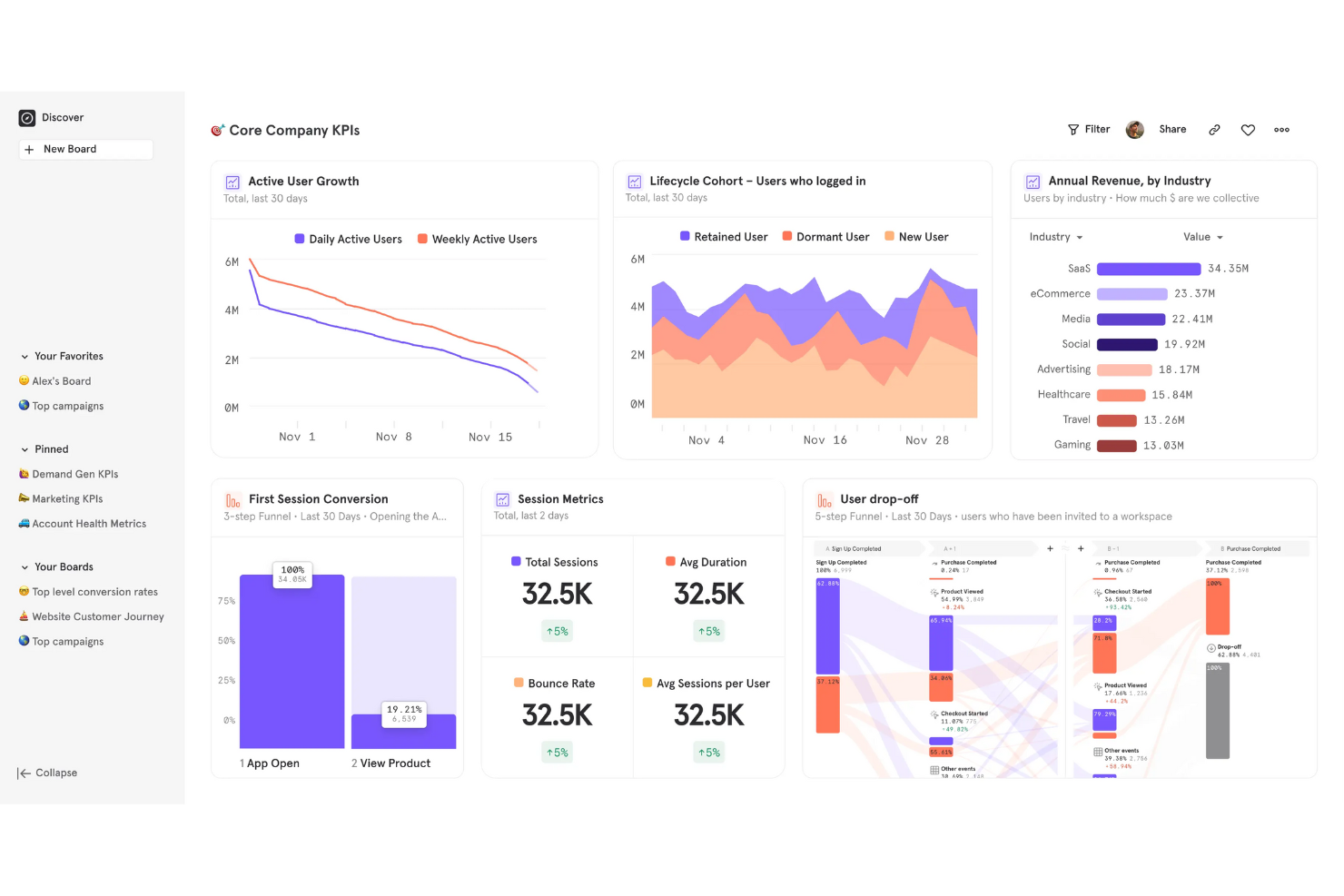
For teams focused on understanding how users interact with digital products, Mixpanel offers deep product usage analytics. This platform is especially useful for ecommerce, SaaS, and digital product teams that need to track user journeys, feature adoption, and retention. Mixpanel stands apart from Google Analytics by letting you build custom funnels, cohort analyses, and event-based reports without relying on pageview tracking.
Why Mixpanel Is a Good Google Analytics Alternative
If you need to dig into how users actually use your product, Mixpanel is built for that purpose. I picked Mixpanel because it tracks granular event data, letting you analyze user actions beyond simple pageviews. The platform’s funnel analysis and cohort segmentation features help you pinpoint where users drop off and which features drive engagement. These capabilities make Mixpanel a strong choice for teams that want actionable product usage insights rather than just website traffic metrics.
Mixpanel Key Features
Some other Mixpanel features that analytics buyers may want to consider include:
- A/B Test Tracking: Measure and compare the impact of product experiments directly within your analytics.
- Custom Dashboards: Build and share dashboards tailored to your team’s specific metrics and KPIs.
- Data Import and Export: Bring in data from other sources and export reports for further analysis or sharing.
- User Profile Enrichment: Store and update detailed user attributes to support more granular segmentation.
Mixpanel Integrations
Integrations include Google Cloud, RevenueCat, Plotline, Visible, ConfigCat, Sprig, Appcues, Get Census, Squiz, and Customer.io.
Pros and Cons
Pros:
- Real-time data updates allow for immediate product usage insights
- Funnel and cohort analysis tools support advanced retention reporting
- Event-based tracking captures detailed user actions across products
Cons:
- No built-in website heatmaps or session recordings
- Historical data retention is limited on lower-tier plans
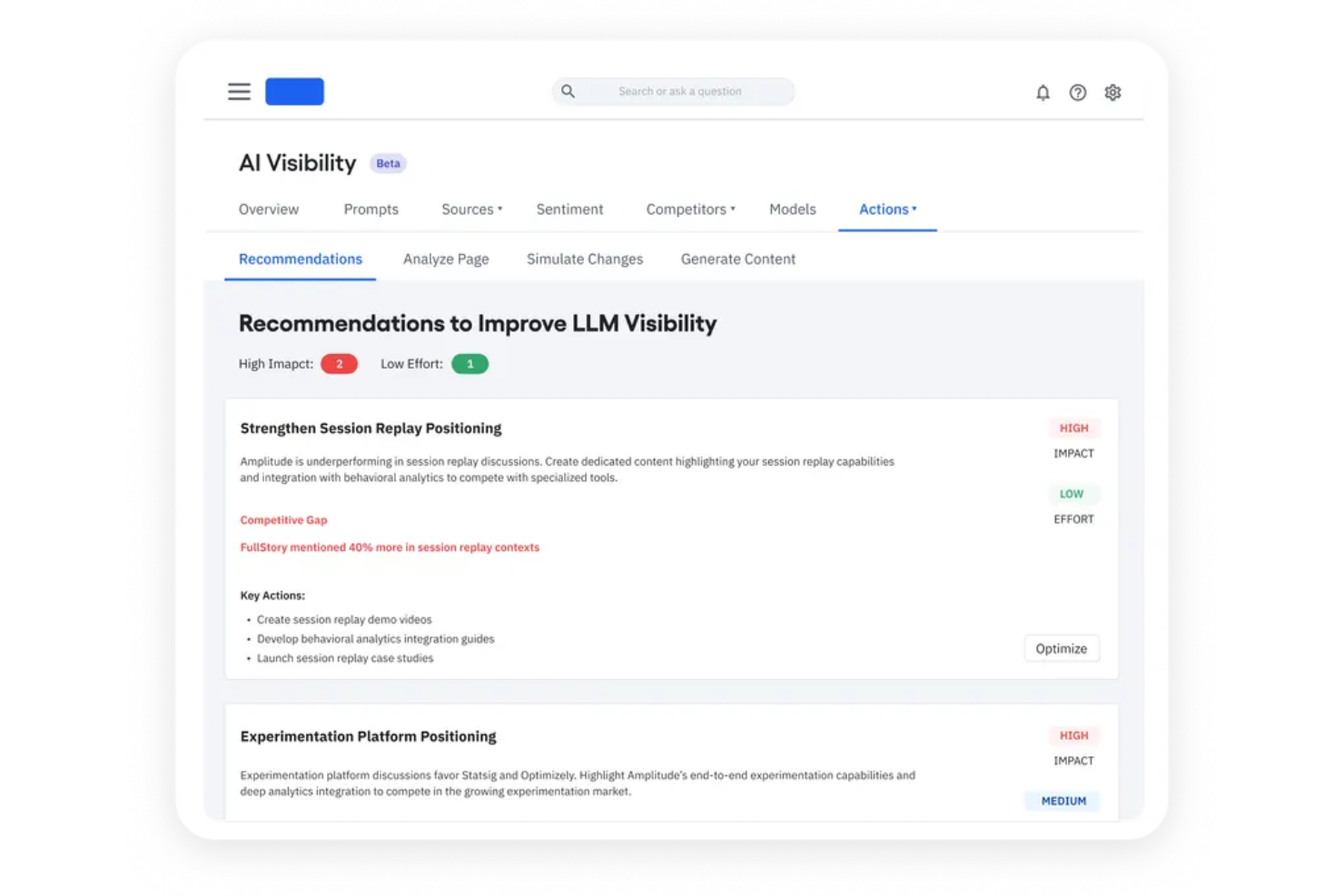
Amplitude is designed for teams that want to dig deep into user behavior and build actionable cohorts. Product managers, ecommerce analysts, and digital growth teams use Amplitude to uncover patterns in how different user segments interact with their sites and apps. Unlike Google Analytics, Amplitude specializes in behavioral cohort analysis, helping you identify which actions drive retention and conversion over time.
Why Amplitude Is a Good Google Analytics Alternative
For teams focused on understanding how different user groups behave, Amplitude offers advanced behavioral cohort analysis that goes far beyond what Google Analytics provides. I like that you can create dynamic cohorts based on real-time user actions, then track how those groups engage, convert, or churn over time.
Amplitude’s event segmentation and retention analysis tools make it easy to see which behaviors drive long-term value. This approach helps you move from surface-level metrics to actionable insights about what keeps users coming back.
Amplitude Key Features
Some other Amplitude features that analytics buyers may want to know about include:
- Pathfinder Analysis: Visualize the most common user journeys and navigation flows within your product.
- Custom Dashboards: Build and share dashboards tailored to your team’s specific metrics and reporting needs.
- Data Governance Tools: Manage event naming, property definitions, and data quality directly within the platform.
- Integrations with Data Warehouses: Connect Amplitude to Snowflake, BigQuery, and Redshift for deeper analysis and reporting.
Amplitude Integrations
Integrations include Twilio Segment, Braze, Amazon S3, HubSpot, BigQuery, Snowflake, Redshift, Salesforce CRM, Shopify, and Customer.io.
Pros and Cons
Pros:
- Integrates natively with major data warehouses and marketing platforms
- Data governance tools help maintain consistent event tracking standards
- Event segmentation supports granular tracking of custom product actions
Cons:
- Attribution modeling is less flexible than some analytics competitors
- No built-in website heatmaps or session replay features
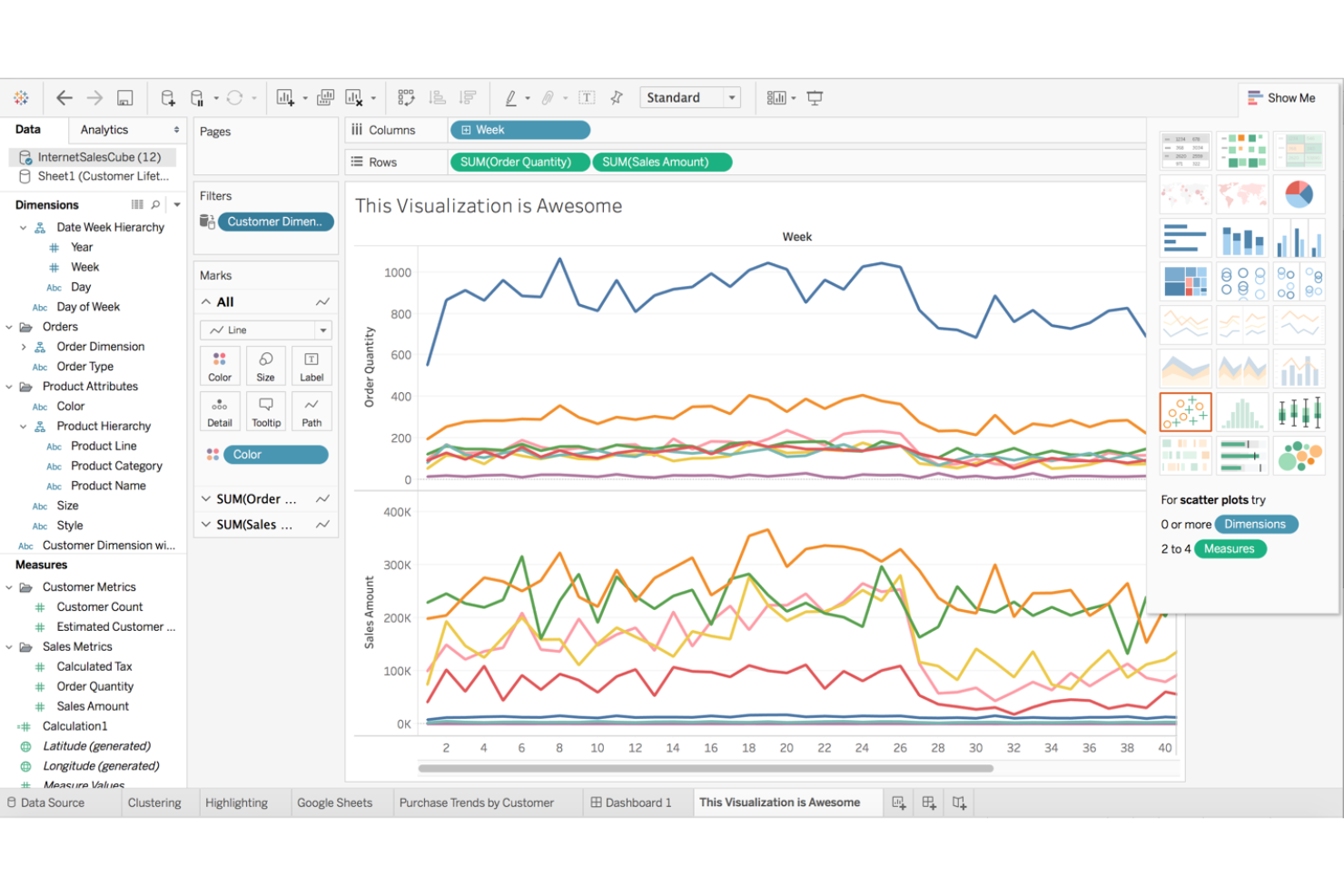
Tableau by Salesforce is a data visualization platform designed for teams that need to analyze and present data from multiple sources in one place. It’s a strong fit for retail, ecommerce, and operations professionals who want to build interactive dashboards and uncover trends beyond basic web analytics. If you need to blend sales, inventory, and customer data for deeper insights, Tableau offers flexibility that goes beyond what Google Analytics provides.
Why Tableau Is a Good Google Analytics Alternative
Tableau stands out for teams that need to visualize and analyze data from multiple sources, not just website traffic. I picked Tableau because it lets you connect to databases, spreadsheets, cloud services, and more, then combine those data streams in a single dashboard. Its drag-and-drop interface makes it easy to build custom visualizations that highlight trends across sales, inventory, and customer behavior. This flexibility helps you answer complex business questions that Google Analytics alone can’t address.
Tableau Key Features
Some other features in Tableau that analytics teams may find useful include:
- Calculated Fields: Create custom metrics and KPIs directly within your dashboards using formulas and logic.
- Data Blending: Combine data from different sources without needing to write code or perform manual merges.
- Scheduled Reporting: Automate the delivery of reports and dashboards to stakeholders on a set schedule.
- Role-Based Permissions: Control access to sensitive data and dashboards by assigning user roles and permissions.
Tableau Integrations
Integrations include Salesforce, Google Analytics, Amazon Redshift, Microsoft Excel, Snowflake, Google BigQuery, Oracle, SAP, MySQL, and PostgreSQL.
Pros and Cons
Pros:
- Supports blending online and offline data for holistic analysis
- Offers advanced data visualization and dashboard customization options
- Connects to a wide range of data sources beyond web analytics
Cons:
- Lacks built-in marketing attribution modeling found in some analytics tools
- Requires a separate setup for website tracking compared to Google Analytics
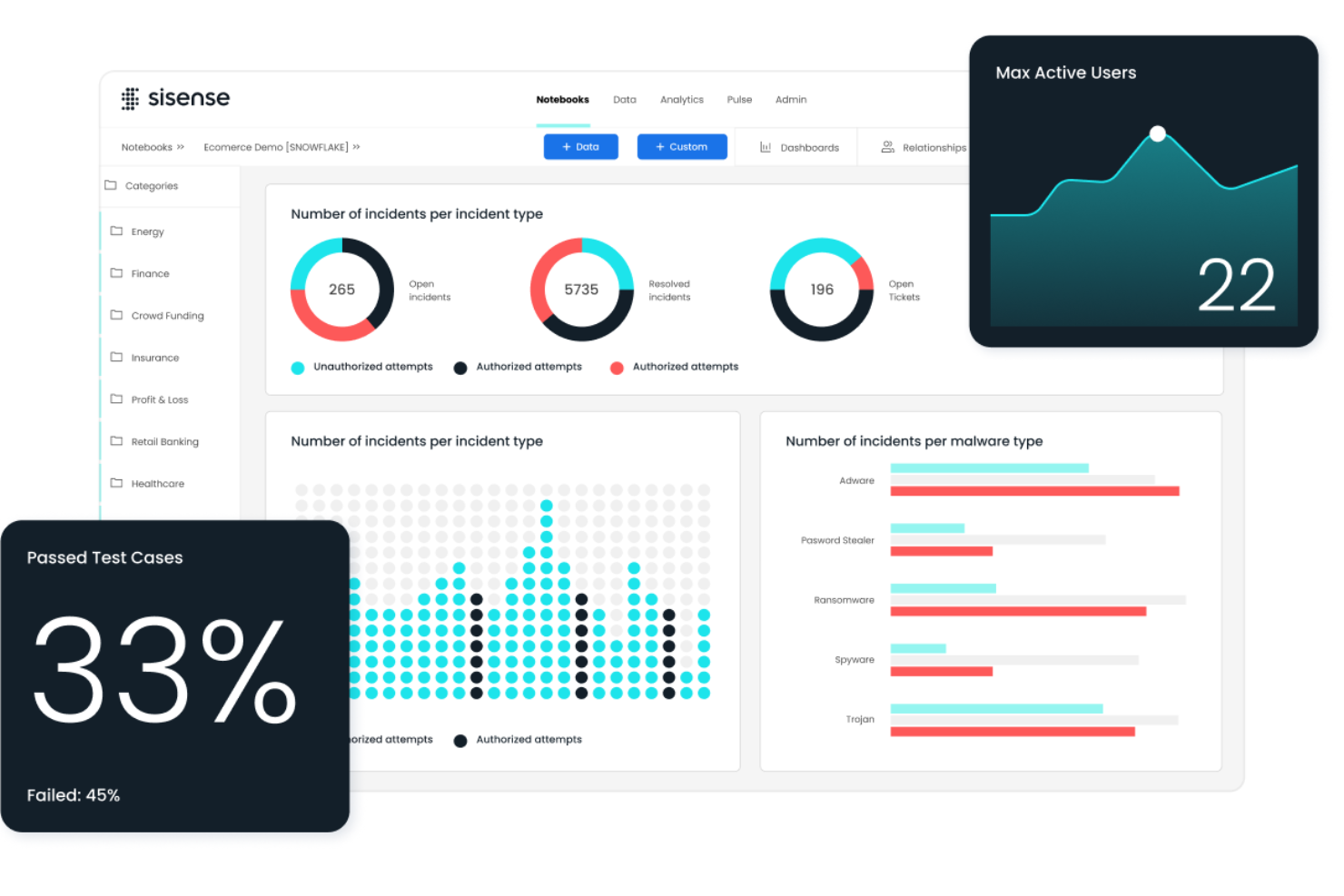
For businesses that want to embed analytics directly into their products or workflows, Sisense offers a flexible solution. Sisense is designed for product teams, SaaS providers, and IT leaders who need to deliver interactive analytics experiences within their own applications. Unlike Google Analytics, Sisense lets you fully white-label dashboards and reports, so you can control the look, feel, and data sources your users see.
Why Sisense Is a Good Google Analytics Alternative
Sisense stands out for teams that want to embed analytics directly into their own products or customer portals. I picked Sisense because it lets you fully white-label dashboards and reports, so your users see analytics that match your brand and workflow.
You can also customize data models and visualizations to fit your business logic, not just web traffic. This level of embedded flexibility goes far beyond what Google Analytics offers for in-app or product analytics.
Sisense Key Features
Some other Sisense features that analytics buyers may want to know about include:
- AI-Driven Insights: Use built-in AI tools to surface trends and anomalies in your data automatically.
- Data Mashups: Combine data from multiple sources into a single dashboard without complex coding.
- Custom Widgets: Build and deploy your own visualization widgets using JavaScript and Sisense’s developer tools.
- Role-Based Access Controls: Set detailed permissions for users and groups to manage data visibility and security.
Sisense Integrations
Integrations include Snowflake, Amazon Redshift, Google BigQuery, Azure Synapse, Salesforce, MySQL, PostgreSQL, Oracle, Microsoft SQL Server, and Google Analytics.
Pros and Cons
Pros:
- AI-driven insights help surface trends beyond standard web metrics
- Custom widget development is possible using JavaScript and APIs
- White-labeling options let you match analytics to your brand
Cons:
- Initial setup and data modeling can require technical expertise
- No built-in web tracking or event collection like Google Analytics

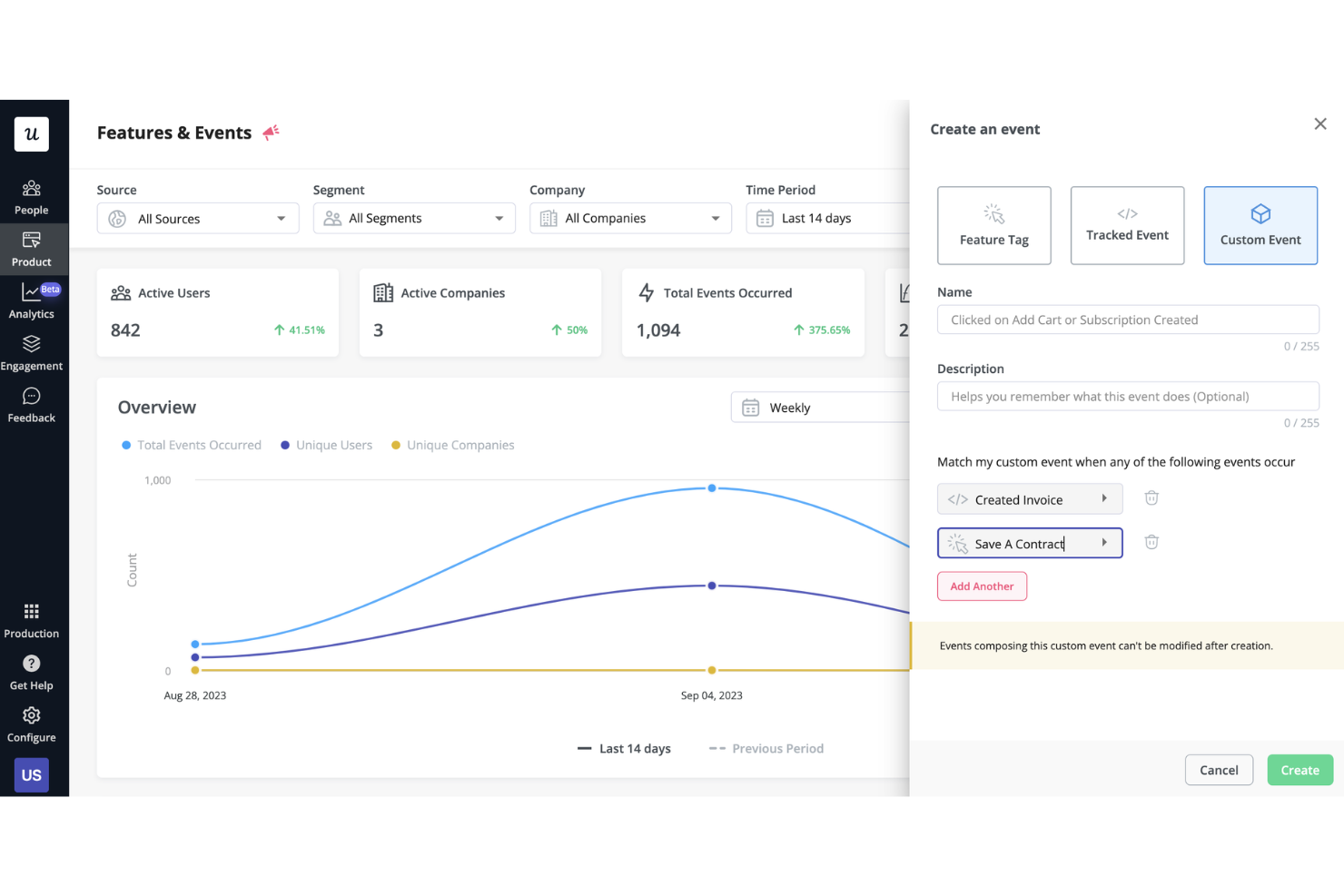
Unlike most analytics platforms, Heap automatically captures every user interaction on your website or app without manual event setup. This makes it a strong fit for ecommerce, product, and marketing teams that want to analyze user journeys and behaviors in detail, even if they don’t have dedicated analytics resources. With retroactive event tracking and flexible data exploration, Heap helps you answer questions that Google Analytics and other tools might miss.
Why Heap Is a Good Google Analytics Alternative
What sets Heap apart from Google Analytics is its automatic event tracking, which captures every user action on your site or app without requiring manual tagging. I picked Heap because this approach means you never miss important interactions, even if you didn’t anticipate tracking them in advance.
You can retroactively analyze user behavior, define new events on the fly, and quickly answer questions about user journeys. This level of flexibility and depth is especially valuable for teams that want to move fast and get granular insights without heavy engineering support.
Heap Key Features
Some other features in Heap that analytics buyers may want to know about include:
- Session Replay: Watch recordings of real user sessions to see exactly how visitors interact with your site.
- Data Enrichment: Combine user data from other sources to build richer user profiles and segments.
- Conversion Funnels: Visualize and analyze multi-step user flows to identify where users drop off.
- Segmentation Tools: Create and compare custom user segments based on behavior, demographics, or acquisition source.
Heap Integrations
Integrations include Salesforce, Marketo, Intercom, Iterable, Shopify, Snowflake, Amazon Web Services, WalkMe, Klaviyo, and Segment.
Pros and Cons
Pros:
- Session replay provides visual context for user journeys
- Retroactive event tracking lets you analyze past user behavior
- Captures all user interactions automatically without manual event tagging
Cons:
- Advanced reporting features require upgrading to higher-tier plans
- Data sampling limits can restrict analysis on high-traffic sites

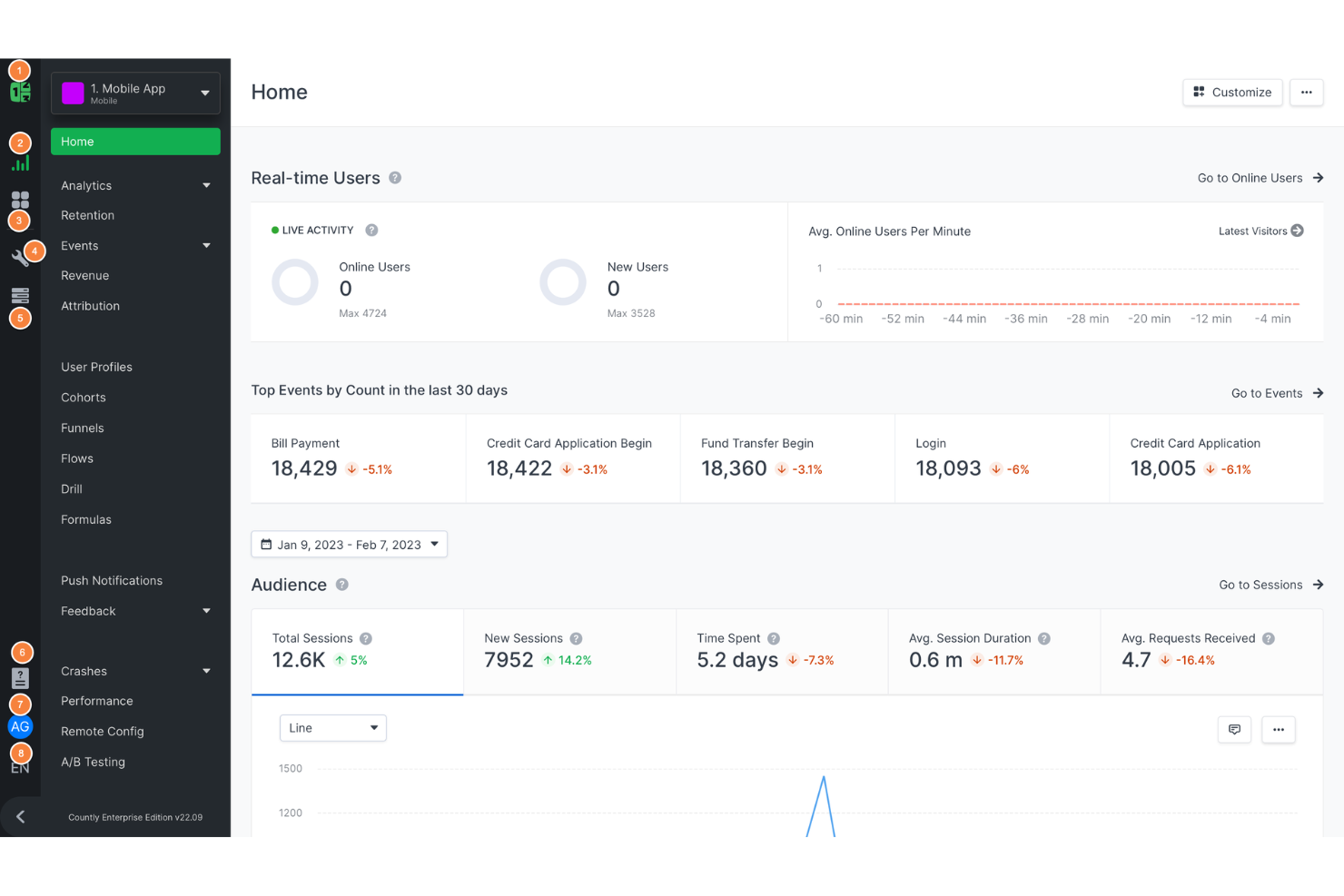
For teams focused on mobile app performance and user behavior, Countly offers real-time analytics built specifically for mobile environments. Product managers, mobile developers, and digital teams use Countly to track in-app events, user journeys, and engagement across devices. Unlike Google Analytics, Countly gives you granular control over mobile data collection and privacy, plus flexible deployment options for on-premises or cloud.
Why Countly Is a Good Google Analytics Alternative
If you need analytics that focus on real-time mobile data, Countly is purpose-built for this use case. I picked Countly because it delivers instant insights into in-app events, user flows, and engagement metrics across mobile platforms.
With Countly, you can monitor live user activity, segment audiences by device or behavior, and set up custom event tracking tailored to your app. This level of real-time, mobile-specific analytics isn’t available in Google Analytics, making Countly a strong choice for mobile-first teams.
Countly Key Features
Some other Countly features that analytics buyers may want to know about include:
- A/B Testing Module: Run experiments to compare different app experiences and measure their impact.
- Push Notification Analytics: Track delivery, open rates, and user responses to push campaigns.
- Crash and Error Reporting: Monitor app stability with detailed crash logs and error diagnostics.
- User Profiles: Build detailed user records that aggregate behavior, device info, and custom attributes.
Countly Integrations
Integrations include Okta, Elestio, Zapier, Slack, and Salesforce.
Pros and Cons
Pros:
- Open-source core version offers flexibility for technical teams
- Built-in crash reporting helps monitor app stability and issues
- On-premise deployment option allows full data ownership and privacy
Cons:
- Limited support for tracking cross-platform user journeys
- Reporting setup can be time-consuming for complex analytics needs

For businesses that need full control over their analytics data, PostHog offers a self-hosted platform designed for privacy and flexibility. Engineering teams, product managers, and privacy-focused organizations use PostHog to track user behavior, run product experiments, and manage analytics infrastructure on their own servers. Unlike Google Analytics, PostHog gives you complete data ownership and the ability to customize features to fit your stack.
Why PostHog Is a Good Google Analytics Alternative
Self-hosted deployment is where PostHog really stands out for analytics buyers who need full data control. I picked PostHog because you can run the entire analytics stack on your own infrastructure, keeping sensitive user data in-house and meeting strict privacy requirements.
The platform includes event tracking, session recording, and feature flagging—all managed on your servers. This level of ownership and flexibility isn’t possible with Google Analytics, making PostHog a strong choice for privacy-focused teams.
PostHog Key Features
Some other PostHog features that analytics buyers may want to know about include:
- Funnels Analysis: Visualize and analyze user conversion paths across your product.
- Cohort Analysis: Group users by shared behaviors or attributes for deeper insights.
- Plugin Marketplace: Extend platform functionality with a library of community-built plugins.
- Surveys and Feedback Tools: Collect direct user input through in-app surveys and feedback forms.
PostHog Integrations
Integrations include Segment, RudderStack, Shopify, Slack, Google Tag Manager, WordPress, WooCommerce, Webflow, Next.js, and React Native.
Pros and Cons
Pros:
- Built-in session recording helps visualize real user journeys
- Event-based tracking supports granular analysis of user actions
- Self-hosted deployment gives you full control over analytics data
Cons:
- Limited out-of-the-box integrations with major ad platforms
- Requires technical resources to deploy and maintain infrastructure
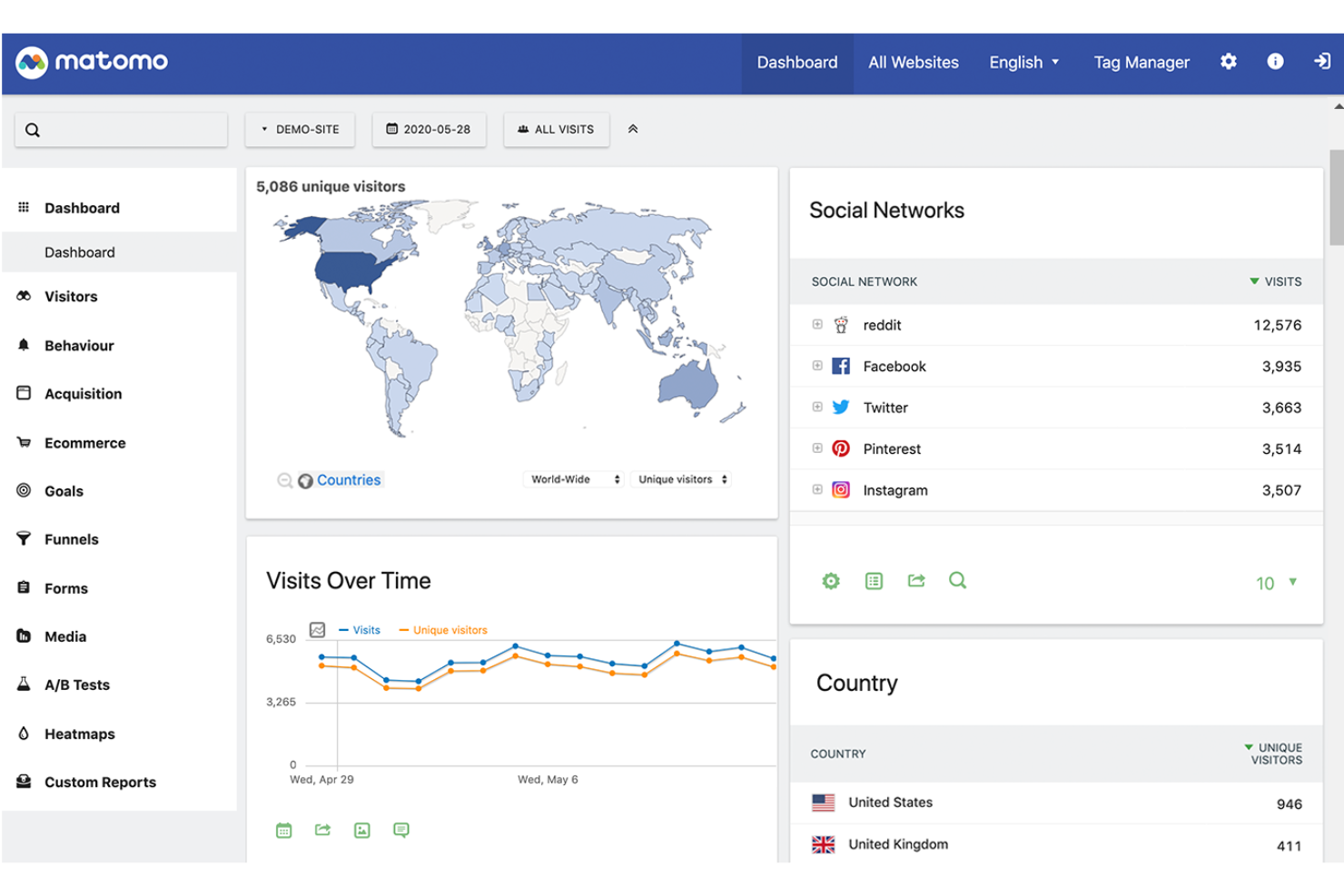
If you need analytics that put privacy and data ownership first, Matomo is worth a close look. This platform appeals to ecommerce, retail, and marketing teams that want full control over their analytics data and compliance with privacy regulations like GDPR. Matomo stands out from Google Analytics by offering on-premise hosting, cookieless tracking, and features designed to minimize data sharing with third parties.
Why Matomo Is a Good Google Analytics Alternative
Matomo is a strong choice for teams that need privacy-focused reporting and complete data control. I picked Matomo because it lets you host analytics on your own servers or in a private cloud, so you keep full ownership of your data.
The platform supports cookieless tracking and advanced consent management, helping you meet strict privacy regulations like GDPR and CCPA. These features make Matomo especially appealing if you want to avoid sharing data with third parties or need to demonstrate compliance to customers and regulators.
Matomo Key Features
Some other features in Matomo that analytics buyers may want to know about include:
- Heatmaps and Session Recordings: Visualize where users click, scroll, and spend time on your site.
- Ecommerce Analytics: Track product performance, conversion rates, and detailed sales metrics.
- Custom Dashboards: Build personalized dashboards with widgets tailored to your reporting needs.
- Tag Manager: Manage and deploy tracking tags without editing your site’s code.
Matomo Integrations
Integrations include WordPress, WooCommerce, Shopify, Adobe Commerce, PrestaShop, Drupal, Joomla, Google Looker Studio, Microsoft Power BI, and Slack.
Pros and Cons
Pros:
- Heatmaps and session recordings provide visual user behavior insights
- Ecommerce analytics modules track product, cart, and order behavior
- Full data ownership with on-premise and private cloud hosting options
Cons:
- Some advanced features are only available as paid add-ons
- Costs for exceeding allotted hits can add up
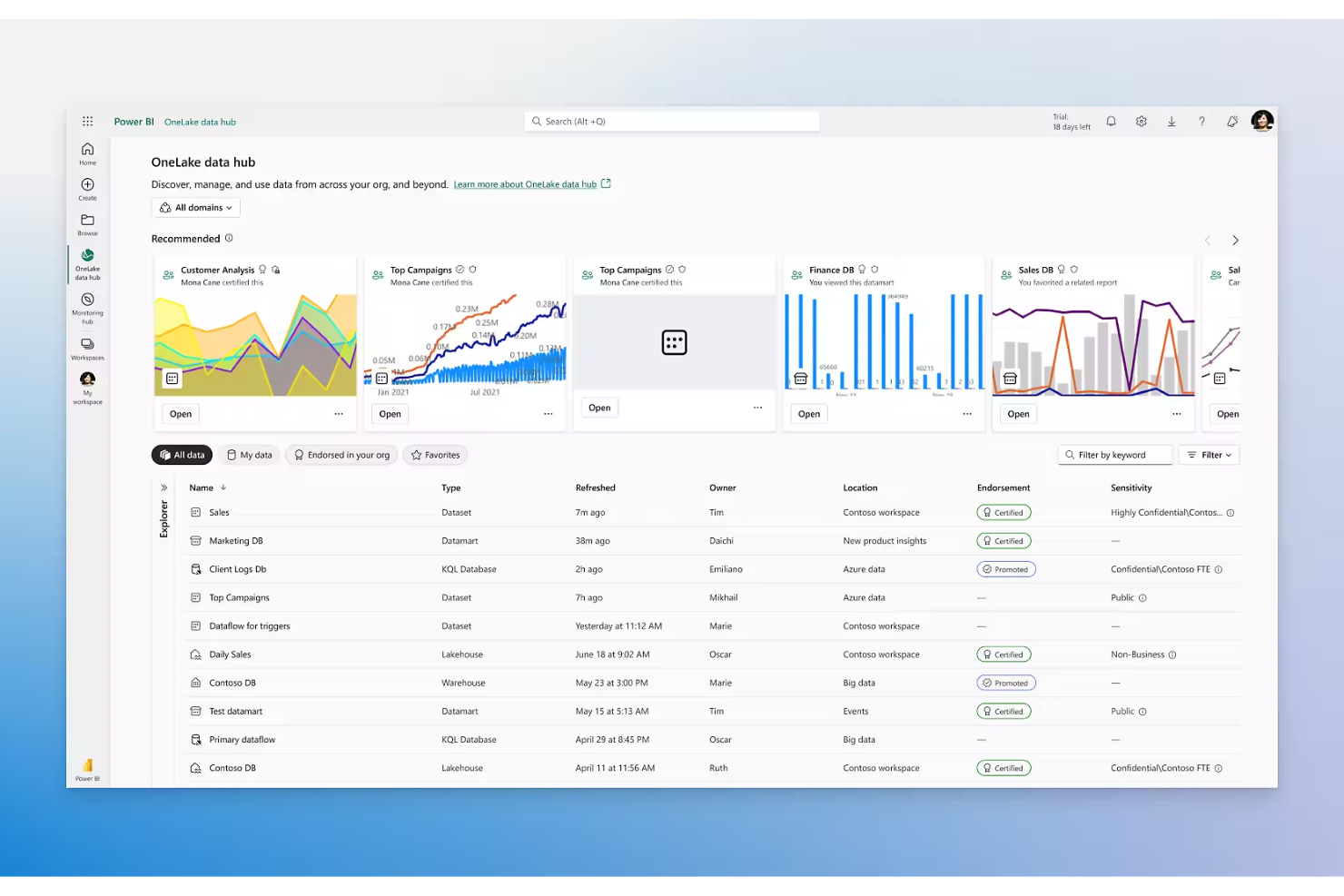
If your business relies on Microsoft tools, Power BI offers analytics that fit right into your existing workflows. Data analysts, IT teams, and retail operations leaders use Power BI to connect, visualize, and share data across Excel, Teams, and other Microsoft products. Unlike Google Analytics, Power BI brings together data from multiple sources and lets you build interactive dashboards that update in real time.
Why Power BI Is a Good Google Analytics Alternative
For teams already invested in Microsoft products, Power BI offers analytics that work natively within the Microsoft ecosystem. I picked Power BI because it connects directly to Excel, Azure, and Microsoft Teams, making it easy to pull in data from across your business.
Power BI also supports advanced data modeling and lets you build interactive dashboards that update automatically as your data changes. This level of integration and real-time reporting is something Google Analytics doesn’t provide for Microsoft-centric organizations.
Power BI Key Features
Some other Power BI features that analytics buyers may want to know about include:
- Natural Language Query (Q&A): Ask questions about your data in plain language and get instant visual answers.
- Data Alerts: Set up custom alerts to notify you when data reaches specific thresholds.
- Mobile Reporting: Access and interact with dashboards and reports on iOS and Android devices.
- Data Preparation (Power Query): Clean, transform, and shape data before analysis using built-in tools.
Power BI Integrations
Integrations include Microsoft Excel, Microsoft Teams, Microsoft Power Platform, Microsoft Azure, Microsoft 365, Dynamics 365, SharePoint, OneDrive, Microsoft Purview, and PowerPoint.
Pros and Cons
Pros:
- Built-in natural language query lets users explore data conversationally
- Supports advanced data modeling and custom DAX calculations
- Deep integration with Microsoft 365 and Azure data sources
Cons:
- Real-time data streaming is limited compared to some analytics tools
- Web analytics tracking requires manual setup and third-party connectors


Retail and ecommerce teams looking for flexible, highly visual analytics often turn to Grow for its customizable dashboard creation. Grow appeals to operations managers, marketing leads, and business owners who want to blend data from multiple sources and design dashboards that match their unique KPIs. Unlike Google Analytics, Grow lets you build dashboards from any data—not just web or app traffic—so you can track sales, inventory, and marketing performance in one place.
Why Grow Is a Good Google Analytics Alternative
If you want analytics dashboards that fit your business—not the other way around—Grow is worth a look. I picked Grow because it lets you design fully customizable dashboards, so you can visualize any metric or KPI that matters to your team.
You can pull in data from sales, inventory, marketing, and more, then arrange and style your dashboards to match your reporting needs. This flexibility goes far beyond the web-focused, pre-set reports you get with Google Analytics.
Grow Key Features
Some other Grow features that analytics buyers may want to know about include:
- Pre-Built Data Connectors: Connect to dozens of data sources like Shopify, Salesforce, and QuickBooks without custom development.
- Scheduled Data Refresh: Set automatic data updates to keep dashboards current throughout the day.
- User Permissions: Control access to dashboards and data with customizable user roles.
- Embedded Analytics: Add Grow dashboards directly into your own apps or web pages for easy sharing.
Grow Integrations
Integrations include Google BigQuery, PostgreSQL, MySQL, HubSpot, Salesforce, QuickBooks, Google Analytics, Shopify, Xero, and Snowflake.
Pros and Cons
Pros:
- Embedded analytics lets you share dashboards in your own apps
- Connects natively to ecommerce, CRM, and financial platforms
- Custom dashboards let you track any business metric, not just web data
Cons:
- Data transformation tools are less advanced than some BI platforms
- No built-in web tracking or event tagging like Google Analytics
Other Google Analytics Alternatives
Here are some additional Google Analytics alternatives that didn’t make it onto my shortlist, but are still worth checking out:
- Looker
For collaborative data exploration
- Zoho Analytics
For automated report scheduling


Google Analytics Alternatives Selection Criteria
When selecting the best Google Analytics alternatives to include in this list, I considered common buyer needs and pain points related to analytics software products, like the ability to embed analytics into products and the need for customizable reporting. I also used the following framework to keep my evaluation structured and fair:
Core Functionality (25% of total score) To be considered for inclusion in this list, each solution had to fulfill these common use cases:
- Track and visualize key metrics
- Build and share custom dashboards
- Import data from multiple sources
- Segment and filter data
- Export reports for stakeholders
Additional Standout Features (25% of total score) To help further narrow down the competition, I also looked for unique features, such as:
- Embedded analytics capabilities
- White-labeling and branding options
- AI-driven insights and anomaly detection
- Custom widget or visualization development
- Advanced role-based access controls
Usability (10% of total score) To get a sense of the usability of each system, I considered the following:
- Clean and intuitive user interface
- Logical dashboard and report navigation
- Minimal clicks to access core features
- Responsive design for different devices
- Clear labeling and helpful tooltips
Onboarding (10% of total score) To evaluate the onboarding experience for each platform, I considered the following:
- Availability of step-by-step product tours
- Access to training videos and documentation
- Pre-built dashboard and report templates
- In-app chatbots or guided setup
- Live or recorded onboarding webinars
Customer Support (10% of total score) To assess each software provider’s customer support services, I considered the following:
- Multiple support channels like chat, email, and phone
- Fast response times for support requests
- Access to a searchable knowledge base
- Availability of dedicated account managers
- Community forums or user groups
Value For Money (10% of total score) To evaluate the value for money of each platform, I considered the following:
- Transparent and flexible pricing plans
- Features included at each pricing tier
- Free trial or demo availability
- No hidden fees or surprise charges
- Discounts for annual or volume commitments
Customer Reviews (10% of total score) To get a sense of overall customer satisfaction, I considered the following when reading customer reviews:
- Consistency of positive feedback across platforms
- Specific praise for unique features
- Reports of reliable performance and uptime
- Constructive criticism and vendor responsiveness
- Trends in recent reviews versus older feedback
Why Look For a Google Analytics Alternative?
While Google Analytics is a widely used web analytics tool, it isn’t always the best fit for every organization. Many teams look for a Google Analytics alternative when they need more flexibility, stronger user privacy protections, or deeper insight into how website visitors interact with their products and services.
You might consider another web analytics platform if:
- You need to embed analytics into your own product or application
- You want greater control over personal data and how it’s stored or processed
- You prefer privacy-friendly analytics that align with GDPR compliant standards and modern privacy laws
- You need analytics that work in regions where Google services may be restricted
- You want to analyze more than just website traffic, including marketing campaigns, referrals, and the full customer journey
Some teams also prefer privacy-first analytics tools that avoid collecting sensitive personal data such as IP addresses or requiring intrusive cookie banners. These platforms focus on delivering valuable insights about website visitors while respecting user privacy.
Google Analytics Key Features
To better evaluate alternatives, it helps to understand what Google Analytics already offers. The platform includes a variety of capabilities designed to help teams understand website visitors and improve site performance.
Key features include:
- Real-time monitoring of website and app traffic
- Event tracking for user interactions across landing pages and other site elements
- Customizable dashboards and reports for analyzing web analytics data
- Audience segmentation and demographic insights to better understand unique visitors
- Conversion and goal tracking tied to marketing campaigns
- Integration with Google Ads and other Google marketing tools
- Funnel visualization that highlights the customer journey from first visit to conversion
- E-commerce tracking with revenue reporting
- Automated alerts when traffic patterns, bounce rate, or other metrics change significantly
- Data export and API access for deeper analysis and custom reporting
These features help organizations gather valuable insights about how users arrive from search engines, interact with content, and move through key pages on a site. When comparing alternatives, consider how well other platforms support these same analytics capabilities while aligning with your privacy and reporting requirements.
What’s Next:
If you're in the process of researching Google Analytics alternatives, connect with a SoftwareSelect advisor for free recommendations.
You fill out a form and have a quick chat where they get into the specifics of your needs. Then you'll get a shortlist of software to review. They'll even support you through the entire buying process, including price negotiations.