
18 Freshdesk Alternatives for 2026

Freshdesk Alternatives Shortlist
Here’s my shortlist of the best Freshdesk alternatives:


A strong Freshdesk alternative delivers AI-powered customer service tools, flexible ticket management, and integrations that fit your team’s workflow. If you’re searching for Freshdesk alternatives, you’re likely weighing options that can match or exceed its automation, omnichannel support, and reporting—without sacrificing usability or value. This list will help you compare leading platforms side by side, so you can confidently choose the right customer service solution for your business in 2026.
What Is Freshdesk?
Freshdesk is an AI-powered customer service platform that helps businesses manage support tickets, automate workflows, and engage with customers across multiple channels. It offers features like ticket routing, knowledge base management, and chatbot support to simplify customer interactions. Teams use Freshdesk to centralize customer communication, track performance, and integrate with other business tools, making it a popular choice for companies aiming to improve their customer support operations.
Best Freshdesk Alternatives Summary
This comparison chart summarizes pricing details for my top Freshdesk alternative selections to help you find the best one for your budget and business needs.
| Tool | Best For | Trial Info | Price | ||
|---|---|---|---|---|---|
| 1 | Best for knowledge base creation | Free plan + free demo available | From $39.99/month (billed annually) | Website | |
| 2 | Best with proactive messaging tools | Free trial + free demo available | From $29/seat/month (billed annually) | Website | |
| 3 | Best for unified customer timelines | Free demo available | Pricing upon request | Website | |
| 4 | Best for collaborative team inboxes | Free demo available | From $25/seat/month | Website | |
| 5 | Best for omnichannel ticket management | Free trial + free demo available | From $19/agent/month (billed annually) | Website | |
| 6 | Best for customizable workflow automation | Free trial + free demo available | From $7/user/month (billed annually) | Website | |
| 7 | Best with advanced analytics capabilities | Free plan + free demo available | From $25/user/month | Website | |
| 8 | Best for enterprise process automation | Free demo available | Pricing upon request | Website | |
| 9 | Best for CRM integration | Free plan + free demo available | From $20/seat/month (billed annually) | Website | |
| 10 | Best for multichannel live chat support | 30-day free trial + free demo available | From $15/user/month | Website |
Why Trust Our Software Reviews
Best Freshdesk Alternatives Reviewed
Below are my detailed summaries of the best Freshdesk alternatives that made it onto my shortlist. My reviews offer a detailed look at the features, capabilities, and integrations of each platform to help you find the best one for your team.

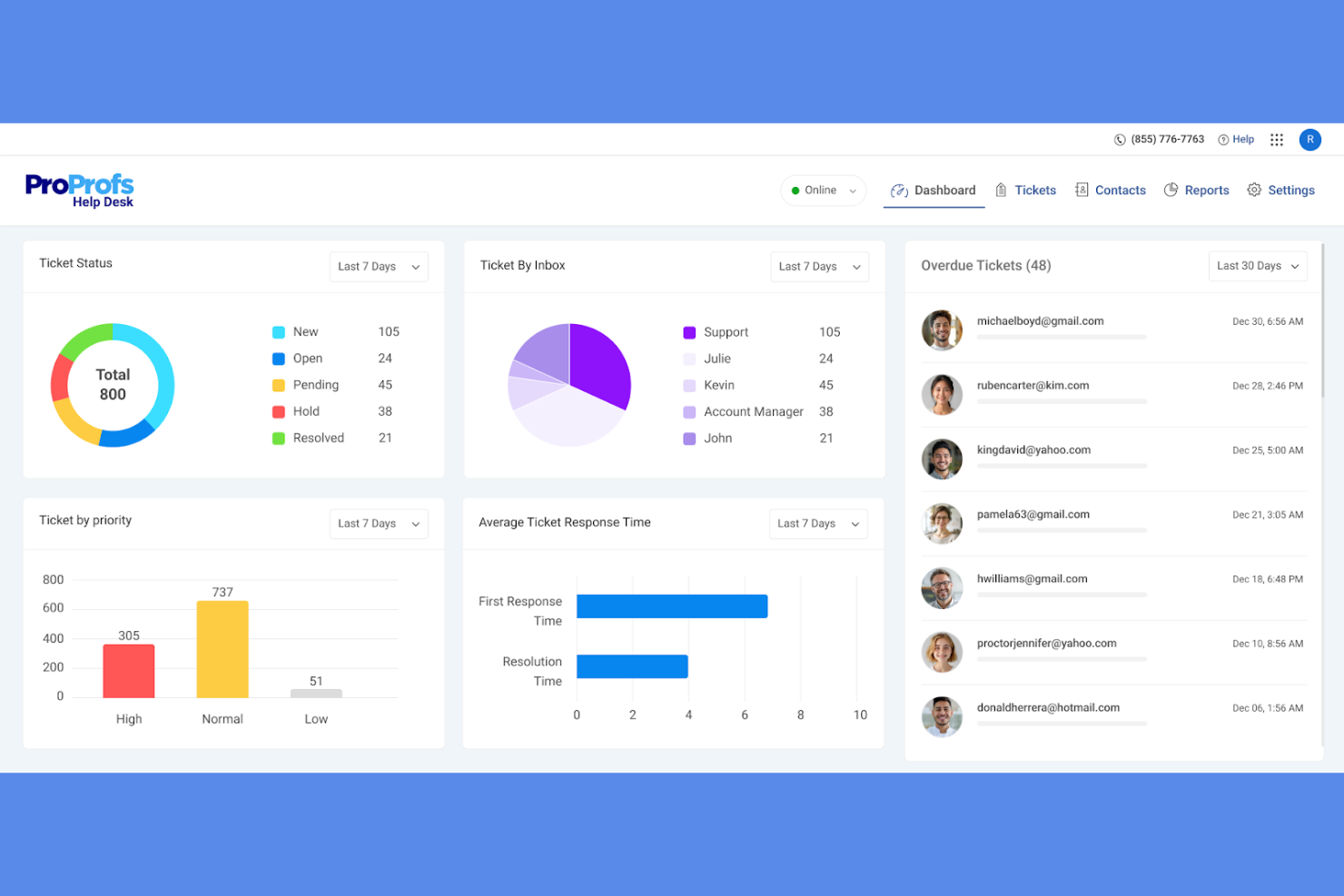
Retailers and e-commerce teams looking to build a self-service knowledge base alongside their helpdesk may want to consider ProProfs Help Desk. This platform stands out for its integrated knowledge base tools, making it easier to create, organize, and update FAQs and support articles. It’s a strong fit for businesses that want to reduce repetitive tickets by empowering customers and agents with searchable, up-to-date information.
Why ProProfs Help Desk Is a Good Freshdesk Alternative
If your team wants to prioritize self-service and knowledge sharing, ProProfs Help Desk offers a distinct advantage over Freshdesk. I picked it because its built-in knowledge base editor lets you create, update, and publish support articles directly from the helpdesk. You can organize content into categories, add multimedia, and make articles searchable for both customers and agents. This focus on knowledge management helps reduce repetitive tickets and empowers users to find answers on their own.
ProProfs Help Desk Key Features
Some other features that make ProProfs Help Desk useful include:
- Shared Inbox: Manage all customer emails and tickets from a single, collaborative inbox.
- Canned Responses: Set up pre-written replies for common customer questions to save time.
- Automated Ticket Assignment: Route incoming tickets to the right team member based on rules you define.
- Customer Satisfaction Surveys: Collect feedback directly from customers after ticket resolution.
ProProfs Help Desk Integrations
Integrations include ProProfs Live Chat, ProProfs Knowledge Base, Qualaroo, BIGContacts, Salesforce, and more.
Pros and Cons
Pros:
- Customer satisfaction surveys after ticket closure
- Canned responses for repetitive ticket replies
- Built-in knowledge base with article templates
Cons:
- No built-in chatbot or AI ticket triage
- Limited third-party integrations

Retail and e-commerce teams looking to engage customers before issues arise may find Intercom especially useful. The platform specializes in proactive messaging, allowing you to trigger targeted in-app, email, and chat messages based on user behavior. Intercom’s AI-powered automation and customizable bots help you reach customers at the right moment, reducing repetitive questions and improving satisfaction.
Why Intercom Is a Good Freshdesk Alternative
If you want to reach customers before they even ask for help, Intercom is worth considering as a Freshdesk alternative. I picked Intercom because its proactive messaging tools let you send targeted messages based on user actions, browsing history, or lifecycle stage. The platform’s AI-powered bots can start conversations, answer common questions, and route complex issues to your team automatically. This approach helps you reduce repetitive tickets and create a more personalized customer experience.
Intercom Key Features
Some other Intercom features that stand out include:
- Unified Inbox: Manage all customer conversations from chat, email, and social channels in a single view.
- Customizable Help Center: Build a branded self-service portal with articles and FAQs for customers.
- Product Tours: Guide users through onboarding or new features with interactive, in-app walkthroughs.
- Conversation Ratings: Collect customer feedback on individual support interactions directly within the user-friendly interface.
Intercom Integrations
Integrations include Salesforce, HubSpot, Slack, Shopify, Jira, Stripe, Google Analytics, Mailchimp, and more.
Pros and Cons
Pros:
- In-app product tours for onboarding new users
- AI bots handle repetitive questions
- Chat triggers based on user behavior
Cons:
- Restrictive conversation assignment rules
- Pricing increases sharply with user volume
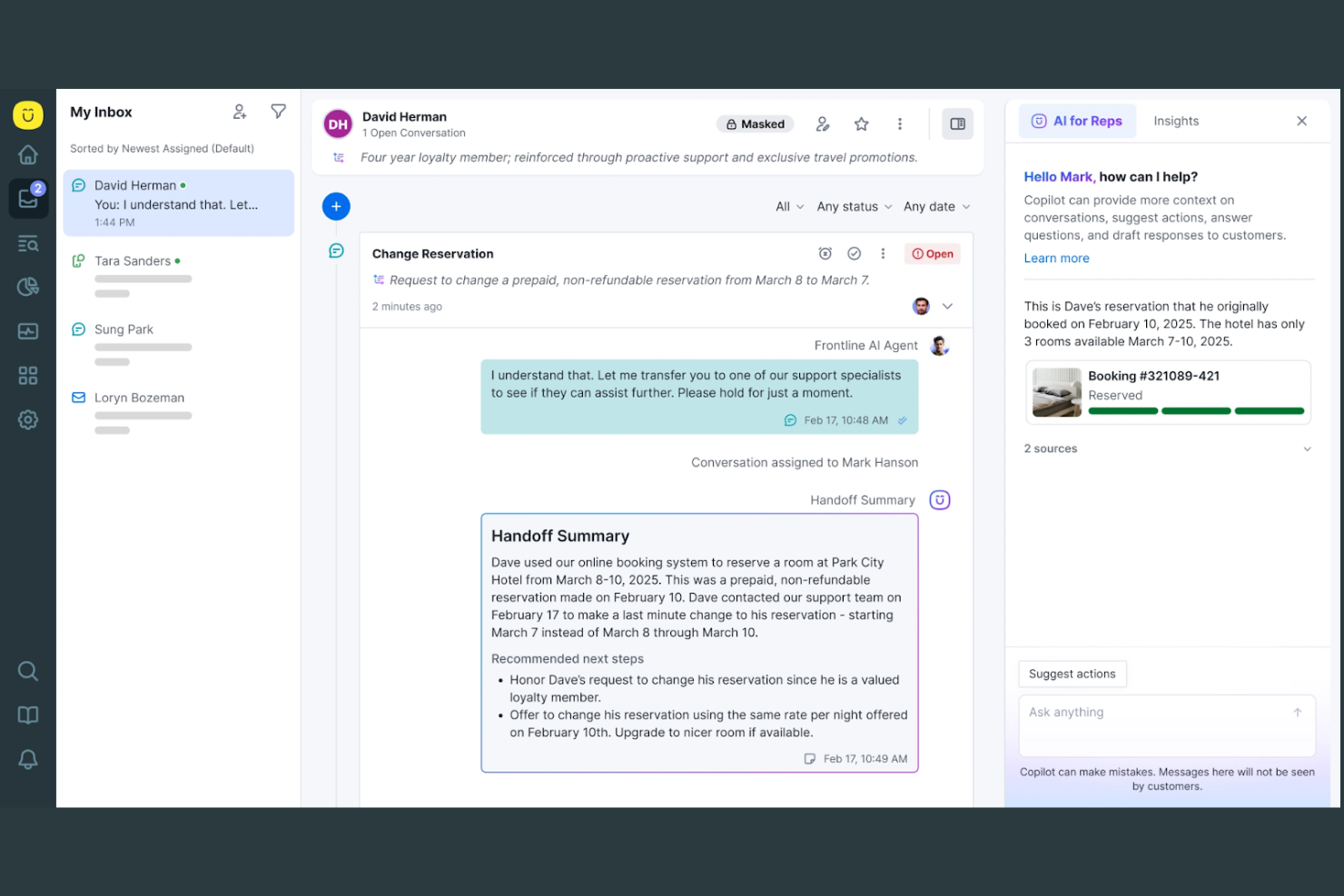
Kustomer is designed for retail and e-commerce teams that need a complete view of every customer interaction. By organizing conversations, orders, and support history into unified timelines, it helps agents deliver more personalized service. This approach is especially useful for businesses managing complex, multi-channel customer relationships and looking to move beyond siloed ticketing.
Why Kustomer Is a Good Freshdesk Alternative
Unlike traditional ticketing systems, Kustomer gives you a unified timeline for every customer, so agents see the full context of each relationship. I picked it because this timeline view brings together conversations, orders, and activities from all channels in one place. AI-powered tools help surface relevant details and automate repetitive tasks, making it easier to deliver personalized support. For teams that want to move beyond fragmented tickets, Kustomer’s approach offers a more holistic way to manage customer service.
Kustomer Key Features
Some other features that make Kustomer appealing include:
- AI-Powered Chatbots: Automate responses and handle common customer questions using built-in AI agents.
- Omnichannel Routing: Direct conversations from email, chat, SMS, and social to the right agent automatically.
- Custom Workflows: Build automated workflows for repetitive tasks and escalations without coding.
- Knowledge Base Management: Create and organize self-service articles for customers and agents.
Kustomer Integrations
Integrations include Shopify, Amazon Connect, Aircall, 8x8, Ada, Acuity Scheduling, Amazon Redshift, Flip CX, and more.
Pros and Cons
Pros:
- Native integration with Shopify
- Custom workflows automate repetitive agent tasks
- Unified timeline shows all customer interactions
Cons:
- Bulk ticket actions are not always available
- No built-in customer satisfaction survey tool

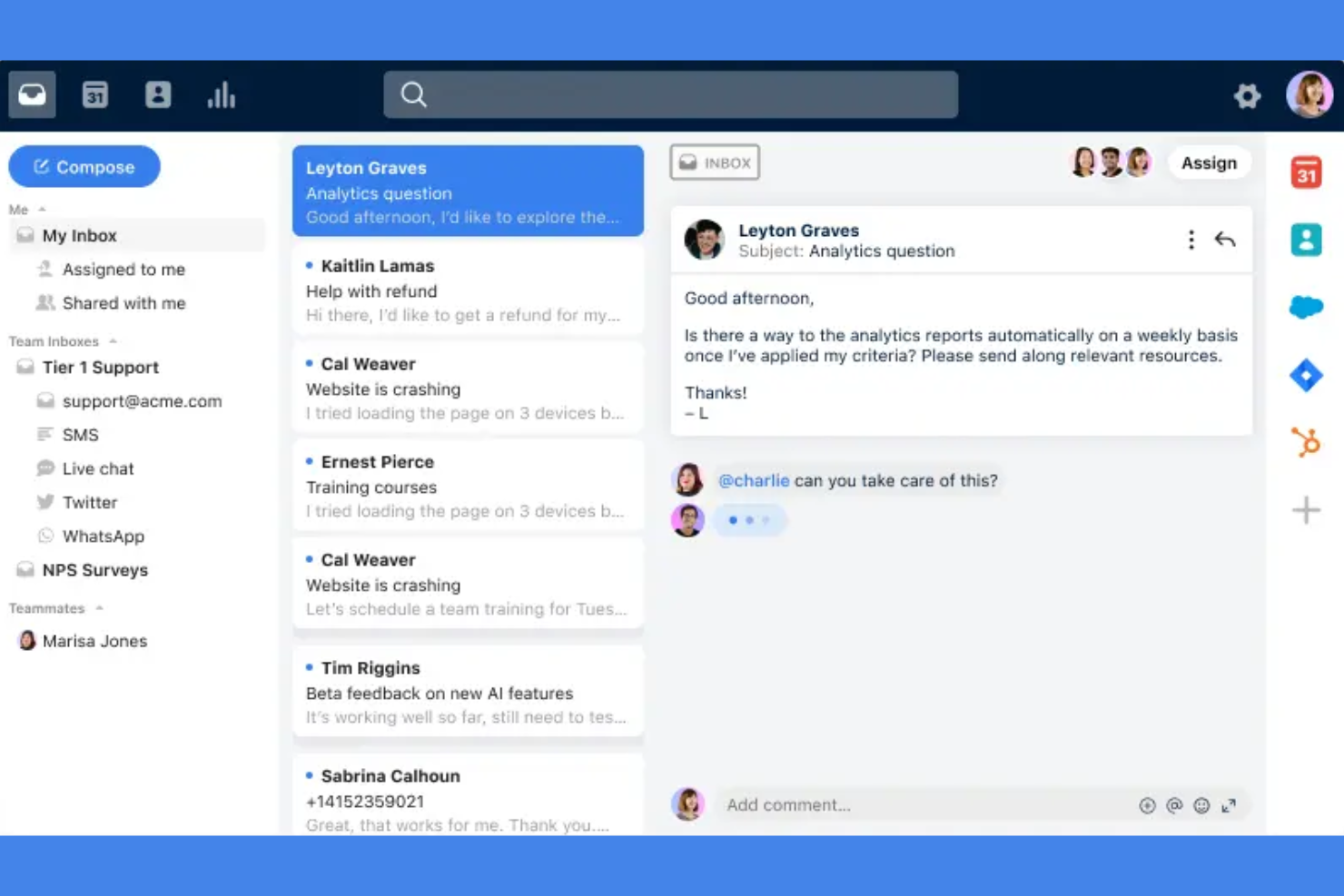
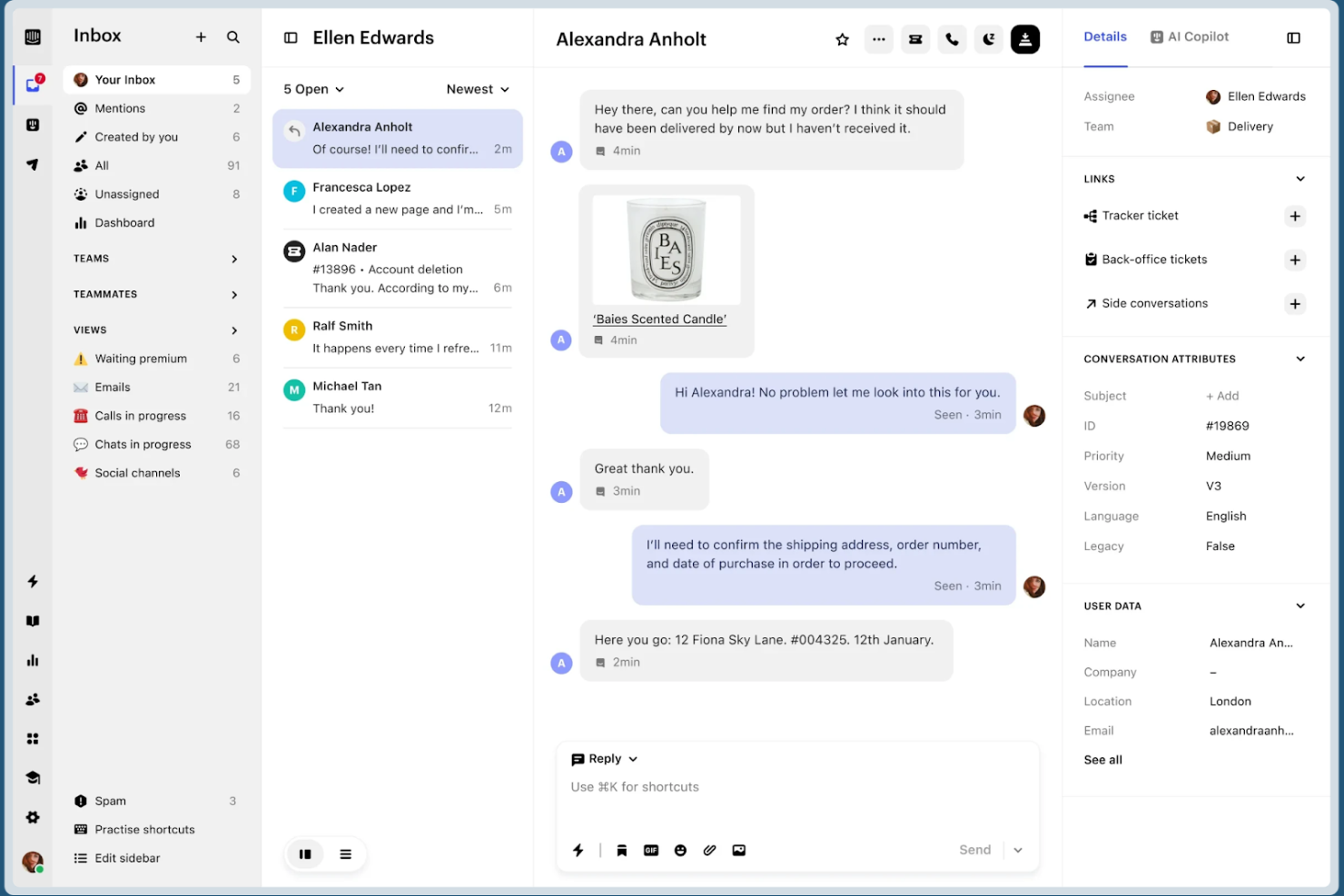
Front is designed for teams that want to manage customer conversations together in a shared inbox. It’s a strong fit for e-commerce, retail, and operations teams that need to collaborate on email, chat, and SMS without losing track of who owns each message. Unlike Freshdesk, Front lets you assign, comment, and automate workflows directly inside the inbox, so your team can resolve issues faster and avoid duplicate replies.
Why Front Is a Good Freshdesk Alternative
For teams that need to work together on customer messages, Front offers a collaborative inbox experience that Freshdesk doesn’t match. I picked Front because it lets you assign conversations, leave internal comments, and loop in teammates without switching tools. The platform’s AI features help categorize, prioritize, and even draft responses, so your team can focus on high-value interactions. This makes Front especially useful for businesses where multiple people need visibility and input on every customer conversation.
Front Key Features
Some other features that make Front appealing include:
- Omnichannel Messaging: Manage email, SMS, live chat, and social media messages in one shared inbox.
- Analytics Dashboard: Track team performance and conversation metrics with built-in reporting tools.
- Rules-Based Automation: Set up custom rules to route, tag, or escalate messages automatically.
- Knowledge Base Integration: Connect your help center or FAQ content to provide quick answers within conversations.
Front Integrations
Integrations include HubSpot, Salesforce, Asana, Aircall, Microsoft Teams, Slack, Shopify, Jira, WhatsApp, and more.
Pros and Cons
Pros:
- Analytics dashboard tracks resolution times
- Conversation assignment prevents duplicate replies
- Internal comments keep customer context visible
Cons:
- AI features require higher-tier plans
- No built-in customer portal for ticket tracking

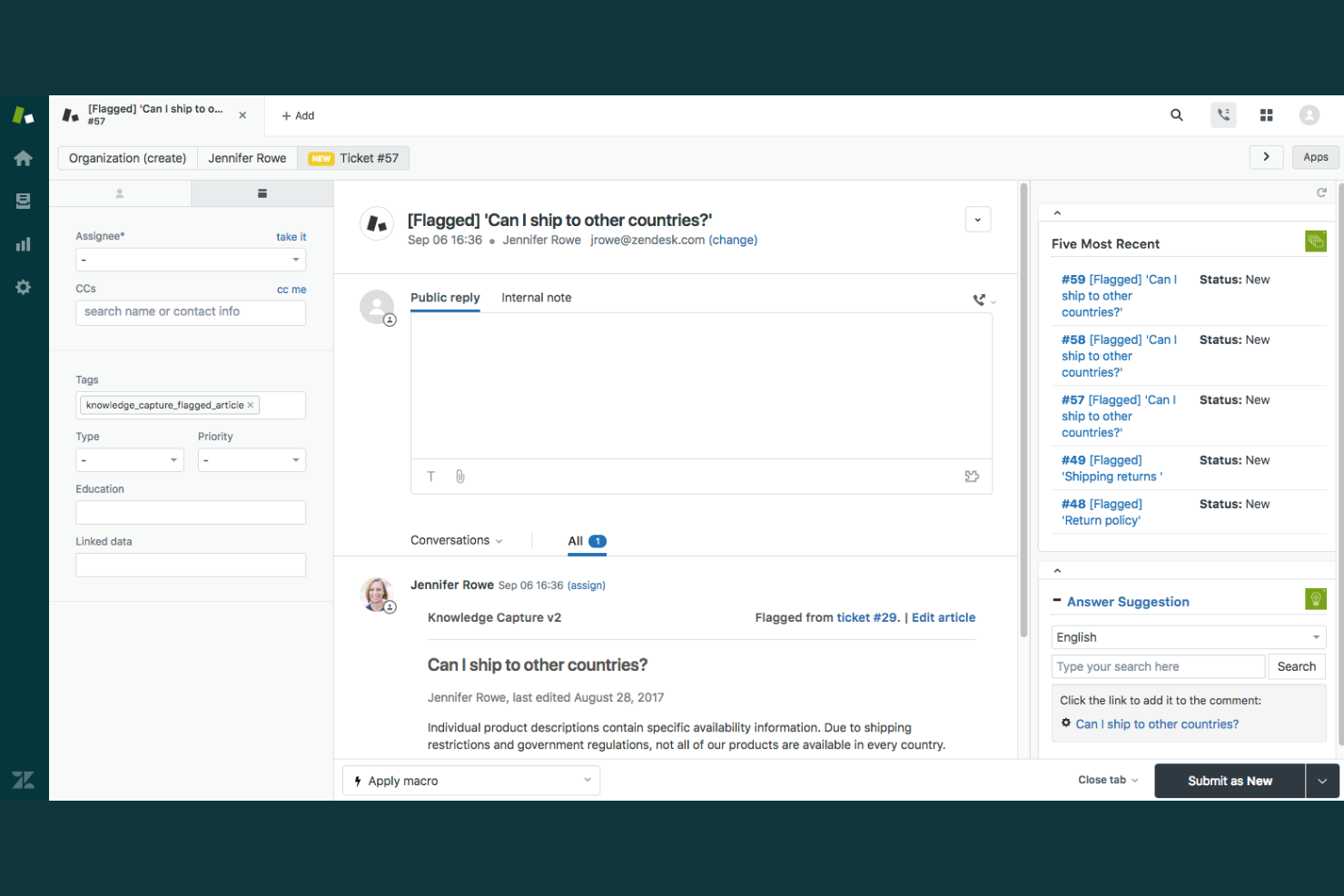
Zendesk offers a unified platform for businesses that need to manage customer conversations across email, chat, social, and voice channels. Retail and e-commerce teams looking for advanced ticket routing and AI-driven automation will find Zendesk’s omnichannel capabilities especially useful. If your business handles high volumes of support requests from multiple sources, Zendesk helps you keep every interaction organized and actionable in one place.
Why Zendesk Is a Good Freshdesk Alternative
Zendesk stands out for its strong omnichannel ticket management, making it a solid choice if you need to unify customer conversations from multiple channels. I picked Zendesk because it lets you route, prioritize, and track tickets from email, chat, social media, and voice in a single dashboard. Its AI-powered tools help categorize and assign tickets automatically, so your team can respond faster and more accurately. For businesses juggling high volumes of support requests across platforms, Zendesk’s centralized approach keeps everything organized and actionable.
Zendesk Key Features
Some other Zendesk features worth noting for customer support teams include:
- AI-Powered Chatbots: Automate responses to common questions and guide customers to solutions without agent intervention.
- Customizable Help Center: Build and manage a branded self-service portal where customers can find answers and submit requests.
- SLA Management: Set, monitor, and enforce service level agreements to ensure timely responses and resolutions.
- Customer Satisfaction Surveys: Collect feedback directly after support interactions to measure and improve service quality.
Zendesk Integrations
Integrations include Salesforce, Jira, Slack, Shopify, Mailchimp, HubSpot, GitHub, Asana, Trello, and more.
Pros and Cons
Pros:
- Includes multilingual and global support features
- Supports extensive third-party integrations
- Handles high ticket volumes efficiently
Cons:
- Limited customization on lower-tier plans
- Higher cost for advanced features

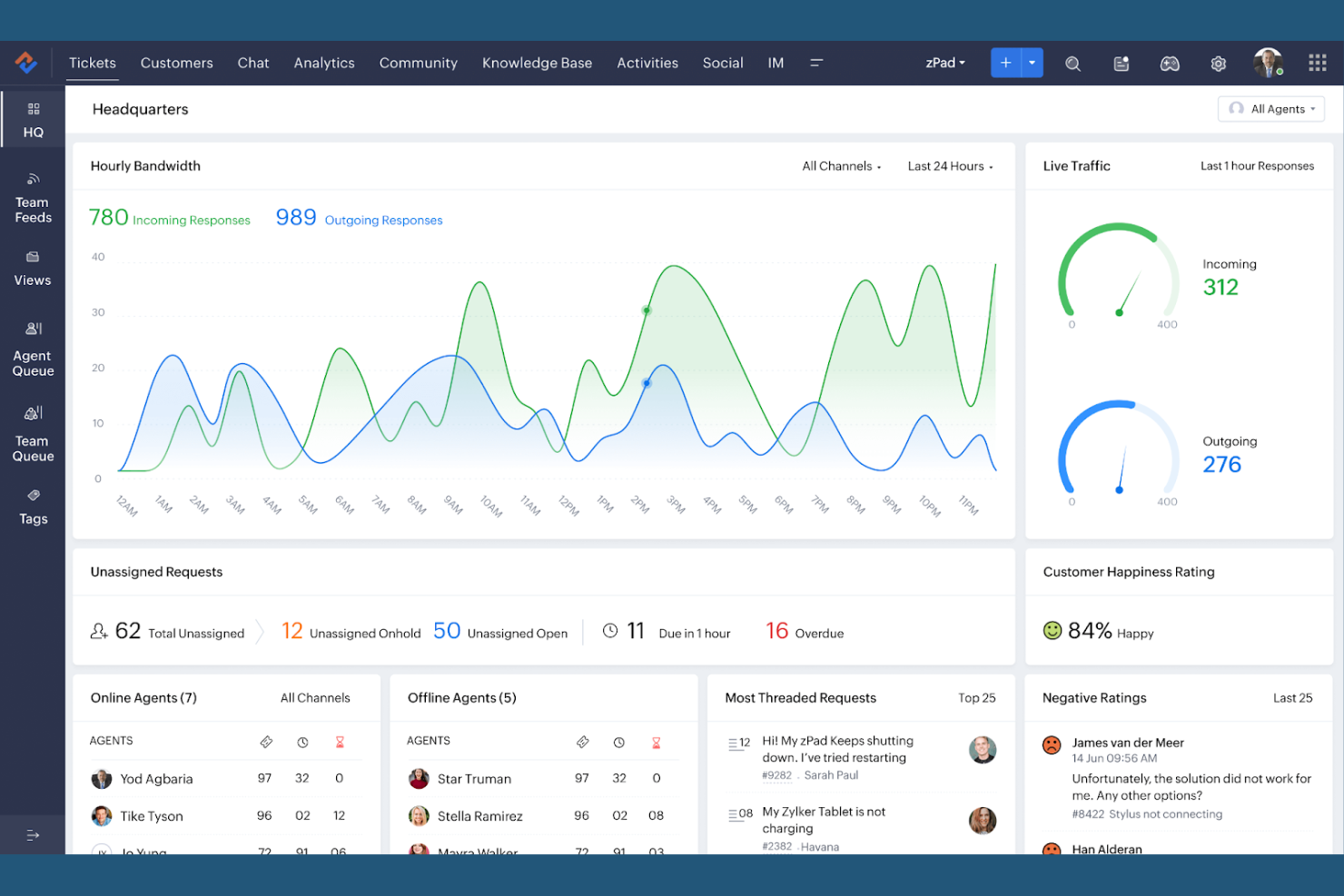
If your team needs flexible automation for customer service, Zoho Desk offers a highly customizable platform for managing support workflows. It’s a strong fit for retail and e-commerce businesses that want to tailor ticket routing, escalation, and response processes to match unique operational needs. Zoho Desk stands out for its rule-based automations and AI tools that help you adapt support to your business, not the other way around.
Why Zoho Desk Is a Good Freshdesk Alternative
Zoho Desk is a strong Freshdesk alternative if you want deep control over how your support workflows operate. I picked Zoho Desk because its Blueprint feature lets you design custom ticket processes, automate escalations, and set up multi-stage approvals that fit your business rules. The platform’s AI-powered Zia assistant also helps you automate ticket tagging, sentiment analysis, and response suggestions. For teams that need to adapt support processes to unique requirements, Zoho Desk’s workflow automation stands out.
Zoho Desk Key Features
Some other Zoho Desk features that caught my attention include:
- Multi-Channel Ticketing: Manage customer queries from email, chat, social media, and web forms in one place.
- Customizable Dashboards: Create personalized dashboards to track metrics and monitor team performance.
- Knowledge Base Management: Build and organize a self-service portal with articles and FAQs for customers.
- Time Tracking: Log and monitor the time agents spend on each ticket for better resource planning.
Zoho Desk Integrations
Integrations include Zoho CRM, Zoho Books, Zoho Analytics, Slack, Jira, HubSpot, Microsoft Teams, Mailchimp, and more.
Pros and Cons
Pros:
- Multi-brand support for managing separate portals
- Suggests ticket responses automatically
- Blueprint feature enables detailed workflow mapping
Cons:
- Limited social media integration
- SLA management options are less flexible

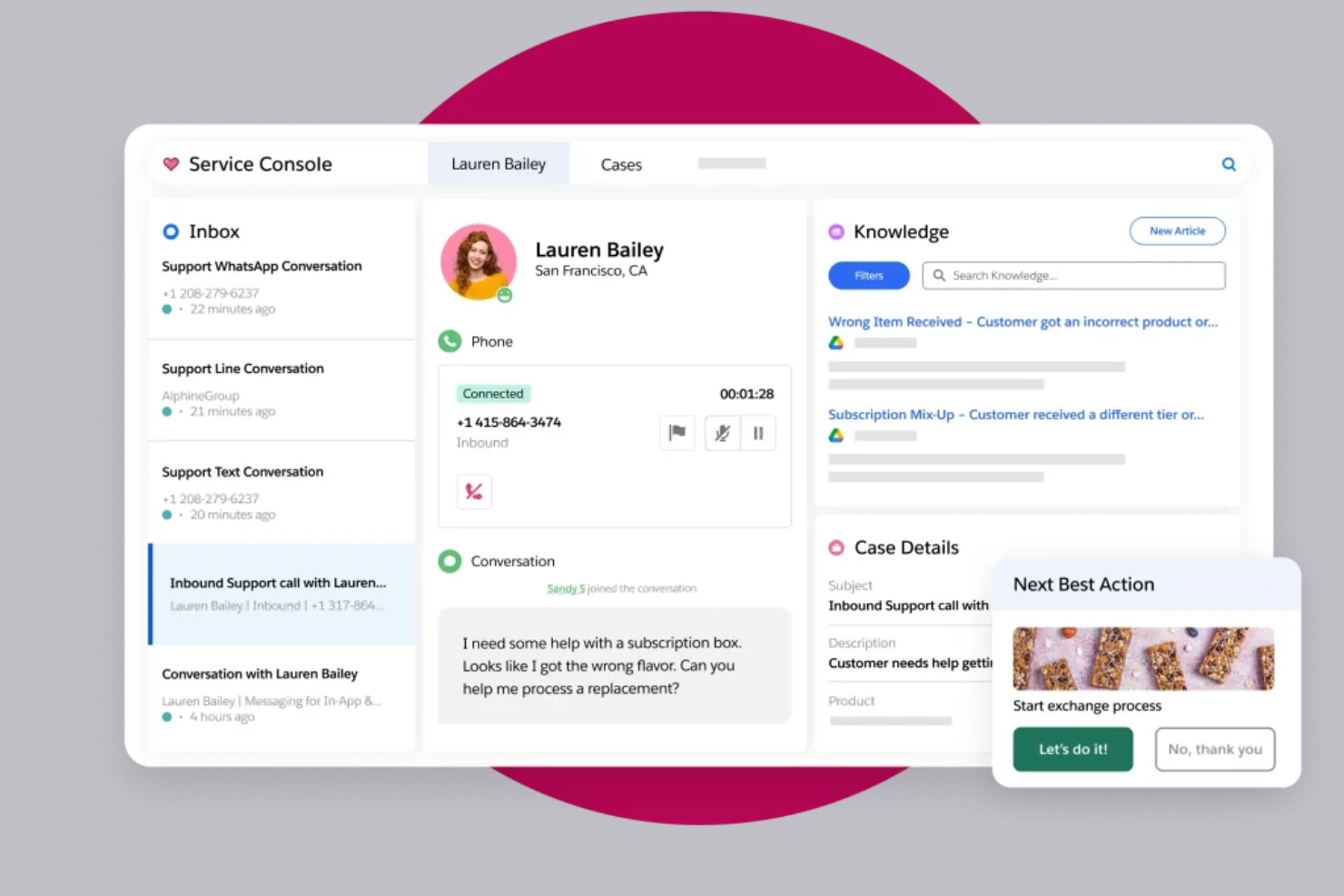
Salesforce Service Cloud stands out for retail and e-commerce teams that need deep analytics and real-time insights across every support channel. With advanced AI-driven reporting and customizable dashboards, it helps service leaders spot trends and optimize agent performance. This makes it a strong fit for businesses that want to turn customer data into actionable improvements.
Why Salesforce Service Cloud Is a Good Freshdesk Alternative
For teams that need more than basic reporting, Salesforce Service Cloud offers advanced analytics capabilities that go far beyond what Freshdesk provides. I picked it because its AI-powered dashboards and real-time analytics let you track agent performance, customer satisfaction, and case trends in granular detail. Predictive insights and customizable reports help you identify bottlenecks and make data-driven decisions quickly. If you want to turn every customer interaction into actionable intelligence, Service Cloud’s analytics tools are a strong fit.
Salesforce Service Cloud Key Features
Some other features that make Salesforce Service Cloud appealing include:
- Case Management: Organize, assign, and track customer cases from multiple channels in one place.
- Omnichannel Routing: Automatically direct cases and conversations to the right agent based on skill and availability.
- Knowledge Base: Build and maintain a searchable library of articles for agents and customers.
- Service Console: Give agents a unified workspace with customer details, interaction history, and productivity tools.
Salesforce Service Cloud Integrations
Integrations include Slack, Amazon Connect, Genesys, NICE, Tableau, MuleSoft, and more.
Pros and Cons
Pros:
- Supports multilingual content management
- Supports workflow automation for agent tasks
- Provides AI-driven analytics
Cons:
- Reporting exports have row and field limits
- User interface can feel cluttered for agents
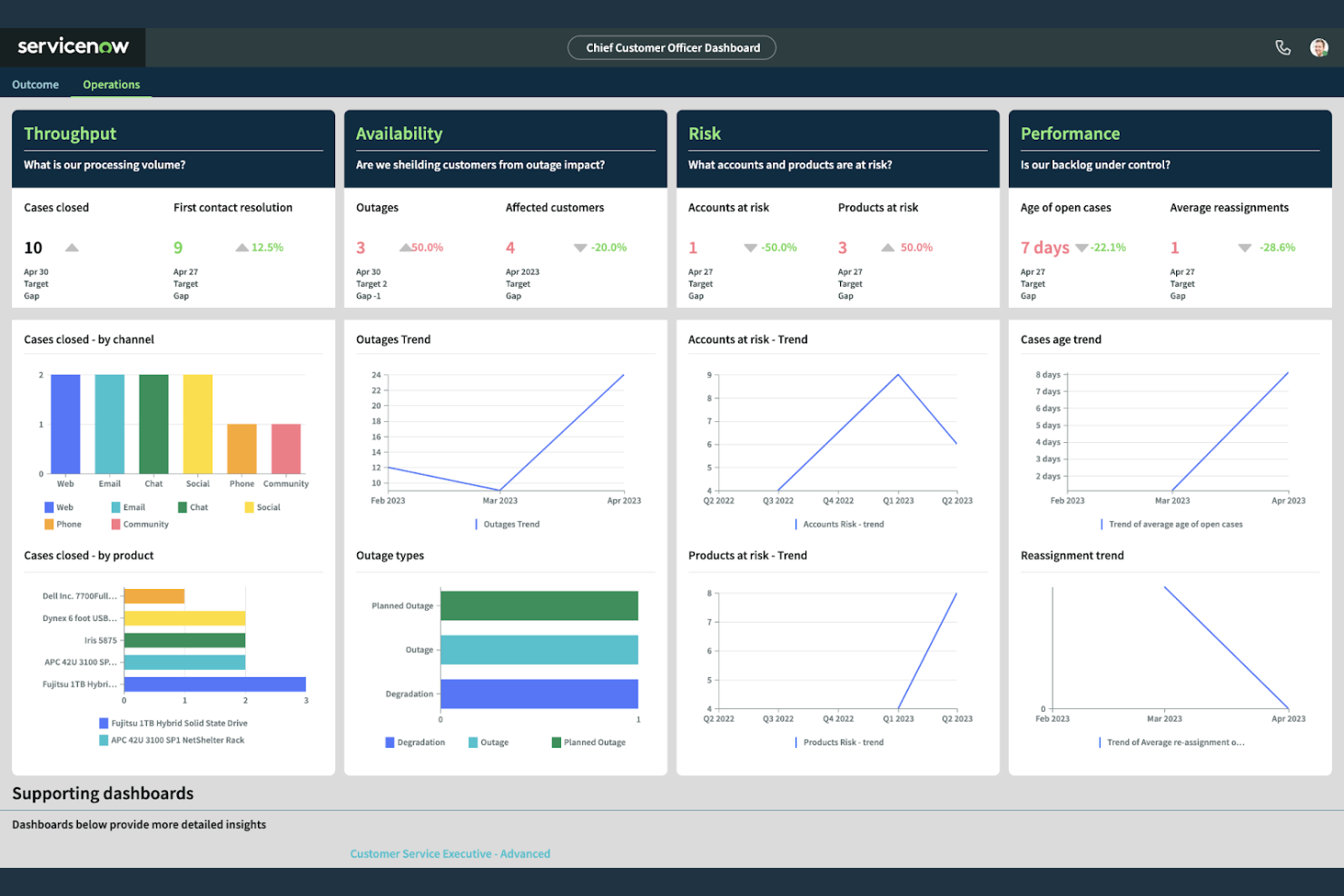
Large retail and e-commerce organizations with complex workflows may find ServiceNow Customer Service Management especially useful. This platform stands out for its deep process automation and ability to connect customer service with back-office operations, field service, and IT. It’s a strong choice for teams that need to automate case routing, orchestrate cross-departmental tasks, and resolve issues that require input from multiple business units.
Why ServiceNow Customer Service Management Is a Good Freshdesk Alternative
For organizations that need to automate complex service processes, ServiceNow Customer Service Management offers capabilities that Freshdesk doesn’t match. I picked it because it lets you design and automate workflows that span customer service operations and IT, so you can resolve issues that require input from multiple teams. The platform’s case management tools connect customer requests to back-end processes, and its AI-powered routing ensures cases reach the right department automatically. This makes it a strong fit for enterprises that want to break down silos and deliver coordinated and scalable support.
ServiceNow Customer Service Management Key Features
Some other features that set ServiceNow Customer Service Management apart include:
- Virtual Agent: Use AI-powered chatbots to handle routine customer inquiries and automate responses.
- Knowledge Management: Create, organize, and share articles to help agents and customers find answers quickly.
- Omnichannel Support: Manage customer interactions across email, chat, phone, and web from a single platform.
- Performance Analytics: Track service metrics and trends with customizable dashboards and real-time reporting.
ServiceNow Customer Service Management Integrations
Integrations include Five9, SAP, Amazon Connect, AWS, and more.
Pros and Cons
Pros:
- Case management links service to IT operations
- Customizable dashboards for real-time analytics
- Supports multiple business departments
Cons:
- Overkill features for small businesses
- Interface can feel complex for new users

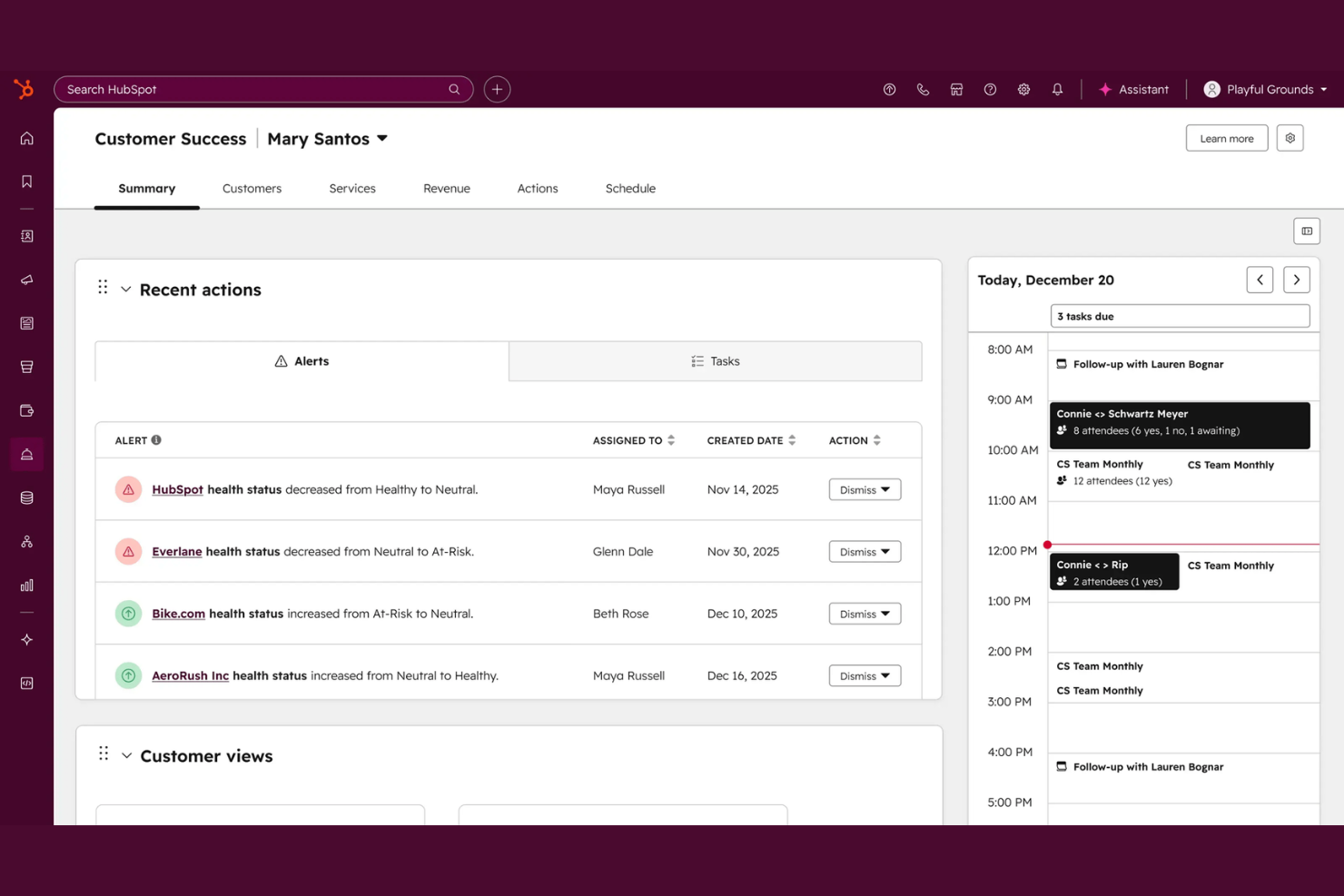
If you want a customer support software that’s tightly connected to your sales and marketing data, HubSpot Service Hub is worth a look. The platform brings AI-powered support tools directly into the HubSpot CRM, making it easy for retail and e-commerce teams to manage customer conversations with full context. This integration helps you personalize support, track every interaction, and coordinate service with the rest of your business.
Why HubSpot Service Hub Is a Good Freshdesk Alternative
For teams that want customer service and CRM data in one place, HubSpot Service Hub offers a clear advantage over Freshdesk. I picked it because you can view every customer’s history, purchases, and previous conversations right alongside support tickets. The platform’s AI-powered ticket routing and knowledge base tools work directly within the CRM, so your team always has the full customer context. This setup helps you deliver more personalized and coordinated support across your business.
HubSpot Service Hub Key Features
Some other features that make HubSpot Service Hub appealing include:
- Customer Feedback Surveys: Collect and analyze customer satisfaction and NPS data directly within the platform.
- Live Chat Widget: Add real-time chat to your website for instant customer support.
- Automated Workflows: Set up rules to automate ticket assignments, follow-ups, and escalations.
- Reporting Dashboard: Track team performance and support metrics with customizable reports.
HubSpot Service Hub Integrations
Integrations include Salesforce, Slack, Gmail, Outlook, Zoom, Microsoft Teams, Google Calendar, Shopify, and more.
Pros and Cons
Pros:
- Built-in customer feedback and survey tools
- AI-powered ticket routing for faster response
- CRM and service data unified in one platform
Cons:
- Limited omnichannel support
- Live chat widget lacks advanced targeting options

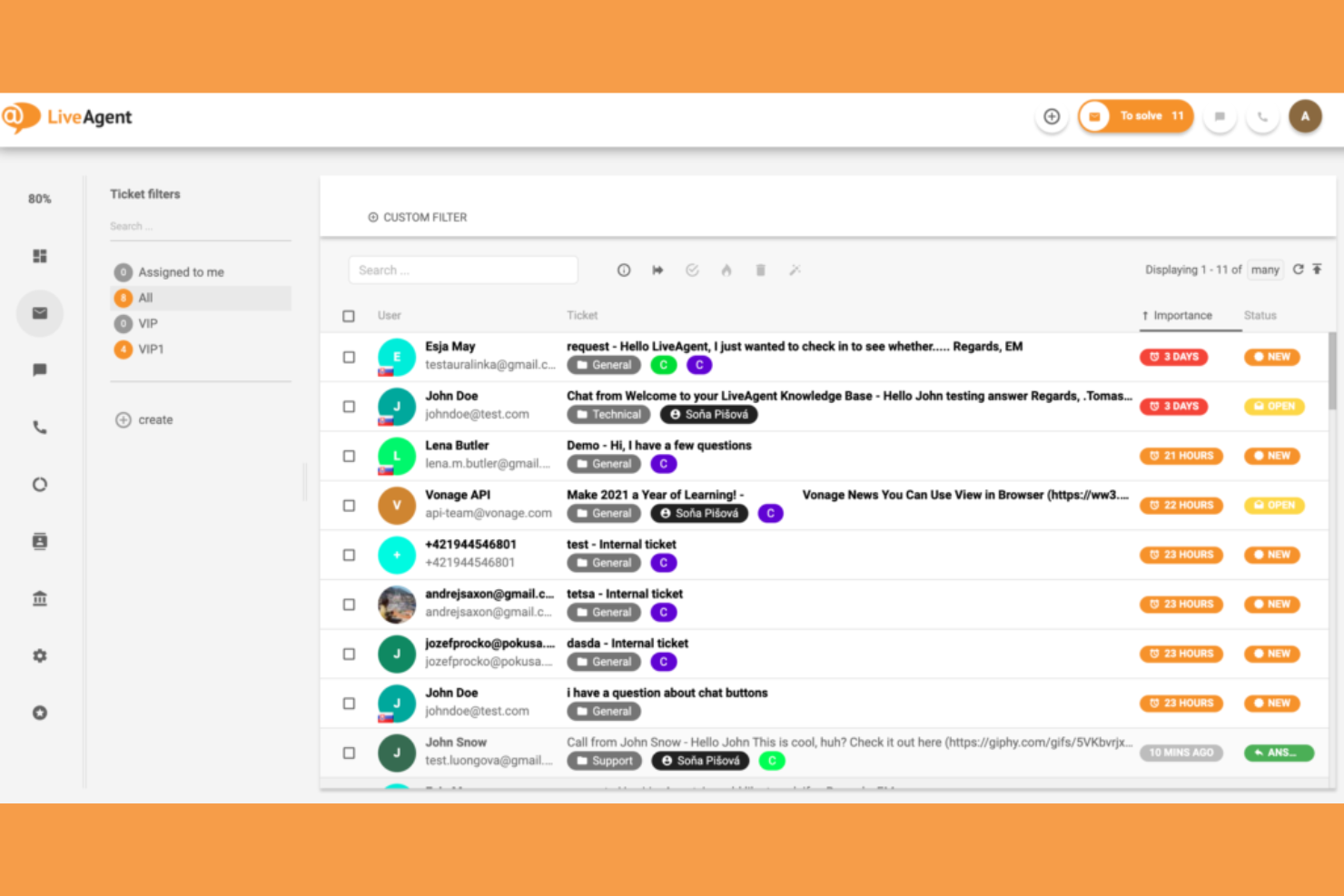
Retailers and e-commerce teams looking for real-time, multichannel support often turn to LiveAgent. The platform brings live chat, email, social, and voice channels together in one dashboard, making it easier to manage high volumes of customer conversations. Its focus on fast, unified chat support helps you respond quickly and keep every interaction organized, even across multiple channels.
Why LiveAgent Is a Good Freshdesk Alternative
If your team needs to handle customer conversations across chat, email, social, and voice without switching tools, LiveAgent is built for that. I picked it because its multichannel dashboard lets you manage all these channels in one place, so nothing slips through the cracks. The platform’s live chat includes AI-powered automation features for routing and canned responses, helping you respond faster. This focus on unified, real-time support makes LiveAgent a strong choice for businesses that prioritize chat and multichannel engagement.
LiveAgent Key Features
Some other features that make LiveAgent appealing include:
- Ticketing System: Convert all customer interactions from any channel into organized support tickets.
- Customer Portal: Give customers access to their ticket history and self-service resources.
- Call Center Integration: Handle inbound and outbound calls directly from the platform.
- Gamification Tools: Motivate support agents with badges, leaderboards, and performance tracking.
LiveAgent Integrations
Integrations include ActiveCampaign, BigCommerce, ClickUp, Clockify, CloudApp, Everhour, and more.
Pros and Cons
Pros:
- Supports ticket tracking and FAQs
- Agent gamification features
- Built-in call center with IVR options
Cons:
- Chat widget design options are basic
- Reporting exports limited to certain formats
Other Freshdesk Alternatives
Here are some additional Freshdesk alternatives options that didn’t make it onto my shortlist, but are still worth checking out:
- Jira Service Management
For IT service request handling
- Gorgias Helpdesk
For e-commerce platform integration
- Kayako
For real-time conversation tracking
- Nextiva
With integrated voice support
- HappyFox
For multilingual support options
- BoldDesk
For customizable ticket forms
- Help Scout
For shared inbox simplicity
- Dixa
For contact center unification


Freshdesk Alternatives Selection Criteria
When selecting the best Freshdesk alternatives to include in this list, I considered common buyer needs and pain points related to AI-powered customer service software, like automating repetitive support tasks and providing fast, accurate responses at scale. I also used the following framework to keep my evaluation structured and fair:
Core Functionality (25% of total score)
To be considered for inclusion in this list, each solution had to fulfill these common use cases:
- Manage multichannel customer conversations
- Automate ticket routing and assignment
- Provide AI-powered response suggestions
- Track and report on support metrics
- Enable internal team collaboration
Additional Standout Features (25% of total score)
To help further narrow down the competition, I also looked for a unique feature set, such as:
- AI-driven intent detection and sentiment analysis
- Automated workflow builders for complex processes
- Integrated knowledge base with AI search
- Real-time translation for multilingual support
- Proactive customer engagement triggers
Usability (10% of total score)
To get a sense of the ease of use of each system, I considered the following:
- Simple and intuitive user interface
- Customizable dashboards and views
- Minimal clicks to complete common actions
- Responsive design for mobile app and desktop
- Clear navigation and labeling
Onboarding (10% of total score)
To evaluate the onboarding experience for each help desk solution, I considered the following:
- Availability of step-by-step product tours
- Access to training videos and documentation
- Pre-built templates for common workflows
- In-app chatbots for onboarding support
- Live or recorded onboarding webinars
Customer Support (10% of total score)
To assess each software provider’s customer support services, I considered the following:
- 24/7 live chat or phone support
- Fast response times to inquiries
- Access to a searchable help center
- Community forums for peer support
- Dedicated customer success managers
Value For Money (10% of total score)
To evaluate the value for money of each platform, I considered the following:
- Transparent and predictable paid plans
- Features included in every pricing plan
- Flexibility to scale up or down
- No hidden fees or surprise charges
- Free trial or demo availability
Customer Reviews (10% of total score)
To get a sense of overall customer satisfaction, I considered the following when reading customer reviews:
- Positive feedback on AI accuracy and speed
- Reports of reliable uptime and performance
- Comments on ease of setup and use
- Experiences with customer support quality
- Value perception compared to competitors
Why Look For A Freshdesk Alternative?
While Freshdesk is a good choice of an AI-powered customer service solution, there are a number of reasons why some users seek out alternative solutions. You might be looking for a Freshdesk alternative because…
- You need more advanced team collaboration features
- You want deeper AI automation and analytics
- You require native support for more communication channels
- You need better integration with your existing tools
- You want more flexible workflow customization options
- You’re looking for a simpler or more modern interface
If any of these sound like you, you’ve come to the right place. My list contains several AI-powered customer service solution options that are better suited for teams facing these challenges with Freshdesk and looking for alternative solutions.
Freshdesk Key Features
Here are some of the key features of Freshdesk, to help you contrast and compare what alternative help desk software solutions offer:
- AI-powered ticket assignment and response suggestions
- Omnichannel support for email, chat, phone, and social media
- Automated workflow and SLA management
- Integrated knowledge base and self-service options
- Customizable ticket fields and forms
- Built-in reporting and analytics dashboards
- Multi-language and multi-time zone support
- Customer satisfaction surveys and feedback tools
- Marketplace with native app integrations
- Collision detection to prevent duplicate responses