
12 Best Dispute Management Software Reviewed in 2026

Best Dispute Management Software Shortlist
Here’s my shortlist of the best dispute management software:


Running a retail operation comes with its fair share of challenges. From managing customer disputes to ensuring smooth transactions, the pressure can be overwhelming. Dispute management software can help alleviate these headaches, making your day-to-day operations more efficient.
I've spent years testing and reviewing software independently, and I understand the specific needs of the retail management industry. My goal is to share insights on the best dispute management solutions available, so you can make informed decisions for your team.
In this article, you'll find an unbiased, well-researched review of top picks in dispute management software. I'll highlight their key features and show how they can address your specific pain points. Let's dive into solutions that can truly make a difference in your business.
Why Trust Our Software Reviews
Best Dispute Management Software Summary
This comparison chart summarizes pricing details for my top dispute management software selections to help you find the best one for your budget and business needs.
| Tool | Best For | Trial Info | Price | ||
|---|---|---|---|---|---|
| 1 | Best for identity-based fraud prevention | Free demo | Pricing available upon request | Website | |
| 2 | Best for omnichannel payment infrastructure | Not available | Pricing upon request | Website | |
| 3 | Best for automated chargebacks | Free plan available | Pricing available upon request | Website | |
| 4 | Best for automated document processes | Free demo available | Pricing available upon request | Website | |
| 5 | Best for government finance management | Free demo available | Pricing available upon request | Website | |
| 6 | Best for credit control automation | Free demo available | From $80/user/month (billed annually) | Website | |
| 7 | Best for automated dispute resolution | Free demo available | Pricing available upon request | Website | |
| 8 | Best for digital banking platform modernization | Free demo available | Pricing available upon request | Website | |
| 9 | Best for AI-driven fraud detection at scale | Free demo available | Pricing available upon request | Website | |
| 10 | Best for receivables management | Free demo available | Pricing available upon request | Website |
Best Dispute Management Software Review
Below are my detailed summaries of the best dispute management software that made it onto my shortlist. My reviews offer a detailed look at the key features, pros and cons, integrations, and ideal use cases of each tool to help you find the best one for you.

Kount is a fraud prevention platform tailored for e-commerce businesses looking to protect transactions and reduce fraudulent activities. Its main users are online retailers who need to secure their payment processes and improve customer trust.
Why I picked Kount: Kount offers specialized tools to prevent e-commerce fraud, providing real-time insights and transaction monitoring. With its focus on fraud prevention, Kount helps your team identify and mitigate risks quickly. The platform's customizable risk thresholds and fraud detection capabilities ensure that your business remains secure. Kount's emphasis on e-commerce fraud prevention makes it an essential tool for online retailers.
Standout Features and Integrations:
Features include adaptive artificial intelligence that learns from transaction patterns, device fingerprinting to identify suspicious devices, and customizable dashboards for tracking key metrics.
Integrations include Shopify, Adobe Commerce, WooCommerce, Salesforce, and more.
Pros and Cons
Pros:
- Advanced device fingerprinting
- Real-time e-commerce risk decisions
- Identity-based fraud prevention engine
Cons:
- False positives can frustrate users
- Complex setup for custom use cases

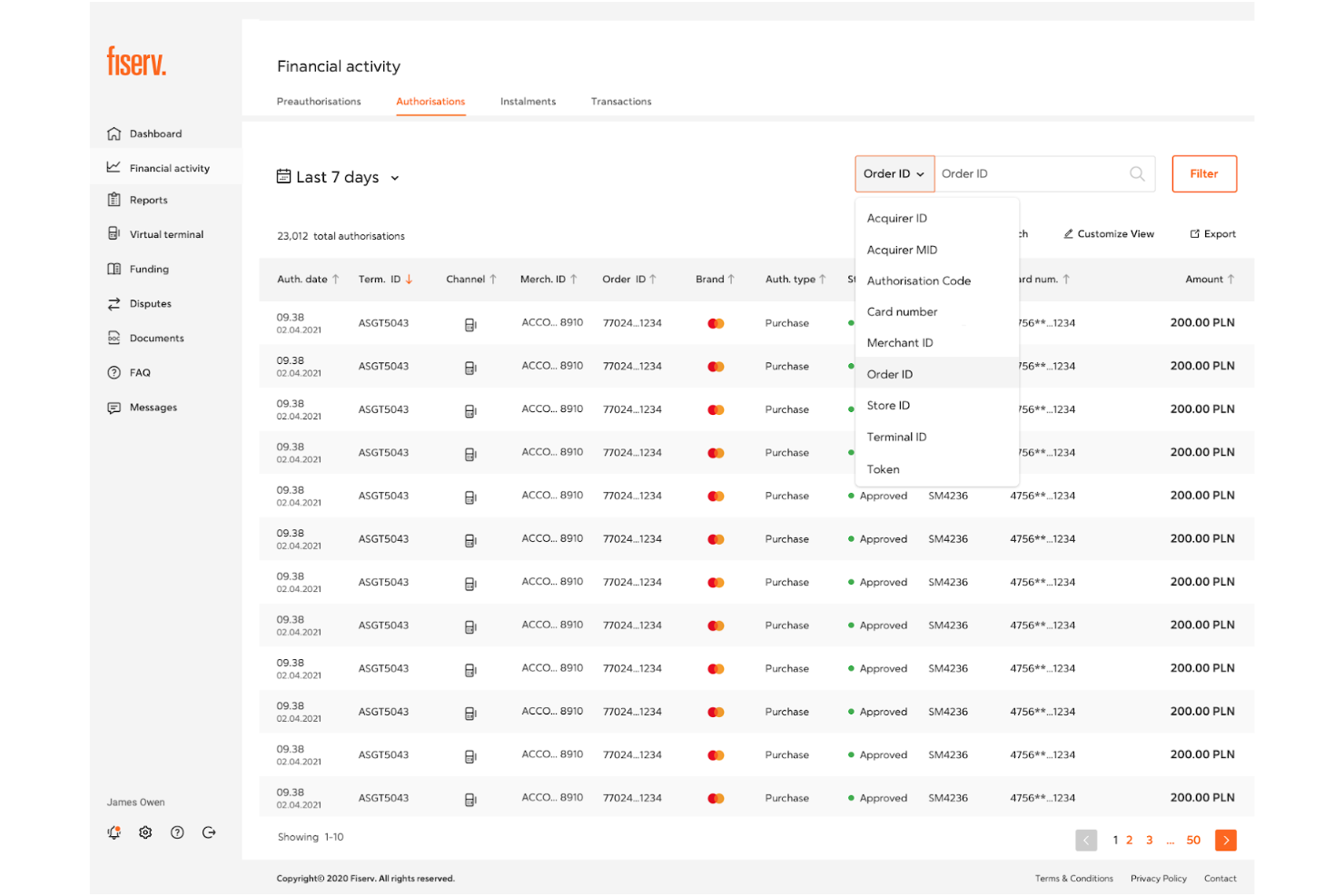
Fiserv is a payment processing platform tailored for businesses needing efficient transaction management. Its main users are retailers and financial institutions focused on improving payment operations and customer experiences.
Why I picked Fiserv: Fiserv excels in providing an extensive suite of payment solutions that cater to diverse business needs. With features such as secure payment gateways and real-time transaction tracking, it helps your team manage payments effectively. Fiserv's focus on payment processing ensures that your transactions are handled with precision and reliability. The platform's capabilities make it a go-to choice for businesses prioritizing payment efficiency.
Standout Features and Integrations:
Features include advanced fraud detection to protect transactions, customizable reporting tools to analyze payment data, and mobile payment support for on-the-go transactions.
Integrations include Clover, First Data, Payeezy, CardConnect, and more.
Pros and Cons
Pros:
- Trusted financial services platform
- Broad processor and network coverage
- Enterprise-grade payment infrastructure
Cons:
- Complex integration requirements
- Payment processing–centric focus

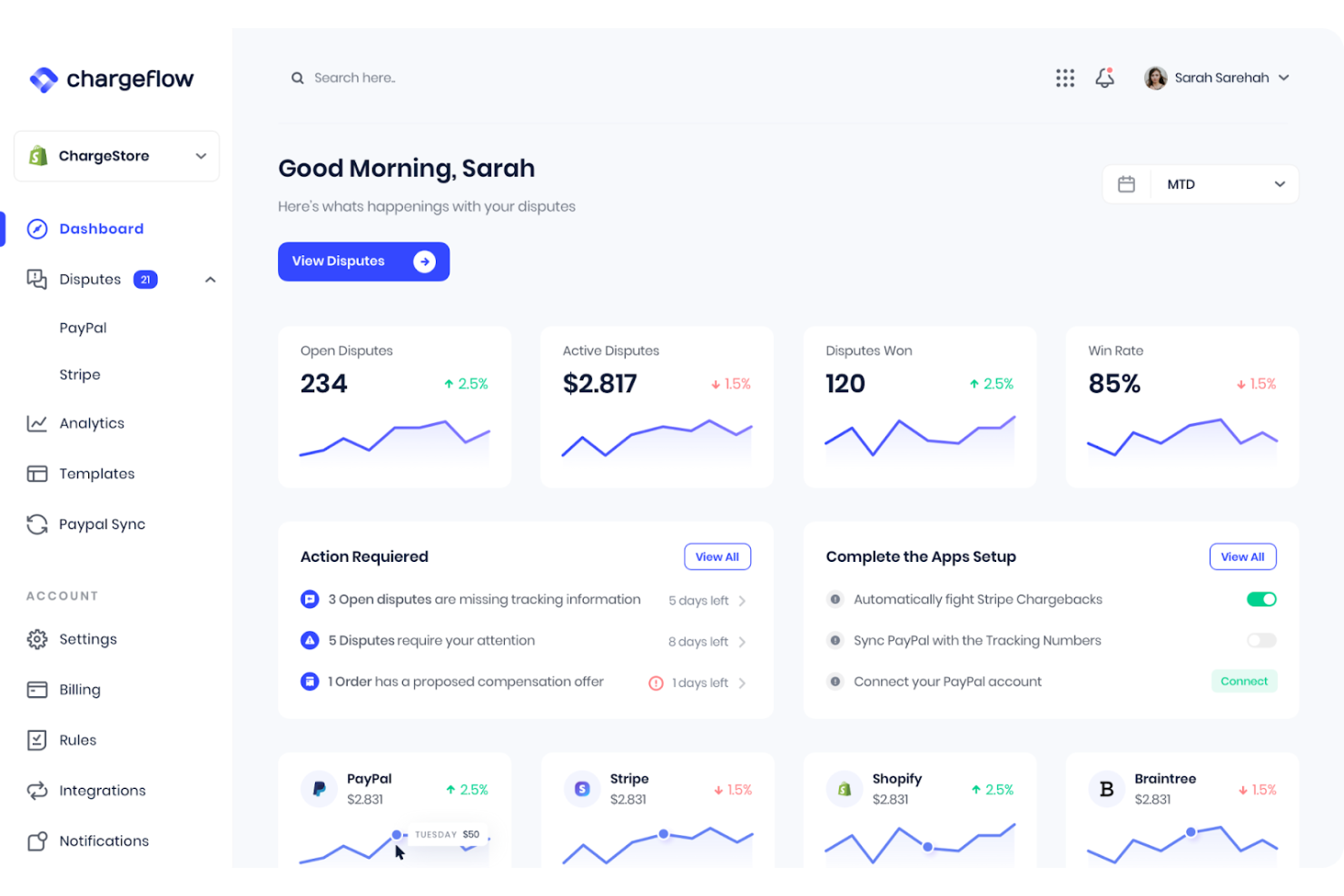
Chargeflow is a chargeback management platform designed to automate the dispute process for online merchants. Its primary users are e-commerce businesses seeking to reduce chargeback losses and improve revenue retention.
Why I picked Chargeflow: Chargeflow automates the chargeback response process, saving your team time and effort. Features such as real-time monitoring and automated evidence submission help you efficiently manage disputes. Its focus on automated chargebacks ensures that you handle disputes with minimal manual intervention. Chargeflow provides value by allowing your team to concentrate on growing the business rather than dealing with chargeback hassles.
Standout Features and Integrations:
Features include customizable chargeback response templates to fit different scenarios, detailed analytics to track chargeback trends, and real-time notifications to keep your team updated on dispute statuses.
Integrations include Shopify, Stripe, WooCommerce, BigCommerce, and more.
Pros and Cons
Pros:
- Real-time dispute analytics visibility
- E-commerce dispute workflow optimization
- Automated chargeback representment
Cons:
- Limited applicability beyond chargeback use cases
- E-commerce-only applicability

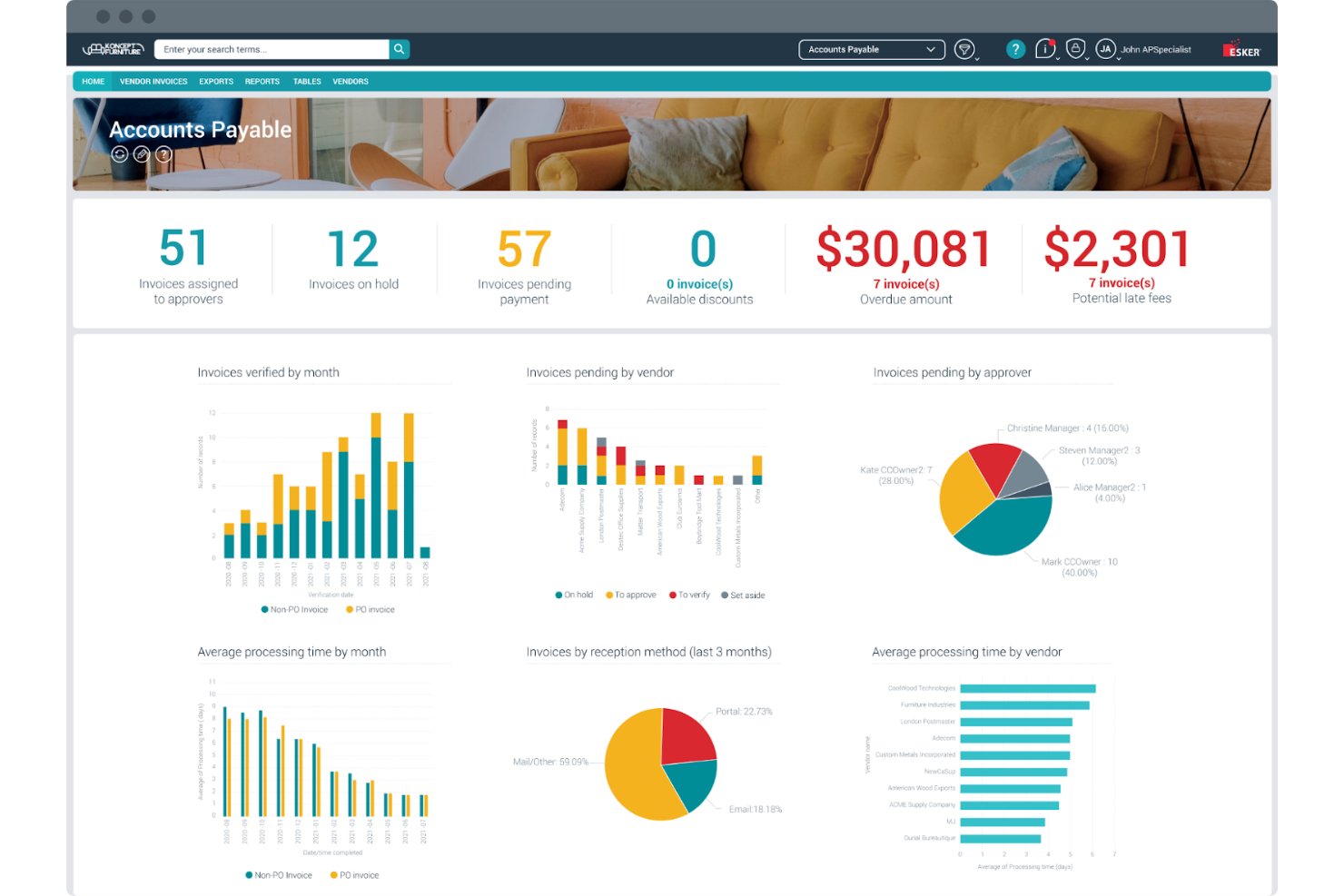
Esker is an automation platform designed to simplify document processes for businesses across various industries. Its main users are companies seeking to automate tasks such as order processing and accounts payable to improve efficiency.
Why I picked Esker: Esker specializes in automating document-heavy processes, making it ideal for businesses looking to reduce manual workloads. With features such as electronic invoicing and order management, Esker simplifies complex processes, while its automation capabilities help your team focus on more strategic tasks. Esker's emphasis on document process automation provides tangible value to users.
Standout Features and Integrations:
Features include real-time tracking of document status, customizable workflows to fit your business needs, and analytics tools to gain insights into process efficiency.
Integrations include SAP, Oracle, Microsoft Dynamics, JD Edwards, Sage, and more.
Pros and Cons
Pros:
- Configurable process automation tools
- Strong ERP and accounting integrations
- Automated financial document workflows
Cons:
- Limited dispute-specific capabilities
- Document-centric platform focus

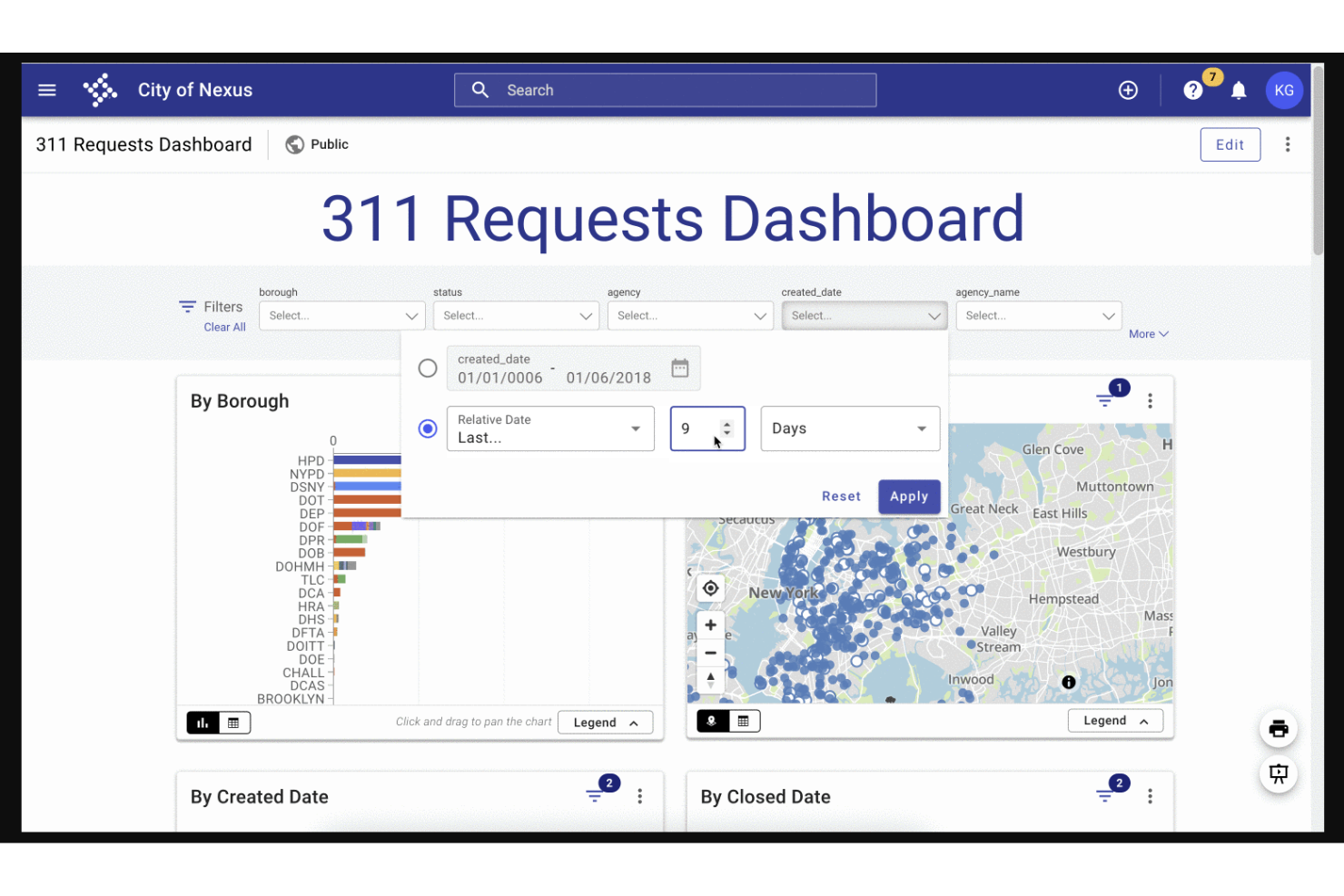
Tyler Technologies provides software solutions built specifically for the public sector, including local governments and municipalities, with tools that support structured case handling and constituent communication. Its primary users are public administrators who need to manage disputes, appeals, and claims efficiently while maintaining transparency and regulatory compliance.
Why I picked Tyler Technologies: Tyler Technologies offers purpose-built solutions that help government teams manage dispute workflows from intake to resolution. Features such as document management, case tracking, and citizen self-service portals make it easier to collect evidence, communicate status updates, and ensure timely responses. Its focus on public-sector requirements makes it a strong choice for agencies handling disputes related to taxes, permits, citations, or public services, helping organizations resolve issues efficiently while maintaining public trust.
Standout Features and Integrations:
Features include extensive financial management tools to handle budgets and expenditures, case management systems for legal departments, and GIS mapping for better planning and decision-making.
Integrations are not publicly listed.
Pros and Cons
Pros:
- Integrated financial workflows
- Government compliance support tools
- Public sector case management systems
Cons:
- Long implementation timelines
- Public sector–only applicability

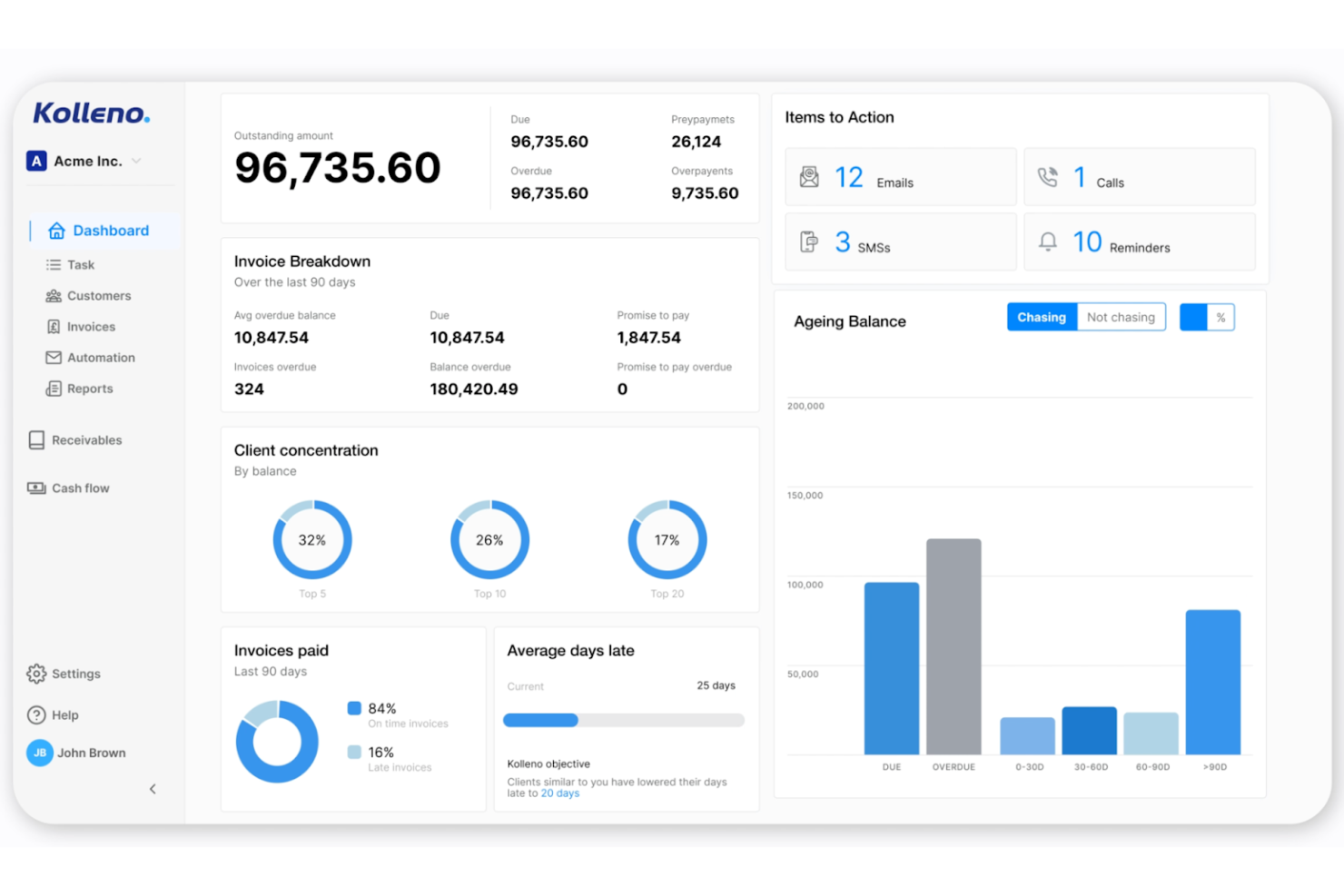
Kolleno is a credit control automation platform that helps businesses manage billing inquiries and payment disputes alongside accounts receivable workflows. Its primary users are finance teams that need greater visibility and control when resolving invoice disputes while maintaining healthy cash flow.
Why I picked Kolleno: Kolleno centralizes dispute-related communication and automates follow-ups, making it easier for teams to track, prioritize, and resolve invoice disputes efficiently. Features such as shared timelines, dispute tagging, and payment status tracking help reduce back-and-forth and speed up resolution. By automating routine credit control tasks, Kolleno enables finance teams to address disputes more consistently, minimize delays, and improve customer relationships while protecting revenue.
Standout Features and Integrations:
Features include customizable reminder schedules to suit different client needs, detailed payment analytics to track financial performance, and a centralized dashboard for managing all accounts receivable activities.
Integrations include Xero, QuickBooks, Sage, NetSuite, and more.
Pros and Cons
Pros:
- Customizable payment reminders
- Centralized receivables management
- Automated credit control workflows
Cons:
- Limited dispute management breadth
- Credit control–focused platform

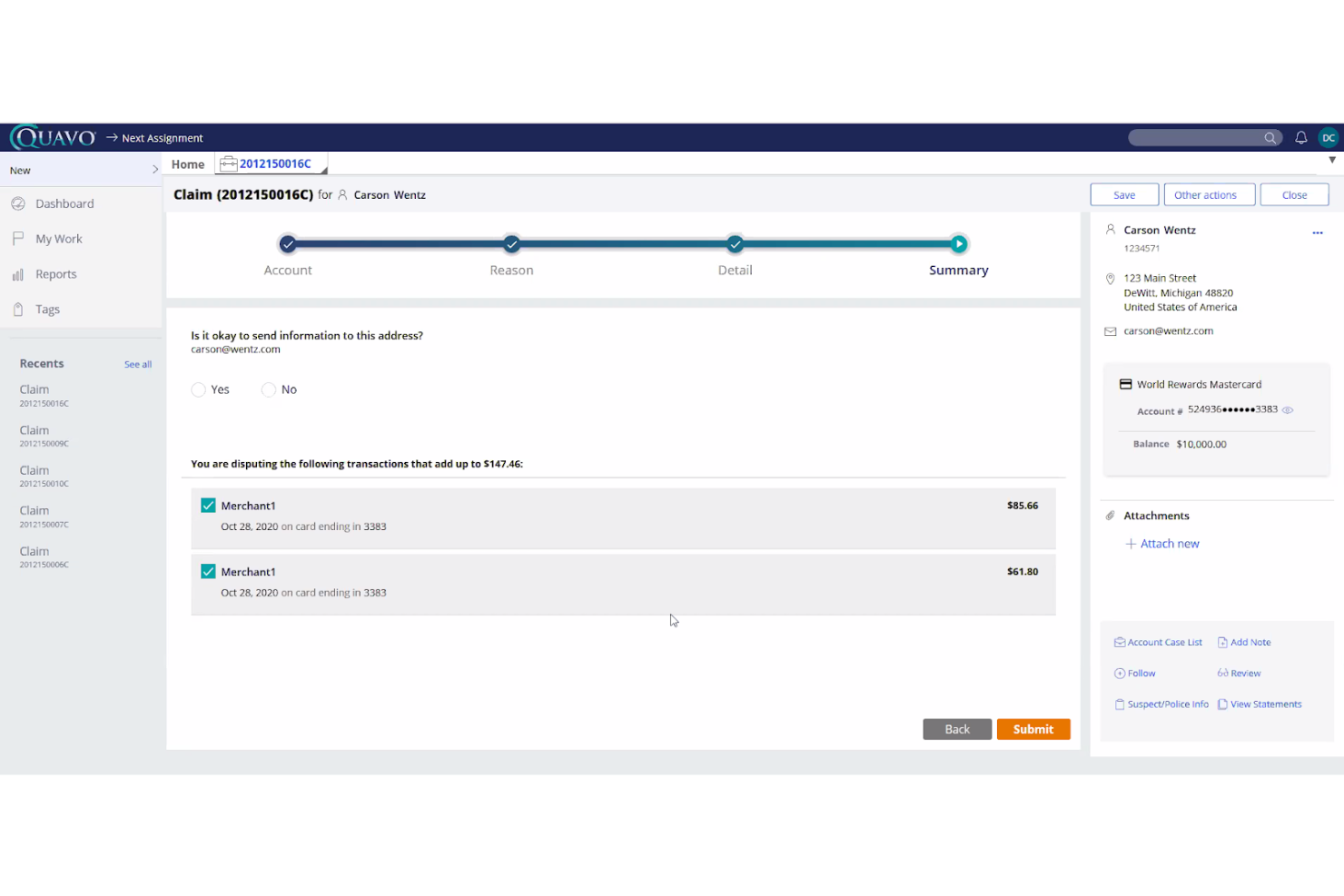
Quavo Fraud & Disputes provides fraud and dispute management solutions specifically for financial institutions, such as banks and fintechs. Its main users are organizations aiming to improve customer experience, operational efficiency, and compliance while reducing losses.
Why I picked Quavo Fraud & Disputes: It focuses on the unique needs of financial institutions, offering tailored solutions that fit into existing systems. The QFD Dispute Management Software and DRE Dispute Resolution Experts streamline dispute processes, improving customer satisfaction. These tools are designed to address specific financial sector challenges, making Quavo Fraud & Disputes stand out. Its technology ensures that your team can efficiently manage disputes and improve recovery rates.
Standout Features and Integrations:
Features include automated dispute workflows that save time, real-time reporting for better decision-making, and customizable dashboards to fit your team’s needs.
Integrations include Fiserv, Jack Henry, Symitar, Velera, TSYS, and more.
Pros and Cons
Pros:
- Recovery-focused automation and analytics
- Deep issuer and network integrations
- Purpose-built dispute lifecycle management
Cons:
- Complex enterprise implementation
- Higher cost for smaller teams

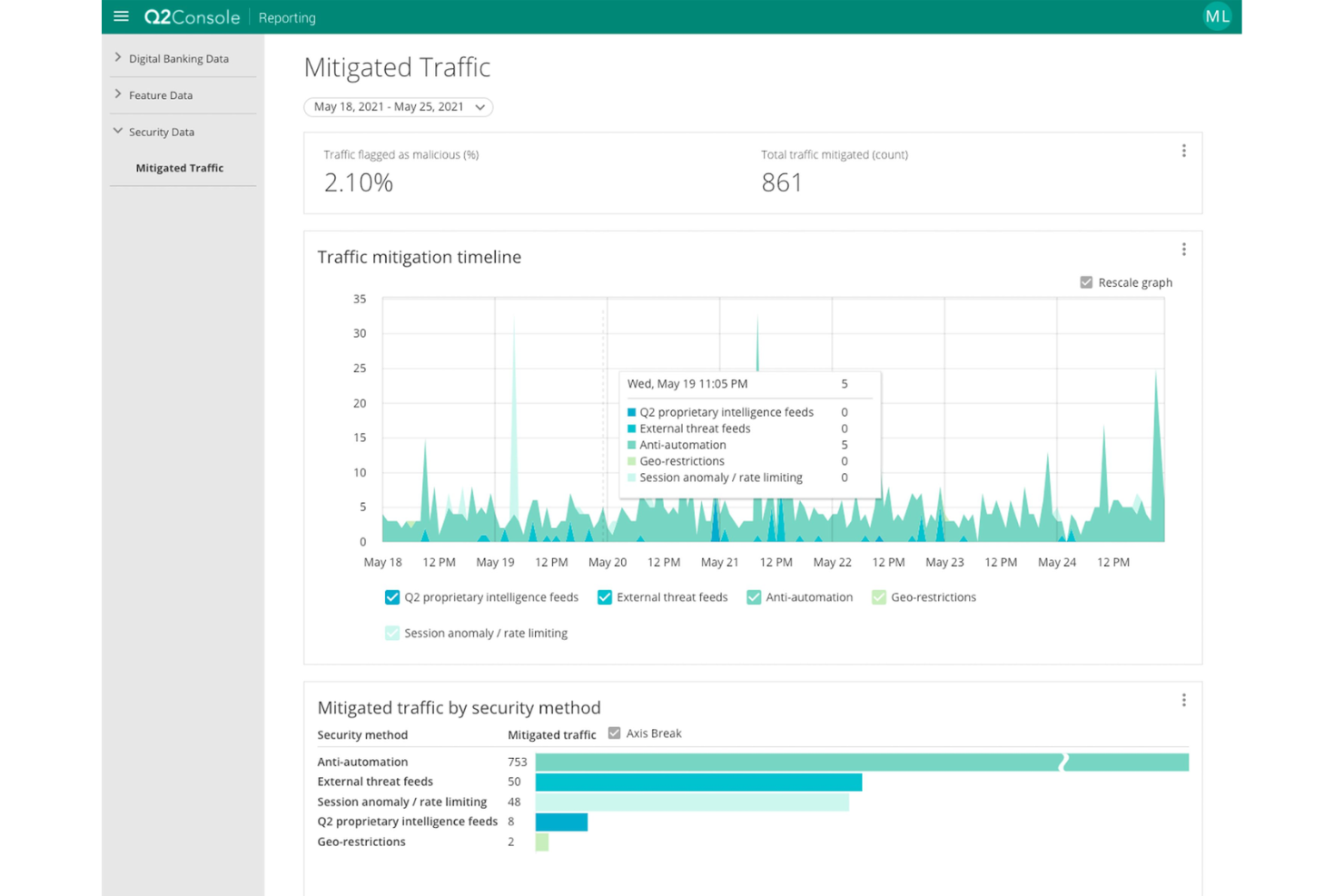
Q2 is a digital banking platform designed for financial institutions to improve their digital presence and simplify banking operations. Its main users are banks and credit unions that aim to offer better online services and customer experiences.
Why I picked Q2: Q2 provides digital banking solutions that cater to the unique needs of financial institutions. With features such as online account opening, loan origination, and digital wallet integration, it serves as a one-stop solution for digital banking needs. The platform's focus on digital banking solutions makes it ideal for those looking to improve their online offerings. Q2 helps your team deliver an intuitive online experience to customers, increasing satisfaction and engagement.
Standout Features and Integrations:
Features include advanced security measures to protect customer data, personalized customer engagement tools, and in-depth analytics to track user behavior.
Integrations include Fiserv, Jack Henry, FIS, Trustworthy, Alacriti, DeepTarget, SavvyMoney, Experian, Array, and more.
Pros and Cons
Pros:
- Unified financial customer experiences
- Strong security and compliance controls
- Integrated digital banking infrastructure
Cons:
- Not dispute-management specific
- High implementation complexity

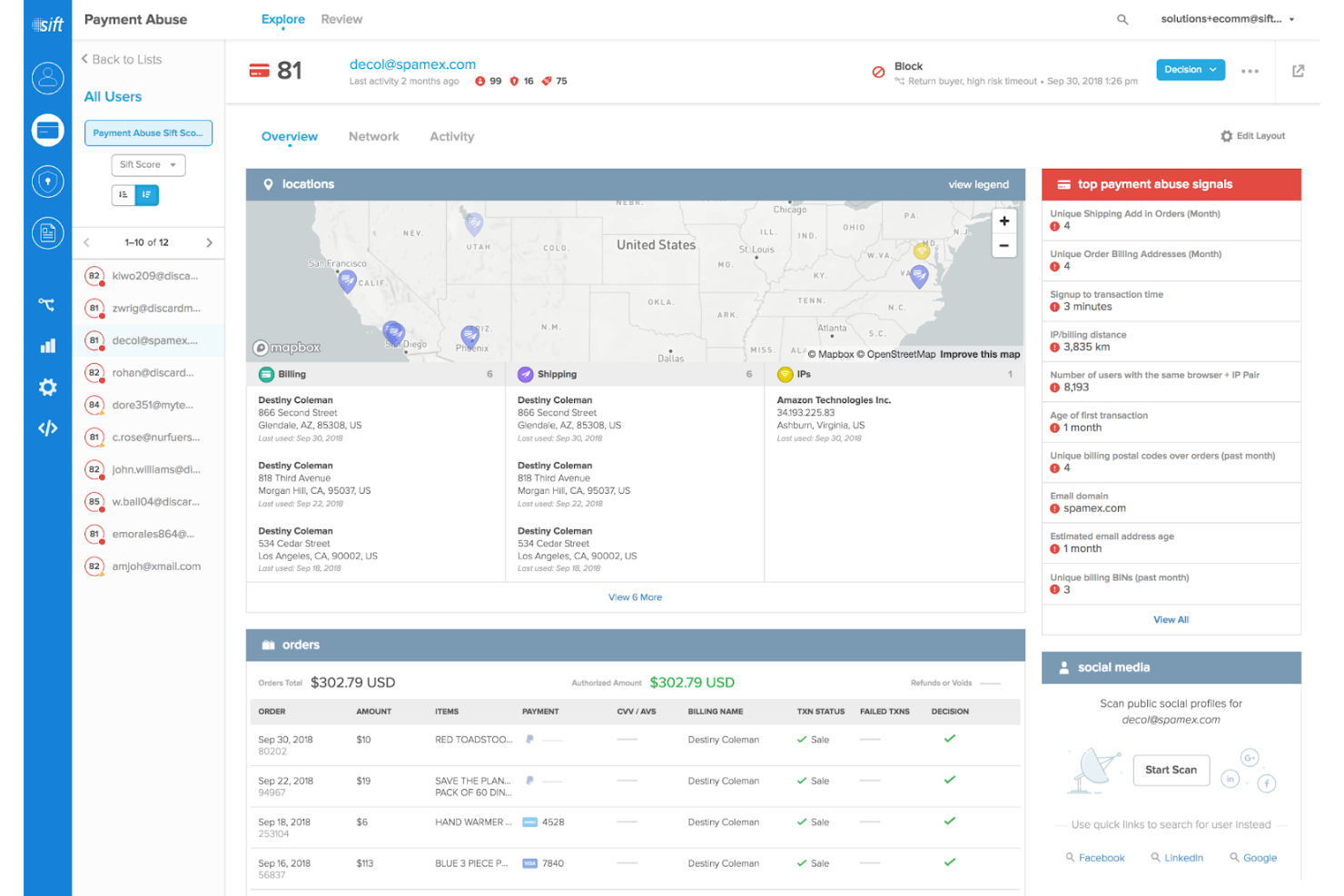
Sift is a fraud detection and prevention platform designed for businesses that need to protect against fraudulent activities in real time. Its primary users are e-commerce companies and financial institutions looking to safeguard transactions and improve customer trust.
Why I picked Sift: Sift provides real-time monitoring and analysis to prevent fraud before it impacts your business. The platform uses advanced machine learning to detect suspicious patterns and anomalies, offering a proactive approach to security. With its focus on real-time fraud detection, Sift helps your team respond quickly to threats. Its dashboard provides actionable insights, keeping you informed and ready to act.
Standout Features and Integrations:
Features include dynamic risk scoring that adapts to changing patterns, automated workflows to handle fraud cases efficiently, and detailed reporting to help you understand fraud trends.
Integrations include Adyen, Okta, Braintree, Checkout.com, Adobe Commerce, PayPal, Ping Identity, Stripe, TeleSign, and more.
Pros and Cons
Pros:
- High-volume transaction scalability
- Adaptive machine learning models
- Real-time fraud risk decisioning
Cons:
- Limited post-transaction workflows
- Fraud-focused rather than dispute-driven


Gaviti is a receivables management platform designed to simplify the collections process for businesses of all sizes. Its main users are finance teams looking to optimize their accounts receivable operations and improve cash flow.
Why I picked Gaviti: Gaviti offers a specialized focus on receivables management, providing tools that automate and improve the collections process. Features such as the customer-centric payment portal and automated collections help your team reduce outstanding invoices. Gaviti's dashboard offers real-time insights, allowing you to track performance and make informed decisions. The platform's emphasis on receivables management makes it a valuable asset for finance teams.
Standout Features and Integrations:
Features include predictive analytics to forecast cash flow, automated payment reminders to reduce overdue invoices, and customizable dashboards to monitor key metrics.
Integrations include QuickBooks, Xero, NetSuite, Sage, and more.
Pros and Cons
Pros:
- Clear finance performance dashboards
- Predictive cash flow analytics
- Receivables-focused workflow automation
Cons:
- Limited dispute handling depth
- Accounts receivable–centric scope
Other Dispute Management Software
Here are some additional dispute management software options that didn’t make it onto my shortlist, but are still worth checking out:
- LeanPay
For SME payment solutions
- HighRadius
For AI-powered credit management


Dispute Management Software Selection Criteria
When selecting the best dispute management software to include in this list, I considered common buyer needs and pain points, such as reducing resolution time and improving accuracy in dispute handling. I also used the following framework to keep my evaluation structured and fair:
Core Functionality (25% of total score)
To be considered for inclusion in this list, each solution had to fulfill these common use cases:
- Automate dispute resolution workflows
- Track and manage dispute cases
- Provide real-time reporting and insights
- Integrate with payment systems
- Facilitate communication between parties
Additional Standout Features (25% of total score)
To help further narrow down the competition, I also looked for unique features, such as:
- AI-driven fraud detection
- Customizable reporting dashboards
- Multi-currency support
- Advanced analytics capabilities
- Automated chargeback responses
Usability (10% of total score)
To get a sense of the usability of each system, I considered the following:
- Intuitive user interface
- Easy navigation
- Clear and concise instructions
- Responsive design for mobile access
- Customizable user settings
Onboarding (10% of total score)
To evaluate the onboarding experience for each platform, I considered the following:
- Availability of training videos
- Interactive product tours
- Access to webinars
- In-depth user manuals
- Supportive chatbots
Customer Support (10% of total score)
To assess each software provider's customer support services, I considered the following:
- 24/7 support availability
- Multi-channel support options
- Dedicated account managers
- Fast response times
- Availability of a knowledge base
Value for Money (10% of total score)
To evaluate the value for money of each platform, I considered the following:
- Competitive pricing
- Flexible subscription plans
- No hidden fees
- Discounts for annual billing
- ROI potential
Customer Reviews (10% of total score)
To get a sense of overall customer satisfaction, I considered the following when reading customer reviews:
- Overall user satisfaction
- Commonly reported issues
- Frequency of updates
- Customer support feedback
- Ease of implementation
How To Choose Dispute Management Software
It's easy to get bogged down in long feature lists and complex pricing structures. To help you stay focused as you work through your unique software selection process, here’s a checklist of factors to keep in mind:
| Factor | What To Consider |
|---|---|
| Scalability | Can the software grow with your business? Consider the volume of disputes you handle now and in the future. Look for tools that won't limit your growth. |
| Integrations | Does it work with your current systems? Check if it integrates with your CRM, payment gateways, and other essential tools to avoid extra manual work. |
| Customizability | Can you tailor it to your needs? Ensure the software lets you adjust workflows and reports to suit your specific processes without requiring extensive customization. |
| Ease of use | Is it user-friendly? Evaluate the interface and navigation. A tool that's easy to use can save time and reduce training costs for your team. |
| Implementation and onboarding | How long until you're up and running? Consider the time and resources needed to implement the software and train your team effectively. |
| Cost | Does it fit your budget? Examine the pricing structure, including any hidden fees, and compare it to your budget constraints to ensure it's a sustainable choice. |
| Security safeguards | Are your data and transactions secure? Verify the software's encryption standards, data backup practices, and compliance with industry security regulations. |
What Is Dispute Management Software?
Dispute management software is a tool designed to automate and manage the resolution of disputes, often related to transactions. Professionals such as finance teams, customer service representatives, and compliance officers typically use these tools to improve efficiency and accuracy. Automation, real-time tracking, and integration capabilities help with managing disputes, reducing errors, and saving time. Overall, these tools improve decision-making and operational efficiency for businesses handling disputes.
Features of Dispute Management Software
When selecting dispute management software, keep an eye out for the following key features:
- Automated workflows: Simplify the dispute resolution process by automating repetitive and time-consuming tasks and reducing manual errors.
- Real-time tracking: Provides instant updates on the status of disputes, allowing for timely interventions and better decision-making.
- Integration capabilities: Connect with existing systems, such as CRMs and payment gateways, to ensure a smooth flow of information.
- Customizable dashboards: Offer a personalized view of key metrics and data, helping users focus on the most important information.
- Security safeguards: Ensure data protection through end-to-end encryption and compliance with industry standards, safeguarding sensitive information.
- Analytics and reporting: Deliver insights into dispute trends and performance, enabling proactive management and strategy adjustments.
- Multi-currency support: Facilitates transactions across different currencies, making it ideal for businesses operating in global markets.
- Fraud detection: Identifies and mitigates potential fraudulent activities, protecting businesses from financial loss.
- User-friendly interface: Simplifies navigation and operation, reducing the learning curve for new users and minimizing training costs.
Benefits of Dispute Management Software
Implementing dispute management software provides several benefits for your team and your business. Here are a few you can look forward to:
- Increased efficiency: Automating workflows and reducing manual tasks saves time and allows your team to focus on more strategic activities.
- Improved accuracy: Real-time tracking and analytics help reduce errors in dispute handling, ensuring a higher level of accuracy in resolutions.
- Heightened security: Built-in security safeguards protect sensitive data and ensure compliance with industry standards, giving you peace of mind.
- Better decision-making: Access to detailed reports and analytics provides insights that support informed decision-making and proactive management.
- Cost savings: By reducing the time spent on disputes and minimizing errors, businesses can lower operational costs and improve their bottom line.
- Scalability: The ability to handle increasing volumes of disputes as your business grows ensures that your operations remain smooth and uninterrupted.
- Global reach: Multi-currency support and integration capabilities enable you to manage disputes across different regions and markets efficiently.
Costs and Pricing of Dispute Management Software
Selecting dispute management software requires an understanding of the various pricing models and plans available. Costs vary based on features, team size, add-ons, and more. The table below summarizes common plans, their average prices, and typical features included in dispute management software solutions:
Plan Comparison Table for Dispute Management Software
| Plan Type | Average Price | Common Features |
|---|---|---|
| Free Plan | $0 | Basic dispute tracking, limited reporting, and community support. |
| Personal Plan | $5-$25/user/month | Automated workflows, real-time tracking, and basic integrations. |
| Business Plan | $30-$75/user/month | Advanced analytics, customizable dashboards, and multi-currency support. |
| Enterprise Plan | $100+/user/month | Full integration capabilities, advanced security features, and dedicated customer support. |
Dispute Management Software FAQs
Here are some answers to common questions about dispute management software:
What is the primary purpose of dispute management software?
The primary purpose of dispute management software is to automate and manage the resolution of disputes efficiently. It helps your team track, analyze, and resolve disputes, often related to payments or transactions, more effectively. By providing real-time insights and streamlining communication between parties, it reduces the time and effort needed to handle disputes.
Can dispute management software integrate with existing systems?
Yes, most dispute management software can integrate with existing systems such as CRMs, payment gateways, and accounting software. This integration helps maintain a flow of information and reduces manual data entry. When evaluating options, check compatibility with your current tech stack to ensure smooth operations and data consistency.
Is training required to use dispute management software?
Yes, training is usually required to effectively use dispute management software, though the level of training depends on the complexity of the tool. Many providers offer tutorials, webinars, and support materials to help your team get up to speed. Consider the learning curve and available resources when selecting software to ensure a smooth transition.
How does dispute management software handle data security?
Dispute management software typically includes security features such as data encryption and compliance with industry standards to protect your information. It’s important to assess the security measures of each software option, especially if your team handles sensitive data. Look for features such as multi-factor authentication and regular security audits to safeguard your operations.
What's Next:
If you're in the process of researching dispute management software, connect with a SoftwareSelect advisor for free recommendations.
You fill out a form and have a quick chat where they get into the specifics of your needs. Then you'll get a shortlist of software to review. They'll even support you through the entire buying process, including price negotiations.