
13 Best Consignment Software for 2026

Consignment Software Shortlist
Here’s my shortlist of consignment software:


Consignment software is a type of retail management system designed to help you track inventory, sales, and payouts for consigned goods. If you’re searching for the best consignment software, you’re likely looking to simplify complex inventory management, automate consignor payments, and keep your operations organized, whether you run a brick-and-mortar shop, manage pop-up events, or maintain an online store.
This list will help you compare leading consignment platforms for 2026, so you can find the right fit for your business model, sales channels, and growth plans.
Why Trust Our Software Reviews
Best Consignment Software Summary
This comparison chart summarizes pricing details for my top consignment software selections to help you find the best one for your budget and business needs.
| Tool | Best For | Trial Info | Price | ||
|---|---|---|---|---|---|
| 1 | Best for browser-based point of sale | Free trial + free demo available | From $139/month | Website | |
| 2 | Best with QuickBooks integration | Free demo available | Pricing upon request | Website | |
| 3 | Best for multi-location inventory management | Free trial + free demo available | From $99/month | Website | |
| 4 | Best with built-in payment processing | 14-day free trial available | From $199/month | Website | |
| 5 | Best for high-volume resale operations | Free demo available | From $189.95 | Website | |
| 6 | Best for event-based consignment sales | Free demo available | Pricing upon request | Website | |
| 7 | Best for mobile item intake | 30-day free trial + free demo available | From $30/location/month | Website | |
| 8 | Best for Australian retail compliance | Free demo available | From $199/month | Website | |
| 9 | Best for AI-powered product matching | Free plan available | From 0.6% – 2.5% (monthly resale revenue) | Website | |
| 10 | Best for peer-to-peer consignment networks | 7-day free trial + free demo available | From $83/store location/month (billed annually) | Website |
Consignment Software Reviews
Below are my detailed summaries of the consignment software that made it onto my shortlist. My reviews offer a detailed look at the features, best use cases, and integrations of each platform to help you find the best one for your business.

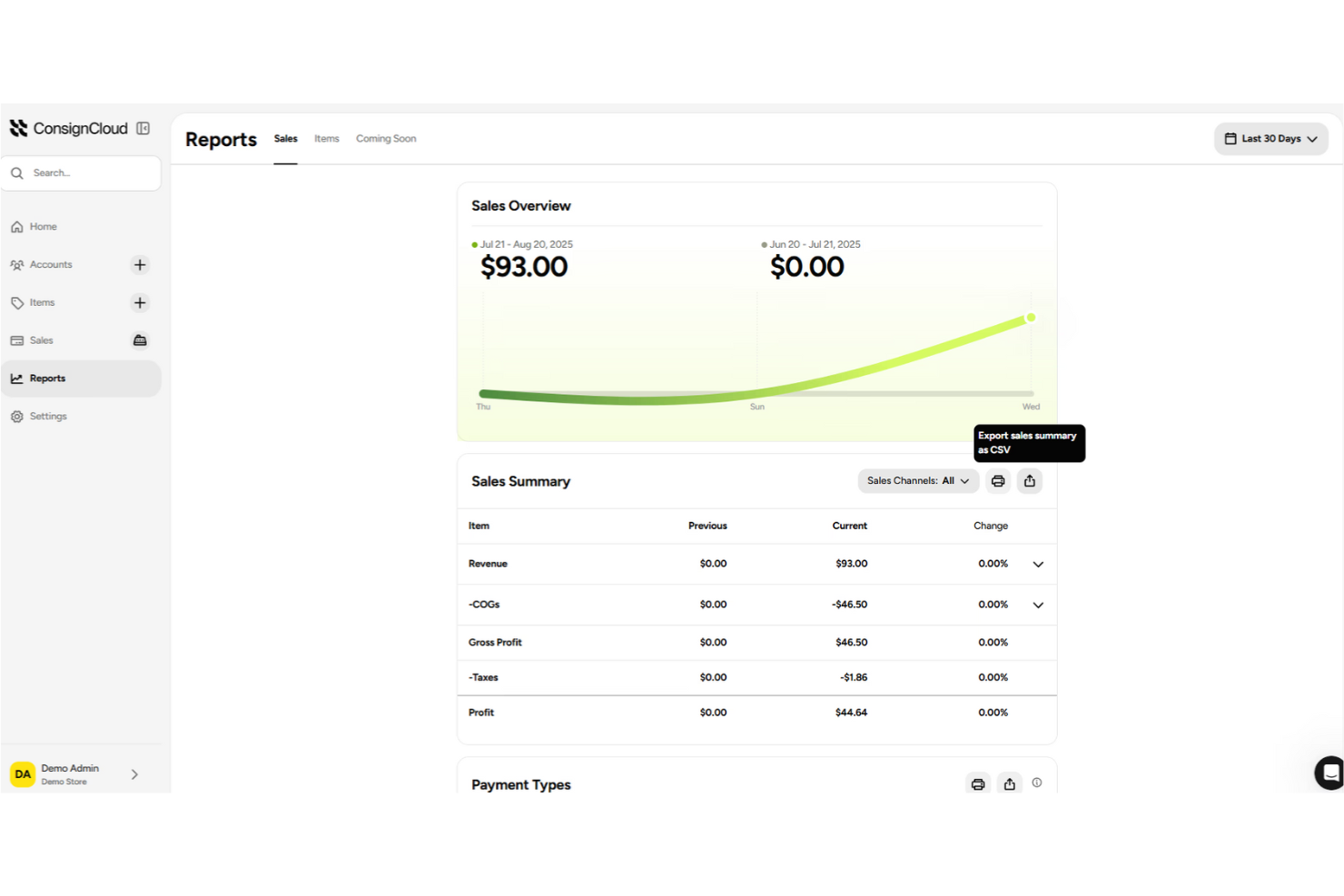
ConsignCloud is a specialized consignment POS built for retailers who want a browser-based point of sale that works on any device. It’s especially useful for shops that need to manage inventory, sales, and consignor accounts without installing software. With ConsignCloud, you can run your store from anywhere and keep all your data in sync across locations.
Why I Picked ConsignCloud
ConsignCloud stands out for its browser-based point of sale, which means you can access your sales and inventory from any device with an internet connection. This is especially valuable for consignment stores that want flexibility and don’t want to be tied to a single register or location. I appreciate that ConsignCloud lets you process sales, manage consignor accounts, and update inventory all from a web browser. For retailers who need mobility and remote access, ConsignCloud’s approach makes daily operations much more adaptable.
ConsignCloud Key Features
Some other features in ConsignCloud help consignment retailers handle daily tasks more easily:
- Consignor Portal: Consignors can log in to view their inventory, sales, and payouts in real time.
- Automated Commission Calculations: The system automatically calculates consignor commissions based on your preset rules.
- Bulk Inventory Import: Upload large batches of inventory items at once using CSV files.
- Customizable Item Tags: Design and print item tags with barcodes and store branding directly from the platform.
ConsignCloud Integrations
Integrations include Stripe, Shopify, Square, and more.
Pros and Cons
Pros:
- Supports international multi-store business models
- Sends automatic item-sold email notifications
- Generates automated item pricing suggestions
Cons:
- Search functions are not always intuitive
- Reporting features require manual filtering
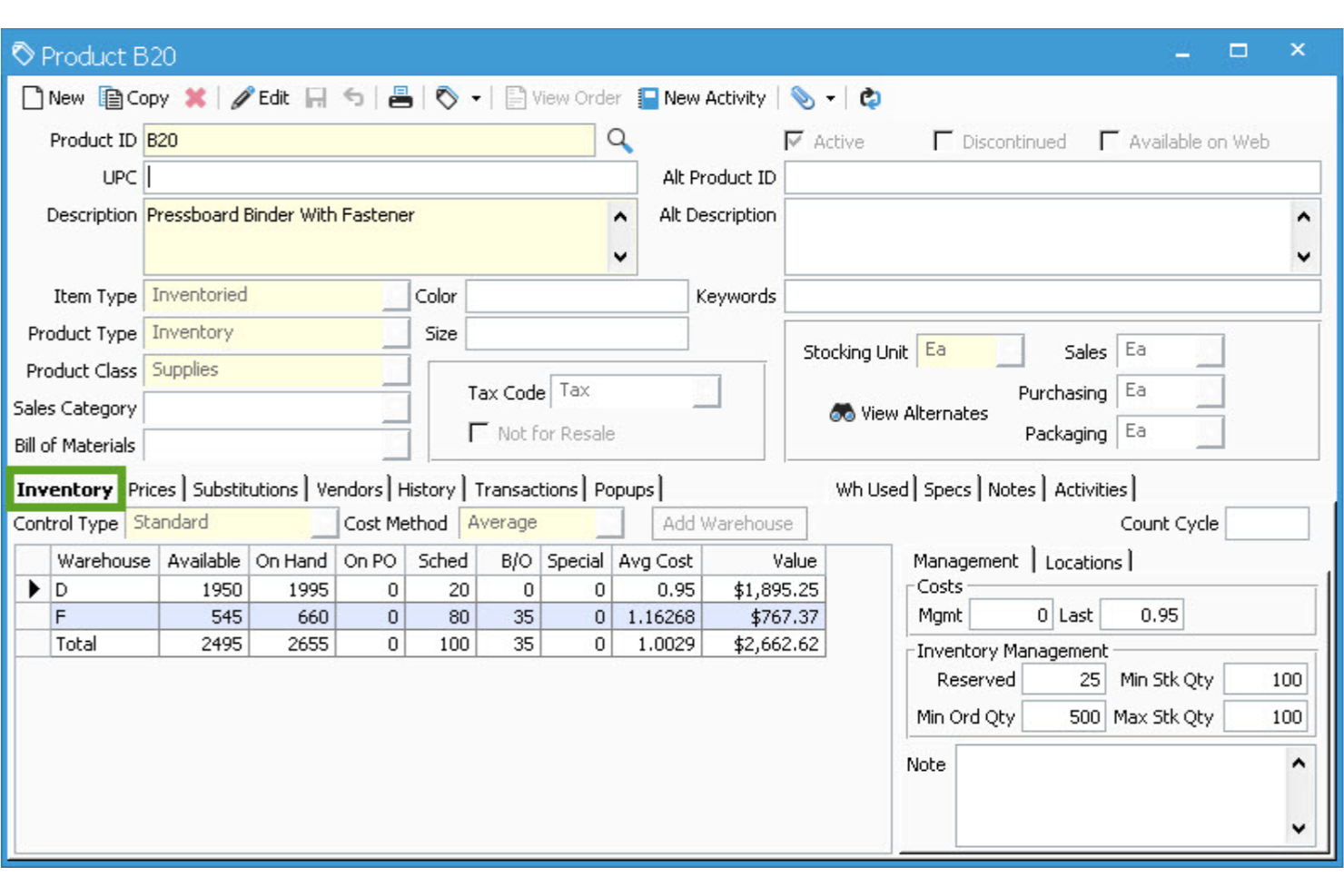
Acctivate is designed for retailers and distributors who need advanced consignment inventory management tightly connected to QuickBooks. This platform appeals to businesses that want to track consigned stock, automate accounting, and keep inventory and financials in sync. Its deep QuickBooks integration helps teams reduce manual data entry and avoid reconciliation headaches.
Why I Picked Acctivate
What makes Acctivate a strong choice for consignment software is its direct, real-time integration with QuickBooks, which is rare among inventory management tools. This connection allows you to sync consignment inventory transactions with your accounting records, reducing manual entry and the risk of errors. I appreciate that Acctivate also supports detailed tracking of consigned goods, including location, status, and ownership. For businesses that rely on QuickBooks for financial management, Acctivate offers an easy way to keep inventory and accounting aligned.
Acctivate Key Features
In addition to its QuickBooks integration and consignment tracking, I also found these features valuable:
- Multi-Location Inventory Management: Manage and monitor inventory across multiple warehouses or consignment locations from a single dashboard.
- Lot and Serial Number Tracking: Assign and track lot or serial numbers for precise inventory control and traceability.
- Automated Reordering: Set reorder points and automate purchase orders when inventory levels fall below thresholds.
- Customizable Reporting Tools: Generate detailed inventory, sales, and consignment reports tailored to your business needs.
Acctivate Integrations
Integrations include Avalara AvaTax, QuickBooks, Authorize.net, ShipStation, Shopify, and more.
Pros and Cons
Pros:
- Supports multi-warehouse inventory tracking
- Connects directly with QuickBooks Desktop
- Manages millions of inventory SKUs
Cons:
- Dated user interface design
- Steep learning curve for beginners
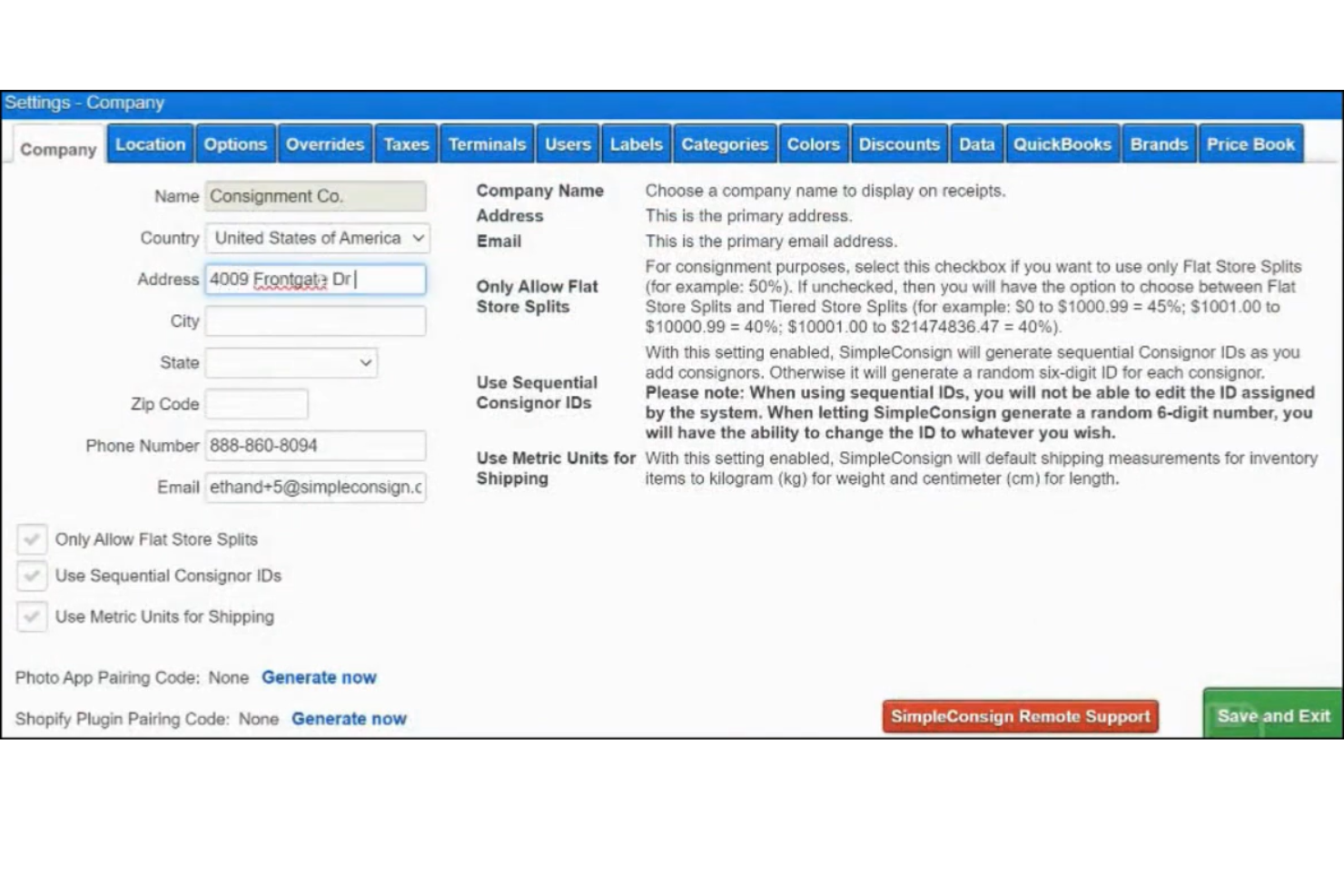
If you manage multiple consignment locations, SimpleConsign offers a cloud-based way to track inventory, sales, and consignor payouts across all your stores. This platform is designed for retail store owners who need real-time visibility and control over complex, multi-store operations. SimpleConsign helps you reduce manual work and keep inventory accurate, even as you scale.
Why I Picked SimpleConsign
I chose SimpleConsign because it’s built to handle the challenges of managing inventory across multiple locations. The platform lets you view and transfer inventory between stores in real time, so you always know what’s available and where. I appreciate that you can generate consolidated sales and payout reports for all locations, which helps keep accounting organized. These features make SimpleConsign a strong choice for consignment businesses with more than one storefront or warehouse.
SimpleConsign Key Features
Some other features in SimpleConsign help consignment retailers manage daily operations more smoothly:
- Consignor Portal: Consignors can log in to view their sales, inventory status, and payouts without contacting your staff.
- Layaway Management: The system tracks layaway sales and payment schedules, making it easier to offer flexible purchasing options.
- Barcode Label Printing: Print barcode labels for inventory items directly from the platform to speed up check-in and checkout.
- Customizable Reporting: Generate detailed reports on sales, inventory, and consignor activity to support business decisions.
SimpleConsign Integrations
Integrations include Shopify and QuickBooks.
Pros and Cons
Pros:
- Includes a built-in rewards system
- Allows white-labeling for consignor portals
- Processes automated ACH consignor payouts
Cons:
- Limited direct integration with eBay
- No dedicated mobile application interface

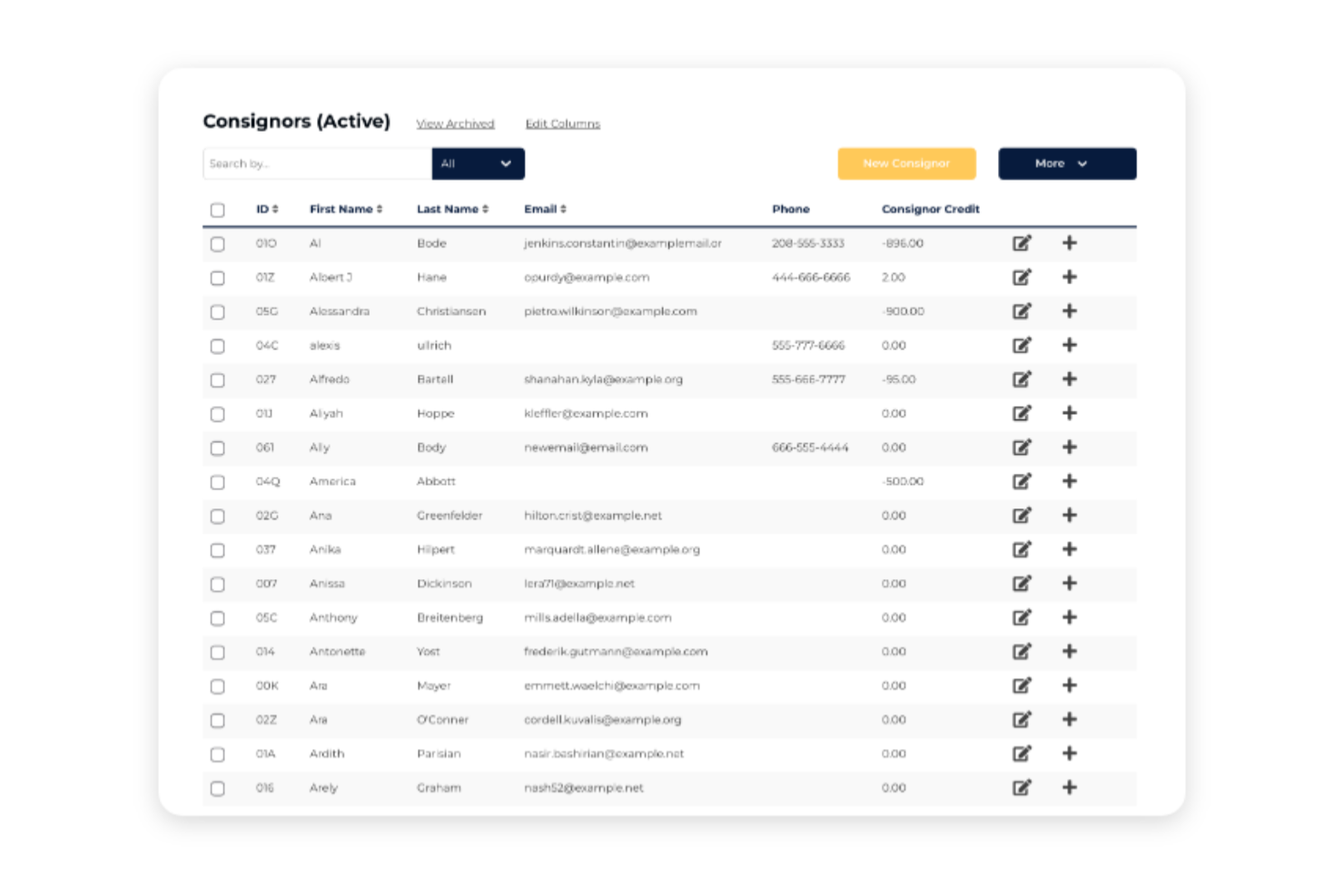
Ricochet is a consignment software platform designed for retailers who want integrated payment processing built right into their workflow. It’s a strong fit for shops that need to handle sales, payouts, and credit card processing without juggling multiple systems. With Ricochet, you can simplify checkout and consignor payments while keeping all your financial data in one place.
Why I Picked Ricochet
What sets Ricochet apart is its built-in payment processing, which removes the need for third-party payment gateways. This feature lets you accept credit card payments and process consignor payouts directly within the platform, so you don’t have to switch between systems. I like that Ricochet automatically tracks all payment activity, making reconciliation and reporting much simpler for consignment businesses. For retailers who want to keep sales and payouts tightly integrated, Ricochet offers a clear advantage.
Ricochet Key Features
Some other features in Ricochet help consignment retailers manage their operations more efficiently:
- Consignor Access Portal: Consignors can log in to check inventory status, sales, and payouts at any time.
- Inventory Photo Uploads: Add images to inventory items to improve tracking and online listings.
- Custom Tag and Label Printing: Print barcodes and price tags directly from the system for faster item processing.
- Multi-Location Support: Manage inventory, sales, and consignors across several store locations from a single account.
Ricochet Integrations
Integrations include QuickBooks, Mailchimp, Google Analytics, Avalara, and more.
Pros and Cons
Pros:
- Features native store credit management
- Supports PC, Mac, and iPad
- Built-in payment processing
Cons:
- Restricts data export for tax filings
- Limited selection of payment processors

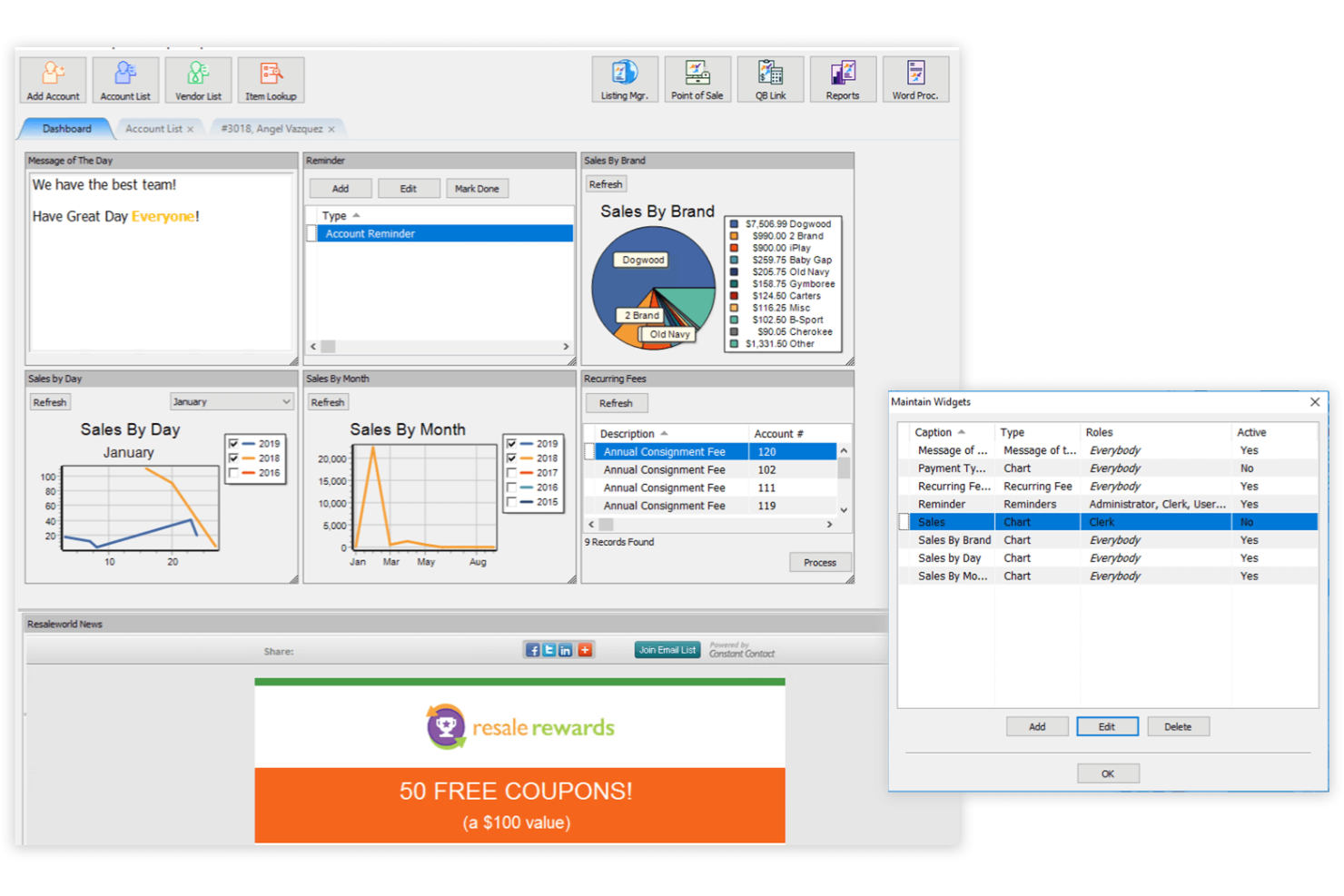
Liberty REACT is designed for resale and consignment businesses that handle high transaction volumes and complex inventory needs. It’s a strong fit for stores managing multiple locations, large inventories, or a mix of consignment and retail sales. With features built for scalability and detailed reporting, Liberty REACT helps high-volume operators keep operations organized and efficient.
Why I Picked Liberty REACT
For consignment businesses that process a high volume of sales and inventory, Liberty REACT offers specialized tools that keep operations running smoothly. Its batch processing feature lets you handle large numbers of items and transactions at once, which is essential for busy stores. I appreciate that Liberty REACT supports multi-location management, so you can track inventory and sales across several stores from a single system. The advanced reporting tools also help you monitor performance and make data-driven decisions as your business grows.
Liberty REACT Key Features
Some other features in Liberty REACT help consignment businesses manage daily operations more thoroughly:
- Integrated E-commerce Platform: Sell inventory online and sync sales with your in-store system.
- Consignor Account Management: Track consignor balances, payouts, and item histories in one place.
- Custom Label Printing: Design and print item tags and barcodes directly from the software.
- Layaway and Special Order Support: Manage layaway sales and special customer orders within the point of sale.
Liberty REACT Integrations
Integrations include QuickBooks, Shopify, and eBay.
Pros and Cons
Pros:
- Includes an integrated word processor for labels
- Supports 500+ different price codes
- Features highly customizable screen displays
Cons:
- Does not support ACH payment processing
- Dated database application design
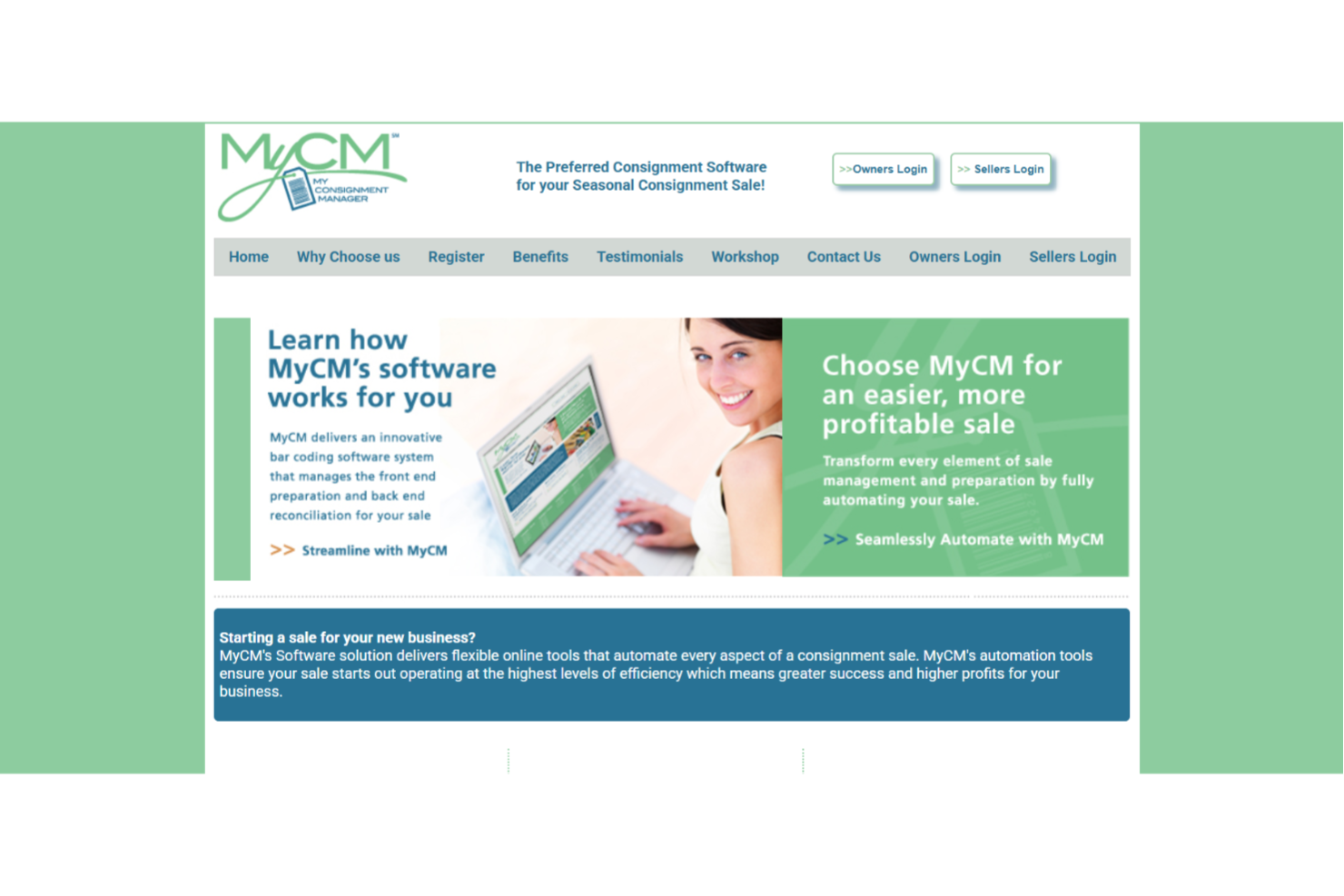
If you run pop-up consignment events or seasonal sales, My Consignment Manager is built with your needs in mind. This platform helps event organizers and volunteers handle consignor registration, item entry, and sales tracking for short-term or mobile operations. Its focus on event-based workflows makes this inventory management system a practical choice for consignment sales.
Why I Picked My Consignment Manager
Unlike most consignment platforms, My Consignment Manager is purpose-built for event-based sales, making it a strong fit for pop-up and seasonal consignment events. The tool offers online consignor registration and item entry, which helps organizers manage hundreds of sellers and thousands of items in a short timeframe. I like that it includes barcode generation and real-time sales tracking, so you can keep operations organized even during busy event days. These features make it much easier to coordinate volunteers, track payouts, and deliver a smooth experience for both consignors and shoppers.
My Consignment Manager Key Features
In addition to its event-focused tools, I also found these features helpful for consignment organizers:
- Volunteer Scheduling: Assign and track volunteer shifts directly within the platform.
- Automated Email Notifications: Send consignors updates about registration, drop-off, and sales automatically.
- Customizable Item Categories: Create and manage item categories to fit the needs of each event.
- Sales Tax Calculation: Calculate and apply sales tax to transactions based on event location.
My Consignment Manager Integrations
Integrations are not publicly available.
Pros and Cons
Pros:
- Reuses tags across different sales seasons
- Allows online volunteer and check-in scheduling
- Designed specifically for seasonal pop-ups
Cons:
- Primarily serves temporary event-based models
- Interface lacks modern retail POS aesthetics

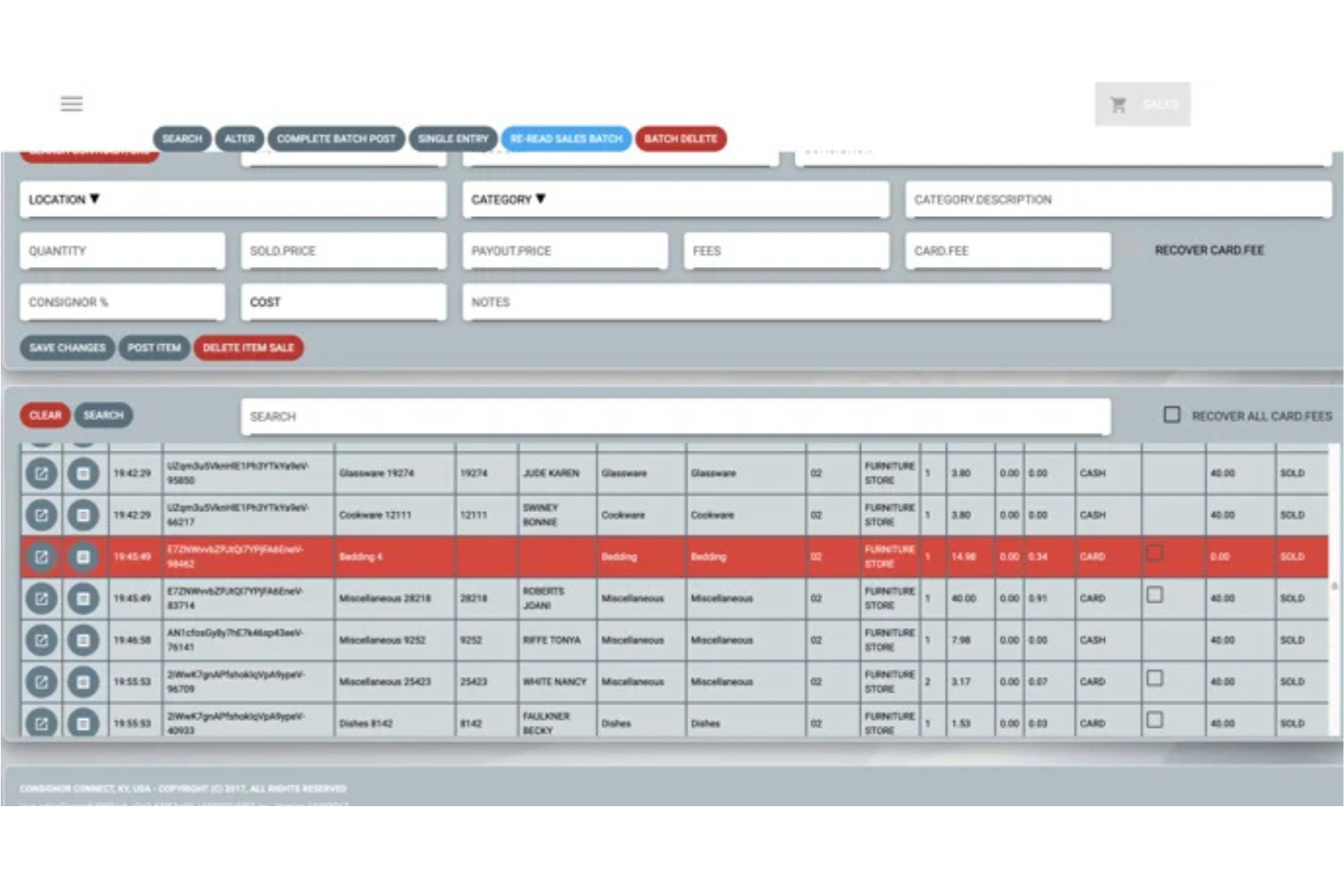
Rose by ConsignorConnect stands out for consignment businesses that need fast, flexible item intake on the go. Designed for teams that process inventory outside a traditional storefront, Rose lets you add, tag, and manage items directly from a mobile device. This approach helps mobile pop-ups, home-based sellers, and event organizers keep inventory accurate and organized wherever they work.
Why I Picked Rose
For consignment teams that need to intake inventory wherever they are, Rose by ConsignorConnect offers a mobile-first approach that’s hard to find elsewhere. The app lets you scan barcodes, upload photos, and enter item details directly from your phone or tablet, which is especially useful for pop-up events or in-home consignor visits. I appreciate that you can print tags on the spot and sync inventory data instantly, so nothing gets lost between locations. These features make Rose a strong fit for anyone who needs flexible, on-the-go item management in their consignment workflow.
Rose Key Features
Some other features that make Rose by ConsignorConnect appealing for consignment businesses include:
- Consignor Portal: Give consignors access to view their inventory and sales activity online.
- Batch Item Import: Upload multiple items at once using spreadsheet templates.
- Customizable Tag Templates: Design and print item tags with your own branding and information.
- Sales Reporting Dashboard: Track sales performance and payouts with built-in reporting tools.
Rose Integrations
Integration includes Square.
Pros and Cons
Pros:
- Provides 24/7 online vendor account access
- Supports non-inventoried items sold via Square
- Built specifically for Square POS users
Cons:
- Back office screens feel slightly convoluted
- Lacks integration with Shopify e-commerce stores
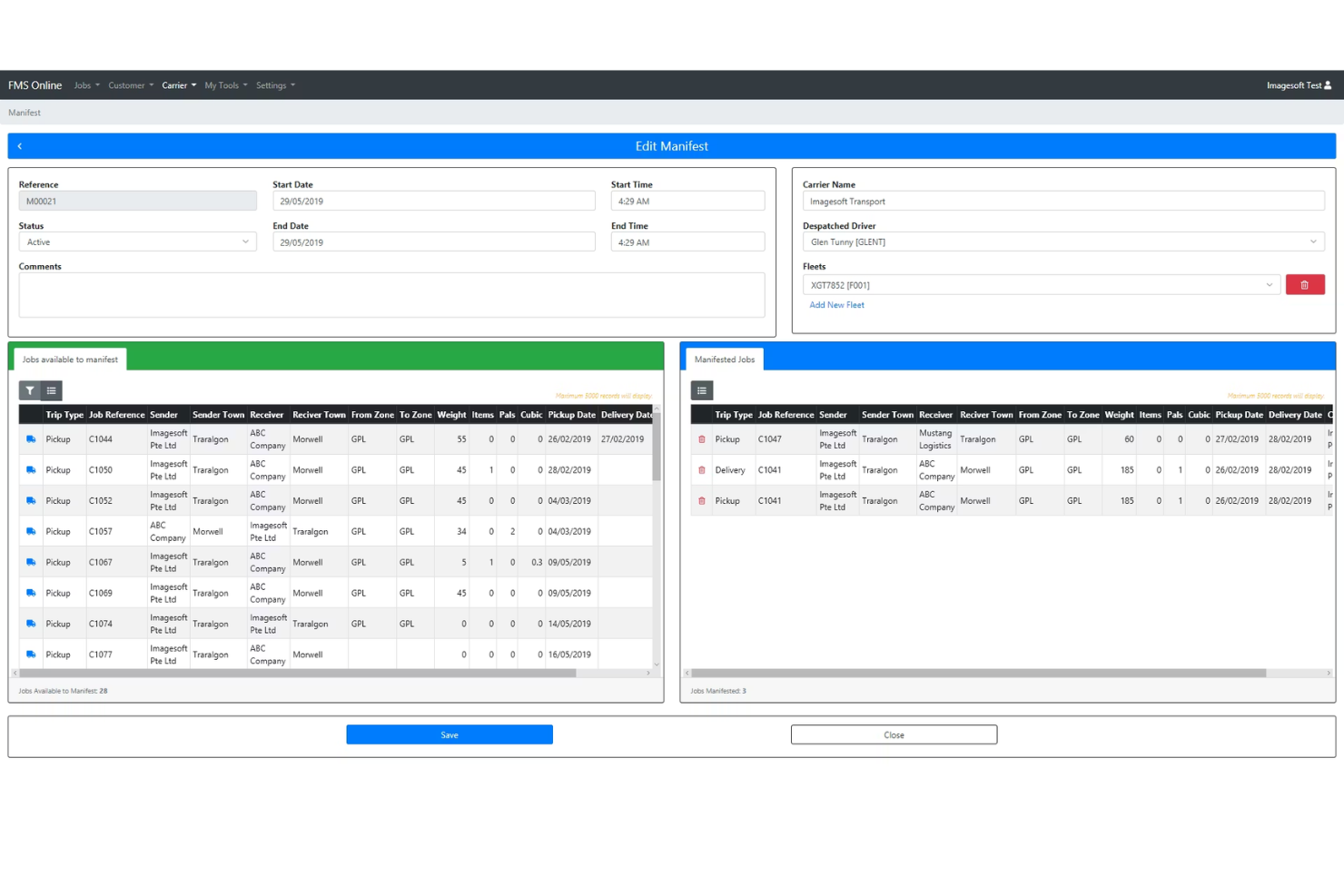
Consignmate is designed specifically for Australian consignment retailers who need to meet local compliance and reporting standards. If your shop operates in Australia, Consignmate helps you handle GST, regulatory requirements, and retail processes unique to the region. This focus on Australian retail compliance makes it a strong fit for businesses that want software tailored to their legal and operational needs.
Why I Picked Consignmate
Consignmate stands out because it’s purpose-built for Australian consignment retailers who need to stay compliant with local laws. The platform supports GST tracking and reporting, which is essential for businesses operating under Australia’s tax system. I appreciate that Consignmate also includes features for managing secondhand dealer requirements, like police reporting and record-keeping, which are unique to the Australian market. This focus on compliance makes it a practical choice for shops that want to avoid regulatory headaches and keep their operations above board.
Consignmate Key Features
In addition to its compliance-focused tools, I also found these features useful for consignment retailers:
- Consignor Portal: Consignors can log in to view their inventory and sales activity.
- Automated Payouts: The system calculates and processes consignor payments based on your rules.
- Inventory Import/Export: Upload and download inventory data in bulk using CSV files.
- Layby Management: Track and manage customer layby (layaway) orders directly in the platform.
Consignmate Integrations
Integrations include Reckon, MYOB, QuickBooks, and Xero.
Pros and Cons
Pros:
- Supports paper-based consignment notes
- Offers real-time driver tracking
- Built-in GST and Australian compliance features
Cons:
- Lacks a built-in retail point of sale
- Tailored specifically for Australia

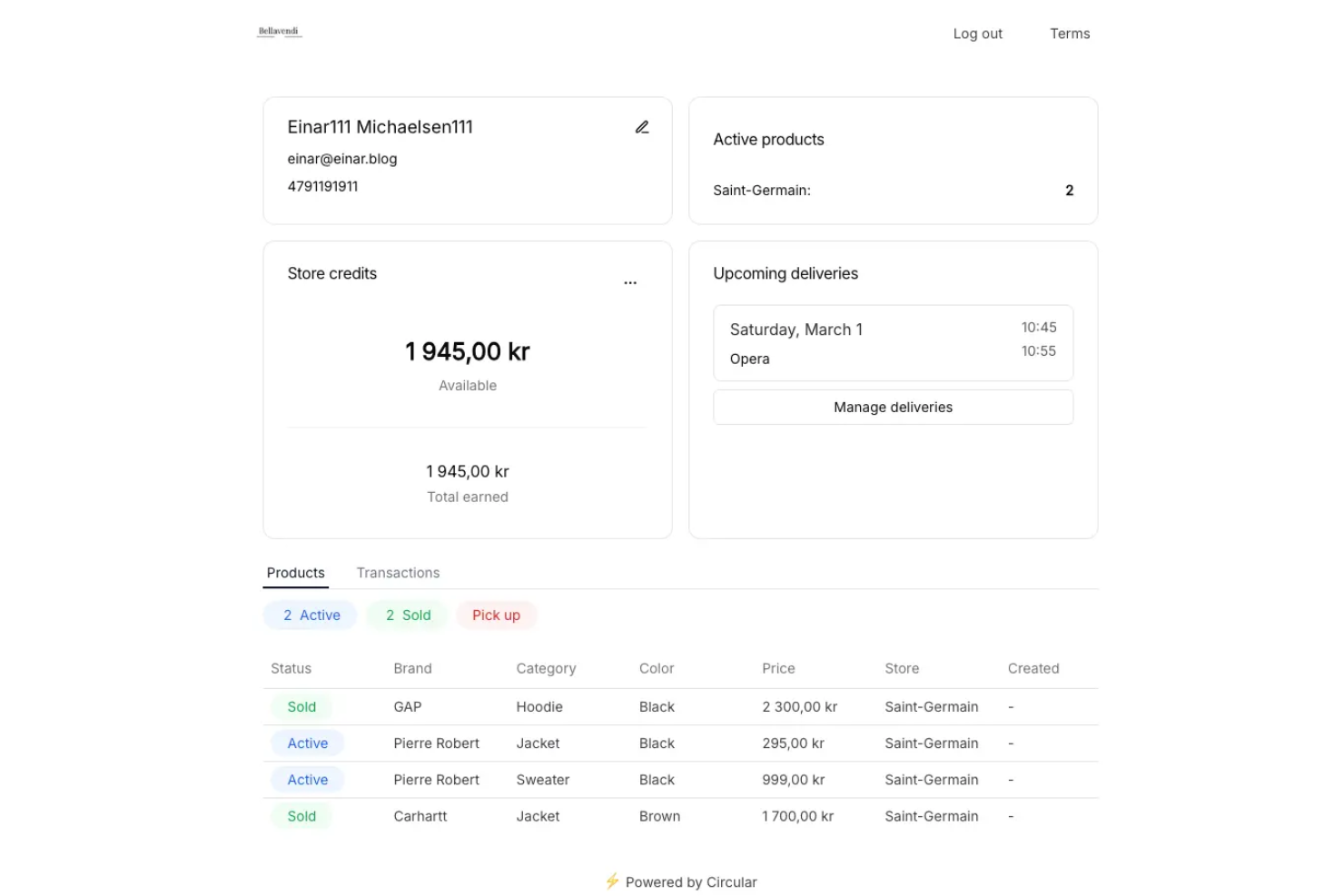
Circular Resale uses AI to help retailers and resale businesses match secondhand products with the right buyers and channels. If you manage a high-volume resale operation or want to optimize product discovery, Circular Resale’s automated product matching and enrichment tools can help you move inventory faster. Its focus on AI-driven recommendations sets it apart for teams looking to scale resale with less manual work.
Why I Picked Circular Resale
What drew me to Circular Resale is its focus on using AI to automate product matching, which is a major challenge for consignment and resale businesses with large, ever-changing inventories. The platform’s AI analyzes product data and buyer behavior to recommend the best channels and customers for each item, helping you move inventory more efficiently. I like that it also enriches product listings with detailed attributes, making it easier for buyers to discover relevant items. This AI-powered approach is especially valuable for teams looking to reduce manual sorting and maximize sales opportunities in the resale space.
Circular Resale Key Features
Some other features that make Circular Resale appealing for consignment businesses include:
- Automated Cataloging: The platform automatically organizes and categorizes new inventory as it’s added.
- Multi-Channel Listing: List products across multiple resale and marketplace channels from one dashboard.
- Bulk Data Import: Upload large batches of product data using CSV or spreadsheet files.
- Analytics Dashboard: Access real-time insights into inventory performance and sales trends.
Circular Resale Integrations
Integrations are not publicly listed.
Pros and Cons
Pros:
- Provides self-service portals for sellers
- Features automated inventory listing tools
- Includes AI-powered pricing recommendations
Cons:
- Primarily designed for apparel resale
- Limited to specific POS integrations

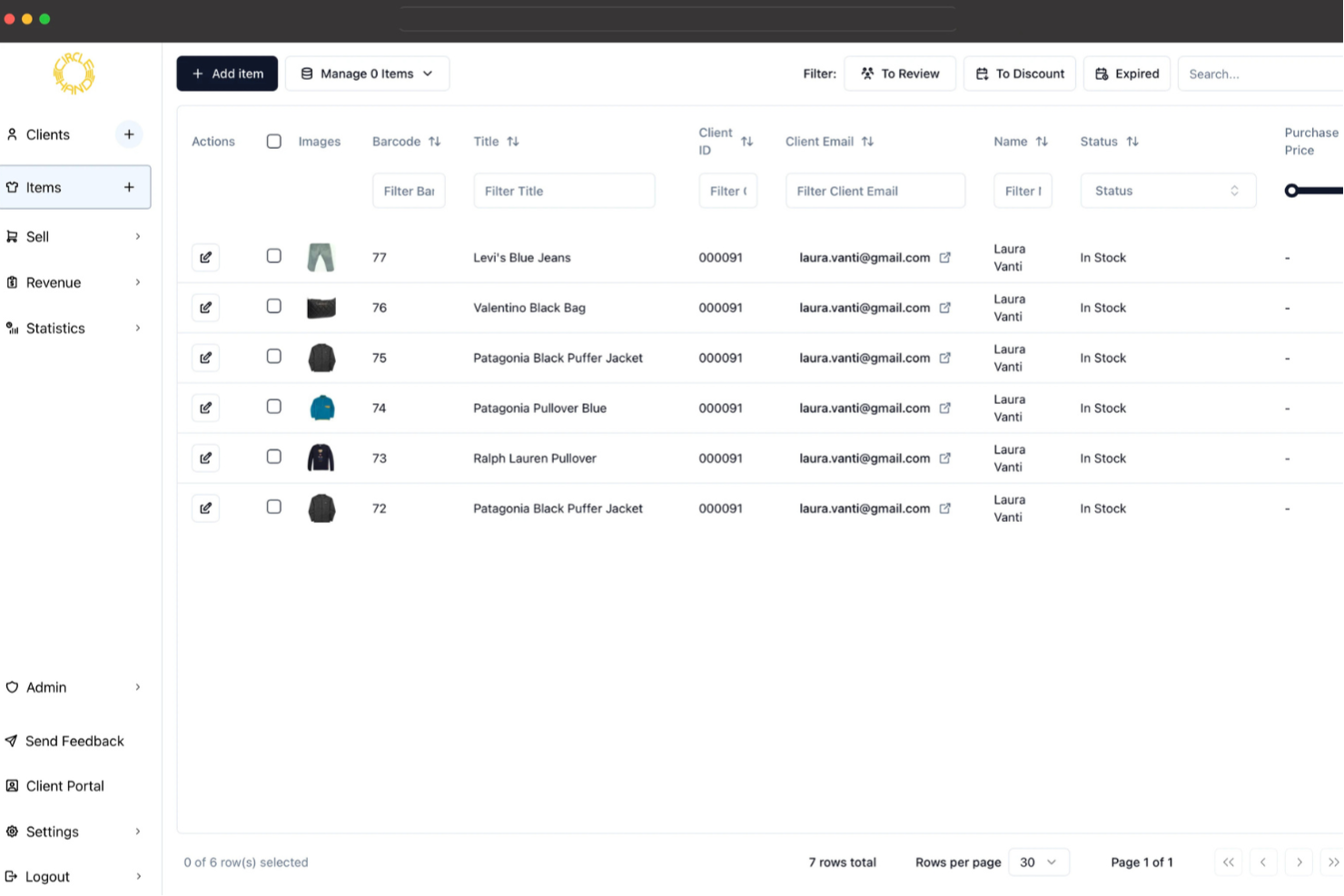
Circle-Hand takes a community-driven approach to consignment by connecting individuals and small businesses through a peer-to-peer network. If you’re looking to build or join a local resale community, this platform helps you manage listings, exchanges, and payments directly between users. Its focus on peer-to-peer transactions makes it a strong fit for those who want to foster trust and collaboration in secondhand selling.
Why I Picked Circle-Hand
What stands out about Circle-Hand is its focus on building peer-to-peer consignment networks, which is quite different from most traditional consignment platforms. The tool lets users create and join local groups, making it easy to connect with trusted sellers and buyers in their own communities. I appreciate that Circle-Hand supports direct communication and secure payment processing between individuals, which helps foster transparency and trust. For anyone interested in a more community-oriented approach to consignment, this platform offers features designed specifically for peer-to-peer collaboration.
Circle-Hand Key Features
In addition to its community-focused approach, Circle-Hand offers several other features worth noting:
- Digital Inventory Management: Track, organize, and update item listings within a centralized dashboard.
- Customizable Group Settings: Set privacy levels, membership rules, and permissions for each peer group.
- Automated Transaction Records: Generate and store digital receipts for every completed exchange.
- Mobile-Optimized Interface: Access all platform features from smartphones and tablets for on-the-go management.
Circle-Hand Integrations
Integrations include Shopify, Square, and Zettle.
Pros and Cons
Pros:
- Calculates consignor shares automatically
- Tracks carbon and water impact
- Uses AI for image recognition
Cons:
- Limited multi-currency support options
- No public API for developers
Other Consignment Software
Here are some additional consignment software options that didn’t make it onto my shortlist, but are still worth checking out:
- Bravo Store Systems
For pawn and specialty retailers
- ConsignR
For mobile-first inventory management
- Aravenda.com
With multi-location support


Consignment Software Selection Criteria
When selecting the best consignment software to include in this list, I considered common buyer needs and pain points, like tracking split payouts and managing unique inventory types. I also used the following framework to keep my evaluation structured and fair:
Core Functionality (25% of total score)
To be considered for inclusion in this list, each solution had to fulfill these common use cases:
- Manage consigned inventory and ownership details
- Track sales and payouts to consignors
- Generate itemized receipts and sales reports
- Support multi-channel sales (in-store and online)
- Handle returns and adjustments for consigned goods
Additional Standout Features (25% of total score)
To help further narrow down the competition, I also looked for unique features, such as:
- Automated pricing and markdown rules
- Integrated compliance and regulatory reporting
- Mobile app for inventory and sales management
- Built-in customer communication tools
- Advanced analytics and performance dashboards
Usability (10% of total score)
To get a sense of the usability of each system, I considered the following:
- Simple and user-friendly navigation
- Clean and modern interface design
- Customizable dashboards and views
- Fast access to key workflows
- Minimal manual data entry required
Onboarding (10% of total score)
To evaluate the onboarding experience for each platform, I considered the following:
- Availability of step-by-step setup guides
- Access to training videos and webinars
- Interactive product tours or demos
- Pre-built templates for common workflows
- Responsive onboarding support team
Customer Support (10% of total score)
To assess each software provider’s customer support services, I considered the following:
- Multiple support channels (chat, email, phone)
- Fast response times to inquiries
- Access to a searchable help center
- Availability of live training or Q&A sessions
- Ongoing product updates and communication
Value For Money (10% of total score)
To evaluate the value for money of each platform, I considered the following:
- Transparent and predictable pricing structure
- Features included at each pricing tier
- No hidden fees or surprise charges
- Flexible plans for different business sizes
- Free trial or demo availability
Customer Reviews (10% of total score)
To get a sense of overall customer satisfaction, I considered the following when reading customer reviews:
- Consistent positive feedback on reliability
- Reports of helpful and knowledgeable support
- User comments on feature usefulness
- Feedback on ease of setup and daily use
- Noted issues or limitations mentioned by multiple users
How to Choose Consignment Software
It’s easy to get bogged down in long feature lists and complex pricing structures. To help you stay focused as you work through your unique software selection process, here’s a checklist of factors to keep in mind:
| Factor | What to Consider |
|---|---|
| Scalability | Will the software support your business as you add more locations, users, or inventory? Look for solutions that don’t require a full migration as you grow. |
| Integrations | Does the tool connect natively to your POS, accounting, or e-commerce platforms? Check for compatibility with your existing tech stack to avoid manual work. |
| Customizability | Can you tailor workflows, fields, and reports to match your store’s processes? Rigid systems may force you to adapt your operations. |
| Ease of use | How quickly can staff learn the system and complete daily tasks? Test for intuitive navigation and clear labeling, especially for part-time or seasonal staff. |
| Implementation and onboarding | What resources are needed to get up and running? Ask about data migration, training, and support during rollout—especially if you’re moving from spreadsheets. |
| Cost | Are all necessary features included in the base price? Watch for add-on fees, per-user charges, or transaction-based pricing that could impact your budget. |
| Security safeguards | How does the vendor protect sensitive consignor and customer data? Look for encryption, user permissions, and audit trails to reduce risk. |
| Compliance requirements | Does the software help you meet local or industry regulations, such as reporting for pawn or secondhand goods? Missing compliance features can create legal exposure. |
What Is Consignment Software?
Consignment software is a digital tool that helps retailers manage inventory, sales, and payouts for goods sold on consignment. It tracks item ownership, automates consignor payments, and records sales transactions. This type of software is essential for consignment shops that sell products on behalf of others, ensuring accurate recordkeeping, transparent reporting, and efficient management of consigned inventory across multiple channels.
Features of Consignment Software
When selecting consignment software, keep an eye out for the following key features:
- Consignor management: Store and organize consignor contact details, track item ownership, and manage payout schedules for each consignor.
- Inventory tracking: Monitor the status, location, and quantity of consigned items from intake through sale or return.
- Sales processing: Record sales transactions, apply appropriate commission splits, and generate receipts for both customers and consignors.
- Automated payouts: Calculate and process payments to consignors based on sales, with options for direct deposit, check, or store credit.
- Multi-channel support: Manage consigned inventory and sales across in-store, online, and marketplace channels from a single system.
- Reporting and analytics: Generate detailed reports on sales, inventory turnover, consignor earnings, and other key business metrics.
- Barcode and label printing: Create and print barcodes or labels for consigned items to simplify intake, tracking, and checkout.
- Returns and adjustments: Handle item returns, exchanges, and adjustments while maintaining accurate records for both consignors and customers.
- User permissions: Set access levels and permissions for staff to control who can view, edit, or process consignor and sales data.
- Document management: Store digital copies of consignment agreements, receipts, and other important documents for easy reference and compliance.
Benefits of Consignment Software
Implementing consignment software provides several benefits for your team and your business. Here are a few you can look forward to:
- Accurate inventory management: Track consigned items in real time and reduce manual errors with automated inventory tracking features.
- Simplified consignor payouts: Automate commission calculations and payments, saving time and ensuring consignors are paid correctly.
- Improved sales visibility: Access detailed sales and performance reports to better understand what’s selling and optimize your inventory mix.
- Streamlined multi-channel operations: Manage in-store, online, and marketplace sales from a single platform, reducing duplicate work and data entry.
- Enhanced compliance and recordkeeping: Store digital agreements, receipts, and transaction histories to support regulatory requirements and audits.
- Faster onboarding for staff: Use intuitive interfaces and built-in training resources to help new team members get up to speed quickly.
- Better customer and consignor relationships: Maintain organized records and clear communication, leading to more trust and repeat business.
Costs and Pricing of Consignment Software
Selecting consignment software requires an understanding of the various pricing models and plans available. Costs vary based on features, team size, add-ons, and more. The table below summarizes common plans, their average prices, and typical features included in consignment software solutions:
Plan Comparison Table for Consignment Software
| Plan Type | Average Price | Common Features |
|---|---|---|
| Free Plan | $0 | Basic inventory tracking, limited consignor management, and simple sales reporting. |
| Personal Plan | $15–$40/user/month | Standard inventory management, consignor payouts, barcode printing, and basic reporting tools. |
| Business Plan | $50–$120/user/month | Multi-channel sales support, advanced analytics, user permissions, and integrations with accounting software. |
| Enterprise Plan | $150–$300+/user/month | Custom workflows, API access, advanced compliance tools, dedicated support, and multi-location management. |
Consignment Software FAQs
Here are some answers to common questions about consignment software:
How does consignment software handle split payouts to multiple consignors?
Consignment software tracks item ownership and automatically calculates each consignor’s share of a sale. When an item has multiple owners, the system splits the payout based on pre-set percentages or amounts, ensuring accurate and timely payments for all parties.
Can consignment software integrate with my existing POS or e-commerce platform?
Yes, many consignment software solutions offer integrations with popular POS and e-commerce platforms. This allows you to sync inventory, sales, and customer data across systems, reducing manual entry and keeping records consistent.
What types of businesses use consignment software?
Consignment software is used by retail stores, thrift shops, art galleries, specialty boutiques, and online marketplaces that sell goods on behalf of others. It’s especially useful for businesses managing inventory from multiple suppliers or individual consignors.
Is it possible to manage both consigned and owned inventory in the same system?
Yes, most consignment software lets you track both consigned and owned inventory. You can assign ownership status to each item, making it easy to manage payouts, reporting, and inventory control for both types of stock.
What should I look for when evaluating the security of consignment software?
Look for features like user permissions, data encryption, audit trails, and secure cloud hosting. These safeguards help protect sensitive consignor and customer information from unauthorized access or data breaches.
What’s Next:
If you're in the process of researching consignment software, connect with a SoftwareSelect advisor for free recommendations.
You fill out a form and have a quick chat where they get into the specifics of your needs. Then you'll get a shortlist of software to review. They'll even support you through the entire buying process, including price negotiations.