

Shipstation Review: Pros, Cons, Features & Pricing


Shipstation is an ecommerce shipping software built for operators who know the grind of packing slips, mismatched shipping rates, and customer emails asking “where’s my order?”
It’s designed to help small businesses and ecommerce teams tame the chaos of multichannel fulfillment—whether you’re juggling Shopify, Amazon, eBay, or your own checkout.
The real value is time. Instead of manually printing labels, reconciling USPS vs FedEx rates, or trying to make sense of scattered workflows, you use Shipstation to centralize and automate.
In this review, I’ll cover Shipstation’s features, pricing, pros and cons, and where it fits best (and worst) in a retail operation.
ShipStation Evaluation Summary
- From $0/month
- 30-day free trial
Why Trust Our Software Reviews
We’ve been testing and reviewing retail and ecommerce software and services since 2021.
As retail experts ourselves, we know how critical and difficult it is to make the right decision when selecting software. We invest in deep research to help our audience make better software purchasing decisions.
We’ve tested more than 2,000 tools for different finance and accounting use cases and written over 1,000 comprehensive software reviews. Learn how we stay transparent and our review methodology.
ShipStation Overview
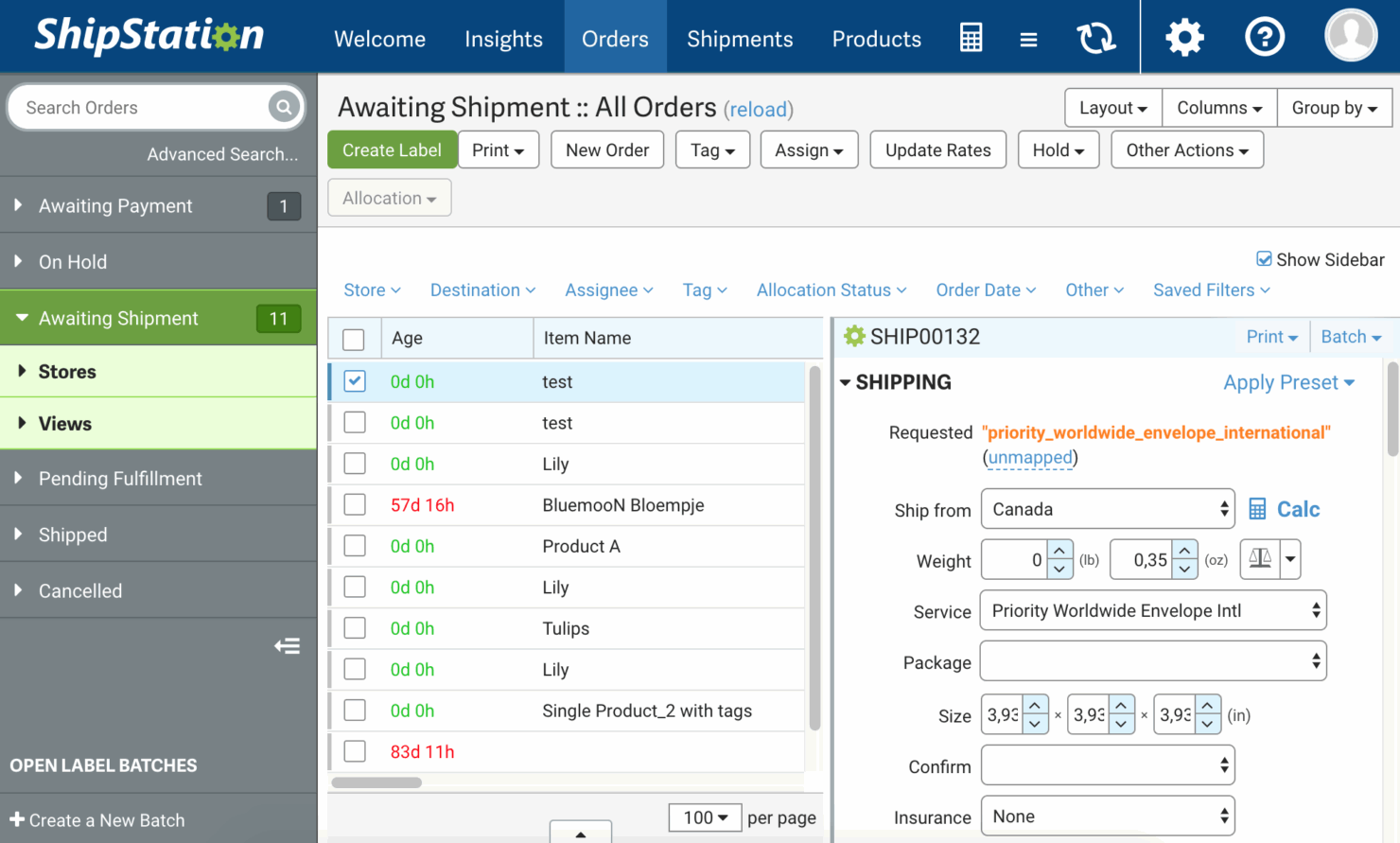
In my opinion, Shipstation is one of those tools that quietly does the heavy lifting for ecommerce operators without much fanfare.
It’s not the flashiest shipping software on the market, but it integrates with just about every sales channel that matters—Shopify, Amazon, eBay, Etsy, WooCommerce—and gives small businesses the ability to ship orders at scale without hiring an army.
pros
-
Solid tracking and reporting. Gives you visibility into shipments and performance without pulling manual spreadsheets.
-
Time-saving automation. Cuts down repetitive shipping tasks, letting you focus on fulfillment instead of button-clicking.
-
Smooth integrations. Works seamlessly with platforms like Shopify, Amazon, eBay, and Etsy so you can manage all orders in one place.
cons
-
Inconsistent support. Help is available, but responses can be delayed when you’re under pressure.
-
Slow onboarding. Setup and training take longer than they should, especially for less technical users.
-
Clunky interface. The navigation isn’t intuitive, which can slow down teams until they get comfortable.
-

Wix
Visit WebsiteThis is an aggregated rating for this tool including ratings from Crozdesk users and ratings from other sites.4.2 -
Fulfil
Visit WebsiteThis is an aggregated rating for this tool including ratings from Crozdesk users and ratings from other sites.4.1 -
Pirate Ship
Visit WebsiteThis is an aggregated rating for this tool including ratings from Crozdesk users and ratings from other sites.4.5





Our Review Methodology
How We Test & Score Tools
We’ve spent years building, refining, and improving our software testing and scoring system. The rubric is designed to capture the nuances of software selection and what makes a tool effective, focusing on critical aspects of the decision-making process.
Below, you can see exactly how our testing and scoring works across seven criteria. It allows us to provide an unbiased evaluation of the software based on core functionality, standout features, ease of use, onboarding, customer support, integrations, customer reviews, and value for money.
Core Functionality (25% of final scoring)
The starting point of our evaluation is always the core functionality of the tool. Does it have the basic features and functions that a user would expect to see? Are any of those core features locked to higher-tiered pricing plans? At its core, we expect a tool to stand up against the baseline capabilities of its competitors.
Standout Features (25% of final scoring)
Next, we evaluate uncommon standout features that go above and beyond the core functionality typically found in tools of its kind. A high score reflects specialized or unique features that make the product faster, more efficient, or offer additional value to the user.
We also evaluate how easy it is to integrate with other tools typically found in the tech stack to expand the functionality and utility of the software. Tools offering plentiful native integrations, 3rd party connections, and API access to build custom integrations score best.
Ease of Use (10% of final scoring)
We consider how quick and easy it is to execute the tasks defined in the core functionality using the tool. High scoring software is well designed, intuitive to use, offers mobile apps, provides templates, and makes relatively complex tasks seem simple.
Onboarding (10% of final scoring)
We know how important rapid team adoption is for a new platform, so we evaluate how easy it is to learn and use a tool with minimal training. We evaluate how quickly a team member can get set up and start using the tool with no experience. High scoring solutions indicate little or no support is required.
Customer Support (10% of final scoring)
We review how quick and easy it is to get unstuck and find help by phone, live chat, or knowledge base. Tools and companies that provide real-time support score best, while chatbots score worst.
Customer Reviews (10% of final scoring)
Beyond our own testing and evaluation, we consider the net promoter score from current and past customers. We review their likelihood, given the option, to choose the tool again for the core functionality. A high scoring software reflects a high net promoter score from current or past customers.
Value for Money (10% of final scoring)
Lastly, in consideration of all the other criteria, we review the average price of entry level plans against the core features and consider the value of the other evaluation criteria. Software that delivers more, for less, will score higher.
Core Features
- Order management. Consolidates orders from multiple sales channels—Shopify, Amazon, eBay, WooCommerce, and Etsy—into one dashboard. This streamlines your workflow and simplifies order fulfillment.
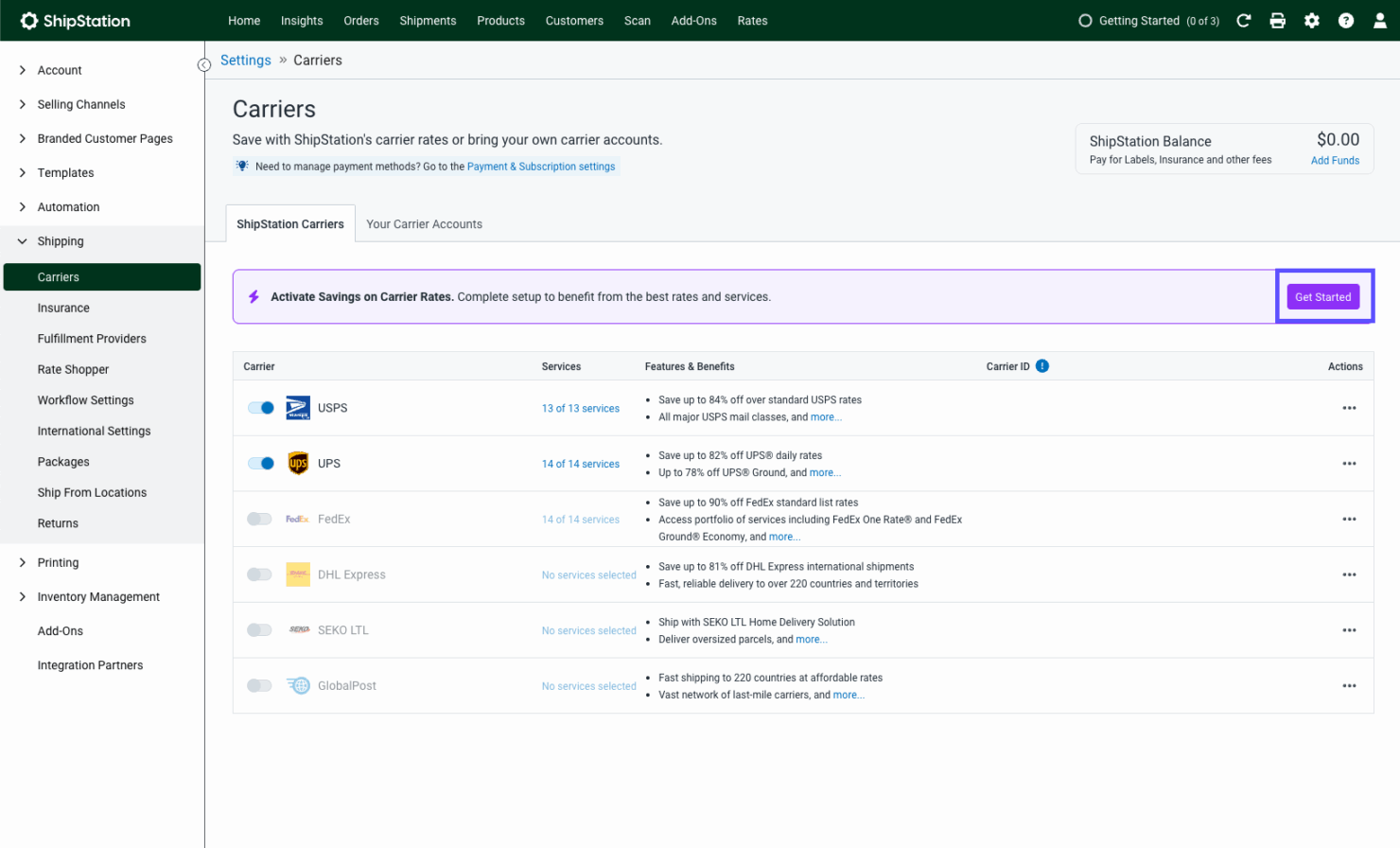
- Shipping labels. Create and print labels for USPS, FedEx, DHL, and other carriers directly in Shipstation. Fewer errors, faster processing, and less wasted time at checkout.
- Automation rules. Use Shipstation’s automation to assign carriers, apply shipping services, or notify customers without manual steps. It’s a huge time-saving win for small businesses.
- Reporting tools. Track shipping costs, carrier performance, and delivery times. These reports help optimize your shipping management strategy and reduce unnecessary spend.
- Return management. Generate return labels and packing slips with minimal effort. This keeps returns painless for both customers and your customer service team.
- Batch processing. Process hundreds of orders and print labels at once. Perfect for ecommerce operators who need to ship products quickly without bogging down workflows.
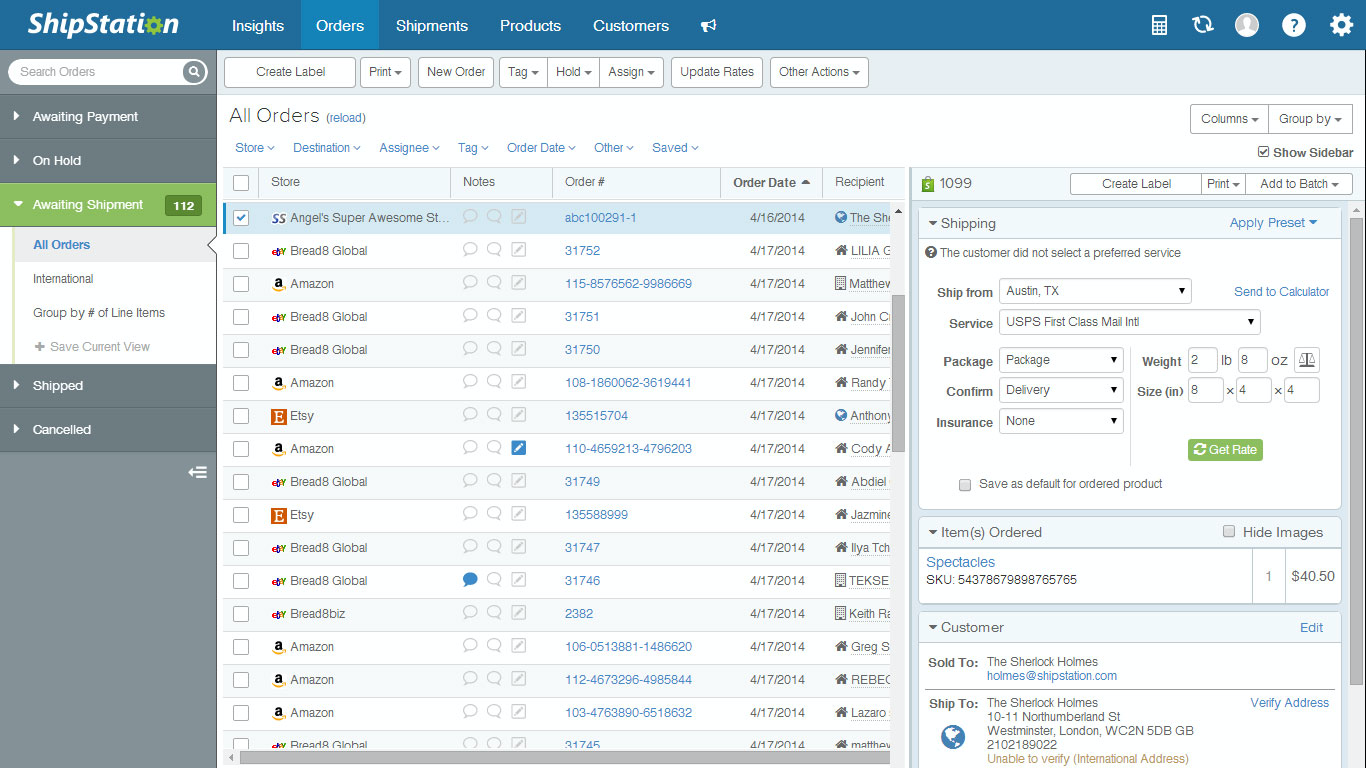
Ease of Use
Shipstation isn’t the most user-friendly shipping software out of the gate. The interface feels dated and navigating between workflows takes some trial and error, especially for small businesses new to shipping management.
Onboarding can be a bit of a slog, which isn’t ideal for fast-paced dropshipping teams that need to ship products quickly.
That said, once you’ve invested the time in setup and optimization, the automation rules, batch processing, and label printing features save hours each week.
For ecommerce operators running Shopify, Amazon, or eBay stores, the time-saving payoff eventually outweighs the initial learning curve.
ShipStation Specs
- 2-Factor Authentication
- A/B Testing
- Analytics
- API
- BitCoin
- Conversion Tracking
- Dashboard
- Data Export
- Data Import
- Data Visualization
- Design Templates
- External Integrations
- Inventory Tracking
- Keyword Tracking
- Marketing Automation
- Multi-User
- Notifications
- Order Management
- Payment Gateway Integration
- Payment Processor
- PayPal
- Product Catalog
- Review Monitoring
- SAP Integration
- Scheduling
- Stripe
- Third-Party Plugins/Add-Ons
Alternatives to ShipStation




ShipStation FAQs
How does Shipstation handle data security?
Can Shipstation manage international shipping?
Does Shipstation have a mobile app?
How does Shipstation simplify returns?
What kind of customer support does Shipstation offer?
Can Shipstation handle batch processing?
Does Shipstation integrate with marketplaces?
What's Next?
Retail never stands still—and neither should you. Subscribe to our newsletter for the latest insights, strategies, and career resources from top retail leaders shaping the industry.