

Avis sur Linnworks : avantages, inconvénients, fonctionnalités et tarifs
Linnworks aide les entreprises de commerce électronique à gérer leurs stocks, leurs commandes, leurs expéditions et leurs ventes multicanales grâce à des outils d’automatisation conçus pour accompagner la croissance des opérations de vente au détail.

Nous évaluons les outils de façon indépendante, et les commissions contribuent à financer nos tests. Consultez notre politique de transparence, notre méthodologie, ou suggérez un outil.
Linnworks is an inventory management software for ecommerce businesses that need to centralize inventory, orders, and listings across multiple sales channels. If you're selling on Amazon, eBay, Shopify, and your own storefront simultaneously, Linnworks keeps stock levels and order routing in sync across all of them. I'd consider it over something like Cin7 if your operation is primarily ecommerce-driven—Linnworks is built around channel selling rather than manufacturing or wholesale workflows, so the fit tends to be cleaner for online retailers.
Linnworks Evaluation Summary
4.2/5
- From $449/month (volume-based pricing)
- Free demo available
Pourquoi faire confiance à nos recommandations de logiciels
6,700+
Reviews
20
Industry experts
16+
Evaluation factors
14
Years
Notre équipe teste et évalue des logiciels depuis 2012. En tant que dirigeants du commerce de détail nous-mêmes, nous savons à quel point il est difficile — et important — de choisir le bon logiciel.
Pour ce guide, nous avons évalué les outils grâce à des tests pratiques et une recherche indépendante, en notant les outils selon nos critères de sélection.
Nos avis reflètent notre jugement indépendant — et non un argumentaire de vente.
Linnworks Overview
If you’re judging by deep marketplace integrations and real-time stock syncing, I think Linnworks is hard to beat, especially for high-volume sellers. Its automation reduces manual errors, and onboarding is smoother than most, though the interface could feel dense for some teams.
I’d select Linnworks for businesses juggling multichannel sales, but if transparent pricing or flexible analytics are your main guides, you might find some limits. The support team responds quickly in my experience, which makes Linnworks an easy pick for operators scaling complexity fast.
Pros
- Automates order and inventory syncing across key channels
- Custom reporting supports granular inventory analysis
- Scalable workflows for complex or growing product catalogs
Cons
- No offline or native mobile app functionality
- Pricing tiers can be unclear before sales contact
- Interface can feel cluttered with advanced settings
Is Linnworks Right For Your Needs?
Who Would be a Good Fit for Linnworks?
Ecommerce businesses, particularly in retail sectors like fashion and electronics, would find Linnworks valuable due to its ability to manage multi-channel sales efficiently. If your team needs to streamline inventory processes and automate repetitive tasks, Linnworks’s robust reporting tools can help you make informed decisions. It’s especially beneficial for operations that require centralized control over diverse sales channels, helping your team focus on growth rather than logistics.
- Ecommerce RetailersLinnworks offers centralized control for managing multiple sales channels efficiently.
- Small BusinessesYour team can automate routine tasks, freeing up time for strategic planning.
- Inventory ManagersLinnworks’s robust reporting tools help you make data-driven decisions.
- Multi-Channel SellersYou can manage all your sales channels from one platform seamlessly.
- Operations TeamsStreamline complex inventory processes to focus on operational efficiency.
- Fashion IndustryLinnworks supports diverse inventory needs, perfect for fast-moving fashion products.
Who Would be a Bad Fit for Linnworks?
Businesses that rely heavily on highly customized workflows may find Linnworks limiting due to its constrained customization options. If your team needs a highly intuitive interface, you might struggle with Linnworks’s user interface, which some find less intuitive. Additionally, organizations with minimal inventory management needs may not fully benefit from Linnworks’s comprehensive feature set, making it more than what’s necessary for your operations.
- Small Crafts SellersYour minimal inventory needs might not justify Linnworks’s full capabilities.
- Highly Custom WorkflowsLinnworks’s limited customization may not accommodate your specific requirements.
- Tech-Savvy TeamsYou might find the interface less intuitive compared to other solutions.
- Single-Channel SellersManaging only one sales channel doesn’t require Linnworks’s multi-channel capabilities.
- Basic Inventory NeedsLinnworks’s advanced features could be overkill for your simple inventory needs.
- Freelancers or Sole TradersYour operations might not need Linnworks’s extensive tools and functionalities.
Notre méthodologie d'évaluation
Comment nous testons et notons les outils
Nous avons passé des années à construire, affiner et améliorer notre système de test et de notation des logiciels. Notre grille d’évaluation est conçue pour prendre en compte toutes les subtilités du choix d’un logiciel et identifier ce qui rend un outil efficace, en se concentrant sur les aspects essentiels du processus de décision. Vous pouvez voir ci-dessous comment fonctionne notre système de test et de notation selon sept critères. Il nous permet de fournir une évaluation impartiale des logiciels selon leur fonctionnalité principale, leurs caractéristiques remarquables, la facilité d’utilisation, l’intégration, l’onboarding, le service client, les avis clients et le rapport qualité-prix.
Fonctionnalité principale (25% de la note finale)
Le point de départ de notre évaluation est toujours la fonctionnalité de base de l’outil. Possède-t-il les fonctions et caractéristiques attendues par un utilisateur ? Certaines de ces fonctionnalités essentielles sont-elles réservées à des plans tarifaires supérieurs ? Nous attendons d’un outil qu’il se mesure aux capacités minimales proposées par ses concurrents.
Caractéristiques remarquables (25% de la note finale)
Ensuite, nous évaluons les caractéristiques remarquables et uniques qui vont au-delà des fonctionnalités de base normalement attendues d’un outil similaire. Une note élevée reflète des fonctionnalités spécialisées qui rendent le produit plus rapide, plus efficace, ou apportent une valeur ajoutée pour l’utilisateur. Nous évaluons également la facilité d’intégration avec d’autres outils généralement présents dans l’écosystème technique afin d’étendre la fonctionnalité et l’utilité du logiciel. Les outils qui proposent de nombreuses intégrations natives, des connexions avec des solutions tierces, et un accès API pour des intégrations personnalisées obtiennent la meilleure note.
Facilité d’utilisation (10% de la note finale)
Nous analysons la rapidité et la simplicité d’exécution des tâches affectées aux fonctionnalités principales via l’outil. Les logiciels les mieux notés sont bien conçus, intuitifs, offrent des applications mobiles, incluent des modèles prêts à l’emploi et simplifient les opérations complexes.
Onboarding (10% de la note finale)
Nous savons à quel point l’adoption rapide d’une nouvelle plateforme est cruciale pour une équipe. Nous évaluons donc la facilité d’apprentissage et de prise en main d’un outil avec un minimum de formation. Nous examinons la rapidité à laquelle un membre d’équipe peut s’installer et commencer à utiliser l’outil sans expérience préalable. Les solutions les mieux notées montrent qu’elles nécessitent peu ou pas d’assistance.
Service client (10% de la note finale)
Nous évaluons la vitesse et la simplicité pour obtenir de l’aide ou se débloquer par téléphone, chat en direct, ou base de connaissances. Les outils et sociétés qui offrent une assistance en temps réel obtiennent la meilleure note, tandis que les chatbots sont moins bien évalués.
Avis clients (10% de la note finale)
Au-delà de nos propres tests et évaluations, nous tenons compte du score de recommandation (NPS) des clients actuels et passés. Nous examinons leur probabilité de choisir à nouveau l’outil pour sa fonctionnalité principale. Un logiciel bien noté reflète un NPS élevé de la part des clients actuels ou passés.
Rapport qualité-prix (10% de la note finale)
Enfin, au regard de tous les autres critères, nous évaluons le prix moyen des offres de départ au regard des fonctionnalités clés, et tenons compte de la valeur ajoutée selon les autres critères. Les logiciels qui offrent plus pour moins obtiennent une meilleure note.
Core Features
Automated Order Management
Automatically imports and processes orders from every connected channel. Reduces manual entry and helps prevent fulfillment delays.
Real-Time Inventory Tracking
Syncs stock levels instantly across all sales platforms. Helps avoid overselling with up-to-date, accurate inventory data.
Bulk Product Listing Tools
Create, update, or end product listings for multiple channels from one dashboard. Saves time when managing a large product catalog.
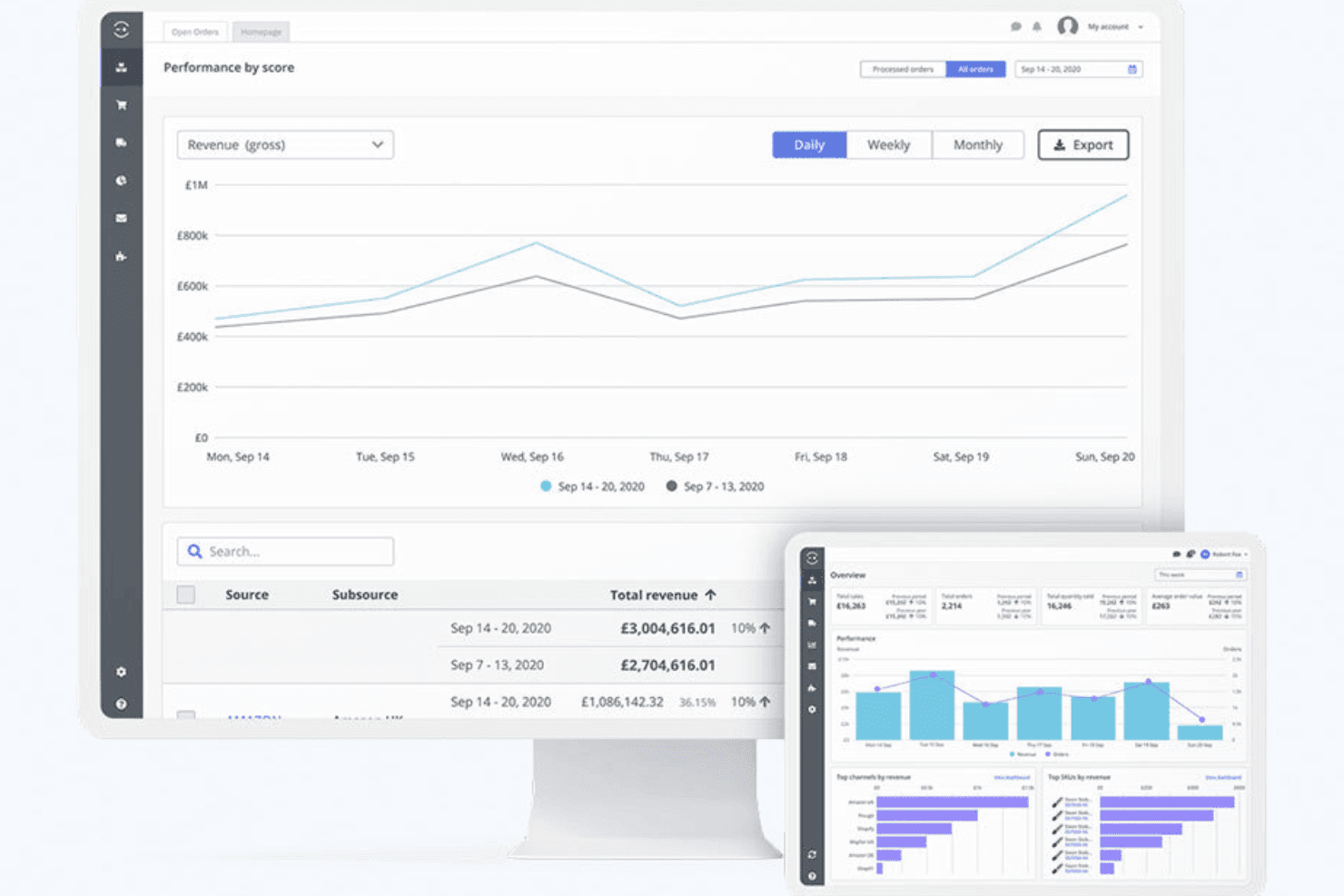
Customizable Reporting and Dashboards
Tracks inventory performance, sales trends, and operational metrics with tailored reports. Lets users spot issues or growth opportunities fast.
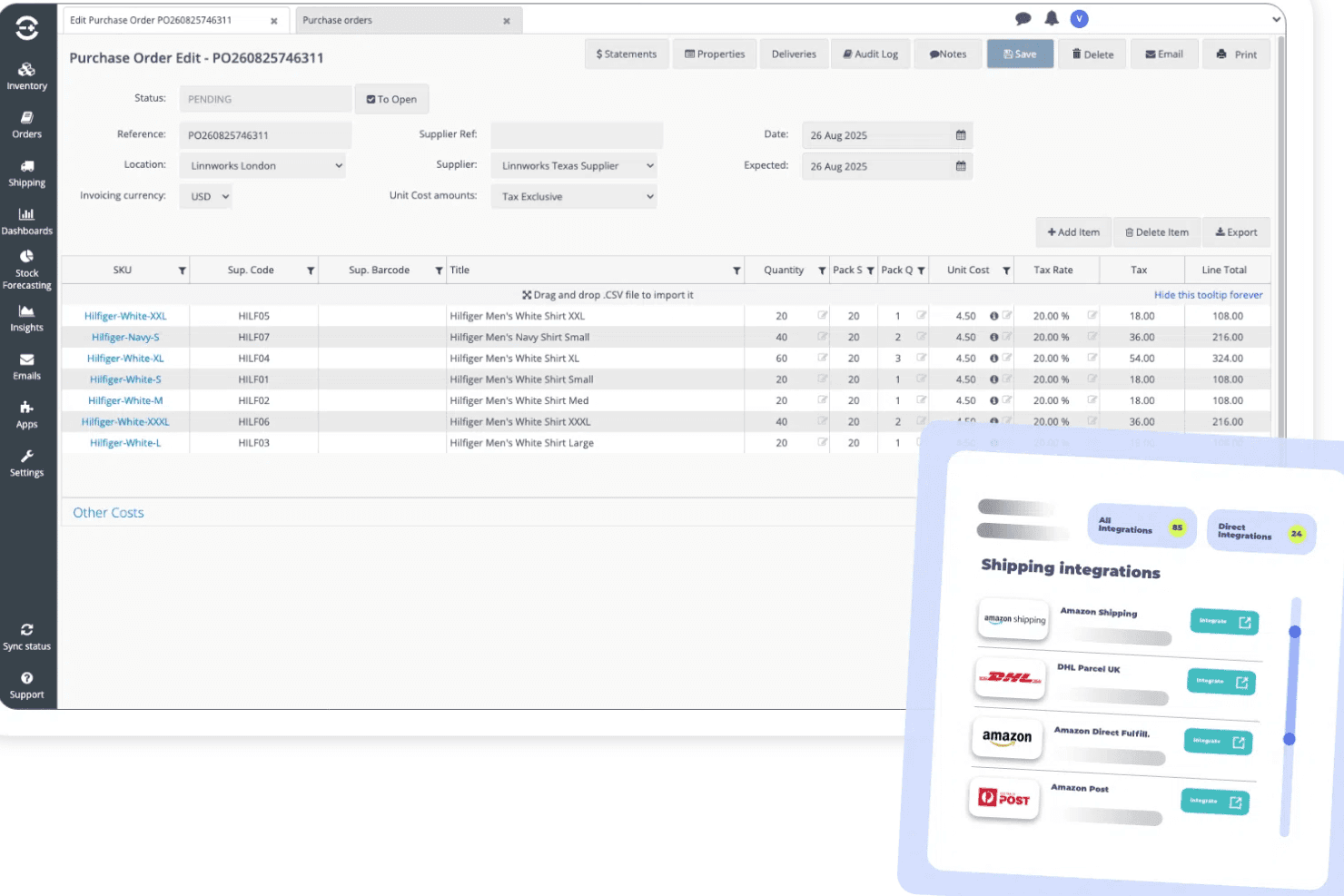
Purchase Order Management
Generates, sends, and tracks purchase orders to suppliers directly within the platform. Keeps restock workflows organized as demand changes.
Returns and Refunds Processing
Manages item returns and refunds from all sales channels in one place. Streamlines workflows and reduces manual tracking errors.
Ease of Use
Linnworks packs a wide range of advanced features but leans toward the complex side, especially when you’re first setting up workflows and reporting.
I think teams with technical know-how will find its dashboard and bulk actions empowering, but newcomers often say menus feel busy and support documentation is essential for onboarding.
Integrations
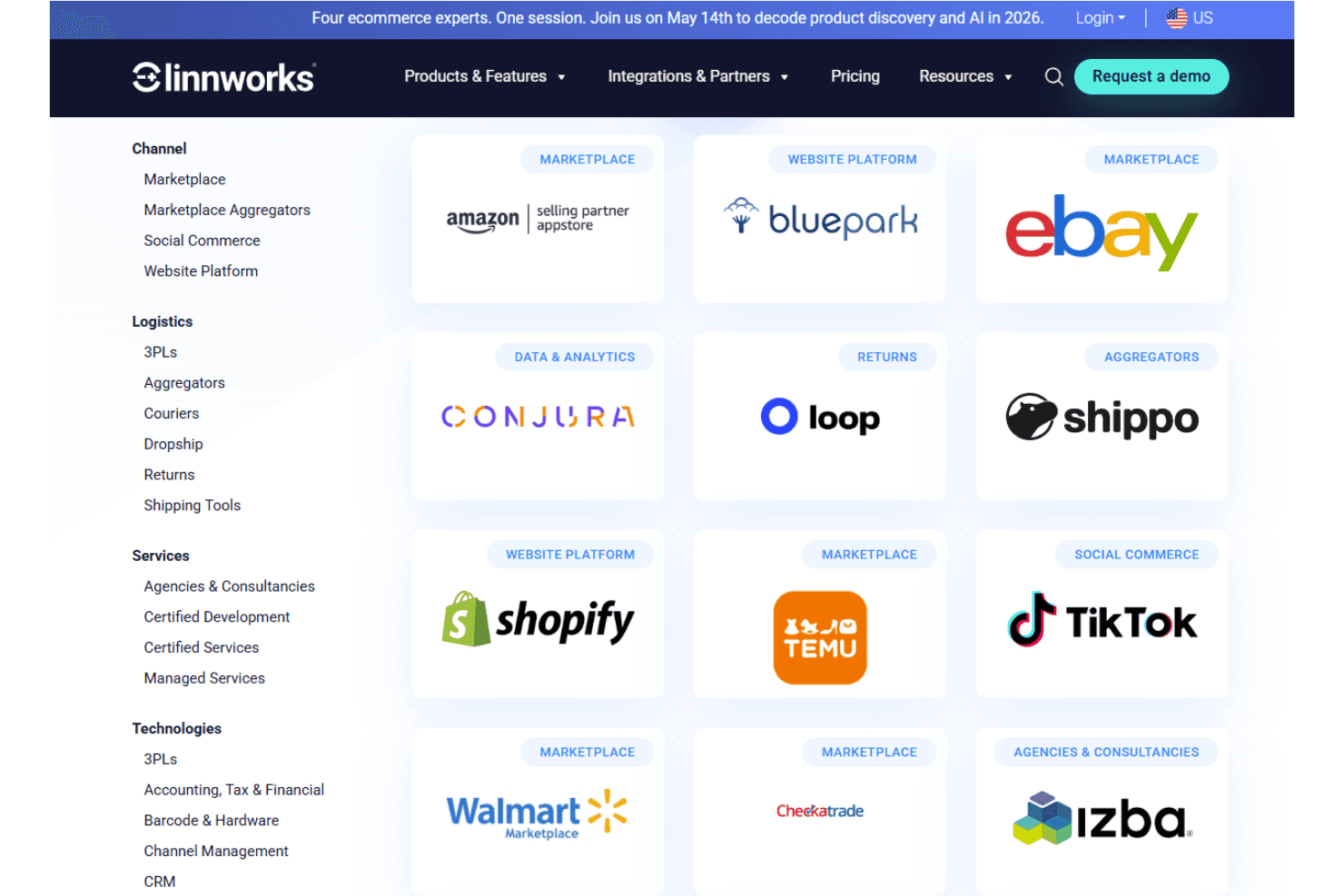
Linnworks integrates with Amazon, eBay, Shopify, Walmart, BigCommerce, Magento, WooCommerce, Royal Mail, FedEx, and DHL, among others.
Linnworks also provides an open API for custom integrations and supports connections with third-party integration tools.
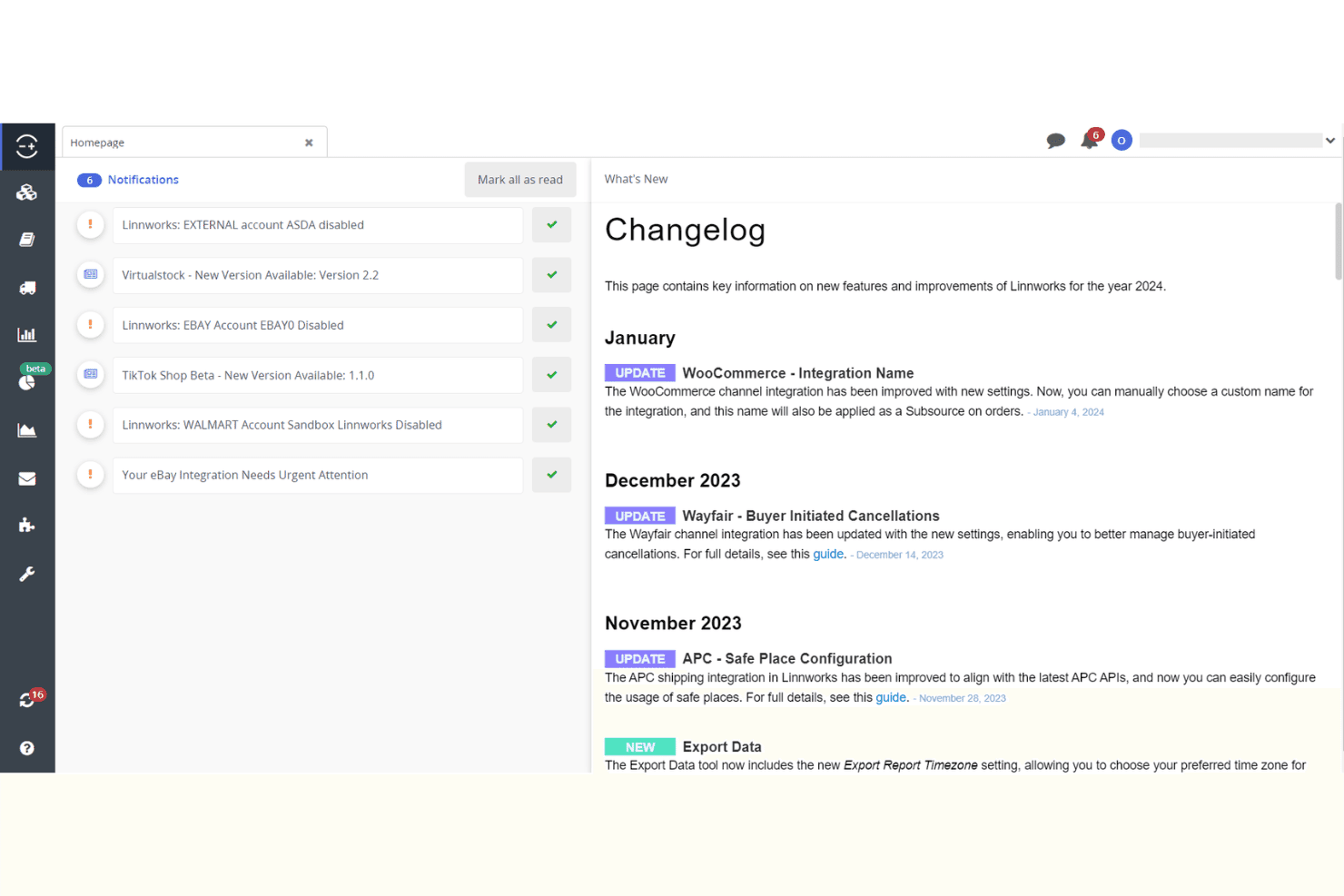
New Product Updates from Linnworks
Linnworks Adds DMSExpress and Trade Order POS Apps
Linnworks adds DMSExpress for multi-carrier shipping and Trade Order POS for trade counters, phone orders, and B2B sales. The new App Store solutions help automate fulfillment tasks and let staff create orders directly in Linnworks from point-of-sale workflows. Highlights include:
- DMSExpress: Connects multiple carriers and automates label generation, tracking, and fulfillment workflows.
- Trade Order POS: Lets staff search live stock and create orders directly in Linnworks for trade counters, phone orders, and field sales.
- App Store Access: Makes both solutions available through the Linnworks App Store for easier connection to existing workflows.
Visit Linnworks’ official site for more details.
Linnworks Adds US CPSC eFiling Support
Linnworks adds support for US CPSC eFiling requirements, including electronic filing through FedEx and required product certification data within Linnworks. The new capability helps importers submit required safety information and keep regulated products moving through US customs. Highlights include:
- CPSC eFiling: Supports electronic submission of required safety data for regulated products imported into the US.
- FedEx Support: Enables electronic CPSC filing for shipments handled through FedEx.
- Product Certification Data: Supports required product certification information directly within Linnworks.
Visit Linnworks’ official site for more details.
Linnworks Adds eBay Size and Amazon Title Compliance Support
Linnworks adds support for eBay’s standardized Apparel & Footwear size requirements and Amazon’s 75-character title limit for non-media categories. The updates help merchants keep listings compliant with marketplace requirements while reducing listing warnings and revision errors. Highlights include:
- eBay Standardized Sizes: Supports eBay’s standardized size and condition values for Apparel & Footwear listings.
- Amazon Title Limit: Supports Amazon’s 75-character title requirement for all categories except media.
- Bulk Title Review: Lets sellers use Extract Inventory to identify and update Amazon listing titles in bulk.
Visit Linnworks’ official site for more details.
Linnworks' Updated Royal Mail Customs Integrations
Linnworks updates Royal Mail integrations with improved customs handling, item categorization, and document printing options. These updates help sellers process international shipments, automate B2B classification, and manage customs forms more efficiently. Highlights include:
- Customs Categories: Support new B2B and B2C item classifications for international shipments.
- CN23 Customs Forms: Generate updated CN23 forms with 4×6 thermal printing and A4 format options.
- B2B Order Automation: Use the IsBusinessOrder property to automatically identify and process business shipments.
Visit Linnworks’ official site for more details.
Linnworks Specs
- API: Yes
- Barcode Scanning: No
- Budgeting: No
- Calendar Management: No
- Customer Management: No
- Dashboard: Yes
- Data Export: Yes
- Data Import: Yes
- Data Visualization: Yes
- External Integrations: Yes
- Forecasting: Yes
- Inventory Tracking: Yes
- Multi-User: Yes
- Notifications: Yes
- Order Management: Yes
- POS Integration: No
- Product Catalog: Yes
- Purchase Orders: No
- Reorder Automation: No
- SAP Integration: No
- Scheduling: No
- Shipping Management: Yes
- Status Notifications: Yes
- Stock Level Monitoring: No
- Supplier Management: Yes
- Third-Party Plugins/Add-Ons: No
- Warehouse Management: Yes


