

10 Best Open Source Subscription Management Tools of 2026

Best Open Source Subscription Management Software Shortlist


Managing recurring billing and subscriptions shouldn’t feel like wrangling spreadsheets at midnight. Open source subscription management software exists to give you flexibility, transparency, and control—without paying through the nose for SaaS bloat or locked-down pricing models.
After more than a decade in retail and ecommerce, I’ve seen how fast billing errors, integration gaps, and weak analytics can kill recurring revenue.
Whether you’re running a lean startup or a complex multichannel operation, you need tools that automate workflows, support real-time reporting, and play nice with your existing tech stack.
This guide does exactly that. I’ve shortlisted and reviewed the best open-source subscription management platforms—tested for billing automation, payment processing, API flexibility, and the stuff that matters when you need to cut churn and scale fast.
No filler. No sales pitch. Just practical, operator-level insight to help you find a billing system that actually fits your business needs—without the usual headaches.
Why Trust Our Software Reviews
We’ve been testing and reviewing retail and ecommerce software and services since 2021.
As retail experts ourselves, we know how critical and difficult it is to make the right decision when selecting software. We invest in deep research to help our audience make better software purchasing decisions.
We’ve tested more than 2,000 tools for different finance and accounting use cases and written over 1,000 comprehensive software reviews. Learn how we stay transparent and our review methodology.
Compare the Best Open Source Subscription Management Software
Use this quick chart to scan real-time pricing, trial info, and best for use cases for my top open source picks, so you can match each tool to your unique billing, CRM, or payment gateway needs.
| Tool | Best For | Trial Info | Price | ||
|---|---|---|---|---|---|
| 1 | Best for self-hosted recurring billing with ERP | Free plan available | Pricing upon request | Website | |
| 2 | Best for CRM-embedded subscription billing | 15-day free trial | From $19/user/month | Website | |
| 3 | Best for no-fee multi-model billing via self-hosting | Free plan + free trial + free demo available | From $99/month | Website | |
| 4 | Best for Ruby-built subscription storefronts | Free demo available | Pricing upon request | Website | |
| 5 | Best for content-driven subscription storefronts | Free demo available | Pricing upon request | Website | |
| 6 | Best for headless subscription commerce | 30-day free trial | From $4/user/month | Website | |
| 7 | Best for API-first billing integrations | Free demo available | Pricing upon request | Website | |
| 8 | Best for billing automation | Free plan available | Pricing upon request | Website | |
| 9 | Best for metered API and AI token billing | Free plan available | From $249/month | Website | |
| 10 | Best for telecom-scale subscription billing | Free demo available | Pricing upon request | Website |
The 10 Best Open Source Subscription Management Software, Reviewed
Dig into my no-fluff reviews below for a closer look at standout features, pros and cons, and the kind of business each tool actually serves best—straight from a decade in retail and ecommerce.

Best for self-hosted recurring billing with ERP
My Evaluation Score
- Dunning & Retry Logic
- Strong
- Open Source Licensing
- Minimal
- Recurring Billing Engine
- Excels
- API & Webhook Extensibility
- Adequate
- Payment Gateway Integrations
- Excels
- Subscription Lifecycle Management
- Excels
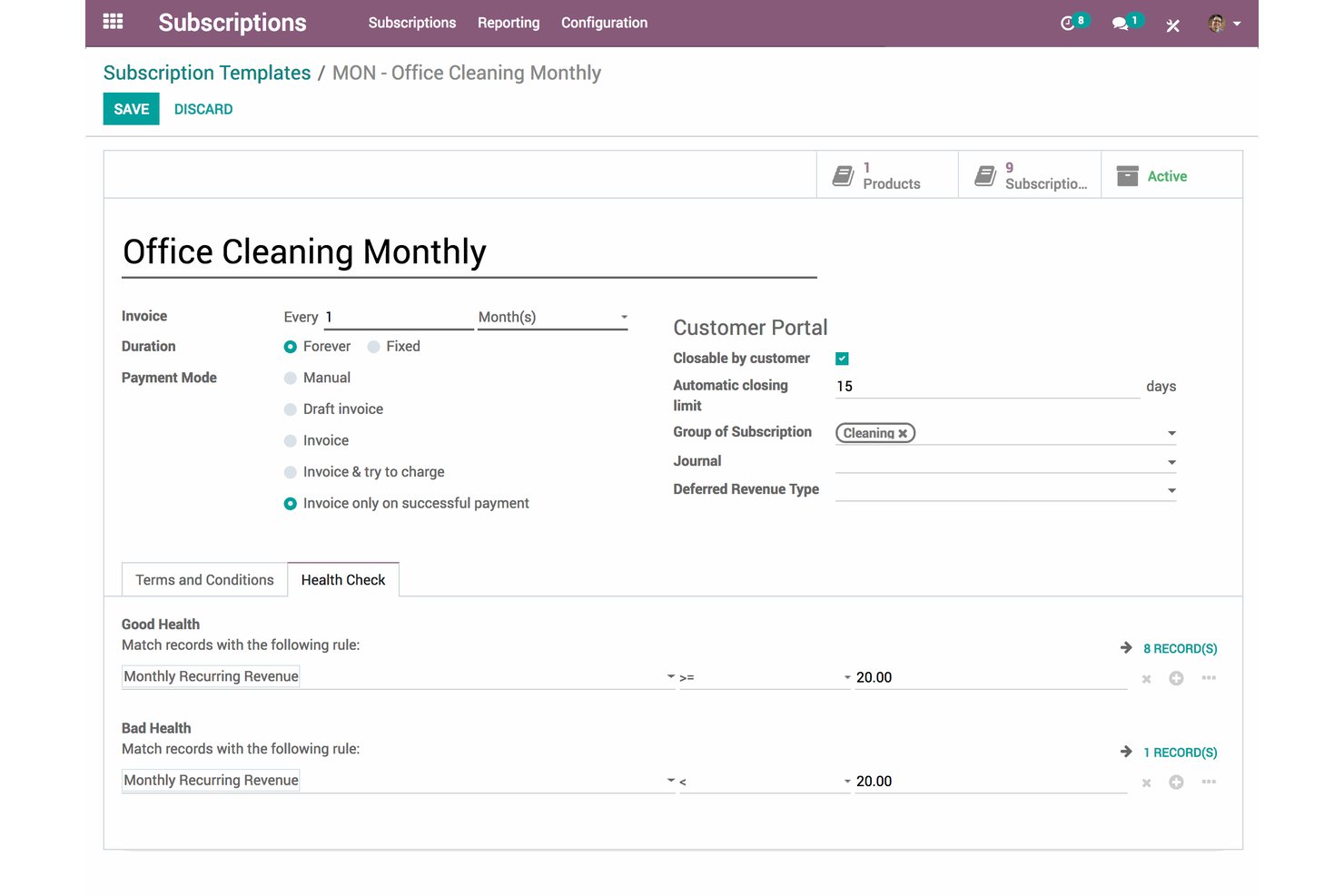
Odoo Subscriptions is an open-core recurring billing and subscription lifecycle platform that combines automated invoicing, dunning, MRR/ARR analytics, a self-service customer portal, and 20+ payment provider integrations within a broader ERP suite.
Who Is Odoo Subscriptions Best For?
Odoo Subscriptions is a strong fit for retail and ecommerce businesses with in-house DevOps capacity that want to self-host their recurring billing and manage it within a single ERP environment.
Why I Picked Odoo Subscriptions
Odoo Subscriptions earns its spot on my shortlist because it's the only open-source-rooted platform that bundles subscription lifecycle management directly inside a full ERP, letting retail teams run billing, inventory, and POS from one system without middleware. I particularly like that self-hosted deployments on Docker or Kubernetes carry zero per-transaction fees, and that deferred revenue recognition is handled natively for GAAP/IFRS 15 compliance, which is rare at this price point.
Odoo Subscriptions Key Features
- MRR/ARR analytics dashboard: Tracks new, expansion, contraction, and churned MRR automatically from active subscription records, with ARR forecasting and cohort retention curves.
- Multi-level dunning workflows: Configurable payment follow-up sequences with custom email templates and escalation actions, from reminders to service suspension to write-off.
- 100+ country tax localization packages: Applies regional tax rules, including VAT, GST, and multi-state nexus, automatically across subscription invoices.
- Subscription health scores: Flags at-risk subscribers based on calculated health scores and triggers CRM-based retention workflows for account manager follow-up.
Odoo Subscriptions Integrations
Odoo Subscriptions offers native integrations across Odoo CRM, Accounting, Sales, eCommerce, POS, Inventory, and Helpdesk, plus 20+ payment providers including Stripe, Adyen, PayPal, and Mollie. Custom integrations use XML-RPC, JSON-RPC, or REST APIs, with external API access on the Custom plan.
Pros and Cons
Pros:
- Built-in GAAP/IFRS 15 revenue compliance
- No per-transaction SaaS fees if self-hosted
- Native ERP and POS integration for retail
Cons:
- Usage-based billing automation needs custom code
- Full subscriptions features require enterprise license

Flectra
Best for CRM-embedded subscription billing
My Evaluation Score
- Dunning & Retry Logic
- Strong
- Open Source Licensing
- Adequate
- Recurring Billing Engine
- Strong
- API & Webhook Extensibility
- Minimal
- Payment Gateway Integrations
- Excels
- Subscription Lifecycle Management
- Adequate
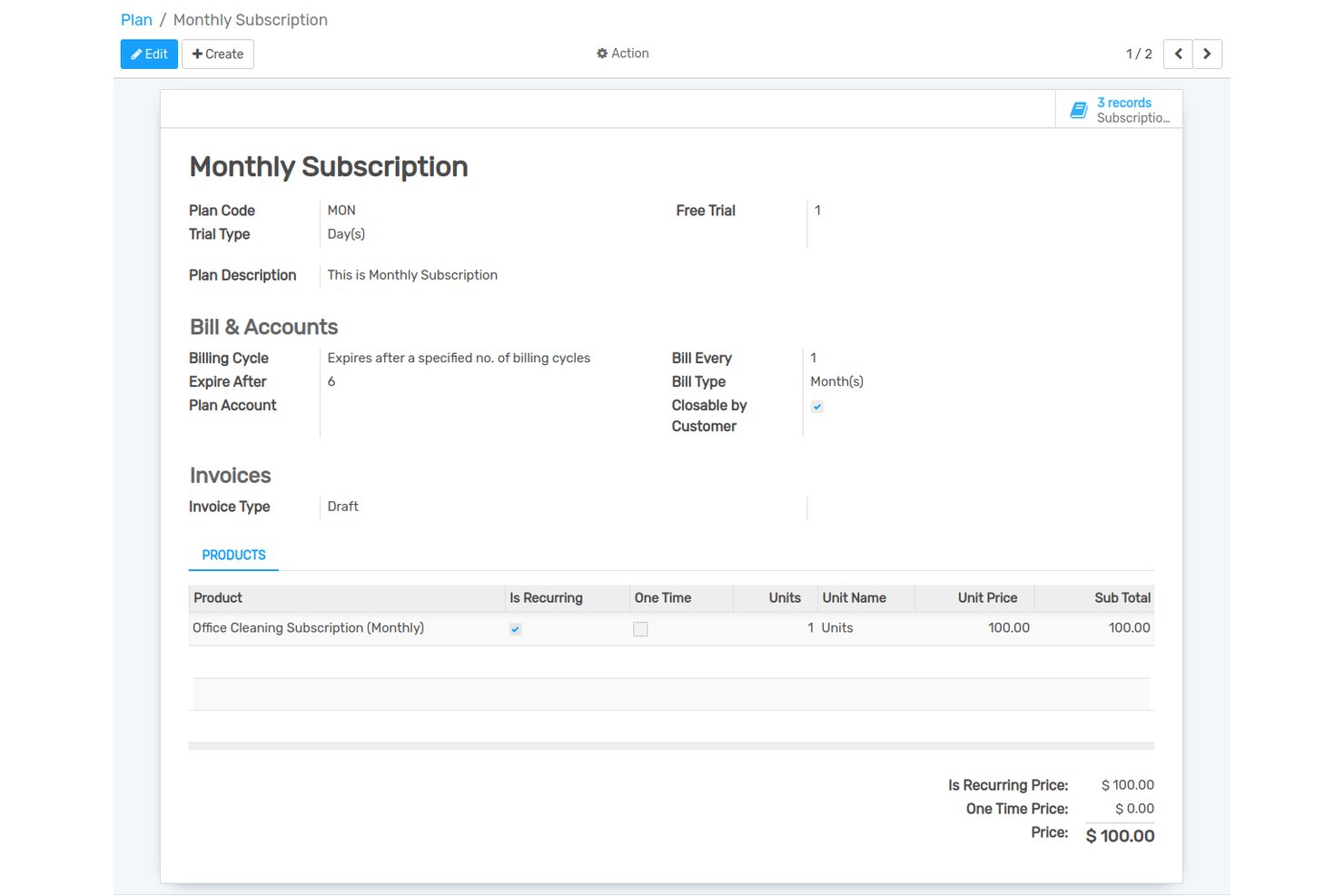
Flectra is an open-source ERP platform with a built-in subscription management module that handles recurring billing, automated invoicing, dunning, plan management, and a self-service customer portal—all natively connected to its CRM, accounting, and ecommerce modules.
Who Is Flectra Best For?
Flectra is a strong fit for businesses that already run—or plan to run—their operations on a unified ERP stack and want subscription billing natively connected to CRM and invoicing without stitching together separate tools.
Why I Picked Flectra
Flectra earns its spot on my shortlist because subscription billing and CRM live in the same platform natively, with no connectors required. I like that when a subscriber upgrades a plan, that change surfaces immediately in the CRM pipeline alongside their full contact history and invoicing record. The self-service billing portal and automated invoicing with dunning management round out a billing engine that handles the full subscriber lifecycle without stitching together separate tools.
Flectra Key Features
- Multi-period recurring billing: Supports flexible billing cycles and frequencies with automated invoice generation and delivery to subscribers.
- 12 payment gateway integrations: Connects natively with Stripe, PayPal, Adyen, Authorize.Net, Razorpay, and eight additional providers, plus Google Pay and Apple Pay.
- Subscription plan management: Lets you create and manage multiple plan tiers with discount management and GST-compliant tax invoicing built in.
- No-Code Studio: A visual customization module that lets non-developers build and modify apps, forms, and workflows without writing code.
Flectra Integrations
Flectra offers 12 native payment integrations, including Stripe, PayPal, Adyen, Authorize.Net, Razorpay, and Mollie. Its XML-RPC external API and REST API references support custom connections.
Pros and Cons
Pros:
- Self-service portal for subscriber account management
- Offers 12 payment gateways with global coverage
- CRM and subscription billing are natively unified
Cons:
- API uses XML-RPC, not modern REST standards
- Does not connect natively to Shopify or WooCommerce

UniBee
Best for no-fee multi-model billing via self-hosting
My Evaluation Score
- Dunning & Retry Logic
- Strong
- Open Source Licensing
- Adequate
- Recurring Billing Engine
- Excels
- API & Webhook Extensibility
- Excels
- Payment Gateway Integrations
- Strong
- Subscription Lifecycle Management
- Excels
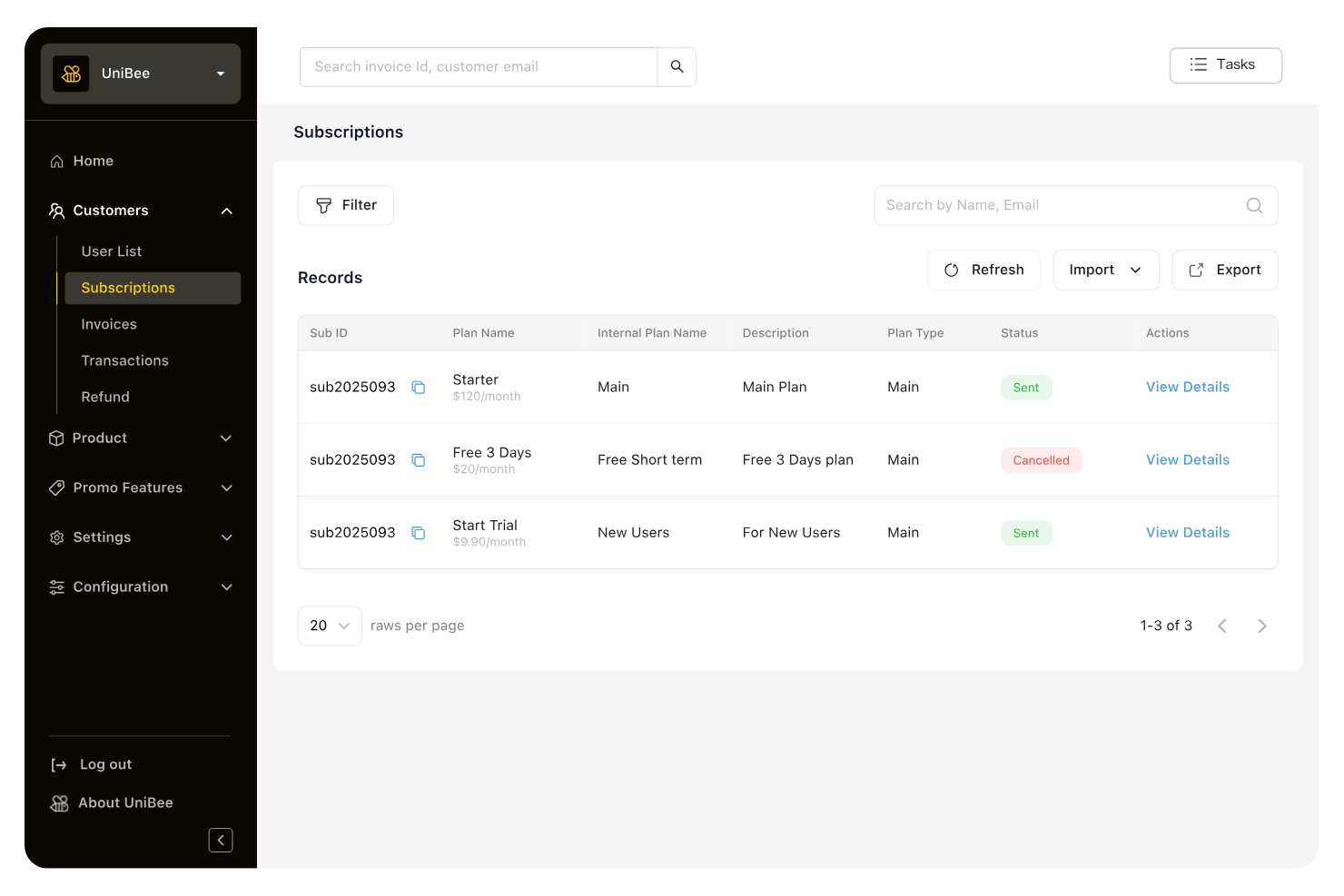
UniBee is an AGPLv3 open-source subscription management platform that supports recurring, usage-based, tiered, per-seat, and hybrid billing models alongside multi-gateway payment routing, smart dunning, and a developer-facing REST API.
Who Is UniBee Best For?
UniBee is a strong fit for technical teams and DevOps engineers who want full billing infrastructure control without paying per-transaction SaaS fees.
Why I Picked UniBee
I picked UniBee as one of the best because it's the only tool on my list where self-hosting completely eliminates transaction fees across every billing model. I love that you can run recurring, usage-based, tiered, and per-seat billing simultaneously under one AGPLv3 codebase, with smart dunning and multi-gateway routing built in. In practice, that means my team can recover failed payments automatically while routing transactions across Stripe, PayPal, and Alipay without paying a percentage of revenue to anyone.
UniBee Key Features
- Multi-currency pricing: Set and display prices in multiple currencies natively, supporting global subscriber bases without third-party workarounds.
- VATSense tax integration: Automates VAT and GST calculation on initial and recurring charges, with country tax rates refreshed weekly.
- Coupon and discount engine: Create percentage or fixed discounts with configurable cycle limits, expiration dates, usage caps, and plan-specific rules.
- OpenTelemetry observability hooks: Connect UniBee billing events to your existing monitoring stack for real-time infrastructure and performance visibility.
UniBee Integrations
UniBee lists 25+ native integrations, including Stripe, PayPal, QuickBooks, Xero, TaxJar, VATSense, Mixpanel, and HubSpot. Its REST API supports custom integrations, while Zapier is also available.
Pros and Cons
Pros:
- Advanced billing models supported natively
- Full control over billing infrastructure
- No per-transaction fees with self-hosting
Cons:
- AGPLv3 license may limit proprietary use
- No retail or eCommerce connectors included


My Evaluation Score
- Dunning & Retry Logic
- Adequate
- Open Source Licensing
- Excels
- Recurring Billing Engine
- Adequate
- API & Webhook Extensibility
- Strong
- Payment Gateway Integrations
- Excels
- Subscription Lifecycle Management
- Adequate
Solidus is a BSD-3-licensed open-source ecommerce platform built on Ruby on Rails that includes a native subscription engine supporting recurring billing, curated boxes, Build Your Own Box, and digital memberships.
Who Is Solidus Best For?
Solidus is a strong fit for DTC brands with in-house Ruby on Rails developers who want a fully self-hosted subscription storefront with no licensing fees or per-transaction costs.
Why I Picked Solidus
Solidus earns its spot on my list because it's one of the only open-source ecommerce platforms with a native subscription engine built directly into the codebase. I love that the
solidus_subscriptions
extension supports curated boxes, Build Your Own Box, and digital memberships out of the box, so Ruby on Rails teams aren't stitching together separate billing tools. Recurring billing intervals are configurable at the line-item level, meaning a store can run monthly replenishment and bimonthly curated boxes from a single checkout flow.
Solidus Key Features
- BSD-3-Clause open source license: Solidus is freely self-hostable and redistributable under a permissive OSI-approved license with no per-transaction fees on any plan.
- PSP-agnostic payment gateway support: Native integrations with Stripe, Braintree, PayPal, Square, Razorpay, Affirm, Afterpay, and Klarna give merchants broad payment flexibility.
- REST and GraphQL APIs: Dual API access lets developer teams connect Solidus to headless frontends, ERPs, CRMs, and other retail tech stack components.
- Configurable dunning and retry logic: Failed subscription installments are automatically retried on each processor run, with optional Churn Buster integration for advanced payment recovery workflows.
Solidus Integrations
Solidus documents 10+ native payment gateway integrations, including Stripe, Braintree, PayPal Commerce Platform, Square, Razorpay, Klarna, and Afterpay. It also connects with Avalara, Klaviyo, EasyPost, ShipStation, Segment, and Churn Buster, with REST and GraphQL APIs for custom integrations.
Pros and Cons
Pros:
- Dual REST and GraphQL APIs available
- Native subscription engine supports curated boxes
- Truly free and open source model
Cons:
- Ruby on Rails expertise required for deployment
- No pre-built customer subscription portal

My Evaluation Score
- Dunning & Retry Logic
- Adequate
- Open Source Licensing
- Excels
- Recurring Billing Engine
- Strong
- API & Webhook Extensibility
- Adequate
- Payment Gateway Integrations
- Excels
- Subscription Lifecycle Management
- Minimal
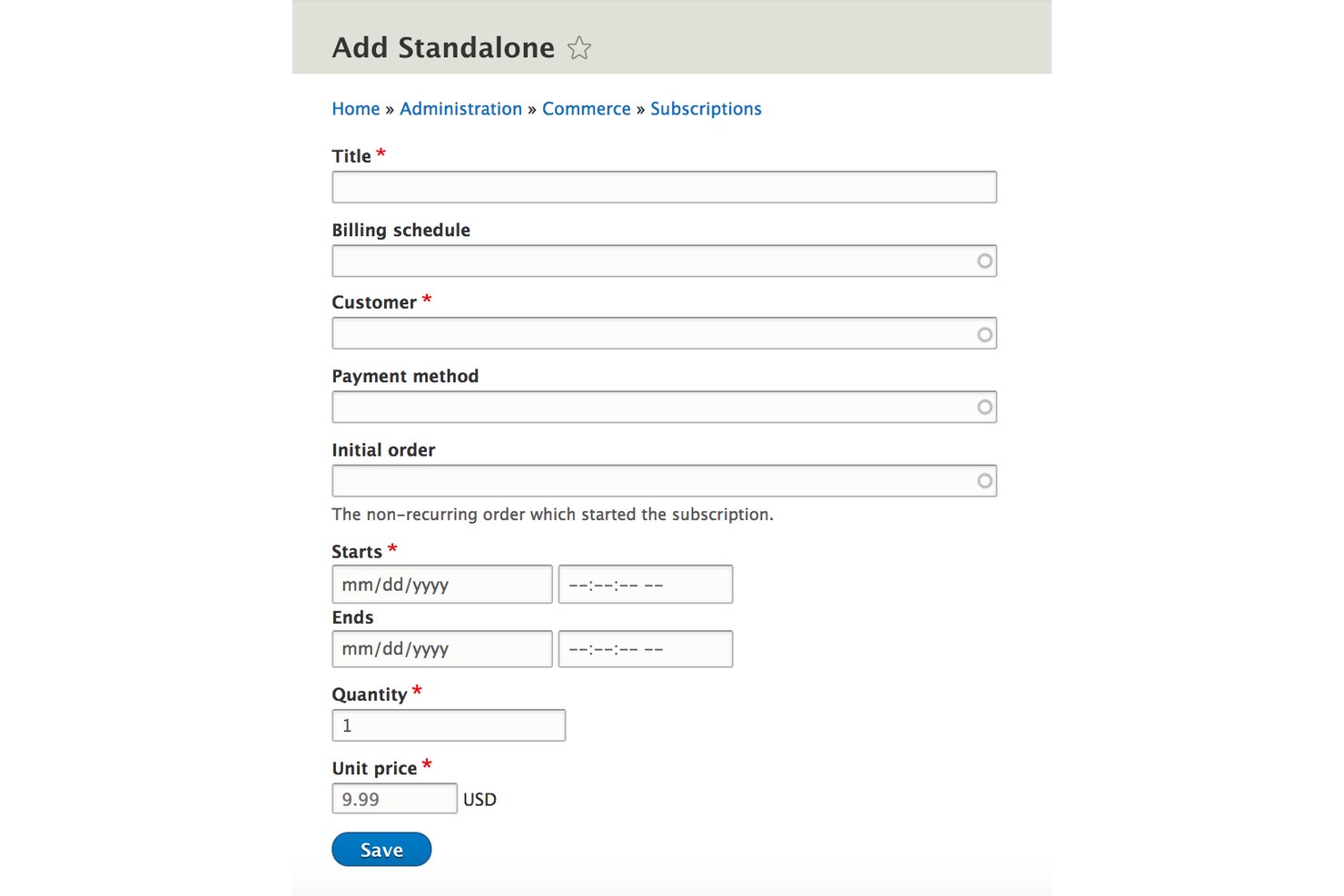
Drupal Commerce is a GPL-licensed, self-hostable open-source e-commerce platform built on Drupal CMS that combines content management with recurring billing, configurable subscription types, and a 142-module payment gateway ecosystem.
Who Is Drupal Commerce Best For?
Drupal Commerce is a strong fit for development teams building content-heavy subscription storefronts where CMS and ecommerce need to live on the same platform.
Why I Picked Drupal Commerce
Drupal Commerce earns its spot on my shortlist because it's the only open-source subscription platform where content management and recurring billing share the same codebase. I love how fieldable subscription entities let you attach custom metadata directly to each subscriber record, which is genuinely useful when building content-gated membership tiers or curated box programs. The 142 contributed payment gateway modules, including GoCardless for direct debit and Stripe with Connect built in, cover recurring billing scenarios most platforms can't match without expensive add-ons.
Drupal Commerce Key Features
- Fieldable subscription entities: Attach custom fields and metadata directly to individual subscription records to support complex data models.
- Advanced Queue-powered renewal processing: Automates billing period closures and renewal jobs via Drupal Cron for reliable background processing.
- Multi-store and multi-currency support: Run multiple store entities with per-currency static pricing and CLDR-standard localization from a single installation.
- B2B customer groups: Assign shared addresses, payment methods, order history, and account-level price lists to business customer accounts.
Drupal Commerce Integrations
Drupal Commerce has a wide range of payment gateway integrations, including Stripe, PayPal, Braintree, GoCardless, Adyen, and Checkout.com, plus Avalara and ShipStation integrations. JSON:API and REST endpoints support custom connections.
Pros and Cons
Pros:
- Massive global payment gateway coverage
- Supports complex content-driven subscription storefronts
- Controls all subscription and ecommerce data
Cons:
- Subscription lifecycle upgrades require custom development
- No built-in subscriber self-service portal

My Evaluation Score
- Dunning & Retry Logic
- Strong
- Open Source Licensing
- Excels
- Recurring Billing Engine
- Strong
- API & Webhook Extensibility
- Strong
- Payment Gateway Integrations
- Excels
- Subscription Lifecycle Management
- Strong
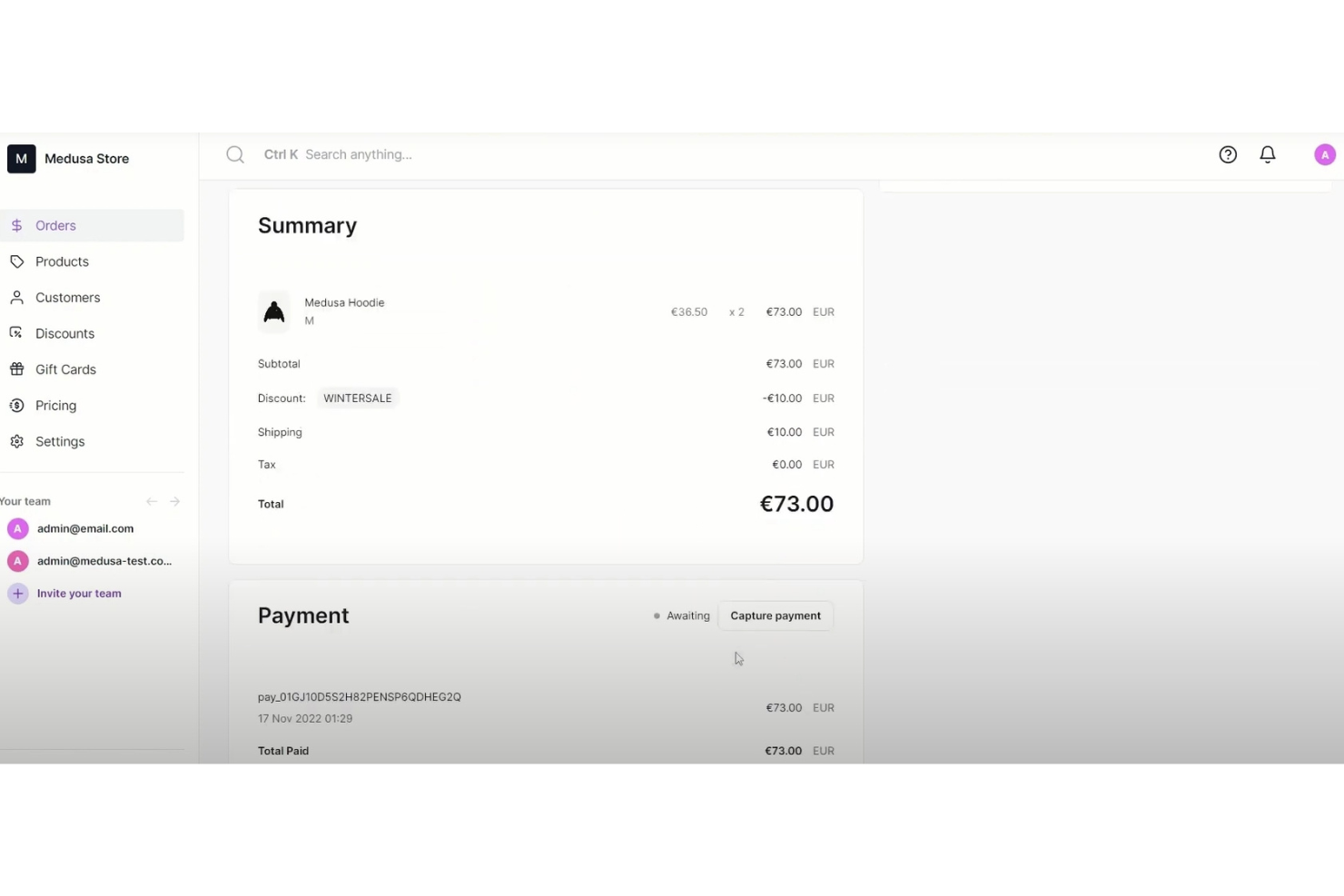
Medusa is an open-source, headless commerce platform built on Node.js and TypeScript that covers product catalog management, multi-currency pricing, tax, payment processing, and subscription lifecycle management via its modular architecture and the MIT-licensed Reorder plugin.
Who Is Medusa Best For?
Medusa is a strong fit for engineering-led DTC brands and retail teams that want full control over their subscription stack without paying per-transaction SaaS fees.
Why I Picked Medusa
I picked Medusa as one of the best because it's the only open-source platform that lets you run a fully headless subscription commerce stack without paying per-transaction SaaS fees. The MIT-licensed Reorder plugin adds production-ready recurring billing, dunning with configurable retry intervals, and MRR/churn/LTV analytics directly inside the Medusa Admin. I also love that multi-currency pricing and tax are baked into the core, so cross-border subscription programs don't require bolted-on workarounds.
Medusa Key Features
- Self-service subscription API routes: Store-facing REST endpoints let customers skip deliveries, swap plans, and update payment methods without contacting support.
- Modular commerce architecture: Medusa's 17 independent modules let you adopt only the components you need—tax, inventory, pricing—without deploying a full monolith.
- Multi-region pricing engine: Define currency-specific prices, local tax rates, and region-scoped shipping rules natively within the open-source core.
- Scheduled workflow engine: Built-in scheduler triggers recurring jobs for renewal execution, retry logic, and subscription state transitions on configurable intervals.
Medusa Integrations
Medusa lists 100+ integrations, including Stripe, PayPal, Braintree, Authorize.net, Mollie, Odoo, ShipStation, Klaviyo, Algolia, and PostHog. Its Store and Admin REST APIs, webhooks, and Payment Module Provider SDK support custom integrations.
Pros and Cons
Pros:
- Modular architecture supports bespoke subscription logic
- Fully self-hosted with open-source license
- No GMV or per-transaction SaaS fees
Cons:
- No native GraphQL or POS integrations
- Subscription management requires plugin or custom build

My Evaluation Score
- Dunning & Retry Logic
- Excels
- Open Source Licensing
- Excels
- Recurring Billing Engine
- Excels
- API & Webhook Extensibility
- Excels
- Payment Gateway Integrations
- Adequate
- Subscription Lifecycle Management
- Excels
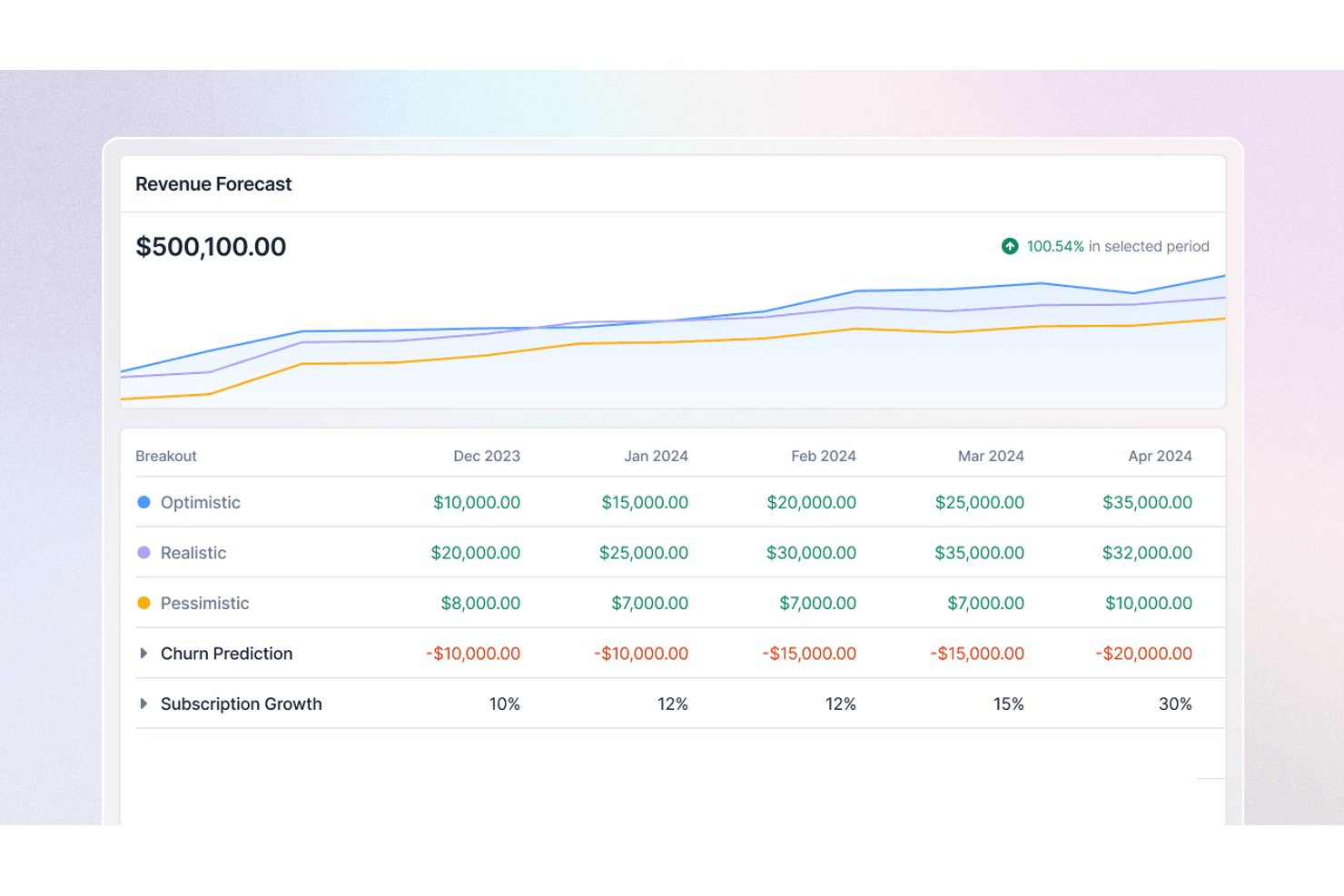
Lago is an open-source subscription management platform built on an API-first architecture, offering recurring billing, usage-based metering, hybrid pricing models, dunning automation, and native integrations with accounting, CRM, and payment providers.
Who Is Lago Best For?
Lago is a strong fit for engineering-led teams that need to build custom billing workflows on top of a flexible, API-first foundation they can self-host and fully control.
Why I Picked Lago
Lago earns its spot as one of the best on my shortlist because its API-first architecture is genuinely built for engineering teams that need to own their billing logic end to end. I love that it ships a full REST API with an OpenAPI spec, SDKs in four languages, signed webhooks across every billing event, and an MCP server for AI agent workflows. In practice, that means my team can pipe usage events at scale, trigger subscription changes programmatically, and wire Lago into any stack without waiting on a vendor's integration roadmap.
Lago Key Features
- Hybrid pricing model support: Lago lets you combine flat subscription fees and usage-based charges on a single invoice, across billing intervals from daily to yearly.
- Prepaid credit wallets: Customers can hold prepaid credit balances that Lago draws down automatically as usage accrues, with support for automatic top-ups.
- Multi-currency invoicing: Lago generates invoices in the customer's billed currency, supporting global billing without manual currency conversion workflows.
- Built-in revenue analytics: Lago includes dashboards covering MRR, subscription trends, cash collection, credit ledgers, and forecasted usage, all exportable via API or CSV.
Lago Integrations
Lago offers native integrations with Stripe, Adyen, GoCardless, NetSuite, Xero, QuickBooks, Salesforce, Anrok, and Avalara. Its REST API, SDKs, signed webhooks, and Zapier support custom connectivity.
Pros and Cons
Pros:
- Hybrid pricing and prepaid wallet support
- API-first with signed webhooks and SDKs
- Scales to one million events per second
Cons:
- Customer portal lacks plan management tools
- No ready-made ecommerce platform connectors

My Evaluation Score
- Dunning & Retry Logic
- Strong
- Open Source Licensing
- Excels
- Recurring Billing Engine
- Excels
- API & Webhook Extensibility
- Excels
- Payment Gateway Integrations
- Excels
- Subscription Lifecycle Management
- Excels
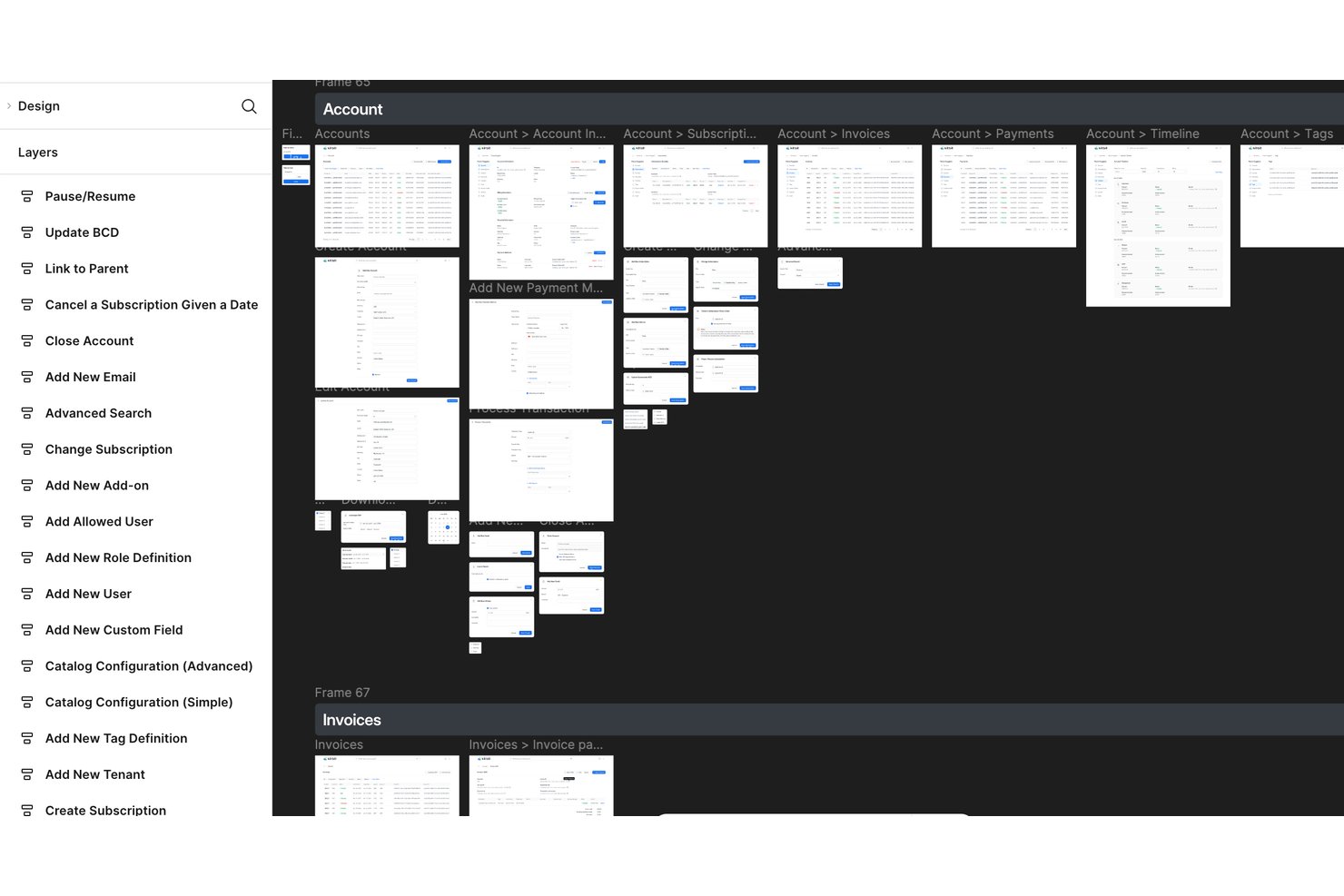
Kill Bill is an open-source subscription management and recurring billing platform built on a Java-based, API-first architecture that handles subscription lifecycle management, payment gateway integrations, dunning automation, usage-based billing, and multi-tenant catalog management.
Who Is Kill Bill Best For?
Kill Bill is best suited for engineering-led teams that need full control over their billing infrastructure without paying per-transaction SaaS fees.
Why I Picked Kill Bill
Kill Bill earns its spot on my shortlist because of how it handles billing automation at the infrastructure level. I love its dual dunning system: a configurable payment retry schedule runs alongside a separate overdue state machine that moves accounts through warning, blocked, and cancellation stages automatically. I've also used its evergreen plan configuration to handle automatic renewals without any manual intervention, which keeps revenue flowing even across complex multi-tenant deployments.
Kill Bill Key Features
- Multi-tenant catalog management: Manage separate product catalogs, pricing, and billing schedules for thousands of isolated tenants from a single deployment.
- OSGi plugin framework: Deploy, update, and roll back payment gateway or custom logic plugins independently without restarting the core billing engine.
- Usage-based billing: Ingest and rate usage events natively to support metered and consumption-based subscription models.
- Kaui admin UI: A web-based back-office interface that lets finance and operations teams manage accounts, invoices, and billing configurations without writing code.
Kill Bill Integrations
Kill Bill integrations include Stripe, Adyen, Braintree, PayPal, Authorize.Net, Qualpay, Avalara, NetSuite, SAP, QuickBooks, Salesforce, and HubSpot. The REST API supports custom Shopify, WooCommerce, POS, and ERP integrations.
Pros and Cons
Pros:
- Open source license with full data control
- Supports multi-tenant catalog management
- Offers dual dunning and overdue automation
Cons:
- Requires Java engineering for advanced customization
- No built-in customer self-service portal

My Evaluation Score
- Dunning & Retry Logic
- Minimal
- Open Source Licensing
- Excels
- Recurring Billing Engine
- Excels
- API & Webhook Extensibility
- Excels
- Payment Gateway Integrations
- Limited
- Subscription Lifecycle Management
- Strong
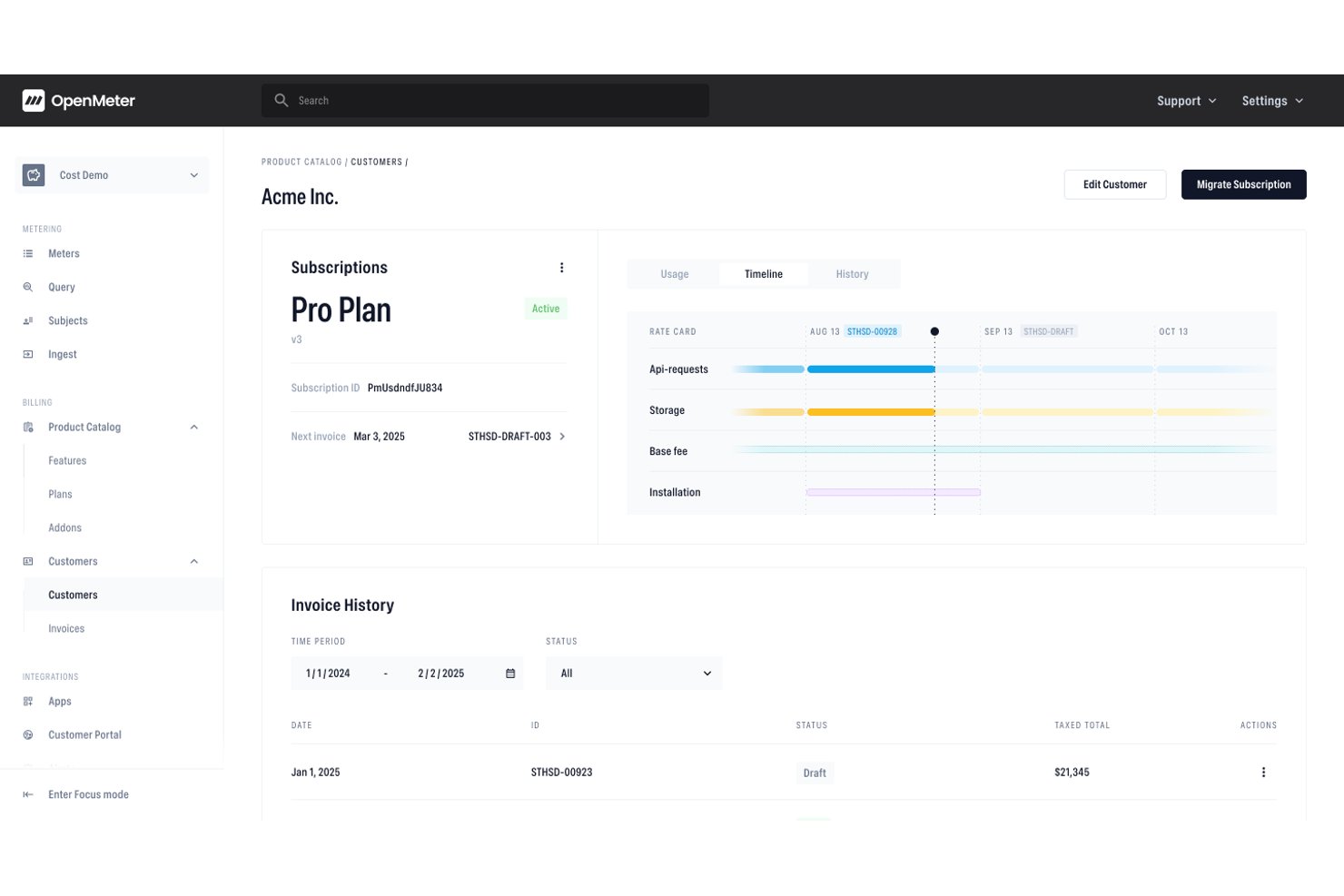
OpenMeter is an Apache 2.0 open source metering and billing platform built for usage-based pricing, offering a real-time event metering engine, a flexible product catalog, subscription lifecycle management, and entitlement tracking.
Who Is OpenMeter Best For?
OpenMeter is a strong fit for technical teams building AI or API products that need precise, high-volume usage metering and flexible billing without paying a cut of their revenue.
Why I Picked OpenMeter
I picked OpenMeter as one of the best because it's purpose-built for metered API and AI token billing in a way I haven't seen matched by other open source options. Its real-time metering engine, built on Kafka and ClickHouse, handles billions of events and supports per-unit pricing models like $0.01 per AI token, tiered graduated rates, and dynamic cost-plus pricing. I also like that it tracks entitlement and credit balances live, so teams billing for API access always know exactly where customers stand.
OpenMeter Key Features
- Apache 2.0 open source licensing: The full codebase is publicly available on GitHub with no feature-gating by license tier, so you can self-host without paying per-transaction fees.
- No-code product catalog: Business and finance teams can create and iterate on pricing plans or provision custom enterprise deals without writing any code.
- Subscription lifecycle API: Manages upgrades, downgrades, add-ons, prorations, and cancellations via API, with timing controls for immediate or next-billing-cycle changes.
- Svix-powered webhook delivery: Billing and usage events trigger webhooks through Svix, giving your team reliable, real-time event notifications for downstream workflow automation.
OpenMeter Integrations
OpenMeter offers marketplace integrations for Stripe and HubSpot, plus external invoicing support. It provides a REST API, Svix webhooks, CloudEvents, and Node.js, Python, and Go SDKs for custom integrations.
Pros and Cons
Pros:
- API-first design supports custom integrations
- No-code product catalog for pricing plans
- Real-time metering for usage-based billing
Cons:
- No built-in customer self-service portal
- Lacks native retail and ecommerce workflows

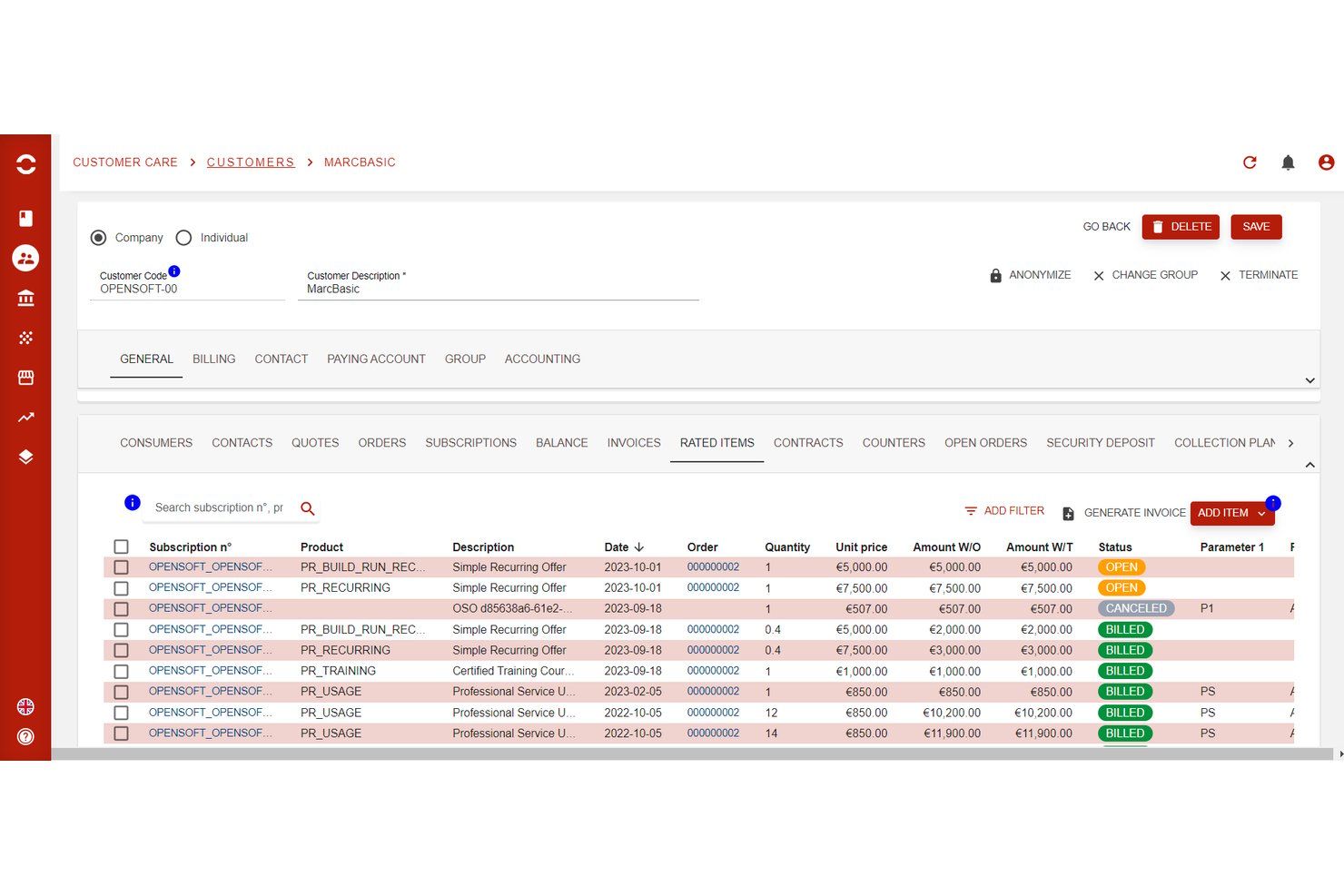
Opencell
Best for telecom-scale subscription billing
My Evaluation Score
- Dunning & Retry Logic
- Excels
- Open Source Licensing
- Adequate
- Recurring Billing Engine
- Excels
- API & Webhook Extensibility
- Excels
- Payment Gateway Integrations
- Adequate
- Subscription Lifecycle Management
- Excels
Opencell is an open-source subscription billing platform built on an AGPLv3-licensed core that handles recurring billing, usage-based rating, subscription lifecycle management, dunning automation, and multi-currency invoicing across complex, high-volume environments.
Who Is Opencell Best For?
Opencell suits engineering-led teams at large enterprises that need to manage high-volume, complex subscription billing across multiple entities, currencies, or markets.
Why I Picked Opencell
Opencell earns its spot on my shortlist because its billing engine handles the kind of complexity that breaks lighter open-source tools, specifically real-time usage mediation, multi-seller environments, and granular customer hierarchies down to individual access points. I picked it for telecom-scale subscription billing because those same capabilities translate directly to high-volume, multi-entity retail deployments, like Fnac/Darty's DartyMax service with over one million subscribers. Its AGPLv3 core and 200+ REST APIs give engineering teams full code access and a complete quote-to-cash integration surface.
Opencell Key Features
- Self-care portal SDK: A React JS-based SDK lets customers manage their own subscriptions, view bills, and make payments directly from your website.
- Dynamic payment routing: Automatically selects the best payment provider based on customer location or payment method to reduce processing costs.
- Multi-seller billing environment: Supports marketplace and billing-as-a-service scenarios across multiple sellers within a single platform instance.
- Revenue analytics dashboard: Surfaces pre-calculated KPIs including MRR, ARR, churn rate, and LTV with connectors to BI tools like Microsoft Power BI.
Opencell Integrations
Native integrations include Stripe, Slimpay, Ingenico, Mangopay, PayPal, Avalara, Salesforce, Jaspersoft, and Microsoft Power BI. Opencell also provides 200+ REST APIs, webhooks, and TM Forum APIs for custom connections.
Pros and Cons
Pros:
- Supports granular automated dunning workflows
- Offers 200+ documented REST API endpoints
- Handles complex multi-entity subscription billing
Cons:
- No prebuilt Shopify or Magento connectors
- Admin portal UI not open source
Other Open Source Subscription Management Software
Here are some additional open source subscription management software options that didn’t make it onto my shortlist, but are still worth checking out:
- BoxBilling
For AI and SaaS usage-based billing
- OpenCart
For small retailers selling subscription products
- Invoice Ninja
For self-hosted invoicing with subscription plans
- Sylius
For MIT-licensed custom storefront subscriptions
- jBilling
For telecom-grade usage billing on-premise
- Flexprice
For credit-based open-source billing
- Meteroid
For open-source usage-based billing


How I Evaluate Open Source Subscription Management Software
I look for two things: baseline capabilities like self-hosted recurring billing and dunning, and differentiators that actually matter to DTC ops leads running box or replenishment programs.
Core Functionality (Table Stakes For This List)
When I'm selecting tools for my list, I rank each one on a scale from 0 (does not offer the functionality) to 5 (excels in this area) for each core functionality listed below. Then, I calculate the tool's total score into a percentage. Each tool needs to achieve a minimum total score of 55% to be considered for inclusion.
- Open Source Licensing: I check the license type (MIT, Apache 2.0, AGPL, etc.), confirm the source code is publicly accessible, and look at whether the repo is actively maintained with recent commits.
- Recurring Billing Engine: The billing engine needs to handle varied pricing models, from flat-rate replenishment plans to tiered membership pricing with mid-cycle proration on upgrades.
- Subscription Lifecycle Management: I evaluate how each tool handles real retail scenarios like a subscriber pausing a monthly snack box, downgrading a membership tier, or reactivating a lapsed account.
- Payment Gateway Integrations: Multiple gateway options matter here. I look for tokenized support across processors like Stripe, Braintree, and PayPal so teams aren't locked into a single provider.
- Dunning & Failed-Payment Recovery: Retail subscriptions live and die by recovery rates. I evaluate retry scheduling, customer notification options, and whether the tool surfaces churn data from failed payments.
- Retail & eCommerce Extensibility: I look at the API surface, webhook coverage, and prebuilt connectors for platforms like WooCommerce, Magento, or Shopify, plus any ERP or POS integration paths.
Once I have a list of tools that meet this criteria, I consider what sets each platform apart.
Differentiating Factors (What Sets Vendors Apart)
Here's how I compare and contrast different vendors:
Standout Features
A self-service customer portal is a big differentiator. I look for portals that let subscribers swap products, skip shipments, or update payment details on their own—reducing support volume for teams managing thousands of active accounts. Headless, API-first architecture also matters when your engineering team needs to embed billing logic into a custom storefront or mobile app. I evaluate multi-currency and tax engine integrations too, since cross-border retail subscriptions add compliance complexity fast.
Beyond Features
Deployment flexibility is one of the first things I check. Some teams have DevOps resources for Docker or Kubernetes self-hosting, while others need a managed cloud option—so I look at whether vendors offer both paths. Community health tells you a lot, too. An active GitHub repo with frequent commits and a responsive forum signals long-term viability. Total cost of ownership rounds out my evaluation, especially whether a platform can handle peak traffic spikes like major sale events without requiring expensive infrastructure upgrades.
What is Open Source Subscription Management Software?
Open source subscription management software is a set of tools that help businesses automate recurring billing, invoicing, and subscriber management—all powered by freely available code you can customize.
These platforms let you control everything from pricing models to real-time payment processing, with the flexibility to adapt to any business needs or workflows.
Most teams use open-source solutions to cut costs, improve scalability, and avoid vendor lock-in. You get direct API access, the ability to build custom integrations, and a dashboard tailored for usage-based billing or recurring revenue.
Whether you’re handling SaaS subscriptions, digital products, or complex multichannel operations, open-source options give you more control over your data and processes—without sacrificing security or growth.
How to Choose Open Source Subscription Management Software
Choosing open-source subscription management software means getting real about your business needs, integration headaches, and the realities of recurring billing. Here’s a step-by-step guide to keep you focused and avoid rookie mistakes:
| Step | What to consider | Pro tip |
|---|---|---|
| 1. Define your use cases | Are you billing for SaaS, physical products, services, or all three? Consider recurring billing, one-time payments, and free trials. | The more specific your needs, the faster you can rule out mismatches. |
| 2. Map your required integrations | Make a list of must-have connections: payment gateways (Stripe, PayPal), CRMs, accounting tools, APIs, and ecommerce platforms. | Test integrations early—API headaches are common with open-source projects. |
| 3. Assess scalability and reliability | Can the system handle your current—and future—volume of subscribers, transactions, and products? | Look for real-world case studies or GitHub activity. Scalability isn’t just a buzzword. |
| 4. Evaluate user experience | Check the user interface, real-time dashboards, and reporting. How quickly can your team onboard and troubleshoot? | Demo with actual workflows. A confusing dashboard will slow down billing and frustrate staff. |
| 5. Analyze total cost of ownership | Factor in self-hosting expenses, add-ons, cloud options, support tiers, and future upgrades. | Open-source “free” can get expensive. Put a dollar value on your team’s time and any outside help you’ll need. |
| 6. Review support and community strength | Does the software have active forums, reliable documentation, and quick bug fixes? | Prioritize projects with active GitHub repos, frequent updates, and responsive maintainers. |
| 7. Check security and compliance | Is your data encrypted? Does the software help you stay compliant with GDPR or PCI? | Don’t DIY security—use platforms with clear data protection protocols and regular updates. |
Features
You’re not just shopping for a list of buzzwords.
The best open source subscription management platforms give you the building blocks to automate billing, handle complex pricing, and keep every subscription running like clockwork—no matter how fast your business scales.
Here’s what matters:
- Automated recurring billing for subscriptions, memberships, and usage-based pricing.
- API access for building custom integrations with your ecommerce, CRM, or financial stack.
- Flexible billing models—support for one-time, recurring, metered, or hybrid payment structures.
- Payment gateway integrations with Stripe, PayPal, Braintree, and more.
- Customizable subscription plans to match your exact product, pricing, or contract needs.
- Real-time analytics and dashboards to track revenue, churn, and active subscribers.
- Automated invoicing and dunning workflows to chase late payments and reduce churn.
- Multi-currency and localization support for global sales and multi-region businesses.
- User management for teams and roles, with granular permission controls.
- Self-hosted and cloud deployment options to fit your IT and compliance requirements.
- Open-source plugin and add-on marketplace for extra features and rapid scaling.
- Robust reporting and financial exports for tax, audits, and financial planning.
- Secure data handling—encryption, compliance support, and regular updates.
Benefits
Open source subscription management is about regaining control. With the right system, you’ll automate more, scale faster, and never get boxed in by a vendor’s limitations.
Here’s what your business stands to gain:
- Lower costs and no vendor lock-in—skip expensive licenses and keep control over your system.
- Maximum flexibility—customize the billing system, dashboards, and workflows to fit your business needs.
- Scalability from day one—grow from a handful to thousands of subscribers without switching platforms.
- Faster automation and fewer errors—automate everything from invoicing to payment retries.
- Better integrations—connect directly with your existing tools, APIs, and payment gateways.
- Actionable insights in real time—use built-in analytics to optimize recurring revenue and reduce churn.
- Improved customer experience—offer multiple payment options, clear invoices, and self-service portals.
- Future-proofing—access new add-ons, integrations, and open-source innovations as your business evolves.
- Enhanced security and compliance—own your data, manage updates, and stay ahead of privacy regulations.
Cost & Pricing
Open-source subscription management tools are usually cheaper up front, but real costs depend on your team’s size, required features, and how much you need to customize.
Expect to pay for add-ons, premium support, or cloud hosting if you want less maintenance. Here’s how most plans break down:
| Plan type | Average price | Common features | Best for |
|---|---|---|---|
| Free Plan | $0/user/month | Basic billing, core integrations, community support, limited reports | Solo operators, testing, dev use |
| Personal Plan | $5–$25/user/month | Customizable plans, multi-currency, priority support, analytics | Freelancers, early startups |
| Business Plan | $30–$75/user/month | Advanced reporting, full API, multi-gateway, user roles | SMBs, growth-stage teams |
| Enterprise Plan | $100+/user/month | Full customization, dedicated support, SLAs, advanced security | Large orgs, complex billing |
A few things to watch for:
- Open-source tools often look free but can rack up costs in cloud hosting, plugins, or third-party add-ons.
- Not all features (like real-time analytics or advanced dunning) are included in every tier—double-check the feature list before you commit.
- Dedicated support and compliance features may be priced separately.
Open Source Subscription Management Software FAQs
Here are some answers to common questions about subscription management software open source:
What is the main advantage of using open source subscription management software?
The biggest upside is flexibility and control. You own your data, workflows, and integrations—no more getting locked into a pricey SaaS platform or waiting months for a feature request.
You can automate billing, adapt to new payment methods, and scale up (or down) without paying for bloated features you’ll never use. Plus, you get transparency on security and code updates.
Can open source subscription management tools handle recurring billing for different business models?
Absolutely. Most leading open-source platforms support one-time, recurring, usage-based, and hybrid billing models.
Whether you’re running SaaS, subscriptions, digital products, or even a physical goods business, you can customize the workflows, pricing tiers, and invoice schedules to fit your exact needs—especially if you need to integrate with multiple payment gateways or support multi-currency billing.
How hard is it to integrate open source solutions with my existing tech stack?
If you’ve got some technical chops (or a developer handy), integration is straightforward with most top open-source tools. APIs are usually well-documented, and community plugins cover popular CRMs, ecommerce platforms, and payment gateways like Stripe and PayPal.
The real trick is planning your workflows before you start—so you’re not hacking together last-minute fixes after launch.
Are open source billing platforms secure enough for handling payments and customer data?
Yes—if you keep them updated and follow best practices. Open-source software gives you control over security protocols, encryption, and compliance with standards like GDPR or PCI.
Stay engaged with the community, patch vulnerabilities fast, and don’t roll out a billing solution without a security review. Bottom line: your security is only as strong as your team’s process.
How much technical expertise do I need to run and maintain open source subscription management software?
You’ll need someone comfortable with server setups, database management, and basic troubleshooting—especially for self-hosted or heavily customized solutions.
Cloud-based open-source options can be easier, but don’t expect “set it and forget it.” Budget for ongoing maintenance, updates, and occasional developer help, especially as your recurring revenue grows.
What support options are available for open source subscription billing tools?
Support varies. The best projects have active forums, real-time chat groups, and detailed documentation—plus frequent code updates on GitHub.
Some offer paid support or consulting for advanced needs. Before you commit, check how responsive the community is, and see if there’s an option to escalate issues when your billing system needs urgent attention.
Take Control of Your Subscription Billing
Subscription management shouldn’t eat up your time—or your budget.
With the right open source software, you can automate recurring billing, slash manual work, and build a billing system that flexes with your business. No more clunky processes or locked-down vendor contracts.
You’ve got the best options in front of you, all ranked with real-world retail and ecommerce experience. Now it’s your move.
If you're in the process of researching subscription management software open source, connect with a SoftwareSelect advisor for free recommendations.
You fill out a form and have a quick chat where they get into the specifics of your needs. Then you'll get a shortlist of software to review. They'll even support you through the entire buying process, including price negotiations.
Retail never stands still—and neither should you. Subscribe to our newsletter for the latest insights, strategies, and career resources from top retail leaders shaping the industry.