

Running a spa means juggling appointments, managing staff, and keeping track of inventory. It can be overwhelming, and that's where spa POS software comes in. These tools help simplify your daily tasks, making it easier to focus on what matters most—your clients.
I've tested and reviewed various spa POS software solutions to find the best ones for you. In my experience, the right software can make a big difference in how smoothly your spa operates.
In this article, I'll share my top picks, highlighting their unique features and benefits. You'll find insights to help you choose the best option for your team members. Let's dive in and find the perfect fit for your spa.
Why Trust Our Software Recommendations
6,700+
Reviews
20
Industry experts
16+
Evaluation factors
14
Years
Our team has been testing and reviewing software since 2012. As retail leaders ourselves, we know how difficult—and important—it is to choose the right software.
For this guide, we evaluated tools using hands-on testing and independent research, scoring tools using our selection criteria.
Our reviews reflect our independent judgment—not a sales pitch.
Spa POS Software Comparison Table
The table below compares pricing details for my top spa POS software selections.
| Tool | Best For | Trial Info | Price | ||
|---|---|---|---|---|---|
| 1 | Best for modern design | 21-day free trial | From $120/month per location + $10/user/month | Website | |
| 2 | Best for luxury spas | Free demo available | From $176/month | Website | |
| 3 | Best for appointment booking | 14-day free trial | From $29/user/month | Website | |
| 4 | Best for wellness centers | Free demo available | From $139 | Website | |
| 5 | Best for commission-free bookings | 7-day free trial | From $19.95/month | Website | |
| 6 | Best for individual stylists | 14-day free trial | From $28/month | Website | |
| 7 | Best for multi-location management | 30-day free trial | From $39/month | Website | |
| 8 | Best for medical spas | Free demo available | From $160/month | Website | |
| 9 | Best for salon marketing | Free demo available | From $99/month | Website | |
| 10 | Best for UK salons | Free trial available | From £39/month | Website |


Best Spa POS Software Reviews
Below are my detailed summaries of the best spa POS software that made it onto my shortlist. My reviews offer a detailed look at the key features, pros and cons, integrations, and ideal use cases of each tool to help you find the best one for you.
 Best for modern design
- 21-day free trial
- From $120/month per location + $10/user/month
Visit WebsiteCustomer Rating:4.9/5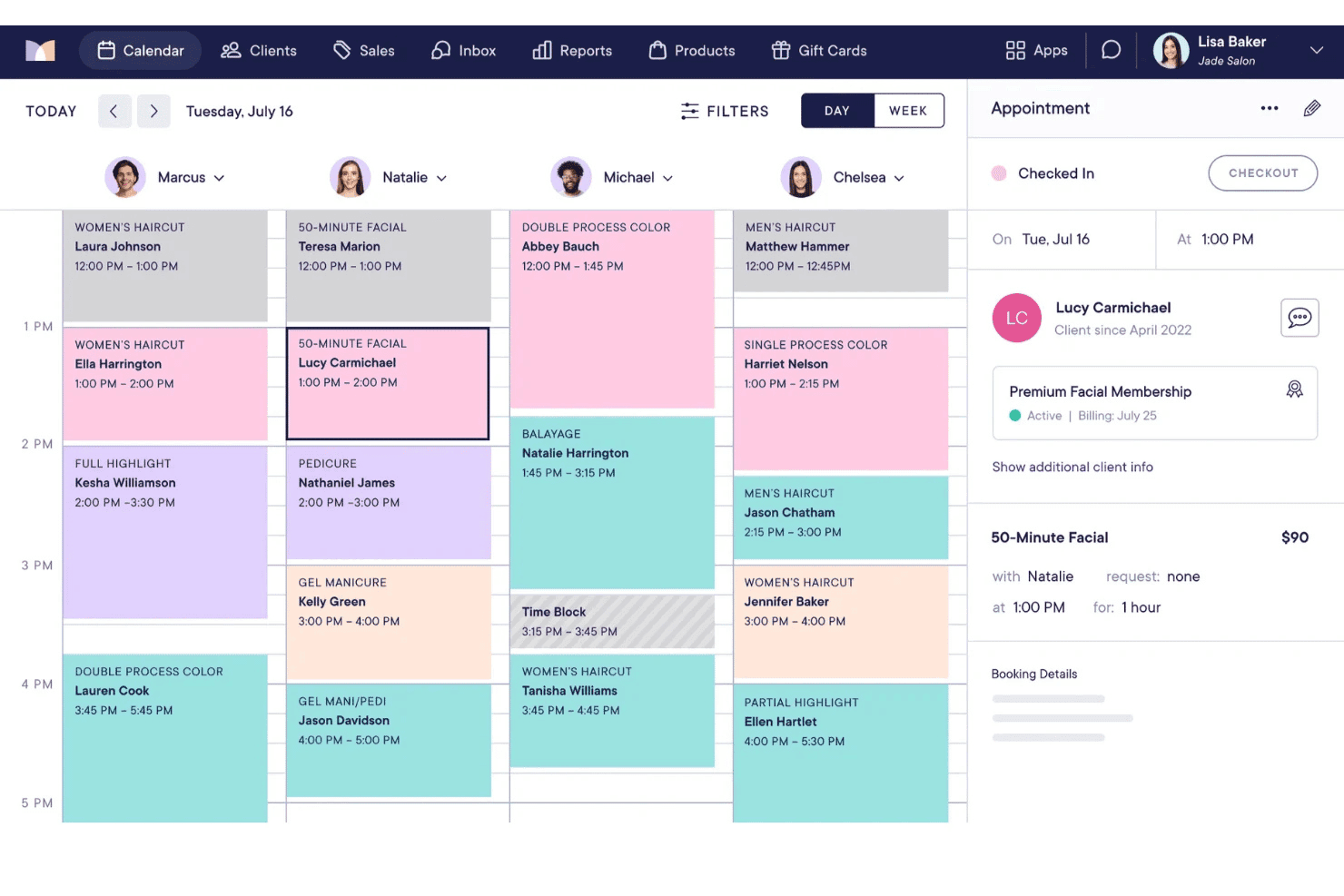
Mangomint displays a daily salon schedule across multiple staff members. Mangomint is a spa and salon POS platform that brings together appointment scheduling, checkout processing, retail inventory, client profiles, memberships, and staff management into a single iPad-based system.
Who Is Mangomint Best For?
Mangomint is a strong fit for spa and salon teams with two or more providers who want a polished, intuitive platform that makes daily operations feel as refined as the services they offer.
Why I Picked Mangomint
Mangomint earns its spot on my shortlist because the design quality is genuinely unlike anything else in the spa POS space. I'm particularly impressed by the client-facing front desk display, where guests tip, sign, and choose their receipt format in a single uninterrupted flow. The drag-and-drop calendar with color-coded statuses keeps the back end just as clean, and the login-free client portal lets members manage bookings and packages without friction on either side.
Mangomint Key Features
- Client self-checkout via text: Staff send a payment link by SMS, letting clients tip, pay, and save their card to their profile from their own device.
- HIPAA-compliant digital intake forms: Consent forms, contraindication questionnaires, and SOAP notes auto-send before appointments and link directly to client profiles.
- Recurring membership billing: Automated billing engine handles member charges, service redemption per period, exclusive discounts, and expiration settings without manual intervention.
- Connect inbox: A unified inbox combining phone calls, SMS, and web chat, with client history and booking access available during live interactions.
Mangomint Integrations
Mangomint offers seven native integrations, including Shopify, Mailchimp, QuickBooks, WaiverForever, Gift Up!, Doxy.me, and Docovia. It also supports webhooks for custom integrations and Zapier.
Pros and Cons
Pros:
- Recurring memberships with automated service redemption
- HIPAA-compliant digital forms and SOAP notes
- Client self-checkout via mobile text link
Cons:
- Advanced features require Mangomint payment processor
- Solo providers not eligible to use
Learn more about Mangomint:
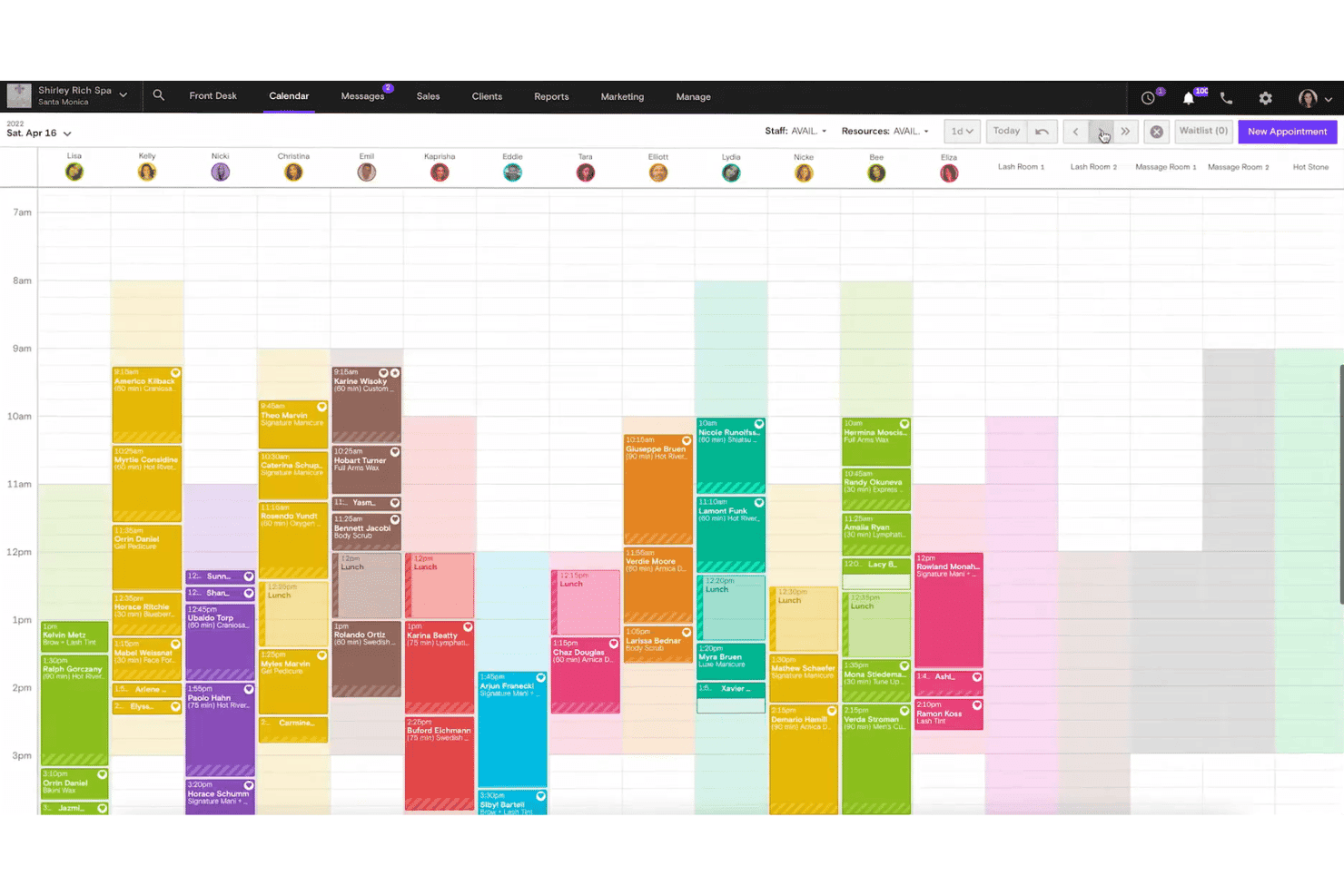
Boulevard displays a full-day staff calendar with color-coded appointments. Boulevard is a spa and salon POS platform that combines appointment scheduling, payment processing, client profile management, memberships, and retail inventory tracking in one system.
Who Is Boulevard Best For?
Boulevard is a strong fit for luxury day spas and med spas that need a purpose-built platform to manage high-touch client experiences, recurring memberships, and appointment-driven operations under one roof.
Why I Picked Boulevard
Boulevard earns its spot on my shortlist because it's purpose-built for the high-touch, appointment-driven model that luxury spas run on. I love how Precision Scheduling™ fills calendar gaps intelligently, and the AI Receptionist "Beau" books appointments around the clock without front-desk involvement. For med spas specifically, HIPAA-compliant Forms & Charts keeps digital intake forms, consent documents, and SOAP notes tied directly to each client profile.
Boulevard Key Features
- Boulevard Offset program: An optional fee-passing feature that charges clients a 3% card surcharge, reducing the business's processing cost to 1% per transaction.
- Multi-location reporting: Enterprise plan users get consolidated reporting, cross-location client records, and centralized billing across all business locations.
- OPERA PMS integration: Connects Boulevard to hotel property management systems so resort spa guests can charge services directly to their room in real time.
- Recurring membership billing: Auto-charges cards on file for subscription-style memberships with configurable auto-renewal and package redemption at POS checkout.
Boulevard Integrations
Integration includes QuickBooks Online, Shopify, OPERA PMS, Vish, Klaviyo, Google Calendar, and Apple Calendar.
Pros and Cons
Pros:
- Multi-location, enterprise-ready reporting and billing
- Built-in HIPAA compliance for med spa documentation
- AI receptionist books appointments after hours
Cons:
- Inventory management lacks automated reordering
- No built-in loyalty or points program
Learn more about Boulevard:
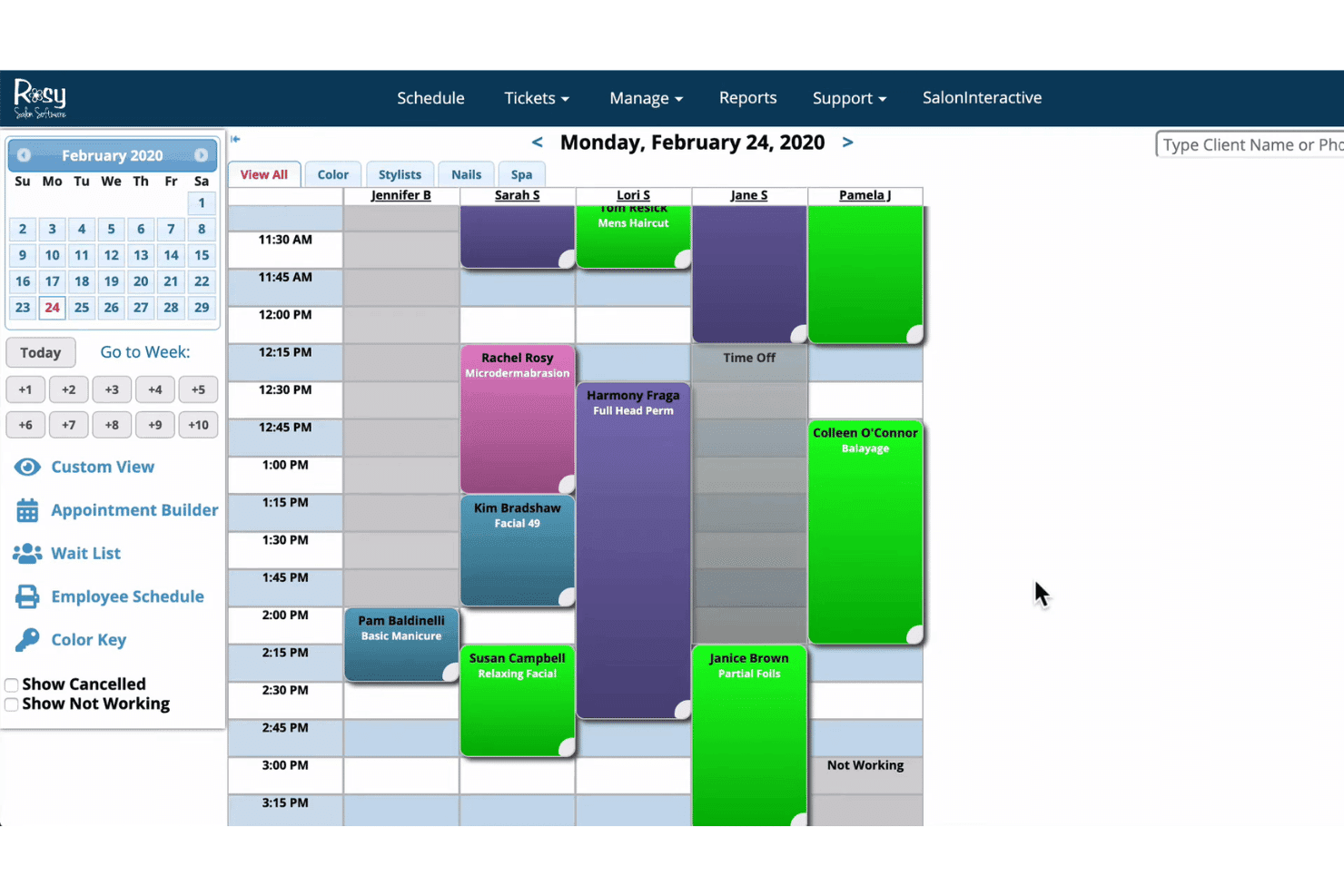
Rosy Salon Software displays daily staff appointments on a color-coded calendar. Rosy Salon Software is a cloud-based spa and salon POS platform that combines appointment scheduling, checkout processing, client profiles, retail inventory management, membership billing, and loyalty tools in one system.
Who Is Rosy Salon Software Best For?
Rosy Salon Software is a strong fit for independent salons and spas that want appointment booking and client management built into the same system as their POS.
Why I Picked Rosy Salon Software
I picked Rosy Salon Software because it connects appointment scheduling directly with its POS, helping spa teams manage bookings and checkout in one system. Client profiles store service history, packages, and memberships, giving staff the context they need to personalize each visit. Online booking through Reserve with Google and Facebook helps clients schedule appointments more easily while reducing front-desk workload. RosyPay also supports deposits and payments during booking, which can help spas reduce no-shows and manage cancellations more effectively.
Rosy Salon Software Key Features
- Suggestive selling tool: Recommends retail products at checkout based on a client's service history and purchases from that visit.
- Product reservations: Lets clients reserve retail products for pickup at their next appointment, reducing stock-outs and over-ordering.
- Role-based performance dashboard: Gives each staff member a real-time view of their own schedule and sales data, separate from owner-level reporting.
- AI-powered appointment filling: REACH.ai automatically sends SMS and email campaigns to fill last-minute cancellations and open slots.
Rosy Salon Software Integrations
Integrations include RosyPay, Google Reserve, Facebook, SalonInteractive, SalonCentric, Evolve Salon Systems, Tippy, REACH.ai, mya, and RECUR360.
Pros and Cons
Pros:
- Product suggestions trigger extra retail sales
- Built-in loyalty, memberships, and packages
- Deeply integrated appointment and POS workflow
Cons:
- No offline mode for checkout
- No SOAP notes or clinical charting
Learn more about Rosy Salon Software:
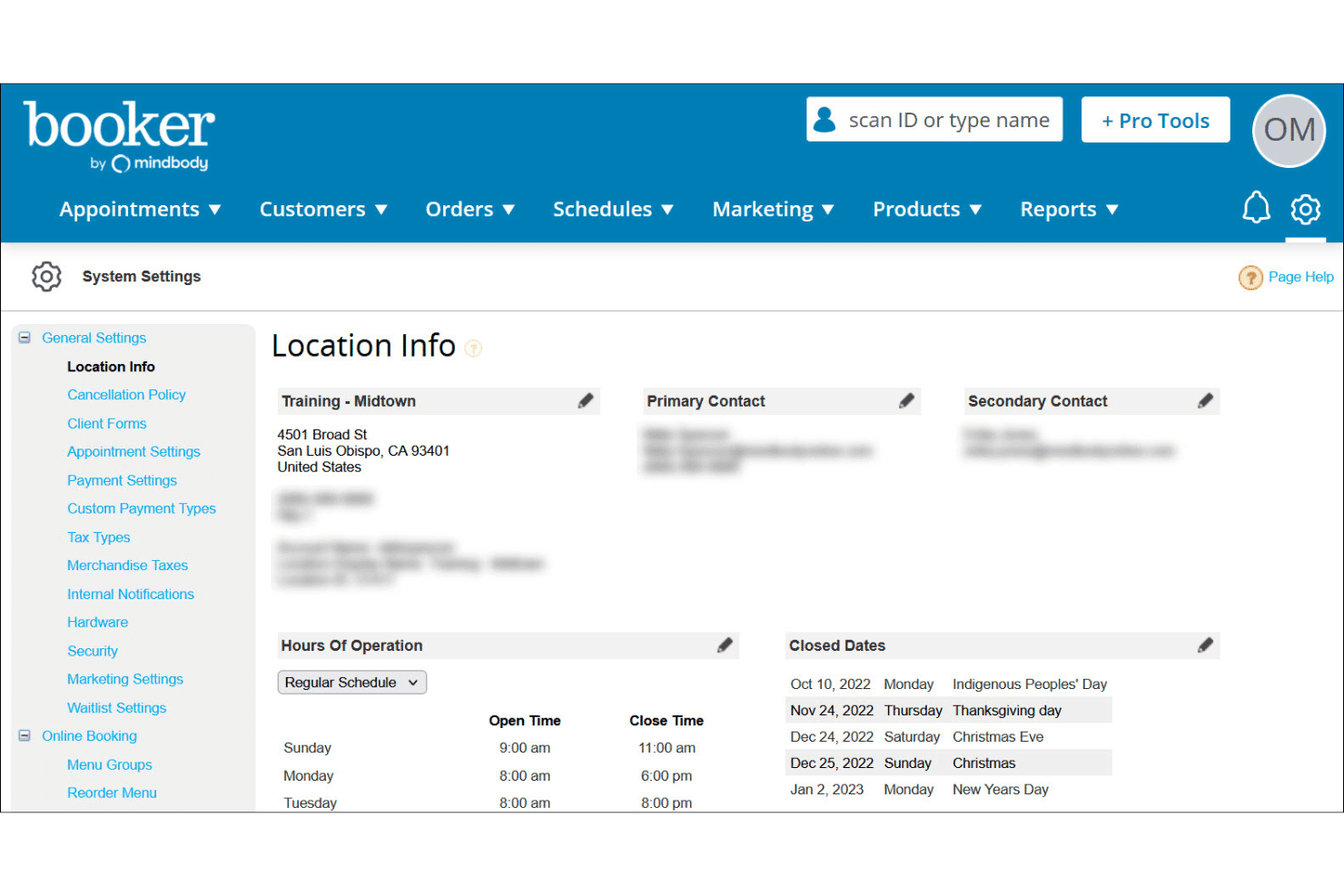
Booker centralizes location info, hours, and closed dates in one place. Booker is a spa and salon POS platform built specifically for the wellness industry, combining appointment scheduling, checkout processing, retail inventory management, client profiles, memberships, and staff commission tracking in one system.
Who Is Booker Best For?
Booker is a strong fit for wellness centers and multi-location spa businesses that need appointment booking, retail inventory, and POS tightly connected in one platform.
Why I Picked Booker
Booker earns its spot on my list as the best for wellness centers because it's been purpose-built for spa and wellness operations since 2007, and that depth shows. I especially like how it separates back-bar professional product usage from retail inventory automatically, so a day spa running 20 services a day isn't manually reconciling what's been used versus what's on the shelf. Couples and group bookings with coordinated providers and rooms are also handled natively, which I find genuinely rare.
Booker Key Features
- Mindbody Payments integration: Accepts in-person and online payments with built-in processing rates starting at 2.75% per transaction, with support for third-party processors as alternatives.
- Membership and series package management: Clients can purchase recurring memberships or pre-paid session bundles, with configurable billing cycles, freeze options, and automatic redemption tracking at checkout.
- Multi-location consolidated reporting: Franchise and enterprise accounts can view revenue, staff performance, and inventory data across all locations from a single reporting dashboard.
- Mindbody Explore marketplace listing: All plans include automatic visibility on the Mindbody consumer app, giving your business access to over 3 million monthly shoppers actively looking to book wellness services.
Booker Integrations
Booker has native Google Calendar and iCal integrations, plus payment connections for Mindbody Payments, First Data, Bank of America, Payroc, Worldpay, and Sublime Payments. Its API supports custom PMS, CRM, and BI integrations; Gusto, ADP, and Paychex connect through payroll exports.
Pros and Cons
Pros:
- Supports coordinated group and couples bookings
- Tracks back-bar and retail inventory separately
- Purpose-built for spas and wellness centers
Cons:
- Android app rated poorly by most users
- No support for HIPAA compliance needs
Learn more about Booker: Best for commission-free bookings
- 7-day free trial
- From $19.95/month
Visit WebsiteCustomer Rating:4.2/5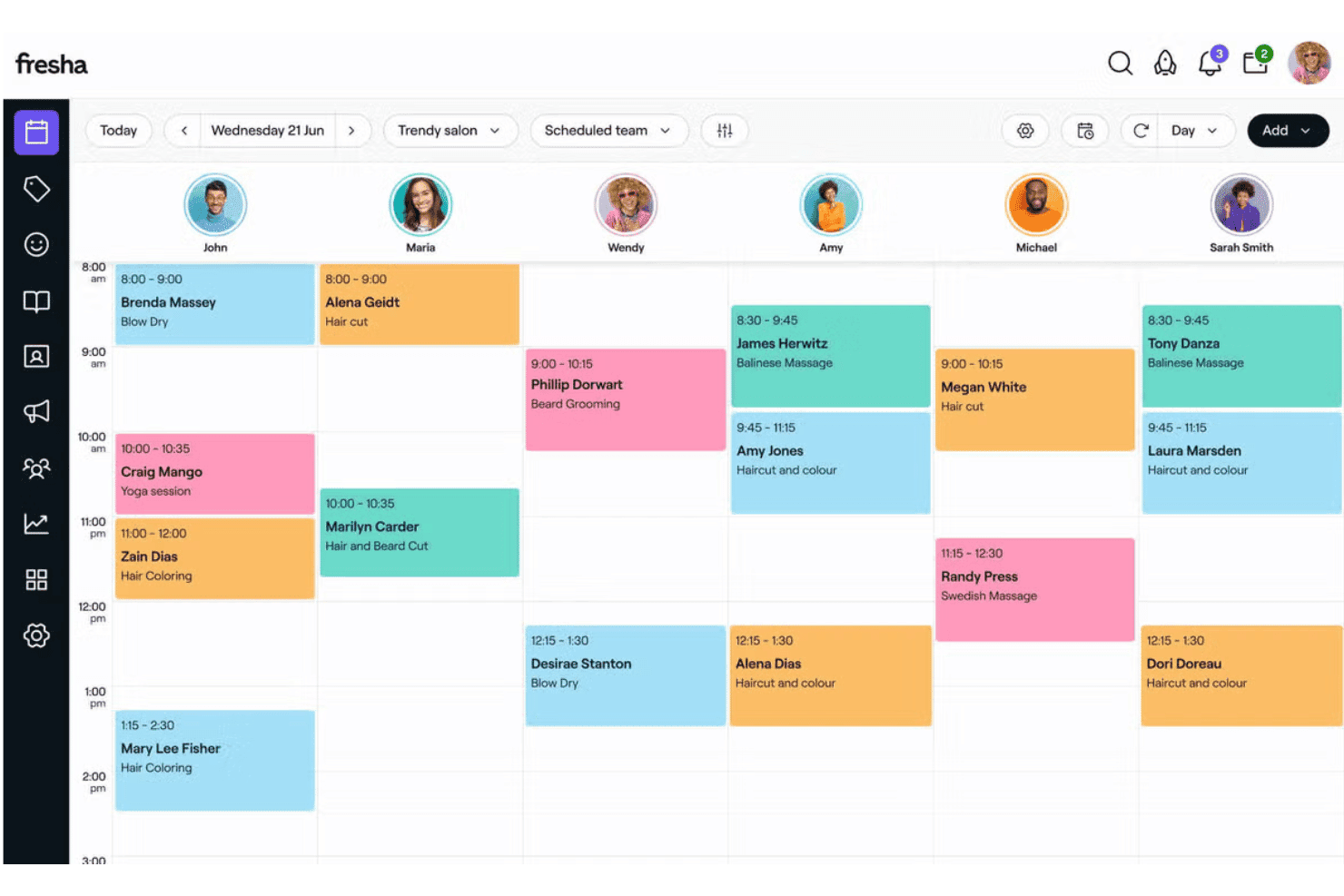
Fresha displays a daily calendar view of staff appointments and services. Fresha is a spa and salon POS platform that unifies appointment booking, checkout, retail inventory, client profiles, staff commission tracking, and marketing automation in a single system.
Who Is Fresha Best For?
Fresha is a strong fit for independent spas and multi-location wellness businesses that want to run bookings, payments, and client management from one platform without paying commission on returning clients.
Why I Picked Fresha
Fresha earns its spot on my shortlist because its commission-free model on returning clients is genuinely rare in this category. Once a client books through your own link or social profile, every future transaction is yours to keep, with no percentage skimmed off. I also love how its no-show protection works in practice: deposits and stored card-on-file policies trigger automatically, and Fresha's own data shows an 89% reduction in no-shows for businesses using these tools.
Fresha Key Features
- Digital intake and consent forms: A built-in form builder lets you create custom pre-appointment questionnaires and digital consent forms with client signatures, stored directly in each client's profile.
- Retail inventory management: Fresha tracks stock levels across locations, sends low-stock alerts, and supports automated purchase order creation with vendor management.
- Automated pay run summaries: The platform combines wages, tips, and commissions into a single automated pay run report, pulling data directly from timesheets and POS transactions.
- Multi-location centralized reporting: Sales, staff performance, and client data are consolidated across all locations into one reporting view, with custom filters and target tracking per team member.
Fresha Integrations
Fresha offers native integrations with Xero and QuickBooks, plus booking connections for Google Business Profile, Instagram, and Facebook and Klarna payments. Its Data Connector connects to Tableau, Power BI, and Google Looker Studio; no public API is documented.
Pros and Cons
Pros:
- Automated no-show and cancellation fee protection
- Built-in digital intake and consent forms
- No commission fees on direct bookings
Cons:
- Loyalty program requires paid add-on
- Clients must register to book online
Learn more about Fresha:
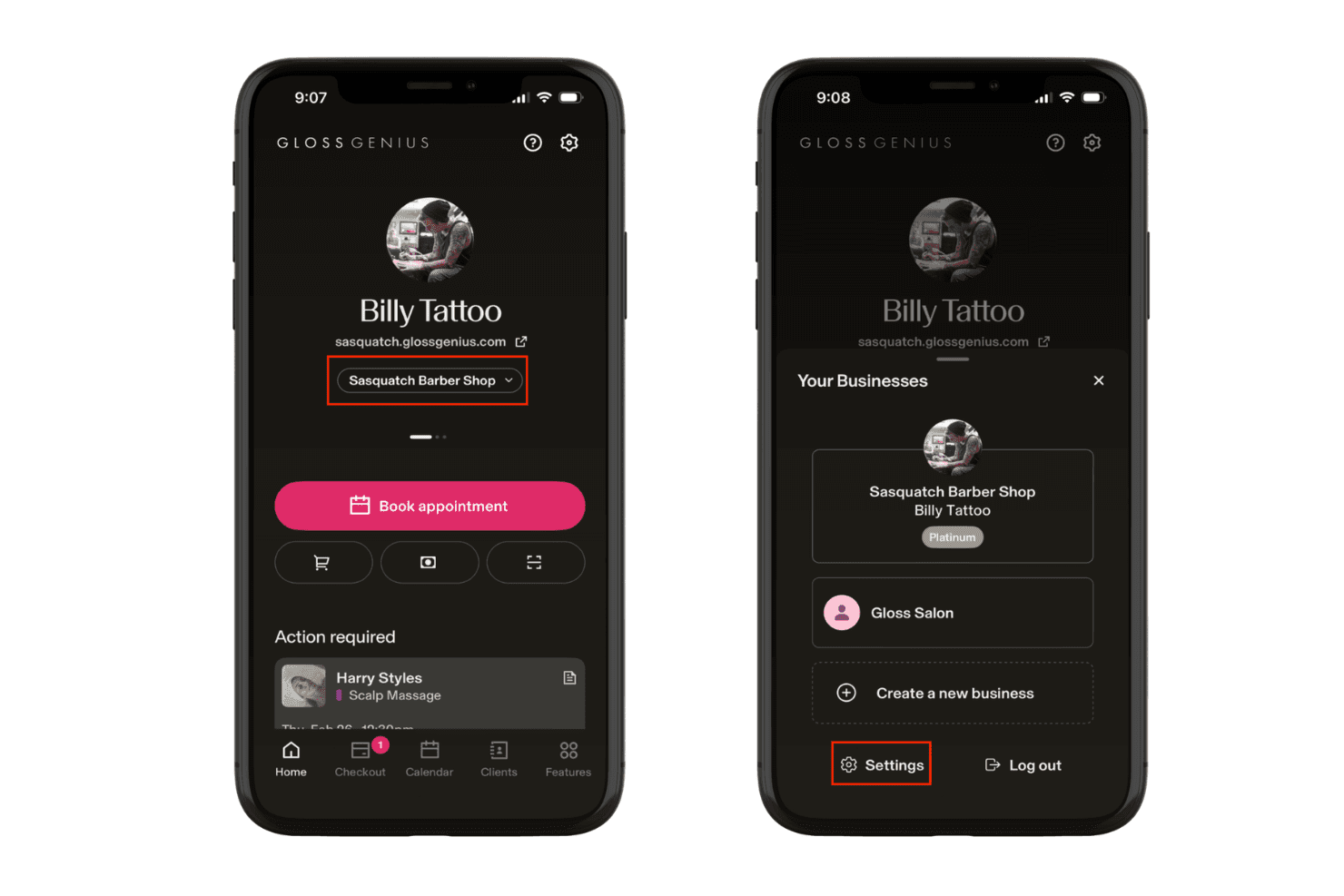
GlossGenius lets users switch between multiple businesses easily. GlossGenius is a beauty and wellness POS and booking platform that combines appointment scheduling, payment processing, client profiles, retail inventory, and automated marketing in one mobile-first system.
Who Is GlossGenius Best For?
GlossGenius is a strong fit for independent stylists and solo beauty or wellness practitioners who want booking, payments, and client management in one mobile-first platform.
Why I Picked GlossGenius
GlossGenius earns its spot on my shortlist because it's genuinely built around the solo stylist workflow, not adapted for it. I love how appointments auto-populate at checkout, so there's no manual re-entry between booking and payment. The Tap to Pay on iPhone means I can check out a client in the treatment room without a fixed terminal. The automated rebooking prompts sent post-appointment are a real retention driver, with the platform reporting a 75% average rebooking rate.
GlossGenius Key Features
- Genius Forms: Smart intake forms and waivers auto-generate based on the service booked and save directly to the client's profile.
- HIPAA-compliant charting: SOAP notes, clinical photo markup, and medical director sign-off are included with Medspa & Aesthetics plans.
- Membership and package management: Recurring membership billing and package session tracking auto-redeem at checkout on all plans.
- Commission earnings reports: Staff commission data is available in both summary and detail formats, with optional payroll add-on for tax filing.
GlossGenius Integrations
GlossGenius offers a small set of documented integrations, including Google Calendar, Phone Contacts, Reserve with Google, and Google Marketing Analytics on Platinum. QuickBooks, Xero, Zapier, and an open API aren’t available.
Pros and Cons
Pros:
- Integrated memberships and package auto-redemption
- HIPAA-compliant charting for medspa environments
- Seamless booking-to-checkout flow for spa teams
Cons:
- Booking cannot be embedded on existing websites
- No points-based loyalty program available
Learn more about GlossGenius:
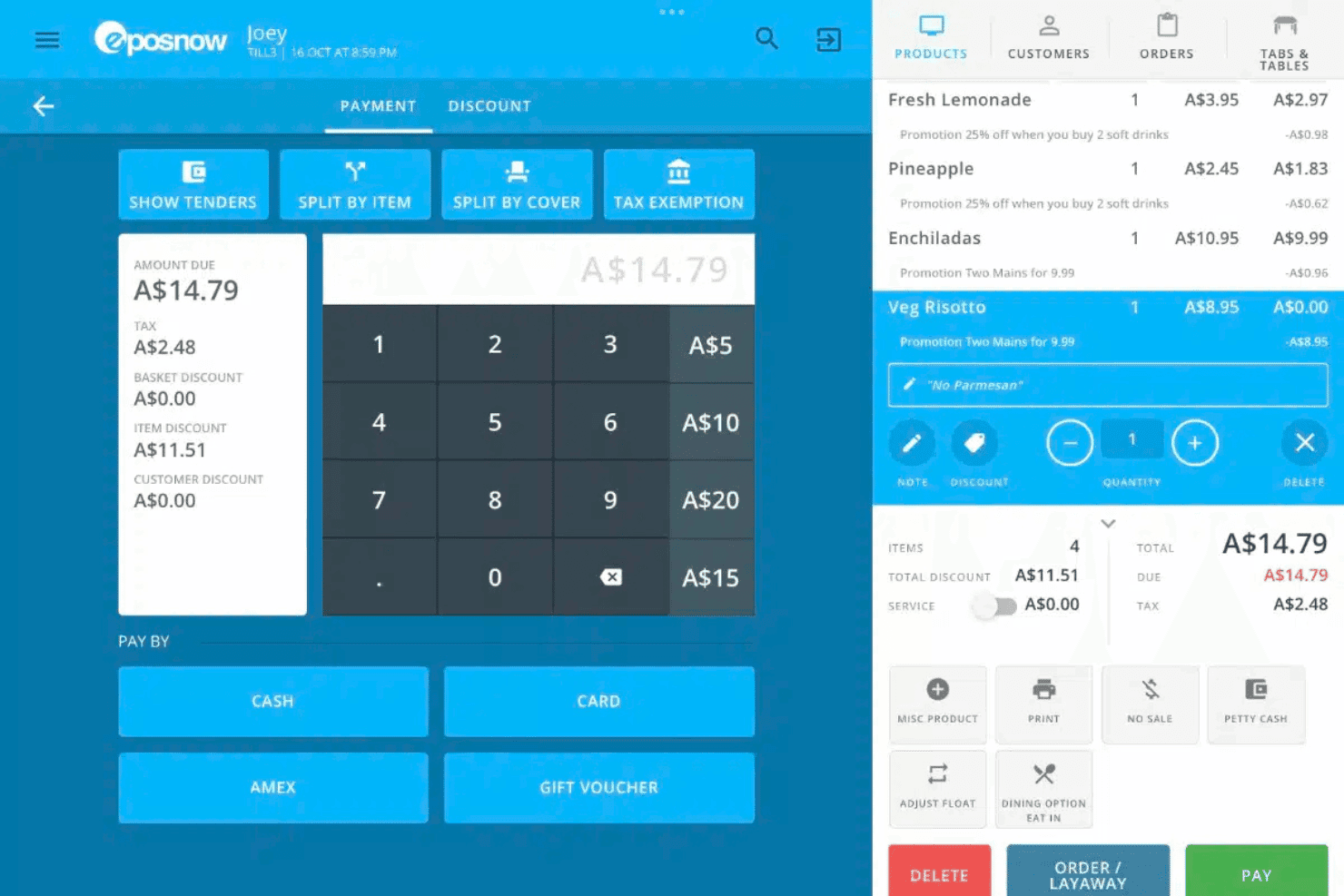
Epos Now handles payments, discounts, and itemized orders in one view. Epos Now is a retail-focused POS system that covers payment processing, inventory management, multi-location oversight, and sales reporting—with spa-specific functionality added through integrations for appointment booking, loyalty, and gift cards.
Who Is Epos Now Best For?
Epos Now is a strong fit for spa groups and franchise wellness brands managing inventory, reporting, and payments across multiple locations from one back office.
Why I Picked Epos Now
I've included Epos Now in my top picks because its Multi-Site Manager is genuinely built for spa groups running more than one location. I like that you can set localized pricing per site, restrict staff account access by location, and pull consolidated reports across all locations from one back office. If you're overseeing retail inventory across a franchise or wellness brand, the centralized stock management with low-stock alerts and best-selling product reports keeps every location accountable without constant manual check-ins.
Epos Now Key Features
- Appointedd booking integration: Connects Epos Now to a third-party online booking platform so clients can schedule appointments 24/7 via a website widget or branded microsite.
- Gratuity app: A separately installed app that adds a tipping prompt directly on the card terminal before payment confirmation.
- Client profile management: Stores individual client preferences, service history, special requests, and custom pricing for personalized checkups at the till.
- Real-time cloud back office: A cloud-based reporting dashboard accessible from any device, displaying live KPIs, staff performance metrics, and inventory analytics.
Epos Now Integrations
Epos Now offers 130+ marketplace integrations, including Appointedd, VoucherCart, Loyalzoo, LoyaltyDog, Mailchimp, Shopify, and QuickBooks. It also provides an open API for custom integrations.
Pros and Cons
Pros:
- Portable hardware enables in-room checkout
- Cloud-based KPIs and consolidated reporting
- Multi-site management from a single dashboard
Cons:
- Tips and loyalty require separate add-on apps
- No native appointment scheduling feature
Learn more about Epos Now:
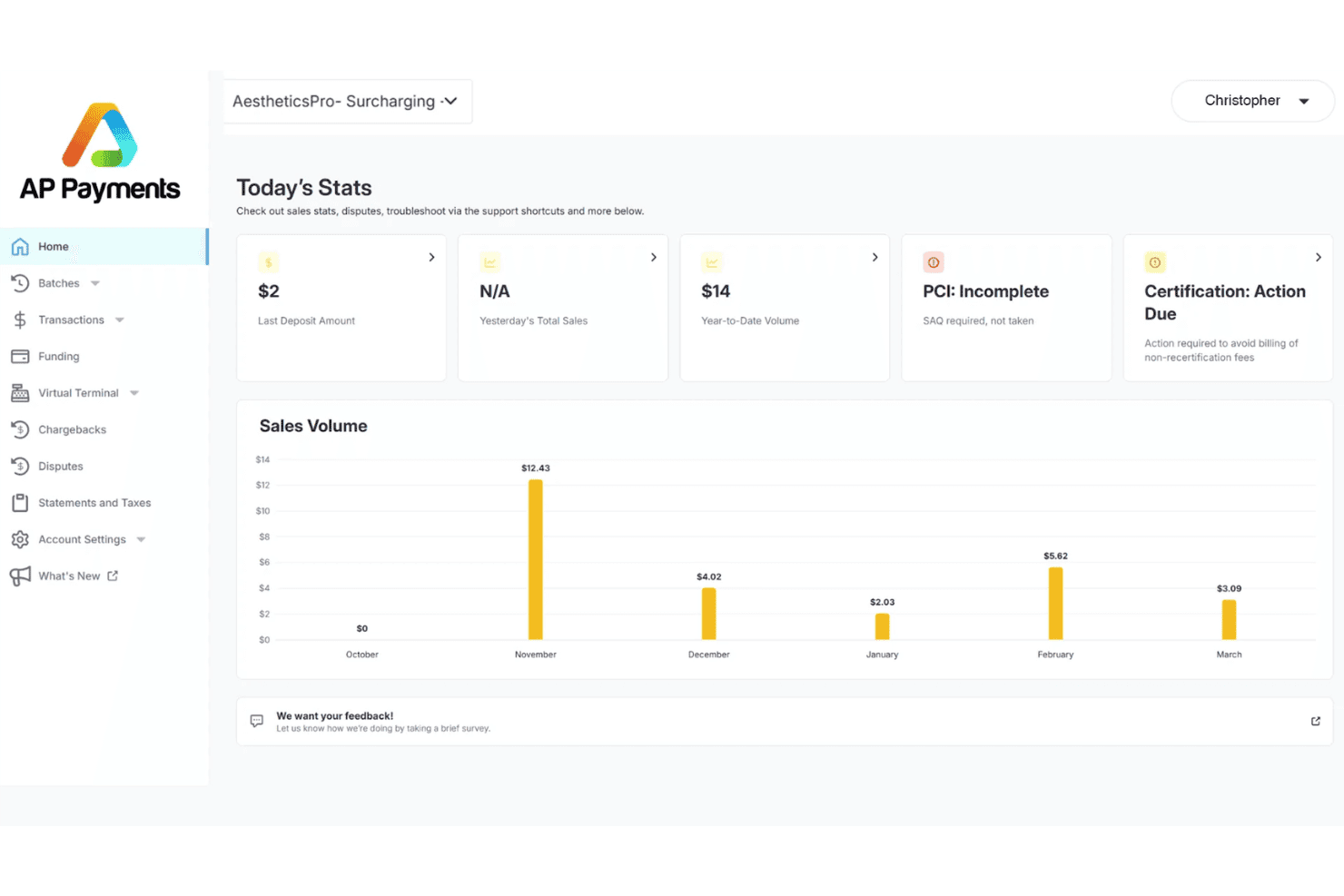
AestheticsPro tracks payment stats and sales volume in its dashboard. AestheticsPro is a HIPAA-compliant, all-in-one medical spa software platform that combines POS, EMR, appointment scheduling, inventory management, staff commissions, and built-in marketing tools.
Who Is AestheticsPro Best For?
AestheticsPro is a strong fit for medical spa owners who need HIPAA-compliant EMR, clinical documentation, and POS in one platform.
Why I Picked AestheticsPro
AestheticsPro earns its spot on my shortlist because it's the only platform here built from the ground up specifically for medical spas, with HIPAA-compliant EMR woven into every POS transaction. I love that it handles clinical documentation and checkout in a single flow: a provider can complete a SOAP note and capture before/after photos with injection mapping, then convert that same appointment directly into a paid invoice. The 500+ pre-built consent and intake forms, accessible via the client portal before the appointment even starts, make compliance feel built-in rather than bolted on.
AestheticsPro Key Features
- AP Payments terminal: The PAX A920 Pro hardware accepts chip, swipe, NFC, and QR code payments, plus an integrated barcode scanner for retail product checkout.
- Loyalty and referral program: Clients earn reward points tied to their spending, with a separate referral program that issues points for bringing in new clients.
- Automated membership billing: Recurring subscription plans charge clients automatically on a set schedule, with credits tracked and applied at POS checkout.
- Multi-location reporting: Executive and Enterprise plans consolidate sales, staff, and inventory data across locations into centralized dashboards with Excel export.
AestheticsPro Integrations
AestheticsPro offers documented native integrations with Google Calendar, Apple Calendar, Zoom, Twilio, Cherry, Constant Contact, MDToolbox, Salesforce, HighLevel, and Zapier. Enterprise customers can use custom API solutions and webhooks for additional integrations.
Pros and Cons
Pros:
- Appointment-linked checkout with mobile photo capture
- Automated loyalty, referral, and membership tools
- Built-in HIPAA-compliant EMR with SOAP notes
Cons:
- Manual inventory entry and unreliable barcode scanning
- Booking flow cannot be embedded on websites
Learn more about AestheticsPro:
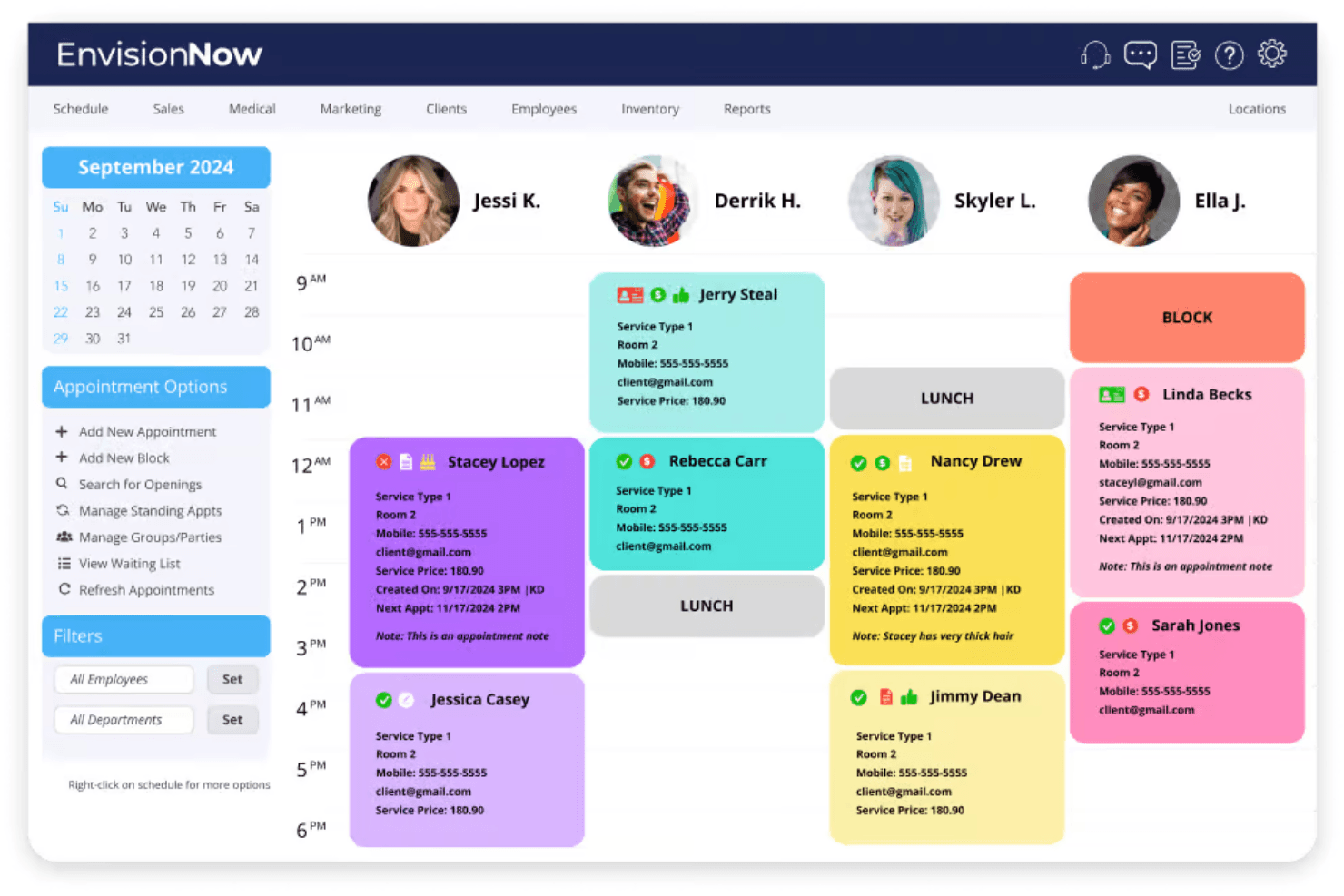
EnvisionNow displays daily staff schedules with client appointment details. EnvisionNow is a cloud-based spa and salon POS platform that combines appointment scheduling, integrated payments, retail inventory management, client profiles, loyalty programs, and marketing automation in one system.
Who Is EnvisionNow Best For?
EnvisionNow is a strong fit for spa and salon owners who want to grow their client base through built-in marketing tools like automated campaigns, reputation management, and social media scheduling.
Why I Picked EnvisionNow
I picked EnvisionNow as one of the best because its marketing engine goes well beyond what most spa POS platforms offer. I'm talking about automated SMS and email drip campaigns, a built-in reputation management tool that requests and centralizes reviews, and a social media scheduler with Canva integration for branded content. If growing your client base is the priority, having those tools tied directly to your booking and POS activity makes a real operational difference.
EnvisionNow Key Features
- Integrated POS checkout: Processes services, retail, tips, gift cards, and packages in a single transaction flow with card-present, mobile, and text-to-pay options.
- VIP membership plans: Supports monthly, quarterly, and annual membership tiers with recurring billing and prepaid credit redemption at checkout.
- Multi-location reporting: Provides centralized dashboards that track and compare sales, inventory, and staff performance across multiple sites.
- Online booking widget: An embeddable 24/7 booking tool that syncs in real time with the POS calendar and is bookable via your website, social media, or Google.
EnvisionNow Integrations
EnvisionNow documents six official integration partners, including QuickBooks, WooCommerce, Tippy, SalonInteractive, Canva, and Grade.us, plus Google Calendar, Outlook, and iPhone Calendar sync. It also offers a REST API for custom connections.
Pros and Cons
Pros:
- Integrated mobile and text-to-pay checkout
- Real-time multi-location reporting dashboards
- Automated marketing and drip campaign tools
Cons:
- Limited weekend customer support availability
- No online client self-cancellation option
Learn more about EnvisionNow:
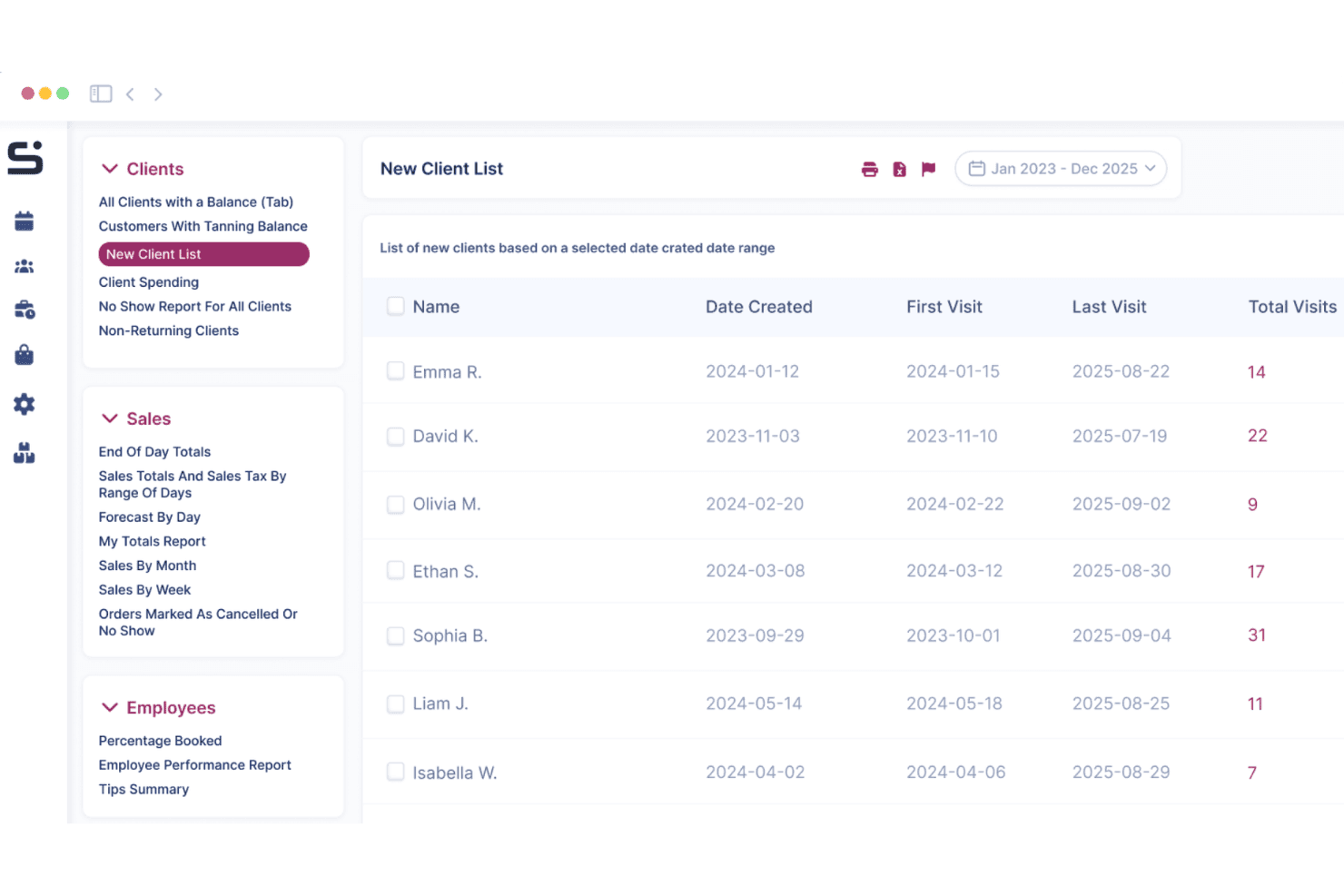
Salon Iris tracks new client history, visits, and activity by date range. Salon Iris is a UK-based spa and salon POS software that combines appointment booking, checkout processing, retail inventory, client profiles, loyalty schemes, courses and packages, digital consultation forms, and sales reporting in a single cloud-based platform.
Who Is Salon Iris Best For?
Salon Iris is a strong fit for UK-based independent salons and small spa groups that want a single platform built specifically for the British market.
Why I Picked Salon Iris
I've included Salon Iris in my top picks because it's the only platform on this list built specifically for the UK market, with UK data hosting, GDPR compliance, and GBP pricing from the ground up. I particularly like its digital consultation and consent forms, which attach contra-indication records directly to client profiles, a genuine must-have for spa and wellness operators. Its courses and packages module also handles pre-paid treatment series end-to-end, from setup through POS redemption, without requiring a workaround.
Salon Iris Key Features
- Loyalty points scheme: Clients earn points on services and retail purchases, which you can configure and redeem directly at checkout.
- Automated SMS and email reminders: The system sends booking confirmations, pre-appointment reminders, and rebooking prompts to clients without manual input.
- Online booking widget: A self-scheduling tool embeds on your website, Facebook, and Instagram, syncing in real time with your appointment calendar at no per-booking fee.
- Multi-location stock and reporting: Manage inventory, staff schedules, and sales reports across multiple locations from a single account.
Salon Iris Integrations
Salon Iris integrates with Stripe for online deposits and gift cards, plus Facebook and Instagram for booking. It also connects with Google Reviews, Salon Spy, and Trustpilot; no public API or Zapier integration is documented.
Pros and Cons
Pros:
- All-in-one platform includes loyalty and packages
- Digital consent forms attach to client profiles
- Built specifically for UK salons and spas
Cons:
- Commission configuration depth not publicly detailed
- Spa-specific features less documented than competitors
Learn more about Salon Iris:
Other Spa POS Software
Here are some additional spa pos software options that didn’t make it onto my shortlist, but are still worth checking out:
- 11SquareBest for small businesses
- 12AURA SalonwareBest for simple booking-to-payment flows
- 13SalonBizBest for salon chain management
How I Evaluate Spa POS Software
I evaluate spa POS tools in two layers: core requirements like appointment-to-checkout flow and commission tracking, and differentiators like membership automation and multi-location reporting.
Core Functionality (Table Stakes For This List)
When I'm selecting tools for my list, I rank each one on a scale from 0 (does not offer the functionality) to 5 (excels in this area) for each core functionality listed below. Then, I calculate the tool's total score into a percentage. Each tool needs to achieve a minimum total score of 65% to be considered for inclusion.
- Spa Checkout Processing: I look at whether the POS can handle a typical spa transaction in a single flow—service charges, retail add-ons, tips, gift card redemptions, and package credits.
- Appointment-Linked POS: Booked services should carry over to checkout automatically, so front-desk staff aren't re-entering a facial or massage manually at the register.
- Retail Product Inventory: I check how the system tracks retail stock like skincare lines or essential oils, including SKU management, stock alerts, and vendor-level purchase ordering.
- Client Profiles & Loyalty: Each tool should maintain purchase history, stored payment methods, and active memberships or packages tied to the client's record at checkout.
- Staff Commissions & Tips: Commission structures vary widely across spas, so I evaluate whether the POS supports configurable rates for services and retail and handles tip splits or pooling.
- Spa-Specific Reporting: Reports should break down revenue by service category, retail product, and staff member so an owner can see which therapists drive the most rebookings or upsells.
Once I have a list of tools that meet this criteria, I consider what sets each platform apart.
Differentiating Factors (What Sets Vendors Apart)
Here's how I compare and contrast different vendors:
Standout Features
Online booking is where I start—I check whether clients can self-schedule from a website or social profile and have that appointment flow directly into the POS. Membership and package automation matters a lot too. A spa selling monthly facial memberships needs recurring billing and automatic session tracking without manual adjustments at checkout. I also evaluate built-in client messaging like appointment reminders and rebooking prompts, since these reduce no-shows and keep the schedule full without third-party tools.
Beyond Features
Payment processing flexibility is a big one—some platforms lock you into a proprietary processor, while others let you bring your own merchant account, which matters for spas with high transaction volumes. I also evaluate integrations with accounting and payroll tools, since commission-heavy businesses need clean data flowing into systems like QuickBooks or Xero. For med spas storing treatment notes or health history, I check whether the platform meets HIPAA requirements and offers role-based access controls.
How To Choose Spa POS Software
It’s easy to get bogged down in long feature lists and complex pricing structures. To help you stay focused as you work through your unique software selection process, here’s a checklist of factors to keep in mind:
| Factor | What To Consider |
| Scalability | Will the software grow with your business? Look for tools that handle increased transactions and users without performance issues. Ensure it can support additional locations if needed. |
| Integrations | Does it connect with your current systems? Check for compatibility with accounting tools, marketing platforms, and other essential software. Avoid tools that require manual data entry. |
| Customizability | Can you tailor it to your needs? Consider if you can adjust workflows, dashboards, and reports. Customizability ensures the software fits your specific business processes. |
| Ease of use | Is the software intuitive for you and your team? Consider the learning curve and whether the interface is straightforward. Complex tools may lead to frustration and errors. |
| Implementation and onboarding | How quickly can you get started? Evaluate the availability of training materials and support during the setup phase. A smooth onboarding process saves time and reduces disruptions. |
| Cost | How does the pricing fit your budget? Compare the base price and any add-ons. Consider if the cost aligns with the value and whether there are hidden processing fees or long-term contracts. |
| Security safeguards | Are your data and transactions protected? Ensure the software complies with industry standards for data privacy and security. Look for features like encryption and regular security updates. |
| Support availability | When can you reach customer support? Check for 24/7 availability, response times, and the quality of support provided. Reliable support can resolve issues quickly and minimize downtime. |
What Is Spa POS Software?
Spa POS software is a tool designed to manage the operations of spa and wellness centers. These tools are generally used by spa owners, managers, and staff to increase efficiency and improve customer service. Appointment scheduling, payment processing, and client management features help with day-to-day operations and customer retention. Overall, these tools simplify business management and improve the client experience.
Features of Spa POS Software
When selecting spa POS software, keep an eye out for the following key features:
- Appointment scheduling: Allows clients to book services online, reducing administrative workload and minimizing scheduling conflicts.
- Payment processing: Facilitates quick and secure transactions, improving checkout efficiency and client satisfaction.
- Client management: Stores client information and history, enabling personalized service and targeted marketing efforts.
- Inventory management: Tracks product levels and automates reordering, ensuring you always have the necessary supplies on hand.
- Reporting and analytics: Provide insights into sales, client trends, and staff performance, aiding in informed decision-making.
- Marketing tools: Enable the creation and distribution of promotions and reminders to boost client engagement and retention.
- Loyalty programs: Encourage repeat business by rewarding clients for their continued patronage.
- Mobile app access: Allows staff to manage appointments and client information on the go, providing flexibility in operations.
- Compliance features: Ensure adherence to industry regulations, particularly important for medical spas and wellness centers.
- Customizable dashboards: Let you tailor the interface to your specific business needs, improving usability and efficiency.
Benefits of Spa POS Software
Implementing spa POS software provides several benefits for your team members and your business. Here are a few you can look forward to:
- Improved efficiency: Automated appointment booking and payment processes allow staff to focus on delivering quality service.
- Improved customer experience: Stored client preferences and history enable personalized interactions and tailored promotions.
- Increased revenue: Offered loyalty programs and marketing tools drive repeat business and attract new clients.
- Better inventory control: Monitored product levels and automated reordering prevent stockouts and overstock situations.
- Informed decision-making: Detailed reports and analytics help you understand business trends and make strategic choices.
- Regulatory compliance: Included features ensure adherence to industry standards, protecting your business from legal issues.
- Operational flexibility: Inbuilt mobile app access allows staff to manage appointments and client information anytime, anywhere.
Costs and Pricing of Spa POS Software
Selecting spa POS software requires an understanding of the various pricing models and plans available. Costs vary based on features, team size, add-ons, and more. This typically excludes payment processing rates (the cost of the transaction), which vary by payment provider. The table below summarizes common plans, average prices, and typical features included in spa POS software solutions:
Plan Comparison Table for Spa POS Software
| Plan Type | Average Price | Common Features |
| Free Plan | $0 | Basic appointment scheduling, client management, and limited reporting. |
| Personal Plan | $20-$150/user/month | Appointment scheduling, client management, payment processing, and basic inventory management. |
| Business Plan | $150-$300/user/month | Advanced scheduling, detailed reporting, marketing tools, and loyalty program management. |
| Enterprise Plan | $300-$600+/user/month | Customizable dashboards, multi-location management, advanced analytics, and dedicated support. |
Spa POS Software FAQs
Here are some answers to common questions about spa POS software:
What is the difference between cloud-based and on-premises spa POS software?
Cloud-based spa POS software is hosted online, allowing you to access it from any device with internet connectivity. This means you can manage your spa remotely. On-premises or in-store software, however, is installed directly on your local servers, which requires physical infrastructure and may limit remote access. Cloud-based solutions often offer easier updates and lower upfront costs, while on-premises software might provide more control over data storage.
Can spa POS software integrate with my existing systems?
Yes, many spa POS software solutions are designed to integrate with existing systems such as accounting, marketing, and CRM tools. Before purchasing, check the compatibility of the POS software with your current systems. Look for solutions that offer API access or have partnerships with major software providers to ensure a smooth integration process.
How secure is spa POS software?
Security varies by provider, but reputable spa POS software solutions include measures such as encryption, regular security updates, and compliance with industry standards such as PCI DSS for payment processing. Ensure the software offers data backup solutions and user access controls. Consider asking the vendor about their security protocols during your evaluation process.
Is training required to use spa POS software?
Yes, training is often needed, especially if your team members are transitioning from a manual system or another software. Most providers offer training resources such as videos, manuals, and webinars. Some even provide live support or in-person training sessions. Evaluate the training resources available and consider the learning curve when selecting a software solution.