
12 Best Rebate Management Software Solutions Picked for 2026

Rebate Management Software Shortlist
Here’s my shortlist of rebate management software:


Rebate management software helps your business track, calculate, and process rebates across suppliers, distributors, and customers. If you’re searching for the best rebate management software, you’re likely looking to reduce manual errors, improve deal visibility, and keep up with complex rebate agreements as your business grows.
This list will help you compare top solutions, understand which features matter most for retail and ecommerce teams, and choose the right platform to support your revenue and margin goals.
Why Trust Our Software Reviews
Best Rebate Management Software Summary
This comparison chart summarizes pricing details for my top rebate management software selections to help you find the best one for your budget and business needs.
| Tool | Best For | Trial Info | Price | ||
|---|---|---|---|---|---|
| 1 | Best for collaborative deal workflows | Free demo available | Pricing upon request | Website | |
| 2 | Best for financial reconciliation needs | Free demo available | Pricing upon request | Website | |
| 3 | Best for complex pricing integrations | Free demo + 14-day free trial available | Pricing upon request | Website | |
| 4 | Best for dynamic pricing support | Free demo available | Pricing upon request | Website | |
| 5 | Best for automated accrual tracking | Free demo + 14-day free trial available | Pricing upon request | Website | |
| 6 | Best with CRM system integration | Free plan available | From $25/user/month (billed annually) | Website | |
| 7 | Best for real-time transaction processing | Demo available upon request | Pricing upon request | Website | |
| 8 | Best for rapid implementation timelines | Free demo available | Pricing upon request | Website | |
| 9 | Best for multichannel compatibility | Free demo available | Pricing upon request | Website | |
| 10 | Best for intuitive dashboard reporting | Free demo available | Pricing upon request | Website |
Rebate Management Software Reviews
Below are my detailed summaries of the rebate management software that made it onto my shortlist. My reviews offer a detailed look at the features, best use cases, and integrations of each platform to help you find the best one for your business.
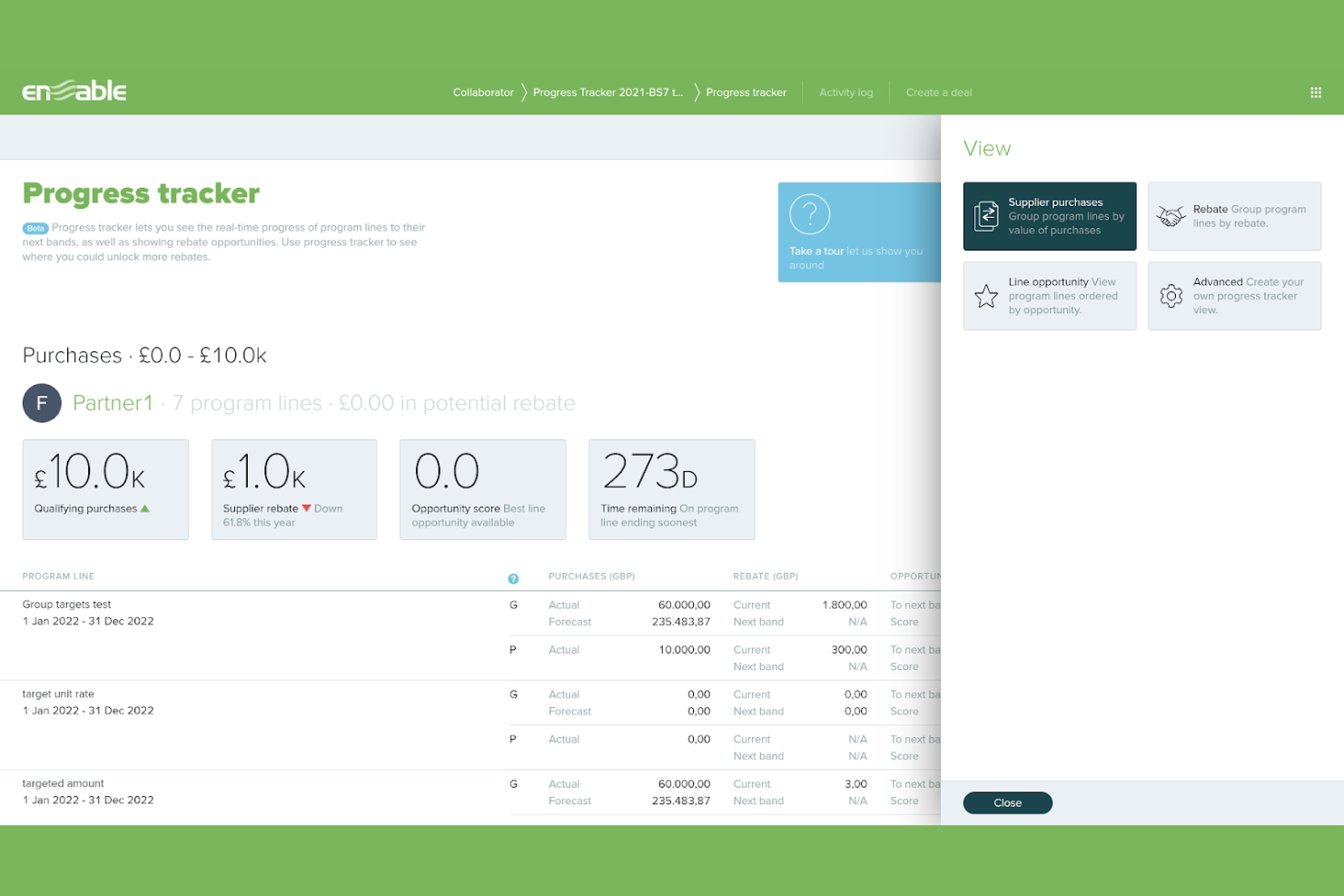
Enable is built for teams that need to coordinate complex rebate deals across departments and trading partners. The platform appeals to retailers, distributors, and manufacturers who want to centralize deal negotiation, approvals, and performance tracking in one place. Its collaborative workflow tools help reduce miscommunication and keep everyone aligned on deal terms and progress.
Why I Picked Enable
What sets Enable apart is its focus on collaborative deal workflows, which is essential for businesses managing rebate agreements across multiple teams and partners. The platform lets users build, review, and approve deals in a shared workspace, so everyone stays updated on terms and changes.
I appreciate how Enable tracks deal progress and automates notifications for key milestones, reducing the risk of missed deadlines or miscommunication. These features make Enable a strong choice for organizations that need to coordinate rebate management with both internal and external stakeholders.
Enable Key Features
Some other Enable features that help teams manage rebates more efficiently include:
- Automated accrual calculations: Calculate and update rebate accruals based on real-time transaction data.
- Deal template library: Access pre-built templates to quickly set up new rebate agreements.
- Audit log: Track every change and approval for compliance and accountability.
- Custom reporting tools: Build and export detailed reports on deal performance and rebate earnings.
Enable Integrations
Integrations include Salesforce, Zoho, Epicor, SAP, Infor, HubSpot, Oracle, Blue Yonder, IBM, and QuickBooks.
Pros and Cons
Pros:
- Detailed audit logs support compliance and accountability
- Automated milestone notifications prevent missed rebate deadlines
- Real-time collaboration keeps teams aligned on rebate deals
Cons:
- Complex rebate deals may require manual data imports
- Occasional delays in customer support response
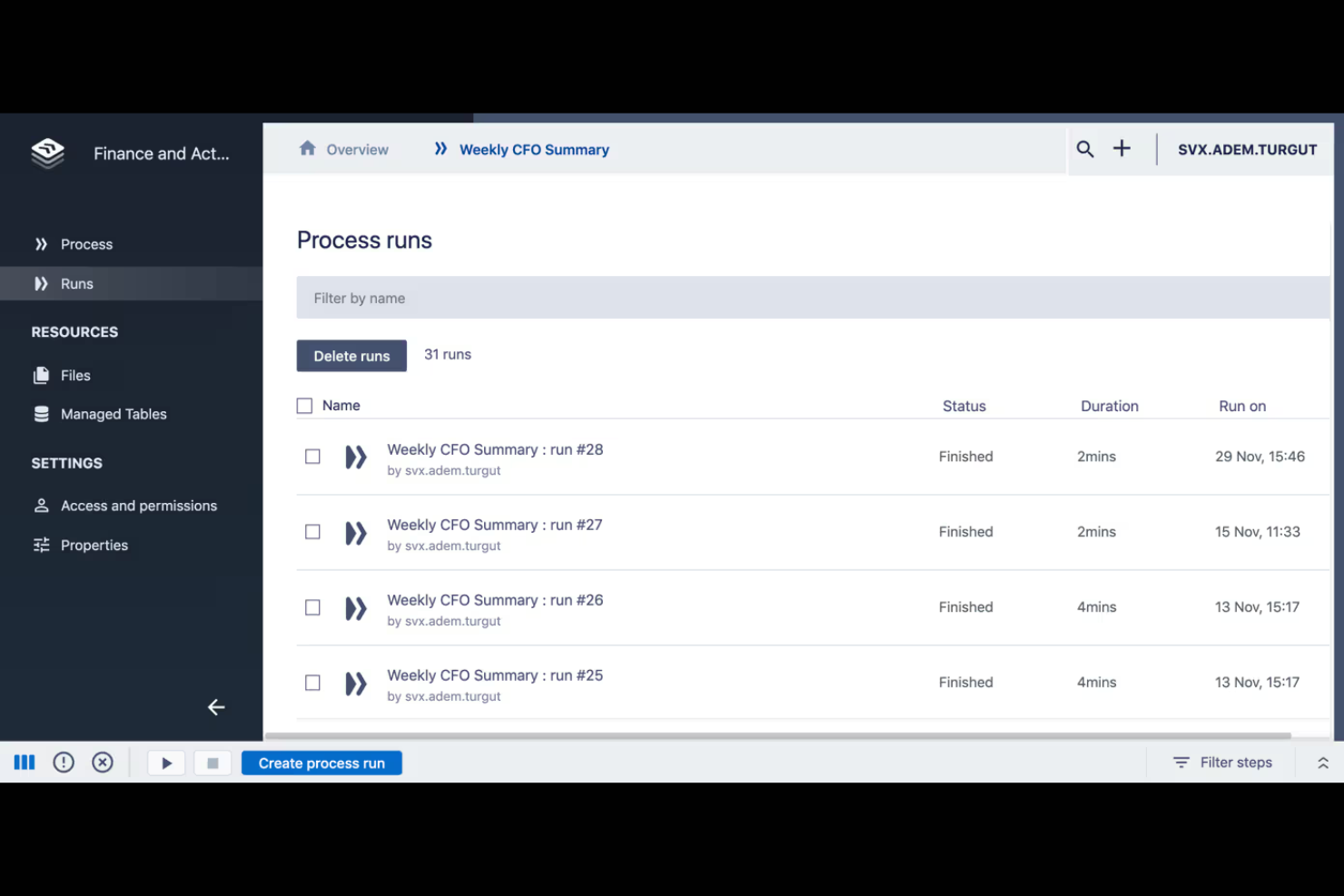
Solvexia stands out for businesses that need advanced financial reconciliation as part of their rebate management process. It’s especially useful for finance teams in retail, distribution, and manufacturing that handle high transaction volumes and require automated data matching. The platform helps reduce manual reconciliation work and supports audit-ready reporting for rebate programs.
Why I Picked Solvexia
When rebate management depends on accurate financial reconciliation, Solvexia brings specialized capabilities to the table. The platform automates transaction matching and exception handling, which is essential for teams managing large volumes of rebate claims and payments.
I picked Solvexia because it offers detailed audit trails and reporting tools that help ensure compliance and transparency in rebate programs. These features make it a strong choice for finance teams that need to minimize manual errors and maintain confidence in their rebate accounting.
Solvexia Key Features
Some other Solvexia features that support rebate management include:
- Automated data ingestion: Import data from spreadsheets, ERPs, and other sources without manual intervention.
- Custom rule creation: Set up business rules to flag discrepancies or trigger specific actions in rebate workflows.
- Scheduled reconciliation runs: Automate reconciliation processes to run at set intervals.
- User access controls: Assign permissions and roles to manage who can view or edit rebate-related data.
Solvexia Integrations
Integrations include Xero, Microsoft Azure, SnapSuite, OneDrive, Oracle Fusion, Microsoft SharePoint, Coupa, SAP ERP, Workato, Workday, NetSuite, Dropbox, Microsoft Teams, and more.
Pros and Cons
Pros:
- Detailed audit trails support financial compliance
- Custom rules flag discrepancies in rebate data
- Automates reconciliation of high-volume rebate transactions
Cons:
- Limited rebate-specific workflow templates available
- Requires setup time for custom rule configuration

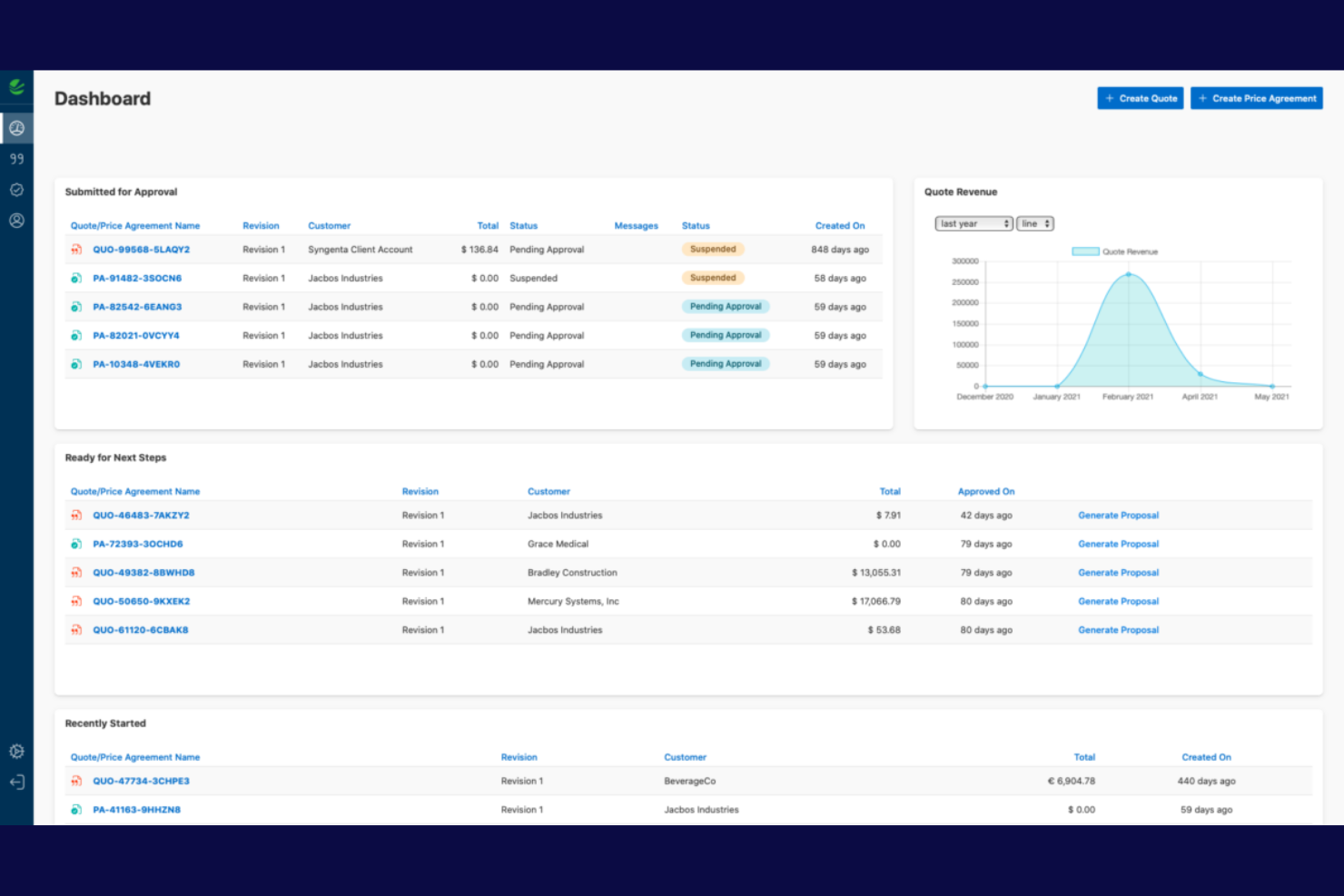
Vendavo is designed for organizations that need to manage complex pricing and rebate programs across multiple systems. It’s a strong fit for manufacturers, distributors, and B2B enterprises that require deep integration between rebate management and pricing engines. The platform helps teams handle intricate pricing structures, automate rebate calculations, and ensure consistency across ERP, CRM, and ecommerce channels.
Why I Picked Vendavo
For teams that need to connect rebate management with complex pricing strategies, Vendavo offers a level of integration that’s hard to match. The platform supports advanced pricing logic, letting you automate rebate calculations based on dynamic pricing rules and customer segments.
I picked Vendavo because it can sync rebate programs directly with ERP and CRM data, so pricing and rebate terms always stay aligned. This makes it a strong choice for businesses that want to reduce manual reconciliation and maintain consistency across multiple sales channels.
Vendavo Key Features
Some other Vendavo features that support rebate management include:
- Rebate program modeling: Simulate and compare different rebate structures before launch.
- Automated accrual tracking: Monitor and update rebate accruals in real time.
- Approval workflow engine: Route rebate agreements through multi-level approval processes.
- Customizable dashboards: Visualize rebate performance and pricing data in configurable views.
Vendavo Integrations
Integrations include SAP, Salesforce, Oracle, Microsoft Dynamics 365, NetSuite, IBM, Epicor, Infor, Sage, and QuickBooks.
Pros and Cons
Pros:
- Simulation tools model rebate programs before launch
- Advanced pricing logic aligns rebates with pricing strategies
- Handles multi-tiered and volume-based rebate structures
Cons:
- Limited documentation for rebate-specific capabilities
- Implementation may require significant internal resources

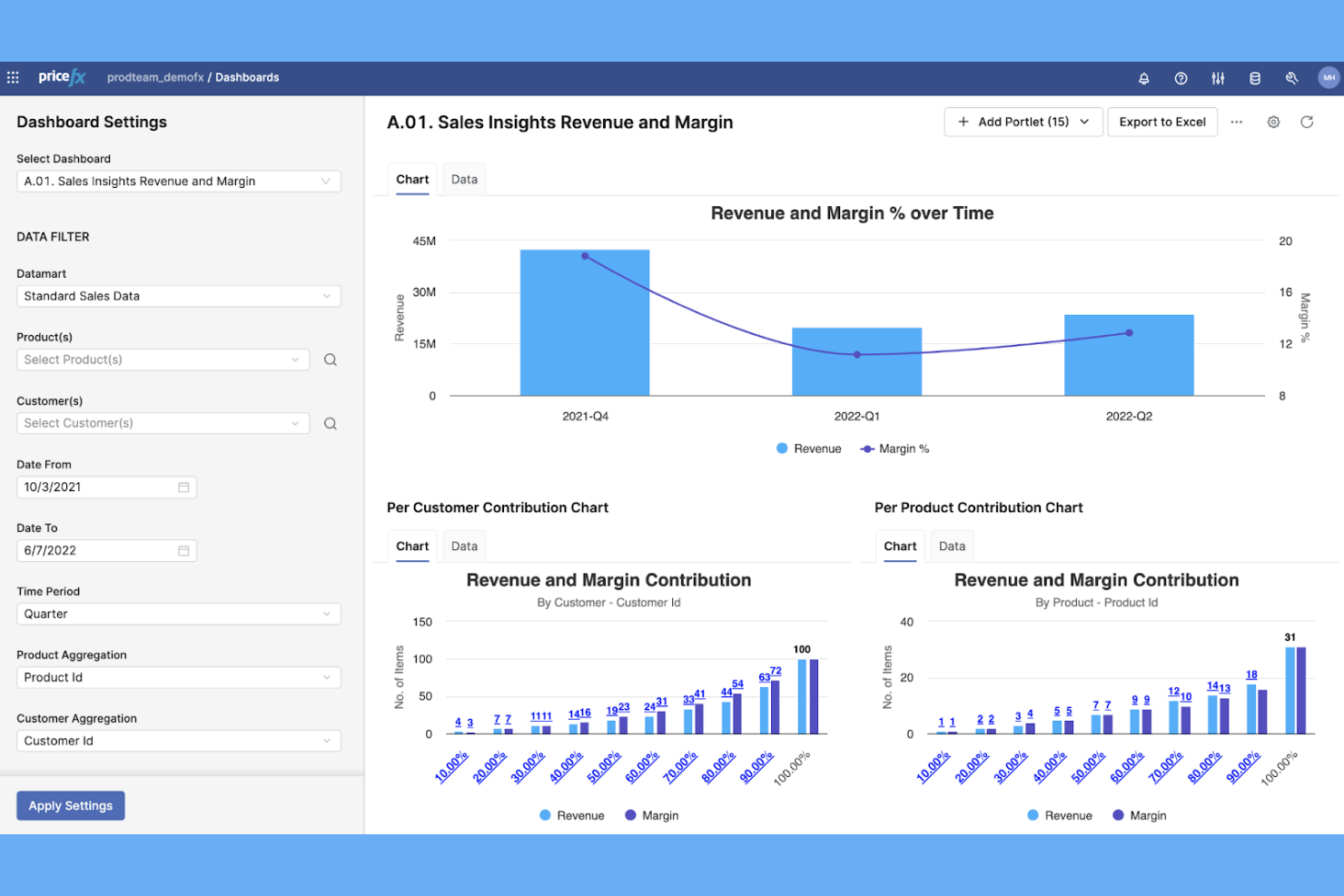
If your business needs to manage rebates alongside dynamic pricing strategies, Pricefx offers a unified platform designed for complex pricing environments. It’s a strong fit for retail and ecommerce teams that want to automate rebate calculations while adapting prices in real time. Pricefx stands out for its ability to connect rebate management with advanced pricing analytics, helping you respond quickly to market changes and customer behaviors.
Why I Picked Pricefx
For teams that need to manage rebates in fast-changing markets, Pricefx’s dynamic pricing support is a major advantage. The platform lets you automate rebate calculations while adjusting prices in real time based on demand, inventory, or competitor activity.
I picked Pricefx because it connects rebate management with advanced pricing analytics, so you can see how rebates impact margins and sales performance instantly. This makes it a strong choice for businesses that want to stay agile and competitive while keeping rebate programs under control.
Pricefx Key Features
Some other features that make Pricefx appealing for rebate management include:
- Configurable rebate agreement templates: Create and manage custom templates for different rebate programs.
- Automated accrual tracking: Monitor and record rebate accruals as transactions occur.
- Role-based access controls: Set permissions for users based on their responsibilities.
- Audit trail for rebate changes: Track all modifications to rebate agreements for compliance and transparency.
Pricefx Integrations
Integrations include SAP, Salesforce, Oracle, Microsoft Dynamics, NetSuite, PROS, Informatica, Accenture, Deloitte, and PwC.
Pros and Cons
Pros:
- Configurable templates support diverse rebate agreements
- Real-time analytics track rebate program performance
- Dynamic pricing engine adjusts rebates based on demand
Cons:
- Advanced features may require additional training
- Implementation process can be lengthy

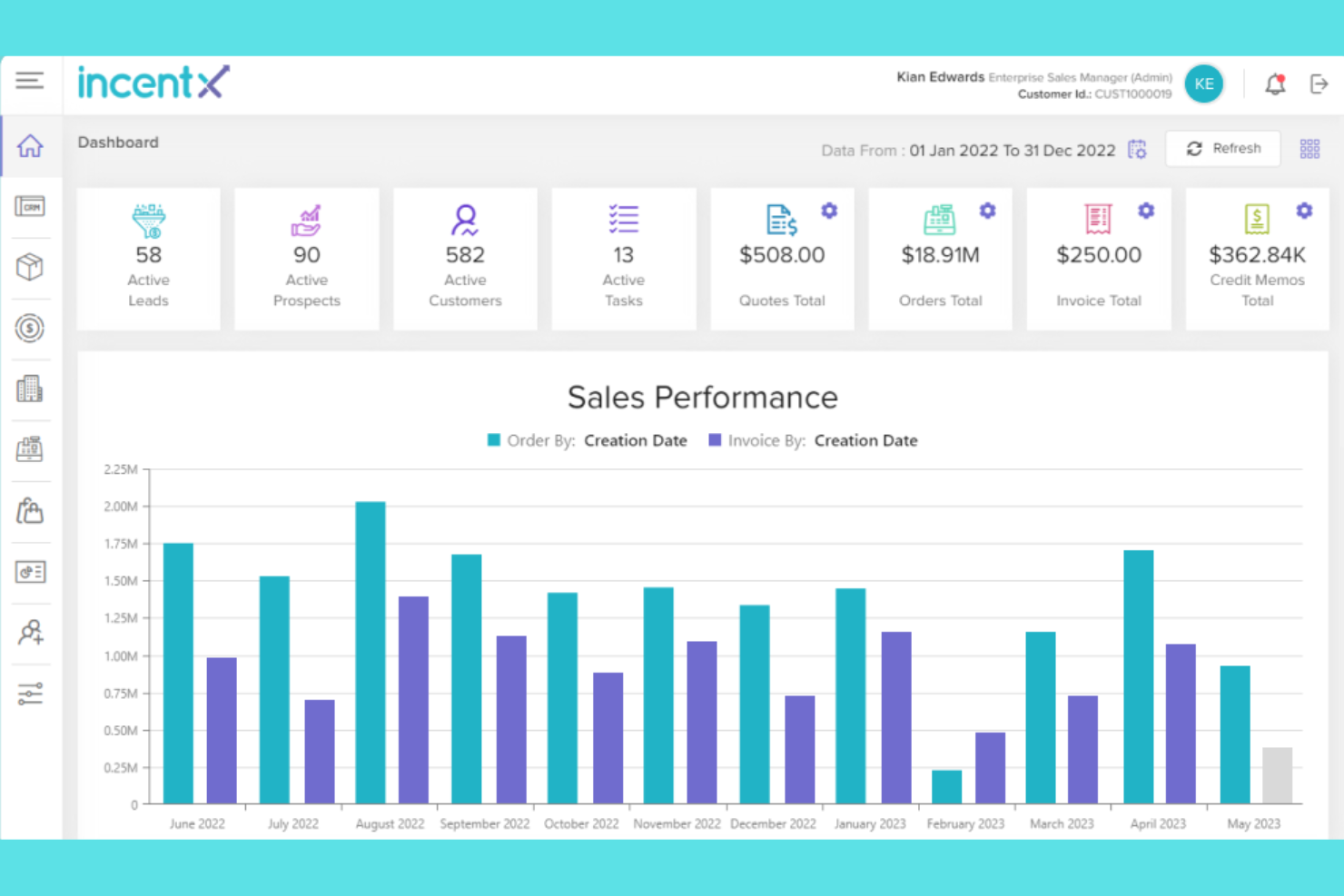
If your team needs to automate accrual tracking and manage complex rebate agreements, incentX is worth a look. This platform is designed for businesses that want to reduce manual calculations and improve rebate accuracy across multiple partners. It’s especially useful for finance and operations teams handling high volumes of rebate transactions.
Why I Picked incentX
I chose incentX because its automated accrual tracking stands out for businesses managing frequent and complex rebate transactions. The platform offers real-time accrual calculations, which help teams keep rebate liabilities accurate without manual intervention.
I also like that incentX provides detailed audit trails for every rebate entry, making it easier to track changes and maintain compliance. These features make incentX a strong fit for organizations that need to minimize errors and improve transparency in their rebate processes.
incentX Key Features
Some other features in incentX that are useful for rebate management teams include:
- Customizable rebate templates: Set up and manage different rebate structures to match your unique agreements and partner requirements.
- Automated notifications: Receive alerts for key rebate milestones, approvals, and deadlines to keep your team on track.
- Partner portal: Give suppliers and distributors secure access to view rebate statuses and submit required documentation.
- Reporting dashboard: Access real-time analytics and exportable reports to monitor rebate performance and identify trends.
incentX Integrations
Integrations include QuickBooks, Salesforce, SAP B1 HANA, SAP ByDesign, SAP S4, Sage Intacct, Sage 300, and Oracle NetSuite.
Pros and Cons
Pros:
- Customizable rebate templates support complex agreements
- Real-time reporting highlights rebate performance trends
- Automated accrual tracking reduces manual rebate calculations
Cons:
- Interface may feel dated compared to newer tools
- Limited documentation for self-service onboarding

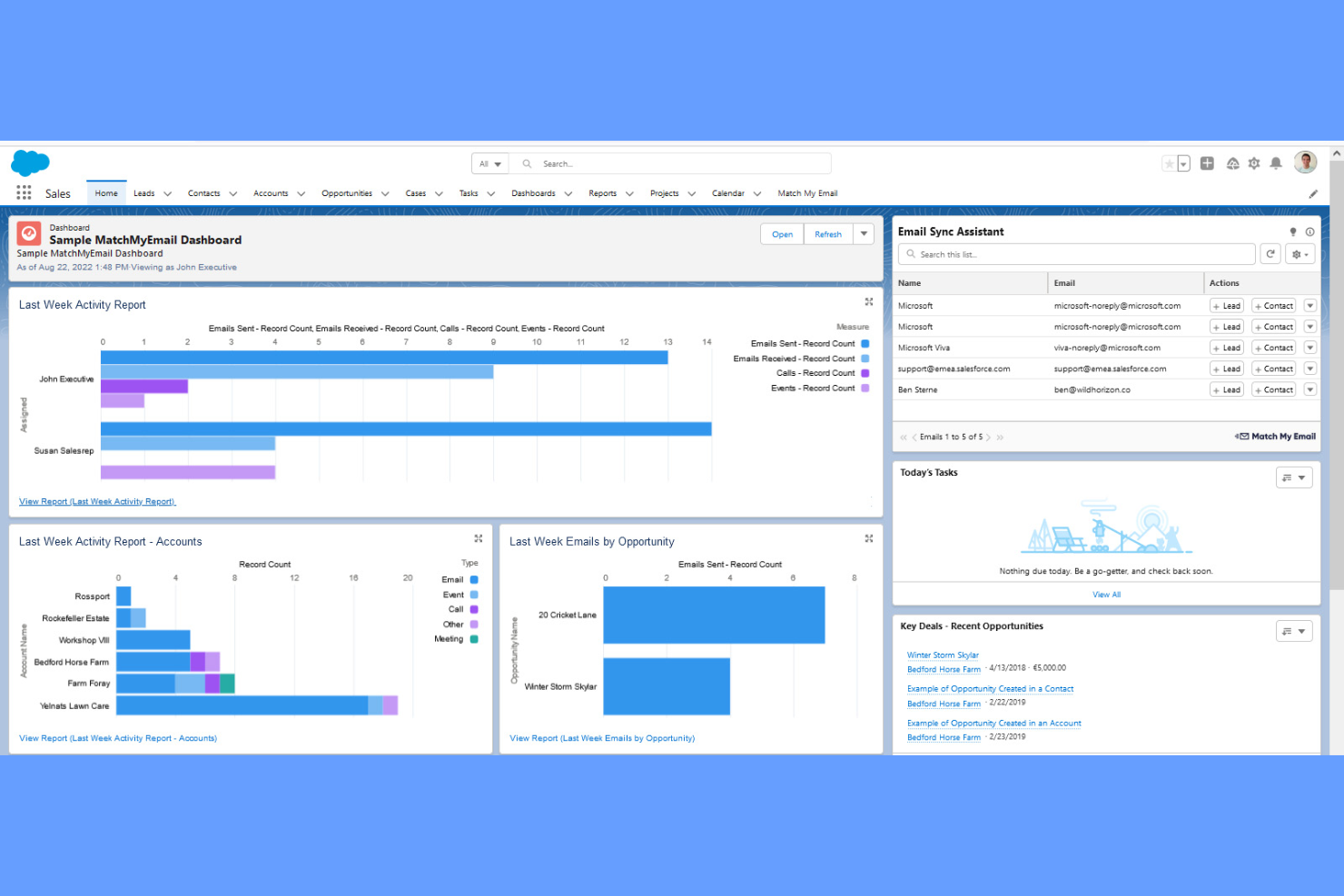
Salesforce offers rebate management capabilities that are tightly integrated with its CRM platform, making it a strong choice for sales-driven organizations. Businesses that want to connect rebate programs directly to customer data, sales activities, and deal pipelines will find this approach especially useful. The platform helps teams manage, track, and automate rebate processes within the same environment they use for customer relationships and sales forecasting.
Why I Picked Salesforce
Unlike standalone rebate management tools, Salesforce lets you manage rebates directly within your CRM workflows. This is especially valuable if your team wants to link rebate programs to customer profiles, sales opportunities, and deal histories.
Salesforce allows you to automate rebate calculations and approvals based on real-time sales data, reducing manual work and errors. With everything in one place, your sales, finance, and operations teams can collaborate more easily on rebate strategies and execution.
Salesforce Key Features
Some other Salesforce features that support rebate management include:
- Custom workflow automation: Build and automate approval processes for rebate claims and settlements.
- Advanced reporting and dashboards: Create visual reports to track rebate performance and trends.
- Role-based permissions: Control access to rebate data and workflows based on user roles.
- Integration with Salesforce AppExchange: Extend rebate management capabilities with third-party apps and add-ons.
Salesforce Integrations
Integrations include Slack, Google Workspace, Microsoft Outlook, QuickBooks, Docusign, Mailchimp, Dropbox, Jira, Tableau, and SAP.
Pros and Cons
Pros:
- Real-time dashboards visualize rebate program performance
- Custom approval workflows support rebate claim processes
- Connects rebate workflows directly to customer records
Cons:
- Limited out-of-the-box rebate templates
- Complex setup for teams without CRM experience

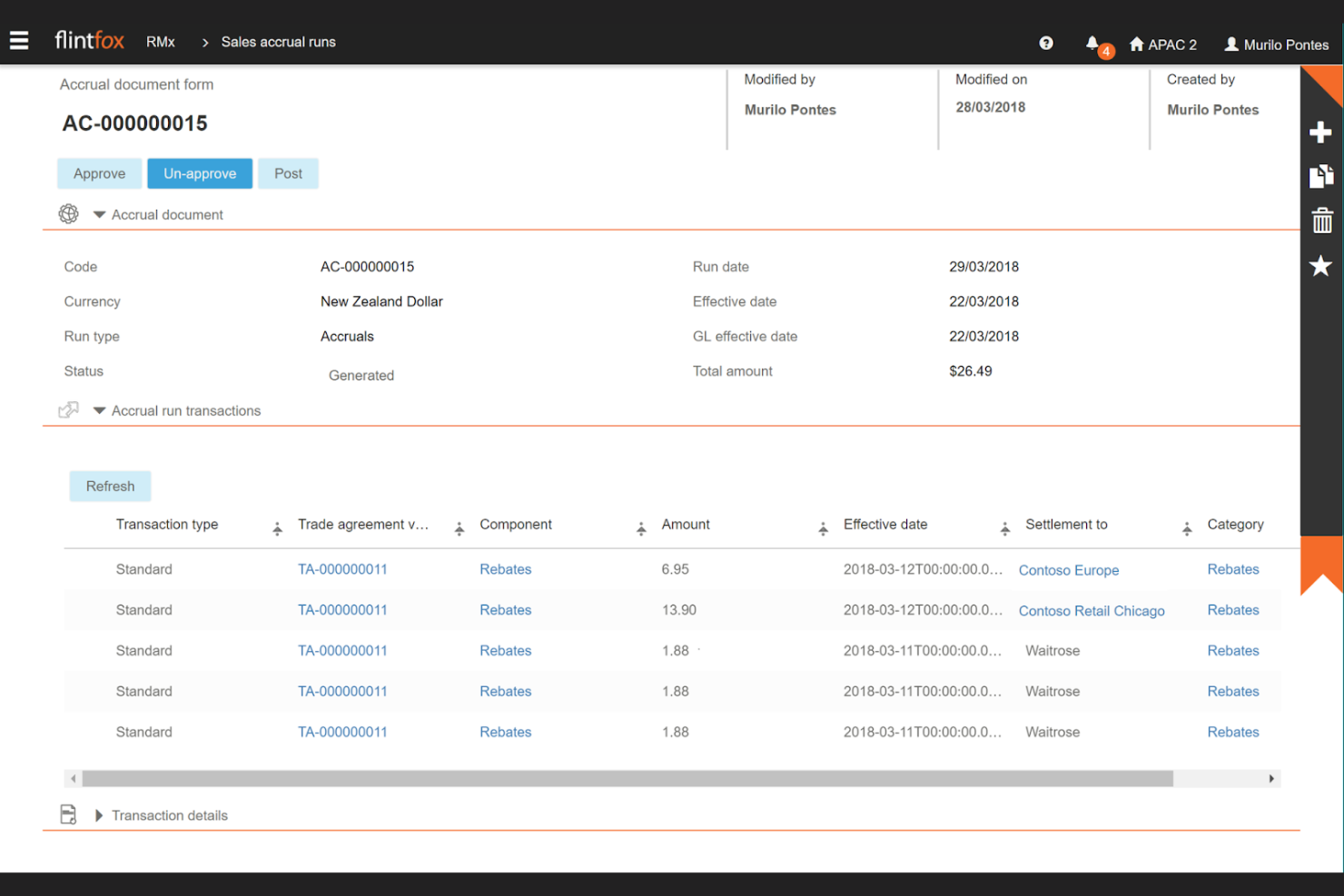
Flintfox is designed for businesses that need real-time rebate management and transaction processing. It’s a strong fit for retailers, distributors, and manufacturers who want to calculate, track, and settle rebates instantly as transactions occur. The platform helps teams manage complex pricing and rebate agreements without delays or manual intervention.
Why I Picked Flintfox
For teams that need to process rebates as transactions happen, Flintfox offers real-time calculation and settlement capabilities. The platform’s pricing engine updates rebate values instantly, so you always have accurate, up-to-date information for every deal.
Another notable feature of Flintfox is that it supports dynamic pricing and rebate adjustments, which is especially useful for businesses with fast-moving inventory and frequent promotions. This real-time approach helps reduce errors and ensures rebate agreements are always reflected in your financials.
Flintfox Key Features
Some other Flintfox features that support rebate management include:
- Multi-currency support: Manage rebates and pricing in multiple currencies for global operations.
- Audit-ready reporting: Generate detailed reports that track rebate calculations and changes for compliance.
- Role-based access controls: Set permissions for different users to manage who can view or edit rebate data.
- Integration with Microsoft Dynamics 365: Connect rebate management directly with your Dynamics 365 environment for unified workflows.
Flintfox Integrations
Integrations include Microsoft, Oracle, SAP, Infor, and Epicor.
Pros and Cons
Pros:
- Multi-currency functionality supports global rebate programs
- Supports complex pricing and rebate program structures
- Real-time rebate calculations update during transactions
Cons:
- Customization may require vendor involvement
- Implementation can require significant internal resources
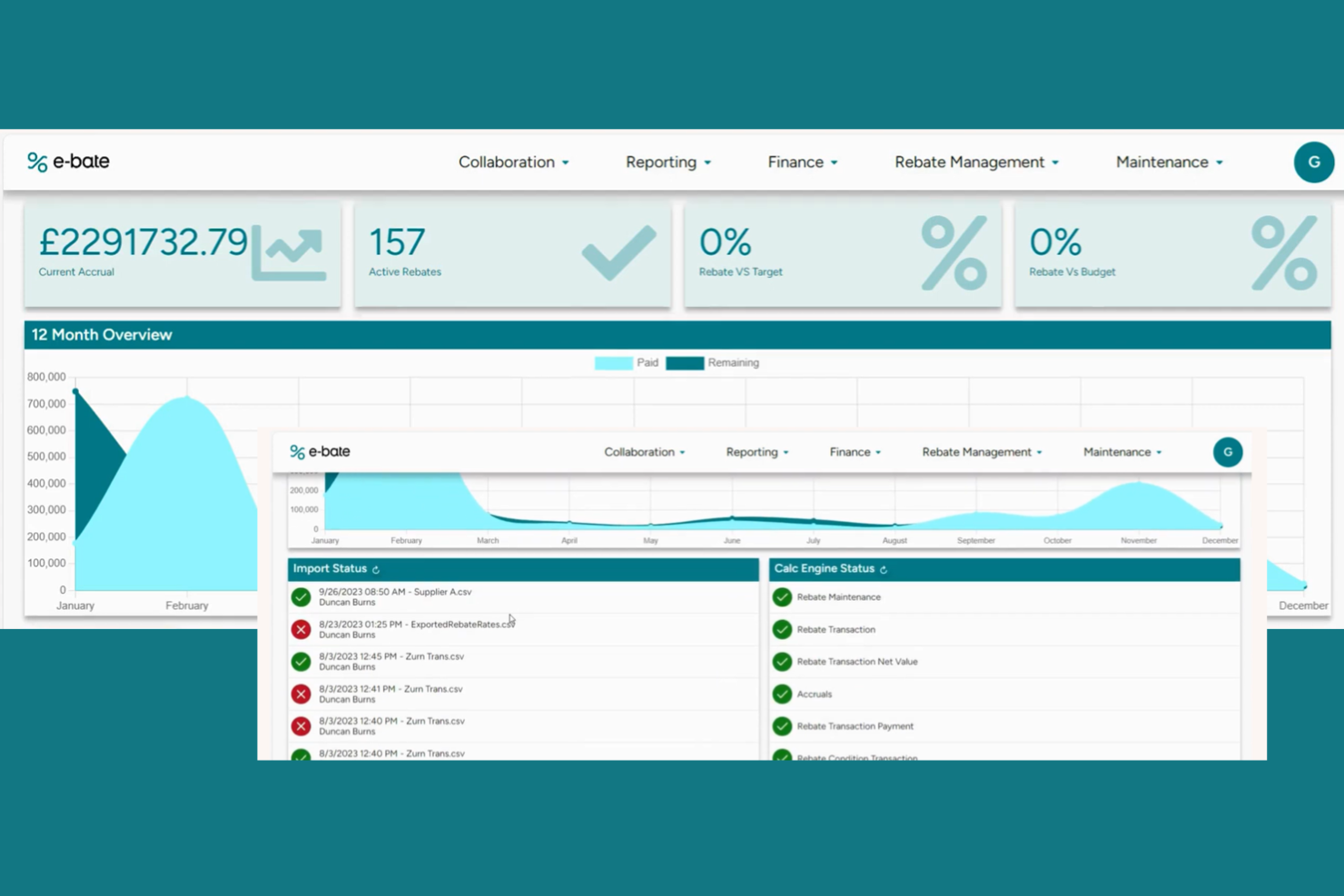
E-bate is designed for businesses that need to get their rebate management system up and running quickly, without lengthy onboarding or complex setup. It appeals to retail and ecommerce teams looking to automate rebate calculations, approvals, and reporting with minimal disruption to daily operations. If your priority is reducing time-to-value for rebate automation, E-bate’s rapid implementation approach addresses that need directly.
Why I Picked E-bate
When speed of deployment is a top priority, E-bate stands out for its rapid implementation timelines. I picked E-bate because it offers pre-configured templates and guided onboarding, which help teams launch rebate programs without long delays.
Its workflow automation tools let you set up approval processes and reporting quickly, so you can start managing rebates almost immediately. For businesses that can’t afford drawn-out software rollouts, E-bate’s focus on fast setup is a clear advantage.
E-bate Key Features
I also found several other features that support rebate management tasks:
- Real-time analytics dashboard: Monitor rebate performance and accruals with up-to-date visual reports.
- Audit trail tracking: Maintain a detailed record of all rebate-related actions and changes.
- Role-based access controls: Set permissions for users based on their responsibilities in the rebate process.
- Automated claim validation: Check rebate claims against program rules to reduce manual review.
E-bate Integrations
Integrations are not publicly listed.
Pros and Cons
Pros:
- Detailed audit trails track rebate activity
- Automated claim validation reduces manual review
- Pre-configured templates speed up rebate program setup
Cons:
- Limited information about mobile accessibility
- Custom reporting may require configuration

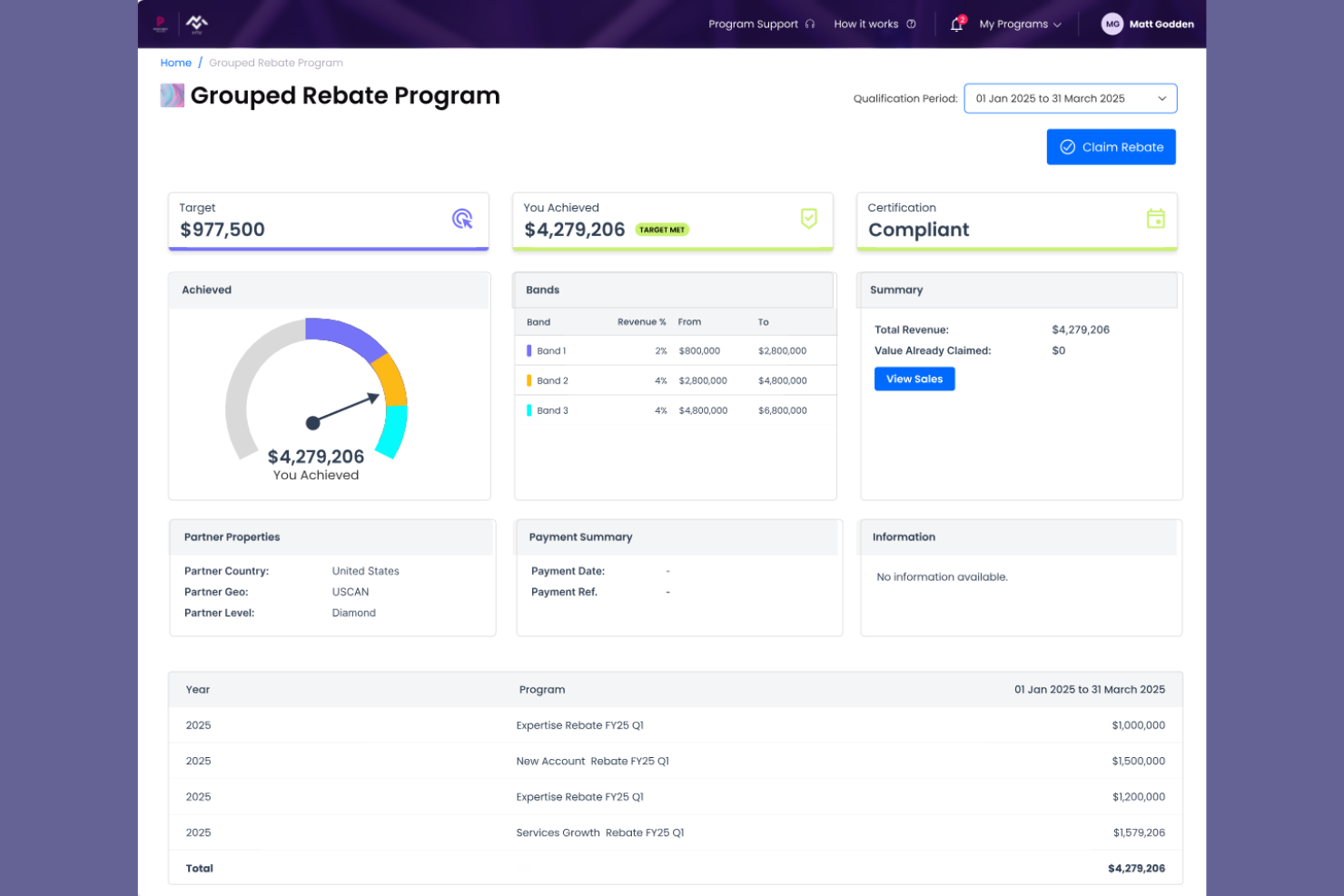
Channelscaler is built for retailers and ecommerce teams that need to manage rebates and incentives across multiple sales channels from a single platform. It’s especially useful for businesses selling on marketplaces, direct-to-consumer sites, and wholesale, where tracking rebate eligibility and performance can get complicated. By centralizing rebate management for multichannel operations, Channelscaler helps you keep control over complex, channel-specific rebate programs.
Why I Picked Channelscaler
Managing rebates across multiple sales channels can quickly become overwhelming, which is why I picked Channelscaler for its multichannel compatibility. Channelscaler lets you track, calculate, and manage rebates for products sold on different platforms—like Amazon, eBay, and your own webstore—all from one dashboard.
I appreciate how it supports channel-specific rebate rules and reporting, so you can tailor programs to each marketplace’s requirements. For businesses juggling several sales outlets, Channelscaler’s unified approach to rebate management helps reduce errors and keeps everything organized.
Channelscaler Key Features
In addition to its multichannel capabilities, I also found these features worth noting:
- Bulk data import and export: Upload or download large sets of rebate data for faster processing.
- Automated rebate calculations: Let the system handle complex rebate math based on your program rules.
- Customizable approval workflows: Set up multi-step approval processes for rebate claims.
- Audit-ready reporting tools: Generate detailed reports to support compliance and internal reviews.
Channelscaler Integrations
Integrations include Salesforce CPQ, Oracle CPQ, XTRM, Docusign, LearnUpon, Microsoft Dynamics, HubSpot CRM, Salesforce CRM, SAML, OAuth, and more.
Pros and Cons
Pros:
- Custom approval workflows structure rebate claims
- Automated calculations support complex rebate programs
- Manages rebates across multiple sales channels
Cons:
- No mention of dedicated mobile access
- Limited documentation available for new users

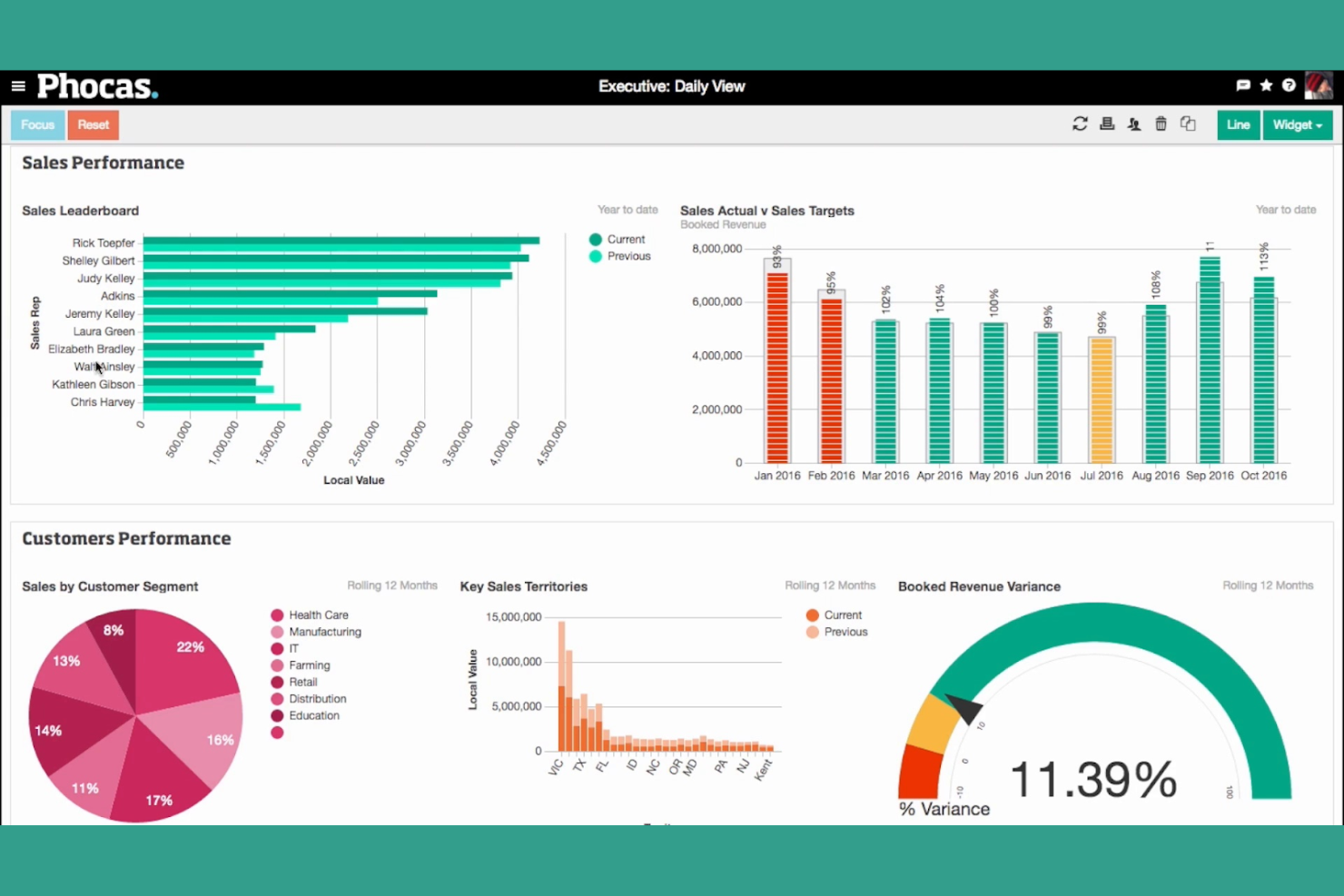
Phocas rebate management stands out for teams that want clear, visual reporting on rebate performance. If you need to track, analyze, and present rebate data in a way that’s easy for sales, finance, and operations to understand, Phocas offers interactive dashboards built for that purpose. It’s especially useful for distributors and manufacturers who want to make data-driven decisions without relying on complex spreadsheets.
Why I Picked Phocas
What sets Phocas apart in rebate management is its focus on intuitive dashboard reporting. I picked Phocas because it lets you build custom dashboards that visualize rebate accruals, claims, and payments in real time, making it easy to spot trends and exceptions.
The drag-and-drop reporting tools allow you to slice and dice rebate data by customer, product, or supplier, so you can quickly answer questions from leadership or audit teams. For businesses that want to move away from static reports and spreadsheets, Phocas offers a more interactive and visual approach to rebate tracking.
Phocas Key Features
Some other Phocas features that support rebate management include:
- Automated data consolidation: Combine rebate data from multiple sources into a single view.
- User-defined alerts: Set up notifications for rebate thresholds or unusual activity.
- Historical data analysis: Review and compare rebate performance across different time periods.
- Permission-based access: Control who can view or edit sensitive rebate information.
Phocas Integrations
Integrations include Infor, Oracle NetSuite, Epicor, Klipboard, Microsoft, MYOB, Sage, SAP, and more.
Pros and Cons
Pros:
- Alerts flag exceptions and missed rebate opportunities
- Drill-down filters reveal detailed rebate transactions
- Visual dashboards simplify rebate performance analysis
Cons:
- Limited workflow automation for rebate approvals
- Custom report creation may require training


Rebate Management Software Selection Criteria
When selecting the best rebate management software to include in this list, I considered common buyer needs and pain points like tracking rebate accruals accurately and automating complex rebate calculations. I also used the following framework to keep my evaluation structured and fair:
Core Functionality (25% of total score)
To be considered for inclusion in this list, each solution had to fulfill these common use cases:
- Create and manage rebate agreements
- Track rebate accruals and payouts
- Automate rebate calculations
- Generate rebate reports and analytics
- Integrate with ERP or accounting systems
Additional Standout Features (25% of total score)
To help further narrow down the competition, I also looked for unique features, such as:
- Real-time pricing and rebate adjustment
- AI-driven rebate optimization
- Customizable approval workflows
- Self-service partner portals
- Automated compliance and audit trails
Usability (10% of total score)
To get a sense of the usability of each system, I considered the following:
- Intuitive dashboard and navigation
- Clear labeling and logical workflows
- Minimal manual data entry required
- Responsive design for different devices
- Customizable user roles and permissions
Onboarding (10% of total score)
To evaluate the onboarding experience for each platform, I considered the following:
- Availability of training videos and documentation
- Access to onboarding specialists or support
- Pre-built templates for rebate agreements
- Interactive product tours or walkthroughs
- Step-by-step migration assistance
Customer Support (10% of total score)
To assess each software provider’s customer support services, I considered the following:
- Multiple support channels available
- Fast response times to inquiries
- Access to a knowledge base or help center
- Availability of dedicated account managers
- Community forums or user groups
Value For Money (10% of total score)
To evaluate the value for money of each platform, I considered the following:
- Transparent and predictable pricing
- Flexible plans for different business sizes
- No hidden fees or surprise charges
- Features included at each pricing tier
- Free trial or demo availability
Customer Reviews (10% of total score)
To get a sense of overall customer satisfaction, I considered the following when reading customer reviews:
- Positive feedback on rebate management features
- Reports of reliable system performance
- Comments on customer support quality
- User experiences with onboarding and training
- Suggestions for product improvements
How to Choose Rebate Management Software
It’s easy to get bogged down in long feature lists and complex pricing structures. To help you stay focused as you work through your unique software selection process, here’s a checklist of factors to keep in mind:
| Factor | What to Consider |
|---|---|
| Scalability | Will the software handle your current and projected rebate volume as your business grows? Ask about user limits, transaction caps, and upgrade paths. |
| Integrations | Does the tool connect natively to your ERP, accounting, and ecommerce platforms? Check for pre-built integrations and ask about data sync frequency. |
| Customizability | Can you tailor workflows, approval processes, and agreement templates to match your rebate programs? Consider how much configuration is possible without IT help. |
| Ease of use | Will your team be able to navigate and manage rebates without extensive training? Look for clear dashboards and logical navigation. |
| Implementation and onboarding | How long will it take to get up and running? Ask about migration support, onboarding resources, and typical time-to-value for businesses like yours. |
| Cost | Are pricing tiers transparent and predictable? Watch for hidden fees, minimum contract terms, and charges for additional users or features. |
| Security safeguards | Does the software meet your data protection standards? Ask about encryption, access controls, and audit logs, especially if handling sensitive financial data. |
| Support availability | What support channels are offered, and during what hours? Consider if you need 24/7 help, dedicated account management, or self-service resources. |
What Is Rebate Management Software?
Rebate management software is a digital rebate management solution that helps businesses create, track, and manage rebate agreements with customers, suppliers, and channel partners. It automates rebate calculations, monitors accruals and payouts, and provides reporting so teams can manage customer rebates accurately and avoid costly overpayments, improving profitability and customer loyalty.
Instead of relying on spreadsheets and other end-to-end manual processes, rebate management platforms centralize rebate data and provide real-time insights and metrics into program performance and revenue leakage. This helps organizations manage different types of rebates more effectively, support partnerships, and make informed decisions that protect the bottom line through more accurate rebates, and improve overall profitability.
Features
When selecting rebate management software, keep an eye out for the following key features:
- Rebate agreement creation: Build and customize rebate agreements with flexible terms, conditions, and tiers to match your business needs.
- Automated rebate calculations: Automatically calculate rebate amounts based on real-time sales, purchases, or other qualifying activities, reducing manual errors.
- Accrual tracking: Monitor and record rebate accruals as transactions occur, ensuring accurate financial reporting and forecasting.
- Payout management: Schedule, process, and track rebate payments to customers or partners, with clear visibility into payment status.
- Audit trails: Maintain a detailed history of all changes to rebate agreements and transactions for compliance and transparency.
- Reporting and analytics: Generate detailed reports and dashboards to analyze rebate program performance, identify trends, and support decision-making.
- Role-based access controls: Assign permissions and access levels to users based on their responsibilities, protecting sensitive data.
- ERP and accounting integrations: Connect directly with your existing ERP or accounting systems to sync data and streamline workflows.
- Document management: Store, organize, and retrieve all rebate-related documents and agreements in a centralized location.
- Workflow automation: Automate approval processes, notifications, and other routine tasks to keep rebate programs running smoothly.
Benefits
Implementing rebate management software provides several benefits for your team and your busineImplementing rebate management software provides several benefits for your team and your business. Here are a few you can expect:
- Improved accuracy: Automated calculations and accrual tracking reduce errors from manual processes, ensuring every accurate rebate payment is recorded properly.
- Greater visibility: Dashboards and analytics deliver real-time insights into rebate performance, helping leaders monitor results and protect the company’s bottom line.
- Better decision-making: Access to detailed metrics and performance data enables teams to make informed decisions about rebate initiatives and partner programs.
- Stronger partner relationships: Structured programs for customer rebates and incentives for channel partners help reinforce partnerships and support long-term customer loyalty.
- Operational efficiency: Automated workflows and integrated systems help businesses streamline operations, reducing administrative workload for finance teams and sales teams.
- Higher profitability: By controlling rebate spending, preventing overpayments, and improving visibility into program performance, organizations can protect margins and enhance overall profitability.
- Improved user adoption: Modern rebate management platforms often include a user-friendly interface, making it easier for teams to manage rebate programs and collaborate across departments.
Costs and Pricing
Selecting rebate management software requires an understanding of the various pricing models and plans available. Costs vary based on features, team size, add-ons, and more. The table below summarizes common plans, their average prices, and typical features included in rebate management software solutions:
Plan Comparison Table for Rebate Management Software
| Plan Type | Average Price | Common Features |
|---|---|---|
| Free Plan | $0 | Basic rebate agreement creation, limited reporting, manual payout tracking, and email support. |
| Personal Plan | $25-$75/user/month | Automated calculations, accrual tracking, standard reporting, single-user access, and basic support. |
| Business Plan | $75-$200/user/month | Multi-user access, workflow automation, ERP integrations, advanced analytics, and role-based controls. |
| Enterprise Plan | $200-$500+/user/month | Custom integrations, dedicated account management, audit trails, compliance tools, and priority support. |
Rebate Management Software FAQs
Here are some answers to common questions about rebate management software:
How does rebate management software help with compliance?
Rebate management software helps with compliance by maintaining detailed audit trails, enforcing approval workflows, and storing all agreement changes. This makes it easier to meet regulatory requirements and provide documentation during audits.
Can rebate management software integrate with my existing ERP or accounting system?
Yes, most rebate management software solutions offer integrations with popular ERP and accounting systems. This allows you to sync transaction data, automate accruals, and reduce manual data entry across platforms.
What types of businesses benefit most from rebate management software?
Businesses that manage complex rebate programs, such as manufacturers, distributors, and retailers, benefit most. These organizations often handle high transaction volumes and need to track multiple agreements, making automation and reporting essential.
How long does it take to implement rebate management software?
Implementation timelines vary, but most businesses can expect a process ranging from a few weeks to several months. Factors include data migration needs, integration complexity, and the level of customization required.
What should I look for when evaluating rebate management software vendors?
Look for vendors with transparent pricing, strong customer support, flexible integration options, and a proven track record in your industry. Ask about onboarding resources, security safeguards, and the ability to customize workflows to fit your business.
What’s Next:
If you're in the process of researching rebate management software, connect with a SoftwareSelect advisor for free recommendations.
You fill out a form and have a quick chat where they get into the specifics of your needs. Then you'll get a shortlist of software to review. They'll even support you through the entire buying process, including price negotiations.