

Dacă sunteți în căutarea unor alternative la Square, veți găsi numeroase sisteme POS și procesatori de plăți care oferă comisioane mai mici, prețuri mai flexibile și instrumente avansate de gestionare a stocurilor, adaptate nevoilor afacerii dumneavoastră.
Am gestionat timp de ani de zile operațiuni logistice și de retail, așa că știu ce funcționează cu adevărat pentru întreprinderile mici și comercianții care încearcă să gestioneze mai multe canale de vânzare.
În acest articol, voi analiza cele mai bune alternative la Square, evidențiind punctele forte și punctele slabe ale fiecăreia, astfel încât să puteți găsi rapid o soluție de plată care se potrivește cu adevărat afacerii dumneavoastră.
Why Trust Our Software Recommendations
6,700+
Reviews
20
Industry experts
16+
Evaluation factors
14
Years
Our team has been testing and reviewing software since 2012. As retail leaders ourselves, we know how difficult—and important—it is to choose the right software.
For this guide, we evaluated tools using hands-on testing and independent research, scoring tools using our selection criteria.
Our reviews reflect our independent judgment—not a sales pitch.
Tabel comparativ: alternative la Square
Acest tabel comparativ rezumă detaliile de preț pentru principalele mele selecții de alternative la Square.
Score legend (out of 5)
- Excellent4.5–5
- Good4–4.4
- Average3–3.9
- Below average2–2.9
- Poor1–1.9
Sorted by: Default
| Tool | Starting Price | Website | |||||||
|---|---|---|---|---|---|---|---|---|---|
Best for affordable subscription pricing | Not rated | 4 | Not rated | 2 | 3 | Not rated | 2 | Pricing upon request Free demo available | Website |
Best for predictable processing costs | 2.8 out of 5 | 4 | 2 | 3 | 3 | 2 | 3 | $99/month Free demo available | Website |
Best for developer-friendly payment integration | 3.0 out of 5 | 5 | 1 | 4 | 4 | 2 | 2 | $0/month Free plan + Free demo available | Website |
Best for integrated ecommerce and payment processing | 4.2 out of 5 | 4 | 4 | 5 | 4 | 4 | 4 | $29/month 3-day free trial + free demo available | Website |
Best for PayPal and Venmo QR payments | 3.5 out of 5 | 4 | 4 | 3 | 4 | 2 | 4 | Pricing upon request Free plan + demo available | Website |
Best for low-cost mobile payment solutions | Not rated | 4 | 2 | Not rated | 2 | Not rated | 3 | $49/month Free plan + free demo available | Website |
Best for recurring billing management | Not rated | 2 | Not rated | Not rated | 3 | Not rated | Not rated | $17 CAD/month Free demo available | Website |
Best for global payment processing solutions | 3.7 out of 5 | 3 | 4 | 3 | 4 | 4 | 4 | $42/month Free plan available | Website |
Best for large-scale Canadian businesses | 4.0 out of 5 | 4 | 4 | 4 | 4 | 4 | 4 | Pricing upon request Not available | Website |
Best for switching processors, keeping carts | Not rated | 4 | 2 | 3 | 4 | Not rated | 3 | $99/month Free demo available | Website |


Cele mai bune 10 alternative la Square, analizate
Iată analiza mea directă a fiecăreia dintre principalele alternative la Square. Analizez caracteristicile reale, avantajele și dezavantajele, integrările și tipul de utilizator pentru care a fost conceput fiecare furnizor, astfel încât să nu rămâneți captivi în afirmații de marketing.
 Best for affordable subscription pricing
- Free demo available
- Pricing upon request
Visit WebsiteCustomer Rating:4.7/5
Payment Depot simplifies payment processing with interchange plus pricing. Payment Depot is a payment processing service built for businesses that want to cut transaction costs, offering in-person, online, mobile, and invoiced payment acceptance through interchange-plus pricing with no markup on interchange.
Who Is Payment Depot Best For?
Payment Depot is a strong fit for US-based small businesses that prioritize keeping transaction costs low over having a full-featured POS or commerce platform.
Why I Picked Payment Depot
I picked Payment Depot because it's one of the few processors that charges zero markup on interchange, meaning you pay the raw card network rate plus a small flat fee ($0.08 for in-person, $0.15 for keyed or online). I appreciate that the subscription rate is fully negotiable, and higher-volume businesses can push those per-transaction costs down further. If your main frustration with Square is the flat-rate fee eating into margins on large or frequent transactions, Payment Depot directly targets that problem.
Payment Depot Key Features
- Interchange-plus pricing: Charges the raw card network rate plus a flat per-transaction fee, with no percentage markup added on top of interchange.
- Next-business-day funding: Deposits card payment proceeds into your account the following business day.
- Invoicing and recurring billing: Sends customizable invoices by email or text and supports scheduled recurring billing for repeat customers.
- SwipeSimple mobile app: Accepts keyed, swiped, or tapped payments on the go, with support for tips, a product catalog, and returns.
Payment Depot Integrations
Native integrations are not clearly documented. Payment Depot offers an API for custom integrations and supports multiple payment gateways, but it doesn't name specific gateway vendors.
Pros and Cons
Pros:
- Deposit reconciliation helps track settlements
- Accepts payments in-store and online
- Lower processing costs praised by reviewers
Cons:
- Reviewers report support and terminal issues
- No documented inventory or multi-location controls
Learn more about Payment Depot: 2Best for predictable processing costs
Stax
- Free demo available
- From $99/month
Visit WebsiteCustomer Rating:4.2/5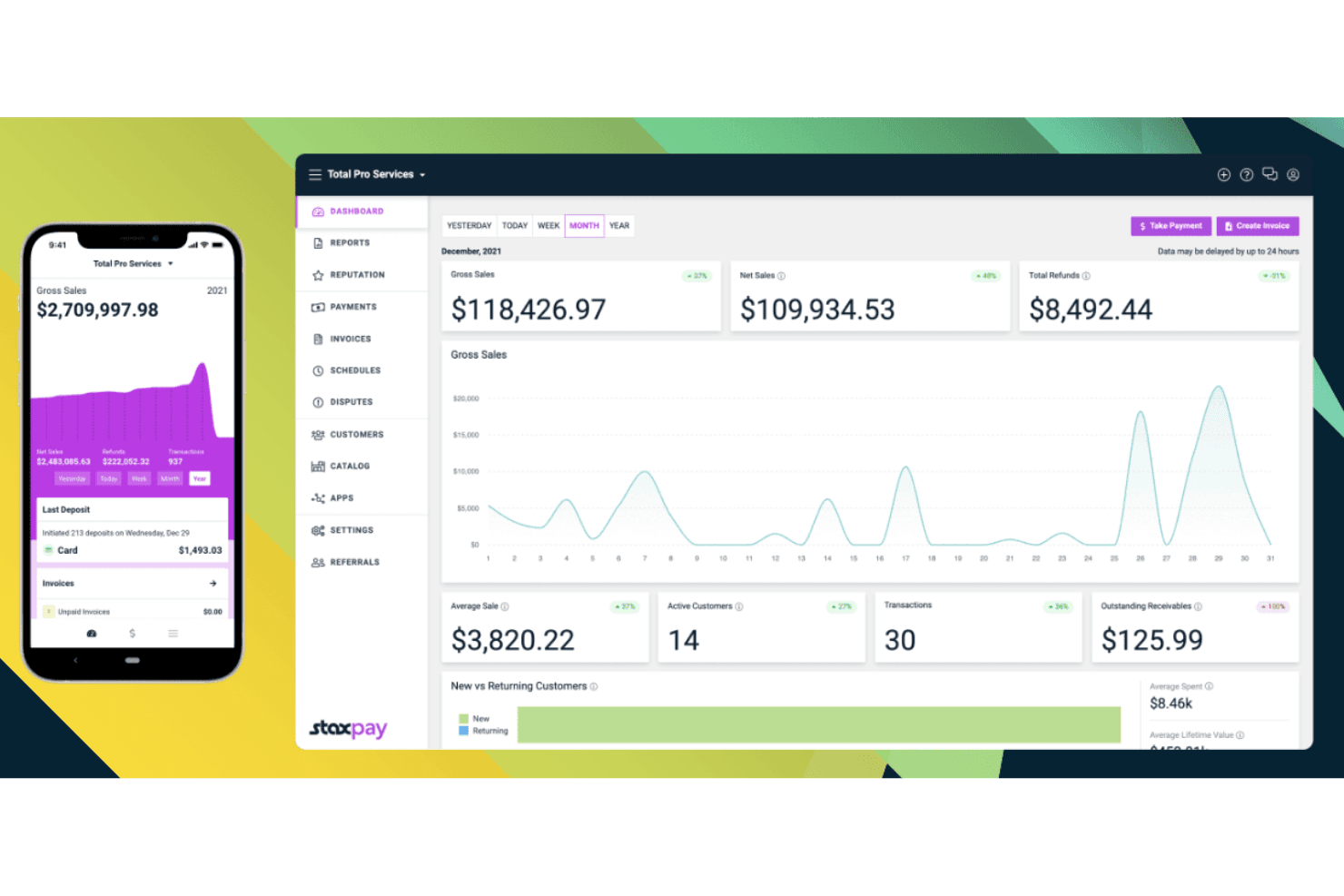
Stax gives users a real-time dashboard to monitor sales and payments. Stax is a payment processing platform built for businesses that want transparent, interchange-based pricing across in-person, online, and mobile sales channels.
Who Is Stax Best For?
Stax is a strong fit for businesses processing more than $10,000 per month that want to cut processing costs with transparent, interchange-based pricing.
Why I Picked Stax
I picked Stax as one of the best Square alternatives because its subscription-based pricing removes the percentage markup on interchange entirely, which is where most processors quietly take their cut. Instead, you pay a flat monthly fee starting at $99, plus small per-transaction fees of $0.08 for card-present and $0.15 for keyed or online payments. If you're processing more than $10,000 a month, those savings add up fast compared to Square's flat-rate model.
Stax Key Features
- Hosted payment pages: Create no-code payment pages to accept online payments without redirecting customers away from your site.
- Recurring billing: Schedule automatic recurring payments using saved customer profiles and stored payment methods.
- Text2Pay: Send payment requests directly to customers via text message for fast, mobile-friendly payment collection.
- RESTful API and SDKs: Connect Stax to your website, software, or mobile app using a language-agnostic API with JavaScript, Python, iOS, and Android SDKs.
Stax Integrations
Stax has documented integrations with Google, Facebook Business, QuickBooks, and Xero. Its RESTful API and webhooks support custom connections with Slack, Zapier, Microsoft Office, Google Suite, and CRMs.
Pros and Cons
Pros:
- Reviewers value helpful onboarding support
- Reviewers praise timely next-business-day payouts
- Predictable interchange-based processing costs
Cons:
- Limited native retail inventory controls
- Subscription overhead can erase savings
Learn more about Stax: Best for developer-friendly payment integration
- Free plan + Free demo available
- From $0/month
Visit WebsiteCustomer Rating:4.6/5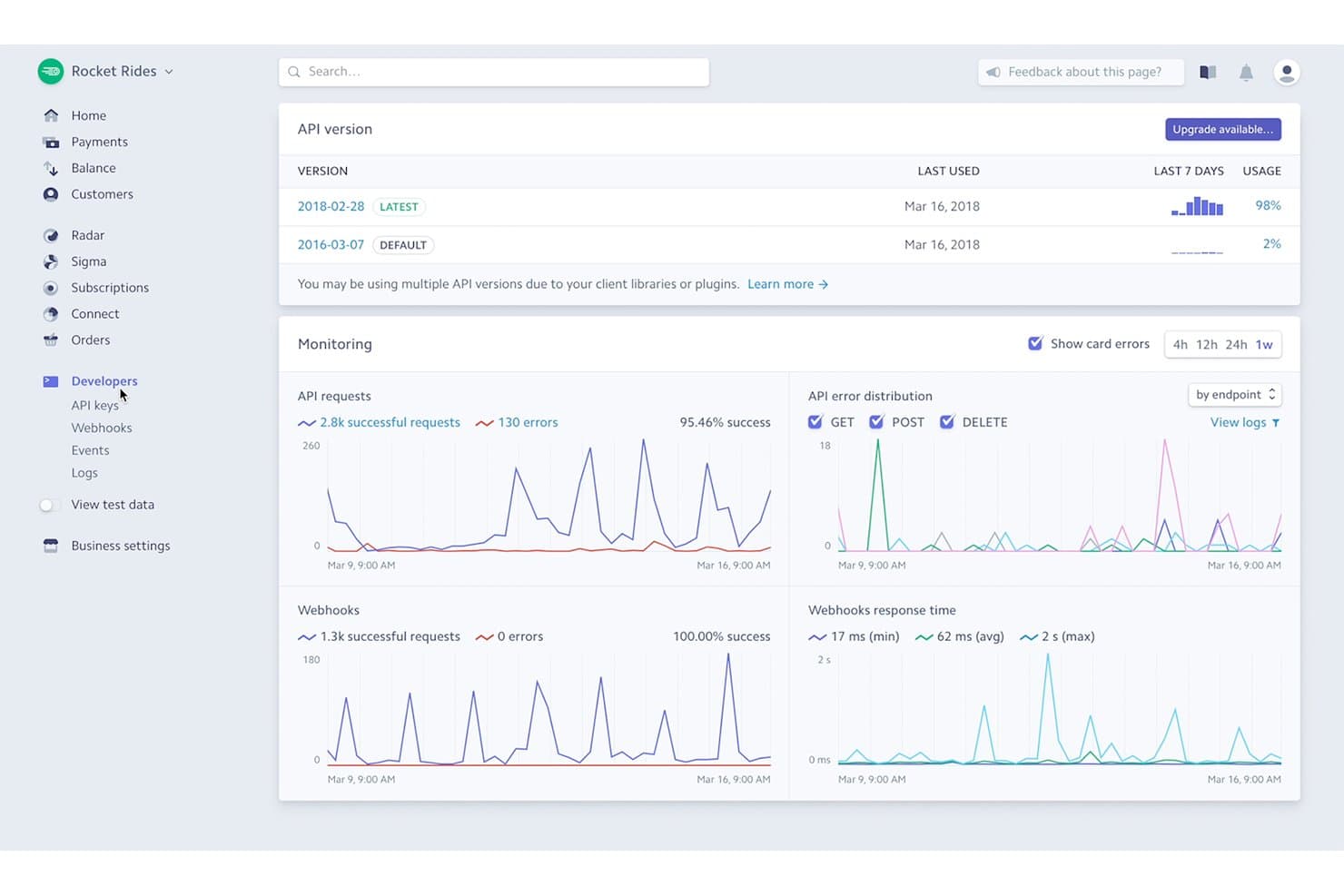
Stripe lets developers monitor API requests and webhook activity in real time. Stripe is a payment processing platform built for businesses that sell online, in person, or across borders, letting you accept cards, digital wallets, buy now pay later, and bank payments from a single account.
Who Is Stripe Best For?
Stripe is a strong fit for ecommerce businesses and developers who need flexible, API-driven payment integration across multiple channels and markets.
Why I Picked Stripe
I picked Stripe as one of the best Square alternatives because of how much control it gives developers over the payment experience. I love that you can build a fully custom checkout using Stripe Elements, embed a hosted Checkout page, or spin up a no-code Payment Link in minutes, all within the same account that handles your in-person Terminal transactions. For omnichannel sellers running online stores on WooCommerce or Magento alongside physical locations, that unified account view is genuinely useful.
Stripe Key Features
- Payment Links: Generate no-code payment pages to sell products, start subscriptions, or accept donations, shareable via email, SMS, or QR code.
- Stripe Sigma: Run custom SQL queries against your Stripe data, use prebuilt templates, and schedule automated reports from within the Dashboard.
- Multi-currency settlement: Accept payments in 135+ currencies and receive payouts in preferred currencies across select regions from a single account.
- Role-based access controls: Assign team members specific roles—including a Terminal Specialist role—to limit access to sensitive data and account actions.
Stripe Integrations
Stripe offers hundreds of integrations, including native plugins for WooCommerce, WordPress, Magento, PrestaShop, and Shopware, plus marketplace integrations with Xero and QuickBooks. Its APIs, webhooks, and SDKs support custom ecommerce and omnichannel connections.
Pros and Cons
Pros:
- Online and in-person payments share one account
- Broad payment choices support global customers
- Flexible checkout supports tailored buying journeys
Cons:
- Native inventory and stock tracking are absent
- Ready-made Terminal apps aren’t full POS systems
 Best for integrated ecommerce and payment processing
- 3-day free trial + free demo available
- From $29/month (billed annually)
Visit WebsiteCustomer Rating:4.5/5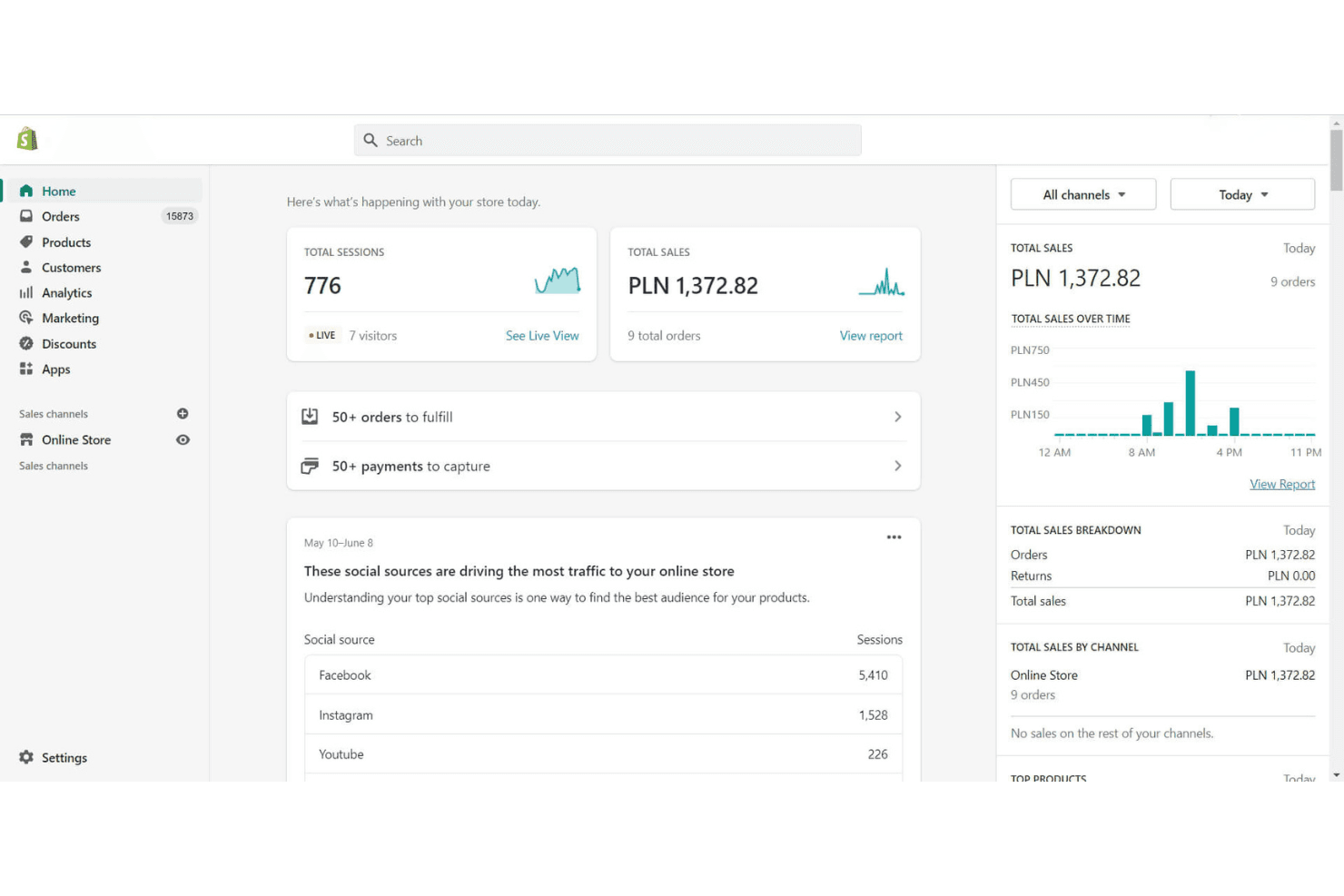
Shopify's dashboard gives sellers a real-time overview of sales and traffic. Shopify is an ecommerce and POS platform that lets retailers unify in-person and online sales, inventory, and customer data in one back office—making it a strong fit for omnichannel sellers and retail businesses that want to manage their entire operation from a single system.
Who Is Shopify Best For?
Shopify is a natural fit for omnichannel retailers and ecommerce sellers who want their in-store and online operations running from a single back office.
Why I Picked Shopify
Shopify earns its spot on my shortlist because it's the only platform here that treats ecommerce and in-person selling as a single system rather than two products bolted together. I love how inventory syncs in real time across your online store, POS, and other sales channels, so when a customer buys in store, your Shopify storefront reflects it instantly. You can also handle ship-from-store, curbside pickup, and in-store returns for online orders, all from the same back office.
Shopify Key Features
- Multi-location inventory sync: Track stock at each location and sync quantities in real time across your POS, online store, and other sales channels.
- Shopify Payments processing: Accept major cards, debit, and digital wallets in person and online through Shopify's built-in payment processor, with plan-tiered card rates.
- Staff PINs, roles, and permissions: Assign individual POS login PINs to staff and, with POS Pro, set custom roles and require manager approval for specific actions.
- Customizable smart grid checkout: Adapt the POS checkout interface with a smart grid that updates dynamically based on cart actions to guide staff through each transaction.
Shopify Integrations
Shopify offers 21,000+ marketplace integrations, including Smile.io, Shopify Bundles, EasyTeam POS Staff Management, and Appointo. It also supports GraphQL Admin API, webhooks, events, and POS UI extensions for custom integrations.
Pros and Cons
Pros:
- Quick checkout for seasonal staff onboarding
- Cross-location fulfillment for online orders
- Unified online and in-store inventory
Cons:
- Restaurant workflows lack tables and kitchen routing
- Wireless readers and printers sometimes disconnect
 Best for PayPal and Venmo QR payments
- Free plan + demo available
- Pricing upon request
Visit WebsiteCustomer Rating:4.6/5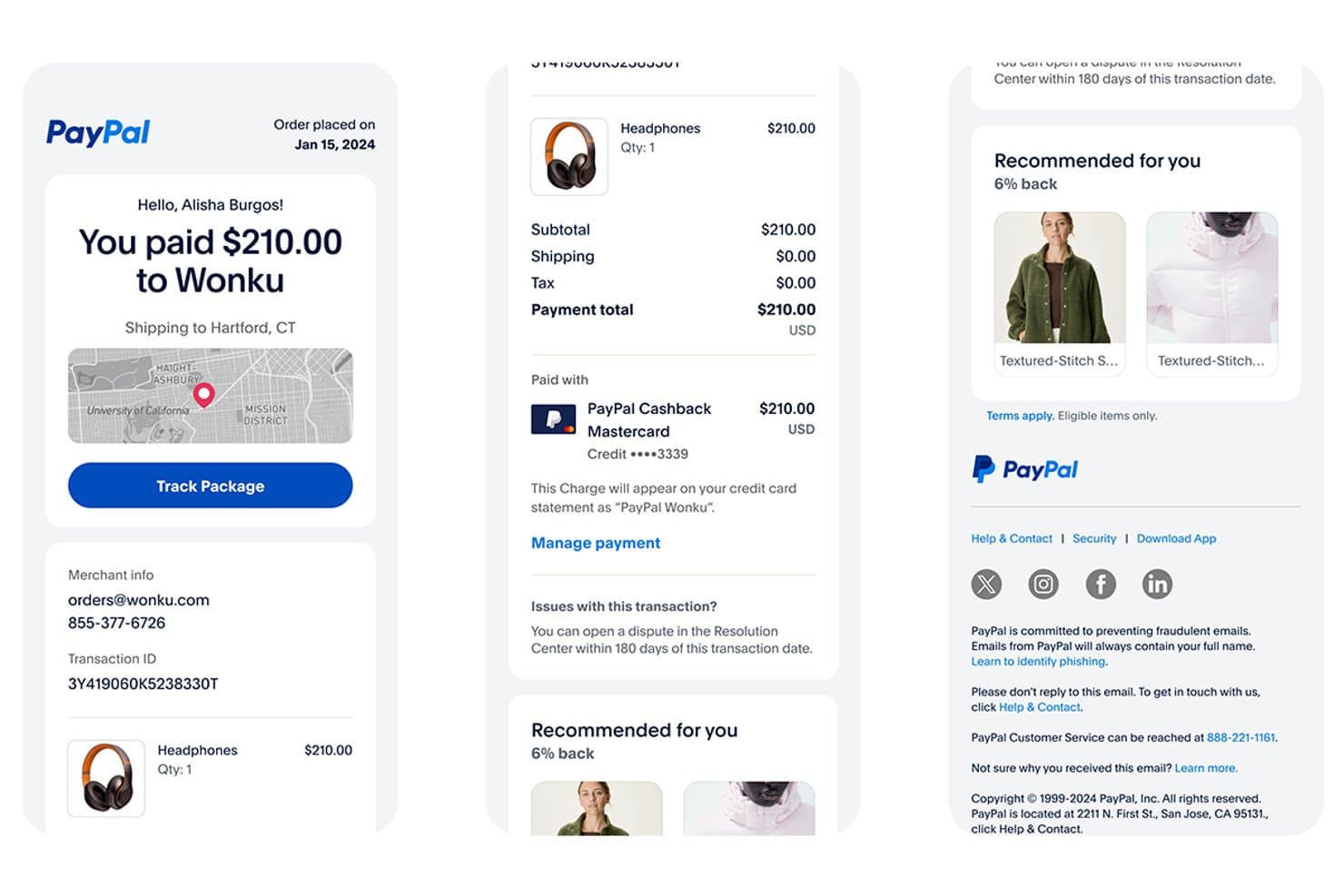
PayPal sends detailed smart receipts with tracking and payment info. PayPal Point of Sale is a payment processing and POS platform built for small businesses that want to accept in-person card, contactless, and digital wallet payments without monthly software fees or long-term commitments.
Who Is PayPal Best For?
PayPal Point of Sale is a strong fit for small business owners who already use PayPal and want lower in-person processing fees without paying a monthly software fee.
Why I Picked PayPal
PayPal earns its spot on my shortlist because it's one of the few Square alternatives built around a payment network that customers already trust globally. I particularly like that PayPal and Venmo QR code payments can be accepted directly through the POS app, which means my customers can pay using their existing digital wallets without any friction. The in-person card-present rate of 2.29% + $0.09 also edges out Square's standard rate, which matters when you're processing high volumes.
PayPal Key Features
- Staff sub-accounts: Create individual employee accounts and assign specific permitted actions directly within POS account settings.
- POS Loyalty program: Set up signup coupons and spending-based rewards with configurable discount rates of 5%, 10%, 15%, or 20%.
- Sales reporting with exports: View sales breakdowns by product, category, staff, and payment method, then export reports as PDF or Excel files.
- Tap to Pay: Accept contactless cards and digital wallets using just the PayPal POS app on a compatible phone, with no extra hardware needed.
PayPal Integrations
PayPal offers native integrations with Shopify, QuickBooks, and Xero for syncing ecommerce, sales, inventory, and payment data. Its POS APIs, webhooks, and OAuth 2.0 support custom integrations.
Pros and Cons
Pros:
- Useful stock counts and sales reports
- Fast reader pairing for in-person sales
- PayPal and Venmo QR payment acceptance
Cons:
- Limited support for multiple store locations
- Account holds can interrupt payment access
 Best for low-cost mobile payment solutions
- Free plan + free demo available
- From $49/month
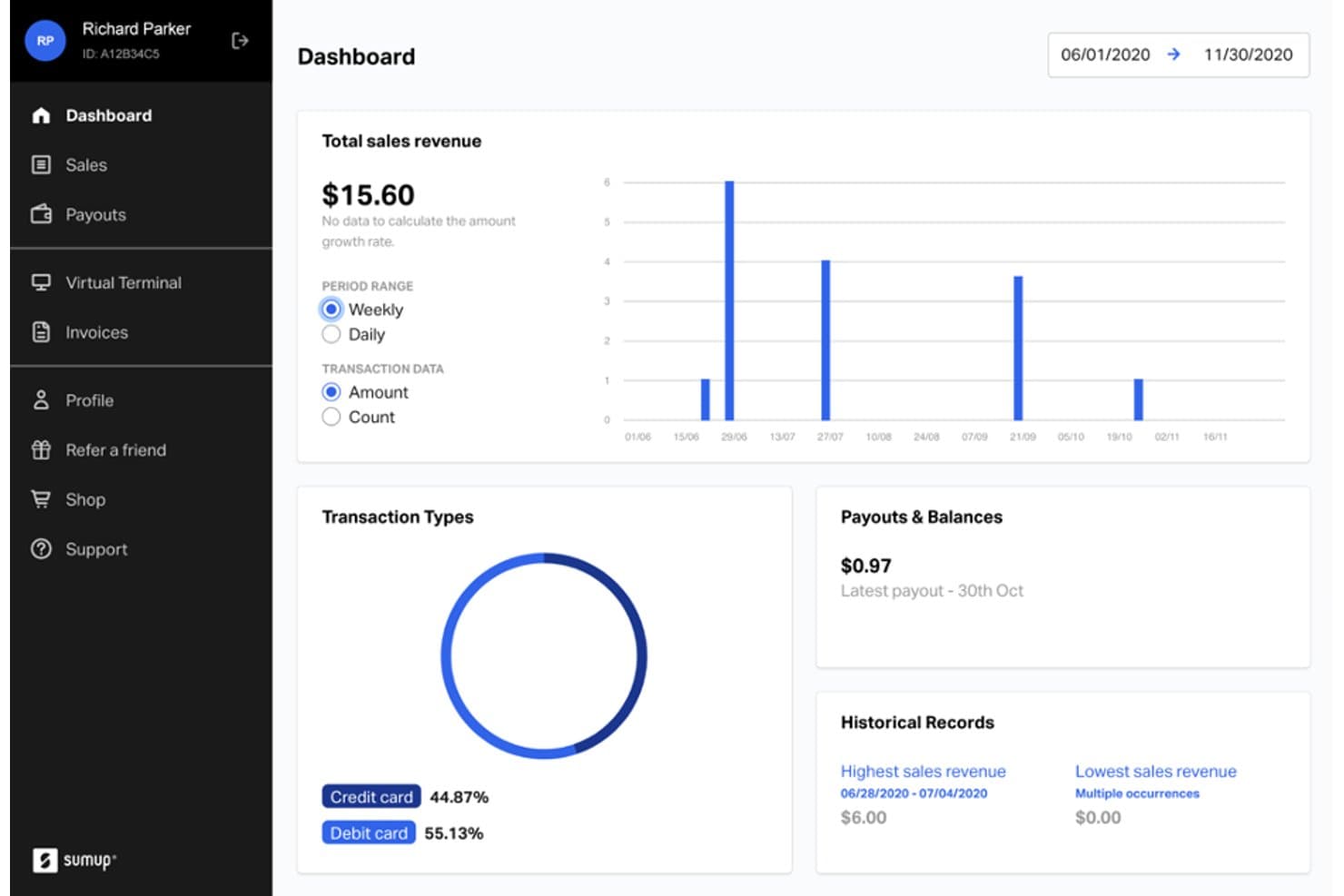
SumUp displays sales revenue, transaction types, and payout history at a glance. SumUp is a card reader and mobile POS solution built for small businesses, retailers, and food service operators who want to accept in-person payments without complex setup or high processing fees.
Who Is SumUp Best For?
SumUp is a strong fit for small businesses, market sellers, and food service operators who want a low-cost, no-contract way to accept in-person card payments.
Why I Picked SumUp
I picked SumUp as one of the best because it keeps mobile payment costs genuinely low, charging 2.6% + $0.10 per in-person transaction with no sign-up fees, monthly minimums, or fixed contracts. I love that the Solo reader operates as a true standalone device, letting you take payments at a market stall or pop-up without pairing a phone or tablet. The Terminal takes that portability further, with a handheld POS built for busy retail and hospitality environments where a fixed counter isn't always practical.
SumUp Key Features
- Item catalog with stock tracking: Enable inventory tracking per product, manually update quantities, and assign SKUs or product variations like size, color, or flavor.
- Tap to Pay on iPhone and Android: Accept contactless payments directly on a compatible smartphone using the SumUp Business app, with no card reader required.
- Customizable tipping: Offer customers preset tip options based on the payment amount, with the option to skip, directly from the reader screen.
- PCI-DSS compliance and 256-bit encryption: SumUp processes all card payments under PCI-DSS standards and encrypts transaction data at 256-bit strength.
SumUp Integrations
SumUp doesn't have any clearly documented native integrations. It supports custom connectivity through its Cloud API and Reader SDKs for iOS and Android.
Pros and Cons
Pros:
- Reviewers report quick setup and checkout
- Standalone reader suits market-stall selling
- Lower, transparent transaction fees
Cons:
- Limited online-store inventory and ordering support
- Connectivity issues can interrupt card acceptance
Learn more about SumUp: Best for recurring billing management
- Free demo available
- From $17 CAD/month
Visit WebsiteCustomer Rating:4.7/5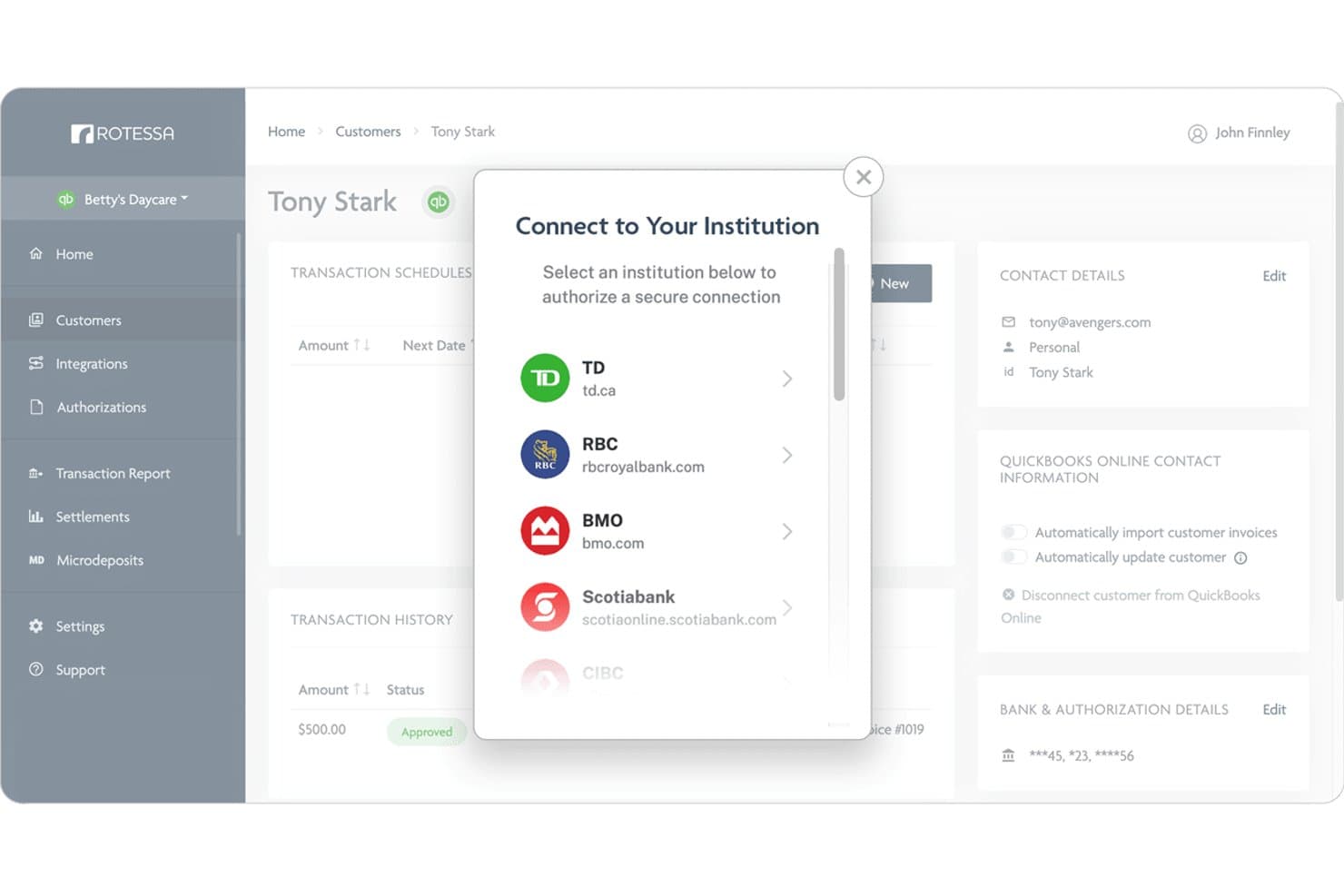
Rotessa lets users connect bank accounts via secure institution selection. Rotessa is a recurring bank-debit payment platform built for small businesses that need to collect pre-authorized payments from customers on a predictable schedule—without relying on card networks or percentage-based processing fees.
Who Is Rotessa Best For?
Rotessa is a strong fit for small businesses that collect recurring payments on a schedule—think membership organizations, childcare providers, or professional-services firms billing monthly retainers.
Why I Picked Rotessa
I picked Rotessa as one of the best because it's purpose-built for businesses that collect the same payment from the same customers on a schedule, something Square simply wasn't designed to handle. Where Square requires a card swipe or tap, Rotessa lets you pull pre-authorized bank debits (PAD in Canada, ACH in the US) automatically on whatever date and frequency you set. I especially like that you can connect it to QuickBooks Online or Xero so outstanding invoices trigger payment collection without any manual follow-up.
Rotessa Key Features
- Pre-authorized bank debit scheduling: Set the amount, frequency, and start date for automatic withdrawals from customers' bank accounts on a recurring or one-time basis.
- CSV bulk customer import: Upload customer information in bulk using a CSV file to populate your account without manual data entry.
- User permissions management: Create multiple user accounts with different permission levels to control who can access and manage payment data.
- Zapier integration: Connect Rotessa to over 1,000 apps through Zapier to trigger automated workflows based on payment events.
Rotessa Integrations
Rotessa offers native integrations with QuickBooks Online and Xero, an API for custom integrations, and integrations with over 1,000 apps through Zapier.
Pros and Cons
Pros:
- Reviewers praise responsive customer support
- Automated recurring collections reduce payment follow-up
- Flat-fee debits avoid percentage card fees
Cons:
- Bank debit settlements take five business days
- No card, contactless, or point-of-sale checkout
Learn more about Rotessa: Best for global payment processing solutions
- Free plan available
- From $42/month
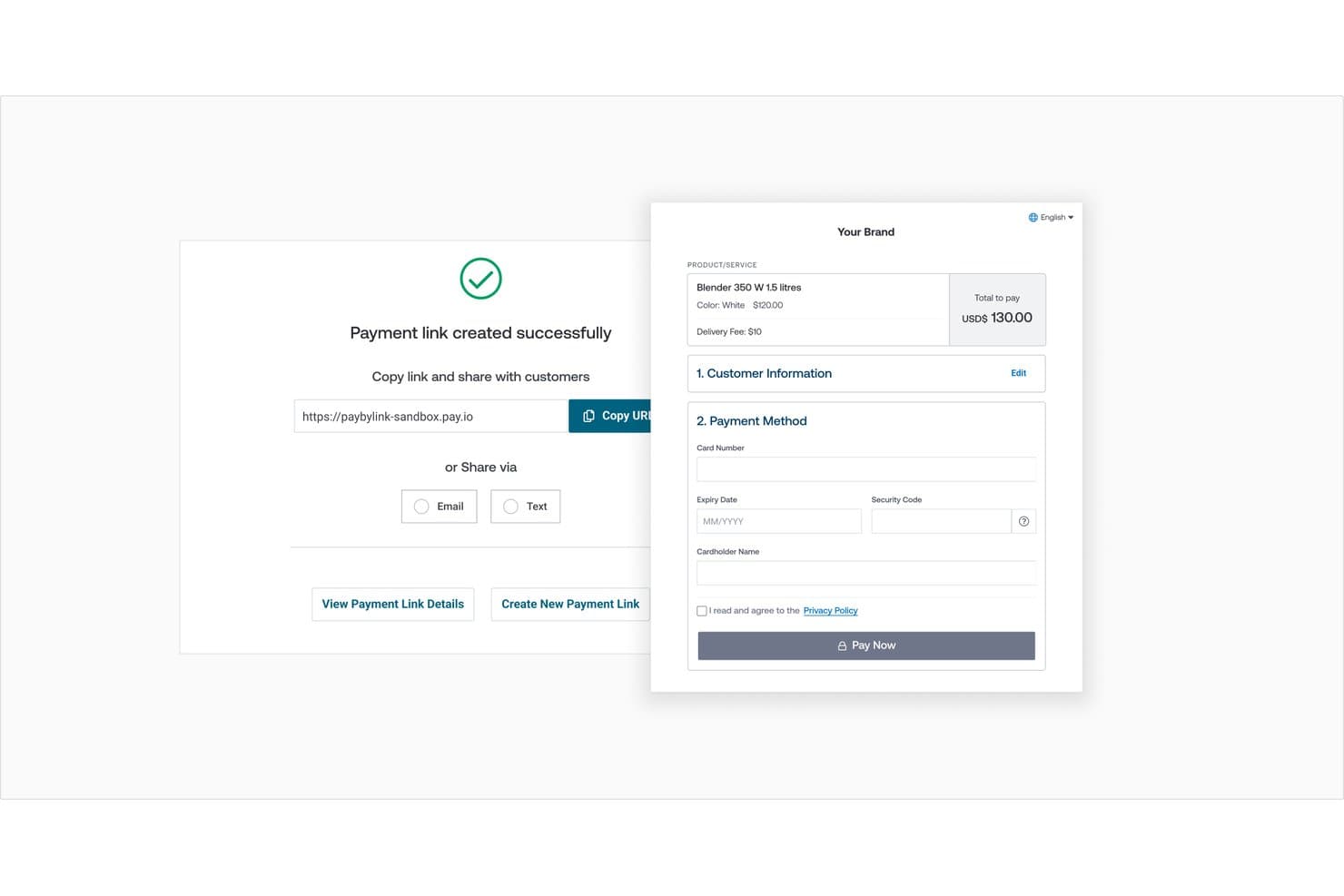
Global Payments lets users share payment links via URL, email, or text. Global Payments' Genius is a POS and business management platform built for retail shops, restaurants, and omnichannel sellers who need to unify in-store, online, and on-the-go sales with strong inventory, multi-location, and reporting tools.
Who Is Global Payments Best For?
Global Payments' Genius is a strong fit for restaurant and retail operators who need industry-specific POS tools, multi-location inventory management, and a wide hardware lineup under one platform.
Why I Picked Global Payments
I picked Global Payments because its Genius platform is built to handle payment complexity that Square simply wasn't designed for, especially across borders and business types. I appreciate how Genius supports a wide range of payment methods, including EMV chip, digital wallets, and contactless, while tying in-store, online, and on-the-go transactions into one centralized view. Its multi-location inventory syncing and real-time reporting across channels make it a strong fit for retail and restaurant operators who've outgrown Square's scope.
Global Payments Key Features
- Kitchen Display System: Routes and displays orders between front and back of house, balances kitchen capacity, and supports coursing for restaurant operations.
- Built-in loyalty program: Awards points per dollar spent, identifies members by card, phone, or email, and automatically applies rewards when thresholds are met.
- Spreadsheet data import: Imports items, customers, vendors, purchase orders, inventory counts, and gift cards via XLSX or CSV templates.
- Drive-thru technology: Uses AI-powered camera vision and vehicle tracking to route orders and manage drive-thru operations.
Global Payments Integrations
Global Payments’ Genius offers 75+ native integrations, including Olo, UberEats, Deliverect, Restaurant365, OpenTable, Deputy, and 7shifts. An API is available for custom integrations.
Pros and Cons
Pros:
- Centralized inventory visibility supports multi-store operations
- Reviewers praise straightforward checkout and daily reports
- Industry-specific retail and restaurant workflows
Cons:
- Processing depends on a specific provider relationship
- Reviewers report terminal disconnections and failed transactions
Learn more about Global Payments:
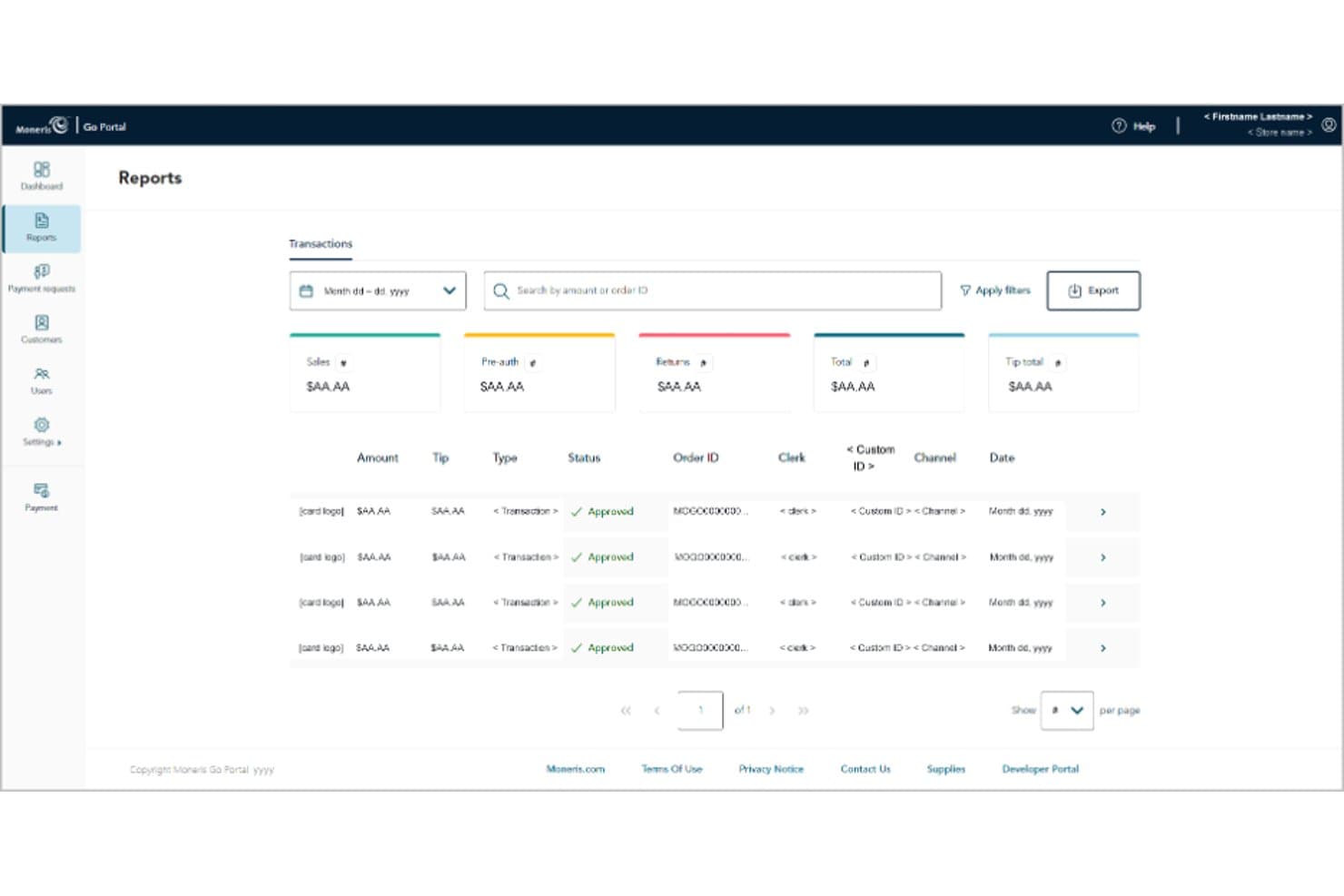
Moneris lets users view and filter detailed transaction reports. Moneris is a Canadian payment and POS platform that unifies in-store and online selling for retail and food service businesses, with built-in inventory management, omnichannel fulfillment, and flat-rate processing designed specifically for the Canadian market.
Who Is Moneris Best For?
Moneris is a strong fit for established Canadian retailers and food service businesses that need a unified in-store and online POS with built-in Interac support and Canadian-first processing infrastructure.
Why I Picked Moneris
I picked Moneris as one of the best Square alternatives because it's built from the ground up for the Canadian market, which matters a lot when Interac support and local processing infrastructure aren't optional. I appreciate how Total Commerce unifies in-store and online selling in one place, syncing inventory across up to 50,000 products and multiple locations in real time. For food service businesses specifically, Go Restaurant's Kitchen Display System and menu management go well beyond what Square offers out of the box.
Moneris Key Features
- Flat-rate Interac Debit processing: Accepts Interac Debit at a fixed $0.10–$0.12 per transaction, giving Canadian businesses a predictable cost for the country's most common payment method.
- Kitchen Display System: Sends orders directly to a kitchen display screen, replacing printed tickets and keeping front-of-house and kitchen staff in sync.
- Customer profiles with purchase history: Stores each customer's contact details, lifetime spend, order history, and marketing preferences, accessible from both in-store and online sales.
- Demand forecasting: Analyzes sales trends to predict stock needs, helping you avoid overstocking or running out of your top-selling products.
Moneris Integrations
Moneris Total Commerce lists marketplace integrations with ClickShip, ShipStation, Printful, QuickBooks Connector, Amazon, and Etsy, plus a Wix-based Moneris Online storefront. A POS-specific API isn’t documented.
Pros and Cons
Pros:
- Restaurant workflows include kitchen display support
- Inventory sync spans stores and online
- Canadian Interac support suits local checkout
Cons:
- Setup may feel slower than Square’s
- Three-year terms complicate switching from Square
Learn more about Moneris: Best for switching processors, keeping carts
- Free demo available
- From $99/month
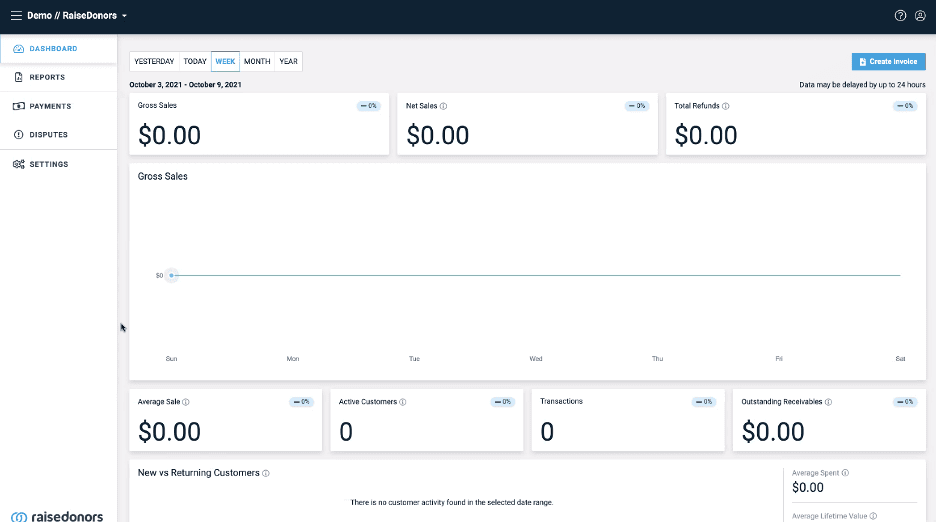
Stax Payments focuses on transparent, subscription-based payment processing. Stax Payments is a subscription-based payment processing platform built for small businesses that want to accept in-person, online, and mobile payments while keeping transaction costs predictable.
Who Is Stax Payments Best For?
Stax Payments is a strong fit for small businesses that process over $5,000 per month in card payments and want to cut processing costs through predictable subscription pricing.
Why I Picked Stax Payments
I picked Stax Payments because its subscription pricing model genuinely changes the math on processing costs. At $99/month with 0% markup on interchange plus flat per-transaction fees ($0.08 in-person, $0.15 keyed), businesses processing over $5,000/month can see real savings versus Square's percentage-based rates. I also appreciate that every subscription tier includes unlimited users and recurring billing built in, so growing teams aren't paying more just to add staff or automate repeat charges.
Stax Payments Key Features
- Hosted payment pages: Businesses can collect payments through no-code hosted pages or customizable pages embedded directly in a website.
- Text2Pay: Merchants can send payment requests via text message, letting customers pay from their mobile device.
- Token migration support: Stax imports stored payment tokens from a previous processor, including customer data, payment methods, and recurring schedules, within a 7–14 business day SLA.
- Role-based user access: Administrators can assign one of seven distinct permission levels to team members, from sales-only to full admin access.
Stax Payments Integrations
Stax Payments lists integrations with QuickBooks, Xero, Slack, Microsoft Office, and Google Suite, plus Zapier. It also offers a RESTful API, webhooks, and SDKs for JavaScript, Python, iOS, and Android.
Pros and Cons
Pros:
- Invoices support recurring customer payments
- Reviewers praise reliable next-day deposits
- Some reviewers report lower processing costs
Cons:
- Reviewers report terminal Wi-Fi and interface friction
- Monthly costs can erase processing savings
Learn more about Stax Payments:
Alte alternative la Square
Iată câteva alternative suplimentare la Square care nu au ajuns pe lista mea scurtă, dar merită totuși verificate:
- 11Clearly PaymentsBest for scalable and flexible pricing models
- 12CloverBest for customizable point-of-sale systems
- 13HelcimBest for volume-based discounts on interchange plus pricing
- 14ElavonBest for reliable payment processing with a strong global presence
- 15AdyenBest for advanced fraud protection tools
- 16Paystand Best for blockchain payments
- 17QuickBooks PaymentsBest for QuickBooks users
- 18FinixBest for payment infrastructure
- 19Chase PaymentsBest for large enterprises
- 20Fiserve Merchant ServicesBest for scalable enterprise solutions
- 21CostcoBest for exclusive pricing for Costco members
Selecții de software POS asociate
Sistemele POS nu sunt toate la fel, așa că poate doriți să luați în considerare diversele tipuri de platforme și software disponibile. Din fericire, ne-am gândit la acest aspect.
- Sisteme POS mobile
- Sisteme POS pentru retail
- Software POS pentru întreprinderi mici
- Sisteme POS integrate
- Sisteme POS pentru magazine de articole hardware
- Alternative la Shopify POS
How I Evaluate Square Alternatives
I evaluate Square alternatives in two layers: core requirements like card reader support and inventory tracking, then differentiators like pricing structure and omnichannel sync.
Core Functionality (Table Stakes For This List)
When I'm selecting tools for my list, I rank each one on a scale from 0 (does not offer the functionality) to 5 (excels in this area) for each core functionality listed below. Then, I calculate the tool's total score into a percentage. Each tool needs to achieve a minimum total score of 65% to be considered for inclusion.
- Retail POS System: I look for a checkout interface built for retail—quick keys for popular items, barcode scanning, discount application, and returns handling at the register.
- Integrated Payment Processing: Each tool should accept tap, chip, swipe, and mobile wallet payments through a native or tightly integrated processor without manual reconciliation.
- Inventory Management: SKU-level tracking matters here, including variant handling for things like size and color, low-stock alerts, and stock visibility across multiple locations.
- Compatible POS Hardware: I check whether the platform supports or sells card readers, receipt printers, barcode scanners, and cash drawers that work out of the box.
- Ecommerce & Omnichannel Sync: Retailers selling both online and in-store need real-time inventory and order sync, so I evaluate how each tool connects physical and digital storefronts.
- Retail Reporting & CRM: Sales breakdowns by product, employee, or time period should come standard, along with customer profiles that capture purchase history for loyalty or targeted outreach.
Once I have a list of tools that meet this criteria, I consider what sets each platform apart.
Differentiating Factors (What Sets Vendors Apart)
Here's how I compare and contrast different vendors:
Standout Features
Offline mode is a big deal for pop-up vendors and retailers with unreliable internet—I look for tools that still process card payments and sync transactions once connectivity returns. Built-in loyalty programs also matter because bolting on a third-party rewards app adds cost and complexity. For multi-staff shops, I evaluate whether employee management covers shift scheduling, time tracking, and per-employee sales reporting in one place.
Beyond Features
Pricing transparency is one of the first things I evaluate—whether a vendor charges flat-rate or interchange-plus fees changes the math for high-volume retailers. Payment processor flexibility also matters because some platforms lock you into their own processor while others let you bring your own merchant account. I check integration ecosystems too, especially native connections to accounting tools like QuickBooks or Xero, since manual sales data entry is a fast path to bookkeeping errors.
Ce este Square?
Square este un procesator de plăți și o platformă de punct de vânzare (POS) concepută pentru întreprinderi mici, magazine de retail și comercianți din comerțul electronic care au nevoie de o modalitate simplă de a accepta plăți în persoană și online.
Include procesarea cardurilor de credit, gestionarea stocurilor și o aplicație mobilă într-un singur sistem, cu prețuri transparente, cu tarif fix — fără contracte pe termen lung sau conturi complexe de comerciant.
Square facilitează începerea utilizării plăților contactless și a cititoarelor de carduri, motiv pentru care este popular în rândul noilor proprietari de afaceri.
Dar, deși este accesibil și rentabil pentru mulți, Square nu este întotdeauna suficient de flexibil pentru operațiuni în creștere sau echipe cu nevoi avansate. Unii utilizatori întâmpină limitări în ceea ce privește stocurile, integrările sau comisioanele de tranzacționare pe măsură ce se dezvoltă.
De ce să căutați o alternativă la Square?
Chiar și cele mai populare instrumente își ating limitele, iar Square nu face excepție.
Iată de ce proprietari și administratori de afaceri ca dumneavoastră ajung să caute sisteme POS și procesatori de plăți mai buni:
- Aveți nevoie de o gestionare avansată a stocurilor. Instrumentele de bază ale Square nu sunt suficiente dacă gestionați mai multe canale sau locații.
- Echipa dumneavoastră are nevoie de asistență reală pentru clienți, disponibilă non-stop. Asistența poate fi deficitară tocmai atunci când aveți cea mai mare nevoie de ajutor.
- Activați într-un sector cu risc ridicat sau aveți nevoi complexe de plată. Square nu este compatibil cu orice tip de afacere, mai ales dacă procesați volume neobișnuite de tranzacții sau aveți nevoie de integrări personalizate.
- Doriți comisioane mai mici pentru procesarea plăților sau mai multă flexibilitate în ceea ce privește prețurile. Comisioanele fixe pot deveni costisitoare pe măsură ce vă extindeți sau vă diversificați metodele de plată.
- Aveți nevoie de integrări software mai bune. Dacă utilizați QuickBooks, Lightspeed sau alte platforme specifice, este posibil ca Square să nu se conecteze corect.
- Aveți nevoie de mai mult control asupra rambursărilor, refuzurilor de plată sau programelor de fidelizare a clienților. Square poate părea limitat în comparație cu furnizorii specializați.
Dacă vă regăsiți pe această listă, restul ghidului este conceput pentru dumneavoastră.
Caracteristici de căutat la o alternativă la Square
Nu vă mulțumiți cu un sistem POS generic doar pentru că este ușor de configurat. Concurentul potrivit pentru Square ar trebui să vă rezolve problemele reale și să se potrivească nevoilor dumneavoastră de plată, comerț electronic și operațiuni—indiferent dacă administrați un magazin fizic, vindeți online sau gestionați facturări complexe.
- Procesare flexibilă a plăților pentru vânzări în persoană și online. Asigurați-vă că sistemul poate gestiona orice tip de plată, de la carduri de credit la tranzacții contactless și cu cod QR.
- Cititoare de carduri de credit fiabile. Căutați soluții cu cititoare de carduri de credit pentru Android și iOS apreciate—nu vă încredințați procesul de plată unui dispozitiv ieftin și de calitate îndoielnică.
- Tarife competitive pentru procesarea cardurilor de credit. Comisioanele transparente și eficiente din punct de vedere al costurilor contează mai mult decât marketingul atrăgător—citiți cu atenție condițiile înainte de înscriere.
- Integrare perfectă cu comerțul electronic. Alegeți o platformă care se sincronizează cu magazinul dumneavoastră și cu principalii procesatori de carduri de credit pentru comerț electronic, astfel încât să nu trebuiască niciodată să gestionați inventarul pe mai multe platforme.
- Gestionare avansată a inventarului. Urmărirea stocurilor în timp real, alertele automate pentru stocuri reduse și suportul pentru mai multe locații vă economisesc ore întregi și previn epuizarea stocurilor.
- Facturare recurentă și emitere de facturi integrate. Dacă utilizați abonamente, asigurați-vă că soluția acceptă plăți automate și facturi personalizate—luați în considerare opțiunile din ghidul nostru despre cele mai bune sisteme de plăți recurente.
- Instrumente solide pentru fidelizarea clienților și carduri cadou. Programele integrate facilitează revenirea cumpărătorilor—evitați platformele care tratează fidelizarea ca pe un aspect secundar.
- CRM cuprinzător și rapoarte de vânzări. Aveți nevoie de informații utile, nu doar de volume de date—căutați tablouri de bord pe care chiar le veți folosi.
- Instrumente pentru gestionarea angajaților. Permisiunile, urmărirea timpului și accesul pe bază de rol sunt esențiale dacă aveți o echipă.
- Posibilitatea de a procesa plăți offline. Asigurați-vă că vânzările nu se blochează atunci când conexiunea Wi-Fi cade—tranzacțiile offline ar trebui sincronizate automat când reveniți online.
- Reconciliere simplificată a plăților. Evitați stresul de la sfârșitul lunii alegând o soluție care se integrează cu principalele programe de reconciliere a plăților pentru comerț electronic.
- Asistență pentru clienți rapidă și fiabilă. Nu vă puneți afacerea în pericol—alegeți furnizori cu asistență 24/7 și un istoric solid în ceea ce privește suportul.
Dacă aceste caracteristici sunt configurate corect, veți economisi timp, veți reduce costurile și chiar vă veți bucura să utilizați sistemul POS—fără regrete.
Întrebări frecvente despre alternativele la Square
Nimeni nu are timp să contacteze serviciul de asistență doar pentru a primi răspunsuri de bază despre trecerea de la Square. Iată cele mai frecvente întrebări pe care mi le adresează proprietarii de afaceri când iau în calcul alternativele la Square.
Cât de dificil este să trec de la Square la un nou sistem POS?
Trecerea de la Square la un nou sistem POS nu este dificilă, dar necesită planificare. Majoritatea alternativelor la Square vă permit să importați produsele și datele clienților. Faceți ordine în inventar și în evidențele de vânzări înainte de migrare.
Folosiți ambele sisteme în paralel timp de o săptămână pentru a evita problemele la casă — pregătirea îi ajută pe angajați și clienți să se adapteze fără probleme.
Am nevoie de hardware nou sau vor funcționa cititoarele de carduri existente?
Nu, majoritatea cititoarelor de carduri construite pentru Square nu vor funcționa cu alte sisteme POS. Unele alternative, precum Clover sau Shopify POS, necesită hardware-ul lor specific. Verificați compatibilitatea cu furnizorul înainte de achiziție sau solicitați în scris o listă de compatibilitate pentru a evita întreruperile la lansare.
Pot alternativele la Square să gestioneze mai multe locații sau francize?
Da, mulți concurenți ai Square acceptă operațiuni cu mai multe locații și francize. Căutați furnizori POS bazați pe cloud, cu sincronizarea inventarului și raportare centralizată. Asigurați-vă că platforma se poate extinde odată cu afacerea, pentru a nu ajunge ulterior să creați soluții manuale.
Sunt concurenții Square mai siguri pentru procesarea plăților și conformitatea PCI?
Majoritatea alternativelor de încredere sunt certificate PCI-DSS și utilizează practici actualizate de criptare și securitate. Asigurați-vă că alegeți un furnizor care tratează cu seriozitate conformitatea plăților, deoarece aceasta vă protejează afacerea și clienții.
Va afecta schimbarea integrările mele existente cu comerțul electronic?
Sistemele POS de top sunt concepute să funcționeze cu principalele platforme de comerț electronic. Totuși, verificați întotdeauna dacă noul furnizor acceptă în mod nativ integrările dumneavoastră specifice înainte de schimbare.
Îmi pot transfera datele despre clienți și vânzări de la Square la un nou sistem?
Majoritatea alternativelor importante oferă instrumente și ghiduri pentru importarea clienților, produselor și evidențelor de vânzări. Solicitați noului furnizor asistență pentru migrare, pentru a păstra acuratețea datelor și a minimiza întreruperile.
Există alternative la Square mai potrivite pentru industriile cu risc ridicat?
Da, unii furnizori acceptă în mod special industriile cu risc ridicat, oferind servicii personalizate de procesare a plăților și de conformitate. Dacă afacerea dumneavoastră se încadrează într-o categorie cu risc ridicat, confirmați eligibilitatea și potrivirea pentru industrie înainte de schimbare.
Va afecta trecerea de la Square viteza de procesare a plăților sau durata decontării?
Viteza de procesare și durata decontării pot varia de la un furnizor la altul. Întrebați fiecare alternativă despre timpii medii de procesare a plăților, opțiunile de depunere în ziua următoare și eventualele blocări temporare, pentru a vă asigura că aveți acces rapid la fonduri.