

Recensione di Zoho Books: vantaggi, svantaggi, funzionalità e prezzi spiegati
Analizzo Zoho Books come una potente soluzione di contabilità per l'e-commerce: scopri dove eccelle, dove mostra i suoi limiti e cosa la rende particolarmente agile per i venditori online nel 2026.

Recensiamo gli strumenti in modo indipendente, e le commissioni aiutano a finanziare i nostri test. Consulta la nostra politica sulla trasparenza, la nostra metodologia o suggerisci uno strumento.
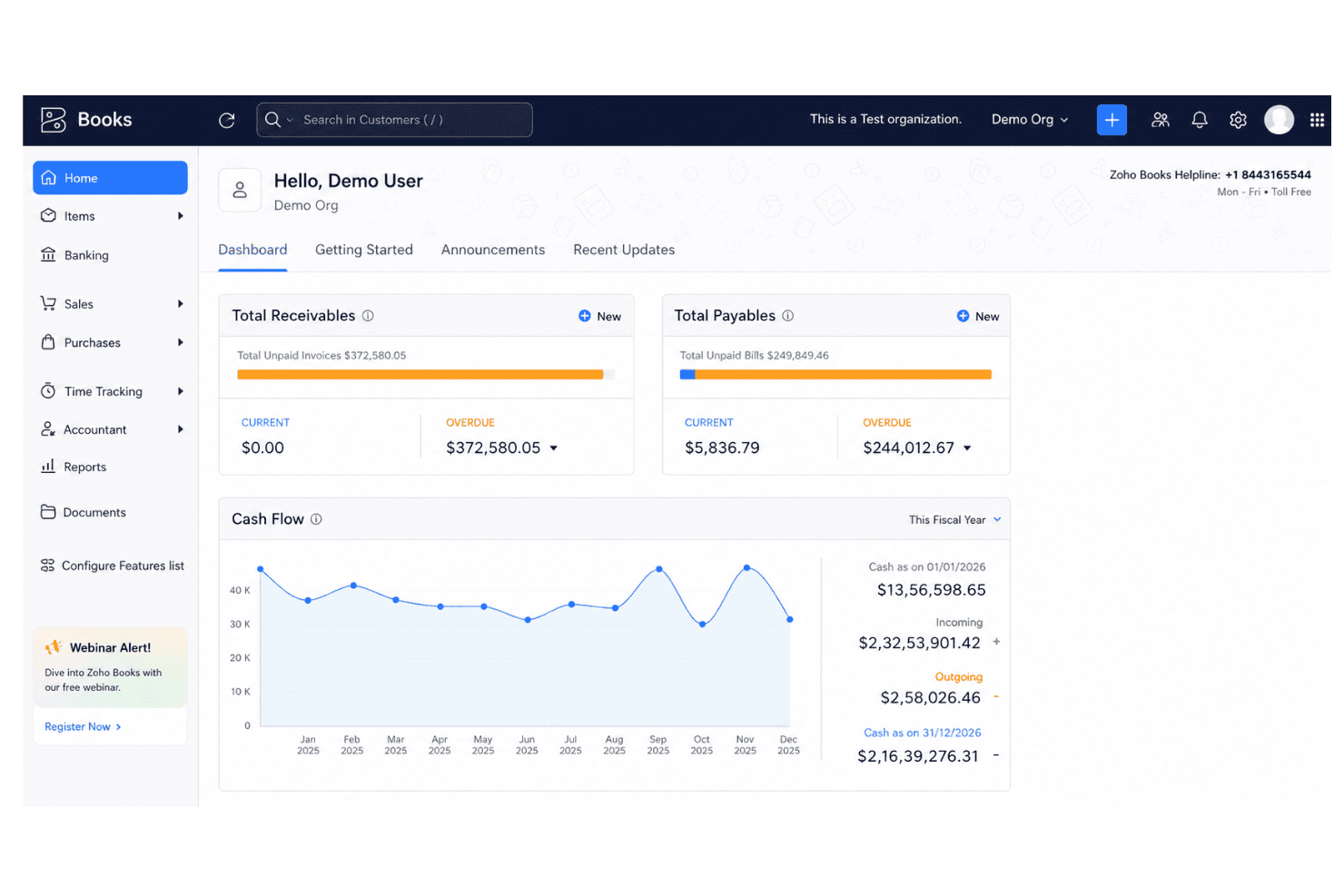
Zoho Books is an ecommerce accounting software built for small to mid-sized businesses that need invoicing, expense tracking, inventory management, and tax compliance in one platform. I'd consider it if your business already runs on other Zoho products—the native integration across the Zoho suite is tighter than what QuickBooks offers, and the pricing tiers are more accessible without sacrificing core accounting functionality.
Zoho Books Evaluation Summary
4.3/5
- From $15/month (billed annually)
- Free plan + free demo available
Perché fidarsi dei nostri consigli sui software
6,700+
Reviews
20
Industry experts
16+
Evaluation factors
14
Years
Il nostro team testa e recensisce software dal 2012. In quanto leader del retail noi stessi, sappiamo quanto sia difficile — e importante — scegliere il software giusto.
Per questa guida, abbiamo valutato gli strumenti attraverso test pratici e ricerche indipendenti, assegnando un punteggio agli strumenti in base ai nostri criteri di selezione.
Le nostre recensioni riflettono il nostro giudizio indipendente, non un discorso di vendita.
Zoho Books Overview
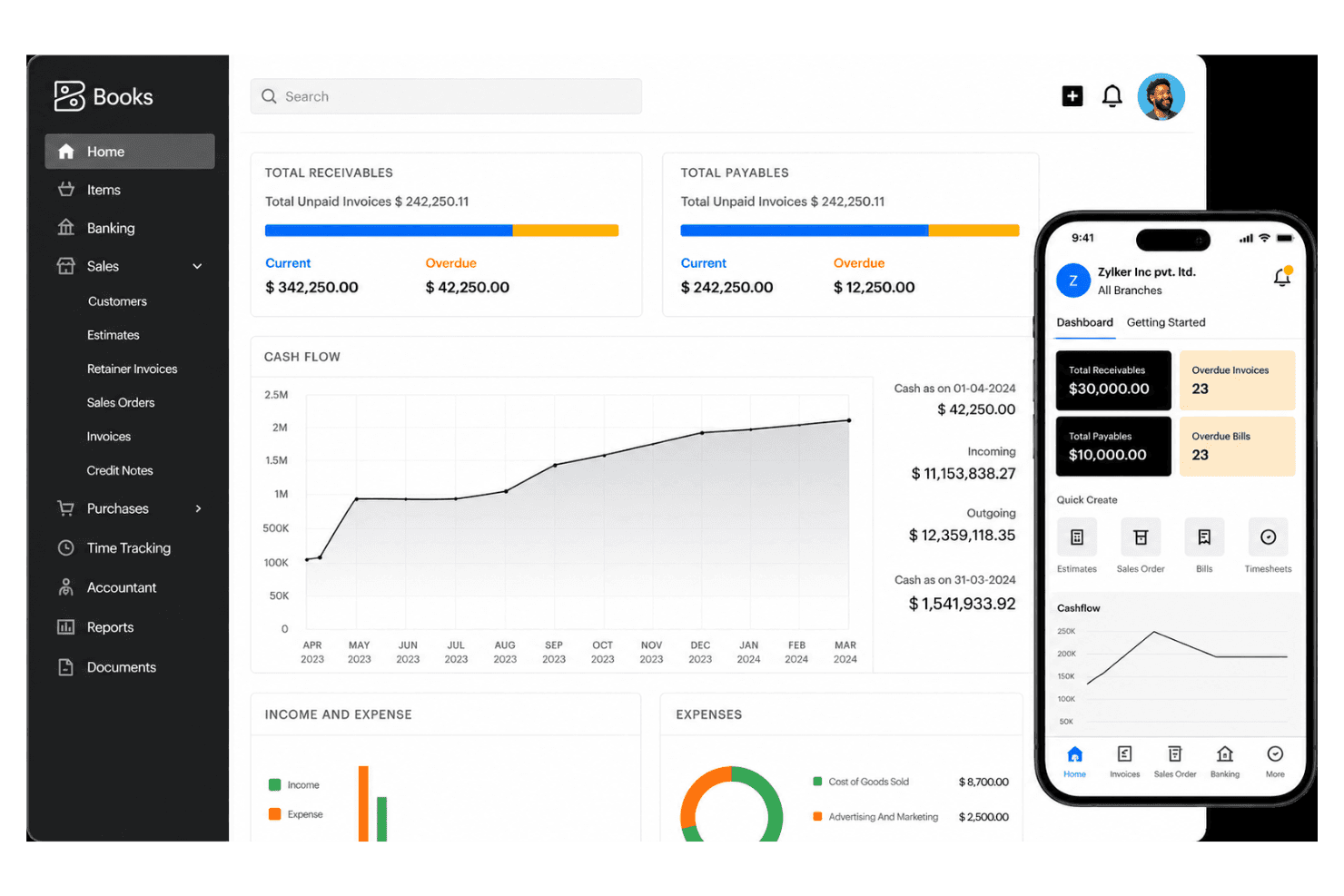
I think Zoho Books strikes the best balance for ecommerce teams who want strong automation tools, smooth inventory tracking, and clear billing without a steep learning curve. Pricing is competitive, setup is quick, and the interface feels intuitive. Onboarding is a breeze even for small teams. While some integrations require extra steps or add-ons, I’d judge Zoho Books as the top choice for retailers on a budget or those scaling up, thanks to vendor portal features and workflow customization. If you run complex omnichannel operations, you might want deeper integrations, but for most, Zoho Books ticks the essential boxes.
Pros
- Automated invoice matching with order and payment data
- Multi-channel inventory management updates in real time
- Support for multiple tax rates and currencies
Cons
- Payroll tools are only available through integration
- Some ecommerce platform connections require manual setup
- Advanced reporting features are limited on lower plans
Is Zoho Books Right For Your Needs?
Who Would be a Good Fit for Zoho Books?
Zoho Books works best for SMBs, freelancers, and ecommerce brands that need real-time inventory, order, and invoice management in a single platform. Teams in retail, wholesale, and direct-to-consumer categories will appreciate the easy automation and multi-channel support. It's also a natural fit for businesses already using other Zoho apps, thanks to its seamless integrations across the Zoho ecosystem. It’s also a strong match for founders and finance leads who need to control costs, automate tax compliance, and handle transactions in multiple currencies without heavy IT lift.
- Small Ecommerce StoresZoho Books automates orders, tracks stock, and reduces the need for manual bookkeeping, ideal for lean teams.
- International RetailersBuilt-in multi-currency and automated tax tools make cross-border transactions and compliance much less stressful.
- Direct-to-Consumer BrandsIntegrated order, shipping, and payment tracking helps DTC brands centralize finances and avoid missed revenue.
- Inventory ManagersReal-time product and warehouse tracking prevent stock-outs and help keep accurate inventory across channels.
- Freelance AccountantsLow entry cost and cloud-based access make it easy for freelance accountants to advise multiple clients at once.
- Digital Goods SellersAutomated invoicing and instant reconciliation help sellers of digital downloads and online courses keep books clean.
Who Would be a Bad Fit for Zoho Books?
Zoho Books isn’t the best fit for very large companies with advanced accounting needs, complex regulatory requirements, or teams demanding deep finance customization. Fast-scaling enterprises and organizations with global subsidiaries may find the workflow and reporting too basic. It’s also not suited for companies requiring sector-specific accounting features or highly tailored workflows beyond what’s available from templates and automation.
- Large EnterprisesLacks highly customizable workflows and complex consolidation tools needed by large enterprise finance teams.
- Public CompaniesDoes not support the advanced audit controls, compliance features, or regulatory reporting required for publicly listed firms.
- Manufacturers With ERP NeedsInventory tools are limited compared to dedicated enterprise resource planning (ERP) systems, especially for complex production.
- Nonprofits With GrantsGrant management and sector-specific fund accounting features are missing for nonprofit organizations.
- Multi-Subsidiary GroupsZoho Books cannot consolidate books across many legal entities or manage intercompany accounting well.
- Project-Based AgenciesProject accounting and time tracking features are basic, making it less useful for creative or consulting agencies who bill by the hour.
La Nostra Metodologia di Recensione
Come Testiamo e Valutiamo gli Strumenti
Abbiamo trascorso anni a costruire, perfezionare e migliorare il nostro sistema di test e valutazione dei software. Il nostro schema di valutazione è progettato per cogliere le sfumature della selezione dei software e per comprendere cosa rende uno strumento efficace, concentrandosi su aspetti critici del processo decisionale. Qui sotto puoi vedere esattamente come funzionano i nostri test e valutazioni attraverso sette criteri. Questo ci permette di fornire una valutazione imparziale del software basata su funzionalità principali, caratteristiche distintive, facilità d’uso, onboarding, supporto clienti, integrazioni, recensioni dei clienti e rapporto qualità-prezzo.
Funzionalità di base (25% della valutazione finale)
Il punto di partenza della nostra valutazione è sempre la funzionalità principale dello strumento. Ha le funzioni e le caratteristiche di base che un utente si aspetterebbe? Alcune di queste funzionalità sono bloccate a piani tariffari di livello superiore? Alla base, ci aspettiamo che uno strumento regga il confronto con le capacità minime dei suoi concorrenti.
Caratteristiche distintive (25% della valutazione finale)
Successivamente valutiamo caratteristiche distintive e non comuni che vadano oltre la normale funzionalità presente in strumenti simili. Un punteggio alto riflette funzionalità specializzate o uniche che rendono il prodotto più veloce, efficiente o che offrano valore aggiunto all’utente. Valutiamo anche quanto sia facile integrare il software con altri strumenti della consueta infrastruttura tecnologica per espanderne la funzionalità e l’utilità. Gli strumenti che offrono molte integrazioni native, connessioni di terze parti e accesso API per costruire integrazioni personalizzate ottengono il punteggio più alto.
Facilità d’uso (10% della valutazione finale)
Consideriamo quanto sia rapido e semplice eseguire le attività definite nelle funzionalità di base utilizzando lo strumento. I software che ottengono un punteggio alto sono ben progettati, intuitivi, offrono app mobili, modelli pronti e rendono compiti complessi relativamente semplici.
Onboarding (10% della valutazione finale)
Sappiamo quanto sia importante una rapida adozione da parte del team per una nuova piattaforma, quindi valutiamo quanto sia facile imparare a usare uno strumento con una formazione minima. Esaminiamo quanto tempo impiega un membro del team a configurarsi e iniziare a utilizzare lo strumento senza esperienza. Le soluzioni con punteggi elevati richiedono poco o nessun supporto.
Supporto clienti (10% della valutazione finale)
Valutiamo quanto sia rapido e facile ricevere assistenza e trovare aiuto tramite telefono, live chat o base di conoscenza. Gli strumenti e le aziende che forniscono un supporto in tempo reale ottengono i punteggi migliori, mentre i chatbot hanno i punteggi più bassi.
Recensioni dei clienti (10% della valutazione finale)
Oltre ai nostri test e valutazioni, consideriamo il net promoter score dei clienti attuali e passati. Esaminiamo la loro propensione, data la possibilità, a scegliere nuovamente lo strumento per le sue funzionalità di base. Un punteggio elevato riflette un alto net promoter score da clienti attuali o passati.
Rapporto qualità-prezzo (10% della valutazione finale)
Infine, considerando tutti gli altri criteri, valutiamo il prezzo medio dei piani base rispetto alle funzionalità fondamentali e teniamo in considerazione il valore degli altri criteri di valutazione. Il software che offre di più, a meno, ottiene punteggi più alti.
Core Features
Sales Order Management
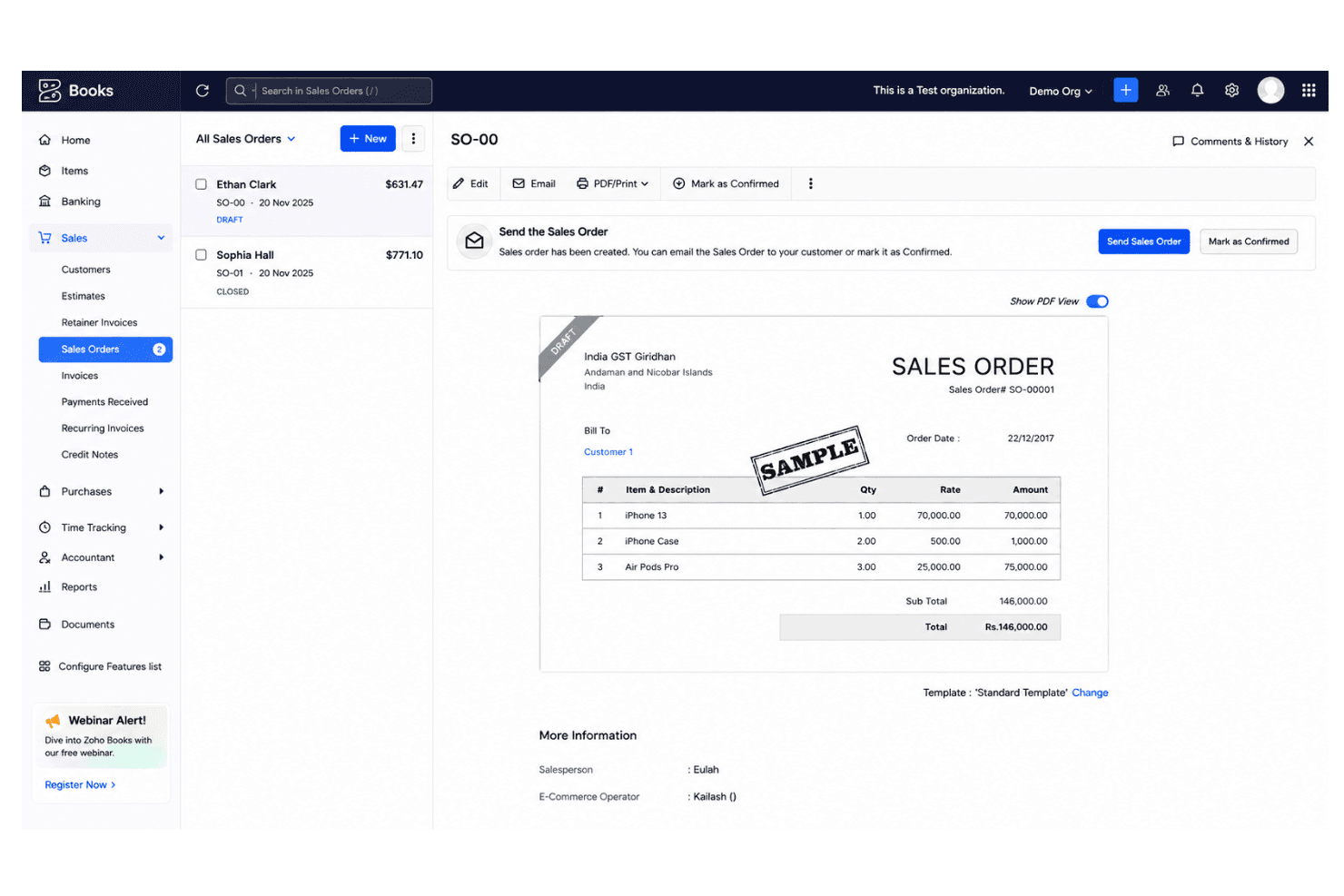
Create, approve, and track sales orders from quote to delivery. This helps prevent stock-outs and streamlines fulfillment across channels.
Inventory Tracking
Monitor product quantities, stock levels, and warehouse transfers in real time. Users can set reorder points to avoid overselling.
Automated Bank Reconciliation
Sync account transactions and match deposits automatically to online sales. This reduces errors and saves hours of manual work.
Multi-Currency Invoicing
Send invoices and accept payments in different currencies. Useful for ecommerce brands selling internationally.
Recurring Billing Automation
Schedule and send recurring invoices for subscription or repeat customers. Payment reminders can be set up to reduce missed payments.
Tax Calculation and Compliance
Apply country-specific tax rules to invoices and sales automatically. Zoho Books can generate tax reports for easy filing.
Ease of Use
Zoho Books stands out for its clear navigation and fast onboarding, making ecommerce accounting accessible even for teams with no deep accounting background. I think users appreciate customizable dashboards, drag-and-drop invoice templates, and the ability to automate repetitive tasks, which really streamlines day-to-day work. Most reviews mention minimal training is needed for new staff.
Integrations
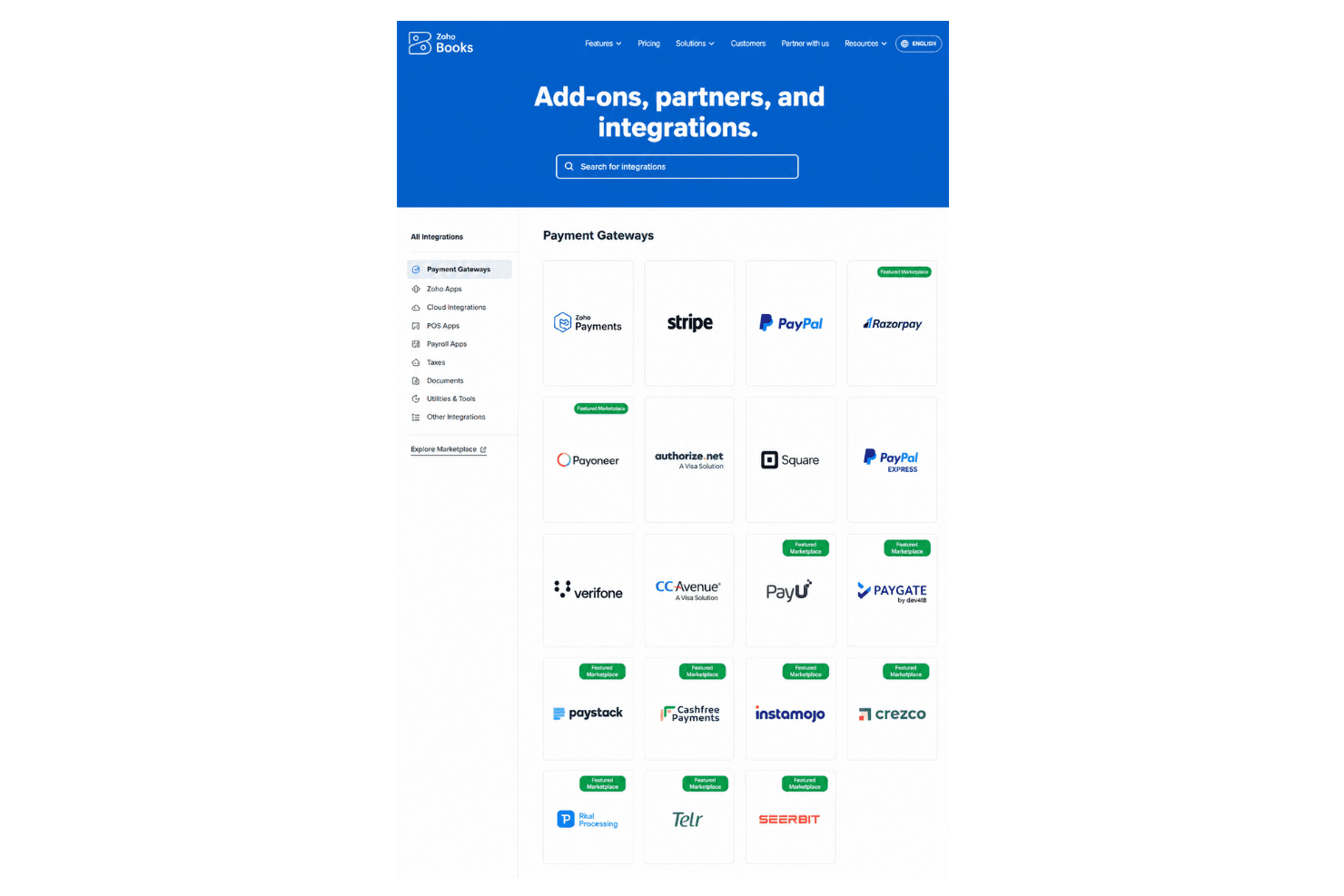
Zoho Books integrates with Shopify, WooCommerce, Amazon, PayPal, Stripe, Square, Zoho Inventory, Zoho CRM, Google Drive, Slack, and Office 365, among others.
Zoho Books also offers an open API and connects with third-party integration tools like Zapier.
Zoho Books Specs
- 2-Factor Authentication: Yes
- Accounts Payable: Yes
- Accounts Receivable: Yes
- API: Yes
- Balance Sheet: Yes
- Billing/Invoicing: Yes
- BitCoin: Yes
- Budgeting: Yes
- Calendar Management: Yes
- Contact Management: Yes
- CRM Integration: Yes
- Customer Management: Yes
- Dashboard: Yes
- Data Export: Yes
- Data Import: Yes
- Data Visualization: Yes
- Expense Tracking: Yes
- External Integrations: Yes
- Forecasting: Yes
- General Account Ledger: Yes
- Inventory Tracking: Yes
- Multi-Currency: Yes
- Multi-User: Yes
- Notifications: Yes
- P&L: Yes
- PayPal: Yes
- Payroll: Yes
- SAP Integration: Yes
- Stripe: Yes
- Supplier Management: Yes
- Tax Management: Yes


