

Recensione di KORONA POS: vantaggi, svantaggi, funzionalità e prezzi spiegati
KORONA POS si distingue per la sua configurazione flessibile, la gestione avanzata dell'inventario e i prezzi trasparenti, risultando una scelta eccellente per i rivenditori e le aziende con più sedi che necessitano di un maggiore controllo rispetto a un sistema POS di base.

Recensiamo gli strumenti in modo indipendente, e le commissioni aiutano a finanziare i nostri test. Consulta la nostra politica sulla trasparenza, la nostra metodologia o suggerisci uno strumento.
KORONA POS isn’t your typical plug-and-play POS system. It’s built for retailers and operators who’ve outgrown basic cash register software and need deeper control over inventory, reporting, and day-to-day operations without getting locked into rigid contracts or payment processors.
In this review, I’ll break down where KORONA POS really shines (and where it doesn’t), who it’s best suited for, and whether its flexibility and advanced features actually align with what your business needs.
KORONA POS Evaluation Summary
4.8/5
- From $59/month
- Free trial + free demo available
Perché fidarsi dei nostri consigli sui software
6,700+
Reviews
20
Industry experts
16+
Evaluation factors
14
Years
Il nostro team testa e recensisce software dal 2012. In quanto leader del retail noi stessi, sappiamo quanto sia difficile — e importante — scegliere il software giusto.
Per questa guida, abbiamo valutato gli strumenti attraverso test pratici e ricerche indipendenti, assegnando un punteggio agli strumenti in base ai nostri criteri di selezione.
Le nostre recensioni riflettono il nostro giudizio indipendente, non un discorso di vendita.
KORONA POS Overview
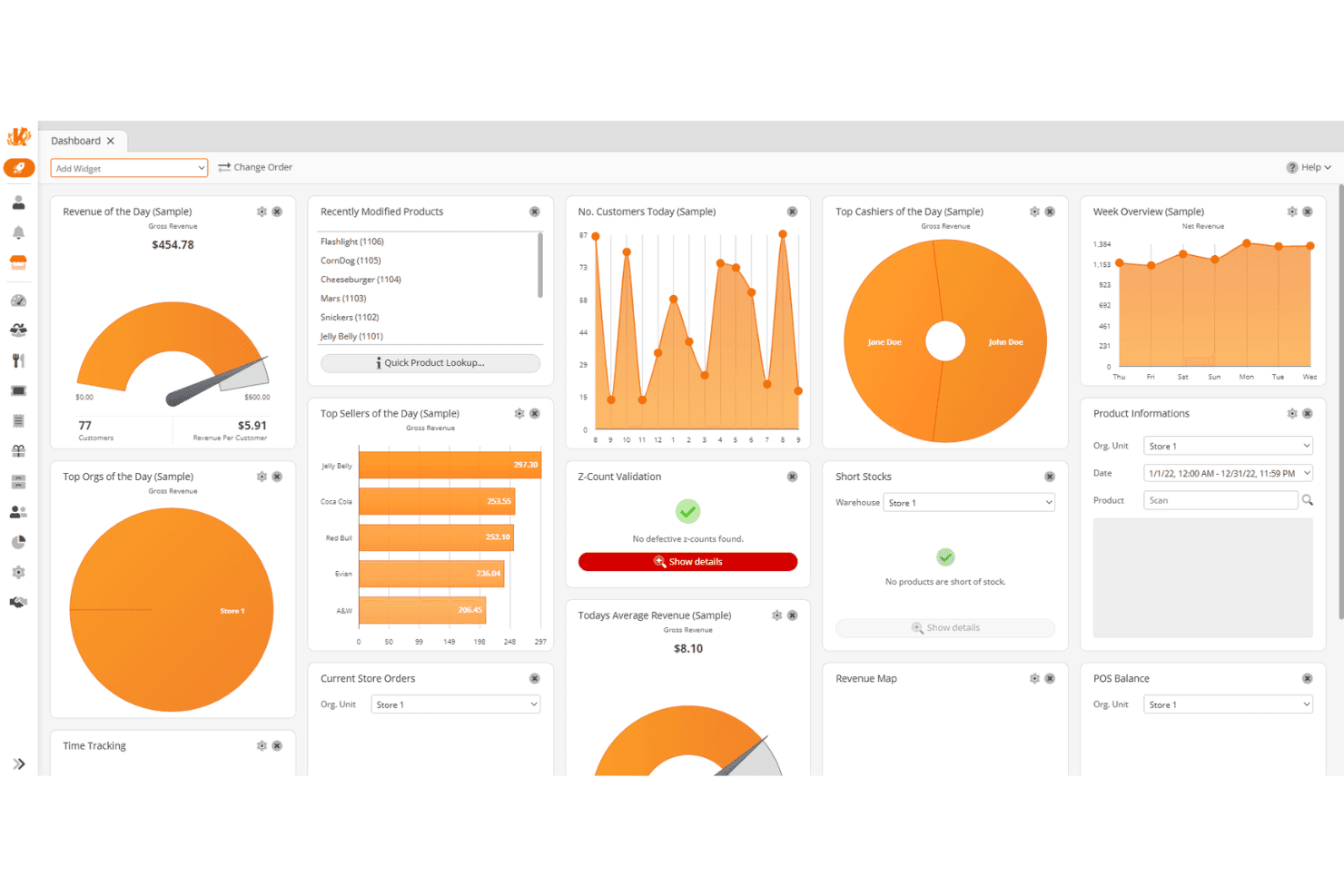
In my experience, KORONA POS stands out for its flexibility and depth—as a checkout system and a full operational tool for retailers who need tighter control over inventory, reporting, and multi-store performance. You’re not locked into specific hardware, payment processors, or long-term contracts, which is a big advantage if you want to build a setup that actually fits your business.
That said, it’s not the simplest system to learn, and it’s clearly designed for businesses willing to invest a bit of time upfront. But if you’re running a specialty retail shop, convenience store, or multi-location operation and want powerful reporting, customization, and hands-on support, KORONA POS is one of the more capable options in its category.
Pros
- Highly customizable POS built for specific retail industry needs.
- Flexible payments, hardware options, and no long-term contracts required.
- Deep inventory management with automation and real-time tracking.
Cons
- Steeper learning curve due to the depth of features.
- User interface feels dated compared to modern POS competitors.
- Ecommerce capabilities are weaker for businesses primarily selling online.
Is KORONA POS Right For Your Needs?
Who Would be a Good Fit for KORONA POS?
KORONA POS is a strong fit for businesses that need more control than a basic POS can offer, especially those managing complex inventory, operating across multiple locations, or selling age-restricted or ticketed products. It works well for inventory-heavy specialty retail, convenience stores, and attractions needing retail, reporting, and operational oversight. It offers flexibility, detailed analytics, and hands-on support for those willing to navigate a learning curve.
- Inventory-Heavy Specialty RetailersShops like pet stores, gift shops, and thrift stores benefit from deep inventory and customizable reporting.
- Quick-Service Restaurants (QSRs)Best suited for cafes, bakeries, and counter-service setups (not full-service dining) with simple menu and order workflows.
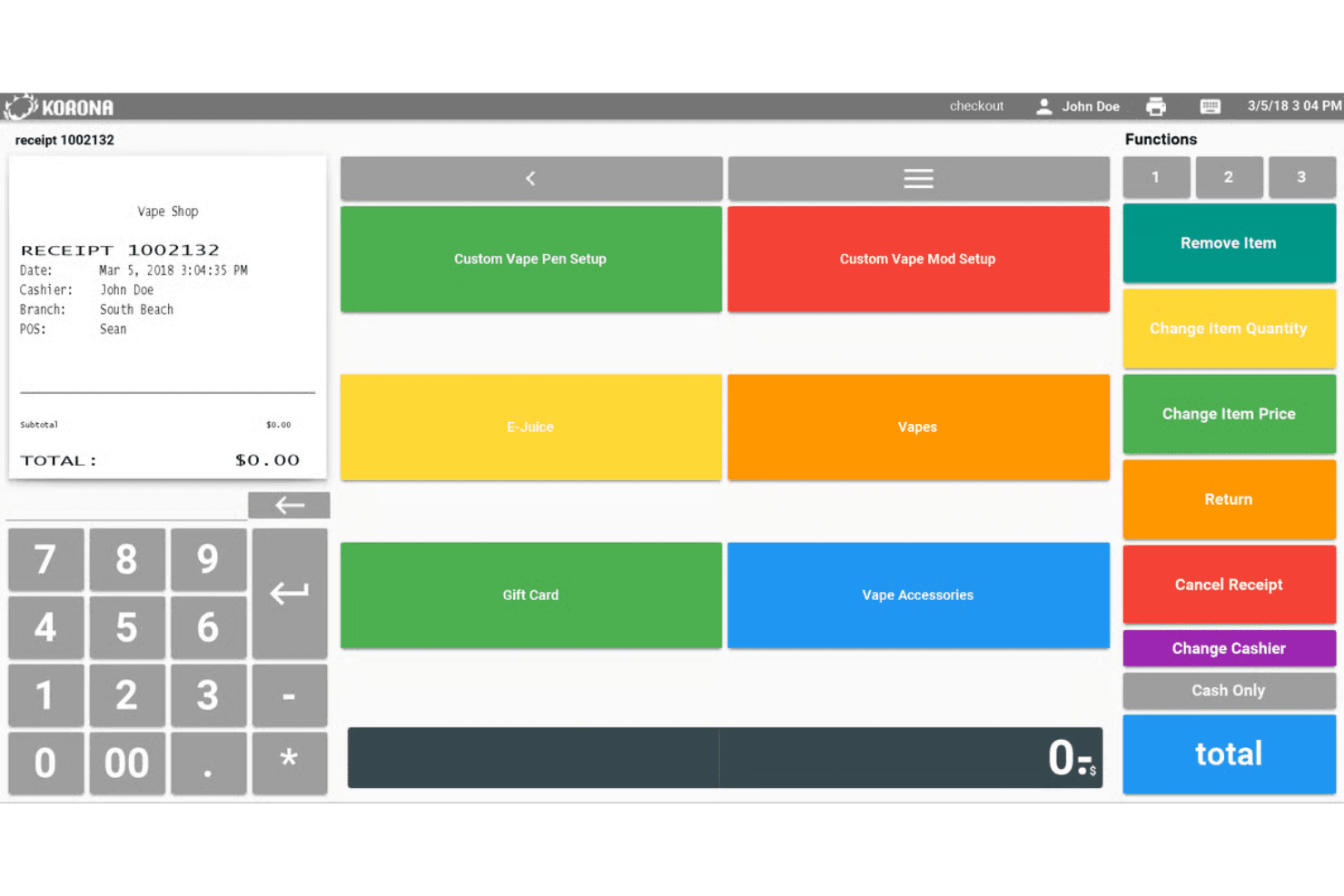
- Liquor, Vape, and Smoke ShopsBuilt-in age verification, strong inventory controls, and compliance-friendly workflows make this a natural fit for liquor stores and other age-restricted shops.
- Convenience StoresHigh SKU counts, fast transactions, and real-time inventory tracking support busy, high-volume environments.
- Ticketing (Amusement Parks and Attractions)Integrated ticketing, admission control, and retail sales in one system make it ideal for hybrid operations.
- Franchises and Multi-Location RetailersCentralized reporting, product syncing, and royalty tools help manage multiple stores efficiently.
Who Would be a Bad Fit for KORONA POS?
KORONA POS isn’t ideal for businesses that prioritize simplicity, ecommerce-first selling, or specialized workflows outside of retail and light QSR. It may not suit primarily online businesses, those needing advanced restaurant features or large app marketplaces, very small businesses, or large enterprises with complex custom requirements.
- Large Ecommerce-First BrandsLimited native ecommerce capabilities make it less suitable for online-heavy businesses.
- Full-Service RestaurantsLacks advanced table service features needed for complex dine-in operations.
- Custom Apparel, Jewelry, and FloristsNot optimized for size matrices, custom orders, or certain specialty workflows.
- Appointment-Based Businesses (Salons, Spas)No built-in scheduling, booking, or client management tools.
- Grocery Stores (Full Scale)Limited support for advanced scale integrations and grocery-specific workflows.
- Assigned Seating Ticketing VenuesNot designed for reserved seating or complex ticket mapping systems.
- Very Small Business or Simple Retail SetupsSingle-register shops or pop-ups may find the system overly complex.
La Nostra Metodologia di Recensione
Come Testiamo e Valutiamo gli Strumenti
Abbiamo trascorso anni a costruire, perfezionare e migliorare il nostro sistema di test e valutazione dei software. Il nostro schema di valutazione è progettato per cogliere le sfumature della selezione dei software e per comprendere cosa rende uno strumento efficace, concentrandosi su aspetti critici del processo decisionale. Qui sotto puoi vedere esattamente come funzionano i nostri test e valutazioni attraverso sette criteri. Questo ci permette di fornire una valutazione imparziale del software basata su funzionalità principali, caratteristiche distintive, facilità d’uso, onboarding, supporto clienti, integrazioni, recensioni dei clienti e rapporto qualità-prezzo.
Funzionalità di base (25% della valutazione finale)
Il punto di partenza della nostra valutazione è sempre la funzionalità principale dello strumento. Ha le funzioni e le caratteristiche di base che un utente si aspetterebbe? Alcune di queste funzionalità sono bloccate a piani tariffari di livello superiore? Alla base, ci aspettiamo che uno strumento regga il confronto con le capacità minime dei suoi concorrenti.
Caratteristiche distintive (25% della valutazione finale)
Successivamente valutiamo caratteristiche distintive e non comuni che vadano oltre la normale funzionalità presente in strumenti simili. Un punteggio alto riflette funzionalità specializzate o uniche che rendono il prodotto più veloce, efficiente o che offrano valore aggiunto all’utente. Valutiamo anche quanto sia facile integrare il software con altri strumenti della consueta infrastruttura tecnologica per espanderne la funzionalità e l’utilità. Gli strumenti che offrono molte integrazioni native, connessioni di terze parti e accesso API per costruire integrazioni personalizzate ottengono il punteggio più alto.
Facilità d’uso (10% della valutazione finale)
Consideriamo quanto sia rapido e semplice eseguire le attività definite nelle funzionalità di base utilizzando lo strumento. I software che ottengono un punteggio alto sono ben progettati, intuitivi, offrono app mobili, modelli pronti e rendono compiti complessi relativamente semplici.
Onboarding (10% della valutazione finale)
Sappiamo quanto sia importante una rapida adozione da parte del team per una nuova piattaforma, quindi valutiamo quanto sia facile imparare a usare uno strumento con una formazione minima. Esaminiamo quanto tempo impiega un membro del team a configurarsi e iniziare a utilizzare lo strumento senza esperienza. Le soluzioni con punteggi elevati richiedono poco o nessun supporto.
Supporto clienti (10% della valutazione finale)
Valutiamo quanto sia rapido e facile ricevere assistenza e trovare aiuto tramite telefono, live chat o base di conoscenza. Gli strumenti e le aziende che forniscono un supporto in tempo reale ottengono i punteggi migliori, mentre i chatbot hanno i punteggi più bassi.
Recensioni dei clienti (10% della valutazione finale)
Oltre ai nostri test e valutazioni, consideriamo il net promoter score dei clienti attuali e passati. Esaminiamo la loro propensione, data la possibilità, a scegliere nuovamente lo strumento per le sue funzionalità di base. Un punteggio elevato riflette un alto net promoter score da clienti attuali o passati.
Rapporto qualità-prezzo (10% della valutazione finale)
Infine, considerando tutti gli altri criteri, valutiamo il prezzo medio dei piani base rispetto alle funzionalità fondamentali e teniamo in considerazione il valore degli altri criteri di valutazione. Il software che offre di più, a meno, ottiene punteggi più alti.
Core Features
Real-Time Inventory Tracking & Automation
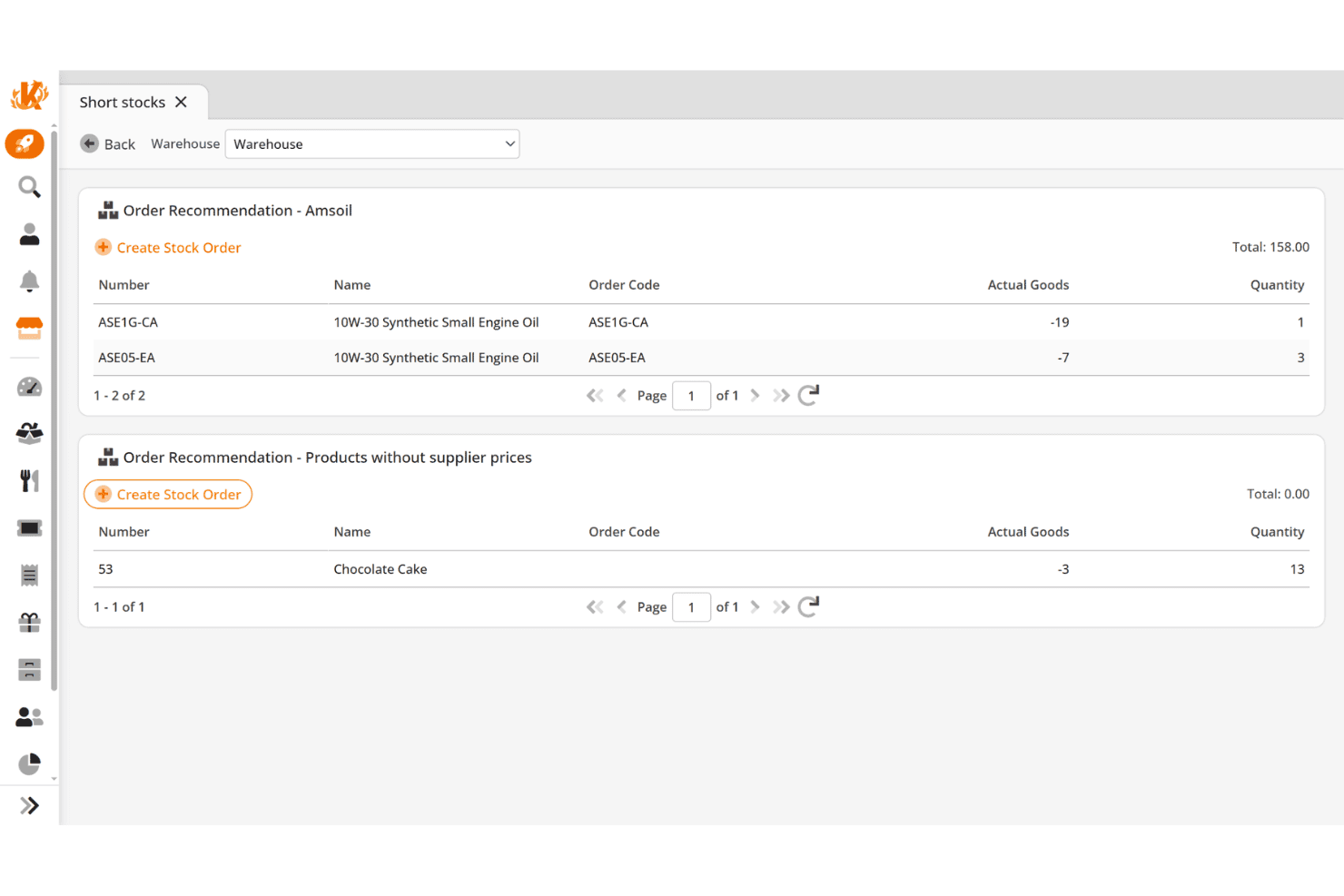
Track inventory levels across locations with automated reordering, stock counts, and low-stock alerts. I think this is one of the most practical tools for staying ahead of demand and reducing manual work.
Advanced Reporting & Analytics
Access detailed, customizable reports on sales, inventory, employees, and margins. You get real-time insights and KPI tracking without needing external tools or spreadsheets.
Integrated Payments & Checkout
Process cash, credit cards, debit cards, gift cards, and contactless payments with support for split payments, refunds, and mobile transactions. It covers everything you’d expect from a modern POS software.
Customer Management & Loyalty
Build customer data profiles, track purchase history, and run point-based loyalty programs. You can also integrate with more advanced CRM tools if needed.
Employee Management & Permissions
Manage staff roles, time tracking, and performance reporting while controlling access to sensitive actions. This adds accountability and helps reduce internal errors or theft.
Multi-Location Management
Control pricing, inventory, promotions, and reporting across all locations from one system. This is essential if you’re planning to scale or already operate multiple stores.
Standout Features
Processor and Hardware Flexibility (No Vendor Lock-In)
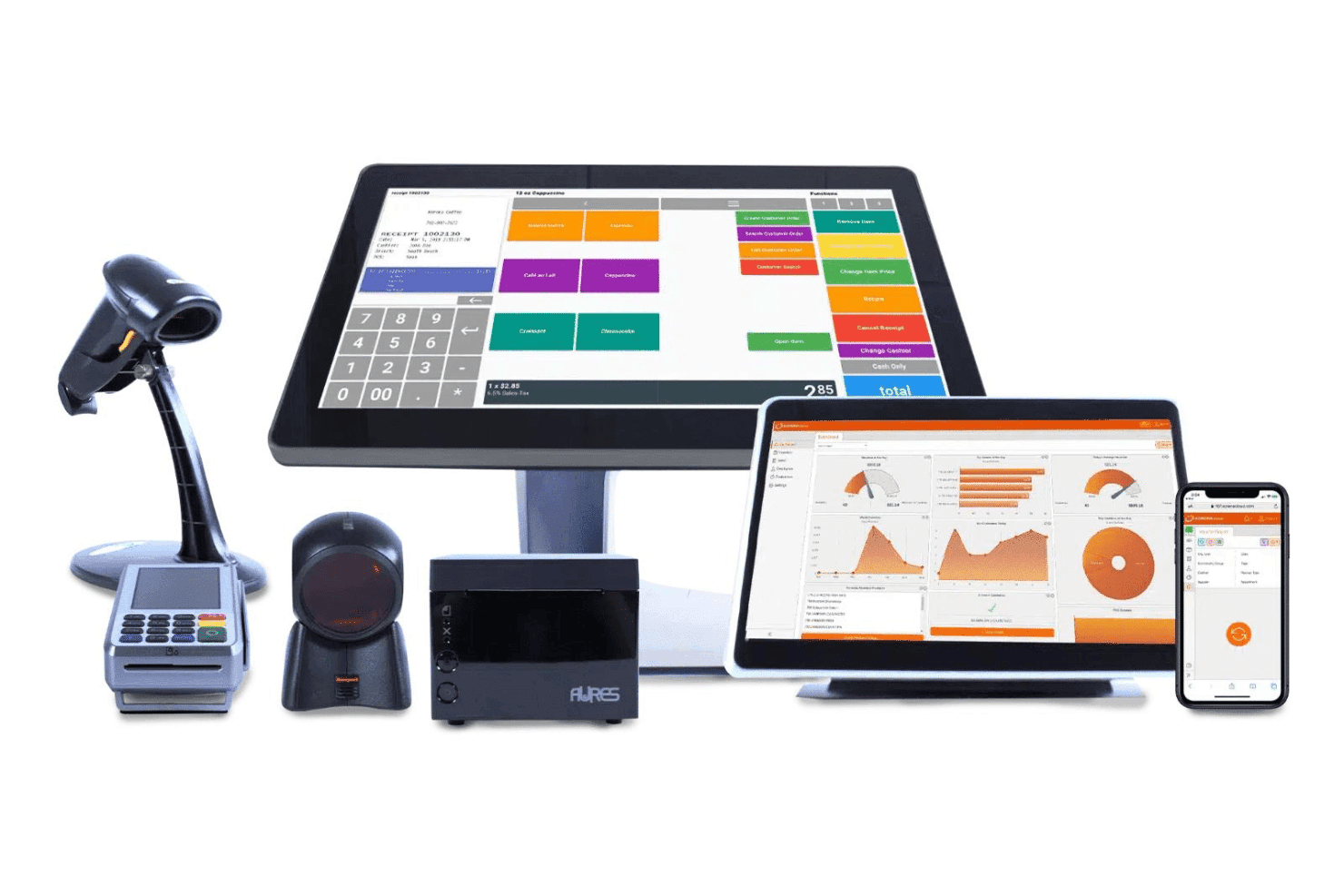
KORONA POS lets you choose your own payment processor and hardware instead of locking you into a proprietary system. This is a major differentiator—and can save you thousands in processing fees over time.
Deep Inventory Intelligence (ABC Analysis & Optimization)
Beyond basic tracking, KORONA offers advanced tools like product grading (ABC analysis), movement reports, and automated reorder optimization. This goes well beyond what most SMB POS systems offer.
Built-In Ticketing and Admission Management
Unlike most retail POS systems, KORONA includes full ticketing capabilities with entry validation and event management. This makes it especially strong for attractions, museums, and hybrid businesses.
Franchise and Royalty Management Tools
KORONA supports franchise operations with features like royalty tracking, centralized control, and location-level reporting. That’s something you rarely see outside of enterprise systems.
Ease of Use
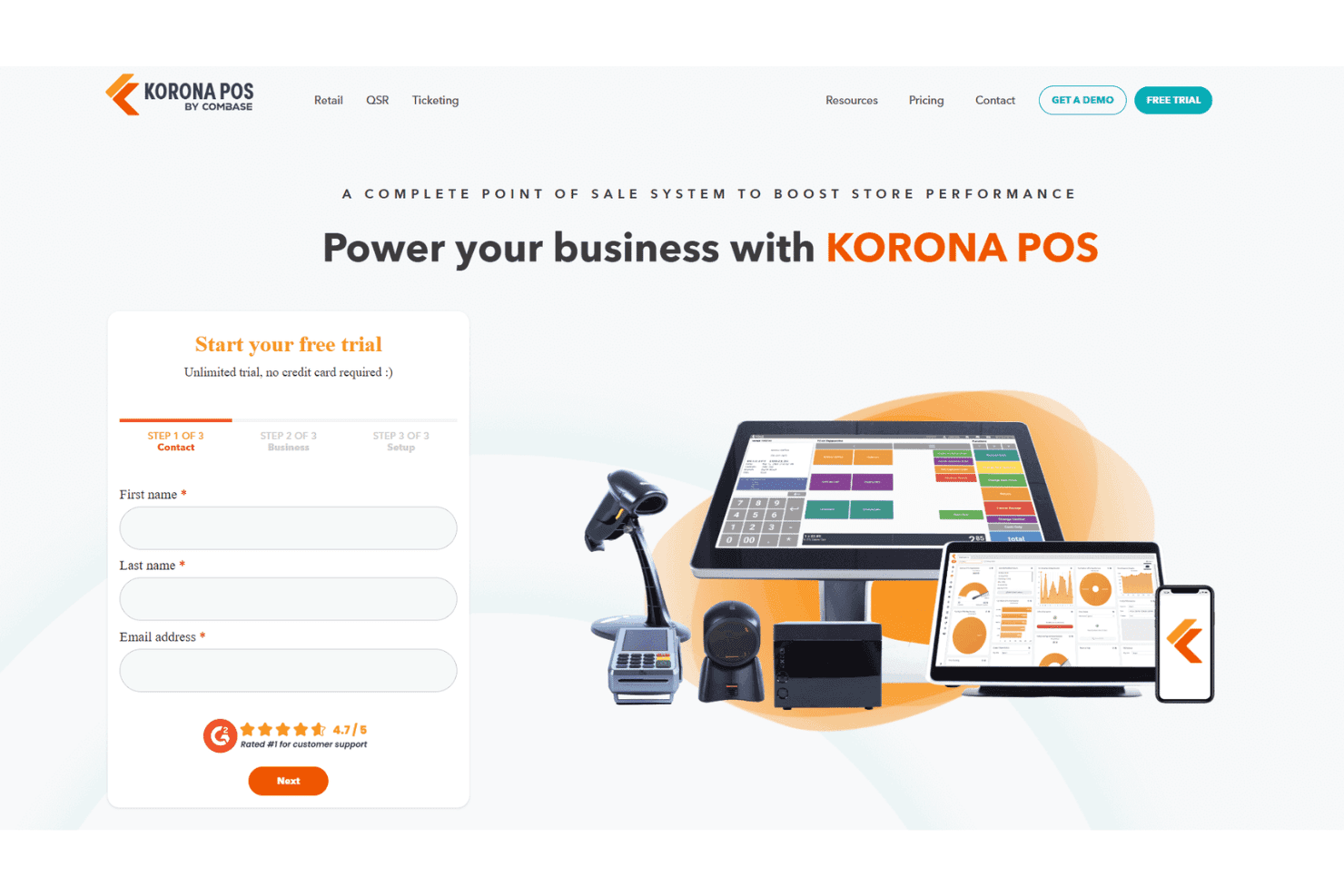
KORONA POS is easy to use at the register, but the overall system comes with a learning curve. I’ve found that while basic checkout tasks are quick to pick up—often within a single shift—the back-office tools and deeper features take more time to fully understand. That said, KORONA does a great job supporting users through guided onboarding, unlimited training sessions, and a detailed help center, which makes the ramp-up much more manageable if you’re willing to invest a bit of time upfront.
Onboarding
KORONA POS takes a guided approach to onboarding, with hands-on support, live training demos, and help with tasks like inventory imports before you go live. What stands out to me is that onboarding isn’t a one-time event—you get ongoing access to unlimited training sessions, video tutorials, and a detailed manual, which makes it much easier to ramp up even with the system’s deeper feature set.
Customer Support
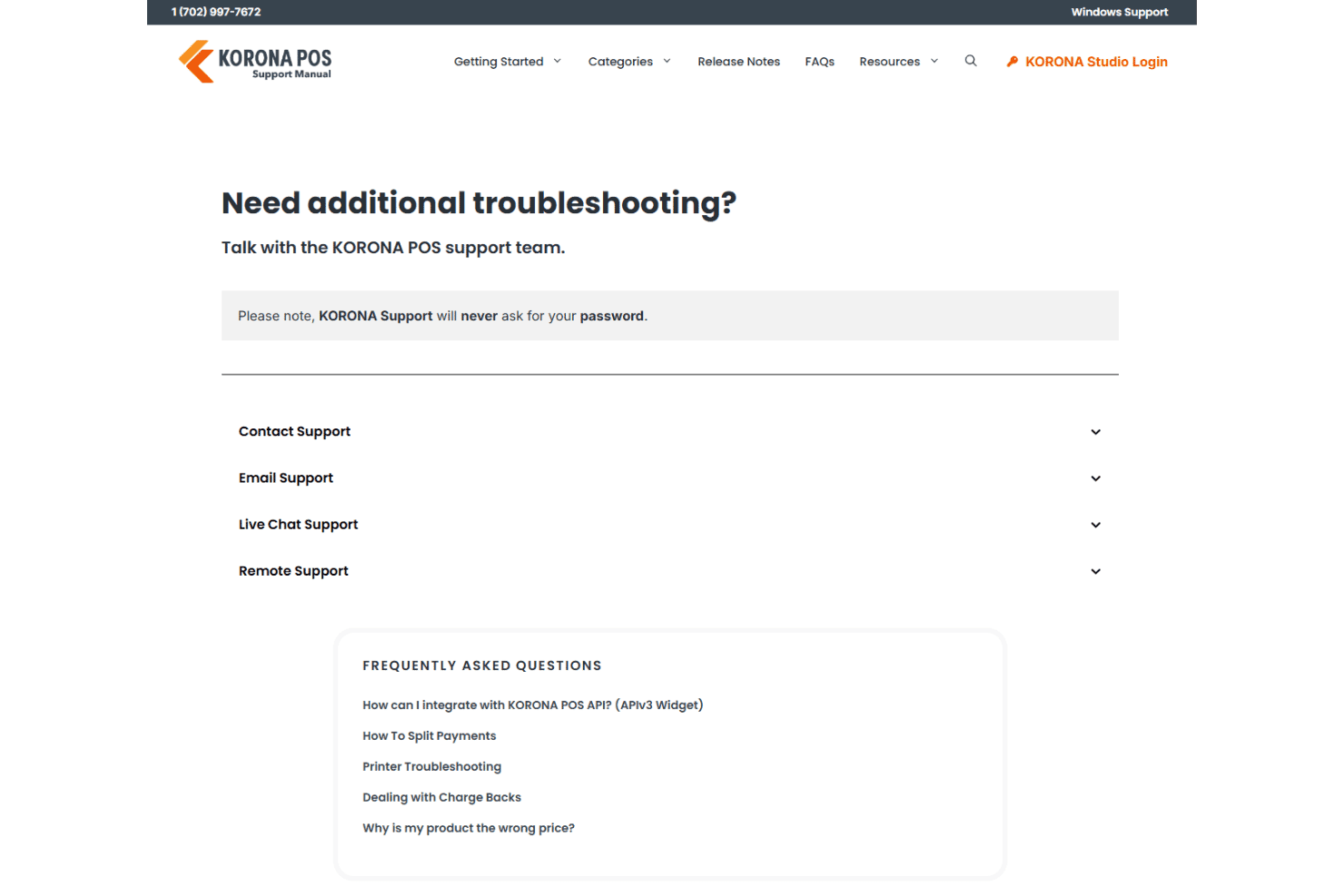
Customer support is one of KORONA POS’s strongest areas. You get in-house support via phone, email, and chat, along with a comprehensive online manual and video resources. I like that support is included at every subscription level and backed by 24/7 availability for critical issues, which makes a big difference for retail stores that can’t afford downtime.
Integrations
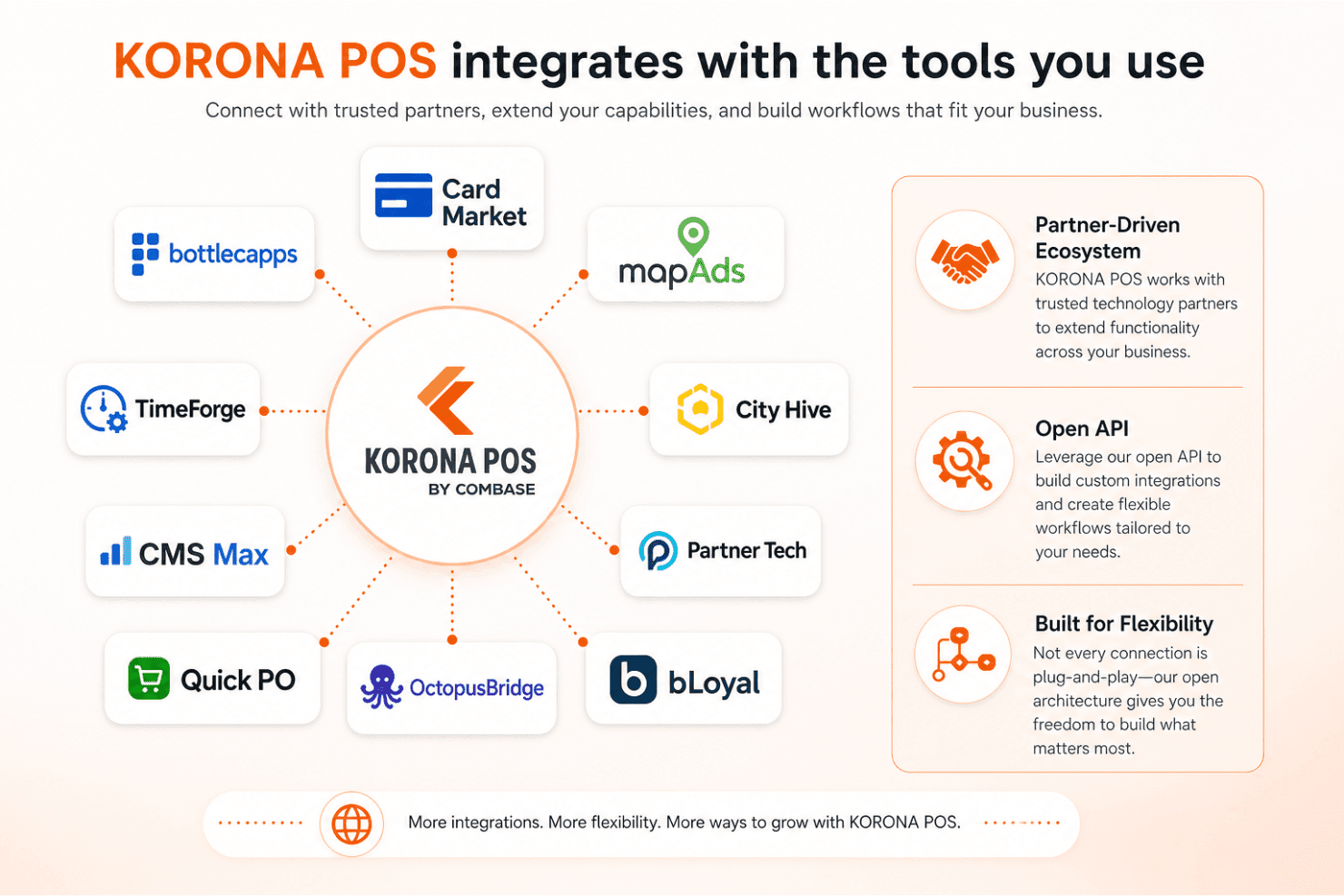
KORONA POS integrates with Card Market, Bottlecapps, mapAds, TimeForge, City Hive, CMS Max, Partner Tech, Quick PO, OctopusBridge, and bLoyal, among others. That said, its integration ecosystem is more partner-driven than marketplace-based, so not every connection is plug-and-play.
Where KORONA really stands out is its open API, which allows for custom integrations and more flexible workflows if you need something beyond the standard connections.
Value for Money
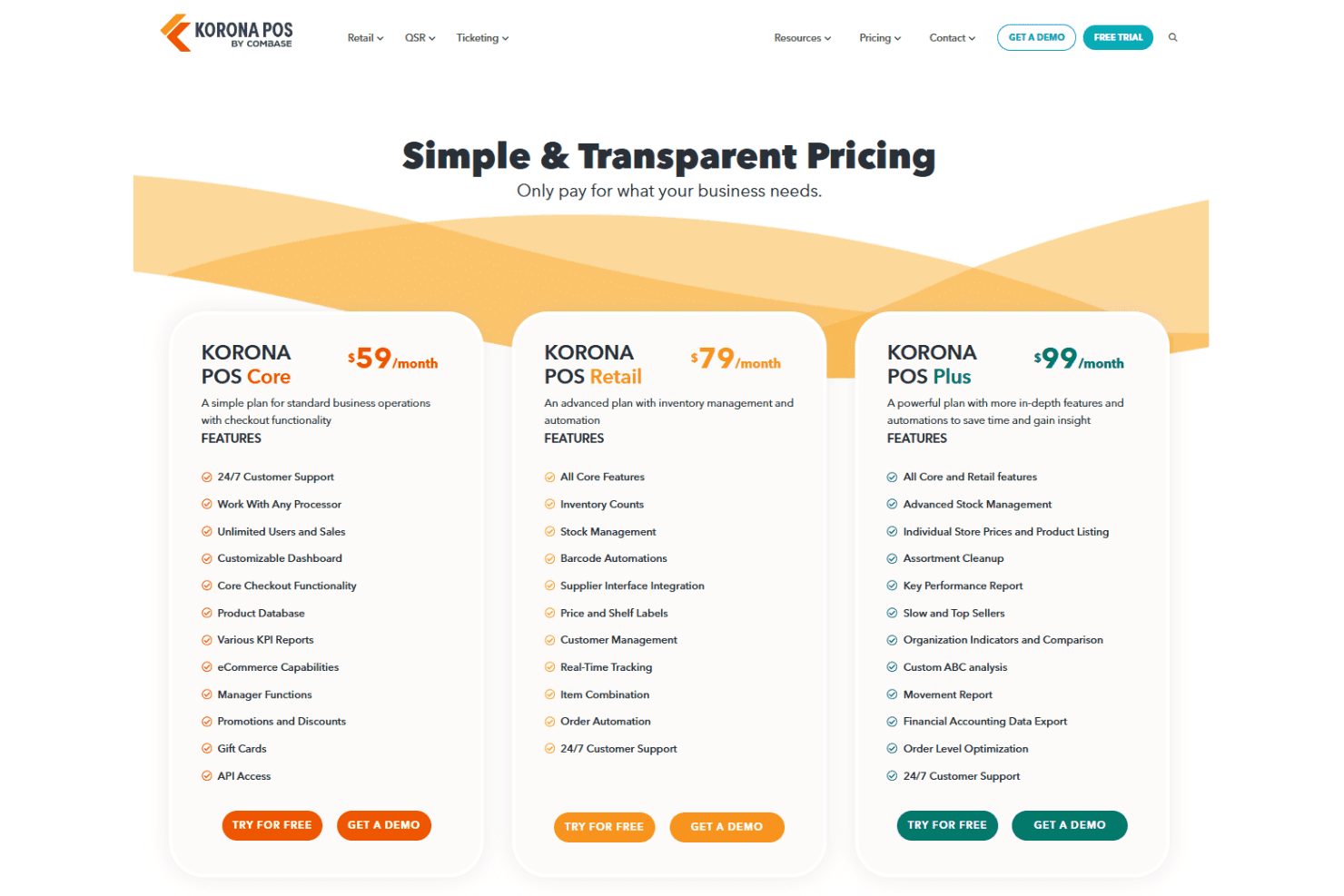
KORONA POS delivers strong value through transparent, month-to-month pricing with no contracts and support included at every tier. Rather than unlocking everything at once, features scale across plans, so you’re paying for the level of functionality your business actually needs. I think where it really stands out is the combination of pricing transparency and processor flexibility—because you’re not locked into a specific payment provider, you can shop around for lower transaction rates, which can save you a meaningful amount over time compared to POS systems that make money by marking up processing fees.
- Core: Basic checkout, reporting, and POS functionality for standard operations.
- Retail: Adds inventory management, automation, and customer management tools.
- Plus: Includes advanced reporting, product analysis, and deeper inventory insights
- Add-Ons: Modules like ticketing, franchise management, food service, and integrations for specialized use cases.
KORONA POS Specs
- 2-Factor Authentication: Yes
- API: Yes
- Barcode Scanning: Yes
- BitCoin: No
- Budgeting: Yes
- Contact Management: Yes
- Custom Reports: Yes
- Customer Management: Yes
- Customer Rewards: Yes
- Dashboard: Yes
- Data Export: Yes
- Data Import: Yes
- Data Visualization: Yes
- External Integrations: Yes
- Forecasting: Yes
- Fraud Detection: Yes
- Inventory Tracking: Yes
- Multi-Currency: Yes
- Multi-User: Yes
- Notifications: Yes
- Offline Access: Yes
- Order Management: Yes
- Payment Processor: Yes
- PayPal: Yes
- Stripe: Yes
- Supplier Management: Yes
- Tax Management: No
- Third-Party Plugins/Add-Ons: Yes
- Workflow Management: No
KORONA POS FAQs
KORONA POS Company Overview & History
KORONA POS is headquartered in North Las Vegas, Nevada, and operates as part of COMBASE USA. The company offers its cloud-based point of sale system for retailers, ticketing venues, and franchises of all sizes. KORONA POS serves thousands of businesses across North America, providing standout inventory tools, reliable support, and no long-term contracts. The company emphasizes transparency, support, and ongoing improvement, though it remains privately held without disclosed financial or client information.
KORONA POS Major Milestones
- 1994: COMBASE AG, the parent company, is founded in Germany.
- 2011: COMBASE USA is incorporated. KORONA POS product launches, offering cloud-based POS solutions.
- 2013 - Present: Over 5,000 installations, and focus on increasing functionality for specialized sectors.
- 2026: Announces KORONA POS Next (headless, cloud-based point-of-sale platform).