

Avis sur Zoho Books : avantages, inconvénients, fonctionnalités et tarifs expliqués
J’examine Zoho Books comme une solution de comptabilité e-commerce puissante : découvrez ses points forts, ses limites et ce qui la rend particulièrement agile pour les vendeurs en ligne en 2026.

Nous évaluons les outils de façon indépendante, et les commissions contribuent à financer nos tests. Consultez notre politique de transparence, notre méthodologie, ou suggérez un outil.
Zoho Books is an ecommerce accounting software built for small to mid-sized businesses that need invoicing, expense tracking, inventory management, and tax compliance in one platform. I'd consider it if your business already runs on other Zoho products—the native integration across the Zoho suite is tighter than what QuickBooks offers, and the pricing tiers are more accessible without sacrificing core accounting functionality.
Zoho Books Evaluation Summary
4.3/5
- From $15/month (billed annually)
- Free plan + free demo available
Pourquoi faire confiance à nos recommandations de logiciels
6,700+
Reviews
20
Industry experts
16+
Evaluation factors
14
Years
Notre équipe teste et évalue des logiciels depuis 2012. En tant que dirigeants du commerce de détail nous-mêmes, nous savons à quel point il est difficile — et important — de choisir le bon logiciel.
Pour ce guide, nous avons évalué les outils grâce à des tests pratiques et une recherche indépendante, en notant les outils selon nos critères de sélection.
Nos avis reflètent notre jugement indépendant — et non un argumentaire de vente.
Zoho Books Overview
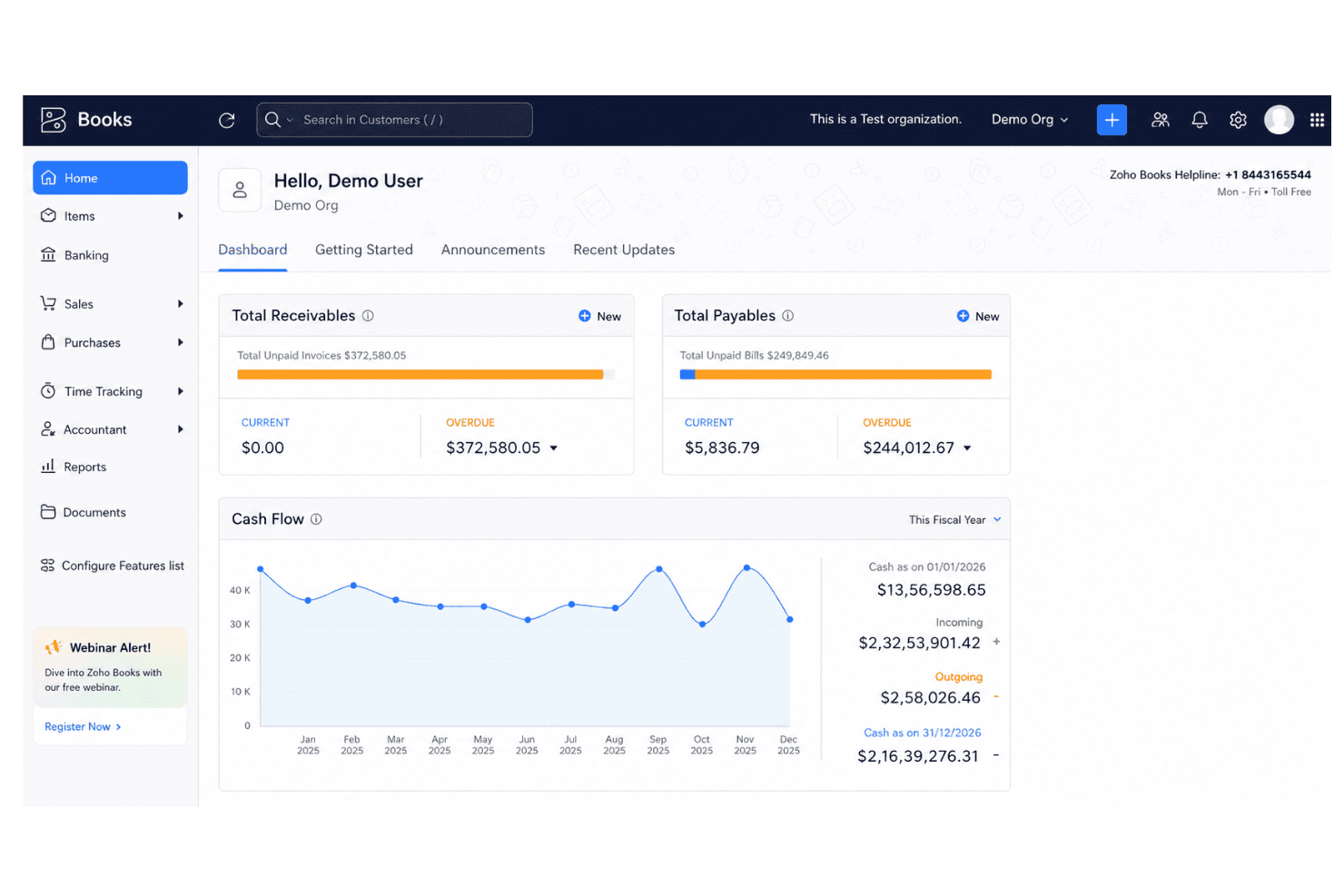
I think Zoho Books strikes the best balance for ecommerce teams who want strong automation tools, smooth inventory tracking, and clear billing without a steep learning curve. Pricing is competitive, setup is quick, and the interface feels intuitive. Onboarding is a breeze even for small teams. While some integrations require extra steps or add-ons, I’d judge Zoho Books as the top choice for retailers on a budget or those scaling up, thanks to vendor portal features and workflow customization. If you run complex omnichannel operations, you might want deeper integrations, but for most, Zoho Books ticks the essential boxes.
Pros
- Automated invoice matching with order and payment data
- Multi-channel inventory management updates in real time
- Support for multiple tax rates and currencies
Cons
- Payroll tools are only available through integration
- Some ecommerce platform connections require manual setup
- Advanced reporting features are limited on lower plans
Is Zoho Books Right For Your Needs?
Who Would be a Good Fit for Zoho Books?
Zoho Books works best for SMBs, freelancers, and ecommerce brands that need real-time inventory, order, and invoice management in a single platform. Teams in retail, wholesale, and direct-to-consumer categories will appreciate the easy automation and multi-channel support. It's also a natural fit for businesses already using other Zoho apps, thanks to its seamless integrations across the Zoho ecosystem. It’s also a strong match for founders and finance leads who need to control costs, automate tax compliance, and handle transactions in multiple currencies without heavy IT lift.
- Small Ecommerce StoresZoho Books automates orders, tracks stock, and reduces the need for manual bookkeeping, ideal for lean teams.
- International RetailersBuilt-in multi-currency and automated tax tools make cross-border transactions and compliance much less stressful.
- Direct-to-Consumer BrandsIntegrated order, shipping, and payment tracking helps DTC brands centralize finances and avoid missed revenue.
- Inventory ManagersReal-time product and warehouse tracking prevent stock-outs and help keep accurate inventory across channels.
- Freelance AccountantsLow entry cost and cloud-based access make it easy for freelance accountants to advise multiple clients at once.
- Digital Goods SellersAutomated invoicing and instant reconciliation help sellers of digital downloads and online courses keep books clean.
Who Would be a Bad Fit for Zoho Books?
Zoho Books isn’t the best fit for very large companies with advanced accounting needs, complex regulatory requirements, or teams demanding deep finance customization. Fast-scaling enterprises and organizations with global subsidiaries may find the workflow and reporting too basic. It’s also not suited for companies requiring sector-specific accounting features or highly tailored workflows beyond what’s available from templates and automation.
- Large EnterprisesLacks highly customizable workflows and complex consolidation tools needed by large enterprise finance teams.
- Public CompaniesDoes not support the advanced audit controls, compliance features, or regulatory reporting required for publicly listed firms.
- Manufacturers With ERP NeedsInventory tools are limited compared to dedicated enterprise resource planning (ERP) systems, especially for complex production.
- Nonprofits With GrantsGrant management and sector-specific fund accounting features are missing for nonprofit organizations.
- Multi-Subsidiary GroupsZoho Books cannot consolidate books across many legal entities or manage intercompany accounting well.
- Project-Based AgenciesProject accounting and time tracking features are basic, making it less useful for creative or consulting agencies who bill by the hour.
Notre méthodologie d'évaluation
Comment nous testons et notons les outils
Nous avons passé des années à construire, affiner et améliorer notre système de test et de notation des logiciels. Notre grille d’évaluation est conçue pour prendre en compte toutes les subtilités du choix d’un logiciel et identifier ce qui rend un outil efficace, en se concentrant sur les aspects essentiels du processus de décision. Vous pouvez voir ci-dessous comment fonctionne notre système de test et de notation selon sept critères. Il nous permet de fournir une évaluation impartiale des logiciels selon leur fonctionnalité principale, leurs caractéristiques remarquables, la facilité d’utilisation, l’intégration, l’onboarding, le service client, les avis clients et le rapport qualité-prix.
Fonctionnalité principale (25% de la note finale)
Le point de départ de notre évaluation est toujours la fonctionnalité de base de l’outil. Possède-t-il les fonctions et caractéristiques attendues par un utilisateur ? Certaines de ces fonctionnalités essentielles sont-elles réservées à des plans tarifaires supérieurs ? Nous attendons d’un outil qu’il se mesure aux capacités minimales proposées par ses concurrents.
Caractéristiques remarquables (25% de la note finale)
Ensuite, nous évaluons les caractéristiques remarquables et uniques qui vont au-delà des fonctionnalités de base normalement attendues d’un outil similaire. Une note élevée reflète des fonctionnalités spécialisées qui rendent le produit plus rapide, plus efficace, ou apportent une valeur ajoutée pour l’utilisateur. Nous évaluons également la facilité d’intégration avec d’autres outils généralement présents dans l’écosystème technique afin d’étendre la fonctionnalité et l’utilité du logiciel. Les outils qui proposent de nombreuses intégrations natives, des connexions avec des solutions tierces, et un accès API pour des intégrations personnalisées obtiennent la meilleure note.
Facilité d’utilisation (10% de la note finale)
Nous analysons la rapidité et la simplicité d’exécution des tâches affectées aux fonctionnalités principales via l’outil. Les logiciels les mieux notés sont bien conçus, intuitifs, offrent des applications mobiles, incluent des modèles prêts à l’emploi et simplifient les opérations complexes.
Onboarding (10% de la note finale)
Nous savons à quel point l’adoption rapide d’une nouvelle plateforme est cruciale pour une équipe. Nous évaluons donc la facilité d’apprentissage et de prise en main d’un outil avec un minimum de formation. Nous examinons la rapidité à laquelle un membre d’équipe peut s’installer et commencer à utiliser l’outil sans expérience préalable. Les solutions les mieux notées montrent qu’elles nécessitent peu ou pas d’assistance.
Service client (10% de la note finale)
Nous évaluons la vitesse et la simplicité pour obtenir de l’aide ou se débloquer par téléphone, chat en direct, ou base de connaissances. Les outils et sociétés qui offrent une assistance en temps réel obtiennent la meilleure note, tandis que les chatbots sont moins bien évalués.
Avis clients (10% de la note finale)
Au-delà de nos propres tests et évaluations, nous tenons compte du score de recommandation (NPS) des clients actuels et passés. Nous examinons leur probabilité de choisir à nouveau l’outil pour sa fonctionnalité principale. Un logiciel bien noté reflète un NPS élevé de la part des clients actuels ou passés.
Rapport qualité-prix (10% de la note finale)
Enfin, au regard de tous les autres critères, nous évaluons le prix moyen des offres de départ au regard des fonctionnalités clés, et tenons compte de la valeur ajoutée selon les autres critères. Les logiciels qui offrent plus pour moins obtiennent une meilleure note.
Core Features
Sales Order Management
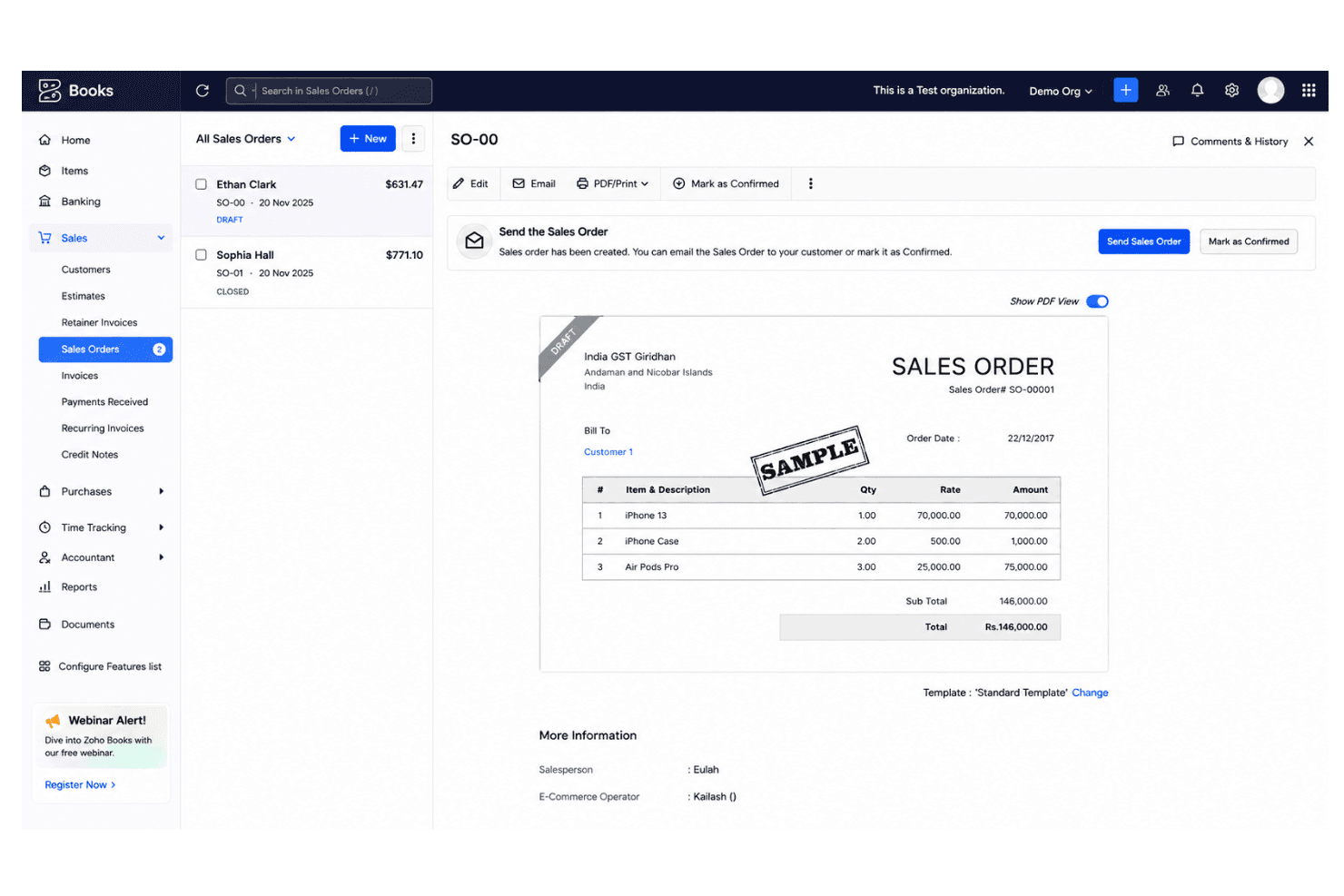
Create, approve, and track sales orders from quote to delivery. This helps prevent stock-outs and streamlines fulfillment across channels.
Inventory Tracking
Monitor product quantities, stock levels, and warehouse transfers in real time. Users can set reorder points to avoid overselling.
Automated Bank Reconciliation
Sync account transactions and match deposits automatically to online sales. This reduces errors and saves hours of manual work.
Multi-Currency Invoicing
Send invoices and accept payments in different currencies. Useful for ecommerce brands selling internationally.
Recurring Billing Automation
Schedule and send recurring invoices for subscription or repeat customers. Payment reminders can be set up to reduce missed payments.
Tax Calculation and Compliance
Apply country-specific tax rules to invoices and sales automatically. Zoho Books can generate tax reports for easy filing.
Ease of Use
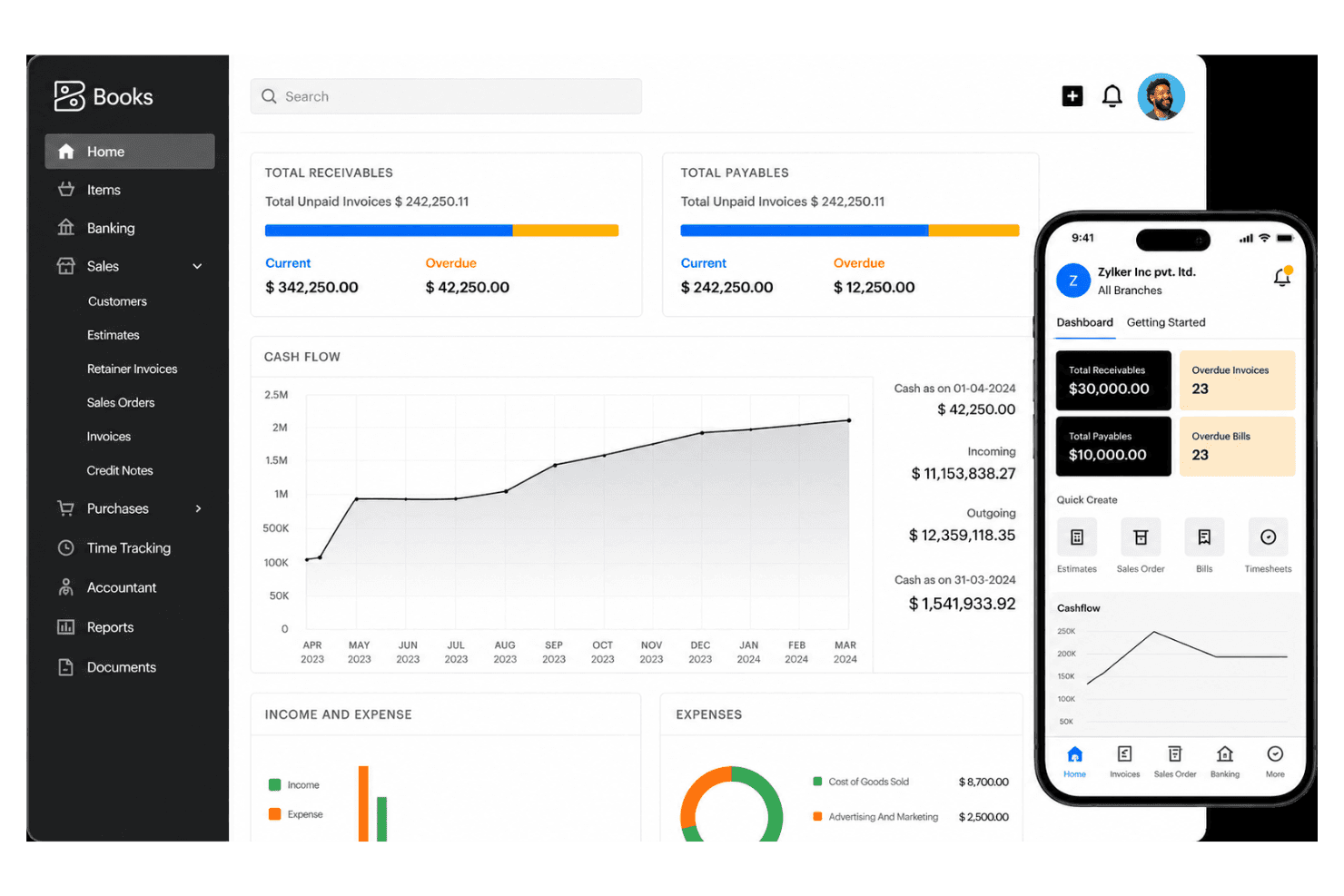
Zoho Books stands out for its clear navigation and fast onboarding, making ecommerce accounting accessible even for teams with no deep accounting background. I think users appreciate customizable dashboards, drag-and-drop invoice templates, and the ability to automate repetitive tasks, which really streamlines day-to-day work. Most reviews mention minimal training is needed for new staff.
Integrations
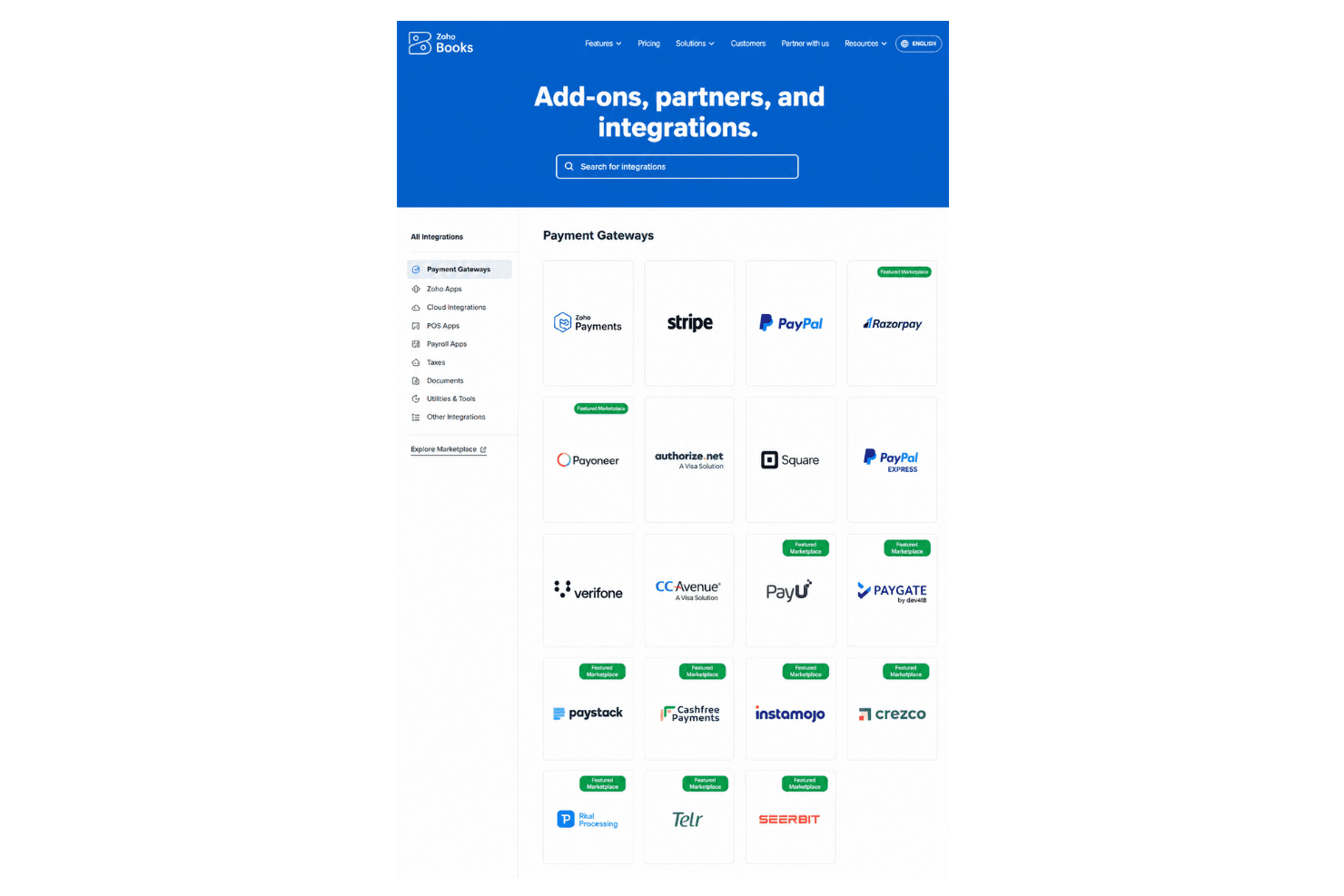
Zoho Books integrates with Shopify, WooCommerce, Amazon, PayPal, Stripe, Square, Zoho Inventory, Zoho CRM, Google Drive, Slack, and Office 365, among others.
Zoho Books also offers an open API and connects with third-party integration tools like Zapier.
Zoho Books Specs
- 2-Factor Authentication: Yes
- Accounts Payable: Yes
- Accounts Receivable: Yes
- API: Yes
- Balance Sheet: Yes
- Billing/Invoicing: Yes
- BitCoin: Yes
- Budgeting: Yes
- Calendar Management: Yes
- Contact Management: Yes
- CRM Integration: Yes
- Customer Management: Yes
- Dashboard: Yes
- Data Export: Yes
- Data Import: Yes
- Data Visualization: Yes
- Expense Tracking: Yes
- External Integrations: Yes
- Forecasting: Yes
- General Account Ledger: Yes
- Inventory Tracking: Yes
- Multi-Currency: Yes
- Multi-User: Yes
- Notifications: Yes
- P&L: Yes
- PayPal: Yes
- Payroll: Yes
- SAP Integration: Yes
- Stripe: Yes
- Supplier Management: Yes
- Tax Management: Yes


