

Square-E-Commerce-Bewertung: Vor- und Nachteile, Funktionen und Preise
Square zeichnet sich durch sein benutzerfreundliches Design und seine transparenten Preise aus und ist damit ideal für kleine Unternehmen, verfügt jedoch möglicherweise nicht über die erweiterten Funktionen, die größere Händler benötigen.

Wir bewerten Tools unabhängig und Provisionen helfen, unsere Tests zu finanzieren. Siehe unsere transparente Richtlinie, unsere Methodik oder schlagen Sie ein Tool vor.
Square is a POS system built for small to mid-sized retail and food service businesses. It's designed for sellers who need to accept payments and manage sales without committing to expensive hardware or long-term contracts. I'd consider it over Clover if you want to get started without heavy upfront costs. Square's free plan and flexible hardware options lower the barrier to entry. The built-in ecommerce tools also give brick-and-mortar sellers a direct path to selling online.
Square Evaluation Summary
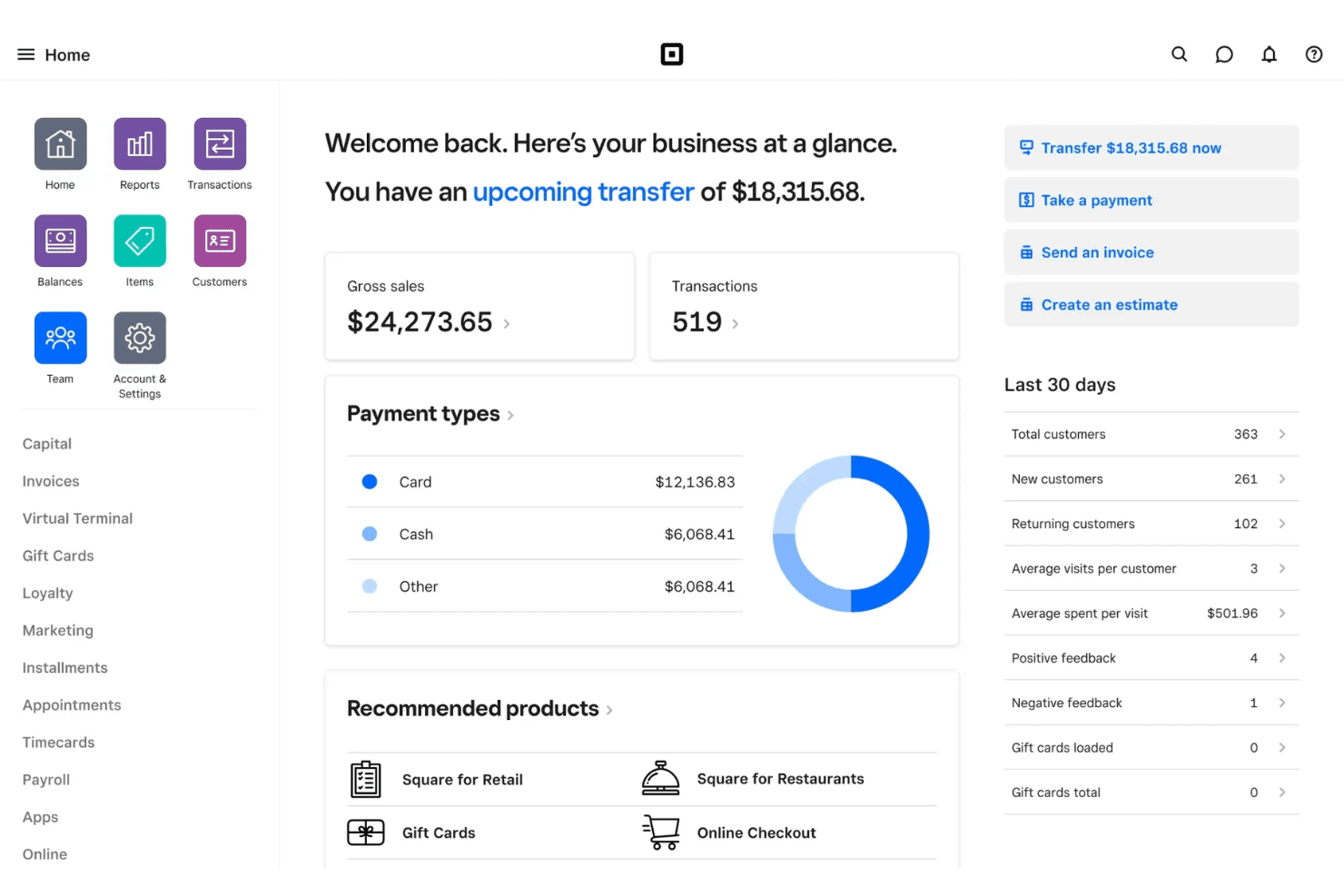
4.7/5
- From $49/month
- Free plan available; 30-day free trial on paid tiers
Warum Sie unseren Software-Empfehlungen vertrauen können
6,700+
Reviews
20
Industry experts
16+
Evaluation factors
14
Years
Unser Team testet und bewertet Software seit 2012. Als Führungskräfte im Einzelhandel selbst wissen wir, wie schwierig – und wichtig – es ist, die richtige Software auszuwählen.
Für diesen Leitfaden haben wir Tools mithilfe von praktischen Tests und unabhängiger Recherche bewertet und dabei die Tools anhand unserer Bewertungskriterien bewertet.
Unsere Bewertungen spiegeln unser unabhängiges Urteilsvermögen wider – keine Verkaufsstrategie.
Square Overview
If you’re judging Square Ecommerce against other point-of-sale software, its clean interface, transparent pricing, and quick onboarding make it a top pick for small retailers, pop-ups, and food trucks. You’ll find the app easy to navigate, with built-in payment processing and inventory tools that work right out of the box.
While it doesn’t offer the deep customization or advanced reporting some larger businesses might want, I’d choose Square Ecommerce for teams that value simplicity, fast setup, and reliable support over complex features or deep integrations.
Pros
- All-in-one platform combining POS, payments, and business tools.
- Free core POS with fast, simple setup process.
- Flexible hardware options for mobile, countertop, and retail use.
Cons
- Must use Square Payments, limiting processor choice and negotiation flexibility.
- Flat-rate processing fees can become expensive at higher volumes.
- Not ideal for complex or enterprise-level business operations.
Is Square Right For Your Needs?
Who Would be a Good Fit for Square?
Square Ecommerce is a strong choice for small businesses, mobile sellers, and teams that need a simple, unified system for both in-person and online sales. Its transparent pricing, free plan, and easy onboarding make it especially appealing for those who want to avoid complex contracts or hardware requirements.
If you’re running a business where speed, flexibility, and real-time syncing matter more than deep customization or advanced analytics, Square Ecommerce is likely to fit your needs.
- Food TrucksMobile POS, offline mode, and tap-to-pay make selling anywhere fast and reliable.
- Pop-Up ShopsQuick setup and no contracts make it ideal for short-term or seasonal retail.
- Service ProvidersBuilt-in scheduling, invoicing, and client management simplify operations for service-based businesses.
- Small to Mid-Sized Retail (Omnichannel Sellers)Syncs in-store and online sales with inventory, orders, and customer data in real time.
- Quick-Service Restaurants & CafésSupports fast-paced ordering, tipping, and menu management for quick-service food environments.
- New & First-Time Business OwnersFree POS (plus transaction rates) and simple setup make it easy to start selling quickly.
Who Would be a Bad Fit for Square?
Square Ecommerce isn’t ideal for large retailers, businesses with complex inventory needs, or those requiring highly specialized POS features. If your team needs advanced reporting, deep integrations, or industry-specific compliance, you’ll likely find Square’s feature set limiting.
Larger operations or those with unique workflows may outgrow Square Ecommerce's capabilities and need a more customizable solution.
- Large Retail ChainsSquare Ecommerce lacks advanced inventory and multi-location management features.
- Enterprise RestaurantsNo support for complex kitchen workflows or table management.
- Regulated IndustriesLimited compliance features for age-restricted or high-risk businesses.
- Wholesale DistributorsNo support for bulk pricing, purchase orders, or B2B workflows.
- Multi-Department StoresReporting and permissions are too basic for complex organizations.
- High-Volume EcommerceOrder management and fulfillment tools are limited for large online stores.
Unsere Bewertungsmethodik
Wie Wir Tools Testen & Bewerten
Wir haben über Jahre hinweg unser System zur Softwarebewertung und -testung entwickelt, verfeinert und verbessert. Die Bewertungsmatrix ist darauf ausgelegt, die Feinheiten der Softwareauswahl und die Effektivität eines Tools einzufangen, wobei der Fokus auf entscheidende Aspekte des Auswahlprozesses liegt. Nachfolgend sehen Sie genau, wie unser Test- und Bewertungssystem anhand von sieben Kriterien funktioniert. Dies ermöglicht uns, eine unvoreingenommene Bewertung der Software basierend auf Kernfunktionen, besonderen Merkmalen, Benutzerfreundlichkeit, Einarbeitung, Kundensupport, Integrationen, Kundenrezensionen und Preis-Leistungs-Verhältnis anzubieten.
Kernfunktionen (25% der Gesamtnote)
Der Ausgangspunkt unserer Bewertung ist immer die Kernfunktionalität des Tools. Verfügt es über die grundlegenden Funktionen, die ein Nutzer erwarten würde? Sind wichtige Kernfunktionen eventuell nur in höherpreisigen Tarifen enthalten? Ein Tool sollte im Kern mindestens mit den Basisfunktionen der Wettbewerber mithalten können.
Besondere Funktionen (25% der Gesamtnote)
Anschließend bewerten wir außergewöhnliche Funktionen, die über die normalen Kernfunktionen vergleichbarer Tools hinausgehen. Ein hoher Score spiegelt spezialisierte oder einzigartige Funktionen wider, die das Produkt schneller, effizienter oder wertvoller für die Nutzer machen. Wir bewerten außerdem, wie einfach sich das Tool mit anderen Programmen, die typischerweise zum Technologie-Stack gehören, integrieren lässt, um dessen Funktionalität und Nutzwert zu erweitern. Tools mit zahlreichen nativen Integrationen, Drittanbieteranbindungen und API-Zugang für eigene Entwicklungen schneiden hier am besten ab.
Benutzerfreundlichkeit (10% der Gesamtnote)
Wir betrachten, wie schnell und einfach es ist, die Kernaufgaben mit dem Tool zu erledigen. Software, die gut gestaltet und intuitiv zu bedienen ist, mobile Apps bietet, Vorlagen zur Verfügung stellt und komplexe Aufgaben einfach erscheinen lässt, erzielt die besten Werte.
Einarbeitung (10% der Gesamtnote)
Wir wissen, wie wichtig die schnelle Einführung eines neuen Tools im Team ist. Daher evaluieren wir, wie einfach es mit minimalem Training ist, das Tool kennenzulernen. Wir ermitteln, wie schnell ein Teammitglied ohne Vorerfahrung startklar ist. Lösungen, die kaum oder gar keine Unterstützung benötigen, erhalten die höchste Punktzahl.
Kundensupport (10% der Gesamtnote)
Wir überprüfen, wie schnell und einfach man Hilfe per Telefon, Live-Chat oder Wissensdatenbank erhält. Tools und Anbieter, die Echtzeit-Support bieten, schneiden am besten ab; Chatbots liegen am unteren Ende.
Kundenrezensionen (10% der Gesamtnote)
Zusätzlich zu unseren eigenen Tests ziehen wir den Net-Promoter-Score bestehender und früherer Kunden heran. Wir überprüfen, wie wahrscheinlich sie das Tool erneut für die Kernfunktionen wählen würden. Ein hoher Score spiegelt einen hohen Net-Promoter-Score wider.
Preis-Leistungs-Verhältnis (10% der Gesamtnote)
Schließlich bewerten wir im Kontext aller anderen Kriterien den Durchschnittspreis von Einstiegsplänen im Verhältnis zu den Kernfunktionen und betrachten den Wert der übrigen Kriterien. Software, die mehr zu geringeren Kosten bietet, schneidet hier besser ab.
Core Features
Integrated Payments
Accepts credit cards, contactless payments, and mobile wallets directly through the POS app.
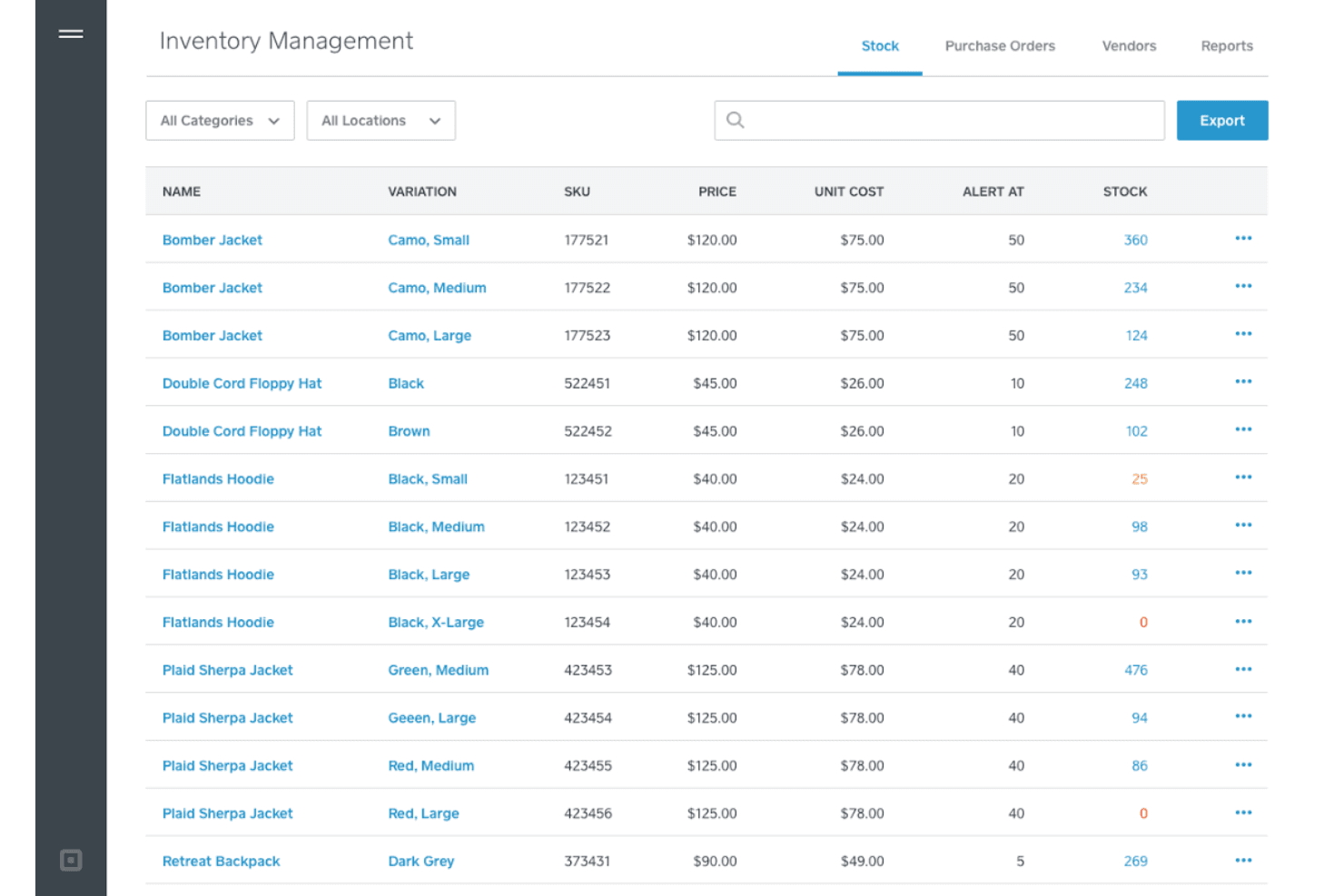
Inventory Management
Tracks stock levels in real time across in-store and online channels, helping prevent overselling.
Customer Directory
Stores customer profiles, purchase history, and loyalty points in one place for easy access.
Order Management
Lets you manage in-person, online, and pickup orders from a single dashboard.
Digital Receipts
Sends receipts via email or text, allowing customers to track purchases and returns easily.
Employee Management
Tracks staff hours, permissions, and sales performance within the POS system.
Ease of Use
Square Ecommerce is one of the most user-friendly point-of-sale systems I’ve tried, with a clean interface and intuitive workflows that make onboarding new staff fast. Users often mention how quickly they can set up hardware, process sales, and manage inventory without training.
The mobile app and dashboard are straightforward, so even non-technical teams can handle daily operations and reporting with minimal hassle.
Integrations
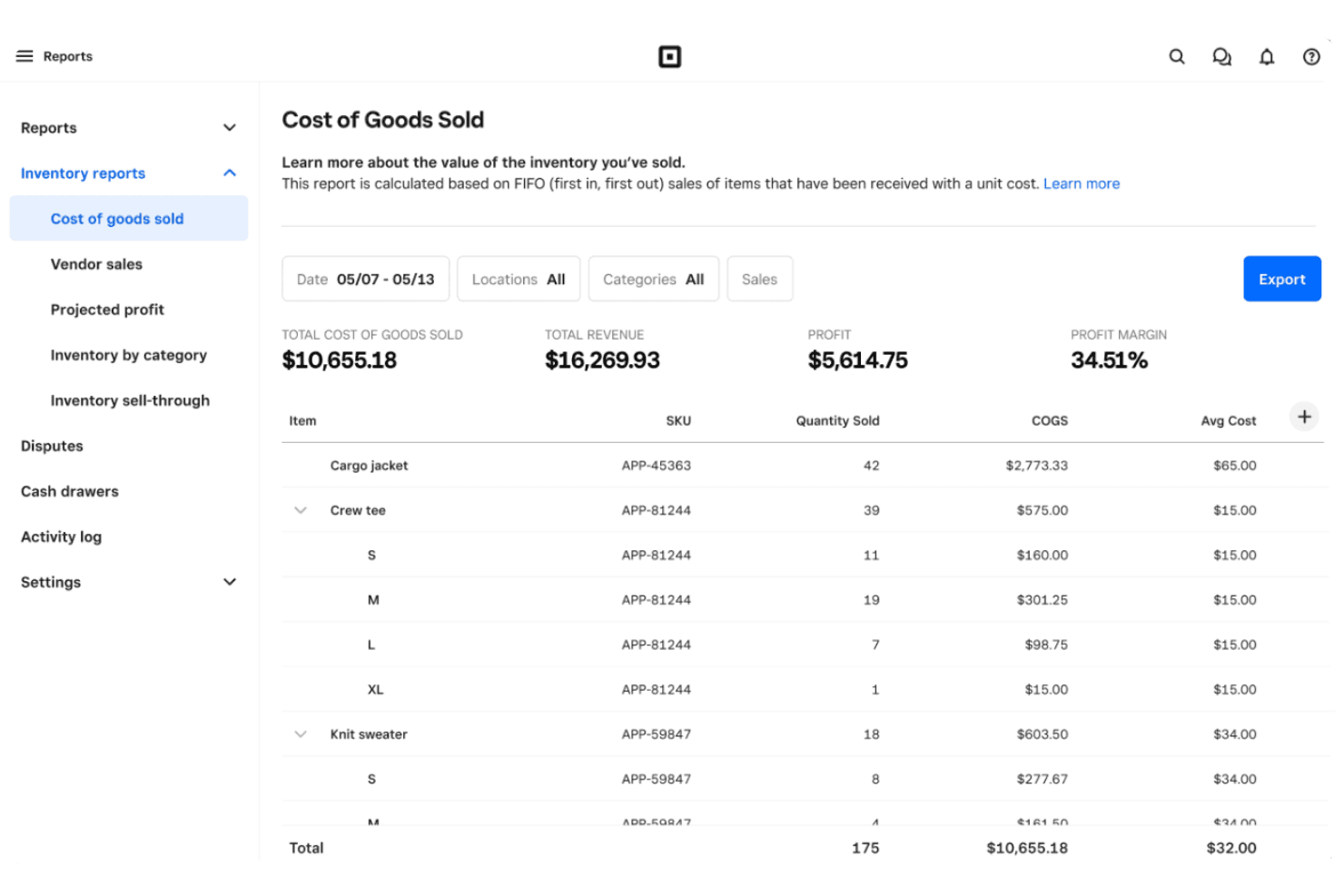
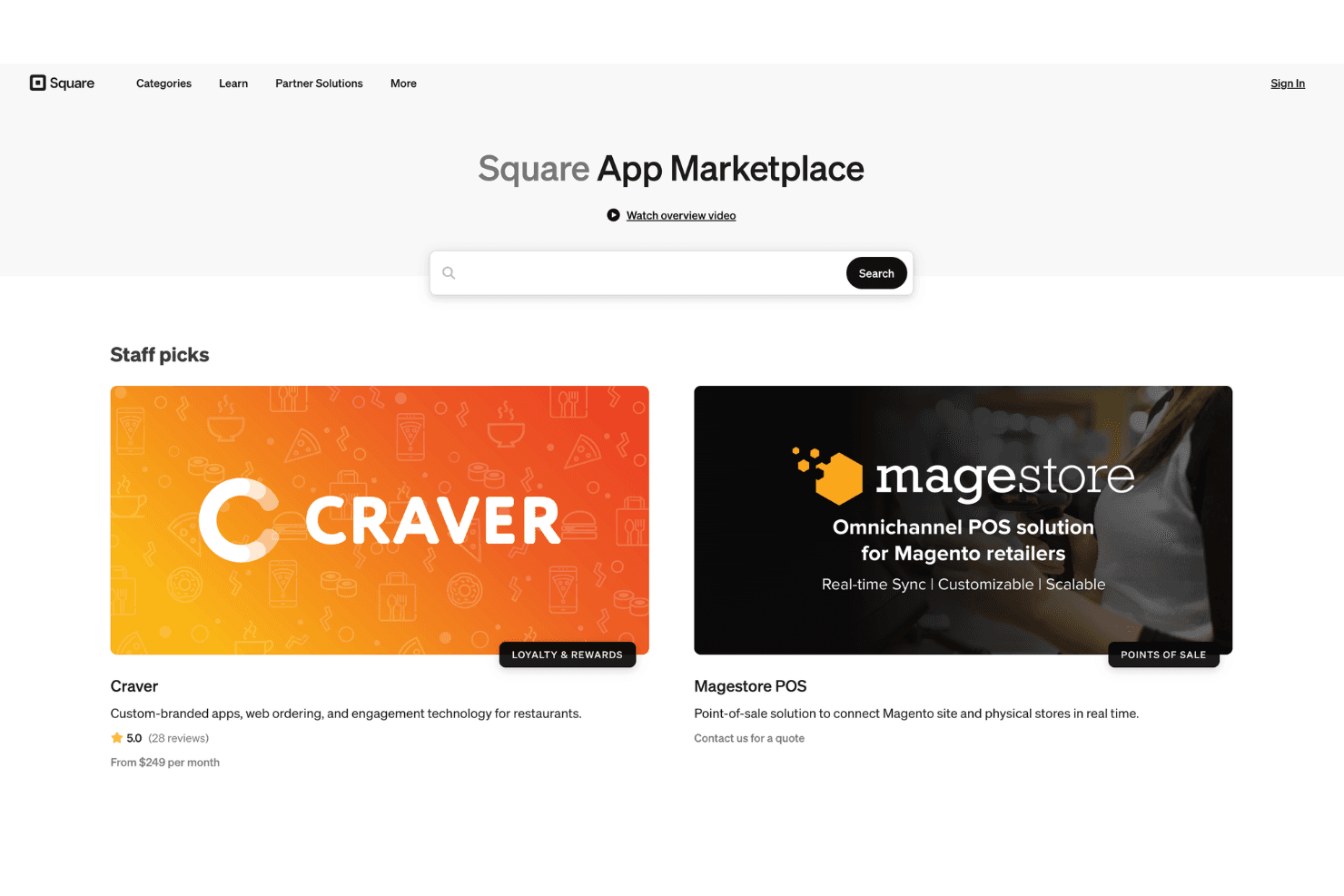
Square integrates with Wix, WooCommerce, QuickBooks, Xero, Shippo, Jotform, Homebase, BigCommerce, Acuity Scheduling, and Mailchimp, among others.
Square also offers an API and connects with third-party integration tools for expanded functionality.
Square Specs
- 2-Factor Authentication: Yes
- API: Yes
- Barcode Scanning: Yes
- BitCoin: No
- Budgeting: No
- Contact Management: Yes
- Custom Reports: Yes
- Customer Management: Yes
- Customer Rewards: Yes
- Dashboard: Yes
- Data Export: Yes
- Data Import: Yes
- Data Visualization: Yes
- External Integrations: Yes
- Forecasting: No
- Fraud Detection: Yes
- Inventory Tracking: Yes
- Multi-Currency: No
- Multi-User: Yes
- Notifications: No
- Offline Access: Yes
- Order Management: Yes
- Payment Processor: Yes
- PayPal: No
- Stripe: No
- Supplier Management: No
- Tax Management: Yes
- Third-Party Plugins/Add-Ons: Yes
- Workflow Management: Yes


