

Clover-Test: Vor- und Nachteile, Funktionen und Preise
Clover zeichnet sich durch sein benutzerfreundliches Kassensystem und seine flexible Hardware aus, aber die Preise und die Abhängigkeit von Drittanbieter-Apps sind möglicherweise nicht für jedes Unternehmen geeignet. Ideal für wachsende Einzelhandelsunternehmen und Restaurants.

Wir bewerten Tools unabhängig und Provisionen helfen, unsere Tests zu finanzieren. Siehe unsere transparente Richtlinie, unsere Methodik oder schlagen Sie ein Tool vor.
Clover is a POS system for small to mid-sized retail and food service businesses. It comes with flexible hardware options and a built-in app marketplace to extend its core functionality. I'd consider it over Square if your business has outgrown basic card readers. Clover gives you customizable countertop hardware, role-based employee permissions, and deeper sales reporting—without stitching together third-party tools.
Clover Evaluation Summary
3.9/5
- From $16/month
- 90-day free trial
Warum Sie unseren Software-Empfehlungen vertrauen können
6,700+
Reviews
20
Industry experts
16+
Evaluation factors
14
Years
Unser Team testet und bewertet Software seit 2012. Als Führungskräfte im Einzelhandel selbst wissen wir, wie schwierig – und wichtig – es ist, die richtige Software auszuwählen.
Für diesen Leitfaden haben wir Tools mithilfe von praktischen Tests und unabhängiger Recherche bewertet und dabei die Tools anhand unserer Bewertungskriterien bewertet.
Unsere Bewertungen spiegeln unser unabhängiges Urteilsvermögen wider – keine Verkaufsstrategie.
Clover Overview
If you’re judging Clover against other POS systems, its intuitive interface, quick onboarding, and wide hardware range make it a strong pick for retail and food service. The app marketplace and built-in payment processing add flexibility, but pricing can climb with add-ons and some integrations feel limited.
Clover is best for businesses that want a modern, easy-to-use POS with solid support and don’t need highly specialized features.
Pros
- Built-in payment processing with fast deposits.
- Wide range of hardware options for different business types.
- Strong reporting and inventory management features.
Cons
- Some third-party apps require extra fees or subscriptions.
- Customer support response times can be inconsistent.
- Monthly costs increase with add-ons and advanced features.
Is Clover Right For Your Needs?
Who Would be a Good Fit for Clover?
Clover is a strong choice for businesses that want a modern POS with built-in payment processing, flexible hardware, and straightforward inventory tools. Retailers, restaurants, and service providers who value quick setup and easy staff training will find Clover’s interface and support helpful.
Its reporting, customer management, and mobile options make it especially useful for small to mid-sized teams that need to manage sales both in-store and on the go.
- Boutique Fitness StudiosRecurring billing and class scheduling features support membership-based businesses.
- Pop-Up ShopsPortable devices and easy setup work well for temporary locations.
- Salons and SpasAppointment scheduling and customer profiles help manage repeat business.
- Food TrucksMobile hardware and offline payment support suit on-the-go sales.
- Quick-Service RestaurantsOrder management and kitchen display integrations support fast-paced food service.
- Small Retail StoresClover’s inventory tracking and barcode scanning make daily sales simple.
Who Would be a Bad Fit for Clover?
Clover isn’t ideal for businesses that need highly specialized POS features, advanced integrations, or custom workflows. Large enterprises, niche retailers, and teams with complex inventory or multi-location needs may find Clover’s feature set limiting.
If your business relies on deep customization, advanced reporting, or industry-specific compliance, you’ll likely need a more tailored solution.
- Enterprise HospitalityGroups Custom integrations and advanced reporting fall short for large hotels or resorts.
- Automotive Repair ShopsWork order management and parts inventory tools are basic.
- Regulated Cannabis DispensariesIndustry-specific compliance and tracking features are missing.
- B2B Wholesale DistributorsClover doesn’t support complex pricing tiers or bulk order workflows.
- High-Volume Grocery StoresAdvanced inventory and scale integrations are lacking for grocers.
- Large Chain RetailersClover’s multi-location management is limited for enterprise-scale operations.
Unsere Bewertungsmethodik
Wie Wir Tools Testen & Bewerten
Wir haben über Jahre hinweg unser System zur Softwarebewertung und -testung entwickelt, verfeinert und verbessert. Die Bewertungsmatrix ist darauf ausgelegt, die Feinheiten der Softwareauswahl und die Effektivität eines Tools einzufangen, wobei der Fokus auf entscheidende Aspekte des Auswahlprozesses liegt. Nachfolgend sehen Sie genau, wie unser Test- und Bewertungssystem anhand von sieben Kriterien funktioniert. Dies ermöglicht uns, eine unvoreingenommene Bewertung der Software basierend auf Kernfunktionen, besonderen Merkmalen, Benutzerfreundlichkeit, Einarbeitung, Kundensupport, Integrationen, Kundenrezensionen und Preis-Leistungs-Verhältnis anzubieten.
Kernfunktionen (25% der Gesamtnote)
Der Ausgangspunkt unserer Bewertung ist immer die Kernfunktionalität des Tools. Verfügt es über die grundlegenden Funktionen, die ein Nutzer erwarten würde? Sind wichtige Kernfunktionen eventuell nur in höherpreisigen Tarifen enthalten? Ein Tool sollte im Kern mindestens mit den Basisfunktionen der Wettbewerber mithalten können.
Besondere Funktionen (25% der Gesamtnote)
Anschließend bewerten wir außergewöhnliche Funktionen, die über die normalen Kernfunktionen vergleichbarer Tools hinausgehen. Ein hoher Score spiegelt spezialisierte oder einzigartige Funktionen wider, die das Produkt schneller, effizienter oder wertvoller für die Nutzer machen. Wir bewerten außerdem, wie einfach sich das Tool mit anderen Programmen, die typischerweise zum Technologie-Stack gehören, integrieren lässt, um dessen Funktionalität und Nutzwert zu erweitern. Tools mit zahlreichen nativen Integrationen, Drittanbieteranbindungen und API-Zugang für eigene Entwicklungen schneiden hier am besten ab.
Benutzerfreundlichkeit (10% der Gesamtnote)
Wir betrachten, wie schnell und einfach es ist, die Kernaufgaben mit dem Tool zu erledigen. Software, die gut gestaltet und intuitiv zu bedienen ist, mobile Apps bietet, Vorlagen zur Verfügung stellt und komplexe Aufgaben einfach erscheinen lässt, erzielt die besten Werte.
Einarbeitung (10% der Gesamtnote)
Wir wissen, wie wichtig die schnelle Einführung eines neuen Tools im Team ist. Daher evaluieren wir, wie einfach es mit minimalem Training ist, das Tool kennenzulernen. Wir ermitteln, wie schnell ein Teammitglied ohne Vorerfahrung startklar ist. Lösungen, die kaum oder gar keine Unterstützung benötigen, erhalten die höchste Punktzahl.
Kundensupport (10% der Gesamtnote)
Wir überprüfen, wie schnell und einfach man Hilfe per Telefon, Live-Chat oder Wissensdatenbank erhält. Tools und Anbieter, die Echtzeit-Support bieten, schneiden am besten ab; Chatbots liegen am unteren Ende.
Kundenrezensionen (10% der Gesamtnote)
Zusätzlich zu unseren eigenen Tests ziehen wir den Net-Promoter-Score bestehender und früherer Kunden heran. Wir überprüfen, wie wahrscheinlich sie das Tool erneut für die Kernfunktionen wählen würden. Ein hoher Score spiegelt einen hohen Net-Promoter-Score wider.
Preis-Leistungs-Verhältnis (10% der Gesamtnote)
Schließlich bewerten wir im Kontext aller anderen Kriterien den Durchschnittspreis von Einstiegsplänen im Verhältnis zu den Kernfunktionen und betrachten den Wert der übrigen Kriterien. Software, die mehr zu geringeren Kosten bietet, schneidet hier besser ab.
Core Features
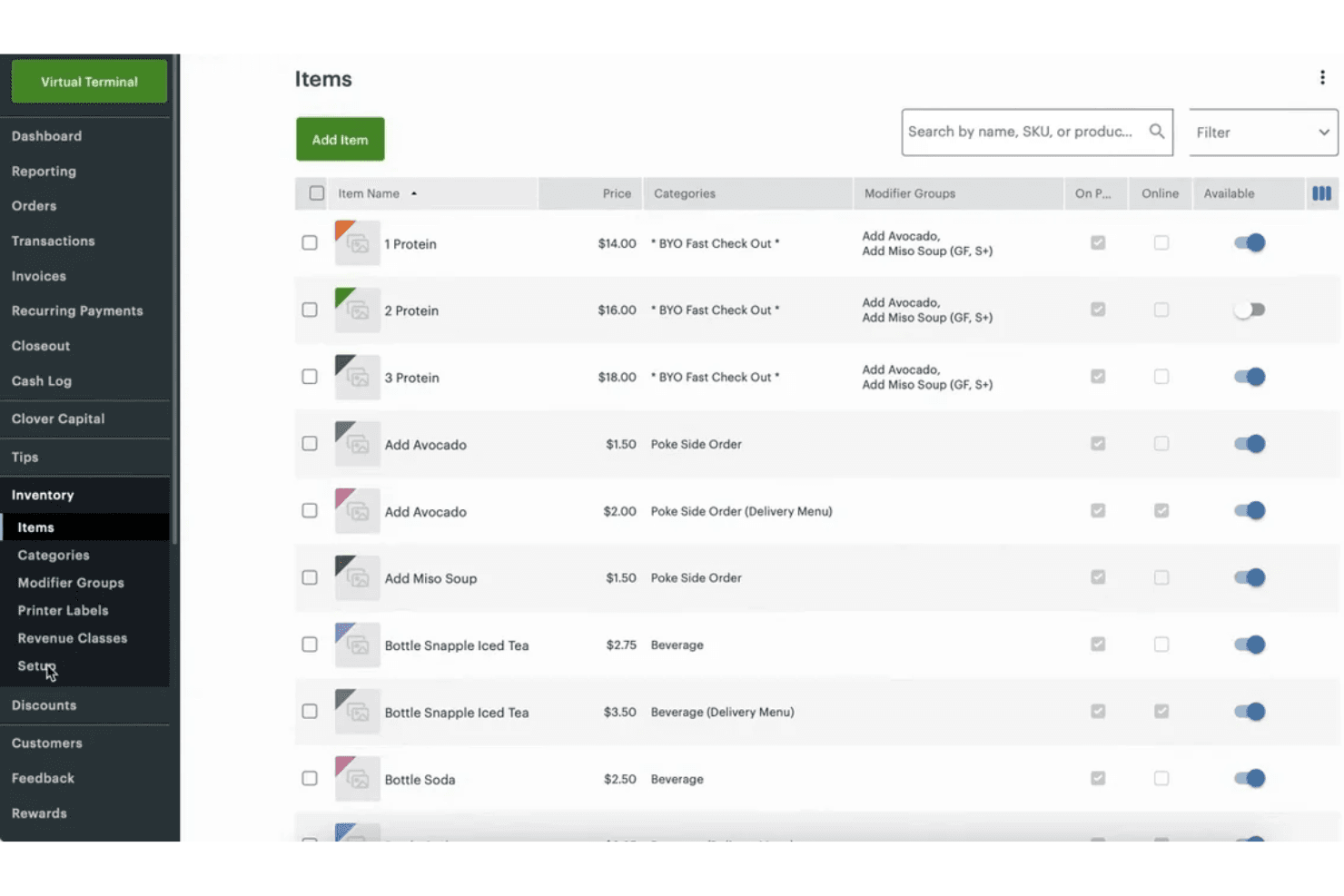
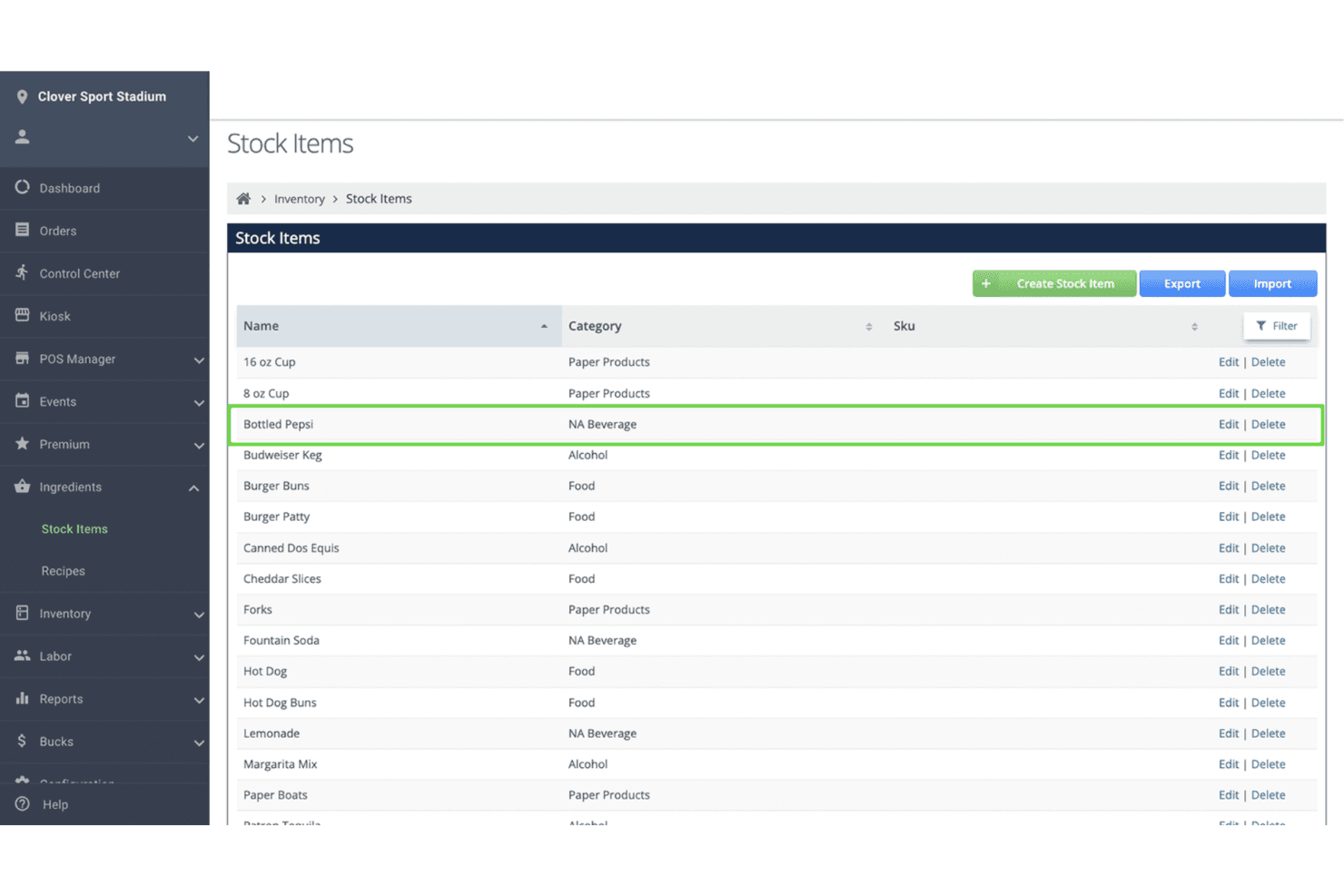
Inventory Management
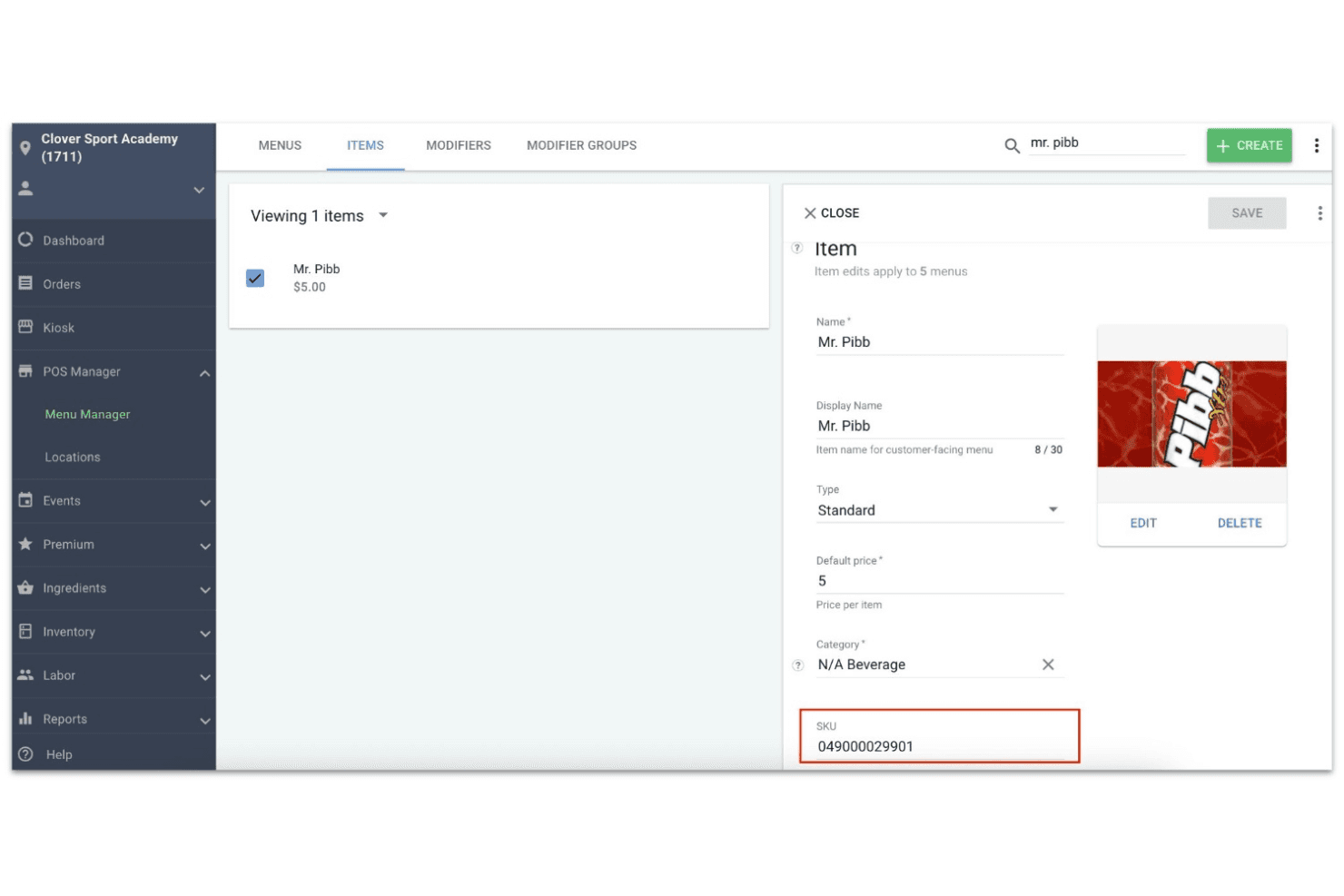
Track stock levels, set reorder alerts, and manage SKUs in real time. This helps avoid stockouts and keeps your product catalog organized.
Employee Management
Set staff permissions, track hours, and manage payroll from the POS. You can monitor sales by employee and simplify scheduling.
Integrated Payment Processing
Accept credit, debit, contactless, and mobile wallet payments directly through Clover. Fast deposits and built-in security help reduce payment headaches.
Customer Engagement Tools
Create loyalty programs, issue digital or physical gift cards, and collect customer feedback. These features help drive repeat business and build customer relationships.
Reporting and Analytics
Access sales, inventory, and employee performance reports from the dashboard. Real-time insights help you spot trends and make informed decisions.
Online Ordering
Manage in-person and online orders from a single platform. Clover supports commission-free online ordering and integrates with delivery services for easy fulfillment.
Ease of Use
Clover is one of the most user-friendly POS systems I’ve tried, with a clean touchscreen interface and intuitive workflows for sales, inventory, and reporting. Users often mention how quickly staff can learn the system, even with minimal training.
The setup process is straightforward, and the built-in help resources make onboarding smooth. Most retail and restaurant teams will appreciate how little time it takes to get up and running with Clover.
Integrations
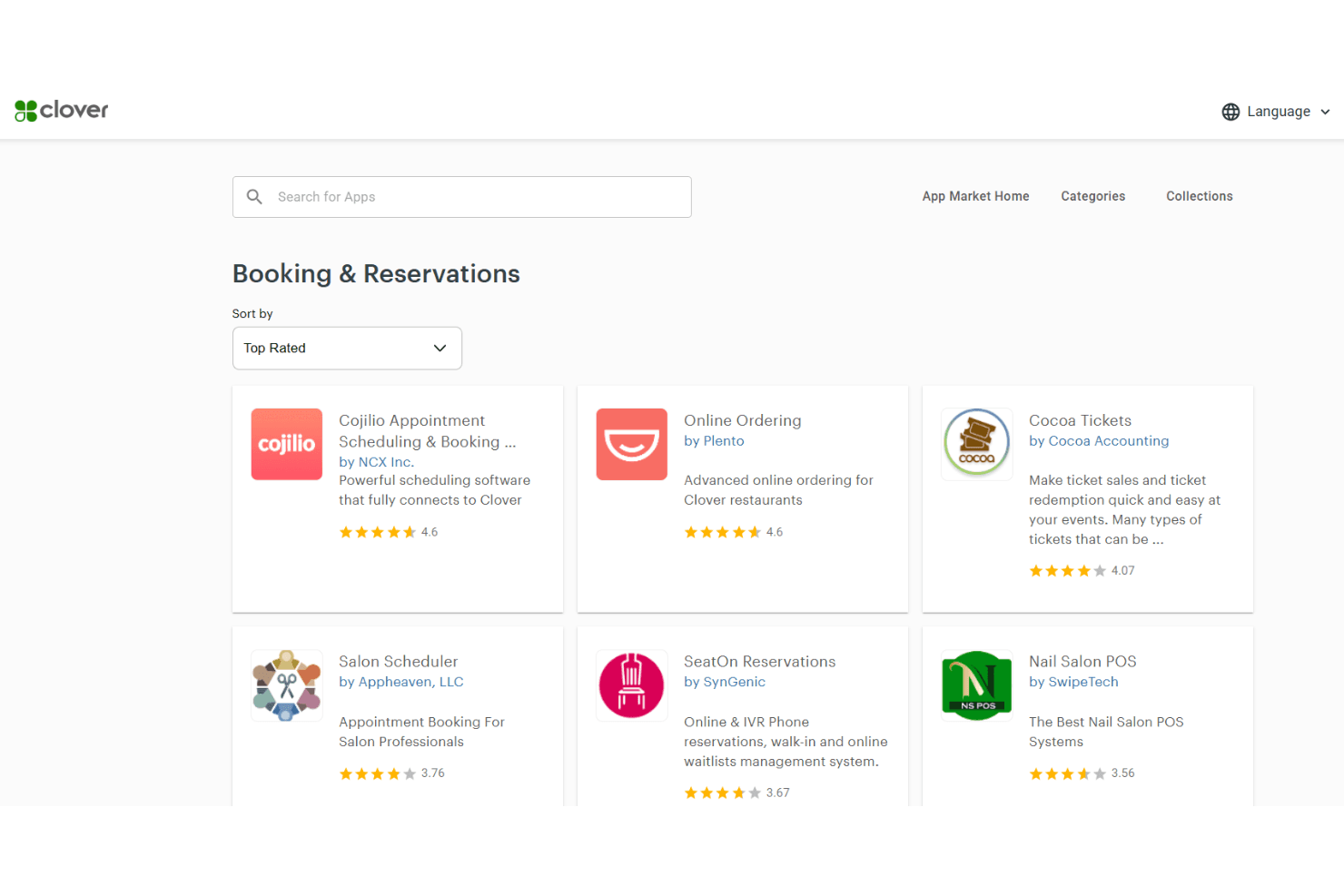
Clover integrates with QuickBooks, Shopify, Mailchimp, Gusto, Homebase, DAVO, Yelp, Time Clock by Homebase, WooCommerce, and BigCommerce, among others.
Clover also offers an API and connects with third-party integration tools, allowing businesses to build custom integrations or expand functionality through the Clover App Marketplace.
Clover Specs
- 2-Factor Authentication: Yes
- A/B Testing: No
- Analytics: No
- API: Yes
- BitCoin: No
- Conversion Tracking: No
- Dashboard: Yes
- Data Export: Yes
- Data Import: Yes
- Data Visualization: Yes
- Design Templates: No
- External Integrations: Yes
- Inventory Tracking: Yes
- Keyword Tracking: No
- Marketing Automation: No
- Multi-User: Yes
- Notifications: Yes
- Order Management: No
- Payment Gateway Integration: Yes
- Payment Processor: Yes
- PayPal: Yes
- Product Catalog: No
- Review Monitoring: No
- SAP Integration: No
- Scheduling: Yes
- Stripe: No
- Third-Party Plugins/Add-Ons: No


