

O comércio a retalho não abranda por causa de um processo de pagamento instável ou de uma contagem de inventário que está sempre errada. O Shopify POS pode ser uma solução sólida, mas nem sempre é a opção mais adequada — algumas lojas deparam-se com limites de preços, precisam de uma gestão de inventário mais robusta ou pretendem maior flexibilidade no processamento de pagamentos.
Sabemos que o que está em jogo não é meramente teórico.
Quando o seu sistema de ponto de venda deixa de funcionar, o mesmo acontece com os seus fluxos de trabalho, a experiência do cliente e os resultados financeiros. A configuração certa não se limita a processar transações — mantém o seu inventário atualizado, a sua equipa produtiva e os seus canais de vendas alinhados.
Este guia elimina o ruído do marketing.
Analisámos as alternativas mais fortes ao Shopify POS para necessidades reais do comércio a retalho — acompanhamento avançado do inventário, programas de fidelização, preços mais competitivos e tudo o que se encontra entre estes aspetos. Sem conteúdo desnecessário. Apenas as opções que merecem o seu tempo e orçamento.
Why Trust Our Software Recommendations
6,700+
Reviews
20
Industry experts
16+
Evaluation factors
14
Years
Our team has been testing and reviewing software since 2012. As retail leaders ourselves, we know how difficult—and important—it is to choose the right software.
For this guide, we evaluated tools using hands-on testing and independent research, scoring tools using our selection criteria.
Our reviews reflect our independent judgment—not a sales pitch.
Tabela de comparação das alternativas ao Shopify POS
Esta tabela de comparação resume os detalhes de preços das minhas principais alternativas ao Shopify POS:
| Tool | Best For | Trial Info | Price | ||
|---|---|---|---|---|---|
| 1 | Best for diverse business needs | Free plan + 30-day trial available | From $49/month | Website | |
| 2 | Best for fast setup | Free plan available | Pricing upon request | Website | |
| 3 | Best for secure transactions | Free plan available | From $42/month | Website | |
| 4 | Best for scalable solutions | Free demo available | From $90/month | Website | |
| 5 | Best for advanced inventory management | Not available | From $89/month (billed annually) | Website | |
| 6 | Best for inventory management | 60-day free trial + demo available | From $59/month | Website | |
| 7 | Best for small businesses | Free plan + Free trial available | From $10.00 (billed annually) | Website | |
| 8 | Best for detailed reporting | Not available | Pricing upon request | Website | |
| 9 | Best for flexible payments | Free plan + free demo available | From $49/month | Website | |
| 10 | Best for omnichannel retail | Not available | Pricing upon request | Website |


As 10 melhores alternativas ao Shopify POS, analisadas
Estas análises centram-se nos detalhes que contam: funcionalidades essenciais, preços, integrações e casos de utilização. Obtenha informações claras e práticas para escolher um sistema de ponto de venda capaz de responder efetivamente às suas exigências no comércio a retalho.
 Best for diverse business needs
- Free plan + 30-day trial available
- From $49/month
Visit WebsiteCustomer Rating:4.7/5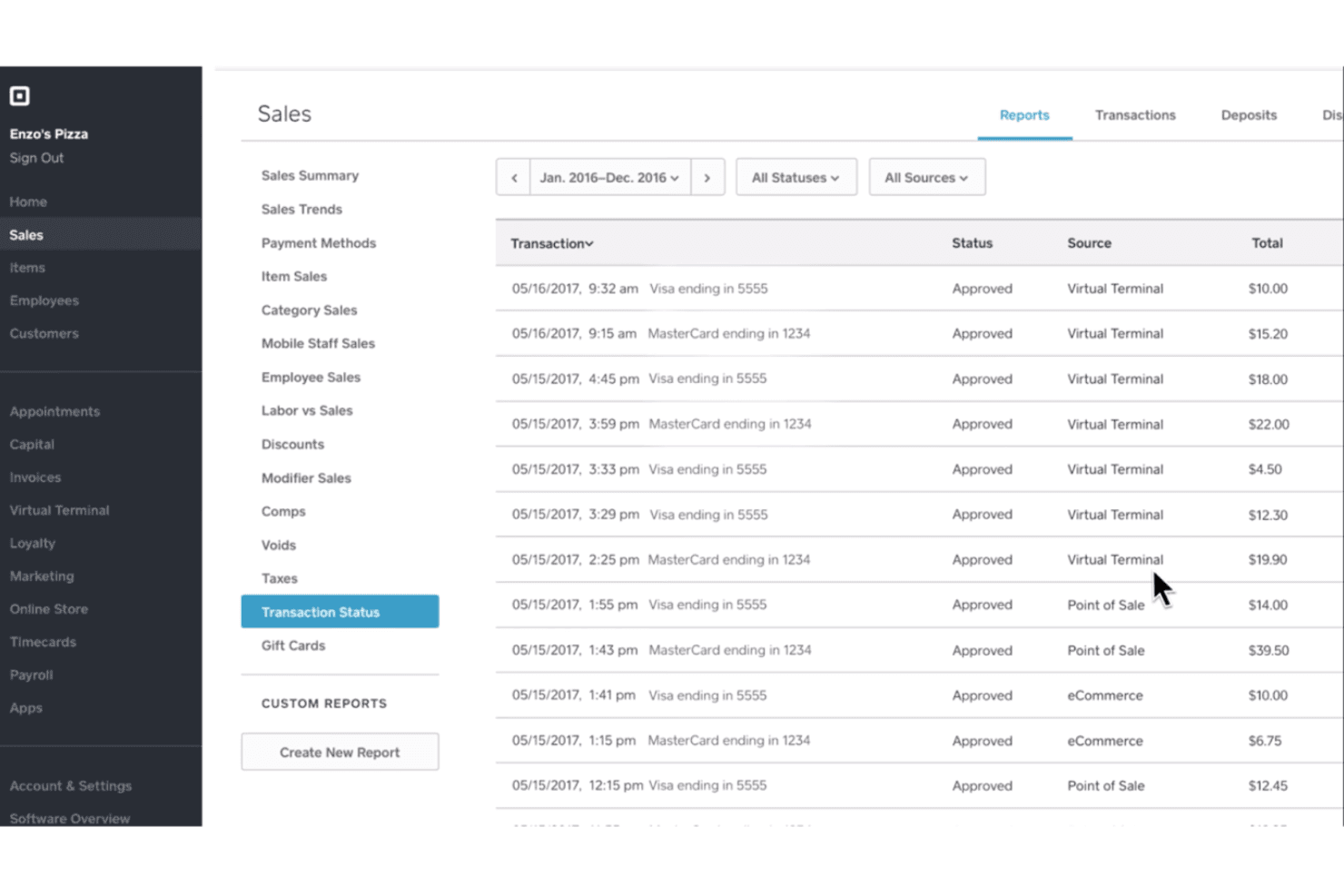
Square lets users track and filter sales transactions by source and status. Square is a POS platform built for businesses that sell across multiple channels and verticals, offering dedicated modes for retail, restaurants, and services alongside inventory management, online ordering, and a broad hardware lineup.
Who Is Square Best For?
Square works well for businesses that operate across multiple verticals—retail, food and beverage, and services—and want one platform to handle in-person, online, and multi-location selling.
Why I Picked Square
Square earns its spot on my shortlist because no other POS comes close to covering as many business types under one roof. I especially appreciate the dedicated vertical modes: a restaurant running table management and bar tabs operates on a completely different setup than a retail store using purchase orders and barcode labels, yet both run on the same Square account. I also like that a business can manage up to 300 locations with location-specific item libraries, reporting, and team permissions, all from one Dashboard.
Square Key Features
- Offline payment processing: The POS stores pending card payments locally and processes them automatically once connectivity is restored.
- Flat-rate processing fees: Square publishes per-transaction rates by payment type and plan, with no fees for activation, early termination, or chargeback management.
- Custom permission sets: Businesses can assign team members to specific locations with tailored access controls, preventing cross-location data visibility.
- Open API and SDK access: Square provides APIs, GraphQL, webhooks, and backend SDKs for Python, Node.js, Ruby, PHP, Java, and .NET for custom integrations.
Square Integrations
Square offers marketplace integrations with QuickBooks Online, Xero, Shopify, BigCommerce, WooCommerce, Magento, Amazon, Etsy, and eBay through partner apps. It also provides APIs, GraphQL, SDKs, and webhooks for custom integrations.
Pros and Cons
Pros:
- Retail stock tracking and sales reports
- Portable phone and tablet payments suit events
- Quick checkout handles busy in-person shifts
Cons:
- Transaction fees weigh on high-volume sellers
- Reader connections can falter during rushes

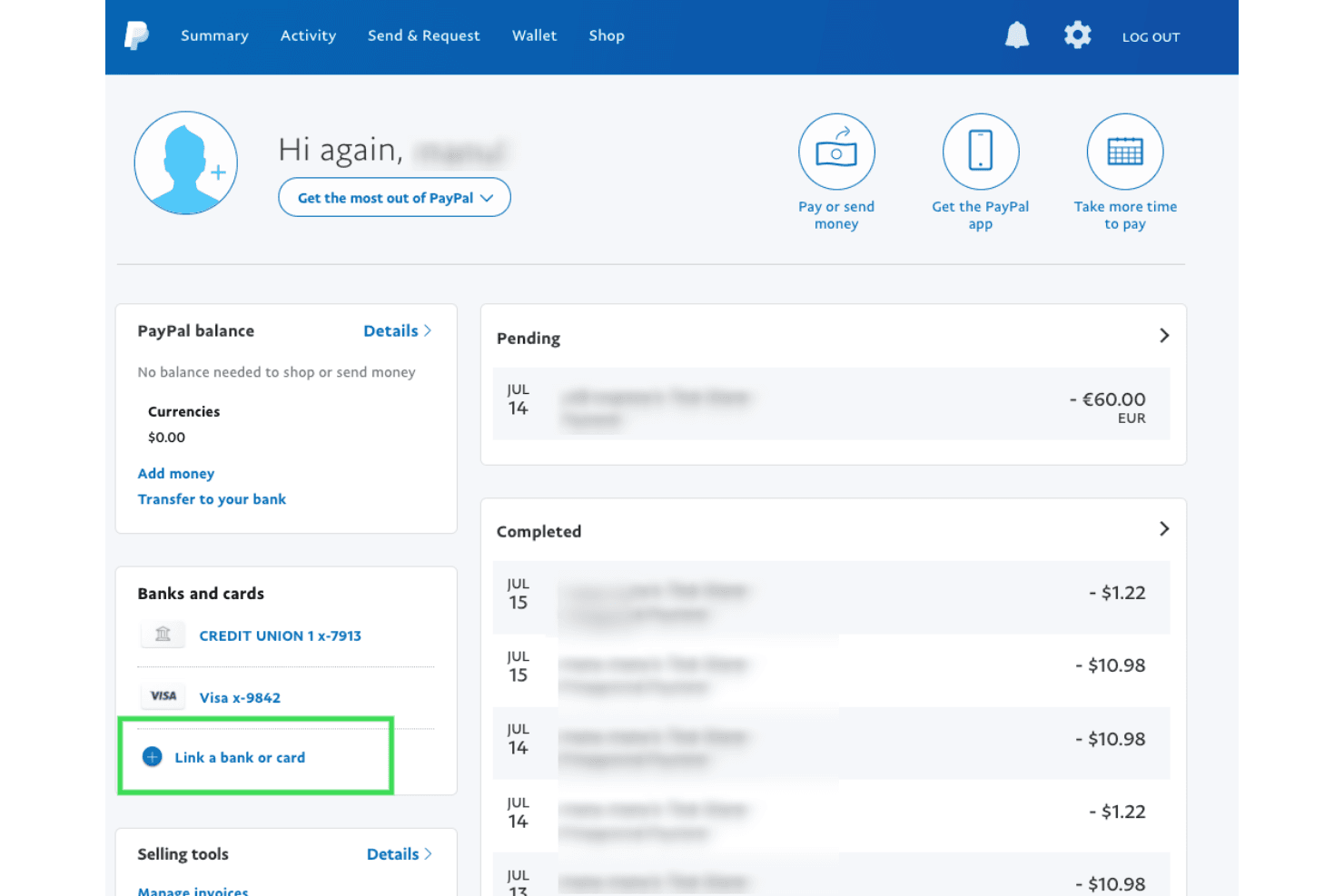
PayPal POS lets users monitor balances, linked cards, and recent transactions. PayPal Point of Sale is a free, transaction-based POS system that lets small retailers accept in-person payments, track inventory, and sync with ecommerce platforms like Shopify, WooCommerce, and BigCommerce—all without monthly fees or long-term contracts.
Who Is PayPal Point of Sale Best For?
PayPal Point of Sale is a strong fit for solo retailers and small shop owners who want a recognizable payment brand, zero monthly fees, and a setup they can complete in minutes.
Why I Picked PayPal Point of Sale
PayPal Point of Sale earns its spot on my list because getting up and running genuinely takes minutes, not days. I appreciate that the POS software is free to download, with no monthly fees or contracts, and you can start accepting chip, contactless, and PayPal or Venmo QR-code payments almost immediately. The $29 Card Reader pairs with any compatible iOS or Android phone over Bluetooth, so there's no waiting on hardware installations or IT setup.
PayPal Point of Sale Key Features
- Loyalty program: Let customers earn loyalty vouchers based on spending, with settings managed directly in the POS app.
- eCommerce inventory sync: Connect Shopify, WooCommerce, or BigCommerce to sync stock levels between your online store and physical location.
- Sales reporting by staff and location: View reports filtered by team member, site, or category, with date-range comparisons and PDF or Excel export.
- Tax rate configuration: Set up to 15 product tax rates and exemptions directly within the POS system.
PayPal Point of Sale Integrations
PayPal Point of Sale offers integrations with Shopify, WooCommerce, BigCommerce, QuickBooks, and Xero. Shopify syncing is limited to one store and its default location, and no POS API is documented for custom integrations.
Pros and Cons
Pros:
- Staff-level reports help track sales
- Compact reader suits mobile and event sales
- Quick setup gets checkout running fast
Cons:
- New merchants cannot activate multiple sites
- Online and in-store sales records can diverge
Learn more about PayPal POS:
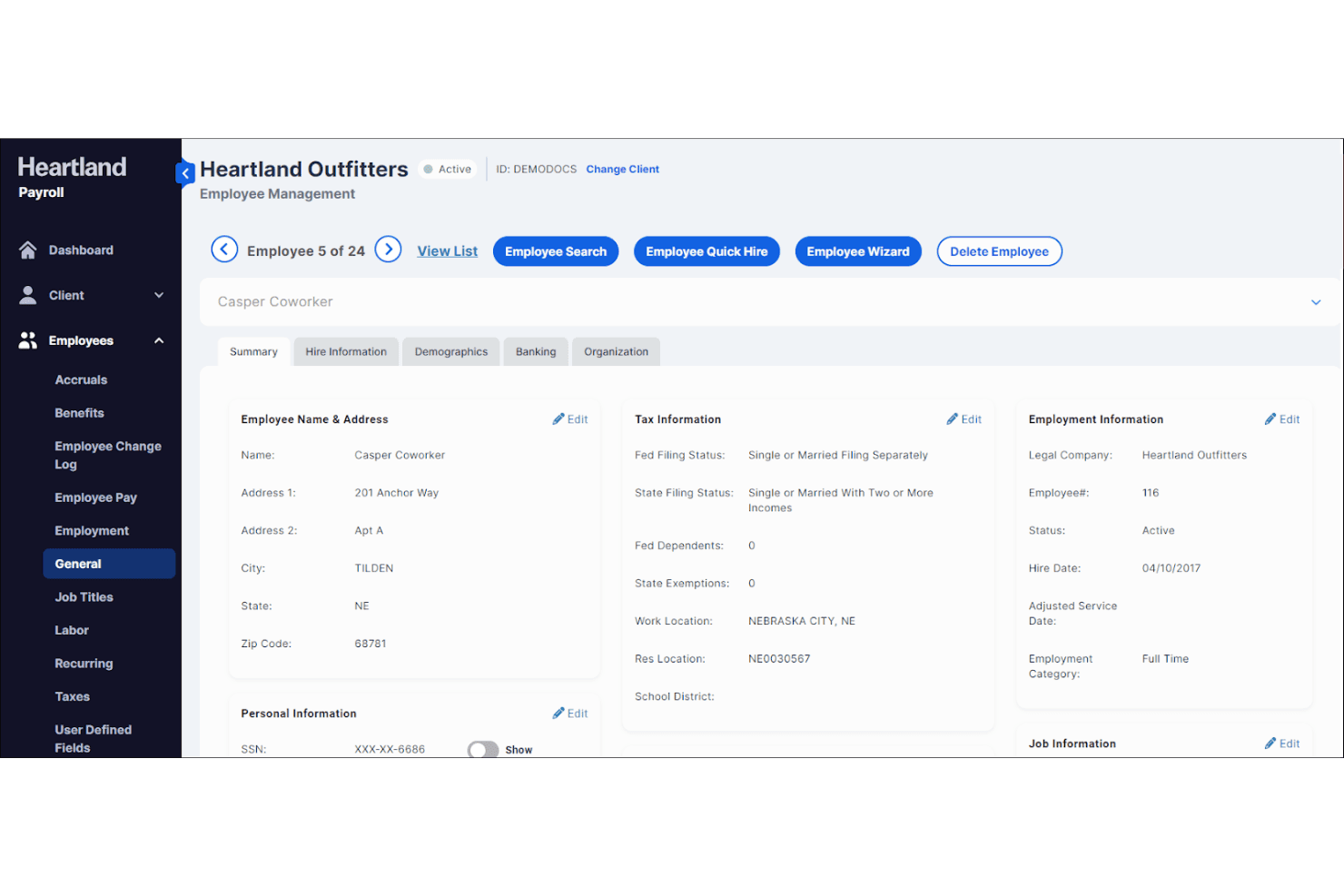
Heartland Payroll centralizes employee profile and tax details in one view. Heartland's Genius is a POS system built for retail and restaurant businesses that want payment processing, inventory tools, and multi-location management under one platform.
Who Is Heartland Best For?
Heartland Genius is a strong fit for multi-location retail and restaurant operators who want payment processing and POS built into one platform.
Why I Picked Heartland
I picked Heartland's Genius as one of the best because its built-in PCI-DSS compliance, end-to-end encryption, and tokenization make it a genuinely secure payments foundation, not an afterthought. I appreciate that payment acceptance and POS are unified in one platform, so transactions run through a single, controlled stack rather than a patchwork of processors. Genius also supports contactless payments across Apple Pay, Google Pay, AliPay, and WeChat Pay, covering a broad range of how customers actually pay today.
Heartland Key Features
- Multi-location data syncing: Automatically syncs sales and operational data across all store locations from a centralized dashboard.
- Age-verification workflows: Built-in compliance tools support age-regulated retail categories like liquor and tobacco stores at checkout.
- Employee scheduling and permissions: Set custom role-based permissions for sales associates and manage staff schedules directly within the platform.
- Integrations marketplace: Connect Genius to third-party tools across accounting, ecommerce, HR, analytics, and delivery through a dedicated integrations marketplace.
Heartland Integrations
Heartland Genius supports integrations with Shopify and Magento through Accumula, plus marketplace integrations including Checkmate, ChowNow, Deliverect, Olo, and UberEats. Global Payments also offers payment integrations through plugins, SDKs, libraries, and direct APIs.
Pros and Cons
Pros:
- Centralized sales data across stores
- Reviewers report quick card transactions
- Unified checkout and payment controls
Cons:
- Online and in-store sync remains unclear
- Reviewers report freezes and processing errors
Learn more about Heartland:
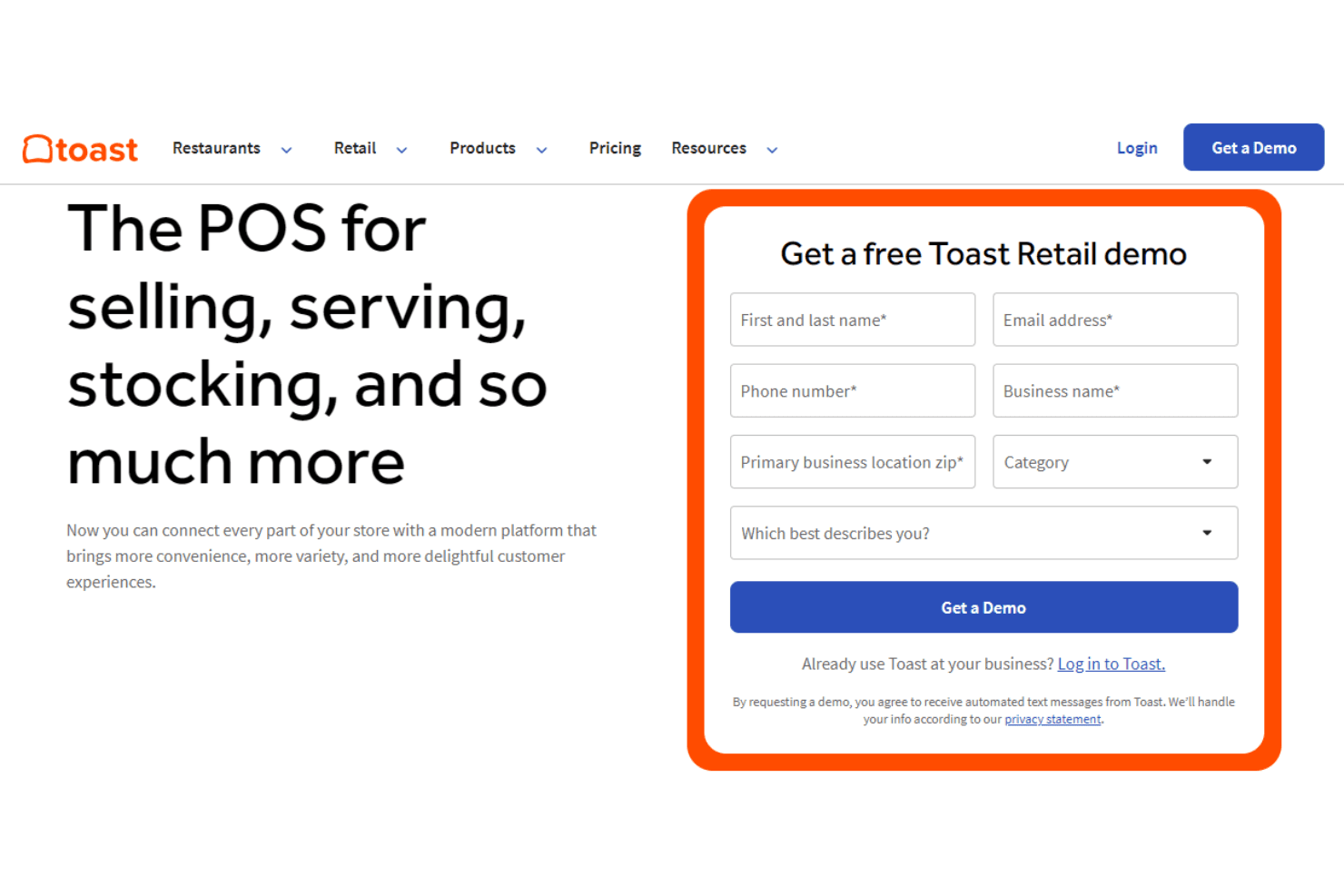
Toast lets retail businesses request a free POS system demo online. Toast Retail is a POS platform built for retailers who need in-store checkout, inventory management, and sales reporting in one place—and who may also run a food or hospitality component alongside their retail operation.
Who Is Toast Best For?
Toast Retail fits retailers who also run a food or hospitality component—think bottle shops with a tasting room or hybrid café-retail spaces—and want one platform for both sides of the business.
Why I Picked Toast
Toast Retail earns its spot on my shortlist because it's one of the few POS platforms built to scale across both retail and food-service operations from a single system. I especially like how it handles multi-location inventory: bulk product and variant edits, PAR levels, and low-stock alerts work across locations without jumping between systems. For a bottle shop adding a tasting room or a café expanding to a second retail location, that kind of operational continuity is genuinely hard to replicate.
Toast Key Features
- SmartScan: Scan items using your phone to auto-fill SKUs or update product details without manual entry.
- Toast IQ: An AI assistant that lets you ask questions about sales trends and inventory, then suggests or confirms actions like adjusting stock levels.
- Offline mode: Continue processing sales and payments during an internet outage, with data syncing automatically when connectivity returns.
- Email marketing and loyalty tools: Connect POS data with built-in email marketing and loyalty programs to build and send targeted offers.
Toast Integrations
Native integrations with Shopify or named ecommerce and ERP tools aren’t clearly documented. Toast offers Partner Connect marketplace integrations and REST and outbound APIs for custom connectivity, though Toast Retail-specific API access isn’t confirmed.
Pros and Cons
Pros:
- Bulk stock edits support multiple locations
- Inventory reports help identify items to reorder
- Suits shops combining retail and hospitality
Cons:
- Returns can be cumbersome and tied to original sales
- Retail product and inventory workflows feel underdeveloped
Learn more about Toast: Best for advanced inventory management
- Not available
- From $89/month (billed annually)
Visit WebsiteCustomer Rating:4.1/5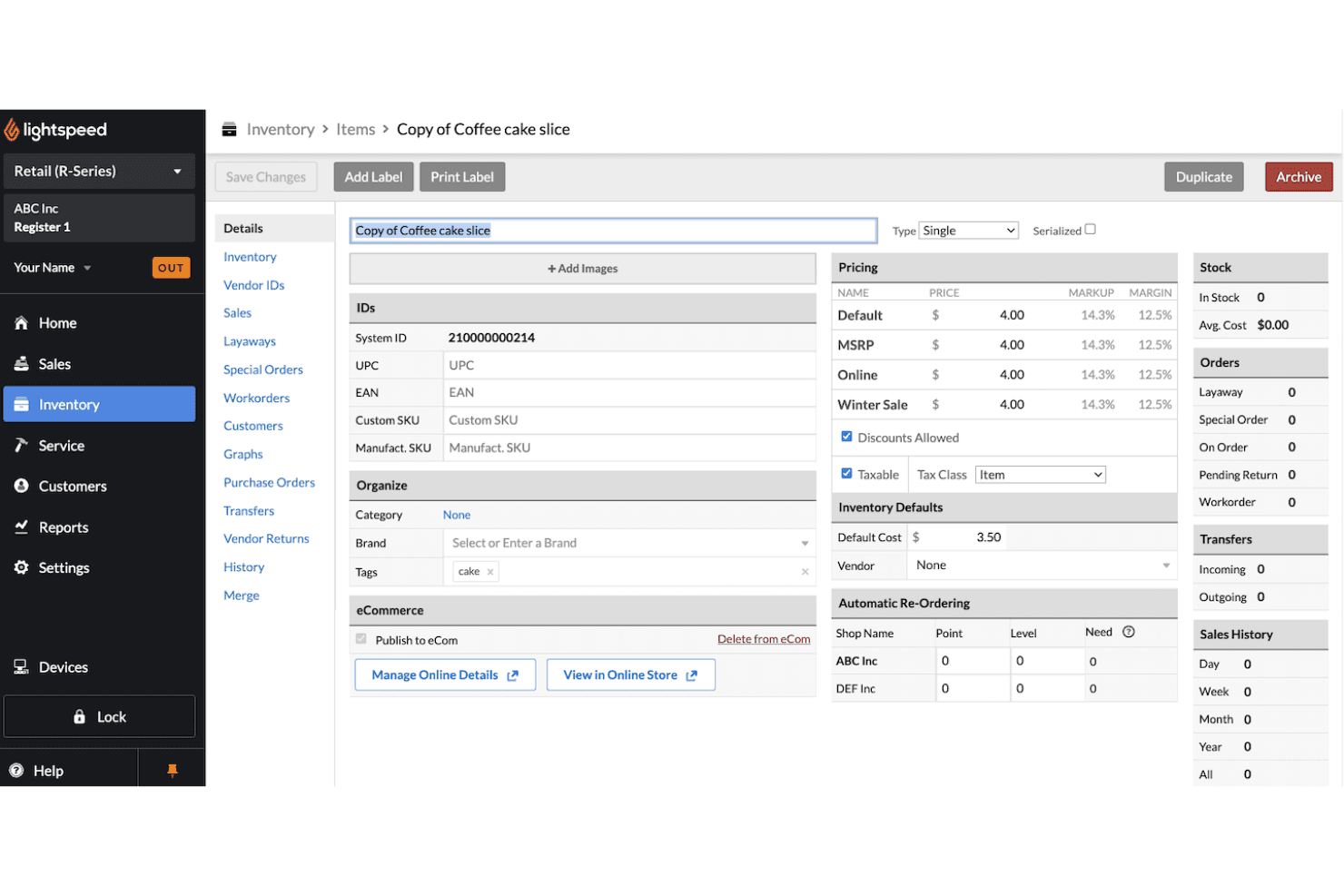
Lightspeed lets users manage inventory item details, pricing, and stock levels. Lightspeed Retail is a cloud-based POS built for retail store owners and multi-location operators who need to manage sales, inventory, suppliers, and payments from a single platform.
Who Is Lightspeed Best For?
Lightspeed Retail is a strong fit for multi-location retailers who need granular inventory control across stores, suppliers, and sales channels in one place.
Why I Picked Lightspeed
I picked Lightspeed as one of the best because its inventory management goes deeper than any other POS I've evaluated. I'm talking reorder points, landed costs, demand forecasting, and inter-store transfers all in one place. I especially like the AI Doc Import feature, which turns supplier invoices into draft purchase orders automatically, cutting down the manual work that slows down high-volume retail operations.
Lightspeed Key Features
- Multi-location inventory transfers: Move stock between store locations and track the status of each transfer request directly in the POS.
- Lightspeed eCommerce sync: Sync products, inventory, and customer data between your physical store and an online storefront built into the platform.
- Custom user roles and SSO: Assign role-based permissions to staff members and enable single sign-on for centralized access control across your team.
- Mobile Scanner app: Count stock, fulfill online orders, and receive purchase orders using a barcode-scanning app on iOS or Android.
Lightspeed Integrations
Lightspeed Retail offers documented integrations with Shopify and WooCommerce, plus a Retail API for custom ERP, accounting, business intelligence, sales channel, and third-party logistics connections.
Pros and Cons
Pros:
- Reviewers praise sales and inventory reporting
- Stock transfers help coordinate multi-store operations
- Advanced inventory controls support complex retail catalogs
Cons:
- Alternative payment processors can incur extra fees
- Offline checkout restricts inventory and customer access
Learn more about Lightspeed: Best for inventory management
- 60-day free trial + demo available
- From $59/month
Visit WebsiteCustomer Rating:4.1/5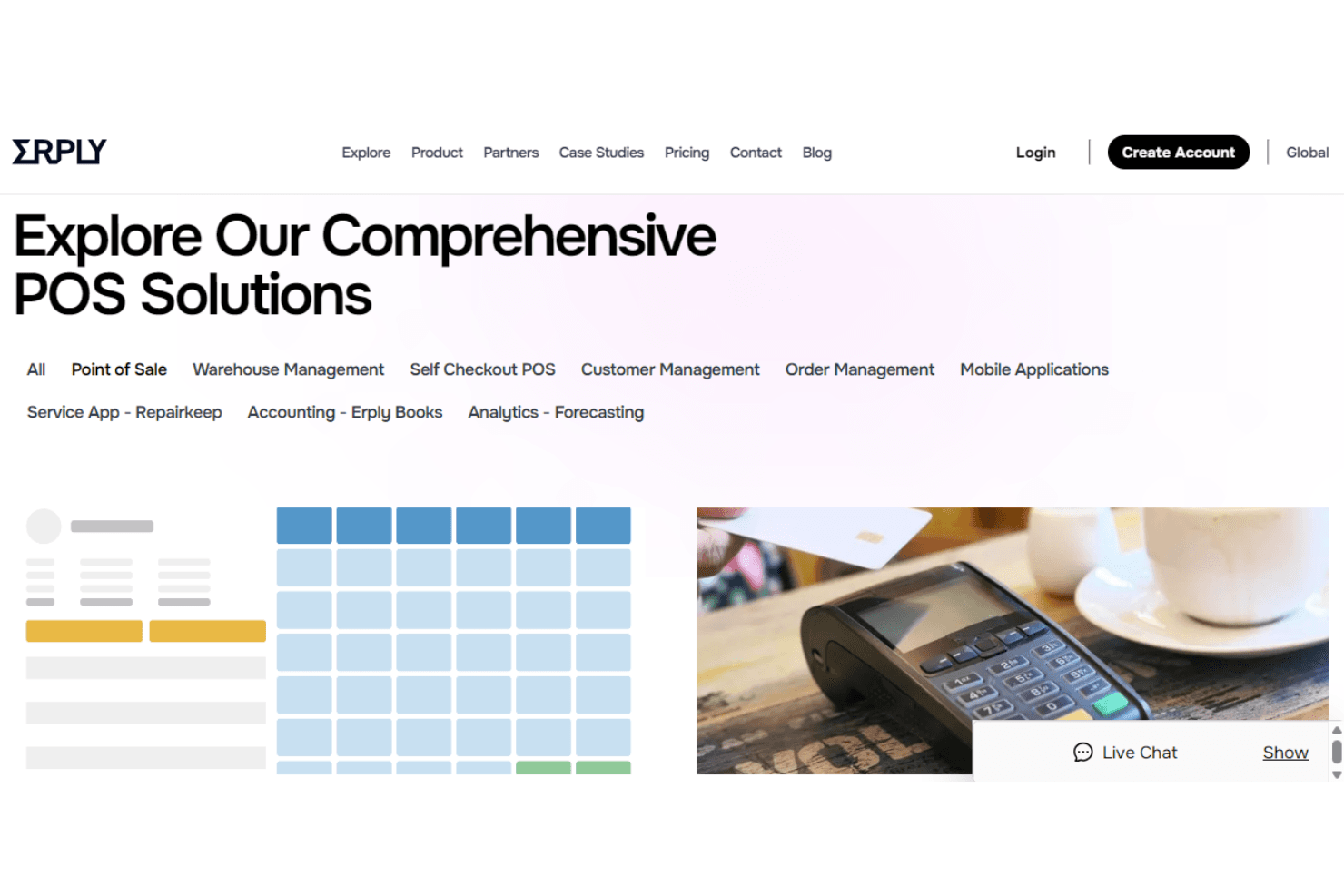
Erply offers comprehensive POS solutions including warehouse and order management. Erply is a cloud-based POS platform built for retailers who need serious inventory control across multiple locations, offering deep stock management, supplier purchasing, and integrations with ERP systems like Oracle NetSuite alongside ecommerce channels like Shopify and WooCommerce.
Who Is Erply Best For?
Erply is a strong fit for multi-location retailers who need centralized inventory control across stores, warehouses, and ecommerce channels from a single platform.
Why I Picked Erply
I picked Erply as one of the best Shopify POS alternatives because its inventory management depth goes well beyond what most POS platforms offer. I particularly like how it handles multi-warehouse stock: you can set reorder thresholds, generate purchase orders, track partial shipments, and run cycle counts, all from one centralized backend. In a multi-location setup, that means my team can manage transfers between stores and warehouses in real time, with every POS device reflecting changes instantly.
Erply Key Features
- Shopify and WooCommerce sync: Erply connects to Shopify and WooCommerce to sync products, inventory levels, images, and price lists across your online and in-store channels.
- Layaway management: Configure minimum down payments, payment schedules, and due dates, with layaway items automatically held out of available inventory.
- Multi-payment processor support: Accept payments through Shift4, Cayan, Adyen, or Pax, giving you flexibility to choose your preferred processor rather than being locked into one provider.
- Role-based access controls: Assign user permissions that restrict which employees can access inventory records, perform stocktakes, or complete write-off actions.
Erply Integrations
Erply offers native integrations with Shopify, WooCommerce, Oracle NetSuite, QuickBooks Online, Xero, Magento, Amazon, and Etsy. It also provides API access for custom integrations, helping connect POS, inventory, ecommerce, and ERP systems.
Pros and Cons
Pros:
- Reviewers praise customizable inventory controls
- Transfers keep multi-store inventory aligned
- Detailed stock counts and purchasing workflows
Cons:
- Some reviewers report slow support responses
- Offline mode omits several store workflows
Learn more about Erply: Best for small businesses
- Free plan + Free trial available
- From $10.00 (billed annually)
Visit WebsiteCustomer Rating:4.3/5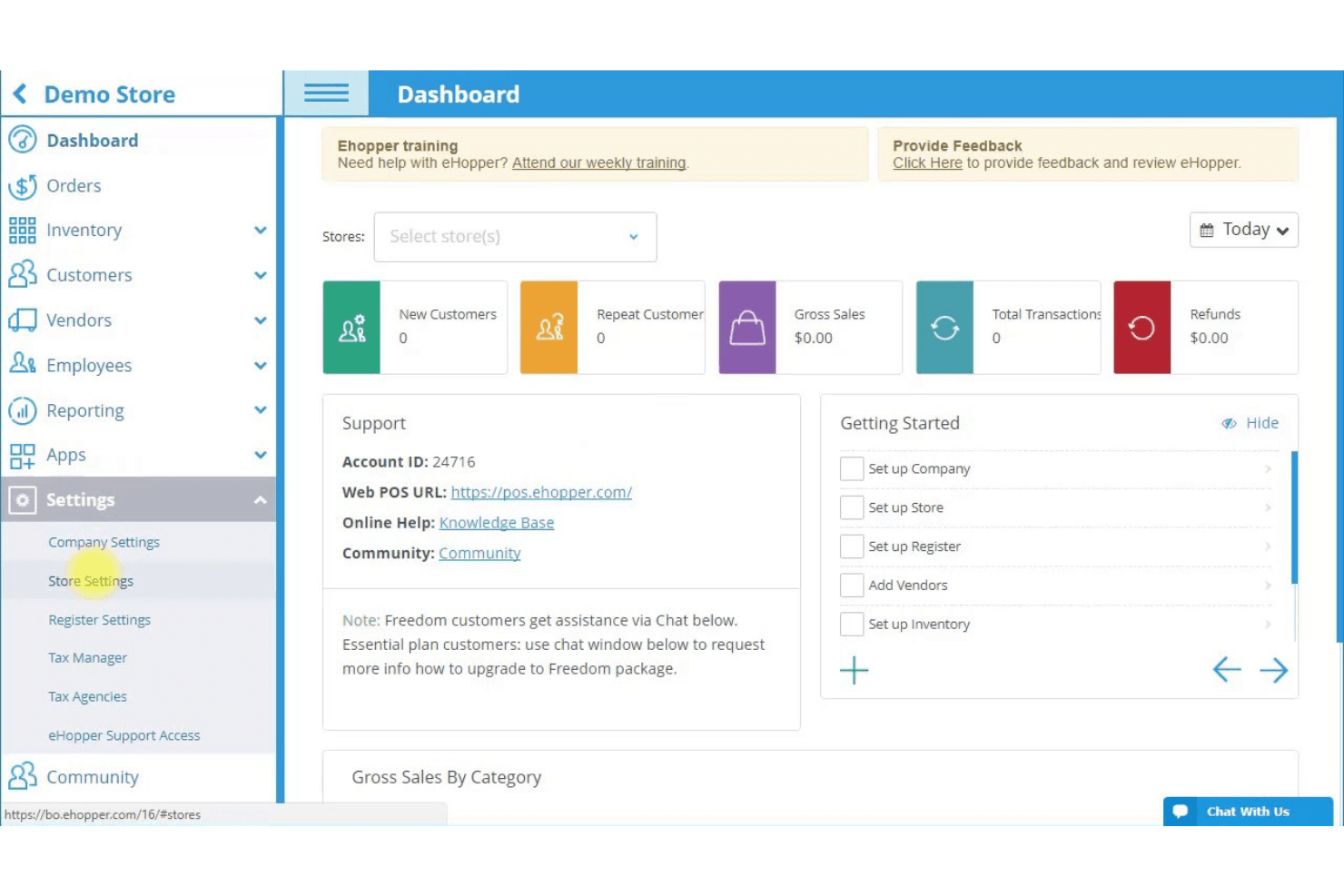
eHopper's dashboard gives store owners a full business overview. eHopper is an all-in-one POS and payments platform built for small retail businesses, restaurants, and service providers that need flexible hardware support, multi-location management, and an integrated online store without being locked into a single ecosystem.
Who Is eHopper Best For?
eHopper suits small retailers, restaurants, and service businesses that want an affordable, hardware-flexible POS without being tied to a single device ecosystem.
Why I Picked eHopper
I picked eHopper as one of the best Shopify POS alternatives because it's built to run on hardware you likely already own, whether that's an Android tablet, iPad, or Windows PC, so small businesses aren't forced into expensive proprietary equipment. I also appreciate how the multi-store setup lets you manage store-specific prices, inventory, and permissions from one back office, which is genuinely useful for small operators running two or three locations without a dedicated IT team.
eHopper Key Features
- Ingredient-based inventory tracking: Automatically deducts ingredient quantities from stock each time a product is sold, keeping your counts accurate without manual updates.
- Self-service kiosk integration: Customers can place and pay for orders at a kiosk, with orders syncing directly to eHopper POS and optional upsell prompts at checkout.
- Store-specific pricing and permissions: Set unique product prices, tax configurations, and employee access levels for each location from a single back office.
- QuickBooks integration: Automatically pushes sales transactions, taxes, tips, expenses, and inventory data from eHopper into QuickBooks, with multi-location support.
eHopper Integrations
eHopper offers native integrations with QuickBooks and WooCommerce, with one-way product syncing from eHopper to WooCommerce. It currently has no available API for custom integrations.
Pros and Cons
Pros:
- Track ingredient stock as restaurant items sell
- Set store-specific inventory and employee permissions
- Reuse existing devices for checkout
Cons:
- Users report freezes, crashes, and glitches
- Detailed retail reporting can feel limited
Learn more about eHopper:
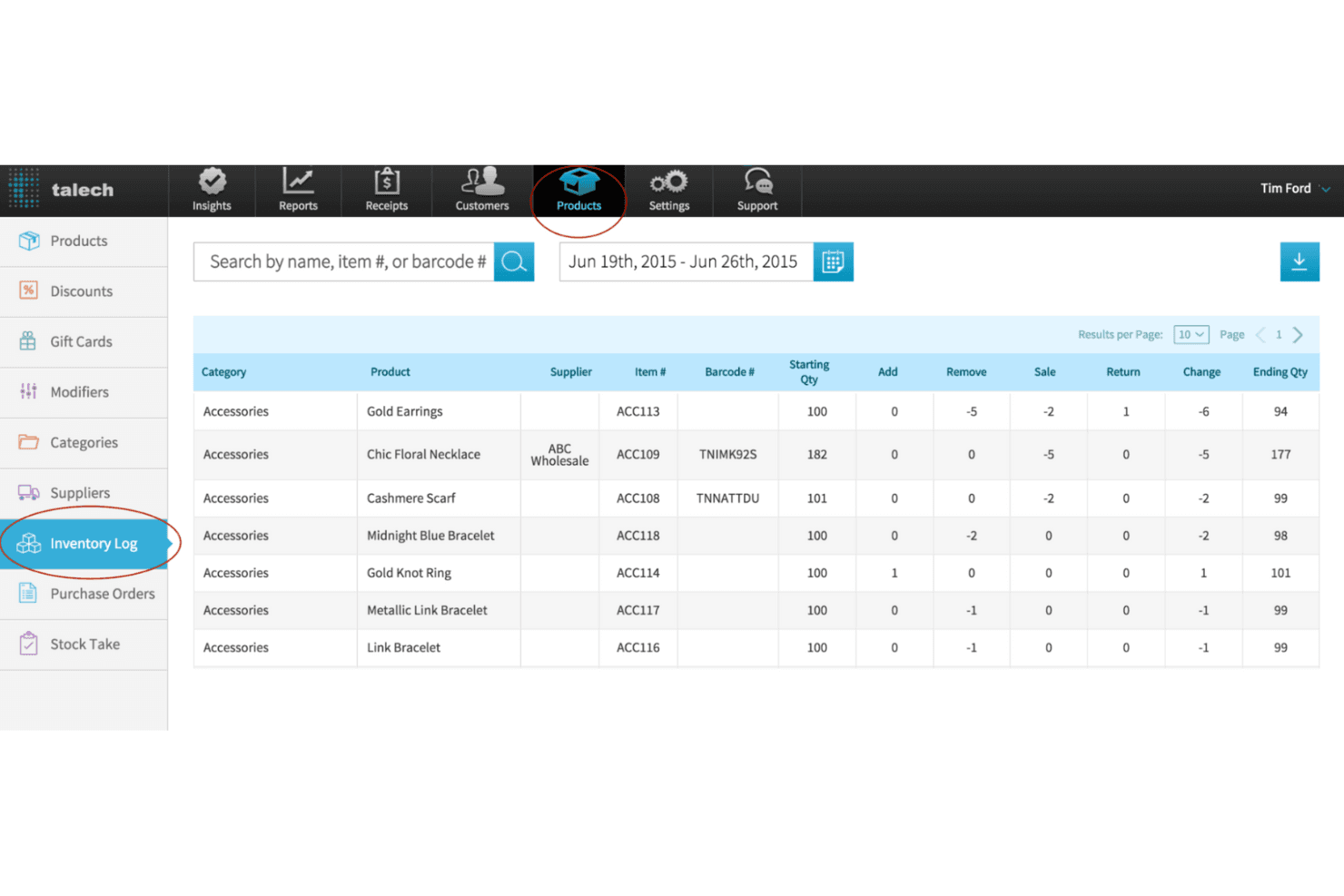
talech tracks inventory changes across products with a detailed log view. Elavon Point of Sale for Retail (formerly talech) is a cloud-based retail POS built for small to mid-sized store owners who need straightforward in-person checkout, real-time inventory tracking, and commission-free online ordering through a POS-integrated microsite.
Who Is talech Best For?
talech suits small retail store owners who want a straightforward POS with built-in sales reporting and don't need deep ecommerce integrations.
Why I Picked talech
I picked talech because its built-in reporting gives retail store owners a real-time view of what's selling, who's selling it, and what it's costing them. Reports covering sales by employee, labor cost, cash drawer summaries, and top-selling products are all available without a separate analytics tool. I especially like that profit metrics surface directly in the dashboard once you've entered product cost data, so you're not doing margin math manually at the end of the day.
talech Key Features
- Commission-free online ordering microsite: talech generates a POS-integrated ordering microsite so customers can place orders online without third-party commissions cutting into your margins.
- Barcode label printing: You can scan, search, and print barcode labels directly from the POS to keep your physical inventory organized and shelf-ready.
- Multi-location single login: One account gives you access to all your store locations, with shared loyalty programs, gift cards, and role-based staff permissions across each.
- Excel-based catalog import and export: You can upload your full product catalog using an Excel template and export your product list as a downloadable
.xlsfile at any time.
talech Integrations
talech doesn't have any native integrations documented for its retail POS. An API, Shopify integration, or named ecommerce and ERP connectors aren't documented.
Pros and Cons
Pros:
- Commission-free ordering microsite supports basic online sales
- Barcode labels pair with real-time stock tracking
- Reports expose employee sales and labor costs
Cons:
- Large catalogs strain inventory and reporting tools
- Card readers and transactions draw reliability complaints
Learn more about talech:
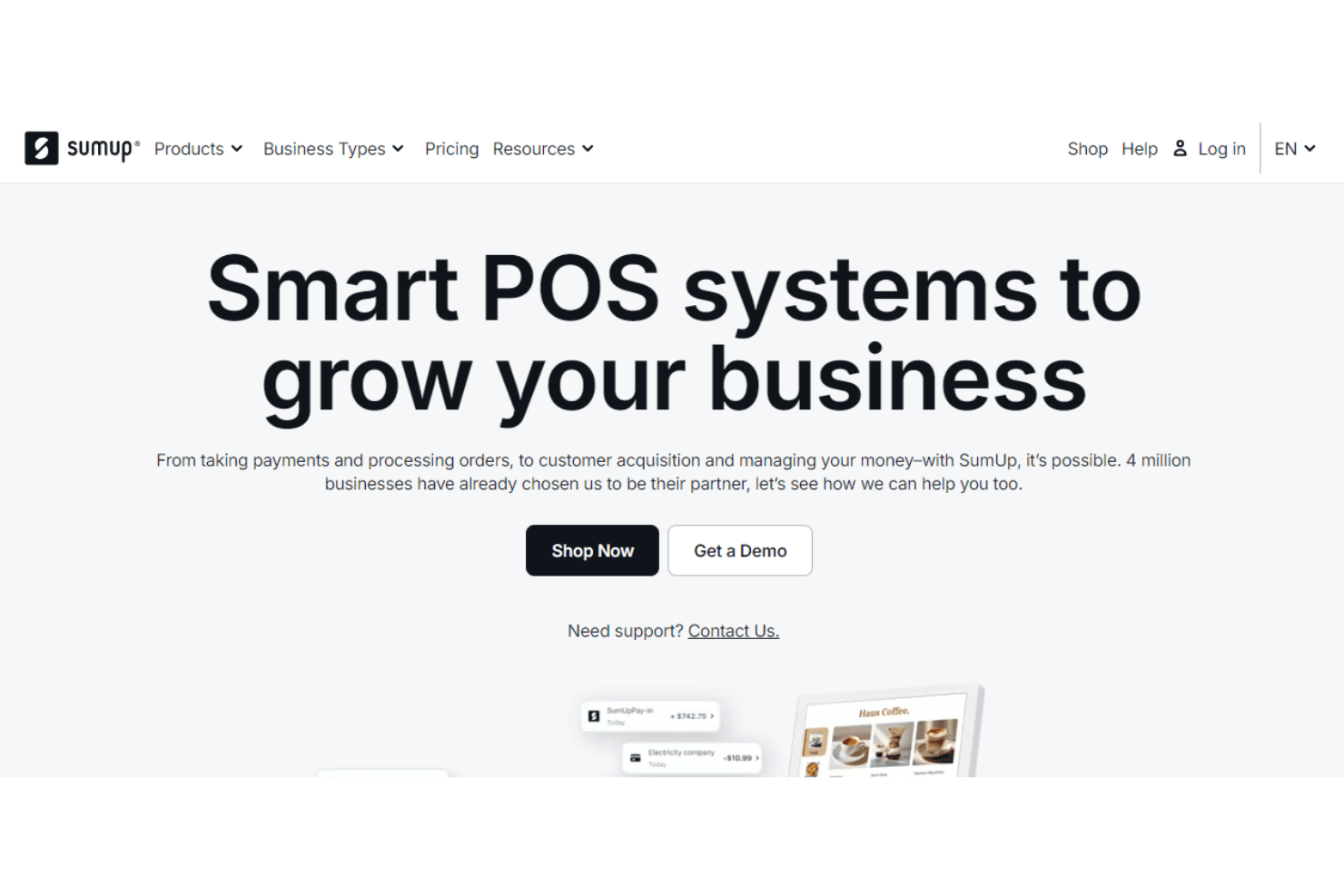
SumUp helps businesses take payments and manage orders with smart POS systems. SumUp POS is a standalone point-of-sale system built for retail stores, restaurants, and mobile sellers who want flexible, hardware-inclusive checkout without relying on Shopify's ecosystem.
Who Is SumUp Best For?
SumUp is a strong fit for small retail shops and cafés that want flexible, hardware-inclusive checkout without locking into a larger ecosystem.
Why I Picked SumUp
I picked SumUp because it gives you a genuinely flexible path to in-person payments without being tethered to Shopify's hardware or ecosystem. I appreciate that the POS works with third-party barcode scanners, receipt printers, and cash drawers, so you can build a checkout setup around what your business already uses. The flat-rate processing (2.6% + 10¢ in-person) and the ability to accept card, contactless, and gift card payments from one system means I'm not constantly calculating variable costs or juggling separate tools.
SumUp Key Features
- Multi-location back office: Manage products, pricing, staff, and sales reporting across all your store locations from a single login.
- Floor-plan and table management: Configure your dining room layout, assign orders to tables, and route tickets to the kitchen from the POS.
- Customer loyalty enrollment at checkout: Let customers join your rewards program directly on the customer-facing touchscreen during a transaction.
- Accounting software integrations: Connect QuickBooks or Xero to your SumUp POS back office to keep your financial records in sync.
SumUp Integrations
SumUp connects with QuickBooks and Xero for accounting, although the data exchanged and sync direction aren’t specified. Its API, SDKs, and CLI support custom payment integrations.
Pros and Cons
Pros:
- Sales and stock activity stays visible
- Table plans support café service
- Portable checkout suits markets and events
Cons:
- Basic reports limit sales analysis
- Connectivity issues can disrupt checkout
Learn more about SumUp:
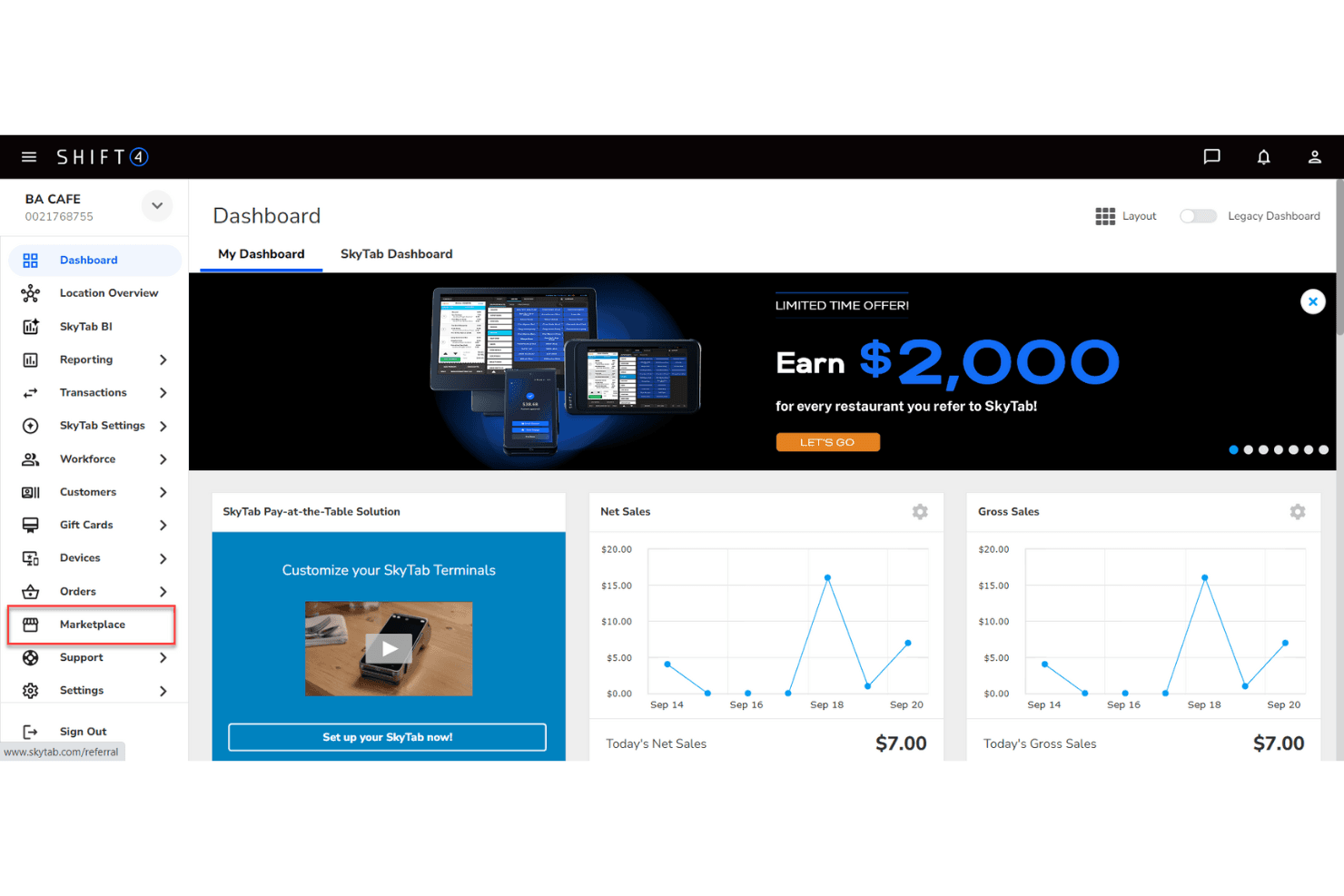
Shift4 gives restaurant owners a real-time sales dashboard. Shift4 is a payments-led commerce platform built for retailers who need to unify in-store and online selling, with connections to systems like Microsoft Dynamics 365, Oracle NetSuite, and Celerant.
Who Is Shift4 Best For?
Shift4 suits multi-location retailers who need to unify in-store and online payments across systems like Microsoft Dynamics 365, Oracle NetSuite, and Celerant.
Why I Picked Shift4
Shift4 earns its spot on my shortlist because it's built specifically for retailers who sell across multiple channels and locations, not just online. I appreciate how it connects in-store payment terminals, including mobile devices like the Shift4 Duo, with systems like Microsoft Dynamics 365 and Oracle NetSuite, so your in-store and back-office data don't live in separate worlds. It also handles international shoppers natively, with dynamic currency conversion and Global Blue-powered tax refunds built in.
Shift4 Key Features
- Gift card and loyalty programs: Physical and digital gift cards alongside loyalty programs that work consistently across all your store locations.
- Payment links: Send secure, branded checkout URLs via text or email so customers can pay without you needing a website.
- Tax-free shopping for international customers: Global Blue-powered technology that automates tax refunds at the point of sale for international shoppers.
- 24/7 technical support with onsite installation: Setup handled by on-location specialists, with round-the-clock ongoing support available after go-live.
Shift4 Integrations
Shift4 integrations include Microsoft Dynamics 365, Mi9 Retail, Retail Realm, Oracle NetSuite, Celerant, and Retail Manager Hero. It also offers REST APIs and mobile SDKs for custom payment integrations, although Retail-specific data sync details aren’t documented.
Pros and Cons
Pros:
- Gift cards and loyalty span locations
- Reviewers praise clear financial reporting
- Broad card and contactless payment acceptance
Cons:
- A reviewer reported transactions failing to sync back to POS
- Inventory management isn’t documented
Learn more about Shift4:
Outras alternativas ao Shopify POS
Eis algumas alternativas adicionais ao Shopify POS que não entraram na minha seleção principal, mas que ainda vale a pena conhecer:
- 11TouchBistroBest for restaurant management
- 12MagestoreBest for Magento integration
- 13HelcimBest for small business support
- 14KORONA POSBest for retail scalability
- 15StaxBest for flat-rate pricing
- 16Payment DepotBest for transparent pricing
- 17Merchant OneBest for personalized service
- 18ProMerchantBest for high-risk businesses
- 19CloverBest for customizable hardware
- 20LavuBest for restaurant features
- 21SpotOnBest for integrated marketing tools
- 22ePOS Best for cloud-based solutions
- 23Payline DataBest for flexible payment options
- 24BindoBest for inventory tracking
How I Evaluate Shopify POS Alternatives
I evaluate these in two layers: the baseline every brick-and-mortar retailer needs—checkout depth, inventory sync, and processor freedom—and differentiators like migration tools and total cost.
Core Functionality (Table Stakes For This List)
When I'm selecting tools for my list, I rank each one on a scale from 0 (does not offer the functionality) to 5 (excels in this area) for each core functionality listed below. Then, I calculate the tool's total score into a percentage. Each tool needs to achieve a minimum total score of 65% to be considered for inclusion.
- In-Store Checkout & Transactions: I evaluate how each system handles the full checkout flow—barcode scanning, split tenders, returns, and gift cards—and whether it stays functional during internet outages.
- Inventory Tracking & Stock Management: Real-time stock counts, variant/matrix support, purchase orders, and low-stock alerts matter here, especially for retailers managing seasonal SKU complexity.
- Payment Processor Flexibility: I check whether a platform locks you into a single processor or lets you bring your own merchant account, since this directly affects per-transaction costs.
- Omnichannel & Ecommerce Integration: Whether through a native storefront or connectors to platforms like WooCommerce or BigCommerce, I look for two-way sync of products, orders, and customers.
- Multi-Location & Hardware Compatibility: Retailers with more than one store need centralized inventory views and support for standard peripherals like receipt printers, scanners, and cash drawers.
- Customer Data & Sales Reporting: I look for built-in customer profiles, purchase history tracking, and retail-specific reports—like sales by category, employee performance, or hourly trends.
Once I have a list of tools that meet this criteria, I consider what sets each platform apart.
Differentiating Factors (What Sets Vendors Apart)
Here's how I compare and contrast different vendors:
Standout Features
Built-in loyalty and rewards programs are a big differentiator—retailers who relied on third-party Shopify apps for this will want a POS that handles it natively. I also evaluate offline mode reliability, which matters for pop-up shops or stores with spotty internet. Advanced retail workflows like layaway, work orders, and serialized inventory serve specialty retailers (jewelers, bike shops, consignment stores) that Shopify POS wasn't really built for.
Beyond Features
Migration support is top of mind for anyone leaving Shopify—I look for platforms that offer tools or services to transfer product catalogs, customer records, and order history without losing gift card balances. Total cost of ownership also deserves close attention, including per-register fees, add-on charges for extra locations, and whether choosing a third-party processor triggers surcharges. I evaluate tech stack integrations too, since most retailers need their POS connected to accounting tools like QuickBooks or Xero and marketplaces like Amazon.
O que é o Shopify POS?
O Shopify POS é um sistema de ponto de venda para gerir vendas em loja e online. Permite processar pagamentos, acompanhar o inventário e gerir perfis de clientes num único sistema.
Para lojas de comércio a retalho e pequenas empresas, foi concebido para simplificar o processo de pagamento, reduzir erros e manter as operações a funcionar sem problemas — para que possa realmente concentrar-se em vender, em vez de corrigir os seus fluxos de trabalho.
Por que motivo procurar uma alternativa ao Shopify POS?
O Shopify POS tem o seu lugar, mas existem muitas razões para os comerciantes procurarem outras opções. Eis o que costuma levar os proprietários de empresas a considerar outros fornecedores:
- Necessidades avançadas de inventário. Se precisar de acompanhamento em tempo real, ordens de compra ou uma gestão de inventário avançada para além das funcionalidades básicas do Shopify.
- Flexibilidade no processamento de pagamentos. Algumas equipas pretendem mais opções, tarifas mais vantajosas ou suporte para métodos de pagamento e equipamento específicos.
- Funcionalidade sem ligação à Internet. Perder vendas porque o seu sistema precisa de uma ligação constante à Internet não é uma opção para lojas movimentadas.
- Preços e taxas. As taxas de transação e os preços dos planos do Shopify podem aumentar rapidamente, sobretudo em operações de grande volume ou com várias localizações.
- Casos de utilização não relacionados com o comércio a retalho. Nem todos os modelos de negócio se enquadram na abordagem orientada para o comércio a retalho do Shopify.
- Limitações geográficas. O Shopify Payments e determinadas funcionalidades não estão disponíveis em todos os locais onde poderá querer vender.
Se se depara com algum destes problemas, não está sozinho. A boa notícia? Existem muitas soluções de ponto de venda completas, escaláveis e flexíveis que podem realmente responder às suas necessidades.
Principais funcionalidades das alternativas ao Shopify POS
Eis o que deve procurar ao avaliar alternativas ao Shopify POS — funcionalidades que ajudam realmente a manter as operações fluidas, os canais de vendas alinhados e os clientes satisfeitos:
- Vendas omnicanal. Sincronize as vendas em loja, online e móveis sem criar o caos no inventário.
- Gestão inteligente do inventário. Monitorização em tempo real, ordens de compra, leitores de códigos de barras e alertas de stock reduzido para evitar surpresas.
- Gestão de funcionários. Controle as permissões, agende turnos e acompanhe o desempenho para que todos conheçam a sua função.
- Experiência de pagamento. Processamento rápido e fiável, com suporte para descontos, recibos personalizados e trocas.
- Relatórios e análises. Relatórios de vendas detalhados e informações avançadas para tomar melhores decisões de compra e de gestão de pessoal.
- Processamento de pagamentos. Aceite vários métodos de pagamento — desde cartões de crédito e cartões-presente a carteiras digitais — com comissões seguras e transparentes.
- Fidelização de clientes. Crie perfis, lance programas de fidelização e faça com que os clientes voltem.
- Gestão de encomendas. Trate de devoluções, encomendas especiais e fluxos de trabalho multicanal sem complicações.
- Personalização e complementos. Adapte o POS ao seu negócio com aplicações, integrações e permissões personalizadas.
Perguntas frequentes sobre alternativas ao Shopify
Antes de o deixar partir, deixe-me falar-lhe das perguntas que ainda tem aí guardadas (presumo eu). Não se preocupe, também temos respostas.
Posso utilizar estes sistemas POS com o meu hardware atual?
Muitos fornecedores de POS suportam hardware comum, como leitores de códigos de barras, gavetas de dinheiro e leitores de cartões que já possui, mas verifique sempre a lista de compatibilidade antes de se comprometer.
Alguns sistemas promovem o seu próprio hardware de marca, como o Clover ou o Square POS, enquanto outros funcionam com dispositivos Android e iOS genéricos para manter os custos baixos.
É difícil migrar do Shopify POS para outro sistema?
A migração nem sempre é simples, mas a maioria dos fornecedores disponibiliza ajuda na integração, ferramentas de importação de dados ou até serviços personalizados.
Espere exportar produtos, níveis de inventário e dados de clientes do Shopify e, em seguida, mapeá-los para o seu novo POS. Teste sempre tudo cuidadosamente antes de entrar em funcionamento para evitar surpresas no pagamento.
Estas alternativas funcionam para retalhistas com várias localizações?
Sim, mas nem todas são iguais. Procure fornecedores que suportem o acompanhamento do inventário em várias localizações, permissões baseadas em funções, relatórios de vendas consolidados e preços específicos para cada localização. Opções como Lightspeed, Erply e Heartland foram concebidas a pensar em operações com várias lojas.
Que orçamento devo prever além da subscrição mensal?
Não se concentre apenas no preço anunciado. Tenha em conta as comissões de processamento de pagamentos, os custos de hardware (como iPads e leitores de cartões), os complementos e possíveis taxas por localização.
Alguns sistemas POS baseados na nuvem parecem baratos à partida, mas cobram valores elevados pelas funcionalidades avançadas ou pelos relatórios.
Até que ponto estes sistemas POS são seguros para o processamento de pagamentos?
Os fornecedores reputados levam a segurança a sério. Procure conformidade com a norma PCI, encriptação de ponta a ponta e tokenização para proteger os dados dos titulares dos cartões. Muitos incluem também deteção de fraude e gateways de pagamentos seguros. Se um fornecedor for vago relativamente aos detalhes de segurança, considere isso um sinal de alerta.
Estes sistemas POS integram-se com a minha plataforma de comércio eletrónico?
A maioria das alternativas modernas ao POS disponibiliza integrações sólidas com plataformas de comércio eletrónico. Conte com suporte nativo ou através de plug-ins para plataformas como Shopify, WooCommerce, BigCommerce e Magento.
Verifique se a integração sincroniza o inventário em tempo real e suporta perfis de clientes unificados — estes detalhes são importantes para verdadeiras vendas multicanal.