



QuickBooks Online contro FreshBooks: confronto e recensioni degli esperti per il 2026



Every sale should feel like a win, not a bookkeeping emergency waiting to happen. When orders, invoices, expenses, and tax deadlines start piling up, the right accounting software can be the difference between smooth growth and spreadsheet chaos.
If managing your books feels overwhelming or your current system can't keep up with growth, you're not alone. Choosing between accounting tools like QuickBooks Online and FreshBooks can feel tricky, especially when you rely on ecommerce accounting software to keep your business moving.
In this article, I’ll walk you through a side-by-side comparison of both tools—including their pros and cons, best-fit use cases, pricing, security, and how easy they are to use—so you’ll know which one works best for your ecommerce business.
QuickBooks Online vs. FreshBooks: An Overview
QuickBooks Online
FreshBooks


Perché fidarsi dei nostri consigli sui software
Il nostro team testa e recensisce software dal 2012. In quanto leader del retail noi stessi, sappiamo quanto sia difficile — e importante — scegliere il software giusto.
Per questa guida, abbiamo valutato gli strumenti attraverso test pratici e ricerche indipendenti, assegnando un punteggio agli strumenti in base ai nostri criteri di selezione.
Le nostre recensioni riflettono il nostro giudizio indipendente, non un discorso di vendita.
QuickBooks Online vs. FreshBooks Pricing Comparison
| QuickBooks Online | FreshBooks | |
|---|---|---|
| Free Trial | Free plan + 30-day free trial available | 30-day free trial |
| Pricing | From $38/month | From $23/month |
Prezzi e costi nascosti di QuickBooks Online e FreshBooks
QuickBooks Online offre piani tariffari basati sulle dimensioni dell'azienda e sulle funzionalità, permettendoti di sbloccare più possibilità passando ai piani superiori. Anche FreshBooks utilizza un abbonamento a più livelli, ma i suoi piani sono strutturati in base al numero di clienti fatturabili, il che può comportare costi aggiuntivi se la tua azienda cresce rapidamente. Entrambe le piattaforme possono applicare costi aggiuntivi per funzionalità come la gestione delle paghe, i pagamenti avanzati, l'accesso del commercialista o gli utenti aggiuntivi, quindi i costi reali possono aumentare oltre il prezzo pubblicizzato.
Per trovare la soluzione più adatta, esamina attentamente la pagina dei prezzi di ciascuna piattaforma e non limitarti a considerare il costo mensile del piano. Fai un elenco delle funzionalità indispensabili, del volume previsto di clienti o fatture e delle persone del tuo team che devono avere accesso. Valuta cosa è incluso in ogni livello, considera i componenti aggiuntivi che probabilmente utilizzerai e tieni conto della crescita prevista della tua attività: questo ti aiuterà a individuare i costi nascosti e a scegliere lo strumento realmente adatto alle tue esigenze a lungo termine, non soltanto a quelle attuali.
QuickBooks Online vs. FreshBooks Feature Comparison
| QuickBooks Online | FreshBooks | |
|---|---|---|
| 2-Factor Authentication | ||
| API | ||
| Accounts Payable | ||
| Accounts Receivable | ||
| Balance Sheet | ||
| Billing/Invoicing | ||
| BitCoin | ||
| Budgeting | ||
| CRM Integration | ||
| Calendar Management | ||
| Contact Management | ||
| Customer Management | ||
| Dashboard | ||
| Data Export | ||
| Data Import | ||
| Data Visualization | ||
| Expense Tracking | ||
| External Integrations | ||
| Forecasting | ||
| General Account Ledger | ||
| Inventory Tracking | ||
| Multi-Currency | ||
| Multi-User | ||
| Notifications | ||
| P&L | ||
| PayPal | ||
| Payroll | ||
| SAP Integration | ||
| Stripe | ||
| Supplier Management | ||
| Tax Management |
Integrazioni di QuickBooks Online e FreshBooks
| Integrazione | QuickBooks Online | FreshBooks |
|---|---|---|
| Shopify | ✅ | ❌ |
| WooCommerce | ✅ | ❌ |
| PayPal | ✅ | ❌ |
| Square | ✅ | ❌ |
| Stripe | ✅ | ❌ |
| Amazon | ✅ | ❌ |
| Wagepoint | ❌ | ✅ |
| HubSpot | ✅ | ✅ |
| Gusto | ❌ | ✅ |
| Mailchimp | ✅ | ❌ |
| API | ✅ | ✅ |
| Zapier | ✅ | ✅ |
QuickBooks Online è il chiaro vincitore per quanto riguarda le integrazioni, offrendo una libreria molto più ampia di connessioni pronte all'uso per il commercio elettronico, la gestione dell'inventario, i sistemi CRM, i pagamenti e le applicazioni aziendali. Sebbene entrambe le piattaforme forniscano API e supporto per Zapier per creare flussi di lavoro personalizzati, QuickBooks Online richiede molta meno configurazione se vuoi collegare gli strumenti che già utilizzi.
QuickBooks Online vs. FreshBooks: sicurezza, conformità & affidabilità
| Fattore | QuickBooks Online | FreshBooks |
|---|---|---|
| Crittografia dei dati | Utilizza la crittografia AES256 e TLS per tutti i dati a riposo e la crittografia RSA per i dati in transito. | Utilizza la crittografia SSL standard del settore per proteggere i dati dei clienti. |
| Conformità normativa | È conforme allo standard PCI DSS, è sottoposto ad audit e report SOC ed è certificato ISO 27001. | Soddisfa gli standard GDPR e PCI DSS per la protezione dei dati e dei pagamenti. |
| Controlli degli accessi | Offre autorizzazioni utente personalizzabili e registri di audit per il monitoraggio delle attività. | Fornisce autorizzazioni per i team e controlli degli accessi basati sui ruoli. |
| Backup e ripristino | Esegue backup automatici quotidiani con protocolli di ripristino in caso di emergenza. | Esegue backup regolari e conserva copie ridondanti per garantire l'affidabilità. |
| Garanzia di disponibilità | Dichiara una disponibilità del 99,9%, supportata da dashboard sullo stato operativo. | Punta a un'elevata disponibilità e condivide pubblicamente lo stato del sistema. |
Sia QuickBooks Online sia FreshBooks soddisfano i requisiti principali di sicurezza per l'ecommerce, ma QuickBooks Online si distingue per i controlli più trasparenti e per una conformità consolidata in una gamma più ampia di settori. Mi affido a QuickBooks Online per le esigenze di conformità delle grandi aziende, mentre FreshBooks mi sembra più adatto ai piccoli team che desiderano una protezione affidabile senza complicazioni.
QuickBooks Online vs. FreshBooks: facilità d'uso
| Fattore | QuickBooks Online | FreshBooks |
|---|---|---|
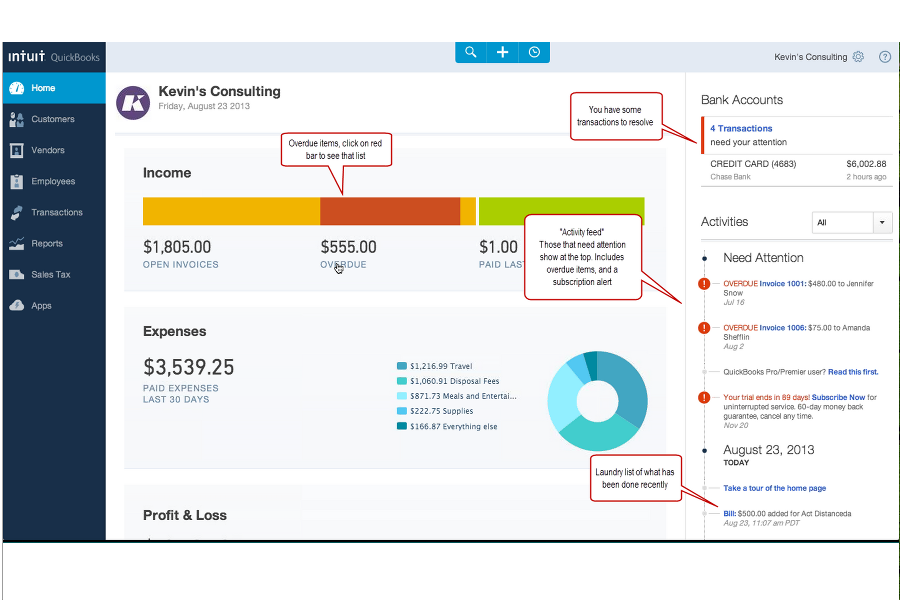
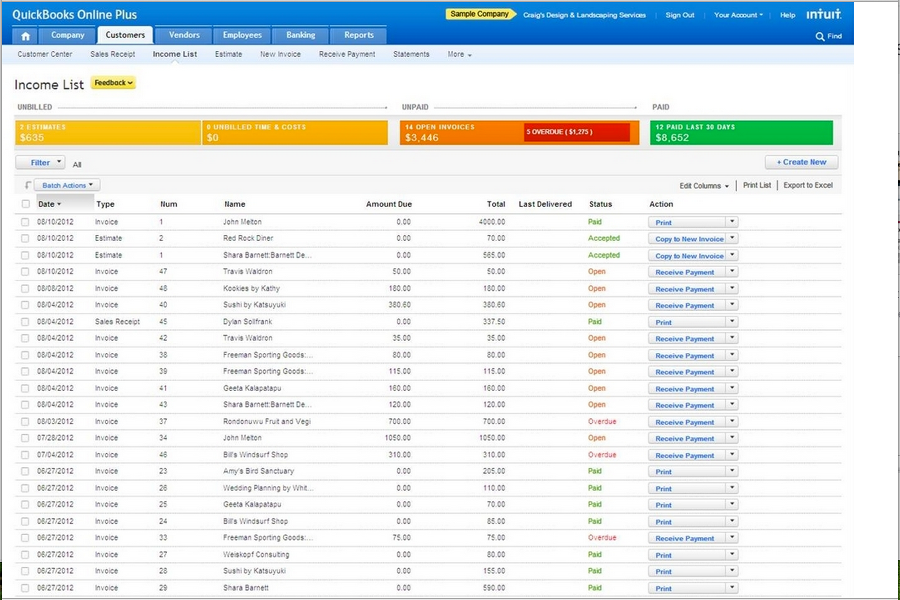
| Interfaccia utente | Dashboard ricca di funzionalità, con molte informazioni e possibilità di personalizzazione. | Design pulito e semplice, incentrato sulla chiarezza anziché sulla complessità. |
| Configurazione iniziale | La configurazione guidata aiuta i nuovi utenti, ma la curva di apprendimento può essere ripida. | Le opzioni di avvio rapido e le istruzioni dettagliate passo dopo passo semplificano la configurazione iniziale. |
| Navigazione | Navigazione basata su menu, con molte sezioni e impostazioni avanzate. | I menu semplificati rendono la navigazione intuitiva e veloce. |
| Esperienza mobile | App mobile completa, con funzionalità simili a quelle della versione desktop. | App mobile intuitiva, ottimizzata per la fatturazione rapida. |
| Supporto | Grande base di conoscenze, forum della community e assistenza via chat o telefono in orari prestabiliti. | Assistenza reattiva via email e chat, con documentazione di supporto facile da seguire. |
FreshBooks è il chiaro vincitore in termini di facilità d'uso, soprattutto se desideri semplicità fin dal primo utilizzo. Ritengo QuickBooks Online più adatto agli utenti che vogliono maggiori funzionalità e non temono un po' di apprendimento aggiuntivo, mentre FreshBooks mantiene l'esperienza accessibile in ogni fase.
QuickBooks Online vs FreshBooks: Pros & Cons
QuickBooks Online
FreshBooks
Best Use Cases for QuickBooks Online and FreshBooks
QuickBooks Online
FreshBooks
Chi dovrebbe usare QuickBooks Online e chi dovrebbe usare FreshBooks?
QuickBooks Online è una scelta adatta ai rivenditori ecommerce affermati, ai team di medie dimensioni o a chiunque abbia bisogno di funzionalità per la gestione dell'inventario e dei report, integrazioni avanzate o flussi di lavoro contabili complessi. FreshBooks è la mia scelta per venditori individuali, freelance o team che danno priorità alla semplicità, alla fatturazione rapida e a comunicazioni chiare con i clienti. Se il tuo team attribuisce valore alla profondità delle funzionalità e alla personalizzazione, scegli QuickBooks Online; se invece la facilità d'uso e una configurazione iniziale rapida sono gli aspetti più importanti, FreshBooks è la scelta migliore.
Differences Between QuickBooks Online and FreshBooks
| QuickBooks Online | FreshBooks | |
|---|---|---|
| Automation | Robust automation for recurring invoices, expense matching, and tax prep. | Offers automated invoicing and reminders, but fewer advanced rules. |
| Inventory Management | Built-in inventory tracking for retail and product sales flows. | No native inventory feature, best for service and simple sales. |
| Pricing Model | Tiers based on features and user access, with optional add-ons. | Tiers based on number of billable clients, with a simple set of features. |
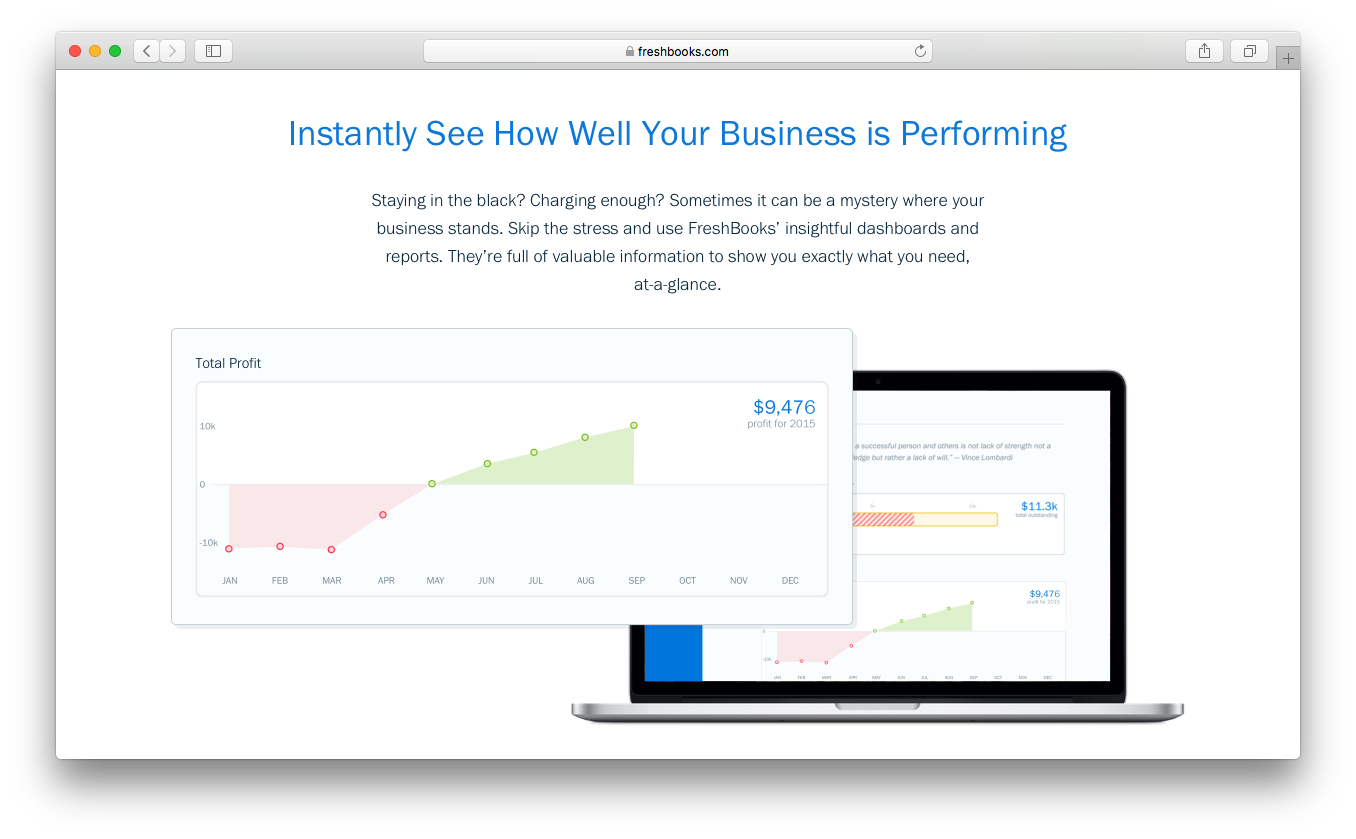
| Reporting Depth | Offers detailed, customizable financial, sales, and tax reports. | Focuses on straightforward, visual reporting for essentials. |
| User Interface | Feature-dense with advanced settings—powerful but takes more time to learn. | Clean modern interface that’s easy to learn, even for beginners. |
Similarities Between QuickBooks Online and FreshBooks
| Bookkeeping | Each platform provides core bookkeeping tools, including expense tracking, bank reconciliation, invoicing, financial reporting, and transaction categorization to keep your accounts up to date. |
|---|---|
| Cloud Access | Both are fully cloud-based so you can access financial data anywhere, with mobile apps for on-the-go management. |
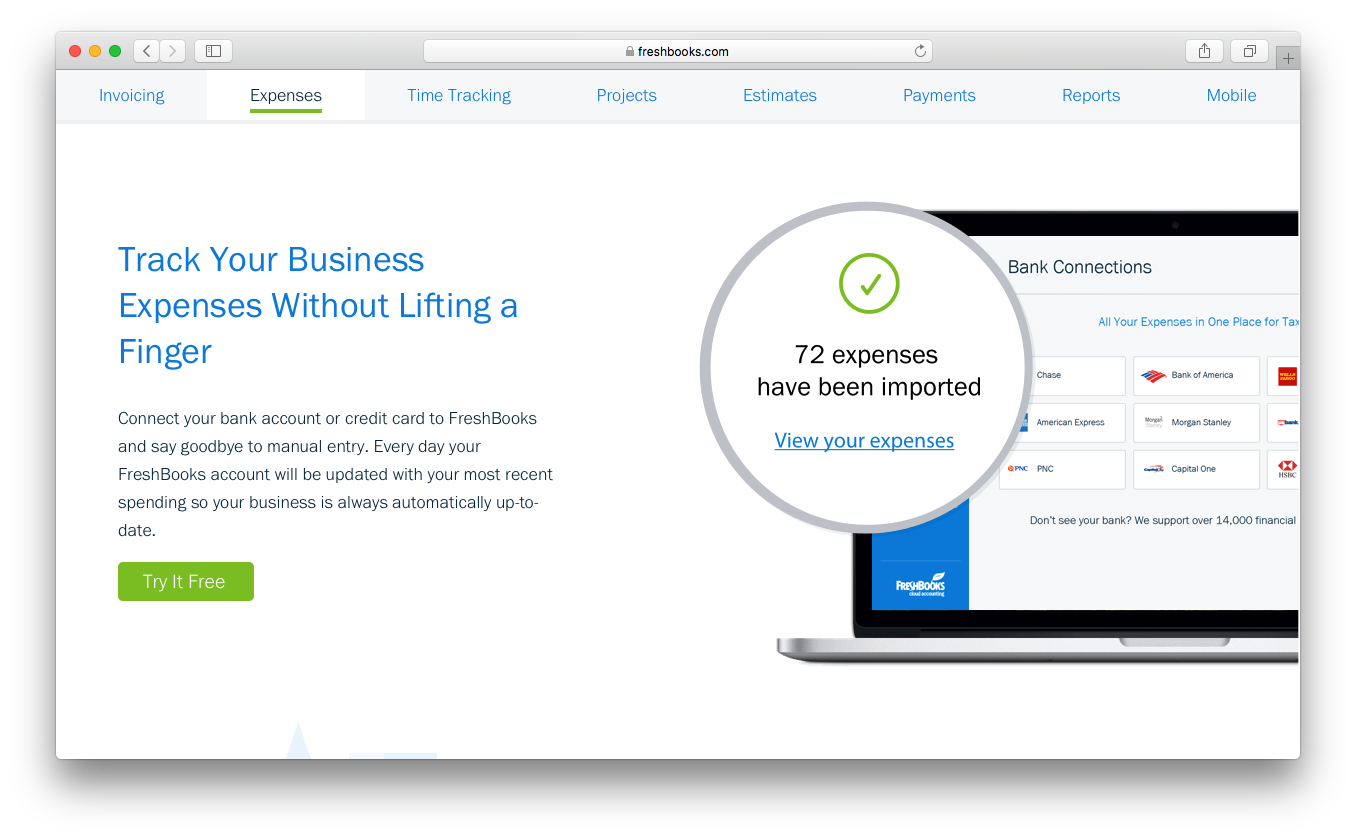
| Expense Tracking | Both track business expenses, categorize transactions, and support receipt uploads from web and mobile apps. |
| Integrations | Each connects with ecommerce platforms like Shopify and WooCommerce, plus essentials like Zapier for custom workflows. |
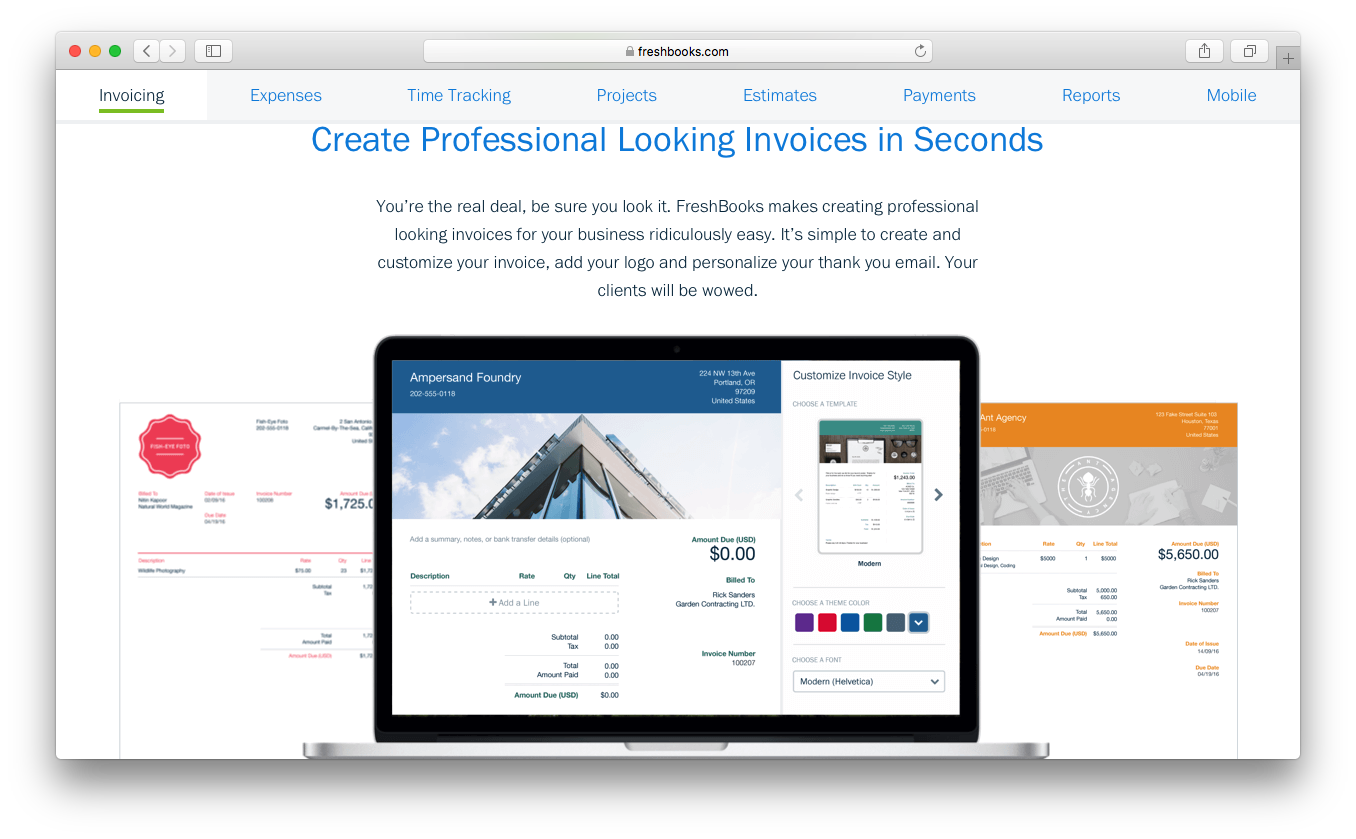
| Invoicing | Both let you create, customize, and send professional invoices with automation for reminders and recurrence. |