

Reseña de Stripe: ventajas, desventajas, características y precios

Revisamos las herramientas de forma independiente y las comisiones ayudan a financiar nuestras pruebas. Consulta nuestra política de transparencia, nuestra metodología o sugiere una herramienta.
Stripe is an ecommerce payment processing platform built for businesses that need precise control over how payments are accepted, embedded, and managed across digital channels. I'd mainly consider it if your team has developer resources and wants to build a fully custom checkout experience rather than working within someone else's template. Compared to PayPal, Stripe gives you far more flexibility to design your payment flow and integrate with your existing tech stack—without sacrificing global reach or multi-currency support.
Stripe Evaluation Summary
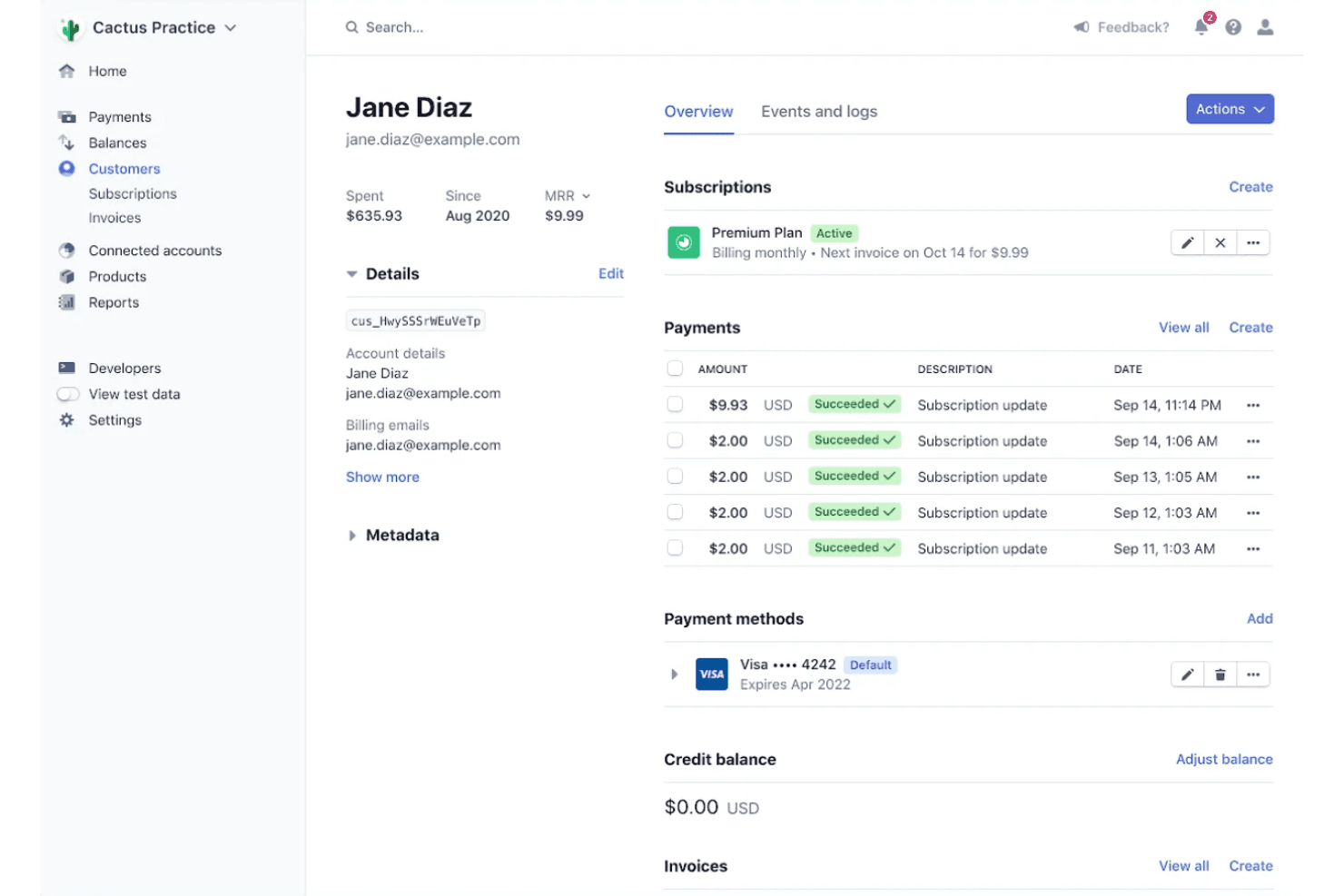
4.6/5
- From $620/month
- Not available
Por qué confiar en nuestras recomendaciones de software
6,700+
Reviews
20
Industry experts
16+
Evaluation factors
14
Years
Nuestro equipo lleva probando y evaluando software desde 2012. Como líderes del sector retail, sabemos lo difícil —y lo importante— que es elegir el software adecuado.
Para esta guía, evaluamos las herramientas mediante pruebas prácticas e investigación independiente, puntuando las herramientas según nuestros criterios de selección.
Nuestras reseñas reflejan nuestro criterio independiente, no un discurso de ventas.
Stripe Overview
If you’re judging payment processing software on flexibility and developer control, Stripe is hard to beat. Its API-first approach, wide integration options, and global currency support make it a top pick for businesses with custom needs or international ambitions. Pricing is transparent, and the interface is modern, but onboarding can feel technical for non-developers.
Stripe is best for teams who want to tailor payments to their workflow—like ecommerce brands building custom checkouts or retailers expanding across borders. If you want plug-and-play simplicity, you might find Stripe’s setup more involved than some alternatives.
Pros
- Supports 135+ currencies and global payment methods.
- Clear and detailed billing statements for easy expense tracking.
- Flexible APIs for custom checkout and billing flows.
Cons
- Customer support can be slow or unhelpful.
- Requires technical expertise for advanced setup.
- Higher transaction fees for some international payments.
Is Stripe Right For Your Needs?
Who Would be a Good Fit for Stripe?
Stripe is a strong choice for businesses that need global reach, custom payment flows, or recurring billing. Its flexible APIs, support for 135+ currencies, and advanced fraud protection make it ideal for tech-forward teams, ecommerce brands, and companies scaling internationally.
If your team values developer control and wants to build unique checkout experiences or manage complex subscriptions, Stripe’s feature set is going to fit well.
- SaaS StartupsStripe’s subscription billing and API tools support rapid product iteration.
- Global EcommerceMulti-currency support and local payment methods help reach international customers.
- Marketplaces StripeConnect enables split payments and onboarding for multiple sellers.
- Digital AgenciesCustomizable payment flows and invoicing fit client-specific needs.
- NonprofitsDonation tools and recurring giving options are built in.
- Mobile App DevelopersStripe’s SDKs make in-app payments and subscriptions easy to implement.
Who Would be a Bad Fit for Stripe?
Stripe isn’t the best fit for businesses that want plug-and-play simplicity, have limited technical resources, or operate in high-risk industries. Its advanced features often require developer involvement, and some industries face higher fees or more restrictions.
If you need fast onboarding, in-person hardware, or industry-specific compliance, you may find Stripe limiting.
- Small Brick-and-MortarStripe’s in-person POS options are limited compared to others.
- RestaurantsLacks restaurant-specific features like table management or tip pooling.
- High-Risk IndustriesStripe restricts or declines accounts in certain regulated sectors.
- MicrobusinessesSetup and customization can be overkill for very small teams.
- Field Service ProvidersNo built-in tools for scheduling, dispatch, or job tracking.
- Healthcare PracticesDoes not offer HIPAA-compliant payment processing or patient billing tools.
Nuestra Metodología de Revisión
Cómo Probamos y Puntamos Herramientas
Hemos pasado años construyendo, perfeccionando y mejorando nuestro sistema de pruebas y puntuación de software. La rúbrica está diseñada para captar los matices de la selección de software y lo que hace que una herramienta sea eficaz, enfocándose en los aspectos críticos del proceso de toma de decisiones. A continuación, puedes ver exactamente cómo funcionan nuestras pruebas y puntuaciones en siete criterios. Esto nos permite brindar una evaluación imparcial del software según la funcionalidad principal, características destacadas, facilidad de uso, incorporación, soporte al cliente, integraciones, reseñas de usuarios y relación calidad-precio.
Funcionalidad Principal (25% de la puntuación final)
El punto de partida de nuestra evaluación siempre es la funcionalidad principal de la herramienta. ¿Cuenta con las características y funciones básicas que un usuario esperaría ver? ¿Alguna de esas funcionalidades está limitada a planes de precios superiores? En esencia, esperamos que una herramienta se compare favorablemente con las capacidades básicas de sus competidores.
Características Destacadas (25% de la puntuación final)
A continuación, evaluamos las características sobresalientes poco comunes que van más allá de la funcionalidad principal que normalmente se encuentra en herramientas similares. Una alta puntuación refleja funcionalidades especializadas o únicas que hacen que el producto sea más rápido, eficiente o aporte un valor extra al usuario. También evaluamos qué tan fácil es integrar la herramienta con otras comúnmente usadas en el entorno tecnológico para ampliar la funcionalidad y utilidad del software. Las herramientas que ofrecen numerosas integraciones nativas, conexiones de terceros y acceso a API para crear integraciones personalizadas obtienen la mejor puntuación.
Facilidad de Uso (10% de la puntuación final)
Consideramos qué tan rápido y fácil es realizar las tareas definidas en la funcionalidad principal usando la herramienta. El software de alta puntuación está bien diseñado, es intuitivo, ofrece aplicaciones móviles, proporciona plantillas y hace que tareas relativamente complejas parezcan simples.
Incorporación (10% de la puntuación final)
Sabemos lo importante que es que un equipo adopte rápidamente una nueva plataforma, así que evaluamos qué tan fácil es aprender y usar la herramienta con mínima capacitación. Analizamos cuánto tiempo tarda un miembro del equipo en prepararse y comenzar a usar la herramienta sin experiencia previa. Las soluciones con alta puntuación requieren poco o ningún soporte.
Soporte al Cliente (10% de la puntuación final)
Revisamos qué tan rápido y fácil es obtener ayuda por teléfono, chat en vivo o base de conocimientos. Las herramientas y empresas que ofrecen soporte en tiempo real obtienen la mejor puntuación, mientras que los chatbots obtienen la peor.
Reseñas de Clientes (10% de la puntuación final)
Además de nuestras pruebas y evaluaciones, consideramos el puntaje neto de promotores de clientes actuales y pasados. Revisamos la probabilidad de que elijan de nuevo la herramienta para la funcionalidad principal. Un software con alta puntuación refleja un alto NPS de clientes actuales o pasados.
Relación Calidad-Precio (10% de la puntuación final)
Por último, considerando todos los demás criterios, revisamos el precio promedio de los planes de nivel básico frente a las características principales y consideramos el valor de los otros criterios de evaluación. El software que ofrece más por menos, tendrá una puntuación más alta.
Core Features
Customizable Checkout
Design branded checkout pages with support for multiple payment methods. You can optimize for mobile and localize for different countries.
Subscription Billing
Automate recurring payments, manage trials, and handle upgrades or downgrades. Stripe Billing supports complex pricing models and invoicing.
Mobile Payments
Stripe supports mobile payment options like Apple Pay and Google Pay, allowing customers to pay quickly and securely using their smartphones.
Global Payments
Accept payments in 135+ currencies and dozens of local payment methods. This helps you reach customers worldwide without extra setup.
Instant Payouts
Move funds to your bank account in minutes, not days. This is especially useful for marketplaces or businesses needing fast cash flow.
Invoicing
Create, send, and manage professional invoices with customizable templates and automated reminders, streamlining your billing process directly through Stripe.
Ease of Use
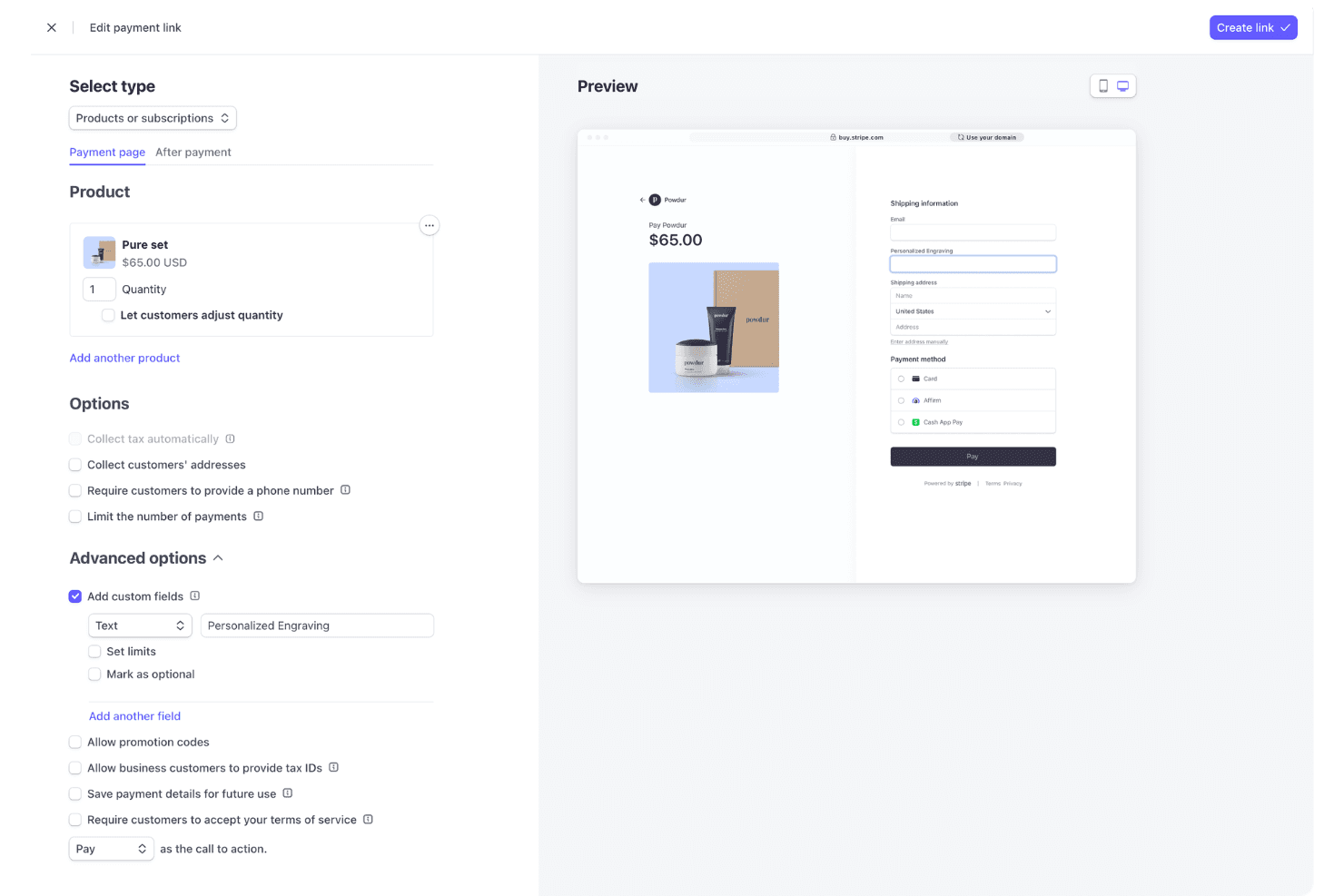
Stripe’s dashboard is clean and intuitive, making basic tasks like issuing refunds or viewing payouts straightforward for most users. However, setting up advanced features—like custom billing logic or marketplace payments—often requires developer support and API knowledge. Many users appreciate the clear documentation and guided onboarding, but non-technical teams may find the initial setup daunting.
Overall, Stripe is user-friendly for day-to-day operations but leans technical for deeper customization.
Integrations
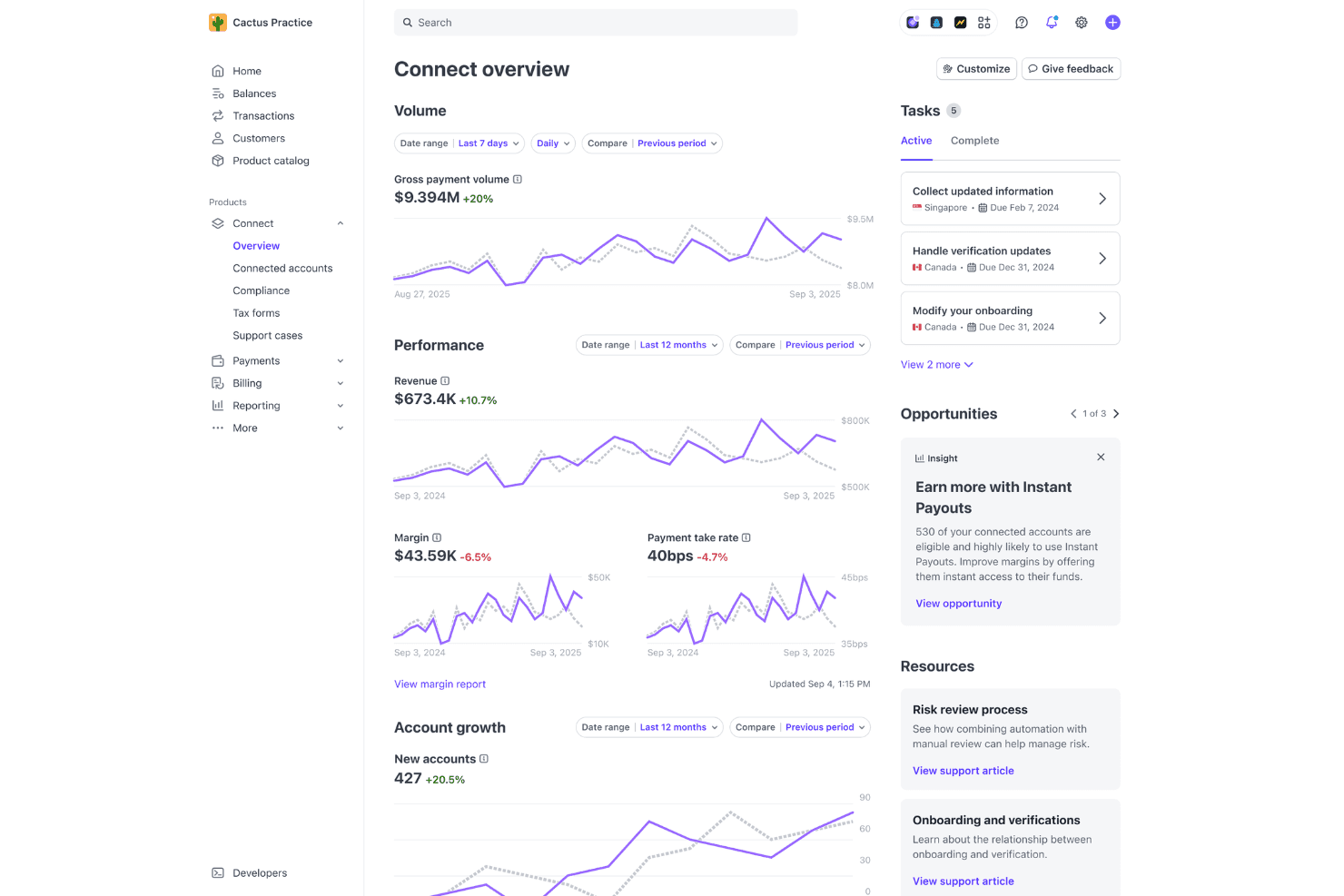
Stripe integrates with WooCommerce, Shopify, Xero, QuickBooks, HubSpot, NetSuite, Adobe Commerce (Magento), PrestaShop, WHMCS, and Chargebee, among others.
Stripe also offers a robust API and connects with third-party integration tools for custom workflows and automation.
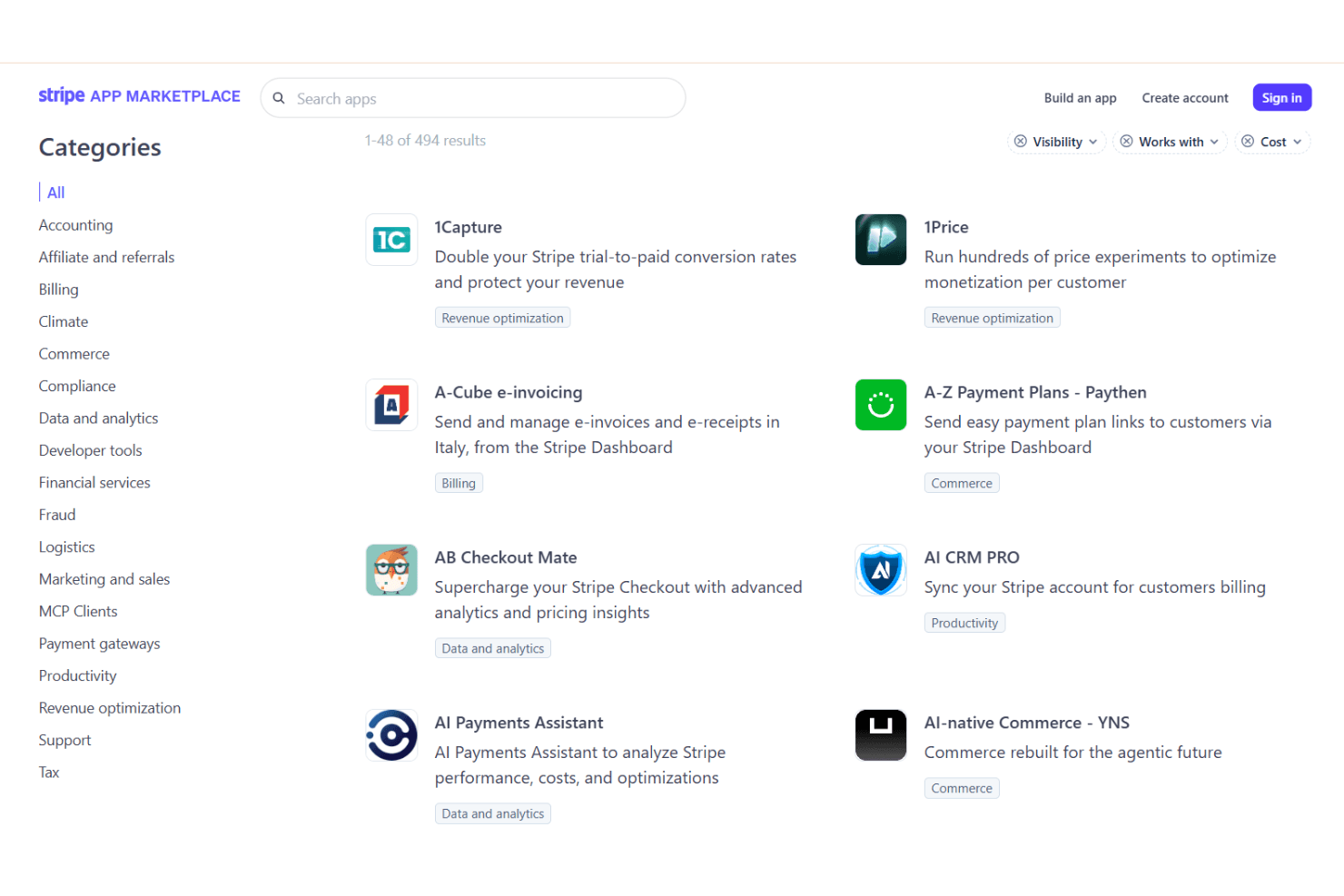
Stripe Specs
- 2-Factor Authentication: Yes
- Accounts Receivable: No
- API: Yes
- Balance Sheet: No
- Billing/Invoicing: Yes
- BitCoin: No
- Budgeting: No
- Calendar Management: No
- Contact Management: Yes
- CRM Integration: Yes
- Customer Management: Yes
- Dashboard: Yes
- Data Export: Yes
- Data Import: Yes
- Data Visualization: Yes
- Expense Tracking: No
- External Integrations: Yes
- Forecasting: No
- Inventory Tracking: No
- Multi-Currency: Yes
- Multi-User: Yes
- Notifications: Yes
- P&L: No
- Payment Gateway Integration: Yes
- Payment Processor: Yes
- PayPal: No
- Payroll: No
- SAP Integration: No
- Scheduling: No
- Stripe: No
- Supplier Management: No
- Tax Management: Yes


