

Stripe-Bewertung: Vor- und Nachteile, Funktionen und Preise

Wir bewerten Tools unabhängig und Provisionen helfen, unsere Tests zu finanzieren. Siehe unsere transparente Richtlinie, unsere Methodik oder schlagen Sie ein Tool vor.
Stripe is an ecommerce payment processing platform built for businesses that need precise control over how payments are accepted, embedded, and managed across digital channels. I'd mainly consider it if your team has developer resources and wants to build a fully custom checkout experience rather than working within someone else's template. Compared to PayPal, Stripe gives you far more flexibility to design your payment flow and integrate with your existing tech stack—without sacrificing global reach or multi-currency support.
Stripe Evaluation Summary
4.6/5
- From $620/month
- Not available
Warum Sie unseren Software-Empfehlungen vertrauen können
6,700+
Reviews
20
Industry experts
16+
Evaluation factors
14
Years
Unser Team testet und bewertet Software seit 2012. Als Führungskräfte im Einzelhandel selbst wissen wir, wie schwierig – und wichtig – es ist, die richtige Software auszuwählen.
Für diesen Leitfaden haben wir Tools mithilfe von praktischen Tests und unabhängiger Recherche bewertet und dabei die Tools anhand unserer Bewertungskriterien bewertet.
Unsere Bewertungen spiegeln unser unabhängiges Urteilsvermögen wider – keine Verkaufsstrategie.
Stripe Overview
If you’re judging payment processing software on flexibility and developer control, Stripe is hard to beat. Its API-first approach, wide integration options, and global currency support make it a top pick for businesses with custom needs or international ambitions. Pricing is transparent, and the interface is modern, but onboarding can feel technical for non-developers.
Stripe is best for teams who want to tailor payments to their workflow—like ecommerce brands building custom checkouts or retailers expanding across borders. If you want plug-and-play simplicity, you might find Stripe’s setup more involved than some alternatives.
Pros
- Supports 135+ currencies and global payment methods.
- Clear and detailed billing statements for easy expense tracking.
- Flexible APIs for custom checkout and billing flows.
Cons
- Customer support can be slow or unhelpful.
- Requires technical expertise for advanced setup.
- Higher transaction fees for some international payments.
Is Stripe Right For Your Needs?
Who Would be a Good Fit for Stripe?
Stripe is a strong choice for businesses that need global reach, custom payment flows, or recurring billing. Its flexible APIs, support for 135+ currencies, and advanced fraud protection make it ideal for tech-forward teams, ecommerce brands, and companies scaling internationally.
If your team values developer control and wants to build unique checkout experiences or manage complex subscriptions, Stripe’s feature set is going to fit well.
- SaaS StartupsStripe’s subscription billing and API tools support rapid product iteration.
- Global EcommerceMulti-currency support and local payment methods help reach international customers.
- Marketplaces StripeConnect enables split payments and onboarding for multiple sellers.
- Digital AgenciesCustomizable payment flows and invoicing fit client-specific needs.
- NonprofitsDonation tools and recurring giving options are built in.
- Mobile App DevelopersStripe’s SDKs make in-app payments and subscriptions easy to implement.
Who Would be a Bad Fit for Stripe?
Stripe isn’t the best fit for businesses that want plug-and-play simplicity, have limited technical resources, or operate in high-risk industries. Its advanced features often require developer involvement, and some industries face higher fees or more restrictions.
If you need fast onboarding, in-person hardware, or industry-specific compliance, you may find Stripe limiting.
- Small Brick-and-MortarStripe’s in-person POS options are limited compared to others.
- RestaurantsLacks restaurant-specific features like table management or tip pooling.
- High-Risk IndustriesStripe restricts or declines accounts in certain regulated sectors.
- MicrobusinessesSetup and customization can be overkill for very small teams.
- Field Service ProvidersNo built-in tools for scheduling, dispatch, or job tracking.
- Healthcare PracticesDoes not offer HIPAA-compliant payment processing or patient billing tools.
Unsere Bewertungsmethodik
Wie Wir Tools Testen & Bewerten
Wir haben über Jahre hinweg unser System zur Softwarebewertung und -testung entwickelt, verfeinert und verbessert. Die Bewertungsmatrix ist darauf ausgelegt, die Feinheiten der Softwareauswahl und die Effektivität eines Tools einzufangen, wobei der Fokus auf entscheidende Aspekte des Auswahlprozesses liegt. Nachfolgend sehen Sie genau, wie unser Test- und Bewertungssystem anhand von sieben Kriterien funktioniert. Dies ermöglicht uns, eine unvoreingenommene Bewertung der Software basierend auf Kernfunktionen, besonderen Merkmalen, Benutzerfreundlichkeit, Einarbeitung, Kundensupport, Integrationen, Kundenrezensionen und Preis-Leistungs-Verhältnis anzubieten.
Kernfunktionen (25% der Gesamtnote)
Der Ausgangspunkt unserer Bewertung ist immer die Kernfunktionalität des Tools. Verfügt es über die grundlegenden Funktionen, die ein Nutzer erwarten würde? Sind wichtige Kernfunktionen eventuell nur in höherpreisigen Tarifen enthalten? Ein Tool sollte im Kern mindestens mit den Basisfunktionen der Wettbewerber mithalten können.
Besondere Funktionen (25% der Gesamtnote)
Anschließend bewerten wir außergewöhnliche Funktionen, die über die normalen Kernfunktionen vergleichbarer Tools hinausgehen. Ein hoher Score spiegelt spezialisierte oder einzigartige Funktionen wider, die das Produkt schneller, effizienter oder wertvoller für die Nutzer machen. Wir bewerten außerdem, wie einfach sich das Tool mit anderen Programmen, die typischerweise zum Technologie-Stack gehören, integrieren lässt, um dessen Funktionalität und Nutzwert zu erweitern. Tools mit zahlreichen nativen Integrationen, Drittanbieteranbindungen und API-Zugang für eigene Entwicklungen schneiden hier am besten ab.
Benutzerfreundlichkeit (10% der Gesamtnote)
Wir betrachten, wie schnell und einfach es ist, die Kernaufgaben mit dem Tool zu erledigen. Software, die gut gestaltet und intuitiv zu bedienen ist, mobile Apps bietet, Vorlagen zur Verfügung stellt und komplexe Aufgaben einfach erscheinen lässt, erzielt die besten Werte.
Einarbeitung (10% der Gesamtnote)
Wir wissen, wie wichtig die schnelle Einführung eines neuen Tools im Team ist. Daher evaluieren wir, wie einfach es mit minimalem Training ist, das Tool kennenzulernen. Wir ermitteln, wie schnell ein Teammitglied ohne Vorerfahrung startklar ist. Lösungen, die kaum oder gar keine Unterstützung benötigen, erhalten die höchste Punktzahl.
Kundensupport (10% der Gesamtnote)
Wir überprüfen, wie schnell und einfach man Hilfe per Telefon, Live-Chat oder Wissensdatenbank erhält. Tools und Anbieter, die Echtzeit-Support bieten, schneiden am besten ab; Chatbots liegen am unteren Ende.
Kundenrezensionen (10% der Gesamtnote)
Zusätzlich zu unseren eigenen Tests ziehen wir den Net-Promoter-Score bestehender und früherer Kunden heran. Wir überprüfen, wie wahrscheinlich sie das Tool erneut für die Kernfunktionen wählen würden. Ein hoher Score spiegelt einen hohen Net-Promoter-Score wider.
Preis-Leistungs-Verhältnis (10% der Gesamtnote)
Schließlich bewerten wir im Kontext aller anderen Kriterien den Durchschnittspreis von Einstiegsplänen im Verhältnis zu den Kernfunktionen und betrachten den Wert der übrigen Kriterien. Software, die mehr zu geringeren Kosten bietet, schneidet hier besser ab.
Core Features
Customizable Checkout
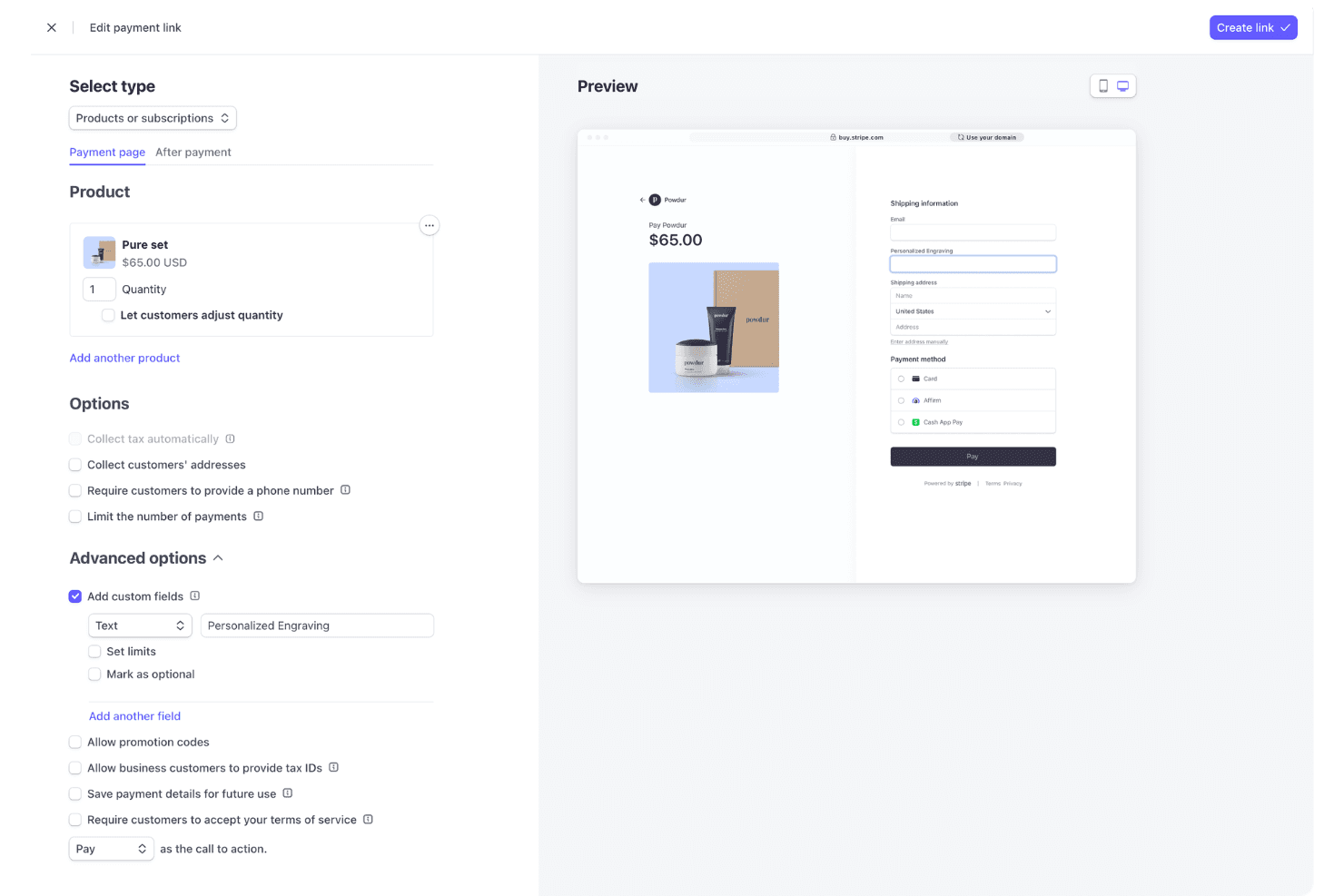
Design branded checkout pages with support for multiple payment methods. You can optimize for mobile and localize for different countries.
Subscription Billing
Automate recurring payments, manage trials, and handle upgrades or downgrades. Stripe Billing supports complex pricing models and invoicing.
Mobile Payments
Stripe supports mobile payment options like Apple Pay and Google Pay, allowing customers to pay quickly and securely using their smartphones.
Global Payments
Accept payments in 135+ currencies and dozens of local payment methods. This helps you reach customers worldwide without extra setup.
Instant Payouts
Move funds to your bank account in minutes, not days. This is especially useful for marketplaces or businesses needing fast cash flow.
Invoicing
Create, send, and manage professional invoices with customizable templates and automated reminders, streamlining your billing process directly through Stripe.
Ease of Use
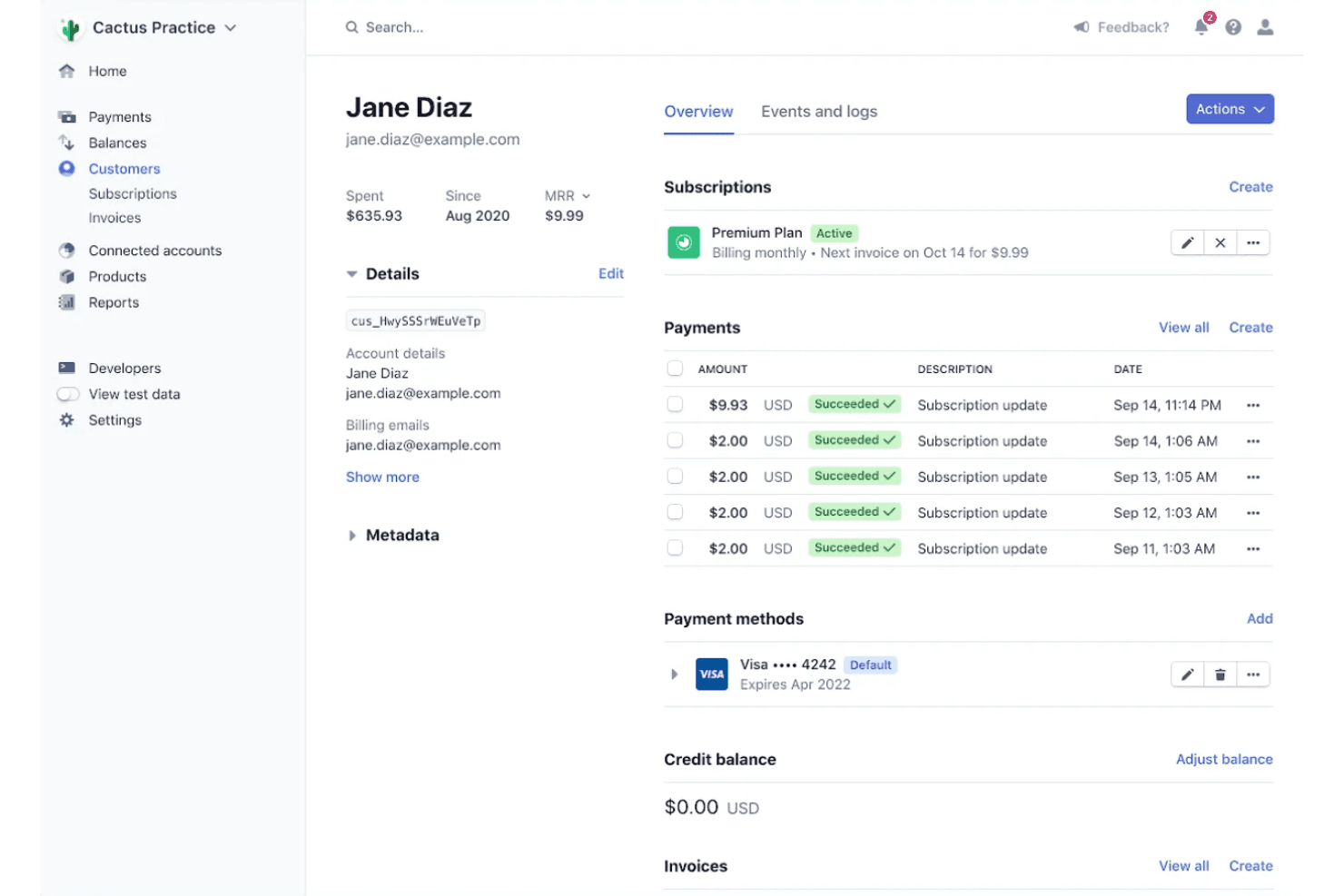
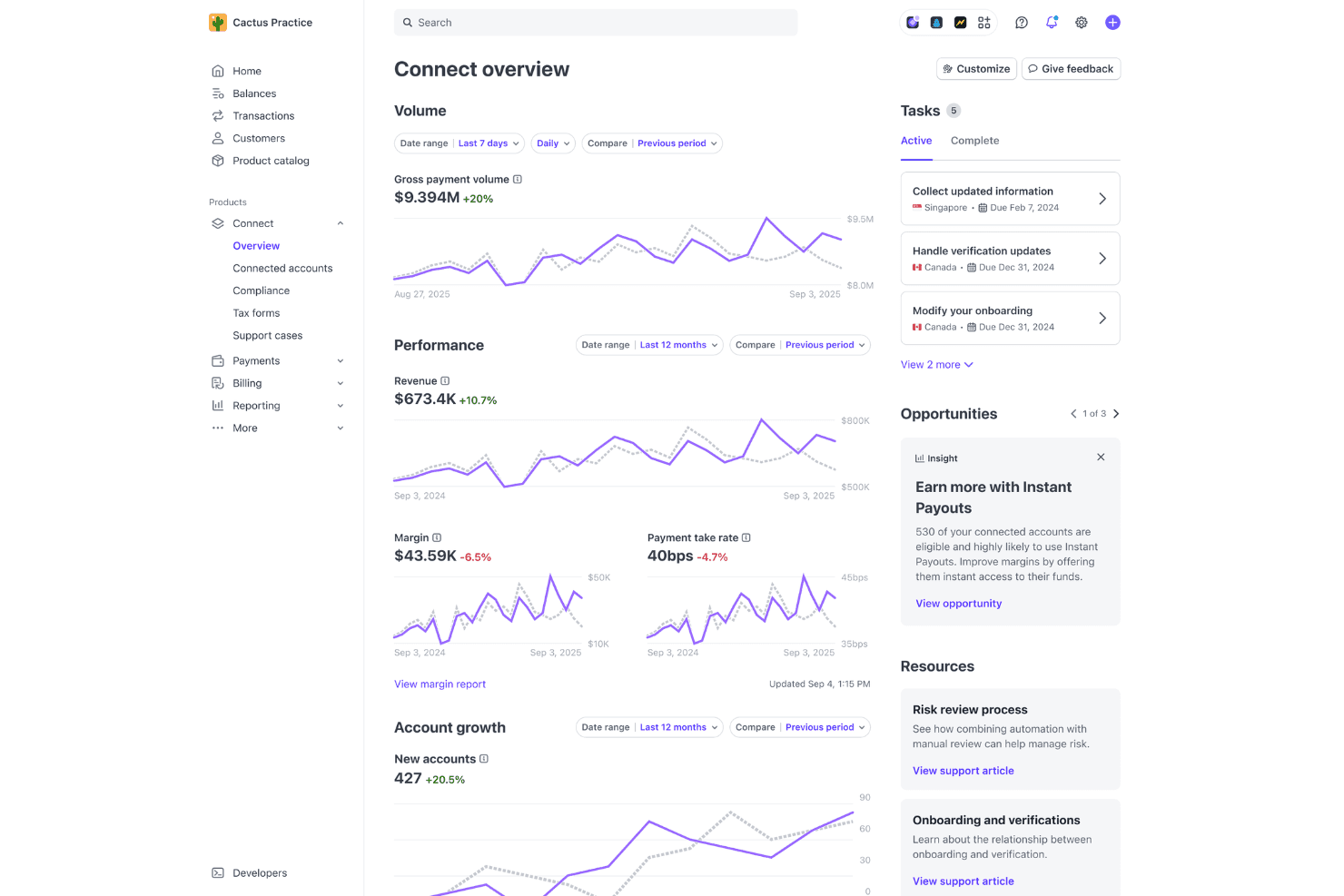
Stripe’s dashboard is clean and intuitive, making basic tasks like issuing refunds or viewing payouts straightforward for most users. However, setting up advanced features—like custom billing logic or marketplace payments—often requires developer support and API knowledge. Many users appreciate the clear documentation and guided onboarding, but non-technical teams may find the initial setup daunting.
Overall, Stripe is user-friendly for day-to-day operations but leans technical for deeper customization.
Integrations
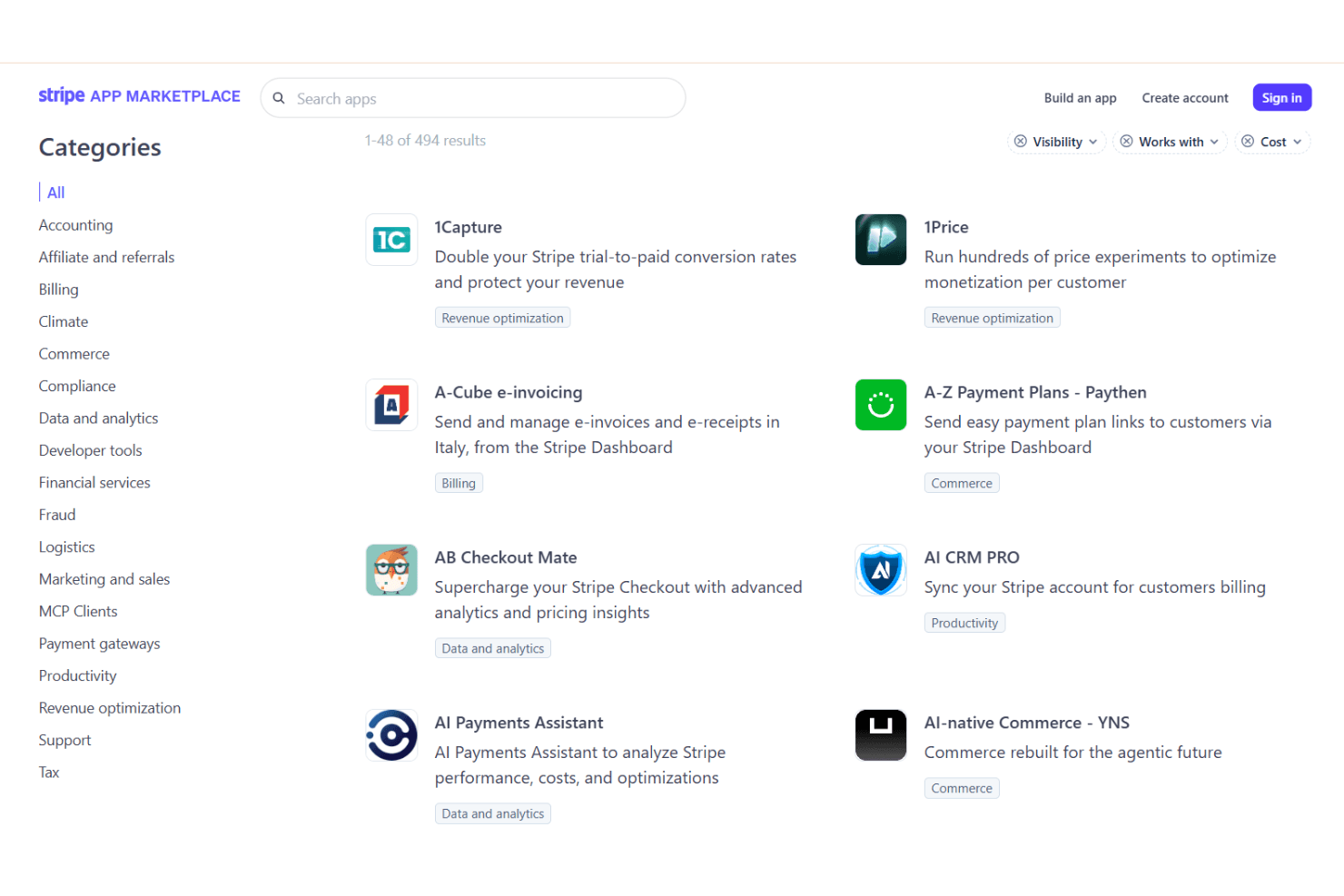
Stripe integrates with WooCommerce, Shopify, Xero, QuickBooks, HubSpot, NetSuite, Adobe Commerce (Magento), PrestaShop, WHMCS, and Chargebee, among others.
Stripe also offers a robust API and connects with third-party integration tools for custom workflows and automation.
Stripe Specs
- 2-Factor Authentication: Yes
- Accounts Receivable: No
- API: Yes
- Balance Sheet: No
- Billing/Invoicing: Yes
- BitCoin: No
- Budgeting: No
- Calendar Management: No
- Contact Management: Yes
- CRM Integration: Yes
- Customer Management: Yes
- Dashboard: Yes
- Data Export: Yes
- Data Import: Yes
- Data Visualization: Yes
- Expense Tracking: No
- External Integrations: Yes
- Forecasting: No
- Inventory Tracking: No
- Multi-Currency: Yes
- Multi-User: Yes
- Notifications: Yes
- P&L: No
- Payment Gateway Integration: Yes
- Payment Processor: Yes
- PayPal: No
- Payroll: No
- SAP Integration: No
- Scheduling: No
- Stripe: No
- Supplier Management: No
- Tax Management: Yes


