

Die 10 besten Hotjar-Alternativen für Sitzungsaufzeichnungen im Jahr 2026

Auswahl der Hotjar-Alternativen


Eine starke Hotjar-Alternative bietet Ihnen detaillierte Verhaltensanalysen, Sitzungsaufzeichnungen, Heatmaps und wichtige Erkenntnisse, um zu verstehen, wie Nutzer mit Ihrer Website oder App interagieren. Wenn Sie nach Hotjar-Alternativen suchen oder Hotjar mit anderen Plattformen vergleichen, suchen Sie wahrscheinlich nach Tools, die ähnliche oder erweiterte Funktionen bieten, etwa fortschrittlichere Analysen, API-Zugriff, bessere Integrationen oder ein anderes Preismodell. Bei der großen Anzahl verfügbarer Optionen ist es wichtig, die führenden Plattformen direkt miteinander zu vergleichen. Diese Liste hilft Ihnen dabei, schnell die Lösungen zu identifizieren, die am besten zu den Analyse-, Optimierungs- und Nutzererfahrungszielen Ihres Teams passen.
Was ist Hotjar?
Hotjar ist ein benutzerfreundliches Tool zur Verhaltensanalyse, das verfolgt und visualisiert, wie Nutzer mit Websites und Web-Apps interagieren. Es kombiniert leistungsstarke Analysefunktionen wie Heatmaps, Sitzungsaufzeichnungen und Feedback-Umfragen, um Teams dabei zu helfen, Nutzerpfade zu verstehen und Reibungspunkte zu identifizieren. Dank einer intuitiven Benutzeroberfläche unterstützt Hotjar Produktentwicklungs-, E-Commerce- und Marketingteams dabei, das Webdesign zu optimieren, Konversionsraten zu verbessern und die allgemeine Nutzererfahrung zu steigern.
Warum Sie unseren Software-Empfehlungen vertrauen können
Unser Team testet und bewertet Software seit 2012. Als Führungskräfte im Einzelhandel selbst wissen wir, wie schwierig – und wichtig – es ist, die richtige Software auszuwählen.
Für diesen Leitfaden haben wir Tools mithilfe von praktischen Tests und unabhängiger Recherche bewertet und dabei die Tools anhand unserer Bewertungskriterien bewertet.
Unsere Bewertungen spiegeln unser unabhängiges Urteilsvermögen wider – keine Verkaufsstrategie.
Zusammenfassung der besten Hotjar-Alternativen
\u003cspan style=\u0022font-weight: 400\u0022\u003eDiese Vergleichstabelle fasst die Preisinformationen meiner besten Hotjar-Alternativen zusammen, damit Sie die beste Lösung für Ihr Budget und Ihre geschäftlichen Anforderungen finden können.\u003c/span\u003e
| Tool | Best For | Trial Info | Price | ||
|---|---|---|---|---|---|
| 1 | Ideal für Trichteranalysen zur Verbesserung der Konversionen | 14-tägige kostenlose Testversion + kostenloser Tarif + kostenlose Demo verfügbar | Ab $25/Monat (jährlich abgerechnet) | Website | |
| 2 | Am besten für die durchgängige Überwachung der digitalen Nutzererfahrung | 15-tägige kostenlose Testversion + kostenlose Demo verfügbar | Ab $7/Host/Monat | Website | |
| 3 | Am besten geeignet für Produktanalysen in Echtzeit | Kostenloser Tarif verfügbar | Preise auf Anfrage | Website | |
| 4 | Am besten geeignet, um Probleme mit digitalen Erlebnissen aufzudecken | Kostenloser Tarif + kostenlose Demo verfügbar | Preis auf Anfrage | Website | |
| 5 | Am besten für Analysen mobiler Apps mit Gestenpfadverfolgung | Kostenloser Tarif verfügbar | Preise auf Anfrage | Website | |
| 6 | Am besten für Interaktions- und Kundenbindungsanalysen bei mobilen Nutzern | 30-tägige kostenlose Testversion + kostenlose Demo verfügbar | Ab $75/Monat | Website | |
| 7 | Ideal für Remote-Tests zur Gebrauchstauglichkeit mit videobasiertem Nutzerfeedback | Kostenlose Demo verfügbar | Ab $699/Monat (jährlich abgerechnet) | Website | |
| 8 | Am besten geeignet für die Kombination von Anleitungen innerhalb der App mit Analysen zur Produktnutzung | Kostenloser Tarif + 30-tägige kostenlose Testversion + kostenlose Demo verfügbar | Preis auf Anfrage | Website | |
| 9 | Am besten für einfache A/B-Tests zur Optimierung von Websites | 30-tägige kostenlose Testversion verfügbar | Ab $29/Monat | Website | |
| 10 | Am besten für KI-gestützte Einblicke in Kundenpfade geeignet | 15-tägige kostenlose Testversion + kostenloser Tarif + kostenlose Demo verfügbar | Ab 39 $/Monat (jährlich abgerechnet) | Website |
Bewertungen der Hotjar-Alternativen
\u003cspan style=\u0022font-weight: 400\u0022\u003eNachfolgend finden Sie meine ausführlichen Zusammenfassungen der Hotjar-Alternativen, die es auf meine Auswahlliste geschafft haben. Meine Bewertungen bieten einen detaillierten Einblick in die Funktionen, Möglichkeiten und Integrationen jeder Plattform, damit Sie die beste Lösung für Ihre Anforderungen finden können.\u003c/span\u003e

Ideal für Trichteranalysen zur Verbesserung der Konversionen
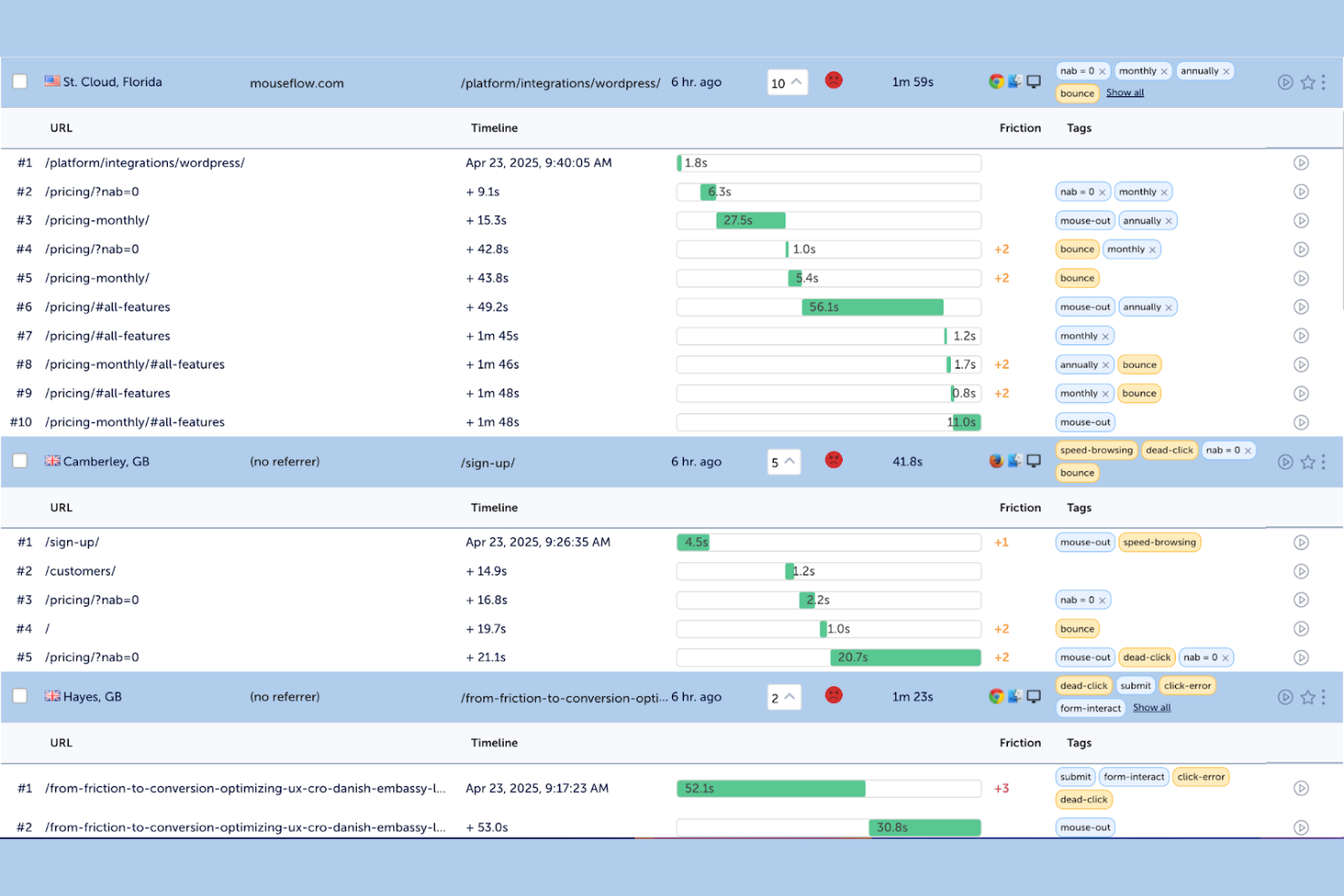
Für E-Commerce- und Digitalteams, die sich auf die Konversionsoptimierung konzentrieren, bietet Mouseflow Sitzungsaufzeichnungen und Tools zur Reibungsanalyse, mit denen sich aufdecken lässt, wo Nutzer Schwierigkeiten haben. Besonders nützlich ist es für Marketingfachleute, UX-Spezialisten, CRO-Experten und kleine Unternehmen, die eine klare Analyse des Nutzerverhaltens ohne komplexe Einrichtung benötigen. Als umfassendes Klickkarten-Tool kombiniert Mouseflow Sitzungsaufzeichnungen mit automatisierter Reibungserkennung, detaillierter Sitzungsfilterung und Kundenfeedback-Funktionen, um Ihnen zu helfen, Abbrüche und Engpässe in der Kundenreise zu identifizieren. Im Gegensatz zu Hotjar legt es größeren Wert auf automatisierte Erkenntnisse, mit denen Sie Korrekturen priorisieren können, die messbare Ergebnisse erzielen.
Warum Mouseflow eine gute Hotjar-Alternative ist
Wenn Sie nach einem Tool suchen, das über grundlegende Klickkarten hinausgeht, zeichnet sich Mouseflow durch seine Funktionen für Sitzungsaufzeichnungen und Reibungsanalysen aus. Ich schätze besonders, dass Mouseflow Reibungsereignisse wie wiederholte frustrierte Klicks, Formularabbrüche und Umkehrbewegungen automatisch erkennt, sodass Sie schnell feststellen können, wo Nutzer stecken bleiben. Mit der Funktion für Sitzungsaufzeichnungen können Sie echte Nutzerinteraktionen ansehen und Aufzeichnungen nach bestimmten Verhaltensweisen oder Problemen filtern. Für Teams, die sich auf die Konversionsoptimierung konzentrieren, bietet Mouseflow einen detaillierteren Einblick in die Schwierigkeiten der Nutzer als Hotjar.
Wichtige Mouseflow-Funktionen
Zu den weiteren Mouseflow-Funktionen, über die Käufer von Lösungen zur Verhaltensanalyse Bescheid wissen sollten, gehören:
- Klickkarten: Visualisieren Sie Klicks, Scrollvorgänge und Bewegungsmuster auf Ihren Seiten.
- Konversionstrichter: Verfolgen Sie Nutzerabbrüche bei jedem Schritt Ihrer Konversionspfade.
- Formularanalyse: Analysieren Sie, wie Nutzer mit Formularen interagieren, einschließlich des Abbruchs einzelner Felder und der Abschlussquoten.
- Nutzerfeedback: Starten Sie Umfragen und Feedback-Elemente auf Ihrer Website, um direktes Feedback von Besuchern zu sammeln.
Mouseflow-Integrationen
Zu den Integrationen gehören Adobe Analytics, Google Analytics, AB Tasty, Shopify, Google Ads, Salesforce, Slack, Microsoft Teams, WooCommerce und weitere.
Pros and Cons
Pros:
- Formularanalysen erfassen Abbruchquoten
- Klickkarten zeigen Klick- und Scrollmuster
- Widgets auf der Website sammeln Nutzerfeedback
Cons:
- Aufzeichnungen erfassen möglicherweise dynamische Inhalte nicht vollständig
- Datenstichproben begrenzen Sitzungen mit hohem Datenverkehr

Am besten für die durchgängige Überwachung der digitalen Nutzererfahrung
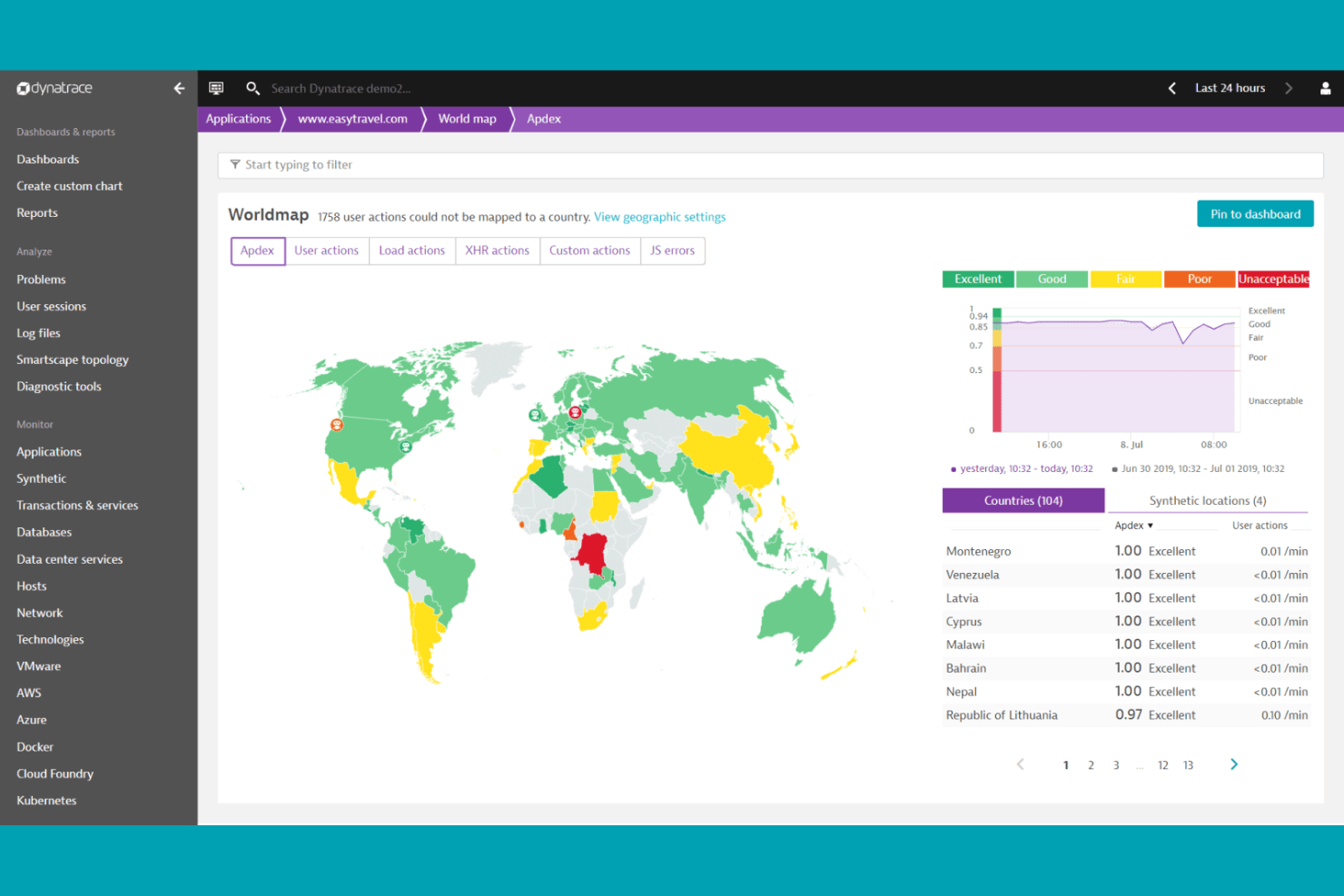
Unternehmen, die tiefgehende Einblicke in das Nutzerverhalten über komplexe digitale Umgebungen hinweg gewinnen möchten, greifen häufig auf Dynatrace zurück – dank der KI-gestützten Analysen und der Überwachung des gesamten Technologie-Stacks. Dynatrace richtet sich an Führungskräfte aus IT, E-Commerce und digitalen Betriebsbereichen, die Daten zur Nutzererfahrung in Echtzeit mit der Backend-Performance verknüpfen müssen. Anders als Hotjar kombiniert Dynatrace Sitzungswiedergaben mit einer automatisierten Ursachenanalyse und hilft Ihnen so, Probleme schnell zu identifizieren und zu beheben, die sowohl Nutzer als auch Geschäftsergebnisse beeinträchtigen.
Warum Dynatrace eine gute Hotjar-Alternative ist
Für Teams, die mehr als nur Analysen des Verhaltens im Frontend benötigen, bietet Dynatrace eine KI-gestützte Überwachung der digitalen Nutzererfahrung über den gesamten Technologie-Stack. Ich habe Dynatrace ausgewählt, weil die Lösung Sitzungsdaten der Nutzer mit der Performance von Backend-Anwendungen und der Infrastruktur verknüpft und Ihnen dadurch einen vollständigen Überblick über die Faktoren gibt, die Nutzerpfade beeinflussen. Die KI-Engine erkennt automatisch Anomalien und ermittelt die Ursachen, sodass Sie Probleme beheben können, bevor sie sich auf Conversion oder Kundenbindung auswirken. Diese durchgängige Transparenz hebt Dynatrace von Hotjar ab, insbesondere für Unternehmen, die komplexe digitale Ökosysteme verwalten.
Wichtige Funktionen von Dynatrace
Zu den weiteren Dynatrace-Funktionen, über die sich Käufer von Lösungen für Verhaltensanalysen informieren sollten, gehören:
- Sitzungswiedergabe: Sehen Sie sich echte Nutzersitzungen an, um genau zu erkennen, wie Besucher mit Ihrer Website oder App interagieren.
- Analyse der Nutzerpfade: Erfassen und analysieren Sie jeden Schritt, den Nutzer über digitale Kontaktpunkte hinweg ausführen.
- Verfolgung von Conversion-Trichtern: Überwachen Sie, an welchen Stellen Nutzer bei mehrstufigen Prozessen abspringen, und identifizieren Sie Reibungspunkte.
- Individuelle Dashboards: Erstellen Sie maßgeschneiderte Dashboards, um Daten zum Nutzerverhalten und zur Performance nebeneinander zu visualisieren.
Dynatrace-Integrationen
Zu den Integrationen gehören Jira, Slack, Microsoft Teams, Snowflake, GitHub, AWS Security Hub und weitere.
Pros and Cons
Pros:
- KI-Ursachenanalyse verknüpft Probleme mit dem Backend
- Anomalieerkennung in Echtzeit weist auf Performance-Einbrüche hin
- Darstellung von Nutzerpfaden zeigt mehrstufige Conversions
Cons:
- Die umfassende Überwachung kann die Performance beeinträchtigen
- Verhaltensanalysen weniger auf UX-Tools ausgerichtet

Mixpanel
Am besten geeignet für Produktanalysen in Echtzeit
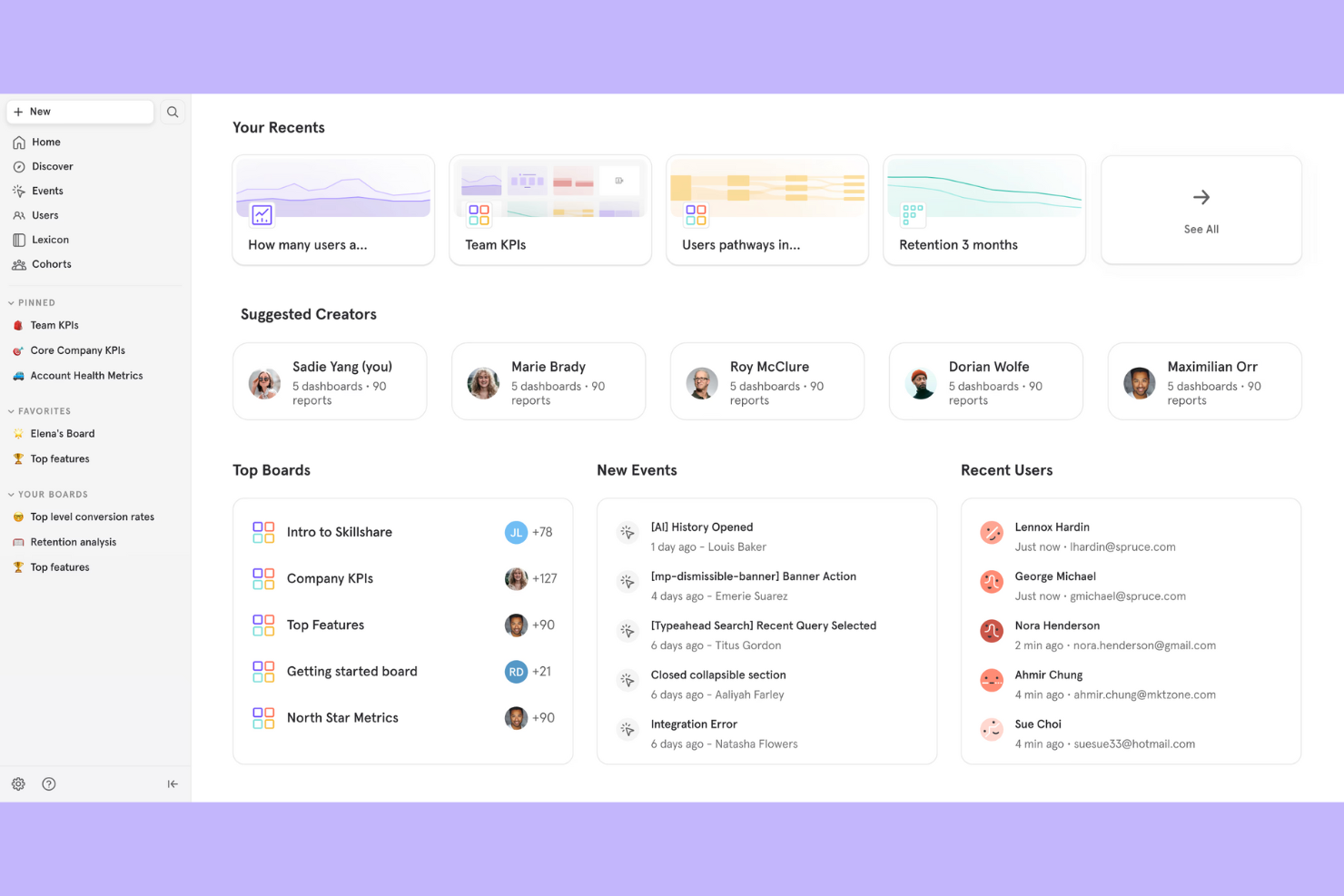
Mixpanel ist eine Plattform für Produktanalysen, die für Teams entwickelt wurde, die detaillierte Einblicke in Echtzeit in das Nutzerverhalten über Web- und mobile Apps hinweg benötigen. Sie eignet sich besonders für E-Commerce-, SaaS- und Teams für digitale Produkte, die detaillierte Nutzeraktionen verfolgen und ohne Programmierung benutzerdefinierte Berichte erstellen möchten. Mixpanel hebt sich von Hotjar durch erweitertes Ereignis-Tracking, Kohortenanalysen und leistungsstarke Segmentierungstools für datengestützte Entscheidungen ab.
Warum Mixpanel eine gute Hotjar-Alternative ist
Mixpanel zeichnet sich durch erweiterte Produktanalysen und Daten-Tracking in Echtzeit aus, die über die mit Hotjar verfügbaren Sitzungsaufzeichnungen und Heatmaps hinausgehen. Ich habe Mixpanel ausgewählt, weil Sie damit benutzerdefinierte Ereignisse definieren und verfolgen können, sodass Sie bestimmte Nutzeraktionen analysieren können, die für Ihr Unternehmen relevant sind. Die Kohortenanalyse hilft Ihnen, Nutzer anhand ihres Verhaltens im Zeitverlauf zu segmentieren, wodurch sich Trends und Faktoren für die Kundenbindung leichter erkennen lassen. Wenn Sie detaillierte, aussagekräftige Einblicke in die Interaktion der Nutzer mit Ihrem Produkt benötigen, ist Mixpanel eine gute Wahl.
Die wichtigsten Funktionen von Mixpanel
Weitere Mixpanel-Funktionen, die Käufer von Lösungen für Verhaltensanalysen nützlich finden könnten, sind:
- A/B-Test-Tracking: Verfolgen und vergleichen Sie das Nutzerverhalten bei verschiedenen Produktexperimenten, um zu sehen, welche Änderungen das Engagement steigern.
- Dashboards zur Datenvisualisierung: Erstellen Sie benutzerdefinierte Dashboards mit Diagrammen und Grafiken, um wichtige Kennzahlen in Echtzeit zu visualisieren.
- Analyse von Nutzerpfaden: Zeichnen Sie die Wege auf, die Nutzer durch Ihre Website oder App nehmen, um Abbruchpunkte zu identifizieren und Nutzerpfade zu optimieren.
- Warnmeldungen und automatisierte Berichte: Richten Sie Warnmeldungen für bedeutende Veränderungen im Nutzerverhalten ein und planen Sie automatisierte Berichte für Ihr Team.
Mixpanel-Integrationen
Zu den Integrationen gehören Iterable, Netmera, Fivetran, Userflow, Apptimize, Kochava, Intercom, Freshpaint, AWS, Rivery, Eppo, Hightouch und weitere.
Pros and Cons
Pros:
- Kohortenanalyse zeigt Trends bei der Kundenbindung
- Anpassbare Dashboards ermöglichen individuelle Datenansichten
- A/B-Tracking unterstützt Produktexperimente
Cons:
- Keine integrierten Heatmaps oder Sitzungsaufzeichnungen
- Die erweiterte Einrichtung erfordert technische Ressourcen

Am besten geeignet, um Probleme mit digitalen Erlebnissen aufzudecken
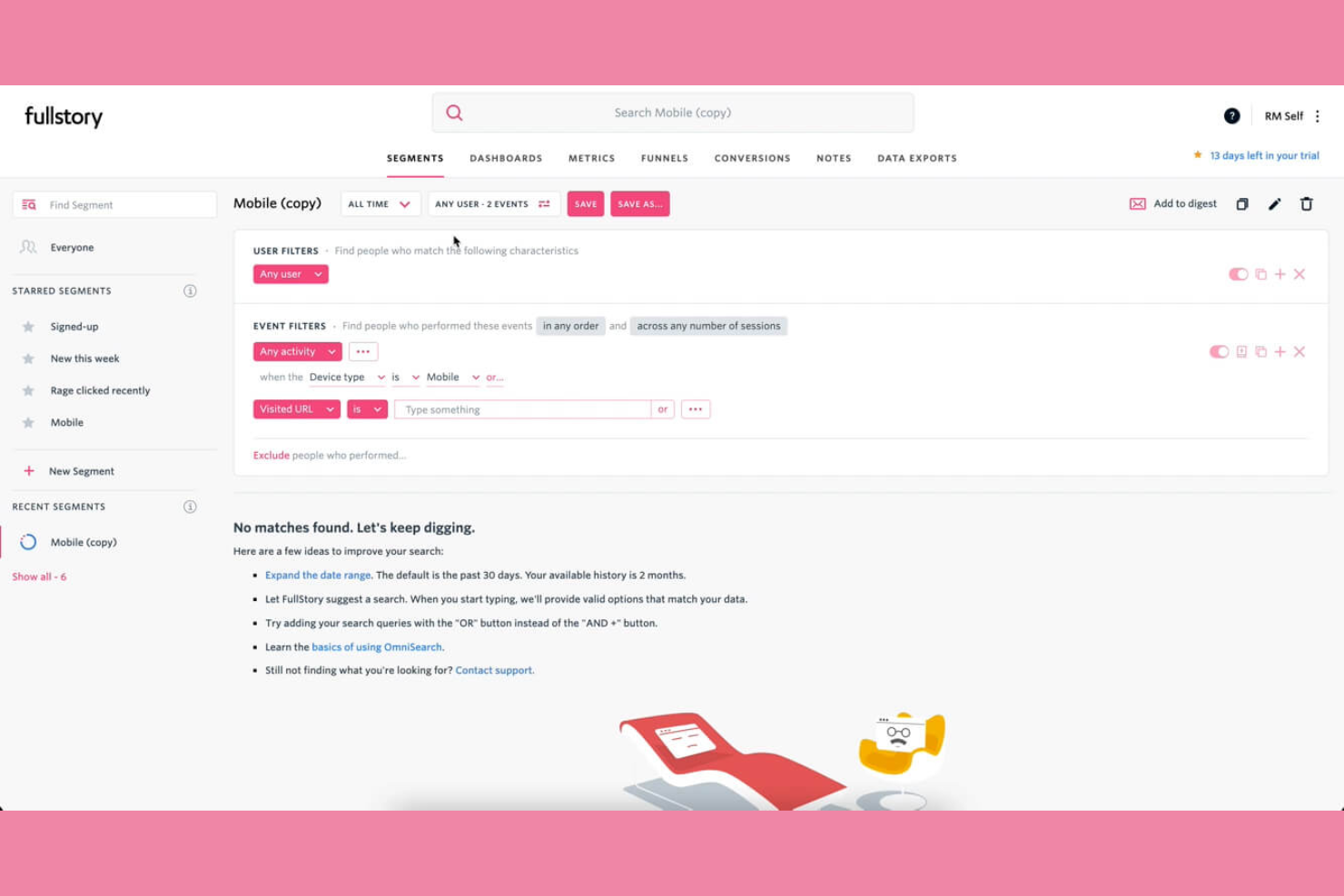
Wenn Sie nach einem Tool für Verhaltensanalysen suchen, das auf Sitzungswiedergabe und Analysen digitaler Erlebnisse spezialisiert ist, ist Fullstory eine Überlegung wert. Es wurde für E-Commerce-, Produkt- und UX-Teams entwickelt, die genau verstehen müssen, wie Nutzer mit Web- und mobilen Erlebnissen interagieren. Fullstory hebt sich von Hotjar ab, indem es jede Nutzerinteraktion automatisch erfasst und so das Erkennen von Reibungspunkten, Fehlern und Optimierungsmöglichkeiten erleichtert.
Warum Fullstory eine gute Hotjar-Alternative ist
Was Fullstory als Hotjar-Alternative besonders macht, ist der Fokus auf Sitzungswiedergabe und Analysen digitaler Erlebnisse sowohl für Web- als auch für mobile Anwendungen. Mir gefällt, dass Fullstory automatisch jede Nutzerinteraktion erfasst, sodass Sie Ereignisse nicht im Voraus definieren oder raten müssen, was Sie verfolgen sollten. Mit der Sitzungswiedergabe können Sie echte Nutzerpfade im Detail ansehen und so Reibungspunkte und Fehler erkennen, die sich auf die Konversionen auswirken. Für Teams, die eine vollständige, durchsuchbare Aufzeichnung des Nutzerverhaltens wünschen, bietet Fullstory ein Maß an Transparenz, das über die Möglichkeiten von Hotjar hinausgeht.
Die wichtigsten Funktionen von Fullstory
Zu den weiteren Fullstory-Funktionen, über die Käufer von Lösungen für Verhaltensanalysen möglicherweise Bescheid wissen möchten, gehören:
- Konversionstrichter: Verfolgen und visualisieren Sie den Fortschritt der Nutzer durch mehrstufige Prozesse, um zu erkennen, an welchen Stellen Nutzer abspringen.
- Erkennung frustrierter Klicks: Markiert automatisch wiederholte, schnelle Klicks, die auf Frustration der Nutzer oder fehlerhafte Elemente hindeuten.
- Benutzerdefiniertes Ereignis-Tracking: Definieren und überwachen Sie bestimmte Nutzeraktionen, die für Ihre Geschäftsziele relevant sind.
- Datenschutzeinstellungen: Maskieren Sie sensible Daten und konfigurieren Sie Datenschutzeinstellungen, um Nutzerinformationen während der Sitzungserfassung zu schützen.
Fullstory-Integrationen
Zu den Integrationen gehören AB Tasty, Adobe, BigCommerce, Fivetran, Google Cloud, Google Analytics, Hightouch, Intercom, Formsort und weitere.
Pros and Cons
Pros:
- Frustrationssignale erkennen frustrierte Klicks
- Trichter-Tracking zeigt Abbrüche bei mehrstufigen Prozessen
- Durchsuchbare Daten filtern Nutzersitzungen
Cons:
- Auswirkungen auf die Leistung bei Websites mit hohem Datenverkehr
- Exporte von Rohdaten sind begrenzt oder komplex

UXCam
Am besten für Analysen mobiler Apps mit Gestenpfadverfolgung
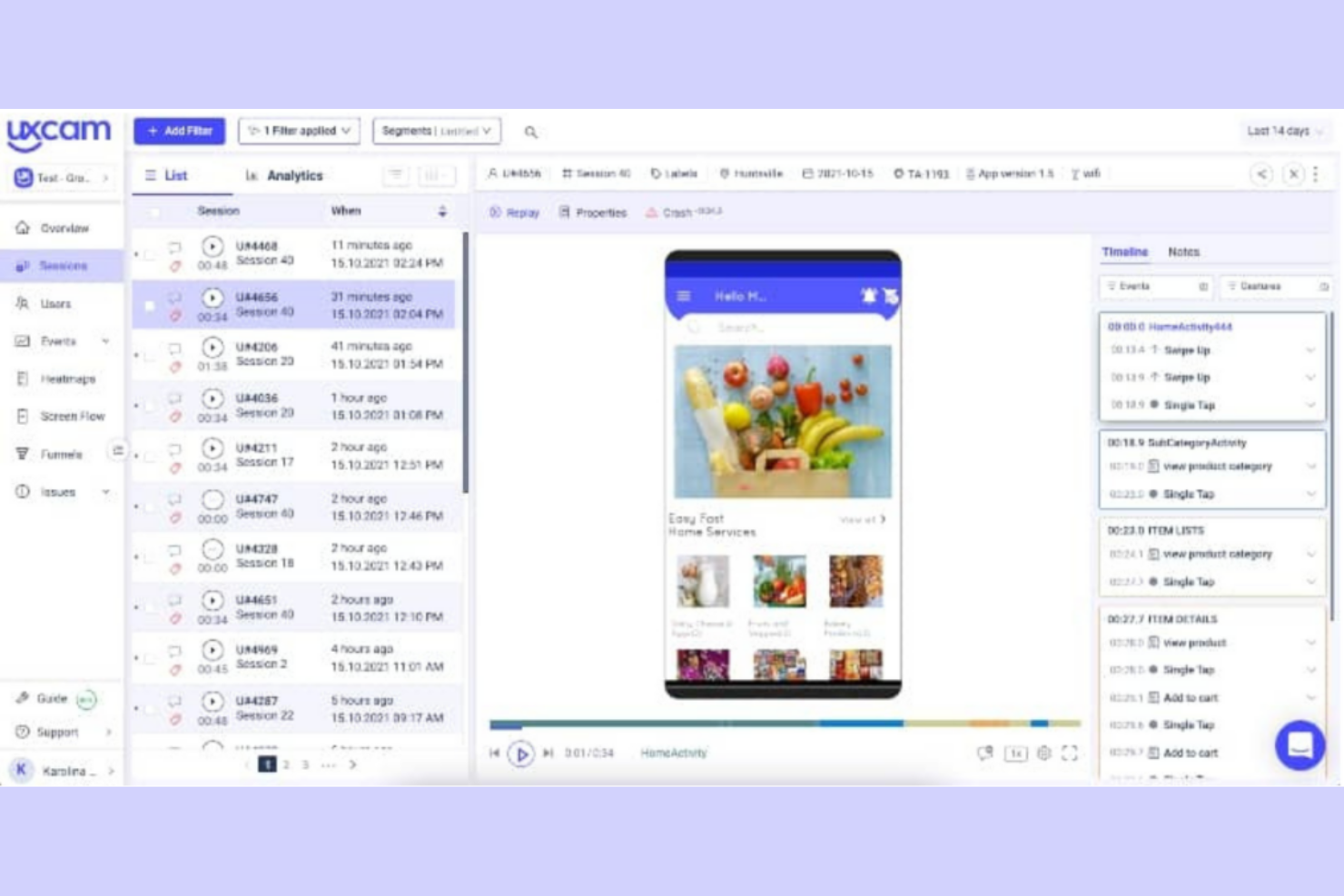
Wenn Sie sich auf die Optimierung mobiler App-Erlebnisse konzentrieren, bietet UXCam spezialisierte Analysen für mobile Produktteams und UX-Forschende. Die Plattform erfasst Sitzungswiedergaben, Bildschirmaufzeichnungen, Touch-Heatmaps, Scroll-Karten und Klick-Karten, damit Sie genau verstehen, wie Nutzer mit Ihrer App interagieren. Im Gegensatz zu Hotjar wurde UXCam speziell für mobile Anwendungen entwickelt und ist daher eine ausgezeichnete Wahl für Unternehmen, die tiefgehende Verhaltenseinblicke in iOS- und Android-Apps benötigen.
Warum UXCam eine gute Alternative zu Hotjar ist
Für Teams, die umfassende Einblicke in das Nutzerverhalten in mobilen Apps benötigen, liefert UXCam Analysen, die für mobile Anwendungen über das Angebot von Hotjar hinausgehen. Ich habe UXCam ausgewählt, weil die Plattform Sitzungswiedergaben, Touch-Heatmaps und Gestenverfolgung speziell für iOS- und Android-Apps bietet. Mit diesen Funktionen können Sie genau sehen, wo Nutzer tippen, wischen oder nicht weiterkommen. So lassen sich Reibungspunkte erkennen, die für mobile Erlebnisse typisch sind. Wenn Ihr Unternehmen auf mobile Apps angewiesen ist, macht der Fokus von UXCam auf mobile Analysen die Plattform zu einer starken Alternative zum weborientierten Ansatz von Hotjar.
Wichtigste Funktionen von UXCam
Zu den weiteren UXCam-Funktionen, über die sich Käufer von Verhaltensanalysen möglicherweise informieren möchten, gehören:
- Analyse von Nutzerpfaden: Zeichnen Sie die Wege nach, die Nutzer durch Ihre App nehmen, um häufige Abläufe und Abbruchpunkte zu erkennen.
- Absturz- und Problemanalysen: Erkennen Sie Abstürze und technische Probleme automatisch und verknüpfen Sie diese anschließend zur Fehlerbehebung mit bestimmten Nutzersitzungen.
- Ereignisanalysen: Verfolgen Sie benutzerdefinierte Ereignisse und Nutzeraktionen, um die Interaktion mit bestimmten Funktionen oder Bildschirmen zu messen.
- Nutzersegmentierung: Filtern und analysieren Sie Daten nach Nutzereigenschaften, Verhaltensweisen oder Gerätetypen, um Trends in verschiedenen Zielgruppensegmenten aufzudecken.
UXCam-Integrationen
Integrationen sind nicht öffentlich aufgeführt.
Pros and Cons
Pros:
- Sitzungswiedergaben erfassen Gesten und Bildschirme
- Touch-Heatmaps zeigen das Tippverhalten
- Absturzanalysen verknüpfen Probleme mit Sitzungen
Cons:
- Die Einrichtung von Ereignissen erfordert technische Ressourcen
- Keine integrierten Umfragetools für In-App-Umfragen

Am besten für Interaktions- und Kundenbindungsanalysen bei mobilen Nutzern
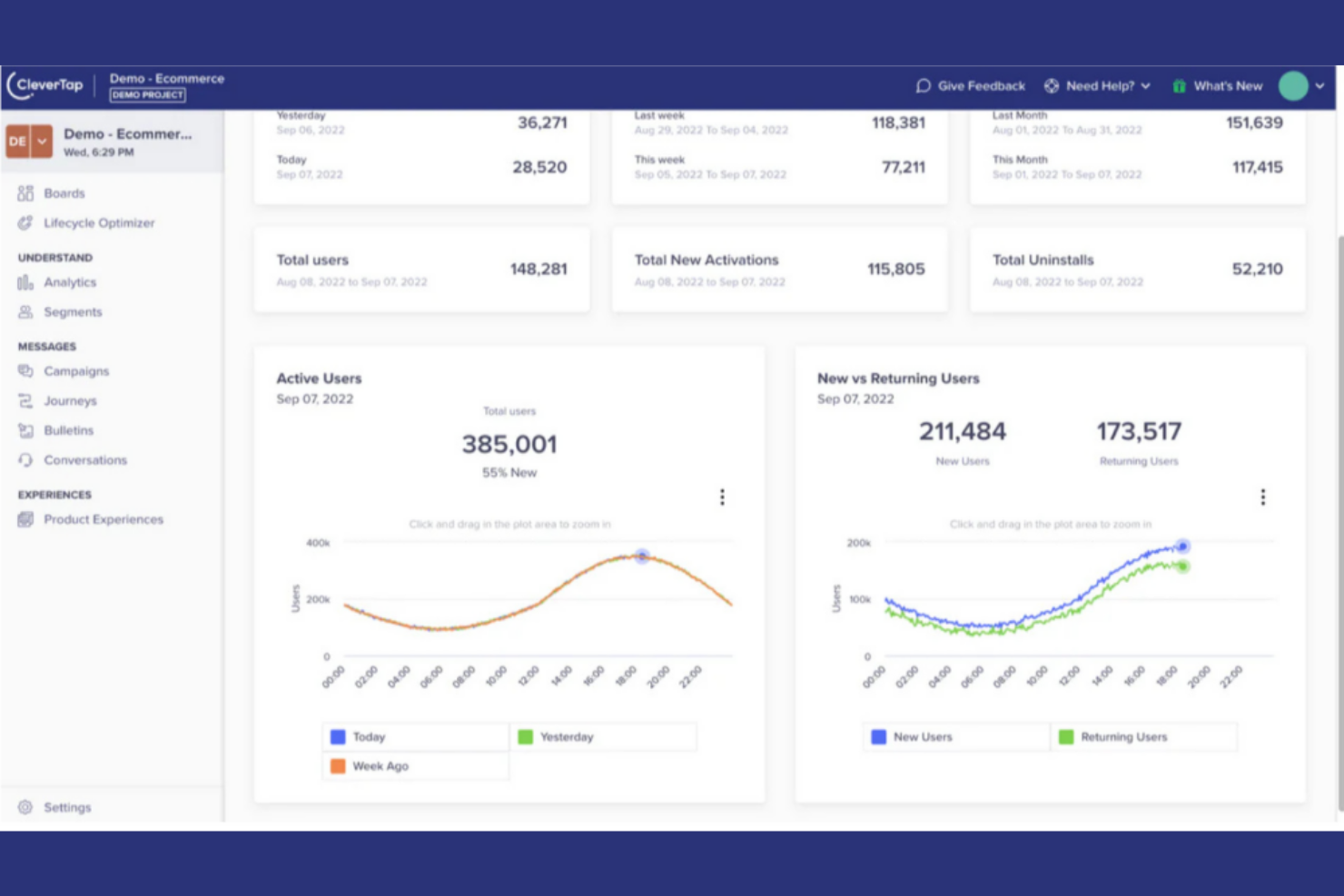
Marken mit Fokus auf Mobilgeräte, die Verhaltensanalysen mit automatisierten Interaktionen kombinieren möchten, greifen häufig auf CleverTap zurück. Diese Plattform wurde für Wachstums- und Kundenbindungsteams im Onlinehandel, in den Medien und bei mobilen Anwendungen entwickelt, die Nutzeraktionen analysieren, Seitenaufrufe verfolgen und personalisierte Kampagnen in Echtzeit auslösen möchten. Anders als Hotjar nutzt CleverTap künstliche Intelligenz, um Zielgruppen zu segmentieren und gezielte Push-Benachrichtigungen, Nachrichten innerhalb der App und E-Mails auf Grundlage aktueller Verhaltensdaten bereitzustellen. Obwohl es sich nicht um eine quelloffene Lösung handelt, bietet es leistungsstarke Funktionen für Unternehmensteams, die auf skalierbare Kundeninteraktionen setzen.
Warum CleverTap eine gute Hotjar-Alternative ist
CleverTap zeichnet sich durch seine KI-gestützten Verhaltensanalysen und Funktionen für Interaktionen in Echtzeit aus, die über das hinausgehen, was Hotjar für mobile Anwendungen bietet. Ich habe CleverTap ausgewählt, weil sich Nutzer auf Grundlage ihrer Aktionen innerhalb der App automatisch segmentieren und personalisierte Push-Benachrichtigungen, E-Mails oder Nachrichten innerhalb der App auslösen lassen, sobald bestimmte Verhaltensweisen auftreten. Die KI-Modelle der Plattform helfen dabei, Abwanderung vorherzusagen und besonders wertvolle Segmente zu identifizieren, sodass Sie sofort auf Erkenntnisse reagieren können. Damit ist CleverTap eine gute Wahl für Teams, die Analysen mit automatisierten, zielgerichteten Interaktionen auf mobilen Geräten verbinden möchten.
Wichtige CleverTap-Funktionen
Weitere CleverTap-Funktionen, über die Käufer von Verhaltensanalysen Bescheid wissen sollten, sind unter anderem:
- Trichter- und Kohortenanalyse: Visualisieren Sie Nutzerreisen und vergleichen Sie die Kundenbindung verschiedener Nutzergruppen.
- A/B-Tests: Testen Sie mehrere Varianten von Nachrichten oder App-Erfahrungen, um die Interaktion zu optimieren.
- Anreicherung von Nutzerprofilen: Erstellen Sie detaillierte Nutzerprofile, indem Sie Verhaltens-, demografische und Gerätedaten zusammenführen.
- Kampagnenautomatisierung: Richten Sie kanalübergreifende Kampagnen ein, die auf Grundlage von Nutzeraktionen oder der jeweiligen Phase im Lebenszyklus ausgelöst werden.
CleverTap-Integrationen
Integrationen sind nicht öffentlich aufgeführt.
Pros and Cons
Pros:
- Kanalübergreifende Nachrichten unterstützen Push-Benachrichtigungen und SMS
- Die Kohortenanalyse verfolgt Kundenbindung und Konversion
- Prädiktive Modelle identifizieren Abwanderungsrisiken
Cons:
- Begrenzte E-Commerce- und Analyseintegrationen
- Webanalysen sind weniger fortgeschritten als mobile Analysen

Ideal für Remote-Tests zur Gebrauchstauglichkeit mit videobasiertem Nutzerfeedback
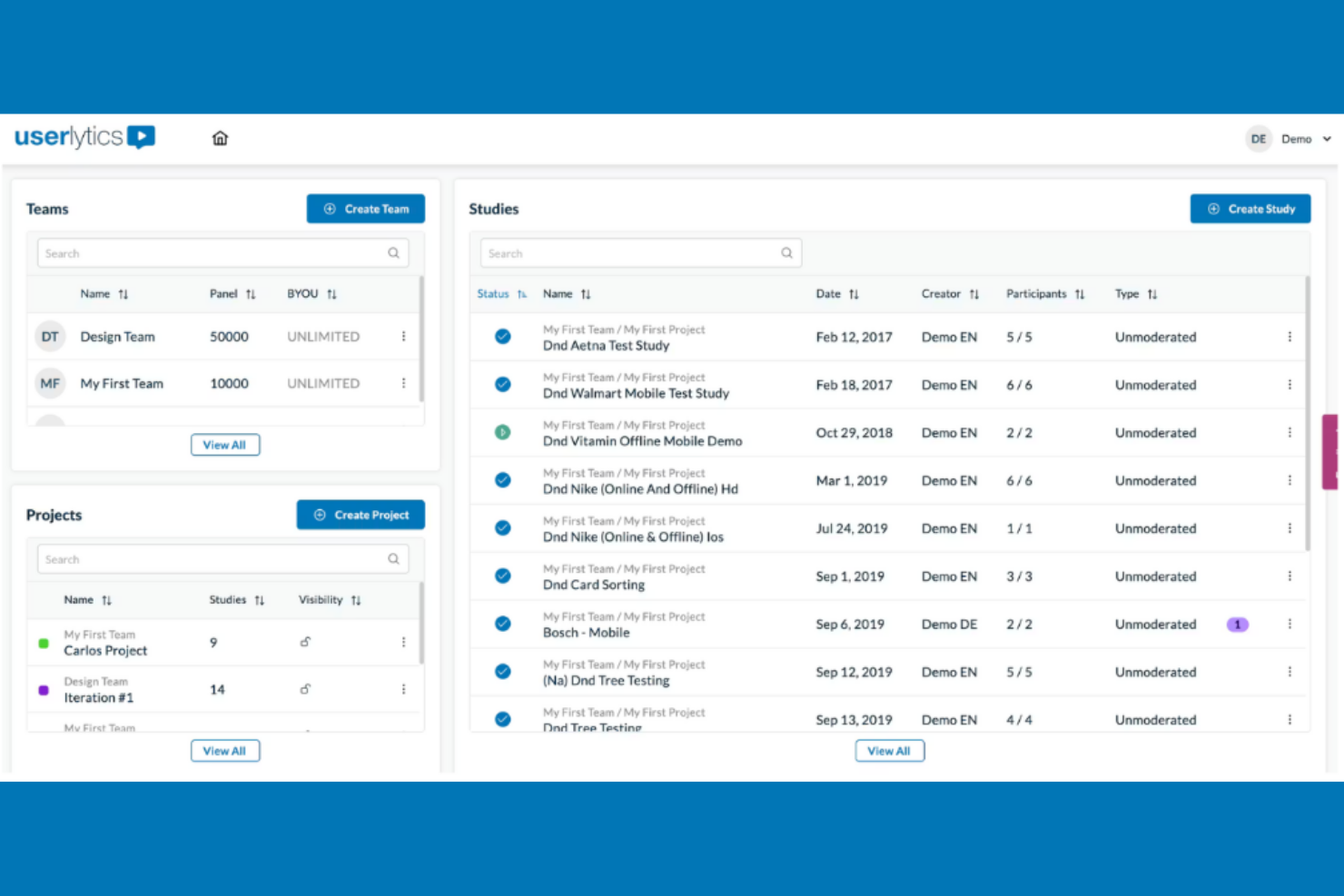
Wenn Sie Remote-Tests zur Gebrauchstauglichkeit mit echten Nutzern durchführen müssen, bietet Userlytics eine flexible Plattform zur Erfassung von Video-, Umfrage- und Verhaltensdaten. Dieses Tool ist besonders nützlich für UX-Forscher, Produktteams und E-Commerce-Unternehmen, die beobachten möchten, wie Teilnehmer in ihrer eigenen Umgebung mit digitalen Produkten interagieren. Im Gegensatz zu Hotjar ermöglicht Userlytics die gezielte Ansprache bestimmter demografischer Gruppen, die Aufzeichnung von Bildschirmen und Gesichtern der Teilnehmer sowie die Kombination qualitativen Feedbacks mit quantitativen Analysen.
Warum Userlytics eine gute Hotjar-Alternative ist
Was Userlytics auszeichnet, ist der Fokus auf Remote-Tests zur Gebrauchstauglichkeit mit Videos, Umfragen und fortschrittlicher Teilnehmerauswahl. Ich habe Userlytics ausgewählt, weil Sie damit echte Nutzer beobachten können, während sie mit Ihrer Website oder App interagieren, wobei sowohl ihr Bildschirm als auch ihre Gesichtsausdrücke aufgezeichnet werden, um tiefere Einblicke in ihr Verhalten zu gewinnen. Die fortschrittliche Teilnehmerauswahl der Plattform ermöglicht es Ihnen, Tester anhand bestimmter demografischer Merkmale oder Nutzerkriterien zu rekrutieren – etwas, das Hotjar nicht bietet. Sie können Video-Feedback außerdem mit Umfrageantworten kombinieren, um ein umfassenderes Bild der Nutzererfahrung und Entscheidungsfindung zu erhalten.
Wichtige Funktionen von Userlytics
Zu den weiteren Userlytics-Funktionen, über die Käufer von Verhaltensanalysen möglicherweise Bescheid wissen möchten, gehören:
- Baumtests: Bewerten Sie, wie Nutzer durch die Informationsarchitektur Ihrer Website navigieren, indem Sie Menüstrukturen und Beschriftungen testen.
- Kartensortierung: Lassen Sie Teilnehmer Themen in Kategorien organisieren, um die Navigation und Inhaltsstruktur Ihrer Website zu optimieren.
- Verzweigungslogik in Umfragen: Passen Sie Umfragefragen anhand vorheriger Antworten an, um relevanteres Feedback zu erhalten.
- Automatisierte Transkriptionen: Erstellen Sie durchsuchbare Transkripte von Nutzersitzungen, um Analyse und Berichterstattung zu erleichtern.
Userlytics-Integrationen
Integrationen sind nicht öffentlich aufgeführt.
Pros and Cons
Pros:
- Fortschrittliche demografische Zielgruppenansprache von Teilnehmern
- Kartensortierung und Baumtests enthalten
- Automatisierte Transkriptionen erleichtern die Überprüfung
Cons:
- Die Einrichtung von Tests und die Rekrutierung sind zeitaufwendig
- Der Berichterstellung fehlen fortschrittliche Visualisierungen

Pendo
Am besten geeignet für die Kombination von Anleitungen innerhalb der App mit Analysen zur Produktnutzung
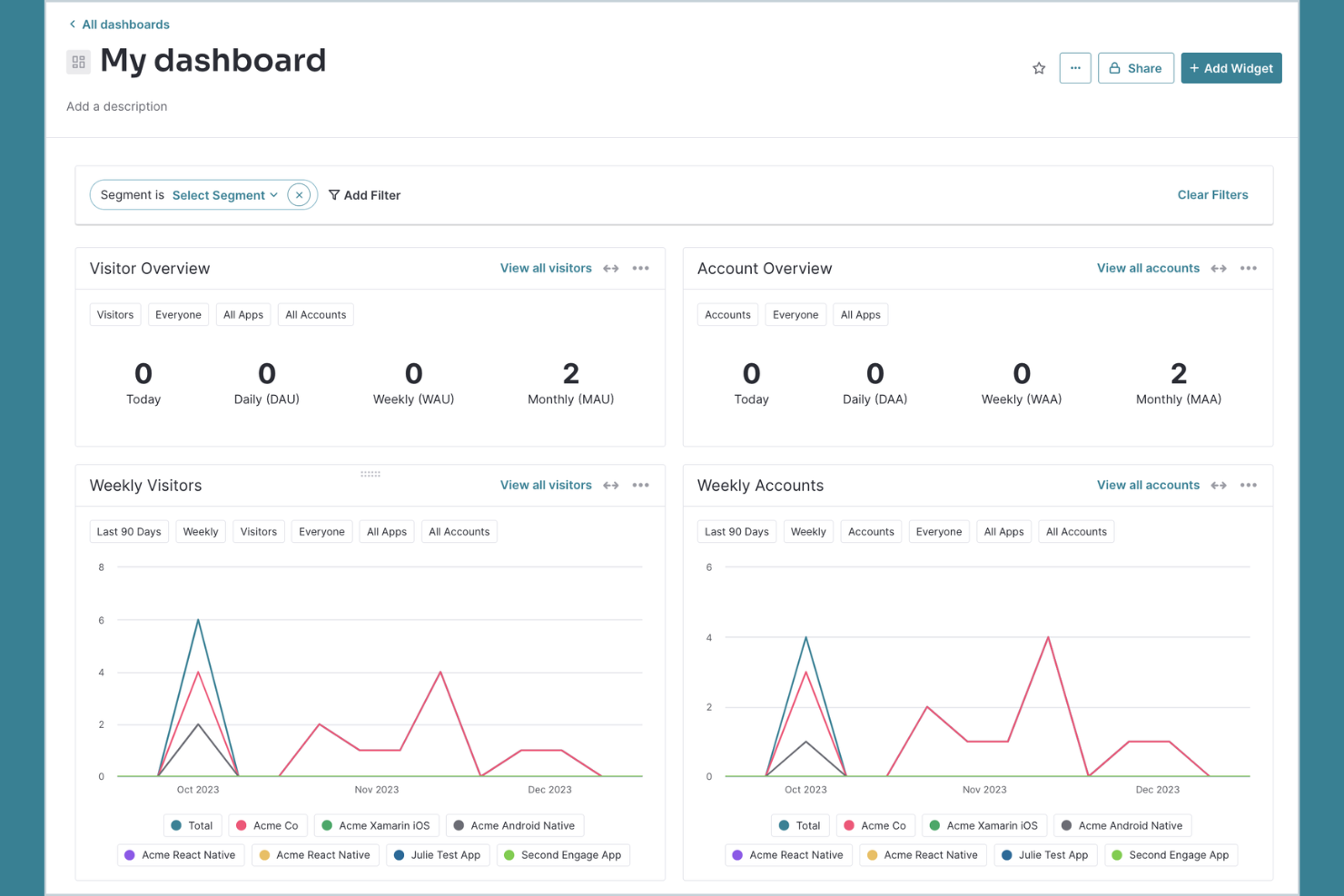
Für Teams, die Produktanalysen mit einer Anleitung für Nutzer innerhalb der App kombinieren möchten, vereint Pendo beide Funktionen auf einer einzigen Plattform. Produktmanager, UX-Verantwortliche und SaaS-Unternehmen nutzen Pendo, um die Akzeptanz von Funktionen zu verfolgen, Nutzerfeedback zu sammeln und gezielte Onboarding-Inhalte oder Ankündigungen direkt in ihren Apps bereitzustellen. Anders als Hotjar bietet Pendo integrierte Werkzeuge zum Erstellen von Walkthroughs und Umfragen innerhalb der App sowie detaillierte Analysen für Web- und Mobilprodukte.
Warum Pendo eine gute Hotjar-Alternative ist
Pendo zeichnet sich durch seine Fähigkeit aus, Produktanalysen mit einer Anleitung innerhalb der App für Web- und Mobil-Apps zu kombinieren. Ich habe Pendo ausgewählt, weil sich damit das Nutzerverhalten und die Akzeptanz von Funktionen verfolgen lassen und anschließend unmittelbar auf diese Erkenntnisse reagiert werden kann, indem Walkthroughs, Tooltips oder Umfragen innerhalb der App gestartet werden. Dieser Ansatz hilft Produkt- und UX-Teams nicht nur zu verstehen, was Nutzer tun, sondern sie auch zu wichtigen Aktionen zu führen oder in Echtzeit Feedback zu sammeln. Anders als bei Hotjar sind die Messaging- und Onboarding-Werkzeuge von Pendo direkt in die Analyseplattform integriert, wodurch sich die Lücke zwischen Erkenntnis und Handlung leichter schließen lässt.
Wichtige Pendo-Funktionen
Zu den weiteren Pendo-Funktionen, über die Käufer von Lösungen für Verhaltensanalysen Bescheid wissen sollten, gehören:
- Pfadanalyse: Visualisieren Sie die häufigsten Nutzerwege durch Ihr Produkt, um Abbruchpunkte und Interaktionsmuster zu erkennen.
- NPS und Umfragen: Starten Sie Umfragen zum Net Promoter Score und individuelle Umfragen direkt in Ihrer App, um die Stimmung der Nutzer zu erfassen.
- Ressourcencenter: Erstellen Sie eine Hilfezentrale innerhalb der App, in der Nutzer auf Anleitungen, Ankündigungen und Supportressourcen zugreifen können.
- Analysen für mobile Apps: Verfolgen Sie Nutzerverhalten, Funktionsnutzung und Feedback in nativen iOS- und Android-Apps.
Pendo-Integrationen
Zu den Integrationen gehören Jira, Intercom, Marketo, Okta, Salesforce, Zendesk, Segment und weitere.
Pros and Cons
Pros:
- Integrierte NPS- und Feedback-Tools
- Das Ressourcencenter unterstützt das Onboarding innerhalb der App
- Die Pfadanalyse zeigt Nutzerwege und Abbrüche
Cons:
- Keine Sitzungsaufzeichnungen oder Heatmaps
- Für erweiterte Berichte sind höherstufige Tarife erforderlich

Am besten für einfache A/B-Tests zur Optimierung von Websites
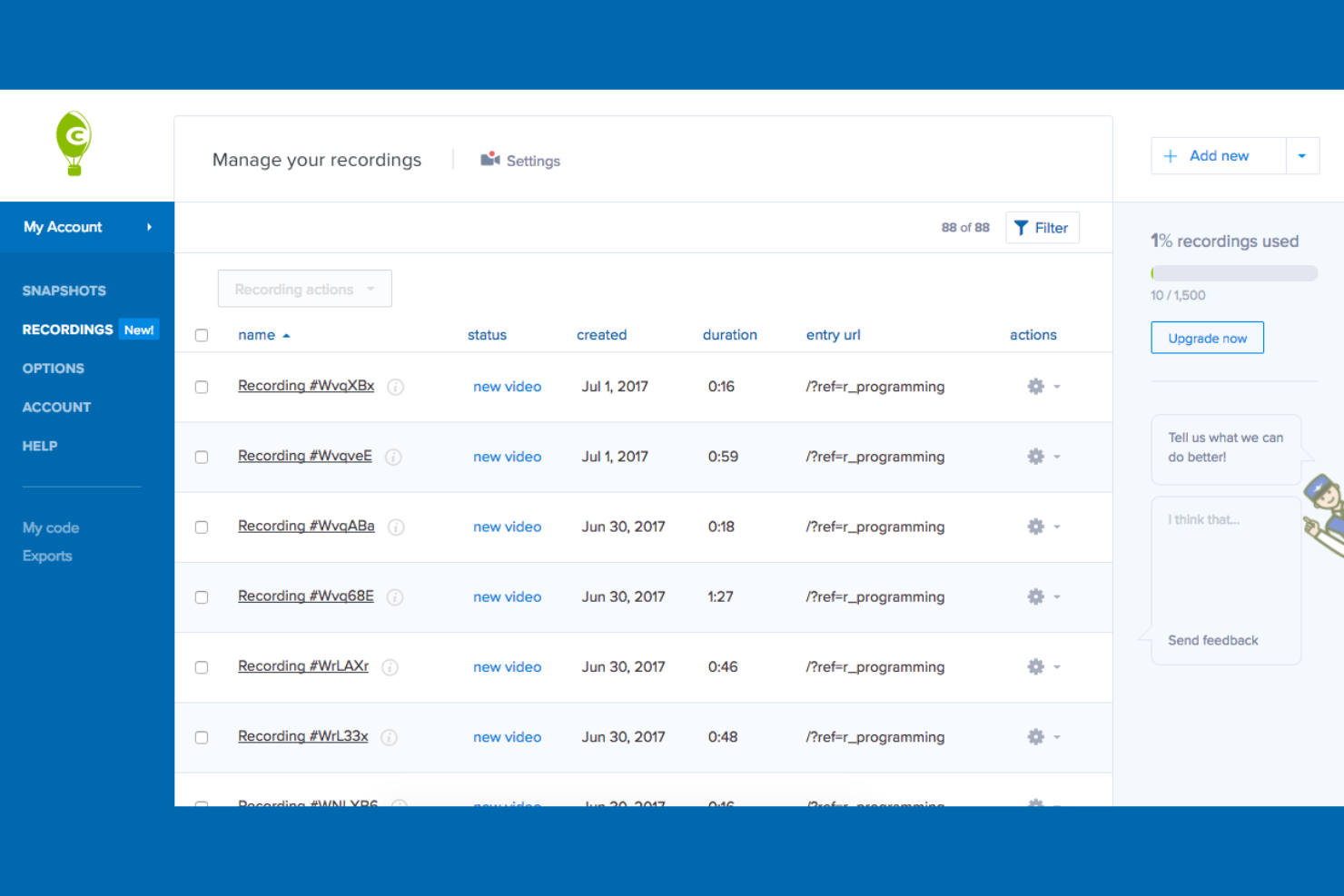
Wenn Sie nach einer Komplettlösung für die Verhaltensanalyse mit starkem Fokus auf visueller Berichterstattung suchen, bietet Crazy Egg detaillierte Heatmaps und A/B-Tests auf einer einzigen Plattform. Das Tool eignet sich gut für E-Commerce-Manager, Marketingfachleute und UX-Teams, die klare Einblicke in Nutzer und eine Analyse des Nutzerverhaltens wünschen, um schnell zu sehen, wie Besucher mit Seitenelementen interagieren und Änderungen ohne Unterstützung durch Entwickler testen zu können. Im Gegensatz zu Hotjar legt Crazy Egg den Schwerpunkt auf die visuelle Klickverfolgung und integrierte Experimentierwerkzeuge, mit denen Sie wertvolle Erkenntnisse gewinnen und Webseiten schneller optimieren können.
Warum Crazy Egg eine gute Hotjar-Alternative ist
Für Teams, die visuelle Analysen mit Experimenten kombinieren möchten, vereint Crazy Egg Heatmaps und A/B-Tests auf einer einzigen Plattform. Mir gefällt, dass Sie die Klick-, Scroll- und Konfetti-Heatmaps verwenden können, um genau zu erkennen, wo Nutzer auf Ihrer Website interagieren oder abspringen. Mit dem integrierten A/B-Testtool können Sie Seitenvarianten starten und messen, ohne einen Entwickler zu benötigen. Wenn Sie nach einer Hotjar-Alternative suchen, die sowohl visuelle Einblicke als auch schnelle Optimierung in den Mittelpunkt stellt, ist Crazy Egg eine Überlegung wert.
Die wichtigsten Funktionen von Crazy Egg
Zu den weiteren Crazy-Egg-Funktionen, über die Käufer von Lösungen zur Verhaltensanalyse Bescheid wissen sollten, gehören:
- Nutzeraufzeichnungen: Sehen Sie sich Sitzungen echter Besucher an, um zu erfahren, wie Nutzer auf Ihrer Website navigieren.
- Überlagerungsberichte: Zeigen Sie detaillierte Klickdaten für jedes anklickbare Element auf einer Seite an.
- Listenberichte: Greifen Sie auf eine sortierbare Liste aller Elemente zu, mit denen Nutzer auf den einzelnen Seiten interagieren.
- Analyse des Besucherverkehrs: Schlüsseln Sie das Nutzerverhalten nach Traffic-Quelle, Gerät oder Kampagne auf.
Crazy-Egg-Integrationen
Zu den Integrationen gehören WordPress, AWeber, Shopify, Wix und weitere.
Pros and Cons
Pros:
- Integrierte A/B-Testexperimente auf Seiten
- Nutzeraufzeichnungen geben Besuchersitzungen wieder
- Überlagerungsberichte schlüsseln Klicks auf Elemente auf
Cons:
- Aufzeichnungen erfassen möglicherweise keine dynamischen Interaktionen
- Heatmaps sind auf Seiten mit wenig Traffic eingeschränkt

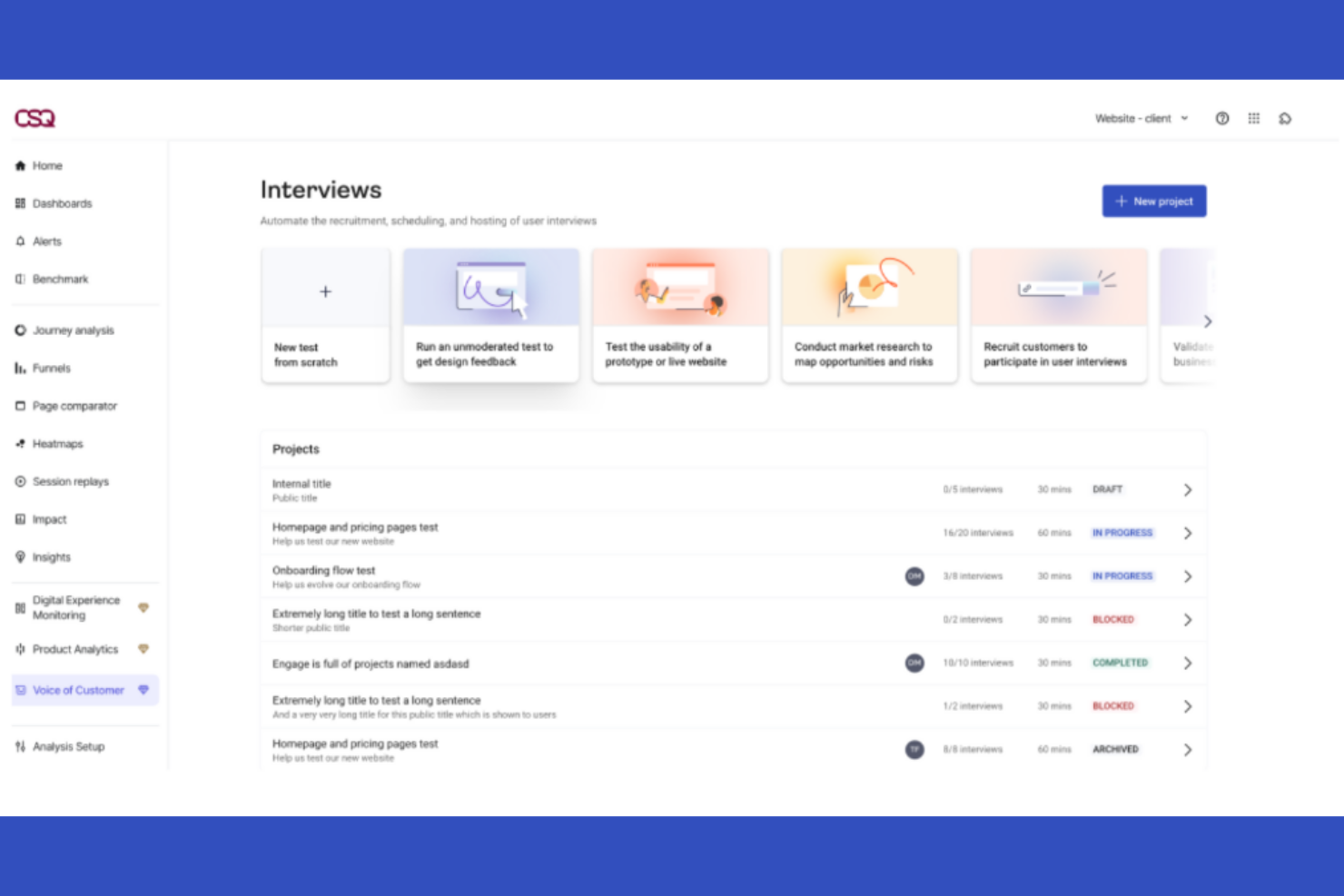
Für digitale Teams, die eine fortschrittliche Analyse von Nutzerpfaden und Heatmaps suchen, bietet Contentsquare einen einzigartigen Ansatz für die Verhaltensanalyse. Es ist besonders nützlich für E-Commerce-, UX- und Produktteams, die das Nutzerengagement auf granularer Ebene anhand einzelner Bereiche visualisieren möchten. Im Gegensatz zu Hotjar nutzt Contentsquare KI, um umsetzbare Erkenntnisse aus komplexen Nutzerpfaden und Interaktionen auf Ihrer Website abzuleiten.
Warum Contentsquare eine gute Hotjar-Alternative ist
Im Gegensatz zu vielen Tools zur Verhaltensanalyse zeichnet sich Contentsquare durch seine KI-gestützte Analyse von Nutzerpfaden und seine Heatmaps auf Bereichsebene aus. Ich schätze, wie die Analyse von Nutzerpfaden jeden von Nutzern ausgeführten Schritt abbildet und Ihnen dabei hilft, verborgene Abbruchpunkte aufzudecken und Konversionspfade zu optimieren. Mit den Heatmaps auf Bereichsebene können Sie genau sehen, welche Teile einer Seite das Engagement fördern, anstatt lediglich allgemeine Klicks oder Scrollbewegungen zu erfassen. Für Teams, die tiefere, umsetzbare Einblicke in das Nutzerverhalten wünschen, die über das Angebot von Hotjar hinausgehen, machen die fortschrittlichen Analysen von Contentsquare das Tool zu einer starken Alternative.
Die wichtigsten Funktionen von Contentsquare
Zu den weiteren Contentsquare-Funktionen, über die Käufer von Tools zur Verhaltensanalyse Bescheid wissen sollten, gehören:
- Sitzungswiedergabe: Sehen Sie sich anonymisierte Aufzeichnungen echter Nutzersitzungen an, um individuelle Verhaltensweisen zu verstehen.
- Fehleranalyse: Identifizieren und quantifizieren Sie technische Fehler, die sich auf die Nutzererfahrung und Konversionen auswirken.
- Quantifizierung der Auswirkungen: Messen Sie die geschäftlichen Auswirkungen bestimmter Nutzerverhaltensweisen oder Änderungen an der Website.
- Segmentierungstools: Filtern und analysieren Sie Nutzerdaten nach Zielgruppensegmenten, Gerätetypen oder Traffic-Quellen.
Contentsquare-Integrationen
Zu den Integrationen gehören Shopify, AWS, Microsoft Azure, Snowflake und weitere.
Pros and Cons
Pros:
- Bereichs-Heatmaps zeigen das Engagement mit Elementen
- Sitzungswiedergabe umfasst Datenschutzkontrollen
- Fehleranalyse hebt technische Probleme hervor
Cons:
- Komplexe Implementierung für kleine Teams
- Begrenzte Möglichkeiten zur Anpassung des Dashboards
Weitere Hotjar-Alternativen
\u003cspan style=\u0022font-weight: 400\u0022\u003eHier sind einige weitere Hotjar-Alternativen, die es nicht auf meine Auswahlliste geschafft haben, aber dennoch einen Blick wert sind:\u003c/span\u003e
- UserGuiding
Am besten für Produkttouren und Nutzer-Onboarding-Abläufe ohne Code
- ActivTrak
Am besten geeignet für Analysen zur Produktivität der Belegschaft und zur Mitarbeiteraktivität
- Glassbox
Am besten für Web- und App-Analysen geeignet


So bewerte ich Alternativen zu Hotjar
Ich bewerte diese Tools auf zwei Ebenen: eine grundlegende Basis – Heatmaps, Sitzungswiedergabe und Trichteranalysen – sowie Unterscheidungsmerkmale wie Käufersegmentierung und E-Commerce-Integrationen.
Grundfunktionen (Voraussetzung für diese Liste)
Bei der Auswahl der Tools für meine Liste bewerte ich jedes einzelne auf einer Skala von 0 (bietet die Funktionalität nicht an) bis 5 (zeichnet sich in diesem Bereich aus) für jede der unten aufgeführten Kernfunktionen. Anschließend rechne ich die Gesamtpunktzahl des Tools in einen Prozentsatz um. Jedes Tool muss eine Mindestgesamtpunktzahl von 65 % erreichen, um für die Aufnahme berücksichtigt zu werden.
- Heatmap-Darstellung: Ich suche nach Klick-, Scroll- und Bewegungs-Heatmaps, mit denen Sie genau sehen können, wo Käufer auf Produktseiten, Kategorieseiten und Werbebannern interagieren.
- Sitzungsaufzeichnung & -wiedergabe: Jedes Tool sollte vollständige Käufersitzungen aufzeichnen, damit Sie beobachten können, wie ein echter Nutzer von einer Kategorieseite bis zur Kasse navigiert, und Reibungspunkte erkennen.
- Analyse von Conversion-Trichtern: Ich bewerte, ob Sie mehrstufige Trichter erstellen können – etwa von der Produktansicht über das Hinzufügen zum Warenkorb bis zur Zahlung – und klar erkennen, an welchen Stellen Abbrüche auftreten.
- Umfragen & Feedback vor Ort: Die Tools sollten es ermöglichen, Umfragen oder Kurzbefragungen auf Grundlage des Verhaltens auszulösen, beispielsweise indem ein Käufer gefragt wird, warum er den Warenkorb zurücklässt.
- Formular- & Kassenanalyse: Ich prüfe, ob eine Nachverfolgung auf Feldebene vorhanden ist, die zeigt, welche Kassenfelder auf Desktop- und Mobilgeräten zu Zögern, Fehlern oder Abbrüchen führen.
- Integrationen mit E-Commerce-Plattformen: Native Verbindungen zu Plattformen wie Shopify, Magento, BigCommerce und WooCommerce sind wichtig – ebenso wie die Unterstützung von GA4 und Tag-Managern.
Sobald ich eine Liste von Tools habe, die diese Kriterien erfüllen, prüfe ich, wodurch sich die einzelnen Plattformen voneinander unterscheiden.
Unterscheidungsmerkmale (Wodurch sich Anbieter abheben)
So vergleiche ich die verschiedenen Anbieter:
Herausragende Funktionen
KI-gestützte Einblicke machen einen echten Unterschied, wenn Sie Tausende von Sitzungen überprüfen – Tools, die Frustklicks oder Leerklicks automatisch markieren, sparen stundenlange manuelle Überprüfungen. Ich achte außerdem auf Analysen auf Produktebene, die das Verhalten bestimmten SKUs oder Kategorien zuordnen. Das hilft Teams im Merchandising bei der Entscheidung, welche Produkte hervorgehoben oder neu positioniert werden sollten. Auch die Segmentierung nach Käufergruppen ist wichtig: Durch die Filterung nach neuen gegenüber wiederkehrenden Besuchern oder nach dem Warenkorbwert können Sie sich auf besonders wirkungsvolles Verhalten konzentrieren. Eine integrierte A/B-Test-Integration ermöglicht es Ihnen, Änderungen zu validieren, ohne zwischen Plattformen wechseln zu müssen.
Über die Funktionen hinaus
Die Skalierbarkeit der Preise bewerte ich immer mit – der Einzelhandelsverkehr kann während saisonaler Werbeaktionen stark ansteigen, und Überschreitungsgebühren summieren sich schnell, wenn der Tarif nicht dafür ausgelegt ist. Der Datenschutz ist ebenso wichtig. Ich prüfe, ob personenbezogene Daten automatisch maskiert werden und ob die Anforderungen von GDPR/CCPA erfüllt sind, insbesondere wenn Sitzungsaufzeichnungen Kassenfelder erfassen. Auch die Geschwindigkeit der Implementierung spielt eine Rolle. Ein Tool, das nur minimale Entwicklungsarbeit erfordert und vorgefertigte E-Commerce-Dashboards bereitstellt, ermöglicht Ihrem Team wesentlich schneller umsetzbare Erkenntnisse.
Warum nach einer Hotjar-Alternative suchen?
Obwohl Hotjar eine gute Wahl für ein Tool zur Verhaltensanalyse ist, gibt es mehrere Gründe, warum manche Nutzer nach alternativen Lösungen suchen. Sie suchen möglicherweise nach einer Hotjar-Alternative, weil …
- Sie fortschrittliche Analysen für das Verhalten von Mitarbeitern oder internen Nutzern benötigen
- Sie detailliertere Datenschutz- und Compliance-Kontrollen wünschen
- Sie Integrationen mit bestimmten Geschäfts- oder Produktivitätstools benötigen
- Sie Analysen für mobile Apps benötigen, die über webbasiertes Tracking hinausgehen
- Sie Funktionen zur Echtzeitüberwachung und für Warnmeldungen wünschen
Wenn einer dieser Punkte auf Sie zutrifft, sind Sie hier richtig. Meine Liste enthält mehrere Optionen für Tools zur Verhaltensanalyse, die besser für Teams geeignet sind, die mit diesen Herausforderungen bei Hotjar konfrontiert sind und nach alternativen Lösungen suchen.
Die wichtigsten Funktionen von Hotjar
Hier sind einige der wichtigsten Funktionen von Hotjar, damit Sie vergleichen können, was alternative Lösungen zu bieten haben:
- Sitzungsaufzeichnungen realer Nutzerinteraktionen auf Ihrer Website
- Heatmaps für Klicks, Bewegungen und Scrollvorgänge zur visuellen Verhaltensanalyse
- Umfragen auf der Website und Feedback-Umfragen für direkte Eingaben von Nutzern
- Trichteranalyse zur Identifizierung von Abbruchpunkten in Nutzerinteraktionen
- Nutzersegmentierung und -filterung für gezielte Analysen
- Widget für eingehendes Feedback für Echtzeitkommentare von Nutzern
- Ereignisverfolgung zur Überwachung bestimmter Aktionen oder Konversionen
- Hervorhebungen und Notizen zur Zusammenarbeit im Team bei der Auswertung von Erkenntnissen
- Dashboard mit anpassbaren Berichten und Visualisierungen
Wie geht es weiter:
Wenn Sie gerade Hotjar-Alternativen recherchieren, wenden Sie sich an einen SoftwareSelect-Berater für kostenlose Empfehlungen.
Sie füllen ein Formular aus und führen ein kurzes Gespräch, in dem die spezifischen Anforderungen Ihres Unternehmens besprochen werden. Anschließend erhalten Sie eine Auswahlliste von Software zur Prüfung. Sie werden sogar während des gesamten Kaufprozesses unterstützt, einschließlich der Preisverhandlungen.