

Wix eCommerce Review: Pros, Cons, Features & Pricing
Wix eCommerce lets you easily build and manage your online store with customizable templates and robust features, making it a top choice for small businesses.

We review tools independently, and commissions help fund our testing. See our transparency policy, our methodology, or suggest a tool.
Wix eCommerce is an ecommerce platform to accelerate sales built for small and mid-sized businesses that want to sell online without hiring a developer. I'd consider it if you need a fully hosted storefront with strong built-in design tools. Shopify leans on apps and third-party themes for design customization. Wix eCommerce gives you that control natively, which makes it a strong pick if your brand presentation matters as much as your checkout flow.
Wix eCommerce Evaluation Summary
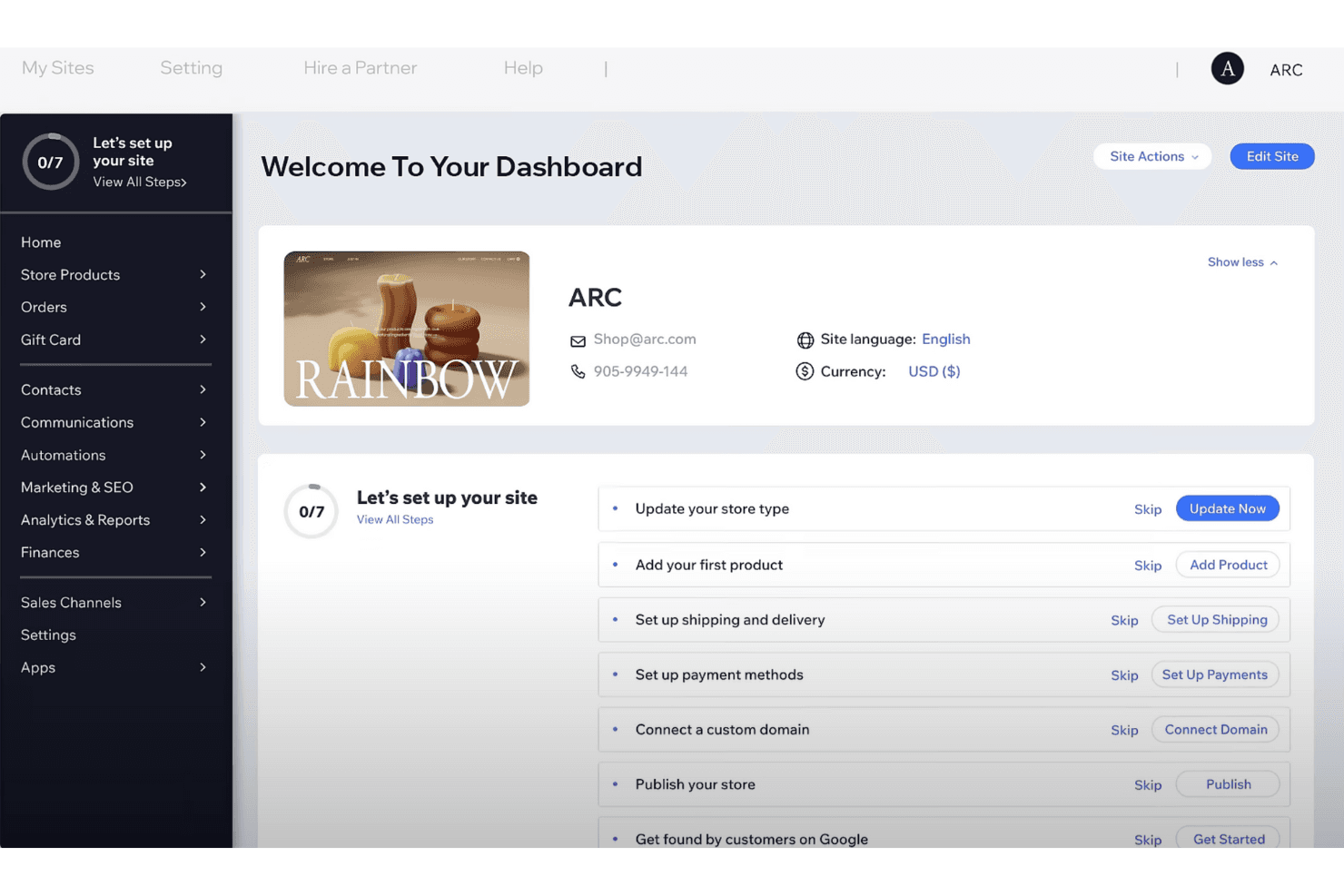
5/5
- From $16/month.
- Free demo available.
Why Trust Our Software Recommendations
6,700+
Reviews
20
Industry experts
16+
Evaluation factors
14
Years
Our team has been testing and reviewing software since 2012. As retail leaders ourselves, we know how difficult—and important—it is to choose the right software.
For this guide, we evaluated tools using hands-on testing and independent research, scoring tools using our selection criteria.
Our reviews reflect our independent judgment—not a sales pitch.
Wix eCommerce Overview
In my opinion, Wix eCommerce is a strong contender for small to medium-sized businesses seeking an accessible and budget-friendly ecommerce platform and website builder. It excels with its user-friendly interface and customization options, which are perfect for those without technical expertise. However, it may not be the best choice for larger enterprises needing advanced functionality and scalability, where platforms like Shopify might outperform. For those focused on ease of use and a comprehensive feature set at a reasonable price, Wix eCommerce is a worthy consideration.
Pros
- You can easily customize your store with a wide range of templates.
- The platform's intuitive drag-and-drop editor simplifies website building.
- It offers robust marketing tools to help your ecommerce store get noticed online.
Cons
- Your store may face limitations when scaling for larger operations.
- Advanced ecommerce features aren't as powerful as some competitors.
- The platform's performance can be slower with heavy content.
Is Wix eCommerce Right For Your Needs?
Who Would be a Good Fit for Wix eCommerce?
Wix eCommerce is perfect for small to medium-sized businesses and creative entrepreneurs who need an easy-to-use platform to build their online store. If you're running a boutique, artisanal shop, or local service, Wix's customizable templates and intuitive drag-and-drop editor let you create a professional-looking site without needing technical skills. Its SEO tools help your store get noticed, making it ideal for those who want to focus on their products and customers rather than the complexities of web development.
- Small Retail ShopsWix eCommerce lets you create a beautiful online storefront with ease, perfect for showcasing unique products.
- Artisanal BusinessesYou can highlight your craftsmanship with customizable Wix templates that reflect your brand's personality.
- Local ServicesWix's booking and scheduling features make it easy for you to manage appointments and customer interactions.
- Clothing BoutiquesIts visual design capabilities help you create an engaging online presence that attracts fashion lovers.
- Creative EntrepreneursWix's simple interface allows you to focus on your creative work while maintaining a professional online store.
- Non-Technical UsersThe platform's user-friendly tools and support mean you don't need coding skills to manage your ecommerce site.
Who Would be a Bad Fit for Wix eCommerce?
Wix eCommerce isn't ideal for large enterprises or businesses needing advanced ecommerce features and scalability. If your business requires complex inventory management, multi-channel selling, or high customization with integrations, you'll likely find Wix's capabilities limiting. The platform's performance can lag with heavy content, making it unsuitable for high-traffic sites. Enterprises needing robust analytics and reporting tools might find Wix lacking compared to more specialized solutions like Magento or Shopify Plus.
- Large EnterprisesYou might struggle with Wix's limited scalability and advanced feature set.
- High-Traffic WebsitesPerformance issues can arise with Wix when handling large volumes of content and traffic.
- Complex Inventory NeedsWix lacks the sophisticated inventory management systems required by large-scale operations.
- Multi-Channel SellersThe platform's limited integration options may not support your diverse selling channels.
- Tech-Savvy TeamsYour team might find Wix's simplicity restrictive if you need extensive customization and coding.
- Data-Driven BusinessesWix's basic analytics might not meet your need for in-depth data insights and reporting.
Our Review Methodology
How We Test & Score Tools
We’ve spent years building, refining, and improving our software testing and scoring system. The rubric is designed to capture the nuances of software selection and what makes a tool effective, focusing on critical aspects of the decision-making process.
Below, you can see exactly how our testing and scoring works across seven criteria. It allows us to provide an unbiased evaluation of the software based on core functionality, standout features, ease of use, onboarding, customer support, integrations, customer reviews, and value for money.
Core Functionality (25% of final scoring)
The starting point of our evaluation is always the core functionality of the tool. Does it have the basic features and functions that a user would expect to see? Are any of those core features locked to higher-tiered pricing plans? At its core, we expect a tool to stand up against the baseline capabilities of its competitors.
Standout Features (25% of final scoring)
Next, we evaluate uncommon standout features that go above and beyond the core functionality typically found in tools of its kind. A high score reflects specialized or unique features that make the product faster, more efficient, or offer additional value to the user.
We also evaluate how easy it is to integrate with other tools typically found in the tech stack to expand the functionality and utility of the software. Tools offering plentiful native integrations, 3rd party connections, and API access to build custom integrations score best.
Ease of Use (10% of final scoring)
We consider how quick and easy it is to execute the tasks defined in the core functionality using the tool. High scoring software is well designed, intuitive to use, offers mobile apps, provides templates, and makes relatively complex tasks seem simple.
Onboarding (10% of final scoring)
We know how important rapid team adoption is for a new platform, so we evaluate how easy it is to learn and use a tool with minimal training. We evaluate how quickly a team member can get set up and start using the tool with no experience. High scoring solutions indicate little or no support is required.
Customer Support (10% of final scoring)
We review how quick and easy it is to get unstuck and find help by phone, live chat, or knowledge base. Tools and companies that provide real-time support score best, while chatbots score worst.
Customer Reviews (10% of final scoring)
Beyond our own testing and evaluation, we consider the net promoter score from current and past customers. We review their likelihood, given the option, to choose the tool again for the core functionality. A high scoring software reflects a high net promoter score from current or past customers.
Value for Money (10% of final scoring)
Lastly, in consideration of all the other criteria, we review the average price of entry level plans against the core features and consider the value of the other evaluation criteria. Software that delivers more, for less, will score higher.
Core Features
Customizable Templates
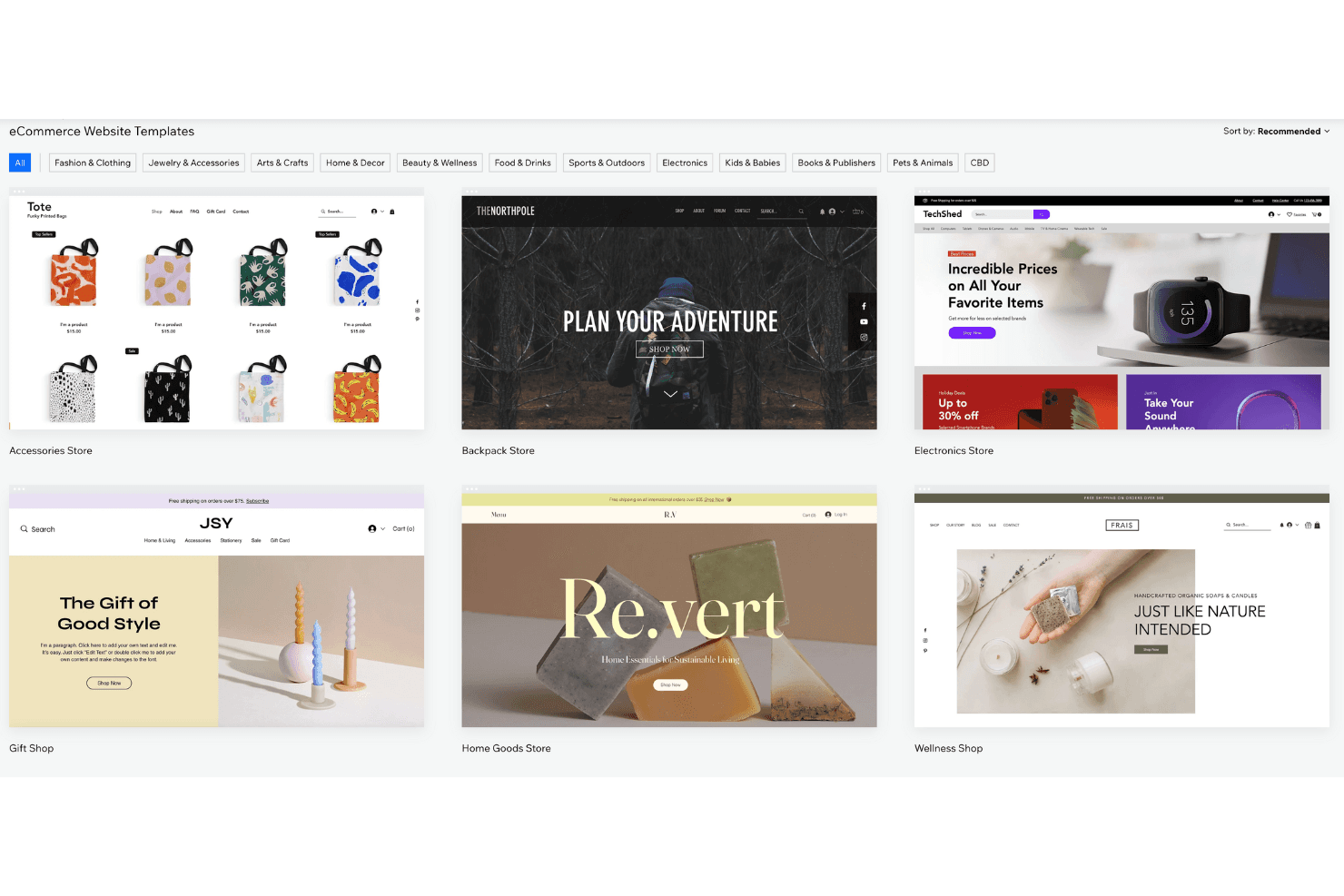
Wix eCommerce offers a variety of templates you can tailor to reflect your brand's personality. This flexibility ensures your store stands out and aligns with your brand identity.
Drag-and-Drop Editor
You can easily build your site without coding skills using Wix editor. This feature saves you time and effort while creating a professional look.
SEO Tools
Wix provides built-in SEO tools to boost your site's visibility. You can optimize your product pages to help customers find your store online.
Mobile Optimization
Your store automatically adjusts to look great on mobile devices. This ensures a seamless shopping experience for customers on the go.
Secure Payment Options
Wix supports payment gateways like Stripe and PayPal for credit card payments, letting you manage providers and transaction fees securely.
Product Management
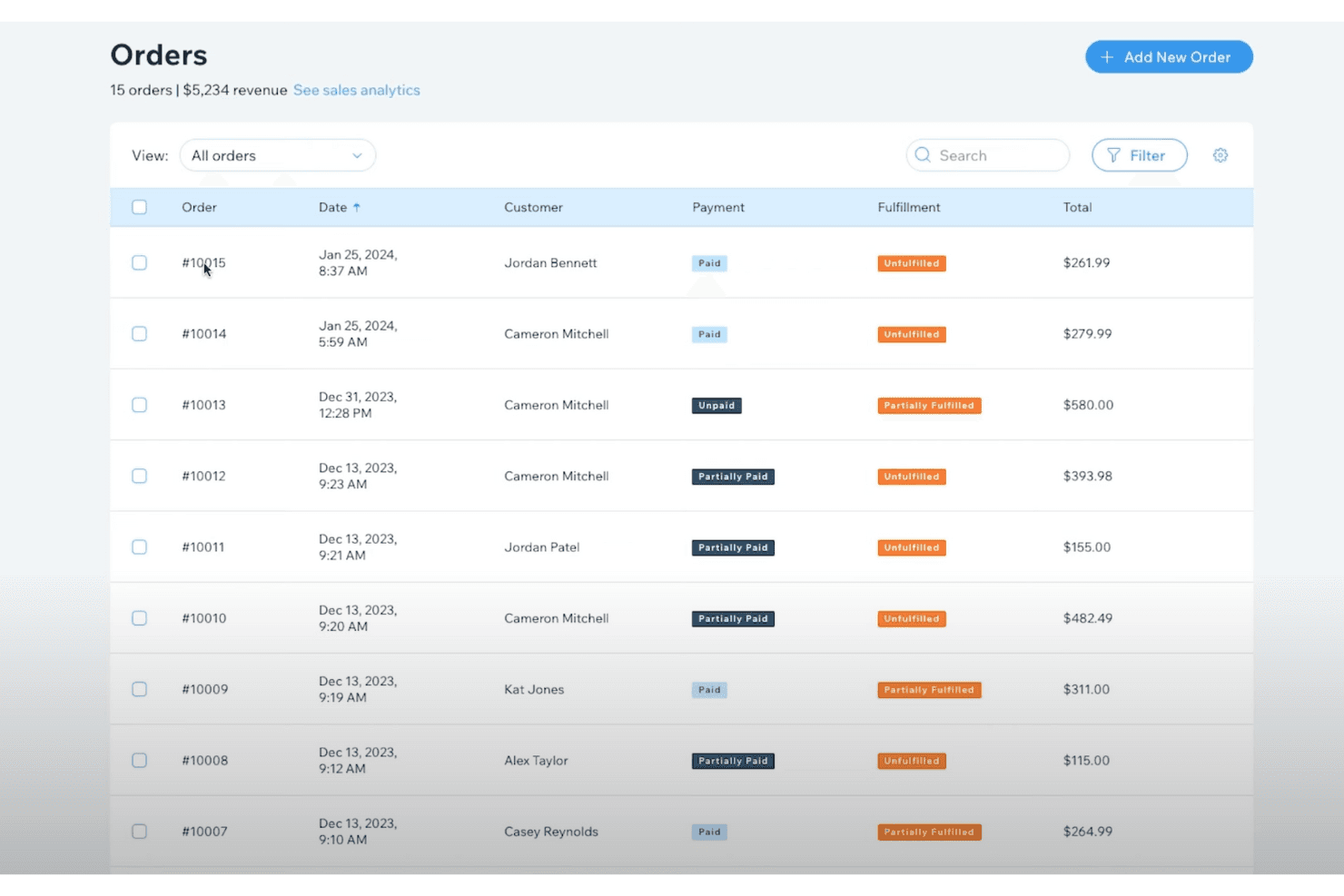
You can organize and manage your products effortlessly with Wix's user-friendly dashboard. This simplifies inventory tracking and product updates.
Ease of Use
Wix eCommerce stands out for its user-friendly interface and ecommerce functionality, making it easy for business owners to set up and manage their ecommerce business. The drag-and-drop editor, customizable templates, and third-party apps or plugins simplify web design and product management, while built-in SEO tools help you focus more on your customers than technical details.
Wix eCommerce Specs
- 2-Factor Authentication: Yes
- A/B Testing: No
- Analytics: Yes
- API: No
- BitCoin: No
- Conversion Tracking: No
- Dashboard: No
- Data Export: Yes
- Data Import: Yes
- Data Visualization: No
- Design Templates: Yes
- External Integrations: No
- Inventory Tracking: No
- Keyword Tracking: No
- Marketing Automation: Yes
- Multi-User: Yes
- Notifications: No
- Order Management: Yes
- Payment Gateway Integration: No
- Payment Processor: No
- PayPal: No
- Product Catalog: No
- Review Monitoring: No
- SAP Integration: No
- Scheduling: No
- Stripe: No
- Third-Party Plugins/Add-Ons: Yes
Alternatives to Wix eCommerce


Wix eCommerce FAQs
What's Next?
Retail never stands still—and neither should you. Subscribe to our newsletter for the latest insights, strategies, and career resources from top retail leaders shaping the industry.