

WiFi marketing software turns guest internet access into a channel for collecting consented customer data, running campaigns, and measuring visits. The best options help retail and ecommerce teams connect in-store activity with customer profiles while managing privacy, multiple locations, and existing network infrastructure.
This list compares leading platforms by captive portal tools, analytics, integrations, consent controls, deployment requirements, and pricing structure, so you can choose a solution that fits your locations, marketing workflows, and operational capacity.
Why Trust Our Software Recommendations
6,700+
Reviews
20
Industry experts
16+
Evaluation factors
14
Years
Our team has been testing and reviewing software since 2012. As retail leaders ourselves, we know how difficult—and important—it is to choose the right software.
For this guide, we evaluated tools using hands-on testing and independent research, scoring tools using our selection criteria.
Our reviews reflect our independent judgment—not a sales pitch.
Comparison Table: WiFi Marketing Software
Compare pricing and specs side by side for the software that made it onto my shortlist.
| Tool | Best For | Trial Info | Price | ||
|---|---|---|---|---|---|
| 1 | Best for multi-site guest data capture and analytics | Free plan + free demo + 30-day free trial available | Pricing upon request | Website | |
| 2 | Best for built-in video analytics | Free demo available | Pricing upon request | Website | |
| 3 | Best for Cisco-network guest portal control | Free demo + 60-day free trial available | Pricing upon request | Website | |
| 4 | Best for restaurant guest data and retention | Free demo available | From $105/location/month (billed annually) | Website | |
| 5 | Best for hospitality data capture | Free demo available | Pricing upon request | Website | |
| 6 | Best for agencies reselling white-label data | 14-day free trial and free demo available | From $199/month | Website | |
| 7 | Best for guests data and CRM sync | 30-day free trial | Pricing upon request | Website | |
| 8 | Best for enterprise venue and footfall analytics | Free demo available | Pricing upon request | Website | |
| 9 | Best for marketing automation on a budget | Free demo + 30-day free trial available | From CAD $34.99/month (billed annually) | Website | |
| 10 | Best for ISO-compliant venue analytics | Free demo available | Pricing upon request | Website |


WiFi Marketing Software Reviews
Below are my summaries of the top WiFi marketing tools on my shortlist. These reviews cover the features, integrations, and pricing of each platform to help you choose the right option.
 Best for multi-site guest data capture and analytics
- Free plan + free demo + 30-day free trial available
- Pricing upon request
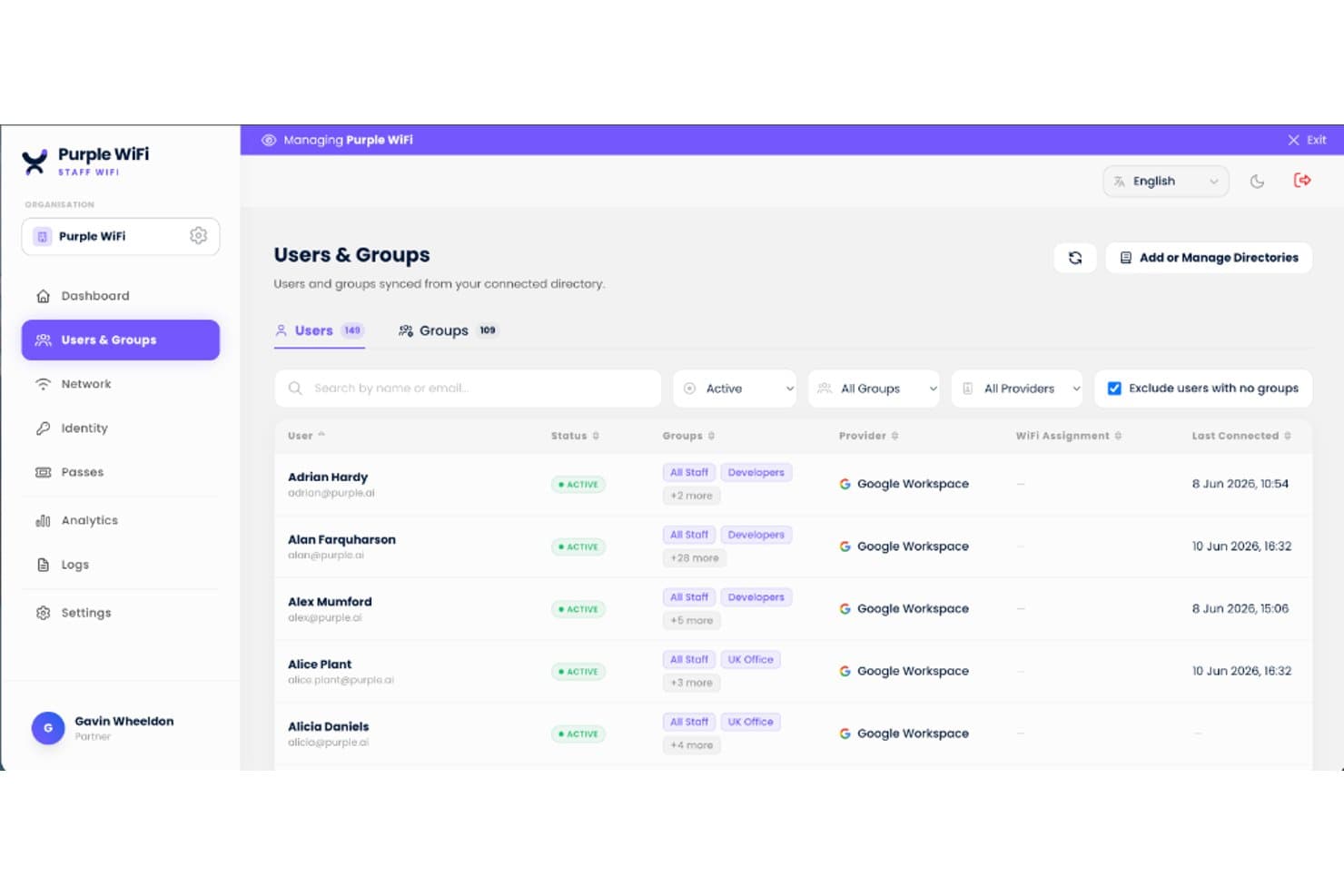
Purple centralizes staff WiFi user and group management in one dashboard. Purple is a guest WiFi marketing platform that combines captive portal management, first-party data capture, visitor analytics, and automated SMS and email campaigns across single and multi-site venues.
Who Is Purple Best For?
Purple is a strong fit for multi-location brands like hospitality groups, restaurant chains, and airport operators that need centralized guest data capture and analytics.
Why I Picked Purple
Purple earns its spot on my shortlist because of how it handles guest data across dozens or hundreds of venues from a single dashboard. I'm particularly impressed by the cross-venue guest recognition, which stitches together one profile per visitor across every location automatically, tracking visit frequency and dwell time without any manual effort. Pair that with location-level heatmaps and footfall analytics, and you get a clear picture of how guests move through each site.
Purple Key Features
- Branded splash page editor: Build captive portal pages, supporting interstitial videos, redirects, ads, and custom fields in 25+ languages.
- Post-visit review request automation: Send Google or TripAdvisor review links by email or SMS after a WiFi session, with configurable timing and wording.
- In-venue space analytics: View visitor density heatmaps and dwell time broken down by day, meal period, and table zone across individual or multiple sites.
- ISO 27001 compliance and consent logging: Capture and store GDPR, CCPA, and CPRA consent at sign-in, with automatic data retention management and EU/UK/US data residency options.
Purple Integrations
Purple integrates with HubSpot, Salesforce, Mailchimp, ActiveCampaign, ADP, Basecamp, and Microsoft Dynamics 365. It also offers webhooks and REST APIs for custom connections.
Pros and Cons
Pros:
- Heatmaps and dwell-time analytics
- Hardware-agnostic deployment
- Cross-venue guest recognition
Cons:
- Splash editor may require HTML knowledge
- Advanced automation requires top-tier access
Learn more about Purple : Best for built-in video analytics
- Free demo available
- Pricing upon request
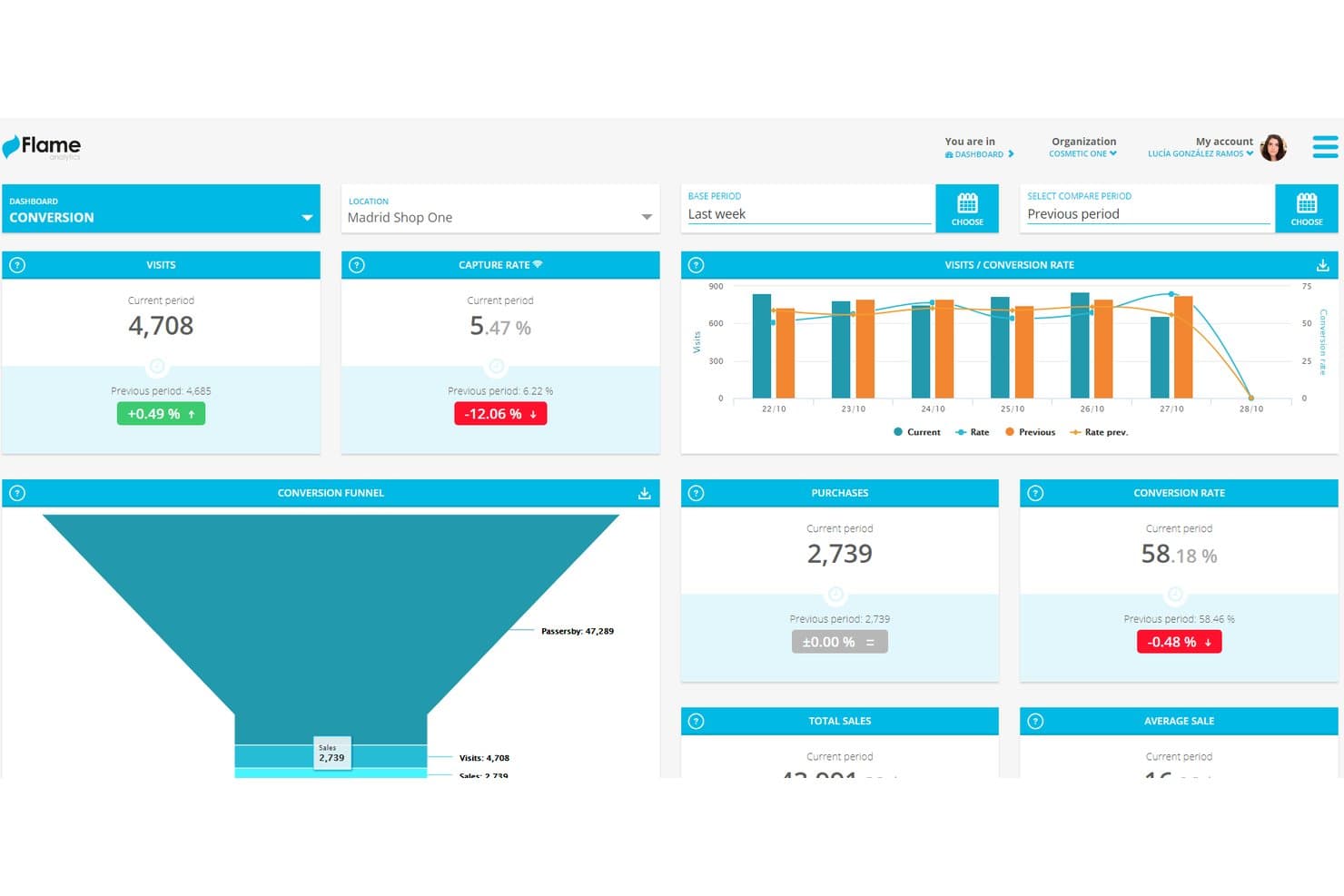
Flame Analytics tracks store visits, purchases, and conversion rates in real time. Flame Analytics is a guest WiFi marketing software that combines a customizable captive portal, customer data capture, behavior-triggered campaigns, and video-based visitor analytics.
Who Is Flame Analytics Best For?
Flame Analytics is a strong fit for multi-location retailers and commercial real estate operators who want guest WiFi marketing and video-based visitor analytics in one platform.
Why I Picked Flame Analytics
I picked Flame Analytics as one of the best because it's the only WiFi marketing platform I've found that pairs a full guest WiFi capture portal with built-in video-based visitor analytics. While the captive portal collects emails, phone numbers, and demographic data at login, the video analytics layer adds people counting, occupancy tracking, and customer journey mapping across physical spaces. That means you can correlate WiFi sign-up data with actual in-store traffic patterns, something most standalone WiFi marketing tools can't do.
Flame Analytics Key Features
- Branded captive portal builder: Design custom login pages with tailored login flows, landing pages, and location-based content for each venue.
- Social login: Let visitors sign in with a social media account and invite them to follow your brand after authentication.
- Granular consent controls: Give visitors control over what data they share, with optional double opt-in and automatic deletion on request.
- Compatible with major WiFi hardware: Connect supports Cisco, Aruba, Ruckus, Cambium, and Ubiquiti via standard protocols including RADIUS and WPA Enterprise.
Flame Analytics Integrations
Flame Analytics integrates with HubSpot, Salesforce, Brevo, Power BI, and Looker. It also offers a REST API for custom integrations.
Pros and Cons
Pros:
- Captive portal captures demographic visitor data
- Behavior-triggered email, SMS, and portal campaigns
- Built-in video analytics maps physical visits
Cons:
- No heatmaps for location analysis
- WiFi marketing is secondary to video analytics
Learn more about Flame Analytics: Best for Cisco-network guest portal control
- Free demo + 60-day free trial available
- Pricing upon request
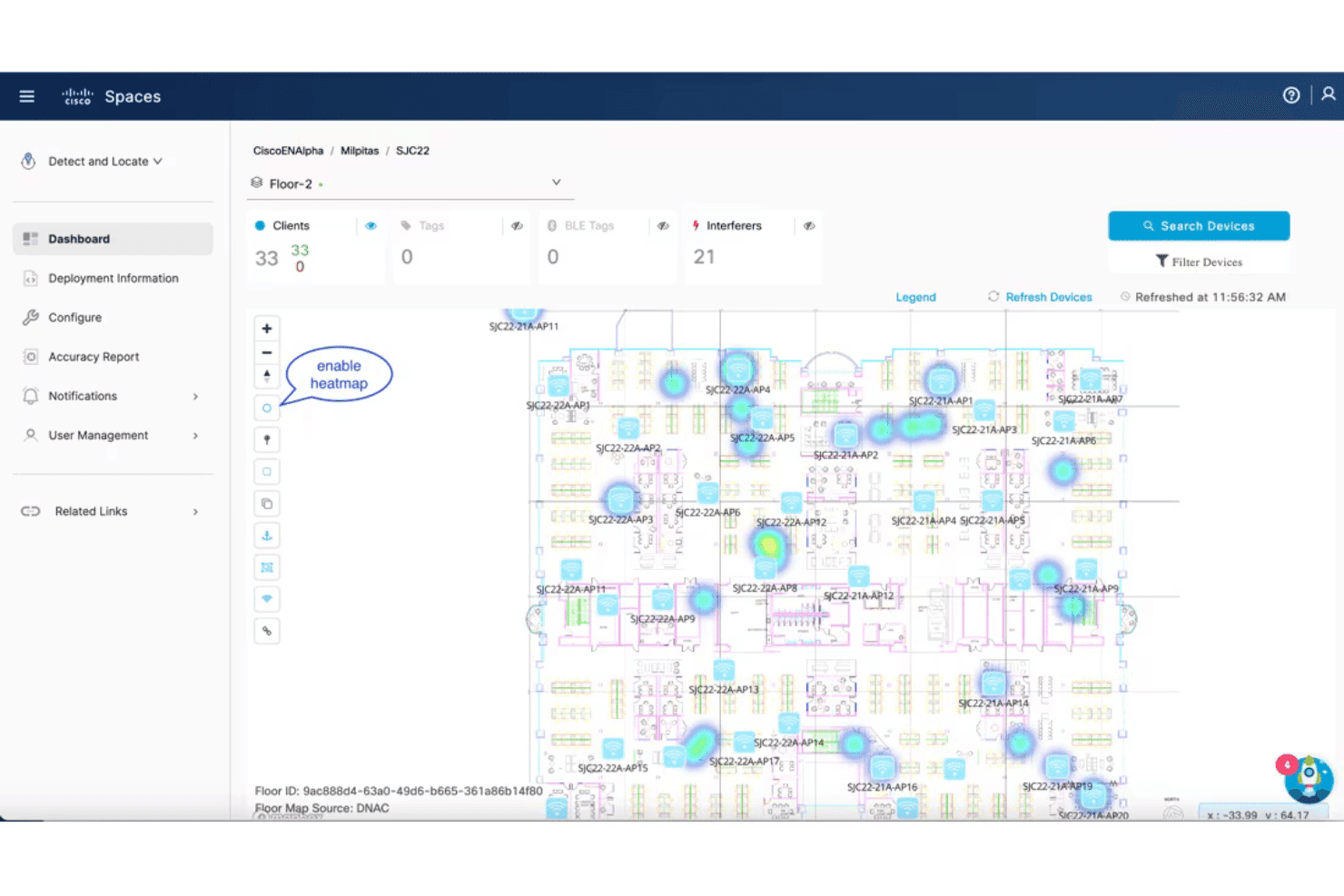
Cisco Spaces visualizes client locations with a live heatmap on floor plans. Cisco Spaces is a smart buildings platform with a dedicated guest Wi-Fi onboarding suite that covers captive portal design, multi-method data capture, visitor analytics, location-based personas, and rule-based engagement messaging across Cisco and Meraki network infrastructure.
Who Is Cisco Spaces Best For?
Cisco Spaces is the right fit for IT teams managing guest Wi-Fi across large, multi-location enterprises already running Cisco or Meraki network infrastructure.
Why I Picked Cisco Spaces
Cisco Spaces earns its spot on my shortlist because it gives IT teams running Cisco or Meraki networks a level of captive portal control I haven't seen matched elsewhere. I like that portals can serve different content based on SSID, visit frequency, customer tags, and time of day, so a returning loyalty member sees something different from a first-time visitor. The CSS editor, module-based builder, and contextual rule engine make portal customization genuinely deep, not just cosmetic.
Cisco Spaces Key Features
- Location Personas: Tags visitors by behavior, so you can segment and target distinct audience groups.
- Rule-based engagement messaging: Triggers SMS, email, or push notifications based on customer identity, location, visit duration, or loyalty status.
- Multi-location hierarchy: Organizes locations by organization, city, building, floor, and zone, letting you apply portal rules and content to specific groups or all locations at once.
- Scheduled data export: Sends raw visitor and engagement data to SFTP, Amazon S3, Azure Blob, Google Cloud Storage, or Box on hourly, daily, or weekly schedules.
Cisco Spaces Integrations
Cisco Spaces offers 55+ marketplace partner apps, including IPERA, VergeSense, AT&T, and T-Mobile. It also provides APIs and SDKs for custom connections.
Pros and Cons
Pros:
- Cross-location behavior reporting supports venue comparisons
- Contextual visitor segmentation supports targeted messaging
- Deep captive portal rule control
Cons:
- Network setup demands RADIUS expertise
- Cisco or Meraki hardware required
Learn more about Cisco Spaces: Best for restaurant guest data and retention
- Free demo available
- From $105/location/month (billed annually)
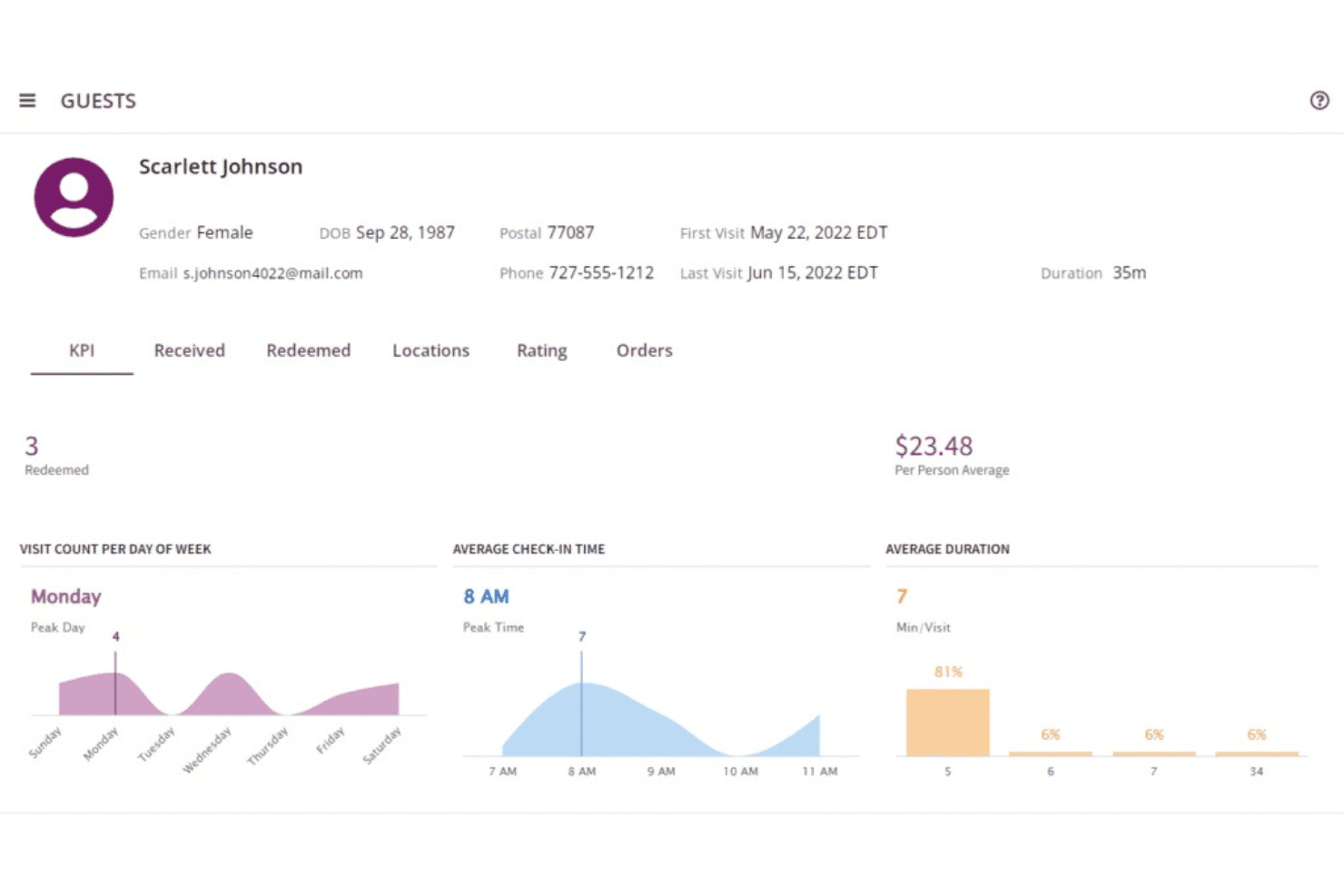
Bloom Intelligence surfaces guest behavior insights like visit trends and spend averages. Bloom Intelligence is a restaurant-centric WiFi marketing platform that collects guest data via branded captive portals and integrates it with POS, online ordering, and reservation systems for targeted campaigns.
Who Is Bloom Intelligence Best For?
Bloom Intelligence is built for restaurant groups with two or more locations that want to turn guest WiFi logins into email and SMS campaigns.
Why I Picked Bloom Intelligence
I picked Bloom Intelligence as one of the best because of how it ties guest WiFi logins directly to POS transaction data, giving restaurant groups a level of guest insight that generic WiFi tools can't match. I love that it uses anonymous device detection to track foot traffic before a guest even logs in, then builds a full profile once they do, capturing email, phone, birthday, and ZIP with real-time validation. Automated campaigns then trigger off actual visit behavior, like churn risk scores or loyalty milestones, rather than just open rates.
Bloom Intelligence Key Features
- Branded captive portal: Bloom's team builds a fully branded splash page with data-entry fields, social follow buttons, promotional content, and a post-login redirect to a URL of your choice.
- Progressive guest profiling: Guest records fill in across repeat visits and merge data from WiFi, POS, online orders, and reservations into a single profile.
- Command Center dashboard: Shows multi-location benchmarks, trends, dwell time, and cross-location visit comparisons.
- Post-visit survey tool: Automated surveys with 1–5 star scales trigger after a visit or online order, with results fed into a survey analytics dashboard.
Bloom Intelligence Integrations
Bloom offers integrations with Constant Contact, Datto, iContact, Mailchimp, Olo, OpenTable, Zapier, Yelp, and Revel Systems. A public API isn't documented.
Pros and Cons
Pros:
- Restaurant-specific portals support promotional campaigns
- Anonymous device detection reveals unlogged visits
- POS-linked guest profiles support targeted retention
Cons:
- No documented splash-page A/B testing
- Portal edits depend on Bloom staff
Learn more about Bloom Intelligence:
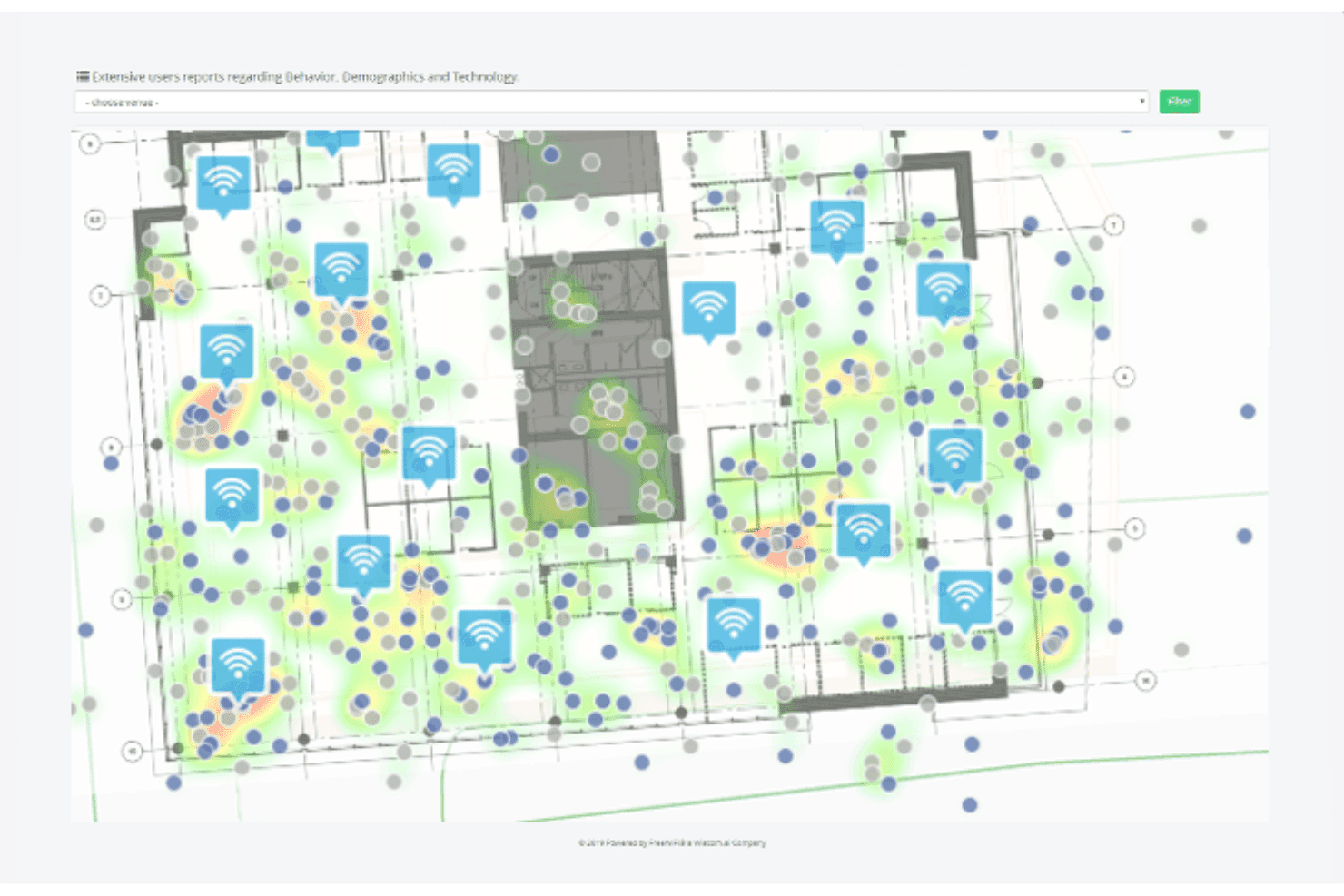
Wiacom maps Wi-Fi access points and visitor heat zones on a floor plan. Wiacom combines branded captive portal login, verified contact data capture, visitor wifi analytics, and multi-channel marketing automation.
Who Is Wiacom Best For?
Wiacom is a strong fit for hospitality and multi-location venue operators who need verified guest data capture from WiFi, with built-in email, SMS, and WhatsApp marketing tools.
Why I Picked Wiacom
I picked Wiacom as one of the best because it's built specifically around the hospitality data capture problem: getting verified guest contact details from WiFi without compromising GDPR consent. I love that it separates marketing opt-in from WiFi access entirely, so guests get online regardless, and you still build a clean, confirmed contact list. Its pre-arrival Guest Connect feature lets hotels capture guest profiles via QR code or URL before check-in, which I find genuinely useful for a hotel running pre-stay campaigns through OPERA.
Wiacom Key Features
- Multi-channel campaign triggers: Set automated messages across email, SMS, WhatsApp, and RCS based on first login, return visits, zone entry, or birthdays.
- Venue heatmaps and floor-plan zones: Map visitor presence, dwell time, and queue length against floor plans using sensors and access point data.
- Hardware-agnostic deployment: Connect Wiacom to your existing access points from Cisco Meraki, Aruba, Ruckus, UniFi, and a dozen other vendors without replacing hardware.
- Multi-tenant MSP management: Manage separate portals, branding, policies, and reporting for multiple clients or locations from a single centralized dashboard.
Wiacom Integrations
Wiacom integrates with Salesforce, HubSpot, Placewise, Dotdigital, CleverTap, Oracle Hospitality OPERA, Microsoft, and Google. It also provides REST APIs and webhooks for custom integrations.
Pros and Cons
Pros:
- Hospitality workflows cover pre-arrival customer engagement
- Consent remains separate from WiFi access
- Verified contact capture supports cleaner audiences
Cons:
- Capabilities vary by hardware and licensing
- Independent user reviews remain unavailable
Learn more about Wiacom: Best for agencies reselling white-label data
- 14-day free trial and free demo available
- From $199/month
Visit WebsiteCustomer Rating:4.3/5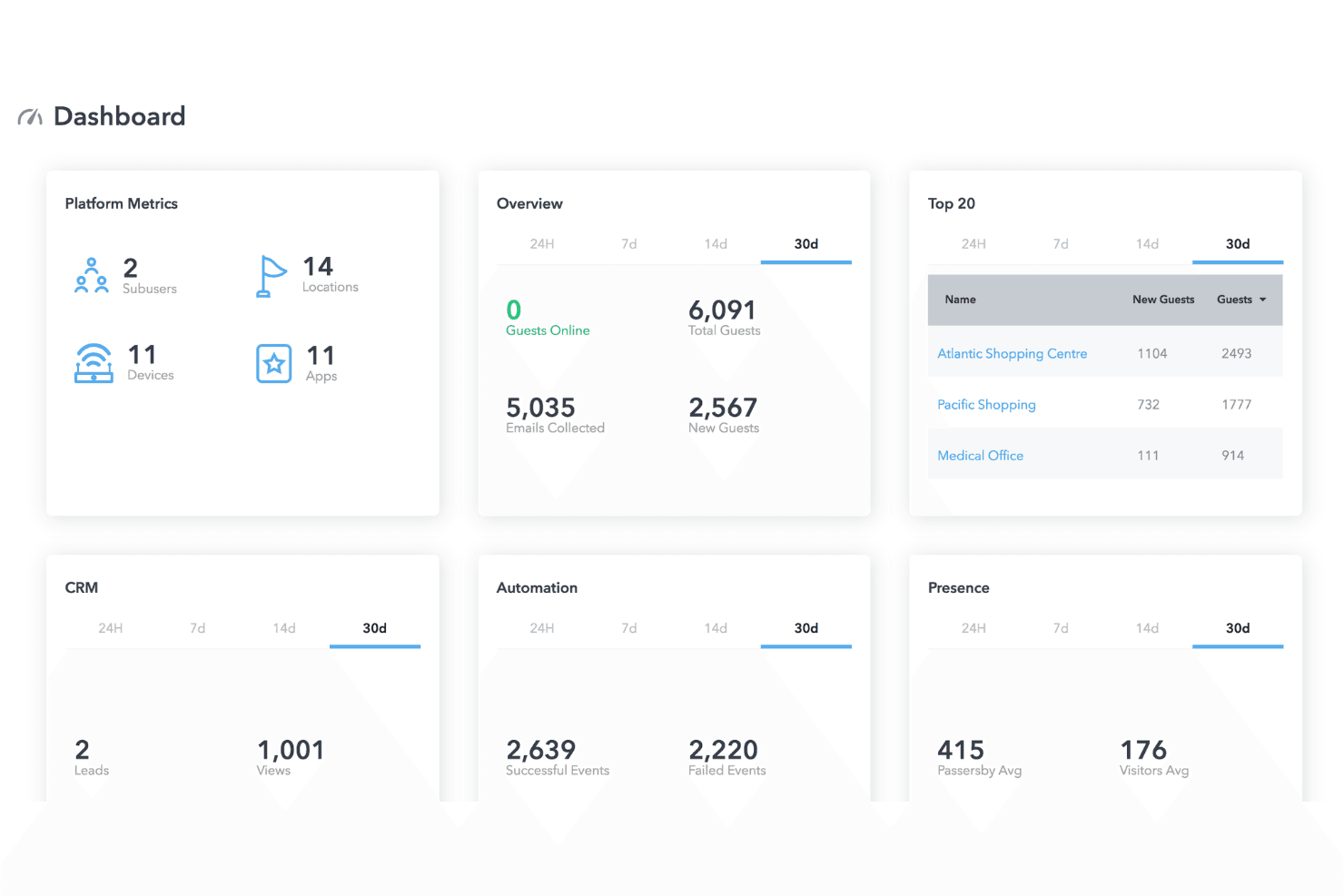
MyWiFi Networks centralizes guest WiFi analytics across all locations in one dashboard. MyWiFi Networks is a white-label WiFi marketing platform that offers captive portal design, guest data capture, visitor analytics, and multi-channel marketing automation.
Who Is MyWiFi Networks Best For?
MyWiFi Networks is built for agencies and MSPs that manage guest WiFi across multiple client locations and want to resell a fully white-labeled platform under their own brand.
Why I Picked MyWiFi Networks
MyWiFi Networks earns its spot on my shortlist because the entire platform is architected for resellers who want to sell white-label WiFi marketing under their own brand. I love that agencies get a fully unbranded dashboard on a custom domain, with no MyWiFi watermark on client portals, and the ability to set their own prices at a 3–5× markup. The multi-tenant setup keeps each client's data fully separated, and the bulk location management scales from 5 to 500+ locations without requiring individual configuration for each site.
MyWiFi Networks Key Features
- Scheduled white-label reports: Automatically send branded monthly analytics reports to clients, covering connections, demographics, and campaign performance.
- Built-in ad server: Sell ad space on guest portals through pre-roll video, HTML5 interstitials, and banners, with targeting by region, venue type, and time of day.
- Presence analytics: Track heatmaps, visit funnels, dwell time, and multi-visit guest journeys across locations.
- Cloud RADIUS authentication: Authenticate guests through a cloud-managed RADIUS server without requiring on-premises infrastructure changes.
MyWiFi Networks Integrations
MyWiFi offers integration with HubSpot, Shopify, Toast, Square, Clover, Google Analytics, Stripe, and Zapier. It also offers a REST API and webhooks for custom integrations.
Pros and Cons
Pros:
- Supports GDPR erasure and data residency controls
- Presence analytics include heatmaps and dwell time
- Captures profiles through seven login methods
Cons:
- Hardware support claims vary across pages
- Occasional connection failures
Learn more about MyWiFi Networks:
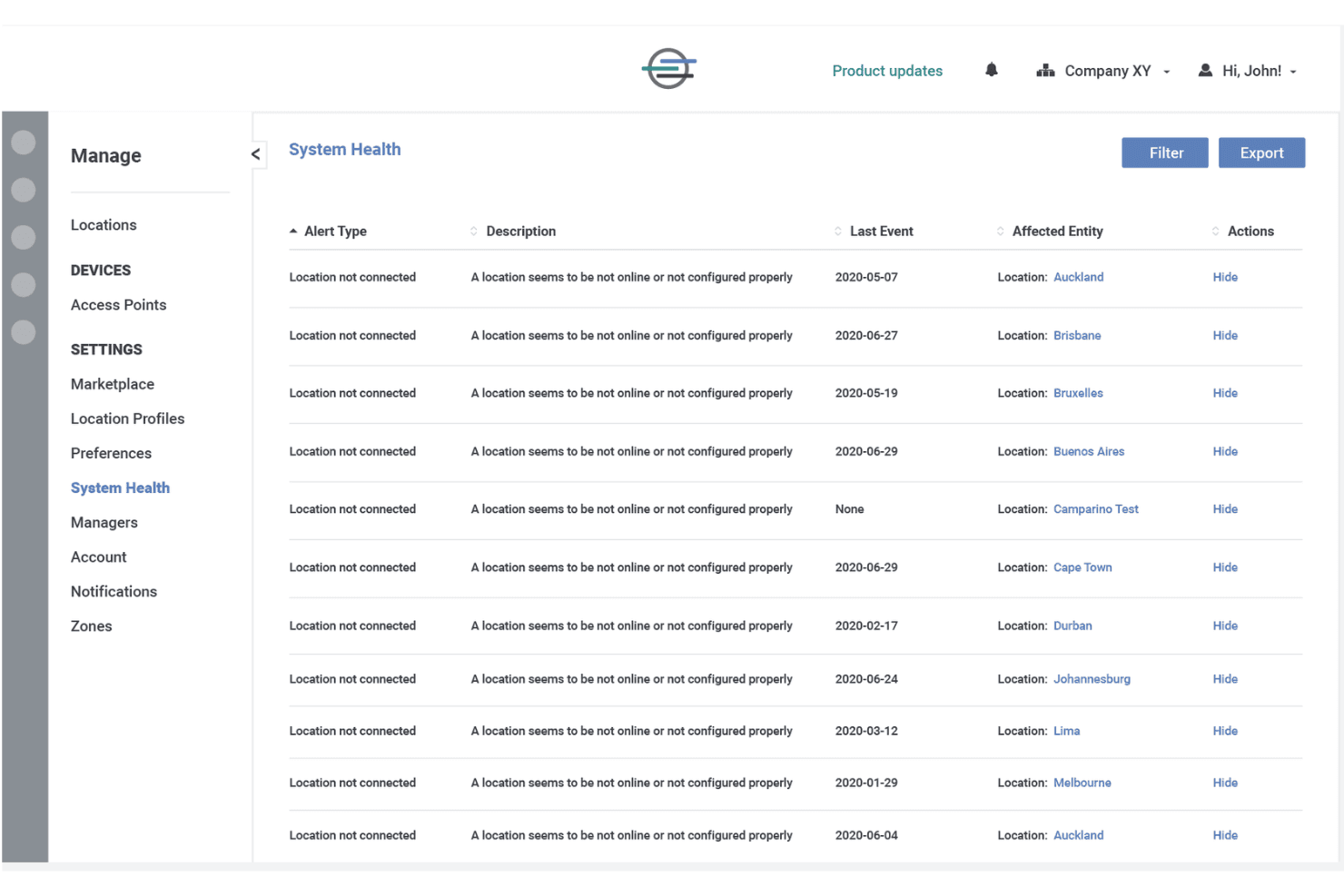
Cloud4Wi surfaces location connectivity issues in a system health dashboard. Cloud4Wi is a guest WiFi marketing platform that combines branded captive portal management, customer data capture, visitor analytics, and segmentation.
Who Is Cloud4Wi Best For?
Cloud4Wi is a strong fit for retail and hospitality brands that need enterprise-grade WiFi management paired with CRM-connected guest data collection.
Why I Picked Cloud4Wi
I picked Cloud4Wi as one of the best because of how well it closes the loop between WiFi sign-ins and your CRM. When a guest connects at any of your locations, Cloud4Wi captures their profile and pushes it directly to platforms like Salesforce, HubSpot, or Dynamics 365 through certified connectors. I especially like the Segment Builder, which lets you build dynamic audiences from visit behavior and demographics, so your CRM isn't just receiving raw contacts but properly segmented ones.
Cloud4Wi Key Features
- No-code captive portal editor: Build branded, multilingual login pages with multi-step forms, surveys, coupons, and calls to action.
- Real-time event triggers: Automatically send emails or SMS marketing messages when a guest arrives, dwells, or leaves a location using behavioral triggers.
- Passpoint and OpenRoaming support: Guests who connect once download a profile that reconnects them automatically at any location, no login screen required on return visits.
- Role-based multi-organization access: Assign permissions across locations, manage multiple client accounts from one dashboard, and apply bulk configuration changes using location tags.
Cloud4Wi Integrations
Cloud4Wi integrates with HubSpot, Salesforce, Microsoft Dynamics 365, Mapp Cloud, Mailchimp, and Constant Contact. It also supports APIs, and webhooks for custom connections.
Pros and Cons
Pros:
- Manages permissions across multi-location deployments
- Connects visitor behavior with segmented marketing campaigns
- Captures rich guest profiles through customizable portals
Cons:
- Email campaigns have monthly contact limits
- Network configuration requires technical implementation
Learn more about Cloud4Wi: Best for enterprise venue and footfall analytics
- Free demo available
- Pricing upon request
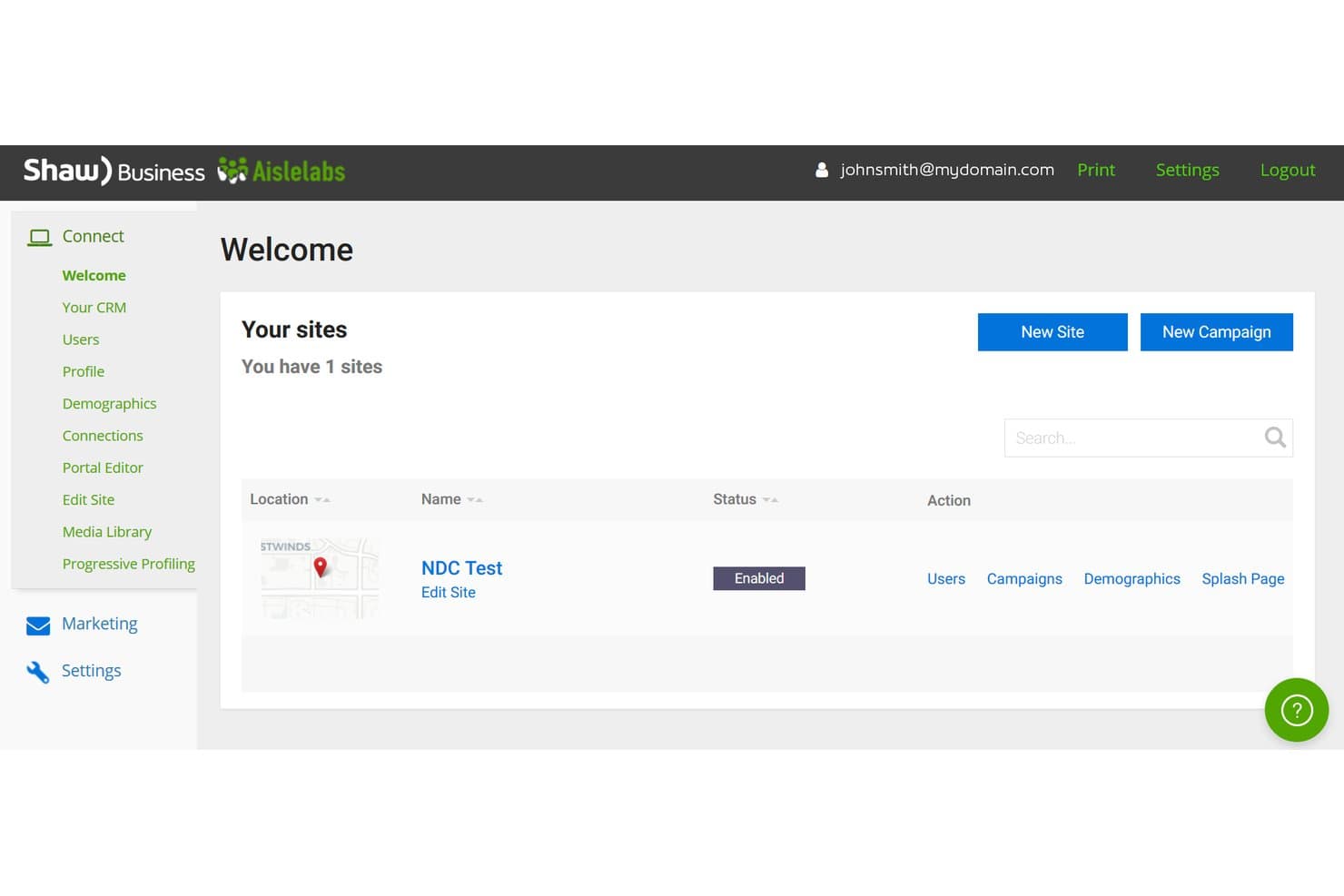
Aislelabs lets users manage multiple Wi-Fi sites from one dashboard. Aislelabs combines guest captive portal management, visit-triggered email and SMS marketing campaigns, and passive foot traffic analytics with zone-level heatmapping across multiple locations.
Who Is Aislelabs Best For?
Aislelabs is a strong fit for multi-location venue operators—malls, airports, stadiums, and hotels—that need both guest WiFi data capture and passive foot traffic analytics in one platform.
Why I Picked Aislelabs
I picked Aislelabs as one of the best because its passive foot traffic analytics go well beyond what typical WiFi marketing platforms offer. Flow AI counts every device in a venue, not just guests who log in, and breaks that data down by zone, dwell time, and shopper journey across multiple sites simultaneously. I also love how heatmapping and multi-site benchmarking work together, so a mall operator can compare zone performance across ten locations from a single portfolio dashboard.
Aislelabs Key Features
- Social login and progressive profiling: Let guests authenticate via Google or Facebook, then collect additional profile data incrementally across return visits.
- Visit-triggered campaign journeys: Build decision-tree email and SMS sequences that branch based on visit frequency, lapsed time, or guest profile data.
- Smart coupons: Issue trackable coupons through campaigns and monitor redemptions back to individual guest visits.
- Review generation workflows: Route satisfied guests directly to online review platforms like Google or Yelp, while flagging negative feedback internally before it goes public.
Aislelabs Integrations
Aislelabs integrates with Axper, Beefree, Cursor, Google Analytics, Mailchimp, Stripe, and Capillary. It also provides an API and MCP server for custom connections.
Pros and Cons
Pros:
- Visit-triggered campaigns connect coupons to returns
- Zone heatmaps reveal dwell time and movement
- Passive footfall counts include non-login visitors
Cons:
- Initial setup feels complex for smaller teams
- Dashboard customization remains limited for some users
Learn more about Aislelabs: Best for marketing automation on a budget
- Free demo + 30-day free trial available
- From CAD $34.99/month (billed annually)
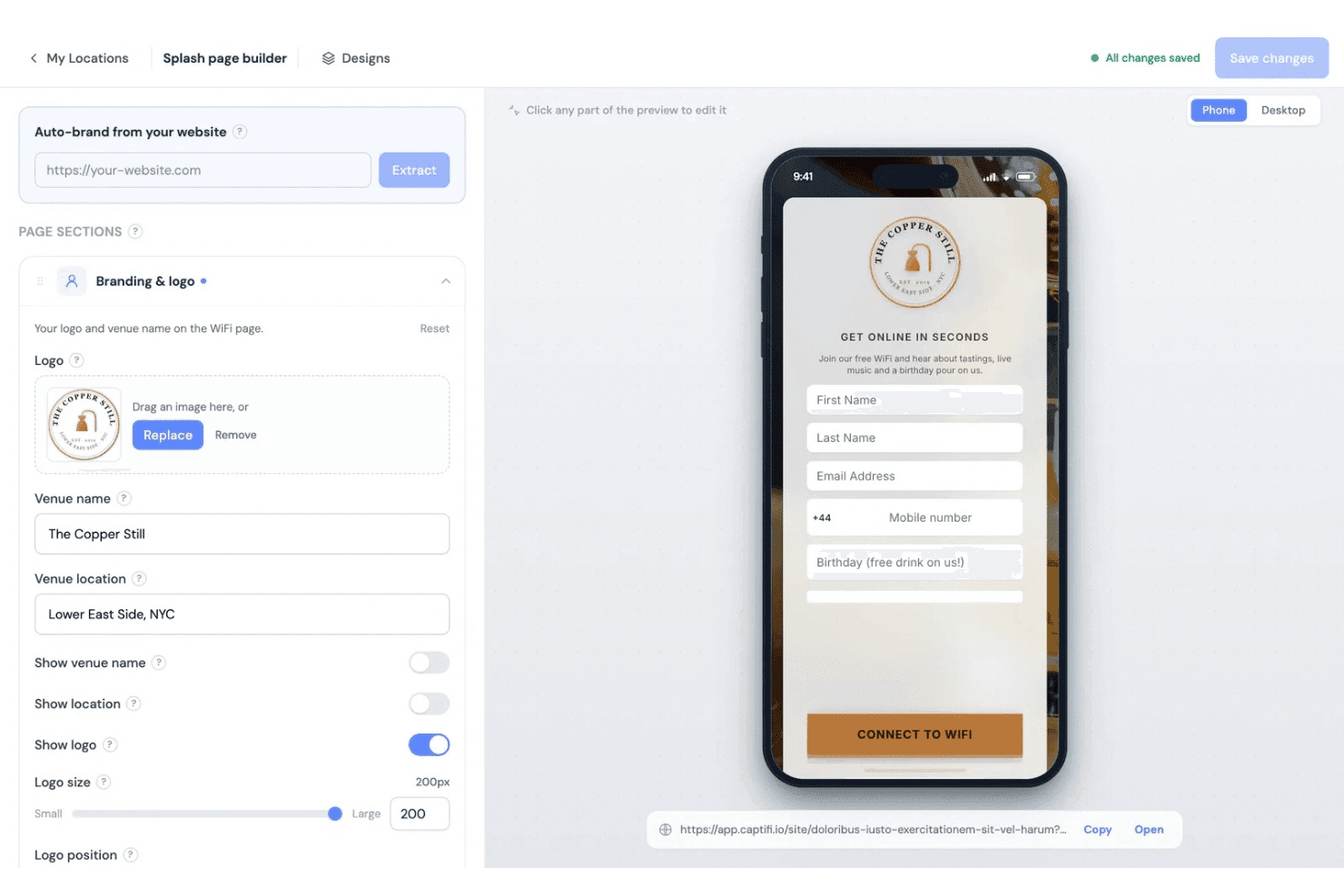
CaptiFi lets users customize branded WiFi splash pages for guests. CaptiFi is a guest WiFi marketing platform with a no-code branded captive portal, automated email and SMS campaigns, review generation, visitor analytics, and native POS integrations for hospitality and small venues.
Who Is CaptiFi Best For?
CaptiFi is a strong fit for small hospitality venues and independent restaurant operators who need guest WiFi marketing without a big budget.
Why I Picked CaptiFi
I picked CaptiFi as one of the best because it packs a surprisingly deep automation engine into a price point that most small venues can actually afford. The Pro-tier workflow builder gives you around 30 trigger types, branching logic, and A/B split steps, so you can build multi-step post-visit sequences that rival what larger platforms charge far more for. I also find the built-in review routing genuinely useful: guests who rate four stars or above get sent straight to Google or Tripadvisor, while lower ratings go to a private form first.
CaptiFi Key Features
- No-code splash page builder: Design branded WiFi login pages with drag-and-drop tools, custom CSS support, and automatic language detection across English, French, and Spanish.
- POS spend integration: Connect Toast or Square to match guest purchase data to WiFi profiles, giving you a spend timeline for each visitor.
- Multi-location management: Manage all venues from one login with a shared guest database, per-venue customization, and staff access controls scoped to individual locations.
- Footfall analytics dashboard: Track busiest hours, dwell time, visit-length bands, and device mix, with a floor-plan map showing live guest counts by access-point zone.
CaptiFi Integrations
CaptiFi integrates with Toast, Square, HubSpot, Klaviyo, Zapier, Salesforce, and Mailchimp. A REST API and webhooks are available for custom connections.
Pros and Cons
Pros:
- Consent records support privacy-focused data collection
- Multi-step workflows support branching and testing
- Automated review requests route positive ratings publicly
Cons:
- Heatmaps show access points, not room locations
- Guest social login remains unavailable
Learn more about CaptiFi:
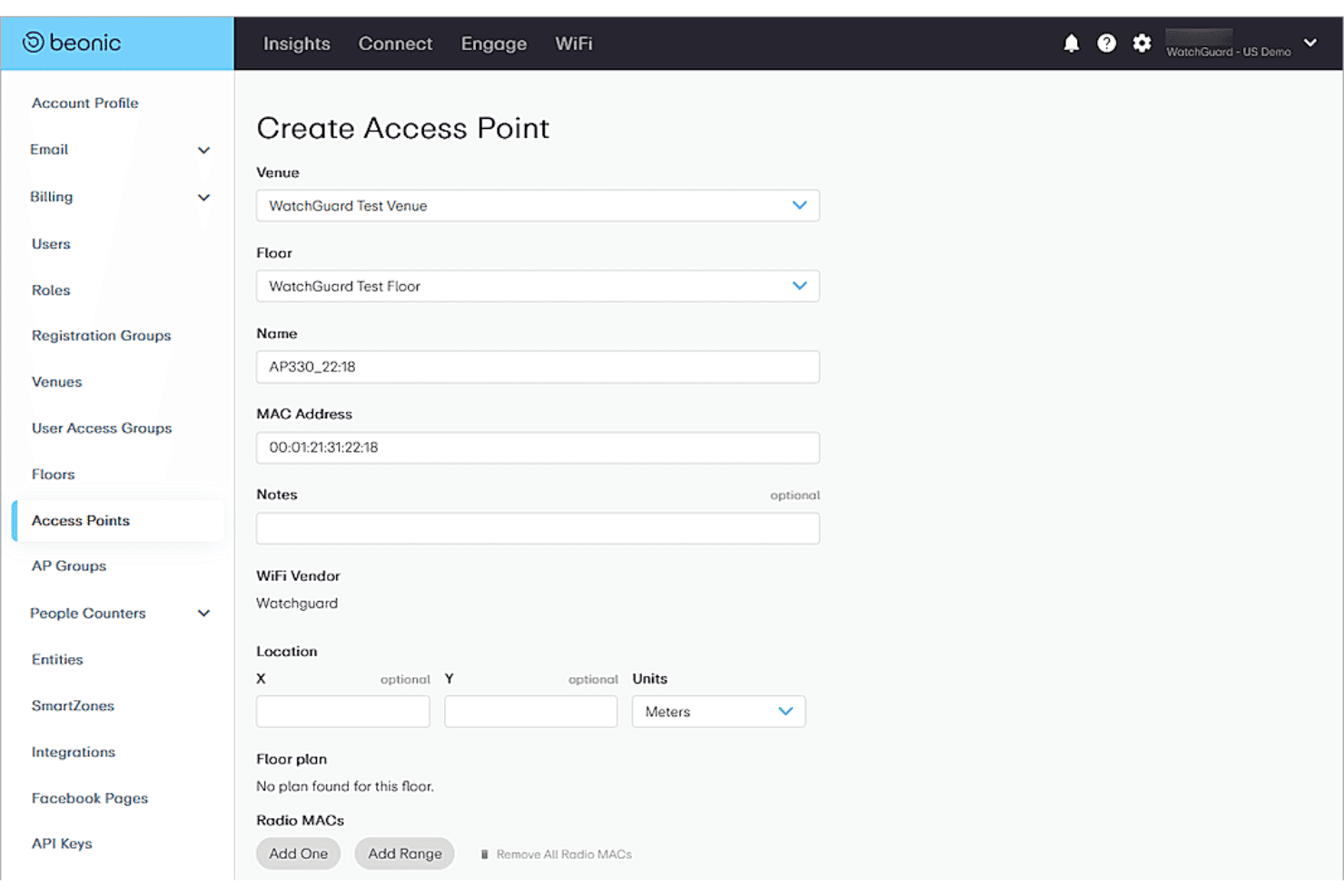
Beonic lets users register and configure WiFi access points by venue. Beonic is an AI-powered wifi marketing platform that combines captive portal management, customer data capture, visitor analytics, and multichannel campaign tools across large-scale venue networks.
Who Is Beonic Best For?
Beonic suits multi-location operations directors and IT administrators at large venues—airports, retail chains, and stadiums—that need enterprise-grade visitor analytics with built-in ISO 27001 compliance.
Why I Picked Beonic
Beonic earns its spot on my shortlist because its ISO 27001 certification and in-region data hosting make it one of the few wifi marketing platforms I'd confidently recommend to large venue operators where compliance isn't optional. I'm particularly impressed by how the platform combines captive portal data capture with multi-sensor analytics, pulling together WiFi, LiDAR, and people counters into unified foot traffic heatmaps across hundreds of locations. The progressive profiling feature is also useful: returning visitors see one new question per login, so you build richer customer profiles over time without friction at sign-in.
Beonic Key Features
- Drag-and-drop portal builder: Build branded captive portal screens for new users, returning users, and landing pages using a widget-based editor with templates, multi-language support, and age gating.
- AI audience segmentation: Segment visitors by behaviour, demographics, psychographics, geography, and socioeconomics to target campaigns across email and SMS channels.
- Multi-sensor foot traffic analytics: Combine WiFi, LiDAR, camera, and people counter data into unified dashboards that track dwell time, visitor flow, and venue benchmarking across locations.
- Triggered campaign automation: Set up automated campaigns that fire based on user actions or location signals, including re-engagement sequences, entry and exit surveys, and proximity offers.
Beonic Integrations
Beonic has marketplace integrations with Cisco and WatchGuard Cloud, plus API connectivity for CRM integrations. It claims 200+ integrations, but doesn't publish a directory or name specific CRM, email, or POS connectors.
Pros and Cons
Pros:
- Progressive profiling expands visitor records gradually
- Multi-sensor heatmaps connect visits with locations
- Flexible portal configuration earned user praise
Cons:
- Limited independent reviews inform buyer confidence
- Guest WiFi connection takes several steps
Learn more about Beonic:
Other WiFi Marketing Software
Here are a few additional options that didn’t make my top list, but are still good to check out:
- 11GoZoneBest for venues turning guest WiFi into repeat visits
- 12SpotipoBest for hardware-agnostic guest capture
- 13SpectrioBest for WiFi marketing tied to in-store media
- 14SendSquaredBest for lodging operators linking WiFi to PMS data
- 15BeamboxBest for automating post-visit review requests
- 16AdentroBest for walk-in proof via paid ads
- 17WaverBest for on-premise guest capture
- 18StayFiBest for STR guest data capture and email automation
- 19MyPlaceBest for automating review requests
Related Reviews
How I Evaluate WiFi Marketing Software
I split my evaluation into three parts. First, core functionality: the tool must serve a branded login portal and capture consented visitor profiles—this carries the most weight. Second, standout features like social login capture. Third, I consider pricing value and onboarding support.
Core Functionality (Table Stakes for This List)
When I'm selecting tools for my list, I score each one on a scale from 0 (does not offer the functionality) to 5 (excels in this area) for each core functionality listed below. I then convert the total into a percentage to help assess each tool's overall fit, with extra weight on any functionalities I've deemed essential.
- Guest WiFi Captive Portal (Essential): I evaluate the splash page builder for branding depth, layout flexibility, and whether it supports dynamic content like rotating promotions or localized messaging.
- Customer Data Capture (Essential): Each tool needs to collect more than just an email. I look for social login options, custom form fields, and profile enrichment across repeat visits and locations.
- Visitor Analytics and Reporting: Dashboards should break down new versus returning visitors, dwell time, and visit frequency. I check whether you can filter by location and export data for deeper analysis.
- Marketing Automation Tools: I look for triggered campaigns tied to WiFi activity, like a welcome email after a first visit or a win-back message after a period of absence, with audience segmentation built in.
- Multi-Location Management: Retail and hospitality teams often run dozens of sites. I check for centralized campaign deployment, location-level customization, and role-based access controls for regional managers.
- Third-Party Integrations: The captured data needs to flow somewhere useful. I evaluate native connections to CRM, email, POS, and loyalty platforms, plus whether an open API is available for custom workflows.
Once I have a list of tools that meet the criteria, I consider what sets each platform apart.
Differentiating Factors (What Sets Vendors Apart)
Here's how I compare and contrast different vendors:
Standout Features
Social login capture is a big one. When a guest signs in through Facebook or Google, the platform pulls in profile details that a basic email form never would—giving your CRM richer segments from day one. I also look at whether a tool can trigger review requests after a visit, since platforms like GoZone and Bloom Intelligence tie post-visit prompts directly to Google or Yelp. For multi-location brands, white-label reseller mode matters; agencies need full rebranding control across client accounts. Finally, hardware-agnostic deployment saves real budget when you're rolling out across sites with mixed access point vendors.
Beyond Features
I check whether each platform supports GDPR and CCPA consent flows out of the box, including audit trails and lawful-basis documentation. A franchise rolling out across dozens of locations also needs per-site licensing that scales without ballooning costs, so I evaluate pricing models and bulk-deployment tools. Finally, I look at how well reporting ties WiFi sign-ins to revenue signals like repeat visits or redeemed promotions, since vanity metrics won't justify the spend.
How to Choose a WiFi Marketing Software
Choose the platform that gives your team verifiable control over consent, customer data, deployment, and location-level administration.
| If your priority is… | Look for… |
|---|---|
| If your priority is…Consent and data ownership | Look for…A sample consent record, retention policy, and export process |
| If your priority is…CRM or loyalty handoff | Look for…A documented field mapping and a test-data transfer |
| If your priority is…Multi-location rollout | Look for…Location permissions, centralized controls, and a deployment checklist |
| If your priority is…Campaign governance | Look for…Approval workflows, audience rules, and an activity log |
How to Vet Your Shortlist
- Request privacy documentation: Ask for the data-processing agreement, consent-flow screenshots, retention schedule, and deletion procedure within five business days.
- Test data portability: Run a trial with five test profiles, then request a machine-readable export containing consent status, timestamps, and location identifiers.
- Verify system handoffs: Give the vendor three sample fields and ask for written confirmation of where each field goes, including any API or connector limits.
- Test location controls: During a 14-day trial, create two locations, assign separate permissions, publish one approved campaign, and review the audit log.
- Choose your operating tradeoff: Decide whether you prefer a specialized platform with deeper WiFi workflows or a broader customer-data system with fewer location-specific controls.
What Is WiFi Marketing Software?
WiFi marketing software turns guest internet access into a channel for consented customer data collection, marketing, and location analytics. It typically provides a branded captive portal, custom sign-in forms, visitor reporting, audience segmentation, and automated campaigns. Retail and hospitality teams use it to connect in-store visits with customer profiles, promotions, loyalty programs, and repeat engagement while managing consent and data privacy.
Features
Here are the main features I look for in any great WiFi marketing software:
- Captive portal: Creates a branded sign-in page that guests see before accessing the internet. You can add logos, colors, promotions, terms, and consent requests to the connection flow.
- Customer data capture: Collects approved profile details such as email addresses, names, preferences, and visit information. Custom fields and social login options can provide more useful customer records than a basic email form.
- Consent management: Records marketing permissions, privacy notices, timestamps, and acceptance details during sign-in. This helps your team manage customer data according to applicable privacy requirements.
- Visitor analytics: Reports on new and returning visitors, visit frequency, dwell time, and connection activity. Location filters and exports help you compare sites and connect visits with campaign performance.
- Marketing automation: Sends triggered emails or messages based on WiFi activity, such as a welcome message after a first visit or a win-back campaign after an absence.
- Audience segmentation: Groups visitors using details such as location, visit history, profile attributes, and campaign engagement. Your team can then target offers to specific customer groups instead of sending every message to everyone.
- Multi-location management: Lets central teams manage several venues from one account while preserving location-level settings. Useful controls include separate permissions, local branding, and centralized campaign publishing.
- Third-party integrations: Connects WiFi data with CRM, email marketing, POS, loyalty, and analytics systems. Field mapping, webhooks, or an API can send customer and visit data into existing workflows.
- Campaign and promotion tools: Adds offers, surveys, contests, or promotional messages to the sign-in experience. Rules can display different content by location, audience, or visit behavior.
Benefits
Here are a few common benefits you can expect from using WiFi marketing software:
- Consented customer data: Branded captive portals collect approved details such as email addresses, preferences, visit history, and marketing permissions.
- More relevant campaigns: Audience segmentation and activity-based triggers let you send offers based on location, visit frequency, or customer behavior.
- Clearer customer insights: Analytics dashboards show new and returning visitors, dwell time, connection activity, and visit frequency across locations.
- Connected marketing workflows: Integrations with CRM, email, POS, loyalty, and analytics platforms transfer WiFi data into existing customer workflows.
- Consistent multi-location management: Central controls support shared campaigns, local branding, location permissions, and role-based administration across sites.
- Branded customer experiences: Custom splash pages can display logos, colors, promotions, surveys, terms, and consent requests before internet access.
- Better privacy oversight: Consent records, timestamps, privacy notices, exports, and deletion processes give your team clearer control over customer data.
Costs and Pricing
Costs vary based on features, location count, team size, add-ons, and more. Here are the pricing ranges you can typically expect from WiFi marketing platforms:
Plan Comparison Table for WiFi Marketing Software
| Plan Type | Average Price | Common Features |
|---|---|---|
| Plan TypeFree Plan | Average Price$0/month | Common FeaturesBasic captive portal, limited visitor analytics, email support, and one location. |
| Plan TypePersonal Plan | Average Price$10–$30/location/month | Common FeaturesBranded captive portal, customer data capture, basic reporting, email integrations, and one to three locations. |
| Plan TypeBusiness Plan | Average Price$50–$150/location/month | Common FeaturesCustom login flows, marketing automation, audience segmentation, multi-location management, and CRM or POS integrations. |
| Plan TypeEnterprise Plan | Average Price$200–$1,000+/location/month | Common FeaturesAdvanced consent management, custom integrations, role-based access, dedicated support, and unlimited or high-volume locations. |
FAQs
Some answers to common questions about WiFi marketing tools:
Does WiFi marketing software work with existing network hardware?
Yes, many platforms support existing access points, but compatibility varies by vendor. Check whether the software supports your network controller, cloud-managed access points, and authentication method. Hardware-agnostic deployment can reduce replacement costs across locations. Ask vendors for a compatibility list before signing up. You should also confirm who handles network configuration, firmware issues, and guest access troubleshooting. Test one location first, especially if your stores use different hardware from your restaurants, offices, or other venues.
How do I collect customer data without violating privacy rules?
Use a consent flow that clearly separates internet access from optional marketing permissions. Your portal should explain what data you collect, why you collect it, and how customers can withdraw consent. Keep records of the notice shown, permission selected, timestamp, and location. Before launch, review the vendor’s data-processing agreement, retention policy, deletion process, and export format. Your legal or privacy team should approve the wording for each market where you operate.
Can WiFi marketing software send data to my CRM or email platform?
Yes, many platforms connect with CRM, email marketing, loyalty, POS, and analytics systems. Confirm the exact connector, available fields, sync direction, and update frequency. A vendor may support an integration without supporting every profile attribute you need. Request a field-mapping document before purchase. Then test several records, including consent status, location, visit date, and opt-out changes. This test can reveal duplicate records or missing permissions before they reach your production database.
How should I test WiFi marketing software before deploying it across locations?
Start with a trial at one or two representative locations. Create separate user permissions, publish a test portal, and connect five test profiles. Check the sign-in flow on phones, tablets, and different network conditions. Review visitor reports, consent records, exports, campaign triggers, and integration updates. Ask location managers to complete common tasks without central support. Keep a deployment checklist that covers network setup, portal approval, staff training, privacy notices, and rollback steps.