

Retail task management software keeps store teams aligned by letting you assign, track, and complete operational tasks across every location—whether you run a single store or a global chain. When you need every store to hit standards, roll out campaigns, and prove work is done, you rely on these tools to stay in control. This guide cuts through marketing fluff to show you the best options for 2026, highlighting solutions that connect headquarters with frontline staff, support real-time oversight, and use AI to boost execution, shelf compliance, and team engagement. If you’re looking to strengthen store operations and drive consistent results, you’re in the right place.
Why Trust Our Software Recommendations
6,700+
Reviews
20
Industry experts
16+
Evaluation factors
14
Years
Our team has been testing and reviewing software since 2012. As retail leaders ourselves, we know how difficult—and important—it is to choose the right software.
For this guide, we evaluated tools using hands-on testing and independent research, scoring tools using our selection criteria.
Our reviews reflect our independent judgment—not a sales pitch.
Comparison Table: Retail Task Management Software
This comparison table summarizes pricing details for my top retail task management software selections.
| Tool | Best For | Trial Info | Price | ||
|---|---|---|---|---|---|
| 1 | Best for AI photo audits across store locations | 14-day free trial + free demo available | Pricing upon request | Website | |
| 2 | Best for linking store tasks to frontline training | Free demo available | Pricing upon request | Website | |
| 3 | Best for AI-driven shelf and store task execution | Free demo available | Pricing upon request | Website | |
| 4 | Best for HQ-to-store task execution at scale | Free demo available | Pricing upon request | Website | |
| 5 | Best for AI-scored photo audits across store networks | Free demo available | Pricing upon request | Website | |
| 6 | Best for AI shelf compliance across store networks | 15-day free trial + free demo available | Pricing upon request | Website | |
| 7 | Best for frontline task execution at scale | Free demo available | Pricing upon request | Website | |
| 8 | Best for AI-driven shelf compliance at scale | Free demo available | Pricing upon request | Website | |
| 9 | Best for gamified frontline task and compliance ops | Not available | Pricing upon request | Website | |
| 10 | Best for chain-wide store execution at scale | Free demo available | Pricing upon request | Website |


Retail Task Management Software Reviews
Below are my detailed summaries of the best retail task management software that made it onto my shortlist. My reviews offer a detailed look at the features, best use cases, and capabilities of each software to help you find the best one for you.
 Best for AI photo audits across store locations
- 14-day free trial + free demo available
- Pricing upon request
Visit WebsiteCustomer Rating:4.9/5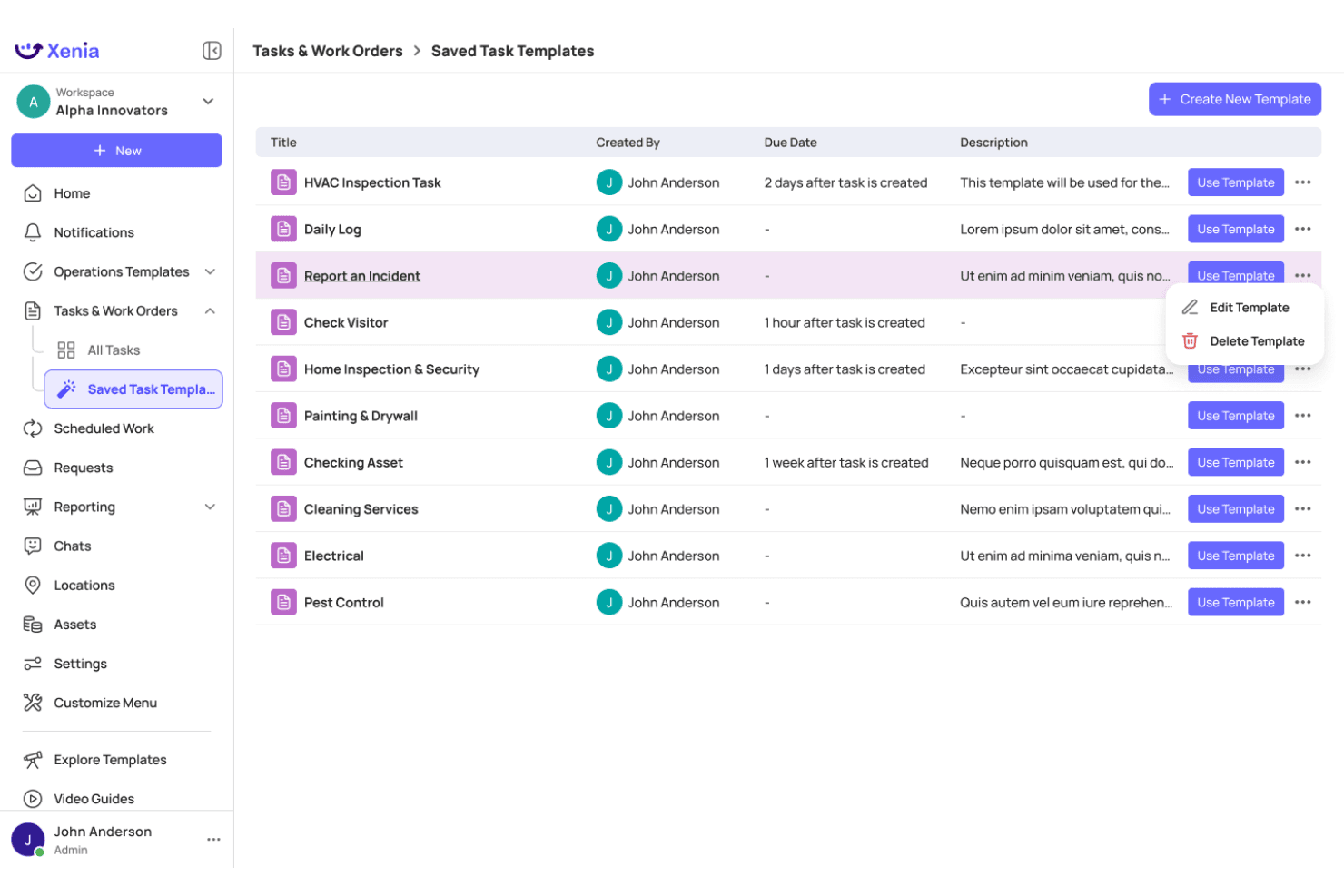
Xenia lets users manage and reuse saved task templates efficiently. Xenia is a multi-location retail task management platform with AI-powered photo audits, digital inspections, frontline communications, and real-time compliance dashboards across store networks.
Who Is Xenia Best For?
Xenia is a strong fit for multi-location retail and convenience store operators who need AI-powered photo audits to verify brand standards across dozens or hundreds of sites.
Why I Picked Xenia
I picked Xenia as one of the best because its AI Photo Rollouts feature does something no manual audit process can: it automatically analyzes submitted store photos to flag planogram deviations, brand standard violations, and cleanliness issues across hundreds of locations at once. I've found the computer vision detection especially valuable when rolling out new signage or fixture changes, where visual confirmation at scale would otherwise require a small army of district managers.
Xenia Key Features
- AI analytical agent: Query operational data in natural language to generate instant reports and visualizations across your store network.
- Broadcast announcements with acknowledgment: Push corporate directives to frontline teams and require digital sign-off to confirm receipt.
- Offline mobile task execution: Complete and update tasks without an internet connection, with automatic syncing when connectivity returns.
- 1,000+ pre-built task templates: Deploy ready-made checklists for common retail workflows, or convert existing PDFs and paper forms using the AI template builder.
Xenia Integrations
Xenia offers native integrations across HRIS and workforce platforms like Workday, ADP, UKG, and 7shifts, BI tools including Power BI, Tableau, and Qlik, plus SSO providers like Okta and Microsoft Entra ID. It also provides a public REST API with webhook support for custom integrations.
Pros and Cons
Pros:
- Offline mobile app supports in-store execution
- Assigns tasks across multiple retail locations
- AI photo audits auto-flag brand compliance
Cons:
- Mobile app ratings lower than desktop platform
- No native planogram or POS integrations
Learn more about Xenia: Best for linking store tasks to frontline training
- Free demo available
- Pricing upon request
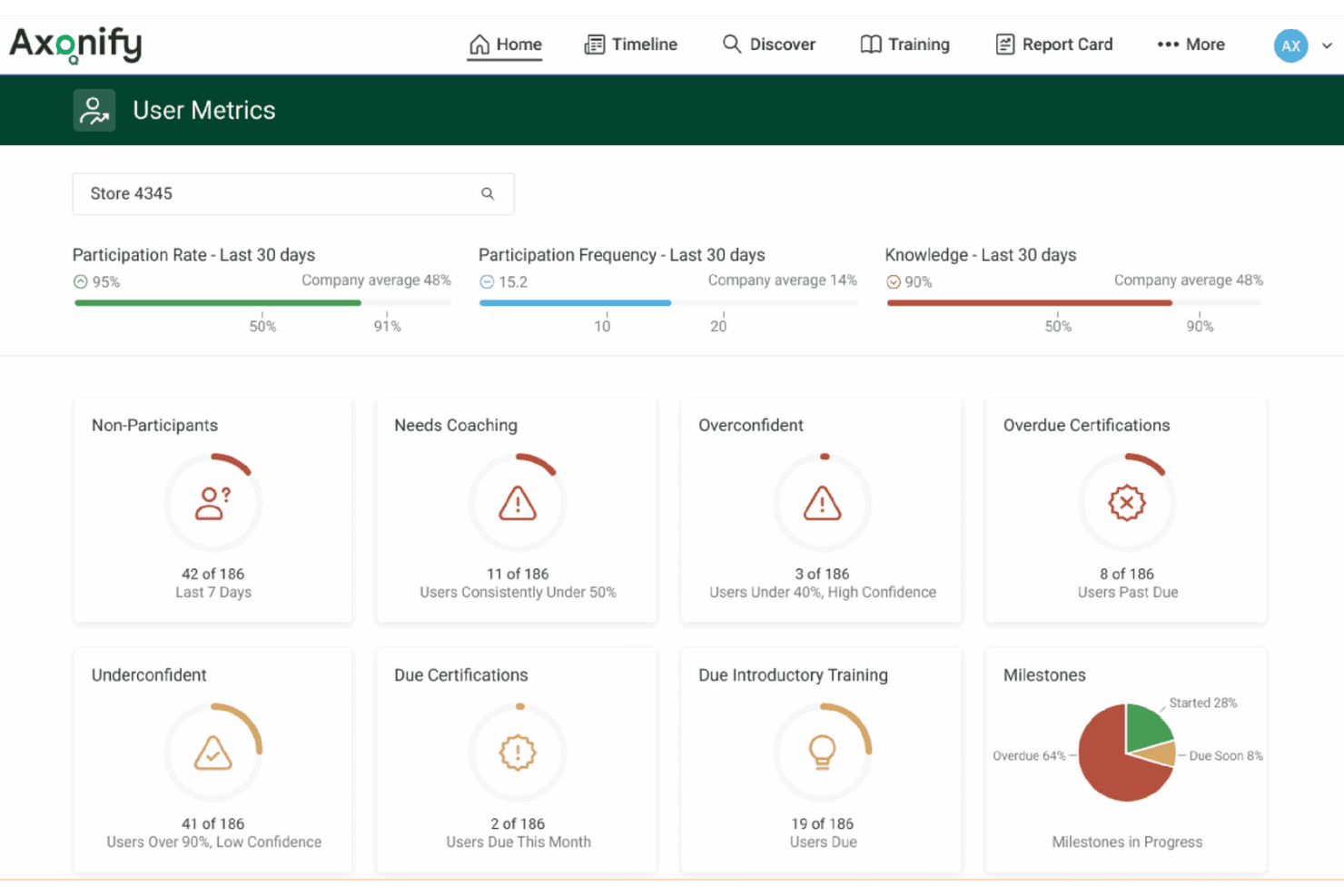
Axonify surfaces coaching opportunities and participation gaps at a glance. Axonify is a frontline enablement platform that combines task assignment and tracking, microlearning, audits and inspections, and two-way communications in a single mobile app built for retail store teams.
Who Is Axonify Best For?
Axonify is a strong fit for enterprise retailers who want task assignments and frontline training to live in the same platform rather than separate tools.
Why I Picked Axonify
Axonify earns its spot on my shortlist because it's the only platform I've found that ties task assignments directly to microlearning, so when a store associate is assigned a planogram reset, the platform can reinforce the exact training content behind it. I particularly like Task Initiatives, which connect operational tasks to broader programs like seasonal promotions and sync them with targeted communications in the same workflow. The AI-generated checklists and spaced repetition engine mean associates aren't just completing tasks, they're retaining the knowledge to execute them correctly.
Axonify Key Features
- Max AI assistant: A built-in conversational AI that answers on-the-job questions from frontline workers in 60+ languages, drawing from your organization's own content library.
- Axonify Checkpoint: A digital audit and inspection module with configurable templates, timestamped photo capture, and automatic corrective task generation for failed checklist items.
- Spaced repetition engine: An adaptive microlearning system that reinforces knowledge at scientifically timed intervals to counter knowledge loss between training sessions.
- Frontline gamification: Leaderboards, points, and redeemable rewards tied to task completion and training milestones to drive daily associate engagement.
Axonify Integrations
Axonify offers native integrations with Workday, UKG, SAP SuccessFactors, Cornerstone, ADP, Ceridian, and more, plus an open API for custom connections to HCM, LMS, WFM, and BI systems.
Pros and Cons
Pros:
- Supports 60+ languages for diverse teams
- No company email required for frontline access
- Combines task assignments directly with microlearning
Cons:
- Advanced communications may require paid add-ons
- Lacks AI-driven planogram photo verification
Learn more about Axonify: Best for AI-driven shelf and store task execution
- Free demo available
- Pricing upon request
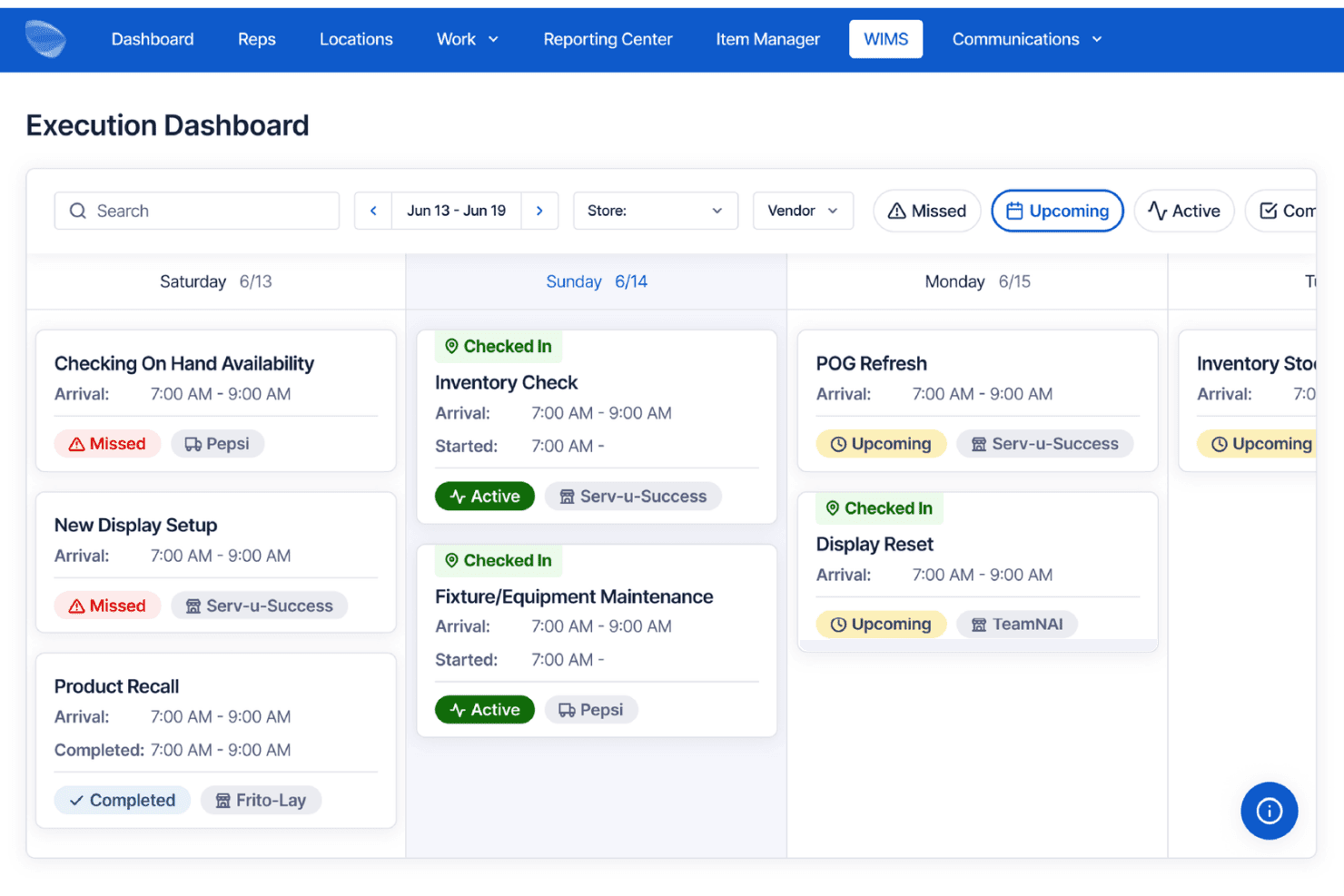
Movista's Execution Dashboard tracks field rep tasks by day and status. Movista is a retail execution platform that combines AI-powered shelf compliance, task assignment, workforce scheduling, vendor collaboration, and in-store communications across distributed store networks.
Who Is Movista Best For?
Movista is a strong fit for enterprise retailers and multi-location brands that need to coordinate task execution across large store networks involving both internal teams and third-party vendors.
Why I Picked Movista
Movista earns its spot on my shortlist because of ShelfCheck AI, which uses computer vision to automatically scan shelves, flag planogram deviations, and detect out-of-stocks at the SKU level with 97%+ accuracy. I find this especially useful because shelf findings can trigger follow-up tasks directly inside the platform, so nothing slips through after an audit. The Vendor Collaboration module also stands out to me: it lets you assign and track tasks across third-party service providers without switching tools or sending emails.
Movista Key Features
- Recurring task cloning: Duplicate and redeploy repeating task sets—like seasonal resets or promotional cycles—across store networks without rebuilding them from scratch.
- GPS breadcrumbing and geofencing: Logs field associate location trails and validates on-site presence using geofence triggers tied to specific store locations.
- In-app training with scored assessments: Attach training documents, videos, and quizzes directly to tasks so associates can complete learning and execution in one place.
- Automated payroll export: Tracks time by clock-in, store visit, and project task, then exports categorized labor data directly to payroll processors.
Movista Integrations
Movista offers native integrations with RELEX Solutions, Google Looker, Scandit, and more, and provides a fully documented RESTful API for custom integrations across payroll, HR, CRM, expense, and business intelligence systems.
Pros and Cons
Pros:
- Offline mode supports low-connectivity environments
- Assigns tasks to vendors and partners
- AI shelf compliance detects planogram errors
Cons:
- Legacy mobile app stability complaints
- Limited pre-built reporting and analytics
Learn more about Movista: Best for HQ-to-store task execution at scale
- Free demo available
- Pricing upon request
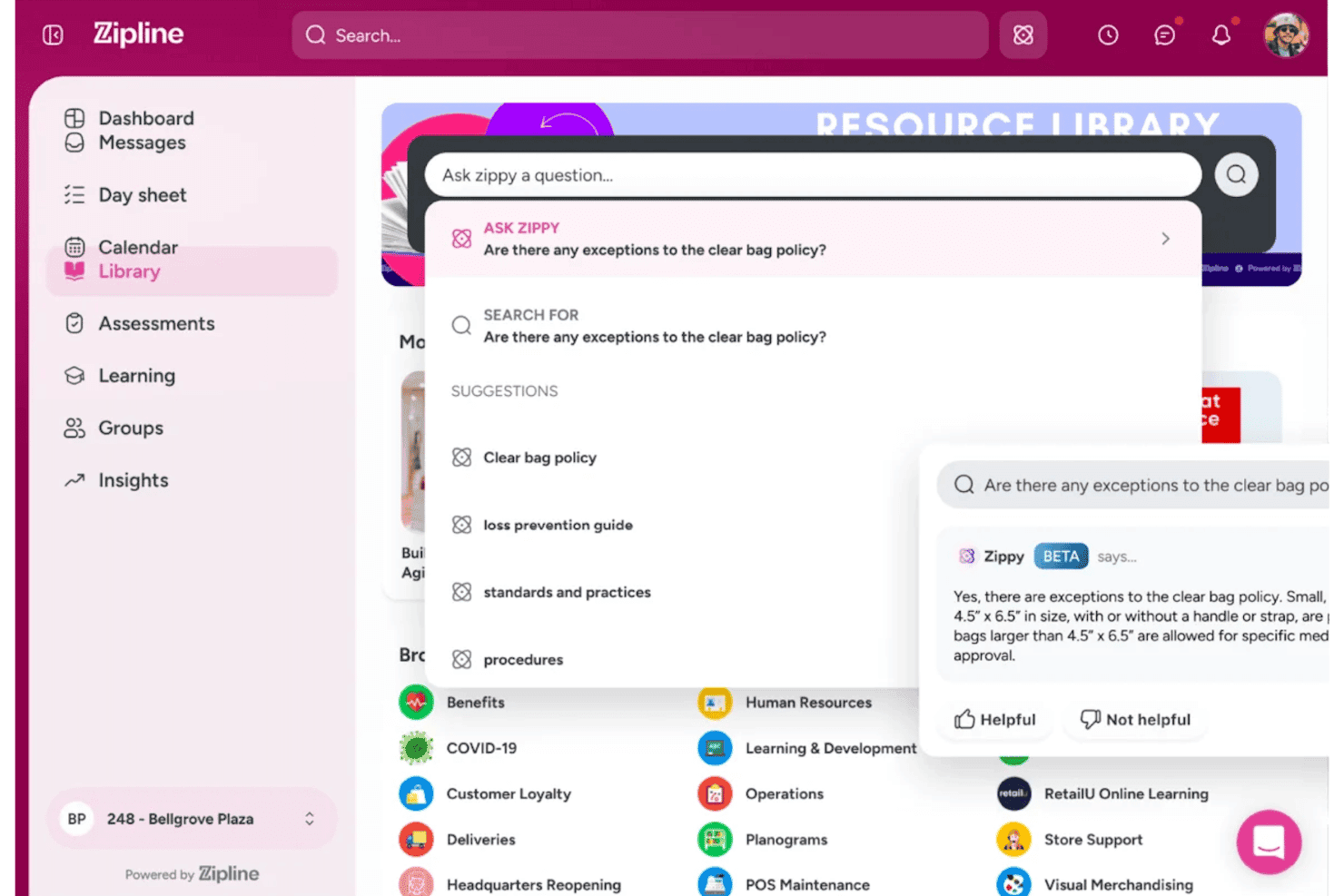
Zipline lets users ask an AI assistant questions about store policies. Zipline is a retail task management platform built for multi-location brands, combining HQ-to-store task distribution, frontline communications, mobile store audits, and AI-powered execution tracking across complex store hierarchies.
Who Is Zipline Best For?
Zipline is a strong fit for enterprise retail chains that need to coordinate task execution across dozens or hundreds of store locations from a central HQ team.
Why I Picked Zipline
I picked Zipline as one of the best because no other platform I've seen translates HQ directives into store-level action as cleanly at scale. The corporate calendar gives headquarters a real-time view of task load across every banner, region, and store format, while AI-powered message forecasting flags days when stores are already at capacity. Each associate gets a personalized Day Sheet scoped to their role and shift, so a floor associate at a 500-location chain sees exactly what's relevant to them, not everything.
Zipline Key Features
- Visual Confirmation: Photo-based task approval lets store teams submit proof that visual standards, displays, and merchandising setups have been correctly executed.
- Mobile store audits: Customizable digital audit forms with offline functionality, photo uploads, and cross-location comparison tools for on-the-floor compliance checks.
- Zippy AI assistant: A role- and location-aware AI assistant that answers associate questions in real time, pulling from brand SOPs and policies with source citations.
- WFM integrations: Native connections to UKG, Legion, and Dayforce surface schedules, enable clock-in/out, and restrict work content when associates are off the clock.
Zipline Integrations
Zipline offers native integrations with UKG, Legion, Dayforce, Adobe Learning Manager, and more. A RESTful API (with OAuth 2.0 and GraphQL support) is available for custom integrations.
Pros and Cons
Pros:
- AI-powered assistant trained on retail policies
- Visual Confirmation with photo-based task approval
- Hierarchical task distribution for complex retail chains
Cons:
- Android app rated lower than iOS app
- No AI planogram verification for shelf photos
Learn more about Zipline: Best for AI-scored photo audits across store networks
- Free demo available
- Pricing upon request
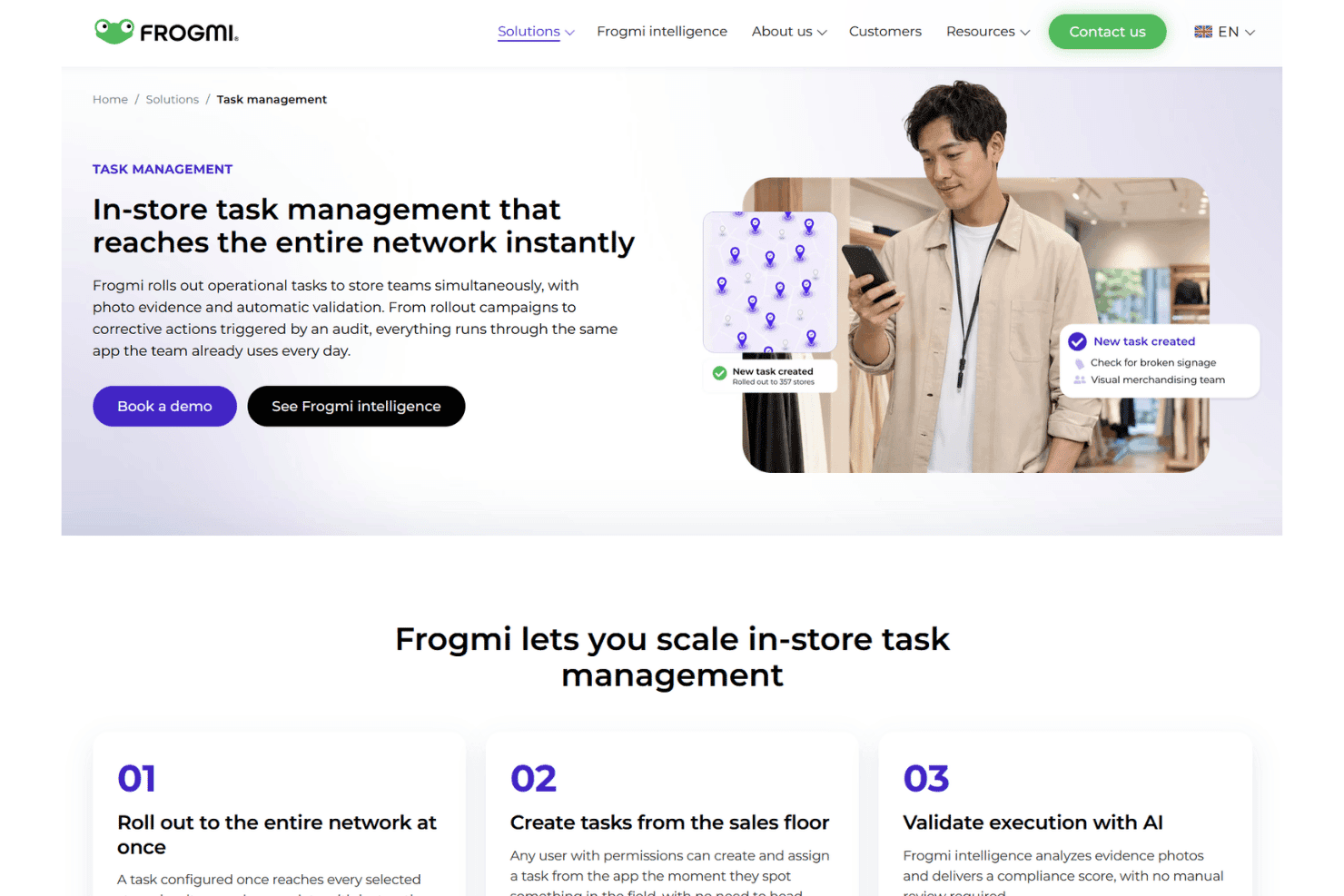
Frogmi rolls out in-store tasks across entire retail networks instantly. Frogmi is a retail task management platform that combines store audits, task assignment, corporate communications, and AI-scored photo compliance across multi-location store networks.
Who Is Frogmi Best For?
Frogmi is a strong fit for multi-location retail chains where corporate teams need to verify brand and operational standards through photo evidence across dozens or hundreds of stores.
Why I Picked Frogmi
Frogmi earns its spot on my shortlist because of how it handles photo-based compliance at scale using its AI layer, Frogmi Intelligence, which scores submitted store photos from 0% to 100% and breaks down findings by sub-area. I'm particularly impressed by how audit non-compliance automatically triggers corrective tasks pre-loaded with photos, context, and deadlines, so nothing falls through the cracks between detection and resolution. That closed-loop between AI-scored audits and task generation is what makes Frogmi a genuinely distinct pick for multi-location retail chains.
Frogmi Key Features
- Corporate communication module: Send targeted announcements directly to employees' phones with individual read receipts that timestamp when each recipient reads, confirms, or responds.
- Employee AI assistant: An in-app chatbot that answers frontline staff questions using your organization's uploaded documents, without requiring staff to leave the app.
- SKU-level micro-task assignment: Assign individual tasks per product per store through the Product Execution module, enabling shelf-level traceability for restocking, pricing, and display compliance.
- Offline audit mode: Run checklists and capture evidence in low-connectivity areas, with automatic data sync once the device reconnects.
Frogmi Integrations
Frogmi supports two-way API connections with ERP, inventory, and planning systems, along with SSO and MFA compatibility for enterprise identity providers. An API is available for custom integrations.
Pros and Cons
Pros:
- Supports offline audits in low-connectivity stores
- Automatically creates corrective tasks from audits
- AI scores photos for compliance instantly
Cons:
- Planogram editing requires a separate solution
- Very limited public user reviews available
Learn more about Frogmi: 6Best for AI shelf compliance across store networks
Pazo
- 15-day free trial + free demo available
- Pricing upon request
Visit WebsiteCustomer Rating:4.7/5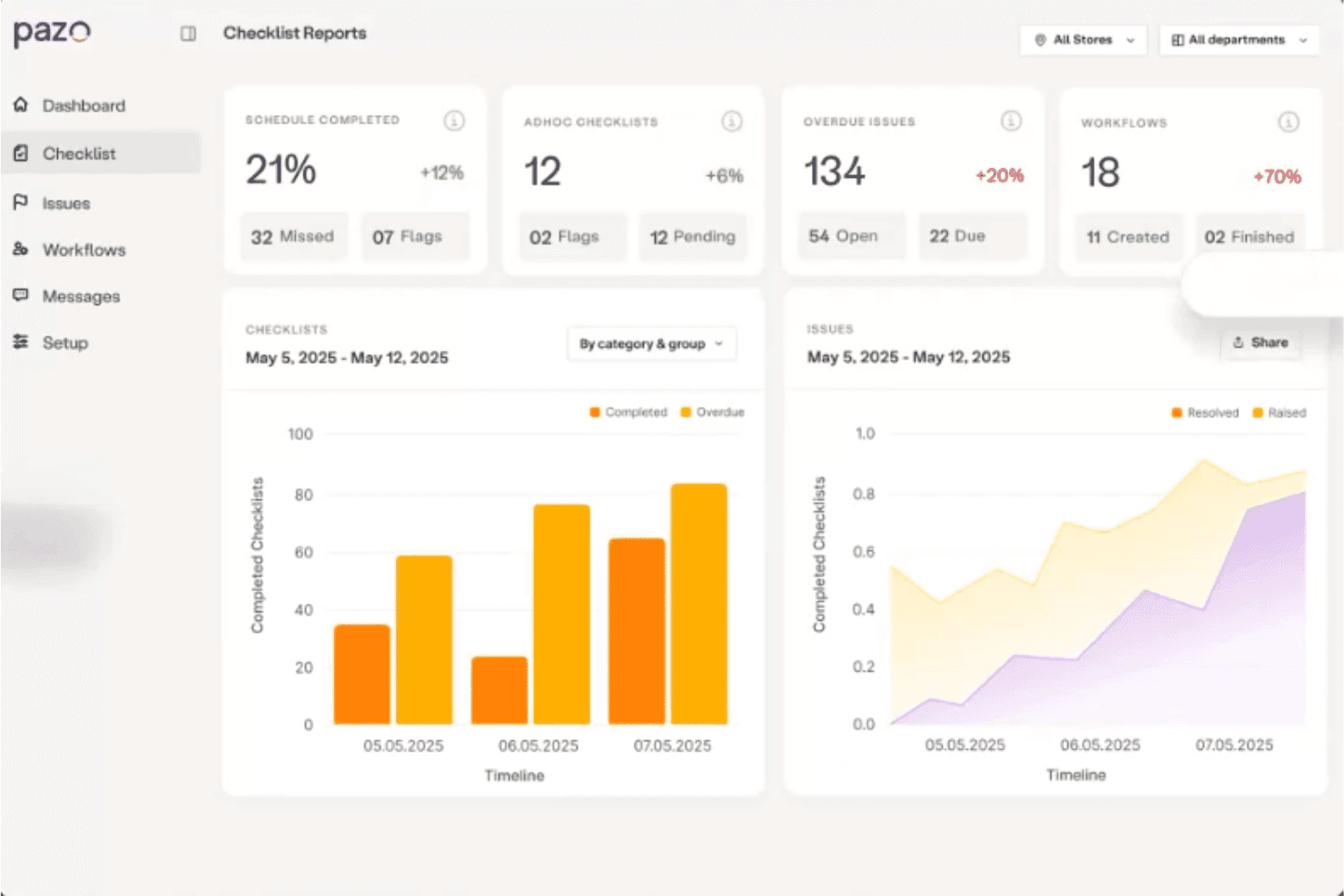
Pazo centralizes checklist reports, issues, and workflows in one dashboard. Pazo is a mobile-first retail task management platform built for multi-location store networks, combining AI-powered shelf compliance, digital audits, smart checklists, and field execution tools across store, district, and HQ tiers.
Who Is Pazo Best For?
Pazo is a strong fit for multi-location retail chains where district managers and HQ teams need to enforce visual merchandising standards and planogram compliance across dozens or hundreds of stores.
Why I Picked Pazo
Pazo earns its spot on my shortlist because of how it handles AI-powered planogram compliance across dozens or hundreds of stores at once. I love that shelf photos are analyzed against planogram standards in roughly 3 seconds, automatically flagging misplaced SKUs and missing items before they become a sales problem. When a deviation is detected, Pazo auto-generates an escalation ticket so nothing slips through. That kind of closed-loop shelf verification is genuinely hard to replicate with manual audit workflows.
Pazo Key Features
- Pre-Journey Plans (PJPs): Structure district manager store visits with geofenced check-ins, multi-step approvals, and real-time proof-of-visit documentation.
- Employee micro-training modules: Deliver mobile-based onboarding and SOP training directly in the app, with completion tracking tied to compliance records.
- Gamification and recognition tools: Reward frontline associates for task completion and audit performance with in-app recognition tied to measurable store metrics.
- Scheduled compliance reporting: Generate and export PDF or PowerPoint reports filtered by store, region, or task type, with live sync to Google Sheets and BI tools like Tableau and Power BI.
Pazo Integrations
Native integrations are not clearly documented, but the platform connects with tools like Google Sheets, along with the Microsoft ecosystem including Azure.
Pros and Cons
Pros:
- Gamification and recognition for frontline teams
- Mobile app works offline for store staff
- AI shelf photo compliance checks in seconds
Cons:
- Lacks native integration with popular retail tools
- No built-in multilingual support detailed
Learn more about Pazo: Best for frontline task execution at scale
- Free demo available
- Pricing upon request
Visit WebsiteCustomer Rating:4.4/5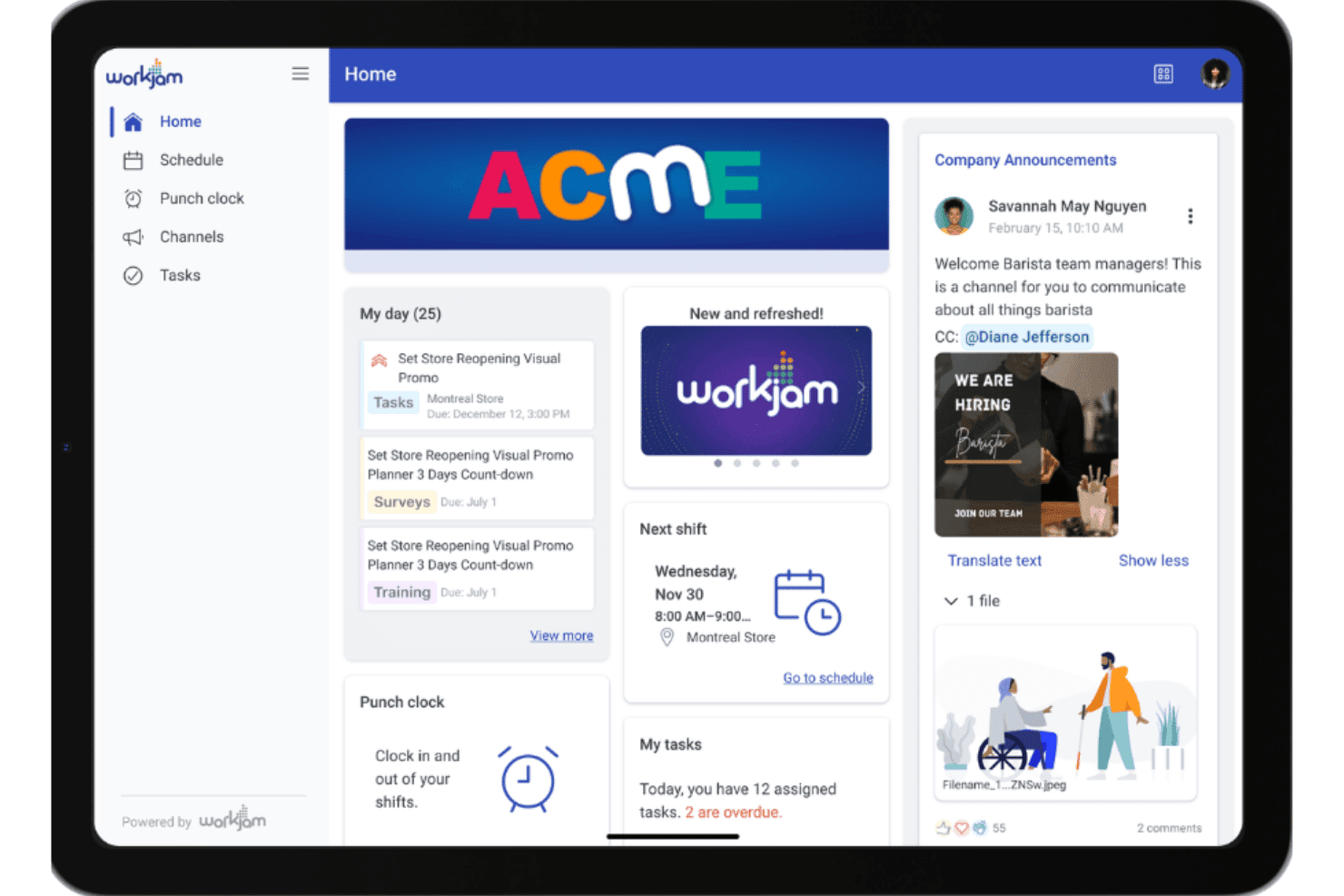
WorkJam centralizes schedules, tasks, and announcements in one home dashboard. WorkJam is a frontline workforce platform that combines task assignment, audit management, employee communications, and learning into a single mobile app built specifically for deskless retail teams.
Who Is WorkJam Best For?
WorkJam is a strong fit for enterprise retailers with large, distributed frontline workforces—think 500+ associates across dozens or hundreds of locations.
Why I Picked WorkJam
WorkJam earns its spot on my shortlist because no other platform I've tested matches its ability to push task execution across hundreds of locations without losing visibility at the associate level. I'm particularly impressed by the Target Audience Engine, which routes tasks by role, shift, tenure, and certification automatically, so the right task reaches the right person without manager intervention. When an audit fails, WorkJam instantly triggers a corrective task with required photo proof, keeping compliance loops closed at scale.
WorkJam Key Features
- 50+ language inline translation: Translates messages and directives in real time within the app, so associates across multilingual workforces receive communications in their preferred language.
- Gamification with leaderboards and badges: Associates earn recognition tied to task completion and learning milestones, surfaced through in-app leaderboards and achievement badges.
- Offline task access with auto-sync: Associates can view and complete tasks without an active network connection, with progress syncing automatically once connectivity is restored.
- Weighted audit scoring: Audit forms assign configurable point weights to individual checklist items, producing scored results rather than a simple pass/fail outcome.
WorkJam Integrations
WorkJam offers native integrations with UKG, Legion, ADP, Blue Yonder, Microsoft Teams, Google Cloud, and DailyPay, along with API-first bidirectional connectors to ERP, WMS, POS, CRM, and HRIS systems.
Pros and Cons
Pros:
- Offers photo-verified planogram and audit workflows
- Supports real-time multilingual frontline communication
- Assigns tasks based on role, shift, and certifications
Cons:
- No AI-powered shelf compliance verification
- Occasional frontline app slowdowns and login issues
Learn more about WorkJam: Best for AI-driven shelf compliance at scale
- Free demo available
- Pricing upon request
Visit WebsiteCustomer Rating:4.4/5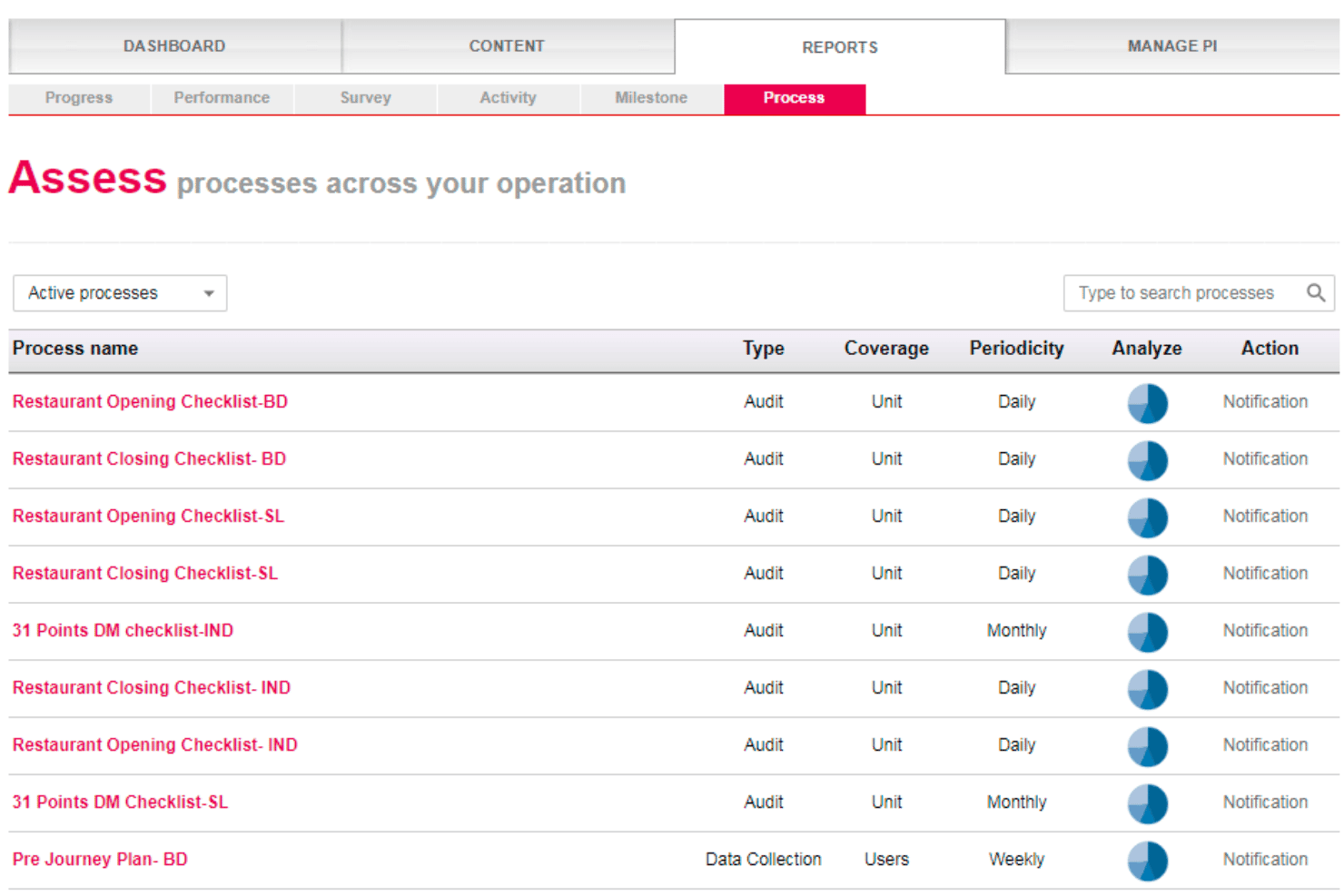
Wooqer helps retail teams manage recurring audits and checklists, track compliance, and trigger corrective actions across locations. Wooqer is a retail task management platform built around AI-powered visual compliance, offering no-code workflow building, mobile-first task execution, planogram verification via computer vision, audit management, and multi-level reporting across store networks.
Who Is Wooqer Best For?
Wooqer is a strong fit for enterprise retail chains that need AI-powered planogram compliance and audit execution across hundreds or thousands of store locations.
Why I Picked Wooqer
Wooqer earns its spot on my shortlist because of SensEye, its computer vision engine that scores planogram compliance directly from smartphone photos and auto-generates corrective tasks when shelves fall short. I picked it specifically for large retail chains: Spencer's Retail moved from 60% to 95% audit compliance in three months, and Lifestyle Stores cut VM rollout time from weeks to same-day using SensEye verification across 200+ locations.
Wooqer Key Features
- No-code workflow builder: Create and configure task workflows, checklists, and audits using a drag-and-drop interface without writing any code.
- Offline mobile mode: The iOS and Android app lets frontline associates complete tasks without internet connectivity, syncing automatically when back online.
- Automated task escalation: When a task isn't completed on time, the platform routes it to the appropriate supervisor based on your defined escalation rules.
- Role-based dashboards: Executive, operations, store, and audit dashboards each surface the metrics and task views relevant to that specific level of your retail hierarchy.
Wooqer Integrations
Native integrations are not currently listed, but a RESTful API is available for custom integrations, and SSO is supported via SAML 2.0 and OAuth 2.0.
Pros and Cons
Pros:
- Full offline mode for mobile associates
- No per-user license caps frontline adoption
- AI-powered planogram compliance directly from photos
Cons:
- Store dashboard details reported as insufficient
- No public integrations directory available online
Learn more about Wooqer: Best for gamified frontline task and compliance ops
- Not available
- Pricing upon request
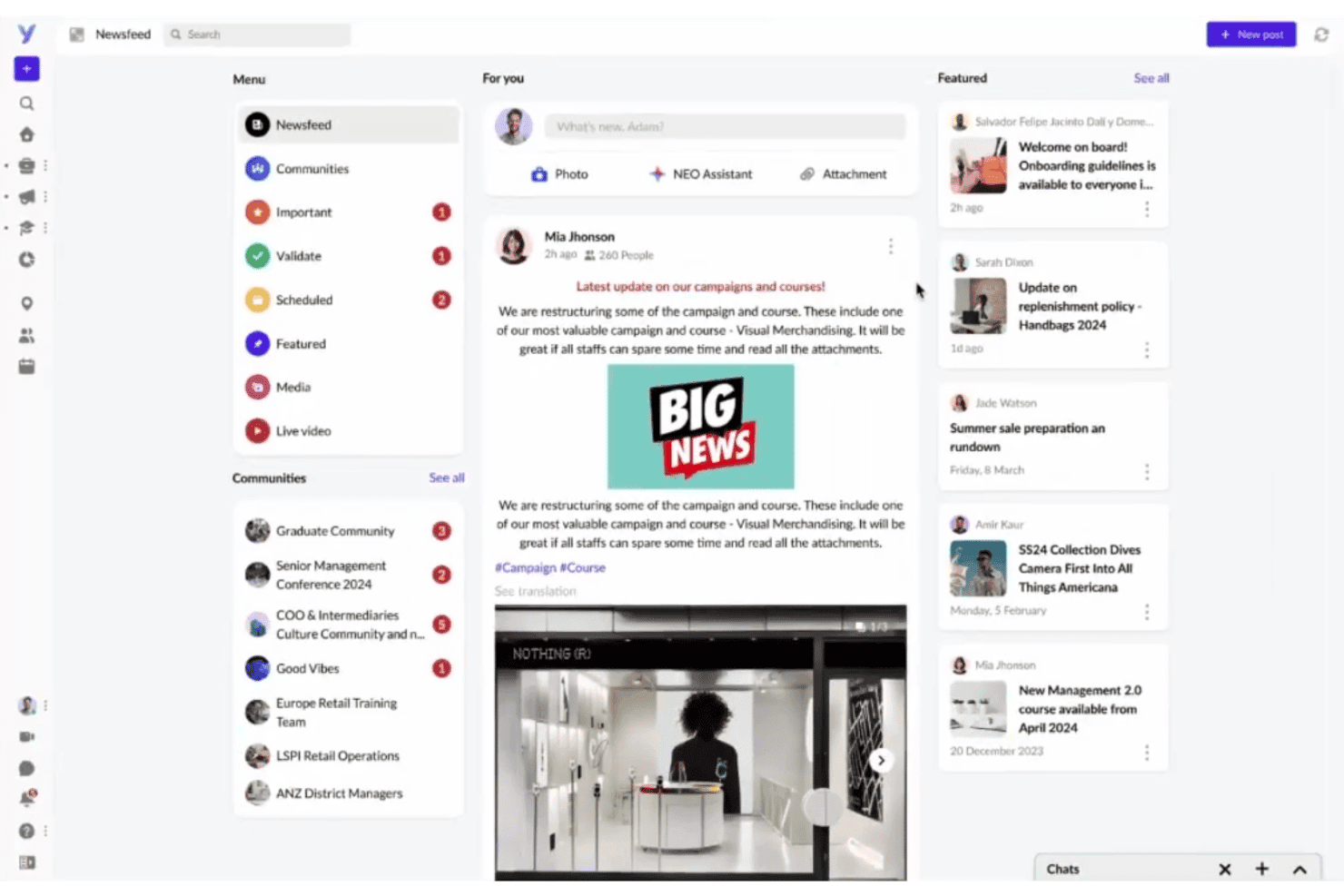
YOOBIC centralizes team news, communities, and updates in one newsfeed. YOOBIC is a mobile-first retail task management platform that combines mission-based task assignment, digital store audits, AI-powered visual compliance verification, and frontline communications in a single app.
Who Is YOOBIC Best For?
YOOBIC is a strong fit for multi-location retail brands that need to close the gap between HQ directives and in-store execution across large frontline teams.
Why I Picked YOOBIC
YOOBIC earns its spot on my shortlist because of how it turns routine compliance ops into something frontline teams actually engage with. I love that its gamified Missions framework lets you assign tasks with mandatory photo proof and logic-branching audit forms, then back that up with AI Visual Compliance, which automatically scores planogram execution from shelf photos without a manual reviewer. The corporate calendar governance layer is what really separates it: it controls how many HQ directives hit any given store on a single day.
YOOBIC Key Features
- NEO AI assistant: An in-app chatbot that answers frontline questions using verified internal content like policies, SOPs, and product playbooks, with support for text and voice queries.
- Multi-language auto-translation: Automatically translates task instructions, communications, and training content so multilingual store teams receive directives in their preferred language.
- Retail audit module: Digital audit forms with mandatory photo evidence, e-signatures, and automated corrective action plans that assign owners and deadlines when items fail.
- Corporate calendar governance: A centralized execution calendar that controls how many HQ directives are sent to any store on a given day to prevent frontline overload.
YOOBIC Integrations
YOOBIC offers native integrations with UKG, Legion, SAP, Salesforce, Tableau, RetailNext, IQVIA, OpenSesame, and connectivity across the Microsoft ecosystem. A public REST API is available for custom integrations.
Pros and Cons
Pros:
- Corporate calendar prevents frontline task overload
- AI verifies planogram compliance from store photos
- Gamified missions boost frontline team engagement
Cons:
- Offline mode is limited in low-connectivity areas
- No built-in shift or labor scheduling
Learn more about YOOBIC: Best for chain-wide store execution at scale
- Free demo available
- Pricing upon request
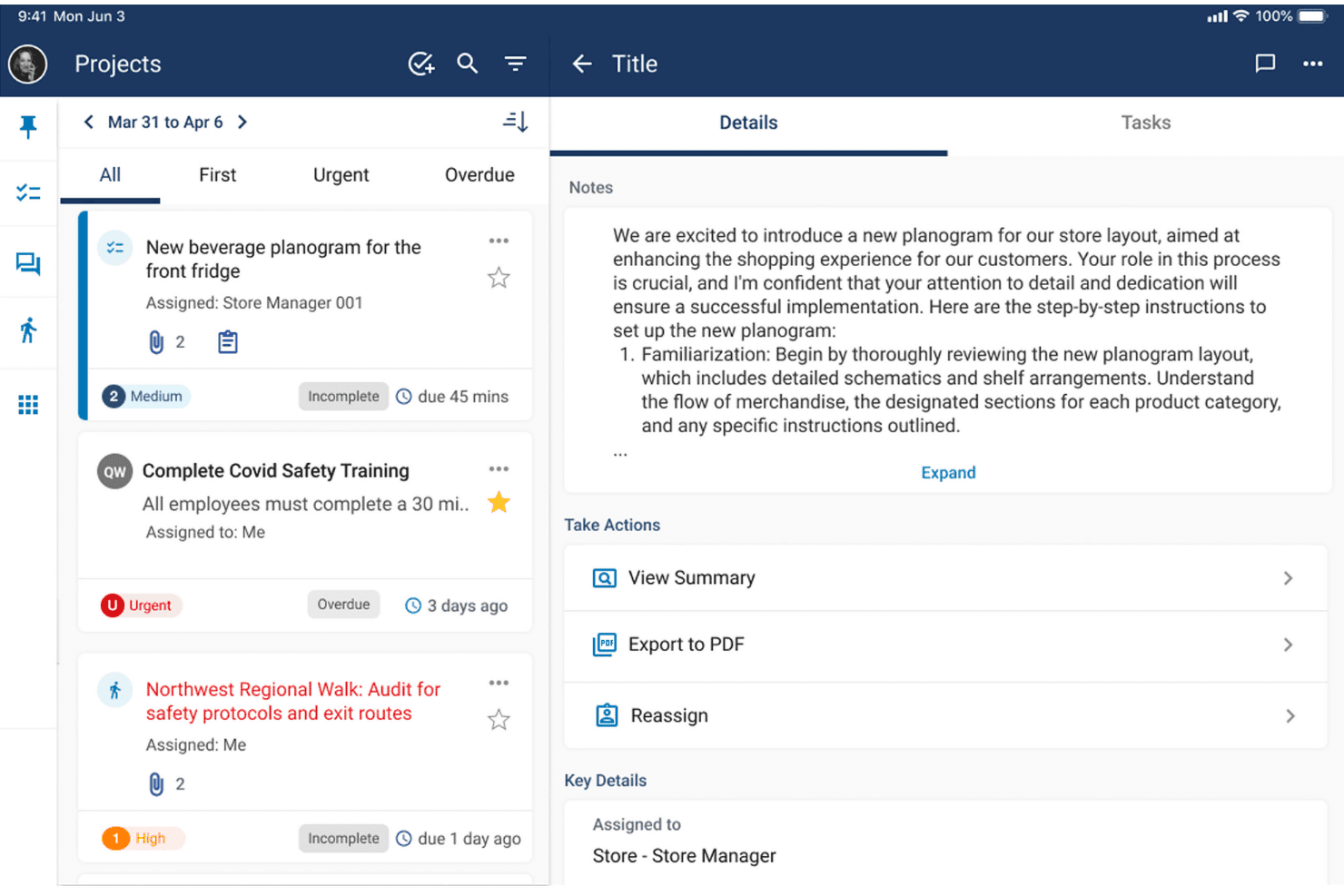
Workcloud Task Management displays task details with notes and action options. Workcloud Task Management is an enterprise retail task management platform from Zebra that combines rules-based task routing, mobile store execution, compliance auditing, frontline messaging, and BI reporting across large store networks.
Who Is Workcloud Task Management Best For?
Workcloud Task Management is built for large retail chains—think hundreds or thousands of locations—where HQ needs reliable, verifiable execution across every store.
Why I Picked Workcloud Task Management
Workcloud Task Management earns its spot on my shortlist because of how it handles execution at genuine enterprise scale, across hundreds or thousands of locations simultaneously. I'm particularly impressed by Corporate Calendar Governance, which prevents any single store from being buried under conflicting directives from HQ, regional, and district teams on the same day. The Workcloud Walks module closes the compliance loop automatically: when an audit flags a gap, the system generates and routes a corrective task without anyone manually following up.
Workcloud Task Management Key Features
- Workcloud Walks: A mobile inspection module that lets teams conduct store audits with photo and video capture, using standardized digital forms that automatically generate corrective tasks when gaps are found.
- Workcloud Comm: A secure frontline messaging app that delivers role- and location-targeted messages with geo-fenced delivery, read receipts, and engagement analytics visible to HQ and district managers.
- Workcloud Task Agent: A GenAI co-pilot embedded in the messaging app that answers associates' natural-language questions with step-by-step SOP guidance drawn from verified corporate data, in multiple languages.
- Workcloud BI: A real-time reporting module with customizable dashboards, drill-down views by region and store, peer benchmarking, and AI-powered insights for labor forecasting and operational performance.
Workcloud Task Management Integrations
Workcloud Task Management offers a wide range of certified connectors through its Workcloud Integration & Orchestration (IO) layer, including SAP, Oracle Fusion Cloud, Salesforce, and ServiceNow.
Pros and Cons
Pros:
- Automatic corrective tasks from compliance audits
- Corporate calendar governance prevents directive conflicts
- GenAI task agent answers frontline SOP questions
Cons:
- No free trial or self-serve sign-up
- Mobile app experiences slow startup loading
Learn more about Workcloud Task Management:
Other Retail Task Management Software
Here are some additional retail task management software options that didn’t make it onto my shortlist, but are still worth checking out:
- 11OPSCENTER Task ManagerBest for multilingual, enterprise-scale store ops
- 12TaqticsBest for AI-driven planogram compliance checks
- 13RepslyBest for CPG field team retail execution
- 14OcastaBest for unified task and comms on one app
- 15StoreForceBest for aligning store tasks to labor hours
- 16Cegid Retail OneBest for matching store tasks to labor budgets
- 17GoSpotCheckBest for AI-driven shelf execution in the field
- 18BindyBest for audit-led task execution across store networks
How I Evaluate Retail Task Management Software
I split my evaluation into baseline execution capabilities every tool must have and the differentiators—like AI photo audits, smart task prioritization, and frontline engagement features—that separate the best from the rest.
Core Functionality (Table Stakes For This List)
When I'm selecting tools for my list, I rank each one on a scale from 0 (does not offer the functionality) to 5 (excels in this area) for each core functionality listed below. I then calculate the tool's total score into a percentage, using 65% as a benchmark to help assess its overall fit for the list.
- Task Assignment & Distribution: I evaluate how each tool routes tasks from HQ to specific stores, roles, or regions—and whether it supports recurring templates or rule-based targeting.
- Store-Level Task Tracking: Real-time completion dashboards matter here. I look for drill-down views that show status by store, district, and individual associate.
- Mobile Frontline Access: Store associates work the floor, not a desk. I check for a native mobile app with offline mode and push notifications suited to retail environments.
- Photo & Proof-of-Execution: I look at how each tool handles photo uploads, checklists, and form submissions to verify merchandising resets or planogram compliance on-site.
- Two-Way Store Communication: Messaging tied directly to tasks keeps context intact. I evaluate whether HQ and store teams can collaborate without switching to a separate channel.
- Reporting & Compliance Dashboards: I check for configurable dashboards that let you filter by region, store, or task type and track compliance scores across the network.
Once I have a list of tools that meet the criteria, I consider what sets each platform apart.
Differentiating Factors (What Sets Vendors Apart)
Here's how I compare and contrast different vendors:
Standout Features
AI planogram verification is a big one. I check whether a tool's computer vision can score shelf compliance from a photo, flag misplaced SKUs, and detect out-of-stocks without a manual review. Smart task prioritization also matters—I look for dynamic task lists that reorder based on store traffic and labor availability, so associates hit the highest-impact work first. Tools like YOOBIC and Zipline approach this differently, but the goal is the same: less guesswork on the floor. I also evaluate corporate calendar governance, which caps how many directives hit a store on a given day to prevent task overload during peak periods.
Beyond Features
I evaluate how quickly a platform deploys across a multi-store fleet—template libraries and pre-built retail workflows from vendors like Zipline and YOOBIC can cut rollout from months to weeks. Frontline usability matters just as much: I check whether shared-device logins, offline mode in stockrooms, and minimal-click interfaces actually work for hourly associates on the floor. I also look at how licensing scales with seasonal headcount swings, since a per-user model can spike costs during peak hiring periods.
How to Choose a Retail Task Management Software
What really matters when picking retail task management software is how well it solves your HQ-to-store coordination gaps and supports your teams on the ground:
| If your priority is… | Look for… |
|---|---|
| If your priority is…Real-time oversight across locations | Look for…Live dashboards and completion heatmaps |
| If your priority is…Photo proof and compliance | Look for…AI photo audit and planogram verification features |
| If your priority is…Frontline team buy-in | Look for…Mobile apps built for shared devices and offline use |
| If your priority is…Scaling execution to more stores | Look for…Bulk assignment tools and template libraries |
| If your priority is…Aligning tasks to training | Look for…Task–learning integration and certification tracking |
How to Vet Your Shortlist
- Test live dashboards: Ask for a demo using real historical data from at least 10 stores.
- Verify AI audit accuracy: Upload 20+ shelf photos and compare AI vs. manual compliance scoring.
- Trial mobile frontline access: Have 3–5 store associates complete routine tasks on both iOS and Android shared devices.
- Request rollout artifacts: Ask the vendor for a deployment checklist or project plan used with another chain of 50+ locations.
- Choose between template depth vs. AI strength: Decide if you value prescriptive, retail-specific workflows more or want advanced AI compliance features, since few platforms excel at both.
What Are Retail Task Management Software?
Retail task management software are digital platforms that let retail businesses assign, track, and manage operational tasks across multiple store locations. These tools help headquarters distribute directives, monitor real-time completion, and verify in-store execution with proof like photos or checklists. They also support two-way communication, compliance reporting, and mobile access for frontline teams. Using this software helps maintain consistent standards, coordinate projects, and manage campaigns across retail networks.
Features of Retail Task Management Software
When selecting retail task management software, keep an eye out for the following key features:
- Task assignment and distribution: Distribute daily tasks from headquarters to specific stores, roles, or regions. Set up recurring assignments or target tasks based on rules tied to store types or performance.
- Store-level task tracking: Monitor task progress in real time across individual stores, districts, or associates, giving store managers real-time visibility into open, in-progress, or completed tasks.
- Mobile frontline access: Provide a native mobile app designed for shared devices and offline usage. Enable store associates to view and complete tasks from the sales floor, stockroom, or any location in the store.
- Photo and proof-of-execution: Allow staff to upload photos or fill checklists to show work completion. Verify merchandising changes, promotions, or planogram resets with visual proof.
- Two-way store communication: Connect headquarters and store teams directly within the platform. Use contextual messaging tied to specific tasks or projects for clarity and faster resolution.
- Reporting and compliance dashboards: Track completion rates and compliance metrics through customizable dashboards with real-time data. Filter reports by region, location, or task type to identify trends or gaps.
- Template libraries for repeatable processes: Create and deploy standardized templates for frequent tasks or seasonal roll-outs. Save time and ensure consistency across retail operations.
- Calendar and scheduling tools: Visualize all assigned tasks and deadlines on a shared calendar. Prevent overload by managing timing of directives across multiple campaigns or projects.
- User roles and permissions: Assign different access levels for managers, associates, and HQ staff. Control who can create, edit, assign, or complete tasks to protect sensitive workflows.
- Audit trails and task history: Track every change, update, and completion status for each task. Maintain a record of who did what and when for accountability and compliance purposes.
Common Retail Task Management Software AI Features
Beyond the standard retail task management software features listed above, many of these solutions are incorporating AI with features like:
- AI photo audit and compliance scoring: Uses computer vision to automatically analyze shelf photos, verify planogram compliance, and flag misplaced or missing products without manual review. This helps streamline audits and maintain merchandising standards across locations.
- Smart task prioritization: Dynamically reorders task lists for each store or associate based on real-time factors like store traffic, labor availability, and historical completion rates. This helps optimize daily workloads around the highest-impact work.
- Automated anomaly detection: Monitors task completion data and store performance to identify unusual patterns, such as sudden drops in compliance or recurring missed tasks. The system alerts managers so they can address issues before they escalate.
- Natural language task creation: Lets managers or HQ staff assign tasks by typing or speaking plain-language instructions. The AI interprets the intent, fills in task details, and routes assignments to the right stores or roles, saving time on manual entry.
- Predictive labor and workload forecasting: Analyzes historical data and current trends to forecast labor needs and task volumes for upcoming periods. This helps you allocate resources more accurately and avoid overloading your teams.
Benefits of Retail Task Management Software
Implementing retail task management software provides several benefits for your team and your business. Here are a few you can look forward to:
- Consistent in-store execution: Replace fragmented spreadsheets and generic task management tools with centralized assignments, completion tracking, checklists, and photo proof.
- Faster issue resolution: Connect HQ and store teams with contextual two-way messaging that’s built right into each task, reducing time lost switching channels.
- Better frontline experience: Give associates a user-friendly mobile app designed for shared, on-the-floor use, including offline access and push notifications, so they can easily see and complete tasks.
- Improved compliance tracking: Filter compliance and execution data by location, region, or task, using customizable dashboards to surface gaps and opportunities.
- Efficient campaign rollouts: Launch promotions, seasonal resets, and recurring processes faster using template libraries and bulk assignment tools tailored for retail.
- Smarter resource allocation: Use AI-driven features like predictive workload forecasting and smart task prioritization to match labor with the most impactful work each day.
- Audit-ready accountability: Maintain a full record of task history, photo uploads, and completion details to support audits and strengthen operational accountability.
Costs and Pricing of Retail Task Management Software
Selecting retail task management software requires an understanding of the various pricing models and plans available. Costs vary based on features, team size, add-ons, and more. The table below summarizes common plans, their average prices, and typical features included in retail task management software solutions:
Plan Comparison Table for Retail Task Management Software
| Plan Type | Average Price | Common Features |
|---|---|---|
| Plan TypeFree Plan | Average Price$0 | Common FeaturesBasic task assignment, limited users, simple dashboards, and basic mobile access. |
| Plan TypePersonal Plan | Average Price$5–$15/user/month | Common FeaturesTask distribution to a single store, simple reporting, limited photo uploads, and email notifications. |
| Plan TypeBusiness Plan | Average Price$15–$40/user/month | Common FeaturesMulti-store support, advanced compliance dashboards, native mobile app, photo proof features, and team messaging. |
| Plan TypeEnterprise Plan | Average Price$40–$100+/user/month | Common FeaturesCustom integrations, AI planogram verification, advanced permissions, audit trails, priority support, and SLAs. |
Retail Task Management Software FAQs
Here are some answers to common questions about retail task management software:
How do I evaluate if a retail task management software will work for multiple store locations?
Start by checking for real-time dashboards, bulk task assignment, and region- or store-level reporting. You’ll want mobile access for associates and admin controls that let HQ filter, assign, and track tasks across all your stores. Ask each vendor for a demo using data from at least 10 locations to see if their platform handles your network’s scale.
Can retail task management software integrate with my POS and workforce management tools?
Yes, many retail task management software platforms offer integrations with POS, HR, and scheduling tools. Check the vendor’s integrations list or marketplace, and ask about pre-built connectors or APIs for your specific systems. Direct integrations make it easier to connect task data with store sales and labor information.
What’s the difference between AI photo audits and manual task proof?
AI photo audits use computer vision to automatically scan shelf or display photos, flagging missed products or out-of-stocks without human review. Manual proof relies on store teams uploading photos for managers to check. AI audits save time and spot problems sooner but should be tested for accuracy with your own planogram examples before relying fully on automation.
How do I involve frontline associates in the task management process?
Look for mobile-first platforms with shared-device login, offline mode, and easy checklists. Choose tools that make it simple for associates to upload photos or leave comments directly in each task, rather than switching to separate messaging apps. Testing with real store associates before rolling out helps ensure usability.
How should I budget for retail task management software if my headcount changes seasonally?
Ask vendors about licensing flexibility. Some offer floating or concurrent user licenses, or allow easy adjustments by season. If you pay per user, make sure you can scale down after busy periods without penalty. Factor in the need for additional training or support during major seasonal hiring pushes.