

Retail digital signage software is a content management system for creating, scheduling, and publishing content across a digital signage network. This content can include promotions, digital menus, and product information. Most cloud-based platforms work through web browsers and connect to media players or compatible smart TVs. As a result, you can update screens without visiting each store. In addition, the right tool helps maintain consistent messaging and respond quickly to shopper trends.
This guide explains how the leading options differ and where each one fits in a retail environment.
Why Trust Our Software Recommendations
6,700+
Reviews
20
Industry experts
16+
Evaluation factors
14
Years
Our team has been testing and reviewing software since 2012. As retail leaders ourselves, we know how difficult—and important—it is to choose the right software.
For this guide, we evaluated tools using hands-on testing and independent research, scoring tools using our selection criteria.
Our reviews reflect our independent judgment—not a sales pitch.
Retail Digital Signage Software Comparison Table
This comparison table summarizes pricing details for my top retail digital signage software selections:
| Tool | Best For | Trial Info | Price | ||
|---|---|---|---|---|---|
| 1 | Best for customizable template libraries | Free trial + free demo available | From $11/display/month | Website | |
| 2 | Best for AI-powered content automation | 30-day free trial | From $14/month per player | Website | |
| 3 | Best for programmatic ad management | Free demo available | Pricing upon request | Website | |
| 4 | Best for built-in content A/B testing | Free trial + free demo available | From $10/screen/month (billed annually) | Website | |
| 5 | Best for offline content playback | 14-day free trial | From $13.50/screen/month (billed annually) | Website | |
| 6 | Best for drag-and-drop screen design | 30-day free trial + free demo available | From $14/screen/month (billed annually) | Website | |
| 7 | Best for custom application deployment | Free trial + free demo available | From $8/device/month (billed annually) | Website | |
| 8 | Best for audience-based content insights | Free demo available | Pricing upon request | Website | |
| 9 | Best for interactive touchscreen content | Free demo available | From $450 one-time | Website | |
| 10 | Best for remote device management | 14-day free trial | From $20/screen/month (billed annually) | Website |





Best Retail Digital Signage Software Reviews
Below are my detailed summaries of the retail digital signage software that made my shortlist. Each review covers the platform’s features, integrations, pricing, and best use cases to help you find the best fit.
 Best for customizable template libraries
- Free trial + free demo available
- From $11/display/month
Visit WebsiteCustomer Rating:4.8/5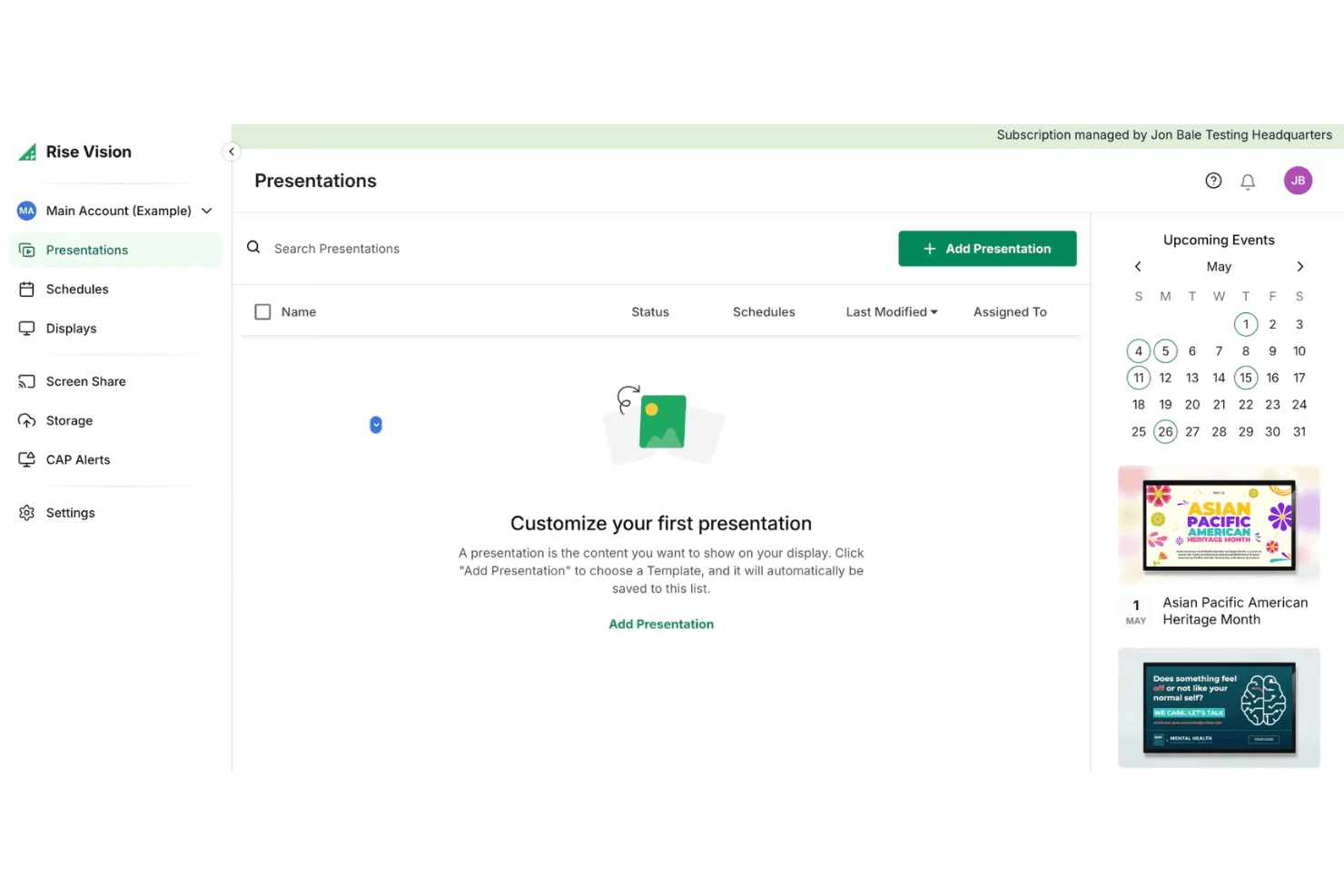
Rise Vision offers a Presentations dashboard where users can create and manage digital signage content alongside an upcoming events calendar. Rise Vision is a cloud-based digital signage platform that lets you design, schedule, and remotely manage content across multiple screens and locations using a template library, playlist scheduling, screen sharing, and a hardware-agnostic media player setup.
Who Is Rise Vision Best For?
Rise Vision is a good fit for small to mid-size multi-location retailers that want templates, screen sharing, and an accessible entry point into digital signage without proprietary hardware.
Why I Picked Rise Vision
Rise Vision earns its spot on my shortlist because of its 750+ animated, customizable templates, which include retail-specific layouts for menu boards, product promotions, and in-store announcements. I particularly like the built-in AI design tool, which turns a text prompt into a branded, animated presentation without starting from scratch. The weekly template recommendations also mean my team always has fresh content options to rotate into playlists without manually sourcing new creative each time.
Rise Vision Key Features
- Hardware-agnostic player support: Use existing screens and media players including Windows, Chrome OS, Android, and more.
- Emergency alert integrations: Connect with CAP systems to instantly trigger emergency messages across your screens.
- Remote device management: Monitor, provision, and update all connected displays from a cloud-based dashboard.
- User access: Assign granular permissions and use single sign-on (SSO) on supported plans to manage access across locations.
Rise Vision Integrations
Rise Vision integrates with Canva, Google Workspace, Microsoft 365, Microsoft Power BI, Domo, Meta, and YouTube. It also connects with Common Alerting Protocol services such as Singlewire, Punch Alert, E2Campus, Rave, Alertus, and CrisisGo, while its screen sharing tools support live collaboration content.
Pros and Cons
Pros:
- Works with most screens and media players
- AI-powered template creation for fast content updates
- Large animated template library for retail uses
Cons:
- Hardware is purchased separately
- Microsoft Power BI requires an Enterprise plan
Learn more about Rise Vision: Best for AI-powered content automation
- 30-day free trial
- From $14/month per player
Visit WebsiteCustomer Rating:4.3/5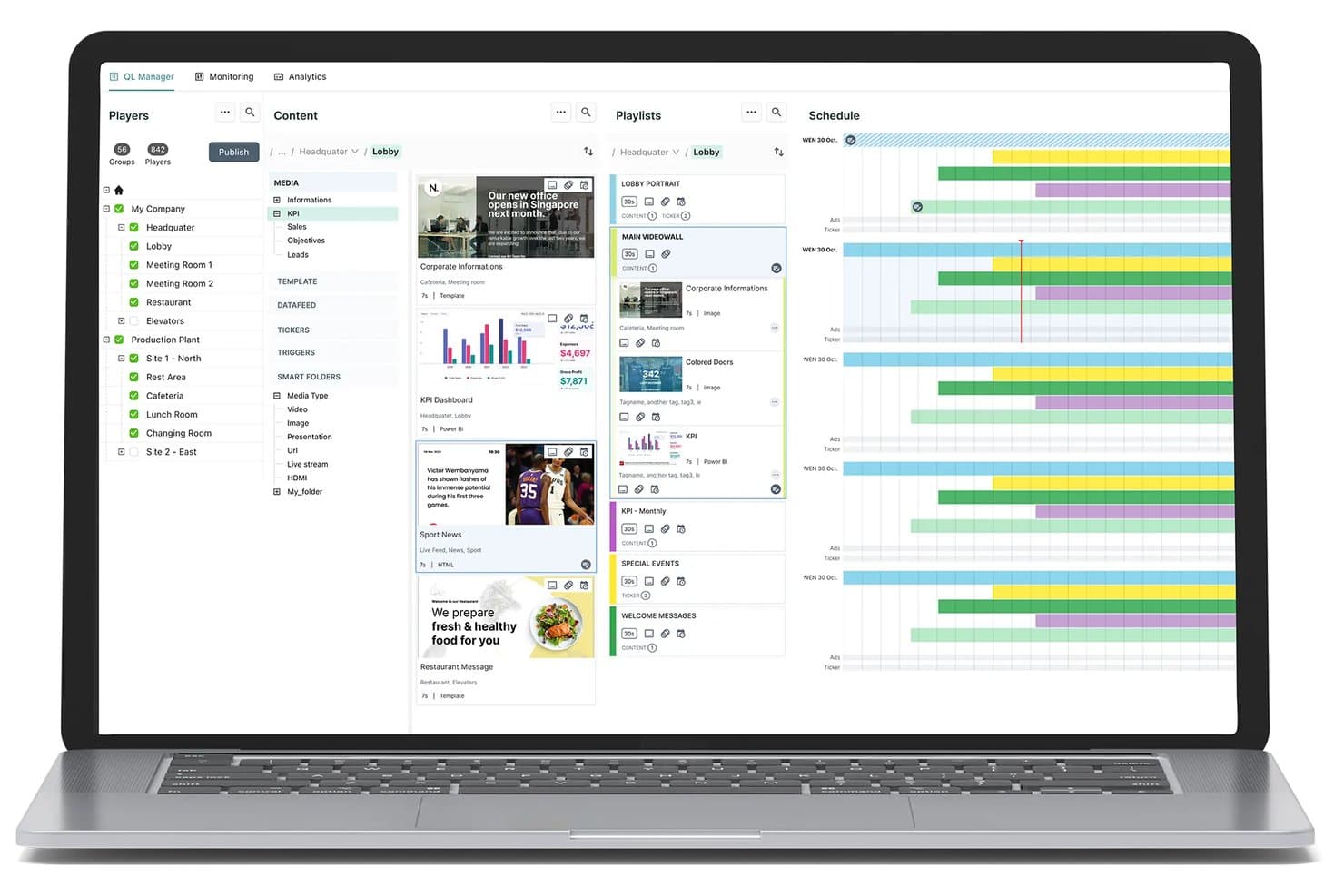
Navori digital signage CMS with content management, playlist scheduling, and multi-location player management. Navori is an enterprise digital signage platform that combines centralized multi-location content management, AI-driven audience analytics, POS data integration, and advanced scheduling across Windows, Android, and SoC displays.
Who Is Navori Best For?
Navori is a strong fit for multi-location retail chains and enterprise store operators managing large screen networks across regional or global locations.
Why I Picked Navori
Navori earns its spot on my shortlist because its AQUAJI computer-vision engine supports real-time content decisions. Rather than relying on scheduled playlists alone, AQUAJI can analyze audience demographics and feed that data into rules that adjust on-screen content. Combined with Navori’s no-code automation tools, this lets teams build campaigns that respond to audience and foot-traffic changes throughout the day.
Navori Key Features
- Centralized multi-location management: Control and deploy content to thousands of screens across store networks from a single dashboard.
- Role-based permissions: Assign user access and publishing rights at global, regional, or local levels for brand control.
- Native POS integration: Sync real-time product, pricing, or inventory data directly with digital signage displays.
- Device health monitoring: Track player status, receive alerts, and manage screen performance remotely.
Navori Integrations
Navori connects with Microsoft Power BI, Salesforce, SAP, Microsoft 365, LinkedIn, Facebook, Instagram, X, Vistar, and Hivestack. Its open API and live data connectors support custom ERP, CRM, and data-feed integrations.
Pros and Cons
Pros:
- Supports regional and demographic content targeting
- Scales easily to thousands of screens
- Real-time content automation with AQUAJI AI
Cons:
- Advanced deployments may require additional onboarding
- Pricing is not publicly listed
Learn more about Navori: Best for programmatic ad management
- Free demo available
- Pricing upon request
Visit WebsiteCustomer Rating:2.3/5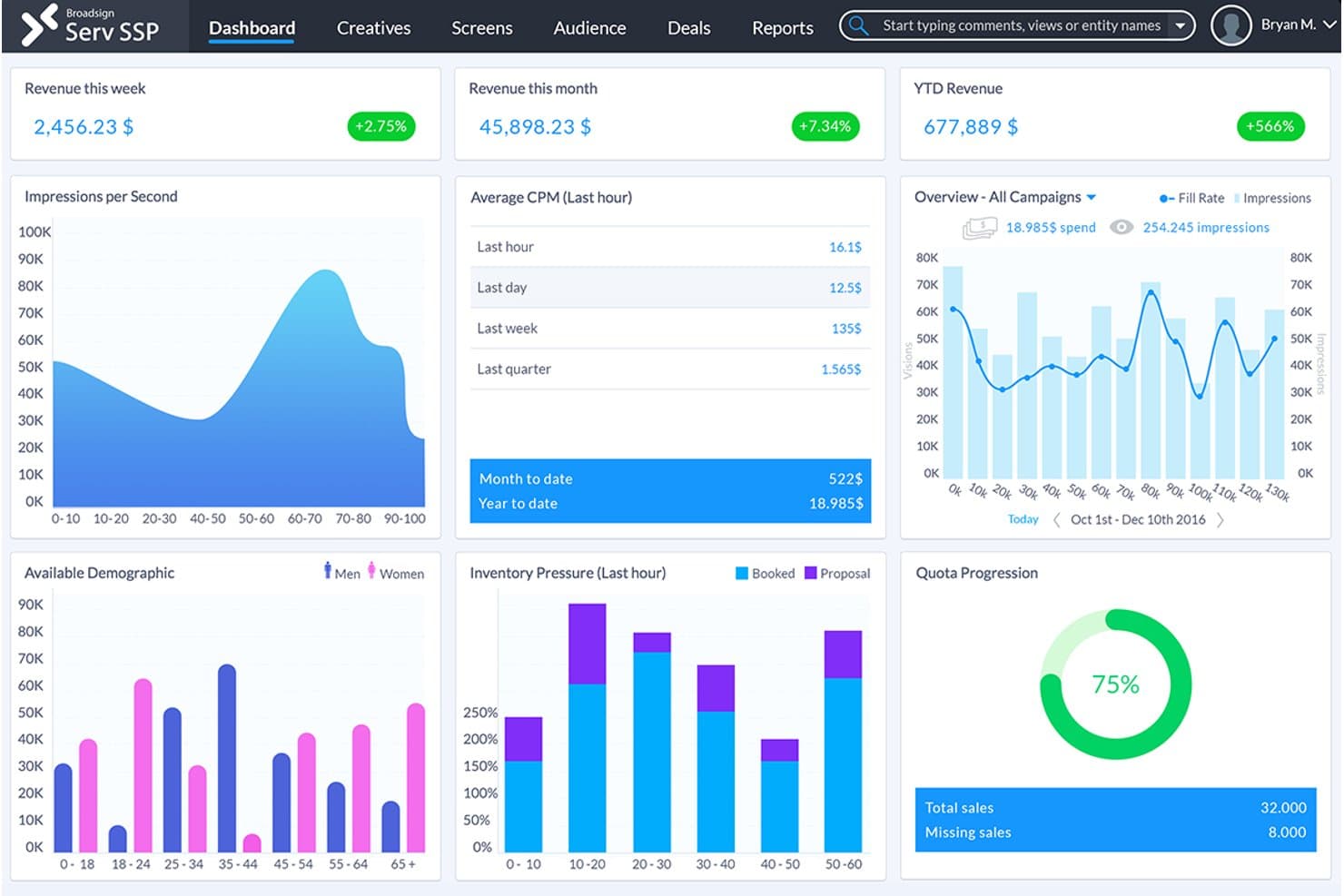
Broadsign SSP dashboard with real-time revenue tracking, impressions, CPM averages, demographic data, and quota progression for digital signage campaign management. Broadsign is an enterprise digital signage platform built for large retail networks, combining content scheduling, campaign management, programmatic ad transactions, and remote screen monitoring across multi-location deployments.
Who Is Broadsign Best For?
Broadsign is a strong fit for enterprise retail chains that operate dozens to thousands of in-store screens and want to run them as a monetized retail media network.
Why I Picked Broadsign
Broadsign earns its spot on my shortlist because of how it handles programmatic demand for in-store retail media. It has a built-in SSP that supports both open exchange and private marketplace transactions, letting retailers sell screen inventory to brand partners without stitching in separate ad tech. I also like its contextual targeting by demographics and POI, plus moment-based triggers like weather that fire campaigns automatically based on real-time conditions.
Broadsign Key Features
- Automated campaign scheduling: Schedule and trigger content updates across multiple locations using customizable rules and timelines.
- Role-based permissions: Assign and manage user roles for granular control over access to different parts of your signage network.
- Remote screen monitoring: View screen and player status, capture screenshots, and monitor device health from a centralized dashboard.
- Branded messaging templates: Create and deploy local or brand-approved messaging alongside paid campaigns.
Broadsign Integrations
Broadsign’s Place Exchange SSP connects with more than 55 demand-side platforms, including Google Display & Video 360 and Yahoo. Broadsign also includes the OutMoove DSP and provides API access for third-party integrations.
Pros and Cons
Pros:
- Reliable large network device monitoring
- Advanced rules-based content scheduling
- Excels at programmatic retail media management
Cons:
- The platform is built primarily for OOH media operators and large networks
- Pricing is not publicly listed
Learn more about Broadsign:- Best for built-in content A/B testing
- Free trial + free demo available
- From $10/screen/month (billed annually)
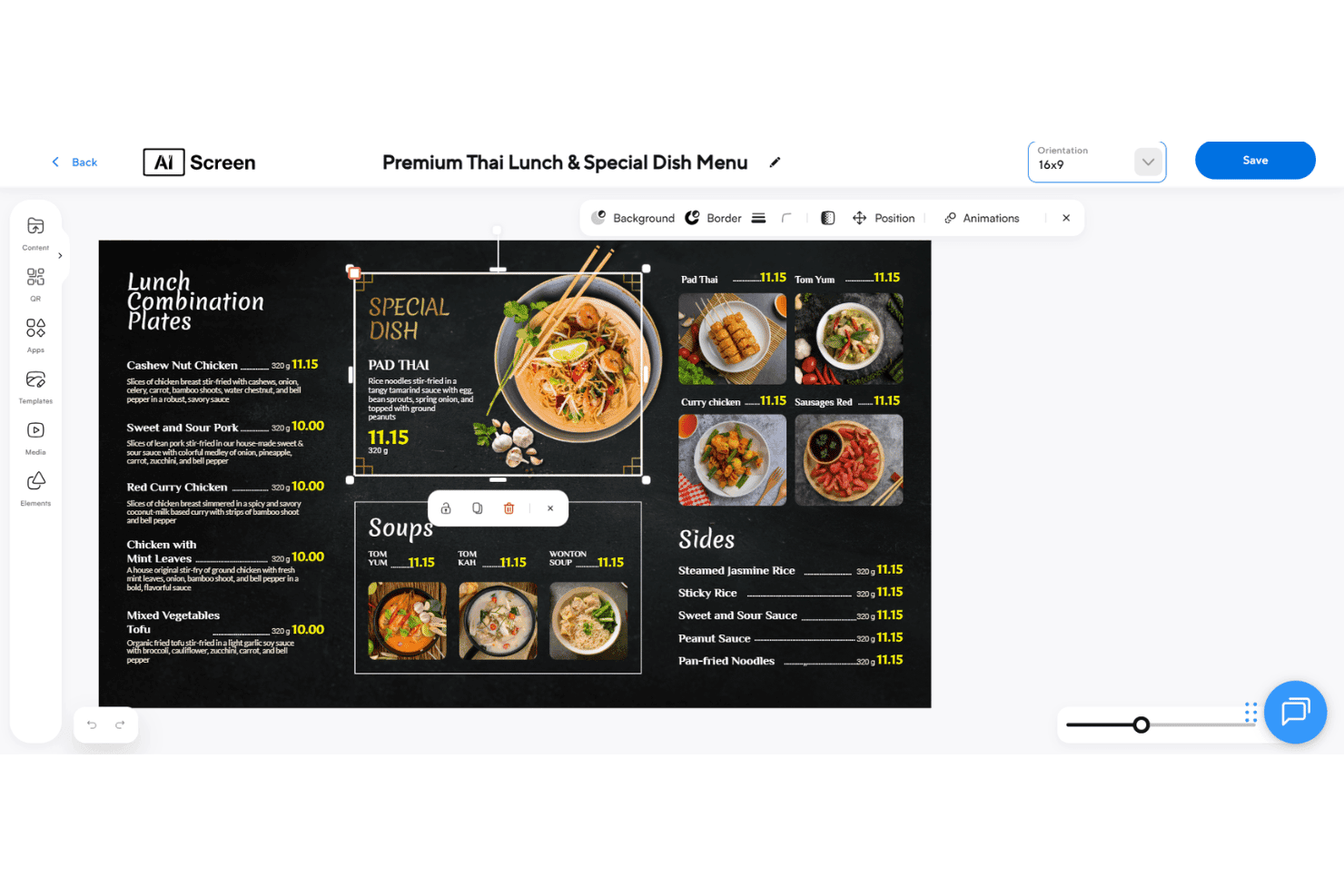
AIScreen offers a drag-and-drop digital signage editor for designing Thai restaurant menu boards with images, pricing, and layout tools. AIScreen is a cloud-based digital signage platform for retail that combines centralized multi-location content management, AI-powered audience targeting, POS integrations, and rule-based content scheduling across Android, Windows, Linux, and Chrome OS devices. It also supports white label deployments for resellers and managed-service providers.
Who Is AIScreen Best For?
AIScreen is a strong fit for multi-location retail operators and food & beverage businesses that need centralized control over in-store screens without enterprise-level complexity.
Why I Picked AIScreen
AIScreen earns its spot on my shortlist because it includes A/B testing in the content workflow. Teams can compare two versions of a promotional display across selected screens and use the platform’s analytics to identify the stronger performer. Its computer-vision tools add audience data to the comparison, so decisions can reflect measured engagement rather than guesswork.
AIScreen Key Features
- Centralized CMS: Control and update content across all store locations from one cloud dashboard.
- 1,500+ retail templates: Access a large library of customizable templates for promotions, menus, and product showcases.
- POS system integrations: Sync digital displays in real time with systems like Square and Clover for accurate pricing and inventory.
- Rule-based content scheduling: Automate playlists to trigger by time, date, weather, or store-specific criteria.
AIScreen Integrations
AIScreen offers 100+ apps and integrations, including Square, Clover, Microsoft and Google Workspace apps, Instagram, Google Reviews, Yelp, TripAdvisor, YouTube Live, Taggbox, and Walls.io. An open API supports custom connections.
Pros and Cons
Pros:
- Advanced rule-based content automation
- AI-powered audience targeting and analytics
- Built-in A/B testing for digital content
Cons:
- Pricing scales with the number of screens
- Advanced access controls require higher-tier plans
Learn more about AIScreen:  Best for offline content playback
- 14-day free trial
- From $13.50/screen/month (billed annually)
Visit WebsiteCustomer Rating:4.9/5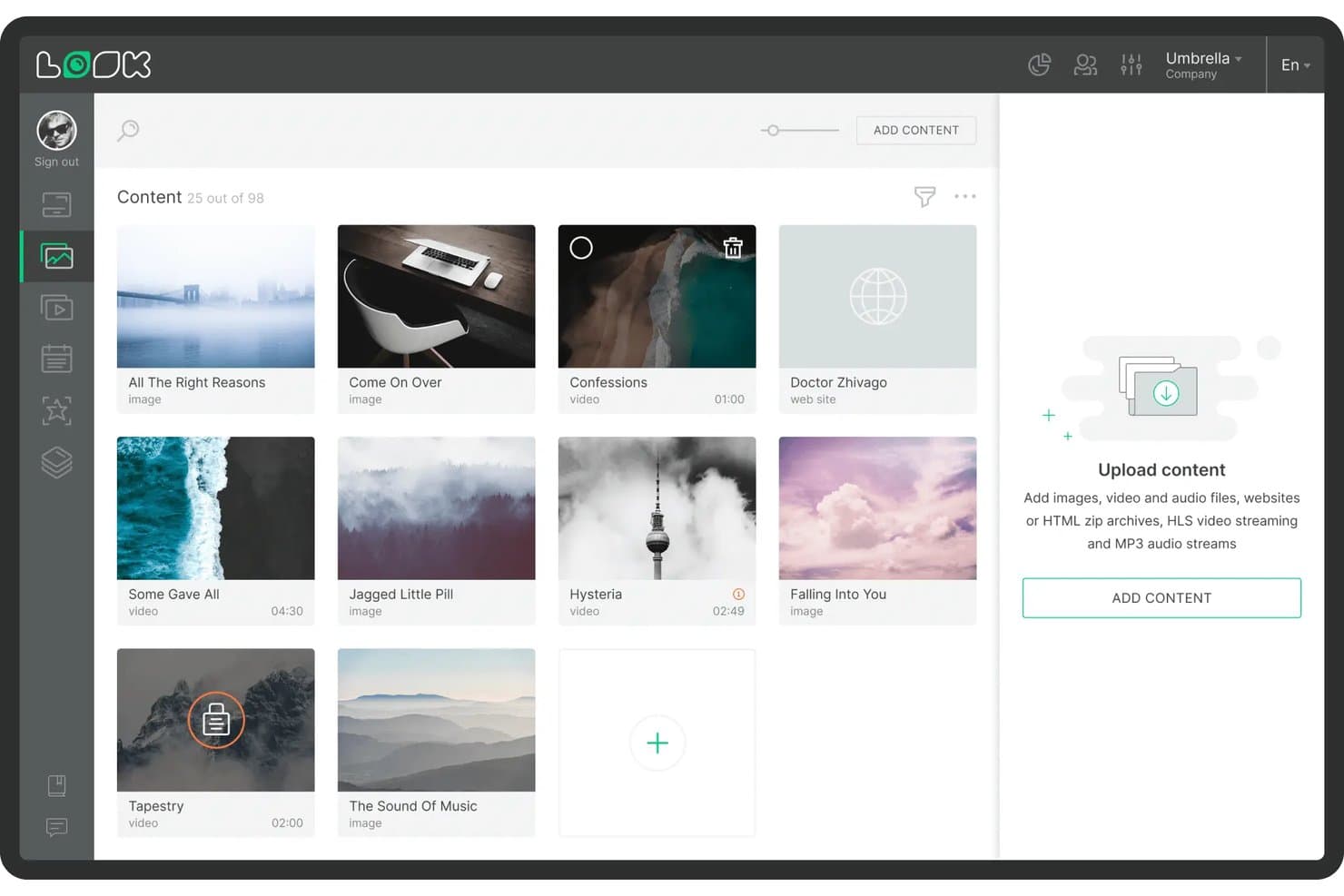
Look Digital Signage offers a content library management interface where users can browse, upload, and organize images, videos, and web content for digital signage displays. Look Digital Signage is a cloud-based digital signage platform that lets you create, schedule, and remotely manage screen content across single or multi-location retail networks, with support for playlists, multi-zone layouts, interactive touch screens, and real-time device monitoring.
Who Is Look Digital Signage Best For?
Look Digital Signage is a good fit for retail marketing and operations teams at SMBs and growing multi-location brands that need remote content control without dedicated IT resources.
Why I Picked Look Digital Signage
Look Digital Signage earns its spot on my shortlist because of how it handles network outages in a retail environment. The Look HDMI Player caches your entire content playlist locally, so screens keep running through store internet drops without going blank during peak traffic hours. I also like the proof-of-play reporting, which lets me verify that scheduled content actually ran on specific screens at specific times, not just that it was pushed to the device.
Look Digital Signage Key Features
- Multi-zone screen layouts: Combine promo videos, widgets, and tickers on the same screen for flexible retail displays.
- Retail content template library: Access drag-and-drop templates designed for promotions, menu boards, and product highlights.
- Interactive touch support: Create touch-friendly kiosks, wayfinding, or QR-triggered interactions for in-store engagement.
- User roles and permissions: Assign content editing access by headquarters or store manager for brand consistency and localized updates.
Look Digital Signage Integrations
Look Digital Signage integrates with Google Slides, YouTube, Instagram, Facebook, Google Reviews, Microsoft Power BI, and RSS feeds. It also supports Zapier workflows, action triggers, and custom API integrations.
Pros and Cons
Pros:
- Multi-zone layouts allow varied display content
- Supports extensive device types and operating systems
- Offline content playback keeps screens running
Cons:
- On-premise and white-label options require a custom quote
- POS connections may require Zapier or custom API work
Learn more about Look Digital Signage: Best for drag-and-drop screen design
- 30-day free trial + free demo available
- From $14/screen/month (billed annually)
Visit WebsiteCustomer Rating:4.9/5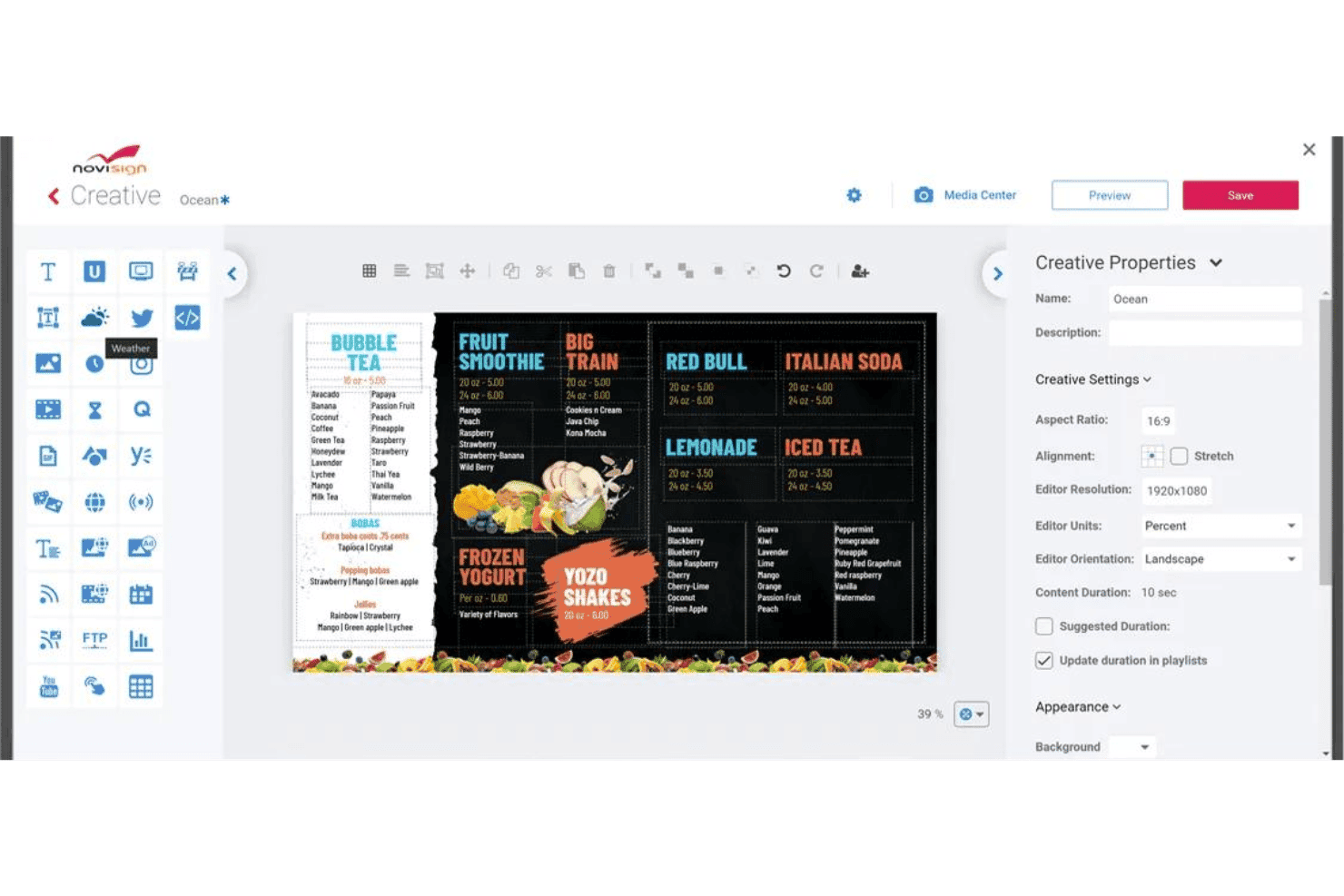
NoviSign offers a drag-and-drop digital signage creative editor with customizable menu board templates and content properties. NoviSign is a cloud-based retail digital signage platform with a drag-and-drop content editor, multi-screen scheduling, remote device management, IoT/RFID triggers, facial recognition targeting, and integrations with POS and live data feeds.
Who Is NoviSign Best For?
NoviSign is a strong fit for retail marketing and visual merchandising teams managing in-store displays across multiple locations without dedicated technical staff.
Why I Picked NoviSign
NoviSign earns its spot on my shortlist because its drag-and-drop editor removes much of the design bottleneck for retail teams. Users can build shelf-edge promotions, digital menu boards, or point-of-sale displays with 50+ widgets and apps plus 500+ customizable templates, without separate design software. Its video wall synchronization tools also support coordinated content across multi-screen window displays and feature walls.
NoviSign Key Features
- POS and data integrations: Syncs with Toast POS, Zapier, Power BI, and Google Sheets for live menu boards and promotions.
- Facial recognition content triggers: Supports targeted displays based on demographic data from in-store cameras.
- IoT and sensor-based automation: Triggers media playback using RFID, barcode scans, or IoT devices.
- Multi-OS remote device management: Manages and monitors screens running on Android, Windows, Chrome OS, LG webOS, and Samsung Tizen.
NoviSign Integrations
NoviSign integrates with Toast POS, Zapier, Microsoft Power BI, Tableau, SharePoint, Google Drive, Dropbox, Outlook, Google Calendar, Amadeus Delphi, Adomni, and Vistar. Its API can also support custom data connections.
Pros and Cons
Pros:
- Built-in facial recognition content triggers
- Large retail-focused template and widget library
- Drag-and-drop editor speeds up content creation
Cons:
- Storage and file-size limits vary by license count
- Toast POS and Zapier require the Business Plus plan
Learn more about NoviSign: Best for custom application deployment
- Free trial + free demo available
- From $8/device/month (billed annually)
Visit WebsiteCustomer Rating:4.9/5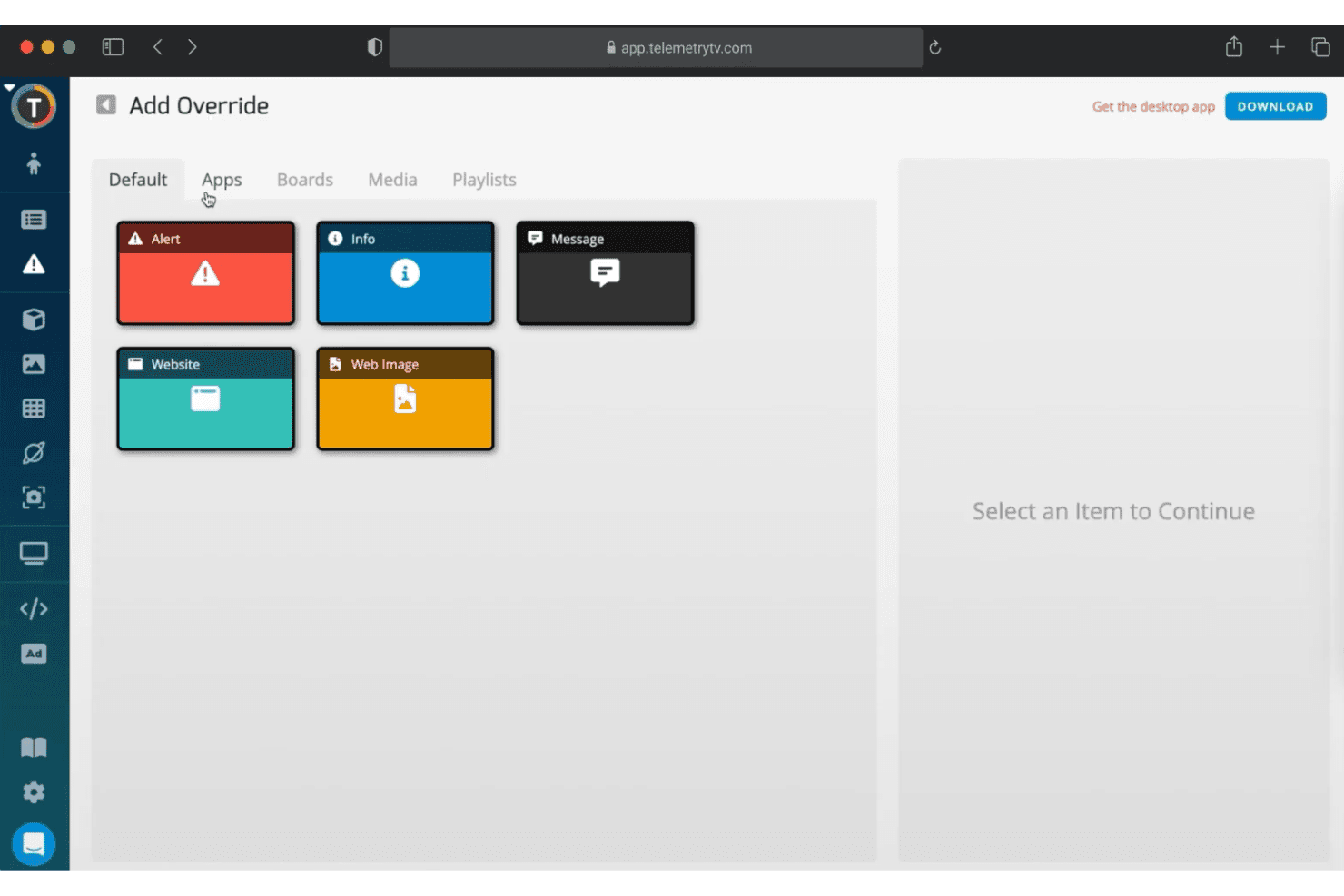
TelemetryTV offers an 'Add Override' feature with app options including Alert, Info, Message, Website, and Web Image for digital signage content control. TelemetryTV is a cloud-based digital signage platform that lets you design, publish, and manage content across display networks—with tools for screen zoning, device management, scheduling, custom app deployment, and live data dashboards.
Who Is TelemetryTV Best For?
It's a strong fit for mid-to-large retail operations and enterprise teams that have in-house development resources and need to deploy custom signage applications at scale.
Why I Picked TelemetryTV
I picked TelemetryTV as one of the best because its custom app deployment capabilities stand out in the retail signage space. Its JavaScript, HTML, and CSS SDK plus Git integration let development teams build and push custom applications directly to screens, from branded self-service kiosks to live product inventory displays. On the Enterprise plan, TelemetryTV can also send RS-232 commands through compatible ChromeOS hardware to control connected commercial displays.
TelemetryTV Key Features
- Screen zones and video wall support: Segment displays and manage dynamic content on large storefront screens or mosaics.
- Playlist scheduling and auto-expiration: Automate when retail content appears, with precise control over timed promotions.
- Built-in Canva editor integration: Create and edit visually engaging retail signage without leaving the platform.
- Device health monitoring and remote management: View real-time status and troubleshoot media players and displays across all store locations.
TelemetryTV Integrations
TelemetryTV offers 70+ turnkey apps, including Canva, YouTube, Google Slides, Slack, and Google Calendar. Its web apps, SDK, and API documentation support custom integrations and embedded data sources.
Pros and Cons
Pros:
- Supports segmented zones and 8K video walls
- Real-time device health and monitoring tools
- Full JS/HTML/CSS SDK for signage apps
Cons:
- Some integrations rely on web apps or embedded sources
- RS-232 control requires an Enterprise plan and compatible ChromeOS hardware
Learn more about TelemetryTV: Best for audience-based content insights
- Free demo available
- Pricing upon request
Visit WebsiteCustomer Rating:4.6/5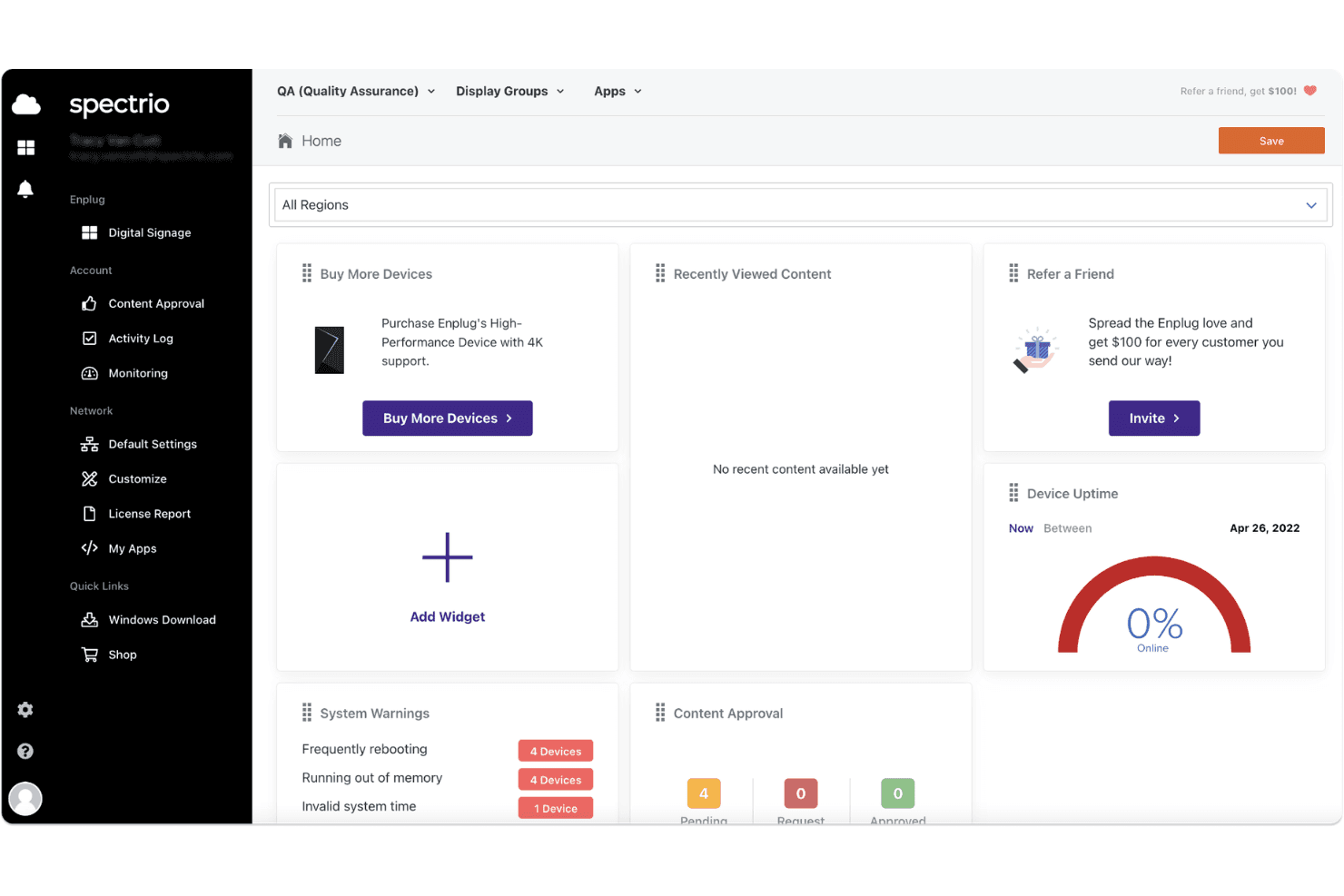
Spectrio's digital signage dashboard displays device uptime, system warnings, content approval status, and quick-access widgets for managing displays. Spectrio is an end-to-end digital signage platform that combines cloud-based content management, audience measurement, retail media network capabilities, and multi-location screen management for franchise and enterprise retailers.
Who Is Spectrio Best For?
Spectrio is a strong fit for multi-location franchise and enterprise retailers that need centrally managed digital signage with built-in audience analytics.
Why I Picked Spectrio
Spectrio earns its spot on my shortlist because it connects audience measurement with content decisions. Its audience measurement tools use radar or computer vision sensors to monitor factors such as occupancy and engagement, while real-time content triggering can change what appears on screen based on preset conditions. This gives retailers a practical way to adapt messaging using in-store audience data.
Spectrio Key Features
- Cloud-based content management: Update and deploy digital signage content across locations from a single online dashboard.
- Retail media network integration: Insert programmatic ad content into display playlists using built-in RMN Gateway tools.
- Multi-OS hardware compatibility: Supports major media players and display devices, including BrightSign, Cisco, LG WebOS, and Samsung.
- Menu board POS integration: Connects with product catalog and point-of-sale data for automated and accurate menu content updates.
Spectrio Integrations
Spectrio supports content from Facebook, Instagram, YouTube, YouTube Live, Yelp, TripAdvisor, Google Sheets, and RSS feeds. It can also connect with POS, ERP, CRM, and database systems, although app availability depends on the deployment.
Pros and Cons
Pros:
- Real-time content triggers via on-site sensors
- Menu boards sync with live product data
- Audience analytics with dwell and proximity tracking
Cons:
- No public pricing or self-serve sign-up
- Occasional backend performance issues reported
Learn more about Spectrio: 9Best for interactive touchscreen content
Mvix
- Free demo available
- From $450 one-time
Visit WebsiteCustomer Rating:4.6/5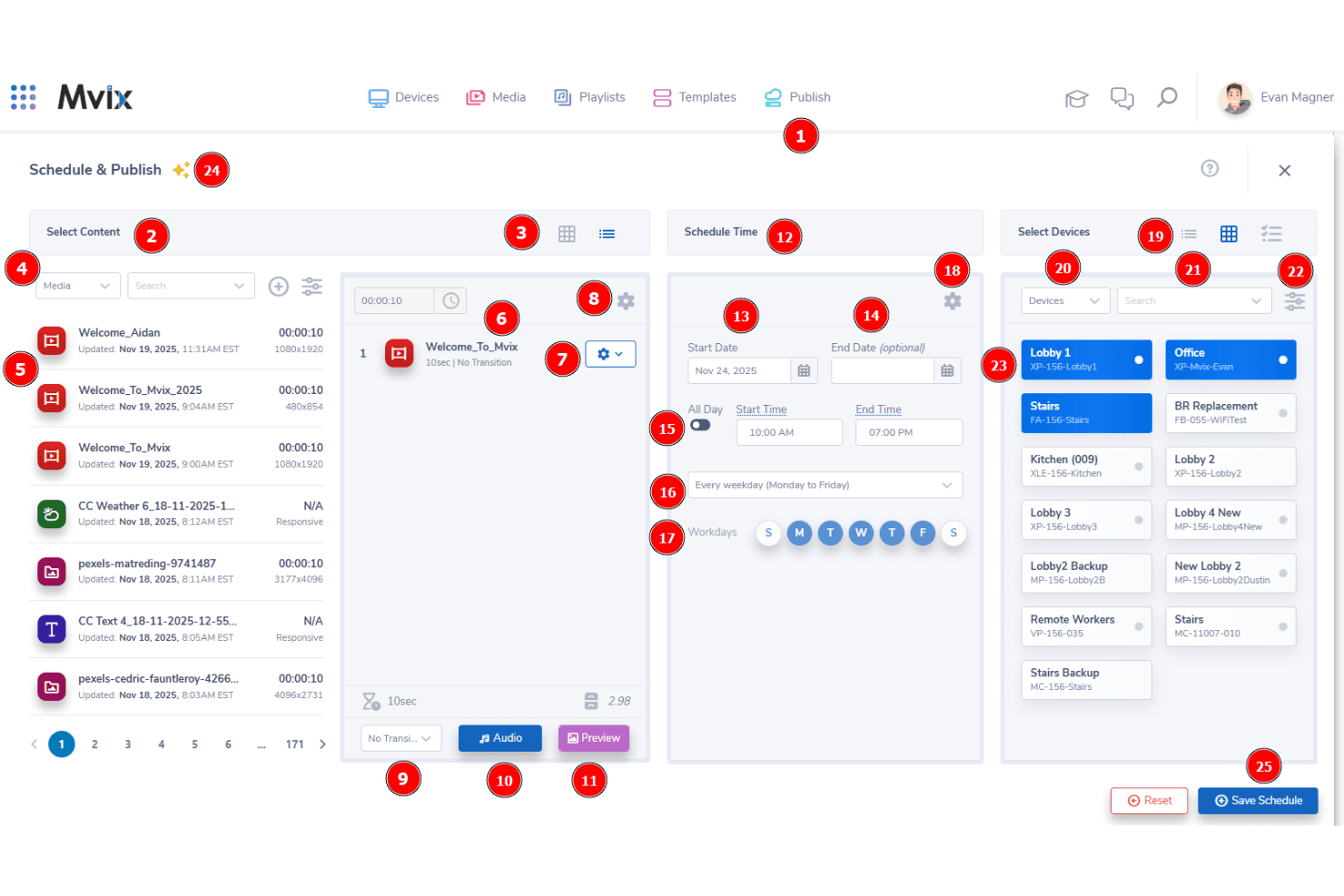
Mvix offers a Schedule & Publish interface that lets users select content, set time schedules, and assign content to specific display devices. Mvix is a cloud-based retail digital signage platform that pairs one-time-purchase media players with a perpetual cloud CMS license, covering multi-location content management, interactive kiosk displays, dayparting, and 150+ data and content integrations.
Who Is Mvix Best For?
Mvix suits multi-location retail operations teams who want enterprise-grade screen management without recurring software subscription fees.
Why I Picked Mvix
I picked Mvix as one of the best because its dedicated touchscreen kiosk capabilities go beyond basic display management. The Select Suite add-on supports touchscreen kiosks and interactive wayfinding with mapped routes for large-format retail floors. Multi-zone layouts can also combine interactive content and promotional messaging on the same display.
Mvix Key Features
- Cloud CMS with unlimited users: Manage content deployment and playlists across all store screens from a single web dashboard.
- 1,000+ template design gallery: Choose retail-specific templates for promotions, menu boards, and product features from a large visual library.
- Device health portal: Monitor and troubleshoot screens and media players remotely with access to live status and control options.
- POS integration via Menu Maker: Connect menus and price feeds from supported POS systems directly to digital displays for real-time updates.
Mvix Integrations
Mvix offers 150+ apps and data integrations, including Canva, Microsoft Power BI, Tableau, Klipfolio, Microsoft Teams, Slack, Pinterest, SmugMug, and Microsoft and Google productivity tools. Its software can also run on supported third-party hardware, including BrightSign, Android, Raspberry Pi, and Samsung Tizen devices.
Pros and Cons
Pros:
- Remote device status and real-time health monitoring
- Multi-zone layouts for complex screen designs
- Interactive touchscreen and kiosk content support
Cons:
- Software-only licensing for third-party hardware is priced separately
- The one-time media-player purchase creates a higher upfront cost
Learn more about Mvix: Best for remote device management
- 14-day free trial
- From $20/screen/month (billed annually)
Visit WebsiteCustomer Rating:4.5/5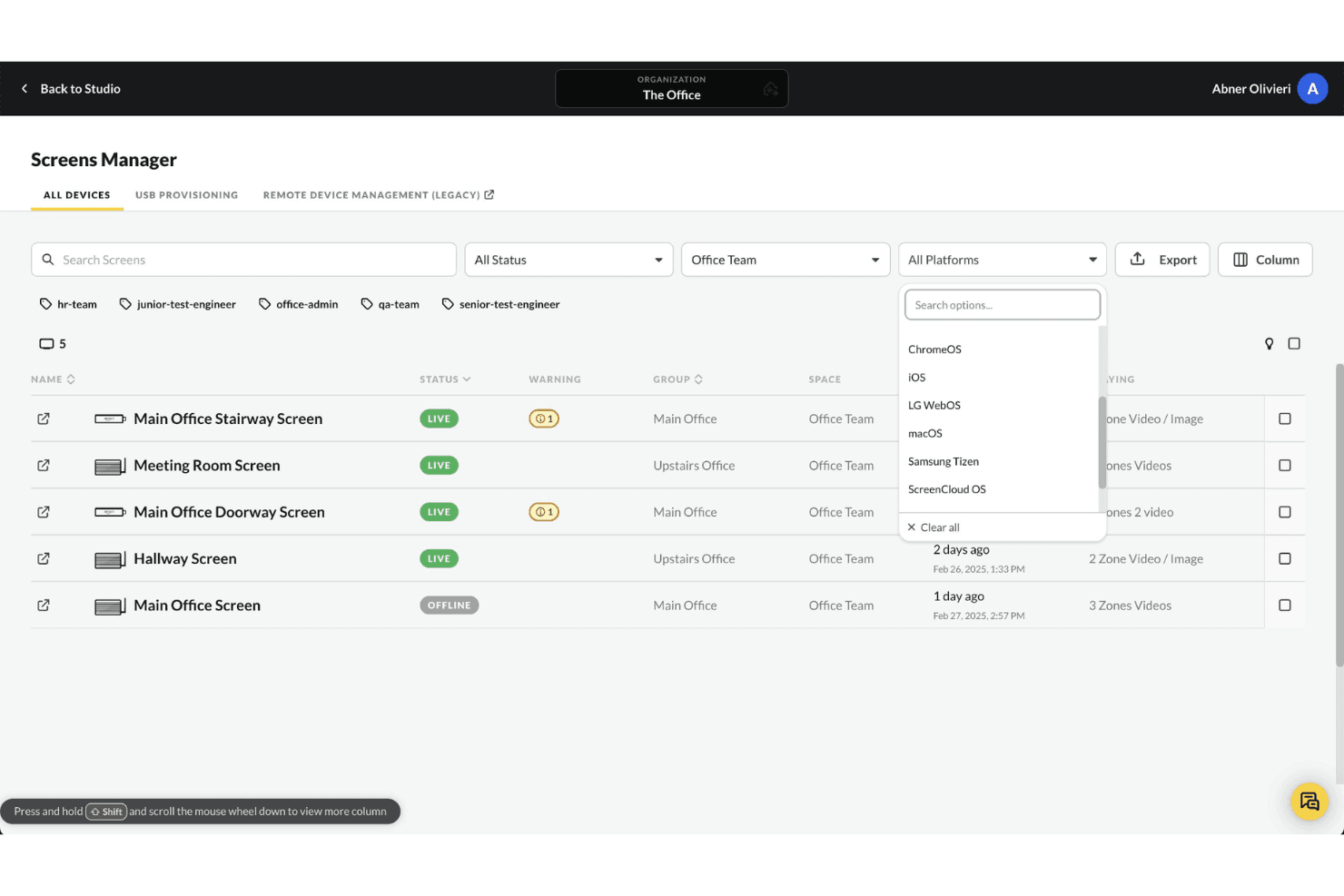
ScreenCloud's Screens Manager allows users to filter connected devices by platform, including ChromeOS, iOS, LG WebOS, macOS, Samsung Tizen, and ScreenCloud OS. ScreenCloud is a cloud-based digital signage platform that lets you manage, schedule, and display content across store screens from a single dashboard, with support for multi-location deployments, touchscreen displays, and 80+ app integrations.
Who Is ScreenCloud Best For?
It's a strong fit for mid-market and enterprise retailers managing distributed screen networks across multiple store locations.
Why I Picked ScreenCloud
ScreenCloud earns its spot on my shortlist because of how it handles large-scale device fleets. I can remotely provision, reboot, and push OTA updates to screens running on Amazon Fire TV, Android, and Chromebox hardware, without touching a single player in-store. Proof-of-play logs and user audit logs let me confirm exactly what's displayed and when, across every location.
ScreenCloud Key Features
- Canvas design editor: Create and arrange engaging retail content using a drag-and-drop visual editor.
- App and integration library: Access 80+ integrations including Google Slides, Instagram, Power BI, and YouTube for dynamic display content.
- Touchscreen display support: Deploy interactive content on in-store touch-enabled screens with ScreenCloud Touch.
- Content scheduling tools: Schedule playlists and templates to display at set times, dates, and locations across your screen network.
ScreenCloud Integrations
ScreenCloud offers 80+ apps and integrations, including Google Slides, YouTube, Instagram, Microsoft Power BI, Microsoft SharePoint, Microsoft Teams, Slack, and Google Workspace. Its GraphQL API supports custom integrations.
Pros and Cons
Pros:
- Drag-and-drop canvas for designing content
- Supports diverse hardware and operating systems
- Reliable remote screen fleet management
Cons:
- Limited audience demographic targeting options
- POS connections may require custom integration work
Learn more about ScreenCloud:
Other Retail Digital Signage Software
Here are some additional retail digital signage software options that didn’t make it onto my shortlist, but are still worth checking out:
How I Evaluate Digital Signage Platforms
I split my evaluation into two layers: the baseline functionality, like dayparting and remote device management, every platform must cover, and the differentiators that set the best tools apart.
Core Functionality (Table Stakes For This List)
When I'm selecting tools for my list, I rank each one on a scale from 0 (does not offer the functionality) to 5 (excels in this area) for each core functionality listed below. Then, I calculate the tool's total score as a percentage. Each tool needs to achieve a minimum total score of 65% to be considered for inclusion.
- Multi-Location Management: I check whether you can group screens by store, region, or franchise and assign role-based permissions for local teams.
- Content Scheduling & Dayparting: The platform should let you schedule playlists by time of day, promotional window, or store-specific events like seasonal sales.
- Retail Content Templates: I look for pre-built layouts tailored to retail—promo banners, menu boards, product showcases—not just generic presentation slides.
- Remote Device Management: Store ops teams need remote reboot, status monitoring, and alert capabilities so a blank screen in one location doesn't go unnoticed.
- POS & Data Integrations: I evaluate whether the platform connects to POS or inventory systems to pull live pricing and stock data onto screens automatically.
- Audience Targeting & Localization: Each store has different shoppers, so I look for store-level, zone-level, or demographic-based content targeting options.
Once I have a list of tools that meet the criteria, I consider what sets each platform apart.
Differentiating Factors (What Sets Vendors Apart)
Here's how I compare and contrast different vendors:
Standout Features
Dynamic pricing triggers are a big differentiator; I look for platforms that pull live price or stock changes from your POS and update screens without manual intervention. Audience analytics matter too, especially anonymous sensor tracking that measures dwell time and demographics to help prove campaign ROI. I also evaluate interactive wayfinding and endless aisle features, which let shoppers browse your full catalogue on a touchscreen even when a product isn't physically on the shelf.
Beyond Features
Hardware compatibility is one of the first things I check. You don't want to be locked into one media player brand when your stores already run a mix of BrightSign, Samsung Tizen, or Android devices. Retail tech stack integrations also matter; I look for native connectors to POS systems and data feed support so product and pricing updates flow to screens in real time. Total cost of ownership deserves close attention too, since add-on fees for analytics modules or content design tools can quietly inflate what looked like an affordable per-screen license.
How to Choose the Right Digital Signage Platform
It’s easy to get bogged down in long feature lists and complex pricing structures. Therefore, use the following factors to stay focused during your software selection process:
| Factor | What to Consider |
|---|---|
| FactorScalability | What to ConsiderCan the platform handle your entire network, from a few stores to thousands? Also, can it support growth without requiring a major replatform? |
| FactorIntegrations | What to ConsiderDoes the system connect with your POS, inventory, or DAM platforms? If not, will you need custom connectors or ongoing IT support? |
| FactorCustomizability | What to ConsiderCan you adapt templates, workflows, and targeting rules? In addition, can you customize content and permissions for individual locations? |
| FactorEase of use | What to ConsiderCan frontline teams schedule and update screens with little training? Or will you need dedicated technical staff? |
| FactorImplementation and onboarding | What to ConsiderHow long does implementation typically take? Also, does the vendor include training and onboarding support? |
| FactorCost | What to ConsiderDoes the base license include your essential capabilities? Look for added fees for analytics, integrations, support, storage, or extra screens. |
| FactorSecurity safeguards | What to ConsiderDoes the platform provide encryption, access controls, and authentication? Most importantly, does it meet your company’s security requirements? |
| FactorSupport availability | What to ConsiderDoes the vendor provide 24/7 support or a dedicated representative? This is especially important if stores operate outside standard business hours. |
What Is Retail Digital Signage Software?
Retail digital signage software is a content management system used to create, schedule, publish, and monitor content on digital displays in retail stores. Retailers can use it to manage promotional displays, digital menu boards, product information, pricing, wayfinding, and other in-store messaging from a central platform.
For multi-location retailers, digital signage software also provides centralized control over screens across different stores or regions. Marketing and operations teams can schedule campaigns, localize content, monitor devices remotely, and connect displays with POS or inventory data without manually updating every screen.
How Retail Digital Signage Works
Most retail digital signage systems combine a cloud-based content management platform with media players or compatible smart displays. Teams create or upload content in the CMS, assign it to specific screens or store locations, and schedule when it should appear.
More advanced platforms can also pull live information from POS, inventory, or other retail systems. This allows stores to automatically update pricing, product availability, promotions, and other screen content as the underlying data changes.
Features of Retail Digital Signage Software
When comparing retail digital signage software, look for the following key features:
- Centralized content management: Manage digital content for every location from one dashboard. As a result, you can maintain consistent branding and update campaigns efficiently.
- Content scheduling: Schedule playlists or campaigns for specific dates, times, or promotional periods. This helps you show relevant messages at the right time.
- Retail-specific templates: Use ready-made layouts for promotions, menu boards, product spotlights, and shelf-edge displays. Therefore, teams can launch content without designing every asset from scratch.
- Remote device monitoring: Check display status, send updates, and troubleshoot screens remotely. In addition, real-time alerts can help teams reduce downtime.
- POS and inventory integration: Connect screen content with pricing, stock levels, and current offers. As a result, shoppers are less likely to see outdated promotions or unavailable products.
- Audience targeting: Tailor content by store, region, zone, or time of day. Some platforms also support targeting based on shopper demographics or traffic patterns.
- User permissions and roles: Assign access based on each user’s responsibilities. For example, central teams can control branding while store employees manage approved local content.
- Multi-device compatibility: Choose software that supports various media players and display types. This flexibility can reduce dependence on a single hardware vendor.
- Playback and proof-of-play reporting: Review logs showing what content played, where it appeared, and when it ran. Consequently, you can verify campaigns and support compliance reporting.
- Offline playback support: Keep screens running with pre-synced content when an internet connection drops. Therefore, temporary connectivity problems will not interrupt the shopper experience.
Common Retail Digital Signage Software AI Features
Beyond standard functionality, some retail digital signage platforms offer or are developing the following AI capabilities:
- Audience analytics: AI-powered computer vision can analyze shopper demographics, dwell time, and engagement. As a result, teams can evaluate campaign performance and refine their content strategies.
- Dynamic content personalization: AI can adjust on-screen messaging based on audience characteristics, store traffic, or time of day. Therefore, shoppers may receive more relevant information.
- Predictive scheduling: AI can forecast busy shopping periods and recommend when content should appear. This helps teams improve campaign timing for different shopper segments.
- Automated content tagging: AI can scan and categorize media assets. In turn, users can find and deploy suitable visuals more quickly.
- Anomaly detection: AI can monitor device and playback data for unusual activity. It can then alert your team before an issue disrupts the display network.
Benefits of Digital Signage for Retailers
Retail digital signage software can provide several benefits for your team and business:
- Consistent brand messaging: Centrally managed content keeps promotions and visuals aligned across locations. In addition, teams can replace outdated materials quickly.
- Quicker campaign rollouts: Scheduling tools and retail templates help marketing teams launch timely offers across multiple stores. As a result, campaigns require fewer manual updates.
- Personalized shopper experiences: Audience targeting can tailor content by store, location, or time of day. Some platforms also use AI to adjust messaging for specific audiences.
- Reduced manual errors: POS and inventory integrations can keep pricing and promotional information current. Therefore, teams spend less time correcting outdated screen content.
- Improved device oversight: Remote monitoring and alerts help teams identify display problems sooner. Consequently, many issues can be resolved without on-site technical support.
- Data-driven decision making: Analytics and proof-of-play reports show how and when content appeared. You can then use this information to improve future campaigns.
- More responsive in-store promotions: Retail teams can change promotional messaging by location, time of day, inventory level, or campaign period without replacing physical signage. This makes it easier to respond to local demand and short promotional windows.
Costs and Pricing of Retail Digital Signage Software
Pricing for retail digital signage software usually depends on the number of screens or devices. However, some vendors charge a one-time player fee or provide custom enterprise quotes. Costs can also vary based on billing terms, hardware, storage, support, and add-ons.
The table below summarizes common plan types and typical starting prices. However, you should confirm current pricing directly with each vendor before making a decision.
Plan Comparison Table for Retail Digital Signage Software
| Plan Type | Typical Pricing Model | Common Features |
|---|---|---|
| Plan TypeFree Plan | Typical Pricing Model$0 | Common FeaturesSupport for one screen, basic scheduling, templates, and limited storage or features |
| Plan TypeEntry paid plan | Typical Pricing Model$8–$20/screen/month | Common FeaturesContent scheduling, templates, remote updates, app integrations, and standard support |
| Plan TypeAdvanced plan | Typical Pricing Model$12–$30/screen/month | Common FeaturesUser roles, approval workflows, dashboards, proof of play, and advanced device management |
| Plan TypeEnterprise plan | Typical Pricing ModelCustom quote | Common FeaturesIdentity management, API access, audience analytics, service-level agreements, onboarding, and large-network controls |
Retail Digital Signage FAQs
Here are some answers to common questions about retail digital signage software:
How does retail digital signage software improve in-store marketing?
Retail digital signage software lets you update promotions, pricing, and product highlights instantly across locations, keeping messages timely and consistent. Teams can react to market changes or local events in real time, giving you far more agility than static signs allow.
What hardware is compatible with most digital signage platforms?
Most platforms support major media player types like BrightSign, Samsung Tizen, LG webOS, Windows, and Android devices. Check if your existing screens and players are listed as supported, as hardware compatibility can impact your rollout costs and flexibility.
Can I manage displays for multiple stores from one place?
Yes, most solutions offer centralized dashboards to schedule, monitor, and update content for all your stores. This saves you from repetitive manual updates and lets you coordinate national and local campaigns from a single hub.
How can I measure the effectiveness of my in-store digital content?
Many tools include analytics that track content playback, audience dwell time, and engagement through device logs or AI-powered sensors. This data helps you understand what resonates with shoppers and refine your messaging over time.
What are key security concerns for digital signage in retail environments?
Look for platforms offering encrypted content delivery, secure device authentication, and role-based access. This helps safeguard sensitive data, especially when systems connect to POS or customer analytics platforms, and supports compliance with data privacy regulations.