

Digital menu board software lets you control and update your menus across every screen in your business from one place. For retail and restaurant groups juggling dozens or hundreds of locations, the right tool solves the chaos of last-minute promos, pricing changes, and compliance updates—without weeks of manual work.
In this guide, you’ll find my 2026 picks for digital menu board software that best suit multi-location teams who need centralized oversight, POS integration, brand consistency, and operational visibility. See how these solutions let you keep your menus sharp, adaptive, and always in sync.
Why Trust Our Software Recommendations
6,700+
Reviews
20
Industry experts
16+
Evaluation factors
14
Years
Our team has been testing and reviewing software since 2012. As retail leaders ourselves, we know how difficult—and important—it is to choose the right software.
For this guide, we evaluated tools using hands-on testing and independent research, scoring tools using our selection criteria.
Our reviews reflect our independent judgment—not a sales pitch.
Digital Menu Board Software Comparison Table
This comparison table summarizes pricing details for my top digital menu board software selections:
| Tool | Best For | Trial Info | Price | ||
|---|---|---|---|---|---|
| 1 | Best for AI-driven menu board fleet oversight | 14-day free trial + free demo available | Pricing upon request | Website | |
| 2 | Best for multi-location menu and ad scheduling | Free demo available | Pricing upon request | Website | |
| 3 | Best for hardware-agnostic menu board deployments | 14-day free trial + free demo available | From $20/screen/month (billed annually) | Website | |
| 4 | Best for white-glove menu board rollouts | Free trial + free demo available | From $15/month (billed annually) | Website | |
| 5 | Best for enterprise signage at multi-location scale | Free demo available | Pricing upon request | Website | |
| 6 | Best for QSR dayparting across locations | 30-day free trial + free demo available | From $14/screen/month (billed annually) | Website | |
| 7 | Best for SOC 2-certified menu board management | 14-day free trial + free demo available | From $3.5/device/month (billed annually) | Website | |
| 8 | Best for Apple TV-native menu board deployments | 14-day free trial + free demo available | From $7/screen/month (billed annually) | Website | |
| 9 | Best for perpetual-license menu board management | Free demo available | From $450 one-time | Website | |
| 10 | Best for enterprise menu board fleet management | Free demo available | From $14/month/player | Website |


Digital Menu Board Software Reviews
Below are my detailed summaries of the best digital menu board software that made it onto my shortlist. My reviews offer a detailed look at the features, capabilities, and integrations of each software to help you find the best one for you.
 Best for AI-driven menu board fleet oversight
- 14-day free trial + free demo available
- Pricing upon request
Visit WebsiteCustomer Rating:4.5/5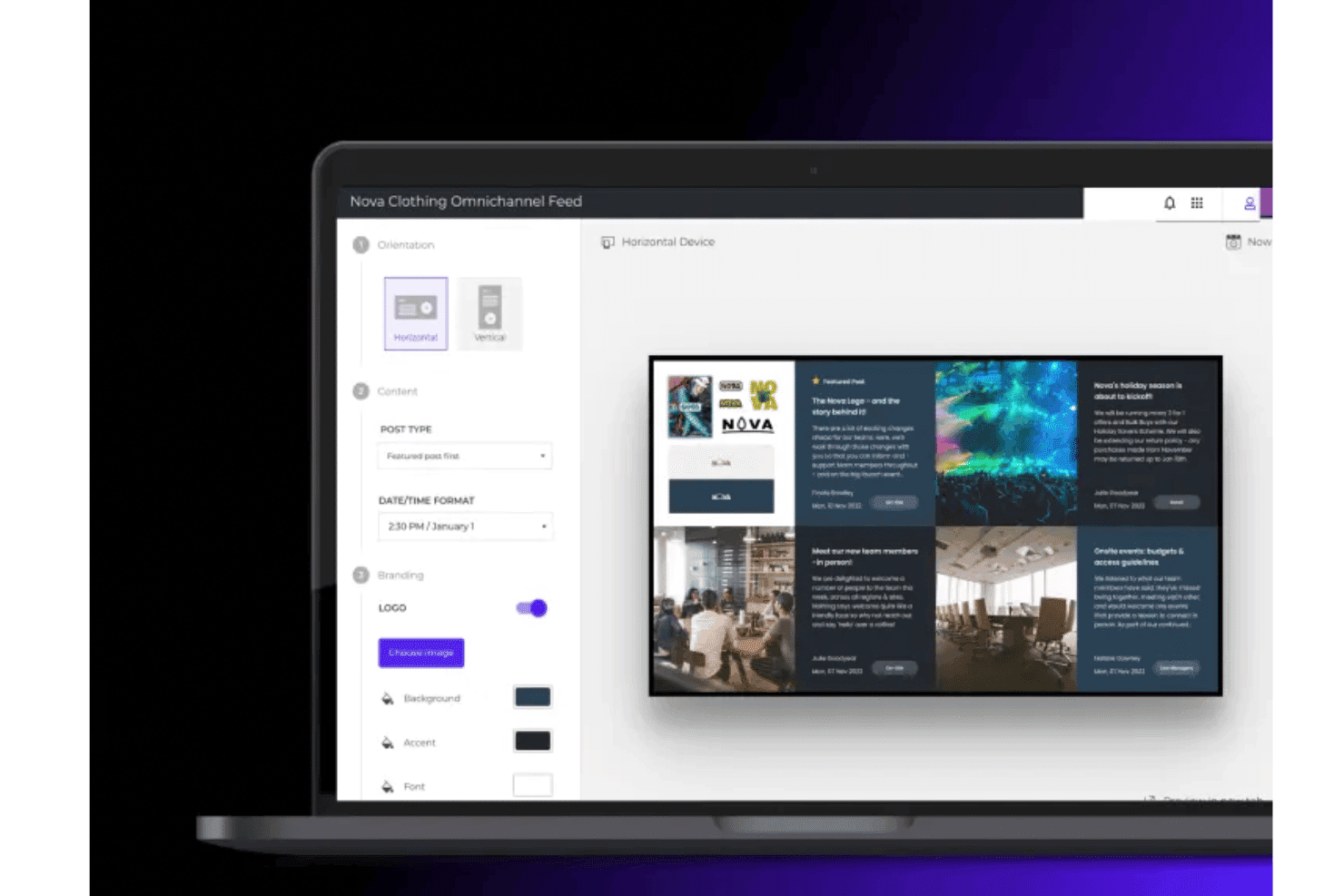
Poppulo lets teams create and customize digital menu board layouts with branded content, images, and dynamic feeds. Poppulo is an enterprise digital signage platform that combines cloud-based content management, multi-screen scheduling, remote fleet monitoring, and real-time data feed integration to manage large-scale digital menu board deployments across distributed locations.
Who Is Poppulo Best For?
Poppulo is a strong fit for enterprise retail chains and franchise operators that need centralized governance over large, distributed screen fleets across hundreds or thousands of locations.
Why I Picked Poppulo
I picked Poppulo as one of the best because its AI Agent genuinely changes how large-scale menu board fleets get managed. It monitors playback and device data across thousands of screens, flags anomalies, and surfaces content performance trends automatically. Paired with real-time device health tracking and the Device Status Tracker, your IT team can pinpoint an offline screen at a specific location before anyone in that store notices.
Poppulo Key Features
- Dayparting scheduling: Automatically swap content by time of day across all locations without manual intervention, covering breakfast, lunch, dinner, and other defined time segments.
- Role-based publishing permissions: Set granular access controls so corporate teams govern brand standards while local teams publish content within defined boundaries.
- Proof-of-play reporting: Track exactly what content played, on which screen, and at what time—useful for verifying co-op marketing spend and franchisee compliance.
- Live data widgets: Pull real-time feeds from weather, social media, business KPIs, and RSS sources directly onto display screens without requiring user logins.
Poppulo Integrations
Poppulo offers native integrations relevant to menu board deployments, including Oracle Hospitality Integration Platform (OHIP), Salesforce, Microsoft Power BI, Tableau, and more.
Pros and Cons
Pros:
- Proof-of-play confirms campaign and compliance requirements
- Dayparting automates menu board content swaps
- AI monitors device status and playback in real time
Cons:
- Overly complex for single-location businesses
- Requires professional onboarding and setup assistance
Learn more about Poppulo: Best for multi-location menu and ad scheduling
- Free demo available
- Pricing upon request
Visit WebsiteCustomer Rating:4.6/5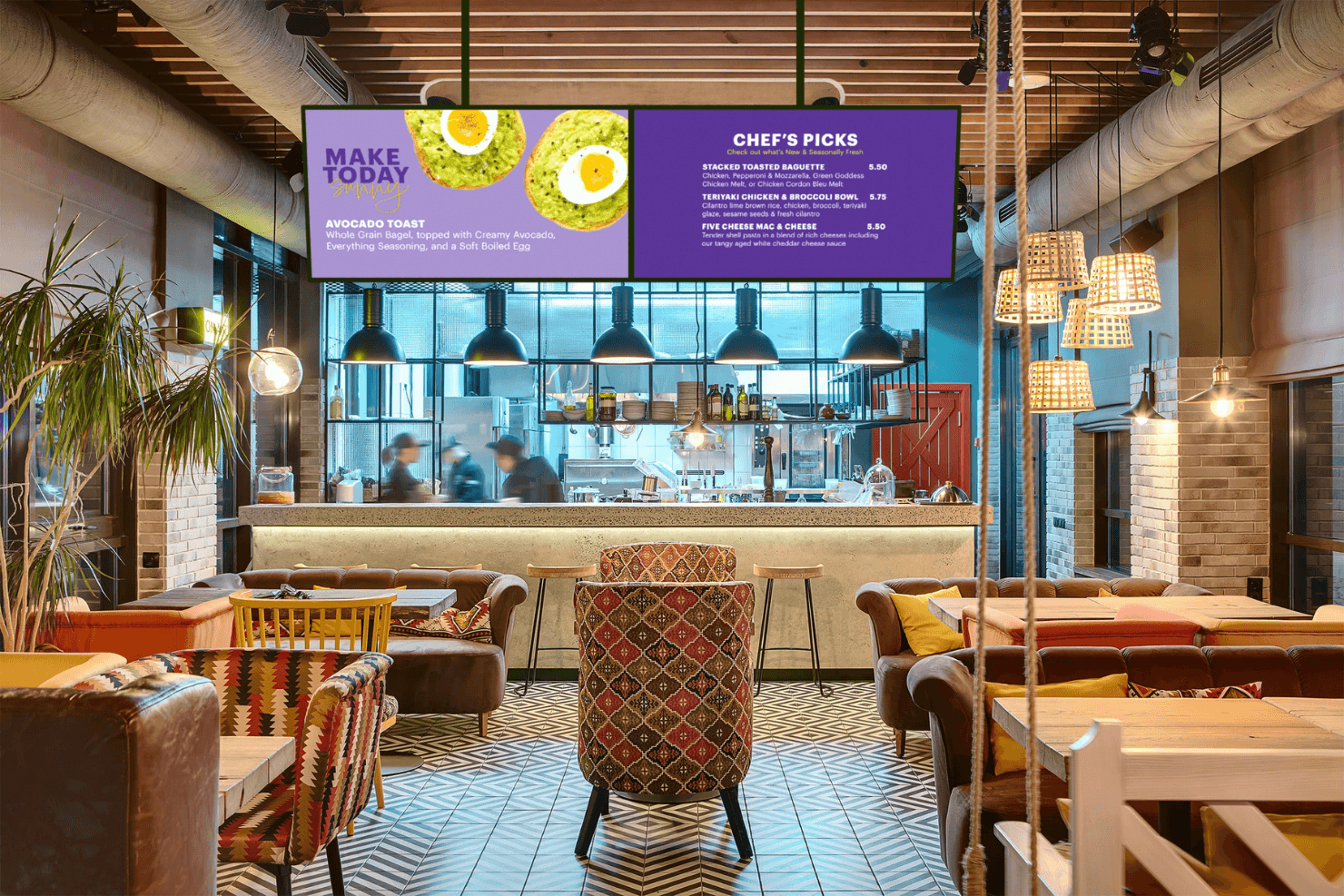
Spectrio powers digital menu boards for restaurants with dynamic content. Spectrio is a cloud-based digital menu board and signage platform that combines multi-screen content management, dayparting-based scheduling, audience measurement, and an Ad Scheduler for campaign-driven menu and promotional display across large screen networks.
Who Is Spectrio Best For?
Spectrio is a strong fit for franchise and chain operators managing screen content across dozens or hundreds of locations.
Why I Picked Spectrio
Spectrio earns its spot on my shortlist because it's genuinely built for operators running screens across dozens or hundreds of locations. I love how the Ad Scheduler and dayparting tools work together, letting you automate time-based menu swaps and push location-specific promotional campaigns from a single cloud interface. The franchise governance layer is what really sets it apart: corporate teams can lock down brand-critical content while still giving individual locations room to customize.
Spectrio Key Features
- Spectrio Measure: Uses radar and computer vision sensors to track audience demographics, dwell time, and occupancy in real time, with support for A/B content testing.
- Retail Media Network: Lets you monetize up to 30% of your screen inventory by serving programmatic brand ads alongside your own in-store messaging.
- Emergency messaging override: Pushes emergency alerts and safety content instantly across every connected screen from within the CMS.
- Interactive touchscreen kiosks: Supports countertop and freestanding kiosk builds for self-service wayfinding, product exploration, and brand engagement.
Spectrio Integrations
Spectrio offers native integrations with Google Sheets, Slack, Google Calendar, plus hardware partner support for BrightSign, Samsung Tizen, and LG WebOS players.
Pros and Cons
Pros:
- Retail media network for in-store ad revenue
- Supports complex multi-location promotional scheduling
- AI-driven audience measurement and content triggering
Cons:
- Hardware player reliability issues reported
- POS integration still not fully available
Learn more about Spectrio: 3Best for hardware-agnostic menu board deployments
Fugo
- 14-day free trial + free demo available
- From $20/screen/month (billed annually)
Visit WebsiteCustomer Rating:4.5/5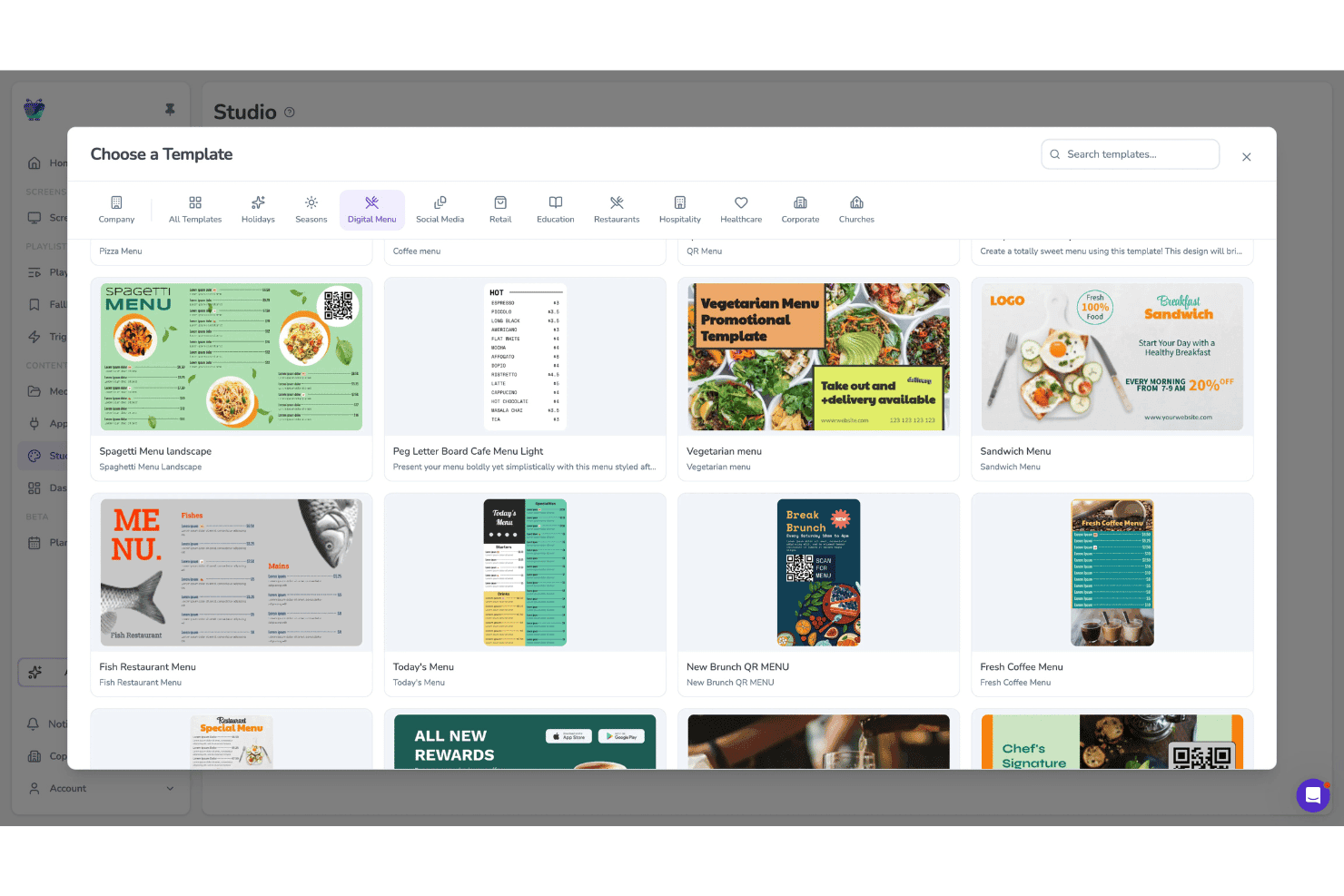
Fugo lets users choose from digital menu templates for screens. Fugo is a cloud-based digital menu board and digital signage platform that combines a drag-and-drop design studio, multi-screen scheduling with dayparting, remote fleet management, and a hardware-agnostic player app.
Who Is Fugo Best For?
Fugo is a strong fit for multi-location food service and retail operators who need to run menu board content across a mixed hardware fleet without being locked into proprietary displays.
Why I Picked Fugo
Fugo earns its spot on my shortlist because it runs on virtually any screen hardware you already own, from Amazon Fire TV sticks to Samsung Tizen displays to Raspberry Pi units, so you're never forced into a proprietary hardware purchase. I'm particularly impressed by the dedicated Digital Menu App, which lets you build and update menu boards directly in the CMS, complete with sold-out indicators and allergen icons that sync across every location the moment you publish.
Fugo Key Features
- Dayparting scheduler: Set time-of-day, day-of-week, and holiday content rules that switch menu board playlists automatically without manual updates.
- Multi-zone canvas editor: Build screen layouts with multiple independent content zones, supporting mixed media, text overlays, and live data widgets side by side.
- Proof-of-play reporting: Access playback logs that confirm what content ran, on which screen, and when—available on Core and Enterprise plans.
- Allergen icon display: Add and update dietary and allergen icons per menu item directly in the Digital Menu App, with changes syncing instantly across all connected screens.
Fugo Integrations
Fugo offers integrations including Power BI, Looker, Workspace, and more, and social media walls for Facebook and X. POS systems connect via API, a REST API is available on the Enterprise plan for custom integrations.
Pros and Cons
Pros:
- Allergen and compliance icons update instantly
- Built-in Digital Menu App for restaurants
- Works with nearly any existing screen hardware
Cons:
- Some touchscreen features reported unreliable
- No turnkey POS connectors available
Learn more about Fugo: Best for white-glove menu board rollouts
- Free trial + free demo available
- From $15/month (billed annually)
Visit WebsiteCustomer Rating:4.7/5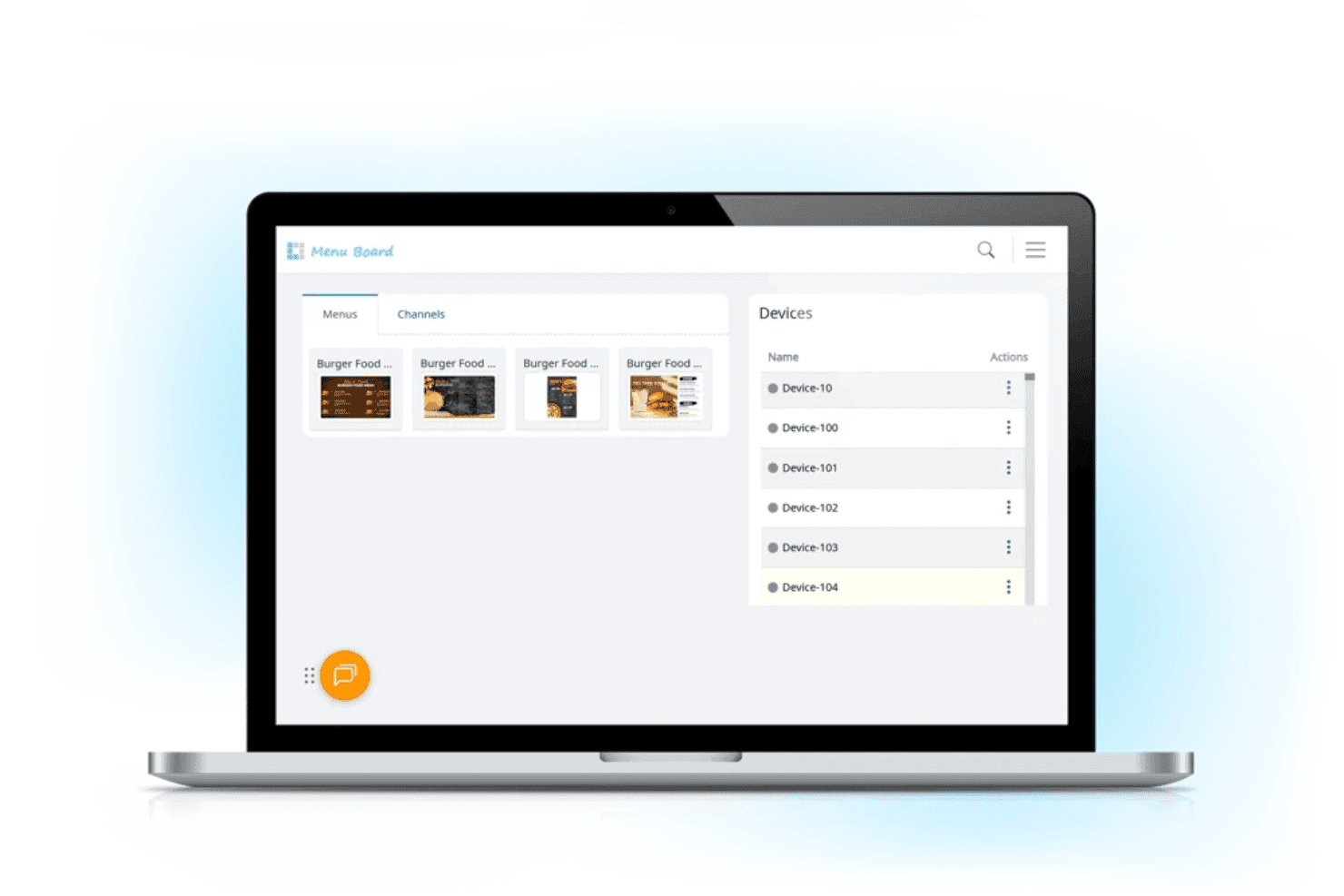
L Squared lets restaurant teams manage digital menu content and connected display devices from a centralized dashboard. L Squared Hub is a cloud-based digital menu board and signage platform built for multi-location operators, combining a centralized CMS, automated daypart scheduling, a 150+ widget library, and touchscreen kiosk support.
Who Is L Squared Best For?
L Squared is a strong fit for enterprise and franchise operators who want a managed, end-to-end rollout—hardware procurement, installation, and ongoing support included.
Why I Picked L Squared
I picked L Squared as one of the best because of how thoroughly it handles end-to-end menu board rollouts, from hardware procurement through installation and ongoing support. What I find genuinely impressive is Intelligent Daypart Merchandising, which auto-rotates breakfast, lunch, and dinner menus on a schedule without anyone touching the dashboard. Pair that with enterprise-grade governance across 10,000+ screens, and multi-location operators get a fully managed deployment that's hard to replicate with a self-serve tool.
L Squared Key Features
- Live data widget library: Access 50+ widgets on the Professional plan—including real-time weather, news, social media feeds, and sports scores—to display contextual content on any screen.
- Role-based access control: Assign permissions down to the individual screen level, with SSO and multi-factor authentication built in for enterprise team management.
- Emergency messaging override: Push safety alerts or urgent announcements instantly across all connected screens, interrupting scheduled content automatically.
- Touchscreen kiosk support: Deploy interactive touchscreen displays for self-service ordering, product discovery, wayfinding, and allergen or nutritional information lookups.
L Squared Integrations
L Squared offers 100+ widget-based integrations and native connections across the Microsoft ecosystem, including Microsoft 365, Power BI, Teams, along with Cisco Meraki, Achievers, and more.
Pros and Cons
Pros:
- Enterprise-level audit and device controls
- Touchscreen kiosks supported for interactive use
- Menu content adjusts automatically by time
Cons:
- Frequent service outages reported in one review
- Slow onboarding process for first deployments
Learn more about L Squared: Best for enterprise signage at multi-location scale
- Free demo available
- Pricing upon request
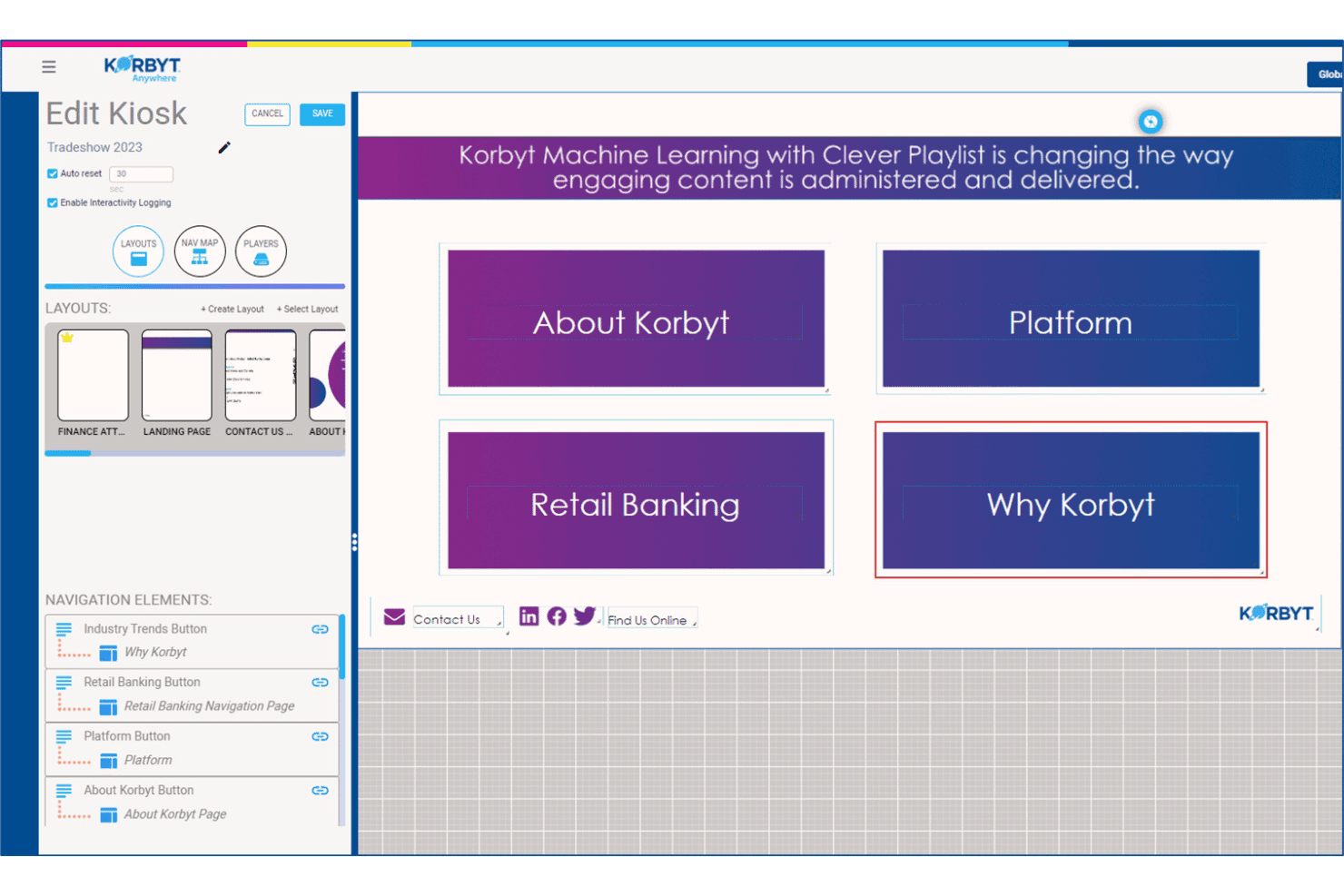
Korbyt lets users build and manage interactive kiosk navigation layouts. Korbyt is an enterprise digital signage platform that delivers content management, multi-screen scheduling, audience analytics, and AI-powered content creation across large-scale screen networks.
Who Is Korbyt Best For?
Korbyt is a strong fit for enterprise IT and communications teams managing large, distributed screen networks across dozens or hundreds of locations.
Why I Picked Korbyt
Korbyt earns its spot on my shortlist because no other platform I've tested matches its ability to govern content across hundreds of locations simultaneously. I'm particularly drawn to Clever Playlists, its ML-powered scheduling engine that auto-adjusts what plays on each screen based on location, daypart, and live data triggers, without manual intervention. Pair that with role-based approval workflows and brand lockdown controls, and your regional teams can update their screens without breaking your brand standards.
Korbyt Key Features
- Korbyt Optics audience analytics: A USB camera-based add-on that tracks viewer presence and dwell time in front of screens, triggering real-time content swaps based on detected audience.
- CreateAI generative content agent: Generates on-brand signage visuals from a text prompt using your stored logos, fonts, and brand colors.
- Multi-zone layout builder: A drag-and-drop designer that lets you divide a single screen into independent content zones, each controlled by different teams or data sources.
- Emergency messaging override: Pushes urgent alerts instantly across all connected screens, interrupting any active playlist across your entire location network.
Korbyt Integrations
Korbyt offers native integrations with ServiceNow, Cisco Webex, Zoom Rooms, Crestron, Barco ClickShare, Adobe Experience Manager, Google Drive, Dropbox, Box, and integrations across the Microsoft ecosystem.
Pros and Cons
Pros:
- Camera-based audience measurement tools built in
- Supports on-premises, cloud, and hybrid deployments
- Handles multi-brand content governance easily
Cons:
- Focuses on corporate and banking signage
- No retail menu item sync features
Learn more about Korbyt: Best for QSR dayparting across locations
- 30-day free trial + free demo available
- From $14/screen/month (billed annually)
Visit WebsiteCustomer Rating:4.9/5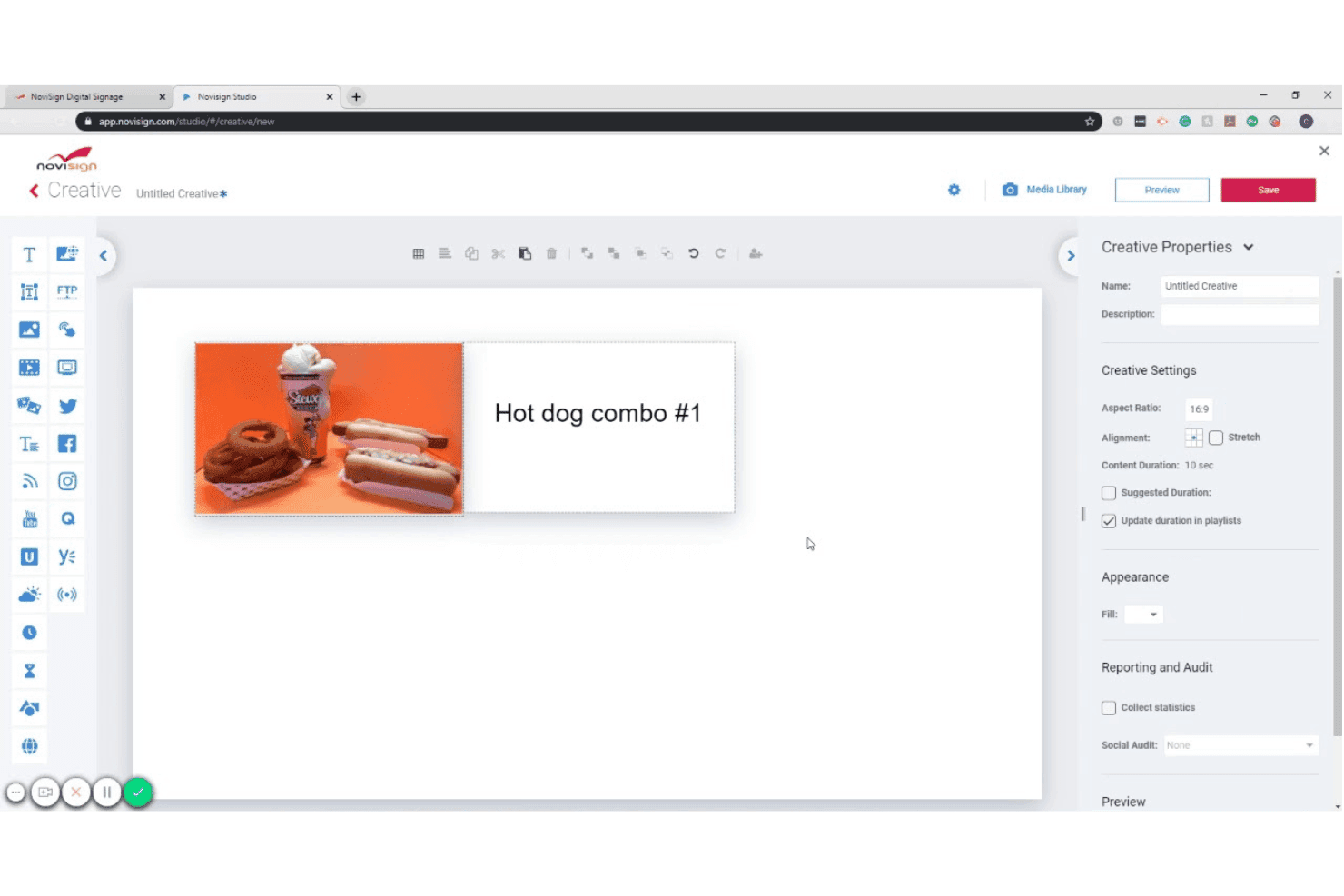
NoviSign lets users design digital signage creatives with images and text. NoviSign is a cloud-based digital menu board platform that combines a drag-and-drop content editor, dayparting scheduling, live data integrations, and multi-location screen management across Android, Samsung Tizen, LG webOS, BrightSign, and other display operating systems.
Who Is NoviSign Best For?
NoviSign is a strong fit for QSR and fast-casual restaurant operators managing menu board content across multiple locations.
Why I Picked NoviSign
NoviSign earns its spot on my shortlist because of how well its dayparting automation handles the scheduling complexity that QSR operators deal with across dozens or hundreds of locations. I like that you can build unlimited playlists tied to specific dayparts, like breakfast, lunch, dinner, and happy hour, and have them switch automatically without anyone touching the screens. The native Toast POS sync is a real differentiator too, pushing live menu prices and item availability directly to your boards the moment something changes in the POS.
NoviSign Key Features
- 500+ design templates: Choose from a library of industry-specific templates, including digital menu boards, retail, and hospitality, and customize them directly in the drag-and-drop canvas editor.
- Multi-zone screen layouts: Divide a single display into multiple content zones to show menu items in one area and promotional content or social feeds in another simultaneously.
- Proof-of-play reporting: Generate reports that log which content played, on which screen, and when—useful for co-op marketing verification and content compliance audits.
- IoT and sensor-triggered content: Connect RFID readers, barcode scanners, and other IoT sensors to trigger contextual content changes on-screen based on real-world events.
NoviSign Integrations
NoviSign offers native integrations with Toast POS, Power BI, Tableau, Google Sheets, and connects with Zapier for 5,000+ additional apps. It also supports DOOH ad networks, and provides an API for custom integrations.
Pros and Cons
Pros:
- Multi-brand management with sub-accounts
- Template library for menu design
- Centralized scheduling for multiple venues
Cons:
- Screen minimum for Premium plan
- No iOS player support
Learn more about NoviSign: Best for SOC 2-certified menu board management
- 14-day free trial + free demo available
- From $3.5/device/month (billed annually)
Visit WebsiteCustomer Rating:4.8/5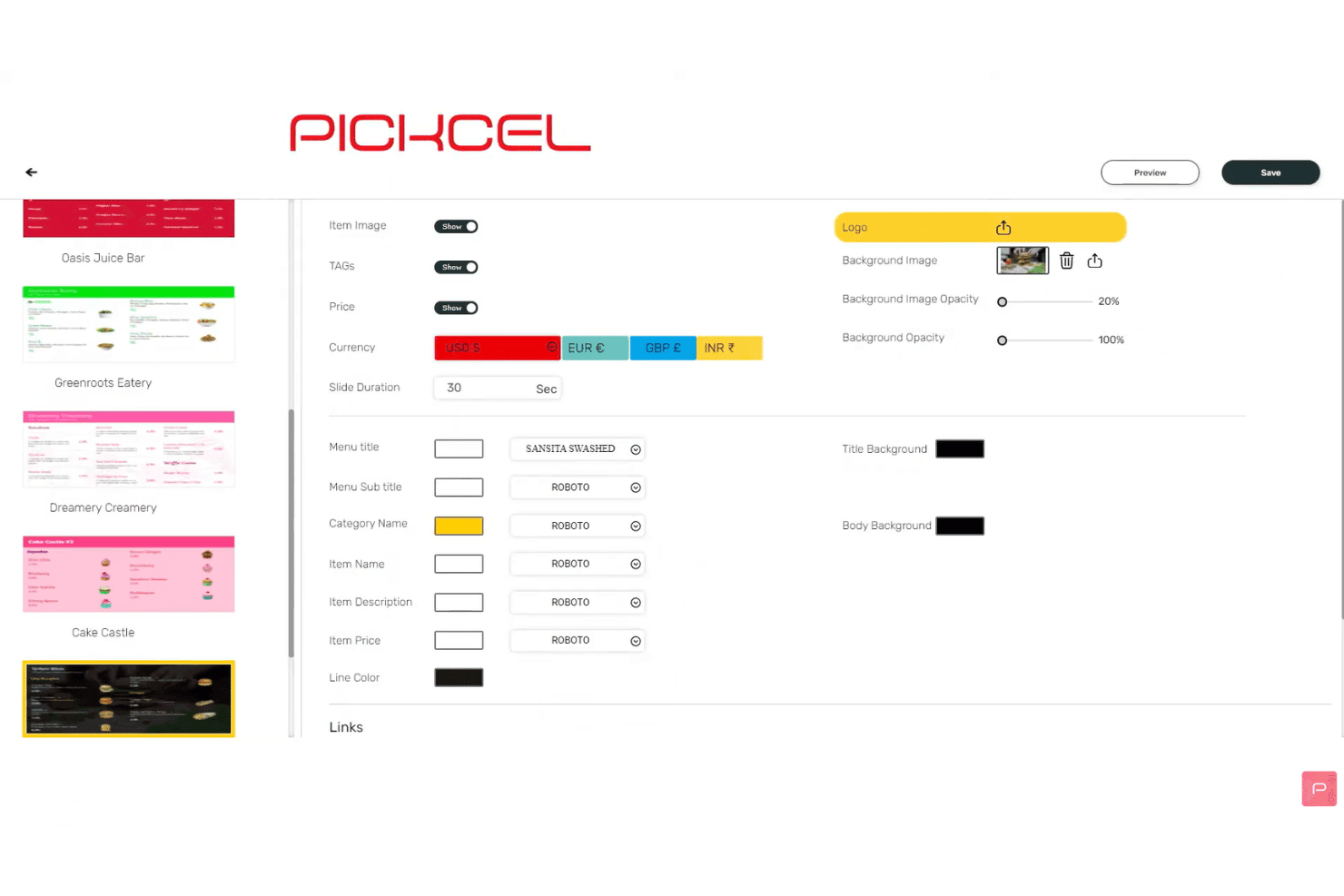
Pickcel lets users customize menu display settings and fonts. Pickcel is a cloud-based digital menu board platform with a drag-and-drop content editor, automated dayparting, multi-screen scheduling, POS data integrations, and remote fleet management across 50+ device types.
Who Is Pickcel Best For?
Pickcel is a strong fit for IT and operations teams at multi-location food service and retail brands that need enterprise-grade security certifications alongside day-to-day menu board management.
Why I Picked Pickcel
Pickcel earns its spot on my shortlist because it's the only digital menu board platform I've found that pairs SOC 2 Type II and ISO 27001 certifications with a full-featured menu board CMS, which matters when IT security reviews are part of your procurement process. I particularly like the on-premise deployment option, which lets regulated brands self-host the entire platform for complete data sovereignty. The audit logs and RBAC controls mean every content change is tracked and permissioned across locations.
Pickcel Key Features
- Automated dayparting: Schedule menu content to switch automatically between breakfast, lunch, dinner, and late-night dayparts based on time of day or day of week.
- Google Sheets and Excel data feeds: Connect live spreadsheets so menu prices and items update on-screen automatically whenever the source data changes.
- Multizone layout editor: Divide a single screen into multiple content zones, each running independent media, widgets, or menu content simultaneously.
- Proof-of-play reporting: Export campaign playback logs and device uptime reports as CSV files to verify content delivery across your screen network.
Pickcel Integrations
Pickcel offers native integrations with Square, Shopify, Google Sheets, Excel, Canva, and connects with Zapier. An open REST API and webhooks are available for custom integrations.
Pros and Cons
Pros:
- On-premise deployment with audit logs and RBAC
- Automated menu switching for daypart campaigns
- Supports 50+ device types and operating systems
Cons:
- Some reports of slow dashboard performance
- Template selection is narrower than competitors
Learn more about Pickcel: Best for Apple TV-native menu board deployments
- 14-day free trial + free demo available
- From $7/screen/month (billed annually)
Visit WebsiteCustomer Rating:4.5/5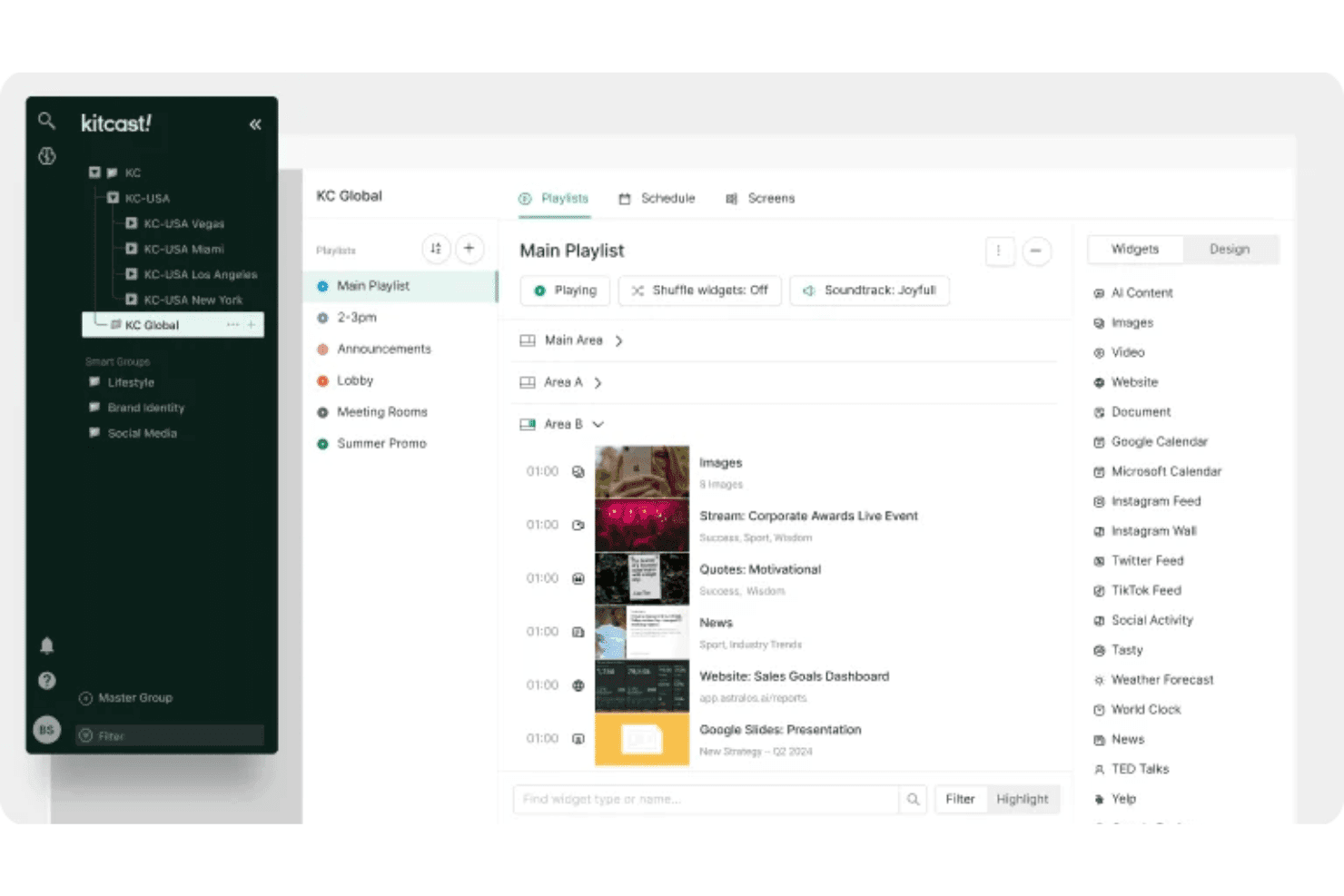
Kitcast lets users organize playlists and widgets across multiple screens. Kitcast is a cloud-based digital signage platform with a native Apple TV app that covers content scheduling, POS-synced menu publishing, dayparting automation, and multi-screen remote management.
Who Is Kitcast Best For?
Kitcast is a strong fit for restaurants and cafés that run Apple TV hardware and need menu boards that sync automatically with their POS.
Why I Picked Kitcast
Kitcast earns its spot on my shortlist because it's the only digital signage platform built natively on tvOS, which means Apple TV renders every menu board element—live widgets, video, and dynamic pricing—without the workarounds other platforms require on Apple hardware. I particularly like the POS sync with Square, Toast, and Clover, where out-of-stock items dim or hide automatically the moment inventory changes. Pair that with true dayparting automation, and breakfast-to-lunch transitions happen on a pre-set schedule with zero manual intervention.
Kitcast Key Features
- Role-based permissions: Admins can lock brand standards like fonts, colors, and layouts company-wide while local editors update prices and specials within approved boundaries.
- Emergency alert override: The CAP integration on the Pro plan lets you instantly push safety alerts or announcements to every screen in your fleet, overriding any active content.
- Proof-of-play logs: Kitcast generates verified records of what content played, on which screen, and when—useful for franchise reporting and co-op marketing compliance.
- AI Content Builder: Generate menu layouts and promotional visuals directly from text prompts, without needing a separate design tool or external asset library.
Kitcast Integrations
Kitcast offers native integrations with Square, Toast, Clover, Lightspeed Restaurant, Revel Systems, Canva, Google Workspace, and the Microsoft ecosystem (including Microsoft 365, SharePoint, and Azure AD via SCIM).
Pros and Cons
Pros:
- Role-based permissions for brand governance
- Emergency alert override for all screens
- Native Apple TV menu board deployment
Cons:
- No built-in audience personalization features
- Limited interactive touchscreen feature documentation
Learn more about Kitcast: 9Best for perpetual-license menu board management
Mvix
- Free demo available
- From $450 one-time
Visit WebsiteCustomer Rating:4.6/5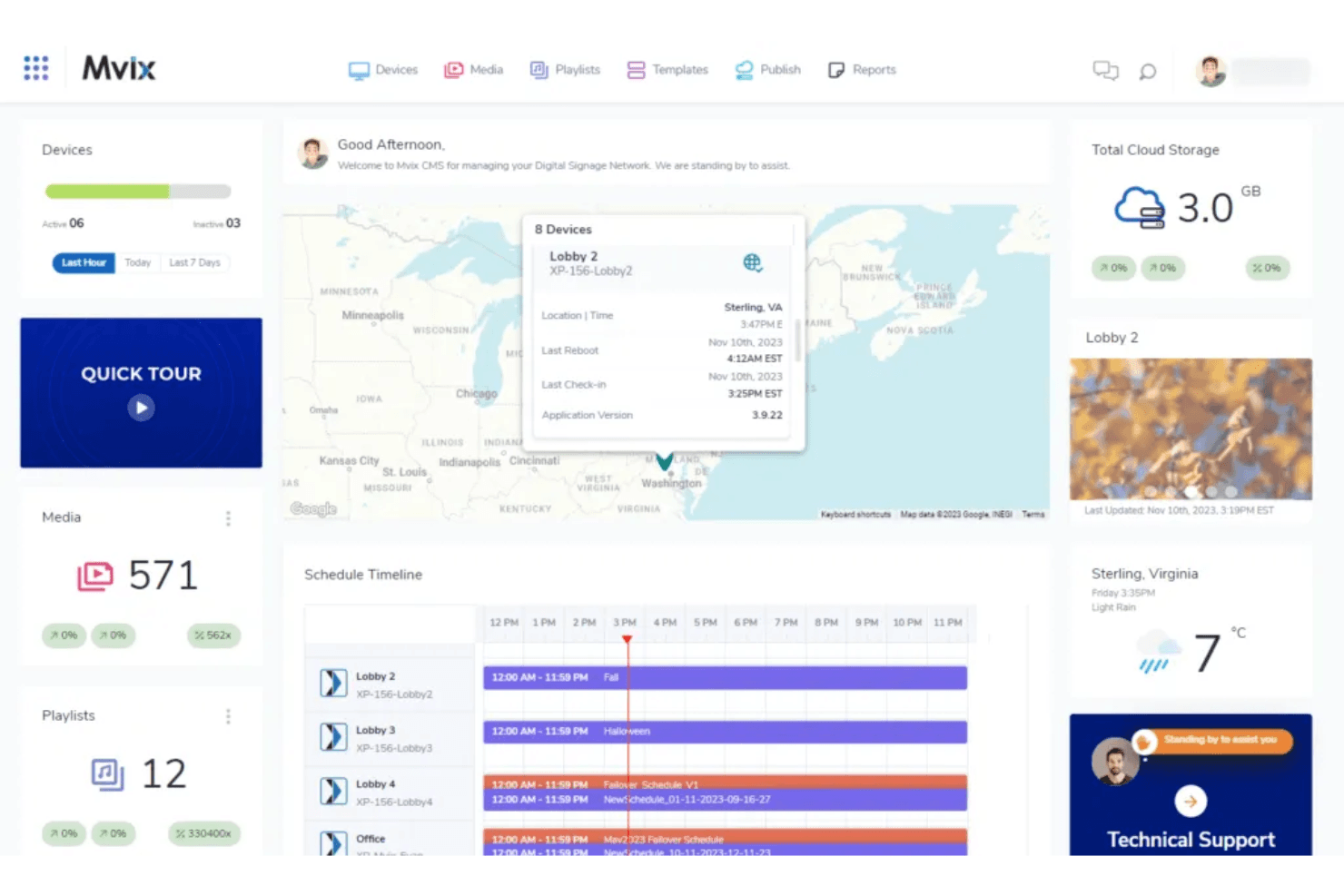
Mvix's dashboard lets users monitor devices, schedules, and media in one view. Mvix is a digital menu board and signage platform that pairs proprietary media players with a cloud-based CMS, offering multi-zone layout design, dayparting scheduling, POS integration, and remote device management.
Who Is Mvix Best For?
Mvix is a strong fit for multi-location operators and IT teams who want to avoid recurring SaaS fees by purchasing hardware with a lifetime CMS license included.
Why I Picked Mvix
Mvix earns its spot on my shortlist because it's the only digital menu board platform I've found that bundles a lifetime CMS license into a one-time hardware purchase, with no recurring fees per screen. I particularly like the Day-Parting app, which automates content rotation by daypart (breakfast through late-night) without any manual scheduling intervention. The Menu Maker app also syncs live pricing and stock status directly from Toast, Clover, and Square, so menu boards update in real time when items sell out or prices change.
Mvix Key Features
- Multi-zone layout designer: Split any screen into up to 10 independent content zones, each running different media simultaneously.
- Device Health Portal: Monitor CPU usage, storage, Wi-Fi signal strength, and temperature for every player in your network from a single dashboard.
- Emergency alert override: IPAWS/CAP protocol integration instantly replaces all scheduled content across every screen with emergency messaging.
- Magic Folders: Auto-sync content from Microsoft Office 365 or Google Drive so your displays update whenever source files change.
Mvix Integrations
Mvix offers native integrations with Toast, Square, Power BI, Tableau, Klipfolio, and Slack, plus social feeds from Facebook, Instagram, and X. It also provides RESTful APIs and webhooks for custom POS, CRM, and HR system connections.
Pros and Cons
Pros:
- Offline playback keeps screens running
- Multi-zone layout designer for menu boards
- Lifetime CMS license with hardware purchase
Cons:
- Hardware issues reported by some users
- Setup often requires IT expertise
Learn more about Mvix: Best for enterprise menu board fleet management
- Free demo available
- From $14/month/player
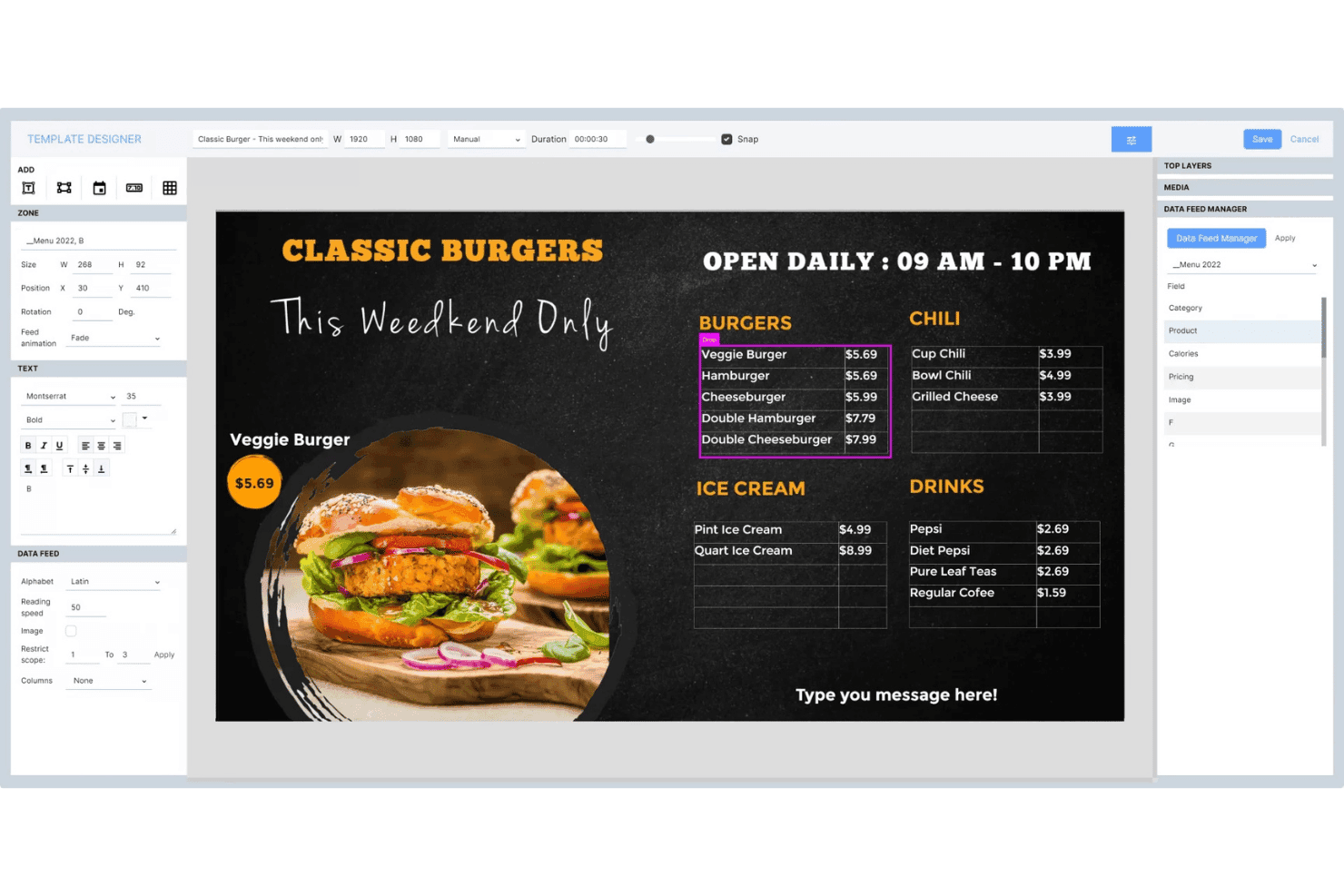
Navori Labs lets users design dynamic menu boards with live data feeds. Navori Labs is a digital menu board and signage platform built for large-scale deployments, offering multi-tenant content management, dayparting scheduling, live data integration, and remote fleet monitoring across thousands of displays.
Who Is Navori Labs Best For?
Navori Labs is a strong fit for enterprise QSR chains and multi-location retailers that need to manage thousands of displays across franchises, regions, and brands from a single backend.
Why I Picked Navori Labs
Navori Labs earns its spot on my shortlist because no other platform I've tested scales menu board management as cleanly across thousands of locations. I'm particularly impressed by its multi-tenant architecture, which lets corporate teams set national playlists while franchisees control local content within defined guardrails. Its dayparting engine automatically transitions breakfast boards to lunch menus without manual input, and real-time POS sync pulls pricing and out-of-stock status directly to displays.
Navori Labs Key Features
- Multi-tenant architecture: Separates content, permissions, and data across brands, franchises, or regions within a single backend instance.
- AQUAJI audience analytics: Uses computer vision via connected cameras to measure footfall, dwell time, and demographic data for content performance reporting.
- Emergency alert override: Integrates with CAP, OmniAlert, and building alarm systems to push full-screen alerts instantly across all managed displays.
- Interactive touchscreen support: Enables lift-and-learn, RFID/NFC triggers, gesture recognition, and IoT sensor inputs for kiosk and self-service display configurations.
Navori Labs Integrations
Navori Labs offers native integrations with Microsoft Power BI, Vistar Media, Hivestack, Screenfeed, Facebook, Instagram, LinkedIn, and X (Twitter), plus live data connectors for RSS, JSON, XML, and iCal feeds.
Pros and Cons
Pros:
- Integrated emergency alerts for retail compliance
- Multi-tenant management for franchises and brands
- Scales to tens of thousands of screens
Cons:
- POS compatibility details are not publicly listed
- Advanced features can feel overwhelming initially
Learn more about Navori Labs:
Other Digital Menu Board Software
Here are some additional digital menu board software options that didn’t make it onto my shortlist, but are still worth checking out:
- 11WallboardBest for POS-synced menu board automation
- 12OptiSignsBest for daypart-driven menu updates at scale
- 13YodeckBest for free-tier menu board management
- 14Look Digital SignageBest for touch-enabled menu board kiosks
- 15TelemetryTVBest for developer-built, API-driven menu boards
- 16Samsung VXTBest for Samsung-native menu board networks
- 17XiboBest for open-source menu board scheduling
- 18NowSignageBest for all-inclusive menu board licensing
Related Reviews
How I Evaluate Digital Menu Board Software
I split my evaluation into baseline criteria every tool must meet—like dayparting, remote display management, and POS sync—and differentiating factors that separate a capable platform from the right one for multi-location operators.
Core Functionality (Table Stakes for This List)
When I'm selecting tools for my list, I rank each one on a scale from 0 (does not offer the functionality) to 5 (excels in this area) for each core functionality listed below. I then calculate the tool's total score into a percentage, using 65% as a benchmark to help assess its overall fit for the list.
- Content management system: I look for a cloud CMS with multi-user roles, asset libraries, and folder structures that let teams organize menus by brand, location, or campaign without stepping on each other's work.
- Multi-screen scheduling: Dayparting is where this gets real. I evaluate whether a platform can automate breakfast-to-lunch menu swaps across dozens of screens grouped by region, time zone, or store format.
- Remote display management: I check for screen health monitoring, offline alerts, and remote reboot capabilities so your team can troubleshoot a down screen in another city without dispatching anyone.
- Template and design tools: A drag-and-drop editor with dynamic data fields matters here. I look at whether you can build branded menu layouts that auto-populate pricing or item availability from a connected data source.
- Data and POS integrations: Real-time sync with POS systems like Square, Toast, or Lightspeed is what I evaluate. Menu price changes or 86'd items should reflect on screens within minutes, not hours.
- Hardware and OS compatibility: I consider how many player types a platform supports. The best options work across Android, BrightSign, Windows, Fire TV, and smart TVs so you're not locked into one hardware vendor.
Once I have a list of tools that meet the criteria, I consider what sets each platform apart.
Differentiating Factors (What Sets Vendors Apart)
Here's how I compare and contrast different vendors:
Standout Features
Dynamic dayparting automation is the first thing I evaluate. I check whether a platform can auto-swap menus across breakfast, lunch, and dinner without manual triggers—and whether those rules hold across time zones for multi-region fleets. Emergency messaging override is equally important. If a safety alert needs to hit every screen instantly, I look for single-command overrides that preempt scheduled content. AI-driven content personalization rounds out my focus. Platforms like Poppulo use audience analytics to adjust on-screen content based on foot traffic or queue length, which can directly influence upsell timing during peak hours.
Beyond Features
I evaluate total cost of ownership closely, since per-screen pricing models can balloon fast when you're adding locations. Some vendors bundle hardware, while others charge separately for players, premium templates, or POS integrations. Scalability governance matters just as much. I check whether a platform lets you segment content permissions by region or franchise so corporate can lock brand assets while local teams swap daily specials. Proof-of-play reporting is another factor I look for, especially if you run vendor-funded promotions that require verified playback logs to recoup co-op marketing dollars.
How to Choose a Digital Menu Board Software
When you’re sizing up digital menu board software, focus on how each option will let you manage content, updates, and compliance at the scale your team needs—without sacrificing oversight or flexibility:
| If your priority is... | Look for... |
|---|---|
| If your priority is...Fast, multi-location menu updates | Look for...Centralized, group-based scheduling with dayparting |
| If your priority is...Brand compliance and auditability | Look for...Role-based permission controls and proof-of-play logs |
| If your priority is...Live POS-driven price and item sync | Look for...Native, real-time POS integrations |
| If your priority is...Minimal hardware disruption during rollout | Look for...Wide device and OS compatibility |
| If your priority is...Reliable performance for large fleets | Look for...Enterprise uptime guarantees and alerting |
How to Vet Your Shortlist
- Test menu dayparting at scale: Run a time-based menu swap across at least 10 locations in your trial.
- Request proof-of-play reporting: Ask for sample playback logs that show date, location, and content details.
- Verify POS connection speed: Do a live menu update through your current POS and measure screen update times within one minute.
- Assess permission controls: Assign and test role-based access levels across a mock multi-region account within 48 hours.
- Tradeoff—ownership vs. SaaS speed: Decide if perpetual licensing control is worth the slower feature updates compared to subscription-based vendors.
What Is Digital Menu Board Software?
Digital menu board software is a cloud-based platform that lets you manage, schedule, and update digital menus on screens across multiple locations. It gives retail and restaurant teams a single hub to control menu content, automate dayparting, sync with point-of-sale systems, and maintain brand consistency. This software is designed for businesses that need quick, coordinated content changes without manual updates at each site.Features
Features of Digital Menu Board Software
When selecting digital menu board software, keep an eye out for the following key features:
- Content management system: Centralizes all your restaurant menu and signage content, letting your team organize, update, and approve assets in one place. Supports version control, scheduled publishing, and user permissions for consistent branding at scale.
- Multi-screen scheduling: Lets you assign unique digital menu displays to different locations, screens, or dayparts. Enables coordinated menu swaps for breakfast, lunch, or limited-time offers without manual updates.
- Remote display management: Allows you to monitor, control, and troubleshoot each digital display across all locations from anywhere. Provides screen health monitoring, offline alerts, and reboot commands so you can resolve display issues quickly.
- Template and design tools: Offers drag-and-drop editors, customizable layouts, menu board templates, animations, and dynamic fields for pricing or item data. Makes it easy to build eye-catching menus that look sharp across every screen.
- POS integrations: Syncs menu data directly with your point-of-sale system, automating price changes, new items, and item availability updates. Reduces manual entry and keeps menus up-to-date across all screens.
- Device and OS compatibility: Supports a wide range of media players and hardware, like Android, Windows, Fire TV, BrightSign, and smart TVs, so you can deploy electronic menu boards across different device types.
- User role and permission controls: Lets you set access levels by region, department, or individual. Helps maintain compliance and brand integrity, while giving local teams flexibility to update menus as needed.
- Proof-of-play reporting: Tracks when and where menu content was displayed. Useful for verifying co-op advertising, legal compliance, or operational audits.
- Asset library management: Provides a centralized media library for storing images, videos, and templates. Streamlines content creation and ensures teams use approved assets.
- Offline playback support: Ensures menus stay visible on screens even if the internet connection goes down. Vital for maintaining uninterrupted service in all sites.
Common Digital Menu Board Software AI Features
Beyond the standard digital menu board software features listed above, many of these solutions are incorporating AI with features like:
- AI-driven content personalization: Uses real-time audience analytics to adjust digital signage menus based on factors like foot traffic, time of day, or customer demographics, supporting more relevant promotions and customer engagement.
- Automated upsell recommendations: Analyzes sales data and customer behavior to suggest high-margin add-ons or combos directly on the menu board. This can help drive sales by surfacing targeted suggestions during the ordering process.
- Dynamic pricing optimization: Continuously monitors inventory levels, demand patterns, and competitor pricing to automatically adjust menu prices. This lets you respond to market changes and maximize revenue without manual intervention.
- Predictive menu scheduling: Uses historical sales data and external factors like weather or local events to forecast demand and automatically schedule menu changes. This ensures your most popular or profitable items are featured when they’re likely to sell best.
- Visual asset enhancement: Applies AI to improve menu images by adjusting lighting, cropping, or even generating new visuals that match your brand style. This helps keep your menu boards visually appealing without relying on manual graphic design work.
Benefits of Digital Menu Board Software
Implementing digital menu board software provides several benefits for your team and your business. Here are a few you can look forward to:
- Centralized content management: Access a digital signage software platform to control, update, and organize menu content for every location from one dashboard.
- Automated menu scheduling: Use multi-screen scheduling and dayparting features to swap menus for breakfast, lunch, or special events without the hassle of manually updating printed menus.
- Real-time POS integration: Connect directly to your point-of-sale system so pricing and item availability on screens update within minutes of changes.
- Remote screen management: Monitor device health, resolve screen outages, and push urgent messages to any display location without visiting the site.
- Brand compliance controls: Set user roles and permissions to ensure only approved content goes live, supporting audit trails and proof-of-play reports.
- Hardware and OS flexibility: Deploy menu boards across different player types—like Android, Windows, or smart TVs—so you’re not tied to one vendor.
- AI-driven personalization: Take advantage of features like audience analytics and automated upsell prompts to adjust menu content based on real-time customer behavior.
Costs and Pricing
Selecting digital menu board software requires an understanding of the various pricing models and plans available. Costs vary based on features, team size, add-ons, and more. The table below summarizes common plans, their average prices, and typical features included in digital menu board software solutions:
Plan Comparison Table for Digital Menu Board Software
| Plan Type | Average Price | Common Features |
|---|---|---|
| Plan TypeFree Plan | Average Price$0-$10/screen/month | Common FeaturesBasic content scheduling, limited template access, basic media library, and single-user support. |
| Plan TypePersonal Plan | Average Price$10-$20/screen/month | Common FeaturesMulti-screen scheduling, expanded template library, cloud content management, and limited POS integration. |
| Plan TypeBusiness Plan | Average Price$20-$40/screen/month | Common FeaturesRole-based permissions, dayparting, remote screen management, POS sync, and proof-of-play reporting. |
| Plan TypeEnterprise Plan | Average Price$40-$100/screen/month | Common FeaturesAdvanced integrations, white labeling, AI-driven personalization, granular permission controls, and SLA support. |
Digital Menu Board Software FAQs
Here are some answers to common questions about digital menu board software:
How do digital menu board software platforms handle large-scale menu updates?
Digital menu board software lets you push menu changes to hundreds of screens at once using a centralized cloud dashboard. You can group locations by region or brand and apply dayparting rules so breakfast, lunch, and dinner swaps happen automatically. This approach helps you keep content consistent across locations and avoids manual updates at each site.
Can digital menu board software integrate directly with my POS system?
Yes, most digital menu board software platforms offer real-time integrations with major POS systems like Square, Toast, or Lightspeed. With these connections, menu prices and item availability update across your screens within minutes of being changed in your POS. Always test the connection during evaluation—update an item in your POS and time how fast it appears on your displays.
What are common pricing models for digital menu board software?
Most digital menu board software is priced per screen per month. Plans start with free or basic tiers and scale up to business or enterprise plans with advanced features. Some vendors charge extra for hardware, custom templates, or integrations. Always review how costs might change as you add more locations or features.
How do user roles and permissions work in digital menu board software?
Role-based permission controls let you decide who can edit, approve, and publish content. You can assign different access rights by region, location, or job function, so brand managers control core assets while local teams add specials. This helps ensure only approved content goes live and supports compliance with company standards.
What should I test when trialing a digital menu board platform?
Test dayparting by scheduling automated menu swaps across at least 10 locations. Request sample proof-of-play reports to see how playback is tracked. Evaluate POS integration speed with a live menu update. Assign and test permission roles within a multi-region mock account. These tests will show you if the software fits your operations and scale.