

Acumatica Review: Pros, Cons, Features & Pricing
Acumatica stands out as a cloud-based ERP solution with unlimited user access—ideal for mid-sized businesses that need serious functionality, not SaaS hype. If scalability and flexibility matter, it’s worth a look.

We review tools independently, and commissions help fund our testing. See our transparency policy, our methodology, or suggest a tool.
Acumatica is a cloud-based order management system software built for mid-market businesses that need to manage orders, inventory, fulfillment, and customer data within a single ERP. I'd consider it a strong alternative to NetSuite if your team is growing—Acumatica prices by computing resources, not per user, so adding seats doesn't drive up costs the way it tends to with NetSuite.
Acumatica Evaluation Summary
4.4/5
- From $2,185/month
- Free demo available
Why Trust Our Software Recommendations
6,700+
Reviews
20
Industry experts
16+
Evaluation factors
14
Years
Our team has been testing and reviewing software since 2012. As retail leaders ourselves, we know how difficult—and important—it is to choose the right software.
For this guide, we evaluated tools using hands-on testing and independent research, scoring tools using our selection criteria.
Our reviews reflect our independent judgment—not a sales pitch.
Acumatica Overview
In my opinion, Acumatica is the rare ERP system that actually delivers on the promise of streamlining business operations—if you’re willing to put in the work.
Customization and scalability are real strengths here, not just marketing fluff, and unlimited user access means you’re not nickel-and-dimed as your business grows.
Integration options are robust, with most of the major retail, accounting, and ecommerce platforms supported right out of the box.
That said, Acumatica doesn’t pretend to be a turnkey solution for every small shop. The learning curve is real, the interface could use a bit of work, and you’ll need to invest in setup and training if you want to see the platform’s true value.
But for mid-sized and growing companies—especially those with complex inventory, finance, or multichannel needs—it’s a legitimate contender in a space full of half-baked “cloud ERP” promises.
Pros
- Customization is actually possible. You can shape the system to fit your business, not the other way around.
- Unlimited user access, no gotchas. Add as many people as you want without getting dinged for every login.
- Support that answers the phone. When you hit a wall, you’re not left yelling into the void.
Cons
- Interface isn’t exactly intuitive. Some screens feel designed by accountants, for accountants.
- Expect a real learning curve. Onboarding isn’t “set it and forget it”—you’ll need to invest time.
- Occasional performance hiccups. Especially if you push the system hard or over-customize.


Our Review Methodology
How We Test & Score Tools
We’ve spent years building, refining, and improving our software testing and scoring system. The rubric is designed to capture the nuances of software selection and what makes a tool effective, focusing on critical aspects of the decision-making process.
Below, you can see exactly how our testing and scoring works across seven criteria. It allows us to provide an unbiased evaluation of the software based on core functionality, standout features, ease of use, onboarding, customer support, integrations, customer reviews, and value for money.
Core Functionality (25% of final scoring)
The starting point of our evaluation is always the core functionality of the tool. Does it have the basic features and functions that a user would expect to see? Are any of those core features locked to higher-tiered pricing plans? At its core, we expect a tool to stand up against the baseline capabilities of its competitors.
Standout Features (25% of final scoring)
Next, we evaluate uncommon standout features that go above and beyond the core functionality typically found in tools of its kind. A high score reflects specialized or unique features that make the product faster, more efficient, or offer additional value to the user.
We also evaluate how easy it is to integrate with other tools typically found in the tech stack to expand the functionality and utility of the software. Tools offering plentiful native integrations, 3rd party connections, and API access to build custom integrations score best.
Ease of Use (10% of final scoring)
We consider how quick and easy it is to execute the tasks defined in the core functionality using the tool. High scoring software is well designed, intuitive to use, offers mobile apps, provides templates, and makes relatively complex tasks seem simple.
Onboarding (10% of final scoring)
We know how important rapid team adoption is for a new platform, so we evaluate how easy it is to learn and use a tool with minimal training. We evaluate how quickly a team member can get set up and start using the tool with no experience. High scoring solutions indicate little or no support is required.
Customer Support (10% of final scoring)
We review how quick and easy it is to get unstuck and find help by phone, live chat, or knowledge base. Tools and companies that provide real-time support score best, while chatbots score worst.
Customer Reviews (10% of final scoring)
Beyond our own testing and evaluation, we consider the net promoter score from current and past customers. We review their likelihood, given the option, to choose the tool again for the core functionality. A high scoring software reflects a high net promoter score from current or past customers.
Value for Money (10% of final scoring)
Lastly, in consideration of all the other criteria, we review the average price of entry level plans against the core features and consider the value of the other evaluation criteria. Software that delivers more, for less, will score higher.
Core Features
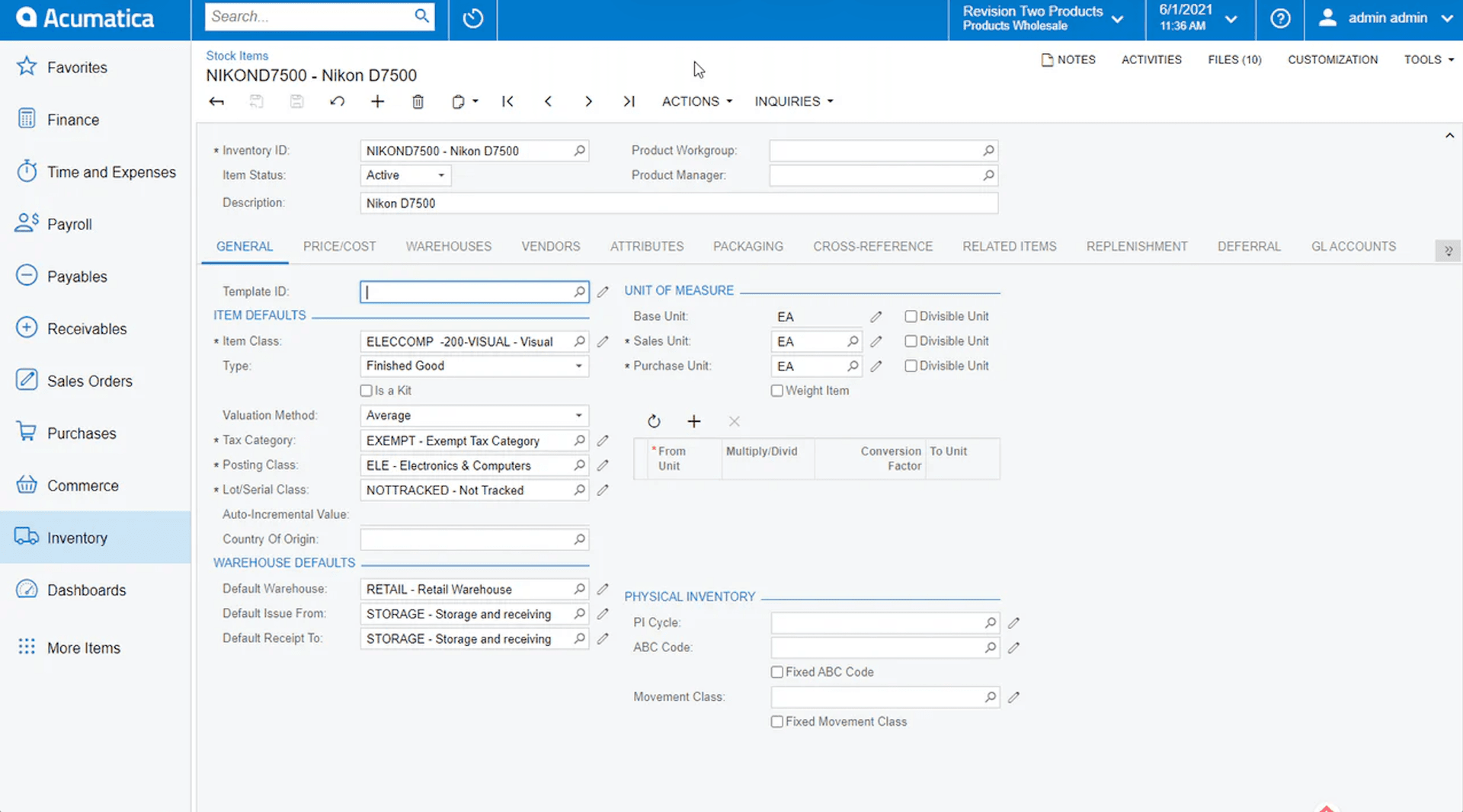
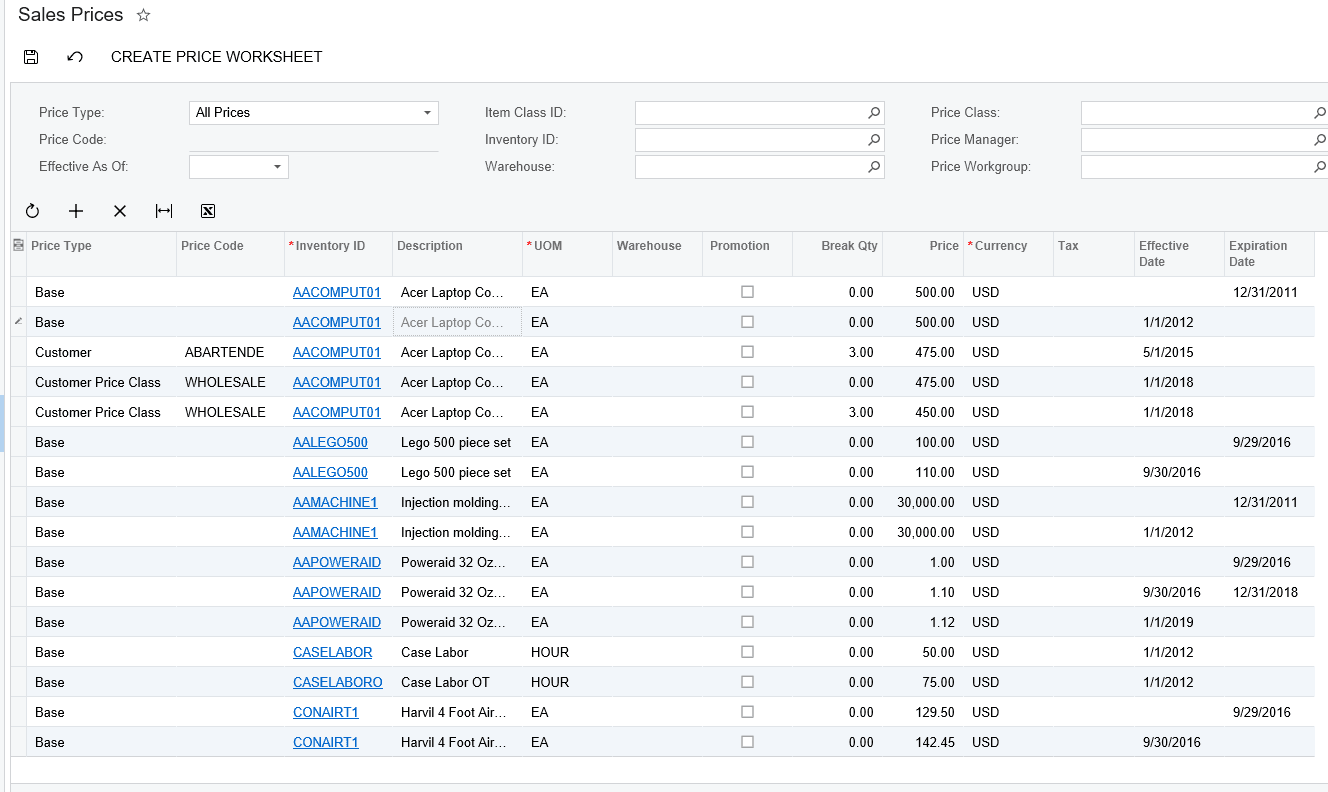
- Inventory management. Track inventory in real time and avoid costly overstock with cloud-based tools built for retail and distribution.
- Order processing. Streamline every step from order entry to fulfillment, so your team spends less time chasing paperwork and more time driving business operations.
- Financial management. Keep your general ledger, financial reports, and accounting in check with ERP software made for growing businesses.
- Customer management. Centralize your CRM and customer data, so your sales team isn’t digging through spreadsheets to get the full story.
- Purchasing automation. Automate procurement and keep supply chain hiccups from slowing you down—across all your modules.
- Sales management. Monitor sales activity and performance in real time, with dashboards that actually support decision-making.
Ease of Use
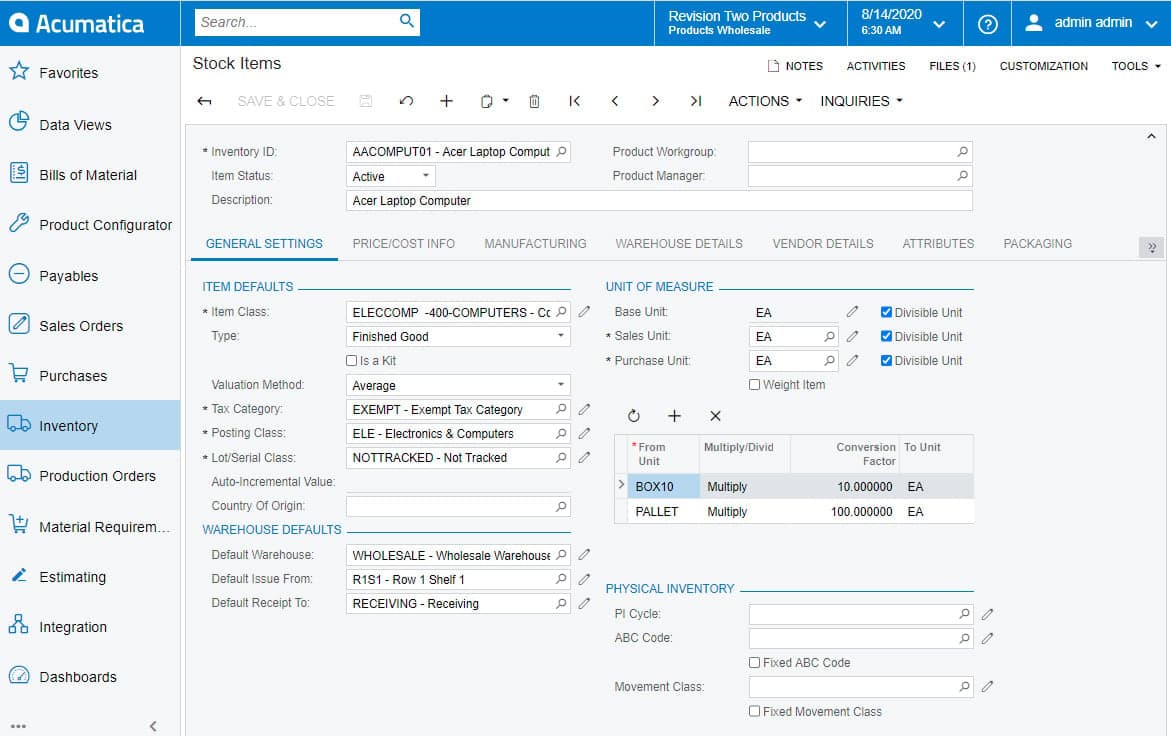
Acumatica isn’t winning any awards for being the most user-friendly ERP system out of the box.
If you’re used to consumer apps or simpler order management systems, the interface can feel a bit clunky—especially for non-technical end users. The navigation is functional but not exactly intuitive, and finding the right modules or dashboards can take some getting used to.
That said, once your team pushes through the initial learning curve, Acumatica starts to make more sense.
The flexibility and depth of the cloud-based platform give growing businesses real control over workflow and reporting. It’s a classic case of “powerful, but time-consuming”—you get the features, but you’ll need to train up.
Acumatica Specs
- Accounts Payable: Yes
- Accounts Receivable: Yes
- API: Yes
- Budgeting: Yes
- Calendar Management: Yes
- Compliance Tracking: No
- Customer Management: Yes
- Dashboard: Yes
- Data Export: Yes
- Data Import: Yes
- Data Visualization: Yes
- Expense Tracking: Yes
- External Integrations: Yes
- Financial Analysis: No
- Forecasting: Yes
- Inventory Tracking: Yes
- Multi-Currency: Yes
- Multi-User: Yes
- Notifications: Yes
- Order Management: Yes
- Payroll: Yes
- Project Management: Yes
- Purchase Orders: Yes
- Resource Management: Yes
- Scheduling: Yes
- Supplier Management: Yes
- Task Scheduling/Tracking: Yes
- Third-Party Plugins/Add-Ons: Yes
- Warehouse Management: Yes
- Workflow Management: Yes
Alternatives to Acumatica


Acumatica FAQs
What's Next?
Retail never stands still—and neither should you. Subscribe to our newsletter for the latest insights, strategies, and career resources from top retail leaders shaping the industry.