

Software-ul pentru panouri digitale de meniu vă permite să controlați și să actualizați meniurile de pe fiecare ecran din compania dumneavoastră, dintr-un singur loc. Pentru grupurile de magazine și restaurante care gestionează zeci sau sute de locații, instrumentul potrivit rezolvă haosul promoțiilor de ultim moment, al modificărilor de prețuri și al actualizărilor de conformitate — fără săptămâni de muncă manuală.
În acest ghid veți găsi selecțiile mele din 2026 pentru software de panouri digitale de meniu, potrivite cel mai bine echipelor cu mai multe locații care au nevoie de supraveghere centralizată, integrare POS, consecvență a mărcii și vizibilitate operațională. Aflați cum vă permit aceste soluții să vă păstrați meniurile clare, adaptabile și mereu sincronizate.
Why Trust Our Software Recommendations
6,700+
Reviews
20
Industry experts
16+
Evaluation factors
14
Years
Our team has been testing and reviewing software since 2012. As retail leaders ourselves, we know how difficult—and important—it is to choose the right software.
For this guide, we evaluated tools using hands-on testing and independent research, scoring tools using our selection criteria.
Our reviews reflect our independent judgment—not a sales pitch.
Tabel comparativ pentru software de panouri digitale de meniu
Acest tabel comparativ sintetizează detaliile de preț pentru selecțiile mele de top de software pentru panouri digitale de meniu:
Score legend (out of 5)
- Excellent4.5–5
- Good4–4.4
- Average3–3.9
- Below average2–2.9
- Poor1–1.9
Sorted by: Default
| Tool | Starting Price | Website | |||||||
|---|---|---|---|---|---|---|---|---|---|
Best for AI-driven menu board fleet oversight | 4.8 out of 5 | 5 | 5 | 4 | 5 | 5 | 5 | Pricing upon request Not available | Website |
Best for multi-location menu and ad scheduling | 4.7 out of 5 | 3 | 5 | 5 | 5 | 5 | 5 | Pricing upon request Free demo available | Website |
Best for hardware-agnostic menu board deployments | 4.7 out of 5 | 3 | 5 | 5 | 5 | 5 | 5 | $20/screen/month Free demo + 14-day free trial available | Website |
Best for white-glove menu board rollouts | 4.0 out of 5 | 2 | 5 | 5 | 5 | 4 | 3 | $15/month Free trial + free demo available | Website |
Best for enterprise signage at multi-location scale | 4.5 out of 5 | 2 | 5 | 5 | 5 | 5 | 5 | Pricing upon request Free demo available | Website |
Best for QSR dayparting across locations | 4.8 out of 5 | 4 | 5 | 5 | 5 | 5 | 5 | $14/screen/month Free demo + 30-day free trial available | Website |
Best for SOC 2-certified menu board management | 4.8 out of 5 | 4 | 5 | 5 | 5 | 5 | 5 | $13.50/screen/month Free demo + 14-day free trial available | Website |
Best for Apple TV-native menu board deployments | 4.8 out of 5 | 5 | 5 | 4 | 5 | 5 | 5 | $7/screen/month Free demo + 14-day free trial available | Website |
Best for perpetual-license menu board management | 4.8 out of 5 | 4 | 5 | 5 | 5 | 5 | 5 | $450 one-time Free demo available | Website |
Best for enterprise menu board fleet management | 4.8 out of 5 | 4 | 5 | 5 | 5 | 5 | 5 | $14/month/player Free demo available | Website |


Recenzii ale software-ului pentru panouri digitale de meniu
Mai jos sunt rezumatele mele detaliate ale celor mai bune software-uri pentru panouri digitale de meniu care au ajuns pe lista mea scurtă. Recenziile mele oferă o privire detaliată asupra funcțiilor, capacităților și integrărilor fiecărui software, pentru a vă ajuta să îl găsiți pe cel mai potrivit pentru dumneavoastră.
 Best for AI-driven menu board fleet oversight
- Not available
- Pricing upon request
Visit WebsiteCustomer Rating:4.5/5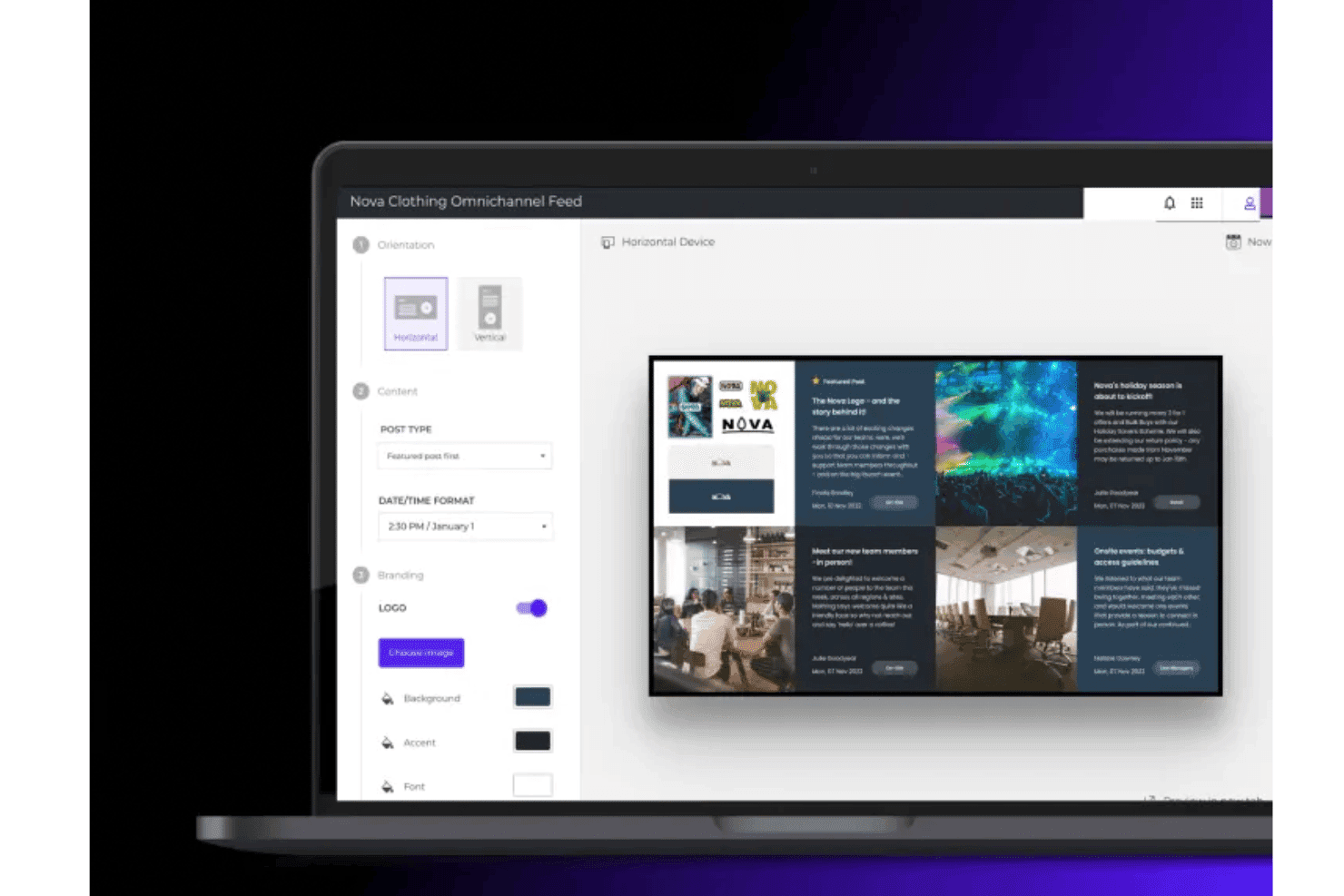
Poppulo lets teams create and customize digital menu board layouts with branded content, images, and dynamic feeds. Poppulo is an enterprise digital signage platform that combines cloud-based content management, multi-screen scheduling, remote fleet monitoring, and real-time data feed integration to manage large-scale digital menu board deployments across distributed locations.
Who Is Poppulo Best For?
Poppulo is a strong fit for enterprise retail chains and franchise operators that need centralized governance over large, distributed screen fleets across hundreds or thousands of locations.
Why I Picked Poppulo
I picked Poppulo as one of the best because its AI Agent genuinely changes how large-scale menu board fleets get managed. It monitors playback and device data across thousands of screens, flags anomalies, and surfaces content performance trends automatically. Paired with real-time device health tracking and the Device Status Tracker, your IT team can pinpoint an offline screen at a specific location before anyone in that store notices.
Poppulo Key Features
- Dayparting scheduling: Automatically swap content by time of day across all locations without manual intervention, covering breakfast, lunch, dinner, and other defined time segments.
- Role-based publishing permissions: Set granular access controls so corporate teams govern brand standards while local teams publish content within defined boundaries.
- Proof-of-play reporting: Track exactly what content played, on which screen, and at what time—useful for verifying co-op marketing spend and franchisee compliance.
- Live data widgets: Pull real-time feeds from weather, social media, business KPIs, and RSS sources directly onto display screens without requiring user logins.
Poppulo Integrations
Poppulo offers native integrations relevant to menu board deployments, including Oracle Hospitality Integration Platform (OHIP), Salesforce, Microsoft Power BI, Tableau, and more.
Pros and Cons
Pros:
- Proof-of-play confirms campaign and compliance requirements
- Dayparting automates menu board content swaps
- AI monitors device status and playback in real time
Cons:
- Overly complex for single-location businesses
- Requires professional onboarding and setup assistance
Learn more about Poppulo: Best for multi-location menu and ad scheduling
- Free demo available
- Pricing upon request
Visit WebsiteCustomer Rating:4.6/5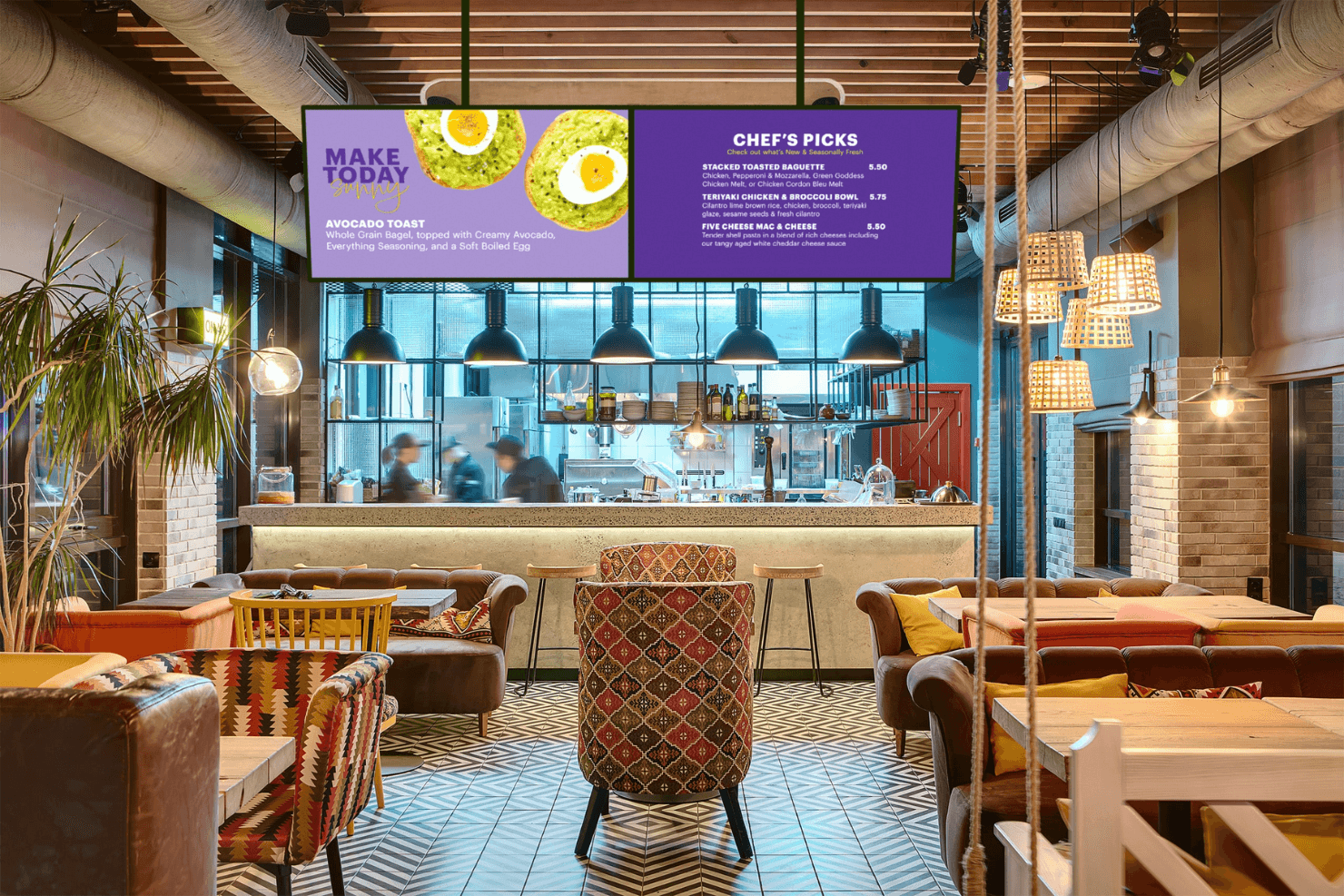
Spectrio powers digital menu boards for restaurants with dynamic content. Spectrio is a cloud-based digital menu board and signage platform that combines multi-screen content management, dayparting-based scheduling, audience measurement, and an Ad Scheduler for campaign-driven menu and promotional display across large screen networks.
Who Is Spectrio Best For?
Spectrio is a strong fit for franchise and chain operators managing screen content across dozens or hundreds of locations.
Why I Picked Spectrio
Spectrio earns its spot on my shortlist because it's genuinely built for operators running screens across dozens or hundreds of locations. I love how the Ad Scheduler and dayparting tools work together, letting you automate time-based menu swaps and push location-specific promotional campaigns from a single cloud interface. The franchise governance layer is what really sets it apart: corporate teams can lock down brand-critical content while still giving individual locations room to customize.
Spectrio Key Features
- Spectrio Measure: Uses radar and computer vision sensors to track audience demographics, dwell time, and occupancy in real time, with support for A/B content testing.
- Retail Media Network: Lets you monetize up to 30% of your screen inventory by serving programmatic brand ads alongside your own in-store messaging.
- Emergency messaging override: Pushes emergency alerts and safety content instantly across every connected screen from within the CMS.
- Interactive touchscreen kiosks: Supports countertop and freestanding kiosk builds for self-service wayfinding, product exploration, and brand engagement.
Spectrio Integrations
Spectrio offers native integrations with Google Sheets, Slack, Google Calendar, plus hardware partner support for BrightSign, Samsung Tizen, and LG WebOS players.
Pros and Cons
Pros:
- Retail media network for in-store ad revenue
- Supports complex multi-location promotional scheduling
- AI-driven audience measurement and content triggering
Cons:
- Hardware player reliability issues reported
- POS integration still not fully available
Learn more about Spectrio: 3Best for hardware-agnostic menu board deployments
Fugo
- Free demo + 14-day free trial available
- From $20/screen/month (billed annually)
Visit WebsiteCustomer Rating:4.5/5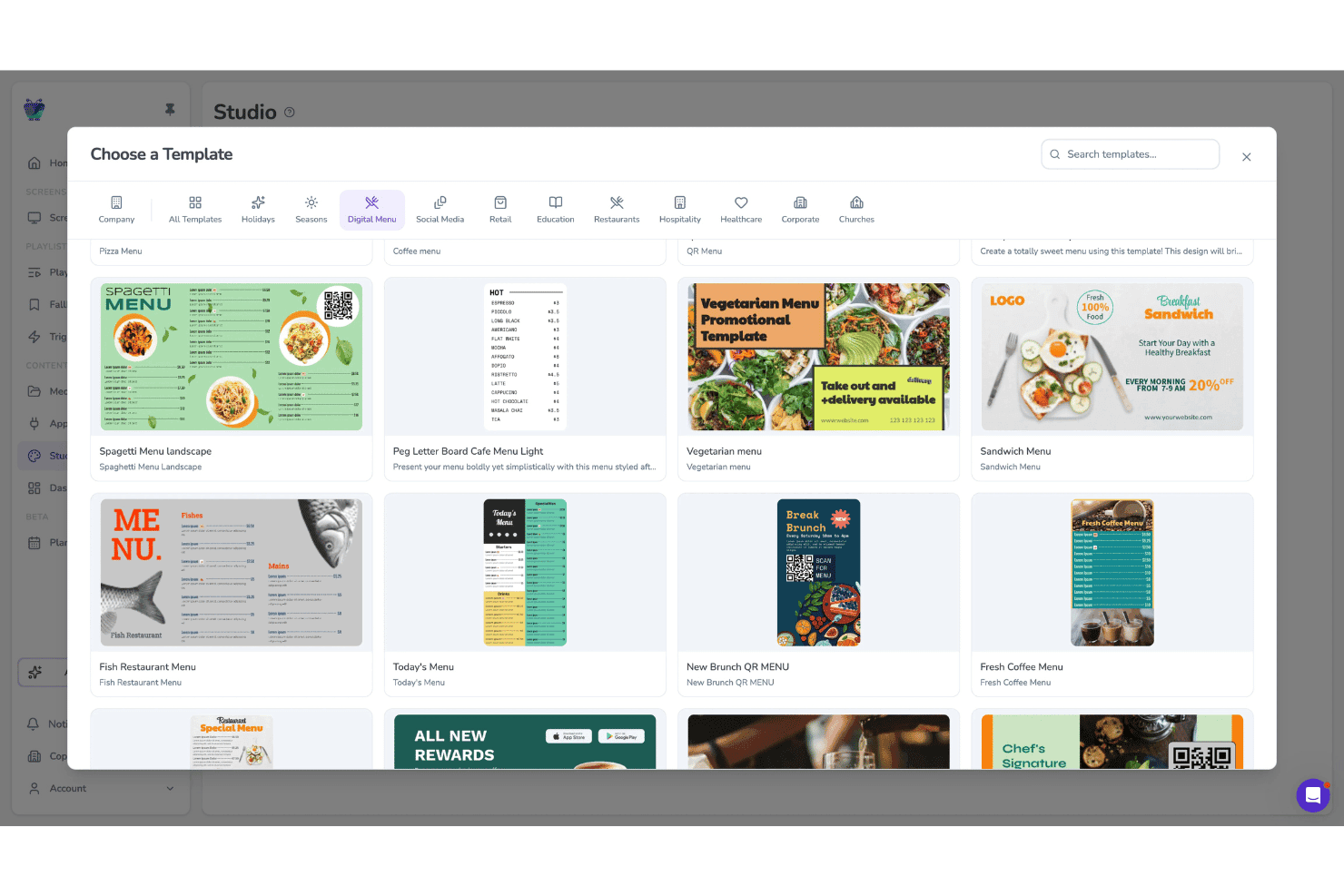
Fugo lets users choose from digital menu templates for screens. Fugo is a cloud-based digital menu board and digital signage platform that combines a drag-and-drop design studio, multi-screen scheduling with dayparting, remote fleet management, and a hardware-agnostic player app.
Who Is Fugo Best For?
Fugo is a strong fit for multi-location food service and retail operators who need to run menu board content across a mixed hardware fleet without being locked into proprietary displays.
Why I Picked Fugo
Fugo earns its spot on my shortlist because it runs on virtually any screen hardware you already own, from Amazon Fire TV sticks to Samsung Tizen displays to Raspberry Pi units, so you're never forced into a proprietary hardware purchase. I'm particularly impressed by the dedicated Digital Menu App, which lets you build and update menu boards directly in the CMS, complete with sold-out indicators and allergen icons that sync across every location the moment you publish.
Fugo Key Features
- Dayparting scheduler: Set time-of-day, day-of-week, and holiday content rules that switch menu board playlists automatically without manual updates.
- Multi-zone canvas editor: Build screen layouts with multiple independent content zones, supporting mixed media, text overlays, and live data widgets side by side.
- Proof-of-play reporting: Access playback logs that confirm what content ran, on which screen, and when—available on Core and Enterprise plans.
- Allergen icon display: Add and update dietary and allergen icons per menu item directly in the Digital Menu App, with changes syncing instantly across all connected screens.
Fugo Integrations
Fugo offers integrations including Power BI, Looker, Workspace, and more, and social media walls for Facebook and X. POS systems connect via API, a REST API is available on the Enterprise plan for custom integrations.
Pros and Cons
Pros:
- Allergen and compliance icons update instantly
- Built-in Digital Menu App for restaurants
- Works with nearly any existing screen hardware
Cons:
- Some touchscreen features reported unreliable
- No turnkey POS connectors available
Learn more about Fugo: Best for white-glove menu board rollouts
- Free trial + free demo available
- From $15/month (billed annually)
Visit WebsiteCustomer Rating:4.7/5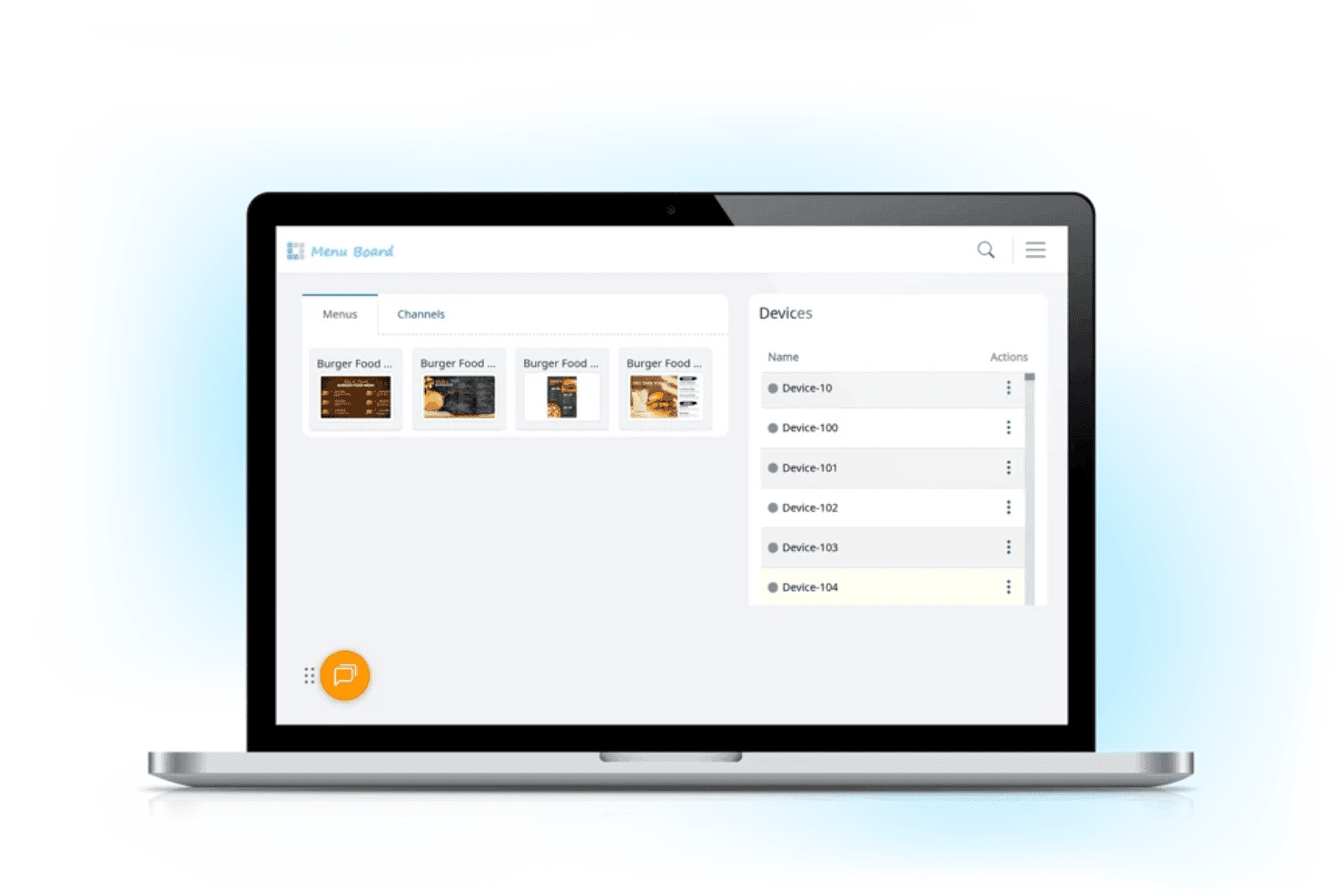
L Squared lets restaurant teams manage digital menu content and connected display devices from a centralized dashboard. L Squared Hub is a cloud-based digital menu board and signage platform built for multi-location operators, combining a centralized CMS, automated daypart scheduling, a 150+ widget library, and touchscreen kiosk support.
Who Is L Squared Best For?
L Squared is a strong fit for enterprise and franchise operators who want a managed, end-to-end rollout—hardware procurement, installation, and ongoing support included.
Why I Picked L Squared
I picked L Squared as one of the best because of how thoroughly it handles end-to-end menu board rollouts, from hardware procurement through installation and ongoing support. What I find genuinely impressive is Intelligent Daypart Merchandising, which auto-rotates breakfast, lunch, and dinner menus on a schedule without anyone touching the dashboard. Pair that with enterprise-grade governance across 10,000+ screens, and multi-location operators get a fully managed deployment that's hard to replicate with a self-serve tool.
L Squared Key Features
- Live data widget library: Access 50+ widgets on the Professional plan—including real-time weather, news, social media feeds, and sports scores—to display contextual content on any screen.
- Role-based access control: Assign permissions down to the individual screen level, with SSO and multi-factor authentication built in for enterprise team management.
- Emergency messaging override: Push safety alerts or urgent announcements instantly across all connected screens, interrupting scheduled content automatically.
- Touchscreen kiosk support: Deploy interactive touchscreen displays for self-service ordering, product discovery, wayfinding, and allergen or nutritional information lookups.
L Squared Integrations
L Squared offers 100+ widget-based integrations and native connections across the Microsoft ecosystem, including Microsoft 365, Power BI, Teams, along with Cisco Meraki, Achievers, and more.
Pros and Cons
Pros:
- Enterprise-level audit and device controls
- Touchscreen kiosks supported for interactive use
- Menu content adjusts automatically by time
Cons:
- Frequent service outages reported in one review
- Slow onboarding process for first deployments
Learn more about L Squared: Best for enterprise signage at multi-location scale
- Free demo available
- Pricing upon request
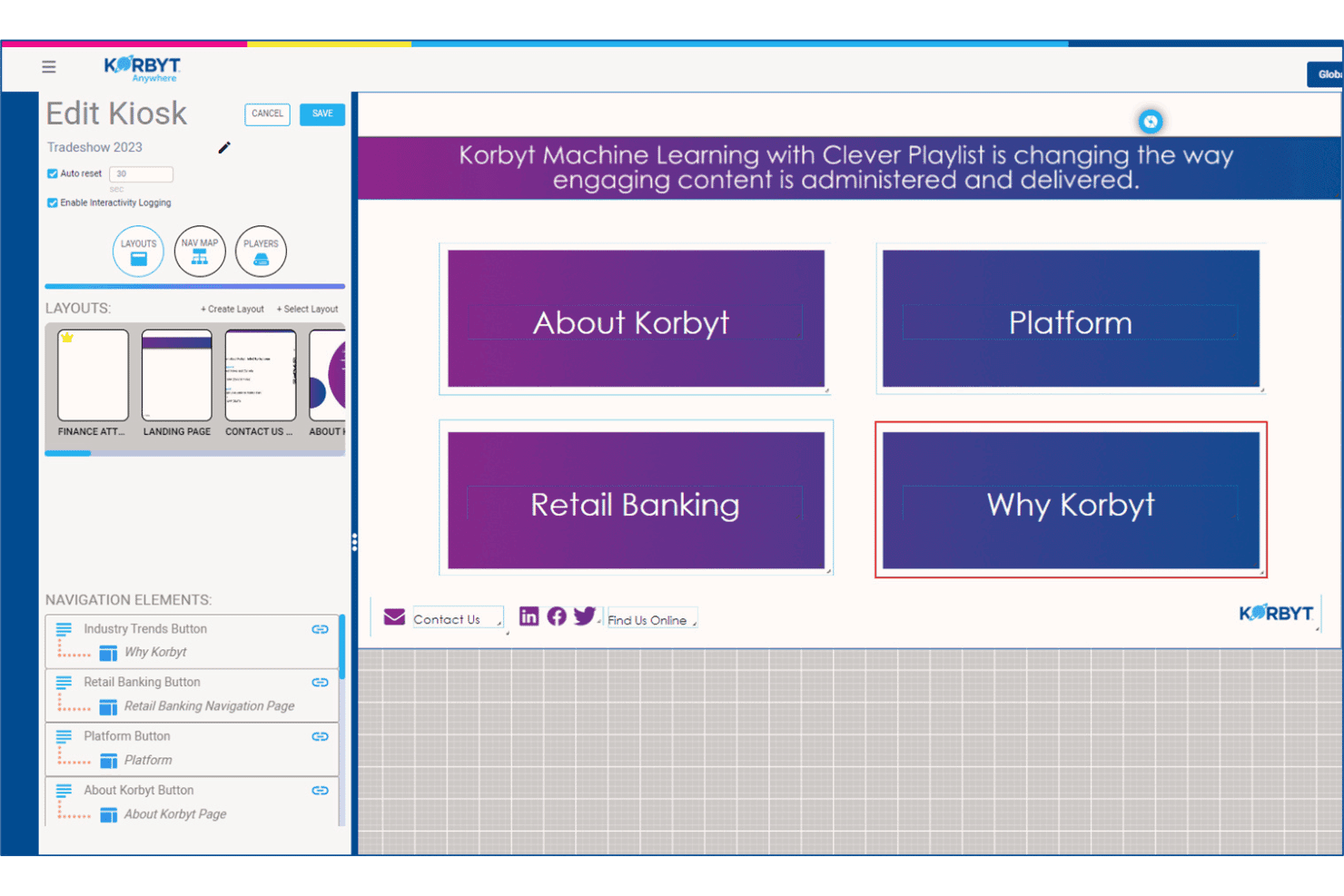
Korbyt lets users build and manage interactive kiosk navigation layouts. Korbyt is an enterprise digital signage platform that delivers content management, multi-screen scheduling, audience analytics, and AI-powered content creation across large-scale screen networks.
Who Is Korbyt Best For?
Korbyt is a strong fit for enterprise IT and communications teams managing large, distributed screen networks across dozens or hundreds of locations.
Why I Picked Korbyt
Korbyt earns its spot on my shortlist because no other platform I've tested matches its ability to govern content across hundreds of locations simultaneously. I'm particularly drawn to Clever Playlists, its ML-powered scheduling engine that auto-adjusts what plays on each screen based on location, daypart, and live data triggers, without manual intervention. Pair that with role-based approval workflows and brand lockdown controls, and your regional teams can update their screens without breaking your brand standards.
Korbyt Key Features
- Korbyt Optics audience analytics: A USB camera-based add-on that tracks viewer presence and dwell time in front of screens, triggering real-time content swaps based on detected audience.
- CreateAI generative content agent: Generates on-brand signage visuals from a text prompt using your stored logos, fonts, and brand colors.
- Multi-zone layout builder: A drag-and-drop designer that lets you divide a single screen into independent content zones, each controlled by different teams or data sources.
- Emergency messaging override: Pushes urgent alerts instantly across all connected screens, interrupting any active playlist across your entire location network.
Korbyt Integrations
Korbyt offers native integrations with ServiceNow, Cisco Webex, Zoom Rooms, Crestron, Barco ClickShare, Adobe Experience Manager, Google Drive, Dropbox, Box, and integrations across the Microsoft ecosystem.
Pros and Cons
Pros:
- Camera-based audience measurement tools built in
- Supports on-premises, cloud, and hybrid deployments
- Handles multi-brand content governance easily
Cons:
- Focuses on corporate and banking signage
- No retail menu item sync features
Learn more about Korbyt: Best for QSR dayparting across locations
- Free demo + 30-day free trial available
- From $14/screen/month (billed annually)
Visit WebsiteCustomer Rating:4.9/5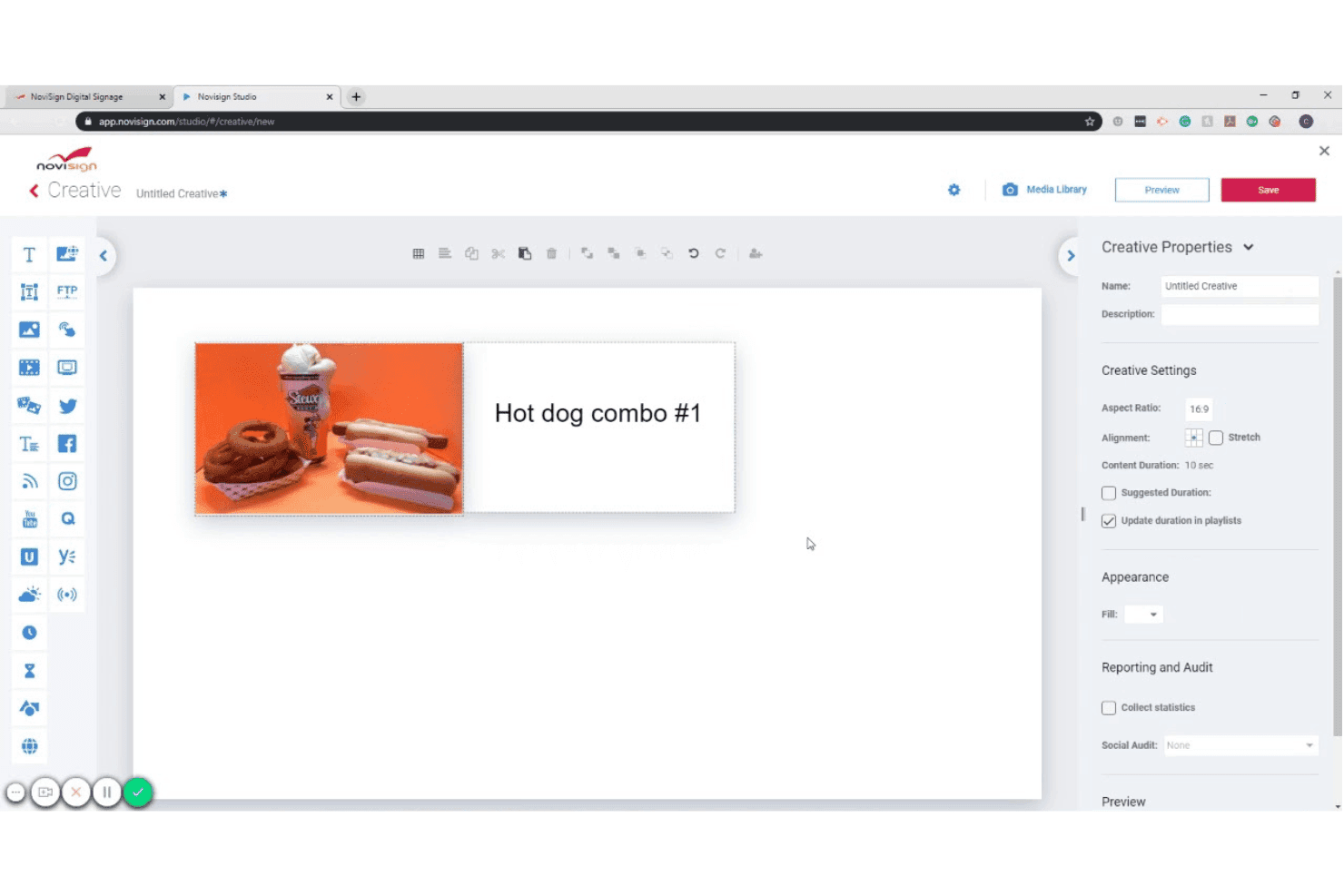
NoviSign lets users design digital signage creatives with images and text. NoviSign is a cloud-based digital menu board platform that combines a drag-and-drop content editor, dayparting scheduling, live data integrations, and multi-location screen management across Android, Samsung Tizen, LG webOS, BrightSign, and other display operating systems.
Who Is NoviSign Best For?
NoviSign is a strong fit for QSR and fast-casual restaurant operators managing menu board content across multiple locations.
Why I Picked NoviSign
NoviSign earns its spot on my shortlist because of how well its dayparting automation handles the scheduling complexity that QSR operators deal with across dozens or hundreds of locations. I like that you can build unlimited playlists tied to specific dayparts, like breakfast, lunch, dinner, and happy hour, and have them switch automatically without anyone touching the screens. The native Toast POS sync is a real differentiator too, pushing live menu prices and item availability directly to your boards the moment something changes in the POS.
NoviSign Key Features
- 500+ design templates: Choose from a library of industry-specific templates, including digital menu boards, retail, and hospitality, and customize them directly in the drag-and-drop canvas editor.
- Multi-zone screen layouts: Divide a single display into multiple content zones to show menu items in one area and promotional content or social feeds in another simultaneously.
- Proof-of-play reporting: Generate reports that log which content played, on which screen, and when—useful for co-op marketing verification and content compliance audits.
- IoT and sensor-triggered content: Connect RFID readers, barcode scanners, and other IoT sensors to trigger contextual content changes on-screen based on real-world events.
NoviSign Integrations
NoviSign offers native integrations with Toast POS, Power BI, Tableau, Google Sheets, and connects with Zapier for 5,000+ additional apps. It also supports DOOH ad networks, and provides an API for custom integrations.
Pros and Cons
Pros:
- Multi-brand management with sub-accounts
- Template library for menu design
- Centralized scheduling for multiple venues
Cons:
- Screen minimum for Premium plan
- No iOS player support
Learn more about NoviSign: Best for SOC 2-certified menu board management
- Free demo + 14-day free trial available
- From $13.50/screen/month (billed annually)
Visit WebsiteCustomer Rating:4.8/5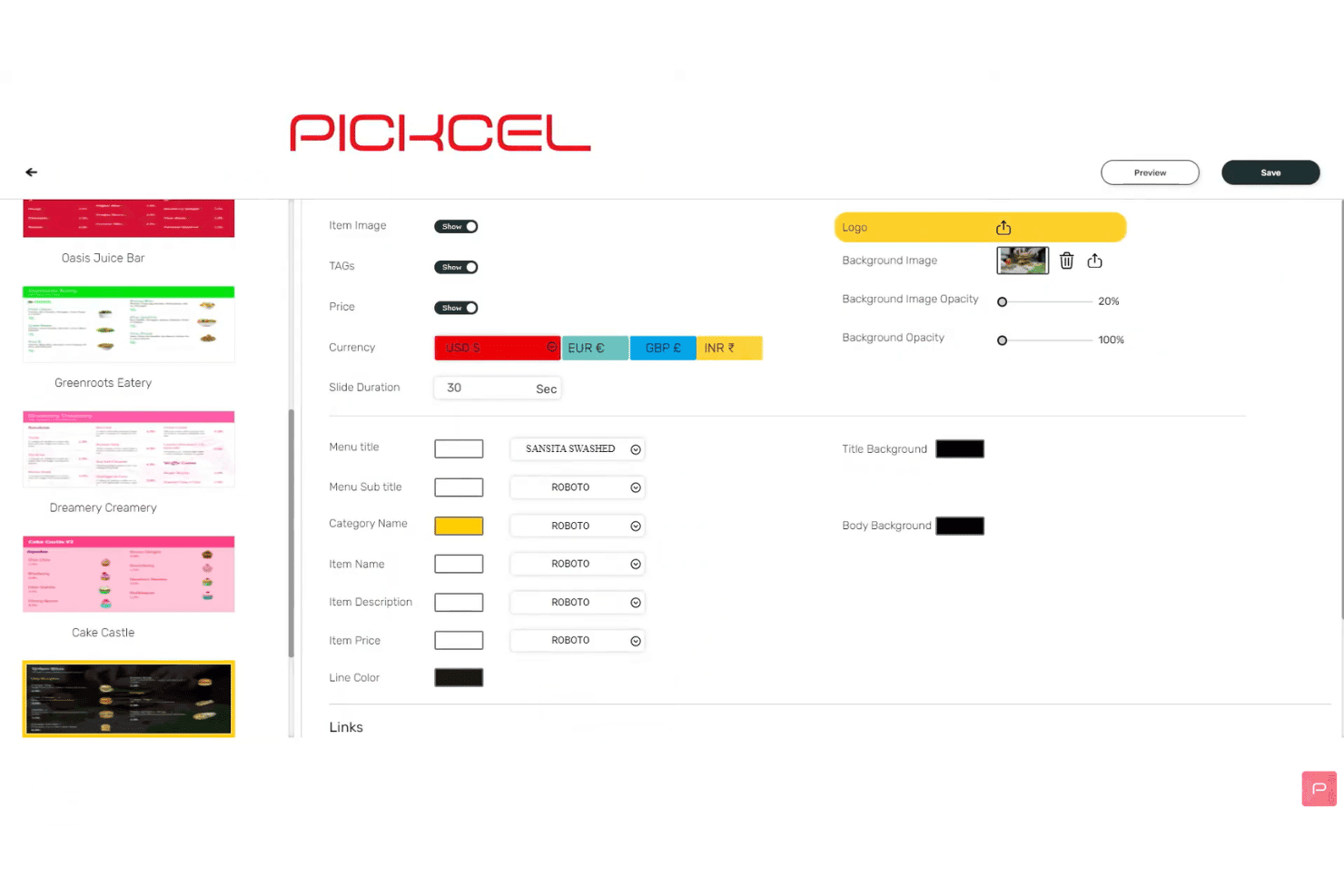
Pickcel lets users customize menu display settings and fonts. Pickcel is a cloud-based digital menu board platform with a drag-and-drop content editor, automated dayparting, multi-screen scheduling, POS data integrations, and remote fleet management across 50+ device types.
Who Is Pickcel Best For?
Pickcel is a strong fit for IT and operations teams at multi-location food service and retail brands that need enterprise-grade security certifications alongside day-to-day menu board management.
Why I Picked Pickcel
Pickcel earns its spot on my shortlist because it's the only digital menu board platform I've found that pairs SOC 2 Type II and ISO 27001 certifications with a full-featured menu board CMS, which matters when IT security reviews are part of your procurement process. I particularly like the on-premise deployment option, which lets regulated brands self-host the entire platform for complete data sovereignty. The audit logs and RBAC controls mean every content change is tracked and permissioned across locations.
Pickcel Key Features
- Automated dayparting: Schedule menu content to switch automatically between breakfast, lunch, dinner, and late-night dayparts based on time of day or day of week.
- Google Sheets and Excel data feeds: Connect live spreadsheets so menu prices and items update on-screen automatically whenever the source data changes.
- Multizone layout editor: Divide a single screen into multiple content zones, each running independent media, widgets, or menu content simultaneously.
- Proof-of-play reporting: Export campaign playback logs and device uptime reports as CSV files to verify content delivery across your screen network.
Pickcel Integrations
Pickcel offers native integrations with Square, Shopify, Google Sheets, Excel, Canva, and connects with Zapier. An open REST API and webhooks are available for custom integrations.
Pros and Cons
Pros:
- On-premise deployment with audit logs and RBAC
- Automated menu switching for daypart campaigns
- Supports 50+ device types and operating systems
Cons:
- Some reports of slow dashboard performance
- Template selection is narrower than competitors
Learn more about Pickcel: Best for Apple TV-native menu board deployments
- Free demo + 14-day free trial available
- From $7/screen/month (billed annually)
Visit WebsiteCustomer Rating:4.5/5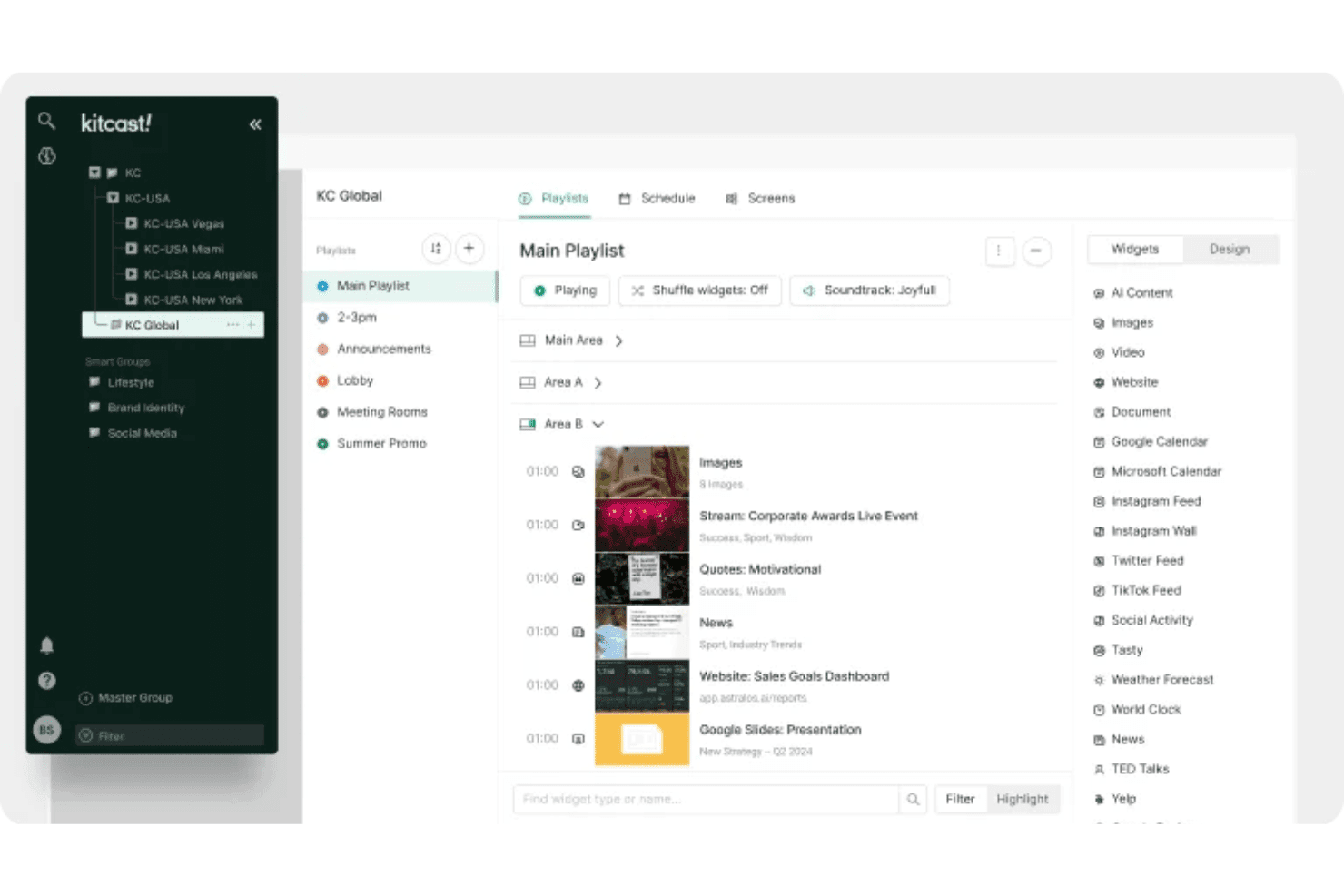
Kitcast lets users organize playlists and widgets across multiple screens. Kitcast is a cloud-based digital signage platform with a native Apple TV app that covers content scheduling, POS-synced menu publishing, dayparting automation, and multi-screen remote management.
Who Is Kitcast Best For?
Kitcast is a strong fit for restaurants and cafés that run Apple TV hardware and need menu boards that sync automatically with their POS.
Why I Picked Kitcast
Kitcast earns its spot on my shortlist because it's the only digital signage platform built natively on tvOS, which means Apple TV renders every menu board element—live widgets, video, and dynamic pricing—without the workarounds other platforms require on Apple hardware. I particularly like the POS sync with Square, Toast, and Clover, where out-of-stock items dim or hide automatically the moment inventory changes. Pair that with true dayparting automation, and breakfast-to-lunch transitions happen on a pre-set schedule with zero manual intervention.
Kitcast Key Features
- Role-based permissions: Admins can lock brand standards like fonts, colors, and layouts company-wide while local editors update prices and specials within approved boundaries.
- Emergency alert override: The CAP integration on the Pro plan lets you instantly push safety alerts or announcements to every screen in your fleet, overriding any active content.
- Proof-of-play logs: Kitcast generates verified records of what content played, on which screen, and when—useful for franchise reporting and co-op marketing compliance.
- AI Content Builder: Generate menu layouts and promotional visuals directly from text prompts, without needing a separate design tool or external asset library.
Kitcast Integrations
Kitcast offers native integrations with Square, Toast, Clover, Lightspeed Restaurant, Revel Systems, Canva, Google Workspace, and the Microsoft ecosystem (including Microsoft 365, SharePoint, and Azure AD via SCIM).
Pros and Cons
Pros:
- Role-based permissions for brand governance
- Emergency alert override for all screens
- Native Apple TV menu board deployment
Cons:
- No built-in audience personalization features
- Limited interactive touchscreen feature documentation
Learn more about Kitcast: 9Best for perpetual-license menu board management
Mvix
- Free demo available
- From $450 one-time
Visit WebsiteCustomer Rating:4.6/5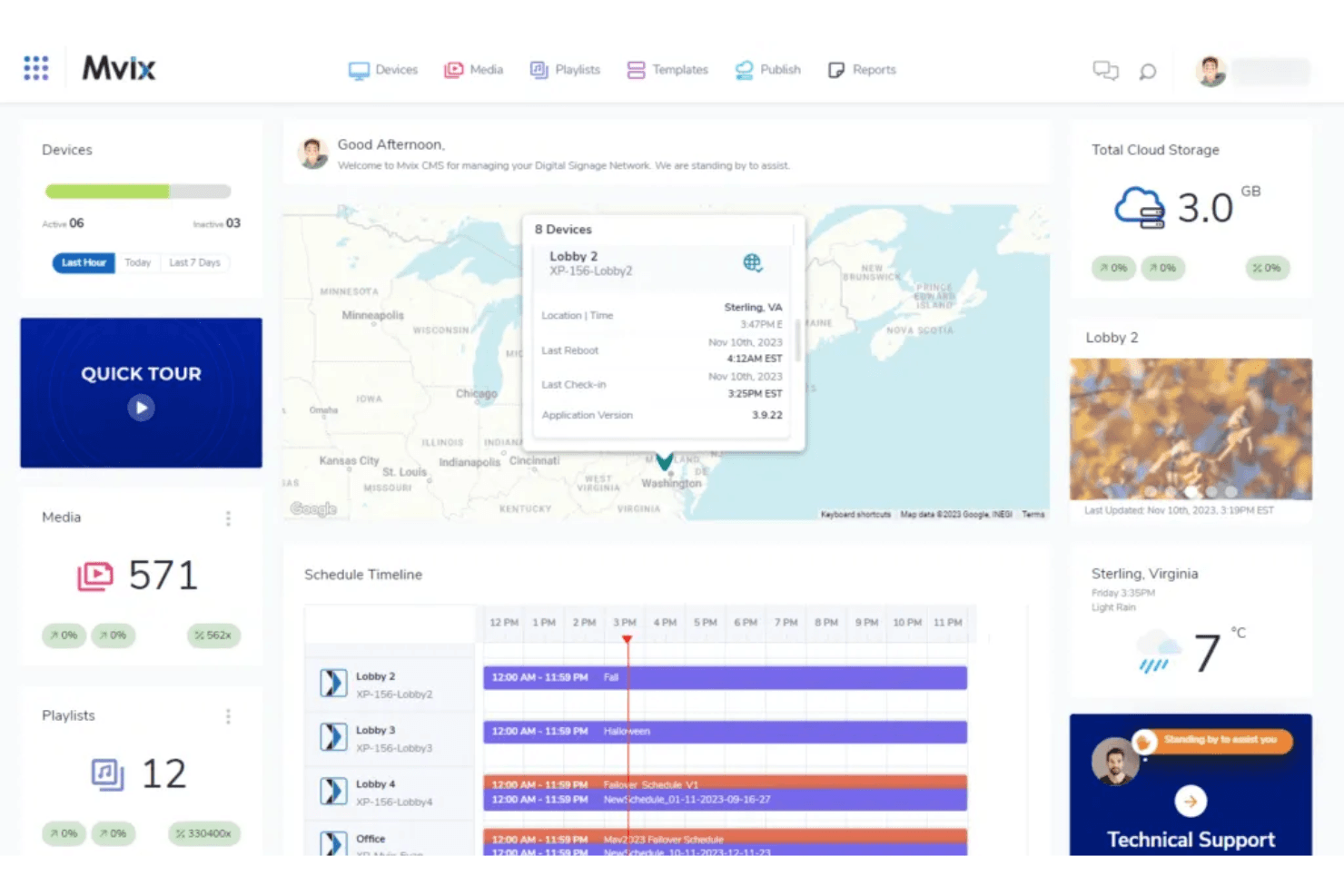
Mvix's dashboard lets users monitor devices, schedules, and media in one view. Mvix is a digital menu board and signage platform that pairs proprietary media players with a cloud-based CMS, offering multi-zone layout design, dayparting scheduling, POS integration, and remote device management.
Who Is Mvix Best For?
Mvix is a strong fit for multi-location operators and IT teams who want to avoid recurring SaaS fees by purchasing hardware with a lifetime CMS license included.
Why I Picked Mvix
Mvix earns its spot on my shortlist because it's the only digital menu board platform I've found that bundles a lifetime CMS license into a one-time hardware purchase, with no recurring fees per screen. I particularly like the Day-Parting app, which automates content rotation by daypart (breakfast through late-night) without any manual scheduling intervention. The Menu Maker app also syncs live pricing and stock status directly from Toast, Clover, and Square, so menu boards update in real time when items sell out or prices change.
Mvix Key Features
- Multi-zone layout designer: Split any screen into up to 10 independent content zones, each running different media simultaneously.
- Device Health Portal: Monitor CPU usage, storage, Wi-Fi signal strength, and temperature for every player in your network from a single dashboard.
- Emergency alert override: IPAWS/CAP protocol integration instantly replaces all scheduled content across every screen with emergency messaging.
- Magic Folders: Auto-sync content from Microsoft Office 365 or Google Drive so your displays update whenever source files change.
Mvix Integrations
Mvix offers native integrations with Toast, Square, Power BI, Tableau, Klipfolio, and Slack, plus social feeds from Facebook, Instagram, and X. It also provides RESTful APIs and webhooks for custom POS, CRM, and HR system connections.
Pros and Cons
Pros:
- Offline playback keeps screens running
- Multi-zone layout designer for menu boards
- Lifetime CMS license with hardware purchase
Cons:
- Hardware issues reported by some users
- Setup often requires IT expertise
Learn more about Mvix: Best for enterprise menu board fleet management
- Free demo available
- From $14/month/player
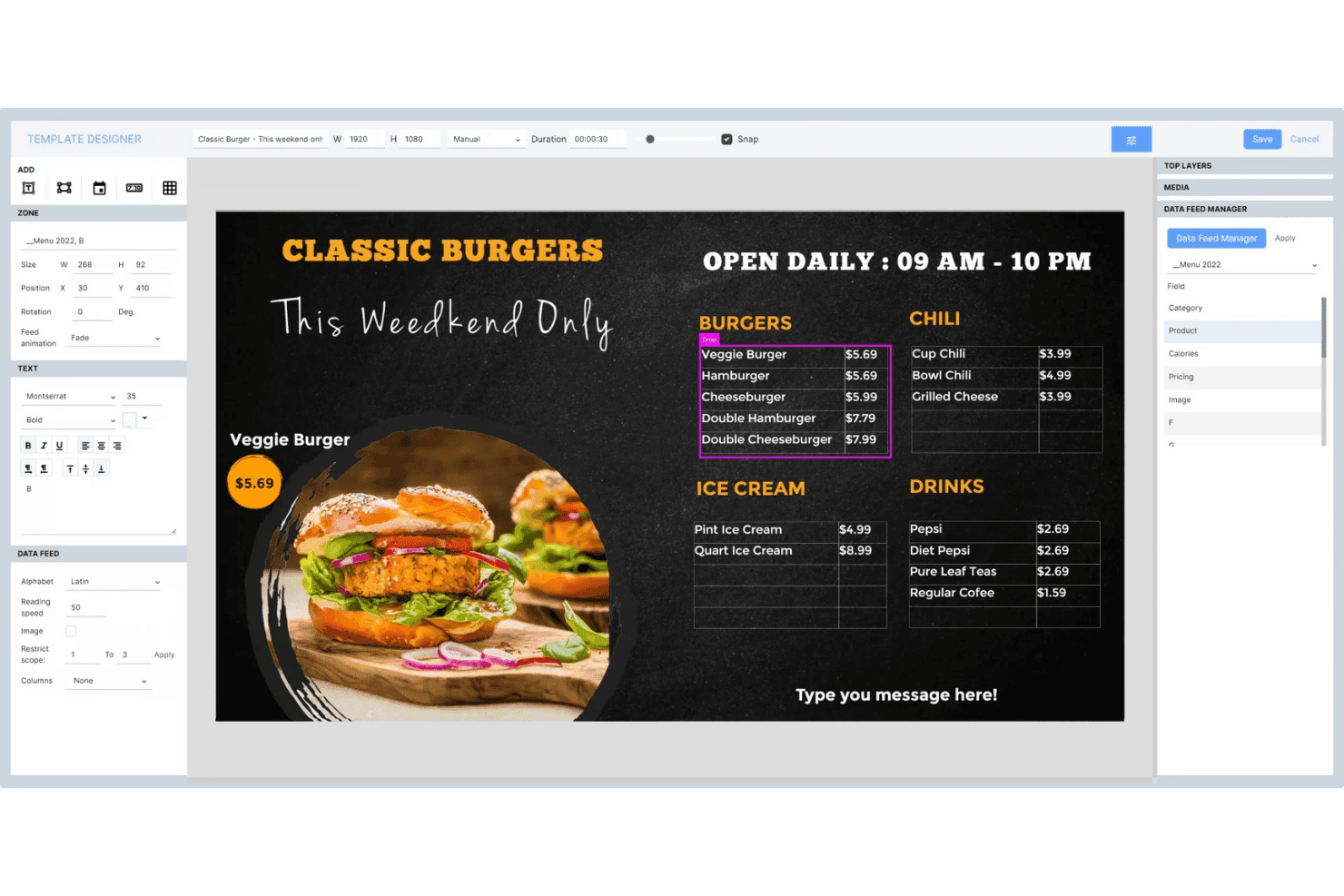
Navori Labs lets users design dynamic menu boards with live data feeds. Navori Labs is a digital menu board and signage platform built for large-scale deployments, offering multi-tenant content management, dayparting scheduling, live data integration, and remote fleet monitoring across thousands of displays.
Who Is Navori Labs Best For?
Navori Labs is a strong fit for enterprise QSR chains and multi-location retailers that need to manage thousands of displays across franchises, regions, and brands from a single backend.
Why I Picked Navori Labs
Navori Labs earns its spot on my shortlist because no other platform I've tested scales menu board management as cleanly across thousands of locations. I'm particularly impressed by its multi-tenant architecture, which lets corporate teams set national playlists while franchisees control local content within defined guardrails. Its dayparting engine automatically transitions breakfast boards to lunch menus without manual input, and real-time POS sync pulls pricing and out-of-stock status directly to displays.
Navori Labs Key Features
- Multi-tenant architecture: Separates content, permissions, and data across brands, franchises, or regions within a single backend instance.
- AQUAJI audience analytics: Uses computer vision via connected cameras to measure footfall, dwell time, and demographic data for content performance reporting.
- Emergency alert override: Integrates with CAP, OmniAlert, and building alarm systems to push full-screen alerts instantly across all managed displays.
- Interactive touchscreen support: Enables lift-and-learn, RFID/NFC triggers, gesture recognition, and IoT sensor inputs for kiosk and self-service display configurations.
Navori Labs Integrations
Navori Labs offers native integrations with Microsoft Power BI, Vistar Media, Hivestack, Screenfeed, Facebook, Instagram, LinkedIn, and X (Twitter), plus live data connectors for RSS, JSON, XML, and iCal feeds.
Pros and Cons
Pros:
- Integrated emergency alerts for retail compliance
- Multi-tenant management for franchises and brands
- Scales to tens of thousands of screens
Cons:
- POS compatibility details are not publicly listed
- Advanced features can feel overwhelming initially
Learn more about Navori Labs:
Alte software-uri pentru panouri digitale de meniu
Iată câteva opțiuni suplimentare de software pentru panouri digitale de meniu care nu au ajuns pe lista mea scurtă, dar care merită totuși verificate:
- 11WallboardBest for POS-synced menu board automation
- 12OptiSignsBest for daypart-driven menu updates at scale
- 13YodeckBest for free-tier menu board management
- 14Look Digital SignageBest for touch-enabled menu board kiosks
- 15TelemetryTVBest for developer-built, API-driven menu boards
- 16Samsung VXTBest for Samsung-native menu board networks
- 17XiboBest for open-source menu board scheduling
- 18NowSignageBest for all-inclusive menu board licensing
Related Reviews
How I Evaluate Digital Menu Board Software
I split my evaluation into baseline criteria every tool must meet—like dayparting, remote display management, and POS sync—and differentiating factors that separate a capable platform from the right one for multi-location operators.
Core Functionality (Table Stakes for This List)
When I'm selecting tools for my list, I rank each one on a scale from 0 (does not offer the functionality) to 5 (excels in this area) for each core functionality listed below. I then calculate the tool's total score into a percentage, using 65% as a benchmark to help assess its overall fit for the list.
- Content management system: I look for a cloud CMS with multi-user roles, asset libraries, and folder structures that let teams organize menus by brand, location, or campaign without stepping on each other's work.
- Multi-screen scheduling: Dayparting is where this gets real. I evaluate whether a platform can automate breakfast-to-lunch menu swaps across dozens of screens grouped by region, time zone, or store format.
- Remote display management: I check for screen health monitoring, offline alerts, and remote reboot capabilities so your team can troubleshoot a down screen in another city without dispatching anyone.
- Template and design tools: A drag-and-drop editor with dynamic data fields matters here. I look at whether you can build branded menu layouts that auto-populate pricing or item availability from a connected data source.
- Data and POS integrations: Real-time sync with POS systems like Square, Toast, or Lightspeed is what I evaluate. Menu price changes or 86'd items should reflect on screens within minutes, not hours.
- Hardware and OS compatibility: I consider how many player types a platform supports. The best options work across Android, BrightSign, Windows, Fire TV, and smart TVs so you're not locked into one hardware vendor.
Once I have a list of tools that meet the criteria, I consider what sets each platform apart.
Differentiating Factors (What Sets Vendors Apart)
Here's how I compare and contrast different vendors:
Standout Features
Dynamic dayparting automation is the first thing I evaluate. I check whether a platform can auto-swap menus across breakfast, lunch, and dinner without manual triggers—and whether those rules hold across time zones for multi-region fleets. Emergency messaging override is equally important. If a safety alert needs to hit every screen instantly, I look for single-command overrides that preempt scheduled content. AI-driven content personalization rounds out my focus. Platforms like Poppulo use audience analytics to adjust on-screen content based on foot traffic or queue length, which can directly influence upsell timing during peak hours.
Beyond Features
I evaluate total cost of ownership closely, since per-screen pricing models can balloon fast when you're adding locations. Some vendors bundle hardware, while others charge separately for players, premium templates, or POS integrations. Scalability governance matters just as much. I check whether a platform lets you segment content permissions by region or franchise so corporate can lock brand assets while local teams swap daily specials. Proof-of-play reporting is another factor I look for, especially if you run vendor-funded promotions that require verified playback logs to recoup co-op marketing dollars.
Cum să alegeți software-ul pentru panouri digitale de meniu
Când evaluați software-ul pentru panouri digitale de meniu, concentrați-vă asupra modului în care fiecare opțiune vă va permite să gestionați conținutul, actualizările și conformitatea la amploarea de care are nevoie echipa dumneavoastră — fără să sacrificați controlul sau flexibilitatea:
| Dacă prioritatea dumneavoastră este... | Căutați... |
|---|---|
| Dacă prioritatea dumneavoastră este...Actualizări rapide ale meniurilor în mai multe locații | Căutați...Programare centralizată, pe grupuri, cu împărțirea pe momente ale zilei |
| Dacă prioritatea dumneavoastră este...Conformitatea cu marca și posibilitatea de auditare | Căutați...Controale ale permisiunilor bazate pe roluri și jurnale de redare efectivă |
| Dacă prioritatea dumneavoastră este...Sincronizarea în timp real a prețurilor și produselor prin POS | Căutați...Integrări POS native, în timp real |
| Dacă prioritatea dumneavoastră este...Perturbări hardware minime în timpul implementării | Căutați...Compatibilitate extinsă cu dispozitive și sisteme de operare |
| Dacă prioritatea dumneavoastră este...Performanță fiabilă pentru flote mari | Căutați...Garanții de disponibilitate la nivel de întreprindere și alerte |
Cum să vă evaluați lista scurtă
- Testați împărțirea meniurilor pe momente ale zilei la scară largă: Rulați în perioada de testare o înlocuire a meniului pe bază de timp în cel puțin 10 locații.
- Solicitați rapoarte privind redarea efectivă: Cereți exemple de jurnale de redare care să afișeze data, locația și detaliile conținutului.
- Verificați viteza conexiunii POS: Efectuați o actualizare live a meniului prin POS-ul actual și măsurați timpii de actualizare a ecranului în decurs de un minut.
- Evaluați controalele permisiunilor: Atribuiți și testați nivelurile de acces bazate pe roluri într-un cont fictiv cu mai multe regiuni, în decurs de 48 de ore.
- Compromis — controlul proprietății versus viteza SaaS: Decideți dacă controlul asupra licențierii perpetue merită actualizările mai lente ale funcțiilor în comparație cu furnizorii pe bază de abonament.
Ce este software-ul pentru panouri digitale de meniu?
Software-ul pentru panouri digitale de meniu este o platformă bazată pe cloud care vă permite să gestionați, programați și actualizați meniurile digitale de pe ecrane din mai multe locații. Oferă echipelor din retail și restaurante un centru unic pentru controlul conținutului meniurilor, automatizarea împărțirii pe momente ale zilei, sincronizarea cu sistemele de punct de vânzare și menținerea consecvenței mărcii. Acest software este conceput pentru companiile care au nevoie de modificări rapide și coordonate ale conținutului, fără actualizări manuale în fiecare locație. Funcții
Caracteristicile software-ului pentru panouri digitale de meniu
Atunci când selectați un software pentru panouri digitale de meniu, urmăriți următoarele caracteristici esențiale:
- Sistem de gestionare a conținutului: Centralizează întregul conținut al meniului și al semnalizării restaurantului, permițând echipei să organizeze, să actualizeze și să aprobe materialele într-un singur loc. Oferă controlul versiunilor, publicarea programată și permisiuni pentru utilizatori, pentru o identitate de brand consecventă la scară largă.
- Programare pentru mai multe ecrane: Vă permite să atribuiți afișaje digitale unice ale meniului diferitelor locații, ecrane sau intervale ale zilei. Permite schimbarea coordonată a meniurilor pentru micul dejun, prânz sau oferte cu durată limitată, fără actualizări manuale.
- Gestionarea de la distanță a afișajelor: Vă permite să monitorizați, să controlați și să depanați fiecare afișaj digital din toate locațiile, de oriunde. Oferă monitorizarea stării ecranelor, alerte atunci când acestea sunt offline și comenzi de repornire, astfel încât să puteți rezolva rapid problemele afișajelor.
- Instrumente pentru șabloane și design: Oferă editoare cu funcție de glisare și plasare, machete personalizabile, șabloane pentru panouri de meniu, animații și câmpuri dinamice pentru prețuri sau date despre produse. Facilitează crearea unor meniuri atractive, care arată impecabil pe fiecare ecran.
- Integrări POS: Sincronizează datele meniului direct cu sistemul dumneavoastră de vânzare, automatizând modificările de prețuri, produsele noi și actualizările privind disponibilitatea produselor. Reduce introducerea manuală a datelor și menține meniurile actualizate pe toate ecranele.
- Compatibilitate cu dispozitive și sisteme de operare: Acceptă o gamă largă de playere media și dispozitive hardware, precum Android, Windows, Fire TV, BrightSign și televizoare inteligente, astfel încât să puteți implementa panouri electronice de meniu pe diferite tipuri de dispozitive.
- Controlul rolurilor și permisiunilor utilizatorilor: Vă permite să stabiliți niveluri de acces în funcție de regiune, departament sau persoană. Ajută la menținerea conformității și a integrității brandului, oferind în același timp echipelor locale flexibilitatea de a actualiza meniurile după necesități.
- Rapoarte privind difuzarea: Urmărește când și unde a fost afișat conținutul meniului. Este util pentru verificarea publicității cooperative, a conformității legale sau a auditurilor operaționale.
- Gestionarea bibliotecii de materiale: Oferă o bibliotecă media centralizată pentru stocarea imaginilor, videoclipurilor și șabloanelor. Simplifică crearea conținutului și se asigură că echipele folosesc materiale aprobate.
- Acceptarea redării offline: Asigură vizibilitatea meniurilor pe ecrane chiar și atunci când conexiunea la internet se întrerupe. Este esențială pentru menținerea unui serviciu neîntrerupt în toate locațiile.
Caracteristici AI comune ale software-ului pentru panouri digitale de meniu
Pe lângă caracteristicile standard ale software-ului pentru panouri digitale de meniu enumerate mai sus, multe dintre aceste soluții integrează inteligența artificială prin funcții precum:
- Personalizarea conținutului bazată pe AI: Utilizează analize în timp real ale publicului pentru a ajusta meniurile de pe panourile digitale în funcție de factori precum traficul pietonal, momentul zilei sau datele demografice ale clienților, susținând promoții mai relevante și o implicare mai mare a clienților.
- Recomandări automate pentru vânzări suplimentare: Analizează datele privind vânzările și comportamentul clienților pentru a sugera direct pe panoul de meniu produse suplimentare sau combinații cu marjă ridicată. Acest lucru poate stimula vânzările prin afișarea unor sugestii țintite în timpul procesului de comandă.
- Optimizarea dinamică a prețurilor: Monitorizează continuu nivelurile stocurilor, tiparele cererii și prețurile concurenței pentru a ajusta automat prețurile meniului. Astfel puteți reacționa la schimbările pieței și maximiza veniturile fără intervenție manuală.
- Programarea predictivă a meniului: Utilizează date istorice privind vânzările și factori externi, precum vremea sau evenimentele locale, pentru a prognoza cererea și a programa automat modificările meniului. Astfel, cele mai populare sau profitabile produse sunt prezentate atunci când este cel mai probabil să se vândă.
- Îmbunătățirea materialelor vizuale: Utilizează AI pentru a îmbunătăți imaginile meniului prin ajustarea luminii, decupare sau chiar generarea unor elemente vizuale noi, potrivite stilului brandului dumneavoastră. Acest lucru ajută la menținerea unui aspect atractiv al panourilor de meniu, fără a depinde de lucrări manuale de design grafic.
Beneficiile software-ului pentru panouri digitale de meniu
Implementarea unui software pentru panouri digitale de meniu oferă mai multe beneficii pentru echipa și afacerea dumneavoastră. Iată câteva dintre avantajele pe care le puteți anticipa:
- Gestionarea centralizată a conținutului: Accesați o platformă software de semnalizare digitală pentru a controla, actualiza și organiza conținutul meniului pentru fiecare locație dintr-un singur tablou de bord.
- Programarea automată a meniului: Utilizați funcțiile de programare pentru mai multe ecrane și de împărțire pe intervale ale zilei pentru a schimba meniurile pentru micul dejun, prânz sau evenimente speciale, fără bătaia de cap a actualizării manuale a meniurilor tipărite.
- Integrarea POS în timp real: Conectați-vă direct la sistemul de vânzare, astfel încât prețurile și disponibilitatea produselor afișate pe ecrane să fie actualizate în câteva minute de la efectuarea modificărilor.
- Gestionarea de la distanță a ecranelor: Monitorizați starea dispozitivelor, remediați întreruperile ecranelor și transmiteți mesaje urgente către orice locație cu afișaje, fără să vizitați locația.
- Controale pentru conformitatea brandului: Stabiliți roluri și permisiuni pentru utilizatori, astfel încât doar conținutul aprobat să fie publicat, susținând pistele de audit și rapoartele privind difuzarea.
- Flexibilitate hardware și în privința sistemului de operare: Implementați panouri de meniu pe diferite tipuri de playere — precum Android, Windows sau televizoare inteligente — astfel încât să nu depindeți de un singur furnizor.
- Personalizare bazată pe AI: Profitați de funcții precum analiza publicului și sugestiile automate pentru vânzări suplimentare, pentru a ajusta conținutul meniului în funcție de comportamentul clienților în timp real.
Costuri și prețuri
Selectarea software-ului pentru panouri digitale de meniu necesită înțelegerea diferitelor modele de tarifare și planuri disponibile. Costurile variază în funcție de caracteristici, dimensiunea echipei, extensii și alți factori. Tabelul de mai jos rezumă planurile obișnuite, prețurile medii ale acestora și caracteristicile incluse de obicei în soluțiile software pentru panouri digitale de meniu:
Tabel comparativ al planurilor pentru software-ul panourilor digitale de meniu
| Tipul planului | Preț mediu | Caracteristici obișnuite |
|---|---|---|
| Tipul planuluiPlan gratuit | Preț mediu$0-$10/ecran/lună | Caracteristici obișnuiteProgramarea de bază a conținutului, acces limitat la șabloane, bibliotecă media de bază și asistență pentru un singur utilizator. |
| Tipul planuluiPlan personal | Preț mediu$10-$20/ecran/lună | Caracteristici obișnuiteProgramarea pentru mai multe ecrane, bibliotecă extinsă de șabloane, gestionarea conținutului în cloud și integrare POS limitată. |
| Tipul planuluiPlan pentru companii | Preț mediu$20-$40/ecran/lună | Caracteristici obișnuitePermisiuni bazate pe roluri, programarea conținutului în funcție de intervalul orar, gestionarea de la distanță a ecranelor, sincronizare POS și raportare privind difuzările confirmate. |
| Tipul planuluiPlan pentru întreprinderi | Preț mediu$40-$100/ecran/lună | Caracteristici obișnuiteIntegrări avansate, personalizare cu marca proprie, personalizare bazată pe inteligență artificială, controale granulare ale permisiunilor și asistență conform SLA. |
Întrebări frecvente despre software-ul pentru panouri digitale de meniu
Iată câteva răspunsuri la întrebările frecvente despre software-ul pentru panouri digitale de meniu:
Cum gestionează platformele software pentru panouri digitale de meniu actualizările la scară largă ale meniurilor?
Software-ul pentru panouri digitale de meniu vă permite să trimiteți modificări ale meniului către sute de ecrane simultan, folosind un tablou de bord cloud centralizat. Puteți grupa locațiile după regiune sau brand și puteți aplica reguli de programare în funcție de perioada zilei, astfel încât modificările pentru micul dejun, prânz și cină să se efectueze automat. Această abordare vă ajută să mențineți conținutul consecvent în toate locațiile și evită actualizările manuale la fiecare punct de lucru.
Se poate integra direct software-ul pentru panouri digitale de meniu cu sistemul meu POS?
Da, majoritatea platformelor software pentru panouri digitale de meniu oferă integrări în timp real cu principalele sisteme POS, precum Square, Toast sau Lightspeed. Prin aceste conexiuni, prețurile meniului și disponibilitatea articolelor se actualizează pe ecranele dumneavoastră în câteva minute de la modificarea lor în sistemul POS. Testați întotdeauna conexiunea în timpul evaluării — actualizați un articol în sistemul POS și cronometrați cât de repede apare pe ecrane.
Care sunt modelele obișnuite de tarifare pentru software-ul destinat panourilor digitale de meniu?
Majoritatea software-urilor pentru panouri digitale de meniu sunt tarifate per ecran, pe lună. Planurile încep cu niveluri gratuite sau de bază și ajung până la planuri pentru companii sau întreprinderi, cu funcții avansate. Unii furnizori percep costuri suplimentare pentru hardware, șabloane personalizate sau integrări. Verificați întotdeauna cum s-ar putea modifica costurile pe măsură ce adăugați mai multe locații sau funcții.
Cum funcționează rolurile și permisiunile utilizatorilor în software-ul pentru panouri digitale de meniu?
Controalele permisiunilor bazate pe roluri vă permit să decideți cine poate edita, aproba și publica conținut. Puteți atribui drepturi de acces diferite în funcție de regiune, locație sau funcție, astfel încât managerii de brand să controleze materialele principale, iar echipele locale să adauge oferte speciale. Acest lucru contribuie la garantarea faptului că este publicat doar conținutul aprobat și sprijină respectarea standardelor companiei.
Ce ar trebui să testez atunci când încerc o platformă pentru panouri digitale de meniu?
Testați programarea în funcție de perioada zilei, planificând schimbări automate ale meniului în cel puțin 10 locații. Solicitați exemple de rapoarte de verificare a redării pentru a vedea cum este urmărită redarea. Evaluați viteza integrării cu sistemul POS printr-o actualizare live a meniului. Atribuiți și testați rolurile de permisiuni într-un cont demonstrativ cu mai multe regiuni. Aceste teste vă vor arăta dacă software-ul se potrivește operațiunilor și dimensiunii organizației dumneavoastră.